

Here are the best free DSK VST plugins by DSK music for Windows and Mac. We have included video demos, feature lists, pros, cons, and plugin ratings.
DSK Music has greatly contributed to the music production community by creating over 50 free VST plugins. These instruments range from acoustic guitars, drums, organs, pianos, and many more quality instruments.
If you like the free DSK VST plugins by DSK Music and want to show the creator’s support, you can donate to their website, become a Patreon member, or support the creator by buying their HQ Instruments bundle, which includes over 1,640 instrument sounds.
How we rate plugins: We rate each dsk VST plugin based on sound quality, design, performance, features, usability, and compatibility. We rate plugins on a scale of 1 to 100.
I have spent over 15 years testing and comparing hundreds of free and paid VST plugins, supported by hands-on demos on our YouTube channel, which has 11,000+ subscribers.
Related: Free Spitfire Audio Labs VST Plugins
Best Free DSK VST Plugins
This table compares DSK VST plugins by operating system, bit version, format, and rating.
| # | Plugin | OS | Formats | Bit Version | Ratings |
|---|---|---|---|---|---|
| 1 | DSK Guitars Nylon | Windows Mac | VST, AU | 32-bit, 64-bit | |
| 2 | DSK Saxophones | Windows Mac | VST, AU | 32-bit, 64-bit | |
| 3 | DSK The Grand | Windows | VST, AU | 32-bit, 64-bit | |
| 4 | World StringZ | Windows | VST, AU | 32-bit, 64-bit | |
| 5 | DSK DrumZ AkoustiK | Windows | VST | 32-bit | |
| 6 | DSK RhodeZ | Windows | VST | 32-bit | |
| 7 | DSK mini DRUMZ 2 | Windows | VST | 32-bit | |
| 8 | DSK Asian DreamZ | Windows | VST | 32-bit | |
| 9 | AkoustiK GuitarZ | Windows | VST | 32-bit | |
| 10 | DSK World StringZ | Windows | VST | 32-bit | |
| 11 | DSK SoundFx Vol. 1 | Windows Mac | VST, VST3, AU | 32-bit, 64-bit | |
| 12 | DSK Elektrik Keys | Windows | VST | 32-bit | |
| 13 | DSK Brass | Windows | VST | 32-bit | |
| 14 | DSK Guitars Acoustic | Windows | VST | 32-bit | |
| 15 | DSK B3x | Windows | VST | 32-bit | |
| 16 | DSK Strings | Windows | VST | 32-bit | |
| 17 | Dynamic Guitars | Windows Mac | VST, AU | 32-bit, 64-bit | |
| 18 | DSK Electrik GuitarZ | Windows | VST | 32-bit | |
| 19 | DSK SF2 v2 | Windows | VST | 32-bit | |
| 20 | DSK ChoirZ | Windows | VST | 32-bit |
1. DSK Guitars Nylon
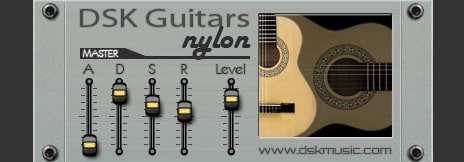
OS: Windows Win Mac Mac Bit Version: 32-bit, 64-bit Developer: DSK Music Size: 108 MB Rating: 61/100
DSK Guitars Nylon offers realistic nylon guitar sounds in a simple VST format for Windows and Mac. It includes three guitar types—acoustic, nylon, and steel—along with controls for ADSR, panorama, and velocity. The built-in reverb adds space, helping the tones feel more natural.
This plugin responds to how hard you play, giving expressive results from soft tones to bright accents. It’s useful for sketching ideas, adding gentle chord layers, or creating smooth melodic lines. With a clear layout and flexible sound options, it fits well in many music styles.
Features
- Three Guitar Types Available
- ADSR Envelope Control
- Built-In Reverb Effect
- Dynamic Velocity Response
- Panorama Stereo Control
- Low CPU Usage
- Simple User Interface
- Warm And Mellow Tones
- Bright And Clear Sounds
- VST And AU Formats
Pros
- Warm and natural nylon tones
- Includes three guitar types
- Built-in reverb for depth
- Dynamic response feels real
- ADSR controls for shaping sound
- Velocity control adds expression
- Light on computer CPU
- Loads fast and runs stable
- Reacts well to finger picking
- Free and still high quality
Cons
- Limited realism in strummed parts
- Noticeable looping in long notes
- Lacks advanced articulation choices
- Limited dynamic expression range
- Latency noticeable during live play
- Interface looks old and plain
- Reverb effect sounds basic
- No built-in EQ control
- Unstable when bridged to 64-bit
- Not suited for realistic performances
Video Demo
What Users Say
DSK Guitars Nylon Tips
- I like to start by lowering the attack knob so my strumming sounds more natural.
- I use a bit of EQ to take out low-end rumble when mixing with other instruments.
- I always check the velocity settings because playing with touch dynamics makes it feel real.
- I enjoy layering two DSK Nylon tracks for a fuller guitar sound—one panned left, one right.
- Adding a touch of compression can help even out the volume of strummed chords.
- For realistic playing, vary the note velocities and timing slightly.
- Using a MIDI arpeggiator with the plugin can create natural-sounding picking patterns.
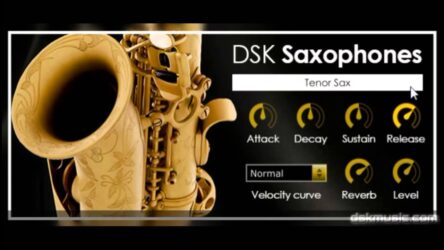
2. DSK Saxophones
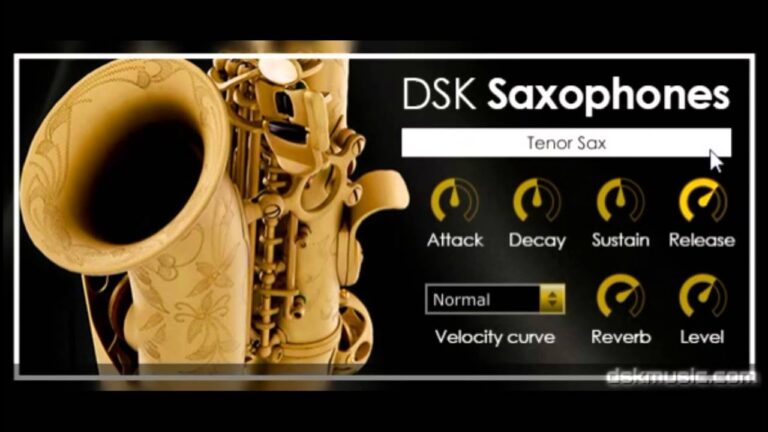
OS: Windows Win Mac Mac Bit Version: 32-bit, 64-bit Developer: DSK Music Size: 10 MB Rating: 60/100
DSK Saxophones offers realistic Soprano and Tenor sax sounds for adding smooth melodies or warm background tones to your tracks. It includes simple controls for shaping your sound with ADSR envelope and velocity settings, giving you flexible control over tone and dynamics.
With built-in reverb, you can add depth and a sense of space to your sax parts. DSK Saxophones works on both Windows and Mac systems and supports 32-bit and 64-bit formats, making it a handy tool for quick saxophone parts in any project.
Features
- Two Saxophone Types Included
- ADSR Envelope Controls
- Velocity Curve Selector
- Built-In Reverb Effect
- Adjustable Sound Shaping
- Supports VST And AU Formats
- Available In 32 And 64 Bit
- Low CPU Usage
- Realistic Articulation Presets
- Customizable Tone Controls
Pros
- Free to download and use
- Includes soprano and tenor sax
- Low CPU usage performance
- Built-in reverb for depth
- ADSR envelope for shaping sound
- Velocity curve control included
- Loads quickly for fast workflow
- No extra sample libraries needed
- Works on Windows and Mac
- Small file size, easy install
Cons
- Limited realistic expression controls
- No legato or glide mode
- Lacks vibrato customization options
- Velocity response feels unnatural
- Lacks smooth note transitions
- No articulation switching feature
- High notes sound harsh
- Reverb sounds artificial
- Interface looks dated
- Can sound plasticky or thin
Video Demo
What Users Say
DSK Saxophones Tips
- I make sure to adjust the reverb to give the sax a more real and open sound.
- I use the pitch bend wheel to add a little slide between notes, just like a real sax player would.
- Try changing the attack and release times to make the sax feel more natural.
- Use a low-cut filter to remove extra bass and keep the mix clean.
- Make sure to use some vibrato to bring life to the sax melodies.
- Add a touch of compression to even out loud and soft sax notes.
- Listen to real sax recordings to help match tone and dynamics in the plugin.
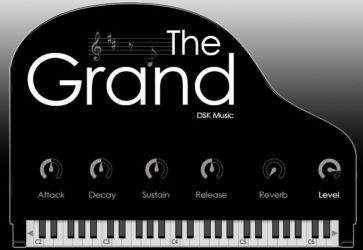
3. DSK The Grand
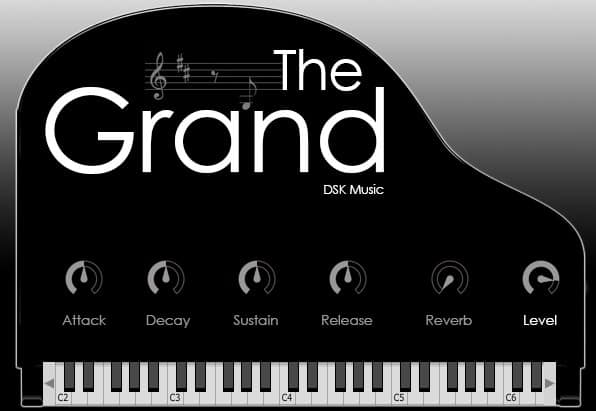
OS: Windows Win Bit Version: 32-bit, 64-bit Developer: DSK Music Size: 47 MB Rating: 59/100
DSK The Grand offers a rich and realistic grand piano sound made from multiple samples per note and four velocity layers. It gives players natural dynamics and smooth response, making it well-suited for creating warm piano parts without needing large sample libraries.
Players can shape the tone using ADSR envelope controls to adjust attack, sustain, and release. The Built-in reverb adds depth and space, from a small room to a large hall. DSK The Grand is available for both Windows and Mac in 32-bit and 64-bit formats.
Features
- Four Velocity Layers Per Note
- ADSR Envelope Sound Control
- Built-In Reverb Effect
- Realistic Grand Piano Tone
- Simple And Clean Interface
- Adjustable Attack, Decay, Sustain, Release
- Level Control For Volume
- Onscreen Keyboard Display
- Available In VST And AU Formats
- Supports 32-Bit And 64-Bit Systems
Pros
- Warm and realistic piano tone
- Low memory use for samples
- Four velocity layers for depth
- Built-in reverb adds space
- ADSR controls shape the sound
- Light on CPU for small projects
- Mixes well with other instruments
- Dynamic range feels natural
- Loads fast in most DAWs
- Comparable to top free pianos
Cons
- Limited control over piano tone
- No half-pedaling support
- Small sample library size
- CPU load can get heavy
- Reverb quality is basic
- Missing detailed velocity control
- Limited realism compared to paid
- Unstable in some DAWs
- Latency can be noticeable
- No built-in EQ or compressor
Video Demo
What Users Say
DSK The Grand Tips
- I try changing the velocity curve settings so soft touches sound gentler and loud hits sound powerful.
- I use an EQ plugin after The Grand to cut low frequencies that make the mix too muddy.
- I like to layer The Grand with strings or pads to make my music sound fuller.
- Placing a compressor after the plugin can help keep the piano’s loud and quiet notes more even.
- Using a MIDI controller makes playing more expressive compared to just clicking notes in a piano roll.
- I like to use the DSK The Grand with a little bit of reverb to make the piano sound like it’s in a big room.
4. World StringZ
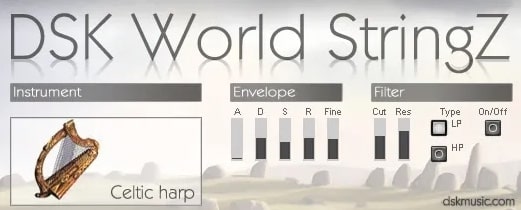
OS: Windows Win Bit Version: 32-bit, 64-bit Developer: DSK Music Size: 40 MB Rating: 59/100
World StringZ offers 13 playable string instruments from around the world, including the Celtic harp, sitar, koto, and Turkish oud. Each sound responds to your touch, with adjustable attack, decay, sustain, and release to shape expression in your music.
It includes three playing styles, six built-in effects, and MIDI automation for custom control. Recorded in 24-bit quality, World StringZ gives a smooth tone that fits styles from cinematic tracks to world beats, making it useful for adding global string sounds to any production.
Features
- Includes Eight World String Instruments
- Velocity Sensitive Sound Response
- Supports MIDI Automation Control
- Features Built-In Delay And Reverb
- Provides Attack, Decay, Sustain, Release
- Selectable Low Pass Or High Pass Filter
- Adjustable Pitch Fine Tuning
- Light On CPU Resources
- Uses 24-Bit 48kHz Samples
- Produces Ethnic And Acoustic Tones
Pros
- Wide range of world instruments
- Authentic sampled world string sounds
- Includes 13 detailed instruments
- Layered tones for fuller sound
- Customizable filter and resonance
- Six built-in sound effects included
- Velocities respond to playing style
- Light on CPU performance
- Ideal for film or game scoring
- Perfect for adding global flavor
Cons
- Limited to only string instruments
- Sustained notes sound unnatural
- Few velocity layers for realism
- No round-robin sampling variety
- Lacks deep ethnic instrument range
- No real-time performance controls
- User interface feels outdated
- Samples can sound synthetic
- No advanced articulation options
- Limited realism compared to newer VSTs
Video Demo
What Users Say
World StringZ Tips
- I adjust the velocity on my MIDI keyboard to make the strings sound more alive.
- I use the reverb knob carefully so the instruments sound like they are in a real space.
- Experiment with different scales from around the world to match the ethnic instrument tone.
- Layer the VST with real recordings to make the sound more authentic.
- Use automation on reverb and pan to make the instruments move in the mix.
- Combine World StringZ with ambient textures to create cinematic background music.
- Try combining multiple ethnic VSTs to form a cultural fusion sound.
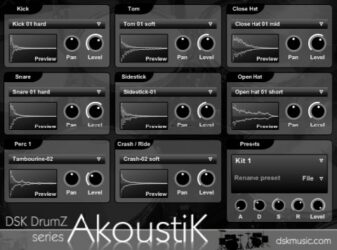
5. DSK DrumZ AkoustiK
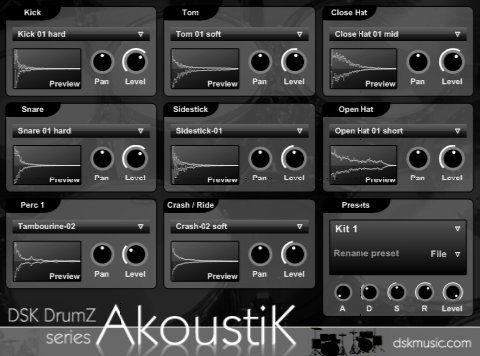
OS: Windows Win Bit Version: 32-bit Developer: DSK Music Size: 8.1 MB Rating: 57/100
DSK DrumZ AkoustiK offers a simple way to add real acoustic drum sounds to your music. It includes eight drum slots, each with level and pan controls, plus a master amp envelope for shaping your mix. With 85 samples and four full kits, it covers most basic drum needs.
This plugin reacts to how hard you play and supports MIDI automation for easy control. You can adjust sounds, choose presets, and send each drum to its own output for mixing. It’s a lightweight option for quick drum ideas or building realistic acoustic grooves.
Features
- Eight Drum Sound Slots
- Eight Stereo Outputs
- Four Full Drum Kits
- Velocity Sensitive Response
- MIDI Automation Support
- Master Amp Envelope ADSR
- Preset Selector Option
- Low CPU Resource Usage
- Simple And Clear Interface
- Free Acoustic Drum Module
Pros
- Completely free with no signup
- Comes with four full kits
- Eight stereo outputs for mixing
- Good velocity response for realism
- Manual pan control for each part
- Master volume envelope adds control
- MIDI automation allows creative changes
- Includes extra percussion sounds
- Runs smoothly on older systems
- Ideal for lo-fi and indie styles
Cons
- Only works on Windows systems
- Limited to 32-bit version
- Cannot load custom samples
- Sounds less realistic overall
- No built-in effects section
- Unstable in some DAWs
- Limited mixing and editing control
- Interface looks old and plain
- No built-in groove patterns
- Feels outdated next to modern plugins
Video Demo
What Users Say
DSK DrumZ AkoustiK Tips
- Use the built-in volume controls to balance kick, snare, and hi-hat levels.
- Experiment with compression to make the drums sound tighter and more powerful.
- Use EQ to cut low frequencies from cymbals and high frequencies from the kick drum.
- Use panning to place the drums in the stereo field and make space for other instruments.
- Layer acoustic and electronic drum sounds for a rich mix.
- Save presets in DSK DrumZ AkoustiK to quickly recall your favorite settings.
6. DSK RhodeZ
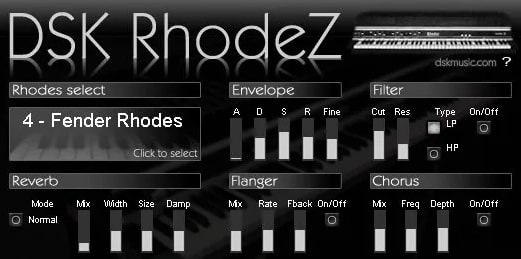
OS: Windows Win Bit Version: 32-bit Developer: DSK Music Size: 13 MB Rating: 57/100
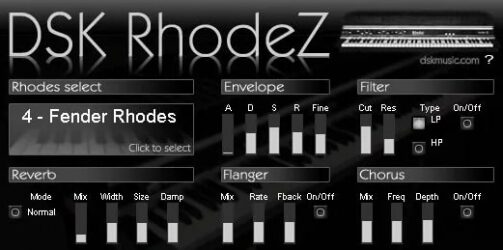
DSK RhodeZ offers six electric piano styles that capture the classic Rhodes sound. It responds to how hard you play and includes an amp envelope, micro-detuner, and tone-shaping filters. The simple layout helps shape sounds for anything from smooth jazz to relaxed lo-fi tracks.
It also features built-in reverb, flanger, and chorus for adding space and motion. These effects help create warm, wide tones that fit well in mixes. Though basic, DSK RhodeZ delivers a solid Rhodes feel that works well for quick ideas or finished songs.
Features
- Six Rhodes Piano Variations
- Adjustable Velocity Response
- Micro Detune Function
- High And Low Pass Filters
- Built-In Reverb Effect
- Flanger Effect With Controls
- Chorus Effect For Warmth
- Two Sound Layers Available
- Three Velocity Zones Per Layer
- Free Electric Piano Plugin
Pros
- Six unique Rhodes piano styles
- Warm and classic electric tone
- Built-in reverb for spacious sound
- Chorus adds rich stereo depth
- Flanger gives smooth movement
- Micro-detuner adds gentle variation
- Filter for shaping bright or dark tone
- Light CPU use on older computers
- Adjustable velocity for natural play
- Strong choice among free Rhodes VSTs
Cons
- Only works on Windows computers
- Crashes in some DAWs often
- No support for 64-bit systems
- Uses more CPU than expected
- Very basic user interface design
- Few built-in sound options
- Limited editing and control options
- Less realistic tone than others
- No macOS or Linux version
- GUI can lag on some systems
Video Demo
What Users Say
DSK RhodeZ Tips
- I like to start by picking a preset that matches the mood of my song before making any changes.
- I like to add a little chorus or tremolo to make the sound move and feel more alive.
- I use reverb to create space around the sound so it feels like it’s in a real room.
- Place a bit of tape saturation or light distortion for a warm vintage tone.
- Apply EQ to reduce muddiness below 100Hz for a cleaner mix.
- Combine the plugin with light compression to even out the volume of each note.
- Experiment with stereo widening to make the Rhodes sound bigger and more open.
7. DSK mini DRUMZ 2
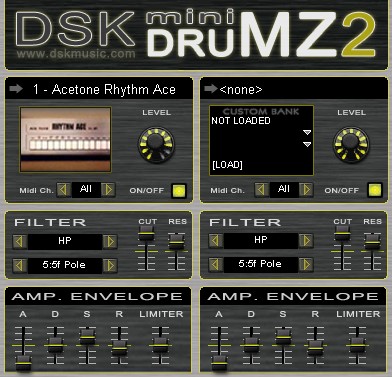
OS: Windows Win Bit Version: 32-bit Developer: DSK Music Size: 12.9 MB Rating: 56/100
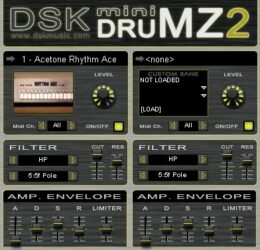
DSK mini DRUMZ 2 offers a collection of 20 vintage drum machine kits designed for quick and classic beat creation. It includes fixed sound levels, improved filters, and a limiter to help shape tight and consistent drum tones across different styles.
This plugin also adds a new layer for loading external SoundFont kits, giving more sound options. Each layer includes its own MIDI channel selector and amp envelope, allowing flexible control for simple or layered rhythms inside your music projects.
Features
- Sample-Based Vintage Drum Machine
- Includes 20 Classic Drum Kits
- Supports External SF2 Drum Kits
- Improved Filters For Tone Shaping
- MIDI Channel Selector Per Layer
- Built-In Limiter To Prevent Clipping
- Low CPU And RAM Usage
- Supports MIDI Automation Control
- Retro Lo-Fi Drum Sound Character
- Simple And Easy Interface
Pros
- Includes 20 vintage drum kits
- Loads external SoundFont kits
- Low CPU and RAM usage
- Limiter prevents sound clipping
- Each layer has its own filter
- Selectable MIDI channel per layer
- Adjustable attack, decay, sustain, release
- Improved filters add tone control
- Free download with full features
- Lightweight alternative to heavy drum plugins
Cons
- Only works on Windows systems
- No 64-bit version available
- Can crash in some DAWs
- No multiple output support
- Limited sound editing options
- No pattern or step sequencer
- Lo-fi sound not for everyone
- Old-looking interface design
- Tiny GUI on large screens
- Not as powerful as newer plugins
Video Demo
What Users Say
DSK mini DRUMZ 2 Tips
- I like to start by picking a drum kit that fits the style of my song before I begin making beats.
- I often tweak the velocity of each note to make the drum pattern sound more natural.
- Try adjusting the pitch of the kick drum to match the key of your song.
- Balance each drum sound in the mixer so that no single part is too loud or too soft.
- Add a compressor to glue the drum sounds together for a tighter mix.
- Use automation to make drum fills or volume changes for more energy in your track.
- Use reference tracks to compare your drum mix and learn how to balance sounds better.
8. DSK Asian DreamZ
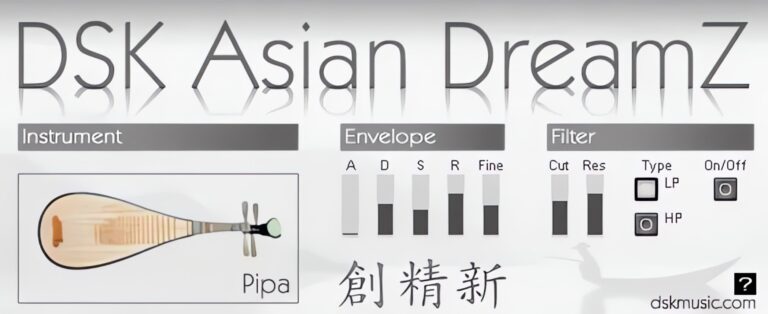
OS: Windows Win Bit Version: 32-bit Developer: DSK Music Size: 11 MB Rating: 56/100
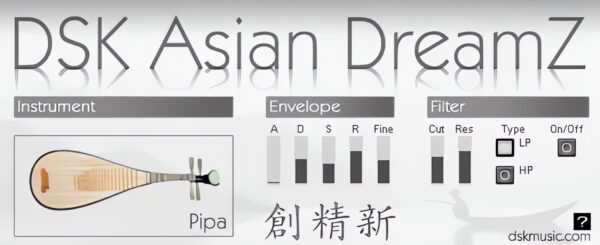
DSK Asian DreamZ offers a set of seven traditional Asian instruments, including Pipa, Guzhen, Erhu, Luan, Ban di, and a percussion kit. It adds authentic tones that bring an Asian flavor to your tracks through adjustable filters, pitch control, and a responsive velocity system.
This plugin lets producers shape each sound using amp envelope controls and a micro-detuner for fine-tuning. With MIDI automation and simple controls, it’s a practical choice for adding expressive string and percussion textures to music projects on Windows systems.
Features
- Includes Seven Asian Instruments
- Features Velocity Response Control
- Offers Micro-Detuner Option
- Provides HP And LP Filters
- Supports MIDI Automation
- Uses ADSR Envelope Controls
- Light On CPU Resources
- Simple And Clear Interface
- Useful For Ethnic Sound Creation
- Includes Percussion And String Sounds
Pros
- Offers seven unique Asian instruments
- Better variety than most free ethnic VSTs
- Realistic string instrument sounds
- Customizable tone with filters
- Fine tuning with micro-detuner
- Light on CPU performance
- Simple and clear interface
- MIDI automation supported
- Asian sound palette in one plugin
- Free to download and use
Cons
- Only works on Windows
- Limited to 32-bit format
- Sound can feel fake
- Percussion lacks detail
- Interface looks outdated
- Few sound shaping options
- Limited instruments available
- Crashes in some DAWs
- Less realistic than paid libraries
- Velocity response uneven
Video Demo
What Users Say
DSK Asian DreamZ Tips
- I always tweak the reverb settings to make the instruments sound like they’re in a real room.
- I often mix Asian DreamZ with other Ethnic VSTs to get a wider world-music sound.
- I use EQ to cut extra bass so the music doesn’t get muddy.
- Use automation to move parameters like volume and reverb for a more dynamic sound.
- Experiment with panning to place different instruments across the stereo field.
- Be careful not to overuse reverb; too much can make the mix blurry.
9. AkoustiK GuitarZ
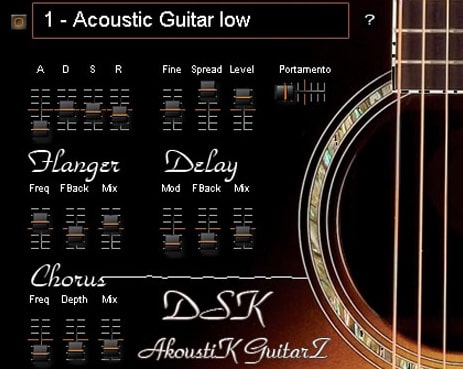
OS: Windows Win Bit Version: 32-bit Developer: DSK Music Size: 3 MB Rating: 56/100
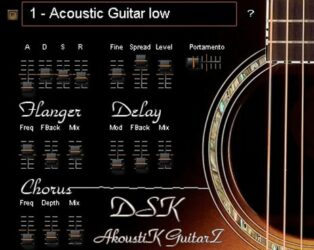
AkoustiK GuitarZ offers four acoustic guitar types that bring natural guitar tones to your tracks. It includes controls for amp envelope, fine tuning, and stereo spread, helping shape each note. Portamento creates smooth transitions, adding a more lifelike feel to your playing.
The plugin also adds flanger, delay, and chorus effects for more depth and texture. Its velocity response reacts to how hard you play, giving better dynamics. AkoustiK GuitarZ is a simple choice for adding warm or bright acoustic layers to your music projects.
Features
- Four Acoustic Guitar Types
- ADSR Amp Envelope Control
- Stereo Spread Option
- Flanger, Delay, And Chorus Effects
- Velocity Response Support
- Preset Menu For Quick Selection
- Low CPU Usage
- Simple And Easy Interface
- Fine Tuning Adjustment
- Portamento For Smooth Transitions
Pros
- Low CPU usage
- Four different guitar types
- Warm nylon tones available
- Offers delay, chorus, flanger
- Smooth stereo sound spread
- Natural tuning control built in
- Playable with velocity response
- Fast to load in projects
- Good sound for free plugin
- Simple controls to adjust sound
Cons
- Only works on Windows systems
- Limited to 32-bit format
- No macOS support available
- Not very realistic guitar tone
- Weak dynamic velocity response
- No real strumming engine
- Crashes reported in some DAWs
- Limited preset variety and depth
- Slow updates or support issues
- Synthetic sound in solo use
Video Demo
What Users Say
AkoustiK GuitarZ Tips
- I play with the velocity of my MIDI notes to make the guitar sound more human and less robotic.
- I layer two different presets to make the guitar sound richer and more full.
- I use a little bit of reverb to make the guitar sound more natural and like it’s in a real room.
- I use the EQ to cut the low end slightly so the guitar doesn’t clash with the bass.
- Try doubling the track and detuning one slightly for a bigger, fuller guitar tone.
- Use automation to change volume and tone over time for a dynamic performance.
- Always check your mix with headphones and speakers to make sure the guitar sits well everywhere.
10. DSK World StringZ
OS: Windows Win Bit Version: 32-bit Developer: DSK Music Size: 33 MB Rating: 55/100
DSK World StringZ offers a set of eight string instruments from around the world, including harp, oud, and koto. Each sound reacts to how hard you play, making performances more expressive. Its amp envelope and micro-detuner let you shape tone and add slight tuning changes.
This plugin also features high-pass and low-pass filters for adjusting brightness or warmth. With full MIDI control, you can program and automate each setting for more dynamic tracks. DSK World StringZ gives creators a simple way to add ethnic string sounds to their music.
Features
- Eight World String Instruments
- Velocity-Sensitive Response
- Adjustable Amp Envelope
- Micro-Detuner Control
- High And Low Pass Filters
- MIDI Automation Support
- Simple User Interface
- CPU-Friendly Performance
- Free VST Plugin
- Realistic Harp Tone
Pros
- Includes eight unique world strings
- Real velocity response feels natural
- Has both high and low pass filters
- Supports full MIDI automation
- Light on CPU usage
- Micro-detuner allows fine tuning
- Celtic harp sounds rich and bright
- Free and easy to download
- Offers surprising sound variety
- Great for ethnic and ambient music
Cons
- Only works on Windows systems
- Old 32-bit format only
- Limited modern DAW compatibility
- Samples can sound synthetic
- Crashes DAW on some systems
- Sustain sounds lack realism
- No built-in reverb effect
- No round-robin sample variation
- Few instrument customization options
- Outdated and plain interface
Video Demo
What Users Say
DSK World StringZ Tips
- I use the attack and release knobs to make the harp sound softer or more plucky depending on my track.
- I listen closely when I change reverb to make sure the harp sounds natural and not too far away.
- Try using EQ to cut low frequencies that can make the harp sound muddy.
- Adding a touch of delay can give the harp a magical echo effect.
- Add gentle compression to control any sudden peaks without losing the harp’s natural tone.
11. DSK SoundFx Vol. 1
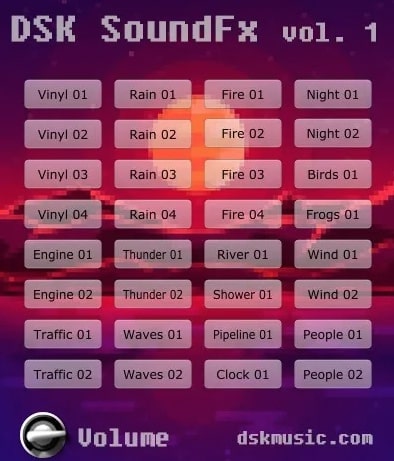
OS: Windows Win Mac Mac Bit Version: 32-bit, 64-bit Developer: DSK Music Size: 155 MB Rating: 55/100
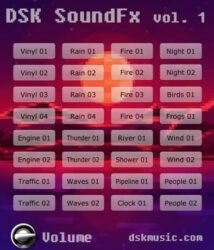
DSK SoundFx Vol. 1 offers 32 sound effects designed to add detail and atmosphere to your tracks. It includes natural and mechanical sounds such as vinyl noise, rain, thunder, and crowd ambience, making it useful for intros, transitions, and ambient layers.
This free plugin works on Windows and Mac in VST, VST3, and AU formats. It includes level control and supports MIDI automation, allowing quick sound adjustments while producing. Ideal for Lo-fi and electronic music, it helps add texture and depth to your projects.
Features
- Includes 32 Unique Sound Effects
- Features Natural And Mechanical Sounds
- Offers Vinyl, Rain, And Thunder Effects
- Ideal For Lo-Fi And Electronic Music
- Supports MIDI Automation
- Works In VST, VST3, And AU Formats
- Available In 32-Bit And 64-Bit Versions
- Runs Smoothly In Popular DAWs
- Provides Volume Level Control
- Simple And Easy-To-Use Interface
Pros
- Wide range of natural sounds
- Includes fun vintage vinyl effects
- Offers unique mechanical noises
- Realistic rain and thunder effects
- Lightweight and quick to load
- Low CPU use compared to others
- Better variety than many free SFX VSTs
- Ideal for ambient sound design
- 32 built-in sound options
- Free to download and use
Cons
- Limited number of sound effects
- No built-in reverb or delay
- No filter or EQ controls
- User interface looks outdated
- Cannot import custom sounds
- Sometimes crashes on 64-bit systems
- No envelope or modulation control
- Sound quality can feel dated
- No updates or tech support
- Weak compared to modern samplers
Video Demo
What Users Say
DSK SoundFx Vol. 1 Tips
- I use DSK SoundFx Vol. 1 to fill quiet spots in my tracks with cool background noises.
- Sometimes, I mix two sound effects together to make a brand-new texture.
- I experiment with layering DSK sounds with other VST effects to create custom atmospheres.
- Layering sound effects with instruments often adds life and depth to a track.
- Keeping volume levels balanced ensures the effects support the music instead of covering it.
- Experimenting with pitch shifting can turn ordinary sounds into creative leads or backgrounds.
- Using sound effects sparingly helps each one stand out and makes the track sound more professional.
12. DSK Elektrik Keys
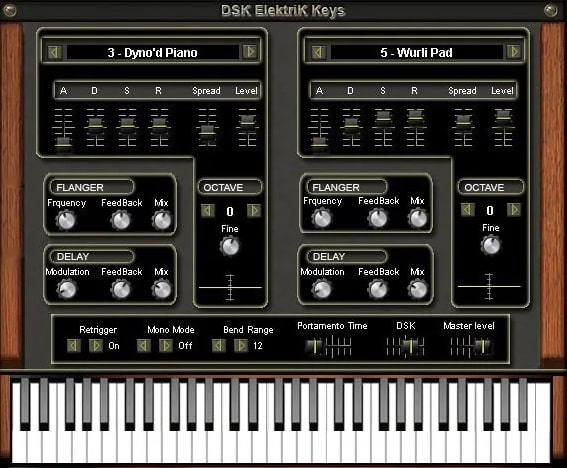
OS: Windows Win Bit Version: 32-bit Developer: DSK Music Size: 5.6 MB Rating: 55/100
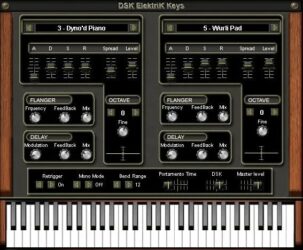
DSK Elektrik Keys offers a range of classic electric piano sounds built from two layers and 13 waveforms. Its octave select and micro-detuner features allow players to fine-tune tones, while built-in delay and flanger effects add motion and space to the sound.
This plugin gives music creators several presets that capture different electric piano styles, from smooth Rhodes tones to sharper FM keys. With assignable automation and simple controls, DSK Elektrik Keys helps producers shape warm, expressive keyboard parts in any mix.
Features
- Three Expressive Electric Piano Sounds
- Two Sound Layers With 13 Waveforms
- Built In Delay And Flanger Effects
- Assignable Automation For Parameters
- Preset Selector For Quick Sound Changes
- Adjustable Portamento And Bend Range
- Velocity Sensitive And Dynamic Response
- Simple Interface With Visual Keyboard
- Lightweight Plugin With Fast Loading
- Wide Stereo Image And Warm Tone
Pros
- Realistic Rhodes and Wurli sounds
- Thirteen waveforms for tone variety
- Two sound layers for depth
- Built-in delay and flanger effects
- Adjustable stereo spread control
- Warm tines-style distortion option
- Assignable automation for flexibility
- Nicely balanced preset collection
- Free yet rivals paid plugins
- Good stereo imaging and presence
Cons
- No 64-bit version available
- Can cause DAW crashes
- Uses lots of CPU
- Interface looks outdated
- Few presets available
- No reverb effect
- Clicks and pops on release
- Limited effects options
- No velocity curve control
- Less dynamic range
Video Demo
What Users Say
DSK Elektrik Keys Tips
- I use the velocity control to make my playing sound more natural and expressive.
- I try layering DSK Elektrik Keys with a soft pad to make the sound feel fuller and warmer.
- I sometimes add a touch of chorus to make the electric piano sound wider.
- Use EQ to cut low frequencies that may muddy up the overall sound.
- Use the built-in effects in DSK Elektrik Keys to shape the sound before adding external plugins.
- Save custom presets after tweaking, so you can easily use your favorite sounds again.
13. DSK Brass
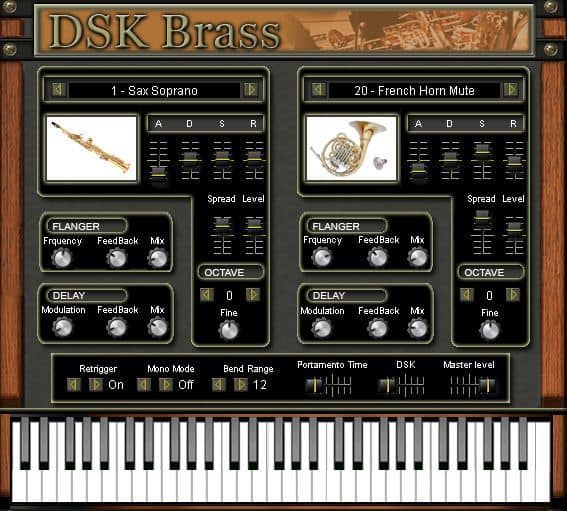
OS: Windows Win Bit Version: 32-bit Developer: DSK Music Size: 34 MB Rating: 52/100
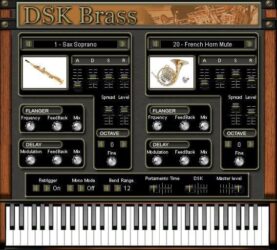
DSK Brass offers a collection of virtual brass instruments for music creators looking to add horn sounds to their tracks. It includes 23 instruments such as trumpets, trombones, tubas, and saxophones, each with adjustable layers, octave control, and tuning options for flexible sound design.
The plugin features delay and flanger effects, along with basic controls for attack, sustain, and stereo width. While it may not sound fully realistic, DSK Brass is useful for quick sketches, lo-fi styles, or adding simple brass accents without needing paid libraries.
Features
- Two Sound Layers With 23 Presets
- Includes Various Brass Instruments
- Built-In Delay And Flanger Effects
- MIDI Automation Support
- ADSR Envelope Control Section
- Stereo Spread Level Adjustment
- Pitch Bend Range Setting
- Portamento Time Control
- Mono And Retrigger Options
- Lightweight And CPU Friendly
Pros
- Free and easy to download
- Includes 23 brass instruments
- Has delay and flanger effects
- ADSR controls for shaping sounds
- Octave and micro-detune options
- MIDI automation support included
- Adjustable pitch bend and portamento
- Mono and retrigger modes available
- Light on computer resources
- Simple and clear interface
Cons
- Only works on Windows systems
- Sounds very synthetic and fake
- Needs extra effects to sound good
- Limited control over sound realism
- Crashes in newer DAWs sometimes
- Very basic built-in effects
- No macOS or Linux support
- Limited dynamic and velocity range
- No round-robin or key switching
- Poor realism compared to other VSTs
Video Demo
What Users Say
DSK Brass Tips
- I often use the attack and release knobs to make the brass sound more natural.
- I add a little reverb to give the trombone a bigger, room-like sound.
- I like to use a MIDI keyboard to play smoother notes and control how hard I press each note.
- I record a few takes and mix them together for a real brass section feel.
- Try adjusting the velocity settings to control how bright or soft the trombone sounds.
- Use compression lightly to keep brass dynamics even and smooth.
- EQ out unnecessary low frequencies when mixing brass with bass or drums.
14. DSK Guitars Acoustic
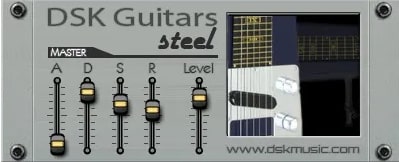
OS: Windows Win Bit Version: 32-bit Developer: DSK Music Size: 22 MB Rating: 52/100
DSK Guitars Acoustic offers natural and dynamic acoustic guitar tones that work well for quick sketches or background layers. Its simple layout includes controls for attack, decay, sustain, and release, letting you shape the feel of each note with just a few tweaks.
This free Windows VST provides realistic results when paired with careful MIDI playing and effects like reverb or EQ. Although it shows its age and can sound synthetic at times, it remains a handy tool for creating warm, playable guitar parts without needing extra gear.
Features
- Expressive And Dynamic Guitar Sounds
- Clean And Simple Interface
- ADSR Envelope Sound Control
- Low CPU Resource Usage
- Velocity Responsive Performance
- Includes Multiple Guitar Types
- Quick Loading Time
- 32-Bit VST Format
- Adjustable Overall Volume Level
- Visual Acoustic Guitar Display
Pros
- Sounds warm and expressive
- Low CPU usage
- Great for quick song ideas
- Responds well to velocity
- ADSR gives strong control
- Free and budget friendly
- Works well for chord strumming
- Good tone variety for free
- Can blend with other plugins
- Works great for acoustic sketching
Cons
- No Mac or Linux support
- Limited to 32-bit format
- Sounds can be thin or metallic
- Some notes cut off early
- Can crash in some DAWs
- No built-in reverb or effects
- Few tone-shaping options
- Interface looks old
- Sounds less real than paid ones
- Weak sustain on long notes
Video Demo
What Users Say
DSK Guitars Acoustic Tips
- I make sure to set the velocity sensitivity right, so the strums sound more real when I play.
- I always use EQ to remove low rumble and make the high tones brighter.
- Use light compression to keep the guitar volume even throughout the track.
- I use a bit of reverb to give the acoustic guitar more space and a live feel.
- I like to add a bit of chorus for a warmer and wider sound.
- I adjust the stereo width to find the perfect spot in the mix for the guitar.
15. DSK B3x
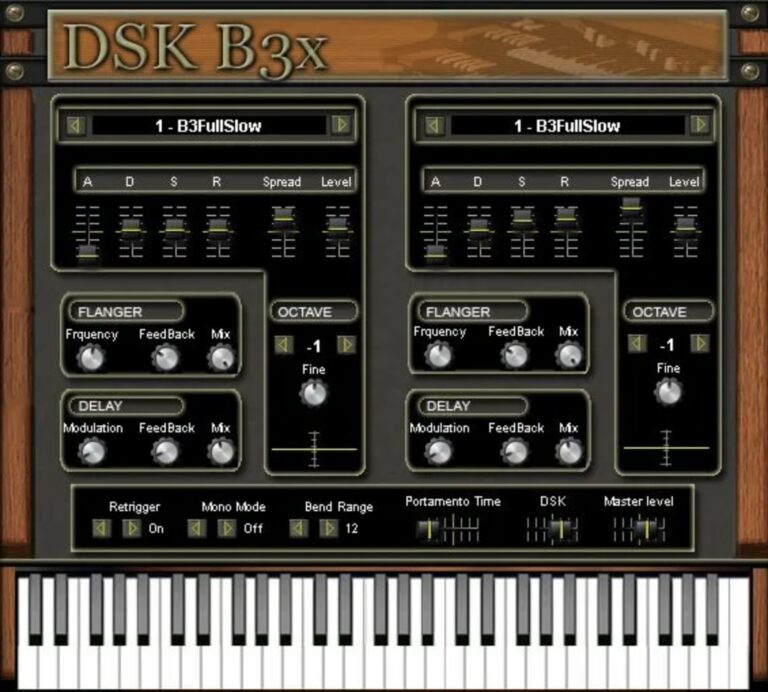
OS: Windows Win Bit Version: 32-bit Developer: DSK Music Size: 4.5 MB Rating: 50/100
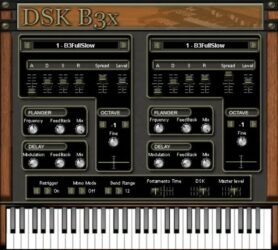
DSK B3x offers a classic organ sound in a simple, free plugin built for Windows. It includes two sound layers and 13 waveforms, giving plenty of tonal range. With octave selection, fine-tuning, and automation options, it helps shape warm and expressive organ tones easily.
Delay and flanger effects add depth and motion, while controls for attack, sustain, and stereo spread give more detail to each sound. DSK B3x works well for creating vintage organ pads or lively background parts, making it a helpful tool for music producers on a budget.
Features
- Two Sound Layers With 13 Waveforms
- Octave Select And Micro Detuner
- Delay And Flanger Effects
- Assignable Automation Control
- ADSR Envelope Sliders
- Stereo Spread Adjustment
- Retrigger And Mono Modes
- Pitch Bend Range Setting
- Portamento Time Control
- Mix Slider Between Layers
Pros
- Rich warm organ sound quality
- Two layers for sound depth
- Thirteen waveforms for variety
- Includes delay and flanger effects
- Micro-detuner for fine tuning
- Assignable automation improves control
- Lightweight compared to big synths
- Nice stereo spread control
- Customizable attack and release
- Free to download and use
Cons
- Only 32-bit, not 64-bit
- Crashes in some DAWs
- High CPU use on laptops
- Not very realistic tone
- Weak rotary speaker effect
- Small, dated interface design
- Doesn’t support Mac properly
- Latency when playing live
- Limited preset variety
- Few sound-shaping options
Video Demo
What Users Say
DSK B3x Tips
- I like to start by picking a simple preset and then slowly turn the knobs to see what changes.
- I use the built-in amp controls to make the organ sound warmer or more powerful.
- I like to play with the rotary speaker settings—it really makes the sound move!
- I set up MIDI control so I can use my keyboard knobs and sliders to tweak sounds in real time.
- I use reverb and delay from another plugin to give the organ more space in the mix.
- Keep the EQ balanced—too much bass or treble can make the organ fight with other instruments.
- Use automation to bring the rotary speed up and down during a song for cool effects.
16. DSK Strings
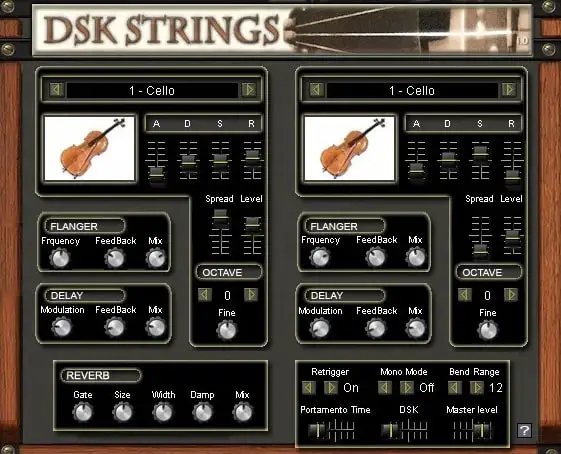
OS: Windows Win Bit Version: 32-bit Developer: DSK Music Size: 31 MB Rating: 50/100
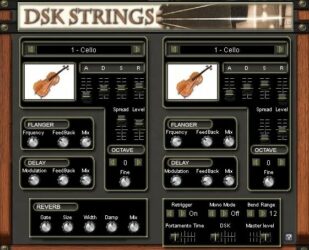
DSK Strings offers four classic string instruments—violin, viola, cello, and contrabass—with adjustable layers and 22 waveforms for flexible sound design. It includes delay and flanger effects that can be shaped with MIDI automation for greater control during performance or mixing.
You can fine-tune pitch using the micro-detuner, shift octaves, and shape tone through ADSR controls. Reverb, portamento, and stereo width options help create natural depth and movement, making DSK Strings a solid tool for adding expressive, realistic string sounds to your music.
Features
- Two Instrument Layers
- Twenty-Two Waveforms
- Four Instrument Groups
- Micro-Detuner For Fine Tuning
- ADSR Envelope Controls
- Reverb With Size And Width
- Delay And Flanger Effects
- MIDI Automation Support
- Portamento Time Control
- Stereo Spread Adjustment
Pros
- Includes cello, viola, and violin
- Two sound layers for mixing
- Has 22 colorful waveforms
- Fine-tuning with micro-detuner
- Built-in delay and flanger effects
- Supports MIDI automation control
- Adjustable ADSR for sound shaping
- Reverb options add real depth
- Smooth portamento between notes
- Flexible for creative sound design
Cons
- Very low overall volume output
- Only works on Windows systems
- No 64-bit plugin version
- Crashes often in some DAWs
- High CPU use on weak PCs
- Latency issues when recording live
- Limited preset variety available
- No macOS support at all
- Does not save presets reliably
- Sounds less real than newer VSTs
Video Demo
What Users Say
DSK Strings Tips
- I use the mod wheel to bring life to my cello sounds, making them feel more real and alive.
- I adjust the attack and release knobs so the notes fade in and out smoothly, like real players.
- I mix in a bit of reverb to make the strings sound like they’re in a big hall.
- I use MIDI velocity to control how soft or hard the notes play for more feeling.
- Panning violins, violas, and cellos to different spots can mimic a real orchestra layout.
- Adding a soft compressor can give the cello more presence in the mix.
- Automation of volume and tone adds life and emotion to a simple string track.
17. Dynamic Guitars
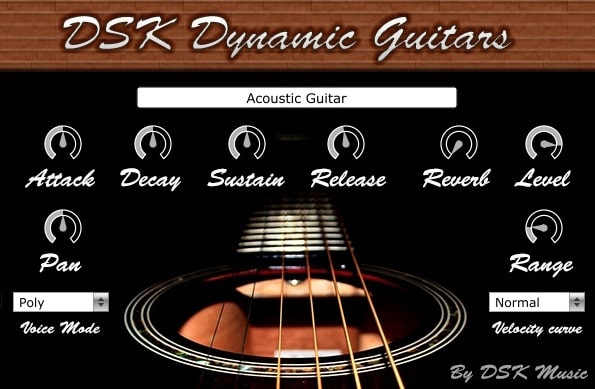
OS: Windows Win Mac Mac Bit Version: 32-bit, 64-bit Developer: DSK Music Size: 108 MB Rating: 50/100
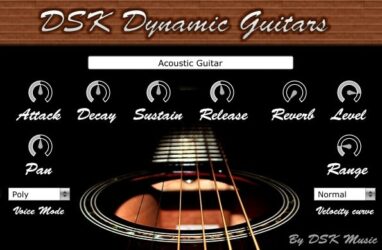
Dynamic Guitars offers three guitar sounds—acoustic, nylon, and steel—inside one simple plugin. It includes ADSR envelope controls, panorama settings, and a built-in reverb to shape your tone. The velocity response helps your playing feel more natural and expressive.
Each control lets you fine-tune the sound for rhythm or lead parts. Voice mode and amplitude range options give more flexibility for layering or soloing. Dynamic Guitars works on Windows and Mac systems, making it easy to add guitar tones to your projects.
Features
- Three Guitar Types Available
- ADSR Envelope Control
- Adjustable Panorama Control
- Selectable Voice Modes
- Amplitude Range Control
- Velocity Curve Selector
- Built-In Reverb Effect
- Dynamic Velocity Response
- Supports 32 And 64 Bit
- Works On Multiple Formats
Pros
- Includes three guitar types
- Offers nylon and steel tones
- Built-in reverb for space
- Dynamic velocity response feels real
- Velocity curve adds realism
- Adjustable attack and release
- Light on system requirements
- Free to download and use
- Supports both 32 and 64-bit
- Pan control for stereo feel
Cons
- Crashes often in some DAWs
- High CPU use on older PCs
- Sound can be very mechanical
- Limited velocity layers for realism
- Samples sound low in quality
- Delay and latency when playing
- Plugin sometimes fails to load
- GUI missing or freezes often
- Unreliable note triggering behavior
- Limited tone-shaping or effect options
Video Demo
What Users Say
Dynamic Guitars Tips
- I use the velocity control to make my guitar notes sound more real, like someone is picking the strings.
- I always add a little reverb so the guitar sounds like it’s in a real room.
- I like to pan one guitar slightly left and another slightly right for a wider sound.
- I use EQ to cut some low frequencies so the guitar doesn’t clash with the bass.
- Layer Dynamic Guitars with a real recorded guitar for a richer and more realistic tone.
- Use compression to balance soft and loud guitar notes evenly.
- Apply delay effects for gentle echoes that fill up space in the mix.
18. DSK Electrik GuitarZ
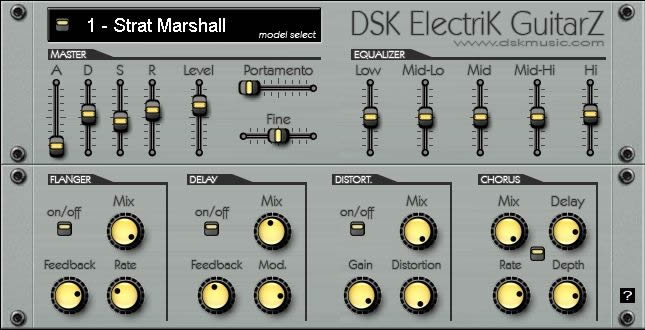
OS: Windows Win Bit Version: 32-bit Developer: DSK Music Size: 11.2 MB Rating: 50/100
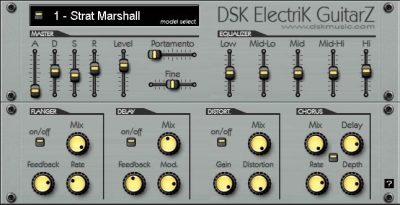
DSK Electrik GuitarZ offers ten styles of electric guitars that can fit many types of tracks. It includes controls for shaping the sound, such as an amp envelope, pitch glide, and a 5-band EQ for fine-tuning tones from deep lows to crisp highs.
The plugin also includes effects like flanger, delay, distortion, and chorus to adjust the guitar’s character. With MIDI automation and velocity response, each note can feel more expressive and natural, making it a useful tool for adding realistic guitar layers in digital music projects.
Features
- Ten Electric Guitar Models
- Adjustable Amp Envelope
- Portamento Pitch Control
- Five-Band Equalizer
- Flanger, Delay, Distortion, Chorus Effects
- MIDI Automation Support
- Velocity-Sensitive Response
- Fine Pitch Tuning
- Volume Level Adjustment
- User-Friendly Interface Controls
Pros
- Includes ten unique guitar models
- Offers realistic guitar tone
- Has built-in 5-band EQ
- Comes with four sound effects
- Supports MIDI automation control
- Velocity response feels more natural
- Portamento adds smooth note glide
- Adjustable attack, decay, sustain, release
- Lightweight and fast to load
- Pairs well with amp simulators
Cons
- No Mac or Linux support
- Only 32-bit version offered
- Crashes often in some DAWs
- User interface looks outdated
- No built-in amp simulation
- Needs extra plugins for tone
- Sounds can feel thin or flat
- Low realism compared to newer plugins
- Slow updates and developer support
- Lacks built-in cabinet simulation
Video Demo
What Users Say
DSK Electrik GuitarZ Tips
- Use an amp simulator plugin after DSK Electrik GuitarZ to make the tone more realistic.
- I tweak the EQ to cut out muddy low frequencies and boost the sparkle.
- I use reverb to give my guitar sound more space and depth.
- I like to use a chorus effect to make the electric guitar sound wider.
- Use compression to even out the volume between soft and hard notes.
- Automate volume and panning for more movement in the guitar track.
19. DSK SF2 v2
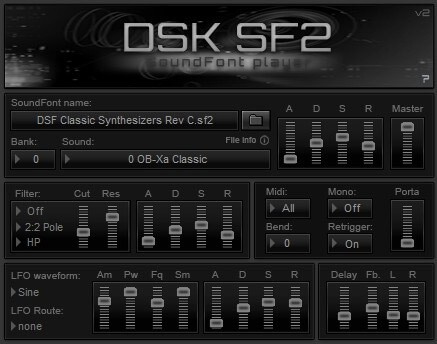
OS: Windows Win Bit Version: 32-bit Developer: DSK Music Size: 2.7 MB Rating: 49/100
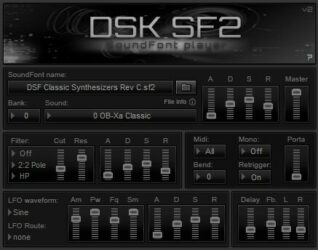
DSK SF2 v2 is a free SoundFont player designed for Windows-based music creators who want a simple way to load and play SF2 files. It includes tools like bank and preset selection, MIDI channel choice, and note control options such as bend and retrigger.
It offers features like an amp envelope, multimode filter, LFO routing, delay, and portamento controls to shape each sound. While users note some issues with file recognition in certain hosts, the plugin remains a practical tool for testing or layering SoundFonts in music projects.
Features
- Free High Quality SoundFont Player
- Multimode Filter With Cutoff And Resonance
- Advanced LFO With Routing Options
- Amp Envelope With ADSR Controls
- MIDI Automation And Learn Support
- Built In Delay Effect
- Simple And Lightweight Interface
- Works With Standard SF2 Files
- Low CPU Usage
- Mono And Poly Playback Modes
Pros
- Light on computer CPU use
- Plays many SoundFont files
- Supports MIDI automation learning
- Multimode filter adds sound color
- Advanced LFO for sound movement
- Offers portamento for smooth slides
- Full note bend and retrigger options
- Customizable GUI layout design
- Includes amp envelope control
- Has built-in delay effects
Cons
- No native 64-bit support
- Crashes in some DAWs
- Unstable when bridged to 64-bit
- GUI sometimes loads blank
- Doesn’t save soundfont paths
- Only works well on Windows
- No Mac or Linux version
- Uses old 32-bit technology
- Limited built-in effects
- Preset management is confusing
Video Demo
What Users Say
DSK SF2 v2 Tips
- I always adjust the Attack and Release knobs to make sounds softer or sharper depending on the song.
- I use EQ to cut low frequencies if a sound feels too heavy in the mix.
- I like to layer two instruments from DSK SF2 v2 to make my sound bigger.
- I use reverb in small amounts, so the sound feels wide but not muddy.
- Use automation to change reverb or filter settings over time for more dynamics.
- I always check the volume level of each preset before adding effects, to avoid clipping.
- I like to bounce my MIDI tracks to audio once I’m happy with the sound, to save CPU power.
20. DSK ChoirZ
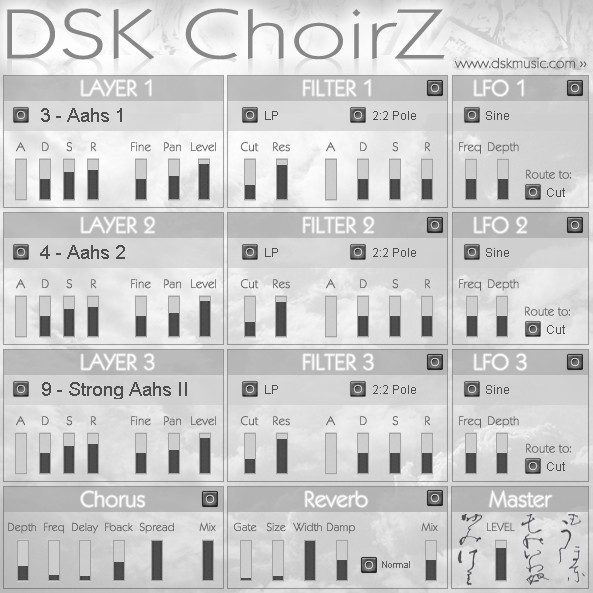
OS: Windows Win Bit Version: 32-bit Developer: DSK Music Size: 22 MB Rating: 48/100
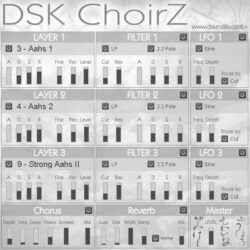
DSK ChoirZ is a free VST plugin that gives you 32 choir and pad sounds spread across three layers. Each layer offers controls for shaping tone, volume, and space using filters, LFOs, and basic mix settings. It helps build rich, layered vocal textures.
DSK ChoirZ offers built-in effects like chorus and reverb to widen and deepen the sound. With MIDI automation and velocity response, users can bring more character and motion to their tracks. It works well for creating soft, airy backgrounds or synthetic choir tones.
Features
- Three Layers Of Choir Sounds
- Thirty-Two Choir And Pad Presets
- ADSR, Fine Tune, And Pan Control
- Three Independent Filter Sections
- Three LFO Routing Options
- Built-In Chorus Effect
- Built-In Reverb Effect
- Velocity Sensitive Response
- Supports MIDI Automation
- Master Output Level Control
Pros
- Three sound layers for depth
- Thirty-two choir and pad sounds
- Includes ADSR sound shaping tools
- Built-in chorus for rich tone
- Reverb adds space and warmth
- Three LFOs for creative movement
- Unique blend of synthetic and choral
- Useful for ambient and film music
- Low system requirements for older PCs
- Excellent free option for beginners
Cons
- Lacks macOS compatibility
- No support for 64-bit hosts
- No support for modern VST3
- Limited realism in choir tones
- Synth-like tone lacks human detail
- Produces clicks and pops often
- Sometimes crashes certain DAWs
- Heavy CPU use on old computers
- Interface looks old and plain
- No built-in preset browser
Video Demo
What Users Say
DSK ChoirZ Tips
- I like to layer multiple DSK ChoirZ voices to make the choir sound bigger and fuller.
- I use a little reverb to make the choir sound like it’s singing in a big hall.
- I change the panning of different voices to make it sound like the choir is spread out in a real room.
- Use EQ to remove low-end rumble and make the choir sit better in the mix.
- Automate the volume to make the choir swell and fade for emotional build-ups.
- Keep the choir sounds in the midrange to leave room for bass and lead instruments.
- Try using the choir plugin as a creative pad element, not just for vocals, to build unique soundscapes.
DSK VST Plugins Compared
This table compares DSK VST plugins by features, controls, effects, formats, and more.
| Details | DSK Guitars Nylon | DSK Saxophones | DSK The Grand | World StringZ | DSK DrumZ AkoustiK | DSK RhodeZ | DSK mini DRUMZ 2 | DSK Asian DreamZ | AkoustiK GuitarZ | DSK World StringZ | DSK SoundFx Vol. 1 | DSK Elektrik Keys | DSK Brass | DSK Guitars Acoustic | DSK B3x | DSK Strings | Dynamic Guitars | DSK Electrik GuitarZ | DSK SF2 v2 | DSK ChoirZ |
|---|---|---|---|---|---|---|---|---|---|---|---|---|---|---|---|---|---|---|---|---|
| Image | 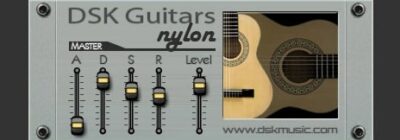 |
 |
 |
|
 |
 |
 |
 |
 |
|
 |
 |
 |
|
 |
 |
 |
 |
 |
 |
| Rating | ||||||||||||||||||||
| OS | Windows, Mac | Windows, Mac | Windows | Windows | Windows | Windows | Windows | Windows | Windows | Windows | Windows, Mac | Windows | Windows | Windows | Windows | Windows | Windows, Mac | Windows | Windows | Windows |
| Formats | VST, AU | VST, AU | VST, AU | VST, AU | VST | VST | VST | VST | VST | VST | VST, VST3, AU | VST | VST | VST | VST | VST | VST, AU | VST | VST | VST |
| Bit Version | 32-bit, 64-bit | 32-bit, 64-bit | 32-bit, 64-bit | 32-bit, 64-bit | 32-bit | 32-bit | 32-bit | 32-bit | 32-bit | 32-bit | 32-bit, 64-bit | 32-bit | 32-bit | 32-bit | 32-bit | 32-bit | 32-bit, 64-bit | 32-bit | 32-bit | 32-bit |
| Developer | DSK Music | DSK Music | DSK Music | DSK Music | DSK Music | DSK Music | DSK Music | DSK Music | DSK Music | DSK Music | DSK Music | DSK Music | DSK Music | DSK Music | DSK Music | DSK Music | DSK Music | DSK Music | DSK Music | DSK Music |
| License | Freeware | Donationware | Freeware | Freeware | Freeware | Freeware | Freeware | Freeware | Freeware | Freeware | Freeware | Freeware | Freeware | Freeware | Freeware | Freeware | Freeware | Freeware | Freeware | Freeware |
| Sample-Based | Yes | Yes | Yes | Yes | Yes | Yes | Yes | Yes | Yes | Yes | Yes | Yes | Yes | Yes | Yes | Yes | Yes | Yes | Yes | Yes |
| Download Size | 108 MB | 10 MB | 47 MB | 40 MB | 8.1 MB | 13 MB | 12.9 MB | 11 MB | 3 MB | 33 MB | 155 MB | 5.6 MB | 34 MB | 22 MB | 4.5 MB | 31 MB | 108 MB | 11.2 MB | 2.7 MB | 22 MB |
| CPU Load | Low | Low | Low | Low | Low | Low | Low | Low | Low | Low | Low | Low | Low | Low | Low | Low | Low | Low | Low | Low |
| Polyphony | 6 | 6 | 32 | 32 | 32 | 6 | 8 | 32 | 32 | 8 | 8 | 32 | 6 | 6 | 32 | 32 | 32 | 6 | 32 | 32 |
| Features | Guitar types, ADSR control, Panorama control, Voice modes, Amplitude range, Velocity curve, Reverb FX | Soprano Saxophone, Tenor Saxophone, ADSR Control, Velocity Curve, Reverb Effect, Expressive Sound, Adjustable Settings | Velocity layers, ADSR control, Reverb effect, Level control, On-screen keyboard, Realistic tone, Simple interface | World instruments, Velocity response, MIDI automation, Sound layering, Playing styles, Built-in effects, Filter control | 8 sound slots, Level control, Pan control, Master envelope, Stereo outputs, Velocity response, MIDI automation | Rhodes variations, Velocity response, Amp envelope, Micro-detuner, HP/LP filter, Reverb, Chorus | Vintage drum kits, External kit loading, MIDI channel selector, Amp envelope, Limiter, Improved filters, GM mapping | Asian instruments, Velocity response, Amp envelope, Micro-detuner, HP/LP filter, MIDI automation, Customizable sounds | Acoustic guitar types, Amp envelope, Fine tuning, Stereo spread, Portamento, Built-in effects, Velocity response | World string instruments, Velocity response, Amp envelope, Micro-detuner, HP/LP filter, MIDI automation, Celtic harp | 32 sound effects, Level control, MIDI automation, Natural sounds, Mechanical sounds, Lo-fi focus, Easy to use | Electric pianos, Dual layers, Multiple waveforms, Octave control, Micro-detuner, Delay effect, Flanger effect | Dual layers, Multiple instruments, ADSR controls, Stereo spread, Built-in effects, MIDI automation, Portamento glide | Expressive sound, Dynamic performance, Simple interface, ADSR control, Tonal variety, Velocity response, Quick loading | Dual layers, Multiple waveforms, Micro-detuner, Delay effect, Flanger effect, Automation control, Octave selector | Dual Layers, 22 Waveforms, Octave Control, Micro-Detuner, Delay & Flanger, MIDI Automation, Multiple Instruments | Guitar types, ADSR control, Panorama control, Voice mode, Amplitude range, Velocity curve, Reverb effect | Guitar models, Amp envelope, Portamento, EQ control, Built-in effects, MIDI automation, Velocity response | Bank selector, MIDI control, Note control, Amp envelope, Multimode filter, Advanced LFO, Delay effect | Layered choir sounds, Advanced filters, LFO routing, Chorus effect, Reverb effect, Velocity response, MIDI automation |
| Controls | Attack, Decay, Sustain, Release, Level, Guitar Type, Reverb | Attack, Decay, Sustain, Release, Velocity Curve, Reverb, Level | Attack, Decay, Sustain, Release, Reverb, Level, Keyboard | Instrument Selector, Attack, Decay, Sustain, Release, Fine Tune, Filter Cutoff | Kick, Tom, Snare, Close Hat, Open Hat, Crash/Ride, Presets | Rhodes Select, Envelope, Filter, Reverb, Flanger, Chorus, Micro-Detuner | Drum Machine Selector, Level Knob, MIDI Channel Selector, On/Off Button, Custom Bank Selector, Filter Section, Amp Envelope | Instrument Selector, Attack, Decay, Sustain, Release, Fine Tune, Filter Cutoff | Preset Menu, ADSR, Fine, Spread, Level, Portamento, Flanger | Instrument, Attack, Decay, Sustain, Release, Fine, Cutoff | Vinyl Selector, Engine Selector, Rain Selector, Thunder Selector, Waves Selector, Fire Selector, Volume Control | Preset Selector, Spread Knob, Level Knob, Flanger Section, Delay Section, Octave Buttons, Master Level Knob | Instrument Selector, ADSR Controls, Spread Level, Flanger Section, Delay Section, Octave Control, Master Level | Attack, Decay, Sustain, Release, Level, Master, Guitar Image Display | Preset Selector, ADSR Sliders, Spread Slider, Flanger Section, Delay Section, Octave Selector, Master Level Slider | Instrument Selector, ADSR Sliders, Flanger Controls, Delay Controls, Octave Adjust, Fine Tune, Master Level | Instrument Selector, Attack, Decay, Sustain, Release, Reverb, Velocity Curve | Model Select, Amp Envelope, Portamento, 5-Band EQ, Flanger Controls, Delay Controls, Distortion Controls | SoundFont Name, Bank Selector, Sound Selector, Master Volume, Filter Control, Amp Envelope, Delay Effect | Layer Controls, Filter Controls, LFO Controls, Chorus Section, Reverb Section, Master Output, Sound Selector |
| Effects Included | Reverb | Reverb | Reverb | Delay, Flanger, Reverb | Unknown | Reverb, Flanger, Chorus | Filter, Amp Envelope, Limiter, Reverb | HP/LP Filter | Flanger, Delay, Chorus | Amp envelope, Micro-detuner, HP filter, LP filter, Resonance | Unknown | Delay, Flanger, Reverb, Chorus, Valvestate | Delay, Flanger | Unknown | Delay, flanger, reverb, rotary effect | Delay, Flanger, Reverb | Reverb | Flanger, Delay, Distortion, Chorus | Delay | Chorus, Reverb |
| MIDI Learn | Yes | Unknown | Unknown | Unknown | Unknown | Unknown | Unknown | No | No | No | Unknown | No | Unknown | No | Unknown | Unknown | No | Unknown | No | Yes |
| Presets | 6 | 3 | 6 | 40 | 85 | 6 | 20 | 6 | 6 | 40 | 40 | 8 | 23 | 6 | 40 | 22 | 6 | 6 | N/A | 40 |
| Standalone | No | Yes | Yes | Yes | No | No | No | No | No | No | No | No | Yes | No | No | No | No | No | No | No |
| Last Updated | 08/14/2007 | 01/24/2018 | 06/15/2017 | 11/16/2009 | N/A | 02/12/2008 | N/A | 01/17/2012 | 05/12/2008 | 01/01/2017 | N/A | N/A | 06/03/2016 | 09/26/2007 | N/A | 01/13/2008 | 01/29/2008 | 03/19/2012 | 03/20/2019 | 04/30/2017 |
How to Install The DSK Music Plugins
To install the plugins, do the following:
- Visit the DSK Music website and download one of the VSTs.
- Unzip the zip file. Here you will find a DLL file.
- Add the DLL files to your computer’s VST folder.
- Open your music software and rescan your VST folder for new plugins for the new instruments.
If you’re looking for new sounds, DSK Music’s collection of free VST instruments is worth checking out. I hope you like this collection of free DSK VSTi plugins by DSK Music.
You May Also Like:





