Here are the best free trombone VST plugins for Windows and Mac. We have also included free trombone samples and trombone sound fonts
How we rate plugins: We rate each trombone VST plugin based on sound quality, design, performance, features, usability, and compatibility. We rate plugins on a scale of 1 to 100.
Table of Contents
I have spent over 15 years testing and comparing hundreds of free and paid VST plugins, supported by hands-on demos on our YouTube channel which has 11,000+ subscribers.
Free Trombone VST Plugins
Here we compare trombone plugins by operating system, bit version, format, and rating.
| # | Plugin | OS | Formats | Bit Version | Ratings |
|---|---|---|---|---|---|
| 1 | VSCO2 Trombone | Windows Mac | VST, AU | 32-bit, 64-bit | |
| 2 | Aspen Bass Trombone | Windows Mac | VST, AU | 32-bit, 64-bit | |
| 3 | Iowa Tenor Trombone | Windows Mac | VST, AU | 32-bit, 64-bit | |
| 4 | DSK Brass | Windows | VST | 32-bit | |
| 5 | Sonatina Trombone | Windows Mac | VST, AU | 32-bit, 64-bit |
1. VSCO2 Trombone
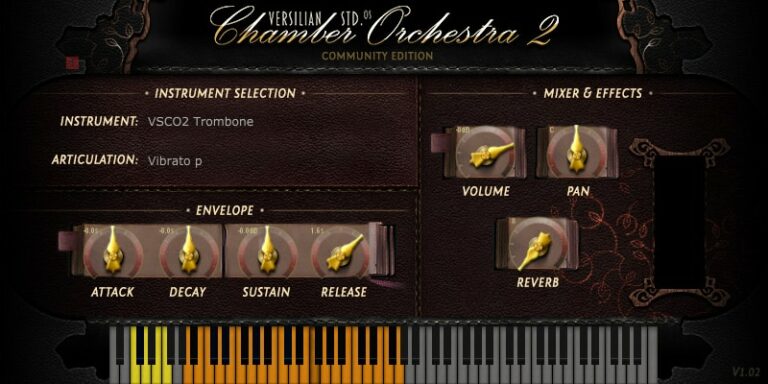
OS: Windows Win Mac Mac Bit Version: 32-bit, 64-bit Developer: bigcat Instruments Size: 71 MB Rating: 72/100
VSCO2 Trombone is a sampled trombone plugin created by bigcat Instruments using recordings from Versilian Studios. It offers five playing styles, including sustain, staccato, and vibrato, giving producers a range of tones for different musical settings. It runs on Windows and Mac in both VST and AU formats.
The plugin includes simple controls for shaping the sound, such as attack, decay, sustain, release, volume, pan, and reverb. These tools help users adjust the tone’s depth and space, making it flexible for sketches, demos, or adding a brass layer to full tracks.
Features
- 5 Playable Articulation Types
- Warm And Natural Tone
- Built-In Reverb Effect
- Adjustable Attack, Decay, Sustain, Release
- Responsive To Velocity Changes
- Supports VST And AU Formats
- Works On Windows And Mac
Pros
- Warm and natural trombone tone
- Multiple articulations for expression
- Low CPU use on old computers
- Quick loading and light on memory
- Responds well to velocity changes
- Reverb adds nice room feeling
- Blends nicely with other brass
- Stable performance in many DAWs
- Works on both Windows and Mac
- Small file size saves space
Cons
- Sounds artificial in high notes
- Limited dynamic layers available
- No legato or glide option
- Attack can feel too slow
- Noticeable loop artifacts on tails
- Lacks realistic articulations variety
- Too soft for epic brass
- Missing round-robin sample layers
- Dynamic response feels uneven
- Less realism than paid libraries
Video Demo
What Users Say
VSCO2 Trombone Tips
- I like to use the mod wheel to add a bit of vibrato for a more human sound.
- When I layer the VSCO2 Trombone with other brass sounds, it makes a bigger, richer tone.
- I use reverb to make it sound like the trombone is being played in a concert hall.
- Using velocity sensitivity helps make the trombone sound more realistic and dynamic.
- Experimenting with panning can help position the trombone naturally in the stereo field.
- Automation can bring the trombone to life by changing volume and tone across a song.
2. Aspen Bass Trombone
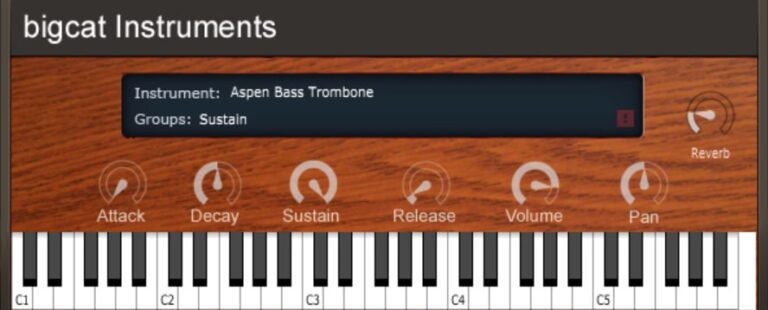
OS: Windows Win Mac Mac Bit Version: 32-bit, 64-bit Developer: bigcat Instruments Size: 10 MB Rating: 70/100
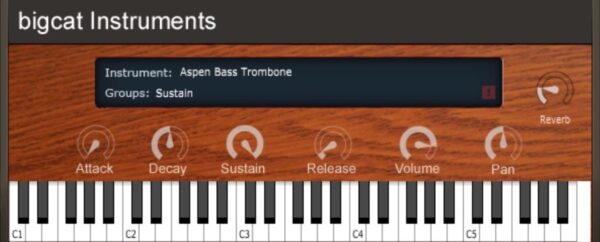
Aspen Bass Trombone offers a deep, bold brass tone that works well for jazz, cinematic, and orchestral music. It runs on both Windows and Mac in VST and AU formats and includes full ADSR controls, volume, pan, and reverb to shape the sound.
This plugin gives music creators a strong bass trombone voice that blends or stands out in a mix. Its darker tone adds warmth to low-end parts and delivers rich expression from soft notes to powerful blasts, making it a solid free choice for brass-focused tracks.
Features
- Works On Windows And Mac
- Supports VST And AU Formats
- Runs In 32-Bit And 64-Bit
- Expressive Velocity Layer Support
- Attack Control For Sound Start
- Reverb Effect For Space Depth
- Pan Control For Stereo Position
- Volume Control For Loudness
- Low Latency And Quick Loading
- Free Bass Trombone Instrument
Pros
- Rich and deep trombone tone
- Strong low brass presence
- Better realism than many free VSTs
- Built-in reverb for space feel
- Adjustable attack and decay
- Playable and expressive dynamics
- Great for jazzy brass sounds
- Perfect for cinematic low hits
- Fast loading and stable play
- Works on Windows and Mac
Cons
- Limited tonal range
- Few sound customization options
- Lacks advanced shaping tools
- Artificial reverb quality
- Not ideal for legato
- Crashes in some DAWs
- Limited realism overall
- Difficult to mix in orchestras
- Lacks ambience options
- Less expressive than premium VSTs
Video Demo
What Users Say
Aspen Bass Trombone Tips
- I try different velocity levels to make my playing sound more human and less robotic.
- I add a small amount of reverb to make the trombone sound like it’s in a real room.
- The Aspen Bass Trombone sounds best when paired with a little EQ to bring out its warm tone.
- I layer the Aspen Bass Trombone with other brass instruments for a richer sound.
- Use automation to make the trombone louder in important parts of a song.
- Use panning to place the trombone slightly to one side for a wider mix.
3. Iowa Tenor Trombone
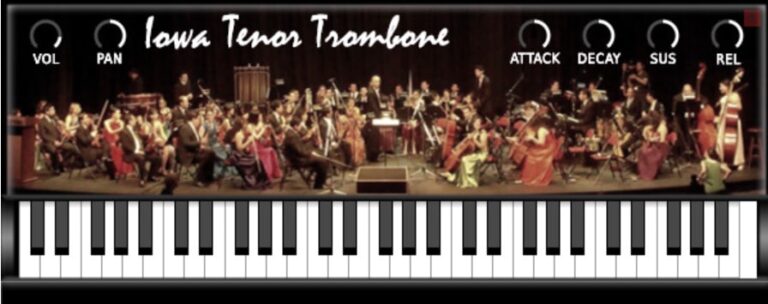
OS: Windows Win Mac Mac Bit Version: 32-bit, 64-bit Developer: bigcat Instruments Size: 20 MB Rating: 68/100
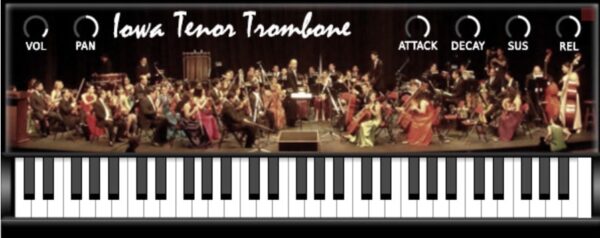
Iowa Tenor Trombone is a sampled brass plugin based on recordings from the University of Iowa Electronic Music Studios. It delivers a natural trombone sound suited for practice, demos, or adding basic brass lines. The simple interface gives quick control over loudness, tone, and play feel.
It offers standard VST and AU support on Windows in both 32-bit and 64-bit versions. Volume, pan, attack, decay, sustain, and release controls help shape the tone for different styles. Though limited in articulations, it provides an easy way to bring real trombone character into your projects.
Features
- Sampled Tenor Trombone Sound
- Based On University Of Iowa Samples
- Available In VST And AU Formats
- Light On CPU Usage
- Fast Loading And Stable Performance
- Realistic Tone With Dynamic Range
- Simple And Easy-To-Use Interface
- Usable For Basic Legato And Staccato
- Warm Low Register And Bright Highs
- Free Plugin For Music Creation
Pros
- Sounds warm and realistic
- Light on computer power
- Works in most DAWs
- Adjustable attack and release
- Nice tone in low notes
- Sits well in full mixes
- Stable and rarely crashes
- Works on 32-bit and 64-bit
- Playable and responsive keys
- Good dynamic range for free
Cons
- Only works on Windows computers
- Limited trombone articulations available
- Some notes slightly out of tune
- Lacks true legato transitions
- Few controls for sound shaping
- Can sound fake when soloed
- Little dynamic expression control
- No built-in reverb options
- Not as rich as paid libraries
- No round robin sample variety
What Users Say
Iowa Tenor Trombone Tips
- I use the mod wheel to bring dynamics and movement into my trombone lines.
- Equalizing the low mids can make the tone clearer and remove muddiness.
- Adding a light compressor can help control the trombone’s loud peaks in a mix.
- Applying some room reverb makes it blend better with other virtual instruments.
- Using automation for volume and expression creates a more lifelike trombone performance.
- Trombone VST plugins sound more real when notes overlap slightly like a real player would.
4. DSK Brass
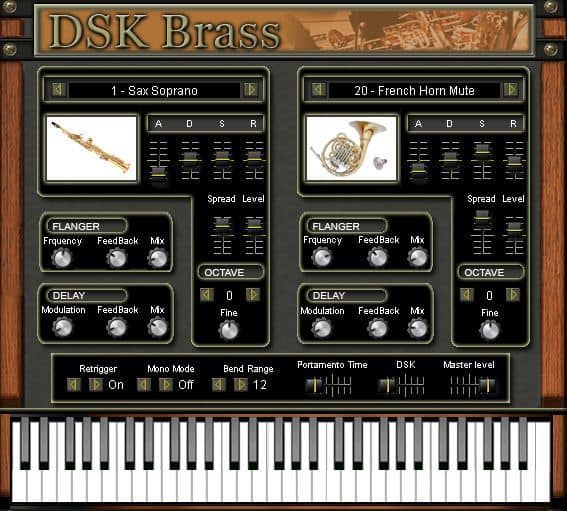
OS: Windows Win Bit Version: 32-bit Developer: DSK Music Size: 34 MB Rating: 52/100
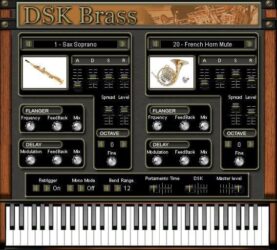
DSK Brass offers a collection of virtual brass instruments for music creators looking to add horn sounds to their tracks. It includes 23 instruments such as trumpets, trombones, tubas, and saxophones, each with adjustable layers, octave control, and tuning options for flexible sound design.
The plugin features delay and flanger effects, along with basic controls for attack, sustain, and stereo width. While it may not sound fully realistic, DSK Brass is useful for quick sketches, lo-fi styles, or adding simple brass accents without needing paid libraries.
Features
- Two Sound Layers With 23 Presets
- Includes Various Brass Instruments
- Built-In Delay And Flanger Effects
- MIDI Automation Support
- ADSR Envelope Control Section
- Stereo Spread Level Adjustment
- Pitch Bend Range Setting
- Portamento Time Control
- Mono And Retrigger Options
- Lightweight And CPU Friendly
Pros
- Free and easy to download
- Includes 23 brass instruments
- Has delay and flanger effects
- ADSR controls for shaping sounds
- Octave and micro-detune options
- MIDI automation support included
- Adjustable pitch bend and portamento
- Mono and retrigger modes available
- Light on computer resources
- Simple and clear interface
Cons
- Only works on Windows systems
- Sounds very synthetic and fake
- Needs extra effects to sound good
- Limited control over sound realism
- Crashes in newer DAWs sometimes
- Very basic built-in effects
- No macOS or Linux support
- Limited dynamic and velocity range
- No round-robin or key switching
- Poor realism compared to other VSTs
Video Demo
What Users Say
DSK Brass Tips
- I often use the attack and release knobs to make the brass sound more natural.
- I add a little reverb to give the trombone a bigger, room-like sound.
- I like to use a MIDI keyboard to play smoother notes and control how hard I press each note.
- I record a few takes and mix them together for a real brass section feel.
- Try adjusting the velocity settings to control how bright or soft the trombone sounds.
- Use compression lightly to keep brass dynamics even and smooth.
- EQ out unnecessary low frequencies when mixing brass with bass or drums.
5. Sonatina Trombone
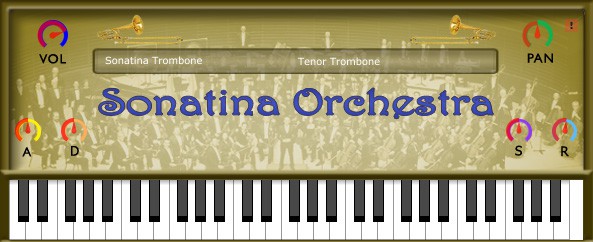
OS: Windows Win Mac Mac Bit Version: 32-bit, 64-bit Developer: Bigcat Instruments Size: 31 MB Rating: 46/100
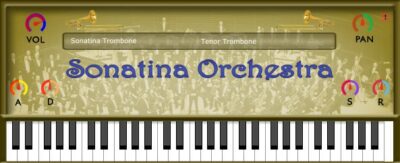
Sonatina Trombone offers a simple way to bring trombone sounds into your music. It includes samples from the Sonatina Symphonic Orchestra and gives you four sound options: Tenor Trombone, Bass Trombone, Sustained, and Staccato. It works on both Windows and Mac in VST and AU formats.
The plugin’s controls let you shape your sound with volume, panning, and basic ADSR settings for attack, decay, sustain, and release. You can select different trombone types, play notes using the built-in keyboard, and adjust your mix to fit your track.
Features
- Sampled Trombone Instrument Sounds
- Four Selectable Sound Groups
- Tenor And Bass Trombone Options
- Sustain And Staccato Modes
- Volume And Pan Controls
- Attack, Decay, Sustain, Release Controls
- Built-In Keyboard For Playback
- Instrument Selector For Easy Switching
- Supports VST And AU Formats
- Available In 32-Bit And 64-Bit
Pros
- Free to download and use
- Includes four trombone groups
- Selectable tenor or bass trombone
- Supports sustain and staccato tones
- Responsive to velocity changes
- ADSR envelope for sound shape
- Low CPU use and lightweight
- Works on Windows and Mac
- Open source library base sound
- Runs in most major DAWs
Cons
- Limited tone realism and depth
- Samples sound thin and flat
- Lacks velocity-sensitive dynamics
- No round robin sample variation
- Few articulation choices available
- Noise and pops during playback
- Glitchy behavior on some systems
- Crashes with invalid DLL errors
- No built-in effects or reverb
- Interface looks old and basic
Video Demo
What Users Say
Sonatina Trombone Tips
- I like to use a little reverb to make the trombone sound like it’s in a big room. It adds warmth to the tone.
- I try using different dynamics by playing notes softly and loudly. It makes the trombone line more real.
- When I want more life in the sound, I use expression or modulation controls. It gives the music emotion.
- I use EQ to cut low hums and boost the middle tones. It keeps the trombone clear in the mix.
- Add a bit of compression if the volume changes too much between notes. It keeps the sound even.
- Use automation to move the trombone’s volume or pan while the music plays. It adds life to static sections.
- Work with the Sonatina Trombone inside a good reverb space. A shared reverb helps it blend well with other instruments.
Trombone VST Plugins Compared
This table compares each Trombone VST plugin by format, bit version, controls, features, effects, license, and more.
| Details | VSCO2 Trombone | Aspen Bass Trombone | Iowa Tenor Trombone | DSK Brass | Sonatina Trombone |
|---|---|---|---|---|---|
| Image |  |
 |
 |
 |
 |
| Rating | |||||
| OS | Windows, Mac | Windows, Mac | Windows, Mac | Windows | Windows, Mac |
| Formats | VST, AU | VST, AU | VST, AU | VST | VST, AU |
| Bit Version | 32-bit, 64-bit | 32-bit, 64-bit | 32-bit, 64-bit | 32-bit | 32-bit, 64-bit |
| Developer | bigcat Instruments | bigcat Instruments | bigcat Instruments | DSK Music | Bigcat Instruments |
| License | Freeware | Donationware | Donationware | Freeware | Freeware |
| Sample-Based | Yes | Yes | Yes | Yes | Yes |
| Download Size | 71 MB | 10 MB | 20 MB | 34 MB | 31 MB |
| CPU Load | Low | Low | Low | Low | Low |
| Polyphony | 32 | 32 | 32 | 6 | 32 |
| Features | Multiple articulations, ADSR control, Reverb effect, Volume control, Pan control, Velocity response, Simple interface | Instrument Display, ADSR Controls, Volume, Pan, Reverb, Keyboard, Expressive Tone | Volume control, Panning, Attack, Decay, Sustain, Release, Built-in keyboard | Dual layers, Multiple instruments, ADSR controls, Stereo spread, Built-in effects, MIDI automation, Portamento glide | Tenor Trombone, Bass Trombone, Sustain Trombones, Staccato Trombones, Volume Control, Pan Control, ADSR Envelope |
| Controls | Instrument, Articulation, Attack, Decay, Sustain, Release, Volume | Instrument Display, Attack, Decay, Sustain, Release, Volume, Pan | Vol, Pan, Attack, Decay, Sustain, Release, Keyboard | Instrument Selector, ADSR Controls, Spread Level, Flanger Section, Delay Section, Octave Control, Master Level | Volume, Pan, Attack, Decay, Sustain, Release, Instrument Selector |
| Effects Included | Reverb | Reverb | Reverb | Delay, Flanger | N/A |
| MIDI Learn | Unknown | Unknown | Unknown | Unknown | Unknown |
| Presets | N/A | N/A | N/A | 23 | 1 |
| Standalone | No | No | No | Yes | No |
| Last Updated | 03/29/2017 | 05/17/2017 | 06/10/2017 | 06/03/2016 | 06/17/2014 |
Our Favorite Trombone VST Plugin
Our top pick for the best free Trombone VST plugin is VSCO2 Trombone by Bigcat Instruments. It is available for Windows and Mac, it offers a clean interface, and it’s a stable plugin.
| Details | VSCO2 Trombone |
|---|---|
| Image |
|
| Rating | |
| OS | Windows, Mac |
| Formats | VST, AU |
| Bit Version | 32-bit, 64-bit |
| Developer | bigcat Instruments |
| License | Freeware |
| Sample-Based | Yes |
| Download Size | 71 MB |
| CPU Load | Low |
| Polyphony | 32 |
| Features | Multiple articulations, ADSR control, Reverb effect, Volume control, Pan control, Velocity response, Simple interface |
| Controls | Instrument, Articulation, Attack, Decay, Sustain, Release, Volume |
| Effects Included | Reverb |
| Download | Download VSCO2 Trombone |
Free Trombone Samples
Sample Focus Trombone Samples
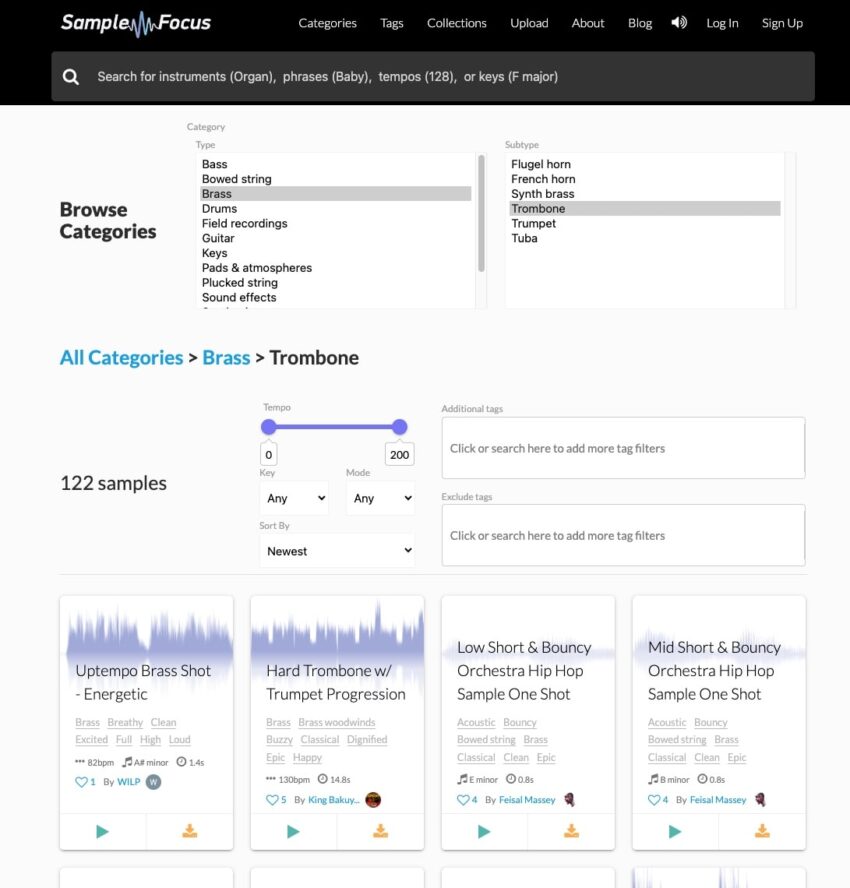
Sample Focus offers an extensive selection of royalty-free trombone sounds. This website offers over 120 unique trombone samples. This collection includes a wide selection of tones and moods, from energetic to classical and ominous to joyful.
You can also find samples across various music genres like hip-hop and classical music. Each sample is labeled, detailing the key, duration, and artist. This makes the search for the right sound easier.
- Royalty-Free Trombone Sounds
- Quickly Find Sounds
- 120+ Free Trombone Samples
- Clear and Energetic Sound Options
- Includes Various Keys and Tempos
- Covers Orchestra and Hip Hop Genres
- Multiple Moods and Tones
Free Trombone Loops
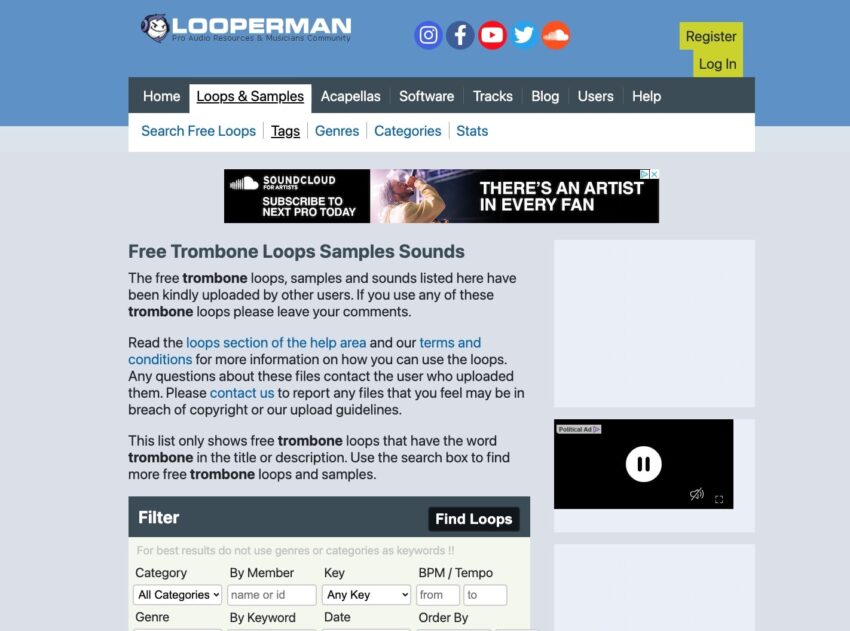
Looperman offers free trombone loop samples and sounds delivered by other music creators.
Brass Sample Pack
The Brass Sample pack by Beat Production offers a great collection of top-rated brass instrument samples, perfect for any musical project.
Packed with over 70 realistic trombones, trumpets, and brass hits, this bundle becomes a valuable tool in creating beats. It comes fully loaded with sustained hits and additional sounds.
The convenience of integrating these samples with your digital audio workstation or controller makes it very easy to include brass sounds in your beats. It’s perfect for constructing deep, threatening horn stabs for a trap beat, trumpet hooks, or lush-sustained brass chords.
- 70 realistic Trombones and Trumpets
- Brass Hits & Sustained Hits
Free Trombone SoundFonts
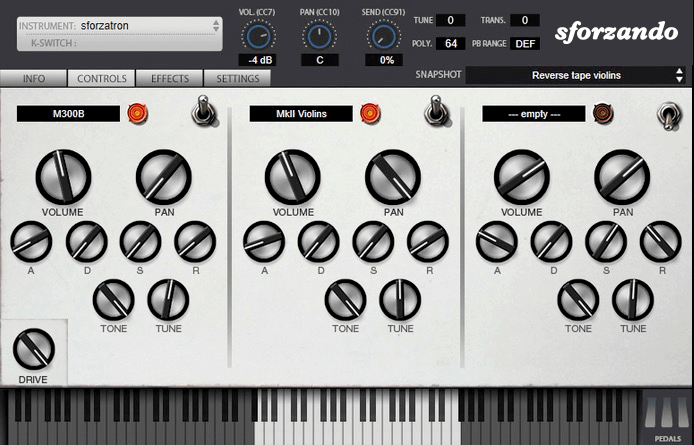
You can install a free soundfont player and use trombone soundfonts to get quality trombone sounds.
- Producer Feed – This pack has 28 cool sounds for the trombone, sax, and flute that you can use with your music projects.
- Musical Artifacts – A collection of free sound fonts for a variety of music genres.
- Zanderjaz – Free sound fonts ready to use in FL Studio or any other program that plays .sf2 SoundFont files.
- Polyphone – Over 20 free brass instrument sound fonts.
Trombone VST FAQs
What is a Trombone VST?
A Trombone VST is a type of software that emulates the sound and the playing characteristics of a trombone. It is used in music production as a tool for programming trombone parts in a song or track.
How to Install Trombone VST Plugins
To install trombone VST plugins on Windows or Mac, extract the files from the Zip or Rar. Move the files (.dll for Windows or .component for Mac) into your DAW’s plugin folder. Then restart your software and rescan the directory to complete the process. Tutorial: How to Install VST Plugins
Windows:
Extract the downloaded zip file and copy the .dll file into the VST plugins folder scanned by your DAW. Restart your music software and rescan your plugin directory to begin using the new VST.
Mac OS X:
Extract the downloaded archive and move the .component or .VST file to the plugin folder. It is usually /Library/Audio/Plug-Ins/Components or /Library/Audio/Plug-Ins/VST. Restart your DAW and rescan your plugins to complete the installation.
Why Would One Use a Trombone VST?
Use a trombone VST to add a realistic trombone part to your track without the need for a live trombone player. It’s perfect for music producers or musicians who don’t play the Trombone but want to include the instrument’s sound in their music.
How Do I Install a Trombone VST Plugin?
Installation varies depending on the specific plugin and the operating system you are using. Still, generally, you will need to download the plugin file and then move it to your DAW’s VST plugin folder. After that, you will need to rescan your VST folder within your DAW, and the new plugin should appear in your list of available plugins.
I’ve Installed the Trombone VST, but It’s Not Showing up In My DAW; What Should I Do?
First, make sure that you’ve placed the plugin file in the correct directory and that you’ve rescanned your VST folder from your DAW. If the plugin is still not showing up, it might not be compatible with your DAW, or there might be an issue with the plugin file itself. In this case, try reaching out to the plugin developer for assistance.
Does a Trombone VST plugin replace a live Trombone player?
While a Trombone VST can reproduce the sound of a trombone to a high degree of realism, it is not a replacement for the skills and expressions of a live trombone player. A VST can be a feasible option when a live player is unavailable or if you are working within a tight budget. However, if it’s within your means, hiring a live trombone player can add a unique level of depth and feel to your music.
I hope you found this collection of free trombone VST plugins, samples, and sound fonts helpful.