Here are the best free guitar tuner VST plugins for Windows and Mac. We have included video demos, feature lists, pros, cons, and plugin ratings.
These free guitar tuner VST plugins offer a variety of tuning options to help you get the perfect sound with your guitar.
How we rate plugins: We rate each guitar tuner VST plugin based on sound quality, design, performance, features, usability, and compatibility. We rate plugins on a scale of 1 to 100.
Table of Contents
I have spent over 15 years testing and comparing hundreds of free and paid VST plugins, supported by hands-on demos on our YouTube channel which has 11,000+ subscribers.
Related: Free Guitar VST Plugins
Free Guitar Tuner VST Plugins
This table compares guitar tuner plugins by operating system, bit version, format, and rating.
| # | Plugin | OS | Formats | Bit Version | Ratings |
|---|---|---|---|---|---|
| 1 | Lockon | Windows Mac | VST3, AU, AAX | 64-bit | |
| 2 | MTuner | Windows Mac | VST | 64-bit | |
| 3 | Chromatic Tuner | Windows Mac | VST2, AU, AAX | 64-bit | |
| 4 | Tuna | Windows Mac | VST3, AU, AAX | 64-bit | |
| 5 | GVST GTune | Windows Mac Linux | VST, AU | 32-bit, 64-bit | |
| 6 | T1 Audible Tuner | Windows | VST | 32-bit |
1. Lockon
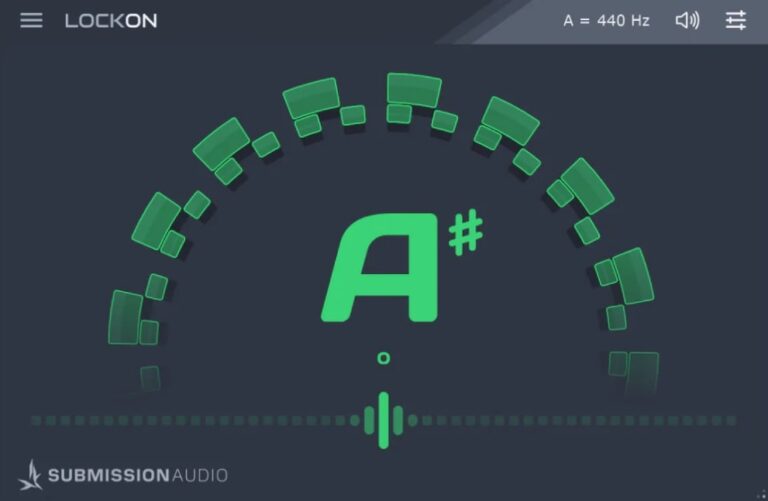
OS: Windows Win Mac Mac Bit Version: 64-bit Developer: SubMission Audio Size: 200 MB Rating: 94/100
Lockon (Free Version) offers a precise and fast way to tune your instruments inside any major DAW. Designed by studio engineers, it focuses on accurate pitch tracking even for ultra-low notes. Its clean interface and dual display make tuning quick and easy for any session.
It provides both strobe and cents-meter views, along with options for fast or slow tracking and sharps or flats display. Covering a wide range from C0 to B8, Lockon helps you tune with confidence. The free version includes in-app banners for SubMission Audio offers.
Features
- Ultra-Precision Guitar And Bass Tuning
- Dual Strobe And Cents Display
- Fast And Slow Tracking Modes
- Tuning Range From C0 To B8
- Adjustable Reference Frequency Setting
- Sharps And Flats Display Option
- Infinitely Resizable User Interface
- Mute Output Control Included
- Supports VST3 AAX And AU Formats
- Works With Most Major DAWs
Pros
- Tracks ultra-low pitches accurately
- Dual strobe and cents display
- Wide tuning range from C0 to B8
- Handles both real and virtual bass
- High accuracy like hardware tuners
- Reference frequency can be adjusted
- Mute output for quiet tuning
- Very low CPU use
- Resizable window fits any screen
- Works smoothly on Mac and Windows
Cons
- Free version shows in-app ads
- Requires iLok account setup
- No offline activation option
- Limited features in free edition
- Doesn’t support microtonal tuning
- Not available for Linux users
- Can be confusing for beginners
- Offers no recording function
- Cannot tune multiple inputs
- Banner ad can distract workflow
Video Demo
What Users Say
Lockon Tips
- Users should adjust the input gain so the signal is strong but not distorted.
- It helps to use the plugin’s built-in tuner before recording to make sure every note is in tune.
- Experimenting with different impulse responses (IRs) can drastically change the amp tone.
- Layering guitars with slightly different Lockon presets can create a fuller mix.
- Pairing Lockon with a separate EQ or compressor plugin can refine the final sound.
- Always check CPU usage when using multiple instances of Lockon to avoid overload.
2. MTuner
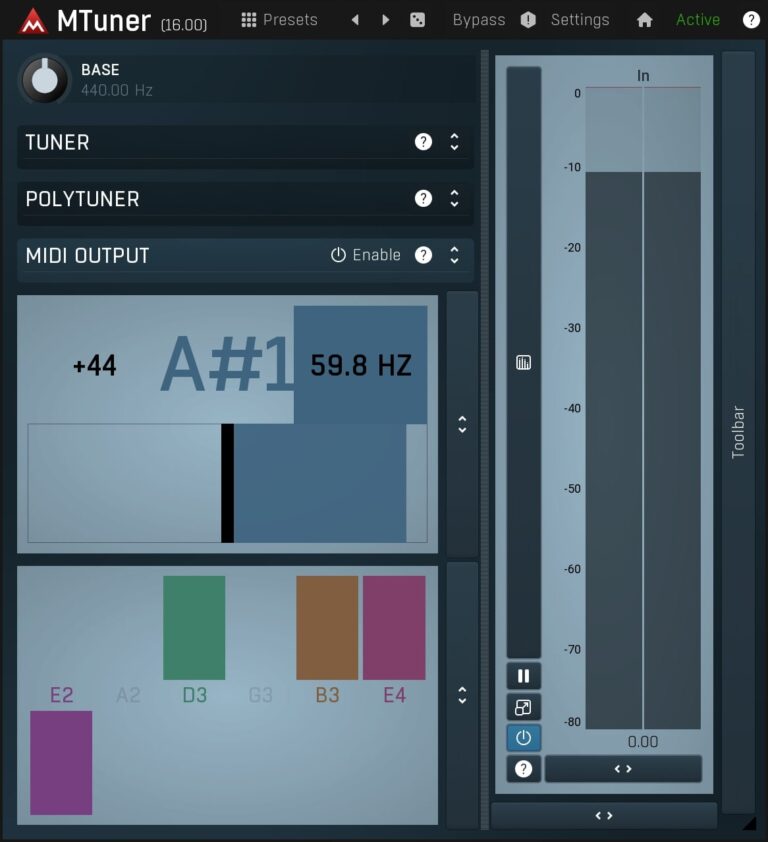
OS: Windows Win Mac Mac Bit Version: 64-bit Developer: MeldaProduction Size: 16 MB Rating: 93/100
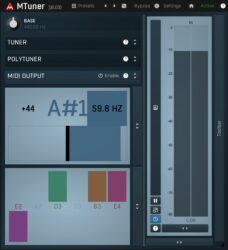
MTuner offers a precise and simple way to keep instruments in tune, using both monophonic and polyphonic tuning modes. It helps you tune single notes or whole groups of strings at once, making it fast and reliable for guitars, basses, and other instruments.
This free plugin doubles as a frequency analyzer, showing clear visual feedback for pitch accuracy and sound levels. With adjustable reference settings and real-time note detection, MTuner gives music creators a dependable tool to stay in tune during recording or live sessions.
Features
- High-Resolution Polyphonic Tuner
- Classic Monophonic Tuner Mode
- Designed For Guitars And Basses
- Real-Time Pitch Detection
- Adjustable Tuning Reference Setting
- Shows Pitch Deviation In Cents
- Displays Detected Note Frequency
- Colored Note Bars For Feedback
- Resizable And Clean Interface
- Light On CPU Usage
Pros
- Very accurate pitch detection
- Includes both mono and poly tuner
- Can send pitch data as MIDI
- Resizable display for better reading
- Includes tone generator function
- Light on CPU and fast loading
- Supports many plugin formats
- Reliable for live or studio use
- Better tracking than most free tuners
- Replaces need for hardware tuners
Cons
- Limited to tuning only
- No support for multi-instrument tuning
- Missing built-in recording options
- Interface lacks visual appeal
- No sampling or layering features
- Lacks creative sound-shaping tools
- Not suitable for live looping
- No MIDI-controlled playback sounds
- No velocity or dynamics control
- Not useful for composition
Video Demo
What Users Say
MTuner Tips
- I make sure my input level isn’t too loud or soft so the tuner can read my signal clearly.
- I like to use MTuner on a clean guitar tone without distortion so the tuner tracks better.
- I mute other strings when tuning to get a cleaner reading on a single note.
- MTuner works best when placed early in the effects chain, before reverb or delay.
- For the best tuning accuracy, new strings should be stretched slightly before tuning.
- I open MTuner in my DAW so I can tune before recording without needing extra hardware.
- I often adjust the reference pitch to match backing tracks or other instruments.
3. Chromatic Tuner
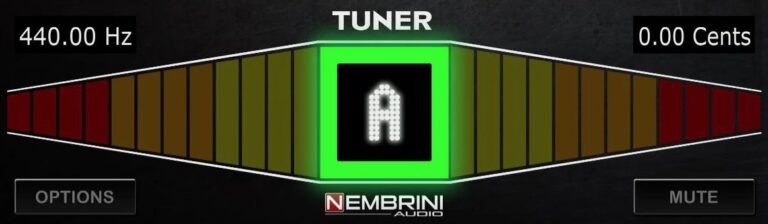
OS: Windows Win Mac Mac Bit Version: 64-bit Developer: Nembrini Audio Size: 15 MB Rating: 90/100
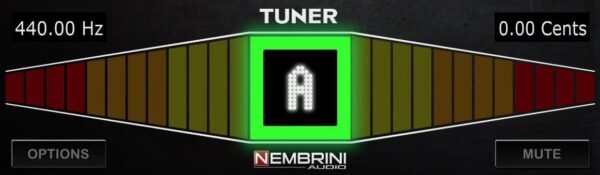
Chromatic Tuner offers precise tuning for any instrument in a compact plugin or iOS app. Its bright full-color display and ±0.01 cent precision make it useful for both quick checks and detailed adjustments. Calibration options let you set your reference pitch from 400Hz to 480Hz.
The built-in Drop/Capo mode automatically shifts notes up or down by an octave, making alternate tunings fast and easy. With support for major plugin formats and a silent tuning option, Chromatic Tuner helps keep your instruments perfectly in tune during any session.
Features
- Fast And Accurate Chromatic Tuning
- Bright Full Color LED Display
- Drop And Capo Mode Support
- Calibration Range 400Hz To 480Hz
- Silent Tuning With Mute Button
- Displays Note, Frequency, And Cents
- Compatible With VST2, VST3, AAX, AU
- Lightweight And CPU Efficient
- iOS Version For Mobile Tuning
Pros
- Very accurate tuning with ±0.01 cent
- Drop and capo modes built in
- Adjustable pitch calibration settings
- Silent tuning with mute button
- Low CPU use for smooth running
- Supports VST, AU, and AAX formats
- Fast response and note detection
- Shows frequency and cent values
- Color bars for tuning direction
- Better accuracy than stock tuners
Cons
- GUI not resizable on 4K screens
- Not stable in all DAWs
- Can cause noise when bypassed
- No MIDI control or mapping
- No recording or playback features
- Display too small for some users
- Limited reference pitch range
- No input level meter visible
- Can pop loudly when loaded
- No preset management system
Video Demo
What Users Say
Chromatic Tuner Tips
- I always make sure my input level isn’t clipping before I start tuning.
- Make sure the tuner is placed before any effects in the plugin chain for the clearest reading.
- Always use a direct signal from the guitar or instrument for best tuning accuracy.
- I check that the tuner is set to A=440 Hz, unless my band uses a different tuning standard.
- I like to switch to a clean tone on my guitar when tuning for better accuracy.
- I pluck each string softly; hitting too hard can confuse the tuner needle.
- I watch the needle carefully and make tiny tuning adjustments instead of big ones.
4. Tuna
OS: Windows Win Mac Mac Bit Version: 64-bit Developer: Aurora DSP Size: 42 MB Rating: 89/100
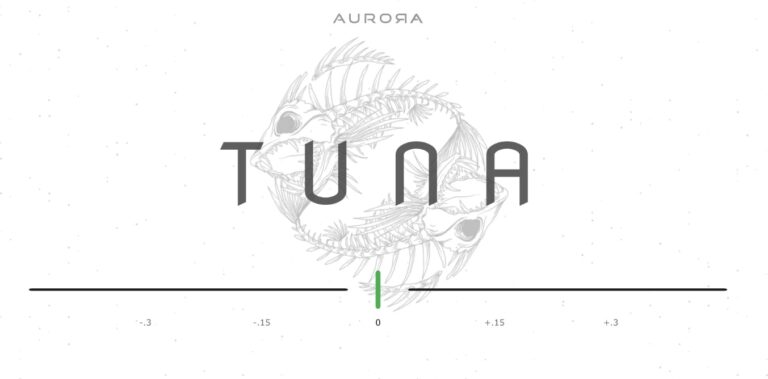
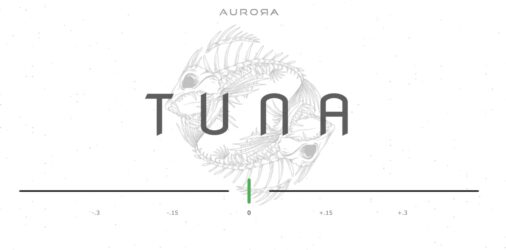
Tuna offers a simple and accurate way to tune your instruments, catching notes down to 40Hz with ease. It’s great for 5-string basses or guitars tuned low, helping you get precise results in any studio or live setup. The interface is resizable and clear to read.
Available in VST3, AU, AAX, standalone, and mobile formats, Tuna works on Windows, macOS, and iOS devices. Its visual display clearly shows when your note is sharp, flat, or perfectly in tune, making it a straightforward and reliable tuning tool for any musician.
Features
- Detects Notes Down To 40Hz
- Works With Guitar And Bass
- Free In Multiple Plugin Formats
- Supports VST3, AU, And AAX
- Includes Standalone Version
- Resizable Interface Design
- Clear Tuning Display
- Indicates Perfect Pitch Center
- Light On CPU Usage
- No Noticeable Latency
Pros
- Free for all major formats
- Handles notes down to 40Hz
- Perfect for drop tunings
- Works great with 5-string basses
- Resizable user interface
- Light on CPU resources
- No noticeable latency
- Recognized easily by most DAWs
- Available for Windows and Mac
- Unique and fun visual style
Cons
- Limited to tuning only
- No recording or playback feature
- Not compatible with MIDI controllers
- No MIDI mapping options
- No built-in sound presets
- No sound shaping controls
- No reverb or tonal effects
- Interface feels visually plain
- Not useful for music composition
- Not a creative instrument plugin
Video Demo
What Users Say
Tuna Tips
- Place the Tuna plugin at the very start of your signal chain for the most accurate pitch detection.
- Always tune your guitar with clean, unprocessed signal input for the best accuracy.
- Use the plugin’s mute option if you’re tuning during a live session to avoid noise bleeding through.
- Use the strobe view in Tuna for extra tuning accuracy when recording parts that must be perfect.
- Check tuning often, especially if recording for long periods, since temperature changes can affect pitch.
5. GVST GTune
OS: Windows Win Mac Mac Linux Linux Bit Version: 32-bit, 64-bit Developer: GVST Size: 1 MB Rating: 85/100
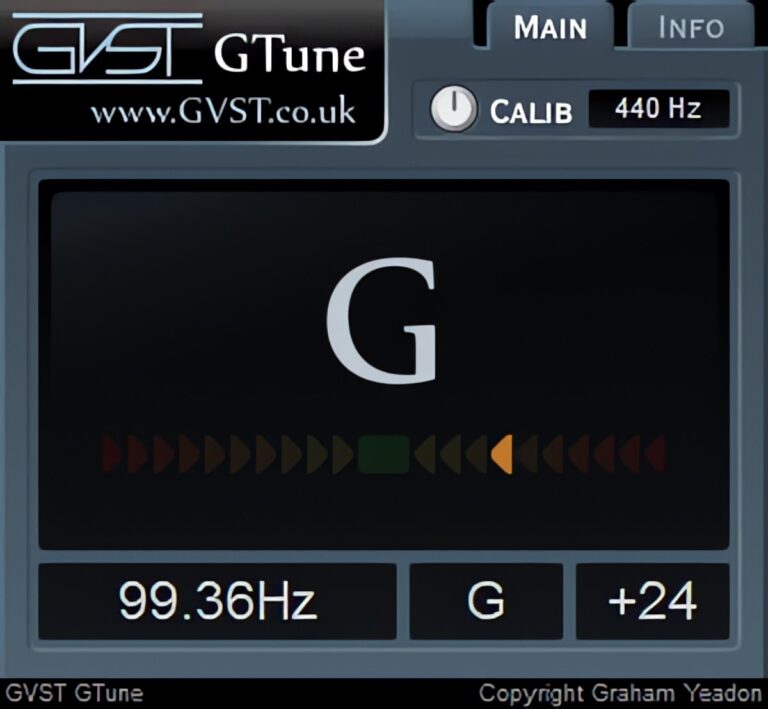
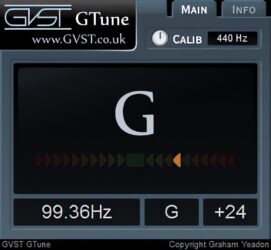
GVST GTune offers a simple and accurate way to tune your instruments inside your music software. It automatically detects pitch, shows the nearest note, and displays whether the sound is flat or sharp using clear LED-style indicators and a frequency readout.
Musicians can adjust the reference pitch, view exact frequencies in hertz, and fine-tune their sound with visual feedback. GTune works well for guitars, vocals, or any tuned instrument, making it a dependable tool for recording, mixing, and live performance setups.
Features
- Automatically Detects Note Pitch
- LED Indicators For Tuning Accuracy
- Displays Frequency In Hertz
- Adjustable Reference Frequency Control
- Shows Flat And Sharp Notes
- Numeric Cents Offset Display
- Fast And Accurate Response
- Low CPU Resource Usage
- Works In VST And AU Formats
- Free For Personal And Commercial Use
Pros
- Fast and accurate tuning response
- Supports Windows, macOS, and Linux
- Free for personal and commercial use
- Uses very little CPU power
- Adjustable reference frequency control
- Shows both note and frequency
- Visual LED-style tuning meter
- More stable than many free tuners
- Compatible with most DAWs
- Lightweight single-file installation
Cons
- No built-in sound generation
- Lacks modern visual interface
- Limited customization options
- Static display not resizable
- No MIDI mapping support
- No built-in effects section
- Doesn’t include tone shaping tools
- No recording or playback feature
- User interface feels outdated
- Limited sound design potential
Video Demo
What Users Say
GVST GTune Tips
- Always insert GTune on a clean guitar signal path for accurate results.
- I make sure my guitar signal isn’t too loud or too quiet for GTune to read clearly.
- I use GTune’s visual display to help me fine-tune each string perfectly.
- Check the reference pitch (A4 = 440Hz) and adjust it if different tuning is needed.
- Try placing GTune before any effects to get the purest input tone.
- Use GTune in a quiet environment to prevent background noise from confusing the tuner.
- Keep GTune updated to the latest version for the most stable performance and best results.
6. T1 Audible Tuner
OS: Windows Win Bit Version: 32-bit Developer: Samsara Cycle Audio Size: 2.71 MB Rating: 57/100
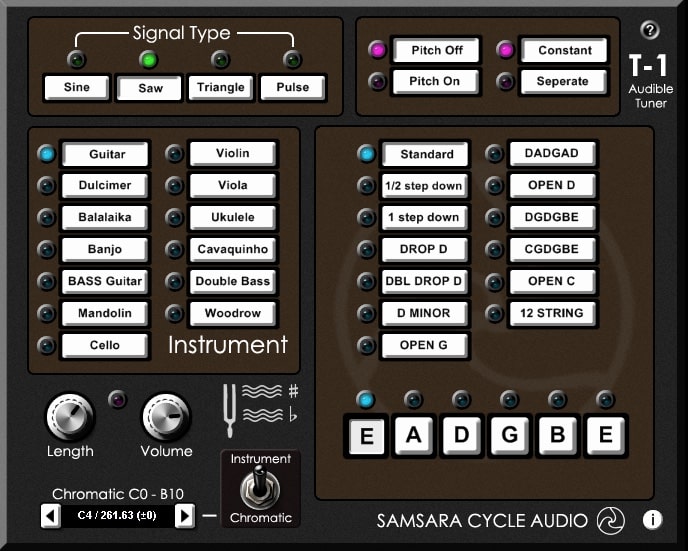
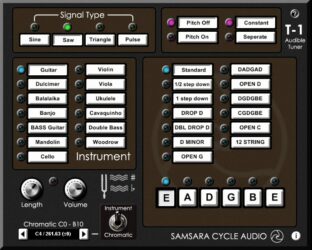
T1 Audible Tuner VST FREE offers a simple way to tune instruments directly inside your DAW. It uses an audio tone as a quick tuning guide and includes preset tunings for guitars, violins, bass, banjos, and more. The plugin also supports alternate tunings for creative setups.
You can choose from different wave shapes like Sine, Saw, Triangle, and Pulse, and adjust pitch, tone length, and volume as needed. The Chromatic mode helps check any note, while the clear display shows real-time pitch and frequency details for accurate tuning.
Features
- Provides Fast Audio Signal Tuning
- Includes Preset Instrument Tunings
- Supports Guitar, Violin, And Banjo
- Includes Chromatic And Instrument Modes
- Displays Note, Frequency, And Pitch
- Provides Standard And Alternate Tunings
- Offers Multiple Signal Wave Types
- Contains Volume And Length Controls
- Features Pitch On And Off Modes
- Features Constant Or Separate Tone Options
Pros
- Accurate tuning even at low frequencies
- Fast and stable pitch response
- Supports alternate and custom tunings
- Chromatic mode for full range
- Lightweight and CPU-friendly plugin
- Works smoothly in most DAWs
- Clear display shows note details
- Audio signal helps quick tuning
- Simple controls for quick setup
- Free and easy to install
Cons
- Only works on Windows systems
- Limited to 32-bit format
- Outdated interface design
- No visual tuning meter
- Slower response than polyphonic tuners
- Not compatible with modern DAWs
- No MIDI integration support
- Few customization options available
- No preset saving feature
- Requires manual file installation
What Users Say
T1 Audible Tuner Tips
- I make sure my audio interface is selected, so the tuner can hear my guitar clearly.
- I check the reference pitch and keep it at 440Hz unless I need a different tuning.
- Place the tuner first in the signal chain to get the cleanest reading.
- I use the tuner at the start of each session to make sure my guitar is always in tune.
- The T1 Audible Tuner works best when the input signal is clean and clear.
- I always make sure my guitar is plugged in and the tuner input level is set right before I start tuning.
Guitar Tuner VST Plugins Compared
This table compares each Guitar Tuner VST plugin by format, bit version, controls, features, effects, license, and more.
| Details | Lockon | MTuner | Chromatic Tuner | Tuna | GVST GTune | T1 Audible Tuner |
|---|---|---|---|---|---|---|
| Image |  |
 |
 |
 |
 |
 |
| Rating | ||||||
| OS | Windows, Mac | Windows, Mac | Windows, Mac | Windows, Mac | Windows, Mac, Linux | Windows |
| Formats | VST3, AU, AAX | VST | VST2, AU, AAX | VST3, AU, AAX | VST, AU | VST |
| Bit Version | 64-bit | 64-bit | 64-bit | 64-bit | 32-bit, 64-bit | 32-bit |
| Developer | SubMission Audio | MeldaProduction | Nembrini Audio | Aurora DSP | GVST | Samsara Cycle Audio |
| License | Freeware | Freeware | Freeware | Freeware | Freeware | Freeware |
| Sample-Based | No | No | No | No | No | No |
| Download Size | 200 MB | 16 MB | 15 MB | 42 MB | 1 MB | 2.71 MB |
| CPU Load | Low | Low | Low | Low | Low | Low |
| Polyphony | 2 | 8 | 6 | 4 | N/A | 1 |
| Features | Ultra-precision tuning, Dual strobe display, Fast/slow modes, Sharps/flats option, Resizable interface, Reference calibration, Mute output | Free Analyzer, Instrument Tuning, Monophonic Tuner, Polyphonic Tuner, Fast Tuning, Accurate Detection, Easy Interface | Accurate tuning, Bright display, Pitch calibration, Drop/Capo mode, Ultra precision, Silent tuning, Compact design | Low-frequency detection, Accurate tuning, Resizable interface, Intuitive display, Visual feedback, Clean design, Free plugin | Automatic pitch detection, Chromatic tuning, LED indicators, Frequency readout, Reference frequency control, Accurate tuning, Simple interface | Audible tuning, Preset tunings, Alternate tunings, Multiple signal types, Pitch modes, Volume control, Length control |
| Controls | Plugin Name Display, Menu Icon, Note Display, Tuning Ring, Pitch Indicator Line, Frequency Display, Volume Icon | Base, Tuner, Polytuner, Midi Output, Pitch Display, Meter Bar, Colored Note Bars | Tuner Display, Frequency Display, Cents Display, Color Bars, Options Button, Mute Button, Nembrini Audio Logo | Tuning Display, Center Line, Left Scale, Right Scale, Green Bar, Main Logo, Background Art | Main Display, Calibration Knob, Frequency Readout, Note Indicator, Cents Display, Tuning Meter, Info Buttons | Signal Type, Pitch On/Off, Constant/Separate, Instrument Section, Tuning Presets, Length Knob, Volume Knob |
| Effects Included | Unknown | Unknown | Unknown | Unknown | Unknown | Unknown |
| MIDI Learn | Yes | Yes | Unknown | Yes | No | Unknown |
| Presets | 60 | N/A | N/A | N/A | N/A | 16 |
| Standalone | No | Yes | Yes | Yes | No | Yes |
| Last Updated | 03/12/2024 | 06/23/2024 | 02/06/2023 | 08/31/2023 | 08/14/2018 | 09/10/2006 |
Our Favorite Guitar Tuner VST Plugin
Our top pick for the best free guitar tuner VST plugin is Lockon by SubMission Audio.
| Details | Lockon |
|---|---|
| Image |
|
| Rating | |
| OS | Windows, Mac |
| Formats | VST3, AU, AAX |
| Bit Version | 64-bit |
| Developer | SubMission Audio |
| License | Freeware |
| Sample-Based | No |
| Download Size | 200 MB |
| CPU Load | Low |
| Polyphony | 2 |
| Features | Ultra-precision tuning, Dual strobe display, Fast/slow modes, Sharps/flats option, Resizable interface, Reference calibration, Mute output |
| Controls | Plugin Name Display, Menu Icon, Note Display, Tuning Ring, Pitch Indicator Line, Frequency Display, Volume Icon |
| Effects Included | Unknown |
| Download | Download Lockon |
Guitar Tuner Plugin FAQs
How to Install Guitar Tuner VST Plugins
To install guitar tuner VST plugins on Windows or Mac, extract the files from the Zip or Rar. Move the files (.dll for Windows or .component for Mac) into your DAW’s plugin folder. Then restart your software and rescan the directory to complete the process. Tutorial: How to Install VST Plugins
Windows:
Extract the downloaded zip file and copy the .dll file into the VST plugins folder scanned by your DAW. Restart your music software and rescan your plugin directory to begin using the new VST.
Mac OS X:
Extract the downloaded archive and move the .component or .VST file to the plugin folder. It is usually /Library/Audio/Plug-Ins/Components or /Library/Audio/Plug-Ins/VST. Restart your DAW and rescan your plugins to complete the installation.
What is a Guitar Tuner VST Plugin?
A Guitar Tuner VST Plugin is a software interface that allows guitarists to tune their instruments directly from their computer. Similar to a physical guitar tuner, it reads the pitch of a note played on a guitar and tells the user if the note is flat, sharp, or in tune.
Why do I need a Guitar Tuner?
A Guitar Tuner is a convenient tool that allows you to easily tune your guitar from your digital audio workstation (DAW). If you are recording music or mixing tracks, you do not have to switch from your DAW to an external tuner.
What is the accuracy of these free Guitar Tuner VST plugins?
What is the accuracy of these free Guitar Tuner VST plugins?
The accuracy of a Guitar Tuner VST plugin depends on the specific plugin you choose. However, many of these free versions come very close to, if not reach, the professional-grade accuracy of a physical tuner. They are designed to be fine-tuned and sensitive to the exact pitch of your guitar strings.
Do these Guitar Tuner VST Plugins only work for guitars?
While they are designed specifically for tuning guitars, some Guitar Tuner VST plugins can also be used to tune other stringed instruments. It is recommended to check the specific tuning range and capabilities of each plugin for compatibility with other instruments.
Finding the right free guitar tuner VST plugin can help speed up the time spent tuning your instruments. These plugins are designed to meet the needs of guitarists, producers, and musicians who are looking for free and simple-to-use guitar tuning options.
I hope you found this list of free tuner plugins helpful. Good luck tuning.