Here are the best free Guitar Amp VST plugins for Windows and Mac. We have included videos, reviews, features, pros, cons, and plugin ratings.
Table of Contents

How we rate guitar Amp plugins: We rate each Guitar Amp VST plugin based on sound quality, design, performance, features, usability, and compatibility. We rate plugins on a scale of 1 to 100.
| # | Plugins | Ratings | OS | Formats |
|---|---|---|---|---|
| 1 | Dr Phase | Windows Mac | VST2, AU, CLAP | |
| 2 | Emissary 2.0 | Windows | VST, AU, AAX | |
| 3 | Cypress TT-15 | Windows Mac | VST, VST3, AU, AAX | |
| 4 | Proteus | Windows Mac Linux | VST3, AU, AAX | |
| 5 | Black Distortion | Windows Mac | VST2, AU, AAX | |
| 6 | Mercuriall MT-A | Windows Mac | VST, AU, AAX | |
| 7 | Amped Roots Free | Windows Mac | VST3, AU, AAX | |
| 8 | Bass Deluxe | Windows Mac | VST, AU | |
| 9 | Old Skool Verb | Windows Mac | VST, VST3, AAX | |
| 10 | SHB-1 | Windows Mac | VST, AU | |
| 11 | AmpliTube 5 Custom Shop | Windows Mac | VST | |
| 12 | TSE BOD | Windows Mac | VST, AU, AAX | |
| 13 | Audiority | Windows Mac | VST2, VST3, AU, CLAP | |
| 14 | SmartAmp | Windows Mac Linux | VST, AU | |
| 15 | Fuzzy | Windows | VST2, VST3 | |
| 16 | Live Pedalboard | Windows Mac | VST, AU | |
| 17 | Mercuriall TSC | Windows Mac | VST, AU, AAX | |
| 18 | Greed Smasher | Windows Mac | VST, AU | |
| 19 | Emissary | Windows Mac | VST, AU | |
| 20 | Mercuriall WS-1 | Windows Mac | VST, AU, AAX |
I have spent over 15 years testing and comparing hundreds of free and paid VST plugins, supported by hands-on demos on our YouTube channel, which has 12,000+ subscribers.
Best Free Guitar Amp VST Plugins
1. Dr Phase
OS: Windows Win Mac Mac Bit Version: 64-bit Developer: Audiority Size: 200 MB Rating: 90/100
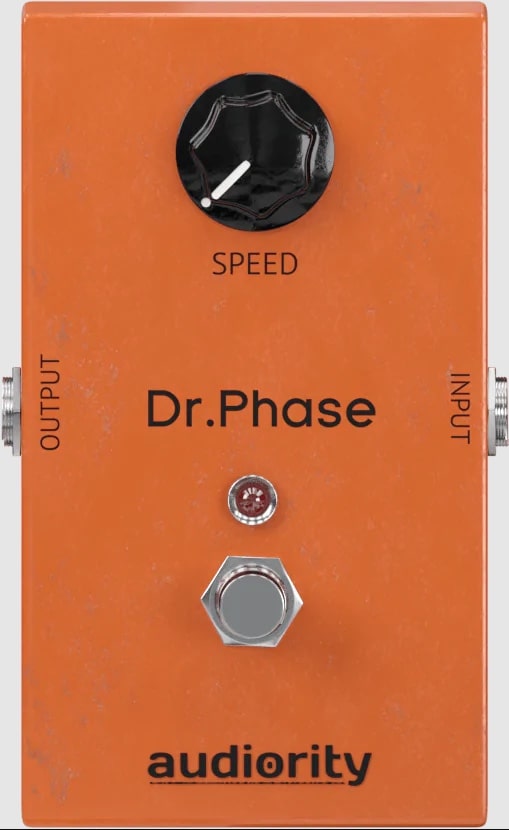
Dr Phase offers a rich analog-style phasing effect based on the classic MXR Phase 90 pedal from the 1970s. It brings smooth, swirling motion to guitars, bass, synths, and drums with adjustable speed, mix, and gain controls for shaping tone and depth.
This plugin includes a Vintage and 2-Stage (P45) mode, host tempo sync, and a built-in noise gate for a cleaner signal. Its visual meters and resizable interface make it easy to monitor and adjust your sound while adding vintage character to modern tracks.
Features
- Analog Modeled Vintage Phaser Effect
- Based On MXR Phase 90
- Adjustable Modulation Speed Control
- Host Tempo Speed Sync
- Pre And Post Gain Controls
- Mix Control For Dry/Wet Blend
- Built-In Noise Gate Feature
- Preset Management And Randomizer
- Supports VST2, VST3, AU, CLAP, AAX
- Works On Windows And macOS
Video
Pros
- Warm classic analog phase tone
- Faithful MXR Phase 90 sound
- Authentic 1970s phaser character
- Vintage mode adds real vibe
- Low CPU use for smooth play
- Mix knob blends dry and wet
- Speed sync matches project tempo
- Randomizer sparks fresh creativity
- Resizable interface for any screen
- Includes CLAP, VST, and AU formats
Cons
- Limited sound shaping options
- No built-in reverb or delay
- Lacks modern stereo widening tools
- Few presets for quick use
- Interface feels too minimal
- No built-in effects chain
- No sample import feature
- No multi-band processing
- No MIDI learn shortcuts
- Sound can become too thin
Testimonials
2. Emissary 2.0
OS: Windows Win Bit Version: 32-bit, 64-bit Developer: STL Tones Size: 50 MB Rating: 90/100
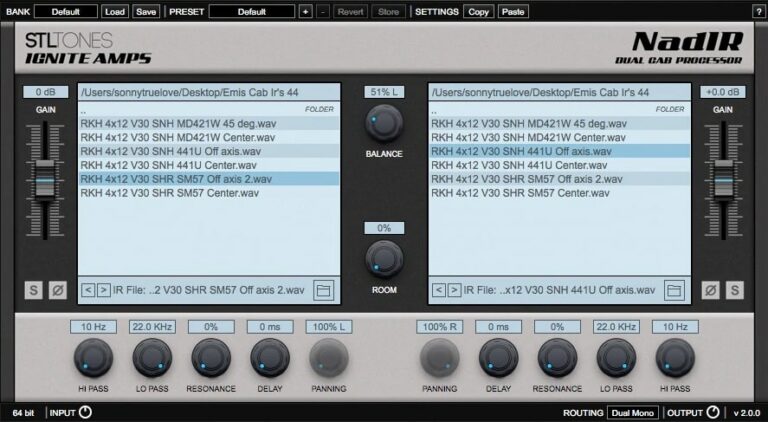
Emissary 2.0 offers an updated digital version of the popular Emissary tube amplifier, built for sharp tones and heavy distortion. It delivers a clean channel for smooth tones and a lead channel for aggressive sounds, giving guitarists flexibility across metal and other styles.
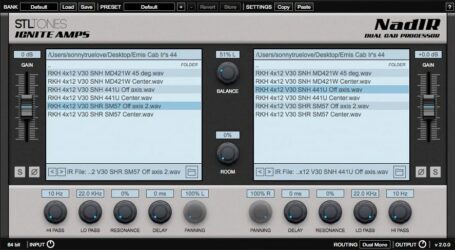
This version includes the NadIR dual Impulse Response loader, which acts as a cabinet simulator with zero latency. With filters, delay, and routing options, users can shape their sound in detail. Emissary 2.0 provides clear tone control, making it a strong choice for recording or live performance.
Features
- Clean And Lead Amp Channels
- Realistic Tube Amplifier Sound
- Built-In NadIR Cabinet Simulator
- Includes Six Free Impulse Responses
- Low CPU Usage
- Zero Latency Audio Processing
- Real-Time Analog Modeling
- Advanced Filter And Delay Controls
- VST, AU, And AAX Compatible
- Simple And User-Friendly Interface
Video
Pros
- Free with pro-level metal tone
- Real amp feel and response
- Super tight modern metal tones
- Advanced modeling for real amp sound
- Includes six free impulse responses
- Zero latency for real-time play
- Improved noise gate for tight riffs
- Refined mids for clear mixes
- Competes with paid amp simulators
- Very low CPU usage
Cons
- Limited built-in effects
- No built-in EQ
- No built-in tuner
- Few presets
- Requires third-party cabinet IRs
- No noise gate
- Windows only
- Metal tone limits versatility
- No MIDI support
- Lacks full amp chain
Testimonials
3. Cypress TT-15
OS: Windows Win Mac Mac Bit Version: 32-bit, 64-bit Developer: CUREON Size: 14 MB Rating: 89/100
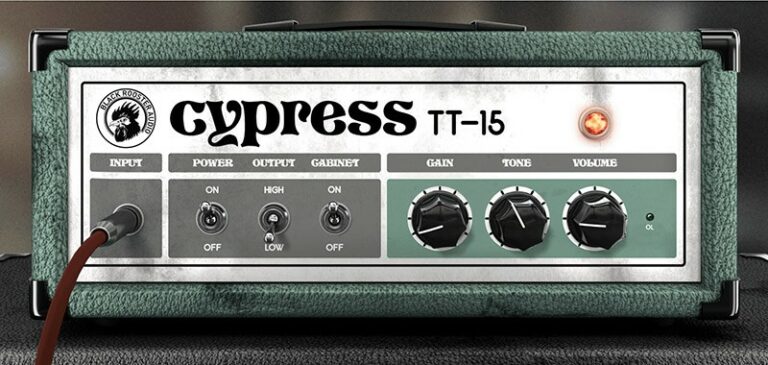
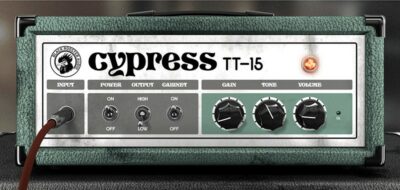
Cypress TT-15 offers a realistic amp experience modeled after a low-wattage tube amplifier. With six simple controls, it helps shape anything from clean tones to gritty overdrive. You can use its built-in 2×12 cabinet simulation or connect an external cabinet for more options.
Its circuit simulation recreates the warm response of real tubes, while auto-adjusted oversampling keeps the tone clear. The plugin runs smoothly and supports high-resolution displays. Music creators appreciate its natural sound, responsive feel, and ability to fit easily into different guitar setups.
Features
- Accurate Low-Watt Amp Emulation
- Real-Time SPICE Circuit Modeling
- Built-In 2×12 Cabinet Simulation
- Auto-Adjusted Oversampling Feature
- Low-Latency Linear-Phase Design
- HighDPI And Retina Display Support
- Available In VST, AU, VST3, AAX
- Low CPU Usage Performance
- Clean To High-Gain Tones
- Realistic Tube-Style Sound Response
Video
Pros
- Very real tube amp sound
- Built-in 2×12 cab simulation
- Cab sim can be turned off
- Strong real-time circuit modeling
- Auto oversampling for clean sound
- Low CPU use and smooth play
- Competes with paid amp plugins
- Flexible tone and gain range
- HighDPI support for clear view
- Very small download size
Cons
- Limited tone shaping options
- No built-in bass cabinet sim
- Only one amp model included
- No built-in effects section
- Can sound thin for bass
- Interface looks plain and dated
- No impulse response support
- No noise gate control option
- No compressor or EQ section
- Less versatile than other free amps
Testimonials
4. Proteus
OS: Windows Win Mac Mac Linux Linux Bit Version: 64-bit Developer: GUITARML Size: 13 MB Rating: 89/100
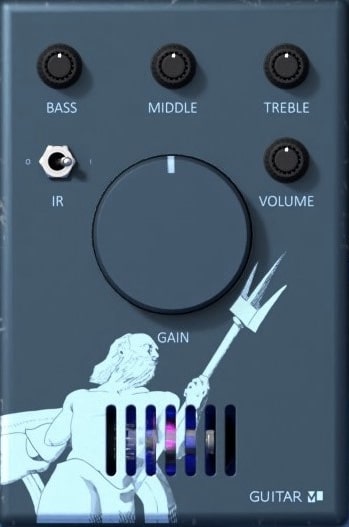
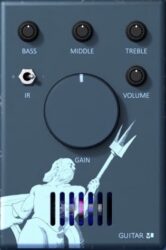
Proteus offers a simple way to capture and shape your guitar or bass tones using real amp or pedal settings. You can create knob captures that store the full range of Drive, Gain, or EQ controls, or make snapshot models for quick tone recalls during sessions.
It includes a 3-band EQ, default impulse response, and access to a growing ToneLibrary filled with ready-made sounds. Available on Windows, Mac, and Linux, Proteus makes tone capturing, testing, and experimenting fast and reliable for modern music production.
Features
- Creates Custom Knob Captures
- Works With Amps And Pedals
- Low CPU Usage Performance
- Real-Time Playable With Low Latency
- Supports Drive, Gain, And EQ
- Comes With Capture Utility
- Provides Access To ToneLibrary
- Features Simple User Interface
- Supports AU, VST3, And AAX
- Available For Windows, Mac, Linux
Video
Pros
- Very low CPU usage
- Captures sound from real pedals
- Allows custom knob modeling
- Access to growing ToneLibrary
- Has built-in impulse response
- Very low latency while playing
- Free plugin with pro features
- Real amp feel and response
- Works on Windows, Mac, Linux
- Includes built-in 3-band EQ
Cons
- Limited hand pan sound options
- No built-in reverb controls
- Lacks realism compared to Panflow
- No dynamic velocity response
- No adjustable mic positioning
- No MIDI learn or automation
- Weak built-in presets variety
- Not optimized for live performance
- Few tone-shaping possibilities
- Interface feels plain and basic
Testimonials
5. Black Distortion
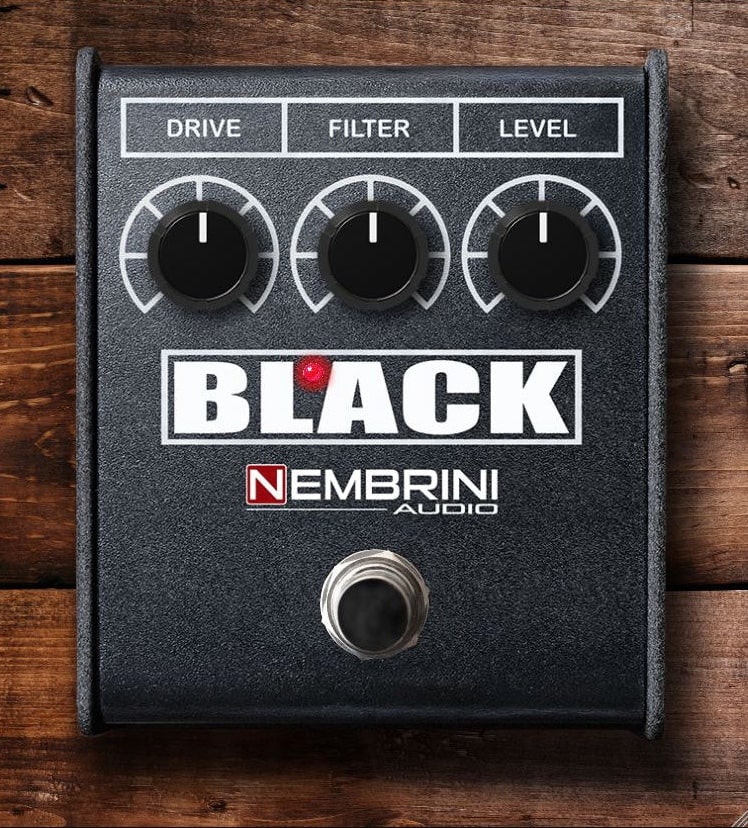
OS: Windows Win Mac Mac Bit Version: 64-bit Developer: Nembrini Audio Size: 51.4 MB Rating: 87/100
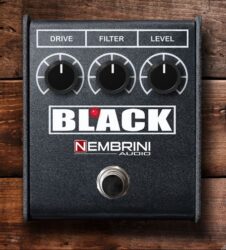
Black Distortion offers the gritty, dynamic sound of the classic RAT2 pedal in a flexible plugin form. It lets you dial in everything from soft overdrive to aggressive fuzz, helping shape tones suited for rock, punk, blues, or jazz. Each control is simple, making tone shaping quick and effective.
Use Black Distortion to push your amp plugin harder or as a boost for solos that need extra bite. The Drive, Filter, and Level knobs give you precise control, while A/B comparison features make finding your perfect tone fast and reliable. Ideal for guitar, bass, or synth tracks.
Features
- Modeled After Classic RAT2 Pedal
- Adjustable Drive Control
- Filter Knob Reduces Treble
- Includes Preset Management Tools
- A B Banks For Comparison
- Undo And Redo Adjustments
- Copy Settings Between Banks
- Low CPU Usage Performance
- Works On Guitars Bass And Synths
- Supports VST2 AU And AAX
Video
Pros
- Faithful sound of classic RAT pedal
- Very low CPU load performance
- Simple three-knob setup is clear
- Warm gritty tone with strong dynamics
- Works great on guitars and bass
- Also good for drums and synths
- Has built-in A and B comparisons
- Presets can be made and saved
- No copy protection or login needed
- Runs on both Mac and Windows
Cons
- No built-in cabinet simulation
- No MIDI learn support
- Limited tone shaping options
- Can sound harsh at extremes
- GUI not resizable or modern
- Missing oversampling feature
- No metering or visual feedback
- Only one distortion model
- Limited preset variety
- No stereo processing support
Testimonials
6. Mercuriall MT-A
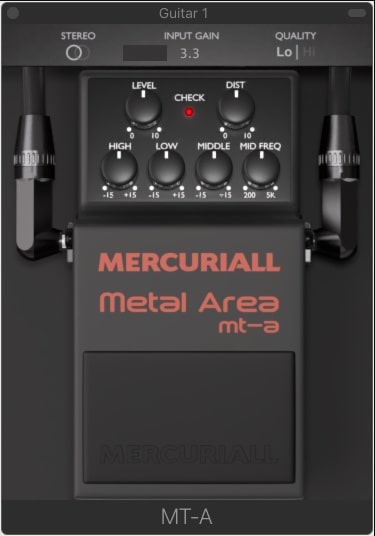
OS: Windows Win Mac Mac Bit Version: 64-bit Developer: Mercuriall Audio Software Size: 4.3 MB Rating: 86/100
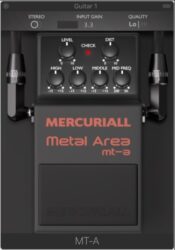
Mercuriall MT-A is a free plugin that recreates the famous Boss MT-2 distortion pedal for digital music setups. It delivers heavy, metal-style tones using Mercuriall’s Neural Hybrid Engine for accurate and dynamic sound. The plugin works on Windows and Mac in VST, AU, and AAX formats.
Mercuriall MT-A offers full tone control with adjustable High, Low, Middle, and Mid Freq knobs, plus Dist and Level settings for shaping your guitar sound. Stereo mode, Input Gain, and a Quality switch let you refine your tone and detail for both rhythm and lead parts.
Features
- Models The Iconic Boss MT-2 Pedal
- Uses Neural Hybrid Engine Technology
- Includes Level And Dist Controls
- Offers High, Low, And Middle EQ
- Mid Freq Knob For Tone Shaping
- Switchable 2x Or 4x Oversampling
- Mono And Stereo Processing Modes
- Quality Switch For Sound Detail
- Available In VST, AU, And AAX
- Free Plugin For Music Creators
Video
Pros
- Faithful Boss MT-2 modeling
- Neural Hybrid Engine accuracy
- Powerful metal-style distortion
- Detailed EQ tone shaping
- Adjustable mid frequency control
- Switchable 2x or 4x oversampling
- Light on CPU resources
- Responds well to guitar dynamics
- Supports Windows and Mac
- Free plugin with pro sound
Cons
- No built-in cabinet simulation
- Limited to one pedal model
- No built-in amp modeling
- Needs extra IR loader software
- User interface looks outdated
- Few preset tone options
- Can use high CPU at 4x
- Lacks warmth compared to rivals
- Mac version sometimes unstable
- No built-in reverb or delay
Testimonials
7. Amped Roots Free
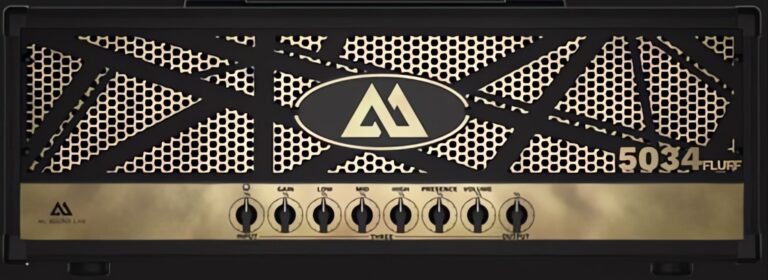
OS: Windows Win Mac Mac Bit Version: 64-bit Developer: ML Sound Size: 56.8 MB Rating: 86/100
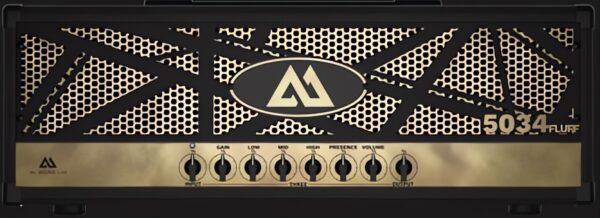
Amped Roots Free offers a high-quality amp simulation built for guitarists who want a quick and powerful tone without extra setup. It includes the “5034 Fluff” amp, modeled after a modern metal sound that delivers tight, heavy tones right out of the box.
This plugin comes with a pedalboard featuring key effects like noise gate, drive, and reverb to shape your sound easily. With its built-in cabinet options and realistic amp response, Amped Roots Free gives players an authentic amp feel, ready for recording or practice.
Features
- Includes 5034 Fluff Amp Model
- 3D Cabinet Simulator Included
- Load Custom Impulse Responses
- Pedalboard With Six Effects
- Noise Gate And Compressor Pedals
- Drive, Chorus, Delay, And Reverb
- Tuner And MIDI Support Included
- Low CPU Usage Performance
- Works With VST3, AU, And AAX
- Compatible With Windows And Mac
Video
Pros
- Realistic modern metal tones
- Includes free “5034 Fluff” amp
- Load your own cabinet IRs
- 3D cabinet simulator options
- Built in noise gate control
- Low CPU use for smooth play
- Better low end than free rivals
- Standalone app for quick play
- Excellent for tight palm mutes
- High quality amp modeling sound
Cons
- Only one amp included
- No clean tone options
- Limited tone variety
- Extra amps require payment
- No built-in EQ section
- Pedalboard has limited effects options
- Few cabinet IRs included
- Can sound digital at low gain
- Reverb is very basic
- Full version upsell feels pushy
Testimonials
8. Bass Deluxe
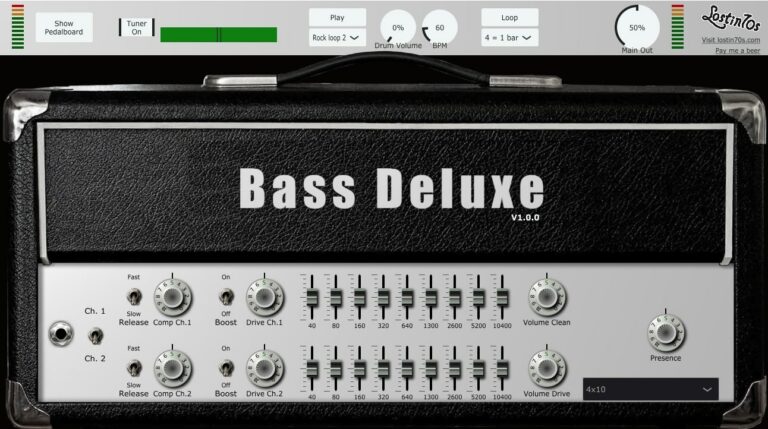
OS: Windows Win Mac Mac Bit Version: 32-bit, 64-bit Developer: lostin70s Size: 23.9 MB Rating: 85/100
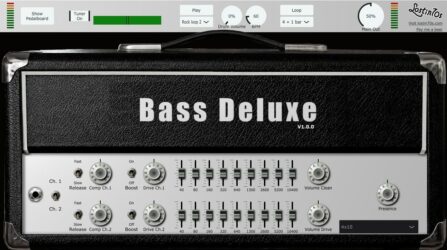
Bass Deluxe offers a warm tube-driven bass sound that ranges from smooth and deep to crisp and funky. It includes two independent channels with adjustable compression, drive, and a 9-band EQ, so you can shape your tone for any style or playing technique.
The plugin also features four cabinet models and six pedal effects for extra control over your sound. With its built-in beatbox and looper, Bass Deluxe makes practice and recording easy while keeping your bass tone full, balanced, and ready for any mix.
Features
- Two Independent Bass Channels
- Adjustable Compression And Drive
- Nine-Band Graphic Equalizers
- Four Bass Cabinet Models
- Tube Amplifier With Warm Tone
- Six Pedalboard Effects Included
- Built-In Beatbox And Looper
- Integrated Tuner Function
- Drum Loop Selector And BPM Control
- Low CPU Usage Performance
Video
Pros
- Warm tube tone feels real
- Nine-band EQ for clear tone
- Four cabinet models included
- Pedalboard adds cool effects
- Looper helps practice timing
- Beatbox keeps groove steady
- Low CPU use for big sessions
- Built-in tuner helps quick setup
- Professional tone like paid amps
- High quality for a free plugin
Cons
- Limited cabinet selection options
- Interface looks dated
- Distortion can sound harsh
- No MIDI learn support
- Preset management feels clunky
- Tuner not very accurate
- Limited tone customization depth
- No impulse response support
- Can cause CPU spikes
- Windows stability issues
Testimonials
9. Old Skool Verb
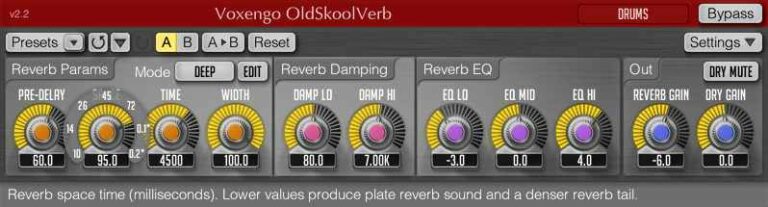
OS: Windows Win Mac Mac Bit Version: 32-bit, 64-bit Developer: Voxengo Size: 21 MB Rating: 83/100
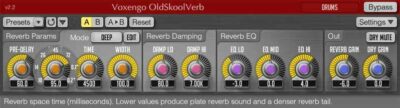
Old Skool Verb is a free stereo reverb plugin by Voxengo for Windows and macOS. It provides room, plate, and hall modes suited to vocals, piano, pads, guitars, and selected drum sounds.
Its controls adjust space, time, pre-delay, stereo width, damping, EQ, and wet-dry balance. The plugin includes presets, A/B comparisons, undo and redo, zero-latency processing, and VST, VST3, AAX, and AudioUnit support.
Features
- Five Selectable Reverb Modes
- Clear Stereo Spatial Image
- Reverb Mode Editing Controls
- Pre-Delay And Space Controls
- Adjustable Reverb Time And Width
- Low And High Frequency Damping
- Built-In Reverb Tone EQ
- Dry And Wet Level Controls
- Zero Processing Latency
- Resizable High-DPI Interface
Video
Pros
- Free professional-quality reverb
- Five useful reverb modes
- Detailed editing for advanced users
- Zero processing latency
- Supports stereo processing
- Supports all sample rates
- Also supports AAX and AudioUnit
- Uses low computer power
- Offers easy A/B comparisons
- Resizable interface with helpful hints
Cons
- No pitch correction tools
- Cannot fix off-key vocals
- No MIDI note control
- No formant shifting controls
- No key or scale tuning
- No manual note editing
- No pitch display or graph
Testimonials
10. SHB-1
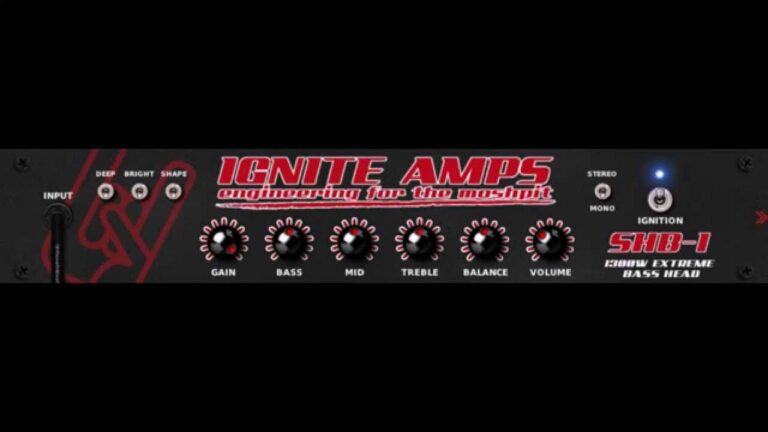
OS: Windows Win Mac Mac Bit Version: 32-bit, 64-bit Developer: Ignite Amps Size: 0.9 MB Rating: 83/100
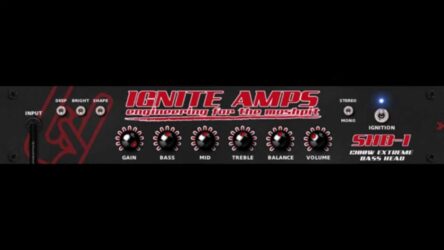
SHB-1 offers a detailed digital recreation of a real tube bass amplifier made for pro use. It captures the warmth and drive of the original hardware, giving players tones that range from smooth and deep to sharp and aggressive for rock, funk, or metal styles.
The plugin includes full tone control with gain, EQ, and blend options, plus selectable oversampling for improved sound detail. With mono or stereo processing, automatable settings, and zero latency, SHB-1 helps bass players craft a powerful and responsive tone for recording or live sessions.
Features
- Digital Tube Bass Amp Emulation
- Clean And Distorted Sound Blend
- Selectable Oversampling Up To 8x
- Zero Latency Performance
- Gain, Bass, Mid, Treble Controls
- Deep, Bright, And Shape Switches
- Works For Bass And Guitar
- Fully Automatable Parameters
- Light On CPU Usage
- Supports 44.1 To 192kHz Sample Rates
Video
Pros
- Warm and realistic tube tone
- Zero latency for live play
- Light on CPU performance
- 64-bit double precision modeling
- Selectable 2x to 8x oversampling
- Deep tone control options
- Fully automatable plugin controls
- Strong emulation of real hardware
- Produces both smooth and growly tones
- Comparable or better than other free amps
Cons
- No built-in cabinet simulator
- Limited tone-shaping flexibility
- No built-in preset manager
- Interface looks plain and dated
- No built-in effects section
- Lacks visual feedback or meters
- No impulse response (IR) loader
- No noise gate or limiter
- No built-in compressor module
- Lacks multi-band tone control
Testimonials
11. AmpliTube 5 Custom Shop
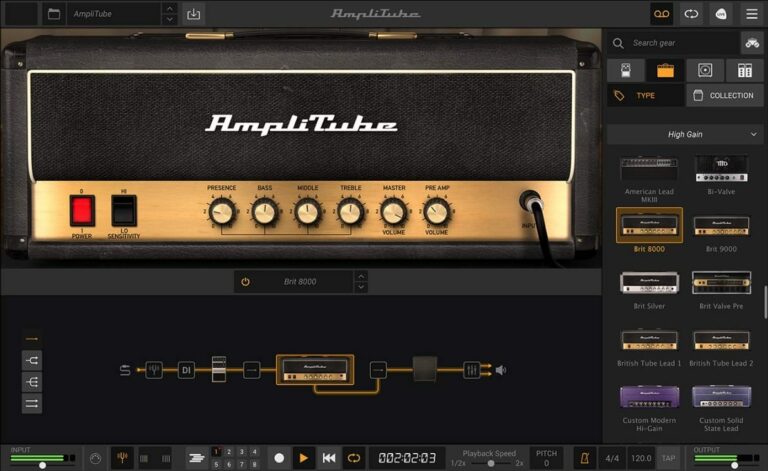
OS: Windows Win Mac Mac Bit Version: 64-bit Developer: IK Multimedia Production Size: 2.4 GB Rating: 83/100
AmpliTube 5 Custom Shop offers a flexible way to explore and build your dream guitar rig. It includes 42 classic amps, cabinets, pedals, and effects you can use right away. Each piece is modeled for realistic tone and response, perfect for recording, practice, or live performance.
You can test over 400 pieces of official gear from major brands and artist collections before buying. With its detailed tone controls, cabinet options, and signal chain editor, AmpliTube 5 Custom Shop gives guitarists the tools to shape their sound and grow their virtual gear library at their own pace.
Features
- Includes 42 Free Gear Models
- Works As Plugin Or Standalone
- Authorized Models From Top Brands
- Realistic Sound With VIR Technology
- Includes Pedals, Amps, And Cabinets
- Movable Mics And Room Options
- Signal Path Editor For Custom Chains
- Low Latency For Real-Time Playing
- Free Tone Expansion With Custom Shop
- Clean And Modern User Interface
Video
Pros
- AI machine modeling for better tone
- Free version includes 42 gear models
- Official models from famous brands
- High-quality Fender and Mesa tones
- Great high-gain tones for metal
- Accurate and natural cabinet sounds
- Try any gear free for 72 hours
- Easy to build custom guitar rigs
- Runs as standalone or plugin
- Supports VST, AAX, and AU formats
Cons
- Free version has limited gear
- Many popular amps locked
- Constant pop-ups to buy gear
- Heavy CPU load on laptops
- Preset management feels clunky
- Apple Silicon support still missing
- Too few metal amp options
- Some effects sound outdated
- High gain tones need tweaking
- Pricing for add-ons is steep
Testimonials
12. TSE BOD
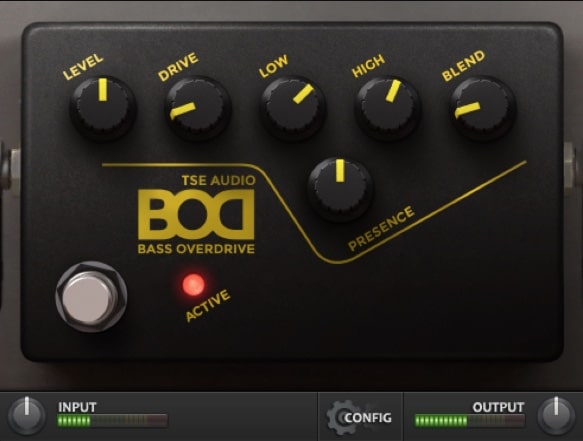
OS: Windows Win Mac Mac Bit Version: 32-bit, 64-bit Developer: TSE AUDIO Size: 17 MB Rating: 83/100
TSE BOD offers an authentic bass overdrive sound inspired by a famous hardware unit. It delivers warm, rich tones that help bass lines stand out in a mix. With controls for drive, tone, and blend, it’s easy to shape anything from subtle grit to heavy distortion.
This plugin works well for rock, metal, and pop styles, giving both punch and presence to any bass track. Its clean interface keeps focus on sound, letting creators quickly craft modern or vintage tones using simple knobs and meters for instant feedback.
Features
- Analog Modeled Bass Overdrive Effect
- Flexible Drive And Distortion Control
- Blend Knob For Clean Mix
- Low And High Tone Adjustments
- Presence Control For Added Clarity
- Input And Output Meters Included
- Supports VST, AU, And AAX Formats
- Low CPU Usage Performance
- Works For Bass And Guitar
- Free To Use Plugin
Video
Pros
- Gives real bass amp sound
- Low CPU use on most systems
- Works well on Windows and Mac
- Blend knob keeps lows clean
- Drive control gives gritty tone
- Presence adds sparkle and detail
- Feels close to real SansAmp gear
- Works great with amp sims
- Stable and does not crash DAWs
- Better tone than many paid plugins
Cons
- Limited tone shaping options
- No cabinet simulation included
- Lacks Built-in presets
- No Built-in compressor
- Can clip easily on output
- Interface feels dated
- No mid frequency control
- Output can be too hot
- No impulse response loader
- Minimal updates from developer
Testimonials
13. Audiority

OS: Windows Win Mac Mac Bit Version: 64-bit Developer: Audiority Size: 152 MB Rating: 82/100
Audiority offers L12X, an analog-modeled amplifier plugin based on the late-1980s Marshall Lead 12. It includes Standard, Clean, and Metal amp models, plus Clean and Boost channels, gain, volume, three-band EQ, and Contour controls.
The built-in cabinet simulator uses a Marshall cabinet impulse response with Celestion V30 speakers and supports cabinets up to 4×12. L12X also includes oversampling, presets, MIDI mapping, and a standalone version for Windows and Mac.
Features
- Three Analog Modeled Amplifier Models
- Clean And Boost Channels
- Three Band Tone Stack
- Adjustable Contour Control
- Cabinet Simulation With V30 Impulse
- High Quality Oversampling Mode
- Random Preset Generation
- Custom MIDI Mapping Support
- Multiple Plugin Format Support
- Resizable User Interface
Video
Pros
- Completely free to use
- Three distinct amplifier models
- Classic solid-state amplifier character
- Warm tube-style clean sounds
- Powerful high-gain metal sounds
- Boost adds extra drive
- Contour creates scooped tones
- Built-in speaker cabinet simulator
- V30 cabinet sound included
- Oversampling helps reduce harsh aliasing
Cons
- Only three amplifier models
- Limited cabinet choices
- No custom impulse response loading
- No movable microphone controls
- No large effects collection
- Basic tone shaping controls
- Demo mode interrupts every minute
Testimonials
14. SmartAmp

OS: Windows Win Mac Mac Linux Linux Bit Version: 64-bit Developer: GuitarML Size: 4 MB Rating: 82/100
SmartAmp offers realistic tube amp tones through advanced machine learning. It reacts naturally to your playing, capturing the warmth and feel of real amplifiers. With clean and lead channels, plus EQ and gain controls, it delivers authentic tones for many musical styles.
You can load your own tones or explore options shared by the community. The simple controls for bass, middle, treble, and gain make it easy to shape your sound. SmartAmp works on Windows, Mac, and Linux in VST or AU format, giving players flexibility across setups.
Features
- Machine Learning Amp Modeling
- Realistic Tube Amp Emulation
- Two Channels: Clean And Lead
- Load User-Created Amp Tones
- Community Tone Sharing Option
- Low CPU Usage
- Low Latency Performance
- Includes Presets
- Supports VST And AU
- Free And Open Source
Video
Pros
- Very realistic tube amp sound
- Uses smart machine learning tech
- Free and open source plugin
- Works on Windows, Mac, and Linux
- Very touch and pick responsive
- Low CPU use for smooth play
- Handles guitar pedals really well
- Feels alive like real tube amps
- Tone rivals paid amp sims
- Community tones for endless variety
Cons
- Limited number of amp models
- No built-in cabinet simulator
- Lacks built-in effects like reverb
- No impulse response loader
- User interface looks very basic
- No MIDI control or automation options
- No built-in noise gate feature
- Limited gain range for metal tones
- Interface not resizable or scalable
- Less realistic feel than NRR-1 plugin
Testimonials
15. Fuzzy
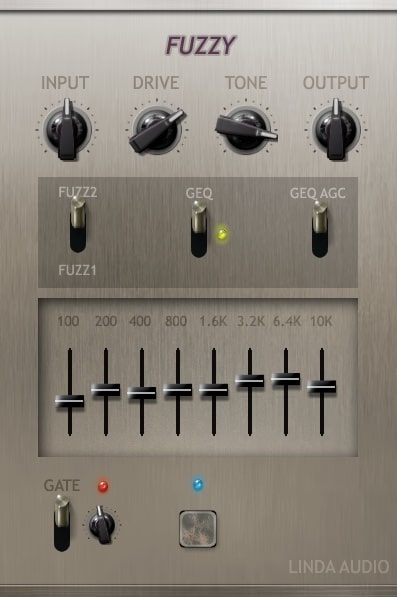
OS: Windows Win Bit Version: 32-bit, 64-bit Developer: Linda Audio Size: 2 MB Rating: 82/100
Fuzzy offers a flexible fuzz distortion effect for guitars and other sounds. It delivers tones ranging from light overdrive to intense, gritty chaos. With controls for input, output, tone, and boost, you can shape the strength and texture of your distortion with ease.
It includes two fuzz styles, an 8-band graphic equalizer with auto gain control, and a noise gate for tighter sound. Fuzzy gives producers room to explore from smooth warmth to raw aggression, making it a solid choice for creative sound shaping in any mix.
Features
- Versatile Guitar Fuzz Distortion
- Wide Range Of Fuzz Tones
- Adjustable Boost Gain And Tone
- Two Selectable Fuzz Algorithms
- 8-Band Graphic Equalizer
- Optional Automatic Gain Compensation
- Adjustable Noise Gate Threshold
- Controls For Input And Output
- Simple And Clear Interface
- Low CPU Usage And Stable
Video
Pros
- Two unique fuzz modes
- 8-band EQ gives deep control
- Auto gain keeps levels steady
- Noise gate keeps sound clean
- Not a copy of old gear
- Works well on bass too
- Good for guitars and drums
- Low CPU use and stable
- Great for creative sound design
- Free yet sounds professional
Cons
- Only works on Windows systems
- Lacks built-in presets library
- Interface looks plain and dated
- Limited to guitar use mainly
- No built-in reverb or delay
- No MIDI learn or automation help
- Does not model real hardware
- No modulation or depth controls
- Can clip easily at high gain
- No support for resizable GUI
Testimonials
16. Live Pedalboard
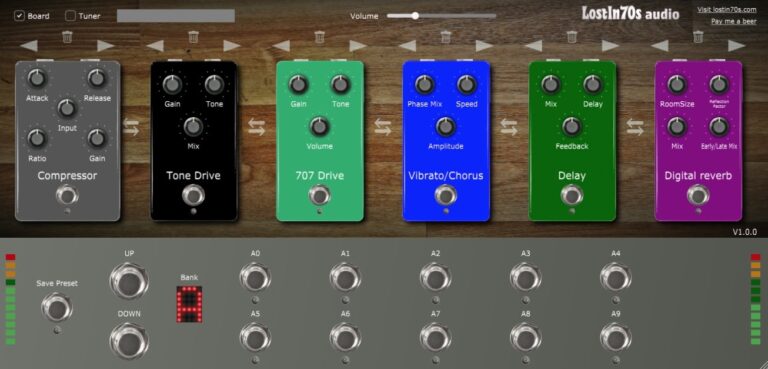
OS: Windows Win Mac Mac Bit Version: 32-bit, 64-bit Developer: lostin70s Size: 9 MB Rating: 81/100
Live Pedalboard offers a full set of guitar effects in one easy setup. It includes distortion, overdrive, fuzz, delay, chorus, tremolo, and reverb, with six slots for building custom sound chains. You can even stack up to three effects of the same type.
It includes three user banks with ten presets each that save directly to your hard drive. Players can switch sounds quickly with footswitches and explore tones for live sessions or recording. It runs on Windows and macOS in VST and AU formats.
Features
- Guitar Rig Style Stompbox
- Six Available Effect Slots
- Built-In Tuner And Looper
- Clean And Simple Interface
- Standalone Version For Practice
- Supports VST And AU Formats
- Works With MIDI Foot Controllers
- Lightweight And CPU Friendly
- Includes Common Guitar Effects
- Global Preset Storage On Drive
Video
Pros
- Six slots for sound effects
- Looper and tuner built right in
- Use three of same effect type
- Light on CPU usage
- Supports both VST and AU formats
- Presets save right to hard drive
- Works well on Windows and Mac
- Simple preset buttons for quick play
- Stable even on older computers
- Great for live and studio use
Cons
- Can only load six effects
- No amp modeling options
- No cabinet simulation
- No custom impulse response
- No automation for pedals
- No resizable interface
- No MIDI learn support
- Limited tone variety
- No parallel processing
- Preset saving feels risky
Testimonials
17. Mercuriall TSC
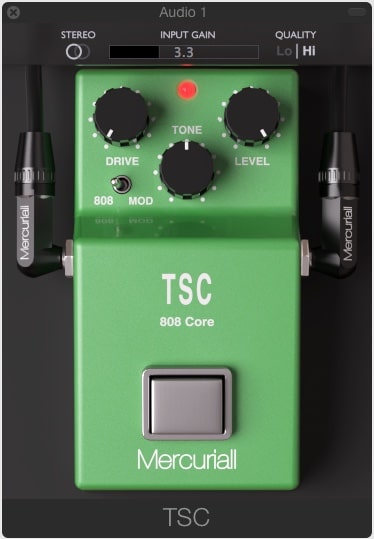
OS: Windows Win Mac Mac Bit Version: 64-bit Developer: Mercuriall Audio Software Size: 6 MB Rating: 81/100
Mercuriall TSC offers a faithful recreation of the classic Ibanez TS-808 overdrive pedal in plugin form. It delivers a smooth, dynamic tone that can add warmth, clarity, or bite to guitars. The plugin includes Drive, Tone, Level, and Input Gain controls for shaping sound balance and grit.
It features a switch for “808” or “Mod” modes, giving users a choice between the classic tone or a cleaner sound with extra low end. Stereo and mono options, plus two quality settings, make it suitable for different setups and recording needs on both Windows and Mac.
Features
- Modeled After Ibanez TS-808 Pedal
- Two Sound Modes Available
- Mono And Stereo Operation
- Adjustable Input Gain Control
- Drive Knob For Distortion
- Tone Knob Adjusts Brightness
- Level Knob Sets Output Volume
- Low CPU Usage Performance
- Works On PC And Mac
- Available In VST AU AAX
Video
Pros
- Free and sounds very professional
- Faithful model of TS-808 pedal
- Two tone modes for variety
- Low CPU usage for smooth play
- High-quality 4x oversampling mode
- Works great with amp simulators
- Very realistic mid-range warmth
- Tightens metal tones very well
- Supports VST, AU, and AAX
- Perfect for distorted or clean boosts
Cons
- Limited to guitar tones only
- No reverb or ambience options
- Interface looks outdated and plain
- No built-in preset library
- Sound feels narrow in stereo
- Limited tone shaping features
- Can sound harsh at high drive
- Lacks cross-platform mobile support
- No adjustable mic or room placement
- Hard to get organic textures
Testimonials
18. Greed Smasher
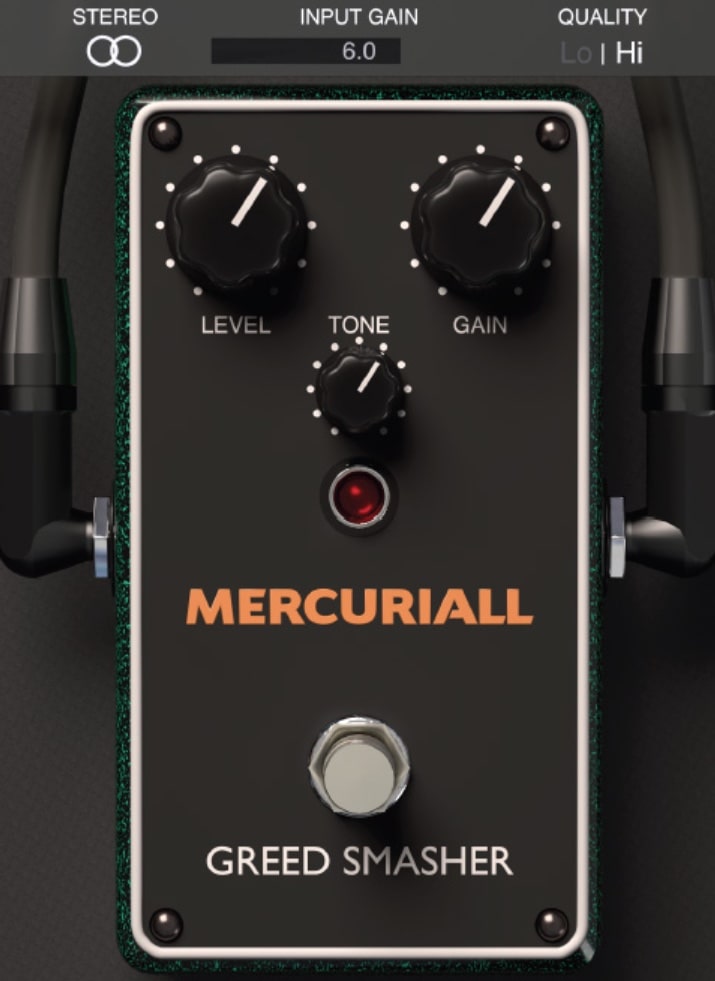
OS: Windows Win Mac Mac Bit Version: 32-bit, 64-bit Developer: Mercuriall Size: 13 MB Rating: 80/100
Greed Smasher is a free overdrive plugin by Mercuriall, modeled after the Mesa/Boogie Grid Slammer pedal. It recreates the punchy, mid-driven tone of the classic hardware, making it great for tightening up guitar tracks or adding grit to amp simulations in both rock and metal setups.
Greed Smasher offers simple tone-shaping controls for gain, tone, and level, along with stereo and mono modes. You can switch between low and high-quality oversampling to fit your project needs, letting you shape a clear, warm, and focused sound without added complexity.
Features
- Based On Mesa Grid Slammer Pedal
- Low Cpu Usage Design
- 2x And 4x Oversampling Options
- Adjustable Input Gain Control
- Tone Control For Brightness
- Gain Knob Adds Distortion
- Footswitch Toggles Effect On Off
- Works Well With Amp Sims
- Supports Vst And Au Formats
- Simple And Clean Interface
Video
Pros
- Accurate Mesa Grid Slammer tone
- Very low CPU usage
- Switchable sound quality modes
- Faithful emulation of real pedal
- Excellent for amp sim boosting
- Adds clarity and tightness
- Dynamic response to playing
- Competes with paid overdrives
- Lightweight for large projects
- Free to download and use
Cons
- Limited tone shaping options
- No preset browser available
- Lacks built-in cabinet simulation
- May sound harsh at high gain
- No support for MIDI control
- Interface looks plain and basic
- No built-in reverb or delay
- High mode still uses more CPU
- UI not resizable or scalable
- Doesn’t support advanced routing
Testimonials
19. Emissary

OS: Windows Win Mac Mac Bit Version: 64-bit Developer: Ignite Amps Size: 40 MB Rating: 79/100
Emissary is a digital model of a custom dual-channel tube guitar amplifier built by Ignite Amps in 2014. Its Clean channel covers clear to lightly driven tones, while the Lead channel delivers heavy distortion suited to metal and other styles.
Controls include three-band EQs, depth, presence, boost, bias adjustment, mix, and effects-loop routing. Six impulse responses are included, along with speaker output controls. The plugin supports live playing, recording, and mixing on Windows and macOS in VST and AU formats.
Audio Demo
Features
- Dual-Channel Guitar Amplifier Emulation
- Clean And Lead Channels
- Analog Component Signal Modeling
- Six Included Impulse Responses
- Input And Effects Loop Controls
- Channel-Specific Tone Controls
- Boost Adds Extra Drive
- Adjustable Virtual Tube Bias
- Oversampling Reduces Digital Artifacts
- Supports AAX, AU, VST, And VST3
Video
Pros
- Includes six speaker impulse responses
- Models the full signal path
- Uses real-time analog modeling
- Keeps CPU use efficient
- Has detailed tone controls
- Adds powerful depth control
- Includes a built-in boost
- Offers flexible effects loop routing
- Provides virtual tube bias control
- Includes oversampling for cleaner sound
Cons
- Amp head needs external cabinet
- Offers only one amp design
- Targets high-gain tones most
- High gain can sound noisy
- No built-in pedalboard section
- Six included IRs feel limited
- No cabinet microphone controls
Testimonials
20. Mercuriall WS-1
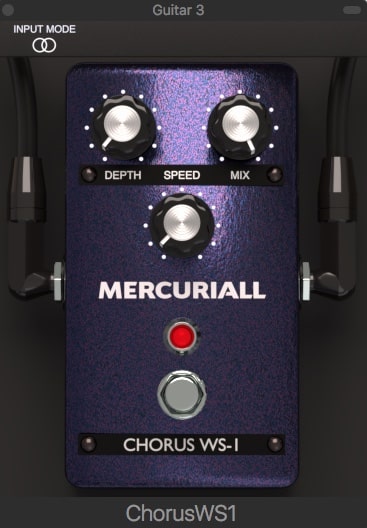
OS: Windows Win Mac Mac Bit Version: 64-bit Developer: Mercuriall Audio Software Size: 6 MB Rating: 78/100
Mercuriall WS-1 offers a realistic chorus effect modeled after classic stompbox tones. It provides stereo and mono modes, along with simple controls for Depth, Speed, and Mix. The plugin works with AU, VST, and AAX formats on both Mac and Windows systems.
Music creators can shape their sound from subtle texture to wide, moving tones using the WS-1’s modulation controls. Its stereo switch processes each channel separately, adding dimension to guitars, synths, or vocals. The plugin is a free and flexible way to enhance tracks with chorus warmth.
Features
- Free Stereo Chorus Plugin
- Low CPU Usage
- Depth Control For Modulation
- Speed Control For Modulation Rate
- Mix Control For Signal Blend
- Compatible With VST AU AAX
- Works On Mac And Windows
- 64-Bit Plugin Support
- Host Automation Supported
- Simple User Interface
Video
Pros
- Free plugin with pro quality
- AI modeling for analog-like sound
- Better tone depth than free rivals
- Very natural and expressive tone
- MIDI-learn improves pedal control
- Host automation is fully supported
- Runs smooth with low CPU use
- Simple and clear user interface
- Depth knob adds rich modulation
- Excellent response to picking style
Cons
- No built-in reverb or delay
- No built-in EQ or filter
- No preset browser included
- Interface looks plain and dated
- Lacks advanced modulation features
- Few sound design options
- No built-in limiter or compressor
- Limited dynamic expression control
- Less realistic sound than rivals
- Can sound flat without tweaking
Testimonials
Best Guitar Amp Plugins Compared
This table compares Guitar Amp VST plugins by features, controls, effects, formats, and more.
| Details | Dr Phase | Emissary 2.0 | Cypress TT-15 | Proteus | Black Distortion | Mercuriall MT-A | Amped Roots Free | Bass Deluxe | Old Skool Verb | SHB-1 |
|---|---|---|---|---|---|---|---|---|---|---|
| Image |  |
 |
 |
 |
 |
 |
 |
 |
 |
 |
| Rating | ||||||||||
| OS | Windows, Mac | Windows | Windows, Mac | Windows, Mac, Linux | Windows, Mac | Windows, Mac | Windows, Mac | Windows, Mac | Windows, Mac | Windows, Mac |
| Formats | VST2, AU, CLAP | VST, AU, AAX | VST, VST3, AU, AAX | VST3, AU, AAX | VST2, AU, AAX | VST, AU, AAX | VST3, AU, AAX | VST, AU | VST, VST3, AAX | VST, AU |
| Bit Version | 64-bit | 32-bit, 64-bit | 32-bit, 64-bit | 64-bit | 64-bit | 64-bit | 64-bit | 32-bit, 64-bit | 32-bit, 64-bit | 32-bit, 64-bit |
| Developer | Audiority | STL Tones | CUREON | GUITARML | Nembrini Audio | Mercuriall Audio Software | ML Sound | lostin70s | Voxengo | Ignite Amps |
| License | Freeware | Commercial | Freeware | Freeware | Freeware | Freeware | Freeware | Freeware | Freeware | Freeware |
| Sample-Based | No | No | Select | No | No | No | No | No | No | No |
| Download Size | 200 MB | 50 MB | 14 MB | 13 MB | 51.4 MB | 4.3 MB | 56.8 MB | 23.9 MB | 21 MB | 0.9 MB |
| CPU Load | Low | Low | Low | Low | Low | Low | Low | Low | Low | Low |
| Polyphony | N/A | 8 | 8 | 32 | 1 | 8 | N/A | 8 | N/A | 1 |
| Features | Analog Modeled Phaser, Modulation Speed, Vintage Mode, 2-Stage Mode, Speed Sync, Pre/Post Gain, Mix Control | Versatile clean channel, Brutal lead channel, Wide tonal range, Real-time playability, Dual IR convolver, Built-in filters, Zero latency | Authentic Circuit Emulation, Built-in Cabinet Simulation, Real-time Oversampling, Intuitive Controls, HighDPI Interface, Simple Activation, Adjustable GUI Size | Knob captures, Snapshot models, Capture Utility, Tutorial videos, ToneLibrary access, 3-band EQ, Default IR | RAT emulation, Gain control, Tone shaping, Preset management, A/B comparison, Boost function, Bypass option | Boss MT-2 modeling, Neural Hybrid Engine, Stereo mode, Input gain, Quality switch, EQ controls, Mid-Freq adjustment | Free amp, Plug-and-play, High-gain tone, 3D cab sim, Pedalboard effects, Tuner included, MIDI support | Dual channels, Adjustable compression, 9-band EQ, Tube amplification, Pedalboard effects, Cabinet models, Presence boost | Plate, Room, Hall Reverb, Five Reverb Modes, Mode Editor, Stereo Processing, Preset Manager, A/B Comparisons, Zero Latency | Tube amp emulation, Tone shaping switches, Gain control, Oversampling options, Automatable controls, Zero latency, Mono/stereo support |
| Controls | Speed, P45 Mode, Vintage Mode, Sync, Pre Gain, Post Gain, Mix Control | Gain, Balance, Room, File Loader, Phase, Delay, Panning | Input, Power Switch, Output Switch, Cabinet Switch, Gain Knob, Tone Knob, Volume Knob | Bass, Middle, Treble, Volume, Gain, IR Switch, Capture Control | Drive, Filter, Level, LED Indicator, Footswitch, Preset Selector, A/B Bank | Level, Dist, Input Gain, Quality Switch, High, Middle, Mid Freq | Gain, Low, Mid, High, Presence, Volume, Tuner | Show Pedalboard, Tuner On, Play Button, Drum Loop Selector, Drum Volume, BPM Control, Cabinet Selector | Presets, Mode, Edit, Reverb Params, Pre-Delay, Space, Time | Input, Deep, Bright, Gain, Bass, Mid, Treble |
| Effects Included | Phaser, Noise Gate, Pre Gain, Post Gain, Mix Control | Filters, Delay, Room, Phase, Panning, Mix, Gain, Balance, Hi Pass, Low Pass | Distortion, Cabinet Simulation, Tone Adjustment, Overdrive | Distortion, Overdrive, Boost, EQ, Impulse Response (IR) | Distortion, Overdrive, Filter, Boost | Distortion, EQ | Noise Gate, Compressor, Drive Pedal, Chorus, Analog Delay, Reverb | Compression, Drive, Equalizer, Tone Drive, Presence Boost | Room reverb, Plate reverb, Voice streaming reverb, Hall reverb | Distortion, EQ, Bass Boost |
| MIDI Learn | Yes | Yes | Unknown | Yes | Yes | Yes | Unknown | Yes | No | Yes |
| Presets | 17 | N/A | N/A | 20 | 6 | 18 | N/A | 10 | 18 | N/A |
| Standalone | Yes | Yes | Select | Yes | Yes | Yes | Yes | Yes | No | Yes |
| Last Updated | 01/16/2023 | 08/07/2023 | N/A | 03/13/2022 | 01/17/2022 | 04/22/2024 | 07/08/2022 | 05/13/2023 | 04/03/2026 | 02/01/2021 |
Our Favorite Guitar Amp VST Plugins
Our top picks for the best free Guitar Amp VST plugins are Emissary 2.0 by STL Tones, AmpliTube 5 Custom Shop by IK Multimedia Production, and Live Pedalboard.
| Details | Emissary 2.0 | AmpliTube 5 Custom Shop | Live Pedalboard |
|---|---|---|---|
| Image | | 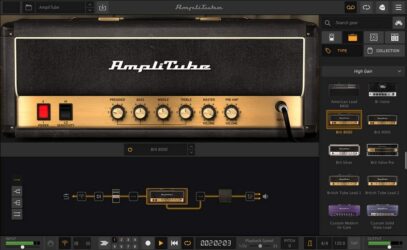 | 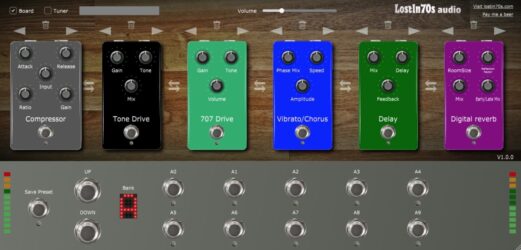 |
| Rating | |||
| OS | Windows | Windows, Mac | Windows, Mac |
| Formats | VST, AU, AAX | VST | VST, AU |
| Bit Version | 32-bit, 64-bit | 64-bit | 32-bit, 64-bit |
| Developer | STL Tones | IK Multimedia Production | lostin70s |
| Download Size | 50 MB | 2.4 GB | 9 MB |
| Download | Visit Emissary 2.0 | Visit AmpliTube 5 Custom Shop | Visit Live Pedalboard |
Guitar Amp VST FAQs
How to Install Guitar Amp VST Plugins
To install guitar amp VST plugins on Windows or Mac, extract the files from the Zip or Rar. Move the files (.dll for Windows or .component for Mac) into your DAW’s plugin folder. Then restart your software and rescan the directory to complete the process. Tutorial: How to Install VST Plugins
Windows:
Extract the downloaded zip file and copy the .dll file into the VST plugins folder scanned by your DAW. Restart your music software and rescan your plugin directory to begin using the new VST.
Mac OS X:
Extract the downloaded archive and move the .component or .VST file to the plugin folder. It is usually /Library/Audio/Plug-Ins/Components or /Library/Audio/Plug-Ins/VST. Restart your DAW and rescan your plugins to complete the installation.
What Is A Guitar Amp VST Plugin?
A guitar amp plugin is a virtual amp that simulates the sound of a physical, real-world guitar amplifier. It can be used with any DAW. Musicians can use these to get a better sound when playing instruments such as guitars, bass guitars, and electric guitars.
Guitar amp VST plugins can simulate different amplifiers, such as clean, crunch, and metal. Some plugins can also simulate various types of cabinets, such as 4×12, 2×12, 1×12, etc.
Virtual amplifiers and cabinet emulation offer a versatile plugin that can replace real hardware without sacrificing authentic sound quality.
Guitar players can now access high-quality sounds with built-in tuner controls, virtual stomp boxes, and guitar effects.
Guitar sims and amp plugins sound good and offer a highly customizable guitar tone that can be great for your next music project.
These plugins are great free alternatives to paid plugins like the Positive Grid BIAS Amp 2 and Native Instruments Guitar Rig Pro.
I hope you enjoy these free guitar amp VST plugins.
You May Also Like: