

Here are the best free harp VST plugins for Windows and Mac. We have included video demos, feature lists, pros, cons, plugin ratings, and free harp samples.
How we rate plugins: We rate each harp VST plugin based on sound quality, design, performance, features, usability, and compatibility. We rate plugins on a scale of 1 to 100.
Table of Contents
I have spent over 15 years testing and comparing hundreds of free and paid VST plugins, supported by hands-on demos on our YouTube channel which has 11,000+ subscribers.
Free Harp VST Plugins
This table compares harp VST plugins by operating system, bit version, format, and rating.
| # | Plugin | OS | Formats | Bit Version | Ratings |
|---|---|---|---|---|---|
| 1 | Labs Autoharp | Windows Mac | VST | 64-bit | |
| 2 | Box Harp | Windows Mac | VST, SFZ | 64-bit | |
| 3 | Etherealwinds Harp II | Windows Mac | VST, SFZ | 64-bit | |
| 4 | St David’s Harp | Windows Mac | Kontakt | 32-bit, 64-bit | |
| 5 | VSCO2 Harp | Windows Mac | VST, AU | 32-bit, 64-bit | |
| 6 | Sonatina Harp | Windows Mac | VST, AU | 32-bit, 64-bit | |
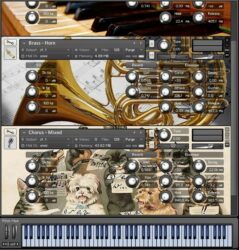
| 7 | Sonatina Symphony Orchestra | Windows Mac | Kontakt | 32-bit, 64-bit | |
| 8 | Crystal Harp | Windows Mac | VST, VST3, AU, Kontakt | 64-bit | |
| 9 | DSK World StringZ | Windows | VST | 32-bit | |
| 10 | Stringy Stringazoide Stringer | Windows | VST | 32-bit |
1. Labs Autoharp
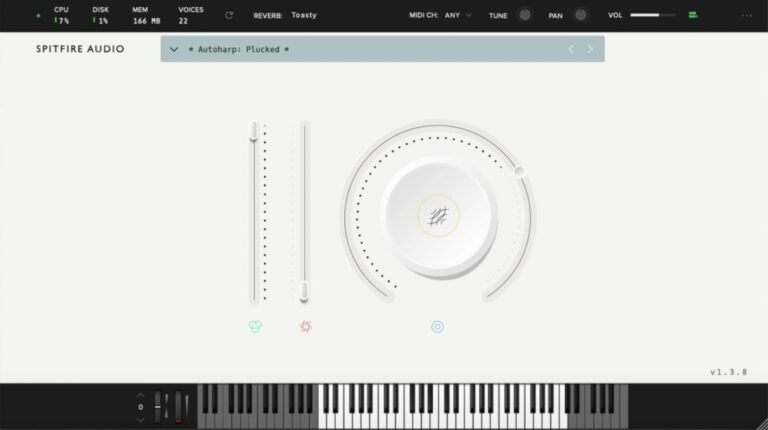
OS: Windows Win Mac Mac Bit Version: 64-bit Developer: Spitfire Audio Size: 543.7 MB Rating: 87/100
Labs Autoharp offers the warm, plucked character of a classic autoharp, recorded at Castlesound Studios for a natural and detailed sound. Using both clean and amp-driven tones, it captures everything from gentle strums to rich, gritty textures that add color to any track.
This free VST from Spitfire Audio is simple to use and quick to load, making it easy to bring folk-inspired tones into your music. It fits smoothly alongside other LABS instruments and works well for soft backgrounds, rhythmic layers, or cinematic moods.
Features
- Free Virtual Autoharp Instrument Plugin
- Recorded At Castlesound Studios
- Features Plucked And Strummed Sounds
- Includes Amped FX Signal Option
- Clean And Simple User Interface
- Reverb Selector With Room Options
- MIDI Channel And Tuning Controls
- Works On Windows And Mac
- Supports 64-Bit VST Format
- Large Dial Controls Tone Expression
Pros
- Beautiful and rich plucked tones
- Completely free with no limits
- Recorded in a real studio
- Expressive and playable with MIDI
- Low CPU use for smooth play
- Includes soft and gritty tones
- Offers both clean and amp sounds
- Adjustable tone and play dynamics
- Better realism than many free VSTs
- Supported by a big sound library
Cons
- Needs LABS app to run
- Limited sound editing options
- No built-in strum patterns
- Few articulations to choose from
- No standalone version available
- Less realistic than paid plugins
- Lacks advanced layering tools
- Preset variety is limited
- No EQ shaping controls
- Cannot assign custom MIDI CC
Video Demo
What Users Say
Labs Autoharp Tips
- I use the reverb control to make the instrument sound like it’s in a big room.
- I try layering the Autoharp with strings to make my songs sound warmer.
- EQing out low frequencies can help the Autoharp sit better in a mix.
- Experimenting with the built-in effects can help create unique textures.
- Using automation in a DAW can make the reverb and tone shift over time.
- Adding a gentle delay can make the Autoharp sound dreamy and smooth.
2. Box Harp
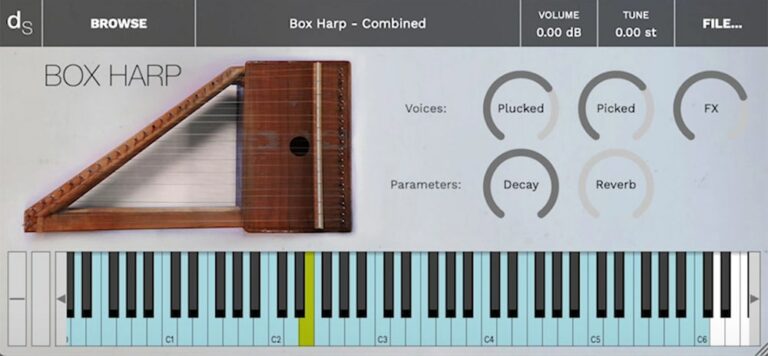
OS: Windows Win Mac Mac Bit Version: 64-bit Developer: decent|SAMPLES Size: 250MB Rating: 82/100
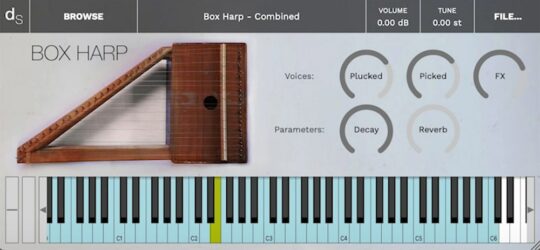
Box Harp offers a warm and earthy string sound taken from a handmade tabletop harp. It captures two main playing styles—finger-plucked for a soft, close feel, and picked for a brighter tone. An added FX layer with reverb and chorus brings extra depth and shimmer.
Available in five sampler formats, Box Harp works across many music setups. With simple controls for decay and reverb, it’s easy to shape a gentle, intimate mood or create lush ambient textures. Its small size and detailed sampling make it a creative tool for many music styles.
Features
- Warm And Distinctive String Sound
- Finger And Picked Articulations
- FX Layer With Chorus And Reverb
- Reverb And Decay Controls
- 24-Bit 48kHz Audio Quality
- Simple And Easy-To-Use Interface
- Light On CPU Usage
- Two Main Playable Layers
- Four Round Robins Per Sample
- Free To Download And Use
Pros
- Warm and emotional harp tones
- Has both finger and pick sounds
- Includes four round robin layers
- Comes with rich FX sound layer
- Low CPU use for smooth play
- Loads fast in Decent Sampler
- Reverb and decay controls included
- More expressive dynamics than others
- Perfect for lo-fi and film music
- Free alternative to paid VSTs
Cons
- Limited sound range and variety
- Lacks deep tone shaping tools
- No built-in delay or EQ
- Kontakt version not free-friendly
- Small sample library size
- Few dynamic layers for realism
- Missing advanced articulations
- No built-in modulation options
- Interface looks plain and basic
- Needs external plugins for warmth
Video Demo
What Users Say
Box Harp Tips
- I adjust the attack and release to make the harp sound soft or sharp depending on the song.
- I layer the Box Harp with a pad sound to make it feel more dreamy and full.
- I use a light reverb to make the harp sound like it’s in a big, open room.
- I lower the velocity on some notes so the harp feels gentle and expressive.
- Use EQ to remove low frequencies that can make the harp sound muddy.
- Use compression lightly so the harp remains dynamic and soft.
3. Etherealwinds Harp II
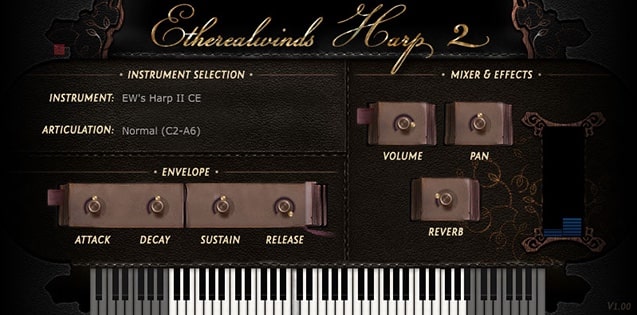
OS: Windows Win Mac Mac Bit Version: 64-bit Developer: Versilian Studios LLC. Size: 400 MB Rating: 79/100
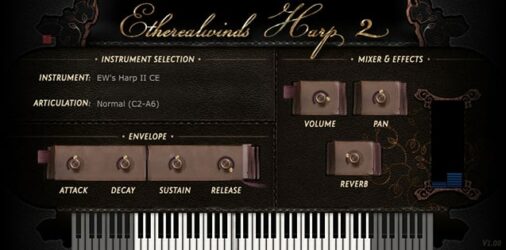
Etherealwinds Harp II offers a detailed sample library of a 34-string Celtic harp, recorded with care to capture a warm and natural sound. It includes chromatic stereo sampling, two velocity layers, and two round robins, giving notes a smooth and realistic tone.
The plugin features easy controls for shaping sound with volume, pan, reverb, and envelope settings. Ideal for fantasy, folk, or cinematic music, it delivers an expressive harp tone that feels close and personal. Available in SFZ and VST formats, it runs freely under a Creative Commons license.
Features
- Diatonic Folk Harp Sampling
- Two Round Robin Layers
- Three Velocity Layers
- Full Decay Samples Captured
- Faux Stereo Width Option
- Attack, Decay, Sustain, Release Controls
- Adjustable Volume, Pan, And Reverb
- Simple And Clear User Interface
- Available In SFZ And VST Formats
- Free Under Creative Commons License
Pros
- Beautiful warm and natural tone
- High quality sampled harp sounds
- Chromatic stereo sampling included
- Two round robins for realism
- Three velocity layers for depth
- Full decays make notes realistic
- Light on system resources
- Balanced mix-ready harp sound
- More expressive than most free VSTs
- Creative Commons license allows freedom
Cons
- Limited harp articulations available
- Requires separate SFZ player
- Mono samples lack depth
- No true stereo recording
- No built-in arpeggiator
- Few preset variations
- Not very CPU efficient
- No advanced effects section
- Less dynamic range than rivals
- User interface looks dated
Video Demo
What Users Say
Etherealwinds Harp II Tips
- I often lower the reverb a bit for cleaner mixes, so the harp doesn’t sound too far away.
- I use EQ to roll off some low frequencies when the harp feels too heavy in my mix.
- I use the velocity settings to make notes softer or stronger, which gives my playing more life.
- I like to layer the Etherealwinds Harp II with soft strings to make the sound fuller and more emotional.
- I sometimes double the harp track and pan it left and right for a dreamy stereo effect.
- Small doses of chorus or shimmer effects can make the harp sound magical without losing clarity.
- Using automation for volume and panning can help the harp move more dynamically in a song.
4. St David’s Harp
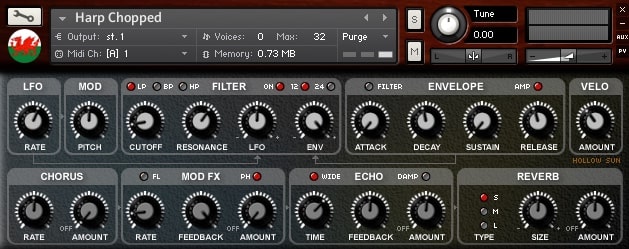
OS: Windows Win Mac Mac Bit Version: 32-bit, 64-bit Developer: HOLLOW SUN Size: 161 MB Rating: 78/100
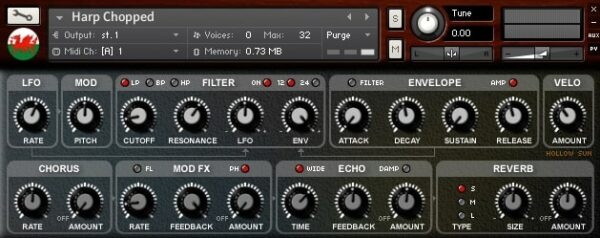
St David’s Harp offers the soft and gentle tone of a traditional Welsh Celtic harp, captured in detailed samples for Kontakt. Its sound can move from pure acoustic plucks to dreamy synthetic textures using the built-in filters, envelopes, and tone-shaping tools.
The plugin includes chorus, phaser, flanger, delay, and convolution reverb effects for adding depth and space. With presets that range from natural harp sounds to evolving pads, St David’s Harp gives music creators a peaceful and expressive instrument for ambient, folk, or cinematic tracks.
Features
- Welsh Celtic Harp Samples
- Extensive Synth Engine
- Custom Scripted Control Panel
- Chorus Phaser Flanger Delay Reverb FX
- Custom Convolution Reverb Impulses
- LFO Modulation Controls
- Velocity Responsive Dynamics
- Light CPU Usage
- Simple And Clear Interface
- Suited For Ambient And Folk Sounds
Pros
- Warm and soothing Welsh harp tone
- Lush and dreamy convolution reverb
- Versatile from harp to synth pads
- Unique sound not found in free VSTs
- Clean, well-recorded harp samples
- Light on CPU and memory
- Customizable filters for sound shaping
- Great for ambient and film music
- Beautiful blend with strings and vocals
- Perfect for Celtic or medieval themes
Cons
- Only works with Kontakt player
- No standalone version available
- Lacks deep dynamic expression
- Few articulations for real play
- Not fully realistic harp tone
- Limited velocity layer options
- No round robin variations
- Interface looks outdated
- Small sample size compared to others
- No velocity curve customization
Video Demo
What Users Say
St David’s Harp Tips
- I layer the harp with soft pads to make it sound fuller and more dreamy.
- I add a touch of reverb to make the harp feel like it’s being played in a big room.
- I use an EQ to remove low frequencies that can make the harp sound muddy.
- Use the built-in delay in St David’s Harp to add a gentle echo for a magical touch.
- Combine the harp plugin with ambient effects like chorus and shimmer reverbs for a cinematic sound.
- Automate the volume or filter cutoff to add motion over time in your track.
- Keep the harp part simple when layering with vocals so it doesn’t compete for space.
5. VSCO2 Harp
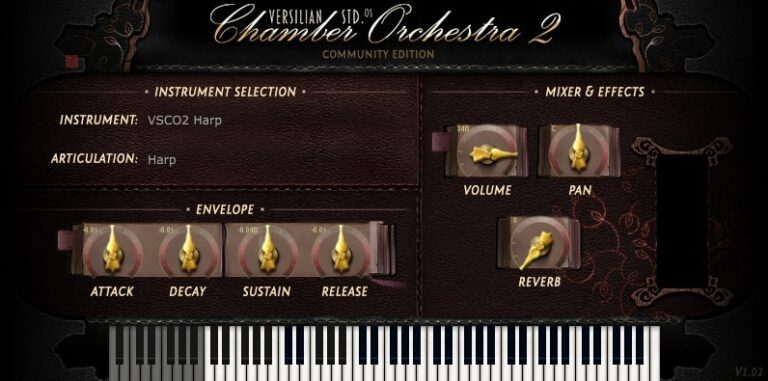
OS: Windows Win Mac Mac Bit Version: 32-bit, 64-bit Developer: Bigcat Instruments Size: 27 MB Rating: 74/100
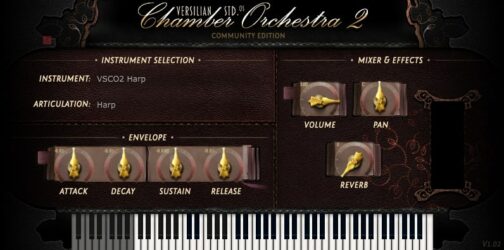
VSCO2 Harp offers a bright and natural harp sound recorded by Versilian Studios and Sam Gossner. It gives music creators a soft, plucked tone that fits well in many musical styles. The simple layout helps you shape the sound with controls for tone, space, and dynamics.
This plugin works on Windows and Mac in both VST and AU formats. It includes options to adjust attack, decay, sustain, and reverb to match your project’s mood. VSCO2 Harp is a helpful choice for adding realistic harp sounds to your tracks.
Features
- Sampled Lever Harp Instrument
- Recorded By Versilian Studios
- Natural And Realistic Tone
- Built-In Reverb Effect
- Velocity-Sensitive Playback
- Adjustable Attack, Decay, Sustain, Release
- Low CPU Usage
- Supports VST And AU Formats
- Runs In 32-Bit And 64-Bit
- Free Harp Plugin
Pros
- Realistic harp sound quality
- Low CPU use and memory
- Supports VST and AU formats
- Simple and clean interface
- Natural attack and decay
- Intimate and expressive sound
- Better realism than most free harps
- Perfect for cinematic music
- Soft tone blends in mixes
- Free and very high quality
Cons
- Limited sound variety for harp
- Few articulations compared to others
- Missing round-robin sampling layers
- No mic position options
- Uneven velocity response at times
- Some notes click at release
- Basic reverb with limited depth
- Occasional stuck notes in DAWs
- No built-in presets browser
- Cannot tune individual strings
What Users Say
VSCO2 Harp Tips
- I like to use the VSCO2 Harp with a little reverb to make the notes sound more full and dreamy.
- I love layering the harp with soft strings to make a magical background sound.
- I keep the velocity low for delicate parts and higher for stronger accents—it gives the harp life.
- I sometimes EQ out a little bit of low end to keep the harp clear and bright.
- Experiment with different mic positions or reverb settings for more realistic harp tones.
- Add delay to the harp to create a gentle echo that fills the background.
- Try playing chords with broken patterns instead of all notes at once for a flowing texture.
6. Sonatina Harp
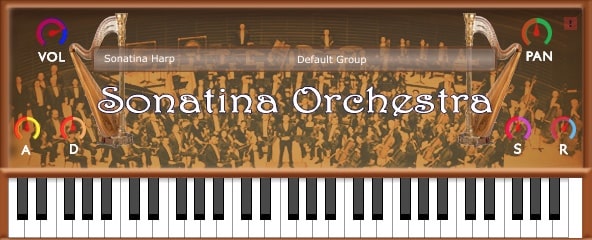
OS: Windows Win Mac Mac Bit Version: 32-bit, 64-bit Developer: Bigcat Instruments Size: 7 MB Rating: 70/100
Sonatina Harp is a free harp plugin by Bigcat Instruments that brings the sound of a classical harp to your digital studio. It uses samples from the Sonatina Symphonic Orchestra to create a clear and natural tone that fits many musical styles.
The plugin includes volume, pan, and ADSR controls to shape how each note behaves. A simple on-screen keyboard helps you see and play notes directly. Sonatina Harp works on both Windows and Mac in VST and AU formats, making it easy to add to any setup.
Features
- High-Quality Classical Harp Samples
- ADSR Envelope Sound Shaping
- Velocity-Sensitive Note Response
- Includes Sustained And Plucked Sounds
- Light CPU And RAM Usage
- Supports VST And AU Formats
- Works On Windows And Mac
- Simple And Clear Interface
- Fast Loading Time
- Mixes Well With Other Instruments
Pros
- Clean and mellow harp tone
- Better harp tone than many free plugins
- Light on computer CPU
- Small file size and light RAM use
- Loads very fast for sketching
- Adjustable attack and release
- Responds well to touch strength
- Blends smoothly with orchestra
- Works on Windows and Mac
- Completely free to download
Cons
- Sound can be a bit bright
- No round robin variations
- Very limited sound controls
- No built-in reverb effects
- Interface looks plain and old
- Can sound static on repeats
- Not very realistic for solos
- No pitch or tone shaping
- Limited articulation control
- No real-time expression tools
Video Demo
What Users Say
Sonatina Harp Tips
- I like to adjust the reverb setting to make the harp sound more like it’s in a big concert hall.
- I use the sustain pedal to let the harp notes ring out longer for a dreamy sound.
- I sometimes add a touch of EQ to make the harp sit better in my mix.
- Try adjusting the pan settings to spread the harp strings across the stereo field.
- Experiment with playing arpeggios to create flowing and magical patterns.
- Combine the harp with ambient pads to create a relaxing and emotional background.
- Apply light compression to keep the harp from being too quiet in a busy mix.
7. Sonatina Symphony Orchestra
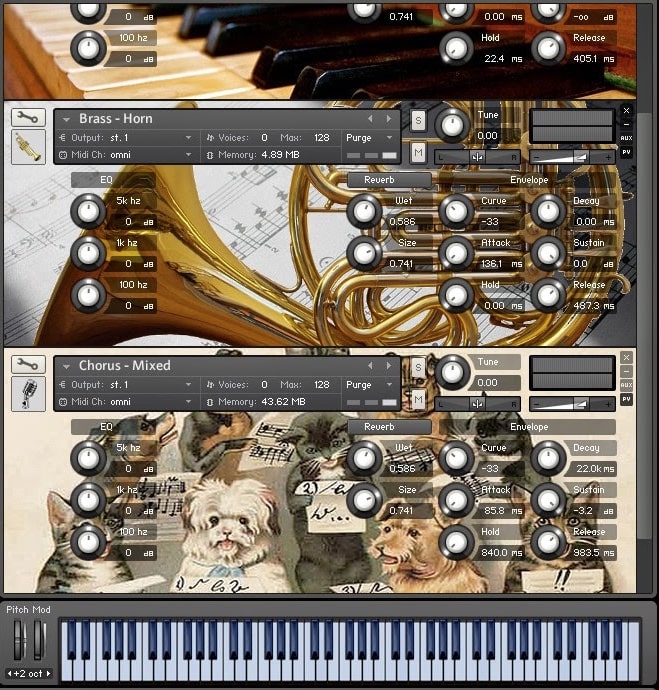
OS: Windows Win Mac Mac Bit Version: 32-bit, 64-bit Developer: Bigcat Instruments Size: 3 MB Rating: 69/100
Sonatina Symphony Orchestra offers a complete orchestral sound library for Kontakt, featuring strings, brass, woodwinds, percussion, and choir sections. It includes all main articulations in one instrument, making it easy to build rich arrangements without needing multiple plugins or large commercial libraries.
The samples provide a natural tone with minor-third intervals and round-robin variation for more lifelike playback. Suitable for beginners and practical for experienced users, it helps create realistic orchestral sounds while staying lightweight and easy to load on most setups.
Features
- Free Orchestral Sample Library
- Contains Piano, Harp, And Choir
- All Articulations In One Instrument
- Staccato And Pizzicato Round-Robin
- Stage Ambience In Samples
- Lightweight And CPU Friendly
- EQ Section With Three Frequency Bands
- Reverb Controls For Wetness And Size
- Envelope Controls For Sound Dynamics
- Free Under Creative Commons License
Pros
- Low CPU use and lightweight
- Creative Commons license allows free use
- Realistic round-robin articulations
- Stage ambiance adds realism
- Reverb controls add natural space
- Includes built-in EQ controls
- Easy to tweak and customize
- Wide range of orchestral sounds
- Loads fast even on older PCs
- Sound fits nicely in the mix
Cons
- Requires full version of Kontakt
- Not available as standalone VST
- Limited dynamic layers
- Few articulations
- No built-in effects
- Interface looks outdated
- Missing true legato
- Limited mic positions
- Sounds can be thin
- No velocity-based switching
What Users Say
Sonatina Symphony Orchestra Tips
- I sometimes layer the harp with a soft pad to make it sound more dreamy.
- I try using reverb to make the harp sound like it’s in a big hall.
- Try placing the harp slightly to one side in the stereo field for a more realistic mix.
- Harp VSTs often sound better with a light touch; avoid heavy velocity settings.
- Adding a bit of EQ can bring out the sparkle of the harp’s high notes.
- When layering harp and strings, make sure the frequencies don’t clash too much.
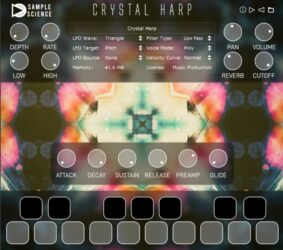
8. Crystal Harp
OS: Windows Win Mac Mac Bit Version: 64-bit Developer: SampleScience Size: 174 MB Rating: 68/100
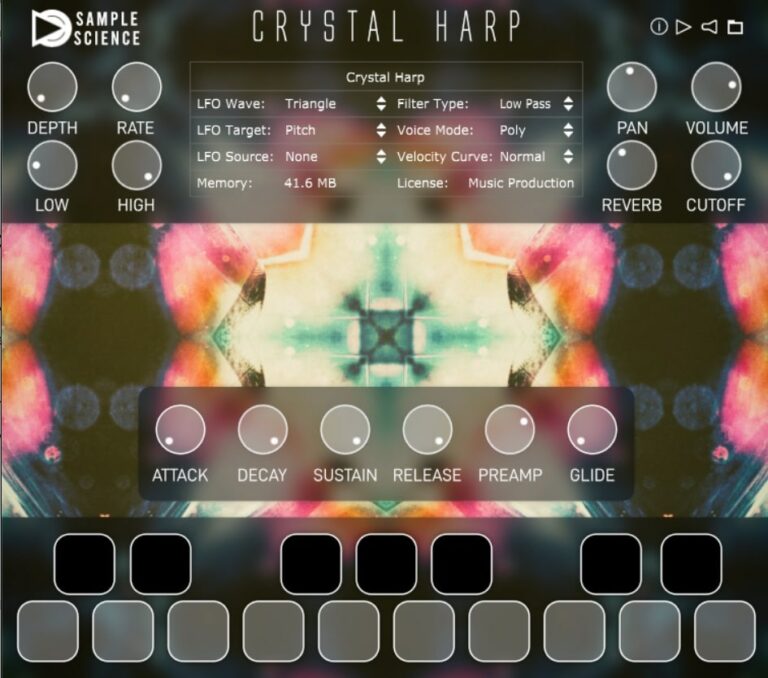
Crystal Harp offers the soft, shimmering tones of a real crystal harp in a simple virtual instrument. Its smooth, pure sound makes it ideal for ambient, meditation, and new-age tracks. The plugin captures a gentle resonance with a long decay that adds calm and beauty to music.
It includes built-in effects like reverb, delay, chorus, and distortion, plus LFO and filter controls for extra tone shaping. You can play in polyphonic, monophonic, or legato modes to match your style. Crystal Harp works on both Windows and macOS in 64-bit plugin formats.
Features
- Pure Crystal Harp Sound
- Multi-LFO With Depth Control
- Distortion, Delay, Chorus, Reverb
- Lowpass And Highpass Filters
- ADSR Envelope Controls
- Glide For Smooth Note Slides
- Low CPU Usage
- Simple And Clean Interface
- 64-Bit VST, AU, VST3 Formats
- Ideal For Ambient And Meditation
Pros
- Beautiful, pure crystal harp tone
- Includes reverb, delay, and chorus
- Has multi-LFO modulation options
- Three voice modes to choose
- Adjustable filter and cutoff controls
- Glide control for smoother notes
- Free Decent Sampler version available
- Very low CPU usage
- Fast plugin loading time
- Simple and clean user interface
Cons
- Only one main harp tone
- No tuning or pitch adjustment
- Limited dynamic layers
- Few sound-shaping controls
- No built-in EQ
- Requires paid Kontakt version
- No round-robin samples
- Effect quality not high
- UI feels too simple
- Limited expression for live play
Video Demo
What Users Say
Crystal Harp Tips
- I always adjust the reverb to make the harp sound like it’s in a big, open space.
- Use EQ to remove low frequencies that can make the harp sound muddy.
- Add chorus or shimmer effects to make the harp sound more lush and wide.
- Automate reverb and volume changes to make the harp parts feel more alive.
- Layer multiple harp tracks with small timing differences to create depth.
- Use a light compression to help the harp sit better in a full mix.
9. DSK World StringZ
OS: Windows Win Bit Version: 32-bit Developer: DSK Music Size: 33 MB Rating: 55/100
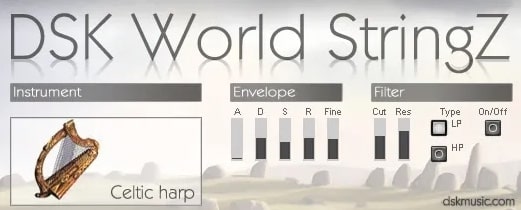
DSK World StringZ offers a set of eight string instruments from around the world, including harp, oud, and koto. Each sound reacts to how hard you play, making performances more expressive. Its amp envelope and micro-detuner let you shape tone and add slight tuning changes.
This plugin also features high-pass and low-pass filters for adjusting brightness or warmth. With full MIDI control, you can program and automate each setting for more dynamic tracks. DSK World StringZ gives creators a simple way to add ethnic string sounds to their music.
Features
- Eight World String Instruments
- Velocity-Sensitive Response
- Adjustable Amp Envelope
- Micro-Detuner Control
- High And Low Pass Filters
- MIDI Automation Support
- Simple User Interface
- CPU-Friendly Performance
- Free VST Plugin
- Realistic Harp Tone
Pros
- Includes eight unique world strings
- Real velocity response feels natural
- Has both high and low pass filters
- Supports full MIDI automation
- Light on CPU usage
- Micro-detuner allows fine tuning
- Celtic harp sounds rich and bright
- Free and easy to download
- Offers surprising sound variety
- Great for ethnic and ambient music
Cons
- Only works on Windows systems
- Old 32-bit format only
- Limited modern DAW compatibility
- Samples can sound synthetic
- Crashes DAW on some systems
- Sustain sounds lack realism
- No built-in reverb effect
- No round-robin sample variation
- Few instrument customization options
- Outdated and plain interface
Video Demo
What Users Say
DSK World StringZ Tips
- I use the attack and release knobs to make the harp sound softer or more plucky depending on my track.
- I listen closely when I change reverb to make sure the harp sounds natural and not too far away.
- Try using EQ to cut low frequencies that can make the harp sound muddy.
- Adding a touch of delay can give the harp a magical echo effect.
- Add gentle compression to control any sudden peaks without losing the harp’s natural tone.
10. Stringy Stringazoide Stringer
OS: Windows Win Bit Version: 32-bit Developer: Numerikart Size: 8 MB Rating: 55/100
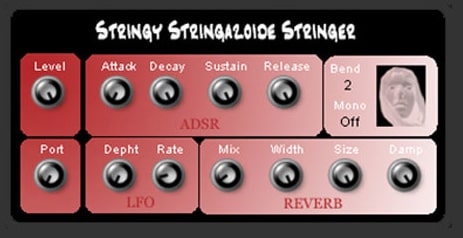
Stringy Stringazoide Stringer offers a virtual harp that blends detailed string samples with flexible sound shaping tools. It features ADSR controls, an LFO engine, and built-in reverb to help create rich, moving tones. Presets make it easy to start building custom patches.
It responds to MIDI control and supports full automation for easy performance changes and evolving textures. Music creators can layer sounds for fullness, add motion with LFO depth and rate, and shape space with reverb size and width settings for expressive, lifelike harp tones.
Features
- Virtual Harp Instrument Plugin
- Multi Layer High Quality Samples
- ADSR Envelope Sound Shaping
- LFO Engine For Movement
- Built In Reverb Effect
- Preset Library For Quick Start
- Fully Automatable Controls
- Pitch Bend And Portamento
- Mono And Poly Playback Modes
- User Editable Sound Parameters
Pros
- High-quality multi-layer harp samples
- Realistic and lush string tone
- ADSR allows sound shaping
- LFO adds motion and depth
- Includes ready-to-play presets
- MIDI controller friendly design
- Easy sound layering capability
- Supports expressive pitch bend
- Great for cinematic soundscapes
- Free and easy to install
Cons
- Only works on Windows systems
- Limited to 32-bit version
- No standalone mode option
- Interface looks dated
- Can crash in some DAWs
- Playback issues in FL Studio
- Few preset options
- No built-in EQ or filter
- Slow loading large samples
- Less realistic than newer plugins
Video Demo
What Users Say
Stringy Stringazoide Stringer Tips
- I use a light touch when playing with a MIDI keyboard to get softer, more natural-sounding string notes.
- I balance the reverb carefully so that the harp doesn’t sound like it’s playing too far away.
- I make small changes to attack and release to help notes blend smoothly.
- Using the harp VST’s built-in EQ helps remove muddy lows and brings out bright highs.
- Layering multiple harp tracks at different octaves can make the music feel larger.
- Using a gentle compressor helps keep the harp’s volume more even and soft.
- Experimenting with the modulation options can give unique movement to the harp sound.
Harp VST Plugins Compared
This table compares the Harp VST plugins by operating system, bit version, format, and rating.
| Details | Labs Autoharp | Box Harp | Etherealwinds Harp II | St David’s Harp | VSCO2 Harp | Sonatina Harp | Sonatina Symphony Orchestra | Crystal Harp | DSK World StringZ | Stringy Stringazoide Stringer |
|---|---|---|---|---|---|---|---|---|---|---|
| Image |  |
 |
 |
 |
 |
|
 |
 |
|
|
| Rating | ||||||||||
| OS | Windows, Mac | Windows, Mac | Windows, Mac | Windows, Mac | Windows, Mac | Windows, Mac | Windows, Mac | Windows, Mac | Windows | Windows |
| Formats | VST | VST, SFZ | VST, SFZ | Kontakt | VST, AU | VST, AU | Kontakt | VST, VST3, AU, Kontakt | VST | VST |
| Bit Version | 64-bit | 64-bit | 64-bit | 32-bit, 64-bit | 32-bit, 64-bit | 32-bit, 64-bit | 32-bit, 64-bit | 64-bit | 32-bit | 32-bit |
| Developer | Spitfire Audio | decent|SAMPLES | Versilian Studios LLC. | HOLLOW SUN | Bigcat Instruments | Bigcat Instruments | Bigcat Instruments | SampleScience | DSK Music | Numerikart |
| License | Freeware | Donationware | Donationware | Donationware | Freeware | Freeware | Freeware | Freeware | Freeware | Donationware |
| Sample-Based | Yes | Yes | Yes | Yes | Yes | Yes | Yes | Yes | Yes | Select |
| Download Size | 543.7 MB | 250MB | 400 MB | 161 MB | 27 MB | 7 MB | 3 MB | 174 MB | 33 MB | 8 MB |
| CPU Load | Low | Low | Low | Low | Low | Low | Low | Low | Low | Low |
| Polyphony | 64 | 8 | 32 | 10 | 32 | 32 | 64 | 32 | 8 | 8 |
| Features | Free instrument, Folk texture, Amp FX tone, Simple interface, Expressive playability, Monthly drops, Expanding library | Warm tone, Finger plucked, Picked strings, FX layer, Reverb control, Decay control, Expressive dynamics | Diatonic folk harp, Two round robins, Three velocity layers, Full decays, Faux stereo width, Vocal phrases, Expressive tone | Celtic harp samples, Synth presets, Sound manipulation, Scripted filters, Dual envelopes, Multi-FX suite, Convolution reverb | Sampled harp, Clear sound, Easy interface, Lever harp, Realistic decay, Expressive dynamics, Built-in reverb | High-quality samples, Volume control, Panning control, ADSR shaping, Instrument selector, Group selector, Visual keyboard | Full Orchestra Library, Multiple Articulations, Round-Robin Sampling, Stage Ambience, Built-in Reverb, EQ Controls, Envelope Shaping | Pure harp sound, Multi-LFO, Built-in effects, Filter control, Amplitude control, Voice modes, ADSR envelope | World string instruments, Velocity response, Amp envelope, Micro-detuner, HP/LP filter, MIDI automation, Celtic harp | High-quality samples, Layerable sounds, ADSR envelope, LFO engine, Built-in reverb, Presets library, MIDI automation |
| Controls | Preset Menu, Large Circle Dial, Left Vertical Slider, Small Icons, Keyboard Display, Reverb Selector, MIDI Controls | Browse, Box Harp Combined, Volume, Tune, Decay, Reverb, Keyboard | Volume, Pan, Reverb, Attack, Decay, Sustain, Release | LFO Rate, Filter Type, Cutoff, Resonance, Envelope Attack, Echo Time, Reverb Amount | Instrument, Articulation, Attack, Decay, Sustain, Release, Volume | Volume, Pan, Attack, Decay, Sustain, Release, Keyboard | Output Selector, Voices Display, Max Voices, Purge Button, MIDI Channel, Memory Display, Tune Knob | Depth, Rate, LFO Wave, LFO Target, Filter Type, Reverb, Cutoff | Instrument, Attack, Decay, Sustain, Release, Fine, Cutoff | Level, Attack, Decay, Sustain, Release, Depth, Mix |
| Effects Included | Reverb, Amp (FX signal through VOX amp) | Chorus, Reverb, Low-pass filter | Reverb | Chorus, phaser, flanger, delay, reverb, convolution reverb | Reverb | Panning, Attack, Decay, Sustain, Release | EQ, Reverb, Envelope | Distortion, Delay, Chorus, Reverb | Amp envelope, Micro-detuner, HP filter, LP filter, Resonance | Reverb, LFO |
| MIDI Learn | Unknown | Unknown | Unknown | Unknown | Unknown | Unknown | No | Unknown | No | Unknown |
| Presets | 9 | N/A | N/A | 30 | N/A | N/A | N/A | 9 | 40 | 30 |
| Standalone | No | No | No | No | No | No | No | Yes | No | Select |
| Last Updated | 08/24/2023 | 04/26/2024 | 02/09/2023 | 06/17/2019 | 06/20/2017 | 04/08/2014 | 03/16/2014 | 05/31/2022 | 01/01/2017 | N/A |
Our Favorite Harp VST Plugin
Our top pick for the best free Harp VST plugin is Box Harp by decent|SAMPLES. It is available for Windows and Mac, and comes in many great format options.
| Details | Box Harp |
|---|---|
| Image |
|
| Rating | |
| OS | Windows, Mac |
| Formats | VST, SFZ |
| Bit Version | 64-bit |
| Developer | decent|SAMPLES |
| License | Donationware |
| Sample-Based | Yes |
| Download Size | 250MB |
| CPU Load | Low |
| Polyphony | 8 |
| Features | Warm tone, Finger plucked, Picked strings, FX layer, Reverb control, Decay control, Expressive dynamics |
| Controls | Browse, Box Harp Combined, Volume, Tune, Decay, Reverb, Keyboard |
| Effects Included | Chorus, Reverb, Low-pass filter |
| Download | Download Box Harp |
Free Harp Samples
Looperman
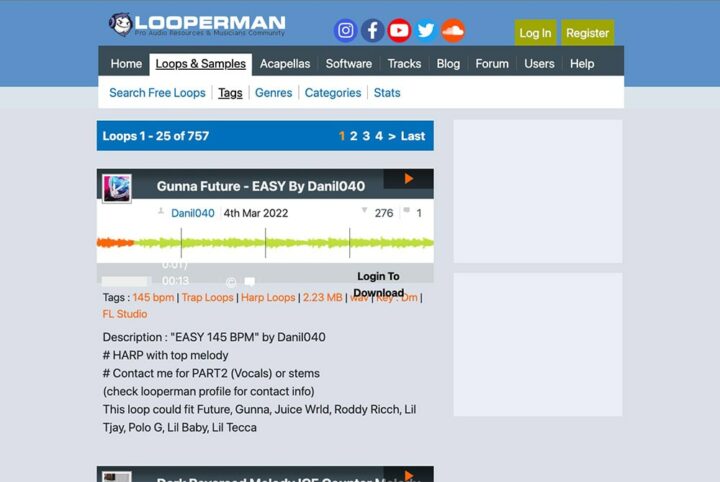
The website “Looperman” provides a wide variety of free harp samples for you to download.
The site includes a range of different styles of harp playing, from traditional to contemporary, which makes it an excellent resource for those looking to add a new dimension to their music.
The samples are high-quality and can be used for various music genres.
- Range of free samples
- Variety of styles
- High-quality audio
Sample Focus
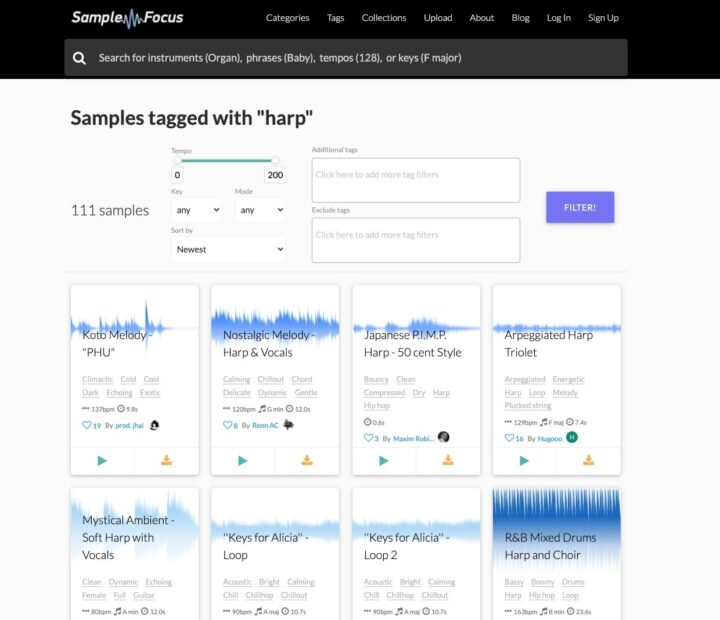
Sample Focus is a website that provides high-quality harp samples. The website has a library of harp samples that can be downloaded for free.
The website is easy to navigate and provides a wide variety of harp samples. The samples are high-quality and can be used for various music genres. So you can find some great sounds on this website.
- Free and paid samples
- High-quality audio
- Easy to navigate
Additional Harp Sounds
Now that you know where to find some great harp plugins, here are a few more places you can look to for high-quality samples and loops.
- VST Buzz – This free orchestral sample library features harp samples and is 654MB in size.
- Bowed Nagoya – Kontakt file using a violin bow to play a Nagoya Harp produces a unique sound.
- Stay On Beat – 10 Free Harp Loops.
Harp VST FAQs
How to Install Harp VST Plugins
To install harp VST plugins on Windows or Mac, extract the files from the Zip or Rar. Move the files (.dll for Windows or .component for Mac) into your DAW’s plugin folder. Then restart your software and rescan the directory to complete the process. Tutorial: How to Install VST Plugins
Windows:
Extract the downloaded zip file and copy the .dll file into the VST plugins folder scanned by your DAW. Restart your music software and rescan your plugin directory to begin using the new VST.
Mac OS X:
Extract the downloaded archive and move the .component or .VST file to the plugin folder. It is usually /Library/Audio/Plug-Ins/Components or /Library/Audio/Plug-Ins/VST. Restart your DAW and rescan your plugins to complete the installation.
What Is A Harp VST Plugin?
A Harp plugin is a virtual instrument that can be used in a DAW to emulate the sound of a Harp instrument. These plugins can include recorded samples from harps or create synthesized harp tracks.
I hope you found this list of free Harp plugins and free harp samples helpful.
You May Also Like:





