Here are the best free metal guitar VST plugins for Windows and Mac. We have included video demos, feature lists, pros, cons, and plugin ratings.
How we rate plugins: We rate each metal guitar VST plugin based on sound quality, design, performance, features, usability, and compatibility. We rate plugins on a scale of 1 to 100.
Table of Contents
I have spent over 15 years testing and comparing hundreds of free and paid VST plugins, supported by hands-on demos on our YouTube channel which has 11,000+ subscribers.
| # | Plugin | OS | Formats | Bit Version | Ratings |
|---|---|---|---|---|---|
| 1 | Emissary 2.0 | Windows | VST, AU, AAX | 32-bit, 64-bit | |
| 2 | Mercuriall MT-A | Windows Mac | VST, AU, AAX | 64-bit | |
| 3 | Ample Bass P Lite | Windows Mac | VST, VST2, AU, AAX | 32-bit, 64-bit | |
| 4 | Shreddage 3 Stratus Free | Windows | Kontakt | 64-bit | |
| 5 | AmpliTube 5 Custom Shop | Windows Mac | VST | 64-bit | |
| 6 | Clean Electric Guitar | Windows Mac | VST, VST3, AU | 64-bit | |
| 7 | Post-Apocalyptic Guitar | Windows Mac | Kontakt | 64-bit | |
| 8 | Solaris GTR Lite | Windows | VST, VST3, AU | 64-bit | |
| 9 | Haunted Guitar Lite | Windows Mac | VST, VST3 | 64-bit | |
| 10 | MONSTER Guitar | Windows Mac | VST, AU | 32-bit, 64-bit | |
| 11 | Strat-A-Various | Windows | VST | 32-bit | |
| 12 | Cute Emily Guitar | Windows Mac | VST, AU | 32-bit, 64-bit |
Related: Drum VST Plugin
Free Metal Guitar VST Plugins
1. Emissary 2.0
OS: Windows Win Bit Version: 32-bit, 64-bit Developer: STL Tones Size: 50 MB Rating: 90/100
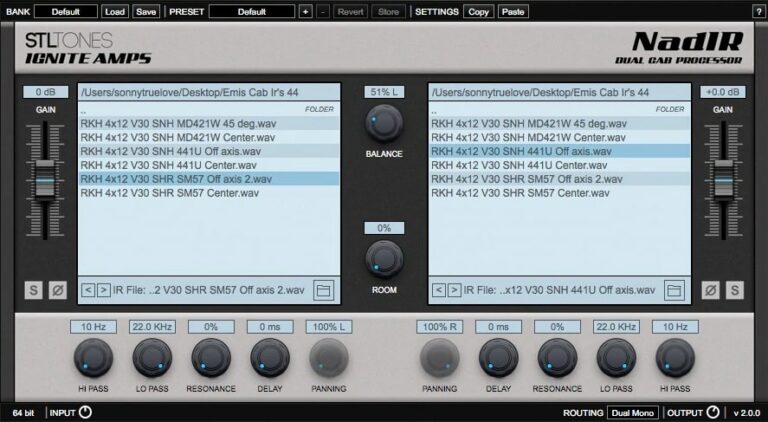
Emissary 2.0 offers an updated digital version of the popular Emissary tube amplifier, built for sharp tones and heavy distortion. It delivers a clean channel for smooth tones and a lead channel for aggressive sounds, giving guitarists flexibility across metal and other styles.
This version includes the NadIR dual Impulse Response loader, which acts as a cabinet simulator with zero latency. With filters, delay, and routing options, users can shape their sound in detail. Emissary 2.0 provides clear tone control, making it a strong choice for recording or live performance.
Features
- Clean And Lead Amp Channels
- Realistic Tube Amplifier Sound
- Built-In NadIR Cabinet Simulator
- Includes Six Free Impulse Responses
- Low CPU Usage
- Zero Latency Audio Processing
- Real-Time Analog Modeling
- Advanced Filter And Delay Controls
- VST, AU, And AAX Compatible
- Simple And User-Friendly Interface
Pros
- Free with pro-level metal tone
- Real amp feel and response
- Super tight modern metal tones
- Advanced modeling for real amp sound
- Includes six free impulse responses
- Zero latency for real-time play
- Improved noise gate for tight riffs
- Refined mids for clear mixes
- Competes with paid amp simulators
- Very low CPU usage
Cons
- Limited built-in effects
- No built-in EQ
- No built-in tuner
- Few presets
- Requires third-party cabinet IRs
- No noise gate
- Windows only
- Metal tone limits versatility
- No MIDI support
- Lacks full amp chain
Video Demo
What Users Say
Emissary 2.0 Tips
- I make sure to set the input level just below clipping to get the best tone without noise.
- I like to pair the Emissary 2.0 with an impulse response (IR) that matches my guitar type.
- I use EQ after the amp sim to cut out low rumble and make the guitars clearer.
- Always gain-stage between pedals, amp sims, and cabinet loaders to prevent digital clipping.
- Layer rhythm guitars with slightly different tones for a thicker and more powerful sound.
- Clean up harsh frequencies around 3–5 kHz using an EQ if the tone sounds fizzy.
2. Mercuriall MT-A
OS: Windows Win Mac Mac Bit Version: 64-bit Developer: Mercuriall Audio Software Size: 4.3 MB Rating: 86/100
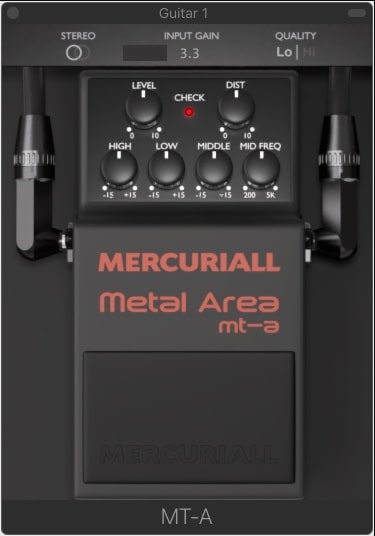
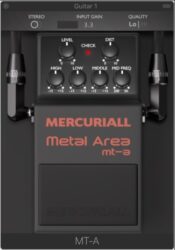
Mercuriall MT-A is a free plugin that recreates the famous Boss MT-2 distortion pedal for digital music setups. It delivers heavy, metal-style tones using Mercuriall’s Neural Hybrid Engine for accurate and dynamic sound. The plugin works on Windows and Mac in VST, AU, and AAX formats.
Mercuriall MT-A offers full tone control with adjustable High, Low, Middle, and Mid Freq knobs, plus Dist and Level settings for shaping your guitar sound. Stereo mode, Input Gain, and a Quality switch let you refine your tone and detail for both rhythm and lead parts.
Features
- Models The Iconic Boss MT-2 Pedal
- Uses Neural Hybrid Engine Technology
- Includes Level And Dist Controls
- Offers High, Low, And Middle EQ
- Mid Freq Knob For Tone Shaping
- Switchable 2x Or 4x Oversampling
- Mono And Stereo Processing Modes
- Quality Switch For Sound Detail
- Available In VST, AU, And AAX
- Free Plugin For Music Creators
Pros
- Faithful Boss MT-2 modeling
- Neural Hybrid Engine accuracy
- Powerful metal-style distortion
- Detailed EQ tone shaping
- Adjustable mid frequency control
- Switchable 2x or 4x oversampling
- Light on CPU resources
- Responds well to guitar dynamics
- Supports Windows and Mac
- Free plugin with pro sound
Cons
- No built-in cabinet simulation
- Limited to one pedal model
- No built-in amp modeling
- Needs extra IR loader software
- User interface looks outdated
- Few preset tone options
- Can use high CPU at 4x
- Lacks warmth compared to rivals
- Mac version sometimes unstable
- No built-in reverb or delay
Video Demo
What Users Say
Mercuriall MT-A Tips
- I like to start by setting the input level so the plugin gets a clean and strong guitar signal.
- I tweak the gain slowly until I find the right amount of crunch or distortion for my tone.
- I use the EQ knobs to shape the mids and highs so my guitar fits well in a mix.
- I experiment with different cabinet impulse responses (IRs) to change the sound’s depth and feel.
- Try placing the pedal VST before or after amp sims to find the best tone chain order.
- Combine the MT-A with a delay or reverb plugin to create a full, professional sound.
3. Ample Bass P Lite
OS: Windows Win Mac Mac Bit Version: 32-bit, 64-bit Developer: Ample Sound Size: 450 MB Rating: 84/100
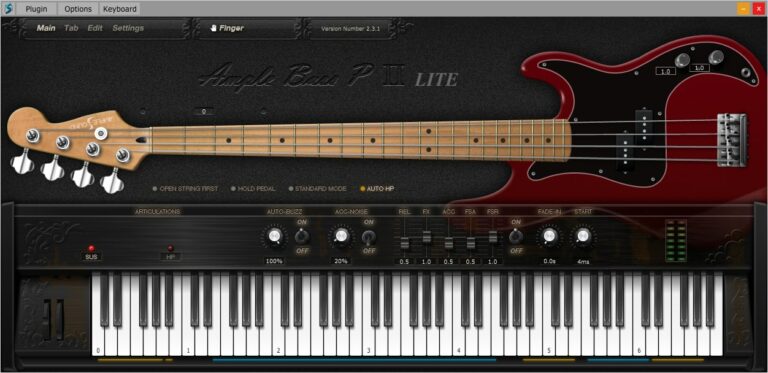
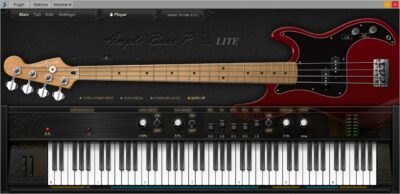
Ample Bass P Lite offers a realistic Fender Precision Bass sound in a compact, free plugin. It uses detailed sampling and features like Poly Legato, Slide Smoother, and Auto Buzz to deliver natural playing nuances. The plugin captures finger noise and subtle details for authentic bass tones.
The built-in Tab Player supports popular tablature formats, allowing users to load, view, and export bass lines directly as audio. With controls for tone, dynamics, and style, Ample Bass P Lite provides flexible performance options suited for any DAW setup or standalone use.
Features
- Recorded From Fender Precision Bass
- Realistic Fingering And String Noise
- Auto Buzz System For Realism
- Polyphonic Legato And Slide Smoother
- Manual Vibrato Wheel For Expression
- Finger Or Pick Playing Modes
- Custom Parameters Control Via MIDI
- Capo Function For Easy Transpose
- Tab Player Supports Multiple File Formats
- Available In VST, AU, And AAX Formats
Pros
- Realistic Fender Precision Bass tone
- Rich and detailed finger noise
- Supports both pick and finger modes
- DFD technology for smooth playback
- Poly Legato makes smooth slides
- Auto Buzz adds real string feel
- Tab Player supports many formats
- Exports tabs as audio easily
- Capo feature for easy tuning
- Better realism than most free VSTs
Cons
- Limited articulations compared to paid version
- Small sample library reduces realism
- Lower bit depth affects clarity
- Few customization options available
- Heavier on CPU for some systems
- No built-in amp or effects
- Range limited to D1–F4 only
- No round-robin for all notes
- Less dynamic response than others
- Hard to blend in a mix
Video Demo
What Users Say
Ample Bass P Lite Tips
- I often use the built-in compressor to make sure my bass is even and clear in the mix.
- I sometimes double the bass track with a distorted version for extra punch in metal mixes.
- Use the “Humanize” feature to make the bass feel like it’s being played by a real person.
- Layer the Ample Bass P Lite with a sub-bass synth to fill out the low end for modern metal mixes.
- Match the bass tone with the kick drum so they work together instead of clashing.
- Try routing the output of the plugin through an external distortion or amp sim for a heavier tone.
4. Shreddage 3 Stratus Free
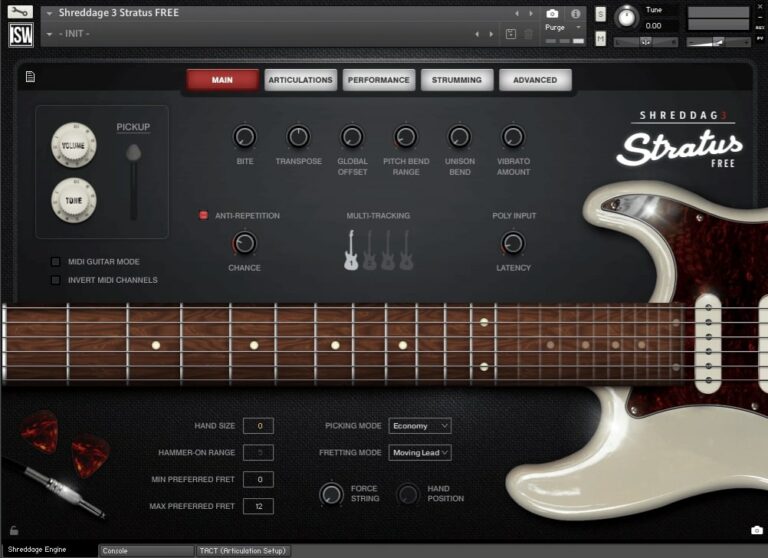
OS: Windows Win Bit Version: 64-bit Developer: Impact Soundworks Size: 778 MB Rating: 83/100
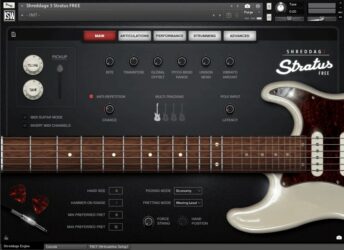
Shreddage 3 Stratus Free offers a realistic classic electric guitar sound for Kontakt Player users. It features detailed recordings with sustain, palm mute, and choke articulations across three octaves. The plugin’s fretting engine simulates natural guitar behavior, making it suitable for leads, chords, and rhythm parts.
Users can shape tones with built-in FX modules, cabinet simulations, and a console-style mixer. The DI recordings let players craft their own amp tones, while preset snapshots cover clean to high-gain styles. It’s a versatile choice for producing rock, pop, funk, and similar genres with lifelike guitar expression.
Features
- Free Electric Guitar Sample Library
- Sustain, Palm Mute, And Choke Articulations
- Realistic String And Fret Sampling
- Authentic American 6-String Sound
- Poly Input For Realistic Chords
- Console FX Rack And Mixer
- Over Thirty FX Modules Available
- Customizable Tone And Playing Controls
- Anti-Repetition And Chance Features
- Multi-Tracking For Fuller Sound
Pros
- Realistic guitar tones for free
- Deep-sampled for natural sound
- Includes all key articulations
- Custom tones with FX modules
- Poly input for real chords
- Realistic strumming and picking
- Anti-repetition keeps sound fresh
- Works with free Kontakt Player
- High quality 24-bit audio
- Flexible for rhythm and lead
Cons
- Requires full Kontakt Player software
- High CPU use during playback
- No built-in metal amp tones
- Full version needed for all features
- Interface may overwhelm beginners
- Harder setup than typical VSTs
- Only one guitar body type
- No native VST or AU version
- Needs manual tone shaping work
- Not ideal for real-time jamming
Video Demo
What Users Say
Shreddage 3 Stratus Free Tips
- Experiment with different amp models and cabinets to find the best metal tone.
- Use EQ to cut out muddy low frequencies and make the guitar fit better in the mix.
- Try using the double-tracking feature in the plugin for a wider stereo image.
- Adjust the humanization settings to make the performance sound less programmed.
- Lower the gain slightly when mixing so the guitar sits better with the drums and bass.
- I use palm muting in the plugin to make my metal riffs sound tight and punchy.
- I like to layer clean and distorted tones to make the guitar sound wider and more powerful.
5. AmpliTube 5 Custom Shop
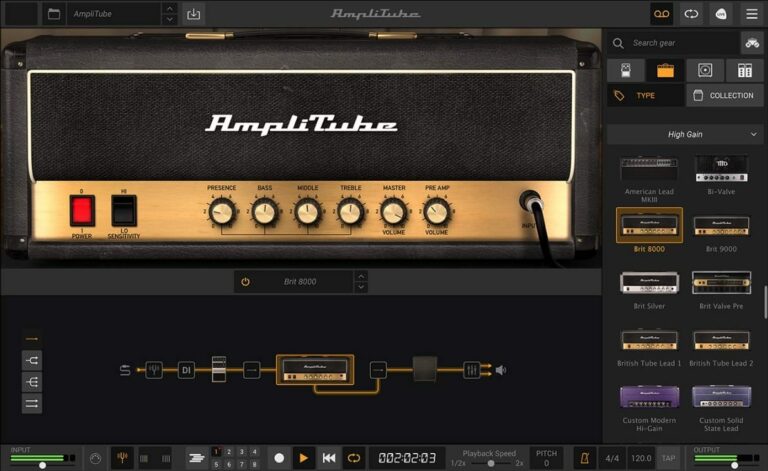
OS: Windows Win Mac Mac Bit Version: 64-bit Developer: IK Multimedia Production Size: 2.4 GB Rating: 83/100
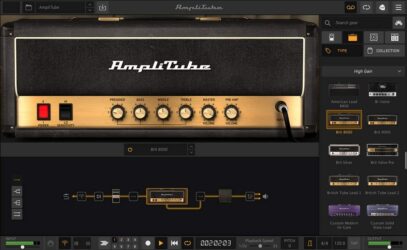
AmpliTube 5 Custom Shop offers a flexible way to explore and build your dream guitar rig. It includes 42 classic amps, cabinets, pedals, and effects you can use right away. Each piece is modeled for realistic tone and response, perfect for recording, practice, or live performance.
You can test over 400 pieces of official gear from major brands and artist collections before buying. With its detailed tone controls, cabinet options, and signal chain editor, AmpliTube 5 Custom Shop gives guitarists the tools to shape their sound and grow their virtual gear library at their own pace.
Features
- Includes 42 Free Gear Models
- Works As Plugin Or Standalone
- Authorized Models From Top Brands
- Realistic Sound With VIR Technology
- Includes Pedals, Amps, And Cabinets
- Movable Mics And Room Options
- Signal Path Editor For Custom Chains
- Low Latency For Real-Time Playing
- Free Tone Expansion With Custom Shop
- Clean And Modern User Interface
Pros
- AI machine modeling for better tone
- Free version includes 42 gear models
- Official models from famous brands
- High-quality Fender and Mesa tones
- Great high-gain tones for metal
- Accurate and natural cabinet sounds
- Try any gear free for 72 hours
- Easy to build custom guitar rigs
- Runs as standalone or plugin
- Supports VST, AAX, and AU formats
Cons
- Free version has limited gear
- Many popular amps locked
- Constant pop-ups to buy gear
- Heavy CPU load on laptops
- Preset management feels clunky
- Apple Silicon support still missing
- Too few metal amp options
- Some effects sound outdated
- High gain tones need tweaking
- Pricing for add-ons is steep
Video Demo
What Users Say
AmpliTube 5 Custom Shop Tips
- Experiment with blending two amps in the Dual mode to create a fuller metal tone.
- Try stacking multiple overdrives to tighten up high-gain sounds.
- Use impulse responses (IRs) from third parties for more cab tone options.
- Adjust mic distance in the virtual cab room to balance clarity and warmth.
- Lower the input gain if the sound is too fuzzy or harsh to get a cleaner tone.
- Keep the output level below clipping to avoid harsh digital distortion.
- Record dry tracks and then re-amp them through AmpliTube to experiment with different tones later.
6. Clean Electric Guitar
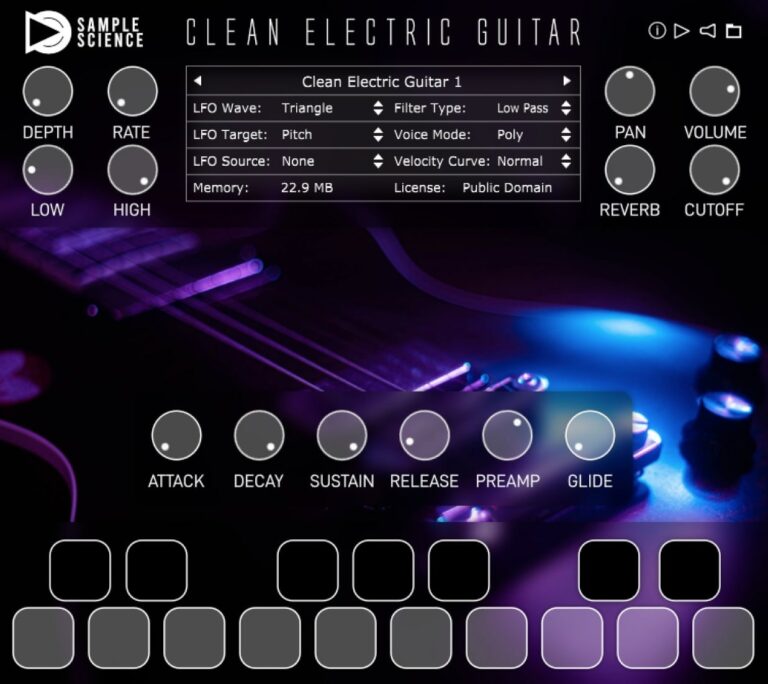
OS: Windows Win Mac Mac Bit Version: 64-bit Developer: SampleScience Size: 101 MB Rating: 81/100
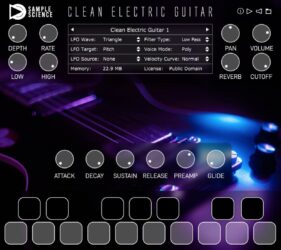
Clean Electric Guitar offers two clean, high-quality electric guitar sounds sampled note by note for an authentic tone. It’s designed to be used with virtual amps and effect racks, giving producers a flexible base for creating guitar parts, loops, and layered textures.
The plugin includes key effects like Distortion, Chorus, Delay, and Reverb, along with LFO modulation, filters, and glide. With options for polyphonic, legato, and mono modes, it provides expressive playability that works well in pop, ambient, or experimental tracks.
Features
- Two Clean Electric Guitar Sounds
- Distortion, Chorus, Delay, Reverb Effects
- Polyphonic, Legato, And Mono Modes
- Preamp Boost For Extra Power
- Multi-LFO For Modulation Control
- Highpass And Lowpass Filters
- Adjustable Attack, Decay, Sustain, Release
- Simple And Intuitive Interface
- Low CPU Usage Performance
- Compatible With Major DAWs
Pros
- Very clean and realistic tone
- Low CPU use and fast
- Includes reverb and delay
- Chorus and distortion built-in
- Slides smoothly between notes
- Has poly, legato, mono modes
- Layer well with real guitars
- Responds well to playing strength
- Public domain sample content
- Very small download size
Cons
- No built-in metal amp sim
- Lacks heavy distortion presets
- No palm mute articulation
- Few guitar sample variations
- No built-in cabinet modeling
- Can sound flat and sterile
- Limited tone-shaping options
- Few velocity layers for realism
- Weak sustain on long notes
- Needs external plugins for tone
Video Demo
What Users Say
Clean Electric Guitar Tips
- Metal guitar plugins often sound better when used with a noise gate to cut out hums and buzzes.
- For metal tones, stacking an overdrive pedal sim before the amp sim adds tightness and clarity.
- Doubling the guitar parts and panning them left and right gives a wider, more powerful sound.
- Using a high-pass filter can help make room for the bass guitar in the mix.
- Keeping the plugin’s output level around -6dB gives more room for mixing and mastering later.
- Setting different cabinet impulse responses can change the character of the tone in surprising ways.
7. Post-Apocalyptic Guitar
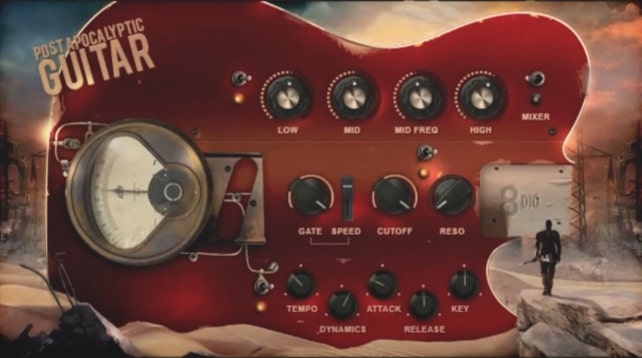
OS: Windows Win Mac Mac Bit Version: 64-bit Developer: 8DIO Productions Size: 0.97GB Rating: 78/100
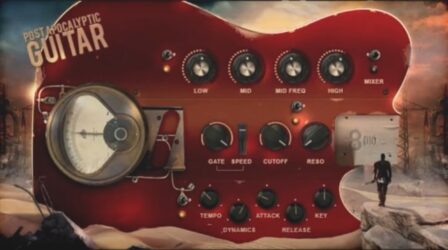
Post-Apocalyptic Guitar offers a collection of expressive post-rock tones built for dark, cinematic soundscapes. It features Yin and Yang phrases that range from soft and airy to gritty and intense. Each layer blends smoothly, letting you shape atmospheric textures and tension-filled rhythms with ease.
This plugin includes real-time control of pitch, speed, and twelve creative effects such as distortion, flanger, and delay. It runs in Kontakt and provides bonus flageolett and powerchord layers for added depth. Ideal for creating emotional guitar backdrops or dramatic ambient sound design.
Features
- Emotional Post-Rock Guitar Sounds
- 4 To 5 Layered Phrases
- Live Phrase And Pitch Control
- 12 Real-Time Triggered Effects
- Tempo-Synced Phrase Playback
- Bonus Flageoletts And Powerchords
- Dynamic Volume Response Control
- High, Mid, And Low EQ
- Key-Switch Controlled Phrase Speed
- Simple Interface With Core Controls
Pros
- Rich cinematic post-rock textures
- Easy to blend soft and heavy tones
- Deep control with live FX
- Dual Yin and Yang sound styles
- Layered phrases create huge sound
- High-quality 24-bit stereo samples
- Unique guitar tones unlike others
- Dynamic control adjusts playing strength
- Includes flageolets and power chords
- Stands out from free metal VSTs
Cons
- Requires paid Kontakt version
- No standalone plugin option
- Limited clean guitar tones
- Few articulation choices
- Can use lots of CPU
- Heavy on system memory
- Interface feels clunky
- Hard to edit deeper layers
- Limited tone control range
- Installation can be confusing
What Users Say
Post-Apocalyptic Guitar Tips
- I always use a noise gate to keep my sound clean when playing heavy riffs.
- I record a few takes of the same riff and pan them left and right for a bigger sound.
- EQing out muddy low frequencies helps the guitars fit better in a full mix.
- Blending DI and amp signals gives more control over the final tone.
- Using different guitar articulations, like mutes and slides, adds realism to the performance.
- Layering multiple Metal Guitar VSTs can make a track sound massive and powerful.
8. Solaris GTR Lite
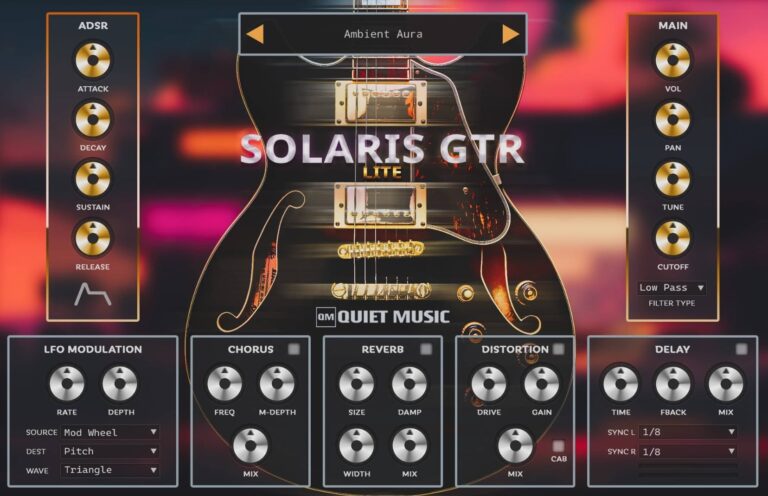
OS: Windows Win Bit Version: 64-bit Developer: Quiet Music Size: 425 MB Rating: 74/100
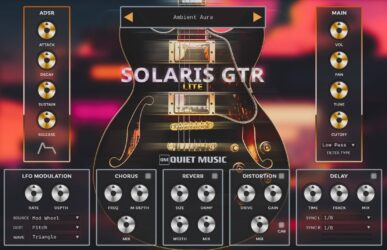
Solaris GTR Lite offers smooth electric guitar tones designed for Lo-Fi, Ambient, and Chillout music, as well as modern styles like Hip Hop and Trap. It includes six presets recorded from an Ibanez AS73G guitar and processed with quality pedals and studio effects for rich, expressive sound.
You can shape your tone with simple ADSR, filter, and LFO controls or enhance it using built-in reverb, chorus, delay, and distortion. Solaris GTR Lite works on both Windows and Mac in 64-bit formats and provides royalty-free samples carefully crafted for creative use.
Features
- Six Multi-Sampled Guitar Presets
- Simple ADSR Envelope Controls
- LFO Modulation With Rate And Depth
- Lowpass And Highpass Filter Cutoff
- Built-In Reverb, Chorus, Delay, Distortion
- High-Quality 192kHz 32-Bit Samples
- Supports VST, VST3, And AU Formats
- Runs On 64-Bit Systems
- Easy-To-Use Interface
- 100% Royalty-Free Sounds
Pros
- High-quality 192kHz sampled guitar tones
- Six carefully crafted guitar presets
- Built-in chorus, delay, and reverb
- Dynamic tones based on real guitar
- Distortion adds crunch and power
- Deep sound design with LFO control
- ADSR gives full envelope control
- Low CPU compared to metal guitar VSTs
- Royalty-free sounds for free use
- High sound quality for a free plugin
Cons
- No heavy metal tone options
- Lacks realistic guitar articulation
- No amp simulation features
- No palm mute or chug sounds
- No cabinet impulse responses
- No built-in EQ section
- May use high CPU resources
- Occasional crashes in some DAWs
- Limited dynamic range control
- Weak sustain for lead sounds
Video Demo
What Users Say
Solaris GTR Lite Tips
- I always use a noise gate to keep my palm-muted riffs clean and tight.
- I often use EQ after the amp to shape the tone and cut out muddy frequencies.
- Experiment with mic positions and cabinet IRs to find the best sound for each song.
- Layer rhythm guitars panned left and right to make the sound wide and powerful.
- Use midrange boosting for solos to help them cut through the mix.
- Try tuning your guitar lower when using metal amp settings for a heavier tone.
9. Haunted Guitar Lite
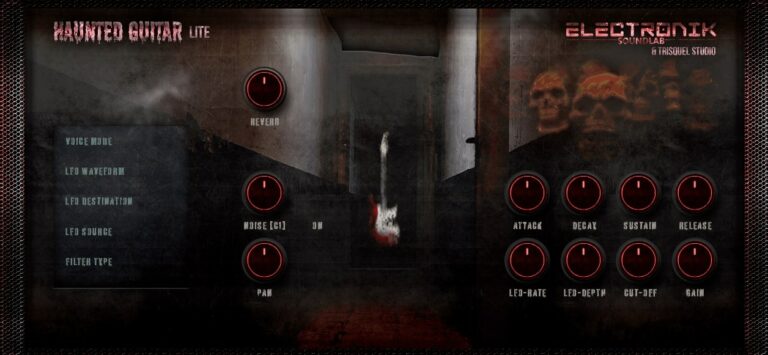
OS: Windows Win Mac Mac Bit Version: 64-bit Developer: Electronik Sound Lab Size: 400 MB Rating: 68/100
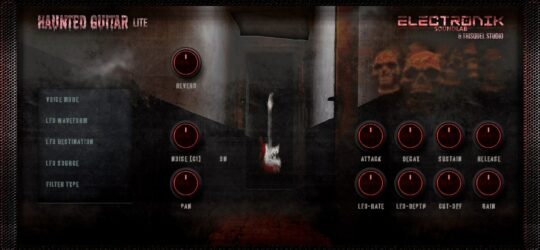
Haunted Guitar Lite offers dark and eerie electric guitar tones made from samples of a Fender Stratocaster Plus Deluxe. Each preset blends haunting textures with built-in effects like distortion, delay, and reverb, making it ideal for creating moody or cinematic soundscapes.
It includes tools for shaping your sound, such as ADSR controls, filters, and LFO modulation. With eight presets and 224 samples, the plugin gives producers a quick way to add ghostly guitar layers to tracks on both Windows and Mac systems.
Features
- Multi-Sampled Fender Stratocaster Sounds
- Eight Presets With Dark Tones
- Built-In Distortion Module
- Built-In Vintage Reverb Effect
- Built-In Delay With Controls
- LFO Modulation With Rate Control
- Lowpass And Highpass Filters
- ADSR Amplitude Envelope Control
- User-Friendly And Simple Interface
- Available In VST, VST3, AU
Pros
- High-quality Fender guitar samples
- Distortion gives gritty metal tone
- Unique creepy vibe for scoring
- LFO creates cool motion sounds
- Built-in reverb adds big space
- Presets fit horror and rock tracks
- Light on storage space
- Customizable ADSR settings
- Fast loading with low memory needs
- Runs stable in most DAWs
Cons
- No cabinet or amp simulation
- Lacks heavy distortion tones
- Not great for metal tones
- Few sound-shaping options
- High CPU use
- Can crash some DAWs
- Low realism for leads
- No EQ or tone stack
- Small GUI not resizable
- No MIDI learn
Video Demo
What Users Say
Haunted Guitar Lite Tips
- I layer two different presets to create a thicker, more powerful guitar sound.
- Adjusting the plugin’s amp gain gives more crunch and power for metal tones.
- Using Haunted Guitar Lite with a good distortion plugin can make solos stand out more.
- Applying compression helps even out the guitar volume for a smoother mix.
- Routing the output through a cabinet simulator can make the tone sound more realistic.
- Using EQ to cut low muddy sounds and boost mids for a stronger, clearer tone.
- Balancing the plugin with bass and drums keeps the metal guitar from taking over the mix.
10. MONSTER Guitar
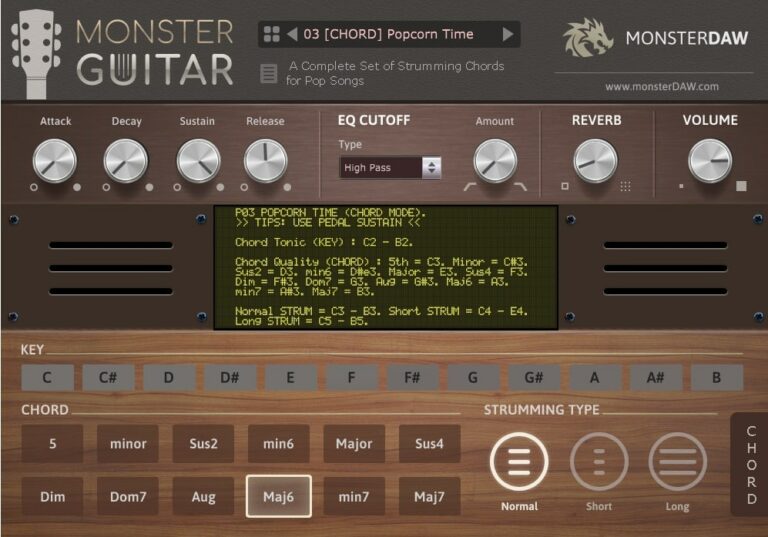
OS: Windows Win Mac Mac Bit Version: 32-bit, 64-bit Developer: MonsterDAW Size: 7 MB Rating: 62/100
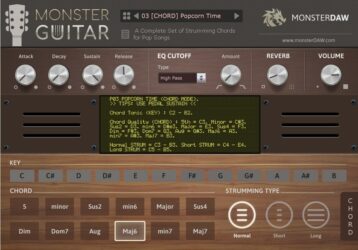
MONSTER Guitar offers a simple way to add guitar parts to your tracks without needing to play the real thing. It includes three modes—CHORD, LEAD, and NOTES—each built for different styles such as pop, rock, reggae, and more. With 14 presets, you can quickly explore new tones and rhythmic ideas.
This plugin includes controls for attack, sustain, filter, and reverb to shape your sound. It runs on both Windows and Mac in VST and AU formats. Regular sound expansions make it a growing tool for music creators who want quick and flexible guitar sounds.
Features
- Fourteen Presets Across Three Modes
- Chord, Lead, And Notes Options
- Normal, Short, And Long Strumming
- Low CPU And RAM Usage
- ADSR, Filter, And Reverb Controls
- Supports 32-Bit And 64-Bit Versions
- Works In VST And AU Formats
- Parameter Automation Support
- Key Selector And Chord Buttons
- Regular Expansion Preset Updates
Pros
- Free to download and use
- Very low RAM usage
- Three modes for different play styles
- Comes with 14 ready presets
- New sounds added regularly
- Includes ADSR and filter control
- Quick chord playing feature
- Supports automation in DAW
- Can use external soundbank
- Expandable with future updates
Cons
- Sound not very realistic
- Metal tones lack deep punch
- Few advanced tone controls
- No amp or cab simulation
- Doesn’t support real guitar articulations
- No palm mute or slide options
- Poor dynamic response
- Latency problems in some DAWs
- Weak layering for metal mixes
- GUI looks plain and outdated
Video Demo
What Users Say
MONSTER Guitar Tips
- I like to start by picking a preset in MONSTER Guitar to get a quick heavy tone before I tweak it.
- I always turn down my input gain if the sound starts to clip or distort too much.
- I often pan two MONSTER Guitar tracks left and right for a big stereo sound.
- I use EQ inside my DAW to cut some low frequencies so the mix doesn’t get muddy.
- Use compressor plugins after the guitar VST to even out playing dynamics in the mix.
- I like layering MONSTER Guitar with a bass instrument to make the mix sound full and powerful.
- Adjust the amp and cabinet models to match the music style you want to create.
11. Strat-A-Various
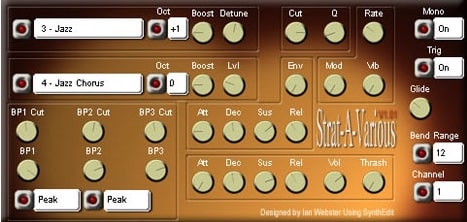
OS: Windows Win Bit Version: 32-bit Developer: Krakli Size: 1.6 MB Rating: 54/100
Strat-A-Various offers a mix of clean and overdriven guitar sounds shaped through a wide range of tone and modulation controls. With 16 presets to start from, it gives creators a quick way to explore both smooth and rough textures for leads, rhythms, or layered effects.
Its controls let you shape every part of your tone, from pitch and filter depth to drive and vibrato. You can create crisp plucks, gritty leads, or evolving tones that respond to your playing style. Strat-A-Various is available as a 32-bit VST for Windows.
Features
- Produces Clean Or Overdriven Tones
- Includes Sixteen Ready Presets
- CPU-Friendly Performance
- User-Friendly Interface Layout
- Boost For Extra Power
- Detune For Thicker Sound
- High And Low Tone Control
- Attack, Decay, Sustain, Release Envelopes
- Thrash Adds Distortion Texture
- Pitch Glide Between Notes
Pros
- Creates clean or heavy tones
- CPU light for smooth playback
- Boost knob gives extra punch
- Detune makes sound thicker
- Thrash adds gritty distortion
- Flexible pitch and octave changes
- Unique voice unlike other synths
- Creative filters shape tone deeply
- Produces big, warm guitar sound
- Great response to key velocity
Cons
- Only works on Windows
- No 64-bit version
- No support for Mac
- Lacks real guitar realism
- No built-in amp sims
- No cabinet impulse response
- Sound can be harsh
- Presets sound similar
- Interface feels confusing
- Does not support VST3
Video Demo
What Users Say
Strat-A-Various Tips
- Dialing in the right cabinet impulse response makes a huge difference in how realistic the guitar sounds.
- Using a noise gate plugin can reduce unwanted hum or hiss from high-gain metal tones.
- Layer two different presets to get a thicker and more powerful metal sound.
- Tuning the virtual guitar down a step (drop D or drop C) can make riffs sound heavier.
- Use EQ to cut out low-end rumble and make the guitars sit better in the song.
- Experimenting with the amp simulator helps find the best tone for metal and hard rock styles.
- Adding a small amount of compression helps keep the guitar attack strong and even.
12. Cute Emily Guitar
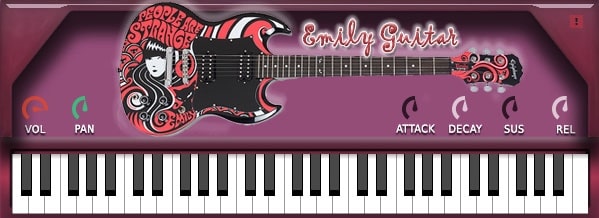
OS: Windows Win Mac Mac Bit Version: 32-bit, 64-bit Developer: bigcat Instruments Size: 20 MB Rating: 54/100
Cute Emily Guitar offers the sound of an Epiphone SG electric guitar captured in detail by Karoryfer. It delivers a clean, dry tone that gives you flexibility to shape your sound using your favorite amp simulator or effects plugins.
This plugin includes simple controls for volume, pan, attack, decay, sustain, and release, making it easy to adjust your guitar sound. It works on both Windows and Mac in VST and AU formats, providing a smooth way to add realistic guitar parts to your tracks.
Features
- Sampled Epiphone SG Electric Guitar
- Dry Recording For Amp Sims
- Supports VST And AU Formats
- Works In 32-Bit And 64-Bit
- Attack Control Shapes Note Start
- Decay Sets Sound Drop Time
- Sustain Adjusts Note Hold Length
- Release Controls Fade After Key
- Volume Knob Controls Loudness
- Pan Knob Adjusts Stereo Position
Pros
- Real guitar sound with warmth
- Natural strumming feel
- Expressive for a free plugin
- Adjustable tone and attack
- More realistic tone than many free VSTs
- Light on CPU use
- Can be used with amp sims
- Easy to use controls
- Free and easy to install
- Works on both Windows and Mac
Cons
- No built-in amp simulator
- No built-in effects section
- Not designed for metal styles
- Interface looks old and plain
- Less realistic than paid plugins
- Few playing articulations included
- Difficult to blend with heavy mixes
- Sometimes crashes when changing presets
- Weak sustain without extra processing
- Poor compatibility with some DAWs
Video Demo
What Users Say
Cute Emily Guitar Tips
- Use a good amp sim with distortion or overdrive for a realistic metal guitar tone.
- Try doubling the guitar track and panning one left and one right for a wide stereo field.
- I often tweak the EQ to reduce muddiness and make the guitar shine in the mix.
- I like to layer two guitar tracks using different amp settings for a fuller sound.
- Use MIDI velocity changes to make melodies sound more human and less robotic.
- I use reverb and delay inside my DAW to give the guitar more space and a realistic room sound.
- Keep your plugin and sample library updated to prevent bugs and ensure smooth performance.
Metal Guitar VST Plugins Compared
This table compares the metal guitar plugins by operating system, bit version, format, and rating.
| Details | Emissary 2.0 | Mercuriall MT-A | Ample Bass P Lite | Shreddage 3 Stratus Free | AmpliTube 5 Custom Shop | Clean Electric Guitar | Post-Apocalyptic Guitar | Solaris GTR Lite | Haunted Guitar Lite | MONSTER Guitar | Strat-A-Various | Cute Emily Guitar |
|---|---|---|---|---|---|---|---|---|---|---|---|---|
| Image | 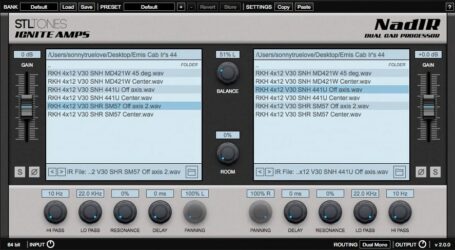 |
 |
 |
 |
 |
 |
 |
 |
 |
 |
|
|
| Rating | ||||||||||||
| OS | Windows | Windows, Mac | Windows, Mac | Windows | Windows, Mac | Windows, Mac | Windows, Mac | Windows | Windows, Mac | Windows, Mac | Windows | Windows, Mac |
| Formats | VST, AU, AAX | VST, AU, AAX | VST, VST2, AU, AAX | Kontakt | VST | VST, VST3, AU | Kontakt | VST, VST3, AU | VST, VST3 | VST, AU | VST | VST, AU |
| Bit Version | 32-bit, 64-bit | 64-bit | 32-bit, 64-bit | 64-bit | 64-bit | 64-bit | 64-bit | 64-bit | 64-bit | 32-bit, 64-bit | 32-bit | 32-bit, 64-bit |
| Developer | STL Tones | Mercuriall Audio Software | Ample Sound | Impact Soundworks | IK Multimedia Production | SampleScience | 8DIO Productions | Quiet Music | Electronik Sound Lab | MonsterDAW | Krakli | bigcat Instruments |
| License | Commercial | Freeware | Freeware | Freeware | Freeware | Freeware | Commercial | Freeware | Freeware | Freeware | Freeware | Donationware |
| Sample-Based | No | No | Yes | Yes | No | Yes | Yes | Yes | Yes | Yes | No | Yes |
| Download Size | 50 MB | 4.3 MB | 450 MB | 778 MB | 2.4 GB | 101 MB | 0.97GB | 425 MB | 400 MB | 7 MB | 1.6 MB | 20 MB |
| CPU Load | Low | Low | Low | Low | Medium | Low | Low | Low | Low | Low | Low | Low |
| Polyphony | 8 | 8 | 8 | 24 | 2 | 10 | 8 | 16 | 6 | 8 | 8 | 64 |
| Features | Versatile clean channel, Brutal lead channel, Wide tonal range, Real-time playability, Dual IR convolver, Built-in filters, Zero latency | Boss MT-2 modeling, Neural Hybrid Engine, Stereo mode, Input gain, Quality switch, EQ controls, Mid-Freq adjustment | Realistic articulations, Auto Buzz, Poly Legato, Slide Smoother, Capo function, Tab Player, MIDI control | Realistic sound, Advanced articulations, Tone customization, Console mixer, Poly input, Performance engine, Inspiring presets | Free gear collection, Customizable virtual rig, TONEX AI modeling, Official gear models, Try-before-buy demos, VIR cabinet technology, Extensive gear library | Clean guitar sounds, Built-in effects, Multi-LFO, Sound filters, Glide control, Amplitude control, Voice modes | Yin/Yang Patches, Layered Phrases, Live Pitch Control, Real-Time FX, Tempo Sync, Cinematic Textures, Ambient Soundscapes | Multi-sampled presets, LFO modulation, Filter cutoff, ADSR envelope, Built-in effects, Easy interface, Royalty-free sounds | 8 Presets, 224 Samples, ADSR Envelope, LFO Modulation, HP/LP Filter, Built-in Reverb, Built-in Distortion | Preset Variety, Three Play Modes, Strumming Options, ADSR Controls, Filter & Reverb, Parameter Automation, Expansion Updates | Overdrive tones, Presets, User-friendly, Sound shaping, Modulation control, Envelope settings, Glide function | Volume control, Panning, Attack adjustment, Decay control, Sustain, Release, On-screen keyboard |
| Controls | Gain, Balance, Room, File Loader, Phase, Delay, Panning | Level, Dist, Input Gain, Quality Switch, High, Middle, Mid Freq | Main Menu Bar, Finger Mode, Bass Display, Keyboard, Velocity Knob, Tone Knob, Volume Knob | Pickup Knob, Tune Knob, Bite Knob, Transpose Knob, Poly Input Button, Hand Position Knob, Console FX Rack | Power Switch, Presence Knob, Bass Knob, Middle Knob, Treble Knob, Master Volume, Preset Browser | Depth, Rate, Pan, Volume, Reverb, Cutoff, Attack | Low, Mid, Mid Freq, Mixer, Gate, Speed, Cutoff | ADSR Envelope, Main Filter, LFO Modulation, Chorus, Reverb, Distortion, Delay | Attack, Decay, Sustain, Release, LFO Rate, Cut-Off, Reverb | Attack, Decay, Sustain, Release, EQ Cutoff, Reverb, Volume | Preset Selector, Oct, Boost, Detune, Cut, Rate, Thrash | Vol, Pan, Attack, Decay, Sustain, Release, Keyboard |
| Effects Included | Filters, Delay, Room, Phase, Panning, Mix, Gain, Balance, Hi Pass, Low Pass | Distortion, EQ | Unknown | Over thirty FX modules, cabinet impulse responses | Stompbox FX, Rack FX | Distortion, Chorus, Delay, Reverb | Distortion, flanger, phaser, filters, delays, bit reduction | Reverb, Chorus, Delay, Distortion | Distortion, Delay, Reverb | Filter, Reverb | Overdrive, Distortion, Vibrato, Modulation, Tremolo | Unknown |
| MIDI Learn | Yes | Yes | Yes | Yes | Yes | Unknown | Yes | Unknown | Unknown | Unknown | Unknown | Unknown |
| Presets | N/A | 18 | N/A | 6 | 42 | 9 | 320 | 40 | 16 | 20 | 32 | 6 |
| Standalone | Yes | Yes | Yes | No | Yes | Yes | No | Yes | Yes | Yes | No | No |
| Last Updated | 08/07/2023 | 04/22/2024 | 04/25/2024 | 02/23/2021 | 04/04/2023 | 03/03/2023 | 06/15/2018 | 03/12/2024 | 05/01/2022 | 03/10/2024 | 05/14/2007 | 08/22/2017 |
Favorite Metal Guitar VST Plugin
Our top pick for the best free Metal Guitar VST plugin is Ample Bass P Lite by Ample Sound. It is a high quality plugin with great samples that offers sounds that are similar to a real bass guitar.
| Details | Ample Bass P Lite |
|---|---|
| Image |
|
| Rating | |
| OS | Windows, Mac |
| Formats | VST, VST2, AU, AAX |
| Bit Version | 32-bit, 64-bit |
| Developer | Ample Sound |
| License | Freeware |
| Sample-Based | Yes |
| Download Size | 450 MB |
| CPU Load | Low |
| Polyphony | 8 |
| Features | Realistic articulations, Auto Buzz, Poly Legato, Slide Smoother, Capo function, Tab Player, MIDI control |
| Controls | Main Menu Bar, Finger Mode, Bass Display, Keyboard, Velocity Knob, Tone Knob, Volume Knob |
| Effects Included | Unknown |
| Download | Download Ample Bass P Lite |
Metal Guitar VST FAQs
How to Install Metal Guitar VST Plugins
To install metal guitar VST plugins on Windows or Mac, extract the files from the Zip or Rar. Move the files (.dll for Windows or .component for Mac) into your DAW’s plugin folder. Then restart your software and rescan the directory to complete the process. Tutorial: How to Install VST Plugins
Windows:
Extract the downloaded zip file and copy the .dll file into the VST plugins folder scanned by your DAW. Restart your music software and rescan your plugin directory to begin using the new VST.
Mac OS X:
Extract the downloaded archive and move the .component or .VST file to the plugin folder. It is usually /Library/Audio/Plug-Ins/Components or /Library/Audio/Plug-Ins/VST. Restart your DAW and rescan your plugins to complete the installation.
What are Metal Guitar VST plugins?
Metal Guitar VST plugins are software that emulate the sounds of electric guitars common in metal music. They’re used to digitally recreate the dark, high-gain tones and soaring leads of heavy metal guitars.
How do I install Metal Guitar VST plugins?
While the process may vary slightly from one VST plugin to another, generally, you download the plugin file, extract it if needed, and then place it in the designated plugins folder of your DAW. You should scan for new plugins in your DAW or restart it to see the recently installed plugin.
Do I need specific hardware to use VST plugins?
VST plugins are software and typically don’t require special hardware. However, you will need a computer with a sound card and sufficient processing power to run the plugin smoothly. It would be best if you also had a Digital Audio Workstation (DAW) that supports VST to operate the plugins.
We hope you found this list of free metal guitar VST plugins helpful.