Here are the best free Rompler VST plugins for Windows and Mac. We have included video demos, feature lists, pros, cons, and plugin ratings.
How we rate Rompler plugins: We rate each Rompler plugin based on sound quality, design, performance, features, usability, and compatibility. We rate plugins on a scale of 1 to 100.
Table of Contents

I have spent over 15 years testing and comparing hundreds of free and paid VST plugins, supported by hands-on demos on our YouTube channel, which has 12,000+ subscribers.
Best Free Rompler VST Plugins
This table compares Rompler VST plugins by operating system, bit version, format, and rating.
| # | Plugin | OS | Formats | Bit Version | Ratings |
|---|---|---|---|---|---|
| 1 | Nils‘ K1v | Windows Mac Linux | VST, VST2, VST3, AU | 32-bit, 64-bit | |
| 2 | 808-ROMpler | Windows Mac | VST, AU | 64-bit | |
| 3 | Zampler | Windows Mac | VST, AU, SFZ | 64-bit | |
| 4 | Mel-Lofi | Windows Mac | VST3, AU | 64-bit | |
| 5 | 808 Bass Module 5 Lite | Windows Mac | VST, VST3, AU | 64-bit | |
| 6 | Amurg Lite | Windows Mac | VST3, AU | 64-bit | |
| 7 | 606 Koncept | Windows Mac | VST, VST3, AU | 64-bit | |
| 8 | Monster Synth | Windows Mac | VST, AU | 64-bit | |
| 9 | RT-7070 | Windows Mac | VST, VST3, AU | 32-bit, 64-bit | |
| 10 | RetroVibes Lite | Windows Mac | VST3, AU | 64-bit | |
| 11 | FunkBass | Windows Mac | VST, VST3, AU | 64-bit | |
| 12 | Micro Keys | Windows Mac | VST, AU | 64-bit | |
| 13 | Orbhits | Windows Mac | VST, AU | 64-bit | |
| 14 | Afroplugin | Windows Mac | VST, AU | 32-bit, 64-bit | |
| 15 | Serpo | Windows Mac | VST, AU | 32-bit, 64-bit |
1. Nils‘ K1v
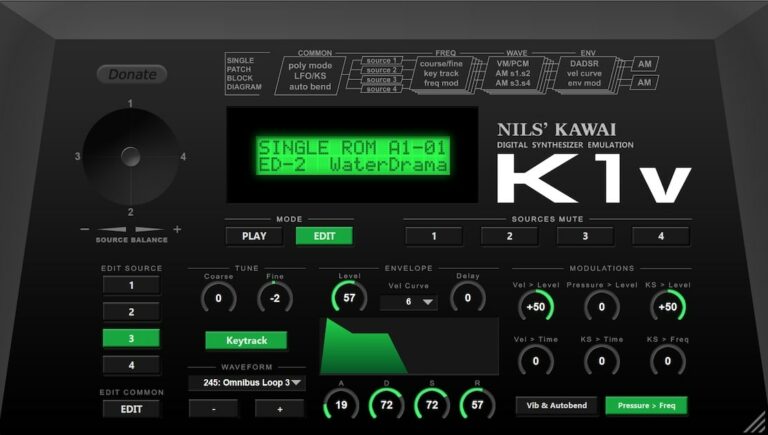
OS: Windows Win Mac Mac Linux Linux Bit Version: 32-bit, 64-bit Developer: Nils Schneider Size: 12 MB Rating: 86/100
Nils‘ K1v offers an accurate software version of the classic 1988 Kawai K1 synthesizer. It includes over a thousand presets, covering both factory and ROM card sounds. With edit options for singles and multis, it gives producers access to authentic late?80s digital tones.
This plugin supports SysEx for easy data exchange with the original hardware. Its four?source engine, modulation tools, and resizable interface let users shape sounds precisely. Available for Windows, macOS, and Linux, Nils K1v is a free and practical way to capture vintage synth character.
Features
- Accurate Kawai K1 Synth Emulation
- 968 Single And 384 Multi Presets
- Full Editing For Singles And Multis
- SysEx Import And Export Support
- 8-Bit Synthesis Sound Engine
- Four Sound Sources Per Voice
- Ring Modulation Between Sources
- Resizable User Interface
- Low CPU Usage Performance
- Available For Windows, Mac, Linux
Pros
- Faithful Kawai K1 sound emulation
- Runs on Windows, Mac, and Linux
- Huge library of built-in presets
- Works as a hardware editor too
- Very low CPU usage
- SysEx import and export support
- Can layer up to four sound sources
- Includes chorus and modulation effects
- Authentic retro 80s tone palette
- Competes with paid synth plugins
Cons
- Interface looks old and basic
- Limited sound shaping options
- Only one LFO available
- No modern filter section
- Preset browser feels outdated
- Small on high-resolution screens
- No built-in arpeggiator
- VST3 version sometimes unstable
- Few modulation destinations offered
- GUI lacks modern graphic polish
Testimonials
Tips
- I make my own patches by changing waveforms and filter settings to get a unique sound.
- I stack layers in the synth to make fuller pads and more powerful bass sounds.
- I mix a bit of reverb in the plugin to give the sound more space and depth.
- Experimenting with modulation sources can bring life and movement to sounds.
- Mapping MIDI controls to filter and envelope parameters allows for live expression.
- Combining the K1v with external effects like chorus or delay can enhance its sound.
2. 808-ROMpler
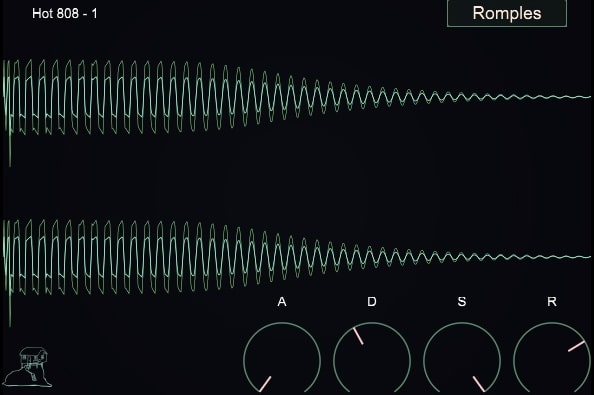
OS: Windows Win Mac Mac Bit Version: 64-bit Developer: Recluse-Audio Size: 88 MB Rating: 81/100
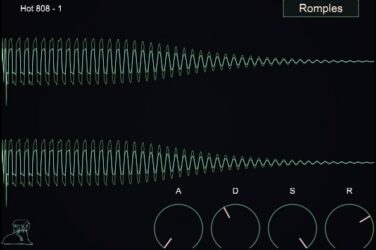
808-ROMpler is a free bass drum sampler designed by Recluse-Audio for quick and clean 808 sounds. It includes sixteen 808-style kicks and supports .wav, .aiff, and .mp3 files through simple drag-and-drop. ADSR envelope controls help shape the punch, length, and tone of each kick.
The plugin’s minimalist design keeps the focus on your sound. A visual waveform display gives instant feedback while adjusting attack, decay, sustain, and release. 808-ROMpler runs on Windows and Mac, offering a fast and reliable way to build solid low-end parts in any style.
Features
- Sixteen 808 Style Kicks
- Drag And Drop Loading
- ADSR Envelope Controls
- Visual Waveform Display
- Minimal And Clean Interface
- Low CPU Usage
- Supports WAV AIFF And MP3
- VST And AU Formats
- 64 Bit Compatible
- Sound Selection Menu
Pros
- Clean and easy-to-use interface
- Includes sixteen ready 808 kicks
- Custom sound shaping with ADSR
- Visual waveform helps sound design
- Lightweight and low CPU use
- Punchy sounds right out the box
- Free plugin with pro-level quality
- Makes stacking multiple sounds easy
- Ideal for trap and hip-hop
- Focuses purely on great 808 sounds
Cons
- No built-in effects or EQ
- Cannot layer multiple samples
- No velocity sensitivity support
- Lacks sample editing tools
- Limited to 808-style sounds
- No pitch or tune control
- No modulation or LFO options
- No save or load presets
- No MIDI learn or automation
- Limited sound design flexibility
Testimonials
Tips
- I like to layer two 808 sounds—one for sub-bass and another for mid frequencies—to make the bass cut through better.
- I keep my 808s in tune by matching their root note with my song’s key—it makes the mix sound tight.
- I place sidechain compression with the kick drum so the 808 and kick don’t fight each other.
- Shortening the release time keeps the 808 from overlapping notes and getting muddy in the mix.
- Using parallel processing with saturation or compression can make the 808 punchier while keeping its deep tone.
3. Zampler
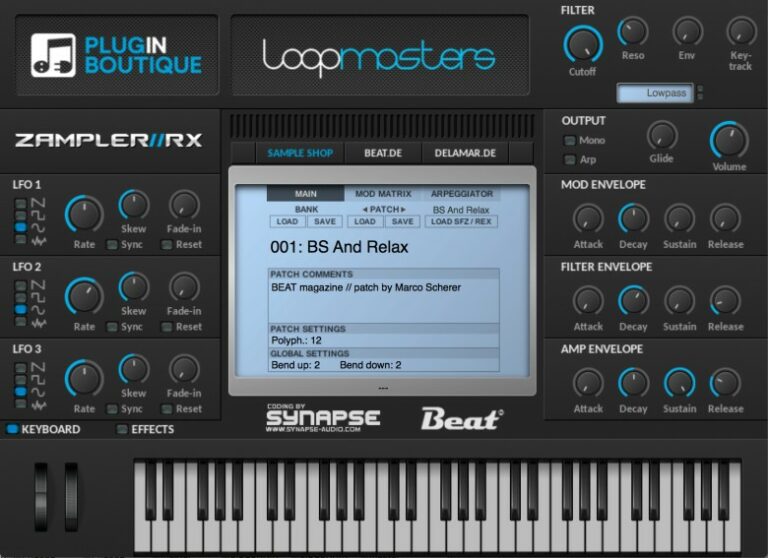
OS: Windows Win Mac Mac Bit Version: 64-bit Developer: Zampler Size: 8 MB Rating: 80/100
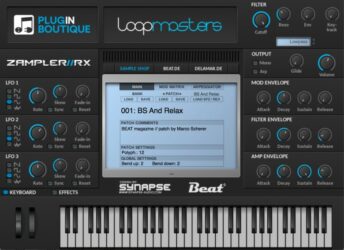
Zampler offers a powerful sample workstation designed for music creators who want detailed control over their sounds. It plays SFZ and REX files and includes filters, envelopes, and LFOs for shaping tone and movement. The step sequencer adds rhythm and energy to samples with up to 32 programmable steps.
Its effects section includes tube saturation, EQ, chorus, delay, and reverb for polishing each layer of sound. With a wide preset library and flexible modulation matrix, Zampler helps producers craft everything from smooth pads to punchy leads with precision and ease.
Features
- High-Performance Sample Workstation
- Compatible With SFZ And REX Files
- Multimode Filter With Four Types
- Twelve-Slot Modulation Matrix
- Step Sequencer With Up To 32 Steps
- Built-In Effects Including Reverb And Delay
- Tube Saturation And Two Equalizers
- Preset Browser For Easy Navigation
- Includes 128 Factory Presets
- Light On CPU Usage
Pros
- Supports SFZ and REX files
- High-quality Dune filter sound
- Three flexible LFOs included
- Deep modulation matrix options
- Built-in reverb, delay, chorus
- Has tube saturation effect
- Powerful 32-step sequencer
- Comes with 128 presets
- Runs light on CPU power
- Competes with paid synths
Cons
- Interface feels small and crowded
- No resizable window option
- Preset browser can glitch
- Factory sounds lean toward EDM
- Lacks acoustic and vintage options
- Step sequencer not intuitive
- Outdated GUI design
- Effects sound basic
- Few modulation sources
- Limited preset management
Testimonials
Tips
- I always start by exploring the preset library to find sounds that inspire new ideas.
- I make sure to tweak the filter knobs to shape my sound and make it fit better in a mix.
- I like to automate the cutoff filter for movement and energy in my tracks.
- Use the LFO to give movement to parameters like pitch or filter cutoff.
- Always check the ADSR envelope settings to adjust how the sound starts and fades.
- Save your custom presets often to avoid losing your work.
- Combine Zampler with other VST synths for a richer mix of textures.
4. Mel-Lofi
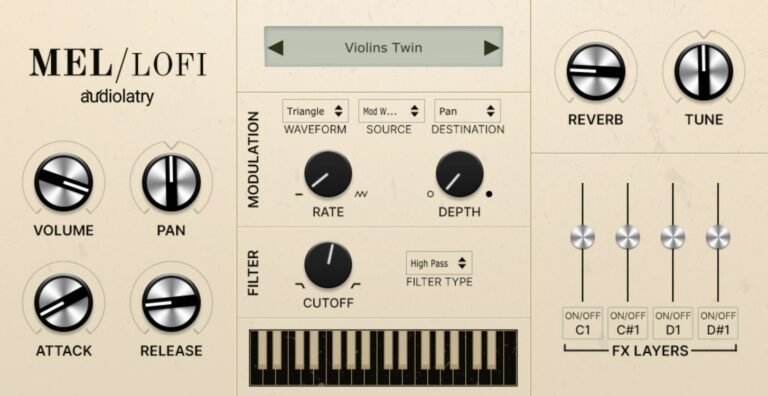
OS: Windows Win Mac Mac Bit Version: 64-bit Developer: Audiolatry Size: 694 MB Rating: 79/100
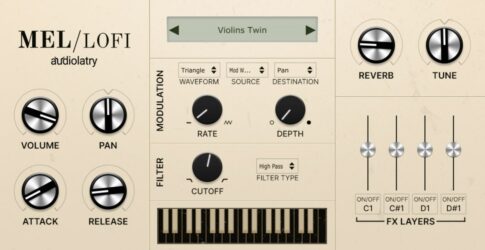
Mel-Lofi is a free Mellotron-style plugin by Audiolatry that brings the warm, vintage tone of classic tape-based instruments to modern music projects. It includes 24 multi-sampled presets across five instrument types, giving producers nostalgic textures with natural imperfections and a lo-fi character.
Mel-Lofi offers four ambient effect layers—vinyl crackle, radio noise, mechanical hum, and rain—for shaping mood and depth. With tools like envelope controls, filters, modulation, and built-in effects such as chorus, delay, and reverb, it helps musicians craft expressive, aged sounds in any creative style.
Features
- 24 Multi-Sampled Presets Included
- Four Original Texture Layers
- Cutoff Filter And Modulation Section
- Built-In Delay, Chorus, Distortion, Reverb
- Looped Samples For Smooth Playability
- Vintage Sound With Lo-Fi Character
- Supports VST3 And AU Formats
- Works With Most Major DAWs
- Light On CPU Usage
Pros
- Warm vintage mellotron-style tones
- Includes 24 multi-sampled presets
- Four noise effect layers
- Built-in reverb for added space
- Chorus, delay, and distortion effects
- Real vintage feel with imperfections
- Low CPU use and fast loading
- Authentic sound with modern tools
- Easy controls for sound shaping
- Modulation for expressive play
Cons
- No AAX support for Pro Tools
- Less realistic than true Mellotron
- No sample import or expansion
- Limited sound customization options
- No built-in EQ controls
- Few modulation options offered
- No resizable GUI window
- Lacks advanced automation controls
- No MIDI learn function built-in
- Smaller sample set than rivals
Testimonials
Tips
- I use the built-in reverb in Mel-Lofi to make the sound feel wider and more dreamy.
- When I want an old-tape sound, I turn up the noise and wow controls just a little.
- Layering different tape instruments can create a fuller, vintage mix.
- Use EQ to cut out some low mids if the Mellotron patch sounds too muddy.
- Adjust the pitch wobble to get a nostalgic, worn-out tape sound.
- Use the tone knob to balance brightness and warmth depending on your song.
5. 808 Bass Module 5 Lite
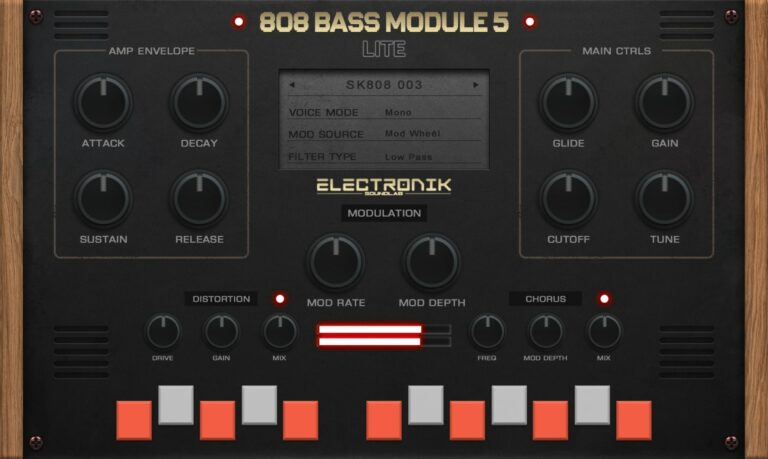
OS: Windows Win Mac Mac Bit Version: 64-bit Developer: Electronik Sound Lab Size: 200 MB Rating: 78/100
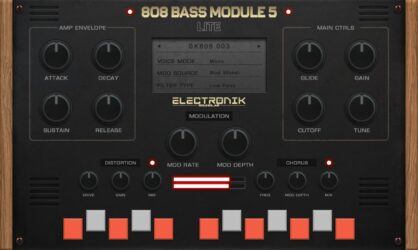
808 Bass Module 5 Lite is a compact 808 bass instrument designed for producers who need deep and punchy low-end sounds. It comes with 15 layered presets that blend grit and warmth, making it easy to drop powerful bass into trap, hip-hop, or electronic tracks.
The plugin features essential tone controls like ADSR, filters, and LFO, plus built-in distortion and chorus for added texture. With glide, tune, and modulation options, users can shape bass tones quickly and match them to any song key or style.
Features
- Fifteen Ready-To-Use 808 Presets
- Supports VST, VST3, And AU
- ADSR Amplitude Envelope Controls
- LFO Modulation Depth And Rate
- Glide Time Adjustment
- Lowpass And Highpass Filter Cutoff
- Built-In Distortion Effect
- Built-In Chorus Effect
- Global Tune Control
- Low CPU Usage
Pros
- Ready to use 808 presets
- 15 high quality layered sounds
- Built in distortion adds grit
- Built in chorus for depth
- Glide control for smooth slides
- Mix ready sounds out of box
- Low CPU usage and stable
- Professional quality for free plugin
- Supports VST, VST3, and AU
- No use limit on free version
Cons
- Limited sound variety
- Only 15 presets available
- No layering or splitting options
- No reverb or delay effects
- No built-in EQ control
- Lacks advanced modulation options
- Cannot import custom samples
- Few adjustable parameters overall
- Limited tone shaping tools
- Presets sound too similar
Testimonials
Tips
- I always adjust the attack and release times to make my 808s blend smoothly with the drums.
- I try to tune my 808s to the key of my song to make them sit right in the mix.
- I like adding a little bit of saturation or distortion to help my 808 cut through.
- I use sidechain compression with the kick to let both sounds hit cleanly together.
- Use EQ to carve space between the 808 and the kick drum so they don’t clash.
- Apply subtle compression to keep the bass even and controlled throughout the song.
- Regularly check your mix in mono to ensure the 808 still sounds strong and centered.
6. Amurg Lite

OS: Windows Win Mac Mac Bit Version: 64-bit Developer: audiolatry Size: 120 MB Rating: 77/100
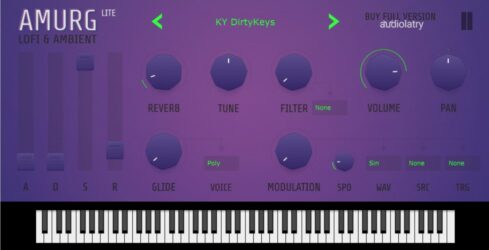
Amurg Lite is a lo-fi and ambient rompler with 33 royalty-free presets for keys, leads, basses, pads, and effects. Its sounds come from hardware synthesizers and suit ambient, retro, lo-fi, hip-hop, R&B, cinematic, and EDM music.
Shape each preset with ADSR, filters, LFO modulation, glide, tuning, pan, and voice controls, plus reverb, chorus, distortion, delay, and cabinet effects. The free version includes 15 presets and runs as 64-bit VST3 on Windows and VST3/AU on macOS.
Features
- Lo-Fi And Ambient Rompler
- 33 Factory Sound Presets
- Keys, Leads, Basses, And Pads
- Royalty-Free Sound Library
- Hardware Synthesized Sound Sources
- ADSR Envelope Controls
- Low-Pass And High-Pass Filters
- LFO Modulation Controls
- Voice Mode And Glide
- Reverb, Chorus, And Delay
Pros
- Includes 33 useful presets
- Sounds come from hardware synthesizers
- All sounds are royalty-free
- Presets are easy to customize
- Includes a helpful ADSR envelope
- Offers low-pass and high-pass filters
- Provides flexible LFO modulation
- Includes reverb, chorus, and delay
- Adds distortion and cabinet effects
- Supports glide and voice modes
Cons
- Only 15 presets in free version
- Much smaller library than major players
- Focused mainly on ambient sounds
- No arpeggiator for rhythmic patterns
- No granular sound engine
- No preset browser or search
- No AAX support for Pro Tools
Testimonials
Tips
- I start by trying every preset so I can learn what Amurg Lite does best. The sounds include keys, leads, basses, pads, and effects.
- I use the filter to remove harsh high sounds or deep low sounds. Small changes can make a preset fit the mix better.
- I raise the attack time when I want a soft and slow sound. I lower it when I want the sound to start fast.
- I add a little reverb to place the sound in a bigger space. I keep the amount low when the mix already sounds full.
- I try the delay effect on short notes and melodies. I set the delay time to match the song’s beat.
- Layer two rompler sounds at low volume instead of using one sound at full volume. This can create a richer part without making it too loud.
- Check the sound in both solo and full-mix mode. A preset that sounds great alone may need less bass, reverb, or distortion in the full song.
7. 606 Koncept

OS: Windows Win Mac Mac Bit Version: 64-bit Developer: SampleScience Size: 9.05 MB Rating: 74/100
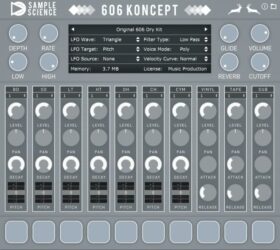
606 Koncept is a drum plugin inspired by an eighties analog 606 machine. It includes mapped kick, snare, tom, hi-hat, cymbal, vinyl, tape, and sub sounds for building vintage-style rhythms with added texture.
Each channel offers level, pan, decay, attack, release, and pitch controls. A summing pitch mixer, LFO, filters, room reverb, and three voice modes help shape movement, space, and note response.
Features
- Original 606 Drum Kit
- Vinyl, Tape, And Sub Layers
- Individual Sound Layer Controls
- Multi-Pitch Drum Sound Mixers
- Multi-LFO Sound Movement
- Room Reverb Effect
- High-Pass And Low-Pass Filters
- Polyphonic, Monophonic, And Legato Modes
- Adjustable Attack, Decay, And Release
- Velocity Curve Control
Pros
- Authentic 606 drum sounds
- Adds vinyl texture layers
- Includes tape hiss layers
- Adds deep sub layers
- Layers trigger independently
- Thickens sounds with pitch mixing
- Multi-LFO adds moving sounds
- Separate drum channel controls
- Flexible mono poly legato modes
- Very small install size
Cons
- Limited sounds beyond 606 drums
- No melodic instruments included
- No user sample loading
- No extra library expansions
- No built-in drum sequencer
- Basic effects compared with rivals
- No Linux version available
Testimonials
Tips
- I change the pitch of each drum to fit my song. Small pitch changes can make the beat feel deeper or brighter.
- I use the volume controls to balance the kit before adding other plugins. This keeps the drum mix clean.
- Use the built-in drum channels to shape the kick, snare, toms, cymbals, and hi-hats. Adjust volume, pan, pitch, and decay to fit the track.
- Program the beat in the host DAW’s MIDI editor when the plugin has no built-in sequencer. This gives full control over timing and note length.
- Use small timing changes to make the beat feel less stiff. Move only a few hits so the groove stays clear.
- Use the sub layer carefully to add low-end weight. Check the sound on headphones and small speakers to avoid too much bass.
- Use rompler plugins as starting points, not only final sounds. Layer them with samples, synths, or effects to create a more personal tone.
8. Monster Synth
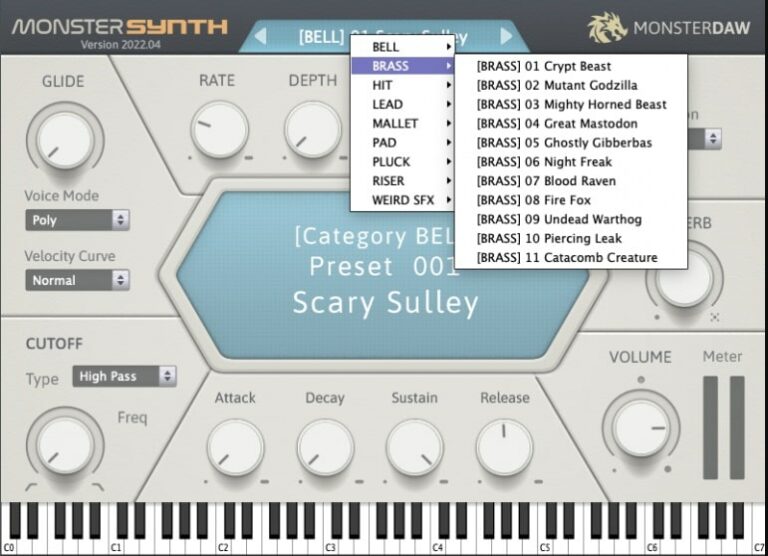
OS: Windows Win Mac Mac Bit Version: 64-bit Developer: MonsterDAW Size: 7 MB Rating: 72/100
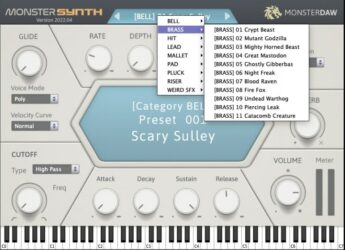
Monster Synth offers a large collection of ready-to-play sounds suited for many music styles. It includes over 600 presets across 12 sound categories like leads, pads, and plucks. This sample-based rompler gives creators an easy way to find inspiring tones without deep sound design.
It includes filters, simple modulation tools, and built-in effects such as reverb, chorus, delay, and distortion. With options for mono, poly, and legato play modes, Monster Synth helps users shape sound layers quickly inside any major DAW on Windows or Mac.
Features
- Over 600 Built-In Presets
- Lightweight And Low CPU Use
- Sample-Based Rompler Design
- LFO Waveform And Modulation Options
- Three Voice Modes With Glide
- High-Pass And Low-Pass Filters
- Includes Reverb, Delay, Chorus, Distortion
- Supports VST2, VST3, And AU Formats
- Works In Most Major DAWs
- Dark Mode Interface Option
Pros
- Very low CPU usage
- Over 600 usable presets
- Multi-genre sound coverage
- Four built-in audio effects
- Includes ADSR sound controls
- LFO controls for modulation
- Glide knob for smooth slides
- Free with no restrictions
- Works great on Windows and Mac
- Simple and clean interface
Cons
- Limited sound design control
- Few modulation options available
- Basic user interface design
- No visual waveform display
- Lacks advanced routing options
- No built-in EQ controls
- No MIDI learn for parameters
- Limited automation capability
- Few effects compared to others
- Less modern GUI responsiveness
Testimonials
Tips
- I like to start with a preset to learn how different sounds are made before creating my own patch.
- I make small changes to one knob at a time so I can hear exactly what each control does.
- I experiment with the envelope controls to shape how my notes start and fade away.
- Experiment with detuning multiple oscillators for a wider, richer tone.
- Use Monster Synth’s arpeggiator to quickly create rhythmic patterns.
- Use the EQ to remove low frequencies that might clash with bass instruments.
- Save custom presets for each song to keep project sessions organized.
9. RT-7070

OS: Windows Win Mac Mac Bit Version: 32-bit, 64-bit Developer: Electronik Sound Lab Size: 39 MB Rating: 72/100
RT-7070 offers the classic TR-707 sound with a modern twist. It comes with 20 drum kits, including the original 707 and versions processed through different effects for more tone options. Each sound can be shaped using filters, decay, reverb, and simple mixing controls.
This plugin lets you adjust volume, pan, and routing for each drum, giving more control in your DAW. It supports VST, VST3, and AU on Windows and Mac. RT-7070 is ideal for anyone wanting punchy, retro-style drums with simple sound-shaping tools.
Features
- Inspired By The Classic TR-707
- Includes 20 Unique Drum Kits
- Low And High Pass Filters
- Built-In Reverb Effect
- Channel Volume Mixer
- Assignable Audio Outputs
- Supports VST, VST3, And AU
- Works On Windows And Mac
- Low CPU Usage Performance
- Simple And Easy Interface
Pros
- Authentic classic 707 drum sound
- Includes 20 diverse drum kits
- Low CPU use on most systems
- Filter controls shape drum tone
- Assignable outputs for mixing ease
- Royalty-free samples for all projects
- Supports VST, VST3, and AU formats
- Modern and vintage kit variety
- Better sound control than typical 808s
- Solid alternative to paid drum plugins
Cons
- May crash in some DAWs
- Not fully stable on macOS
- Small, non-resizable interface
- Limited sound editing options
- Higher CPU use on old PCs
- Cannot import custom samples
- Doesn’t emulate 808 sub-bass
- Some sounds lack punchiness
- No pitch control per drum
- Too simple for advanced producers
Testimonials
Tips
- I like to layer two different 808 sounds to get a bigger, stronger bass.
- Use EQ to remove muddy frequencies and make the 808 sound cleaner in the mix.
- Use a sidechain compressor to let the kick and 808 work together smoothly.
- Add light saturation to the 808 to make it cut through small speakers better.
- Try balancing the kick and 808 so they don’t clash in the low end.
- Keep the overall mix clean—too many low sounds can make it muddy.
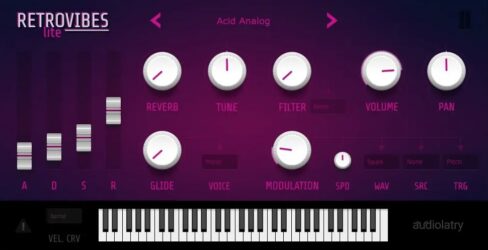
10. RetroVibes Lite

OS: Windows Win Mac Mac Bit Version: 64-bit Developer: Audiolatry Size: 366 MB Rating: 72/100
RetroVibes Lite is a free sample-based virtual instrument with 21 presets inspired by 1980s sounds. It covers brass, bass, leads, keys, synthesizers, and percussion, using samples from hardware and software sources. Sounds are royalty-free for music production.
Its controls include ADSR envelopes, filters, modulation, reverb, tuning, pan, glide, voice modes, and velocity curves for shaping each preset. RetroVibes Lite runs in VST3 and AU formats on 64-bit Windows and macOS, but does not support AAX.
Features
- Free Sample-Based Virtual Instrument
- Twenty-One Fully Functional Presets
- 1980s-Inspired Brass And Bass Sounds
- Royalty-Free Sounds For Music Production
- ADSR Envelope Controls
- Low-Pass And High-Pass Filters
- Modulation With Speed And Waveform
- Voice Modes And Glide Controls
- Adjustable Velocity Curve Selection
- Built-In Reverb Effects
Pros
- Free, fully functional Lite version
- Strong focus on classic 1980s sounds
- Samples from hardware and software sources
- 21 inspiring presets included
- All presets work without limits
- Royalty-free sounds for your music
- ADSR controls create custom envelopes
- Modulation adds movement to sounds
- Glide creates smooth note slides
- Mono voice mode suits basses
Cons
- No AAX support
- No Linux version listed
- Manual installation takes extra steps
- No sample import options listed
- Limited sound editing depth
Testimonials
Tips
- I start with the factory presets to learn the sound of RetroVibes Lite. I save any preset that fits my song.
- I play the sound in different octaves to find its best range. Some sounds work better high, while others sound stronger low.
- I adjust the attack and release to fit the song. A fast attack works well for short notes, while a longer release makes the sound smoother.
- I turn down the volume before adding effects. This gives me more room in the mix and helps prevent clipping.
- I change the MIDI velocity to add feeling. Playing some notes softer can make the part sound more natural.
- Use an equalizer after the ROMpler when needed. Cutting a little low end can make room for the bass and kick drum.
- Check the ROMpler in the full mix, not only by itself. A sound that seems plain alone may fit perfectly with the other tracks.
11. FunkBass
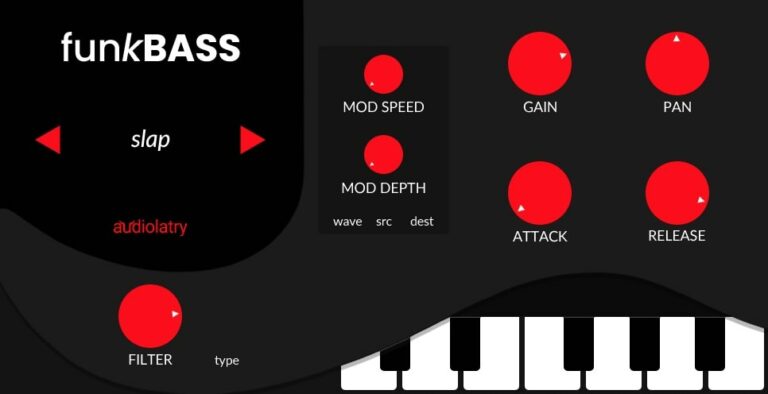
OS: Windows Win Mac Mac Bit Version: 64-bit Developer: Audiolatry Size: 68 MB Rating: 70/100
FunkBass is a free sample-based bass instrument with electric and synth sounds for Funk, Pop, Soul, R&B, EDM, House, and other bass-focused styles. It includes 29 presets covering finger, slap, pick, fretless, chorus, fuzz, low, sub, and analog-style bass tones.
Attack and release controls shape note response, while the filter, modulation, distortion, cabinet emulation, volume, and pan controls help adjust the sound. FunkBass runs as VST, VST3, or AU on 64-bit Windows and macOS systems; Pro Tools AAX is not supported.
Features
- Sample-Based Bass Guitar Instrument
- Electric And Synth Bass Sounds
- 21 Bass Sound Presets
- Finger, Slap, And Pick Sounds
- Chorus, Fretless, And Fuzz Sounds
- Low And Sub Bass Sounds
- Attack And Release Controls
- Filter Cutoff And Type Controls
- Distortion With Cabinet Emulation
- Multiple Modulation Waveforms
Pros
- Offers 21 ready-to-play presets
- Includes electric and synth basses
- Includes finger, slap, and pick sounds
- Provides chorus, fretless, and fuzz tones
- Includes low and sub bass sounds
- Uses multi-sampled analog bass sounds
- Offers useful filter controls
- Includes flexible modulation controls
- Adds distortion with cabinet emulation
- Supports different voice modes
Cons
- Only a small preset collection
- Focused only on bass sounds
- No user sample loading
- No expandable sound library
- Limited control over sample layers
- No detailed articulation switching
- Limited sound shaping options
Testimonials
Tips
- I start by trying each FunkBass preset so I can quickly find a sound that fits my song.
- I use simple bass lines first, then add slides, rests, and extra notes for more groove.
- I turn the filter cutoff slowly to make the bass sound darker or brighter.
- I add a small amount of distortion when I want a rougher and stronger bass tone.
- I lower the plugin volume before adding effects to prevent clipping and harsh sounds.
- Leave space between the bass and kick drum so both sounds stay clear.
- Compare the plugin sound with the full mix, because a preset that sounds good alone may be too loud in the song.
12. Micro Keys

OS: Windows Win Mac Mac Bit Version: 64-bit Developer: Meat Beats Size: 65 MB Rating: 68/100
Micro Keys is a keyboard rompler with 32 classic sounds from 1990s rackmount samplers. It includes electric and acoustic pianos, organs, strings, synths, basses, and a bonus sax for vintage house, garage, and pop tones.
The plugin includes volume, preset browsing, and ADSR controls for shaping each sound. A built-in keyboard lets you preview notes, while the display shows preset details. Micro Keys runs on Windows and Mac in VST and AU formats.
Features
- 32 Classic Keyboard Sounds
- Classic 1990s Rackmount Sampler Tones
- Four Electric Piano Sounds
- Two Acoustic Piano Sounds
- Two Organ Sounds
- Eight String Sounds
- Ten Synth Sounds
- Six Bass Sounds
- Bonus Sax Sound
- Adjustable Attack Decay Sustain Release
Pros
- 4 Electric piano choices
- Two acoustic piano sounds
- Two useful organ tones
- Eight vintage string sounds
- Ten classic synth sounds
- Six bass sounds included
- Bonus tenor sax preset included
- Strong 1990s house character
- Lightweight design supports many layers
Cons
- Small library limits sound choices
- No preset search or tags
- No layers or multi-timbral control
- No sample import support
- No filter or tone shaping
- No built-in reverb or delay
- Sounds may feel dated
Testimonials
Tips
- I start by trying every preset before changing any controls. This helps me learn which sounds fit my song.
- I layer a piano with strings or a synth pad to make a bigger sound. I keep both sounds quiet so the mix does not get too full.
- I use the bass presets to add a simple low part under my drums. I check the bass with the kick so they do not fight each other.
- I turn down the reverb when the sound feels too far away. A small amount of reverb can add space without making the mix muddy.
- I use the attack control to make a sound start faster or slower. A fast attack works well for stabs, while a slow attack works well for pads.
- I adjust the release to control how long each note rings. A short release keeps busy parts clean.
- Use the low-pass filter to make a patch softer and darker. Use the high-pass filter to remove extra low end.
13. Orbhits

OS: Windows Win Mac Mac Bit Version: 64-bit Developer: Meat Beats Size: 164 MB Rating: 66/100
Orbhits is an E-mu Orbit 9090 ROMpler with 170 retro sounds, including 40 basses, 60 chords, 20 hits, 30 pads, 15 effects, and five vocal samples. It draws from the classic 1990s yellow hardware rack unit.
Controls include attack, release, volume, vintage reverb, and pan modulation for shaping each preset. Orbhits supports 64-bit Windows and Mac systems in VST and AU formats.
Features
- 170 Retro Sound Presets
- 40 Bass Presets
- 60 Chord Presets
- 20 Hit Presets
- 30 Pad Presets
- 15 Sound Effect Presets
- Five Vocal Samples
- Vintage Reverb Adds Ambience
- Pan Modulation Adds Movement
- Adjustable Attack And Release
Pros
- Retro 1990s hardware sound
- 170 inspiring presets included
- Strong bass sounds selection
- Plenty of chord sounds
- Useful pads for easy layering
- Quick hits add instant energy
- Fun effects and vocal samples
- Covers many electronic music styles
- Simple attack and release shaping
- Pan modulation adds movement
Cons
- No user sample loading
- No filter controls
- No LFO controls
- No pitch controls
- Samples are not looped
Testimonials
Tips
- I start by browsing every preset in Orbhits before changing any controls. It includes rave and ’90s house stabs, chords, and bass sounds.
- Start with the preset that is closest to the song instead of forcing one sound to fit. Small changes are usually faster than large edits.
- Use a high-pass filter to remove low rumble from chords, pads, and stabs. Leave the low space open for the kick and bass.
- Change the note length when a preset feels too long or too soft. Short notes can create sharp hits, while long notes can make smooth pads.
- Use velocity changes to add life to repeated MIDI notes. Louder notes can mark the main beat, while softer notes can sit in the background.
- I bounce a MIDI part to audio when I find a sound I like. Then I can cut, reverse, stretch, or chop it like a sample.
- Freeze or render tracks when a project becomes slow. This saves computer power while keeping the sound in the song.
14. Afroplugin

OS: Windows Win Mac Mac Bit Version: 32-bit, 64-bit Developer: Afroplug Size: 67 MB Rating: 66/100
Afroplugin is a drum kit rompler for producing African-inspired beats in Dancehall, R&B, Reggaeton, Zouk, Compas, Afrobeats, and other styles. It includes 120 sounds and 10 presets.
Its 12-pad layout lets you trigger sounds and adjust channel volume and stereo position. Filter, pitch, envelope, saturation, reverb, and output controls help shape each sound. It supports VST and AU formats on Mac and Windows.
Features
- 120 African Drum Sounds
- 10 Ready-To-Use Presets
- VST And AU Formats
- 32-Bit And 64-Bit Support
- 12 Sound Pads
- 12-Channel Mixer
- Individual Channel Volume Controls
- Filter Type And Cut Controls
- Attack, Decay, Sustain, Release
- Saturation For Added Character
Pros
- Focuses on African beat sounds
- Covers six popular music styles
- Includes 120 unique sounds
- Offers sounds rarely found elsewhere
- Loads twelve sounds at once
- Uses an easy pad layout
- Provides twelve mixer channels
- Includes simple filter controls
- Offers attack and release shaping
- Adds warmth with saturation
Cons
- No built-in step sequencer
- No user sample loading
- No custom sample mapping
- Limited to twelve loaded pads
- Basic effects, no compressor
- No EQ for sound shaping
Testimonials
Tips
- I start by trying each sound in Afroplugin so I can learn what is included. Afroplugin has 120 sounds made for styles like Afrobeats, Dancehall, R&B, and Reggaeton.
- I use the ready-to-use presets first when I want a quick beat idea. The 10 presets can help me find a sound before I begin changing it.
- I turn the sounds down before I build my beat. This gives me room to add more instruments without making the mix too loud.
- I use the high-pass filter to remove extra low sounds. This can help make space for the kick and bass.
- I change the ADSR controls to shape how each sound starts and ends. Short settings can make drums tight, while longer settings can create a softer feel.
- Change the velocity of some MIDI notes so every hit is not the same volume. This can give the beat a more human feel.
- Use one main drum sound and a few supporting sounds instead of using every sound at once. Simple choices often make a cleaner beat.
15. Serpo
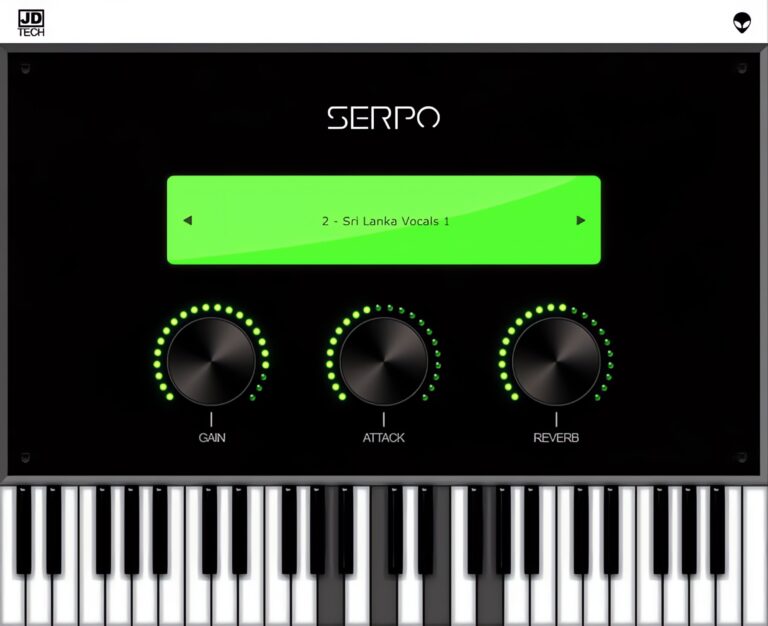
OS: Windows Win Mac Mac Bit Version: 32-bit, 64-bit Developer: JD TECH Size: 30 MB Rating: 63/100
Serpo offers a free and simple way to explore a wide range of sounds for music creation. Developed by JD TECH, it includes instruments such as piano, violin, guitar, trumpet, and drums, along with male and female vocals. Each sound is sampled from artists around the world.
The plugin includes basic controls like gain, attack, and reverb to shape tone and depth. Its built-in preset selector allows quick sound changes for different styles. Serpo works on both Windows and Mac, making it a practical tool for producers seeking fresh, ready-to-use sounds.
Features
- Free Rompler VST Plugin
- Original Sounds From Artists
- User-Friendly Interface Design
- Reverb Effect For Depth
- Preset Selector For Quick Access
- Built-In Virtual Keyboard
- Light On CPU Usage
- Works On Windows And Mac
- Supports VST And AU Formats
- Includes Leads, Pads, And Basses
Pros
- Free to download and use
- Works on Windows and Mac
- Wide mix of real instruments
- Includes horns and brass sounds
- Low CPU use during play
- Fast loading with no extras
- Includes reverb for space depth
- Attack control for sound shaping
- Better variety than most free horns
- Lightweight but good sound quality
Cons
- Sound quality below pro standards
- Missing detailed horn articulations
- Lacks multilayer instrument sampling
- No modulation or LFO options
- Does not support MIDI learn
- No velocity sensitivity options
- Limited to basic sound shaping
- Few updates since initial release
- Bugs and crashes sometimes reported
- Not optimized for big projects
Testimonials
Tips
- I like to play with the attack and release knobs to make the horn sound smoother or punchier.
- I often use a MIDI keyboard to control Serpo because it helps me get more natural-sounding notes.
- I use a small amount of reverb to make the horn sound like it’s in a real room.
- I like to use EQ to cut some low frequencies so the horn doesn’t clash with the bass.
- Automate the expression or modulation wheel in your DAW for more lifelike horn phrasing.
- Layer Serpo with another horn plugin to get a fuller, more realistic brass section sound.
- Adding light compression can help control horn dynamics and keep the volume steady.
Rompler VST Plugins Compared
This table compares the top 10 Rompler VST plugins by features, controls, effects, formats, and more.
| Details | Nils‘ K1v | 808-ROMpler | Zampler | Mel-Lofi | 808 Bass Module 5 Lite | Amurg Lite | 606 Koncept | Monster Synth | RT-7070 | RetroVibes Lite |
|---|---|---|---|---|---|---|---|---|---|---|
| Image | 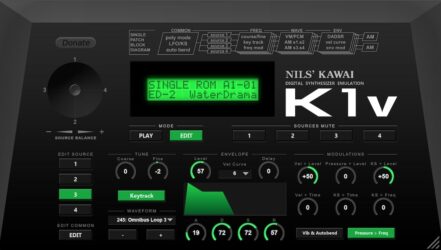 |
 |
 |
 |
 |
 |
 |
 |
 |
 |
| Rating | ||||||||||
| OS | Windows, Mac, Linux | Windows, Mac | Windows, Mac | Windows, Mac | Windows, Mac | Windows, Mac | Windows, Mac | Windows, Mac | Windows, Mac | Windows, Mac |
| Formats | VST, VST2, VST3, AU | VST, AU | VST, AU, SFZ | VST3, AU | VST, VST3, AU | VST3, AU | VST, VST3, AU | VST, AU | VST, VST3, AU | VST3, AU |
| Bit Version | 32-bit, 64-bit | 64-bit | 64-bit | 64-bit | 64-bit | 64-bit | 64-bit | 64-bit | 32-bit, 64-bit | 64-bit |
| Developer | Nils Schneider | Recluse-Audio | Zampler | Audiolatry | Electronik Sound Lab | audiolatry | SampleScience | MonsterDAW | Electronik Sound Lab | Audiolatry |
| License | Freeware | Freeware | Freeware | Freeware | Freeware | Donationware | Freeware | Freeware | Freeware | Freeware |
| Sample-Based | No | Yes | Yes | Yes | Yes | Yes | Yes | Select | Yes | Yes |
| Download Size | 12 MB | 88 MB | 8 MB | 694 MB | 200 MB | 120 MB | 9.05 MB | 7 MB | 39 MB | 366 MB |
| CPU Load | Low | Low | Low | Low | Low | Medium | Low | Low | Low | Low |
| Polyphony | 32 | 8 | 64 | 32 | 8 | N/A | 32 | 10 | 32 | 16 |
| Features | Accurate emulation, Large preset library, Full editing, SysEx support, Resizable interface, Automation support, real-time control | Drag-and-Drop, 16 808 Kicks, ADSR Controls, Waveform Display, Simple Design, Minimalist Interface, Sound Selection | Sample oscillators, Multimode filter, Modulation matrix, Step sequencer, Effects section, LFOs, ADSR envelopes | Vintage Mellotron, Multi-sampled Presets, Lo-fi Textures, Noise Layers, Sound Shaping, Built-in Effects, Modulation Control | 15 layered presets, Glide control, LFO modulation, Filter cutoff, ADSR envelope, Built-in chorus, Built-in distortion | 33 Presets, Royalty-Free Sounds, ADSR Envelope, LFO Modulation, Filter Controls, Multi-Effects, Glide Control | Original 606 Kit, Vinyl Tape Sub Layers, Multi-Pitch Mixing, Multi-LFO, Room Reverb, High-Low Pass Filters, Voice Modes | Large Preset Library, ADSR Envelope, LFO Modulation, Voice Modes, Filter Control, Built-in Effects, Glide Function | 20 Drum Kits, LP/HP Filter, Reverb, Main Decay, Pan Controls, Volume Mixer, Assignable Outputs | 80s Sounds, Sample-Based Instrument, 21 Presets, ADSR Envelopes, Filter Section, Modulation Controls, Reverb Module |
| Controls | Display Screen, Mode Buttons, Source Buttons, Source Balance Knob, Tune Knobs, Waveform Selector, Envelope Section | Waveform Display, Preset Name, Romples Button, Attack Knob, Decay Knob, Sustain Knob, Release Knob | Sample Display, Preset Browser, Filter Section, Output Section, Envelopes, LFOs, Step Sequencer | Gain, Pan, Velocity, Attack, Release, Cutoff, Rate | Amp Envelope, Main Controls, Display Screen, Cutoff Knob, Distortion Module, Glide Control, Pads Section | Preset Name, Previous Preset, Next Preset, Attack, Decay, Sustain, Release | Preset Name, Preset Arrows, Depth, Rate, Glide, Volume, Low | Category Menu, Preset Menu, Glide Knob, Rate Knob, Depth Knob, Voice Mode, Filter Cutoff | Drum Kit Selector, Filter Type, Decay Knob, Cutoff Knob, Reverb Knob, Channel Volume Faders, Pan Knobs | Preset Name, Previous Preset, Next Preset, Attack, Decay, Sustain, Release |
| Effects Included | Chorus | ADSR Envelope Controls | Tube saturation, two equalizers, phaser, chorus, delay, reverb, overdrive | Vinyl, radio noise, mechanical belt noise, rain, delay, chorus, distortion, cabinet, reverb | Distortion, Chorus | Filter, Reverb, Chorus, Distortion, Delay, Cabinet | Multi-LFO, room reverb, high-pass filter, low-pass filter, summing pitch mixer | Reverb, Distortion, Chorus, Delay | LP/HP Filter, Reverb, Compressor | Reverb, low-pass filter, high-pass filter |
| MIDI Learn | Yes | Unknown | Yes | Yes | Unknown | Select | No | Unknown | Unknown | No |
| Presets | 768 | 15 | 178 | 62 | 15 | 15 | N/A | 100 | 20 | 21 |
| Standalone | Yes | Yes | No | No | No | No | Yes | Yes | Yes | No |
| Last Updated | 07/16/2023 | 06/07/2023 | 07/26/2013 | 02/03/2023 | 05/10/2021 | 10/28/2026 | 05/21/2024 | 08/02/2023 | 06/25/2023 | 10/28/2026 |
Favorite Rompler VST Plugin
Our top pick for the best free Rompler VST plugin is Nils‘ K1v by Nils Schneider. It offers a variety of controls, features, and it’s available for Windows, Mac, and Linux.
| Details | Nils‘ K1v |
|---|---|
| Image |
|
| Rating | |
| OS | Windows, Mac, Linux |
| Formats | VST, VST2, VST3, AU |
| Bit Version | 32-bit, 64-bit |
| Developer | Nils Schneider |
| License | Freeware |
| Sample-Based | No |
| Download Size | 12 MB |
| CPU Load | Low |
| Polyphony | 32 |
| Features | Accurate emulation, Large preset library, Full editing, SysEx support, Resizable interface, Automation support, real-time control |
| Controls | Display Screen, Mode Buttons, Source Buttons, Source Balance Knob, Tune Knobs, Waveform Selector, Envelope Section |
| Effects Included | Chorus |
| Download | Download Nils‘ K1v |
Rompler VST FAQs
How to Install Rompler VST Plugins
To install rompler VST plugins on Windows or Mac, extract the files from the Zip or Rar. Move the files (.dll for Windows or .component for Mac) into your DAW’s plugin folder. Then restart your software and rescan the directory to complete the process. Tutorial: How to Install VST Plugins
Windows:
Extract the downloaded zip file and copy the .dll file into the VST plugins folder scanned by your DAW. Restart your music software and rescan your plugin directory to begin using the new VST.
Mac OS X:
Extract the downloaded archive and move the .component or .VST file to the plugin folder. It is usually /Library/Audio/Plug-Ins/Components or /Library/Audio/Plug-Ins/VST. Restart your DAW and rescan your plugins to complete the installation.
What Is A Rompler VST?
A Rompler VST is a type of synthesizer that uses audio samples stored in its internal memory rather than recording from a microphone or live instruments. The term rompler is a blend of the words ROM and Sampler.
These samples represent various instruments, such as pianos, strings, drums, and more, and are usually compressed for space efficiency. While acting much like a sampler in the way it produces sound, its distinguishing characteristic is that it does not record audio itself; instead, its functions focus on playing these pre-made audio samples back.
Related: Free Sampler VST Plugins
I hope you found this list of free Rompler VST plugins helpful.
You May Also Like: