Here are the best free piano VST plugins for Windows and Mac. We have included video demos, feature lists, pros, cons, and plugin ratings.
How we rate piano plugins: We rate each piano plugin based on sound quality, design, performance, features, usability, and compatibility. We rate plugins on a scale of 1 to 100.
Table of Contents

I have spent over 15 years testing and comparing hundreds of free and paid VST plugins, supported by hands-on demos on our YouTube channel, which has 12,000+ subscribers.
Best Free Piano VST Plugins
This table compares Piano VST plugins by operating system, bit version, format, and rating.
| # | Plugin | OS | Formats | Bit Version | Ratings |
|---|---|---|---|---|---|
| 1 | Grand Piano XXL | Windows Mac | VST3, AU | 64-bit | |
| 2 | Soft Piano | Windows Mac | VST, AU | 64-bit | |
| 3 | Upright No. 1 | Windows Mac | VST, AU | 32-bit, 64-bit | |
| 4 | LABS Modular Piano | Windows Mac | VST, AU | 64-bit | |
| 5 | TruePianos | Windows Mac | VST, VST2, VST3, AU | 32-bit, 64-bit | |
| 6 | Salamander Piano | Windows Mac | VST, AU | 32-bit, 64-bit | |
| 7 | Creepy Piano 3 Lite | Windows Mac | VST, VST3, AU | 64-bit | |
| 8 | Piano One | Windows Mac | VST, AU | 32-bit, 64-bit | |
| 9 | MDA E-Piano | Windows Mac | VST, AU | 32-bit, 64-bit | |
| 10 | Trap E. Piano | Windows Mac | VST, AU | 32-bit, 64-bit | |
| 11 | Iowa Grand Piano | Windows Mac | VST, AU | 32-bit, 64-bit | |
| 12 | Atmos 2 | Windows Mac | VST, AU | 64-bit | |
| 13 | DPiano-E | Windows | VST | 32-bit, 64-bit | |
| 14 | Skerratt London Piano | Windows Mac | VST, AU | 32-bit, 64-bit | |
| 15 | vRAM Epiano | Windows | VST | 32-bit | |
| 16 | Lo-Fi Keys | Windows Mac | VST, VST3, AU | 32-bit, 64-bit | |
| 17 | DPiano-A | Windows | VST | 32-bit, 64-bit | |
| 18 | Sonatina Piano | Windows Mac | VST, AU | 32-bit, 64-bit | |
| 19 | 4Front R-Piano | Windows Mac | VST, AU | 32-bit, 64-bit | |
| 20 | Keyzone Classic | Windows Mac | VST, AU | 32-bit, 64-bit |
Related: Free Piano Samples
1. Grand Piano XXL
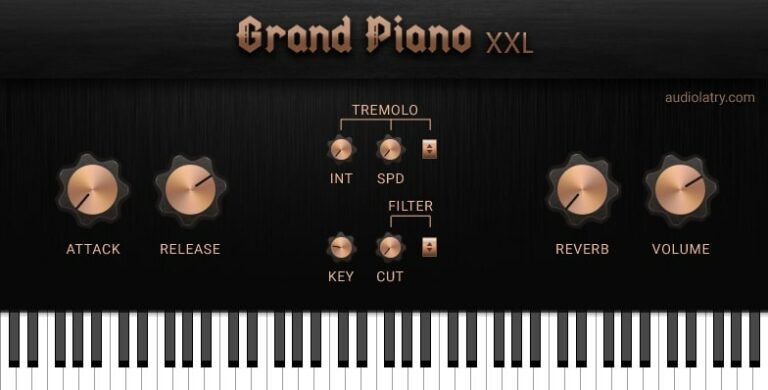
OS: Windows Win Mac Mac Bit Version: 64-bit Developer: Audiolatry Size: 1.19 GB Rating: 84/100
Grand Piano XXL offers rich, realistic piano tones based on detailed sampling of a Yamaha-style grand piano. It delivers expressive dynamics and warmth ideal for Hip Hop, R&B, and Lo-Fi production. Each note captures natural resonance and clarity, giving songs a polished, professional sound.
The plugin includes features like reverb, delay, chorus, tremolo, and a three-band EQ for shaping tone. Simple controls for attack, release, and stereo width help fine-tune the character of the instrument. Compatible with both Windows and macOS, Grand Piano XXL is a powerful free tool for modern music creators.
Features
- Sampled Yamaha C5 Grand Piano
- 16 Velocity Layers Per Note
- 48kHz 24bit Audio Quality
- Reverb, Chorus, Delay Effects
- Three-Band EQ Control
- ADSR Envelope Control
- Stereo Width And Pan Options
- Low CPU Usage Performance
- Supports VST, VST3, And AU
- User-Friendly Interface Design
Pros
- High-quality Yamaha C5 samples
- Sixteen velocity layers per note
- Realistic key release sounds
- Rich and warm piano tone
- Includes built-in reverb effect
- Includes chorus and delay effects
- Customizable tremolo and filter settings
- Strong dynamics and expressive response
- Low CPU usage performance
- Free to download and use
Cons
- Limited classical piano realism
- Less expressive than premium pianos
- Small sample set compared to others
- Lacks pedal noise simulation
- No half-pedal functionality
- Limited dynamic response variety
- No advanced microphone options
- Few customization options for tone
- Effects feel basic and limited
- Missing adjustable sample resonance
Testimonials
Tips
- I adjust the velocity curve in the plugin to make my playing more dynamic.
- I like to add a bit of reverb inside Grand Piano XXL so the sound feels bigger and more natural.
- Use the EQ controls to cut any muddy frequencies and keep the piano sound clean.
- Try using a sustain pedal with the plugin to make your performance more expressive.
- Keep CPU usage low by freezing or bouncing tracks once you’re happy with the sound.
- Experiment with different microphone positions in the plugin to change the piano’s tone.
2. Soft Piano
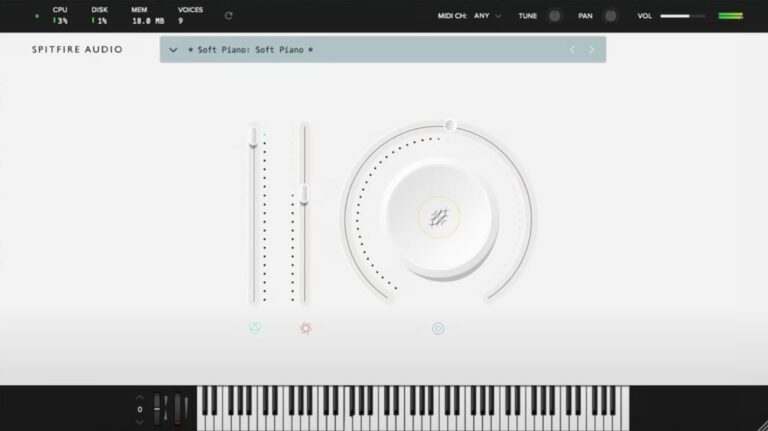
OS: Windows Win Mac Mac Bit Version: 64-bit Developer: Spitfire Audio Size: 417.8 MB Rating: 81/100
Soft Piano offers a warm, gentle piano tone recorded at Air Edel Studios in London. The felt layer between the hammers and strings creates a soft, intimate sound that works well for emotional tracks, film scoring, or quiet background parts in any project.
This plugin keeps things simple with clear controls for tone, dynamics, and expression. Its single sound layer delivers a natural, realistic feel that blends easily in mixes, making it a reliable choice for music creators who want an authentic and focused piano sound.
Features
- Single Intimate Felt Piano Sound
- Recorded At Air Edel Studios
- Dry And Soft Tonal Character
- VST And AU Plugin Formats
- 64-Bit Plugin Support
- Expression Slider For Volume Control
- Dynamics Slider Adjusts Note Strength
- Soft, Realistic Felt Hammer Texture
- Light CPU And Disk Usage
- Ideal For Lo-Fi And Ambient Music
Pros
- Warm and emotional piano tone
- Realistic felt piano texture
- Beautifully soft and intimate sound
- High-quality studio recordings
- Captures real acoustic piano detail
- Low CPU and memory usage
- Free and professional-sounding plugin
- Competes with paid piano plugins
- Ideal for lo-fi and ambient
- Perfect for cinematic soundtracks
Cons
- Only one piano sound available
- Very limited tone variety
- Lacks brightness and attack
- Can sound muffled or dark
- Few sound-shaping options
- Only one velocity layer
- No built-in reverb control
- No layering or split modes
- Volume level is quite low
- Expression range feels limited
Testimonials
Tips
- I like to start by lowering the dynamics so the Soft Piano sounds calm and gentle.
- I layer the Soft Piano with a pad sound to make my music feel richer.
- I use the built-in EQ to roll off a little low end so the mix doesn’t get muddy.
- Adjust the velocity curve so it matches your keyboard’s feel for smoother dynamics.
- Mix the Soft Piano with light strings to create emotional, cinematic sounds.
- Experiment with automation to make the reverb and dynamics change over time.
- Keep the sample library on a fast drive so the plugin loads quickly and runs smoothly.
3. Upright No. 1
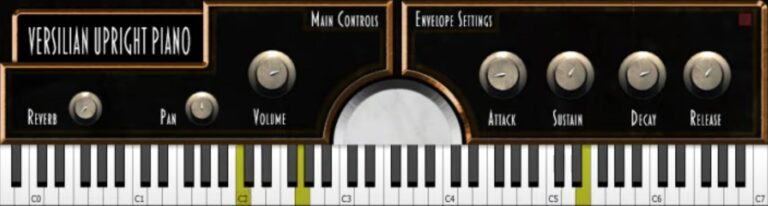
OS: Windows Win Mac Mac Bit Version: 32-bit, 64-bit Developer: Versilian Studios Size: 83 MB Rating: 80/100
Upright No. 1 offers the warm and familiar sound of a classic upright piano, recorded in stereo for a natural and close feel. It delivers a bright yet gentle tone with three velocity layers and two round robins, helping capture expressive and realistic performances.
Its simple controls let you shape space, tone, and dynamics using reverb, pan, volume, and envelope settings. The full decays of up to 30 seconds give notes room to breathe, making Upright No. 1 a solid choice for creating intimate or lively piano tracks.
Features
- Clean Sampling Of Upright Piano
- Bright And Clear Tone
- Broad Dynamic Range
- Three Velocity Layers
- Two Round Robins
- Full Decays Up To 30 Seconds
- Stereo Recording With Close Mics
- Built-In Reverb Control
- Adjustable Attack, Sustain, Decay, Release
- Lightweight And Fast Loading
Pros
- Very clear and natural tone
- Warm and homey upright sound
- Realistic key and pedal noises
- Three detailed velocity layers
- Two round robins for realism
- Long decays up to thirty seconds
- Light on CPU use
- Better realism than most free pianos
- Free for both Mac and Windows
- Available in VST and AU formats
Cons
- Only three velocity layers
- No customizable mic positions
- Limited sound shaping tools
- No true sympathetic resonance
- Less expressive than paid pianos
- Small sample set compared to others
- No half-pedal support
- High notes can sound thin
- Interface looks very basic
- Not as warm as some libraries
Testimonials
Tips
- When I record, I make sure to lower the reverb to keep the piano sound clean and clear.
- I try different mic positions in the plugin to find the sound that fits my mix best.
- I use light compression on the piano so the quiet notes don’t get lost in the mix.
- I adjust the velocity curve in my MIDI settings to make my playing feel more natural.
- Cut some low frequencies if the piano sounds too heavy in the mix.
- Test the piano sound in context with the full mix before doing final tweaks.
4. LABS Modular Piano
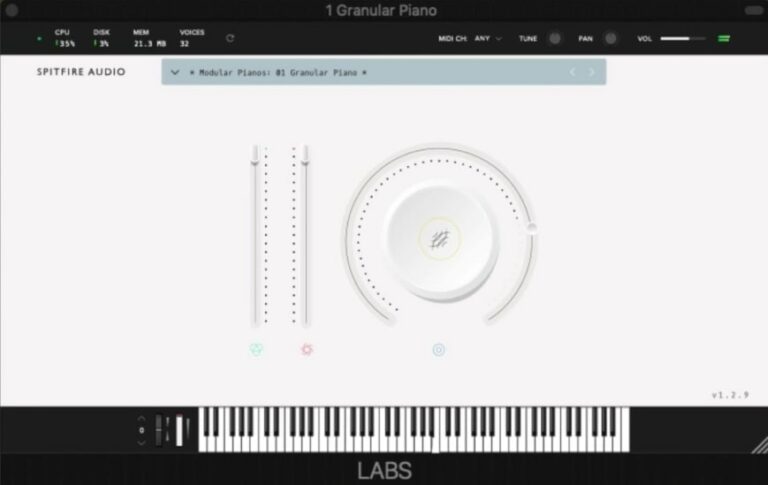
OS: Windows Win Mac Mac Bit Version: 64-bit Developer: Spitfire Audio Size: 378.1 MB Rating: 79/100
LABS Modular Piano offers a blend of acoustic warmth and electronic texture. Created from a felted upright Schimmel piano and a Wurlitzer, its sounds run through modular gear and analog effects to produce a moody, atmospheric tone with a slightly industrial feel.
With twelve sound options, you can move from soft, emotional tones to more experimental textures. Reverb, delay, and expressive controls let you shape your music’s mood, making this plugin useful for ambient tracks, cinematic scoring, or creative sound design.
Features
- Twelve Unique Piano And Key Sounds
- Sampled From Upright And Wurlitzer
- Modular Rig Sound Processing
- Includes Analog Reverbs And Delays
- Features Atmospheric And Industrial Tones
- Large Knob Adjusts Tone Or Texture
- Expression Slider Adds Dynamic Feel
- Onscreen Keyboard For MIDI Input
- Lightweight 378.1 MB Library Size
- Supports VST And AU Formats
Pros
- Unique mix of piano and synth
- Warm and atmospheric tone
- Free with high-quality samples
- Creative sound design options
- Lightweight but rich in texture
- Includes twelve unique sound presets
- Captures felt piano character
- Built-in reverb for depth
- Perfect for film scoring
- Expressive and dynamic playback
Cons
- Lacks realistic grand piano tone
- Too few tweakable sound controls
- No attack or release settings
- No built-in EQ or filter
- Can sound muddy with sustain
- High notes get harsh sometimes
- Interface feels too simple
- May use high CPU power
- No way to adjust reverb depth
- Limited to only twelve sounds
Testimonials
Tips
- I like to start by adjusting the reverb in LABS Modular Piano to make the sound fit my mix better.
- I try layering the Modular Piano with another LABS instrument to make a fuller sound.
- I use an EQ plugin after the Modular Piano to remove muddy low frequencies.
- Use the Expression and Dynamics sliders to shape the tone and intensity of the performance.
- Layering LABS Modular Piano with strings or pads can make a song sound more cinematic.
- Adding subtle compression can make the piano sound more consistent and professional.
5. TruePianos
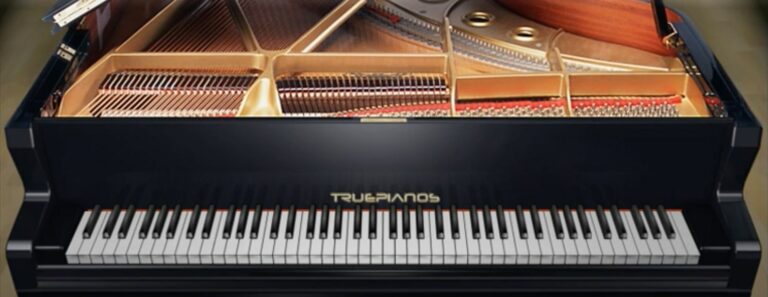
OS: Windows Win Mac Mac Bit Version: 32-bit, 64-bit Developer: 4Front Technologies Size: 114 MB Rating: 79/100
TruePianos offers a realistic piano experience designed to respond naturally to your playing. It features five sound modules with many presets that can be shaped to fit different styles. The plugin focuses on smooth real-time play, giving players an immediate and expressive feel.
TruePianos includes high-resolution display support, VST3 compatibility, and improved performance from a new audio engine. It works on both Windows and Mac in multiple formats and provides free updates for one year, making it a reliable choice for both studio and stage use.
Features
- Five Piano Sound Modules
- Low CPU Usage Efficiency
- Fast Load And Low Latency
- Real-Time Performance Optimization
- VST3 And AU Compatibility
- Simple And Clean Interface
- Instant Playability And Response
- Suitable For Live Performance
- Multi-Core Processing Support
- Distinctive Pop And Rock Character
Pros
- Very low CPU usage
- Loads almost instantly
- Has five piano modules
- Lightweight compared to sample pianos
- Simple and clean interface
- Improved audio engine speed
- Supports high-resolution screens
- Now has ARM64 support
- Works on Windows and Mac
- Sounds fit well in mixes
Cons
- Not the most realistic sound
- Lacks deep sample detail
- Limited customization for advanced users
- No built-in reverb controls
- Few microphone position options
- No round-robin sample variation
- Outdated visual interface design
- Small number of piano models
- No true pedal resonance modeling
- Beta version may have bugs
Testimonials
Tips
- Try using different TruePianos modules to match the mood of the song.
- Adjusting the velocity sensitivity can make the piano feel more expressive.
- Adding a little reverb or delay can make the piano sound more realistic.
- Use EQ to carve out space in the mix for the piano to shine.
- Keep the sustain pedal use balanced to avoid muddy sounds.
- Lower the buffer size when recording for less playing delay.
- Use automation to change piano volume in different song sections.
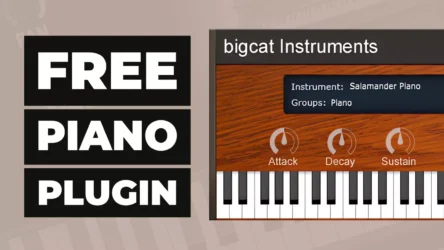
6. Salamander Piano
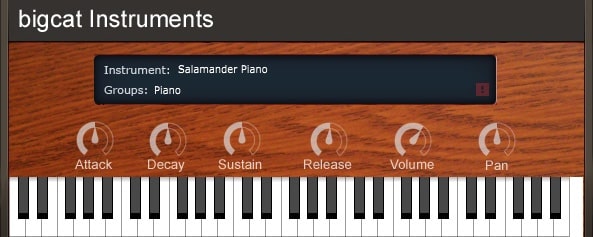
OS: Windows Win Mac Mac Bit Version: 32-bit, 64-bit Developer: Bigcat Instruments Size: 857 MB Rating: 78/100
Salamander Piano offers the rich and expressive tone of a Yamaha C5 Grand Piano, sampled across 16 velocity layers for realistic sound detail. It includes simple ADSR and pan controls, letting you shape the attack, sustain, and stereo placement to match your music style.
This plugin is great for creating bright rock or pop piano parts that stand out in a mix. Available for Windows and Mac in both 32-bit and 64-bit formats, Salamander Piano delivers a clean, smooth playing experience without the cost of commercial libraries.
Features
- Sampled Yamaha C5 Grand Piano
- 16 Velocity Dynamic Layers
- Adjustable Attack, Decay, Sustain, Release
- Pan And Volume Controls
- Supports VST And AU Formats
- Available In 32-Bit And 64-Bit
- Realistic And Expressive Piano Sound
- Free To Download And Use
- Works On Windows And Mac
- On-Screen Keyboard For Testing Sounds
Pros
- Very realistic grand piano sound
- Uses 16 rich velocity layers
- Warm and expressive tone
- Professional sound rivals paid plugins
- Adjustable attack and decay time
- Customizable sustain and release
- Clear and simple user interface
- Works on Windows and Mac
- Free to download and use
- Sounds natural even without processing
Cons
- Limited to one piano sound
- No built-in reverb options
- No built-in EQ settings
- Lacks round robin sampling
- No mic position adjustments
- Few sound shaping controls
- Interface looks a bit dated
- Large file size for free plugin
- May use more RAM than others
- Not updated often by developer
Testimonials
Tips
- I like to adjust the velocity curve so the piano feels natural when I play softly or loudly.
- I experiment with EQ to make the piano sound brighter or warmer depending on the song.
- Users should map the sustain pedal correctly to get realistic piano performance control.
- Keeping the buffer size small can help reduce latency while playing live.
- Using external reverb or delay plugins can add depth and space to the piano sound.
- The instrument should be balanced in the mix by adjusting volume and pan positioning.
- Make sure to match sample rate and bit depth with the DAW for the best sound quality.
7. Creepy Piano 3 Lite
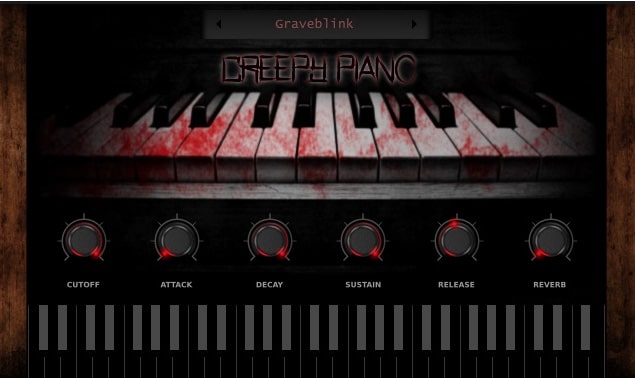
OS: Windows Win Mac Mac Bit Version: 64-bit Developer: Electronik Sound Lab Size: 673.6 MB Rating: 78/100
Creepy Piano 3 Lite is a free virtual instrument that focuses on dark, eerie piano tones made from processed recordings of Steinway and Yamaha pianos. It features 28 presets, along with controls like ADSR, LFO modulation, and filter cutoff to shape and adjust each sound easily.
Creepy Piano 3 Lite offers delay, reverb, and four ambient background layers—rain, vinyl, wind, and dark—for adding atmosphere. It’s suited for horror scores, game soundtracks, trap, and lo-fi projects, providing quick access to moody piano textures on both Windows and macOS.
Features
- 28 Multi-Sampled Piano Presets
- Lo-Fi And Dark Piano Tones
- ADSR Envelope Sound Control
- LFO Modulation With Rate And Depth
- Built-In Reverb And Delay Effects
- Four Layerable Background Sounds
- Lowpass And Highpass Filter Cutoff
- Supports VST, VST3, And AU Formats
- Works On Windows And Mac Systems
- Free For Personal And Commercial Use
Pros
- Instant dark piano sounds
- Field sounds add atmosphere
- Creative sounds not in other free pianos
- Strong lo-fi vintage vibe
- Has built-in reverb and delay
- LFO adds cool movement
- Includes 28 useful presets
- High quality recorded samples
- Low CPU and RAM use
- Perfect for horror soundtracks
Cons
- Lacks high-quality grand piano sound
- Limited tone shaping controls
- No built-in EQ control
- No velocity curve adjustment
- Few effects compared to others
- No advanced MIDI learn support
- Interface lacks resizing feature
- Preset browser feels very basic
- No dynamic resonance modeling
- Less realistic than some free pianos
Testimonials
Tips
- I like to lower the reverb when I want the piano to sound closer and more real.
- I use the tone knob to make the sound darker or brighter depending on the mood I want.
- I adjust the ADSR envelope to control how long the notes last after I press and release the keys.
- Combine Creepy Piano 3 Lite with pad sounds for a rich and eerie soundscape.
- Use automation to change reverb or tone throughout a song for more movement.
- Try adding a delay effect in your DAW for a ghostly echo sound.
- I like to play with the velocity settings to make soft or loud notes sound more natural.
8. Piano One
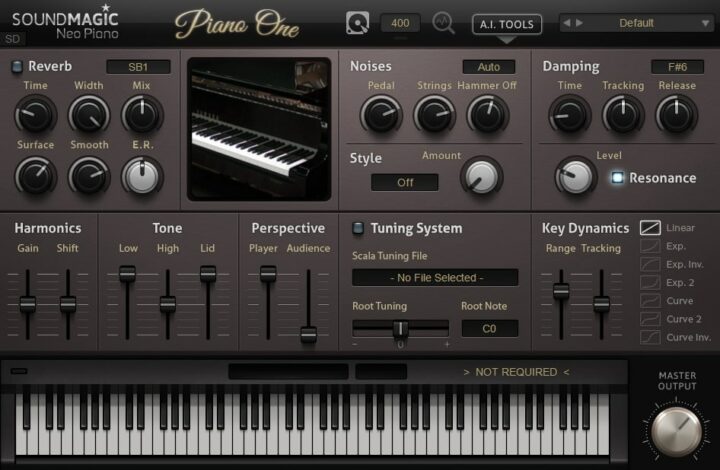
OS: Windows Win Mac Mac Bit Version: 32-bit, 64-bit Developer: Sound Magic Size: 414 MB Rating: 77/100
Piano One offers the sound of a Yamaha C7 concert grand piano through a blend of sampling and modeling. It delivers a natural tone with quick response, capturing both the body and brightness of a real grand piano. Its small file size allows for quick load times.
This plugin includes controls for reverb, tone, pedal noise, and dynamics to shape the piano’s feel and sound. Users can also expand its features with optional add-ons for deeper tone and style changes. Piano One provides a solid piano experience suited for many music projects.
Features
- Hybrid Modeling Yamaha C7 Sound
- 32 Note Polyphony Support
- Built-In Professional Reverb Engine
- Fast Loading And Low CPU Use
- Soft Pedal Samples Included
- Over 20 Optional Add-Ons
- Adjustable Tone And Dynamics
- Detailed Key And Pedal Noise
- Customizable Tuning And Style
- Lightweight 150 MB File Size
Pros
- Realistic Yamaha C7 concert sound
- Hybrid modeling for rich tone
- Fast loading and low CPU use
- Small 150 MB storage footprint
- Detailed pedal and key samples
- Customizable tone and dynamics
- Built-in professional reverb engine
- Wide stereo and space controls
- Lightweight alternative to big libraries
- Highly rated among free piano plugins
Cons
- Limited polyphony compared to others
- Only one main piano sound
- No built-in EQ section
- Interface looks a bit dated
- Limited velocity sensitivity range
- Dynamics can feel inconsistent
- Less depth than large libraries
- No microphone position controls
- Does not support round robins
- Pedal sound realism could improve
Testimonials
Tips
- I like to start by adjusting the velocity curve so the keys respond better to how I play. It makes the piano feel more real under my fingers.
- I use built-in reverb to add space and depth to my sound. A little goes a long way!
- I use my headphones when adjusting EQ so I can hear fine details in the tone. This helps me balance highs and lows nicely.
- Check the plugin’s output volume to avoid clipping or distortion. Keeping levels low prevents unwanted noise.
- Combine Piano One with a gentle compressor to smooth out loud and soft notes. This keeps the performance balanced.
- Use automation to change the reverb or tone over time for more emotion in your song.
9. MDA E-Piano
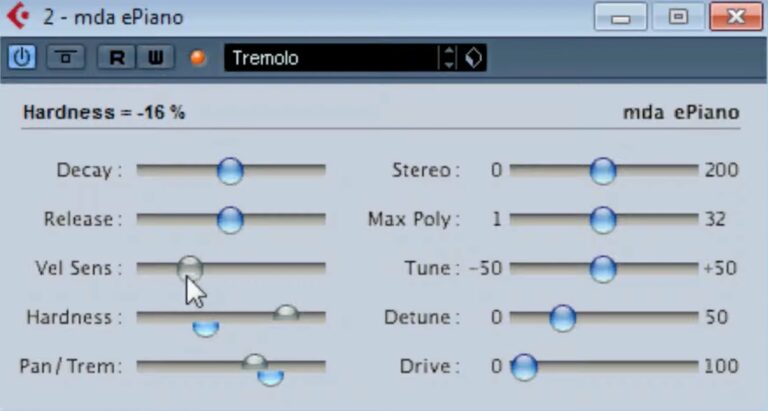
OS: Windows Win Mac Mac Bit Version: 32-bit, 64-bit Developer: MDA Size: 3.2 MB Rating: 75/100
MDA E-Piano offers the warm and classic tone of a vintage Rhodes electric piano. It uses 12 carefully sampled and mastered sounds with up to 32 voices of polyphony, letting you play smooth chords and melodies that keep their rich character and depth.
You can shape the sound with controls for decay, release, stereo width, and velocity response. The muffle and hardness knobs help fine-tune brightness, while a gentle filter keeps the tone soft and musical. It’s simple, flexible, and ideal for adding soulful keys to any track.
Features
- 12 Sampled Rhodes Piano Sounds
- Up To 32 Voice Polyphony
- Adjustable Stereo Width Control
- Velocity Sensitivity Adjustment
- Drive Control For Added Grit
- Pan And Tremolo Effects
- Decay And Release Controls
- Hardness And Muffle Settings
- Light On CPU Usage
- Available In VST And AU
Pros
- Warm and soulful Rhodes sound
- Rich and realistic tone
- Drive feature adds vintage grit
- Hardness knob for tone shaping
- Adjustable stereo width control
- Customizable decay and release
- Expressive velocity sensitivity
- Light on CPU usage
- Small file size and fast install
- Free and available on Windows, Mac
Cons
- Old interface looks dated
- No built-in reverb effect
- Limited tone shaping controls
- No modern preset browser
- No amp or cabinet simulation
- No support for high-resolution GUI
- Few sample layers for dynamics
- Missing modern MIDI learn system
- Can sound flat without effects
- Not updated for many years
Testimonials
Tips
- I use the velocity control to make my playing sound more natural and expressive.
- I like to add a bit of tremolo to give the sound a warm, moving feel.
- I keep the EQ flat first, then slowly boost or cut to make the sound clearer in a mix.
- Adding a small amount of overdrive can make the electric piano sound warmer and more lively.
- Chorus and phaser effects can create a classic 70s sound with smooth movement.
- Reverb helps the MDA E-Piano sit better in mixes by blending it with other instruments.
- Layering with strings or pads can give the electric piano more depth and emotional power.
10. Trap E. Piano
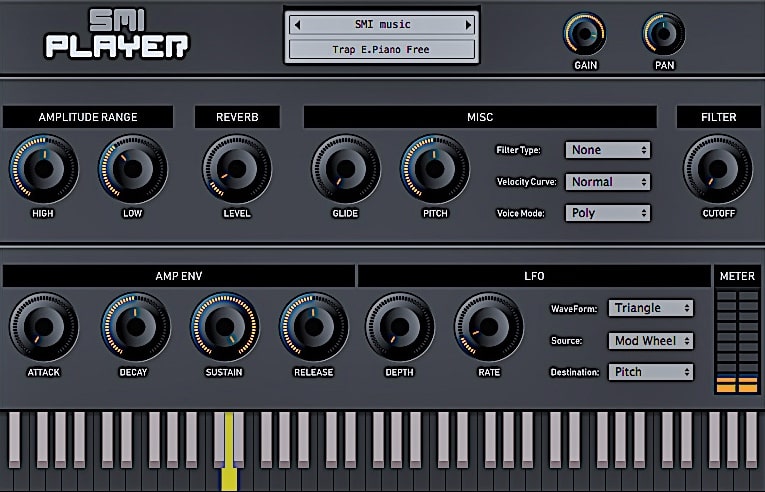
OS: Windows Win Mac Mac Bit Version: 32-bit, 64-bit Developer: SMI Music Size: 140 MB Rating: 74/100
Trap E. Piano offers smooth, modern electric piano tones shaped for trap music production. Its 32-bit samples and three velocity layers bring lively dynamics with a clear, rich tone. The plugin’s focus on genre-specific sound helps producers create authentic melodies and chords with depth and character.
It includes controls for gain, panning, reverb, filters, envelopes, and LFO modulation, giving flexibility to shape each sound. Available for Windows and Mac in both VST and AU formats, Trap E. Piano delivers reliable, high-quality tones that fit perfectly into today’s trap mixes.
Features
- 32-Bit High-Quality Samples
- Three Dynamic Velocity Layers
- Realistic Trap Piano Sound
- Reverb With Level And Frequency
- Filter With Resonance And Cutoff
- Envelope Controls Attack And Release
- Customizable Velocity Curve
- LFO With Multiple Parameters
- Polyphonic Voice Mode Option
- Supports VST And AU Formats
Pros
- Realistic trap-style piano sound
- Three velocity layers for dynamics
- Adjustable reverb adds deep space
- Low CPU usage for smooth play
- Filter controls shape unique tones
- Built-in LFO for sound movement
- Velocity curve makes touch natural
- Rich sound without extra plugins
- Free and easy to download
- Small storage size for power
Cons
- Lacks advanced piano realism
- Only three velocity layers
- Small sample library size
- Limited modulation flexibility
- No preset browser included
- Mac version can be unstable
- High CPU usage on old PCs
- Few customization options overall
- Lacks high-quality 24-bit samples
- Interface looks a bit dated
Testimonials
Tips
- I often use the reverb knob to make the piano sound bigger and more emotional.
- I use the low-cut filter to clean up the sound so it doesn’t clash with my bass.
- I like layering the Trap E. Piano with other instruments to make my beat feel rich.
- Use the Trap E. Piano’s built-in effects to shape the tone before adding outside plugins.
- Adjust the velocity sensitivity to make the piano feel more expressive when played.
- Using compression can help keep the Trap E. Piano balanced in the mix.
- Using MIDI effects like arpeggiators can create cool rhythmic patterns with this VST.
11. Iowa Grand Piano
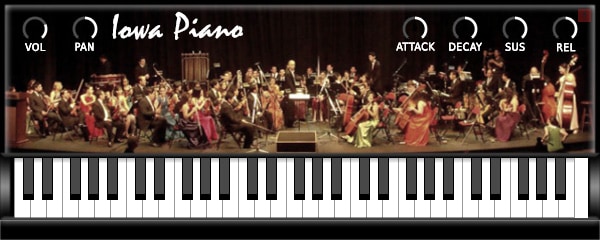
OS: Windows Win Mac Mac Bit Version: 32-bit, 64-bit Developer: bigcat Instruments Size: 340 MB Rating: 74/100
Iowa Grand Piano offers the sound of a Steinway grand captured from detailed samples by the University of Iowa. With three velocity layers, it delivers a natural response that reacts well to playing dynamics, making it suitable for both gentle melodies and bold performances.
Its simple interface includes controls for volume, panning, and tone shaping, allowing quick adjustments for any mix. The built-in keyboard and support for MIDI make it easy to play and record. Available for Windows and Mac, it brings a realistic grand piano sound to your DAW at no cost.
Features
- Steinway Grand Piano Sampling
- Three Velocity Layers
- Free University Of Iowa Samples
- Light On CPU Usage
- Simple And Clean Interface
- Realistic And Playable Sound
- Supports VST And AU Formats
- Available In 32-Bit And 64-Bit
- Pan Control For Stereo Position
- Sustain Control For Held Notes
Pros
- Real Steinway grand piano samples
- Three expressive velocity layers
- Wide and clear stereo sound
- Light on CPU performance
- Natural sustain and decay tone
- Very realistic low-end richness
- Clean and noise-free recordings
- No extra sampler needed to run
- Works on Windows and Mac
- Loads as standalone VST for free
Cons
- Limited to three velocity layers
- No built-in reverb or effects
- High notes sound harsh
- No half-pedal sustain support
- Lacks tone shaping options
- Upper octaves lack warmth
- Can sound sterile
- Limited dynamic range
- Only one piano model
- No round-robin sampling
Testimonials
Tips
- I like to adjust the velocity curve so the keys feel more natural when I play softer notes.
- I often add a bit of reverb to make the piano sound like it’s in a concert hall.
- I try layering the Iowa Grand Piano with strings for a bigger and warmer sound.
- Add a small amount of EQ to bring out the piano’s high or low tones as needed.
- Adjust the velocity sensitivity in the plugin to match your keyboard’s touch.
- Experiment with different mic positions inside the plugin for unique tones.
12. Atmos 2
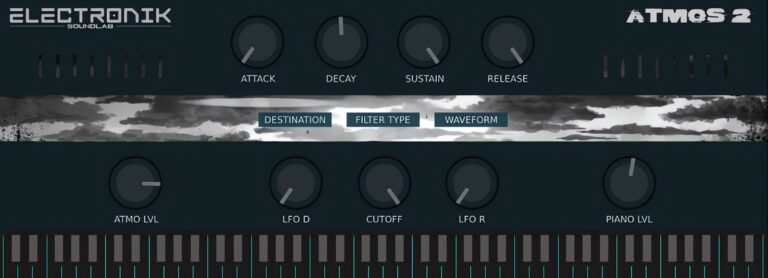
OS: Windows Win Mac Mac Bit Version: 64-bit Developer: Electronik Sound Lab Size: 189 MB Rating: 74/100
Atmos 2 offers a rich grand piano sound built from 56 samples of a Yamaha C3, recorded to capture natural tone and depth. It features two layers, letting producers blend soft piano tones with smooth atmospheric textures for cinematic or ambient music.
This plugin includes ADSR controls, an HP/LP filter, and LFO modulation to shape tone and movement with precision. Compatible with Windows and Mac, Atmos 2 gives creators a flexible tool for crafting warm pads, gentle piano layers, and expressive ambient melodies.
Features
- Features 56 Piano Samples
- Recorded From Yamaha C3 Grand
- Includes Two Sound Layers
- Has ADSR Envelope Controls
- Offers LFO Modulation Options
- Includes HP And LP Filter
- Supports 64-Bit VST And AU
- Creates Ambient Piano Textures
- Light On CPU Usage
- User-Friendly Control Interface
Pros
- Made from Yamaha C3 samples
- Two sound layers for depth
- Adjustable piano and atmosphere levels
- LFO adds gentle motion
- HP and LP filters included
- Light on computer CPU
- VST and AU formats supported
- Sounds warm and natural
- Comparable to paid ambient VSTs
- Perfect for film and video music
Cons
- Limited number of presets
- No velocity sensitivity option
- Few sample variations
- Limited sound customization
- No onboard EQ controls
- Missing sustain pedal realism
- No multiple mic positions
- Lacks modern GUI resizing
- Can crash on quick preset change
- No built-in reverb effect
Testimonials
Tips
- I always adjust the reverb to make my piano sound bigger or more distant.
- I use the ADSR (attack, decay, sustain, release) knobs to shape how my notes feel when played.
- I experiment with the tone knob to get bright or warm piano sounds depending on my song’s mood.
- Try turning off reverb inside the plugin if using external effects for better mixing control.
- Adjust the EQ inside your DAW to help the piano sit well in the overall mix.
- Use automation to change the volume or reverb of the piano throughout the song.
- Keep the plugin’s velocity sensitivity high for a more expressive playing experience.
13. DPiano-E
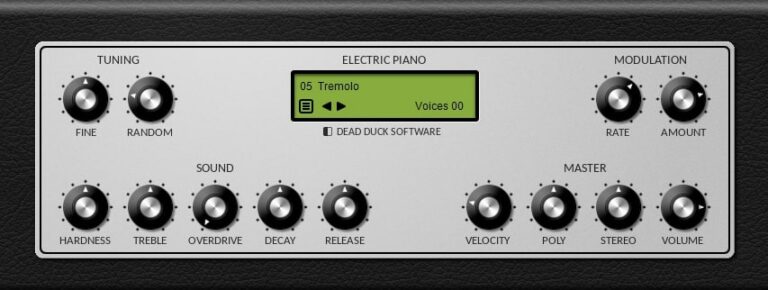
OS: Windows Win Bit Version: 32-bit, 64-bit Developer: Dead Duck Software Size: 1.4 MB Rating: 74/100
DPiano-E offers a smooth and natural electric piano sound in a small, free package for Windows. Its simple layout gives quick access to tone-shaping tools like Hardness, Treble, and Overdrive, letting you create anything from soft background keys to bright pop tones with ease.
With adjustable controls for decay, release, and stereo width, DPiano-E responds well to playing dynamics and fits nicely in mixes. It’s a handy choice for quick sketches, live jams, or full tracks when you need an expressive and realistic electric piano sound.
Features
- Free Electric Piano Instrument
- Simple And Easy Interface
- Runs On 32-Bit And 64-Bit
- Adjustable Sound Hardness
- Overdrive Warmth Control
- Decay Time Control
- Velocity Sensitivity Control
- Stereo Width Adjustment
- Low CPU And RAM Usage
- Responsive And Playable Sound
Pros
- Light on CPU and memory
- Natural and responsive dynamics
- Warm and clear electric tone
- Adjustable brightness with Hardness knob
- Realistic stereo sound control
- Smooth decay and release options
- Customizable velocity response
- Stable in large music projects
- Competes well with paid plugins
- Free and no registration needed
Cons
- No built-in reverb effect
- No support for macOS users
- Not as realistic as samples
- No included amp or cabinet sim
- Can sound flat without effects
- Limited preset sound options
- Lacks built-in EQ section
- Only available in VST format
- No built-in chorus effect
- Less dynamic range than others
Testimonials
Tips
- I use the tremolo feature to make my chords sound more alive and dreamy.
- Combining DPiano-E with a cabinet simulator can give it a more vintage, realistic sound.
- Placing chorus before reverb in your effects chain can give a wider, smoother tone.
- Using subtle compression helps keep all the notes even and controlled.
- Always listen in context with other instruments to make sure the Rhodes sound fits the mix.
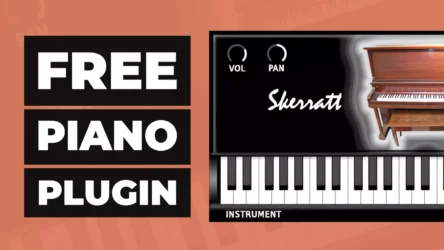
14. Skerratt London Piano
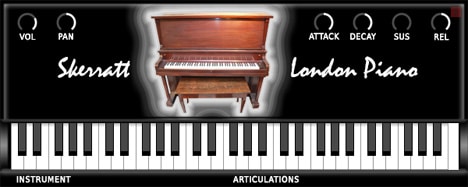
OS: Windows Win Mac Mac Bit Version: 32-bit, 64-bit Developer: Bigcat Instruments Size: 51 MB Rating: 74/100
Skerratt London Piano offers a warm, natural upright piano tone designed for music creators who want a simple and expressive instrument. It provides controls for adjusting volume, panning, and tone shape, making it easy to fit the piano sound into different musical styles.
The plugin includes six settings—volume, pan, attack, decay, sustain, and release—giving you control over how notes start, hold, and fade. Compatible with both Windows and Mac, Skerratt London Piano is a flexible tool for creating soft, character-filled piano parts.
Features
- Sampled Upright Piano Sound
- Warm And Mellow Tone
- Simple And Easy Interface
- Attack Time Control
- Sustain Length Control
- Release Time Setting
- Keyboard Display Feature
- Supports VST And AU
- Works On Windows And Mac
- Available In 32 And 64 Bit
Pros
- Free with high-quality sound
- Realistic upright piano samples
- Light on CPU performance
- Balanced dark yet clear tone
- Sits well in song mixes
- Full ADSR sound shaping control
- Simple and clean interface
- Warm and mellow piano tone
- Small download and install size
- Works on Windows and Mac
Cons
- No built-in EQ controls
- Limited preset variety
- No velocity curve adjustment
- Can sound too dark
- Small dynamic range
- No built-in effects section
- Loading can be slow
- No round-robin samples
- Limited sustain realism
- Doesn’t support half-pedaling
Testimonials
Tips
- I make sure to adjust the volume and tone settings to match the song I’m working on.
- I like to use a reverb effect to make the piano sound bigger and more real.
- I save my favorite settings as presets so I can use them again later.
- Experiment with EQ to bring out the midrange or brighten the top notes.
- Use gentle compression to keep the piano from getting lost in a mix.
- Layer the piano with a pad sound for a dreamy background texture.
- Use sustain pedal carefully to keep the sound clear and not muddy.
15. vRAM Epiano
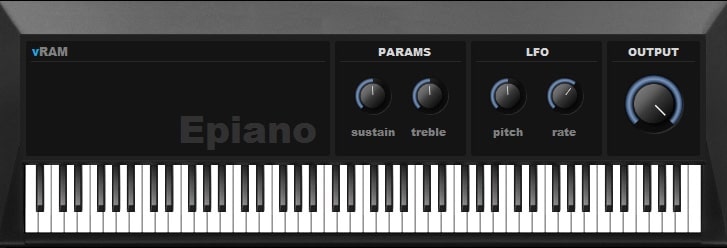
OS: Windows Win Bit Version: 32-bit Developer: vRAM Size: 6.7 MB Rating: 73/100
vRAM Epiano offers the warm, classic tone of a Wurlitzer-style electric piano in a simple VST package. It gives music makers smooth, dynamic sound with controls for sustain, treble, and pitch, making it easy to shape expressive tones for different styles.
With options for adjusting rate, output, and keyboard response, this plugin suits both quick sketches and detailed tracks. Its balanced mix of simplicity and depth helps capture realistic electric piano vibes while staying lightweight and responsive during playback or live use.
Features
- Authentic Wurlitzer Electric Piano Sound
- Easy-To-Use Interface
- Sustain Control For Note Length
- Includes Chorus And Tremolo Effects
- Excellent Velocity Response
- Low CPU Usage Performance
- Fast Loading In Most DAWs
- Output Control For Volume
- Treble Control For Brightness
- Good For Lo-Fi And Soul Tracks
Pros
- Warm and realistic Wurlitzer tone
- Low CPU usage performance
- Built-in chorus effect
- Built-in tremolo for movement
- Light on system memory
- Stable performance for live play
- Balanced tone in any mix
- Feels real when playing keys
- Free to download and use
- Ideal for lo-fi and soul
Cons
- Only works on Windows systems
- No 64-bit plugin version
- No macOS native support
- Limited editing and sound shaping
- Lacks built-in reverb effect
- No preset browser or banks
- May crash when switching presets
- No support for MIDI learn
- Does not support automation well
- No velocity curve adjustment
Testimonials
Tips
- I always check the velocity curve so my keyboard feels more natural when I play soft or hard.
- I use a little chorus to make the sound wider but avoid too much so it doesn’t get messy.
- I experiment with EQ to make sure the piano fits well in the mix without clashing with guitars or vocals.
- Pair the vRAM Epiano with a virtual amp to add life and realism to the tone.
- Always set the output level to avoid clipping when adding effects chains to the plugin.
16. Lo-Fi Keys
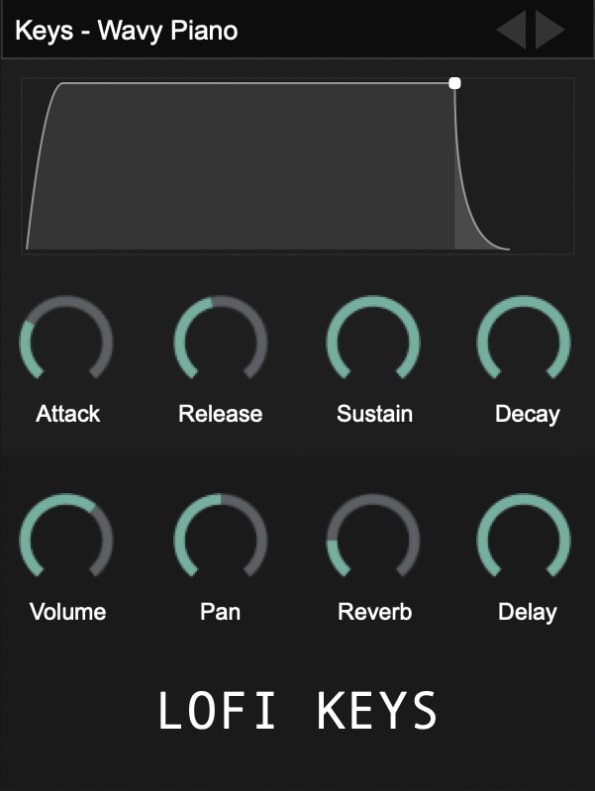
OS: Windows Win Mac Mac Bit Version: 32-bit, 64-bit Developer: Clark Pro Audio Size: 1 GB Rating: 72/100
Lo-Fi Keys is a free piano plugin that focuses on warm, nostalgic tones. It includes four instruments and nine presets, featuring upright and digital pianos suited for chill, vintage, or lo-fi styles. Each sound delivers character, helping you build relaxed and textured melodies with ease.
Lo-Fi Keys offers simple controls for shaping tone and space, including volume, reverb, delay, and more. It works with major music programs like FL Studio, Ableton Live, and Logic Pro X. The plugin’s small size and retro tone make it a handy choice for creating moody keys.
Features
- Includes Upright And Digital Pianos
- Built-In Reverb And Delay Effects
- Attack, Decay, Sustain, Release Controls
- Adjustable Lo-Fi Noise Elements
- Features Simple User Interface
- Works In Major DAWs
- Supports VST, AU, And VST3
- Compatible With Windows And Mac
- Creates Vintage Lo-Fi Piano Sounds
- Lightweight With 1 GB Size
Pros
- Free plugin with pro-quality sound
- Authentic warm lo-fi piano tone
- Includes upright and digital keys
- Has reverb and delay built in
- Custom tone shaping with effects
- Lightweight and easy to install
- Supports VST, AU, and VST3 formats
- Vintage character with modern polish
- Ideal for ambient and hip-hop styles
- Competes well with paid plugins
Cons
- Crashes often in Logic Pro X
- High CPU usage on some systems
- GUI sometimes freezes during use
- Presets don’t always load correctly
- Can’t play full chords
- Lacks velocity layer variety
- No advanced tone-shaping tools
- No MIDI learn or automation mapping
- Less stable than similar free pianos
- Limited range of piano tones
Testimonials
Tips
- I use a low-pass filter to make the piano sound soft and cozy, perfect for Lo-Fi beats.
- I often adjust the tape saturation knob to add a warm, vintage flavor to the keys.
- I enjoy adding a little reverb to make the keys feel like they are in a dreamy space.
- Use velocity sensitivity to make your playing more expressive and natural.
- Use EQ to cut low frequencies that muddy up the mix, keeping it clean and clear.
- Record a few takes and choose the one with the best feel—it’s okay if it’s not perfect, Lo-Fi loves imperfections.
17. DPiano-A
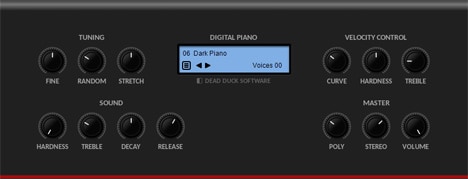
OS: Windows Win Bit Version: 32-bit, 64-bit Developer: Dead Duck Software Size: 1.3 MB Rating: 71/100
DPiano-A offers the sound of an acoustic piano in a simple and compact plugin. Its warm and natural tone works well for LoFi, pop, or rock styles. With options for tuning, pitch feel, and tone control, it helps shape a realistic and expressive piano sound.
This plugin includes settings for note behavior, touch response, and stereo width, giving you control over how the piano plays and fits in a mix. DPiano-A runs on Windows and supports both 32-bit and 64-bit VST formats, making it a flexible choice for quick musical ideas.
Features
- Warm And Natural Piano Sound
- Simple And Easy-To-Use Interface
- Ideal For LoFi And Pop Music
- Hardness Controls Key Attack Tone
- Treble Changes Piano Brightness
- Decay Sets Sound Fade Length
- Release Controls Note End Time
- Stereo Adjusts Sound Width
- Light On CPU Resources
- Fast Loading And Stable Performance
Pros
- Warm and natural piano tone
- Light on CPU performance
- Doesn’t need extra sound libraries
- Customizable key response curve
- Adjustable stereo width
- Responsive to playing dynamics
- Works smoothly on old systems
- Loads quickly in any project
- Realistic tuning options
- Completely free to download
Cons
- No built-in reverb or chorus
- Limited to acoustic piano sounds
- Not ultra realistic piano tone
- No preset library included
- No sustain pedal simulation option
- Cannot layer sounds or textures
- No MIDI learn functionality built-in
- No onboard EQ or compressor
- Fewer dynamics than real pianos
- No high-quality stereo sampling
Testimonials
Tips
- I like to start by testing a few presets in DPiano-A to find the sound that fits my song best.
- I use the EQ knobs to make the piano brighter or warmer depending on the mood I want.
- I like to play softer on my MIDI keyboard to make my piano sound more realistic.
- I layer DPiano-A with strings to make the music sound fuller and more emotional.
- Use DPiano-A in a mix by giving it some space with panning, so it doesn’t clash with other instruments.
- Adding light reverb can help the piano sit better in the mix without sounding muddy.
- Experiment with different MIDI velocity curves to match your playing style and keyboard feel.
18. Sonatina Piano
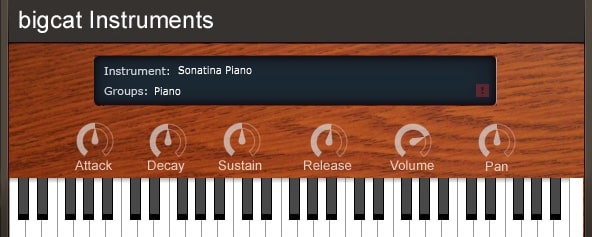
OS: Windows Win Mac Mac Bit Version: 32-bit, 64-bit Developer: bigcat Instruments Size: 42 MB Rating: 71/100
Sonatina Piano offers the rich, expressive tone of a concert grand in an easy-to-use virtual instrument. Sampled from the Sonatina Symphonic Orchestra library, it delivers a realistic sound suited for many music styles. It works on both Windows and Mac in VST and AU formats.
The plugin includes simple controls for attack, decay, sustain, and release, giving users flexibility over dynamics and tone. Volume and pan knobs allow fine adjustments, while the built-in keyboard makes quick testing easy. Sonatina Piano brings lifelike piano sounds to your mix without added complexity.
Features
- Sampled Grand Piano Sound
- Expressive Dynamic Range
- Available In VST And AU
- Works On Windows And Mac
- Light On CPU Usage
- Low Latency Performance
- Fast Loading Time
- Attack Control For Sound Start
- Sustain Control For Note Hold
- On-Screen Playable Keyboard
Pros
- Realistic concert grand piano sound
- Very low CPU usage
- Takes very little RAM memory
- Responsive and low latency playing
- Competes with paid piano plugins
- Good dynamic range for a free VST
- Runs smoothly on most DAWs
- Available for Windows and Mac
- Supports 32-bit and 64-bit systems
- Controls for volume and tone shaping
Cons
- No built-in reverb or effects
- Limited dynamic layers
- No half-pedal or resonance
- Few sound-shaping options
- No EQ or tone control
- Lacks realistic sustain resonance
- UI looks old
- Sound feels thin in mixes
- No velocity curve customization
- No detailed support
Testimonials
Tips
- I make sure to pick the right preset—it helps the piano fit the mood of my song.
- I use a little reverb to make the piano sound bigger and more real.
- Use EQ to remove low rumble and make the piano clearer in a mix.
- Use the sustain pedal carefully—too much can make the sound muddy.
- Experiment with different MIDI velocities to find the most natural feel.
- I try to play softly sometimes, because this plugin reacts well to dynamics.
- I layer this piano with strings from the same library for a fuller sound.
19. 4Front R-Piano
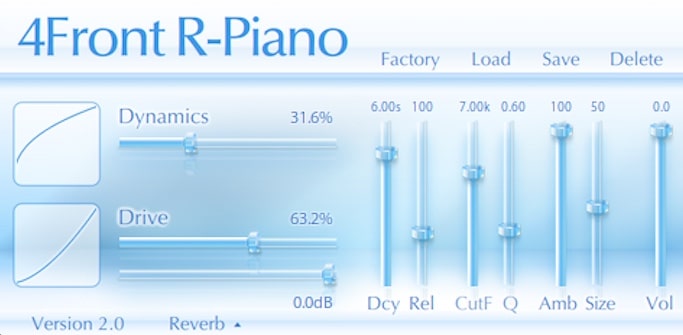
OS: Windows Win Mac Mac Bit Version: 32-bit, 64-bit Developer: George Yohng Size: 14 MB Rating: 70/100
4Front R-Piano offers a classic Rhodes-style electric piano sound with a smooth and warm tone. It captures the character of the RSP73 piano, using 127 continuous layers to create a natural response and gentle drive for added depth and expression.
The plugin includes easy controls for dynamics, decay, release, and ambiance, allowing you to shape the tone to fit your track. Designed for both Windows and Mac, 4Front R-Piano is ideal for quick sketches or adding a vintage electric piano feel to any mix.
Features
- Vintage Electric Piano Emulation
- 127 Continuous Sound Layers
- Rhodes-Style Warm Tone
- Gentle Overdrive Control
- Dynamics Slider For Expression
- Ambience Slider For Room Feel
- Compressor Effect Included
- Preset Load And Save Options
- Low CPU And RAM Usage
- VST And AU Formats
Pros
- Warm and vintage Rhodes tone
- Light on CPU usage
- Simple and clean interface
- Smooth 127-layer sound design
- Includes drive and ambiance controls
- Compact file size footprint
- Instant sound with no tweaking
- Works on Windows and Mac
- Free and easy to install
- Stable and reliable performance
Cons
- No real acoustic piano tone
- Sound options feel very limited
- Cannot load custom samples
- No velocity curve customization
- Lacks modern effects and tools
- No support for advanced modulation
- Offers no detailed EQ section
- Limited realism in high registers
- Static tone can sound repetitive
- Not suited for complex performances
Testimonials
Tips
- I make sure to adjust the velocity curve so the piano feels more natural when I play.
- I like to add a little reverb after the R-Piano to make it sound like it’s in a real room.
- I use EQ to cut some low end if my piano sound is too muddy in a mix.
- I save my favorite settings as presets so I can use them again later.
- Use compression gently to make the piano sit better in a busy mix.
- Play with velocity and sustain controls to give the piano a more human performance feel.
20. Keyzone Classic
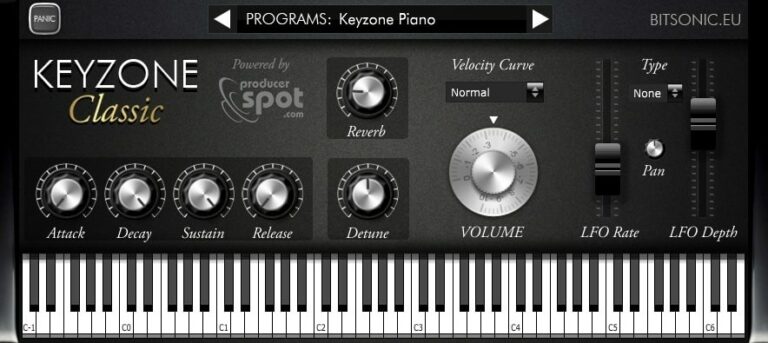
OS: Windows Win Mac Mac Bit Version: 32-bit, 64-bit Developer: Bitsonic Size: 302 MB Rating: 69/100
Keyzone Classic offers a collection of sampled piano sounds, including the Yamaha Grand, Steinway Grand, Rhodes, and basic electric piano. It gives music creators a simple way to add realistic piano tones to their projects without needing large sound libraries or complex setups.
The plugin includes built-in reverb, modulation, and an ADSR envelope for shaping each note’s feel. With options to adjust attack, sustain, and pitch, it helps users create anything from bright leads to soft background layers across many music styles.
Features
- Sample-Based Piano Sounds
- Includes Yamaha Grand Piano
- Features Steinway Grand Piano
- Includes Rhodes And Electric Piano
- Built-In Reverb Control
- ADSR Envelope Editing
- Velocity Curve Adjustment
- Detune Pitch Control
- LFO Rate And Depth Control
- Available In VST And AU Formats
Pros
- Comes with five piano types
- Includes Yamaha and Steinway samples
- Built-in reverb and modulation
- Has velocity curve control
- Includes bright Rhodes piano sound
- Adjustable attack and release times
- Useful detune and pan options
- Supports both 32-bit and 64-bit
- Free for Windows and Mac
- Lightweight and quick installation
Cons
- High CPU use on some systems
- Limited control over sound shaping
- No built-in EQ section
- Lacks advanced velocity layers
- No sustain pedal noise feature
- No support for half-pedaling
- No round-robin sample variation
- Reverb sounds basic and thin
- Slow loading of piano samples
- Sampling feels smaller than big libraries
Testimonials
Tips
- I like to start by picking a preset that sounds close to what I want before making small changes.
- I often use the reverb knob to make my piano sound bigger and more natural.
- I adjust the velocity curve so that the piano reacts better to how hard I play.
- I use EQ to cut unwanted low or high frequencies that make the piano sound muddy or harsh.
- I save my favorite settings as presets so I can use them again later.
- Adding a gentle chorus effect can give the piano more depth and movement.
- Experiment with layering different piano plugins for richer and more complex sounds.
21. Big Blue Piano
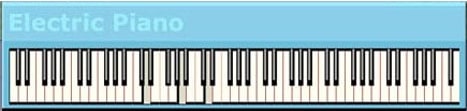
OS: Windows Win Bit Version: 32-bit Developer: Daniel Smith Music Size: 1 MB Rating: 69/100
Big Blue Piano is a free electric piano plugin for Windows created by Daniel Smith Music. It recreates the classic Fender Rhodes tone with a smooth and expressive sound. The plugin uses the mod-wheel and aftertouch to shape vibrato, giving players responsive and natural control.
Its simple design focuses on performance rather than visuals, offering just a clean on-screen keyboard and clear labeling. Big Blue Piano is a solid choice for adding warm, emotional electric piano tones to tracks without complicated settings or extra features.
Features
- Free Electric Piano Plugin
- Fender Rhodes Style Sound
- Simple Minimal Interface
- Vibrato Controlled By Mod-Wheel
- Channel Aftertouch Adjusts Vibrato
- Supports Pitchbend Control
- Keyboard Display
- Works With MIDI Controllers
- Low CPU Usage
- 32-Bit VST Format
Pros
- Beautiful and realistic Rhodes-style sound
- Good dynamic and expressive range
- Aftertouch gives real playing feel
- Vibrato control adds nice depth
- CPU friendly for large projects
- Reverb built in and usable
- Feels great when played live
- Sounds better than many free VSTs
- Perfect for ambient and lo-fi
- Works great for film scoring
Cons
- Only works on Windows systems
- Limited to 32-bit format
- No support for Mac users
- No built-in reverb options
- No preset browser or saving
- Lacks advanced sound shaping tools
- No attack or release control
- No EQ or filter settings
- Lacks multiple electric piano types
- Very basic visual interface
Testimonials
Tips
- I adjust the reverb and chorus knobs to make the piano sound more dreamy or warm.
- I use a soft touch on my MIDI keyboard, because the Big Blue Piano responds nicely to gentle dynamics.
- I use the EQ controls to cut out low frequencies that clash with the bass.
- Try adjusting the attack and release settings to make the notes sound more natural and expressive.
- Use modulation effects like chorus or phaser to make the electric piano sound alive.
- Apply a bit of tape or vinyl effect for a vintage electric piano vibe.
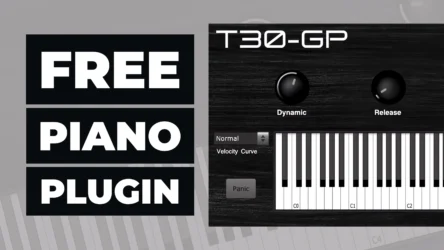
22. T30-GP
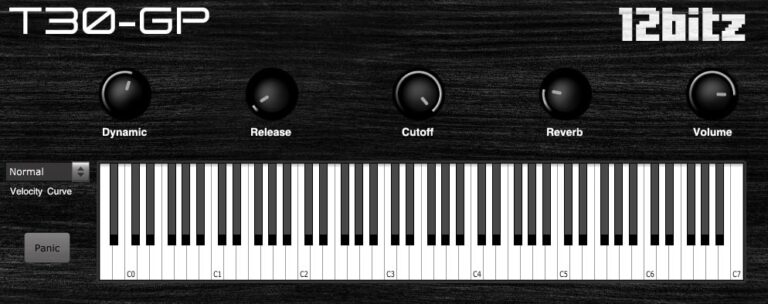
OS: Windows Win Mac Mac Bit Version: 32-bit, 64-bit Developer: 12Bitz Size: 193 MB Rating: 69/100
T30-GP offers the sound of a sampled Steinway Grand Piano in an easy-to-use plugin for Windows and Mac. With 88 notes and three velocity layers, it captures a natural piano tone suited for many types of music projects and playing styles.
It includes controls for dynamics, release, cutoff, reverb, and volume, giving users flexibility in shaping their sound. The velocity curve feature helps adjust key response, while the visual keyboard and panic button make performance and testing simple during music creation.
Features
- Sampled Steinway Grand Piano Sound
- Three Velocity Layers
- Dynamic Control For Note Expression
- Release Control For Note Length
- Cutoff Filter For Tone Adjustment
- Reverb Effect For Added Space
- Velocity Curve For Play Feel
- Supports VST And AU Formats
- Available In 32-Bit And 64-Bit
- Compatible With Windows And Mac
Pros
- Realistic Steinway grand piano sound
- 88 fully sampled piano keys
- Three velocity layers for depth
- Low CPU use for smooth play
- Includes built-in reverb effect
- Cutoff control adds tone variety
- Velocity curve makes playing natural
- Warm, bright, or dark tone options
- Lightweight sample size for speed
- Feels expressive compared to free rivals
Cons
- Few velocity layers reduce realism
- Small sample library size
- No support for sustain pedal
- Missing sympathetic resonance effect
- No round-robin sample variation
- Limited tone-shaping options
- Interface looks dated and plain
- Reverb sounds a bit generic
- Velocity curve feels inconsistent
- Not optimized for low CPU usage
Testimonials
Tips
- I often lower the reverb a little to make the piano sound more clear in a busy mix.
- I experiment with velocity sensitivity so my soft and hard notes feel more natural.
- Experiment with the mic position controls to find a sound that fits your style.
- Balance the T30-GP volume with other tracks so the piano doesn’t overpower the mix.
- Use compression lightly to make every piano note sound even and clear.
- Try different room settings in the plugin to match the mood of each song.
23. City Piano Crisp
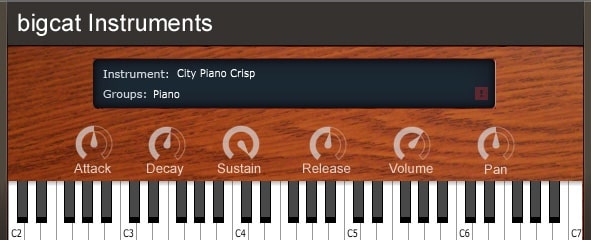
OS: Windows Win Mac Mac Bit Version: 32-bit, 64-bit Developer: Bigcat Instruments Size: 205 MB Rating: 67/100
City Piano Crisp offers the rich tone of a sampled Baldwin Baby Grand Piano in a simple, free VST for Windows and Mac. With four velocity layers, it delivers a natural and balanced sound that works well across many musical styles and recording setups.
It includes easy controls for attack, decay, sustain, release, volume, and pan, allowing you to shape your sound quickly. City Piano Crisp is a practical choice for creating expressive piano parts without complex setup or heavy processing.
Features
- Baldwin Baby Grand Samples
- Four Velocity Layers
- Attack, Decay, Sustain, Release Controls
- Volume And Pan Adjustment
- Built-In Keyboard Viewer
- VST And AU Formats
- Supports 32-Bit And 64-Bit
- Works On Windows And Mac
- Realistic And Natural Piano Sound
- Instrument Display Section
Pros
- Real grand piano sound quality
- Four speed layers for dynamics
- Better realism than many free VSTs
- Lightweight and quick to load
- Low CPU usage performance
- No extra sample libraries needed
- Includes full ADSR controls
- Works with most DAWs easily
- Reliable 32-bit and 64-bit support
- Free and easy to install
Cons
- Limited reverb or ambience control
- Lacks built-in effects options
- No pedal noise or resonance
- Dynamics feel uneven at times
- Limited realism compared to others
- Needs extra plugins to shine
- No built-in EQ adjustments
- Lower range lacks rich warmth
- Short sustain on louder notes
- Smaller sample size than rivals
Testimonials
Tips
- I use a MIDI keyboard to play City Piano Crisp because it feels more natural than typing notes.
- I turn down the reverb when I want a dry, close sound for pop or rock songs.
- I use light compression to make the piano sound steady and clear in a mix.
- I like to EQ out some low mids if the piano sounds too boomy.
- Use sustain pedals or MIDI automation to give notes a more natural flow.
- Use velocity sensitivity to make the piano performance feel more expressive.
- Try layering two piano plugins slightly detuned for a rich, realistic sound.
24. CVPiano
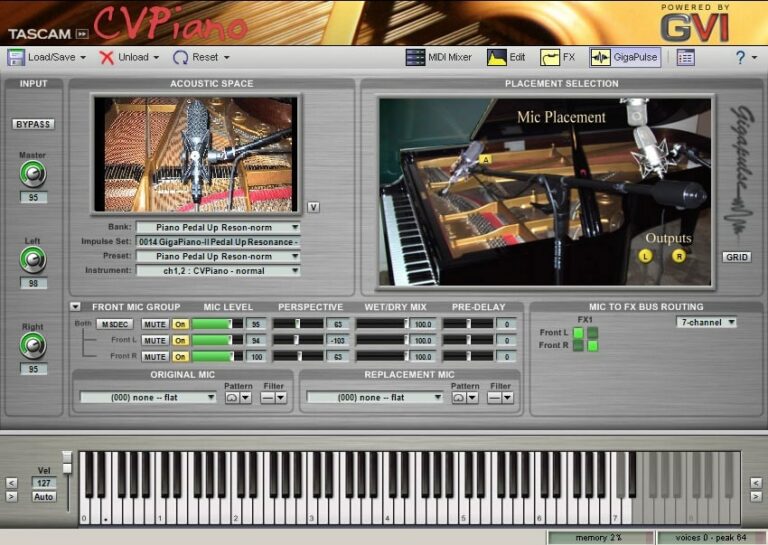
OS: Windows Win Bit Version: 32-bit Developer: Tascam Size: 156 MB Rating: 64/100
CVPiano offers a realistic grand piano sound created through spectral morphing technology. Instead of using many layered samples, it shapes tone and dynamics from a single sample, allowing smooth and expressive changes during play. This makes the piano sound natural and detailed at every touch.
Based on a 7’4″ Kawai Grand recorded at Electric LarryLand Studios, CVPiano provides adjustable room size, mic placement, and tone controls. Features like reverb, EQ, and velocity curve let users fine-tune the sound for different styles, from soft jazz to classical performances.
Features
- Based On Spectral Morphing Technology
- Produces Continuous Spectral Variation
- Realistic And Expressive Piano Tone
- Kawai Grand Piano Source Sound
- Adjustable Acoustic Space Control
- Customizable Mic Placement Options
- Built-In Reverb Effect Control
- Three-Band EQ For Tone Shaping
- Velocity Curve Sensitivity Adjustment
- Low Memory Usage Design
Pros
- Very realistic grand piano tone
- Spectral morphing adds smooth detail
- Low memory use for performance
- Adjustable mic placement options
- Pedal noise adds extra realism
- Velocity curve for player control
- Clear shimmering piano character
- Smaller size than sampled pianos
- Cut-through sound fits in mixes
- Inspired by a premium KAWAI model
Cons
- No macOS support
- No 64-bit support
- Crashes in modern DAWs
- High CPU usage
- Noticeable latency
- Outdated interface
- Limited presets
- Unstable with buffer changes
- Not updated in years
- No MIDI automation
Testimonials
Tips
- I like to adjust the reverb to make the piano sound more natural, like it’s in a real room.
- I make sure my MIDI keyboard’s velocity curve matches CVPiano’s sensitivity so it feels right when I play.
- I often turn off reverb inside CVPiano if I plan to use an external reverb plugin later.
- Placing EQ after CVPiano in the plugin chain can help shape the piano tone better.
- Lowering polyphony can help reduce CPU load if the computer starts lagging.
- Experimenting with mic position and resonance settings can make the sound feel more realistic and alive.
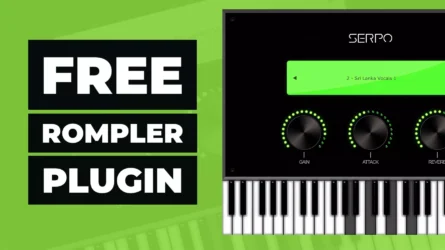
25. Serpo
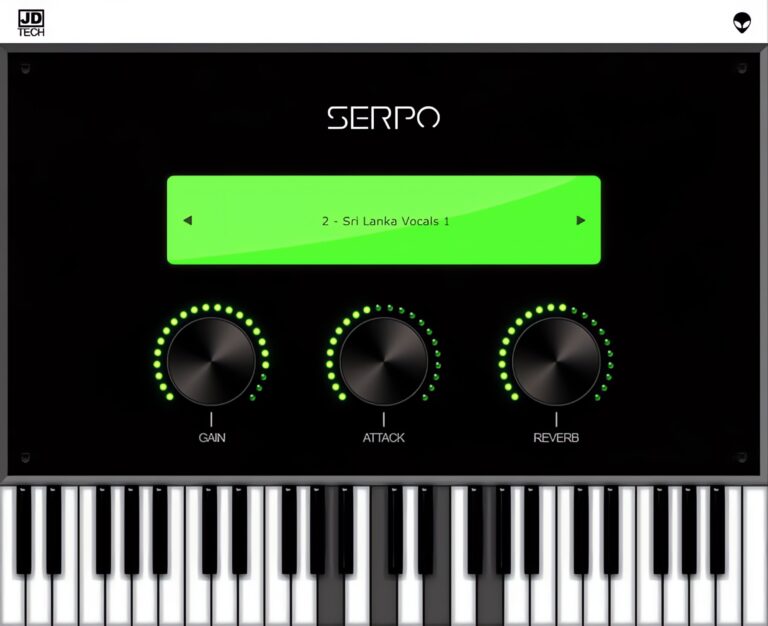
OS: Windows Win Mac Mac Bit Version: 32-bit, 64-bit Developer: JD TECH Size: 30 MB Rating: 63/100
Serpo offers a free and simple way to explore a wide range of sounds for music creation. Developed by JD TECH, it includes instruments such as piano, violin, guitar, trumpet, and drums, along with male and female vocals. Each sound is sampled from artists around the world.
The plugin includes basic controls like gain, attack, and reverb to shape tone and depth. Its built-in preset selector allows quick sound changes for different styles. Serpo works on both Windows and Mac, making it a practical tool for producers seeking fresh, ready-to-use sounds.
Features
- Free Rompler VST Plugin
- Original Sounds From Artists
- User-Friendly Interface Design
- Reverb Effect For Depth
- Preset Selector For Quick Access
- Built-In Virtual Keyboard
- Light On CPU Usage
- Works On Windows And Mac
- Supports VST And AU Formats
- Includes Leads, Pads, And Basses
Pros
- Free to download and use
- Works on Windows and Mac
- Wide mix of real instruments
- Includes horns and brass sounds
- Low CPU use during play
- Fast loading with no extras
- Includes reverb for space depth
- Attack control for sound shaping
- Better variety than most free horns
- Lightweight but good sound quality
Cons
- Sound quality below pro standards
- Missing detailed horn articulations
- Lacks multilayer instrument sampling
- No modulation or LFO options
- Does not support MIDI learn
- No velocity sensitivity options
- Limited to basic sound shaping
- Few updates since initial release
- Bugs and crashes sometimes reported
- Not optimized for big projects
Testimonials
Tips
- I like to play with the attack and release knobs to make the horn sound smoother or punchier.
- I often use a MIDI keyboard to control Serpo because it helps me get more natural-sounding notes.
- I use a small amount of reverb to make the horn sound like it’s in a real room.
- I like to use EQ to cut some low frequencies so the horn doesn’t clash with the bass.
- Automate the expression or modulation wheel in your DAW for more lifelike horn phrasing.
- Layer Serpo with another horn plugin to get a fuller, more realistic brass section sound.
- Adding light compression can help control horn dynamics and keep the volume steady.
26. Keyzone
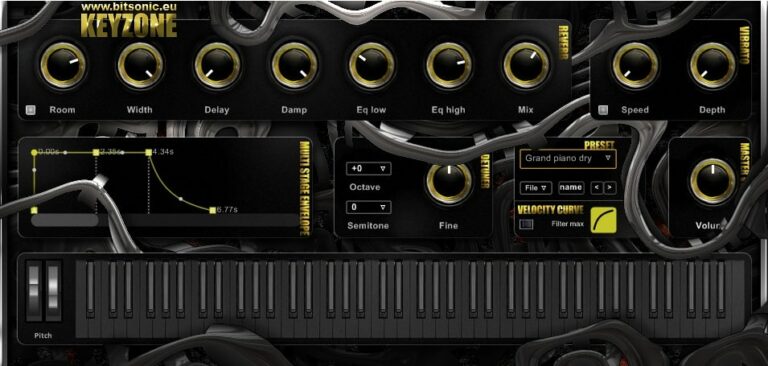
OS: Windows Win Bit Version: 32-bit Developer: Bitsonic Size: 148 MB Rating: 62/100
Keyzone offers a selection of piano, electric piano, and accordion sounds made from layered samples. It includes presets like grand piano, Rhodes, and organ tones that can fit many music styles. The plugin is designed for Windows and runs as a 32-bit VST.
Keyzone gives creators simple tone-shaping tools like reverb, vibrato, and EQ controls. You can adjust pitch, volume, and dynamics using its octave, semitone, and velocity settings, making it easy to shape how the keys respond and sound in your tracks.
Features
- Layered Piano And Accordion Sounds
- Built-In Reverb And Delay
- EQ Low And High Controls
- Width Control For Stereo Spread
- ADSR Envelope With Graph Display
- Vibrato Speed And Depth Settings
- Octave And Semitone Shifting
- Velocity Curve Customization
- Simple Preset Selection And Saving
- Quick Loading And Easy Interface
Pros
- Warm and natural accordion sound
- Easy to use interface
- Adjustable vibrato for expression
- Fine tuning for custom sound
- Velocity curve control adds realism
- Built-in reverb and delay effects
- Light on storage space
- Responsive MIDI velocity handling
- Realistic dynamics for free plugin
- Includes Hammond B3 and accordion
Cons
- Only 32-bit, no 64-bit support
- No Mac or Linux version
- Limited sound realism and detail
- Lacks modern resizable interface
- Can cause CPU spikes
- Not compatible with newer DAWs
- No MIDI learn for controls
- Few effects compared to rivals
- Small number of presets
- Limited expression for live playing
Testimonials
Tips
- I often add reverb to give the accordion sound more space and make it feel real.
- I use the velocity control to make my playing sound more natural, just like a real accordion player.
- I try layering two accordion presets to get a richer tone.
- I pay attention to EQ to make sure the accordion doesn’t cover up my vocals.
- Adjusting panning can make the accordion sit nicely in the stereo mix.
- Automating the volume can make the accordion sound more dynamic during the song.
27. 4Front Piano
OS: Mac Mac Bit Version: 32-bit, 64-bit Developer: George Yohng Size: 27 MB Rating: 61/100
4Front Piano offers a simple and reliable upright piano sound in a compact plugin. It loads instantly and provides a warm, natural tone suited for many musical styles. With no settings or adjustments, it focuses on quick access to a classic piano feel.
This plugin works well for sketching ideas, backing chords, or basic recording setups. Its light design makes it stable on most systems and easy to add to any project. 4Front Piano is an efficient choice for musicians who need a clean piano sound right away.
Features
- Simple And Clean User Interface
- Upright Piano Sound Character
- Light On CPU And Memory
- Instant Loading With Zero Setup
- 32-Bit And 64-Bit Support
- Available In VST And AU Formats
- Warm And Mellow Piano Tone
- Stable Performance Without Crashes
- Ideal For Quick Music Sketches
- Good For Studio And Live Use
Pros
- Loads almost instantly
- Uses very little CPU
- Free and high quality
- Instant plug-and-play piano
- Works on both Mac and PC
- Clean and simple interface
- No setup or tweaking needed
- Sounds warm and natural
- Works well on old computers
- Narrow stereo fits layered mixes
Cons
- Lacks built-in reverb or EQ
- Limited dynamic expression
- Metallic highs sound unnatural
- Can sound flat and lifeless
- No velocity curve control
- Not as realistic as sampled pianos
- No sustain pedal customization
- Stereo image feels narrow
- Lacks warmth in low registers
- Feels outdated compared to modern VSTs
Testimonials
Tips
- I like to start by lowering the velocity curve so my piano sounds softer when I play gently.
- I use a bit of reverb after the 4Front Piano to make it feel like I’m in a big hall.
- I adjust my EQ so that the low notes don’t clash with bass instruments.
- Add light compression after the piano plugin to even out loud and soft parts.
- Adjust MIDI velocity in your DAW to make the playback feel more human and expressive.
- Use EQ and reverb sparingly to keep the piano sounding natural and clear in your mix.
28. 4Front E-Piano

OS: Windows Win Mac Mac Bit Version: 32-bit Developer: George Yohng Size: 45.7MB Rating: 59/100
4Front E-Piano offers a smooth and classic electric piano sound inspired by the DX-7 style. It’s a compact plugin that works right after loading, with no settings to adjust. Its simple design makes it easy to use for quick playing or songwriting.
This plugin delivers a warm, mellow tone that fits nicely in many styles of music, from lo-fi to pop. It responds well to MIDI keyboards and runs efficiently, making it a reliable choice for those who want a clean electric piano sound without extra tweaking.
Features
- Simple Electric Piano Sound
- DX7-Type E-Piano Timbre
- Low CPU And Memory Use
- Loads Instantly In DAWs
- Works With MIDI Keyboards
- Available In VST And AU
- Stable And Lightweight Design
- Plug-And-Play Operation
- No Controls Or Settings
- 32-Bit Plugin Format
Pros
- Very low CPU and memory use
- Instant load with no setup
- Warm and smooth piano tone
- No need for extra effects
- Lo-fi tone great for hip hop
- Light download size and easy install
- Realistic dynamic range feel
- No controls to distract creativity
- Works on both Mac and Windows
- Stable and never crashes live
Cons
- No sound editing options
- Lacks built-in effects
- Only one preset sound
- No velocity curve control
- No EQ or tone control
- Cannot save sound changes
- No layering or split features
- Lacks realistic dynamic expression
- No sustain pedal controls
- May sound flat in mixes
Testimonials
Tips
- I like to adjust the velocity curve to make the keys respond better to my touch.
- I keep the reverb low when I want a tight, punchy sound for pop or funk songs.
- I mix a touch of chorus when I want a dreamy or vintage vibe.
- I use EQ to cut some low frequencies if the piano sounds too muddy.
- Try using compression to balance out the soft and loud notes of the e-piano.
- Layering the electric piano with other instruments can create a rich, live-sounding mix.
- Use subtle modulation effects like chorus or phaser to add gentle movement to the sound.
29. DSK The Grand
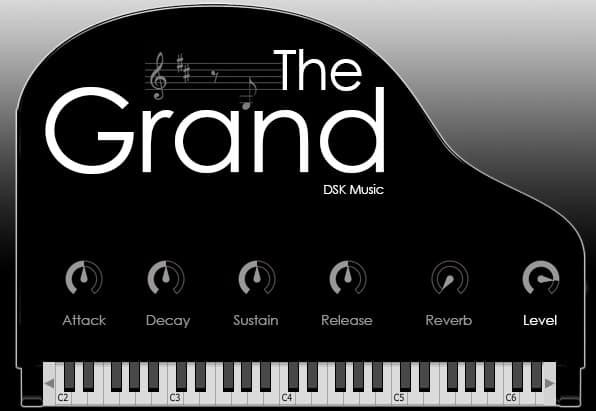
OS: Windows Win Bit Version: 32-bit, 64-bit Developer: DSK Music Size: 47 MB Rating: 59/100
DSK The Grand offers a rich and realistic grand piano sound made from multiple samples per note and four velocity layers. It gives players natural dynamics and smooth response, making it well-suited for creating warm piano parts without needing large sample libraries.
Players can shape the tone using ADSR envelope controls to adjust attack, sustain, and release. The Built-in reverb adds depth and space, from a small room to a large hall. DSK The Grand is available for both Windows and Mac in 32-bit and 64-bit formats.
Features
- Four Velocity Layers Per Note
- ADSR Envelope Sound Control
- Built-In Reverb Effect
- Realistic Grand Piano Tone
- Simple And Clean Interface
- Adjustable Attack, Decay, Sustain, Release
- Level Control For Volume
- Onscreen Keyboard Display
- Available In VST And AU Formats
- Supports 32-Bit And 64-Bit Systems
Pros
- Warm and realistic piano tone
- Low memory use for samples
- Four velocity layers for depth
- Built-in reverb adds space
- ADSR controls shape the sound
- Light on CPU for small projects
- Mixes well with other instruments
- Dynamic range feels natural
- Loads fast in most DAWs
- Comparable to top free pianos
Cons
- Limited control over piano tone
- No half-pedaling support
- Small sample library size
- CPU load can get heavy
- Reverb quality is basic
- Missing detailed velocity control
- Limited realism compared to paid
- Unstable in some DAWs
- Latency can be noticeable
- No built-in EQ or compressor
Testimonials
Tips
- I try changing the velocity curve settings so soft touches sound gentler and loud hits sound powerful.
- I use an EQ plugin after The Grand to cut low frequencies that make the mix too muddy.
- I like to layer The Grand with strings or pads to make my music sound fuller.
- Placing a compressor after the plugin can help keep the piano’s loud and quiet notes more even.
- Using a MIDI controller makes playing more expressive compared to just clicking notes in a piano roll.
- I like to use the DSK The Grand with a little bit of reverb to make the piano sound like it’s in a big room.
30. DSK Elektrik Keys
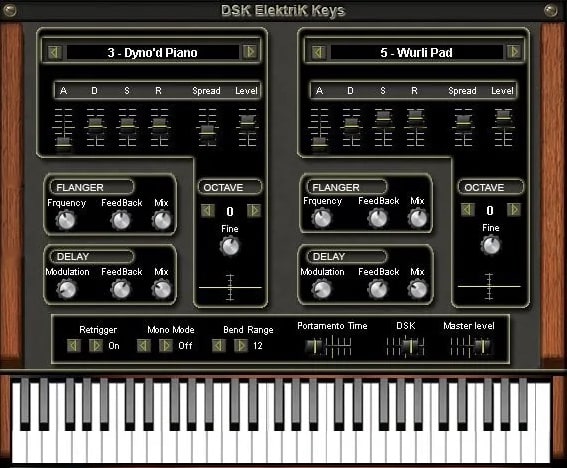
OS: Windows Win Bit Version: 32-bit Developer: DSK Music Size: 5.6 MB Rating: 55/100
DSK Elektrik Keys offers a range of classic electric piano sounds built from two layers and 13 waveforms. Its octave select and micro-detuner features allow players to fine-tune tones, while built-in delay and flanger effects add motion and space to the sound.
This plugin gives music creators several presets that capture different electric piano styles, from smooth Rhodes tones to sharper FM keys. With assignable automation and simple controls, DSK Elektrik Keys helps producers shape warm, expressive keyboard parts in any mix.
Features
- Three Expressive Electric Piano Sounds
- Two Sound Layers With 13 Waveforms
- Built In Delay And Flanger Effects
- Assignable Automation For Parameters
- Preset Selector For Quick Sound Changes
- Adjustable Portamento And Bend Range
- Velocity Sensitive And Dynamic Response
- Simple Interface With Visual Keyboard
- Lightweight Plugin With Fast Loading
- Wide Stereo Image And Warm Tone
Pros
- Realistic Rhodes and Wurli sounds
- Thirteen waveforms for tone variety
- Two sound layers for depth
- Built-in delay and flanger effects
- Adjustable stereo spread control
- Warm tines-style distortion option
- Assignable automation for flexibility
- Nicely balanced preset collection
- Free yet rivals paid plugins
- Good stereo imaging and presence
Cons
- No 64-bit version available
- Can cause DAW crashes
- Uses lots of CPU
- Interface looks outdated
- Few presets available
- No reverb effect
- Clicks and pops on release
- Limited effects options
- No velocity curve control
- Less dynamic range
Testimonials
Tips
- I use the velocity control to make my playing sound more natural and expressive.
- I try layering DSK Elektrik Keys with a soft pad to make the sound feel fuller and warmer.
- I sometimes add a touch of chorus to make the electric piano sound wider.
- Use EQ to cut low frequencies that may muddy up the overall sound.
- Use the built-in effects in DSK Elektrik Keys to shape the sound before adding external plugins.
- Save custom presets after tweaking, so you can easily use your favorite sounds again.
31. PIANO S

OS: Windows Win Linux Linux Bit Version: 32-bit, 64-bit Developer: Orchestools Size: 1 GB Rating: 55/100
PIANO S offers the sound of a sampled Yamaha C5 Grand piano through a three-layer rompler engine. It gives music makers detailed control over tone, dynamics, and reverb, helping shape expressive piano sounds for recordings or practice without needing a real instrument.
You can adjust EQ, compression, and reverb settings, or explore presets to find the tone you like. Editable controls for filters, envelopes, and velocity response let you fine-tune warmth, brightness, and feel, making PIANO S a flexible tool for creative sound shaping.
Features
- Three-Layer Grand Piano Module
- Sampled Yamaha C5 Sound
- Built-In EQ, Compressor, Reverb
- Custom Preset Save And Load
- Detailed Sound Editor Panel
- Adjustable Attack And Decay Curves
- Velocity And Pitch Controls
- Plate And Convolution Reverb Options
- Envelope Section For Sound Shaping
- Visual Browser For Preset Selection
Pros
- Uses real Yamaha C5 samples
- Warm and rich piano tone
- Three-layer sound depth
- Includes built-in EQ controls
- Has useful reverb options
- Includes compression controls
- Has pitch and filter controls
- Customizable presets available
- More effects than most free pianos
- Good dynamic response range
Cons
- High CPU use on playback
- Causes audio glitches and cracks
- Too few velocity layers
- Reverb sounds fake and harsh
- Long loading times for samples
- Can crash certain DAWs easily
- VST3 version still unstable
- No macOS version available
- Limited dynamic range control
- Interface feels cluttered and busy
Testimonials
Tips
- Choose a piano preset that matches the song’s feel—bright piano for pop, warm piano for jazz or classical.
- Adjust the mic position controls to get a closer or more distant piano tone.
- Use the built-in reverb or delay to place the piano in a realistic space, like a hall or room.
- Experiment with velocity sensitivity to make the piano play more expressively.
- Keep the piano’s output level balanced so it fits well with other instruments in the mix.
- Save your favorite sound as a preset to quickly recall it for new projects.
32. EVM Free Grand Piano

OS: Windows Win Bit Version: 32-bit Developer: EVM Synths Size: 9.8 MB Rating: 53/100
EVM Free Grand Piano offers a simple way to add a full piano sound to your music. It delivers a stereo acoustic tone with presence and touch response, giving your tracks more life. The controls for tune, sustain, and decay let you shape the sound with ease.
This free Windows VST is best for quick piano layers or projects that need a clear, bright tone. Its lightweight design makes it easy to load, and the adjustable settings help you find the right balance between warmth and clarity for your mix.
Features
- Stereo Acoustic Piano Sound
- Simple Easy-To-Use Interface
- Tune Control For Note Pitch
- Decay Control For Sound Fade
- Sustain Adjustment For Note Length
- Octave Shift For Range Change
- Presence Control For Brightness
- Light On CPU Usage
- Works Well For Layering
- Good Velocity Response
Pros
- Uses very little CPU power
- Loads quickly with no lag
- Light download size for storage
- Adjustable tune control
- Handy decay control for sound tail
- Nice stereo field for depth
- Good presence in any mix
- Works well on older computers
- Quick to set up and play
- Great for layering with others
Cons
- Only works on Windows
- Limited to 32-bit
- Sounds thin and weak
- Not very realistic tone
- No built-in reverb
- Very basic sound controls
- Lacks modern depth
- Interface looks old-fashioned
- Struggles in professional mixes
- No updates or support
Testimonials
Tips
- I like to adjust the velocity curve so that my soft and loud notes sound more natural.
- I use a little reverb to make the EVM Free Grand Piano sound like it’s in a real room.
- I roll off some low EQ frequencies if the piano sounds too heavy in the mix.
- Adding a light compression can help the piano sit nicely in the overall mix.
- Layering the Free Grand Piano with another piano VST can create a fuller, richer sound.
- I use the sustain pedal in moderation so the notes don’t sound muddy.
33. Neo Piano mini

OS: Windows Win Mac Mac Bit Version: 32-bit, 64-bit Developer: Sound Magic Size: 609 MB Rating: 49/100
Neo Piano mini is a sampled Yamaha C7 concert grand piano from Sound Magic. It captures the detailed tone of the C7, offering deep lows and bright highs for realistic piano sounds. You can shape the tone, reverb, and tuning to match many musical styles or settings.
Neo Piano mini offers simple tools for adjusting brightness, volume, and space, making it flexible for different tracks. While it may not sound as full as paid libraries, it provides a solid starting point for quick sketches, learning, or adding light piano layers in a mix.
Features
- Sampled Yamaha C7 Grand Piano
- Captures Deep And Bright Tones
- Supports VST And AU Formats
- Adjustable Tone And Brightness
- Tuning Control For Pitch Shift
- Built-In Reverb Effect Option
- Keyboard View For Note Display
- Hammer Off Level Meter Display
- Tool Section For Main Settings
- Knob Control For Volume Or Effects
Pros
- Based on famous Yamaha C7 piano
- Hybrid modeling for realistic texture
- Built-in reverb for room sound
- Adjustable brightness and warmth
- Simple controls for tone and tuning
- Works on Windows and Mac systems
- Comes in VST and AU formats
- Lightweight installation size
- Easy to layer with other pianos
- Good mid-range sound clarity
Cons
- Sound is thin and plasticky
- High CPU usage for quality
- Crashes some DAWs easily
- Latency noticeable while playing
- Licensing system is confusing
- Interface looks old and dull
- Velocity feels unnatural
- Limited dynamic range
- Less realistic than other free pianos
- Poor low and high balance
Testimonials
Tips
- I like to start by picking a preset that matches the sound I’m going for, then tweak it until it feels right.
- I try changing the velocity curve so the keys respond better to how hard I play.
- I like to use a little bit of reverb to give the piano a sense of space.
- I use EQ to make my piano fit better with other instruments in the mix.
- Layering Neo Piano mini with strings or pads can create a rich, emotional sound.
- Using automation can make changes in tone or reverb over time for a dynamic effect.
- Backing up custom presets prevents losing your favorite piano tones later.
Piano VST Plugins Compared
This table compares the top 10 Piano VST plugins by features, controls, effects, formats, and more.
| Details | Grand Piano XXL | Soft Piano | Upright No. 1 | LABS Modular Piano | TruePianos | Salamander Piano | Creepy Piano 3 Lite | Piano One | MDA E-Piano | Trap E. Piano |
|---|---|---|---|---|---|---|---|---|---|---|
| Image | 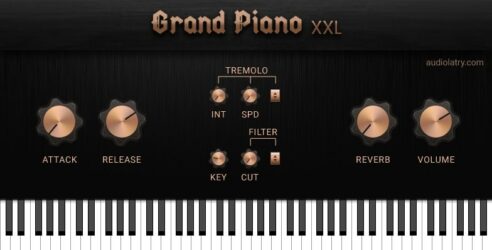 |
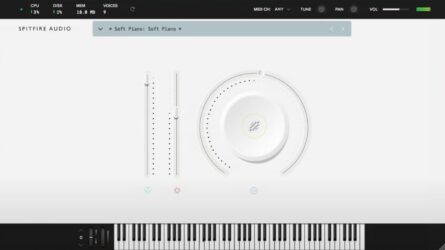 |
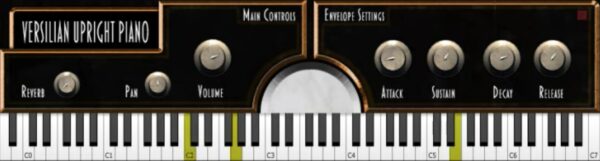 |
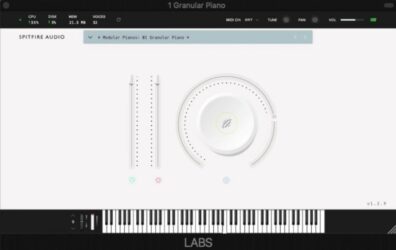 |
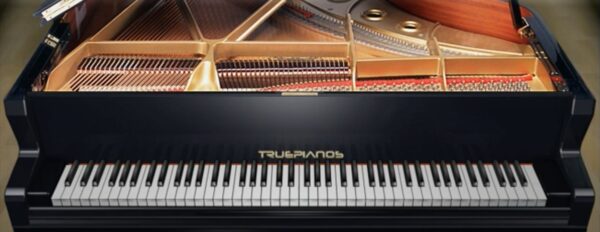 |
|
 |
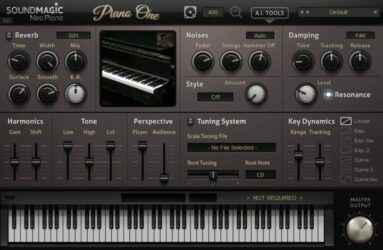 |
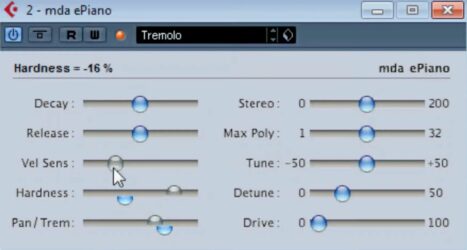 |
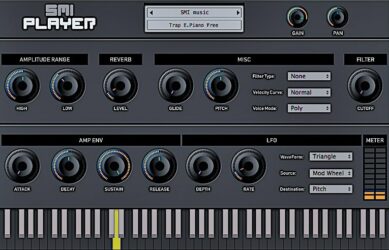 |
| Rating | ||||||||||
| OS | Windows, Mac | Windows, Mac | Windows, Mac | Windows, Mac | Windows, Mac | Windows, Mac | Windows, Mac | Windows, Mac | Windows, Mac | Windows, Mac |
| Formats | VST3, AU | VST, AU | VST, AU | VST, AU | VST, VST2, VST3, AU | VST, AU | VST, VST3, AU | VST, AU | VST, AU | VST, AU |
| Bit Version | 64-bit | 64-bit | 32-bit, 64-bit | 64-bit | 32-bit, 64-bit | 32-bit, 64-bit | 64-bit | 32-bit, 64-bit | 32-bit, 64-bit | 32-bit, 64-bit |
| Developer | Audiolatry | Spitfire Audio | Versilian Studios | Spitfire Audio | 4Front Technologies | Bigcat Instruments | Electronik Sound Lab | Sound Magic | MDA | SMI Music |
| License | Freeware | Freeware | Freeware | Freeware | Commercial | GPL | Freeware | Freeware | Freeware | Freeware |
| Sample-Based | Yes | Yes | Yes | Yes | No | Yes | Yes | Yes | No | Select |
| Download Size | 1.19 GB | 417.8 MB | 83 MB | 378.1 MB | 114 MB | 857 MB | 673.6 MB | 414 MB | 3.2 MB | 140 MB |
| CPU Load | Low | Low | Low | Low | Low | Low | Low | Low | Low | Low |
| Polyphony | 128 | 128 | 64 | 128 | 256 | 16 | 16 | 64 | 8 | 64 |
| Features | Realistic Sampling, 16 Velocity Layers, Built-in Effects, ADSR Envelope, Key Release Control, Intuitive Interface, Royalty-Free Sounds | Felted tone, Intimate sound, Expression control, Dynamics control, Texture blending, On-screen keyboard, Tune and pan | Broad dynamic range, Bright tone, Three velocity layers, Round robins, Stereo sampling, Full decays, Realistic sound | Modular rig, Analog reverbs, Delay effects, Twelve sounds, Expression control, Reverb control, Atmospheric tone | Real-time performance, Multiple modules, Intuitive control, Numerous presets, Quick loading, Low latency, Inspiring playability | 16 Velocity Layers, ADSR Controls, Pan Control, Realistic Sound, Expressive Playability, Smooth Interface, Versatile Tone | Lo-fi piano, ADSR envelope, LFO modulation, Filter control, Reverb effect, Delay effect, Layered sound effects | Hybrid modeling, Yamaha C7 sound, Add-on system, Pedal realism, Reverb engine, Expressive playability, Adjustable tone | Sampled Rhodes Sounds, Polyphony Control, Width Adjustment, Decay Control, Release Control, Velocity Sensitivity, Muffling Filter | Gain Control, Pan Adjustment, Reverb Effect, Filter Shaping, Velocity Curve, Amp Envelope, LFO Modulation |
| Controls | Attack, Release, Reverb, Pan, Stereo Width, EQ, Volume | Instrument Menu, Expression Slider, Dynamics Slider, Big Circular Dial, On-Screen Keyboard, MIDI Channel Menu, Volume Control | Reverb, Pan, Volume, Attack, Sustain, Decay, Release | Instrument Menu, Volume Slider, Big Round Knob, Expression Slider, Reverb Button, Piano Keyboard, Settings Area | Interface, Keyboard, TruePianos Logo, Lid Display, String Section, Wooden Frame, Preset Selector | Instrument Display, Attack, Decay, Sustain, Release, Volume, Pan | Preset Selector, Cutoff, Attack, Decay, Sustain, Release, Reverb | Reverb, Size, Width, Mix, Noises, Style, Damping | Decay, Release, Velocity Sensitivity, Hardness, Pan/Trem, Stereo Width, Max Poly | Gain, Pan, Amplitude Range, Reverb, Filter Type, Velocity Curve, Voice Mode |
| Effects Included | Reverb, Pan, Stereo Width, Three-Band EQ | Tune, Pan, Volume | Reverb, Pan, Attack, Sustain, Decay, Release | Analog reverbs, delays, other FX, reverb | Unknown | Unknown | Delay, Reverb | Reverb | Tremolo, Distortion, Filter | Reverb, Filter, LFO |
| MIDI Learn | Unknown | Unknown | Unknown | Unknown | Yes | Unknown | Unknown | No | Unknown | Unknown |
| Presets | 8 | N/A | N/A | N/A | 60 | 16 | 10 | N/A | 4 | 50 |
| Standalone | No | No | Yes | No | Yes | No | No | Yes | No | Select |
| Last Updated | 07/19/2023 | N/A | 09/07/2019 | 01/31/2019 | 04/18/2014 | 04/12/2015 | 04/12/2021 | 06/14/2023 | 06/19/2002 | N/A |
Favorite Piano VST Plugins
Our top picks for the best free Piano VST plugins are Grand Piano XXL, Piano One, and Keyzone Classic. These plugins offer great sounds, features, and effects for music projects.
| Details | Grand Piano XXL | Piano One | Keyzone Classic |
|---|---|---|---|
| Image |
|
|
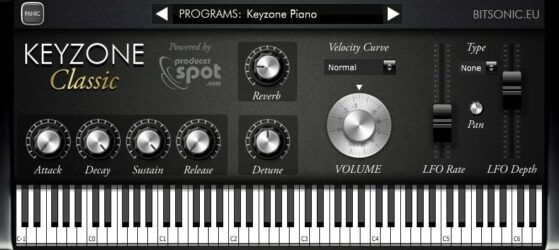 |
| Rating | |||
| OS | Windows, Mac | Windows, Mac | Windows, Mac |
| Formats | VST3, AU | VST, AU | VST, AU |
| Bit Version | 64-bit | 32-bit, 64-bit | 32-bit, 64-bit |
| Developer | Audiolatry | Sound Magic | Bitsonic |
| License | Freeware | Freeware | Freeware |
| Sample-Based | Yes | Yes | Yes |
| Download Size | 1.19 GB | 414 MB | 302 MB |
| CPU Load | Low | Low | Low |
| Polyphony | 128 | 64 | 6 |
| Features | Realistic Sampling, 16 Velocity Layers, Built-in Effects, ADSR Envelope, Key Release Control, Intuitive Interface, Royalty-Free Sounds | Hybrid modeling, Yamaha C7 sound, Add-on system, Pedal realism, Reverb engine, Expressive playability, Adjustable tone | Sample-based engine, Yamaha Grand, Steinway Grand, Rhodes Piano, Electric Piano, Reverb modulation, ADSR envelope |
| Controls | Attack, Release, Reverb, Pan, Stereo Width, EQ, Volume | Reverb, Size, Width, Mix, Noises, Style, Damping | Program Selector, Reverb, Attack, Decay, Sustain, Release, Detune |
| Effects Included | Reverb, Pan, Stereo Width, Three-Band EQ | Reverb | Reverb, Modulation, LFO |
| Download | Download Grand Piano XXL | Download Piano One | Download Keyzone Classic |
Piano VST FAQs
How to Install Piano VST Plugins
To install piano VST plugins on Windows or Mac, extract the files from the Zip or Rar. Move the files (.dll for Windows or .component for Mac) into your DAW’s plugin folder. Then restart your software and rescan the directory to complete the process. Tutorial: How to Install VST Plugins
Windows:
Extract the downloaded zip file and copy the .dll file into the VST plugins folder scanned by your DAW. Restart your music software and rescan your plugin directory to begin using the new VST.
Mac OS X:
Extract the downloaded archive and move the .component or .VST file to the plugin folder. It is usually /Library/Audio/Plug-Ins/Components or /Library/Audio/Plug-Ins/VST. Restart your DAW and rescan your plugins to complete the installation.
What Is A Piano VST Plugin?
A piano plugin is a virtual instrument that can be used with a VST-supported program to emulate the sound of a piano. Many different types of pianos can be simulated by a plugin. This includes acoustic and electric pianos, grand and upright pianos, harpsichords, and pipe organs.
These free piano VSTs offer a variety of options, such as effects and samples recorded from real pianos. Each piano plugin has different features, so check out the video previews to find out which plugin is best for you.
What Is the Best Free Piano VST Plugin?
The best free piano VST plugins are Keyzone Classic, Sonatina Piano, Soundmagic Piano One, Versilian Upright Piano, DSK The Grand, and the 4front Piano plugin. These are the most searched and downloaded free VST plugins online.
I hope you enjoy these free piano VST plugins.