

Here are the best free Spitfire Audio Labs VST plugins for Windows and Mac. We have included video demos, feature lists, pros, cons, and plugin ratings.
Spitfire Audio has created an extensive library of free and paid VST instruments for musicians and music composers. Their plugins are compatible with any DAW and work with Windows and Mac computers.
They have sounds for all music creators, offering synths, orchestra sounds, bass, percussion, woodwinds, and so much more.
How we rate plugins: We rate each spitfire audio labs VST plugin based on sound quality, design, performance, features, usability, and compatibility. We rate plugins on a scale of 1 to 100.
Table of Contents
I have spent over 15 years testing and comparing hundreds of free and paid VST plugins, supported by hands-on demos on our YouTube channel, which has 11,000+ subscribers.
Best Free Spitfire Audio Labs VST Plugins
This table compares Spitfire Audio Labs VST plugins by system, bit version, format, and rating.
| # | Plugin | OS | Formats | Bit Version | Ratings |
|---|---|---|---|---|---|
| 1 | Labs Autoharp | Windows Mac | VST | 64-bit | |
| 2 | Spitfire Audio Discover | Windows Mac | VST2, VST3, AU, AAX | 64-bit | |
| 3 | Cello Moods | Windows Mac | VST | 64-bit | |
| 4 | Labs Christmas | Windows | VST | 64-bit | |
| 5 | Charango | Windows Mac | VST, AU | 64-bit | |
| 6 | Trumpet Fields | Windows Mac | VST, AU | 64-bit | |
| 7 | Labs Choir | Windows Mac | VST, AU | 64-bit | |
| 8 | Labs Peel Guitar | Windows Mac | VST, AU | 64-bit | |
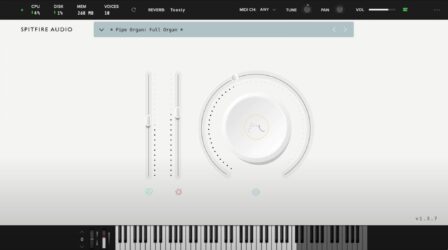
| 9 | Labs Pipe Organ | Windows Mac | VST, AU | 64-bit | |
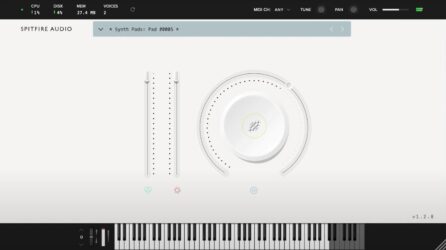
| 10 | Synth Strings | Windows Mac | VST, AU | 32-bit | |
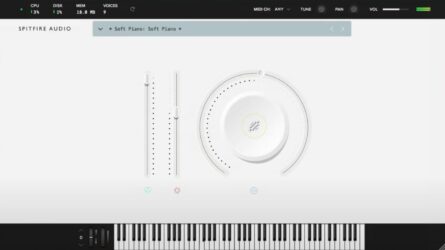
| 11 | Soft Piano | Windows Mac | VST, AU | 64-bit | |
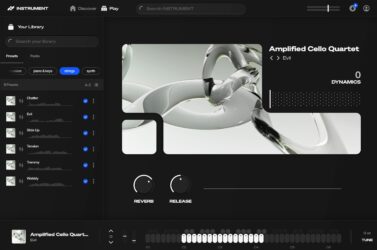
| 12 | Amplified Cello Quartet | Windows Mac | VST | 64-bit | |
| 13 | Labs Strings | Windows Mac | VST, AU | 64-bit | |
| 14 | Labs Hand Bells | Windows | VST, AU | 64-bit | |
| 15 | Labs Micah’s Choir | Windows Mac | VST, AU | 64-bit |
1. Labs Autoharp
OS: Windows Win Mac Mac Bit Version: 64-bit Developer: Spitfire Audio Size: 543.7 MB Rating: 87/100
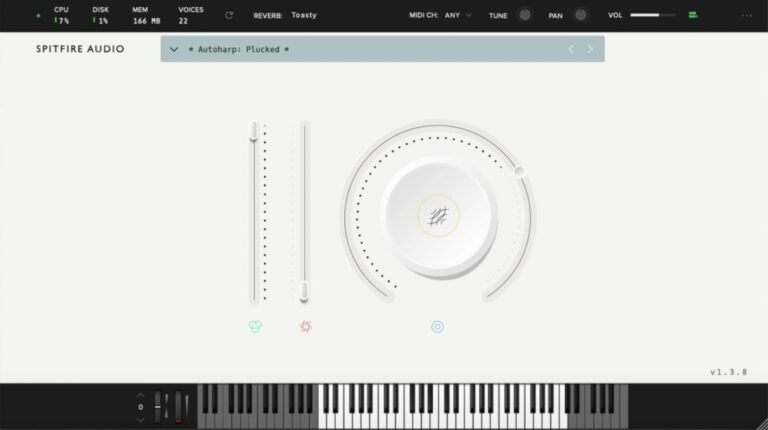
Labs Autoharp offers the warm, plucked character of a classic autoharp, recorded at Castlesound Studios for a natural and detailed sound. Using both clean and amp-driven tones, it captures everything from gentle strums to rich, gritty textures that add color to any track.
This free VST from Spitfire Audio is simple to use and quick to load, making it easy to bring folk-inspired tones into your music. It fits smoothly alongside other LABS instruments and works well for soft backgrounds, rhythmic layers, or cinematic moods.
Features
- Free Virtual Autoharp Instrument Plugin
- Recorded At Castlesound Studios
- Features Plucked And Strummed Sounds
- Includes Amped FX Signal Option
- Clean And Simple User Interface
- Reverb Selector With Room Options
- MIDI Channel And Tuning Controls
- Works On Windows And Mac
- Supports 64-Bit VST Format
- Large Dial Controls Tone Expression
Pros
- Beautiful and rich plucked tones
- Completely free with no limits
- Recorded in a real studio
- Expressive and playable with MIDI
- Low CPU use for smooth play
- Includes soft and gritty tones
- Offers both clean and amp sounds
- Adjustable tone and play dynamics
- Better realism than many free VSTs
- Supported by a big sound library
Cons
- Needs LABS app to run
- Limited sound editing options
- No built-in strum patterns
- Few articulations to choose from
- No standalone version available
- Less realistic than paid plugins
- Lacks advanced layering tools
- Preset variety is limited
- No EQ shaping controls
- Cannot assign custom MIDI CC
Video Demo
What Users Say
Labs Autoharp Tips
- I use the reverb control to make the instrument sound like it’s in a big room.
- I try layering the Autoharp with strings to make my songs sound warmer.
- EQing out low frequencies can help the Autoharp sit better in a mix.
- Experimenting with the built-in effects can help create unique textures.
- Using automation in a DAW can make the reverb and tone shift over time.
- Adding a gentle delay can make the Autoharp sound dreamy and smooth.
2. Spitfire Audio Discover
OS: Windows Win Mac Mac Bit Version: 64-bit Developer: Spitfire Audio Size: 360 MB Rating: 87/100
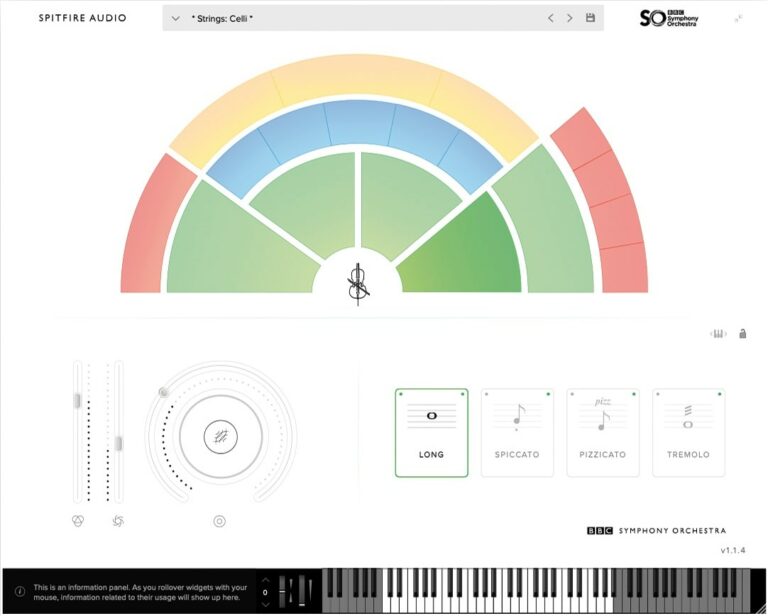
Spitfire Audio Discover offers an easy way to explore the sound of a real orchestra from your computer. Recorded with the BBC Symphony Orchestra at Maida Vale Studios, it includes 34 instruments and a concert grand piano in a lightweight 240MB plugin that fits any workflow.
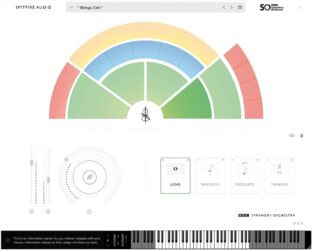
This plugin works with most major music software and includes strings, brass, woodwinds, percussion, and piano. With simple controls, NKS support, and smooth mode switching, Discover gives both new and experienced music creators access to authentic orchestral sounds for sketching and scoring.
Features
- Includes 34 Orchestral Instruments
- Offers 47 Playing Techniques
- Uses Professional Recording Quality
- Recorded At Maida Vale Studios
- Includes Built-In Reverb Control
- Features Dynamics And Expression Sliders
- Compatible With Major DAWs
- Supports VST2 VST3 AU AAX
- Features NKS Compatibility
- Lightweight Size Of 240MB
Pros
- Recorded at famous Maida Vale Studios
- Includes 34 real instruments
- Features 47 playing techniques
- Professional sound quality for free
- NKS ready for advanced control
- Low CPU and RAM use
- Lightweight and easy to install
- Works on Windows and Mac
- Fast loading and smooth playback
- Easy upgrade path to Core version
Cons
- No legato articulation options
- Limited dynamic range control
- Few articulations per instrument
- No built-in effects section
- Not customizable for deep editing
- Only one mic position
- Less realistic than paid packs
- No velocity curve customization
- Must upgrade for pro features
- Basic interface compared to rivals
Video Demo
What Users Say
Spitfire Audio Discover Tips
- I adjust the expression and dynamics sliders to bring more life and emotion to the horn sounds.
- Use the legato setting when playing slow horn melodies for smoother transitions between notes.
- Combine multiple horn sounds in layers to create big, cinematic effects.
- Pay attention to EQ by cutting muddy low frequencies to make horns stand out clearly.
- Use automation to control dynamics, making horn lines rise and fall naturally.
- Record multiple horn tracks with small timing differences to make the section sound more real.
3. Cello Moods
OS: Windows Win Mac Mac Bit Version: 64-bit Developer: Spitfire Audio Size: 1.7 GB Rating: 86/100
Cello Moods offers an expressive set of cello sounds performed by folk cellist Alice Allen. With four mood options, it captures feelings from quiet tension to moving warmth. Each tone is recorded with natural detail, giving tracks a close and emotional sound.
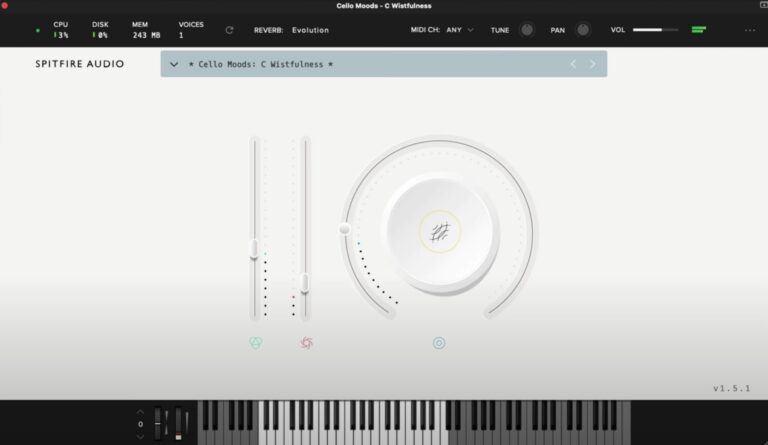
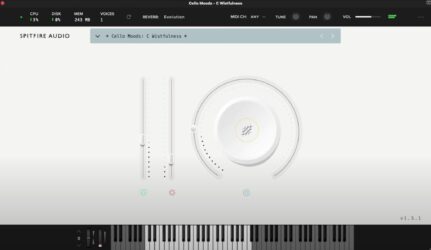
The plugin includes easy controls for dynamics, tone, reverb, and blend, helping you shape each note’s feel. Ideal for film scoring or intimate tracks, Cello Moods brings real human character to digital music making with just a few thoughtful adjustments.
Features
- Includes 16 Expressive Cello Sounds
- Features Four Distinct Emotional Moods
- Main Knob Blends Textures And Effects
- Reverb Control Adds Depth And Space
- Expression Slider Controls Sound Volume
- Dynamics Slider Adjusts Sound Intensity
- Simple And Clear Plugin Interface
- Supports 64-Bit VST Format
- Compatible With Mac And Windows Systems
- Access To Over One Thousand Presets
Pros
- Warm and emotional cello tones
- Captures real human playing feel
- Instantly adds cinematic mood
- Rich textures with minimal tweaking
- Four moods for varied emotions
- Lightweight compared to many libraries
- No extra sampler required to run
- Cross-platform support for Mac and Windows
- Great mix-ready sound quality
- Free monthly updates on Splice
Cons
- No true legato articulation
- Lacks realistic dynamic layers
- No round-robin note variation
- No built-in EQ or compressor
- Limited number of sound presets
- No microphone position choices
- May sound repetitive on long notes
- Few customization options offered
- Not ideal for fast passages
- Sampling size may be heavy
Video Demo
What Users Say
Audio Demo
Cello Moods Tips
- I use the mod wheel to control dynamics and bring life to each note.
- I adjust the expression slider while playing to make it sound more human.
- I always try using reverb to make the cello sound like it’s playing in a big hall.
- Use EQ to cut low rumble and help the cello sit better in the mix.
- Experiment with automation to change the feeling of the cello over time.
- Combine Cello Moods with other orchestral VSTs for a full string sound.
4. Labs Christmas
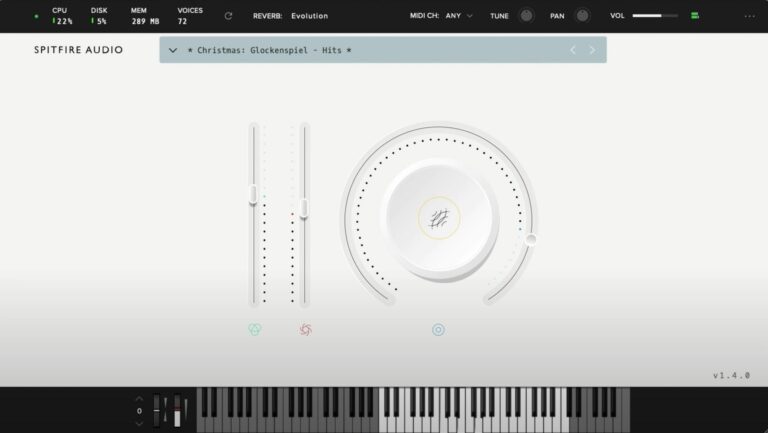
OS: Windows Win Bit Version: 64-bit Developer: Spitfire Audio Size: 478.9 MB Rating: 86/100
Labs Christmas offers a charming set of holiday sounds designed to bring warmth and sparkle to your music. It includes sleigh bells, glockenspiel, tubular bells, soft vocals, and other festive touches recorded beside a crackling fire for an authentic seasonal tone.
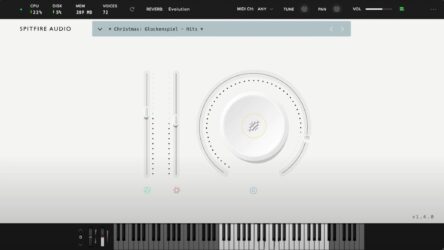
With 13 carefully recorded sounds, this plugin gives you an easy way to create cheerful or cinematic winter moods. Simple controls for reverb, volume, and expression help shape the atmosphere, making it ideal for holiday projects or adding a cozy layer to any track.
Features
- Includes 13 Festive Instrument Sounds
- Features Sleigh Bells And Glockenspiel
- Includes Tubular Bells And Vocals
- Main Dial Blends Sound Layers
- Reverb Selector Adjusts Room Ambience
- Vertical Sliders Control Expression
- MIDI Channel And Tune Controls
- Pan And Volume Adjustments Available
- Works In 64-Bit VST Format
- Keyboard Display Shows Active Notes
Pros
- High quality orchestral recordings
- Lush reverb and spatial depth
- Includes 13 unique sound patches
- Better realism than many free bells
- Cinematic and emotional textures
- Well balanced bell and string mix
- Low CPU and memory use
- Perfect for film and game music
- Custom reverb for room types
- Works great beyond Christmas music
Cons
- Only works on Windows
- No Mac or Linux support
- Small sound library
- Lacks sound editing tools
- No delay or reverb depth
- Interface looks basic
- No modulation or LFO
- Limited tone-shaping
- Less flexible than others
- Requires LABS account
Video Demo
What Users Say
Labs Christmas Tips
- I use the reverb knob to make the bells sound like they are in a big, echoing church.
- I add a delay plugin to give the bells a magical, repeating sparkle.
- I mix the Labs Christmas bells with strings to make my holiday track sound full and rich.
- Use EQ to cut out low frequencies that make the bells sound muddy.
- Try layering Labs Christmas with a choir for a deep, festive sound.
- Use the pan controls to spread the bell notes across the stereo field.
- Try automating the reverb to make some notes feel closer and others far away.
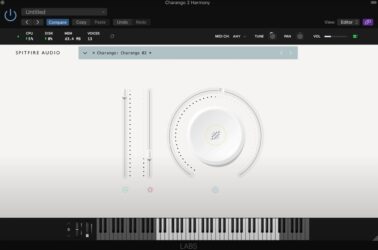
5. Charango
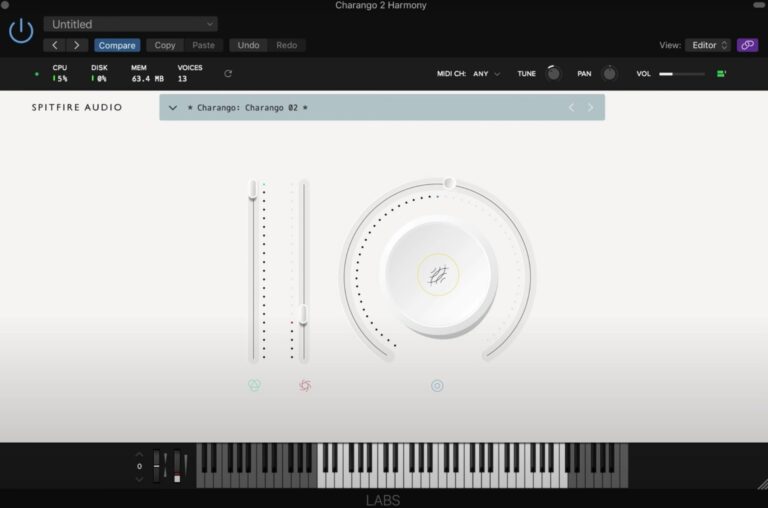
OS: Windows Win Mac Mac Bit Version: 64-bit Developer: Spitfire Audio Size: 62.4 MB Rating: 83/100
Charango offers the bright, earthy sound of the traditional Andean stringed instrument, captured in clear detail through careful sampling. The plugin includes three expressive sounds that bring warmth and authenticity, making it easy to add acoustic flavor to any track or arrangement.
Part of the Spitfire Audio LABS collection, Charango is available free through Splice INSTRUMENT. It features simple controls for volume, dynamics, and expression while keeping playback smooth and responsive. The plugin supports Windows and Mac in VST and AU formats for flexible use in most DAWs.
Features
- Sampled Andean Charango Instrument
- Three Distinct Charango Sounds
- Warm Realistic Charango Sound
- Built-In Strumming And Pattern Features
- Preset Menu For Sound Selection
- Expression Wheel For Smooth Play
- Volume And Dynamics Controls
- Recorded With KM184 Microphone
- Available In VST And AU Formats
- Free Download For Users
Pros
- Warm and realistic charango sound
- Unique character unlike other guitars
- Part of large LABS library
- Gets free new sounds monthly
- High-quality recording with KM184 mic
- Low CPU usage compared to others
- Handy built-in strumming patterns
- Smooth volume and dynamics control
- Expressive play with MIDI keyboard
- Beautiful tone for world music
Cons
- Limited to only three sounds
- Very small sample size
- No microphone position control
- Lacks tone shaping options
- No built-in effects
- Fixed strumming patterns
- Cannot edit individual strums
- Not compatible with all DAWs
- Few articulations available
- Minimal user presets
Video Demo
What Users Say
Charango Tips
- I use the dynamics slider to make the strings sound more alive and expressive.
- I find it helpful to adjust the mic positions for a warmer or brighter tone.
- Use key switches in the plugin to change play styles, like plucks or strums, while recording.
- Blend the close and room mics to get the perfect balance between detail and space.
- Use EQ to cut low frequencies that might clash with bass instruments.
- Layer multiple takes of Charango or acoustic guitars to create a rich, wide sound.
- Automate dynamics to make your performance sound more real and less static.
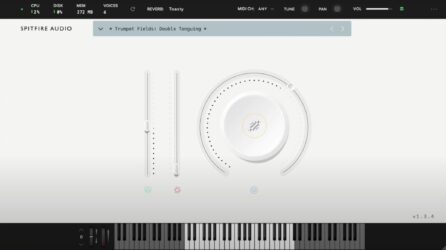
6. Trumpet Fields
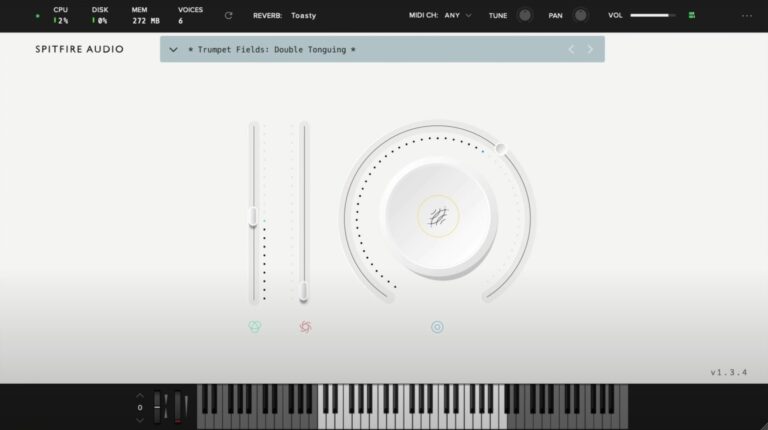
OS: Windows Win Mac Mac Bit Version: 64-bit Developer: Spitfire Audio Size: 693 MB Rating: 83/100
Trumpet Fields offers soft, evolving trumpet tones that bring warmth and gentle motion to your music. Recorded on a dry stage at Spitfire Studios, it captures two skilled players performing long, subtle notes with textures like slow bends and fluttering brass layers.
You can shape the sound with controls for tone, volume, and expression, then add depth using five reverb options. Trumpet Fields is ideal for creating atmospheric backgrounds, emotional builds, or ambient layers that blend easily with other instruments in your projects.
Features
- Recorded On A Dry Stage
- Swirling And Droning Brass Textures
- Features Two Professional Trumpet Players
- Includes Granular Elements And Bends
- Offers Five Reverb Options
- Supports VST2, VST3, AAX, AU Formats
- Includes Instrument And Expression Sliders
- Big Knob For Layer Blending
- Reverb Menu For Space Effects
- Keyboard Display For Playing Notes
Pros
- Warm and emotional brass tones
- Real trumpet players recorded professionally
- Creative blend of brass and synth
- Highly expressive performance layers
- Unique trumpet sound not generic
- High-quality dry stage recordings
- Dynamic controls for expressive play
- Perfect for cinematic soundscapes
- Rich atmospheric tones with depth
- Free and accessible to all users
Cons
- High CPU use during playback
- Few articulation options available
- No real-time expression control
- Can cause DAW freezing issues
- Slow loading times on older PCs
- Needs strong computer to run smooth
- No adjustable microphone positions
- Limited tweak options for sound design
- Less flexible than other free horns
- Not suited for pop or jazz
Video Demo
What Users Say
Trumpet Fields Tips
- I use the dynamics slider to make the trumpet sound louder or softer, depending on the emotion I want.
- I like to use automation on the mod wheel for more expression in long notes.
- Try using the expression and dynamics controls together to add life to trumpet melodies.
- Use legato mode when playing smooth melodies to make transitions sound natural.
- Stacking different articulations can make a trumpet line sound more human and rich.
- Experiment with velocity sensitivity to make performances sound more dynamic and expressive.
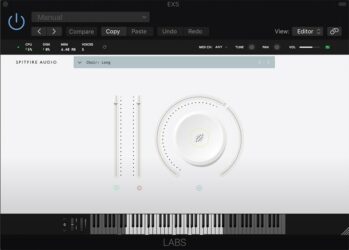
7. Labs Choir
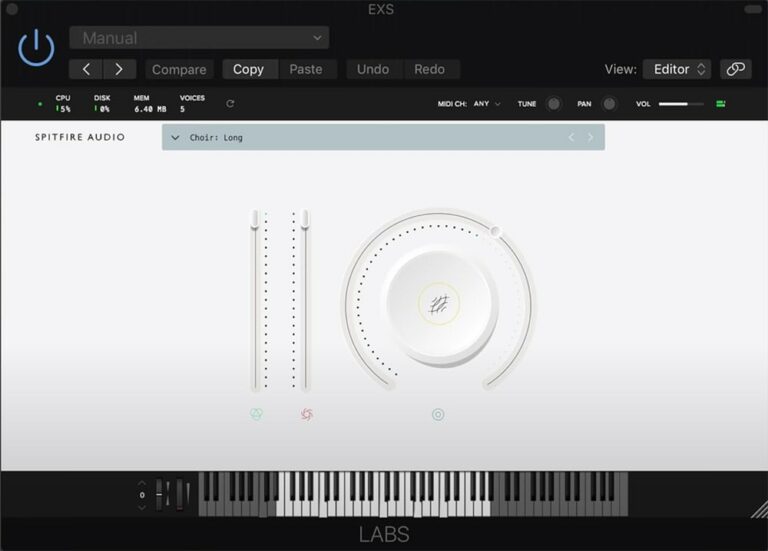
OS: Windows Win Mac Mac Bit Version: 64-bit Developer: Spitfire Audio Size: 115.9 MB Rating: 83/100
Labs Choir offers a rich and modern choir sound built from recordings of the Eric Whitacre Singers at Air Studios. The voices blend and shift as you play, creating smooth, evolving layers that fit naturally in cinematic, ambient, or orchestral tracks.
It includes one expressive preset that responds well to dynamic control, perfect for adding warmth or depth to your music. With simple controls for tone and balance, Labs Choir helps producers shape an emotional vocal texture that sounds polished and professional.
Features
- Three Evolving Choral Textures
- Simple And Clean Interface
- Low CPU And RAM Usage
- Large Knob For Tone Control
- Two Sliders For Sound Levels
- Preset Menu For Quick Access
- 64-Bit Plugin Support
- Smooth Ambient Choir Sound
- Works Well With Reverb Effects
- Fast Loading And Stable Performance
Pros
- Beautiful, cinematic choir sound
- Emotional and evolving textures
- Realistic tone for free plugin
- Very low CPU usage
- Light on memory and storage
- Clean and simple interface
- Blends smoothly in mixes
- Perfect for cinematic scoring
- Modern and wide choir tone
- Professional sound quality for free
Cons
- Only one sound included
- No male or female split
- Lacks syllables or word phrases
- Few articulations to choose
- Little control over expression
- Limited dynamic range options
- Less realistic than paid choirs
- Cannot adjust choir size
- No microphone position choices
- Lacks variety of presets
Video Demo
What Users Say
Labs Choir Tips
- I always use a little reverb to make the choir sound like it’s singing in a big hall.
- Layering the Labs Choir with other choir VSTs can create a larger and more realistic choir sound.
- Using MIDI expression or modulation can help make the choir sound more natural and less robotic.
- Blending male and female choir presets can make the harmonic range much richer.
- Using a high-pass filter can keep the choir from clashing with bass instruments.
- Placing the choir in different stereo positions creates a wide and immersive soundstage.
- Adding light compression keeps the choir’s volume consistent and helps it fit better in the mix.
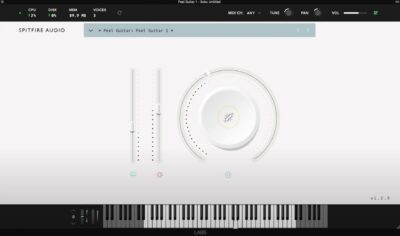
8. Labs Peel Guitar
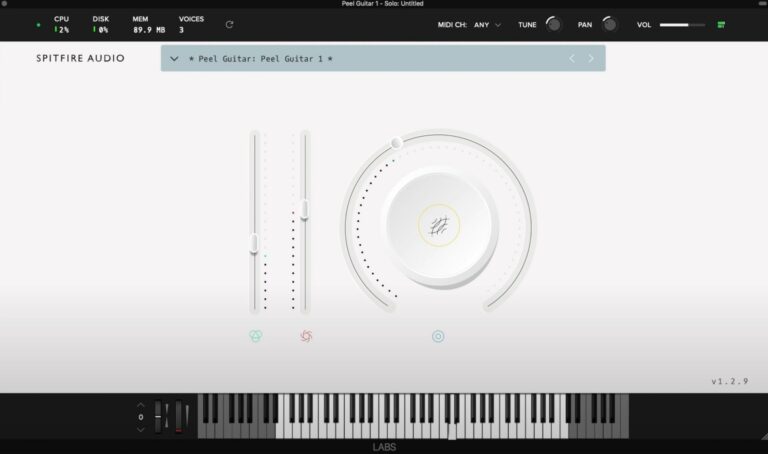
OS: Windows Win Mac Mac Bit Version: 64-bit Developer: Spitfire Audio Size: 40 MB Rating: 82/100
Labs Peel Guitar offers a warm, vintage tone inspired by the classic British indie sound. Recorded from a Fender Telecaster through a 15-watt tweed amp, it blends light distortion, vibrato, and tremolo for a soft, textured guitar feel that fits ambient or cinematic tracks.
This plugin includes three sound variations and easy controls for volume, expression, reverb, and sound blending. Its tone sits well with pianos, pads, or other gentle instruments, making it great for adding depth, mood, and atmosphere to your music.
Features
- Three Distinct Guitar Sounds
- Runs On Windows And Mac
- Supports VST And AU Formats
- 64-Bit Plugin Version
- Large Knob For Tone Blending
- Reverb Button For Echo Effect
- Features Classic British Indie Tone
- Uses Fender Telecaster Source Sound
- Ideal For Ambient And Lo-Fi Styles
- Free Plugin With High Sound Quality
Pros
- Warm and dreamy guitar tone
- Perfect for indie and lo-fi
- Ready-to-use sound out-the-box
- Low CPU use for smooth play
- Expressive slider for real feeling
- Feels like a real record tone
- More character than most free VSTs
- Rich reverb adds deep space
- Trusted Spitfire Audio quality
- Simple, clean interface design
Cons
- Very limited sound variety
- No realistic strumming options
- Lacks tone and EQ controls
- No velocity or picking control
- Limited expression customization
- Cannot adjust microphone positions
- Lacks articulation variety
- Small dynamic range coverage
- High CPU use for size
- Hard to blend in mixes
Video Demo
What Users Say
Labs Peel Guitar Tips
- I like to pan two Peel Guitar tracks slightly left and right for a wide stereo effect.
- I often adjust the velocity to make strumming parts sound more human and alive.
- I use EQ to roll off a bit of the low end so the guitar doesn’t clash with the bass instruments.
- Use a compressor to balance the volume and help the guitar sit well in a mix.
- Blend Peel Guitar softly under vocals to give extra warmth without taking over the mix.
- Keep your MIDI notes clean and well-timed—this helps virtual guitars sound more realistic.
9. Labs Pipe Organ
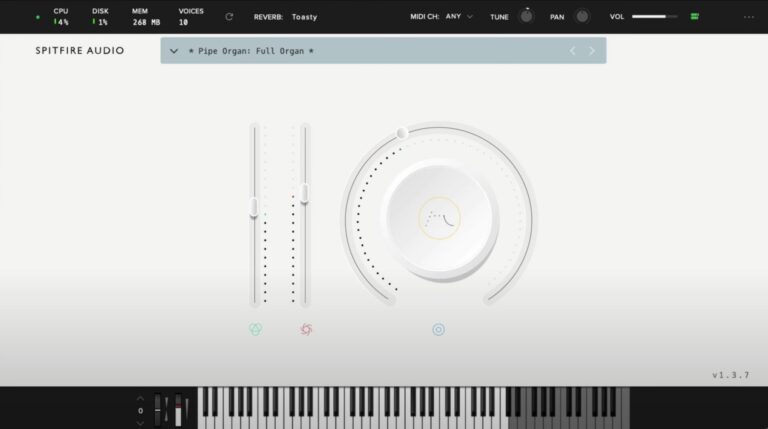
OS: Windows Win Mac Mac Bit Version: 64-bit Developer: Spitfire Audio Size: 481.1 MB Rating: 82/100
Labs Pipe Organ offers the grand and atmospheric sound of a classic church organ, recorded by Spitfire Audio. With seven carefully chosen presets, it delivers tones that range from soft and airy to deep and powerful, adding character to cinematic, pop, or ambient tracks.
Each preset blends traditional pipe stops with smooth pads, allowing for both realistic and modern textures. Simple controls make it easy to adjust loudness, tone, and reverb, giving creators the tools to shape sounds that fit everything from calm backgrounds to dramatic scores.
Features
- Includes Seven Unique Presets
- Blend Of Stops And Pads
- Adjustable Reverb And Tone Controls
- Easy Sound Layer Blending Knob
- Expression And Dynamics Sliders
- Rich Low-End And Warm Pads
- Supports VST2, VST3, AAX, AU
- Simple And Clean Interface
- Light On CPU Usage
- Ideal For Cinematic Scoring
Pros
- Beautiful cinematic pipe organ tones
- High quality church recordings
- Blends naturally with orchestral sounds
- Warm reverb and room feel
- Light on CPU use
- Captures true church atmosphere
- Seven unique curated presets
- Perfect for soft organ pads
- Creates majestic or eerie moods
- Great for ambient sound design
Cons
- Only seven preset sounds available
- No option to tweak organ stops
- Lacks true dynamic expression control
- Limited tonal variety across presets
- No built-in chorus or tremolo
- Cannot adjust attack or release
- No preset save or recall option
- Lacks realistic swell pedal simulation
- No MIDI learn for control mapping
- Requires Labs software host to run
Video Demo
What Users Say
Labs Pipe Organ Tips
- I often use the mod wheel to control dynamics and make the sound more expressive.
- I like layering the organ with strings or pads to make a big, rich sound.
- I find that using a little reverb helps the organ sound like it’s in a big hall.
- I sometimes record multiple takes with different stops and blend them together for a fuller texture.
- EQ can help shape the tone—cut lows for clarity, or add highs for sparkle.
- Adding compression can help the organ stay present in a busy mix without being too loud.
- Using automation on volume or expression can make long chords feel alive and changing.
10. Synth Strings
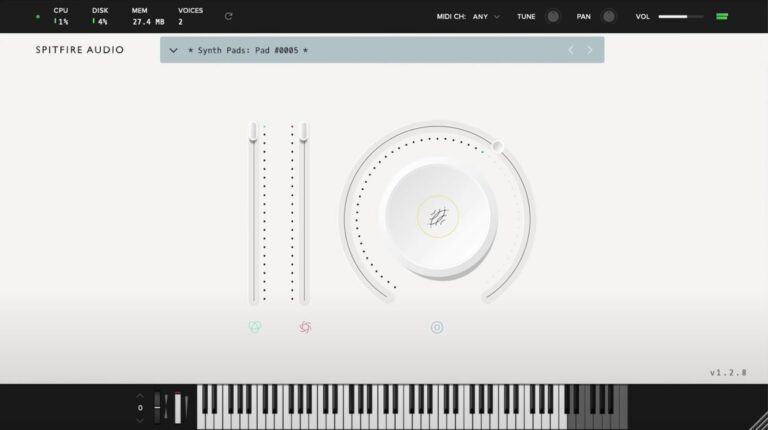
OS: Windows Win Mac Mac Bit Version: 32-bit Developer: Spitfire Audio Size: 1.8 GB Rating: 82/100
Synth Strings offers classic 70s-inspired tones built from the iconic Solina String Ensemble. It delivers warm pads, bright stabs, and vintage textures recorded at Spitfire HQ. Each sound blends analog depth with a smooth, modern feel, perfect for adding rich layers to any track.
The plugin includes adjustable filters, reverb, and modulation controls to shape tone and character easily. With options for attack, decay, sustain, and release, users can create both soft atmospheres and bold leads. Synth Strings works well in disco, funk, or cinematic-style music.
Features
- Based On Solina String Ensemble
- Warm And Bright Sound Textures
- Simple And Clear Interface
- Adjustable Volume And Effects Sliders
- Reverb And Variation Buttons
- Full ADSR Envelope Controls
- Sampled Modulation And Pads
- Available In VST And AU
- Works For Disco And Sci-Fi Sounds
- Captured By Skilled Sound Designers
Pros
- Warm and vintage string tones
- Inspired by classic 70s synths
- Rich, full textures and pads
- Balanced mix-ready sound out-of-box
- Includes sampled modulation movement
- Adjustable reverb for big spaces
- Great layering with real strings
- Ideal for film and game scoring
- Nostalgic and emotional tone quality
- Premium feel in a free package
Cons
- High CPU use on big projects
- Limited sound design flexibility
- Lacks detailed modulation controls
- Few presets compared to others
- Cannot save user-made presets
- No MIDI learn support feature
- No tempo-synced LFOs available
- Needs Spitfire player to run
- Slow load times on startup
- No onboard chorus or phaser
Video Demo
What Users Say
Synth Strings Tips
- I like to start with a simple pad sound and then layer it with another preset to make the strings feel bigger.
- I use the mod wheel to bring strings in and out of the mix so they feel alive.
- I sometimes reduce the low end to keep the mix clean and leave room for bass instruments.
- I try mixing Synth Strings with real string samples to get a nice balance of organic and synthetic sounds.
- Use the filter knob to shape the tone — closing it makes the strings soft and warm.
- Pan different layers slightly left and right to give the mix more space.
- Automate the filter cutoff or reverb send during a build-up for extra drama.
11. Soft Piano
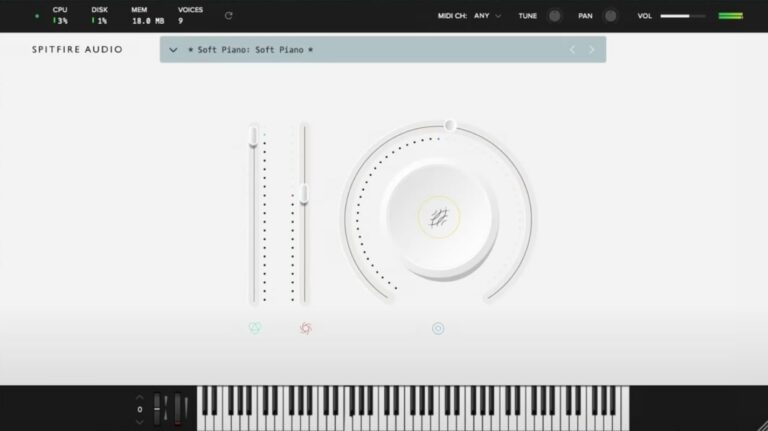
OS: Windows Win Mac Mac Bit Version: 64-bit Developer: Spitfire Audio Size: 417.8 MB Rating: 81/100
Soft Piano offers a warm, gentle piano tone recorded at Air Edel Studios in London. The felt layer between the hammers and strings creates a soft, intimate sound that works well for emotional tracks, film scoring, or quiet background parts in any project.
This plugin keeps things simple with clear controls for tone, dynamics, and expression. Its single sound layer delivers a natural, realistic feel that blends easily in mixes, making it a reliable choice for music creators who want an authentic and focused piano sound.
Features
- Single Intimate Felt Piano Sound
- Recorded At Air Edel Studios
- Dry And Soft Tonal Character
- VST And AU Plugin Formats
- 64-Bit Plugin Support
- Expression Slider For Volume Control
- Dynamics Slider Adjusts Note Strength
- Soft, Realistic Felt Hammer Texture
- Light CPU And Disk Usage
- Ideal For Lo-Fi And Ambient Music
Pros
- Warm and emotional piano tone
- Realistic felt piano texture
- Beautifully soft and intimate sound
- High-quality studio recordings
- Captures real acoustic piano detail
- Low CPU and memory usage
- Free and professional-sounding plugin
- Competes with paid piano plugins
- Ideal for lo-fi and ambient
- Perfect for cinematic soundtracks
Cons
- Only one piano sound available
- Very limited tone variety
- Lacks brightness and attack
- Can sound muffled or dark
- Few sound-shaping options
- Only one velocity layer
- No built-in reverb control
- No layering or split modes
- Volume level is quite low
- Expression range feels limited
Video Demo
What Users Say
Soft Piano Tips
- I like to start by lowering the dynamics so the Soft Piano sounds calm and gentle.
- I layer the Soft Piano with a pad sound to make my music feel richer.
- I use the built-in EQ to roll off a little low end so the mix doesn’t get muddy.
- Adjust the velocity curve so it matches your keyboard’s feel for smoother dynamics.
- Mix the Soft Piano with light strings to create emotional, cinematic sounds.
- Experiment with automation to make the reverb and dynamics change over time.
- Keep the sample library on a fast drive so the plugin loads quickly and runs smoothly.
12. Amplified Cello Quartet
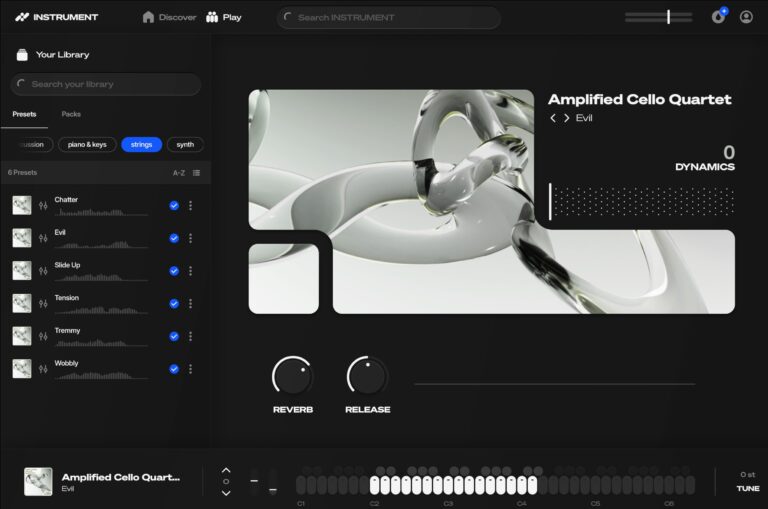
OS: Windows Win Mac Mac Bit Version: 64-bit Developer: Spitfire Audio Size: 243.4 MB Rating: 79/100
Amplified Cello Quartet offers a bold take on the traditional string sound by running four cellos through amps and live FX pedals. Recorded on a dry stage with amps pushed to their limit, it delivers rich, distorted tones perfect for cinematic or experimental music.
This plugin provides expressive control through simple sliders and buttons for dynamics, reverb, and release. It’s part of Splice INSTRUMENT, giving creators access to an expanding library of sampled instruments, monthly content drops, and flexible options for sound design and inspiration.
Features
- Four Amplified Cello Recordings
- Live Processed With FX Pedals
- Distorted Electric String Sound
- Adjustable Expression And Dynamics
- Includes Reverb And Release Controls
- Simple Instrument Selector Interface
- Virtual Keyboard With Visual Feedback
- Part Of Splice Instrument Library
- Free Monthly Sound Drops
- Available In 64-Bit VST Format
Pros
- Rich and powerful cello tones
- Unique live amp processing
- Instant cinematic mood maker
- Beautiful hazy and dreamy textures
- Excellent layered and looped movement
- Includes expression and dynamics sliders
- Fits Spitfire Audio quality standard
- Library expands with new sounds
- Free monthly preset drops
- More expressive than free pan plugins
Cons
- Lacks raw acoustic cello tones
- Minimal sound customization options
- Few articulation choices available
- Dynamics range feels compressed
- Sound palette can feel repetitive
- Not truly a standalone plugin
- Missing intuitive tone shaping tools
- Limited modulation or motion control
- Interface lacks deep editing features
- Few presets compared to rivals
Video Demo
What Users Say
Amplified Cello Quartet Tips
- Adjust the dynamics slider for realistic swells and emotional intensity.
- Use the built-in reverb and mic positions to shape space and depth in the mix.
- Automate expression for long notes to add realism and energy.
- Layer the amplified patches under clean cello tones for extra power.
- Use different bowing or articulation patches to match the mood of your song.
13. Labs Strings
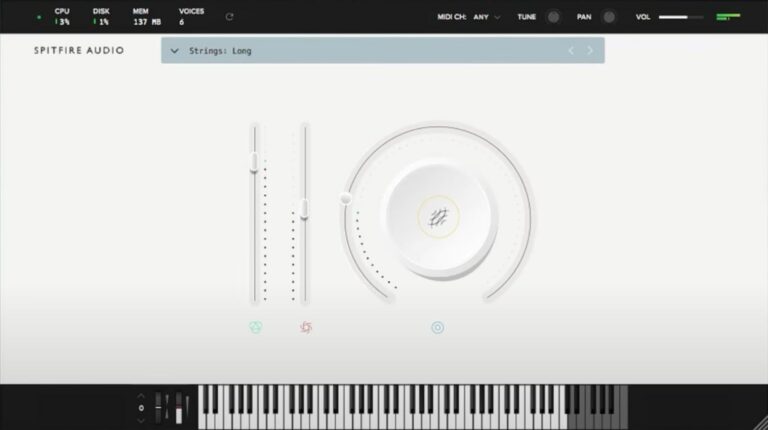
OS: Windows Win Mac Mac Bit Version: 64-bit Developer: Spitfire Audio Size: 698.4 MB Rating: 78/100
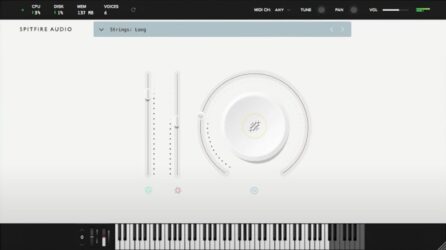
Labs Strings offers the sound of fourteen top London string players, recorded at Spitfire Audio’s studio by engineer Harry Wilson. Using a mix of quality microphones, including the vintage BBC AXB1, the plugin delivers warm, emotional tones that feel natural and expressive.
Its simple controls let you shape volume, expression, and texture with ease. The sounds lean toward smooth, cinematic pads rather than fast, detailed playing. Ideal for adding depth, mood, or soft layers, Labs Strings brings rich orchestral color to any music project.
Features
- Features Fourteen London String Players
- Recorded At Spitfire Headquarters
- Includes Vintage BBC AXB1 Microphone
- Offers Three Distinct String Sounds
- Simple And Clean User Interface
- Big Circle Dial For Tone Shaping
- Expression Slider For Dynamics
- Instrument Menu For Sound Selection
- Available In VST And AU Formats
- Runs On 64-Bit Architecture
Pros
- Rich cinematic string sound quality
- Small ensemble for intimate tone
- Low CPU usage and memory
- Emotional, expressive string dynamics
- Recorded with premium microphones
- Created by top London players
- Wide stereo image and warmth
- Instantly adds cinematic atmosphere
- High quality for a free plugin
- Perfect for film scoring moods
Cons
- Very few articulation options
- Limited tone shaping controls
- No real mic mix options
- Baked-in reverb hard to remove
- Not good for fast playing
- Lacks full orchestral depth
- Audible noise on left channel
- High memory use for size
- Limited dynamic range control
- No legato performance option
Video Demo
What Users Say
Labs Strings Tips
- I adjust the expression and dynamics sliders to make the strings sound more real.
- I layer different articulations to make my music sound more alive.
- Using the built-in reverb can make the strings sound more lush and wide.
- Automating volume and panning can make the strings feel more dynamic and alive.
- Balancing the volume across different string sections keeps the mix clear.
- Keeping some space between string layers helps prevent a muddy mix.
- Using MIDI expression makes the strings sound more like real players.
14. Labs Hand Bells
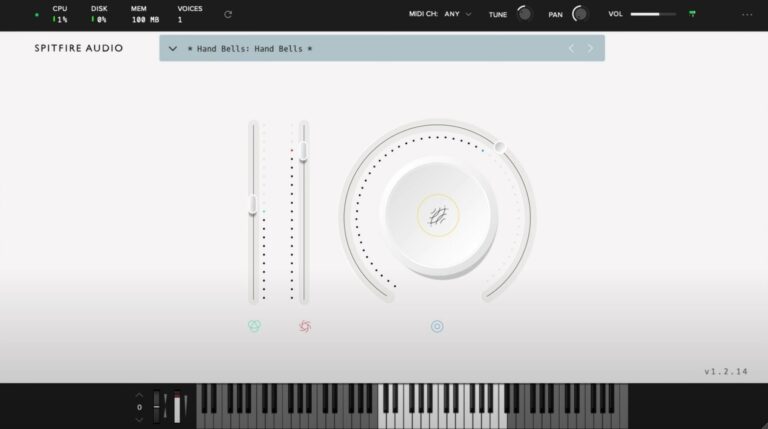
OS: Windows Win Bit Version: 64-bit Developer: Spitfire Audio Size: 134.5 MB Rating: 71/100
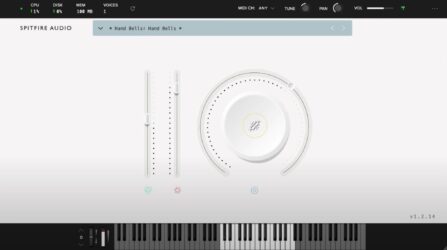
Labs Hand Bells offers bright, shimmering tones recorded from real hand bells at Spitfire Studios. The sounds include natural vibrato and subtle ghostly effects, giving them a lively and slightly unpredictable character that works well for gentle melodies or festive layers.
This plugin features three sound options and simple controls for volume, tone, and dynamics. Its clear interface makes it easy to adjust the bell textures, from soft background sparkles to fuller, ringing tones, adding warmth and charm to any musical track.
Features
- Includes Three Hand Bell Sounds
- Available In VST And AU
- Supports 64-Bit Operation
- Library Menu For Sound Selection
- Round Dial For Tone Blending
- Keyboard Display Shows Played Notes
- MIDI Channel Selection Option
- Tune Control Adjusts Pitch
- Pan Control Adjusts Stereo Position
- Includes Vibrato And Ghostly Effects
Pros
- Free and high quality sounds
- Warm and glistening bell tone
- Better realism than most free bells
- Low CPU and memory use
- Soft or strong tone control
- Vibrato adds gentle motion
- Instant nostalgic and dreamy sounds
- Great for cinematic sound design
- Great layering under pianos
- Very small file size
Cons
- Too few sound options
- No built-in reverb control
- Limited tonal variety
- No built-in EQ tools
- Sound can feel synthetic
- No velocity sensitivity options
- Few customizable settings
- No ADSR envelope control
- Hard to blend with others
- Loads slower than some VSTs
Video Demo
What Users Say
Labs Hand Bells Tips
- I like to layer the Labs Hand Bells with a pad sound to make the music sound richer and fuller.
- I use a little reverb to make the bells sound like they are in a big hall.
- I like to pan different bell notes left and right for a wider stereo feel.
- I use EQ to take out some low frequencies so the bells sound clean and bright.
- Adding delay can make a single bell hit echo nicely through the mix.
- Bells sound best when played with space between notes; letting them ring gives life to the music.
- Automating volume changes can make a bell line feel more alive and expressive.
15. Labs Micah’s Choir
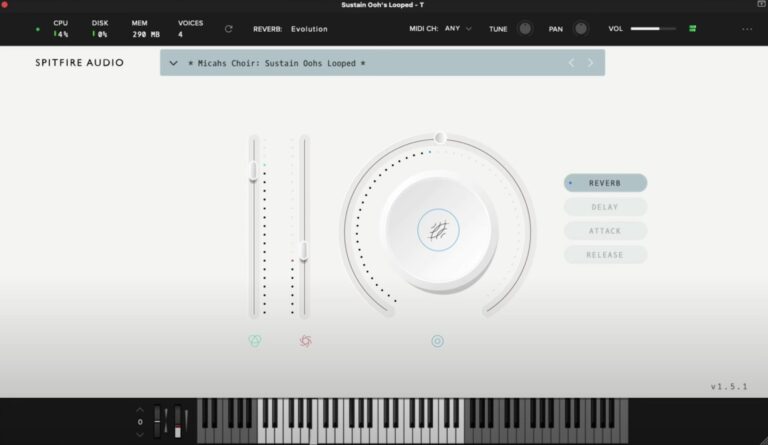
OS: Windows Win Mac Mac Bit Version: 64-bit Developer: Spitfire Audio Size: 310.9 MB Rating: 61/100
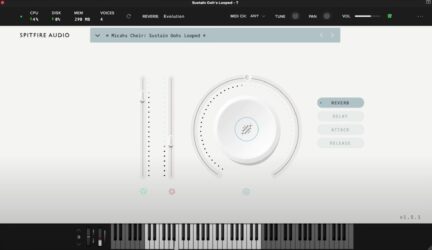
Labs Micah’s Choir offers a heartfelt collection of sampled vocal sounds created by the Sons of Serendip during the 2020 pandemic. Featuring 11 expressive choir tones, this plugin captures emotion through every note, bringing warmth and depth to any musical project.
With simple controls for volume, tone, reverb, and delay, users can easily shape the choir’s sound to fit different moods. Its layered voices can add richness to cinematic, pop, or ambient tracks, giving producers an authentic human feel straight from the LABS series.
Features
- Features Eleven Choir Sound Presets
- Offers Emotional Choir Performances
- Central Knob Controls Dynamics Or Tone
- Reverb Button Adds Spacey Echo Effect
- Delay Button Creates Echo Repeats
- Attack Control Adjusts Note Start Time
- Release Control Sets Note Fade Length
- Includes Main Volume And Expression Sliders
- Runs As VST And AU Plugin
- Supports 64-Bit Audio Format
Pros
- High-quality choir recordings
- Emotional and expressive tones
- 11 unique choir presets
- Lightweight at only 310 MB
- Big knob for quick control
- Reverb adds rich depth
- Attack control shapes notes
- Ideal for cinematic styles
- Great addition to LABS
- Professional sound quality
Cons
- Clips badly on higher notes
- Produces harsh distorted noises
- Unusable without adding a limiter
- Distorts heavily when playing chords
- Limited control over vocal layers
- No real-time pitch correction tool
- High CPU spikes reported often
- Interface lacks visual detail
- Reverb sounds artificial at times
- Slow load times on some systems
Video Demo
What Users Say
Labs Micah’s Choir Tips
- I use the mic mix controls to blend close and ambient mics for more depth in my sound.
- I use the reverb control carefully so the choir fits into my mix without sounding muddy.
- I like to use automation to make the choir swell and fade naturally during songs.
- I pan the voices slightly left and right to make the choir feel wider in the stereo field.
- Use EQ to remove unwanted low frequencies that can clutter up a mix.
- Try using the “Expression” and “Dynamics” sliders in real time for expressive performances.
Spitfire Audio Labs VST Plugins Compared
This table compares Spitfire Audio Labs plugins by features, controls, effects, formats, and more.
| Details | Labs Autoharp | Spitfire Audio Discover | Cello Moods | Labs Christmas | Charango | Trumpet Fields | Labs Choir | Labs Peel Guitar | Labs Pipe Organ | Synth Strings | Soft Piano | Amplified Cello Quartet | Labs Strings | Labs Hand Bells | Labs Micah’s Choir |
|---|---|---|---|---|---|---|---|---|---|---|---|---|---|---|---|
| Image | 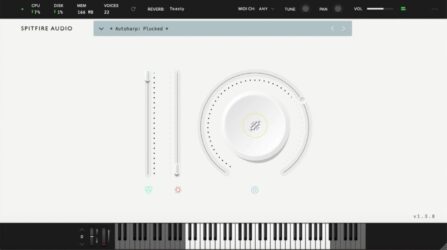 |
 |
 |
 |
 |
 |
 |
 |
 |
 |
 |
 |
 |
 |
 |
| Rating | |||||||||||||||
| OS | Windows, Mac | Windows, Mac | Windows, Mac | Windows | Windows, Mac | Windows, Mac | Windows, Mac | Windows, Mac | Windows, Mac | Windows, Mac | Windows, Mac | Windows, Mac | Windows, Mac | Windows | Windows, Mac |
| Formats | VST | VST2, VST3, AU, AAX | VST | VST | VST, AU | VST, AU | VST, AU | VST, AU | VST, AU | VST, AU | VST, AU | VST | VST, AU | VST, AU | VST, AU |
| Bit Version | 64-bit | 64-bit | 64-bit | 64-bit | 64-bit | 64-bit | 64-bit | 64-bit | 64-bit | 32-bit | 64-bit | 64-bit | 64-bit | 64-bit | 64-bit |
| Developer | Spitfire Audio | Spitfire Audio | Spitfire Audio | Spitfire Audio | Spitfire Audio | Spitfire Audio | Spitfire Audio | Spitfire Audio | Spitfire Audio | Spitfire Audio | Spitfire Audio | Spitfire Audio | Spitfire Audio | Spitfire Audio | Spitfire Audio |
| License | Freeware | Freeware | Commercial | Freeware | Commercial | Commercial | Freeware | Freeware | Freeware | Commercial | Freeware | Commercial | Freeware | Freeware | Freeware |
| Sample-Based | Yes | Yes | Yes | Yes | Yes | Yes | Yes | Yes | Yes | Yes | Yes | Yes | Yes | Yes | Yes |
| Download Size | 543.7 MB | 360 MB | 1.7 GB | 478.9 MB | 62.4 MB | 693 MB | 115.9 MB | 40 MB | 481.1 MB | 1.8 GB | 417.8 MB | 243.4 MB | 698.4 MB | 134.5 MB | 310.9 MB |
| CPU Load | Low | Low | Low | Low | Low | Medium | Low | Low | Low | Low | Low | Low | Low | Low | Low |
| Polyphony | 64 | 127 | 32 | 64 | 8 | 64 | 16 | 32 | 128 | 32 | 128 | 32 | 64 | 64 | 32 |
| Features | Free instrument, Folk texture, Amp FX tone, Simple interface, Expressive playability, Monthly drops, Expanding library | Free orchestra, Concert grand piano, 34 instruments, 47 techniques, Lightweight design, Simple interface, Mode switching | Emotive performances, Four moods, Preset menu, Expression control, Dynamics slider, Reverb adjustment, Simple interface | Festive instruments, Layer blending, Volume control, Reverb options, Keyboard display, MIDI control, Cinematic textures | Realistic sampling, Expressive controls, Built-in patterns, Warm tone, Preset library, Monthly drops, Free download | Swirling brass, Granular textures, Dual trumpets, Atmospheric reverbs, Evolving tones, Expressive dynamics, Sound layering | Evolving textures, Cinematic sound, Simple interface, Expressive dynamics, Quick loading, Professional tone, Free library | Dreamy tone, Atmospheric texture, Simple controls, Reverb effect, Expressive dynamics, Layer blending, Indie vibe | 7 Presets, Stops and Pads, Cinematic Scoring, Simple Interface, Reverb Control, Layer Blending, on-screen Keyboard | Classic Synth Textures, Sampled Modulation, Processed Pads, Simple Interface, Good Sound Quality, Additional Filters, Expressive Controls | Felted tone, Intimate sound, Expression control, Dynamics control, Texture blending, On-screen keyboard, Tune and pan | Dry-stage sampling, Live FX processing, Distorted cello tones, Expression control, Dynamics control, Reverb adjustment, Virtual keyboard | Intimate Ensemble, Cinematic Sound, Expressive Controls, Tone Shaping, Simple Interface, Instant Mood, Free Instrument | Hand bell samples, Vibrato effects, Ghostly textures, Layer blending, Volume control, Pitch tuning, Pan adjustment | Emotive vocals, Cinematic choir, Dynamic control, Reverb effect, Delay effect, Attack shaping, Release shaping |
| Controls | Preset Menu, Large Circle Dial, Left Vertical Slider, Small Icons, Keyboard Display, Reverb Selector, MIDI Controls | Main Display Arc, Instrument Selector, Dynamics Slider, Expression Knob, Reverb Control, Articulation Buttons, Keyboard View | Preset Menu, Expression Slider, Dynamics Slider, Main Knob, Reverb Control, Tune Knob, MIDI Channel Selector | Instrument Menu, Main Dial, Vertical Sliders, Reverb Selector, Keyboard Display, MIDI Controls, Version Number | Power Button, Plugin Name Area, Volume Slider, Expression Wheel, Dynamics Slider, Settings Button, Keyboard Display | Instrument Menu, Main Slider, Expression Slider, Big Circular Knob, Reverb Menu, Top Info Bar, Keyboard Display | Power Button, Preset Menu, Compare Button, Vertical Sliders, Circular Knob, Keyboard Display, View Options | Instrument Name Bar, Volume Slider, Expression Slider, Big Round Knob, Power Button, Reverb Button, Keyboard Display | Instrument Menu, Left Slider, Right Slider, Big Circular Knob, On-Screen Keyboard, Top Info Bar, Reverb/Tweak Controls | Instrument Selector, Main Knob, Left Slider, Right Slider, Reverb Button, Variation Button, Attack Button | Instrument Menu, Expression Slider, Dynamics Slider, Big Circular Dial, On-Screen Keyboard, MIDI Channel Menu, Volume Control | Instrument Selector, Expression Slider, Dynamics Slider, Big Round Knob, Reverb Button, Release Button, Virtual Keyboard | Instrument Menu, Volume Slider, Expression Slider, Big Circle Dial, Mode Buttons, Keyboard, Menu Bar | Library Menu, Vertical Slider, Round Dial, Colored Icons, Keyboard, Top Bar Meters, MIDI Channel Selector | Main Volume Slider, Expression Slider, Big Central Knob, Reverb Button, Delay Button, Attack Button, Release Button |
| Effects Included | Reverb, Amp (FX signal through VOX amp) | Reverb | Reverb | Reverb | Unknown | Reverb | Reverb, Tightness | Vibrato, Tremolo, Distortion, Reverb | Reverb | Reverb, Filters, Sample Modulation | Tune, Pan, Volume | Reverb, Release | Unknown | Vibrato, ghostly effects | Reverb, Delay |
| MIDI Learn | Unknown | No | Unknown | Unknown | Unknown | Unknown | No | Unknown | Unknown | Yes | Unknown | Unknown | Unknown | Unknown | Unknown |
| Presets | 9 | 47 | 45 | 9 | 9 | 48 | 4 | 2 | 3 | 44 | N/A | 4 | 45 | 2 | 16 |
| Standalone | No | No | No | No | No | No | No | No | No | No | No | No | No | No | No |
| Last Updated | 08/24/2023 | 06/15/2023 | N/A | 12/14/2023 | 04/18/2024 | 01/25/2024 | 04/25/2024 | 08/24/2023 | 04/25/2019 | N/A | N/A | N/A | 02/22/2024 | 04/25/2019 | 06/20/2024 |
Favorite Spitfire Audio Labs VST Plugins
Our top picks for the best free Spitfire Audio Labs VST plugins are Spitfire Audio Discover, Labs Choir, and Labs Peel Guitar. These plugins offer high quality sounds, easy to use interfaces, and are available for Windows and Mac.
| Details | Spitfire Audio Discover | Labs Choir | Labs Peel Guitar |
|---|---|---|---|
| Image |
|
|
|
| Rating | |||
| OS | Windows, Mac | Windows, Mac | Windows, Mac |
| Formats | VST2, VST3, AU, AAX | VST, AU | VST, AU |
| Bit Version | 64-bit | 64-bit | 64-bit |
| Developer | Spitfire Audio | Spitfire Audio | Spitfire Audio |
| License | Freeware | Freeware | Freeware |
| Sample-Based | Yes | Yes | Yes |
| Download Size | 360 MB | 115.9 MB | 40 MB |
| CPU Load | Low | Low | Low |
| Polyphony | 127 | 16 | 32 |
| Features | Free orchestra, Concert grand piano, 34 instruments, 47 techniques, Lightweight design, Simple interface, Mode switching | Evolving textures, Cinematic sound, Simple interface, Expressive dynamics, Quick loading, Professional tone, Free library | Dreamy tone, Atmospheric texture, Simple controls, Reverb effect, Expressive dynamics, Layer blending, Indie vibe |
| Controls | Main Display Arc, Instrument Selector, Dynamics Slider, Expression Knob, Reverb Control, Articulation Buttons, Keyboard View | Power Button, Preset Menu, Compare Button, Vertical Sliders, Circular Knob, Keyboard Display, View Options | Instrument Name Bar, Volume Slider, Expression Slider, Big Round Knob, Power Button, Reverb Button, Keyboard Display |
| Effects Included | Reverb | Reverb, Tightness | Vibrato, Tremolo, Distortion, Reverb |
| Download | Download Spitfire Audio Discover | Download Labs Choir | Download Labs Peel Guitar |
I hope you found this list of free Spitfire Audio Labs VST plugins helpful.
You May Also Like:





