Here are the best free ethnic VST plugins for Windows and Mac inspired by cultures around the world. We have included video demos, feature lists, pros, cons, and plugin ratings.
How we rate plugins: We rate each ethnic VST plugin based on sound quality, design, performance, features, usability, and compatibility. We rate plugins on a scale of 1 to 100.
Table of Contents
I have spent over 15 years testing and comparing hundreds of free and paid VST plugins, supported by hands-on demos on our YouTube channel which has 11,000+ subscribers.
Free Ethnic VST Plugins
This table compares ethnic VST plugins by operating system, bit version, format, and rating.
| # | Plugin | OS | Formats | Bit Version | Ratings |
|---|---|---|---|---|---|
| 1 | Cloudrum | Windows Mac | VST, AU, RTAS | 32-bit, 64-bit | |
| 2 | Medicine Bell | Windows Mac | VST, AU | 32-bit, 64-bit | |
| 3 | Kalimba | Windows Mac | VST2, VST3, AU | 64-bit | |
| 4 | Nu Guzheng | Windows Mac | VST, VST3, AU | 64-bit | |
| 5 | MONSTER Ethnica | Windows Mac | VST | 32-bit, 64-bit | |
| 6 | SIM-GYIL | Windows | VST | 32-bit, 64-bit | |
| 7 | SIM-MIJWIZ | Windows | VST | 32-bit, 64-bit | |
| 8 | Varazuvi Indian Flute | Windows | VST | 32-bit, 64-bit | |
| 9 | Zourna | Windows | VST | 32-bit | |
| 10 | World StringZ | Windows | VST, AU | 32-bit, 64-bit | |
| 11 | Thumb Piano | Windows | VST | 32-bit | |
| 12 | DSK Asian DreamZ | Windows | VST | 32-bit | |
| 13 | DSK Indian DreamZ | Windows | VST | 32-bit | |
| 14 | Syntar | Windows | VST | 32-bit |
1. Cloudrum
OS: Windows Win Mac Mac Bit Version: 32-bit, 64-bit Developer: Ample Sound Size: 651 MB Rating: 86/100
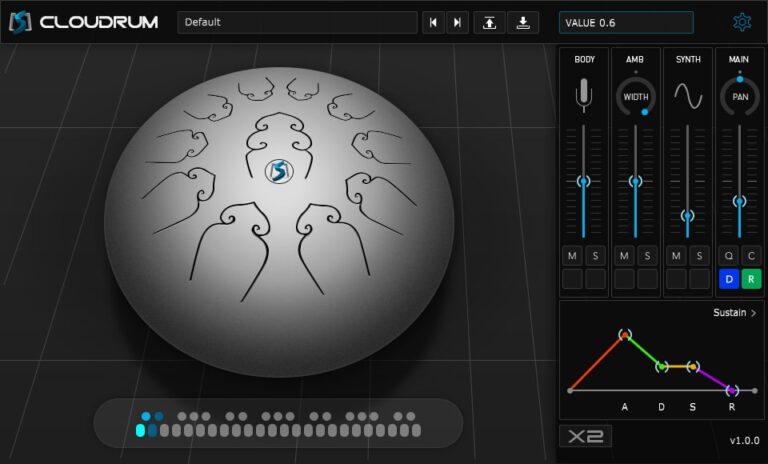
Cloudrum offers the soft and calming tones of a steel tongue drum, sampled across three octaves for rich, natural sound. It includes multiple playing styles like open, mute, and release modes, allowing producers to shape authentic rhythmic layers and melodic accents with ease.
Its adjustable mic positions and ambient controls help fine-tune space and depth in a mix. With features like varied sample cycling and stereo width control, Cloudrum adds organic motion to tracks, making it suited for ambient, chill, or cinematic music projects.
Features
- 3 Octave Steel Tongue Drum
- 760 MB Sample Library Size
- Direct From Disk Streaming
- 2 Mic Positions Available
- Stereo & Mono Modes
- 4 Drum Articulations
- MIDI CC & Automation Control
- Separate Sample Cycles Per Note
- Cycle 3 Simulation For Variation
- Ambient Reverb Slider
- Synth Texture Blend Slider
- Pan Position Control Knob
- Mute & Solo Options
- ADSR Envelope Display
Pros
- Wide stereo sound for depth
- Runs smoothly on most computers
- Low CPU use for big projects
- Works great for ambient music
- Perfect for meditation style tracks
- Realistic sound with natural dynamics
- Built-in reverb for added space
- Cycle feature removes robotic feel
- Easy MIDI mapping and automation
- More realistic than other free options
Cons
- No built-in EQ controls
- Few presets to choose from
- Lacks deep velocity sensitivity
- No true round robin layers
- No advanced effects like delay
- Reverb sounds basic and limited
- Missing tone shaping options
- Not many tweakable parameters
- No built-in scale or mode tool
- Can sound synthetic at high notes
Video Demo
This video shows how to use the free Cloud Drum instrument from Ample Sound and highlights its built-in effects and great default sound.
What Users Say
Audio Demo
Cloudrum Tips
- I like to start by picking a preset that fits my song’s mood before I change any settings.
- I try using a MIDI keyboard so I can play the Cloudrum more naturally and feel the handpan tone.
- I make sure to add a small amount of reverb to give the sound a space-like feel.
- I like layering Cloudrum with soft pads to create a dreamy background sound.
- Use headphones to catch all the small details in the Cloudrum’s natural sound.
- Apply gentle compression to keep each strike clear without losing dynamics.
- Use EQ to remove low rumble and make the handpan shine in the mix.
- Record multiple takes and mix them slightly offbeat for a live performance feeling.
- Experiment with delay effects to make the handpan notes echo in interesting ways.
2. Medicine Bell
OS: Windows Win Mac Mac Bit Version: 32-bit, 64-bit Developer: TDJaudio Size: 7 MB Rating: 84/100
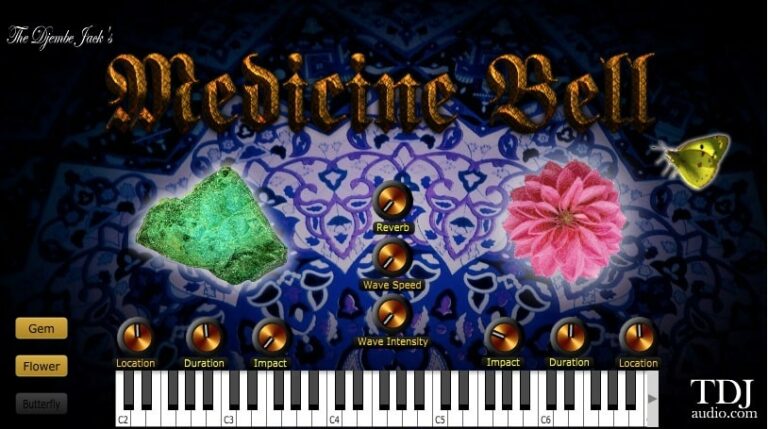
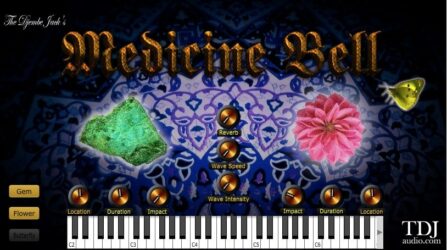
Medicine Bell offers a rich collection of chime and bell tones that range from bright highs to deep, moving lows. Its flexible sound palette makes it useful for creating clear melodies, soft ambient layers, or textured tones that add depth and mood to a track.
With adjustable controls for impact, wave speed, intensity, and reverb, Medicine Bell helps shape sounds that feel alive and evolving. Its clear interface and musical response invite experimenting with space, tone, and motion, making it a strong choice for creative sound design.
Features
- Chime And Bell Instrument Design
- Produces Bright Chime Effects
- Creates Ambient And Lead Sounds
- Adjustable Impact And Wave Strength
- Gem, Flower, And Butterfly Instruments
- Reverb Knob For Echo Effect
- Flexible Modulation Matrix
- Light On CPU Usage
- Built-In High-Quality Effects
- Includes Lush Presets And Pads
Pros
- Creates beautiful and rich chime sounds
- Deep warm tones in low octaves
- High notes sparkle with clarity
- Adjustable impact for sound control
- Wave speed and strength add motion
- Built-in reverb gives big space
- Very expressive and inspires creativity
- Fun tonal controls like gem and flower
- Feels more expressive than most free VSTs
- Smooth performance with rich evolving tones
Cons
- Limited to chime and bell sounds
- Lacks ethnic drum samples
- Few presets for world music
- Missing microtuning features
- No key mapping customization
- Limited modulation sources
- Cannot import custom samples
- Fewer built-in effects options
- Not ideal for complex layering
- Interface could feel too simple
Video Demo
What Users Say
Medicine Bell Tips
- I like to layer the Medicine Bell with soft pads to make the sound feel bigger and deeper.
- I use light reverb to make the bells sound like they are ringing in a giant open space.
- I use the high-pass filter to remove low rumble and make the bell sit better in my mix.
- I like to mix in some delay to give the Medicine Bell a dreamy and echoing effect.
- Layer it with ethnic percussion to blend modern and traditional sounds smoothly.
- Combine Medicine Bell with other ethnic VSTs to make a rich and colorful soundscape.
- Try different scales or tunings to match the mood you want to express in your song.
3. Kalimba
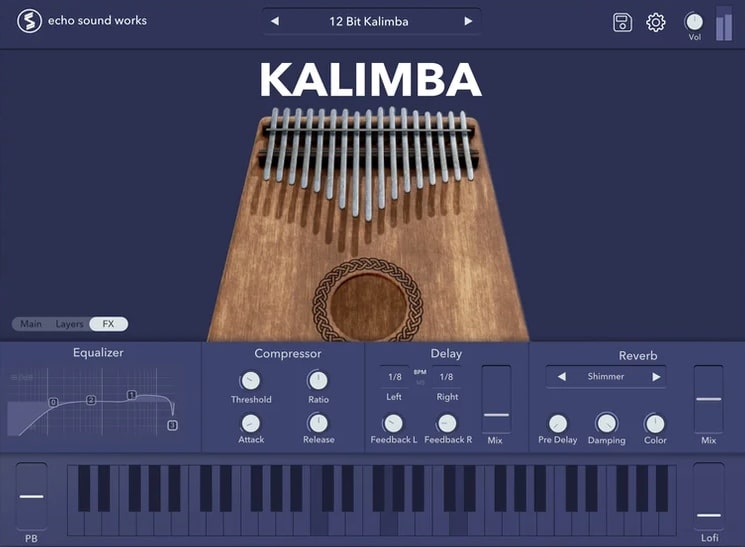
OS: Windows Win Mac Mac Bit Version: 64-bit Developer: Echo Sound Works Size: 203 MB Rating: 84/100
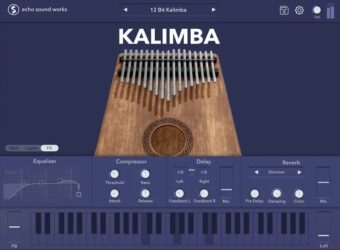
Kalimba offers a modern take on the classic thumb piano, turning its warm, percussive tone into a flexible digital instrument. It’s based on two deeply recorded kalimbas and includes eight creative layers that let producers shape a range of melodic tones and textures.
With tools like hybrid oscillators, EQ, compression, delay, and reverb, Kalimba makes it easy to craft sounds that fit lo-fi, ambient, or trap tracks. The plugin works on both Mac and Windows systems in VST or AU formats and runs smoothly in most major DAWs.
Features
- Two Deeply Sampled Kalimbas
- Eight Processed Sound Layers
- Hybrid Oscillators For Custom Tones
- Reverb With Shimmer Option
- Lofi Button For Vintage Tone
- Built-In Equalizer Controls
- Delay Effect With Stereo Control
- Light CPU Usage Performance
- User-Friendly Interface Design
- Supports VST2 VST3 And AU
Pros
- Warm and natural kalimba tone
- Custom tone design with oscillators
- Eight creative sound layers included
- Lofi button adds vintage texture
- Built-in delay and reverb effects
- Free plugin with pro-level quality
- Better sound realism than many free VSTs
- Lightweight compared to big libraries
- Native Apple M1 Mac support
- Perfect starting point for sound design
Cons
- Does not work in Pro Tools
- Only supports 64-bit systems
- Limited to Windows 10 or newer
- No built-in presets browser
- Lacks round robin sampling
- Missing advanced modulation tools
- No microtuning or scale options
- Default UI theme not resizable
- Few effects compared to others
- Requires manual installation setup
Video Demo
What Users Say
Kalimba Tips
- When I layer the Kalimba by Echo Sound Works with soft pads, it makes the sound fuller and more emotional.
- I often use reverb to give the Kalimba more space and make it sound like it’s in a bigger room.
- Layering the Kalimba with string or flute VSTs can make the track sound more organic.
- Use automation to slowly change reverb or filter settings for a moving, emotional sound.
- Combine ethnic instruments like the Kalimba with modern drums for a unique fusion style.
- EQ out some low frequencies so the Kalimba doesn’t clash with bass instruments.
4. Nu Guzheng
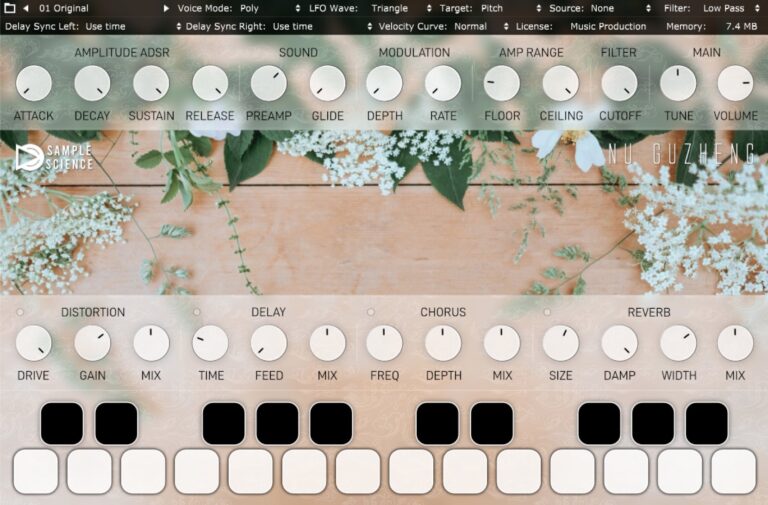
OS: Windows Win Mac Mac Bit Version: 64-bit Developer: SAMPLESCIENCE Size: 36 MB Rating: 83/100
Nu Guzheng is a virtual instrument that brings the sound of the traditional Chinese zither into your music. It includes five sound variations recorded from a real guzheng for a natural and clean tone. The plugin provides polyphonic, monophonic, and legato playing styles for flexible control.
The plugin includes filters, LFOs, and effects such as delay, chorus, reverb, and distortion to shape your tone. With easy controls for attack, sustain, cutoff, and tuning, Nu Guzheng lets you create anything from soft, melodic lines to textured ambient layers.
Features
- Authentic Chinese Guzheng Instrument
- Five Sound Variations Included
- Stereo Sampled Using Condenser Mics
- Multi-LFO Modulation Options
- Highpass And Lowpass Filters
- Chorus And Reverb Effects
- ADSR Envelope For Sound Shaping
- Glide Function For Smooth Transitions
- Low CPU Usage Performance
- Supports VST, AU, And VST3 Formats
Pros
- Realistic and authentic Guzheng sound
- Low CPU use for smooth play
- Five sound variations included
- Multi-LFO adds fun movement
- Built-in reverb sounds natural
- Polyphonic, mono, and legato play
- Dynamic and expressive response
- Great complement to Western sounds
- Free Decent Sampler version offered
- High-quality 32-bit source recording
Cons
- Only one main instrument sound
- Very limited sound variations
- No deep sampling layers
- Lacks round-robin articulation
- Few presets compared to others
- No velocity-based sample changes
- Missing more world instruments
- Limited customization of tone color
- Sound palette can get repetitive
- Not much modulation variety
Video Demo
What Users Say
Nu Guzheng Tips
- I like to start by trying out each preset so I can hear the full range of the Nu Guzheng’s sounds.
- I adjust the attack and release to make the plucked notes smoother or sharper.
- I experiment with EQ to bring out the bright tones and reduce muddiness.
- Try blending the Nu Guzheng with other ethnic instruments for a rich world music feel.
- For more natural performances, automate the volume slightly to mimic a real player’s expression.
- Combine it with ambient pads for cinematic music compositions.
5. MONSTER Ethnica
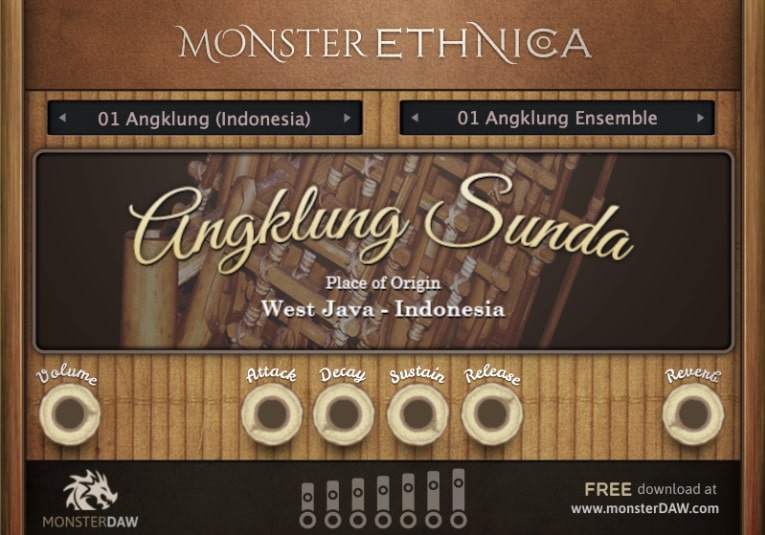
OS: Windows Win Mac Mac Bit Version: 32-bit, 64-bit Developer: MonsterDAW Size: 7MB Rating: 75/100
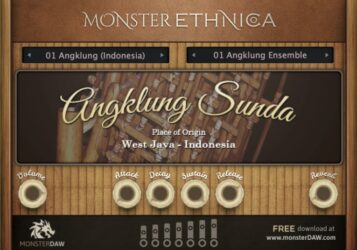
MONSTER Ethnica offers a collection of authentic world instruments designed to bring global sounds into your music. It features 22 presets from regions like Indonesia, China, Romania, and Vietnam, delivering rich tones that range from lively percussion to smooth melodic textures.
The plugin is updated often, adding new instruments donated by real ethnic musicians. With simple controls for volume, reverb, and envelope shaping, it gives music creators an easy way to add cultural flavor and depth to their tracks without the need for costly sample libraries.
Features
- Features Global Ethnic Instruments
- Offers Indonesian Gamelan Sounds
- Provides African And Scottish Tones
- Supports ADSR Sound Controls
- Includes Reverb And Volume Knobs
- Allows Parameter Automation
- Continuously Updated With Expansions
- Offers Realistic Ethnic Sound Quality
- Compatible With Windows And Mac
- Features Simple, User-Friendly Interface
Pros
- High quality ethnic samples
- Realistic instrument recordings
- Authentic Indonesian gamelan tones
- Versatile presets from many countries
- Expandable with user contributions
- Regular new sound updates
- Includes ADSR and reverb tools
- Low CPU and memory usage
- External soundbank storage option
- Free to download and use
Cons
- Limited to few world regions
- Small preset collection
- Lacks round robin samples
- Few velocity layers available
- Limited sound shaping tools
- No built-in sequencer
- No standalone version support
- Mac users face trust issues
- Not as deep as paid plugins
- Slow update release schedule
Video Demo
What Users Say
MONSTER Ethnica Tips
- I often layer two or more ethnic instruments to make the sound bigger and more interesting.
- I like to use reverb to make the ethnic sounds feel like they are in a big open space.
- I sometimes play with different scales to make the melodies sound more authentic.
- Use EQ to remove frequencies that clash with other instruments in the mix.
- Adjust velocity settings to make the instruments sound more natural and dynamic.
- Blend MONSTER Ethnica sounds with your existing sample packs for unique textures.
- Balance ethnic instruments with modern synths to give your music a world-fusion style.
6. SIM-GYIL
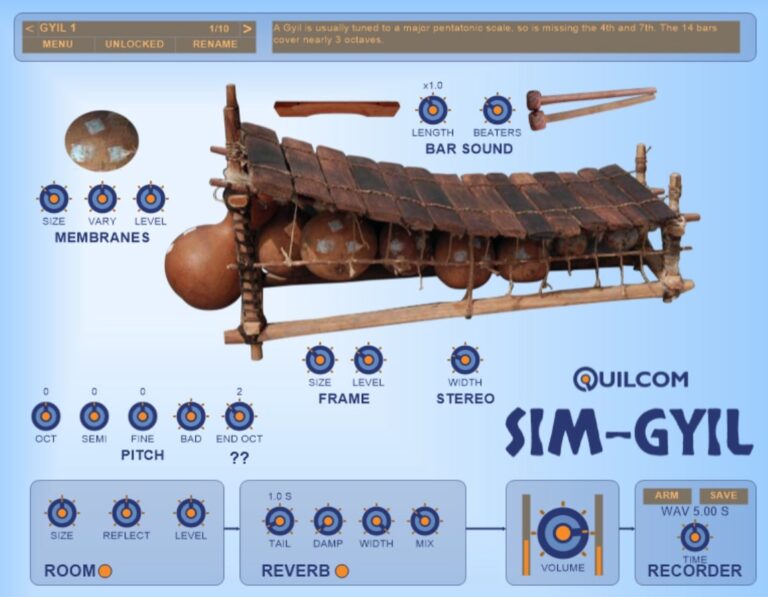
OS: Windows Win Bit Version: 32-bit, 64-bit Developer: Quilcom Size: 27 MB Rating: 74/100
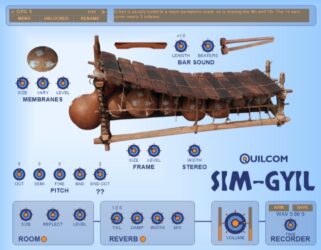
SIM-GYIL offers a detailed simulation of the African gyil, a wooden xylophone that uses gourd resonators to create a buzzing, earthy tone. It captures the mix of percussive attack and resonant warmth that makes the real instrument unique.
The plugin includes controls for pitch, resonance, and reverb, letting producers shape everything from natural acoustic tones to creative variations. Built-in presets make it easy to explore different setups, giving musicians a tool for authentic and rhythmic sound design.
Features
- Simulates Traditional African Gyil
- Uses Dried Gourd Resonators
- Includes Natural Buzzing Effect
- Adjustable Membrane Controls
- Customizable Bar and Frame Sounds
- Built-In Room and Reverb Effects
- Preset Library for Quick Start
- Low CPU Usage Performance
- Adjustable Stereo Width Setting
- Supports 32-Bit And 64-Bit VST
Pros
- Authentic African Gyil sound modeling
- Unique buzzing membrane simulation
- Detailed physical modeling design
- Realistic mallet tone variation
- Adjustable room and reverb effects
- Customizable stereo width control
- Low CPU usage performance
- Free and openly developed plugin
- Includes ready-to-use presets
- Great for world music experiments
Cons
- No Mac version available
- Only supports VST format
- Limited to ethnic percussion sounds
- No built-in preset browser
- No standalone version provided
- Interface can look confusing
- Cannot load external samples
- Reverb section lacks advanced controls
- No MIDI learn or automation guide
- Does not support multi-output routing
Video Demo
What Users Say
SIM-GYIL Tips
- I adjust the mallet hardness to get softer or sharper tones depending on how I want the melody to feel.
- I try layering the SIM-GYIL with a soft pad sound to make it sound fuller and warmer.
- I use the reverb control carefully because too much can make the sound muddy.
- Try adjusting the tuning options to match the scale of your song or create a world-fusion vibe.
- Adding a small delay effect can make the SIM-GYIL sound more lively and natural.
- Layering with other ethnic instruments, like flutes or hand drums, creates a rich global sound.
- Use the built-in EQ to shape the tone—cut a bit of the low mids if the sound gets too heavy.
7. SIM-MIJWIZ
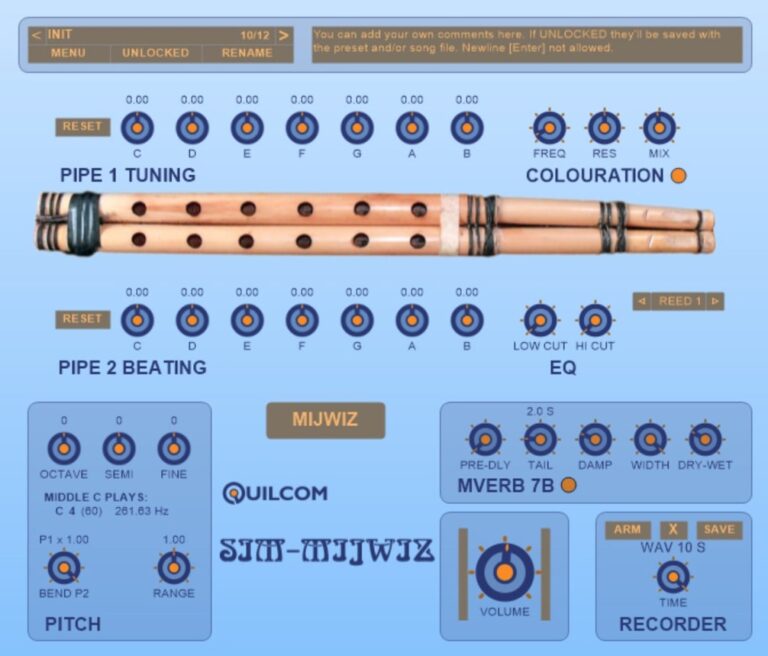
OS: Windows Win Bit Version: 32-bit, 64-bit Developer: Quilcom Size: 20 MB Rating: 73/100
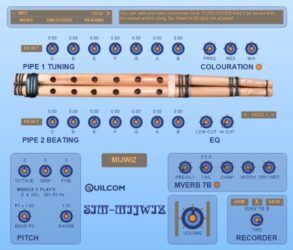
SIM-MIJWIZ offers a detailed simulation of the traditional Arabic wind instrument, giving music creators access to its distinctive tone and character. It can also model sounds similar to the Arghul and Sipsi, letting you explore a wide range of tones and cultural textures.
You can adjust tuning, color, pitch, and reed types to shape the sound exactly as you like. Built-in reverb and EQ tools help place the instrument in any mix, while the recorder captures short performances for easy playback and creative experimentation.
Features
- Simulates Traditional Arabic Wind Sounds
- Supports Arghul And Sipsi Simulation
- Custom Scale Creation Options
- Dual Pipe Waveguide Design
- Separate Tuning For Each Pipe
- Selectable Reed Types For Tone
- Built-In MVerb 7B Reverb Effect
- Bypassable Breath Noise Generator
- Responsive Velocity And Aftertouch
- Clear And Simple User Interface
Pros
- Very realistic Arabic wind sounds
- Creative dual pipe sound design
- Custom scales for unique music
- More realistic than many free VSTs
- Original and niche sound design
- Adjustable pitch for both pipes
- Highly tweakable tone settings
- Built-in reverb adds space
- Lightweight and easy on CPU
- Expressive response to playing style
Cons
- Limited instrument variety offered
- Lacks built-in preset library
- No real-time performance controls
- GUI looks plain and basic
- Not available for Mac users
- Reverb quality sounds outdated
- More CPU use than expected
- No MIDI learn for all controls
- Few modern sound design options
- Only supports VST format
Video Demo
What Users Say
SIM-MIJWIZ Tips
- I make sure to adjust the breath or expression control to make the sound feel more real.
- I experiment with different scales to match traditional Middle Eastern styles.
- Users should explore the plugin’s tone body or resonance settings to find authentic timbres.
- Use an expression pedal or controller for more emotion and realism in performances.
- Using convolution reverb with impulse responses from real spaces enhances realism greatly.
8. Varazuvi Indian Flute
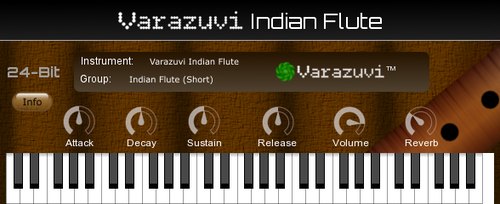
OS: Windows Win Bit Version: 32-bit, 64-bit Developer: Varazuvi Entertainment Size: 50 MB Rating: 71/100
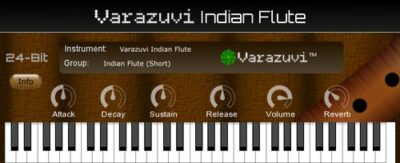
Varazuvi Indian Flute offers the warm and expressive sound of a real Indian flute through high-quality 24-bit, 48kHz recordings. It includes two octaves with multiple velocity layers and three playing styles—short, mid, and long—for a more natural and detailed performance.
You can shape your tone using controls for attack, decay, sustain, release, volume, and reverb, as well as six built-in effects. The plugin delivers an authentic, dynamic flute tone that fits smoothly into projects needing rich, ethnic wind textures.
Features
- Authentic Indian Flute Recordings
- High-Resolution 24-Bit Samples
- Multiple Velocity-Layered Samples
- Three Separate Playing Styles
- Adjustable Attack, Decay, Sustain, Release
- Six Built-In Audio Effects
- Volume And Reverb Controls
- Playable With MIDI Keyboard
- On-Screen Instrument Display
- Realistic And Dynamic Sound
Pros
- Real Indian flute recordings
- Warm and natural flute tone
- High quality 24-bit samples
- Multiple velocity layers add depth
- Vibrato and slides sound real
- Unique ethnic flavor and charm
- Realistic and expressive dynamics
- Lightweight and quick to load
- Built-in reverb for space
- Plays beautifully straight out the box
Cons
- Limited to only flute sounds
- No support for Mac systems
- Only two octaves available
- No customizable sound layers
- Limited built-in effect options
- No built-in sequencer feature
- Can be CPU heavy on computers
- Not compatible with AU format
- User interface looks outdated
- Lacks multiple instrument choices
Video Demo
What Users Say
Varazuvi Indian Flute Tips
- I explore all the articulations in the plugin to make the sound more real.
- Use the pitch bend wheel to add smooth transitions between notes.
- Try recording dry (without effects) and add reverb later in the mix.
- Layer multiple flute tracks at different octaves to make the sound fuller.
- Use automation to change the volume or reverb for more emotion in the music.
- Combine the Varazuvi Indian Flute with other ethnic instruments for cultural depth.
9. Zourna
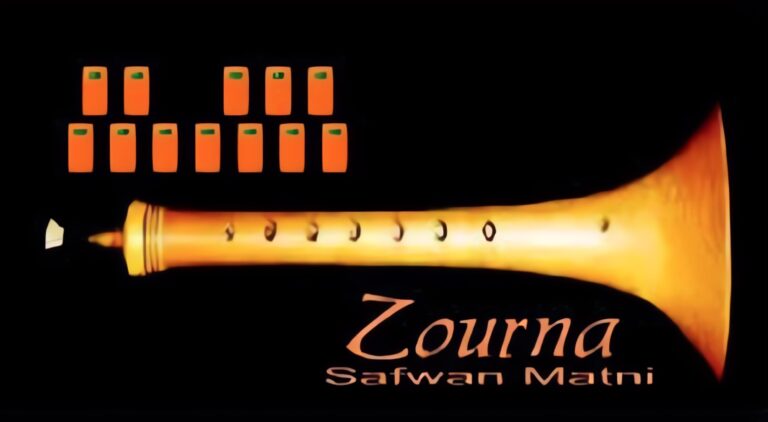
OS: Windows Win Bit Version: 32-bit Developer: Safwan Matni Size: 1 MB Rating: 62/100
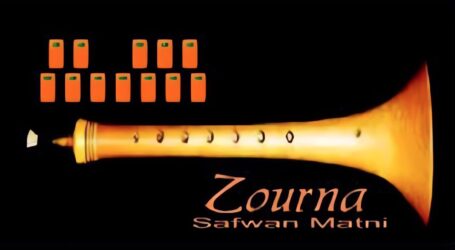
Zourna offers an authentic sound of the traditional double-reed woodwind, bringing Middle Eastern character to digital music projects. It includes controls for volume, tone, pitch, and reverb, along with easy preset buttons to quickly switch between different tonal styles and moods.
Created by Safwan Matni, this 32-bit Windows VST lets music creators shape expressive quarter-tone melodies that cut through a mix with energy and color. Its simple layout and detailed sampling make it a strong choice for adding cultural depth to modern tracks or soundtracks.
Features
- Quarter Tone Adjustable Tuning
- Tone Brightness Adjustment
- Pitch Up Or Down
- Reverb Echo Effect Control
- Realistic Zourna Sound
- User-Friendly Interface Design
- Simple Orange Preset Buttons
- Volume Level Control
- Instrument Image Display
- Works As 32-Bit VST
Pros
- Authentic Middle Eastern zurna sound
- Adjustable quarter tone tuning
- Realistic and expressive playback
- Instant Middle Eastern vibe
- Lightweight and quick to load
- Has reverb for natural depth
- Brings rare instrument to producers
- Adds unique ethnic color
- Works well with other VSTs
- Free and accessible to everyone
Cons
- Only works on Windows systems
- Limited to 32-bit format
- No VST3 or AU version
- Interface looks very simple
- Few sound customization options
- No built-in effects beyond reverb
- Cannot layer multiple instruments
- Lacks velocity curve adjustments
- Limited realism compared to paid VSTs
- Does not include MIDI learn
Video Demo
What Users Say
Zourna Tips
- I listen to real Zourna recordings to understand the natural tone and breath of the instrument.
- I use velocity changes when I play to make the Zourna sound more alive and less robotic.
- Experimenting with different scales can help the Zourna sound more authentic in ethnic or world music tracks.
- Combining the Zourna with ethnic percussion instruments often makes the music more dynamic.
- I adjust the reverb in the plugin to make it feel like the Zourna is being played in a big hall.
- I use automation in my DAW to make the sound of the Zourna move and change like a real player.
10. World StringZ
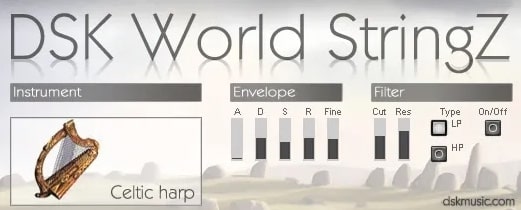
OS: Windows Win Bit Version: 32-bit, 64-bit Developer: DSK Music Size: 40 MB Rating: 59/100
World StringZ offers 13 playable string instruments from around the world, including the Celtic harp, sitar, koto, and Turkish oud. Each sound responds to your touch, with adjustable attack, decay, sustain, and release to shape expression in your music.
It includes three playing styles, six built-in effects, and MIDI automation for custom control. Recorded in 24-bit quality, World StringZ gives a smooth tone that fits styles from cinematic tracks to world beats, making it useful for adding global string sounds to any production.
Features
- Includes Eight World String Instruments
- Velocity Sensitive Sound Response
- Supports MIDI Automation Control
- Features Built-In Delay And Reverb
- Provides Attack, Decay, Sustain, Release
- Selectable Low Pass Or High Pass Filter
- Adjustable Pitch Fine Tuning
- Light On CPU Resources
- Uses 24-Bit 48kHz Samples
- Produces Ethnic And Acoustic Tones
Pros
- Wide range of world instruments
- Authentic sampled world string sounds
- Includes 13 detailed instruments
- Layered tones for fuller sound
- Customizable filter and resonance
- Six built-in sound effects included
- Velocities respond to playing style
- Light on CPU performance
- Ideal for film or game scoring
- Perfect for adding global flavor
Cons
- Limited to only string instruments
- Sustained notes sound unnatural
- Few velocity layers for realism
- No round-robin sampling variety
- Lacks deep ethnic instrument range
- No real-time performance controls
- User interface feels outdated
- Samples can sound synthetic
- No advanced articulation options
- Limited realism compared to newer VSTs
Video Demo
What Users Say
World StringZ Tips
- I adjust the velocity on my MIDI keyboard to make the strings sound more alive.
- I use the reverb knob carefully so the instruments sound like they are in a real space.
- Experiment with different scales from around the world to match the ethnic instrument tone.
- Layer the VST with real recordings to make the sound more authentic.
- Use automation on reverb and pan to make the instruments move in the mix.
- Combine World StringZ with ambient textures to create cinematic background music.
- Try combining multiple ethnic VSTs to form a cultural fusion sound.
11. Thumb Piano
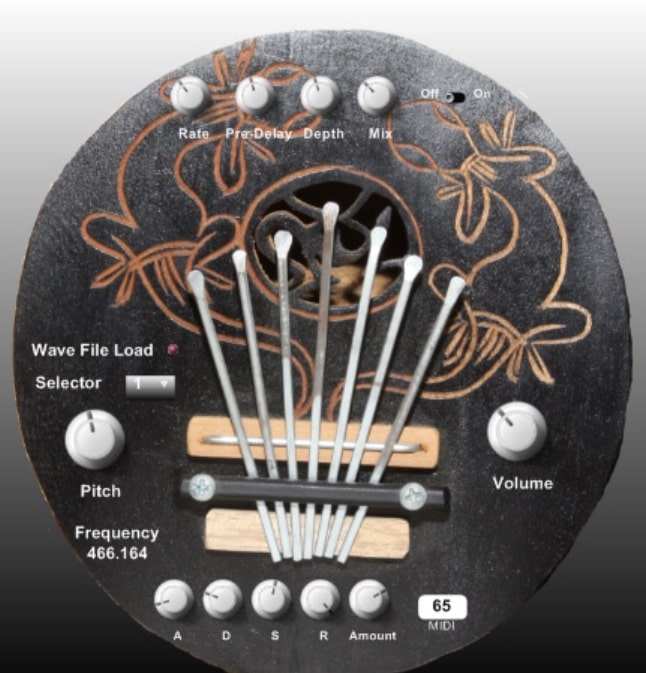
OS: Windows Win Bit Version: 32-bit Developer: Ph D(J )Music Size: 3.8 MB Rating: 59/100
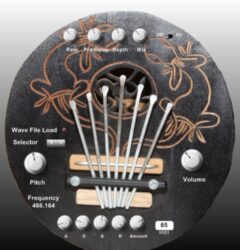
Thumb Piano offers the gentle, percussive tones of the African mbira in an easy-to-use VST format. Each note was recorded from a real instrument, giving it a natural and organic sound. It works well for adding melodic rhythm or texture to your tracks.
The plugin includes controls like ADSR, chorus, and pitch shift, letting you shape the tone to fit any style. Simple effects such as rate, depth, and mix help fine-tune the sound. Thumb Piano is a 32-bit Windows VST that captures a distinctive world music feel.
Features
- Authentic Thumb Piano Instrument Sounds
- Recorded From Real Mbira Notes
- Includes ADSR Envelope Controls
- Built-In Chorus Effect Option
- Adjustable Pitch Shifter Control
- Reverb Effect Included
- Rate, Depth, And Mix Controls
- Low CPU Usage Performance
- Simple And Clear Interface Design
- Adjustable Master Volume Control
Pros
- Authentic tones from real instrument
- Clean and natural sample quality
- Adjustable noise adds real texture
- Includes useful ADSR controls
- Chorus adds nice sound depth
- Pitch shift allows creative play
- Nice built-in reverb effect
- Low CPU use on older computers
- Small file size for quick install
- Inspires unique world music ideas
Cons
- Only works on Windows systems
- Limited to 32-bit version
- No built-in reverb or delay
- Few preset sound options
- Interface too small on screens
- Can crackle with many notes
- No layered or multisample mapping
- Lacks round-robin sample variation
- No microtuning or scale features
- Less realistic dynamics than paid VSTs
What Users Say
Thumb Piano Tips
- I make sure to layer the Thumb Piano with a soft pad to create a warm atmosphere.
- I use the velocity settings to control how hard or soft I want the notes to sound.
- I enjoy blending the Thumb Piano with ethnic percussion for a world music vibe.
- I like to use a delay effect to give the Thumb Piano a rhythmic echo feel.
- Using EQ to remove low frequencies can help the Thumb Piano fit better in a mix.
- Experimenting with different tunings can highlight the instrument’s unique character.
- Ethnic VST instruments often sound best when used sparingly to accent key parts of a track.
12. DSK Asian DreamZ
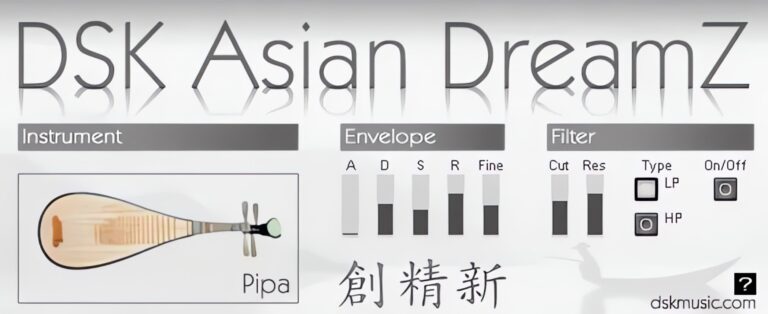
OS: Windows Win Bit Version: 32-bit Developer: DSK Music Size: 11 MB Rating: 56/100
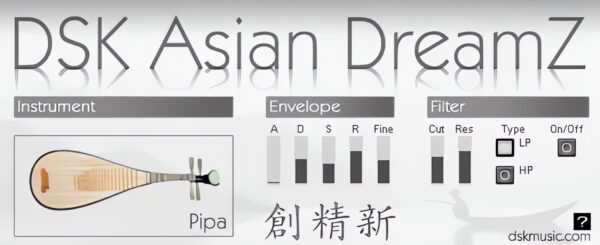
DSK Asian DreamZ offers a set of seven traditional Asian instruments, including Pipa, Guzhen, Erhu, Luan, Ban di, and a percussion kit. It adds authentic tones that bring an Asian flavor to your tracks through adjustable filters, pitch control, and a responsive velocity system.
This plugin lets producers shape each sound using amp envelope controls and a micro-detuner for fine-tuning. With MIDI automation and simple controls, it’s a practical choice for adding expressive string and percussion textures to music projects on Windows systems.
Features
- Includes Seven Asian Instruments
- Features Velocity Response Control
- Offers Micro-Detuner Option
- Provides HP And LP Filters
- Supports MIDI Automation
- Uses ADSR Envelope Controls
- Light On CPU Resources
- Simple And Clear Interface
- Useful For Ethnic Sound Creation
- Includes Percussion And String Sounds
Pros
- Offers seven unique Asian instruments
- Better variety than most free ethnic VSTs
- Realistic string instrument sounds
- Customizable tone with filters
- Fine tuning with micro-detuner
- Light on CPU performance
- Simple and clear interface
- MIDI automation supported
- Asian sound palette in one plugin
- Free to download and use
Cons
- Only works on Windows
- Limited to 32-bit format
- Sound can feel fake
- Percussion lacks detail
- Interface looks outdated
- Few sound shaping options
- Limited instruments available
- Crashes in some DAWs
- Less realistic than paid libraries
- Velocity response uneven
Video Demo
What Users Say
DSK Asian DreamZ Tips
- I always tweak the reverb settings to make the instruments sound like they’re in a real room.
- I often mix Asian DreamZ with other Ethnic VSTs to get a wider world-music sound.
- I use EQ to cut extra bass so the music doesn’t get muddy.
- Use automation to move parameters like volume and reverb for a more dynamic sound.
- Experiment with panning to place different instruments across the stereo field.
- Be careful not to overuse reverb; too much can make the mix blurry.
13. DSK Indian DreamZ
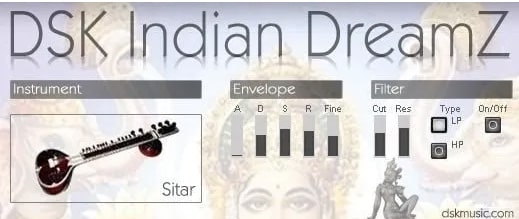
OS: Windows Win Bit Version: 32-bit Developer: DSK Music Size: 13 MB Rating: 46/100
DSK Indian DreamZ offers six traditional Indian instruments including sitar, sarod, veena, tar, tampura, and tabla. It provides velocity response for dynamic playing and includes a micro-detuner, amp envelope, and filter controls to shape tone and texture with ease.
This plugin helps music creators add an Indian feel to their tracks using adjustable settings for attack, decay, sustain, and release. With filter options like highpass and lowpass and full MIDI automation support, it gives flexibility for expressive and layered sounds.
Features
- Includes Six Indian Instruments
- Supports Velocity Response
- Has Amp Envelope Controls
- Features Micro-Detuner Option
- Offers Highpass And Lowpass Filters
- Allows MIDI Automation
- Provides Pitch Fine-Tuning
- Includes Attack, Decay, Sustain, Release
- Has Filter Cutoff And Resonance
- Available In 32-Bit VST Format
Pros
- Includes six traditional Indian instruments
- Offers sitar and tabla sounds
- Micro-detuner for fine-tuning
- Has both highpass and lowpass filters
- Supports velocity-sensitive playing
- Supports MIDI automation controls
- Lightweight on computer resources
- Small file size for easy install
- Includes amp envelope controls
- Completely free to download
Cons
- Only works on Windows systems
- No 64-bit version available
- Not compatible with macOS
- Sounds are not very realistic
- Limited to six instruments
- No built-in reverb effects
- Interface looks old and small
- CPU use can be high
- No support for newer DAWs
- Better free ethnic plugins exist
Video Demo
What Users Say
DSK Indian DreamZ Tips
- I like to start by loading different sitar or tabla presets to hear what fits best in my song.
- I try layering DSK Indian DreamZ with soft pads to make the music sound full.
- I often use the pitch bend wheel to make the instruments sound more real.
- Combine DSK Indian DreamZ with other ethnic VSTs for a wider world music tone.
- EQ the lower frequencies to avoid muddiness in your mix.
- Use automation to change the volume or reverb over time for a living sound.
- Experiment with different keys or scales to bring out the ethnic flavor.
14. Syntar
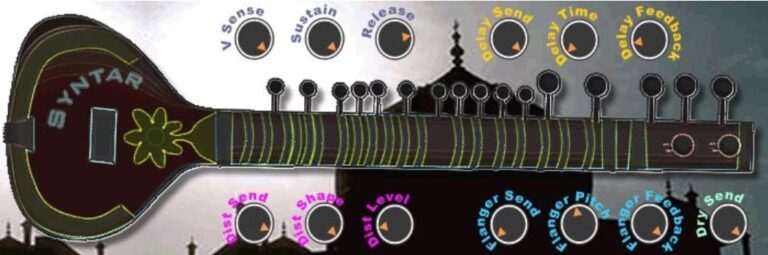
OS: Windows Win Bit Version: 32-bit Developer: Syntar Size: 1.3 MB Rating: 46/100
Syntar offers a detailed sitar sound that blends traditional tones with modern controls. It features continuous bass drones and bright melodic layers, letting you shape expressive sitar textures for your tracks. The plugin works on Windows in VST 32-bit format.
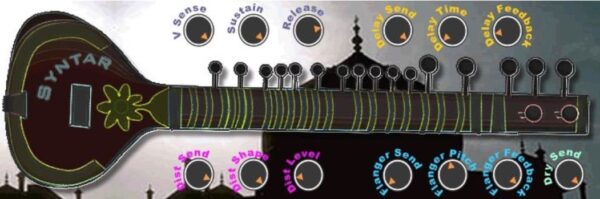
Built-in effects like soft distortion, delay, and flanger help you shape your tone easily. Controls for sustain, release, and sensitivity let you adjust how the instrument responds to your playing. Syntar gives music creators a simple way to add authentic sitar sounds to their projects.
Features
- Realistic Sitar Sound Engine
- Continuous Bass Note Feature
- Built-In Soft Distortion Effect
- Included Delay Effect Controls
- Available Flanger Sound Effect
- V Sense For Play Dynamics
- Sustain Control For Longer Notes
- Release Control For Smooth Fades
- Distortion Shape And Level Control
- Flanger Pitch And Feedback Settings
Pros
- Realistic sitar sound textures
- Built-in delay and flanger
- Soft distortion adds warmth
- Expressive higher melody tones
- Customizable sustain and release
- Flexible effect send options
- Full control of tone balance
- Lightweight and runs smoothly
- Responsive to playing strength
- Unique sound compared to freebies
Cons
- Only works on Windows systems
- Limited to 32-bit format
- Outdated interface design
- No standalone version available
- Weak realism compared to real sitar
- Limited dynamic expression
- No built-in EQ control
- Doesn’t support modern DAWs well
- No multi-sample layering
- Smaller sound range than competitors
Video Demo
What Users Say
Syntar Tips
- I like to start by checking the preset library on the Syntar to hear what kinds of tones it can make.
- I love to use the pitch bend wheel to make the Syntar sound more like a real stringed instrument.
- Use the Syntar’s built-in filters to shape the tone before adding other effects.
- Blend Syntar sounds with ethnic VSTs like sitars, tablas, or flutes for more realistic textures.
- Use delay and reverb carefully so the ethnic sounds stay natural and not muddy.
- Create dynamic changes with velocity to make your Syntar playing more expressive.
Ethnic VST Plugins Compared
This table compares the ethnic plugins by operating system, bit version, format, and rating.
| Details | Cloudrum | Medicine Bell | Kalimba | Nu Guzheng | MONSTER Ethnica | SIM-GYIL | SIM-MIJWIZ | Varazuvi Indian Flute | Zourna | World StringZ | Thumb Piano | DSK Asian DreamZ | DSK Indian DreamZ | Syntar |
|---|---|---|---|---|---|---|---|---|---|---|---|---|---|---|
| Image |  |
 |
 |
 |
 |
 |
 |
 |
 |
|
 |
 |
|
 |
| Rating | ||||||||||||||
| OS | Windows, Mac | Windows, Mac | Windows, Mac | Windows, Mac | Windows, Mac | Windows | Windows | Windows | Windows | Windows | Windows | Windows | Windows | Windows |
| Formats | VST, AU, RTAS | VST, AU | VST2, VST3, AU | VST, VST3, AU | VST | VST | VST | VST | VST | VST, AU | VST | VST | VST | VST |
| Bit Version | 32-bit, 64-bit | 32-bit, 64-bit | 64-bit | 64-bit | 32-bit, 64-bit | 32-bit, 64-bit | 32-bit, 64-bit | 32-bit, 64-bit | 32-bit | 32-bit, 64-bit | 32-bit | 32-bit | 32-bit | 32-bit |
| Developer | Ample Sound | TDJaudio | Echo Sound Works | SAMPLESCIENCE | MonsterDAW | Quilcom | Quilcom | Varazuvi Entertainment | Safwan Matni | DSK Music | Ph D(J )Music | DSK Music | DSK Music | Syntar |
| License | Freeware | Donationware | Freeware | Freeware | Freeware | Freeware | Freeware | Commercial | Freeware | Freeware | Freeware | Freeware | Freeware | Freeware |
| Sample-Based | Yes | Select | Yes | Yes | Yes | Yes | No | Yes | Select | Yes | Select | Yes | Yes | Select |
| Download Size | 651 MB | 7 MB | 203 MB | 36 MB | 7MB | 27 MB | 20 MB | 50 MB | 1 MB | 40 MB | 3.8 MB | 11 MB | 13 MB | 1.3 MB |
| CPU Load | Low | Low | Low | Low | Low | Medium | Low | Low | Low | Low | Low | Low | Low | Low |
| Polyphony | 32 | 8 | 32 | 32 | 64 | 16 | 8 | 16 | 32 | 32 | 8 | 32 | 6 | 8 |
| Features | Steel tongue drum, Multi-articulation control, Dual mic positions, CPC automation, Cycle simulation, Stereo imaging, Built-in reverb | Chime Instrument, Wide Range, Deep Waves, Adjustable Impact, Wave Controls, Reverb Effect, On-Screen Piano | Hybrid Oscillators, Custom Tone Design, Layered Sounds, Built-in EQ, Compressor Controls, Reverb Effects, Lofi Mode | Guzheng Sound, Sound Variations, Multi-LFO, Filters, Sound Effects, Amplitude Controls, Voice Modes | World instruments, High-quality sound, 22 presets, Expansion updates, Free samples, Parameter automation, Reverb control | Gyil Simulation, Gourd Resonance, Buzzing Timbre, Percussive Realism, Adjustable Pitch, Built-in Reverb, Sound Recorder | Dual-pipe synthesis, Custom scales, Timbre control, Reed selection, Pitch modulation, Reverb effects, Built-in recorder | Authentic recordings, Parameter control, Dynamic sound, Layered samples, Multiple styles, Variable effects, Realistic expression | Preset Selection, Volume Control, Tone Adjustment, Pitch Control, Reverb Effect, Instrument Image, Name Display | World instruments, Velocity response, MIDI automation, Sound layering, Playing styles, Built-in effects, Filter control | Realistic sampling, ADSR envelope, Chorus effect, Pitch shifter, Wave loading, Reverb effect, Simple interface | Asian instruments, Velocity response, Amp envelope, Micro-detuner, HP/LP filter, MIDI automation, Customizable sounds | Indian instruments, Velocity response, Amp envelope, Micro-detuner, Highpass filter, Lowpass filter, MIDI automation | Sitar sounds, Continuous bass, Higher melody, Soft distortion, Delay effects, Flanger effects, Easy adjustment |
| Controls | Drum Pad, Preset Menu, Transport Buttons, Body Slider, Amb Slider, Synth Slider, Main Slider | Gem Button, Flower Button, Butterfly Button, Location Knob, Duration Knob, Impact Knob, Reverb Knob | Equalizer, Compressor, Delay, Reverb, Keyboard, Volume Knob, Lofi Button | Attack, Decay, Sustain, Release, Cutoff, Reverb Mix, Volume | Instrument Menu, Preset Selector, Display Screen, Volume, Reverb, ADSR Controls, Level Meters | Membranes Size, Membranes Level, Bar Sound Length, Bar Sound Beaters, Frame Size, Stereo Width, Reverb Mix | Init/Menu, Pipe 1 Tuning, Pipe 2 Beating, Colouration, EQ, Reed Selector, Pitch | Attack, Decay, Sustain, Release, Volume, Reverb, Instrument Display | Preset Buttons, Volume Control, Tone Knob, Pitch Control, Reverb Control, Instrument Image, Name Display | Instrument Selector, Attack, Decay, Sustain, Release, Fine Tune, Filter Cutoff | Rate, Pre-Delay, Depth, Mix, Wave File Load, Selector, Pitch | Instrument Selector, Attack, Decay, Sustain, Release, Fine Tune, Filter Cutoff | Instrument Selector, Envelope Section, Attack, Decay, Sustain, Release, Filter Section | V Sense, Sustain, Release, Delay Time, Delay Feedback, Dist Level, Flanger Pitch |
| Effects Included | Reverb, Delay, Stereo Width, Pan, ADSR Envelope | Reverb, Filter | Equalizer, Compressor, Delay, Reverb, Lofi | Distortion, Delay, Chorus, Reverb | Reverb | Reverb, Chorus | Colouration, EQ, MVerb 7B | Reverb | Reverb | Delay, Flanger, Reverb | ADSR, chorus, pitch shifter, reverb | HP/LP Filter | Highpass filter, Lowpass filter | Soft distortion, delay, flanger |
| MIDI Learn | Yes | Unknown | Select | Unknown | Yes | Yes | Unknown | Unknown | Unknown | Unknown | Unknown | No | Yes | Unknown |
| Presets | 20 | 40 | 40 | 40 | 50 | N/A | N/A | 12 | N/A | 40 | N/A | 6 | 6 | N/A |
| Standalone | Yes | Select | Select | Yes | Yes | Yes | Yes | No | Select | Yes | Select | No | No | Select |
| Last Updated | 03/05/2024 | 09/30/2023 | N/A | 10/09/2022 | 03/27/2024 | 04/13/2019 | 08/17/2020 | 06/23/2015 | N/A | 11/16/2009 | N/A | 01/17/2012 | 04/10/2019 | N/A |
Favorite Ethnic VST Plugins
Our favorite free ethnic related plugins are Cloudrum by Ample Sound, Medicine Bell by TDJaudio, and Kalimba by Echo Sound Works. These plugins all offer high quality sounds for different projects.
| Details | Cloudrum | Medicine Bell | Kalimba |
|---|---|---|---|
| Image |
|
|
|
| Rating | |||
| OS | Windows, Mac | Windows, Mac | Windows, Mac |
| Formats | VST, AU, RTAS | VST, AU | VST2, VST3, AU |
| Bit Version | 32-bit, 64-bit | 32-bit, 64-bit | 64-bit |
| Developer | Ample Sound | TDJaudio | Echo Sound Works |
| License | Freeware | Donationware | Freeware |
| Sample-Based | Yes | Select | Yes |
| Download Size | 651 MB | 7 MB | 203 MB |
| CPU Load | Low | Low | Low |
| Polyphony | 32 | 8 | 32 |
| Features | Steel tongue drum, Multi-articulation control, Dual mic positions, CPC automation, Cycle simulation, Stereo imaging, Built-in reverb | Chime Instrument, Wide Range, Deep Waves, Adjustable Impact, Wave Controls, Reverb Effect, On-Screen Piano | Hybrid Oscillators, Custom Tone Design, Layered Sounds, Built-in EQ, Compressor Controls, Reverb Effects, Lofi Mode |
| Controls | Drum Pad, Preset Menu, Transport Buttons, Body Slider, Amb Slider, Synth Slider, Main Slider | Gem Button, Flower Button, Butterfly Button, Location Knob, Duration Knob, Impact Knob, Reverb Knob | Equalizer, Compressor, Delay, Reverb, Keyboard, Volume Knob, Lofi Button |
| Effects Included | Reverb, Delay, Stereo Width, Pan, ADSR Envelope | Reverb, Filter | Equalizer, Compressor, Delay, Reverb, Lofi |
| Download | Download Cloudrum | Download Medicine Bell | Download Kalimba |
Ethnic Plugin FAQs
How to Install Ethnic VST Plugins
To install ethnic VST plugins on Windows or Mac, extract the files from the Zip or Rar. Move the files (.dll for Windows or .component for Mac) into your DAW’s plugin folder. Then restart your software and rescan the directory to complete the process. Tutorial: How to Install VST Plugins
Windows:
Extract the downloaded zip file and copy the .dll file into the VST plugins folder scanned by your DAW. Restart your music software and rescan your plugin directory to begin using the new VST.
Mac OS X:
Extract the downloaded archive and move the .component or .VST file to the plugin folder. It is usually /Library/Audio/Plug-Ins/Components or /Library/Audio/Plug-Ins/VST. Restart your DAW and rescan your plugins to complete the installation.
What Is An Ethnic VST Plugin?
An Ethnic VST plugin is a virtual instrument that replicates the sounds and instruments of various global cultures. Ethnic virtual instruments allow you to emulate instruments from Africa, Asia, Latin America, and other regions.
Why Use Ethnic VST Plugins?
Ethnic VST plugins provide a way for musicians and producers to add a unique and authentic touch to their music by introducing traditional sounds and rhythms from different cultures worldwide.
Are These Ethnic VST Plugins Compatible with All DAWs?
While most standard DAWs tend to support VST plugins, it is always recommended to check the individual compatibility of each plugin with your specific DAW, as there can be exceptions.
I hope you found this rundown of free Ethnic VST plugins useful for your music projects.