Here are the best free electric guitar VST plugins for Windows and Mac. We have included video demos, feature lists, pros, cons, and plugin ratings.
How we rate plugins: We rate each electric guitar VST plugin based on sound quality, design, performance, features, usability, and compatibility. We rate plugins on a scale of 1 to 100.
Table of Contents
I have spent over 15 years testing and comparing hundreds of free and paid VST plugins, supported by hands-on demos on our YouTube channel, which has 11,000+ subscribers.
Best Free Electric Guitar VST Plugins
This table compares electric guitar VST plugins by OS, bit version, format, and rating.
| # | Plugin | OS | Formats | Bit Version | Ratings |
|---|---|---|---|---|---|
| 1 | Ample Bass P Lite | Windows Mac | VST, VST2, AU, AAX | 32-bit, 64-bit | |
| 2 | Shreddage 3 Stratus Free | Windows | Kontakt | 64-bit | |
| 3 | Labs Peel Guitar | Windows Mac | VST, AU | 64-bit | |
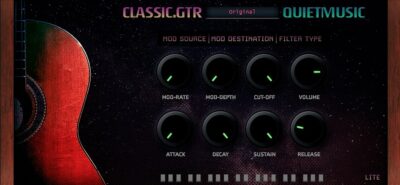
| 4 | Classic Gtr Lite | Windows Mac | VST, VST3 | 64-bit | |
| 5 | Labs Electric Guitars | Windows Mac | VST, AU | N/A | |
| 6 | Cute Emily Guitar | Windows Mac | VST, AU | 32-bit, 64-bit | |
| 7 | Haunted Guitar Lite | Windows Mac | VST, VST3 | 64-bit | |
| 8 | FS Blues Steel Guitar | Windows | VST, AU | 32-bit, 64-bit | |
| 9 | MONSTER Guitar | Windows Mac | VST, AU | 32-bit, 64-bit | |
| 10 | Lethality | Windows | VST | 32-bit, 64-bit | |
| 11 | Cute Emily Dirty | Windows Mac | VST, AU | 32-bit, 64-bit | |
| 12 | FabBass | Windows | VST | 32-bit | |
| 13 | SuperRiff Guitar | Windows | N/A | 32-bit | |
| 14 | Suburban Guitarist | Windows | VST | 32-bit | |
| 15 | Strat-A-Various | Windows | VST | 32-bit | |
| 16 | DVS Guitar | Windows | VST | 32-bit | |
| 17 | Cute Emily Guitar | Windows Mac | VST, AU | 32-bit, 64-bit | |
| 18 | Raspier | Windows | VST | 32-bit | |
| 19 | Dynamic Guitars | Windows Mac | VST, AU | 32-bit, 64-bit | |
| 20 | OMB1 | Windows | VST | 32-bit |
1. Ample Bass P Lite
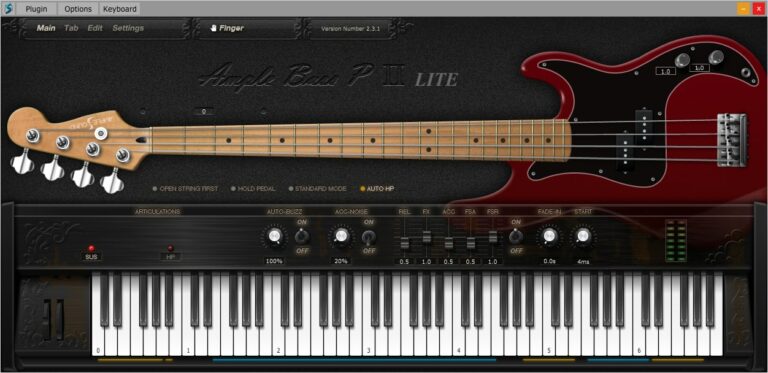
OS: Windows Win Mac Mac Bit Version: 32-bit, 64-bit Developer: Ample Sound Size: 450 MB Rating: 84/100
Ample Bass P Lite offers a realistic Fender Precision Bass sound in a compact, free plugin. It uses detailed sampling and features like Poly Legato, Slide Smoother, and Auto Buzz to deliver natural playing nuances. The plugin captures finger noise and subtle details for authentic bass tones.
The built-in Tab Player supports popular tablature formats, allowing users to load, view, and export bass lines directly as audio. With controls for tone, dynamics, and style, Ample Bass P Lite provides flexible performance options suited for any DAW setup or standalone use.
Features
- Recorded From Fender Precision Bass
- Realistic Fingering And String Noise
- Auto Buzz System For Realism
- Polyphonic Legato And Slide Smoother
- Manual Vibrato Wheel For Expression
- Finger Or Pick Playing Modes
- Custom Parameters Control Via MIDI
- Capo Function For Easy Transpose
- Tab Player Supports Multiple File Formats
- Available In VST, AU, And AAX Formats
Pros
- Realistic Fender Precision Bass tone
- Rich and detailed finger noise
- Supports both pick and finger modes
- DFD technology for smooth playback
- Poly Legato makes smooth slides
- Auto Buzz adds real string feel
- Tab Player supports many formats
- Exports tabs as audio easily
- Capo feature for easy tuning
- Better realism than most free VSTs
Cons
- Limited articulations compared to paid version
- Small sample library reduces realism
- Lower bit depth affects clarity
- Few customization options available
- Heavier on CPU for some systems
- No built-in amp or effects
- Range limited to D1–F4 only
- No round-robin for all notes
- Less dynamic response than others
- Hard to blend in a mix
Video Demo
What Users Say
Ample Bass P Lite Tips
- I often use the built-in compressor to make sure my bass is even and clear in the mix.
- I sometimes double the bass track with a distorted version for extra punch in metal mixes.
- Use the “Humanize” feature to make the bass feel like it’s being played by a real person.
- Layer the Ample Bass P Lite with a sub-bass synth to fill out the low end for modern metal mixes.
- Match the bass tone with the kick drum so they work together instead of clashing.
- Try routing the output of the plugin through an external distortion or amp sim for a heavier tone.
2. Shreddage 3 Stratus Free
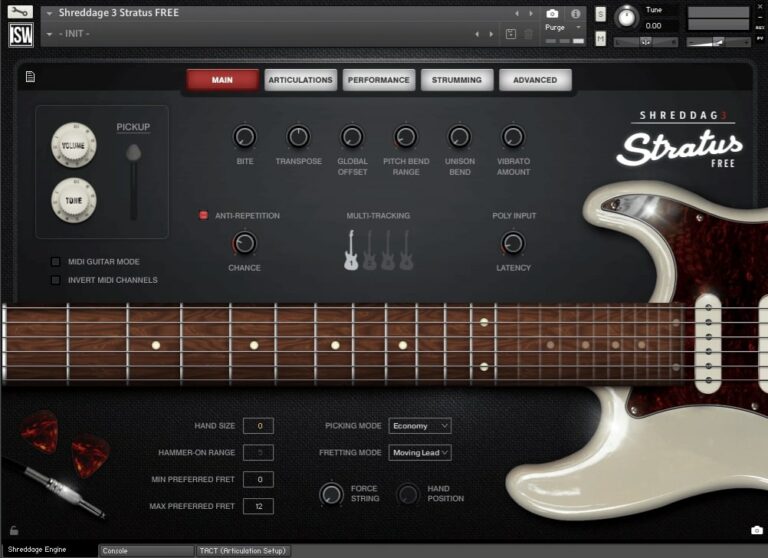
OS: Windows Win Bit Version: 64-bit Developer: Impact Soundworks Size: 778 MB Rating: 83/100
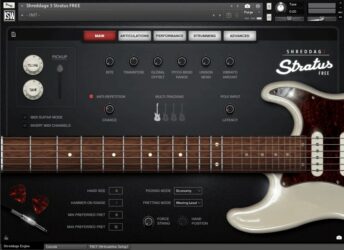
Shreddage 3 Stratus Free offers a realistic classic electric guitar sound for Kontakt Player users. It features detailed recordings with sustain, palm mute, and choke articulations across three octaves. The plugin’s fretting engine simulates natural guitar behavior, making it suitable for leads, chords, and rhythm parts.
Users can shape tones with built-in FX modules, cabinet simulations, and a console-style mixer. The DI recordings let players craft their own amp tones, while preset snapshots cover clean to high-gain styles. It’s a versatile choice for producing rock, pop, funk, and similar genres with lifelike guitar expression.
Features
- Free Electric Guitar Sample Library
- Sustain, Palm Mute, And Choke Articulations
- Realistic String And Fret Sampling
- Authentic American 6-String Sound
- Poly Input For Realistic Chords
- Console FX Rack And Mixer
- Over Thirty FX Modules Available
- Customizable Tone And Playing Controls
- Anti-Repetition And Chance Features
- Multi-Tracking For Fuller Sound
Pros
- Realistic guitar tones for free
- Deep-sampled for natural sound
- Includes all key articulations
- Custom tones with FX modules
- Poly input for real chords
- Realistic strumming and picking
- Anti-repetition keeps sound fresh
- Works with free Kontakt Player
- High quality 24-bit audio
- Flexible for rhythm and lead
Cons
- Requires full Kontakt Player software
- High CPU use during playback
- No built-in metal amp tones
- Full version needed for all features
- Interface may overwhelm beginners
- Harder setup than typical VSTs
- Only one guitar body type
- No native VST or AU version
- Needs manual tone shaping work
- Not ideal for real-time jamming
Video Demo
What Users Say
Shreddage 3 Stratus Free Tips
- Experiment with different amp models and cabinets to find the best metal tone.
- Use EQ to cut out muddy low frequencies and make the guitar fit better in the mix.
- Try using the double-tracking feature in the plugin for a wider stereo image.
- Adjust the humanization settings to make the performance sound less programmed.
- Lower the gain slightly when mixing so the guitar sits better with the drums and bass.
- I use palm muting in the plugin to make my metal riffs sound tight and punchy.
- I like to layer clean and distorted tones to make the guitar sound wider and more powerful.
3. Labs Peel Guitar
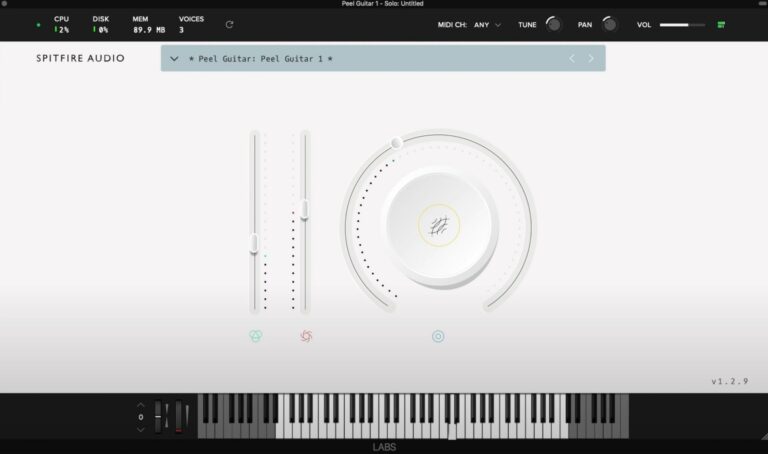
OS: Windows Win Mac Mac Bit Version: 64-bit Developer: Spitfire Audio Size: 40 MB Rating: 82/100
Labs Peel Guitar offers a warm, vintage tone inspired by the classic British indie sound. Recorded from a Fender Telecaster through a 15-watt tweed amp, it blends light distortion, vibrato, and tremolo for a soft, textured guitar feel that fits ambient or cinematic tracks.
This plugin includes three sound variations and easy controls for volume, expression, reverb, and sound blending. Its tone sits well with pianos, pads, or other gentle instruments, making it great for adding depth, mood, and atmosphere to your music.
Features
- Three Distinct Guitar Sounds
- Runs On Windows And Mac
- Supports VST And AU Formats
- 64-Bit Plugin Version
- Large Knob For Tone Blending
- Reverb Button For Echo Effect
- Features Classic British Indie Tone
- Uses Fender Telecaster Source Sound
- Ideal For Ambient And Lo-Fi Styles
- Free Plugin With High Sound Quality
Pros
- Warm and dreamy guitar tone
- Perfect for indie and lo-fi
- Ready-to-use sound out-the-box
- Low CPU use for smooth play
- Expressive slider for real feeling
- Feels like a real record tone
- More character than most free VSTs
- Rich reverb adds deep space
- Trusted Spitfire Audio quality
- Simple, clean interface design
Cons
- Very limited sound variety
- No realistic strumming options
- Lacks tone and EQ controls
- No velocity or picking control
- Limited expression customization
- Cannot adjust microphone positions
- Lacks articulation variety
- Small dynamic range coverage
- High CPU use for size
- Hard to blend in mixes
Video Demo
What Users Say
Labs Peel Guitar Tips
- I like to pan two Peel Guitar tracks slightly left and right for a wide stereo effect.
- I often adjust the velocity to make strumming parts sound more human and alive.
- I use EQ to roll off a bit of the low end so the guitar doesn’t clash with the bass instruments.
- Use a compressor to balance the volume and help the guitar sit well in a mix.
- Blend Peel Guitar softly under vocals to give extra warmth without taking over the mix.
- Keep your MIDI notes clean and well-timed—this helps virtual guitars sound more realistic.
4. Classic Gtr Lite
OS: Windows Win Mac Mac Bit Version: 64-bit Developer: Quiet Music Size: 581.8 MB Rating: 80/100
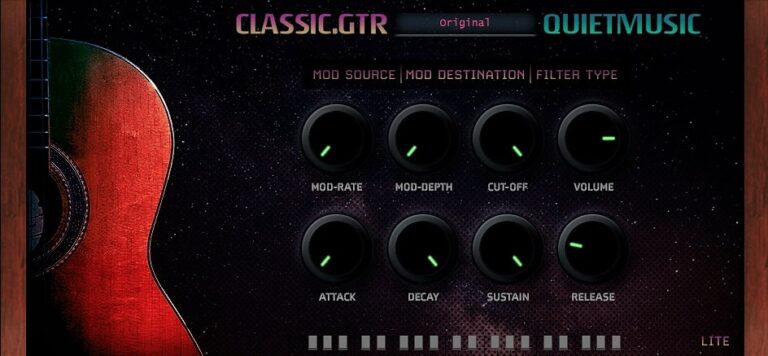
Classic Gtr Lite offers a warm nylon-string guitar sound captured from real recordings and processed for a smooth tone. It includes seven presets and 301 samples that cover gentle to bright styles, making it useful for background guitar layers or mellow melodic parts.
The plugin includes ADSR controls, filters, and LFO modulation for shaping tone and movement. It runs on Windows and macOS in VST, VST3, and AU formats, giving music creators an easy way to add realistic classical guitar sounds to their projects at no cost.
Features
- Free Classical Guitar Plugin
- 301 High-Quality Samples
- Built-In Reverb And Delay
- Includes Chorus And Distortion
- Arpeggiator For Guitar Patterns
- Warm Nylon Guitar Tone
- Light On CPU Usage
- Supports VST, VST3, And AU
- Supports Windows And Mac
- Natural Velocity Response
Pros
- Warm and natural nylon tone
- Low CPU use and smooth play
- Built-in reverb and chorus
- Adjustable ADSR envelope controls
- Includes LP and HP filters
- LFO for gentle tone movement
- Seven useful tone presets
- Free download with no limits
- Realistic and clear body sound
- Works on Windows and Mac
Cons
- Limited sample library size
- No key-switch articulations
- Low dynamic range realism
- No built-in EQ controls
- Lacks advanced reverb options
- Few sound-shaping parameters
- No microphone position choice
- Missing detailed velocity layers
- Lacks automatic strumming modes
- No fret noise realism
Video Demo
What Users Say
Classic Gtr Lite Tips
- I like to start by trying each preset first, so I can find the guitar sound that fits my song best.
- I use the reverb knob gently to make the guitar feel like it’s in a real room without sounding too far away.
- I make sure to adjust the tone or brightness to help the guitar sit nicely in my mix.
- I like to use EQ to remove extra low end that can make the mix muddy.
- I add some light compression to keep the soft and loud notes balanced.
- I enjoy layering two Classic Gtr Lite tracks panned left and right for a wide stereo sound.
- Always listen on headphones and speakers to make sure the guitar tone fits the whole mix.
5. Labs Electric Guitars
OS: Windows Win Mac Mac Bit Version: Developer: Spitfire Audio Size: 2.1 GB Rating: 79/100
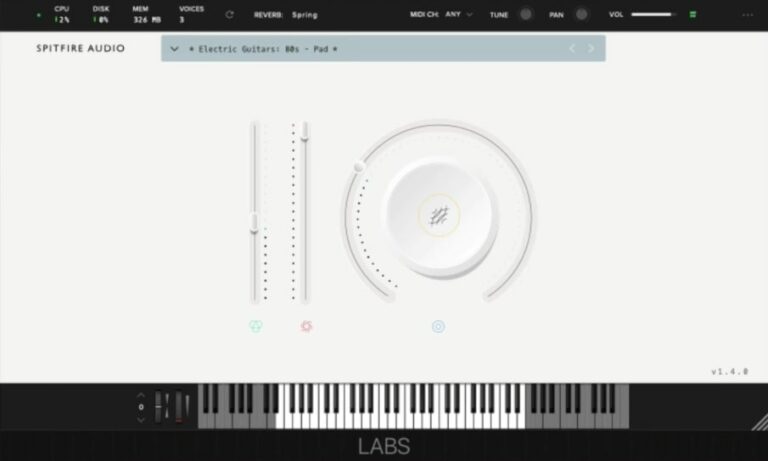
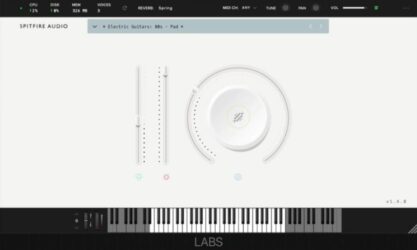
Labs Electric Guitars offers a collection of classic electric guitar tones suited for many music styles. From warm rock and smooth blues to pop and bright 80s sounds, it delivers expressive plucks, sustained notes, and rhythmic strums that fit easily into any project.
Curated by experienced guitarists, this 2.1 GB library includes 10 playable sounds and simple controls for shaping tone and depth. With options like reverb, dynamics, and texture blending, music creators can quickly add natural and lively guitar parts to their tracks.
Features
- Ten Electric Guitar Sounds
- Classic And Modern Guitar Tones
- Expression And Dynamics Sliders
- Blend Control For Layered Tones
- Reverb Options For Added Space
- Keyboard Display For Midi Notes
- Available In VST And AU Formats
- Free Plugin With Realistic Sound
- Clean Interface And Easy Controls
- Ideal For Indie, Pop, And 80s Music
Pros
- High quality sounds for free
- Wide range of guitar tones
- Realistic and expressive feel
- Layer blending knob for tone variety
- Dynamic sliders add emotion
- Useful reverb for depth and space
- Blends well in any mix
- Loads quickly and runs smoothly
- Works on both Mac and Windows
- Stands out among free guitar VSTs
Cons
- Limited number of guitar sounds
- No built-in amp simulation
- Lacks tone or pickup controls
- Velocity layers sound inconsistent
- No effects beyond simple reverb
- High CPU use on laptops
- Can sound lifeless in mixes
- Less realistic than paid plugins
- Limited dynamic expression range
- Needs more articulation variety
Video Demo
What Users Say
Labs Electric Guitars Tips
- I use my MIDI keyboard to play notes with different dynamics so the guitar sounds more real.
- I always adjust the reverb and delay controls to add more depth and space to my guitar sound.
- Try combining Labs Electric Guitars with a clean amp simulator for a warm and realistic tone.
- Use subtle compression to keep the guitar levels even and smooth in the mix.
- I like to pan the guitars left and right to make the mix feel wider and more interesting.
- Add a touch of tape saturation or distortion for extra grit and character.
- I try layering Labs Electric Guitars with other instruments like piano or pads for a fuller mix.
6. Cute Emily Guitar
OS: Windows Win Mac Mac Bit Version: 32-bit, 64-bit Developer: Bigcat Instruments Size: 20 MB Rating: 71/100
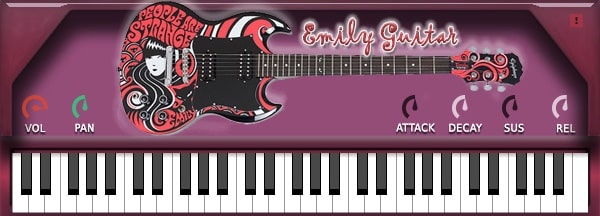
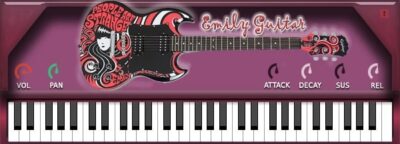
Cute Emily Guitar offers the sound of a real Epiphone SG-style electric guitar captured in clean, 24-bit stereo samples. It’s recorded dry, letting you shape the tone with your favorite amp simulator for extra warmth, grit, or sparkle in your tracks.
The plugin includes basic tone controls like volume, pan, attack, decay, sustain, and release. It also features simple effects such as distortion and reverb. Perfect for pop, indie, or soft rock, Cute Emily Guitar delivers a natural, expressive electric guitar sound that fits easily into any mix.
Features
- Sampled Electric Guitar Sound
- Epiphone SG Style Tone
- Dry Recording For Amp Sims
- Built-In Distortion And Reverb
- Includes Fret And String Noises
- Supports Hammer-Ons And Pull-Offs
- Velocity Sensitive Performance
- Round Robin Sample Variation
- Minimal CPU And RAM Usage
- Simple And Easy Interface
Pros
- Real electric guitar samples used
- Natural fret and string noises
- Expressive velocity response
- Realistic hammer-ons and pull-offs
- Works well with amp simulators
- Low CPU and RAM usage
- Simple key switch articulations
- Good clean and mellow tones
- Sits nicely in a mix
- Free to download and use
Cons
- Needs full Kontakt version
- No built-in amp simulator
- Limited articulation options
- Samples can sound noisy
- No advanced tone controls
- Only one guitar model
- Needs external processing for realism
- Lacks modern sound flexibility
- No built-in presets library
- No built-in cabinet simulation
Video Demo
What Users Say
Cute Emily Guitar Tips
- I use the mod wheel to add expression and make the guitar feel more real.
- Experimenting with amp simulator plugins can make the Cute Emily Guitar sound more powerful.
- Layering guitars with different tones can create a rich and full arrangement.
- Using a light compressor helps even out the sound of the Electric Guitar VST plugins.
- I like to pan one guitar to the left and another to the right for a wide stereo effect.
- Finding the right balance between dry and wet signal in the mix is important for clarity.
- Automating volume swells can make the virtual guitar playing feel emotional and dynamic.
7. Haunted Guitar Lite
OS: Windows Win Mac Mac Bit Version: 64-bit Developer: Electronik Sound Lab Size: 400 MB Rating: 68/100
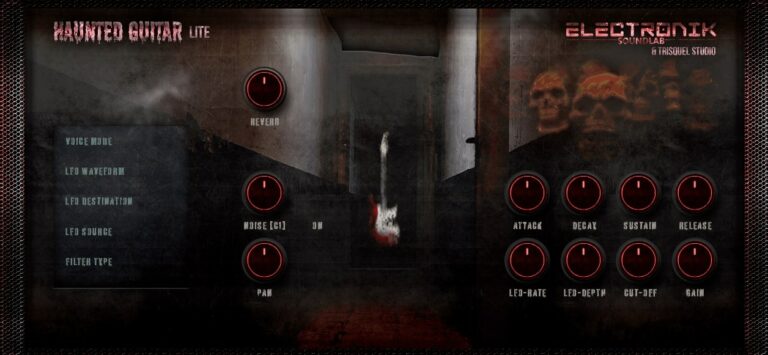
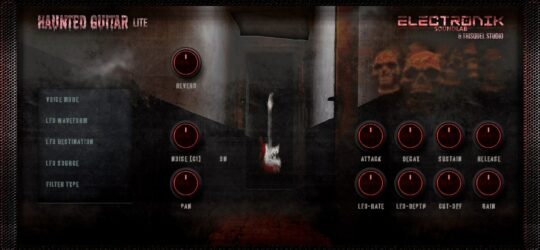
Haunted Guitar Lite offers dark and eerie electric guitar tones made from samples of a Fender Stratocaster Plus Deluxe. Each preset blends haunting textures with built-in effects like distortion, delay, and reverb, making it ideal for creating moody or cinematic soundscapes.
It includes tools for shaping your sound, such as ADSR controls, filters, and LFO modulation. With eight presets and 224 samples, the plugin gives producers a quick way to add ghostly guitar layers to tracks on both Windows and Mac systems.
Features
- Multi-Sampled Fender Stratocaster Sounds
- Eight Presets With Dark Tones
- Built-In Distortion Module
- Built-In Vintage Reverb Effect
- Built-In Delay With Controls
- LFO Modulation With Rate Control
- Lowpass And Highpass Filters
- ADSR Amplitude Envelope Control
- User-Friendly And Simple Interface
- Available In VST, VST3, AU
Pros
- High-quality Fender guitar samples
- Distortion gives gritty metal tone
- Unique creepy vibe for scoring
- LFO creates cool motion sounds
- Built-in reverb adds big space
- Presets fit horror and rock tracks
- Light on storage space
- Customizable ADSR settings
- Fast loading with low memory needs
- Runs stable in most DAWs
Cons
- No cabinet or amp simulation
- Lacks heavy distortion tones
- Not great for metal tones
- Few sound-shaping options
- High CPU use
- Can crash some DAWs
- Low realism for leads
- No EQ or tone stack
- Small GUI not resizable
- No MIDI learn
Video Demo
What Users Say
Haunted Guitar Lite Tips
- I layer two different presets to create a thicker, more powerful guitar sound.
- Adjusting the plugin’s amp gain gives more crunch and power for metal tones.
- Using Haunted Guitar Lite with a good distortion plugin can make solos stand out more.
- Applying compression helps even out the guitar volume for a smoother mix.
- Routing the output through a cabinet simulator can make the tone sound more realistic.
- Using EQ to cut low muddy sounds and boost mids for a stronger, clearer tone.
- Balancing the plugin with bass and drums keeps the metal guitar from taking over the mix.
8. FS Blues Steel Guitar
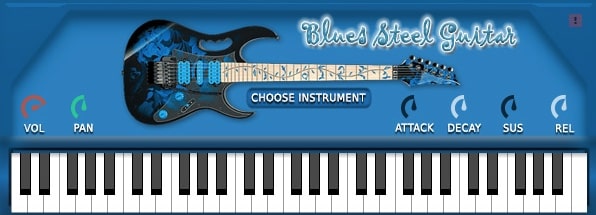
OS: Windows Win Bit Version: 32-bit, 64-bit Developer: Bigcat Instruments Size: 44 MB Rating: 67/100
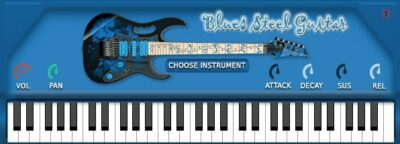
FS Blues Steel Guitar offers a realistic acoustic steel-string guitar sound in a simple plugin format for Windows and Mac. It includes controls for volume, panning, and note shaping, letting users adjust how each note starts, holds, and fades for a more natural performance.
You can choose from different guitar sounds and fine-tune the tone to match your style. With sampled strings and expression options, FS Blues Steel Guitar adds warm, detailed acoustic character that fits easily into blues, folk, or country tracks.
Features
- Sampled Steel-String Guitar Sounds
- Selectable Guitar Types
- Attack Time Adjustment
- Sustain Level Control
- Release Time Adjustment
- Volume Control Knob
- Panning Left Or Right
- Supports VST And AU Formats
- Compatible With 32-Bit And 64-Bit
- Works On Windows And Mac
Pros
- Beautiful and natural guitar tone
- Realistic steel string sound
- Responsive and expressive playing feel
- Authentic fret and pluck details
- Warm and soulful fret slides
- Adjustable attack and decay times
- Flexible sustain and release control
- Light on CPU, runs smoothly
- Free for Windows and Mac
- Lets you choose guitar type
Cons
- No built-in reverb or effects
- Limited guitar tone variety
- No chord or strum engine
- Sounds less realistic than Ample Guitar M Lite
- Doesn’t support velocity layers well
- No round-robin sample support
- No built-in EQ or compressor
- Limited expression control options
- UI doesn’t resize or scale
- Sometimes unstable on older Macs
Video Demo
What Users Say
FS Blues Steel Guitar Tips
- I use velocity changes to make my notes feel more human, not like a robot is playing.
- I always adjust the reverb to make the guitar sound more real, like playing in a big room.
- I make sure to add a little EQ to clean up the low end if the guitar sounds too boomy.
- Adding compression can help the guitar sit better in the mix without getting lost.
- Panning the guitar slightly to one side adds balance and makes room for other instruments.
- Experimenting with mic position or IR options can change the tone in a big way.
- Layering fingerpicking and strumming patterns brings more texture to a song.
9. MONSTER Guitar
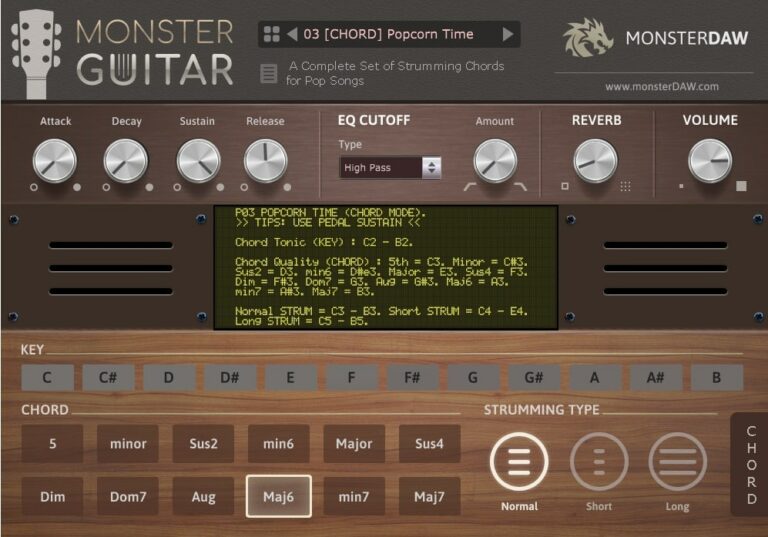
OS: Windows Win Mac Mac Bit Version: 32-bit, 64-bit Developer: MonsterDAW Size: 7 MB Rating: 62/100
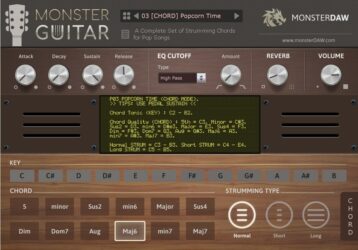
MONSTER Guitar offers a simple way to add guitar parts to your tracks without needing to play the real thing. It includes three modes—CHORD, LEAD, and NOTES—each built for different styles such as pop, rock, reggae, and more. With 14 presets, you can quickly explore new tones and rhythmic ideas.
This plugin includes controls for attack, sustain, filter, and reverb to shape your sound. It runs on both Windows and Mac in VST and AU formats. Regular sound expansions make it a growing tool for music creators who want quick and flexible guitar sounds.
Features
- Fourteen Presets Across Three Modes
- Chord, Lead, And Notes Options
- Normal, Short, And Long Strumming
- Low CPU And RAM Usage
- ADSR, Filter, And Reverb Controls
- Supports 32-Bit And 64-Bit Versions
- Works In VST And AU Formats
- Parameter Automation Support
- Key Selector And Chord Buttons
- Regular Expansion Preset Updates
Pros
- Free to download and use
- Very low RAM usage
- Three modes for different play styles
- Comes with 14 ready presets
- New sounds added regularly
- Includes ADSR and filter control
- Quick chord playing feature
- Supports automation in DAW
- Can use external soundbank
- Expandable with future updates
Cons
- Sound not very realistic
- Metal tones lack deep punch
- Few advanced tone controls
- No amp or cab simulation
- Doesn’t support real guitar articulations
- No palm mute or slide options
- Poor dynamic response
- Latency problems in some DAWs
- Weak layering for metal mixes
- GUI looks plain and outdated
Video Demo
What Users Say
MONSTER Guitar Tips
- I like to start by picking a preset in MONSTER Guitar to get a quick heavy tone before I tweak it.
- I always turn down my input gain if the sound starts to clip or distort too much.
- I often pan two MONSTER Guitar tracks left and right for a big stereo sound.
- I use EQ inside my DAW to cut some low frequencies so the mix doesn’t get muddy.
- Use compressor plugins after the guitar VST to even out playing dynamics in the mix.
- I like layering MONSTER Guitar with a bass instrument to make the mix sound full and powerful.
- Adjust the amp and cabinet models to match the music style you want to create.
10. Lethality
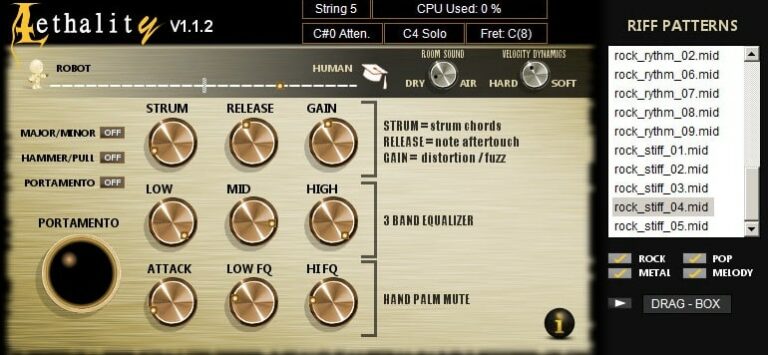
OS: Windows Win Bit Version: 32-bit, 64-bit Developer: Iridium Iris Size: 59.1 MB Rating: 62/100
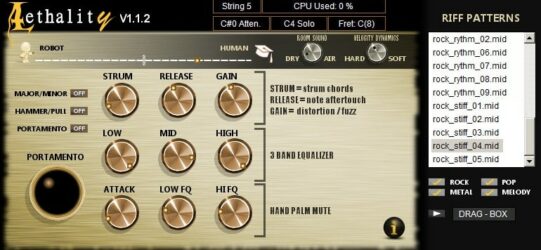
Lethality offers a realistic electric guitar experience designed for rock, metal, and alternative music. It includes power chords, single notes, slides, and bends that respond naturally to MIDI input. Users can control the attack, gain, tone, and strumming feel to match their style.
The plugin includes built-in effects like distortion, fuzz, and palm mutes along with options to shape room sound and tone balance. Switches and knobs let you customize chord type, portamento, and harmonics, while preset riffs and patterns help create strong guitar parts quickly.
Features
- Electric Guitar Sound Engine
- Open And Muted Power Chords
- Pinch Harmonic Squeals Support
- Gain, Distortion, And Fuzz Control
- Palm Mute With Automation
- Hammer On And Pull Off
- Strumming Control With Automation
- Robot To Human Feel Slider
- Low, Mid, And High EQ Control
- Freeware Guitar Amp Simulation
Pros
- Realistic electric guitar sound
- Robot or human feel slider
- Hammer-on and pull-off switch
- Smooth portamento slide control
- Built-in riff pattern player
- Drag-and-drop MIDI feature
- Gain, fuzz, and distortion controls
- Selectable room sound options
- Pairs nicely with cabinet impulses
- Low CPU usage performance
Cons
- No macOS version available
- Lacks built-in cabinet simulation
- Interface looks old and basic
- Few presets compared to others
- Sound can be fizzy by default
- No built-in reverb or delay
- Distortion lacks tone variety
- No MIDI learn for controls
- Poor documentation and tutorials
- CPU use can spike occasionally
Video Demo
What Users Say
Lethality Tips
- I use the amp and cabinet settings in Lethality to shape the tone, from soft blues to heavy metal.
- I layer two Lethality tracks with slightly different tones for a fuller guitar sound.
- Adjust the velocity settings to make notes sound more natural and dynamic.
- Use EQ to cut out unwanted low frequencies so the mix stays clear.
- Add small timing differences between double-tracked parts to make them sound more realistic.
- Save a dry version of your guitar track so you can re-amp it later if you need different tones.
11. Cute Emily Dirty
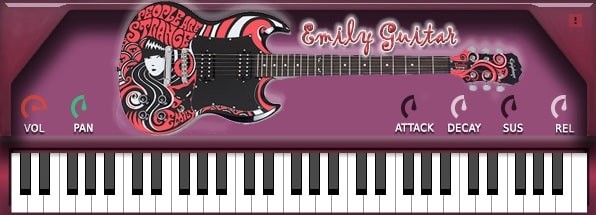
OS: Windows Win Mac Mac Bit Version: 32-bit, 64-bit Developer: Bigcat Instruments Size: 20 MB Rating: 58/100
Cute Emily Dirty offers a gritty electric guitar sound based on an Epiphone SG-style instrument. It delivers lifelike tones that work well for rock and grunge tracks. Its balanced mix of warmth and distortion helps music creators shape realistic guitar sounds with ease.
The plugin includes simple controls like volume, pan, attack, decay, sustain, and release, giving clear control over tone and dynamics. It also includes a built-in keyboard and visual guitar display, making it easy to match the look and feel of classic rock guitars.
Features
- Sampled Epiphone SG Electric Guitar
- Grungy Distorted Rock Guitar Tone
- Realistic And Dynamic Guitar Sound
- Volume Control For Loudness
- Pan Control For Stereo Balance
- Attack Control For Sound Start
- Sustain Control For Longer Notes
- Release Control For Smooth Fade Out
- Works In VST And AU Formats
- Supports 32-Bit And 64-Bit Systems
Pros
- Realistic dirty electric guitar sound
- Captures Epiphone SG style tone
- Great for rock and grunge tones
- Better feel than many free VSTs
- Lightweight and CPU friendly
- Instant plug-and-play usability
- Attack and decay shaping tools
- Simple and easy interface
- Playable with computer or MIDI
- More character than clean guitars
Cons
- Limited tone shaping options
- No built-in amp simulations
- Lacks modern effect presets
- Few articulation controls
- Limited dynamic response range
- Can sound harsh at times
- Can be CPU heavy sometimes
- Lacks humanization controls
- Some users report crash issues
- Lower realism than paid guitar VSTs
What Users Say
Cute Emily Dirty Tips
- I use the velocity changes on my MIDI keyboard to make the guitar sound more real.
- Use EQ to cut out low muddiness and make the guitar sit better in a mix.
- Try adding a touch of chorus or delay for a more dreamy guitar sound.
- Pan doubled guitar tracks slightly left and right to make them sound wider.
- Add compression gently to keep the dynamics balanced without losing character.
- Use the plugin’s built-in amp settings before adding external effects—it often sounds great on its own.
12. FabBass
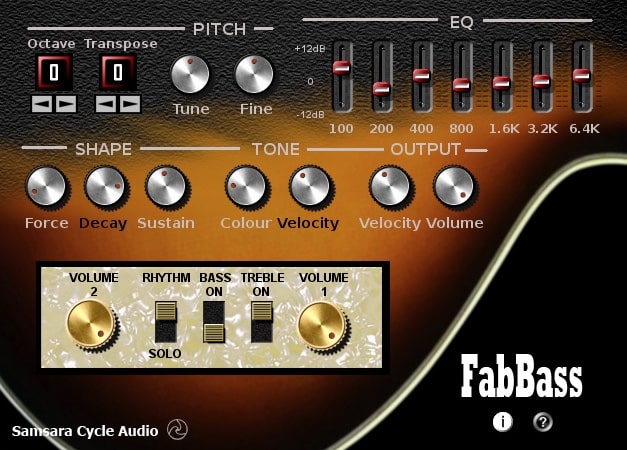
OS: Windows Win Bit Version: 32-bit Developer: Samsara Cycle Audio Size: 3 MB Rating: 56/100
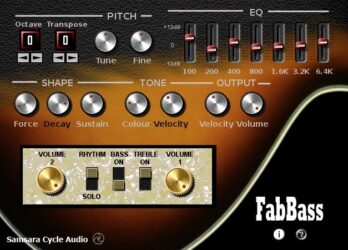
FabBass offers the classic tone of a 1960s violin bass in a free VST plugin for Windows. It lets you shape your sound with controls for pitch, tuning, and tone brightness. You can fine-tune note length, sustain, and fading to match your playing style.
The plugin includes a seven-band graphic EQ and separate volume controls for neck and bridge pickups. With options for plectrum or finger dynamics and strong velocity response, FabBass gives music creators tools to craft warm, vintage-style basslines with adjustable detail and clarity.
Features
- Recreates 1960s Violin Bass Sound
- Plectrum And Finger Dynamics
- Octave And Transpose Controls
- Velocity Sensitive Response
- Bass And Treble Pickup Controls
- Seven Band Graphic EQ
- Adjustable Sound Brightness
- Note Length And Fade Control
- Low CPU Usage Performance
- Simple And Clear Interface
Pros
- Captures classic 1960s violin bass sound
- 7-band EQ for tone shaping
- Separate neck and bridge volumes
- Offers real analog warmth
- Low CPU for smooth play
- Octave and transpose flexibility
- Strong velocity response control
- Bright to dull tone range
- Good sustain and decay control
- Free and easy to install
Cons
- Only available for Windows users
- No support for 64-bit systems
- Does not run on macOS
- Outdated user interface design
- No support for VST3 format
- Limited to vintage bass sounds
- Crashes when changing presets
- Not compatible with most DAWs
- Few tone shaping options
- No built-in effect section
Video Demo
What Users Say
FabBass Tips
- I often use the drive knob lightly; it adds warmth without making the tone too harsh.
- I use the tone controls to keep my bass clear but still full in a mix.
- I adjust the input level carefully so I get punch without clipping the signal.
- Layer FabBass under a synth bassline for a fuller and more grounded sound.
- Use reference tracks when dialing in your FabBass tone to match commercial bass clarity.
13. SuperRiff Guitar
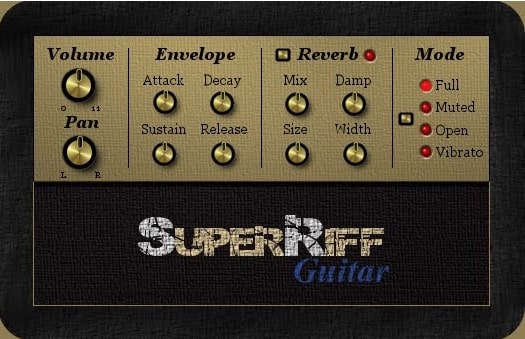
OS: Windows Win Bit Version: 32-bit Developer: SuperRiff Size: 46.7 MB Rating: 55/100
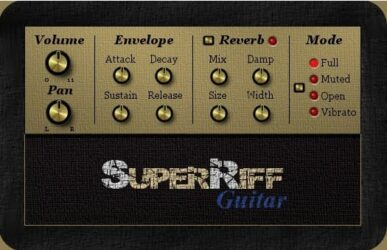
SuperRiff Guitar is a free VST plugin that offers real distorted electric guitar samples for quick and simple track creation. It plays palm-muted, open, and vibrated single notes mapped across the keyboard, giving producers a range of tones fit for rock or metal music.
The plugin includes basic sound controls like volume, pan, and envelope shaping, along with reverb settings for space and tone adjustment. Its single sample set keeps things lightweight and easy to use, making it a handy tool for quick guitar sketches or rough song ideas.
Features
- Distorted Electric Guitar Note Samples
- Three Guitar Playing Modes
- Full, Muted, Open, Vibrato Modes
- Attack, Decay, Sustain, Release
- Adjustable Reverb Mix And Damp
- Size And Width Reverb Settings
- Volume And Pan Controls
- Low CPU Usage Performance
- Simple And Easy Interface
- Free To Download And Use
Pros
- Free to download and use
- Real guitar samples for realism
- Has open and muted modes
- Includes vibrato sound option
- Works well with amp sims
- Adjustable reverb mix and size
- Wide stereo sound when needed
- Loads fast and runs light
- Can be layered with other plugins
- Runs fine on older Windows PCs
Cons
- No clean tone samples
- Lacks realistic articulations
- No built-in amp or effects
- Outdated 32-bit format
- Not compatible with Mac
- Limited sample range
- Static dynamics, few layers
- No pitch bend or slides
- Low realism for solos
- Requires bridging for 64-bit
Video Demo
What Users Say
SuperRiff Guitar Tips
- I always set the right input level so the guitar doesn’t sound too quiet or clip.
- Always adjust the plugin’s tone knobs to fit the mix; too bright or dark can clash with other instruments.
- EQ the SuperRiff Guitar to leave space for vocals or drums in the mix.
- Use a compressor to balance the guitar’s volume and add sustain.
- Experiment with distortion levels; too much can muddy the mix, too little can make it feel flat.
- Try panning guitar layers left and right to make the sound feel bigger.
- Use automation to make the SuperRiff Guitar sound more dynamic and expressive over time.
14. Suburban Guitarist
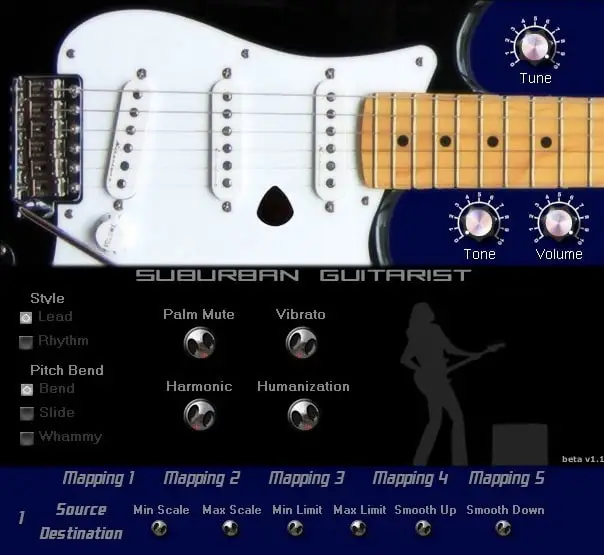
OS: Windows Win Bit Version: 32-bit Developer: Gregjazz Size: 1.4 MB Rating: 55/100
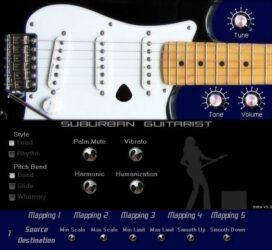
Suburban Guitarist offers realistic electric guitar tones without using samples. It includes both lead and rhythm modes, along with features like palm muting, harmonics, and vibrato. You can bend, slide, or use a whammy effect for expressive control and flexible sound shaping.
Its humanization control adds a lifelike touch by simulating the timing difference between picking and fretting. With adjustable tone, volume, and pick position, it lets you shape your guitar tone quickly. MIDI mapping options make it easy to control from your keyboard or other devices.
Features
- Lead And Rhythm Guitar Modes
- Bend, Slide, And Whammy Options
- Palm Muting Effect
- Harmonics And Squeals
- Humanization Control For Realism
- Adjustable Pick Position
- Realistic Vibrato Effect
- Advanced Midi Controller Mapping
- Tuning Adjustment Feature
- Low Cpu Usage
Pros
- Realistic guitar sound generation
- No samples make it lightweight
- Fun bend and slide options
- Cool whammy bar control
- Palm muting adds realism
- Playable harmonic squeals
- Humanization feels natural
- Adjustable pick position
- Low CPU and quick loading
- Free and easy to use
Cons
- Only works on Windows systems
- Not available for Mac users
- No support for 64-bit DAWs
- No built-in amp models
- Can crash certain DAWs
- Limited tone shaping options
- No built-in effects section
- Interface looks old and plain
- Some notes fail to trigger
- Less expressive than real guitar
Video Demo
What Users Say
Suburban Guitarist Tips
- I always adjust the velocity curve so that my MIDI playing feels realistic and not too robotic.
- I use the strumming engine to quickly make chord progressions sound more human.
- I use the built-in amp sims for a quick setup, but sometimes I run the dry signal through my favorite amp plugin.
- Use the legato mode for smooth lead guitar lines that connect nicely between notes.
- Experimenting with chorus or delay effects can give the guitar tone more space and depth.
- Using an EQ to roll off low frequencies helps the guitar fit better with bass instruments.
- Applying compression can help even out the guitar’s performance and sustain.
15. Strat-A-Various
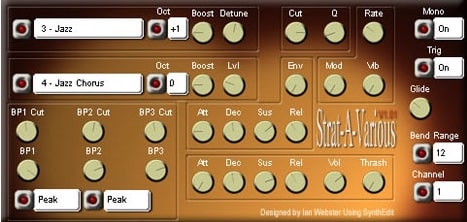
OS: Windows Win Bit Version: 32-bit Developer: Krakli Size: 1.6 MB Rating: 54/100
Strat-A-Various offers a mix of clean and overdriven guitar sounds shaped through a wide range of tone and modulation controls. With 16 presets to start from, it gives creators a quick way to explore both smooth and rough textures for leads, rhythms, or layered effects.
Its controls let you shape every part of your tone, from pitch and filter depth to drive and vibrato. You can create crisp plucks, gritty leads, or evolving tones that respond to your playing style. Strat-A-Various is available as a 32-bit VST for Windows.
Features
- Produces Clean Or Overdriven Tones
- Includes Sixteen Ready Presets
- CPU-Friendly Performance
- User-Friendly Interface Layout
- Boost For Extra Power
- Detune For Thicker Sound
- High And Low Tone Control
- Attack, Decay, Sustain, Release Envelopes
- Thrash Adds Distortion Texture
- Pitch Glide Between Notes
Pros
- Creates clean or heavy tones
- CPU light for smooth playback
- Boost knob gives extra punch
- Detune makes sound thicker
- Thrash adds gritty distortion
- Flexible pitch and octave changes
- Unique voice unlike other synths
- Creative filters shape tone deeply
- Produces big, warm guitar sound
- Great response to key velocity
Cons
- Only works on Windows
- No 64-bit version
- No support for Mac
- Lacks real guitar realism
- No built-in amp sims
- No cabinet impulse response
- Sound can be harsh
- Presets sound similar
- Interface feels confusing
- Does not support VST3
Video Demo
What Users Say
Strat-A-Various Tips
- Dialing in the right cabinet impulse response makes a huge difference in how realistic the guitar sounds.
- Using a noise gate plugin can reduce unwanted hum or hiss from high-gain metal tones.
- Layer two different presets to get a thicker and more powerful metal sound.
- Tuning the virtual guitar down a step (drop D or drop C) can make riffs sound heavier.
- Use EQ to cut out low-end rumble and make the guitars sit better in the song.
- Experimenting with the amp simulator helps find the best tone for metal and hard rock styles.
- Adding a small amount of compression helps keep the guitar attack strong and even.
16. DVS Guitar
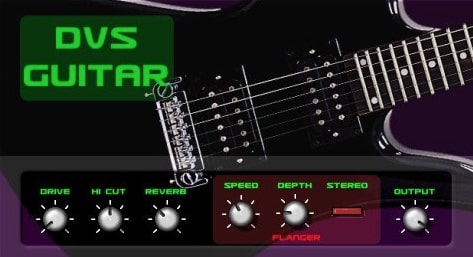
OS: Windows Win Bit Version: 32-bit Developer: Dream Vortex Studio Size: 1.5 MB Rating: 54/100
DVS Guitar offers a sampled electric guitar sound designed for lead lines and heavy tones. It includes built-in effects like overdrive, reverb, and flanging to shape the tone. The plugin responds well to pitch wheel control, letting players add expressive bends and vibrato.
Simple controls such as Drive, Hi Cut, and Reverb make it easy to adjust tone and space. While the sound can be somewhat digital, it works well for quick sketches, layering, or background parts. It’s ideal for Windows users looking for an easy way to add electric guitar to their tracks.
Features
- Sampled Electric Guitar Sounds
- Overdrive Effect For Crunchy Tone
- Reverb Effect For Room Space
- Flanger Effect With Speed Control
- Stereo Width Adjustment
- Simple And Easy Interface
- Low CPU Usage Performance
- Realistic With Pitch Wheel Use
- Includes Clean And Distorted Presets
- Low Latency For Real-Time Play
Pros
- Great clean and heavy tones
- Realistic pitch-bend expression
- Built-in reverb and overdrive
- Low latency for real-time play
- Blends well with amp sims
- Good palm-mute guitar tones
- Nice attack for metal riffs
- Decent realism for a free plugin
- Light on CPU performance
- Quick load and play setup
Cons
- Only works on Windows
- Limited to 32-bit format
- No built-in amp simulator
- Lacks modern tone options
- Hard to make realistic
- Thin tone without effects
- Crashes when switching presets
- Old interface design
- Poor dynamic response
- No updates or support
Video Demo
What Users Say
DVS Guitar Tips
- I like to start by picking a clean preset on the DVS Guitar so I can shape my tone from a clear base.
- Start with a clean signal in the plugin before adding amp simulators or effects.
- Apply EQ to remove low frequencies that can clash with bass instruments.
- Use stereo panning to make rhythm guitars sit better in the mix.
- Try different amp simulation plugins to match the tone you want for a song.
- Combine DVS Guitar with real guitar recordings for a fuller texture.
17. Cute Emily Guitar
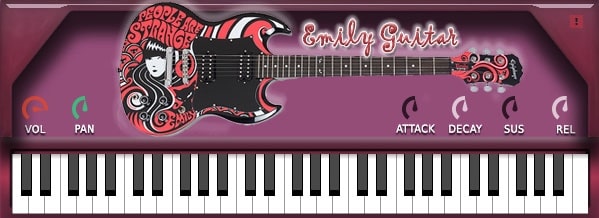
OS: Windows Win Mac Mac Bit Version: 32-bit, 64-bit Developer: bigcat Instruments Size: 20 MB Rating: 54/100
Cute Emily Guitar offers the sound of an Epiphone SG electric guitar captured in detail by Karoryfer. It delivers a clean, dry tone that gives you flexibility to shape your sound using your favorite amp simulator or effects plugins.
This plugin includes simple controls for volume, pan, attack, decay, sustain, and release, making it easy to adjust your guitar sound. It works on both Windows and Mac in VST and AU formats, providing a smooth way to add realistic guitar parts to your tracks.
Features
- Sampled Epiphone SG Electric Guitar
- Dry Recording For Amp Sims
- Supports VST And AU Formats
- Works In 32-Bit And 64-Bit
- Attack Control Shapes Note Start
- Decay Sets Sound Drop Time
- Sustain Adjusts Note Hold Length
- Release Controls Fade After Key
- Volume Knob Controls Loudness
- Pan Knob Adjusts Stereo Position
Pros
- Real guitar sound with warmth
- Natural strumming feel
- Expressive for a free plugin
- Adjustable tone and attack
- More realistic tone than many free VSTs
- Light on CPU use
- Can be used with amp sims
- Easy to use controls
- Free and easy to install
- Works on both Windows and Mac
Cons
- No built-in amp simulator
- No built-in effects section
- Not designed for metal styles
- Interface looks old and plain
- Less realistic than paid plugins
- Few playing articulations included
- Difficult to blend with heavy mixes
- Sometimes crashes when changing presets
- Weak sustain without extra processing
- Poor compatibility with some DAWs
Video Demo
What Users Say
Cute Emily Guitar Tips
- Use a good amp sim with distortion or overdrive for a realistic metal guitar tone.
- Try doubling the guitar track and panning one left and one right for a wide stereo field.
- I often tweak the EQ to reduce muddiness and make the guitar shine in the mix.
- I like to layer two guitar tracks using different amp settings for a fuller sound.
- Use MIDI velocity changes to make melodies sound more human and less robotic.
- I use reverb and delay inside my DAW to give the guitar more space and a realistic room sound.
- Keep your plugin and sample library updated to prevent bugs and ensure smooth performance.
18. Raspier
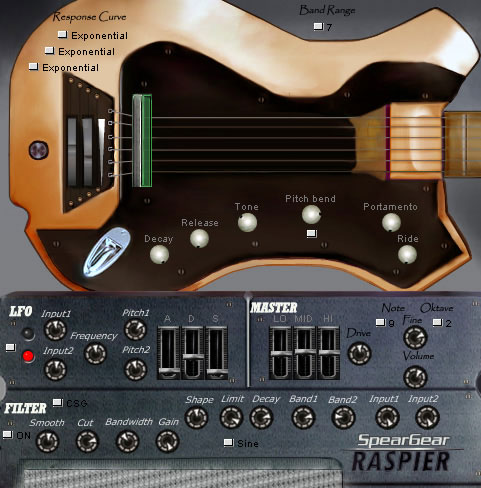
OS: Windows Win Bit Version: 32-bit Developer: SpearGear Size: 1.3 MB Rating: 53/100
Raspier offers a wide range of bass tones, from smooth acoustic to sharp electric sounds. It uses phase distortion to mimic the feel of a guitar pick on a string, giving each note character and texture. With two sine oscillators, an envelope, and over 40 presets, it covers many creative styles.
Raspier includes several filters such as distortion, smooth, and comparator, allowing detailed control over tone and depth. With adjustable response, decay, release, and tone settings, it helps shape every bass line to fit the mix naturally and powerfully.
Features
- Produces E-Bass And Acoustic Sounds
- Over Forty Built-In Presets
- Envelope For Sound Shaping
- Phase Distortion Oscillator Modulation
- Optional Distortion, Smooth, Comparator Filters
- Response Curve Adjusts Play Dynamics
- Randomizer Generates New Sound Variations
- Ducking Compressor Controls Mix Balance
- Low CPU Usage Performance
- Clear And Intuitive Interface Design
Pros
- Creates rich and realistic bass sounds
- Low CPU use for smooth play
- Phase distortion adds real guitar feel
- Randomizer adds creative sound ideas
- Powerful filter section with options
- Built-in limiter keeps sound balanced
- Dynamic modulation with LFO support
- Mix two sound sources easily
- Wide tone range from dark to bright
- Unique character unlike typical guitar VSTs
Cons
- No Mac version available
- Only supports 32-bit systems
- Lacks built-in amp simulation
- No cabinet impulse responses
- Doesn’t include guitar effects chain
- No reverb or delay options
- Not optimized for real-time playing
- May cause crashes on newer DAWs
- Can sound harsh without tweaking
- Preset browser not very intuitive
Video Demo
What Users Say
Raspier Tips
- I usually layer a clean amp sound under a distorted one to make the guitar tone thicker.
- I find that turning down the input volume a bit keeps the sound from clipping or getting messy.
- I like to record dry and then apply the Raspier plugin, so I can change the tone later if needed.
- Using the amp and cabinet simulation inside Raspier helps add realism and depth to the sound.
- Making small EQ adjustments after using Raspier ensures the guitar fits better in the overall mix.
19. Dynamic Guitars
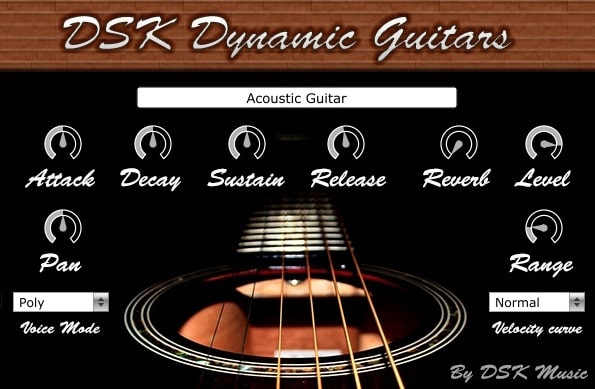
OS: Windows Win Mac Mac Bit Version: 32-bit, 64-bit Developer: DSK Music Size: 108 MB Rating: 50/100
Dynamic Guitars offers three guitar sounds—acoustic, nylon, and steel—inside one simple plugin. It includes ADSR envelope controls, panorama settings, and a built-in reverb to shape your tone. The velocity response helps your playing feel more natural and expressive.
Each control lets you fine-tune the sound for rhythm or lead parts. Voice mode and amplitude range options give more flexibility for layering or soloing. Dynamic Guitars works on Windows and Mac systems, making it easy to add guitar tones to your projects.
Features
- Three Guitar Types Available
- ADSR Envelope Control
- Adjustable Panorama Control
- Selectable Voice Modes
- Amplitude Range Control
- Velocity Curve Selector
- Built-In Reverb Effect
- Dynamic Velocity Response
- Supports 32 And 64 Bit
- Works On Multiple Formats
Pros
- Includes three guitar types
- Offers nylon and steel tones
- Built-in reverb for space
- Dynamic velocity response feels real
- Velocity curve adds realism
- Adjustable attack and release
- Light on system requirements
- Free to download and use
- Supports both 32 and 64-bit
- Pan control for stereo feel
Cons
- Crashes often in some DAWs
- High CPU use on older PCs
- Sound can be very mechanical
- Limited velocity layers for realism
- Samples sound low in quality
- Delay and latency when playing
- Plugin sometimes fails to load
- GUI missing or freezes often
- Unreliable note triggering behavior
- Limited tone-shaping or effect options
Video Demo
What Users Say
Dynamic Guitars Tips
- I use the velocity control to make my guitar notes sound more real, like someone is picking the strings.
- I always add a little reverb so the guitar sounds like it’s in a real room.
- I like to pan one guitar slightly left and another slightly right for a wider sound.
- I use EQ to cut some low frequencies so the guitar doesn’t clash with the bass.
- Layer Dynamic Guitars with a real recorded guitar for a richer and more realistic tone.
- Use compression to balance soft and loud guitar notes evenly.
- Apply delay effects for gentle echoes that fill up space in the mix.
20. OMB1
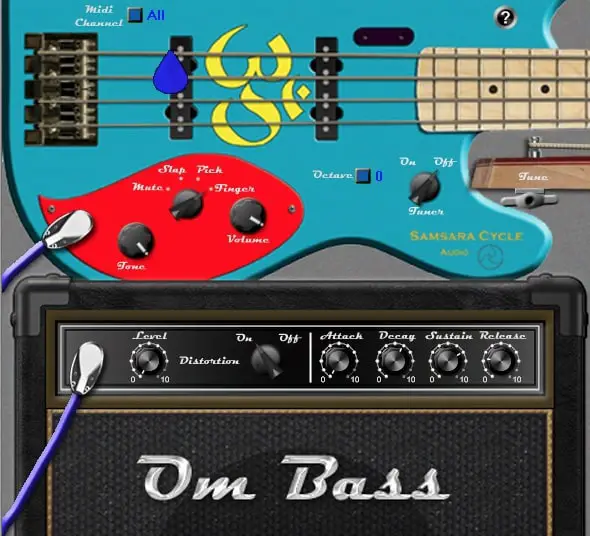
OS: Windows Win Bit Version: 32-bit Developer: Samsara Cycle Audio Size: 6.1 MB Rating: 48/100
OMB1 offers a clean and flexible electric bass sound for your tracks. It includes four playing styles—Finger, Pick, Slap, and Mute—plus controls for tone, volume, and octave range. The plugin also features tuning options and a distortion channel for added texture.
With adjustable envelope settings for attack, decay, sustain, and release, OMB1 lets you shape notes to fit your mix. Its MIDI controls support easy sound changes, making it useful for creating realistic bass parts or experimenting with modern bass tones.
Features
- Pickup Position Slider
- Fine Tuner Control
- Distortion Channel With Level
- Distortion On Or Off Switch
- Envelope Section Included
- Attack Time Control
- Decay Time Control
- Sustain Level Adjustment
- Release Time Control
- Tone Brightness Control
Pros
- Realistic electric bass sound engine
- Four unique bass play styles
- Built-in distortion adds character
- Flexible pickup position slider
- Envelope control for precise shaping
- Responsive and realistic note attack
- Warm, analog-style tone quality
- Octave switcher boosts range
- Full MIDI learn support
- Free yet competitive with paid VSTs
Cons
- No macOS version available
- Only supports 32-bit systems
- No VST3 or AU formats
- Lacks realistic amp simulation
- No built-in cabinet emulation
- Distortion sounds harsh when pushed
- Some users report DAW crashes
- Not optimized for low CPU usage
- GUI looks dated and cluttered
- No built-in preset browser
Video Demo
What Users Say
OMB1 Tips
- I adjust the input gain slowly to find the sweet spot where the guitar sounds full but not distorted.
- I experiment with different amp models inside the OMB1 to see which one matches my song style.
- I use the tone controls to balance brightness and warmth until the guitar sits well in the mix.
- I record a dry guitar track and then use the OMB1 on a separate track, so I can reamp easily later.
- Pair the OMB1 with a good cabinet impulse response for a more realistic amp sound.
- Try doubling guitar parts with slightly changed OMB1 settings for a thicker wall of sound.
- Always compare the processed sound to the raw guitar tone to avoid losing its natural character.
Electric Guitar VST Plugins Compared
This table compares Electric Guitar VST plugins by features, controls, effects, formats, and more.
| Details | Ample Bass P Lite | Shreddage 3 Stratus Free | Labs Peel Guitar | Classic Gtr Lite | Labs Electric Guitars | Cute Emily Guitar | Haunted Guitar Lite | FS Blues Steel Guitar | MONSTER Guitar | Lethality | Cute Emily Dirty | FabBass | SuperRiff Guitar | Suburban Guitarist | Strat-A-Various |
|---|---|---|---|---|---|---|---|---|---|---|---|---|---|---|---|
| Image |  |
 |
 |
 |
 |
 |
 |
 |
 |
 |
|
 |
 |
 |
|
| Rating | |||||||||||||||
| OS | Windows, Mac | Windows | Windows, Mac | Windows, Mac | Windows, Mac | Windows, Mac | Windows, Mac | Windows | Windows, Mac | Windows | Windows, Mac | Windows | Windows | Windows | Windows |
| Formats | VST, VST2, AU, AAX | Kontakt | VST, AU | VST, VST3 | VST, AU | VST, AU | VST, VST3 | VST, AU | VST, AU | VST | VST, AU | VST | N/A | VST | VST |
| Bit Version | 32-bit, 64-bit | 64-bit | 64-bit | 64-bit | N/A | 32-bit, 64-bit | 64-bit | 32-bit, 64-bit | 32-bit, 64-bit | 32-bit, 64-bit | 32-bit, 64-bit | 32-bit | 32-bit | 32-bit | 32-bit |
| Developer | Ample Sound | Impact Soundworks | Spitfire Audio | Quiet Music | Spitfire Audio | Bigcat Instruments | Electronik Sound Lab | Bigcat Instruments | MonsterDAW | Iridium Iris | Bigcat Instruments | Samsara Cycle Audio | SuperRiff | Gregjazz | Krakli |
| License | Freeware | Freeware | Freeware | Freeware | Freeware | Donationware | Freeware | Freeware | Freeware | Freeware | Donationware | Freeware | Freeware | Freeware | Freeware |
| Sample-Based | Yes | Yes | Yes | Yes | Yes | Yes | Yes | Yes | Yes | Select | Yes | Select | Yes | Yes | No |
| Download Size | 450 MB | 778 MB | 40 MB | 581.8 MB | 2.1 GB | 20 MB | 400 MB | 44 MB | 7 MB | 59.1 MB | 20 MB | 3 MB | 46.7 MB | 1.4 MB | 1.6 MB |
| CPU Load | Low | Low | Low | Low | Low | Low | Low | Low | Low | Low | Low | Low | Low | Low | Low |
| Polyphony | 8 | 24 | 32 | 8 | 64 | 32 | 6 | 32 | 8 | 16 | 32 | 8 | 32 | 32 | 8 |
| Features | Realistic articulations, Auto Buzz, Poly Legato, Slide Smoother, Capo function, Tab Player, MIDI control | Realistic sound, Advanced articulations, Tone customization, Console mixer, Poly input, Performance engine, Inspiring presets | Dreamy tone, Atmospheric texture, Simple controls, Reverb effect, Expressive dynamics, Layer blending, Indie vibe | Easy interface, Seven presets, ADSR controls, LP/HP filter, LFO modulation, Arpeggiator, Built-in effects | Classic guitar tones, Versatile styles, Dynamic expressions, Layer blending, Reverb control, Simple interface, Free instrument | Sampled electric guitar, Distortion effect, Reverb effect, Adjustable tuning, Velocity layers, Round robins, Multiple articulations | 8 Presets, 224 Samples, ADSR Envelope, LFO Modulation, HP/LP Filter, Built-in Reverb, Built-in Distortion | Sampled Steel Strings, Panning Control, Attack Adjustment, Decay Control, Sustain Level, Release Time, Instrument Selection | Preset Variety, Three Play Modes, Strumming Options, ADSR Controls, Filter & Reverb, Parameter Automation, Expansion Updates | Octave Chords, Distortion Control, Strumming Control, Portamento Slide, Style Selection, Riff Patterns, Room Tone Options | Grungy distortion, Realistic tone, Volume control, Pan control, Envelope shaping, MIDI keyboard, Visual interface | Octave Control, Transpose Function, Fine-Tune Adjustment, Velocity Sensitivity, Tone Brightness, 7-Band EQ, Pickup Volume Control | Distorted samples, Palm-muted notes, Open notes, Vibrated notes, Reverb control, ADSR envelope, Simple interface | Lead/Rhythm Modes, Pitch Wheel Control, Palm Muting, Harmonics, Humanization, Adjustable Pick Position, Realistic Vibrato | Overdrive tones, Presets, User-friendly, Sound shaping, Modulation control, Envelope settings, Glide function |
| Controls | Main Menu Bar, Finger Mode, Bass Display, Keyboard, Velocity Knob, Tone Knob, Volume Knob | Pickup Knob, Tune Knob, Bite Knob, Transpose Knob, Poly Input Button, Hand Position Knob, Console FX Rack | Instrument Name Bar, Volume Slider, Expression Slider, Big Round Knob, Power Button, Reverb Button, Keyboard Display | Mod-Rate, Mod-Depth, Cut-Off, Volume, Attack, Decay, Sustain | Instrument Menu, Expression Slider, Dynamics Slider, Round Knob, Reverb Menu, Keyboard Display, Volume Meter | Volume, Panning, Attack, Decay, Sustain, Release, Keyboard | Attack, Decay, Sustain, Release, LFO Rate, Cut-Off, Reverb | Vol, Pan, Attack, Decay, Sustain, Release, Choose Instrument | Attack, Decay, Sustain, Release, EQ Cutoff, Reverb, Volume | Robot/Human Slider, Major/Minor Switch, Hammer/Pull Switch, Portamento Switch, Strum Knob, Gain Knob, Style Buttons | Vol, Pan, Attack, Decay, Sus, Rel, Keyboard | Octave, Transpose, Tune, Fine, EQ, Force, Colour | Volume, Pan, Attack, Decay, Sustain, Release, Mix | Tune, Tone, Volume, Style, Pitch Bend, Palm Mute, Vibrato | Preset Selector, Oct, Boost, Detune, Cut, Rate, Thrash |
| Effects Included | Unknown | Over thirty FX modules, cabinet impulse responses | Vibrato, Tremolo, Distortion, Reverb | Reverb, Delay, Chorus, Distortion, LP/HP Filter, LFO Modulation | Reverb | distortion, reverb | Distortion, Delay, Reverb | Panning, Attack, Decay, Sustain, Release | Filter, Reverb | Gain, distortion, fuzz, portamento, EQ (low, mid, high, low FQ, hi FQ), room sound | Unknown | EQ, Decay, Sustain, Filter | Reverb, Vibrato | Vibrato, Amp Sims | Overdrive, Distortion, Vibrato, Modulation, Tremolo |
| MIDI Learn | Yes | Yes | Unknown | Unknown | No | Unknown | Unknown | Unknown | Unknown | Unknown | No | Select | Unknown | Unknown | Unknown |
| Presets | N/A | 6 | 2 | 15 | 6 | N/A | 16 | N/A | 20 | 40 | N/A | 40 | N/A | N/A | 32 |
| Standalone | Yes | No | No | No | No | No | Yes | No | Yes | Yes | No | Select | No | Yes | No |
| Last Updated | 04/25/2024 | 02/23/2021 | 08/24/2023 | 05/12/2023 | 05/27/2021 | 07/17/2017 | 05/01/2022 | 07/14/2017 | 03/10/2024 | N/A | 08/11/2017 | N/A | 10/15/2008 | 04/14/2024 | 05/14/2007 |
Favorite Electric Guitar VST Plugins
Our top picks for the best free Electric Guitar VST plugins are Ample Bass P Lite II, Labs Electric Guitars by Spitfire Audio, and Classic Gtr Lite by Quiet Music.
| Details | Ample Bass P Lite | Labs Electric Guitars | Classic Gtr Lite |
|---|---|---|---|
| Image |
|
|
|
| Rating | |||
| OS | Windows, Mac | Windows, Mac | Windows, Mac |
| Formats | VST, VST2, AU, AAX | VST, AU | VST, VST3 |
| Bit Version | 32-bit, 64-bit | N/A | 64-bit |
| Developer | Ample Sound | Spitfire Audio | Quiet Music |
| License | Freeware | Freeware | Freeware |
| Sample-Based | Yes | Yes | Yes |
| Download Size | 450 MB | 2.1 GB | 581.8 MB |
| CPU Load | Low | Low | Low |
| Polyphony | 8 | 64 | 8 |
| Features | Realistic articulations, Auto Buzz, Poly Legato, Slide Smoother, Capo function, Tab Player, MIDI control | Classic guitar tones, Versatile styles, Dynamic expressions, Layer blending, Reverb control, Simple interface, Free instrument | Easy interface, Seven presets, ADSR controls, LP/HP filter, LFO modulation, Arpeggiator, Built-in effects |
| Controls | Main Menu Bar, Finger Mode, Bass Display, Keyboard, Velocity Knob, Tone Knob, Volume Knob | Instrument Menu, Expression Slider, Dynamics Slider, Round Knob, Reverb Menu, Keyboard Display, Volume Meter | Mod-Rate, Mod-Depth, Cut-Off, Volume, Attack, Decay, Sustain |
| Effects Included | Unknown | Reverb | Reverb, Delay, Chorus, Distortion, LP/HP Filter, LFO Modulation |
| Download | Download Ample Bass P Lite | Download Labs Electric Guitars | Download Classic Gtr Lite |
Frequently Asked Questions
What Is An Electric Guitar VST Plugin?
An electric guitar VST plugin allows you to simulate the sound of an electric guitar in a VST-supported program. It typically has a tube amp and speaker simulation, distortion, chorus, reverb, and delay effects.
These electric guitar plugins can help you add guitar tracks to your music projects without spending years learning how to play the guitar. You can also emulate the sound of the electric guitar by using a guitar VST plugin and running it through a guitar VST amp plugin.
How to Install Electric Guitar VST Plugins
To install electric guitar VST plugins on Windows or Mac, extract the files from the Zip or Rar. Move the files (.dll for Windows or .component for Mac) into your DAW’s plugin folder. Then restart your software and rescan the directory to complete the process. Tutorial: How to Install VST Plugins
Windows:
Extract the downloaded zip file and copy the .dll file into the VST plugins folder scanned by your DAW. Restart your music software and rescan your plugin directory to begin using the new VST.
Mac OS X:
Extract the downloaded archive and move the .component or .VST file to the plugin folder. It is usually /Library/Audio/Plug-Ins/Components or /Library/Audio/Plug-Ins/VST. Restart your DAW and rescan your plugins to complete the installation.
Which Guitar VST Is Best?
The most popular guitar VST plugins are AmpliTube 5 by IK Multimedia, BIAS Amp 2 by Positive Grid, Valhalla Super Massive, Polyverse Wider, and MIKKO Cab Sims by ML Sound Lab.
Are There Any Good Guitar VSTs?
Yes, there are hundreds of guitar VST plugins available that offer a variety of sounds, effects, and features. These plugins provide recorded audio from real guitars and guitar audio effects similar to actual physical guitar amps. These plugins can be beneficial if you don’t know how to play guitar because you can play the guitar VST with a MIDI controller without any prior guitar experience.
What Is A VST Guitar?
A guitar VST ( Virtual Studio Technology ) is a virtual guitar instrument that you can use with music software to emulate the sound of a guitar. This can be an electric guitar, bass guitar, acoustic guitar, guitar pedal effects, and more. Guitar VST plugins allow you to add guitar instruments to your music projects without owning or knowing how to play the guitar.
The free electric guitar plugins above are all great free alternatives to paid plugins like Heavyocity Scoring Guitars Virtual Guitar Instruments, Session Guitarist by Native Instruments, and the IK Multimedia Guitar Rig plugin.
I hope you found this list of free electric guitar VST plugins helpful.
You May Also Like: