Here are the best free Brass VST plugins for Windows and Mac. We have included video demos, feature lists, pros, cons, and plugin ratings.
How we rate brass plugins: We rate each plugin based on sound quality, design, performance, features, usability, and compatibility. We rate plugins on a scale of 1 to 100.
Table of Contents

I have spent over 15 years testing and comparing hundreds of free and paid VST plugins, supported by hands-on demos on our YouTube channel, which has 12,000+ subscribers.
Best Free Brass VST Plugins
This table compares Brass VST plugins by operating system, bit version, format, and rating.
| # | Plugins | Ratings | OS | Formats |
|---|---|---|---|---|
| 1 | Layers | Windows Mac | VST, VST3, AU, AAX | |
| 2 | Big Bang Orchestra | Windows Mac | VST, VST3, AU, AAX | |
| 3 | Spitfire Audio Discover | Windows Mac | VST2, VST3, AU, AAX | |
| 4 | Trumpet Fields | Windows Mac | VST, AU | |
| 5 | The Free Orchestra | Windows Mac | Kontakt | |
| 6 | Aspen Trumpet 1 | Windows Mac | VST, AU | |
| 7 | VSCO2 Trombone | Windows Mac | VST, AU | |
| 8 | Aspen Bass Trombone | Windows Mac | VST, AU | |
| 9 | Iowa Soprano Sax | Windows Mac | VST, AU | |
| 10 | Iowa Tenor Trombone | Windows Mac | VST, AU | |
| 11 | Iowa Tuba | Windows Mac | VST, AU | |
| 12 | Sonatina Horn | Windows Mac | VST, AU | |
| 13 | Iowa Alto Sax | Windows Mac | VST, AU | |
| 14 | VSCO2 Trumpet | Windows Mac | VST, AU | |
| 15 | Virtual Playing Orchestra | Windows Mac | SFZ | |
| 16 | Karoryfer Alto Sax | Windows Mac | Kontakt | |
| 17 | One Track Orchestra | Windows Mac | N/A | |
| 18 | VSCO2 Flute | Windows Mac | VST, AU | |
| 19 | Serpo | Windows Mac | VST, AU | |
| 20 | Brassinematic | Windows | VST |
1. Layers
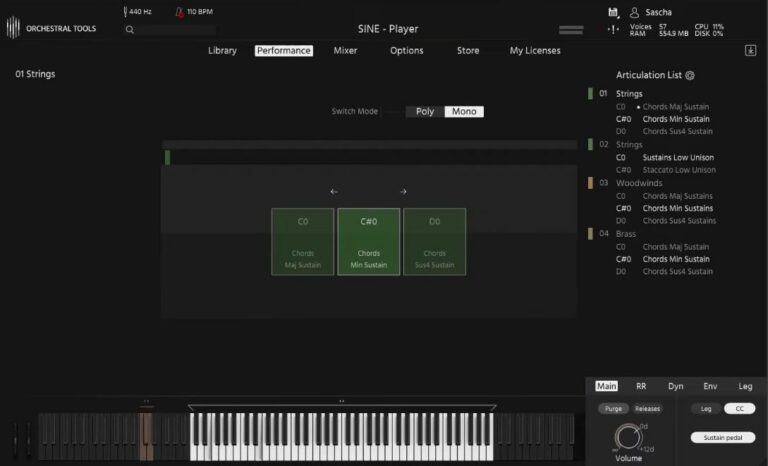
OS: Windows Win Mac Mac Bit Version: 64-bit Developer: Orchestral Tools Size: 10 GB Rating: 92/100
Layers offers a simple way to bring authentic orchestral sound into your music. It includes high-quality recordings of strings, woodwinds, and brass captured at the Teldex Scoring Stage. With one touch, you can create rich chords and shape dynamics using your MIDI controller.
This free plugin runs in the SINE player and lets you mix multiple microphone positions for added depth. It’s useful for quick sketches, cinematic scores, or adding orchestral color to modern tracks. Layers gives you professional sound quality that fits easily into your creative workflow.
Features
- Free Orchestral VST Instrument
- Includes Strings, Woodwinds, And Brass
- Recorded At Teldex Scoring Stage
- High-Quality 24-Bit 48kHz Samples
- Multiple Mic Positions Available
- Blend Layers Using MIDI Controller
- Runs In Free SINE Player
- Supports VST, VST3, AU, And AAX
- Simple And Intuitive Interface
- Ideal For Quick Orchestral Sketches
Pros
- Completely free high-quality orchestral sounds
- Recorded at world-class Teldex stage
- Multiple mic positions for depth
- Runs in free SINE player
- Download only what you need
- Smooth blending of instrument layers
- Flexible mic merging feature
- Easy one-touch chord creation
- Clear, realistic orchestral tones
- Light on CPU performance
Cons
- Needs SINE player to run
- Large 17GB file size
- Few articulations for instruments
- No solo instrument recordings
- Limited dynamic layer control
- No built-in effect controls
- Minimal sound customization options
- Requires strong computer performance
- Limited expression and velocity layers
- Less flexible than paid libraries
Testimonials
Tips
- Use modulation and expression controls to shape dynamics for more life-like horn parts.
- I like to pan each section slightly left or right to match a real orchestra’s layout.
- I use reverb inside my DAW to make the horns sound like they’re in a concert hall.
- Layer solo horn patches over ensembles to add definition and character.
- Experiment with different mic positions to find the tone that fits your mix best.
- Apply gentle compression to control peaks in loud brass passages.
- Use automation in your DAW to make dynamic swells in horn lines more expressive.
2. Big Bang Orchestra
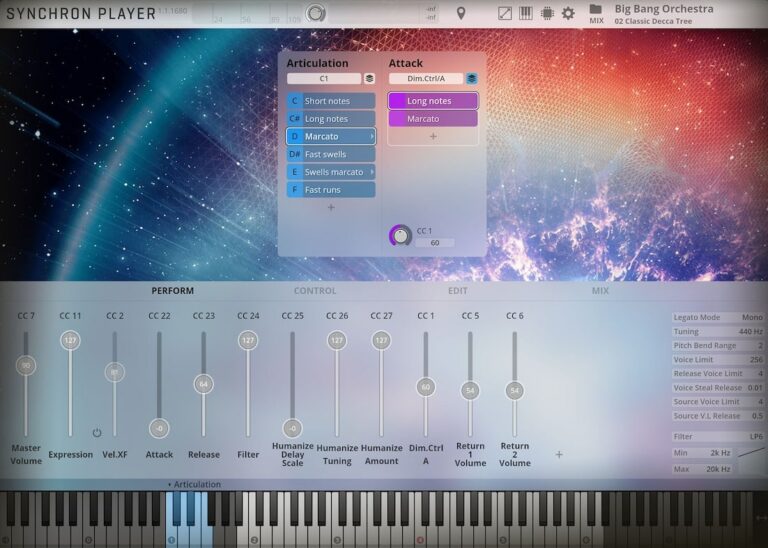
OS: Windows Win Mac Mac Bit Version: 64-bit Developer: Vienna Symphonic Library Size: 485 MB Rating: 91/100
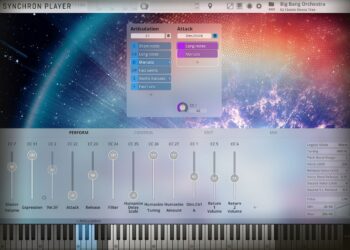
Big Bang Orchestra offers the sound of a full orchestra playing together, recorded at Vienna’s famous Synchron Stage. It gives you instant access to bold, cinematic tones with articulations like staccatos, sustains, and swells—ideal for powerful themes or quick musical sketches.
The plugin includes multiple mic positions and ready-made mixer presets, making it easy to shape everything from close, punchy tones to wide, atmospheric mixes. It’s a fast way to add orchestral layers, dramatic accents, or grand textures to your music projects.
Features
- Full Tutti Orchestra Sound
- 1.4 GB Of Free Samples
- Multiple Microphone Positions
- Stereo And Surround Output
- Articulations Like Staccato And Sustain
- Includes Mixer And Room Presets
- Supports NKS Format Compatibility
- User-Friendly Synchron Player Interface
- Built-In Reverb And Panning Controls
- Low CPU And Fast Loading
Pros
- Free and high quality orchestral sounds
- Huge cinematic sound straight away
- Multiple mic positions for depth
- Epic hall ambience captured clearly
- Light on CPU for large sessions
- Instant big orchestra layering tool
- NKS compatible for smooth workflow
- Playable right out of the box
- Tight and punchy orchestral tone
- Professional sound for zero cost
Cons
- Limited detailed articulations
- Heavy on storage space
- Needs strong computer specs
- Less realistic than full libraries
- No deep expression control
- Few customization options
- Longer load times on HDD
- Less variety than paid plugins
- Cannot edit individual players
- Less natural tone than top horns
Testimonials
Tips
- I always layer the horns with other brass sounds to make the sound fuller and more exciting.
- I use the reverb control inside the plugin to place the orchestra in a big, wide room.
- I add dynamics with a modulation wheel to make the horns feel alive and emotional.
- Use automation to change volume and tone through a piece to add movement and realism.
- Experiment with different microphones and positions inside the plugin for unique tones.
- Use a light compressor to control volume peaks without losing the natural feel.
3. Spitfire Audio Discover
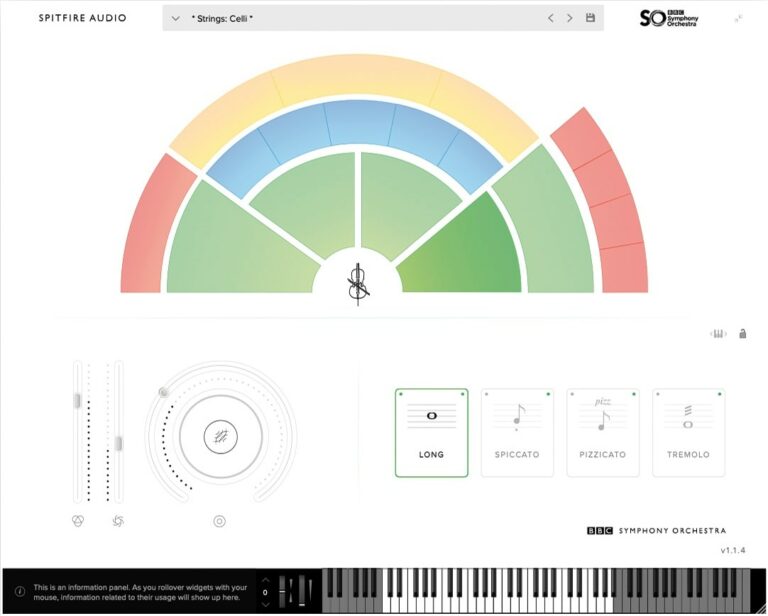
OS: Windows Win Mac Mac Bit Version: 64-bit Developer: Spitfire Audio Size: 360 MB Rating: 87/100
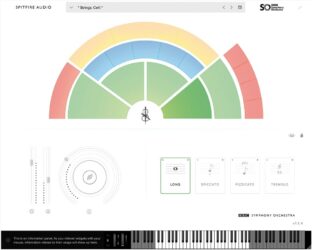
Spitfire Audio Discover offers an easy way to explore the sound of a real orchestra from your computer. Recorded with the BBC Symphony Orchestra at Maida Vale Studios, it includes 34 instruments and a concert grand piano in a lightweight 240MB plugin that fits any workflow.
This plugin works with most major music software and includes strings, brass, woodwinds, percussion, and piano. With simple controls, NKS support, and smooth mode switching, Discover gives both new and experienced music creators access to authentic orchestral sounds for sketching and scoring.
Features
- Includes 34 Orchestral Instruments
- Offers 47 Playing Techniques
- Uses Professional Recording Quality
- Recorded At Maida Vale Studios
- Includes Built-In Reverb Control
- Features Dynamics And Expression Sliders
- Compatible With Major DAWs
- Supports VST2 VST3 AU AAX
- Features NKS Compatibility
- Lightweight Size Of 240MB
Pros
- Recorded at famous Maida Vale Studios
- Includes 34 real instruments
- Features 47 playing techniques
- Professional sound quality for free
- NKS ready for advanced control
- Low CPU and RAM use
- Lightweight and easy to install
- Works on Windows and Mac
- Fast loading and smooth playback
- Easy upgrade path to Core version
Cons
- No legato articulation options
- Limited dynamic range control
- Few articulations per instrument
- No built-in effects section
- Not customizable for deep editing
- Only one mic position
- Less realistic than paid packs
- No velocity curve customization
- Must upgrade for pro features
- Basic interface compared to rivals
Testimonials
Tips
- I adjust the expression and dynamics sliders to bring more life and emotion to the horn sounds.
- Use the legato setting when playing slow horn melodies for smoother transitions between notes.
- Combine multiple horn sounds in layers to create big, cinematic effects.
- Pay attention to EQ by cutting muddy low frequencies to make horns stand out clearly.
- Use automation to control dynamics, making horn lines rise and fall naturally.
- Record multiple horn tracks with small timing differences to make the section sound more real.
4. Trumpet Fields
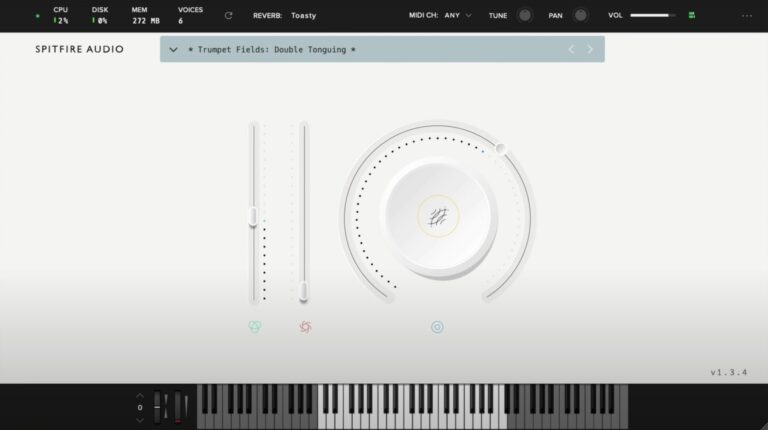
OS: Windows Win Mac Mac Bit Version: 64-bit Developer: Spitfire Audio Size: 693 MB Rating: 83/100
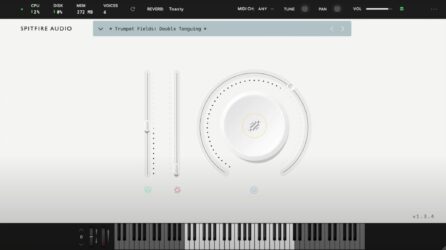
Trumpet Fields offers soft, evolving trumpet tones that bring warmth and gentle motion to your music. Recorded on a dry stage at Spitfire Studios, it captures two skilled players performing long, subtle notes with textures like slow bends and fluttering brass layers.
You can shape the sound with controls for tone, volume, and expression, then add depth using five reverb options. Trumpet Fields is ideal for creating atmospheric backgrounds, emotional builds, or ambient layers that blend easily with other instruments in your projects.
Features
- Recorded On A Dry Stage
- Swirling And Droning Brass Textures
- Features Two Professional Trumpet Players
- Includes Granular Elements And Bends
- Offers Five Reverb Options
- Supports VST2, VST3, AAX, AU Formats
- Includes Instrument And Expression Sliders
- Big Knob For Layer Blending
- Reverb Menu For Space Effects
- Keyboard Display For Playing Notes
Pros
- Warm and emotional brass tones
- Real trumpet players recorded professionally
- Creative blend of brass and synth
- Highly expressive performance layers
- Unique trumpet sound not generic
- High-quality dry stage recordings
- Dynamic controls for expressive play
- Perfect for cinematic soundscapes
- Rich atmospheric tones with depth
- Free and accessible to all users
Cons
- High CPU use during playback
- Few articulation options available
- No real-time expression control
- Can cause DAW freezing issues
- Slow loading times on older PCs
- Needs strong computer to run smooth
- No adjustable microphone positions
- Limited tweak options for sound design
- Less flexible than other free horns
- Not suited for pop or jazz
Testimonials
Tips
- I use the dynamics slider to make the trumpet sound louder or softer, depending on the emotion I want.
- I like to use automation on the mod wheel for more expression in long notes.
- Try using the expression and dynamics controls together to add life to trumpet melodies.
- Use legato mode when playing smooth melodies to make transitions sound natural.
- Stacking different articulations can make a trumpet line sound more human and rich.
- Experiment with velocity sensitivity to make performances sound more dynamic and expressive.
5. The Free Orchestra
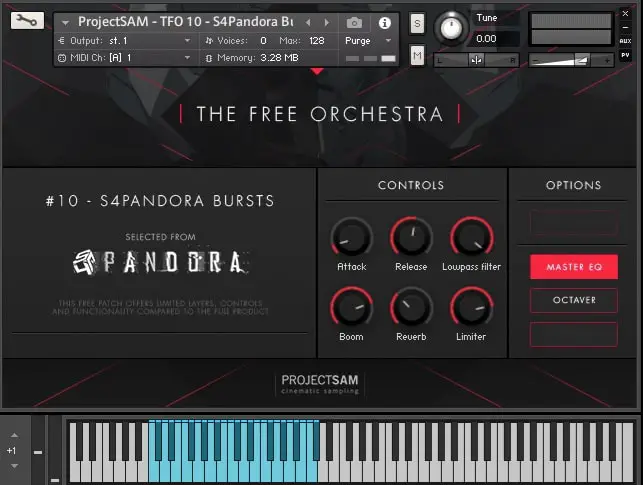
OS: Windows Win Mac Mac Bit Version: 64-bit Developer: ProjectSAM B.V Size: 920 MB Rating: 82/100
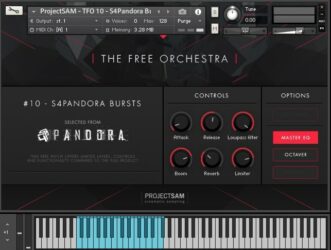
The Free Orchestra offers a range of cinematic sounds drawn from ProjectSAM’s well-known libraries. It includes strings, brass, choirs, and sound effects recorded in a concert hall, giving users an authentic orchestral feel. The library includes 16 free instruments and 10 multi setups.
This collection is suited for film scoring, trailer music, or adding dramatic layers to any track. Each preset is ready to use with expressive controls such as reverb, EQ, and dynamics. The Free Orchestra runs in Kontakt Player and works on both Windows and macOS systems.
Features
- Includes 16 Free Orchestral Instruments
- Works With Free Kontakt Player
- Recorded In A Concert Hall
- Offers Cinematic String And Brass Sounds
- Completely Free With No Hidden Costs
- Simple And Clear Control Interface
- Built-In Reverb And Limiter Tools
- Has Octaver And Master EQ Options
- Usable In Commercial Music Projects
- Ideal For Cinematic And Trailer Music
Pros
- Completely free with no limits
- High quality cinematic sound design
- Works with free Kontakt Player
- Recorded in real concert hall
- Includes 16 free instruments
- Has 10 creative multis
- Compact library with big sound
- Built-in reverb and EQ
- Quick setup through Native Access
- Great gateway to ProjectSAM sound
Cons
- Requires full Kontakt installation
- Limited control over articulations
- No deep sound customization tools
- Interface feels dated and small
- Few microphone positions available
- Lacks round-robin sample variation
- Smaller library than paid suites
- Some patches sound too similar
- Heavy CPU use on some systems
- No standalone version available
Testimonials
Audio Demo
Tips
- I use the mod wheel to control dynamics for a more emotional and real-sounding performance.
- I try layering The Free Orchestra cello with another string plugin to make the sound fuller and richer.
- I always adjust the reverb and volume to match my mix so the cello doesn’t sound too far away or too strong.
- Use automation on volume and expression to make cello parts feel more human and less robotic.
- Adjust velocity in your MIDI notes to control how soft or strong each bow stroke sounds.
- I often use EQ to remove extra low-end rumble and make space for other instruments in the mix.
- Try using an external convolution reverb to make the cello sound like it’s in a real concert hall.
6. Aspen Trumpet 1
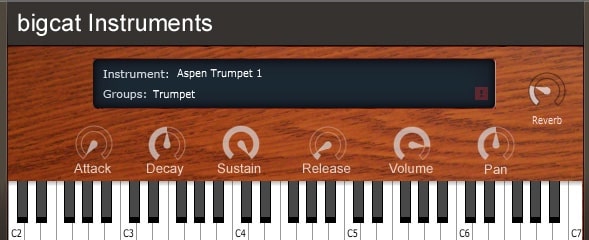
OS: Windows Win Mac Mac Bit Version: 32-bit, 64-bit Developer: Bigcat Instruments Size: 34 MB Rating: 75/100
Aspen Trumpet 1 offers natural trumpet tones in an easy-to-use plugin for Windows and Mac. Made by Bigcat Instruments, it features controls for attack, decay, sustain, and release, letting you shape how each note begins, holds, and fades. Pan and reverb add depth and space to your sound.
This free plugin suits many musical styles, from soft solos to bright brass parts. The built-in keyboard helps test sounds quickly, while simple controls make sound shaping clear and direct. Aspen Trumpet 1 gives music creators a straightforward way to add realistic trumpet character to their tracks.
Features
- Adjustable Attack, Decay, Sustain, Release
- Built-In Reverb Effect
- Pan Control For Stereo Balance
- Volume Control For Sound Level
- Free Trumpet Sound Library
- Supports VST And AU Formats
- Works On Windows And Mac
- Available In 32-Bit And 64-Bit
- On-Screen Keyboard For Playing
- Instrument Display With Name
Pros
- Very realistic trumpet sound
- Free for Windows and Mac
- Competes with paid libraries
- Clean and expressive samples
- Low CPU usage
- Responds to velocity and modwheel
- Includes reverb for depth
- Fast loading sample library
- Works well in orchestral mixes
- Easy to use controls
Cons
- No built-in mute articulations
- Limited dynamic range control
- No multiple microphone positions
- Slower response for fast notes
- Lacks ensemble trumpet layers
- No built-in EQ or compressor
- Needs Kontakt to fully run
- Does not include legato mode
- Slight tuning issues on some notes
- Limited velocity sensitivity control
Testimonials
Tips
- I use a little reverb to make the trumpet sound like it’s in a real room or stage.
- I change the velocity settings to make soft and loud notes sound more natural.
- I use MIDI automation to control vibrato or expression for more emotion in my music.
- I layer the trumpet with other brass sounds to create a fuller horn section.
- Try blending the Aspen Trumpet 1 with other brass VSTs to build a realistic ensemble.
- Adjust the attack and release in the plugin to control how quickly the trumpet sound starts and ends.
- Listen to real trumpet players to understand how to phrase musical lines with expression.
7. VSCO2 Trombone
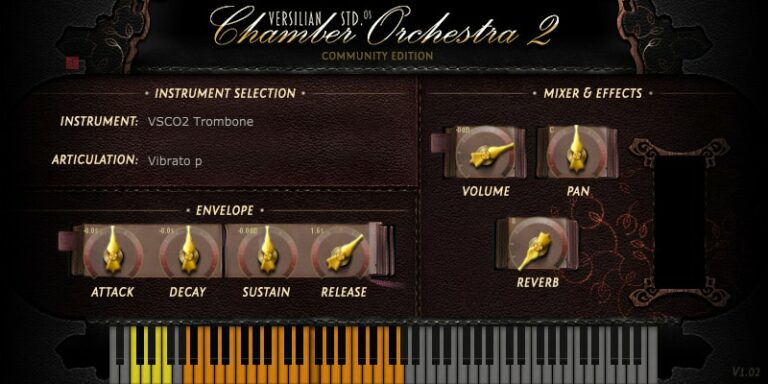
OS: Windows Win Mac Mac Bit Version: 32-bit, 64-bit Developer: bigcat Instruments Size: 71 MB Rating: 72/100
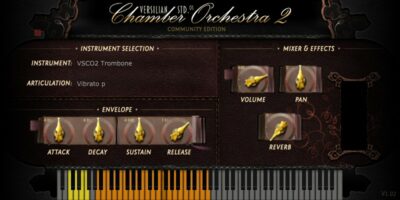
VSCO2 Trombone is a sampled trombone plugin created by bigcat Instruments using recordings from Versilian Studios. It offers five playing styles, including sustain, staccato, and vibrato, giving producers a range of tones for different musical settings. It runs on Windows and Mac in both VST and AU formats.
The plugin includes simple controls for shaping the sound, such as attack, decay, sustain, release, volume, pan, and reverb. These tools help users adjust the tone’s depth and space, making it flexible for sketches, demos, or adding a brass layer to full tracks.
Features
- 5 Playable Articulation Types
- Warm And Natural Tone
- Built-In Reverb Effect
- Adjustable Attack, Decay, Sustain, Release
- Responsive To Velocity Changes
- Supports VST And AU Formats
- Works On Windows And Mac
Pros
- Warm and natural trombone tone
- Multiple articulations for expression
- Low CPU use on old computers
- Quick loading and light on memory
- Responds well to velocity changes
- Reverb adds nice room feeling
- Blends nicely with other brass
- Stable performance in many DAWs
- Works on both Windows and Mac
- Small file size saves space
Cons
- Sounds artificial in high notes
- Limited dynamic layers available
- No legato or glide option
- Attack can feel too slow
- Noticeable loop artifacts on tails
- Lacks realistic articulations variety
- Too soft for epic brass
- Missing round-robin sample layers
- Dynamic response feels uneven
- Less realism than paid libraries
Testimonials
Tips
- I like to use the mod wheel to add a bit of vibrato for a more human sound.
- When I layer the VSCO2 Trombone with other brass sounds, it makes a bigger, richer tone.
- I use reverb to make it sound like the trombone is being played in a concert hall.
- Using velocity sensitivity helps make the trombone sound more realistic and dynamic.
- Experimenting with panning can help position the trombone naturally in the stereo field.
- Automation can bring the trombone to life by changing volume and tone across a song.
8. Aspen Bass Trombone
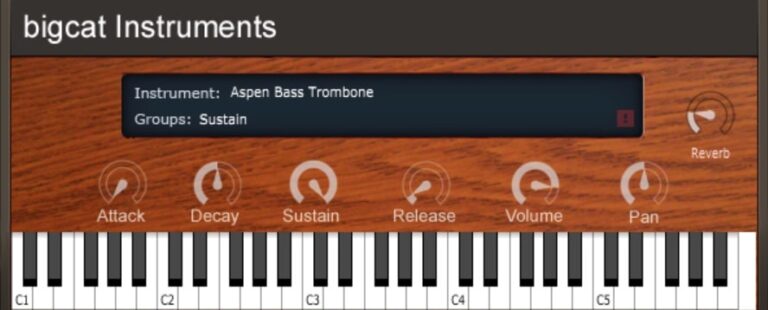
OS: Windows Win Mac Mac Bit Version: 32-bit, 64-bit Developer: bigcat Instruments Size: 10 MB Rating: 70/100
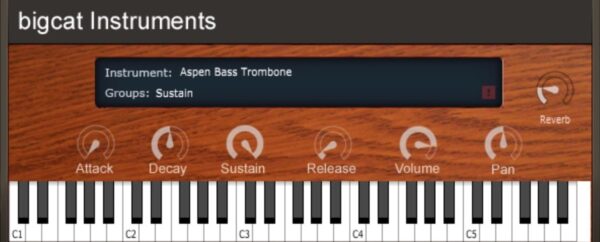
Aspen Bass Trombone offers a deep, bold brass tone that works well for jazz, cinematic, and orchestral music. It runs on both Windows and Mac in VST and AU formats and includes full ADSR controls, volume, pan, and reverb to shape the sound.
This plugin gives music creators a strong bass trombone voice that blends or stands out in a mix. Its darker tone adds warmth to low-end parts and delivers rich expression from soft notes to powerful blasts, making it a solid free choice for brass-focused tracks.
Features
- Works On Windows And Mac
- Supports VST And AU Formats
- Runs In 32-Bit And 64-Bit
- Expressive Velocity Layer Support
- Attack Control For Sound Start
- Reverb Effect For Space Depth
- Pan Control For Stereo Position
- Volume Control For Loudness
- Low Latency And Quick Loading
- Free Bass Trombone Instrument
Pros
- Rich and deep trombone tone
- Strong low brass presence
- Better realism than many free VSTs
- Built-in reverb for space feel
- Adjustable attack and decay
- Playable and expressive dynamics
- Great for jazzy brass sounds
- Perfect for cinematic low hits
- Fast loading and stable play
- Works on Windows and Mac
Cons
- Limited tonal range
- Few sound customization options
- Lacks advanced shaping tools
- Artificial reverb quality
- Not ideal for legato
- Crashes in some DAWs
- Limited realism overall
- Difficult to mix in orchestras
- Lacks ambience options
- Less expressive than premium VSTs
Testimonials
Tips
- I try different velocity levels to make my playing sound more human and less robotic.
- I add a small amount of reverb to make the trombone sound like it’s in a real room.
- The Aspen Bass Trombone sounds best when paired with a little EQ to bring out its warm tone.
- I layer the Aspen Bass Trombone with other brass instruments for a richer sound.
- Use automation to make the trombone louder in important parts of a song.
- Use panning to place the trombone slightly to one side for a wider mix.
9. Iowa Soprano Sax
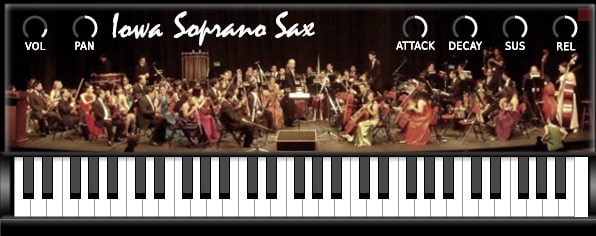
OS: Windows Win Mac Mac Bit Version: 32-bit, 64-bit Developer: Bigcat Instruments Size: 43 MB Rating: 70/100
Iowa Soprano Sax offers a realistic soprano saxophone sound sampled from the University of Iowa Electronic Music Studios. It gives music creators control over loudness, tone, and feel through simple knobs for volume, panning, attack, decay, sustain, and release.
This plugin is available for both Windows and Mac in VST and AU formats. Its straightforward interface and natural tone make it a useful tool for adding smooth saxophone melodies or background lines to any track without needing additional setup.
Features
- Authentic Soprano Saxophone Sample
- High-Quality Recorded Sound
- Attack, Decay, Sustain, Release Controls
- Light On CPU And Memory
- Simple And Clear Interface
- Fast Loading And Easy Setup
- Works In VST And AU Formats
- Realistic Sax Tone And Feel
- Adjustable Sound Direction And Depth
- Free Plugin For Music Creators
Pros
- Realistic soprano saxophone sound
- Low CPU and memory use
- Clean and natural tone quality
- Responsive to key velocity
- ASDR controls for sound shaping
- Provides smooth note transitions
- Compatible with most DAWs
- Small download size and footprint
- Trustworthy library from Iowa recordings
- Great for jazz and orchestral music
Cons
- Limited articulations for expression
- Lacks dynamic control layers
- Not very realistic at high notes
- Can sound too static
- Limited velocity sensitivity
- No legato or vibrato modes
- Less detailed samples
- Sound can feel a bit thin
- No built-in reverb or effects
- Few tone shaping options
Testimonials
Tips
- I play around with different velocities to make the sax sound more real and alive.
- Use EQ to reduce any harsh highs and to bring out the warm mid-tones.
- Try using a compressor to keep the sax volume even across all notes.
- Add a bit of chorus or subtle saturation to give the sax more character.
- Use automation to change volume and dynamics for more expressive playing.
- Layer the Iowa Soprano Sax with other brass or wind VSTs for a fuller section sound.
- Place the sax slightly to one side in the stereo field for a realistic mix.
10. Iowa Tenor Trombone
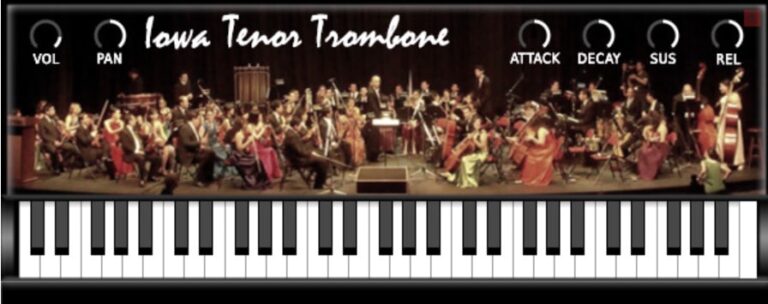
OS: Windows Win Mac Mac Bit Version: 32-bit, 64-bit Developer: bigcat Instruments Size: 20 MB Rating: 68/100
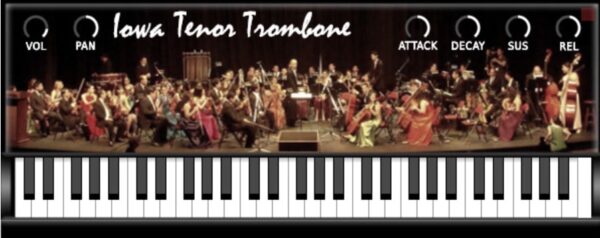
Iowa Tenor Trombone is a sampled brass plugin based on recordings from the University of Iowa Electronic Music Studios. It delivers a natural trombone sound suited for practice, demos, or adding basic brass lines. The simple interface gives quick control over loudness, tone, and play feel.
It offers standard VST and AU support on Windows in both 32-bit and 64-bit versions. Volume, pan, attack, decay, sustain, and release controls help shape the tone for different styles. Though limited in articulations, it provides an easy way to bring real trombone character into your projects.
Features
- Sampled Tenor Trombone Sound
- Based On University Of Iowa Samples
- Available In VST And AU Formats
- Light On CPU Usage
- Fast Loading And Stable Performance
- Realistic Tone With Dynamic Range
- Simple And Easy-To-Use Interface
- Usable For Basic Legato And Staccato
- Warm Low Register And Bright Highs
- Free Plugin For Music Creation
Pros
- Sounds warm and realistic
- Light on computer power
- Works in most DAWs
- Adjustable attack and release
- Nice tone in low notes
- Sits well in full mixes
- Stable and rarely crashes
- Works on 32-bit and 64-bit
- Playable and responsive keys
- Good dynamic range for free
Cons
- Only works on Windows computers
- Limited trombone articulations available
- Some notes slightly out of tune
- Lacks true legato transitions
- Few controls for sound shaping
- Can sound fake when soloed
- Little dynamic expression control
- No built-in reverb options
- Not as rich as paid libraries
- No round robin sample variety
Testimonials
Tips
- I use the mod wheel to bring dynamics and movement into my trombone lines.
- Equalizing the low mids can make the tone clearer and remove muddiness.
- Adding a light compressor can help control the trombone’s loud peaks in a mix.
- Applying some room reverb makes it blend better with other virtual instruments.
- Using automation for volume and expression creates a more lifelike trombone performance.
- Trombone VST plugins sound more real when notes overlap slightly like a real player would.
11. Iowa Tuba
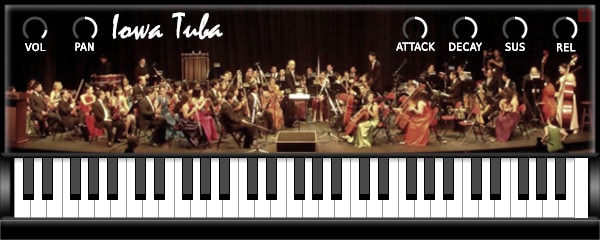
OS: Windows Win Mac Mac Bit Version: 32-bit, 64-bit Developer: bigcat Instruments Size: 10 MB Rating: 67/100
Iowa Tuba offers a natural brass tone based on real tuba samples recorded at the University of Iowa Electronic Music Studios. It provides a clean and steady low-end sound that fits well in orchestral mockups, film scoring, or classroom music projects.
The plugin includes simple controls for volume, panning, and envelope shaping. These let you adjust how the tuba responds and fades. Compatible with Windows and Mac in both VST and AU formats, Iowa Tuba delivers dependable performance for quick sketches or full arrangements.
Features
- Realistic Sampled Tuba Sound
- High-Quality University Recorded Samples
- Responsive To MIDI Velocity
- Low CPU Usage Performance
- Simple And Clear Interface
- Public Domain Sample Source
- Available In VST And AU
- Built-In Keyboard For Preview
- Free For Commercial Use
- Pan Control For Stereo Position
Pros
- Realistic and natural tuba sound
- Better realism than most free horns
- Public domain samples are legal
- Full and believable low-end tone
- Clean and well tuned samples
- Low CPU use when playing
- Stable performance in most DAWs
- Fast loading sample library
- Responds well to key velocity
- Useful attack and release settings
Cons
- Lacks multiple brass articulations
- No built-in reverb or effects
- No legato or staccato layers
- No dynamics control or mod wheel
- Limited tone shaping options
- Not very expressive for solos
- Samples can sound too bright
- No round robin for realism
- Older sample library quality
- GUI looks old and plain
Testimonials
Tips
- I like to use the Iowa Tuba with a little reverb to make it sound like I’m in a big concert hall.
- I use the mod wheel to add gentle expression when holding long notes.
- I experiment with EQ to cut a bit of muddy low frequencies for a cleaner sound.
- Use automation to control volume or dynamics for more lifelike performances.
- Pair the tuba with trombones or french horns for a realistic brass section sound.
- Combine multiple horn VSTs at different octaves to build a powerful ensemble feel.
12. Sonatina Horn
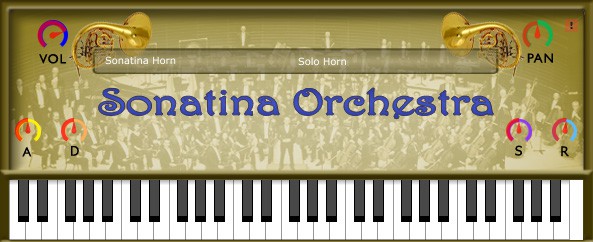
OS: Windows Win Mac Mac Bit Version: 32-bit, 64-bit Developer: Bigcat Instruments Size: 25 MB Rating: 66/100
Sonatina Horn offers a simple way to add classic brass tones to your music. Based on samples from the Sonatina Symphonic Orchestra, it provides four horn types—Solo Horn, Horns Sustain, Horns Sustain 2, and Horns Staccato—each with its own tone and expression.
You can shape your sound using basic controls for volume, pan, and envelope settings like attack and release. Sonatina Horn works on both Windows and Mac and is available in VST and AU formats, making it a flexible option for adding natural horn color to your tracks.
Features
- Sampled Horn From Orchestra Library
- Four Selectable Horn Groups
- Simple And Clear Interface
- Attack, Decay, Sustain, Release Controls
- Volume Control For Output Level
- Pan Control For Stereo Placement
- Built-In Virtual Keyboard
- Supports VST And AU Formats
- Available In 32-Bit And 64-Bit
- Light On CPU Usage
Pros
- Free and easy to download
- Works on Windows and Mac
- Low CPU usage performance
- Four horn types included
- Solo horn has warm tone
- Adjustable attack and release
- Good layering with other brass
- Trusted Sonatina Orchestra samples
- Blends well in a mix
- Switches easily between horn styles
Cons
- Limited realism compared to paid horns
- Few articulations for advanced play
- Sound lacks deep dynamic range
- Poor velocity layer blending
- No round-robin for repeated notes
- Obvious loop points in sustains
- Attack feels too soft sometimes
- Doesn’t blend well in mixes
- Interface looks dated and plain
- No built-in reverb or effects
Testimonials
Tips
- I often use light reverb to make the horn feel like it’s playing in a real space.
- I sometimes layer two horn tracks to make the sound stronger and fuller.
- I use EQ to lower any harsh highs that can happen when the horn plays loud notes.
- I like to automate volume for smooth swells, just like a real horn player would do.
- I learn how to use expression and modulation wheels to make my horn sound more alive.
- Change the MIDI velocity to control how loudly the horn plays for dynamic expression.
- Listen to real horn performances to learn natural phrasing and mimic it in MIDI editing.
13. Iowa Alto Sax

OS: Windows Win Mac Mac Bit Version: 32-bit, 64-bit Developer: Bigcat Instruments Size: 45 MB Rating: 66/100
Iowa Alto Sax offers a realistic alto saxophone sound using samples recorded by the University of Iowa Electronic Music Studios. Created by Bigcat Instruments, this free plugin gives music creators an easy way to add natural sax tones to their tracks on Windows or Mac.
The plugin includes simple controls for volume, pan, attack, decay, sustain, and release. These features let you shape how the sax responds to your playing, from smooth fades to sharp starts. It’s a useful tool for adding expressive wind sounds to your music projects.
Features
- Realistic Alto Saxophone Sound
- High-Quality Sample Library
- Attack Control For Sound Start
- Low CPU Usage Performance
- Simple And Easy Interface
- Works With Most DAWs
- Available In VST And AU
- Supports 32-Bit And 64-Bit
- Samples From University Of Iowa
- Free To Download And Use
Pros
- Real saxophone samples from Iowa
- Realistic tone for free plugin
- Low CPU use for smooth play
- Works on Windows and Mac
- Simple and clean interface
- Attack, decay, sustain, release control
- Expressive sound with MIDI work
- Works in most music programs
- Loads fast without crashes
- Good base for adding effects
Cons
- Noticeable latency during playback
- Lacks legato or smooth transitions
- High notes sound harsh
- Limited dynamic expression control
- Does not respond to velocity well
- Sound can feel synthetic
- Weak realism for fast passages
- No built-in reverb or effects
- No custom articulation choices
- Interface feels too basic
Testimonials
Tips
- I experiment with different articulations to make the notes sound more natural and less robotic.
- Adding EQ to cut some low mids can make the sax sound cleaner in a mix.
- Automating expression or volume changes can make the performance sound more real.
- Using the Iowa Alto Sax with light compression helps control sudden volume spikes.
- I use a little reverb to make the sax sound like it’s being played in a real room or hall.
- The Iowa Alto Sax responds well to MIDI velocity, so soft touches sound very different from hard ones.
- Layering the sax with a pad sound can create a warm and cinematic vibe.
14. VSCO2 Trumpet
OS: Windows Win Mac Mac Bit Version: 32-bit, 64-bit Developer: Bigcat Instruments Size: 109 MB Rating: 65/100
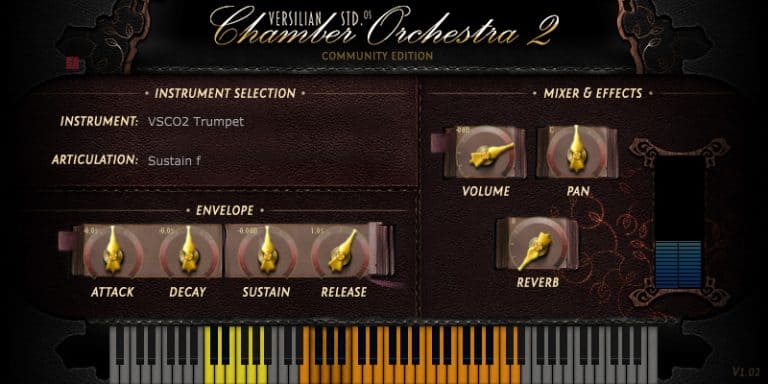
VSCO2 Trumpet offers a realistic trumpet sound designed to add life to your tracks. Recorded by Versilian Studios and Sam Gossner, it includes seven sound groups such as sustain, vibrato, and muted tones. This helps create expressive brass parts suitable for many music styles.
You can shape your sound using controls for articulation, attack, decay, and reverb. The plugin’s simple interface makes adjusting tone, volume, and space quick and clear. VSCO2 Trumpet works on both Windows and Mac, giving music creators an easy way to add trumpet sounds to their projects.
Features
- Realistic Sampled Trumpet Sounds
- Seven Selectable Sound Groups
- Includes Sustain And Vibrato Styles
- Two Mute Sound Options
- Attack, Decay, Sustain, Release Controls
- Adjustable Volume And Panning
- Built-In Reverb Effect
- Keyboard Display For Note Range
- 32-Bit And 64-Bit Support
- Available In VST And AU Formats
Pros
- Real trumpet sound feels natural
- Low CPU use for smooth play
- Has seven sound groups
- Includes mute and staccato modes
- Adjustable attack and decay control
- Customizable reverb for big spaces
- Recorded by skilled professionals
- Retro sampled sound adds charm
- Works well in layered mixes
- Free and fully functional software
Cons
- Sound can feel too static
- No true legato option
- Limited expression range
- Few articulation choices
- Less realistic than paid plugins
- Weak dynamics compared to others
- Sounds dated for modern music
- Harsh highs in some notes
- No velocity curve control
- No custom mic positions
Testimonials
Tips
- I like to use the mod wheel to add volume changes. It makes the trumpet sound more alive.
- I use reverb to give the trumpet sound more space, like it’s in a hall.
- I always check my MIDI velocity because it changes how hard the trumpet sounds.
- I like to EQ out a little bit of the high mids when it sounds too harsh.
- I use expression automation to make phrases feel more natural and alive.
- Adding a bit of saturation can make the trumpet sound warmer and more human.
- Stack a few different horn instruments for a big band-style sound.
15. Virtual Playing Orchestra

OS: Windows Win Mac Mac Bit Version: 64-bit Developer: Paul Battersby Size: 356 KB Rating: 65/100
Virtual Playing Orchestra is a free SFZ orchestral sample library with solo and section strings, brass, and woodwinds. It includes sustain, staccato, accented, pizzicato, and tremolo articulations, plus keyswitch patches and full section sounds.
Samples are checked for tuning, volume, and panning, with instruments set to suitable note ranges. Round-robin strings, velocity layers, and mod-wheel control add variation. An SFZ player is required, and reverb can help blend the different instruments.
Features
- Free SFZ Orchestral Sample Library
- Solo And Section Instruments
- Multiple String Articulations
- Multiple Brass Articulations
- Multiple Woodwind Articulations
- Keyswitch Articulation Patches
- Round-Robin Staccato Strings
- Randomized Repeated Note Playback
- Adjustable Volume And Pan
- Pitch Tuning And Transpose Controls
Pros
- Includes solo and section instruments
- Offers many playing styles
- Includes pizzicato for every string
- Offers tremolo string sounds
- Uses realistic round-robin strings
- Includes two brass velocity layers
- Supports keyswitch articulation changes
- Uses a flexible SFZ format
- Works with several SFZ players
Cons
- Requires a separate SFZ player
- Not a true standalone VST
- Mixed sample sources sound uneven
- Limited dynamic layers for instruments
- Few detailed performance controls
- No built-in reverb included
- Older SFZ format may limit compatibility
Testimonials
Tips
- I load Virtual Playing Orchestra into an SFZ player such as Sforzando before opening an instrument patch. The library uses SFZ files, so it needs a compatible player inside the DAW.
- I keep the SFZ files and WAV sample files in the same main folder. This helps the player find the sounds it needs.
- I use the Standard Orchestra patches when I want to change sounds with key switches. Sustain, staccato, accent, and pizzicato sounds can be selected from the keyboard.
- I use the Performance Orchestra when I want more live control. Key velocity selects the playing style, while the mod wheel controls volume.
- I draw mod-wheel moves into my MIDI track for smoother volume changes. This makes long notes sound less flat and more alive.
- I add reverb to my orchestra tracks. Reverb helps instruments from different sample sources sound like they are playing in the same room.
- Choose the correct instrument range before writing a part. Virtual Playing Orchestra limits instruments to useful playing ranges, so very high or low notes may not play.
16. Karoryfer Alto Sax

OS: Windows Win Mac Mac Bit Version: 64-bit Developer: bigcat Instruments Size: 163 MB Rating: 65/100
Karoryfer Alto Sax is a free alto saxophone instrument for Kontakt Player on Windows and Mac. It uses 256 24-bit WAV samples, two microphone positions, 20 presets, and a sound that can range from traditional to electronic.
Shape the instrument with articulation, legato, vibrato, tuning, octave, EQ, tremolo, reverb, and modulation controls. A piano keyboard, colored keys, MIDI settings, and sample purge tools support flexible playing and sound design.
Features
- Works With Kontakt Player
- Includes 256 WAV Samples
- Uses 24-Bit Audio
- Includes 20 Sound Presets
- Offers Two Microphone Positions
- Includes Amp Simulation
- Includes Two Effects Pages
- Includes Legato And Vibrato
- Provides Multiple Saxophone Articulations
Pros
- Uses 64-bit sample playback
- Includes 256 clear WAV samples
- Offers 20 ready-made presets
- Provides two microphone positions
- Supports smooth legato note changes
- Offers detailed vibrato shaping
- Includes humanized pitch movement
- Adds adjustable room reverb
- Provides easy octave range switching
Cons
- Requires Kontakt for basic playback
- No standalone VST or AU version
- Only includes one sax type
- No soprano, tenor, or baritone sounds
- 64-bit only limits older systems
- Sound may feel more synthetic
- Not always realistic for solo parts
Testimonials
Tips
- I play one note at a time when writing a solo line. A sax player usually does not play large piano-style chords.
- I use short rests between phrases. These small breaks can make the part sound more like a player taking a breath.
- I vary the MIDI note velocity. Small changes in how hard the notes are played can help the sax line feel less stiff.
- I add gentle pitch bends to important notes. A small bend can give the part a smooth jazz feel.
- I use volume or expression automation to shape each phrase. I let the line grow louder and softer instead of leaving it at one level.
- Keep the melody in a comfortable sax range when possible. Very high or very low notes may sound less natural in some sax VST plugins.
- Check the sax part in the full mix, not only when soloed. A tone that sounds thin alone may fit perfectly with drums, bass, and vocals.
17. One Track Orchestra
OS: Windows Win Mac Mac Bit Version: 64-bit Developer: Misery Factor Size: 47 MB Rating: 64/100
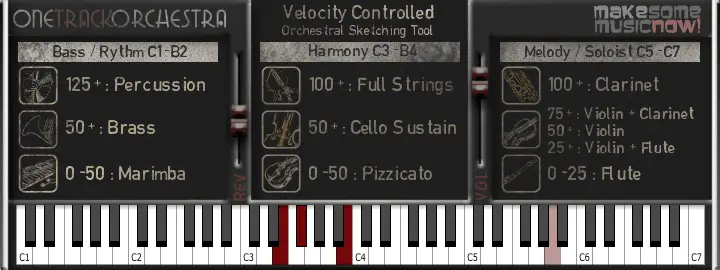
One Track Orchestra offers a fast way to sketch full orchestral ideas in your DAW using just one track. It combines strings, brass, woodwinds, and percussion across the keyboard, letting you create quick arrangements without setting up multiple instruments or templates.
Each section reacts to velocity, giving different tones depending on how softly or hard you play. With only reverb and volume controls, it stays simple while letting you focus on ideas. It’s ideal for songwriters, game jam projects, or quick demos needing instant orchestral sound.
Features
- Full Orchestra On One Track
- Free 64-Bit VST Instrument
- Includes Strings, Brass, Woodwinds, Percussion
- Keyboard Mapped Instrument Sections
- Velocity Responsive Sound Changes
- Simple Reverb And Volume Controls
- Low CPU And Memory Usage
- Fast Loading And Low Latency
- Works Well In Most DAWs
- Based On VSCO Community Samples
Pros
- Full orchestra on one track
- Light on CPU usage
- Works well on low-spec PCs
- Includes strings, brass, and woodwinds
- Instant cinematic sound with reverb
- Free alternative to big libraries
- Quick setup for fast scoring
- No need for multisample setup
- Very small footprint and file size
- 64-bit support for modern DAWs
Cons
- Very limited sound realism
- No multiple articulations support
- Lacks round-robin sampling variety
- User interface looks outdated
- Not suitable for final productions
- Can sound flat or synthetic
- Velocity mapping feels inconsistent
- Crashes when changing presets fast
- Limited dynamic expression range
- No updated versions or support
Testimonials
Tips
- Use velocity control to make horn notes sound more real and expressive.
- Layering multiple horn articulations can give a more natural and full sound.
- Reverb and room simulation can make virtual horns sound more like a live recording.
- Use EQ to remove low rumbles and keep the horn section clear in the mix.
- Panning different horn parts slightly left and right helps them sound wide and balanced.
- Try using compression to control horn dynamics if they jump out too much in the mix.
18. VSCO2 Flute

OS: Windows Win Mac Mac Bit Version: 32-bit, 64-bit Developer: bigcat Instruments Size: 65 MB Rating: 63/100
VSCO2 Flute is a sampled flute plug-in created from recordings by Versilian Studios and Sam Gossner. It provides realistic flute tones suited to orchestral music and layered instrument parts.
The plug-in includes sustain and other articulation options, ADSR controls, volume, pan, and reverb. It runs on Windows and Mac in VST and AU formats, with 32-bit and 64-bit support.
Features
- Sampled Real Flute Instrument
- ADSR Envelope Controls
- Multiple Playing Articulations
- Built-In Reverb Effect
- Overall Volume Control
- Stereo Pan Control
- On-Screen Keyboard Display
- Colored Key Range Markers
- Supports VST And AU
- Available In 32- And 64-Bit
Pros
- Uses real flute samples
- Includes useful playing articulations
- Supports sustained flute sounds
- Includes vibrato playing options
- Offers quick playing styles
- Provides helpful ADSR controls
- Adds room sound with reverb
- Shows playable notes onscreen
- Marks special keys with colors
- Loads sounds through instrument selection
Cons
- No VST3 format available
- No AAX format support
- May fail on newer macOS
- Installation can confuse some DAWs
- No breath controller support
- No natural legato control
- Can sound cheap without layering
Testimonials
Tips
- I start with a simple melody so I can hear the flute’s tone clearly before adding other sounds.
- I keep the flute part in a comfortable range so it sounds smooth and natural.
- I lower the MIDI velocity when I want a softer and more gentle flute sound.
- I draw small changes in volume so long notes do not sound flat or lifeless.
- Keep rests between phrases so the part sounds like a player is taking a breath.
- Use pitch bends and light vibrato in small amounts to add life to held notes.
- I add a small amount of reverb to help the flute fit into the space of the song.
19. Serpo
OS: Windows Win Mac Mac Bit Version: 32-bit, 64-bit Developer: JD TECH Size: 30 MB Rating: 63/100
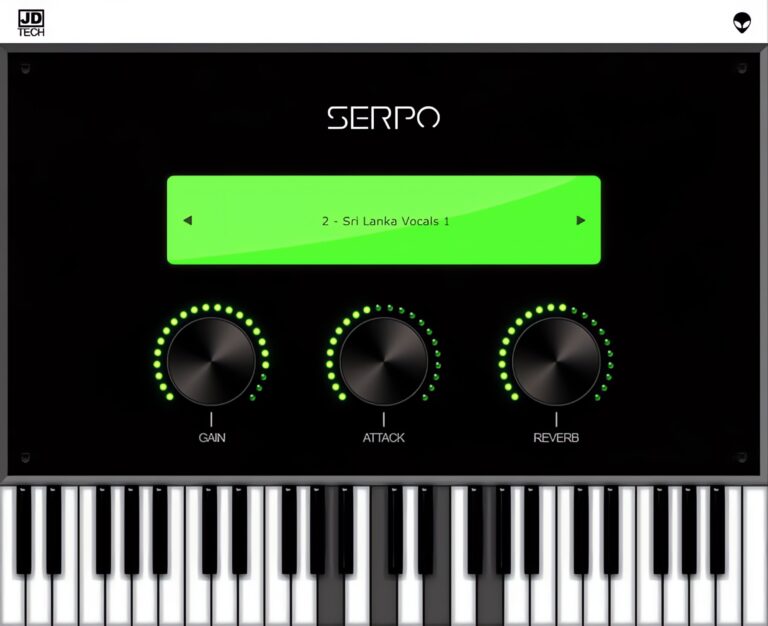
Serpo offers a free and simple way to explore a wide range of sounds for music creation. Developed by JD TECH, it includes instruments such as piano, violin, guitar, trumpet, and drums, along with male and female vocals. Each sound is sampled from artists around the world.
The plugin includes basic controls like gain, attack, and reverb to shape tone and depth. Its built-in preset selector allows quick sound changes for different styles. Serpo works on both Windows and Mac, making it a practical tool for producers seeking fresh, ready-to-use sounds.
Features
- Free Rompler VST Plugin
- Original Sounds From Artists
- User-Friendly Interface Design
- Reverb Effect For Depth
- Preset Selector For Quick Access
- Built-In Virtual Keyboard
- Light On CPU Usage
- Works On Windows And Mac
- Supports VST And AU Formats
- Includes Leads, Pads, And Basses
Pros
- Free to download and use
- Works on Windows and Mac
- Wide mix of real instruments
- Includes horns and brass sounds
- Low CPU use during play
- Fast loading with no extras
- Includes reverb for space depth
- Attack control for sound shaping
- Better variety than most free horns
- Lightweight but good sound quality
Cons
- Sound quality below pro standards
- Missing detailed horn articulations
- Lacks multilayer instrument sampling
- No modulation or LFO options
- Does not support MIDI learn
- No velocity sensitivity options
- Limited to basic sound shaping
- Few updates since initial release
- Bugs and crashes sometimes reported
- Not optimized for big projects
Testimonials
Tips
- I like to play with the attack and release knobs to make the horn sound smoother or punchier.
- I often use a MIDI keyboard to control Serpo because it helps me get more natural-sounding notes.
- I use a small amount of reverb to make the horn sound like it’s in a real room.
- I like to use EQ to cut some low frequencies so the horn doesn’t clash with the bass.
- Automate the expression or modulation wheel in your DAW for more lifelike horn phrasing.
- Layer Serpo with another horn plugin to get a fuller, more realistic brass section sound.
- Adding light compression can help control horn dynamics and keep the volume steady.
20. Brassinematic

OS: Windows Win Bit Version: 64-bit Developer: Fanan Team Size: 20 MB Rating: 62/100
Brassinematic is a cinematic brass synthesizer from Fanan Team. It combines four waveform oscillators modeled on baritone saxophone, French horn, trombone, and trumpet. Mix them into layered brass sounds, chords, and textures, with two MIDI velocity levels for added performance control.
Each instrument includes synthesis controls, while saturation, EQ, compression, chorus, phaser, tremolo, reverb, and delay shape the output. A microtuner supports alternate scales, and Range Split assigns instruments to frequency zones. It runs as a 64-bit VST plug-in on Windows.
Features
- 4 Cinematic Brass Instruments
- Mixable Brass Oscillators
- Two MIDI Velocity Levels
- High-Pass And Low-Pass Filter
- Built-In Microtuner
- Four-Zone Range Split Filter
- Adjustable Pitch Bend Range
- Built-In Saturation And EQ
- Compressor For Even Dynamics
- Reverb And Delay Effects
Pros
- Includes trumpet and French horn
- Also includes trombone and baritone sax
- Mix instruments into custom brass sounds
- Two velocity levels add expression
- Built-in effects save extra plugins
- Includes saturation for warmer tones
- Microtuner supports unusual musical scales
- Range Split creates layered brass parts
- Presets make sound picking easy
Cons
- Sounds synthetic, not realistic
- Limited to two velocity levels
- No true trumpet articulations
- Lacks sampled player performances
- No breath control support
- Only Windows users are supported
- No staccato or sustain controls
Testimonials
Tips
- I start with one brass sound, such as trumpet or French horn, before adding more layers. This helps me hear what each part adds.
- I use the MIDI velocity settings to control how hard each note sounds. I play softly for gentle parts and harder for strong hits.
- I draw or play notes with different lengths. Short notes can sound sharp and bold, while longer notes can feel wide and smooth.
- I move the filter slowly while a note is playing. This can create a rising sound for fills, builds, and endings.
- I use the high-pass filter to remove low rumble. I use the low-pass filter to make a bright brass sound softer.
- Use EQ to cut muddy low-mid sounds when several brass parts play together. A small cut can make room for bass, drums, and vocals.
- I automate the mod wheel, filter, or effects during a song. Small changes can make a simple trumpet part feel more alive.
21. Saxophia

OS: Windows Win Bit Version: 32-bit, 64-bit Developer: Fanan Team Size: 20 MB Rating: 61/100
Saxophia is a Windows VST instrument that models alto, baritone, soprano, and tenor saxophones with four independent waveforms. Each instrument has its own tonal character, while velocity controls, portamento, pitch bend, and note behavior help shape performance.
Its synthesis section includes filters, drawbars, saturation, chorus, phaser, tremolo, reverb, and delay. Musicians can save presets and banks, use MIDI learn, play from a piano keyboard, and adjust levels, limiter, and saturation across five frequency ranges.
Features
- Four Saxophone Sound Choices
- Independent Saxophone Waveforms
- Full Synthesis Controls
- Two MIDI Velocity Options
- Global High-Pass Filter
- Global Low-Pass Filter
- Built-In Saturation Effect
- Built-In Reverb Effect
- Portamento Slide Control
- Full MIDI Learn Support
Pros
- Four saxophone types in one plugin
- Four waveforms create varied tones
- Full synthesis controls for sound shaping
- Two MIDI velocity modes
- Global high-pass and low-pass filters
- Built-in saturation adds warm color
- Drawbars offer deeper tone control
- Full MIDI learn support
- Note stealing adds playing variation
- Preset and bank saving included
Cons
- Only supports Windows computers
- May need jBridge in some DAWs
- May show errors in FL Studio
- Some users report unstable loading
- Sounds less real than sampled saxes
- No breath control is listed
Testimonials
Tips
- I start with a simple melody so I can learn how Saxophia responds to my notes.
- I try different sax sounds, such as alto, tenor, soprano, and baritone, to find the best match for my song.
- I adjust MIDI velocity to make some notes soft and others loud. This helps the part feel more like a real performance.
- I add small pitch bends at the ends of notes to create a more human sound.
- Play notes with small gaps between them. This can sound more natural than holding every note together.
- Move notes slightly off the grid to avoid a stiff, machine-like performance.
- Listen to the sax with the full song, not only by itself. A sound that seems plain alone may fit the mix very well.
22. DSK Saxophones
OS: Windows Win Mac Mac Bit Version: 32-bit, 64-bit Developer: DSK Music Size: 10 MB Rating: 60/100
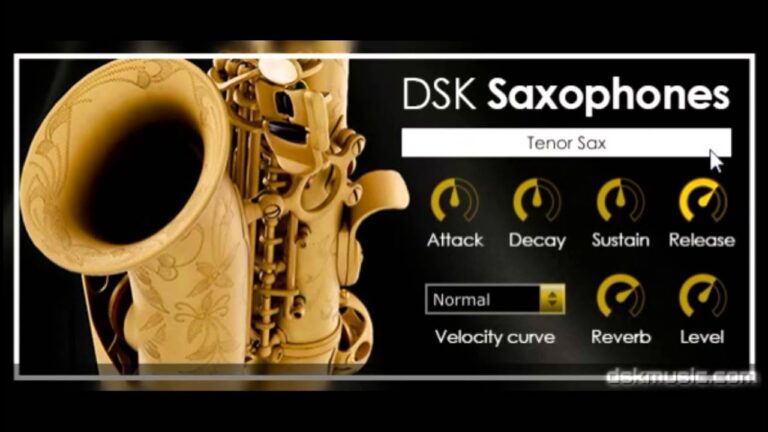
DSK Saxophones offers realistic Soprano and Tenor sax sounds for adding smooth melodies or warm background tones to your tracks. It includes simple controls for shaping your sound with ADSR envelope and velocity settings, giving you flexible control over tone and dynamics.
With built-in reverb, you can add depth and a sense of space to your sax parts. DSK Saxophones works on both Windows and Mac systems and supports 32-bit and 64-bit formats, making it a handy tool for quick saxophone parts in any project.
Features
- Two Saxophone Types Included
- ADSR Envelope Controls
- Velocity Curve Selector
- Built-In Reverb Effect
- Adjustable Sound Shaping
- Supports VST And AU Formats
- Available In 32 And 64 Bit
- Low CPU Usage
- Realistic Articulation Presets
- Customizable Tone Controls
Pros
- Free to download and use
- Includes soprano and tenor sax
- Low CPU usage performance
- Built-in reverb for depth
- ADSR envelope for shaping sound
- Velocity curve control included
- Loads quickly for fast workflow
- No extra sample libraries needed
- Works on Windows and Mac
- Small file size, easy install
Cons
- Limited realistic expression controls
- No legato or glide mode
- Lacks vibrato customization options
- Velocity response feels unnatural
- Lacks smooth note transitions
- No articulation switching feature
- High notes sound harsh
- Reverb sounds artificial
- Interface looks dated
- Can sound plasticky or thin
Testimonials
Tips
- I make sure to adjust the reverb to give the sax a more real and open sound.
- I use the pitch bend wheel to add a little slide between notes, just like a real sax player would.
- Try changing the attack and release times to make the sax feel more natural.
- Use a low-cut filter to remove extra bass and keep the mix clean.
- Make sure to use some vibrato to bring life to the sax melodies.
- Add a touch of compression to even out loud and soft sax notes.
- Listen to real sax recordings to help match tone and dynamics in the plugin.
23. Solina2k

OS: Windows Win Bit Version: 32-bit, 64-bit Developer: Fanan Team Size: 80 MB Rating: 59/100
Solina2k is a physical modeling instrument inspired by the classic Solina string ensemble. Its eight independent oscillators have separate synthesis sections, covering bass, strings, voices, and other parts for vintage pads and electronic textures.
It includes velocity controls, mono mode, portamento, keyboard splits, drawbars, and full MIDI automation. Effects include saturation, chorus, phaser, tremolo, reverb, and delay, with separate routing for each section. It runs as a Windows VST plugin in 32-bit and 64-bit versions.
Features
- Physical Modeling String Emulation
- Eight Independent Oscillators
- Individual Synthesis Per Oscillator
- Global High-Pass And Low-Pass Filter
- Separate Effect Routing
- Advanced Mono Playing Mode
- Keyboard Split For Sound Sections
- Portamento And Pitch Bend Controls
- Preset And Sound Bank Saving
- Full Parameter Automation Support
Pros
- Organic physical modeling tone
- Eight independent oscillators
- Each oscillator has synthesis controls
- Builds wide layered sounds
- Includes trumpet and horn parts
- Offers bass and upper sections
- Separate effects routing available
- Drawbar system adds control
- Advanced mono mode included
- Flexible keyboard split zones
Cons
- Not a true trumpet instrument
- Trumpet sounds may feel synthetic
- Limited realistic trumpet playing
- No sampled staccato trumpet notes
- No muted trumpet sound choices
- No realistic breath or lip controls
- Windows-only support limits users
Testimonials
Tips
- I start with the factory sound and change only one control at a time. This helps me hear what each setting does.
- I use the high-pass filter to remove extra low-end rumble. This gives the bass and drums more room in the mix.
- I try the built-in reverb for a large room sound. I use less reverb on busy songs so the mix does not become muddy.
- I test both MIDI velocity modes to see which one feels better. One mode may give me more control when I play softly or loudly.
- Start with low effect levels, then raise them slowly. This keeps the main instrument sound easy to hear.
- Automate the filter during a song to create movement. Slowly opening the filter can make a section feel like it is growing.
- Keep the instrument level below clipping. Leave space on the mixer so other instruments can play clearly.
24. Aspen Trumpet 2
OS: Windows Win Mac Mac Bit Version: 32-bit, 64-bit Developer: Bigcat Instruments Size: 31 MB Rating: 59/100
Aspen Trumpet 2 is a free virtual trumpet instrument for Windows and Mac. It offers sustained and staccato playing styles, with a piano keyboard and labeled range from C2 to C7.
Sound controls include attack, decay, sustain, release, volume, pan, and reverb. The plugin is available in VST and AU formats, with both 32-bit and 64-bit versions.
Features
- Virtual Trumpet Instrument
- Sustained Playing Style
- Staccato Playing Style
- Attack Control
- Decay Control
- Release Control
- Reverb Control
- On-Screen Piano Keyboard
- VST And AU Formats
- 32-Bit And 64-Bit Versions
Pros
- Includes sustained trumpet playing style
- Includes staccato trumpet playing style
- Covers a wide C2-C7 range
- Adjustable attack for note starts
- Adjustable decay for smooth fades
- Adjustable sustain for held notes
- Adjustable release for natural endings
- Built-in reverb adds room sound
- Piano keyboard makes notes easy
Cons
- Only two playing styles
- No vibrato control
- No breath controller support
- No pitch bend controls
- No growl or shake effects
- No smooth legato transitions
- May sound less natural than rivals
Tips
- I start with a simple melody so I can hear the trumpet sound clearly before adding other tracks.
- I use the sustain style for long notes and smooth parts. Aspen Trumpet 2 also includes a staccato style for short notes.
- I lower the volume first, then raise it slowly to avoid a loud surprise in my speakers.
- I adjust the attack to control how fast each note begins. A faster attack can make the trumpet sound sharper.
- I use the release control to make notes end quickly or fade out more gently.
- I add a small amount of reverb to help the trumpet fit into the song. Too much reverb can make the sound unclear.
- I change note timing by a tiny amount to avoid a stiff, machine-like performance.
25. Edirol Orchestral

OS: Windows Win Bit Version: 32-bit Developer: Paul Cecchetti Music Size: 89.6 MB Rating: 57/100
Edirol Orchestral is a discontinued Windows plug-in with acoustic sounds for strings, woodwinds, brass, percussion, keyboards, and piano. It includes vibrato, tremolo, pizzicato, and spiccato articulations, plus 16-part multitimbral operation and up to 128 voices.
The plug-in offers multiple outputs, MIDI control, chorus, reverb, delay, and instrument search. It is available in 32-bit VST and DXi formats, so 64-bit systems may require a bridge. Some hosts may not recall presets or settings correctly.
Features
- Premium Acoustic Instrument Sounds
- Strings, Woodwinds, And Brass
- Realistic Vibrato And Tremolo
- Pizzicato And Spiccato Articulations
- Sixteen-Part Multitimbral Operation
- 128-Voice Polyphony Support
- Up To 24-Bit, 96kHz Resolution
- Multiple Audio Output Options
- Assignable MIDI Control
- Chorus, Reverb, And Delay
Pros
- Broad brass and woodwind selection
- Realistic vibrato and tremolo articulations
- Useful pizzicato and spiccato articulations
- Sixteen instrument slots at once
- Up to 128 voices polyphony
- Sixteen-part multitimbral performance
- High-quality 24-bit sampling
- Supports sampling rates up to 96 kHz
- Multiple audio outputs available
- Fully assignable MIDI controls
Cons
- Only works on Windows
- Uses outdated 32-bit technology
- Needs a bridge on 64-bit systems
- Does not support modern VST3
- Limited brass playing styles
- No true legato brass lines
- Sounds less natural than newer libraries
Testimonials
Tips
- I use the velocity controls to shape each note. Softer hits sound gentle, while harder hits sound stronger.
- I adjust the room or reverb level to help the brass sound like it is playing in a real space.
- I layer trumpet, trombone, and French horn patches for a fuller brass section.
- Keep brass parts in a comfortable pitch range. Very high or very low notes may sound less natural.
- Use an equalizer to remove muddy low sounds and add a little brightness when needed.
- Use automation to change volume, expression, or filter settings during the song.
- Listen to the brass with the whole mix, not only by itself. A sound that seems small alone may fit the song perfectly.
26. Versilian Studios Chamber Orchestra

OS: Windows Win Mac Mac Bit Version: 32-bit, 64-bit Developer: bigcat Instruments Size: 1700 MB Rating: 57/100
Versilian Studios Chamber Orchestra is a virtual orchestra with over 2,000 samples covering 25 instruments, including strings, woodwinds, brass, percussion, piano, and harp. It includes instrument ranges, articulations, and round-robin samples for selected sounds.
The rompler uses MIDI channels and controls for volume, pan, reverb, velocity, and other settings. It supports VST and AU formats on Windows and Mac. On Windows, it requires Vista or later; the full version may crash in Reaper.
Features
- Complete Orchestral Instrument Rompler
- Over 2,000 Orchestra Samples
- Includes 25 Instruments
- Multiple Instrument Articulations
- Round-Robin Samples On Select Instruments
- Strings, Woodwinds, Brass, And Percussion
- Accurate Instrument Note Ranges
- MIDI-Standard Percussion Mapping
- MIDI Control For All Parameters
- Available In VST And AU
Pros
- Complete orchestra in one plugin
- Covers 25 sampled instruments
- Includes over 2,000 samples
- Supports round-robin sample playback
- Uses carefully recorded orchestra samples
- Provides instrument volume controls
- Provides separate pan controls
- Includes built-in master reverb
- Uses automatic MIDI channel mapping
- Maps percussion near MIDI standards
Cons
- No built-in saxophone effects
- Orchestra sounds can feel fake
- Melodies may sound less realistic
- Full Rompler crashes in Reaper
Testimonials
Tips
- I use the correct playing range for each instrument. Notes that are too high or too low may sound weak or unnatural.
- I choose short articulations, such as staccato or spiccato, for quick notes. I use sustain for long, smooth notes.
- I adjust note velocity to shape the attack. Soft hits sound gentle, while harder hits sound stronger.
- I use the mod wheel or other controls to create swells. This makes long notes feel more alive.
- For realistic saxophone parts, add pitch bends, grace notes, and gentle volume changes. These small moves copy the way a real player shapes a note.
- Use short notes carefully on saxophone. A little space between notes can sound more natural than making every note fully connected.
- Match the saxophone reverb and room sound to the orchestra. This helps the sax blend into the same musical space instead of sounding pasted on top.
27. Bigcat Saxophone Collection

OS: Windows Win Mac Mac Bit Version: 32-bit, 64-bit Developer: bigcat Instruments Size: 43 MB Rating: 56/100
Bigcat Saxophone Collection is a free set of saxophone instruments for Kontakt, with Iowa alto, soprano, duet, and solo sounds recorded at the University of Iowa. The library includes 375 samples across three velocity layers, plus vibrato and non-vibrato modes.
It also includes jazz-focused alto, tenor, and baritone instruments, along with EQ, tuning, reverb, and envelope controls. Windows and Mac versions are available in Kontakt, Maize VSTi, and SampleTank formats. License credits apply to the Creative Commons samples.
Features
- Alto, Soprano, Tenor, And Baritone Saxophones
- Duet And Solo Sax Instruments
- 375 Total Saxophone Samples
- Non-Vibrato And Vibrato Modes
- Jazz Saxophone Instruments Included
- Five Velocity Layers For Club Sax
- Multiple Saxophone Performance Variations
- EQ High, Mid, And Low
- Built-In Reverb Controls
- ADSR Envelope Controls
Pros
- 375 samples add rich detail
- Three velocity layers improve dynamics
- Real sax recordings sound natural
- Alto and soprano sounds included
- Tenor and baritone sounds included
- Duet patch creates instant layers
- Solo patch offers wider range
- Vibrato and dry modes included
- Purge control saves computer memory
- Non-monolith files help loading issues
Cons
- Main version depends on Kontakt
- Limited to three velocity layers
- No true legato control
- Lacks bends and slurs
- No growls or sax trills
- Weak breath control options
- Limited modulation wheel control
Testimonials
Tips
- I choose the sax type that fits the song. Alto sounds bright, soprano sounds higher, and tenor or baritone sounds deeper.
- I play softer or harder to change the sound. The Iowa sax instruments use three volume layers, so key pressure can add more feeling.
- I try the vibrato key switch when I want a more singing sound. For many Iowa patches, C1 turns vibrato off and C#1 turns it on; soprano patches may use C2 and C#2.
- I check the patch notes before I play a full song. They can show the right keyswitches, pitch range, and sound controls.
- I adjust the release to match the song. A short release works well for quick notes, while a longer release gives smooth endings.
- I draw volume changes with automation. Small rises and falls can make a sax line sound more like a real player.
- Do not play every note at the same volume. Real sax players change breath pressure, so varied MIDI velocity helps the part feel alive.
28. Iowa Trumpet

OS: Windows Win Mac Mac Bit Version: 32-bit, 64-bit Developer: bigcat Instruments Size: 41 MB Rating: 54/100
Iowa Trumpet is a free sampled trumpet plugin from the University of Iowa Electronic Music Studios. It creates a brass sound for production across many genres. Use a MIDI keyboard to play notes and shape parts with volume, pan, and ADSR controls.
Its attack, decay, sustain, and release settings adjust how notes start, hold, and fade. Iowa Trumpet works on Windows and Mac in VST and AU formats, with 32-bit and 64-bit versions.
Features
- Free Trumpet Sound Plugin
- Sampled University Of Iowa Trumpet
- Works With MIDI Keyboards
- Three Velocity Sample Layers
- Nearly Every Note Sampled
- Volume And Pan Controls
- ADSR Envelope Controls
- Clickable Piano Keyboard
- VST And AU Formats
- 32-Bit And 64-Bit Support
Pros
- Runs on Windows and Mac
- Supports VST and AU formats
- Available in 32-bit and 64-bit
- Uses public domain recordings
- Made from University of Iowa samples
- Multisampled across almost every note
- Includes three velocity layers
- Built-in keyboard plays every note
Cons
- Sound can feel cheesy
- Controls stay very basic
- No alternate trumpet sounds
- No articulation switching
- No legato control
- Only three velocity layers
- No expression or dynamics sliders
Testimonials
Tips
- I start with a simple melody so I can learn how the Iowa Trumpet responds to my keyboard.
- I use a light touch for soft notes and press harder for louder notes. This helps the part sound more natural.
- I leave small spaces between notes so the trumpet part does not sound too busy.
- I use the pitch-bend wheel for small slides between notes. Gentle moves usually sound better than large ones.
- I use the piano-roll editor to adjust note lengths, timing, and velocity after recording.
- Look for low keyboard notes that may work as keyswitches. These notes can change articulations or playing styles on some bigcat Instruments plugins.
- Compare the virtual trumpet with a real trumpet recording. This helps guide note length, volume, timing, and expression.
29. DVS Saxophone

OS: Windows Win Bit Version: 32-bit Developer: Dream Vortex Studio Size: 1.2 MB Rating: 53/100
DVS Saxophone is a Windows VST instrument built for expressive saxophone parts. Velocity changes the filter response, while pitch bend adds movement to notes. Auto Express varies playing strength, and Auto Vibrato adds a gentle shake for more active performances.
Reverb Size and Reverb Depth shape the room sound, while Vol Level sets output volume. Preset controls manage saved sounds, and R and W buttons handle automation. The plugin is available in 32-bit format.
Features
- Expressive Saxophone Sound
- Velocity-Based Filter Response
- Pitch Bend Filter Control
- Built-In Reverb Effects
- Automatic Expression Changes
- Automatic Vibrato Effects
- Adjustable Reverb Size
- Adjustable Reverb Depth
- Overall Volume Control
- Preset Selection And Management
Pros
- Pitch bend adds feeling
- Filter controls shape tone
- Built-in reverb adds depth
- Adjustable reverb room size
- Auto vibrato adds natural motion
- Auto Express adds lively changes
- Reads automation from your DAW
- Writes automation to your DAW
Cons
- Uses outdated 32-bit technology
- May not work in newer DAWs
- Offers limited sax choices
- Missing key-switch controls
- Few playing styles available
- May not sound fully realistic
Testimonials
Tips
- I use different MIDI velocities to control the strength of each note. Softer notes can sound gentle, while harder notes can sound brighter and louder.
- I add small pitch-bend moves to make my part feel more like a real saxophone. The plugin is designed to respond to pitch bend and velocity changes.
- I play notes with small gaps between them instead of holding every note too long. These gaps help the melody sound more natural.
- Move a few notes slightly off the grid. Small timing changes can make a saxophone VST sound less mechanical.
- Keep the melody in a comfortable sax range. Very high or very low notes may sound less natural on some sax plugins.
- Use EQ to remove muddy low sounds. A small boost in the upper mids can help the sax speak more clearly.
- Listen to the sax in the full mix, not only by itself. A sound that seems thin alone may fit perfectly when the whole song is playing.
30. DSK SaxophoneZ

OS: Windows Win Bit Version: 32-bit Developer: DSK Size: 13 MB Rating: 52/100
DSK SaxophoneZ is a free Windows VST instrument with Soprano, Alto, and Tenor saxophone sounds. It responds to playing velocity and includes an amp envelope and fine pitch control for shaping note attack, sustain, and release.
Shape the tone with low-pass or high-pass filters, then add reverb for room space or chorus for width and movement. The plugin uses a 32-bit VST format and offers controls for effect mix, depth, rate, size, and more.
Features
- Three Saxophone Sound Types
- Soprano, Alto, And Tenor
- Velocity Sensitive Sound Response
- Adjustable Amp Envelope Controls
- Fine Pitch Tuning Control
- Low-Pass And High-Pass Filters
- Adjustable Filter Cutoff And Resonance
- Built-In Reverb Effect
- Built-In Chorus Effect
- Adjustable Effect Mix Controls
Pros
- Velocity adds expressive playing
- Adjustable attack, decay, sustain, release
- Fine pitch control included
- Micro-detuner adds pitch color
- Both filter types are included
- Resonance adds tonal focus
- Reverb creates room and depth
- Chorus makes sounds wider
- Free for private and commercial use
Cons
- Only supports Windows computers
- Limited to old 32-bit VST
- No modern VST3 plugin format
- Only offers three sax sounds
- No detailed playing articulations
- No breath or expression control
- May sound synthetic and harsh
Testimonials
Tips
- I play notes with different MIDI velocities to create soft and strong sounds. This helps the part feel more like a real player.
- I use automation to raise or lower the volume during long notes. This can copy the changing breath of a real player.
- I keep the MIDI melody in a comfortable range for the chosen sax. Very high or very low notes may sound less natural.
- Add short pauses between some phrases. Real sax players need time to breathe.
- I add a little reverb to place the sax in a room. SaxophoneZ has built-in reverb and chorus effects.
- I use the high-pass filter to remove extra low rumble. This can help the sax fit better with bass and drums.
- I listen to the part in the full mix, not only by itself. A simple sax sound can work well when it supports the other instruments.
Brass SoundFonts

A great option for brass sounds is to use brass SoundFonts. You can install a free SoundFont player and load the brass Soundfonts into the player.
Free Brass SoundFonts
- Musical Artifacts – If you’re looking for top-quality brass sounds to add to your music production, look no further than Musical Artifacts. The SoundFonts are meticulously crafted and provide realistically authentic brass sounds that will take your music to the next level.
- Producer Feed – Producer Feed is the ultimate destination for soundfonts. Whether you’re a producer, musician, or just starting, they have something for everyone. The 29 free trombones, saxes, and flutes will give you the sound you need to take your music to the next level.
- Zander Jaz – Zander Jaz Brass SoundFonts create realistically expressive brass sounds for your music. They’re the perfect way to add color and life to your tracks.
- Polyphone – Polyphone is the perfect way to add brass sounds to your music. With a huge variety of SoundFonts to choose from, you can find an excellent sound for your song.
- Code Name Hippie – If you’re looking for an innovative and exciting way to add new sounds to your music, Code Name Hippie is the perfect solution. These professional-quality soundfonts feature authentic brass instruments, giving your tracks a rich, realistic sound.

- Unlimited Beats & Pages
- Sell Digital & Physical Products
- Full WordPress Music Website
- 90 Free Graphics - Get $15 Off
Brass VST Plugins Compared
This table compares the top 10 brass VST plugins by features, controls, effects, formats, and more.
| Details | Layers | Big Bang Orchestra | Spitfire Audio Discover | Trumpet Fields | The Free Orchestra | Aspen Trumpet 1 | VSCO2 Trombone | Aspen Bass Trombone | Iowa Soprano Sax | Iowa Tenor Trombone |
|---|---|---|---|---|---|---|---|---|---|---|
| Image | 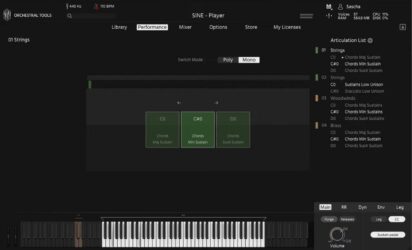 |
 |
 |
 |
 |
|
 |
 |
|
 |
| Rating | ||||||||||
| OS | Windows, Mac | Windows, Mac | Windows, Mac | Windows, Mac | Windows, Mac | Windows, Mac | Windows, Mac | Windows, Mac | Windows, Mac | Windows, Mac |
| Formats | VST, VST3, AU, AAX | VST, VST3, AU, AAX | VST2, VST3, AU, AAX | VST, AU | Kontakt | VST, AU | VST, AU | VST, AU | VST, AU | VST, AU |
| Bit Version | 64-bit | 64-bit | 64-bit | 64-bit | 64-bit | 32-bit, 64-bit | 32-bit, 64-bit | 32-bit, 64-bit | 32-bit, 64-bit | 32-bit, 64-bit |
| Developer | Orchestral Tools | Vienna Symphonic Library | Spitfire Audio | Spitfire Audio | ProjectSAM B.V | Bigcat Instruments | bigcat Instruments | bigcat Instruments | Bigcat Instruments | bigcat Instruments |
| License | Freeware | Commercial | Freeware | Commercial | Freeware | Freeware | Freeware | Donationware | Donationware | Donationware |
| Sample-Based | Yes | Yes | Yes | Yes | Yes | Yes | Yes | Yes | Yes | Yes |
| Download Size | 10 GB | 485 MB | 360 MB | 693 MB | 920 MB | 34 MB | 71 MB | 10 MB | 43 MB | 20 MB |
| CPU Load | Low | Low | Low | Medium | Low | Low | Low | Low | Low | Low |
| Polyphony | 150 | 128 | 127 | 64 | 64 | 16 | 32 | 32 | 32 | 32 |
| Features | Orchestral layers, One-touch chords, Dynamic blending, Multiple mic positions, High-quality recordings, Intuitive interface, Free download | Massive tutti orchestra, Quick orchestration, Multiple microphones, Dynamic articulations, Mixer presets, NKS integration, Cinematic sound | Free orchestra, Concert grand piano, 34 instruments, 47 techniques, Lightweight design, Simple interface, Mode switching | Swirling brass, Granular textures, Dual trumpets, Atmospheric reverbs, Evolving tones, Expressive dynamics, Sound layering | Free library, Cinematic instruments, Orchestral sounds, Concert hall recording, Kontakt Player compatible, Creative multis, User-friendly interface | Attack Control, Decay Control, Sustain Control, Release Control, Reverb Effect, Pan Positioning, On-Screen Keyboard | Multiple articulations, ADSR control, Reverb effect, Volume control, Pan control, Velocity response, Simple interface | Instrument Display, ADSR Controls, Volume, Pan, Reverb, Keyboard, Expressive Tone | Realistic sax sound, Volume control, Panning control, Attack control, Decay control, Sustain control, Release control | Volume control, Panning, Attack, Decay, Sustain, Release, Built-in keyboard |
| Controls | Library Tab, Performance Tab, Mixer Tab, Options Tab, Store Tab, My Licenses Tab, Articulation List | Articulation Menu, Attack Control, Preset Menu, Mixer Faders, Reverb Control, Pan Knobs, Keyboard Display | Main Display Arc, Instrument Selector, Dynamics Slider, Expression Knob, Reverb Control, Articulation Buttons, Keyboard View | Instrument Menu, Main Slider, Expression Slider, Big Circular Knob, Reverb Menu, Top Info Bar, Keyboard Display | Attack, Release, Lowpass Filter, Boom, Reverb, Limiter, Master EQ | Attack, Decay, Sustain, Release, Volume, Pan, Reverb | Instrument, Articulation, Attack, Decay, Sustain, Release, Volume | Instrument Display, Attack, Decay, Sustain, Release, Volume, Pan | Volume, Panning, Attack, Decay, Sustain, Release, Keyboard | Vol, Pan, Attack, Decay, Sustain, Release, Keyboard |
| Effects Included | Reverb | Compressors, power panning, delays, additional reverb, phasers | Reverb | Reverb | Lowpass Filter, Boom, Reverb, Limiter, Master EQ, Octaver | Reverb | Reverb | Reverb | Volume, Panning, Attack, Decay, Sustain, Release | Reverb |
| MIDI Learn | Unknown | Yes | No | Unknown | Yes | Unknown | Unknown | Unknown | Unknown | Unknown |
| Presets | 100 | N/A | 47 | 48 | 1 | N/A | N/A | N/A | 3 | N/A |
| Standalone | No | No | No | No | No | No | No | No | No | No |
| Last Updated | 06/16/2020 | 07/03/2024 | 06/15/2023 | 01/25/2024 | 05/09/2023 | 03/12/2017 | 03/29/2017 | 05/17/2017 | 07/18/2017 | 06/10/2017 |
Favorite Brass VST Plugins
Our top picks for the best free brass VST plugins are Layers by Orchestral Tools, Big Bang Orchestra by Vienna Symphonic Library, and Spitfire Audio Discover by Spitfire Audio. These plugins offer a wide variety of brass sounds, effects, and high quality sounds.
| Details | Layers | Big Bang Orchestra | Spitfire Audio Discover |
|---|---|---|---|
| Image |
|
|
|
| Rating | |||
| OS | Windows, Mac | Windows, Mac | Windows, Mac |
| Formats | VST, VST3, AU, AAX | VST, VST3, AU, AAX | VST2, VST3, AU, AAX |
| Bit Version | 64-bit | 64-bit | 64-bit |
| Developer | Orchestral Tools | Vienna Symphonic Library | Spitfire Audio |
| License | Freeware | Commercial | Freeware |
| Sample-Based | Yes | Yes | Yes |
| Download Size | 10 GB | 485 MB | 360 MB |
| CPU Load | Low | Low | Low |
| Polyphony | 150 | 128 | 127 |
| Features | Orchestral layers, One-touch chords, Dynamic blending, Multiple mic positions, High-quality recordings, Intuitive interface, Free download | Massive tutti orchestra, Quick orchestration, Multiple microphones, Dynamic articulations, Mixer presets, NKS integration, Cinematic sound | Free orchestra, Concert grand piano, 34 instruments, 47 techniques, Lightweight design, Simple interface, Mode switching |
| Controls | Library Tab, Performance Tab, Mixer Tab, Options Tab, Store Tab, My Licenses Tab, Articulation List | Articulation Menu, Attack Control, Preset Menu, Mixer Faders, Reverb Control, Pan Knobs, Keyboard Display | Main Display Arc, Instrument Selector, Dynamics Slider, Expression Knob, Reverb Control, Articulation Buttons, Keyboard View |
| Effects Included | Reverb | Compressors, power panning, delays, additional reverb, phasers | Reverb |
| Download | Download Layers | Download Big Bang Orchestra | Download Spitfire Audio Discover |
Brass VST FAQs
How to Install Brass VST Plugins
To install brass VST plugins on Windows or Mac, extract the files from the Zip or Rar. Move the files (.dll for Windows or .component for Mac) into your DAW’s plugin folder. Then restart your software and rescan the directory to complete the process. Tutorial: How to Install VST Plugins
Windows:
Extract the downloaded zip file and copy the .dll file into the VST plugins folder scanned by your DAW. Restart your music software and rescan your plugin directory to begin using the new VST.
Mac OS X:
Extract the downloaded archive and move the .component or .VST file to the plugin folder. It is usually /Library/Audio/Plug-Ins/Components or /Library/Audio/Plug-Ins/VST. Restart your DAW and rescan your plugins to complete the installation.
What Is A Brass VST Plugin?
A brass VST plugin is a virtual instrument for creating the sound of brass instruments in your digital audio workstation. Brass instruments are a family of musical instruments that produce sound by the vibrations of a player’s lips.
These brass musical instruments include Tubas, Trumpets, Saxophones, Trombones, and other horn instruments. I’ve tried hundreds of free VST plugins, and here are some top free brass ones.
What Is The Best Free Brass VST?
The best free brass VST plugins are “DSK Brass” by DSK Music, “Trumpet Fields” by Spitfire Audio, “Sonatina Horn” by Bigcat instruments, “VSCO2 Old Trombone” by Bigcat Instruments, and “Iowa Tuba” by Bigcat instruments. These are some of the most popular free brass VSTs online.
What Is The Best Brass VST?
The best brass plugins are “Cine Brass Complete” by Cinesamples Inc, “Spitfire Symphonic Brass” by Spitfire Audio, “Forzo” by Heavyocity, “Eastwest Hollywood Brass” by East West Sounds, and “Cinematic Studio Brass” by Cinematic Studio Series. These are paid premium brass plugins.
These free brass virtual instrument plugins are free alternatives to paid plugins like the Chris Hein Orchestral Brass, Heavyocity Forzo Modern Brass Virtual Instrument, Big Band Horns by Orchestral Tools, Output Analog Brass, and the Cinematic Brass Ensemble plugin.
These plugins offer many of the same features, many articulations, and different presets. I hope you enjoy these free brass plugins.