

Here are the best free cello VST plugins for Windows and Mac. We have included video demos, feature lists, pros, cons, and plugin ratings.
How we rate plugins: We rate each cello VST plugin based on sound quality, design, performance, features, usability, and compatibility. We rate plugins on a scale of 1 to 100.
Table of Contents
I have spent over 15 years testing and comparing hundreds of free and paid VST plugins, supported by hands-on demos on our YouTube channel which has 11,000+ subscribers.
Free Cello VST Plugins
This table compares the cello plugins by operating system, bit version, format, and rating.
| # | Plugin | OS | Formats | Bit Version | Ratings |
|---|---|---|---|---|---|
| 1 | Cello Moods | Windows Mac | VST | 64-bit | |
| 2 | Strands | Windows Mac | VST, VST2 | 64-bit | |
| 3 | The Free Orchestra | Windows Mac | Kontakt | 64-bit | |
| 4 | Karoryfer x Bigcat Cello | Windows Mac | Kontakt | 64-bit | |
| 5 | Amplified Cello Quartet | Windows Mac | VST | 64-bit | |
| 6 | VSCO 2 | Windows Mac | VST, AU | 32-bit, 64-bit | |
| 7 | pocketBlakus Cello | Windows Mac | Kontakt | 64-bit | |
| 8 | Cellofan | Windows | VST | 32-bit | |
| 9 | Sonatina Cello | Windows Mac | VST, AU | 32-bit, 64-bit | |
| 10 | DSK Strings | Windows | VST | 32-bit | |
| 11 | DSK Overture | Windows | VST | 32-bit | |
| 12 | DSK Virtuoso | Windows | VST | 32-bit |
1. Cello Moods
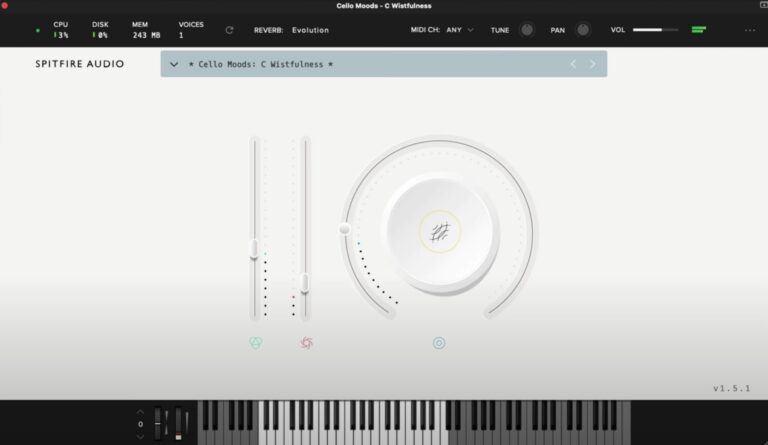
OS: Windows Win Mac Mac Bit Version: 64-bit Developer: Spitfire Audio Size: 1.7 GB Rating: 86/100
Cello Moods offers an expressive set of cello sounds performed by folk cellist Alice Allen. With four mood options, it captures feelings from quiet tension to moving warmth. Each tone is recorded with natural detail, giving tracks a close and emotional sound.
The plugin includes easy controls for dynamics, tone, reverb, and blend, helping you shape each note’s feel. Ideal for film scoring or intimate tracks, Cello Moods brings real human character to digital music making with just a few thoughtful adjustments.
Features
- Includes 16 Expressive Cello Sounds
- Features Four Distinct Emotional Moods
- Main Knob Blends Textures And Effects
- Reverb Control Adds Depth And Space
- Expression Slider Controls Sound Volume
- Dynamics Slider Adjusts Sound Intensity
- Simple And Clear Plugin Interface
- Supports 64-Bit VST Format
- Compatible With Mac And Windows Systems
- Access To Over One Thousand Presets
Pros
- Warm and emotional cello tones
- Captures real human playing feel
- Instantly adds cinematic mood
- Rich textures with minimal tweaking
- Four moods for varied emotions
- Lightweight compared to many libraries
- No extra sampler required to run
- Cross-platform support for Mac and Windows
- Great mix-ready sound quality
- Free monthly updates on Splice
Cons
- No true legato articulation
- Lacks realistic dynamic layers
- No round-robin note variation
- No built-in EQ or compressor
- Limited number of sound presets
- No microphone position choices
- May sound repetitive on long notes
- Few customization options offered
- Not ideal for fast passages
- Sampling size may be heavy
Video Demo
What Users Say
Audio Demo
Cello Moods Tips
- I use the mod wheel to control dynamics and bring life to each note.
- I adjust the expression slider while playing to make it sound more human.
- I always try using reverb to make the cello sound like it’s playing in a big hall.
- Use EQ to cut low rumble and help the cello sit better in the mix.
- Experiment with automation to change the feeling of the cello over time.
- Combine Cello Moods with other orchestral VSTs for a full string sound.
2. Strands
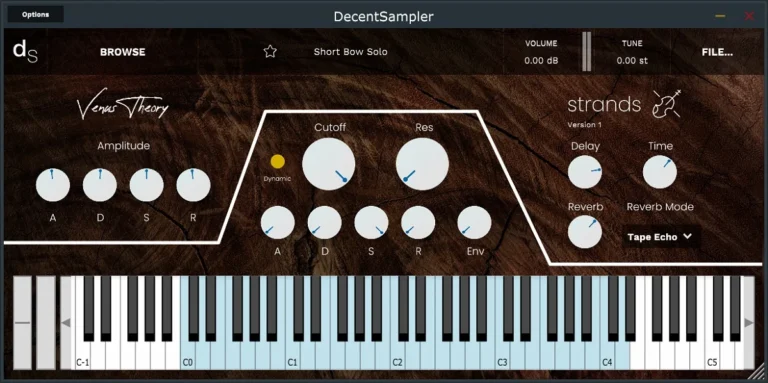
OS: Windows Win Mac Mac Bit Version: 64-bit Developer: Venus Theory Size: 129 MB Rating: 83/100
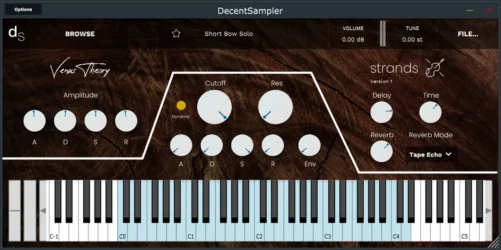
Strands is a free cinematic cello library created by Venus Theory for the Decent Sampler plugin. It features a five-piece cello ensemble and several solo patches, giving music creators expressive tones that range from warm and intimate to textured and dramatic.
Strands offers 11 playable patches with controls for shaping tone and space, including filter, delay, and reverb options. Its light design makes it easy to add emotional cello layers to scores or tracks without needing large libraries or complex setups.
Features
- Free Cinematic Cello Library
- Five-Piece Cello Ensemble
- Solo And Group Performances
- Works With Decent Sampler
- Built-In Delay And Reverb
- Six Reverb Modes Available
- Low CPU Usage
- Amplitude ADSR Controls
- Designed For Emotional Expression
- Ideal For Ambient And Film Work
Pros
- Works with Decent Sampler plugin
- Beautiful emotional cello tones
- Includes solo and ensemble patches
- Eleven expressive sound patches
- Reverb with six cool modes
- Delay synced to host tempo
- Customizable filter and ADSR
- Lightweight and fast to load
- Low CPU and memory use
- Free alternative to paid libraries
Cons
- Requires Decent Sampler to run
- Limited to cello sounds only
- Few sound-shaping controls available
- No advanced modulation options
- Lacks deep editing capability
- Preset variety could feel small
- Limited dynamic range control
- Few articulations for modern scoring
- No MIDI learn functionality
- Less realistic than paid libraries
Video Demo
What Users Say
Strands Tips
- I use the modulation controls to add motion to my cello sounds so they feel more alive.
- I mix Strands with other cello VSTs to create rich layers that sound like a full ensemble.
- I use reverb to place the cello in a bigger space and make it sound more natural.
- Experiment with different bow and expression controls to shape the emotion of the sound.
- Use MIDI expression or a mod wheel to control dynamics and make the performance more human.
- Adjust mic positions in the plugin if available to change the sound stage and tone of the cello.
3. The Free Orchestra
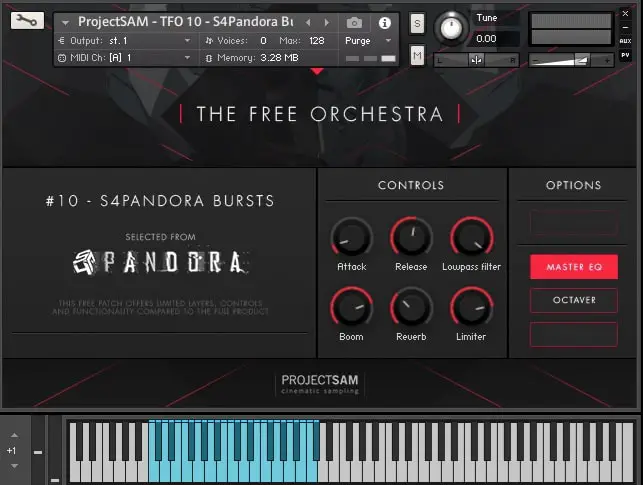
OS: Windows Win Mac Mac Bit Version: 64-bit Developer: ProjectSAM B.V Size: 920 MB Rating: 82/100
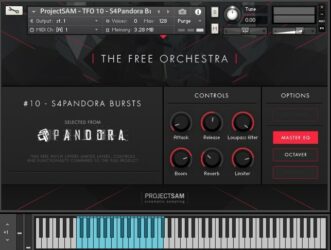
The Free Orchestra offers a range of cinematic sounds drawn from ProjectSAM’s well-known libraries. It includes strings, brass, choirs, and sound effects recorded in a concert hall, giving users an authentic orchestral feel. The library includes 16 free instruments and 10 multi setups.
This collection is suited for film scoring, trailer music, or adding dramatic layers to any track. Each preset is ready to use with expressive controls such as reverb, EQ, and dynamics. The Free Orchestra runs in Kontakt Player and works on both Windows and macOS systems.
Features
- Includes 16 Free Orchestral Instruments
- Works With Free Kontakt Player
- Recorded In A Concert Hall
- Offers Cinematic String And Brass Sounds
- Completely Free With No Hidden Costs
- Simple And Clear Control Interface
- Built-In Reverb And Limiter Tools
- Has Octaver And Master EQ Options
- Usable In Commercial Music Projects
- Ideal For Cinematic And Trailer Music
Pros
- Completely free with no limits
- High quality cinematic sound design
- Works with free Kontakt Player
- Recorded in real concert hall
- Includes 16 free instruments
- Has 10 creative multis
- Compact library with big sound
- Built-in reverb and EQ
- Quick setup through Native Access
- Great gateway to ProjectSAM sound
Cons
- Requires full Kontakt installation
- Limited control over articulations
- No deep sound customization tools
- Interface feels dated and small
- Few microphone positions available
- Lacks round-robin sample variation
- Smaller library than paid suites
- Some patches sound too similar
- Heavy CPU use on some systems
- No standalone version available
Video Demo
What Users Say
Audio Demo
The Free Orchestra Tips
- I use the mod wheel to control dynamics for a more emotional and real-sounding performance.
- I try layering The Free Orchestra cello with another string plugin to make the sound fuller and richer.
- I always adjust the reverb and volume to match my mix so the cello doesn’t sound too far away or too strong.
- Use automation on volume and expression to make cello parts feel more human and less robotic.
- Adjust velocity in your MIDI notes to control how soft or strong each bow stroke sounds.
- I often use EQ to remove extra low-end rumble and make space for other instruments in the mix.
- Try using an external convolution reverb to make the cello sound like it’s in a real concert hall.
4. Karoryfer x Bigcat Cello
OS: Windows Win Mac Mac Bit Version: 64-bit Developer: Karoryfer Size: 126 MB Rating: 82/100
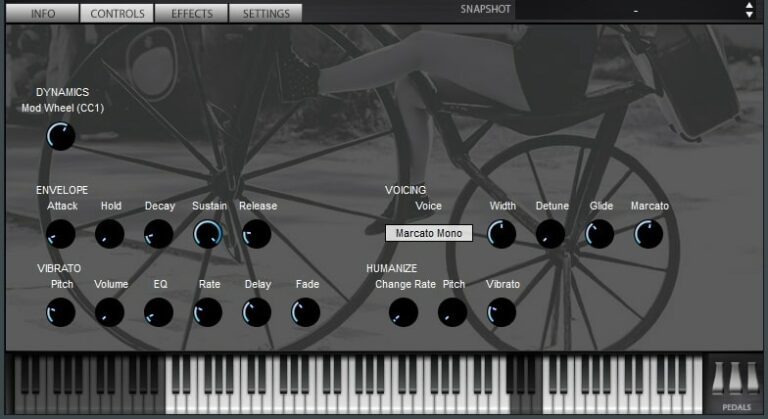
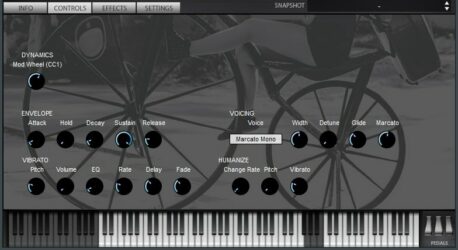
Karoryfer x Bigcat Cello offers a realistic and expressive cello sound built from detailed recordings. The samples are clean, close-miked, and free of effects, giving you full control over the tone. It includes sustain, staccato, pizzicato, harmonics, and slide articulations across a broad range.
The plugin provides controls for vibrato, humanization, legato, and dynamics, allowing for natural and flexible performances. Available for Kontakt and Sforzando, it’s light on storage yet capable of delivering a raw, organic feel that fits well into many music styles.
Features
- Three-Octave Pizzicato With Four Round Robins
- Includes Harmonics, Slides, And Noises
- Scripted Vibrato, Legato, And Humanization
- Works In Kontakt And Sforzando
- Sforzando Adds 4-Voice And 8-Voice Unison
- Dynamic Control Via Mod Wheel
- Envelope Shaping For Note Behavior
- Humanize Sliders For Natural Variation
Pros
- Real cello sound recordings
- Close-miked for clear tone
- Four velocity layers for depth
- Multiple round robins for realism
- Includes pizzicato and harmonics
- Legato and vibrato feel natural
- Loads quickly with low CPU use
- Very small 126 MB size
- Dry sound blends with reverb
- Better tone than many free cellos
Cons
- Requires paid Kontakt for full use
- Limited articulations for advanced playing
- Small sample set
- No built-in reverb or effects
- No microphone position options
- Dry sound needs extra processing
- Can sound rough in high notes
- No dynamic crossfade layers
- Not very detailed for orchestral work
- Lacks modern GUI design
What Users Say
Audio Demo
Karoryfer x Bigcat Cello Tips
- Start by choosing the right articulation, like pizzicato or legato, to match the style of music.
- Use the mod wheel to smoothly control dynamics for a more human performance.
- I always layer the Karoryfer x Bigcat Cello with a reverb plugin to make it feel like it’s in a real room.
- I find that using a bit of EQ to cut low muddiness helps my cello sound clear in a mix.
- I use automation to change dynamics and make the cello feel more emotional.
- Use layering and blending techniques between multiple cello tracks for a fuller sound.
5. Amplified Cello Quartet
OS: Windows Win Mac Mac Bit Version: 64-bit Developer: Spitfire Audio Size: 243.4 MB Rating: 79/100
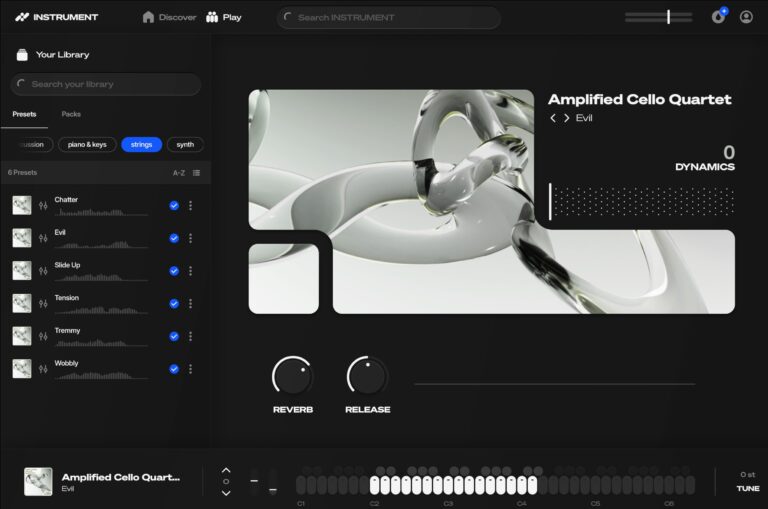
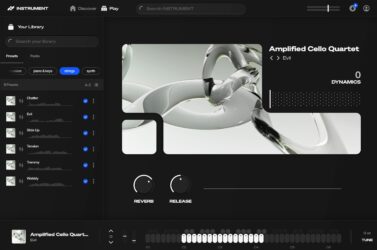
Amplified Cello Quartet offers a bold take on the traditional string sound by running four cellos through amps and live FX pedals. Recorded on a dry stage with amps pushed to their limit, it delivers rich, distorted tones perfect for cinematic or experimental music.
This plugin provides expressive control through simple sliders and buttons for dynamics, reverb, and release. It’s part of Splice INSTRUMENT, giving creators access to an expanding library of sampled instruments, monthly content drops, and flexible options for sound design and inspiration.
Features
- Four Amplified Cello Recordings
- Live Processed With FX Pedals
- Distorted Electric String Sound
- Adjustable Expression And Dynamics
- Includes Reverb And Release Controls
- Simple Instrument Selector Interface
- Virtual Keyboard With Visual Feedback
- Part Of Splice Instrument Library
- Free Monthly Sound Drops
- Available In 64-Bit VST Format
Pros
- Rich and powerful cello tones
- Unique live amp processing
- Instant cinematic mood maker
- Beautiful hazy and dreamy textures
- Excellent layered and looped movement
- Includes expression and dynamics sliders
- Fits Spitfire Audio quality standard
- Library expands with new sounds
- Free monthly preset drops
- More expressive than free pan plugins
Cons
- Lacks raw acoustic cello tones
- Minimal sound customization options
- Few articulation choices available
- Dynamics range feels compressed
- Sound palette can feel repetitive
- Not truly a standalone plugin
- Missing intuitive tone shaping tools
- Limited modulation or motion control
- Interface lacks deep editing features
- Few presets compared to rivals
Video Demo
What Users Say
Amplified Cello Quartet Tips
- Adjust the dynamics slider for realistic swells and emotional intensity.
- Use the built-in reverb and mic positions to shape space and depth in the mix.
- Automate expression for long notes to add realism and energy.
- Layer the amplified patches under clean cello tones for extra power.
- Use different bowing or articulation patches to match the mood of your song.
6. VSCO 2
OS: Windows Win Mac Mac Bit Version: 32-bit, 64-bit Developer: Bigcat Instruments Size: 1.7 GB Rating: 77/100
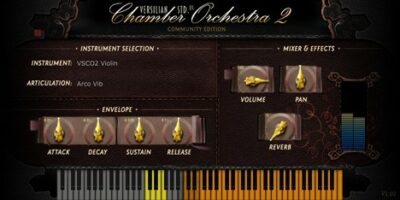
VSCO 2 offers a wide collection of orchestral instruments designed to bring realistic sounds to your music projects. It includes over 3,000 samples across strings, brass, woodwinds, and percussion, giving you the tools to create natural and expressive orchestral tones at no cost.
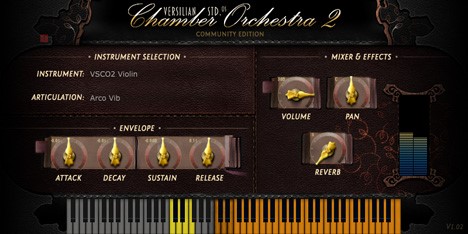
Each instrument features controls for articulation, volume, pan, and reverb, allowing balanced blends in any mix. With full support for Windows and Mac in VST and AU formats, VSCO 2 is a reliable option for music creators seeking accessible and authentic orchestral sounds.
Features
- Over 2000 Recorded Samples
- Multiple Articulations Available
- Round Robin Sampling Support
- Built-In Reverb Effect
- Adjustable Attack And Decay
- Sustain And Release Controls
- Volume And Pan Adjustment
- Lightweight And CPU Friendly
- Supports VST And AU Formats
- Free Under Public Domain License
Pros
- Free and open-source for everyone
- Natural and raw sample quality
- Lightweight and CPU friendly
- Community-driven and Creative Commons licensed
- Over 2000 high-quality samples included
- Allows expressive solo instrument control
- Flexible sound shaping with ADSR
- Includes reverb and pan controls
- More authentic than many free alternatives
- Perfect for orchestral mockups and practice
Cons
- Requires external effects for realism
- User interface looks very basic
- Some samples can sound harsh
- Slow loading with large samples
- Reverb lacks deep customization
- No MIDI learn for all controls
- No round robin for all patches
- Limited tuning flexibility
- Can crash in Reaper software
- Less realistic than Cloud Drum plugin
Video Demo
What Users Say
VSCO 2 Tips
- I always adjust the velocity of my MIDI notes to make the cello sound more real and alive.
- Use the mod wheel in VSCO 2 to add expression to long cello notes.
- I experiment with the legato setting to make my cello parts flow more smoothly.
- Automating volume in the DAW helps copy the natural swell of a real cello bow.
- Using multiple articulations like pizzicato and legato makes your cello part sound more interesting.
- I like to layer the cello from VSCO 2 with a light reverb to make it sound like it’s played in a big room.
- I use a little bit of EQ to lower the harsh highs, so the cello sounds smoother.
7. pocketBlakus Cello
OS: Windows Win Mac Mac Bit Version: 64-bit Developer: VSTBuzz Size: 70 MB Rating: 77/100
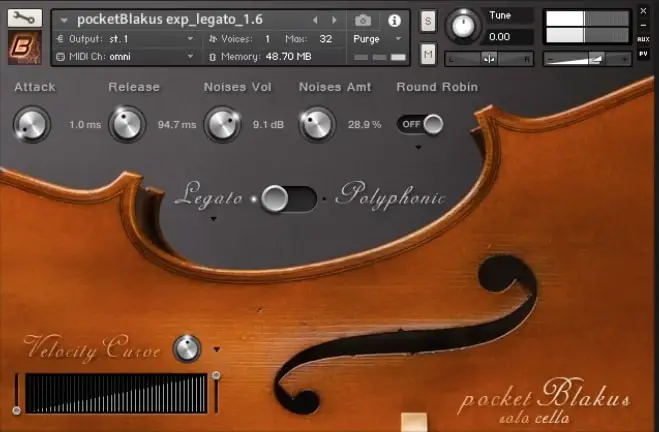
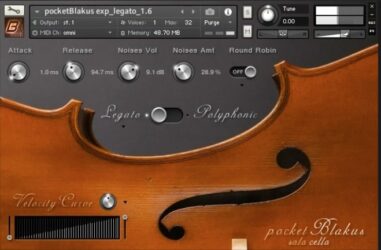
pocketBlakus Cello (Kontakt) offers a realistic solo cello sound recorded by composer Blake Robinson. It includes two main patches: legato for smooth melodic lines and spiccato for short, sharp notes. Recorded dry, it lets you shape your own tone with reverb and effects.
Its simple interface provides control over attack, release, tone, and performance feel. The library captures a warm, emotional sound that suits cinematic, dramatic, or intimate music styles. For a free instrument, it delivers expressive depth and a natural playing experience for creative projects.
Features
- Free Solo Cello Kontakt Library
- Two Patches Legato And Spiccato
- Seven Round Robins For Variation
- Velocity Controlled Dynamics
- Dry Recorded Samples For Flexibility
- Attack And Release Controls
- Legato Or Polyphonic Play Modes
- Adjustable Velocity Curve Setting
- Emotional And Expressive Cello Tone
- Ideal For Cinematic And Dramatic Music
Pros
- Rich, emotional cello sound
- True legato feels very real
- Very expressive solo instrument
- Recorded with high quality mic
- Round robin adds natural variety
- Dry samples for custom reverb
- Responsive to playing dynamics
- Natural vibrato and tone color
- Adjustable attack and release
- Light on computer memory
Cons
- Requires full Kontakt version
- Limited to only two patches
- No built-in reverb effects
- Small 70MB sample size
- Older interface design
- Dry recording needs extra processing
- Limited dynamic layers
- No built-in EQ or compression
- No preset library or sound bank
- No multi-mic setup choices
Video Demo
What Users Say
pocketBlakus Cello Tips
- I always adjust the expression knob to make the cello sound more alive and emotional.
- I like to use the mod wheel to control the dynamics so I can make soft and loud parts feel natural.
- I enjoy adding reverb to give the cello a sense of space, especially in cinematic tracks.
- Use the legato setting in pocketBlakus Cello for smooth, connected notes.
- Experiment with different mic positions in the Kontakt interface to find the best tone for your mix.
- Add a touch of saturation or warmth using a plugin to make the cello sit better in a mix.
- Use MIDI CC controls for better control over dynamics and vibrato depth.
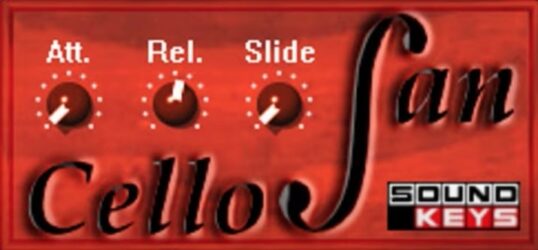
8. Cellofan
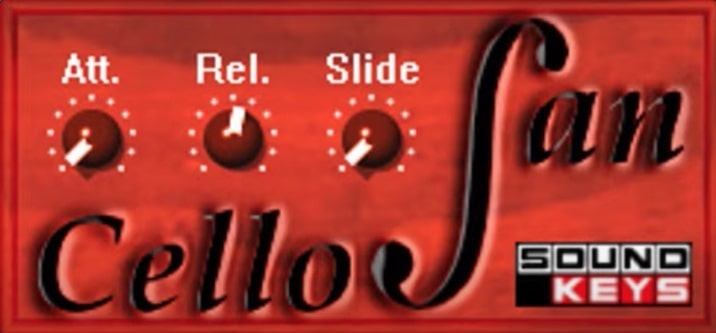
OS: Windows Win Bit Version: 32-bit Developer: Soundkey Size: 1 MB Rating: 67/100
Cellofan offers a realistic cello sound that reacts naturally to your playing. It gives you simple control over how notes start, fade, and blend together through three main knobs: Attack, Release, and Slide. This makes it easy to shape smooth or dramatic phrases.
Designed by Soundkey for Windows, Cellofan focuses on expression and tonal warmth. It can be used for solo lines or as part of larger string sections, adding depth to your music. The plugin loads quickly and provides an authentic cello tone without extra setup.
Features
- Free Virtual Cello Instrument
- Realistic Cello Tone
- Adjustable Attack Control
- Adjustable Release Control
- Smooth Note Slide Function
- Supports Sound Shaping Controls
- Playable With Midi Keyboard
- Low Cpu Usage
- Simple Clean Interface
- Works In 32-Bit Vst Format
Pros
- Very expressive and emotional sound
- Realistic bow and slide detail
- Warm and realistic tone
- High-quality sound for free
- Light on CPU resources
- No extra sampler needed
- Easy to shape musical phrases
- Smooth and natural transitions
- Perfect for film and scoring
- Simple and clean interface
Cons
- Only works on Windows
- No Mac or Linux support
- Limited to 32-bit systems
- No round robin or articulations
- Less realistic than paid libraries
- No built-in reverb or effects
- Few sound shaping options
- No preset browser or manager
- Potential instability in some DAWs
- Lacks modern, high-quality GUI
Video Demo
What Users Say
Cellofan Tips
- I layer two Cellofan tracks together—one bright and one dark—for a richer cello sound.
- I try to use modulation or expression pedals to make the performance feel alive.
- Use automation to make the cello dynamics rise and fall naturally in the song.
- Combine Cellofan with gentle EQ adjustments to clear up muddiness in the low end.
- Use a bit of compression to control sudden loud cello bursts without losing expression.
- Practice using pitch bend for slides to make cello phrases sound more realistic.
- Always check the cello in solo and in the mix to be sure it blends well with other tracks.
9. Sonatina Cello
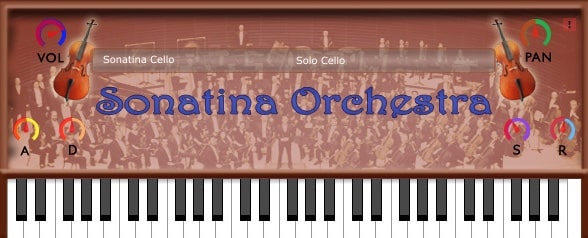
OS: Windows Win Mac Mac Bit Version: 32-bit, 64-bit Developer: Bigcat Instruments Size: 32 MB Rating: 62/100
Sonatina Cello is a free plugin by Bigcat Instruments that brings realistic cello sounds to Windows and Mac users. It offers four playing styles—Solo, Sustain, Staccato, and Pizzicato—allowing flexibility for different musical moods. The simple controls help shape tone and note response easily.
This plugin includes options for volume, panning, and ADSR settings, giving users control over how each note starts and fades. While the samples are straightforward, Sonatina Cello works well for quick arrangements or adding smooth string layers to a track without extra setup.
Features
- Four Cello Sound Options
- Solo Cello Preset Available
- Adjustable Volume Control
- Panning Left Or Right
- Attack Speed Adjustment
- Built-In Virtual Keyboard
- Lightweight And CPU Friendly
- VST And AU Formats
- Works On Windows And Mac
- Free To Download Plugin
Pros
- Free to download and use
- Low CPU usage and lightweight
- Includes four cello sounds
- Offers solo and group options
- Adjustable attack and decay times
- Customizable sustain and release levels
- Dry tone easy to shape
- Blends nicely with other instruments
- Pairs well with reverb effects
- Can run on older computers
Cons
- Lacks real cello expression
- No true legato transitions
- Few dynamic layers available
- Missing round robin samples
- Can sound too MIDI-like
- Limited range of sampled notes
- No built-in reverb effects
- Less realistic than paid cellos
- Samples loop too obviously
- Limited control over tone color
Video Demo
What Users Say
Sonatina Cello Tips
- I try using a bit of reverb to make the cello sound more natural and full.
- I adjust the EQ to reduce muddiness and make the cello sit well in the mix.
- I sometimes add a touch of compression to even out the cello’s dynamics.
- Use a MIDI expression pedal to control volume and make the performance feel more alive.
- Layer multiple cello tracks playing different notes for a rich, orchestral sound.
- Experiment with playing legato lines to create more realistic cello phrases.
- Try adding chorus or delay effects for a wider, more atmospheric cello sound.
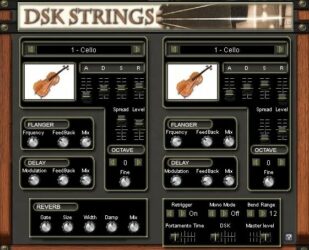
10. DSK Strings
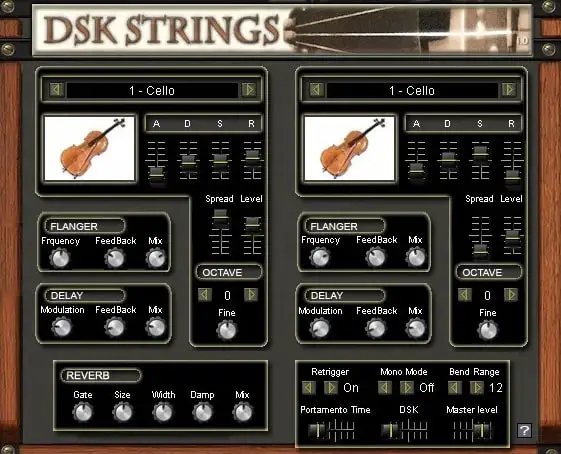
OS: Windows Win Bit Version: 32-bit Developer: DSK Music Size: 31 MB Rating: 50/100
DSK Strings offers four classic string instruments—violin, viola, cello, and contrabass—with adjustable layers and 22 waveforms for flexible sound design. It includes delay and flanger effects that can be shaped with MIDI automation for greater control during performance or mixing.
You can fine-tune pitch using the micro-detuner, shift octaves, and shape tone through ADSR controls. Reverb, portamento, and stereo width options help create natural depth and movement, making DSK Strings a solid tool for adding expressive, realistic string sounds to your music.
Features
- Two Instrument Layers
- Twenty-Two Waveforms
- Four Instrument Groups
- Micro-Detuner For Fine Tuning
- ADSR Envelope Controls
- Reverb With Size And Width
- Delay And Flanger Effects
- MIDI Automation Support
- Portamento Time Control
- Stereo Spread Adjustment
Pros
- Includes cello, viola, and violin
- Two sound layers for mixing
- Has 22 colorful waveforms
- Fine-tuning with micro-detuner
- Built-in delay and flanger effects
- Supports MIDI automation control
- Adjustable ADSR for sound shaping
- Reverb options add real depth
- Smooth portamento between notes
- Flexible for creative sound design
Cons
- Very low overall volume output
- Only works on Windows systems
- No 64-bit plugin version
- Crashes often in some DAWs
- High CPU use on weak PCs
- Latency issues when recording live
- Limited preset variety available
- No macOS support at all
- Does not save presets reliably
- Sounds less real than newer VSTs
Video Demo
What Users Say
DSK Strings Tips
- I use the mod wheel to bring life to my cello sounds, making them feel more real and alive.
- I adjust the attack and release knobs so the notes fade in and out smoothly, like real players.
- I mix in a bit of reverb to make the strings sound like they’re in a big hall.
- I use MIDI velocity to control how soft or hard the notes play for more feeling.
- Panning violins, violas, and cellos to different spots can mimic a real orchestra layout.
- Adding a soft compressor can give the cello more presence in the mix.
- Automation of volume and tone adds life and emotion to a simple string track.
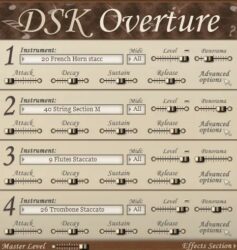
11. DSK Overture
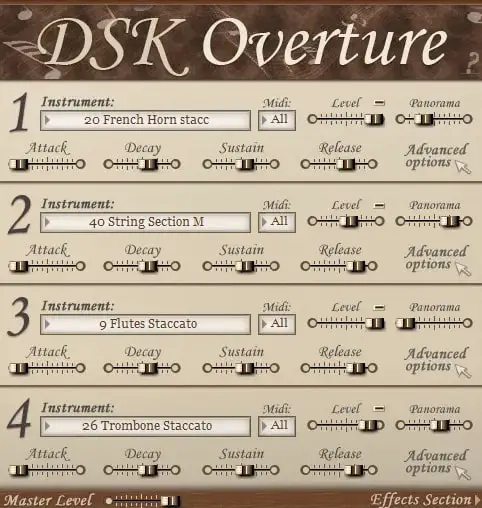
OS: Windows Win Bit Version: 32-bit Developer: DSK Music Size: 85 MB Rating: 47/100
DSK Overture is a free orchestral plugin that brings a range of classic instruments into one simple tool. It includes strings, brass, woodwinds, and percussion, letting you mix up to four layers for rich and varied sounds. Each section can be shaped with volume, pan, and filter controls.
It offers built-in effects like reverb, delay, and chorus to add depth and space to your tracks. With MIDI control for each layer, you can create quick orchestral sketches or experiment with layered textures in your music projects.
Features
- Four Instrument Layers Available
- Adjustable Amp Envelope Controls
- Advanced Multimode Filter Options
- Built-In Reverb, Delay, Chorus
- Supports MIDI Automation
- Velocity Sensitive Sound Response
- Attack, Decay, Sustain, Release Settings
- Simple Instrument Selector Interface
- MIDI Channel Selection Feature
- Master Volume Level Adjustment
Pros
- Four instrument layers per instance
- Offers both solo and section presets
- Includes built-in reverb and delay
- Customizable envelope controls
- Advanced filter options available
- Supports MIDI automation control
- Can use four MIDI channels
- Lightweight compared to some libraries
- Simple interface for quick setup
- Free and easy to download
Cons
- Only works on Windows systems
- No 64-bit plugin version
- Heavy CPU use on laptops
- Can crash during big projects
- Strings lack real warmth
- Some samples are out of tune
- Few updates or bug fixes
- Noise and crackles on playback
- Very limited sound customization
- Sample quality lower than rivals
Video Demo
What Users Say
DSK Overture Tips
- I try changing the attack and release settings to make notes sound smoother.
- I use EQ to remove any muddiness from the cello low tones.
- I use reverb to make the cello sound like it’s playing in a big room.
- Apply light compression to the cello to keep the sound steady and clear.
- Experiment with note dynamics for expressive cello performances.
- Use automation to make the cello volume rise and fall naturally over time.
- Blending cello plugins with other strings can create a realistic symphonic sound.
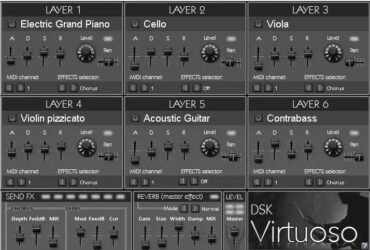
12. DSK Virtuoso
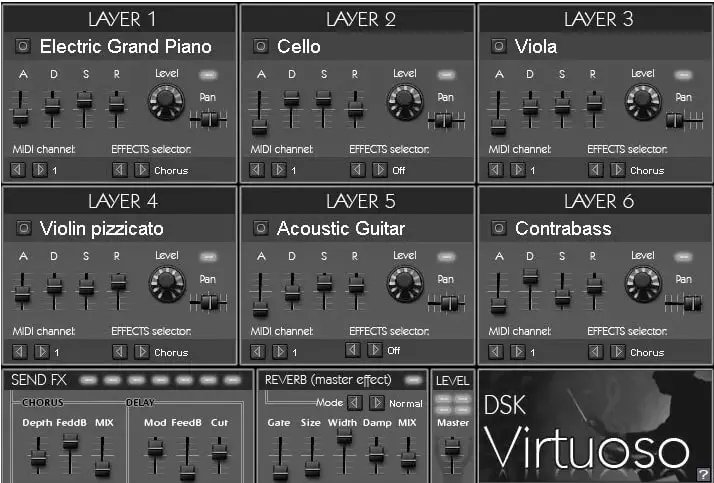
OS: Windows Win Bit Version: 32-bit Developer: DSK Music Size: 43 MB Rating: 43/100
DSK Virtuoso offers a collection of orchestral sounds in one compact plugin. It includes six layers that can hold a mix of instruments such as strings, brass, woodwinds, and percussion. Each layer can be assigned to a MIDI channel with controls for level, pan, and ADSR.
The plugin also provides built-in effects like chorus, delay, and reverb to shape your mix. With 40 instruments and flexible sound controls, it helps creators build quick musical ideas or basic arrangements using a variety of classic instrument tones.
Features
- Six Layered Instrument Slots
- Forty Instruments In Six Groups
- MIDI Channel Set Per Layer
- ADSR Controls For Each Layer
- Level And Pan Adjustments
- Two Send Effects: Chorus, Delay
- Master Reverb With Full Controls
- Velocity Sensitive Sound Response
- Reverb Size, Width, And Damp Settings
- Supports 32-Bit VST Format
Pros
- Lets you mix six instruments
- Works well for orchestral layers
- Full control of sound shape
- Has built-in chorus and delay
- Master reverb adds nice space
- Allows MIDI channel control
- Velocity response adds realism
- Lightweight compared to big libraries
- No need for extra plugins
- Variety across six sound groups
Cons
- Only works on Windows systems
- Crashes in some modern DAWs
- CPU hungry on older machines
- Sounds not very realistic
- Poor velocity response accuracy
- High-pitched noise in playback
- Old and dated interface design
- Not optimized for large projects
- Limited effects compared to rivals
- Limited community updates or support
Video Demo
What Users Say
DSK Virtuoso Tips
- I adjust the velocity settings to make my cello notes sound soft or strong, depending on the song.
- Adding subtle vibrato from modulation controls makes the cello sound more realistic.
- Using a little compression helps control volume spikes and keeps the cello even.
- Experimenting with different reverb types can help find the right space for the cello.
- Adjusting the EQ to cut some low mids can make the cello sound clearer in a mix.
- Setting up a MIDI expression pedal can help control volume and feeling in real time.
- Users should try layering the cello with a soft string pad for a warm, cinematic tone.
Cello VST Plugins Compared
This table compares each Cello VST plugin by format, bit version, controls, features, effects, license, and more.
| Details | Cello Moods | Strands | The Free Orchestra | Karoryfer x Bigcat Cello | Amplified Cello Quartet | VSCO 2 | pocketBlakus Cello | Cellofan | Sonatina Cello | DSK Strings | DSK Overture | DSK Virtuoso |
|---|---|---|---|---|---|---|---|---|---|---|---|---|
| Image | 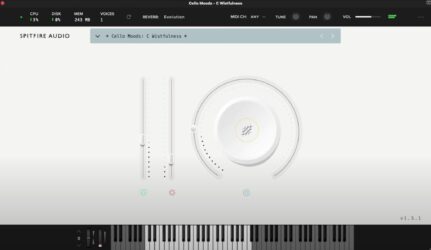 |
 |
 |
 |
 |
 |
 |
 |
|
 |
 |
 |
| Rating | ||||||||||||
| OS | Windows, Mac | Windows, Mac | Windows, Mac | Windows, Mac | Windows, Mac | Windows, Mac | Windows, Mac | Windows | Windows, Mac | Windows | Windows | Windows |
| Formats | VST | VST, VST2 | Kontakt | Kontakt | VST | VST, AU | Kontakt | VST | VST, AU | VST | VST | VST |
| Bit Version | 64-bit | 64-bit | 64-bit | 64-bit | 64-bit | 32-bit, 64-bit | 64-bit | 32-bit | 32-bit, 64-bit | 32-bit | 32-bit | 32-bit |
| Developer | Spitfire Audio | Venus Theory | ProjectSAM B.V | Karoryfer | Spitfire Audio | Bigcat Instruments | VSTBuzz | Soundkey | Bigcat Instruments | DSK Music | DSK Music | DSK Music |
| License | Commercial | Freeware | Freeware | GPL | Commercial | Freeware | Commercial | Freeware | Freeware | Freeware | Freeware | Freeware |
| Sample-Based | Yes | Select | Yes | Yes | Yes | Yes | Yes | Select | Yes | Yes | Yes | Yes |
| Download Size | 1.7 GB | 129 MB | 920 MB | 126 MB | 243.4 MB | 1.7 GB | 70 MB | 1 MB | 32 MB | 31 MB | 85 MB | 43 MB |
| CPU Load | Low | Low | Low | Low | Low | Low | Low | Low | Low | Low | Low | Low |
| Polyphony | 32 | 8 | 64 | 32 | 32 | 32 | 4 | 64 | 32 | 32 | 128 | 32 |
| Features | Emotive performances, Four moods, Preset menu, Expression control, Dynamics slider, Reverb adjustment, Simple interface | Cinematic cello, Textured articulations, Ensemble performances, Solo patches, ADSR shaping, Filter control, Reverb modes | Free library, Cinematic instruments, Orchestral sounds, Concert hall recording, Kontakt Player compatible, Creative multis, User-friendly interface | Sustain layers, Staccato layers, Pizzicato samples, Harmonics slides, Scripted vibrato, Humanization control, Legato transitions | Dry-stage sampling, Live FX processing, Distorted cello tones, Expression control, Dynamics control, Reverb adjustment, Virtual keyboard | Orchestral Library, Open Source, Free Samples, Multiple Instruments, Articulations Control, Natural Sound, Simple Interface | Expressive Legato, Natural Spiccato, Round Robin, Velocity Dynamics, Dry Recording, Simple Interface, Emotional Tone | Attack Control, Release Control, Smooth Legato, Expressive Dynamics, Natural Tone, Simple Interface, Cinematic Presets | Solo Cello, Celli Sustain, Celli Staccato, Celli Pizzicato, Panning, Attack Control, Release Adjustment | Dual Layers, 22 Waveforms, Octave Control, Micro-Detuner, Delay & Flanger, MIDI Automation, Multiple Instruments | Orchestral instruments, Layered sounds, Amp envelope, Multimode filter, Built-in FX, MIDI automation, Velocity response | Layered instruments, MIDI assignable, ADSR control, Pan control, Chorus FX, Delay FX, Reverb FX |
| Controls | Preset Menu, Expression Slider, Dynamics Slider, Main Knob, Reverb Control, Tune Knob, MIDI Channel Selector | Browse Menu, Volume, Tune, Amplitude ADSR, Filter Cutoff, Delay, Reverb Mode | Attack, Release, Lowpass Filter, Boom, Reverb, Limiter, Master EQ | Dynamics, Envelope, Vibrato, Voicing, Humanize, Keyboard, Pedals | Instrument Selector, Expression Slider, Dynamics Slider, Big Round Knob, Reverb Button, Release Button, Virtual Keyboard | Instrument, Articulation, Attack, Decay, Sustain, Release, Volume | Attack, Release, Noises Vol, Noises Amt, Round Robin, Legato/Polyphonic Switch, Velocity Curve | Att., Rel., Slide, Volume, Tone, Velocity, Expression | Volume, Pan, Attack, Decay, Sustain, Release, Instrument Selector | Instrument Selector, ADSR Sliders, Flanger Controls, Delay Controls, Octave Adjust, Fine Tune, Master Level | Instrument Selector, MIDI Channel, Level Slider, Panorama Slider, Attack Knob, Decay Knob, Effects Section | Layer Section, ADSR Sliders, Level Knob, Pan Knob, MIDI Channel, Effects Selector, Reverb Controls |
| Effects Included | Reverb | Delay, Reverb | Lowpass Filter, Boom, Reverb, Limiter, Master EQ, Octaver | Pitch modulation (Vibrato), Volume modulation (Vibrato), EQ modulation (Vibrato), Detune, Glide, Marcato, Humanize (Rate, Pitch, Vibrato) | Reverb, Release | Reverb | Unknown | Attack, Release, Slide | Unknown | Delay, Flanger, Reverb | Reverb, Delay, Chorus | Chorus, Delay, Reverb |
| MIDI Learn | Unknown | Yes | Yes | Unknown | Unknown | Unknown | Unknown | Unknown | Unknown | Unknown | Unknown | Unknown |
| Presets | 45 | 100 | 1 | N/A | 4 | 25 | N/A | 50 | N/A | 22 | 40 | 40 |
| Standalone | No | Yes | No | No | No | No | No | Select | No | No | Yes | No |
| Last Updated | N/A | 05/21/2024 | 05/09/2023 | 07/29/2014 | N/A | 06/11/2017 | N/A | N/A | 07/17/2014 | 01/13/2008 | N/A | 09/16/2019 |
Favorite Cello VST Plugin
Our top pick for the best free cello VST plugin is Strands by Venus Theory. It available for Windows and Mac, and offers great controls and features.
| Details | Strands |
|---|---|
| Image |
|
| Rating | |
| OS | Windows, Mac |
| Formats | VST, VST2 |
| Bit Version | 64-bit |
| Developer | Venus Theory |
| License | Freeware |
| Sample-Based | Select |
| Download Size | 129 MB |
| CPU Load | Low |
| Polyphony | 8 |
| Features | Cinematic cello, Textured articulations, Ensemble performances, Solo patches, ADSR shaping, Filter control, Reverb modes |
| Controls | Browse Menu, Volume, Tune, Amplitude ADSR, Filter Cutoff, Delay, Reverb Mode |
| Effects Included | Delay, Reverb |
| Download | Download Strands |
Cello Plugin FAQs
How to Install Cello VST Plugins
To install cello VST plugins on Windows or Mac, extract the files from the Zip or Rar. Move the files (.dll for Windows or .component for Mac) into your DAW’s plugin folder. Then restart your software and rescan the directory to complete the process. Tutorial: How to Install VST Plugins
Windows:
Extract the downloaded zip file and copy the .dll file into the VST plugins folder scanned by your DAW. Restart your music software and rescan your plugin directory to begin using the new VST.
Mac OS X:
Extract the downloaded archive and move the .component or .VST file to the plugin folder. It is usually /Library/Audio/Plug-Ins/Components or /Library/Audio/Plug-Ins/VST. Restart your DAW and rescan your plugins to complete the installation.
What Is A Cello VST Plugin?
A Cello VST plugin is a virtual instrument that allows you to add the sound of a cello to your music. It can be used to create classical music or add accents and texture to modern pop and rock songs.
What Is The Best Cello VST Plugin?
The best cello VST plugin is the one that meets your specific needs. But if you’re looking for a cello VST with a more human feel, then Cello Freebie or Karoryfer x Bigcat Cello ( Kontakt ) are your best bet.
What Is the Best Solo Cello VST For Cello Sounds?
The best-paid solo cello VST plugins are Spitfire Solo Strings, Spitfire Solo Cello, Chris Hein Solo Cello, and the Contemporary Soloist. Sonatina Cello, Cellofan, and the Real Cello Mayhem Kontakt library are the best free options.
What Is A Cello?
A Cello is a bowed string musical instrument that belongs to the violin family. It is typically played as part of an orchestra or chamber music group. The cello has four strings and is generally tuned in fifths, starting with C-G-D-A.
These free cello plugins are excellent free alternatives to paid cello plugins like Emotional Cello by Best Service, Bohemian Cello, Spitfire Solo Strings, Spitfire Solo Cello, SWAM Cello by Audio Modeling, Chris Hein Solo Cello, Contemporary Soloist, and Tina Guo Acoustic Cello Legato by Cinesamples.
I hope you found this list of free Cello VST plugins helpful.






I’ve played cellos from baroque to modern, but I never thought I’d find a VST that could so accurately capture those nuanced ‘Slide Up’ and ‘Wobbly’ articulations we cellists love to use. Kudos to Spitfire for creating a virtual instrument that can keep up with a real cellist’s expressiveness.