Here are the best free Drum Machine VST plugins for Windows and Mac. We have included videos, reviews, features, pros, cons, and plugin ratings.
Table of Contents

How we rate drum machine plugins: We rate each drum machine plugin based on sound quality, design, performance, features, usability, and compatibility. We rate plugins on a scale of 1 to 100.
| # | Plugins | Ratings | OS | Formats |
|---|---|---|---|---|
| 1 | Sitala | Windows Mac | VST, AU, AAX | |
| 2 | SUB | Windows Mac | VST, AU | |
| 3 | RC-808 | Windows Mac | VST, AU | |
| 4 | Speedrum Lite | Windows Mac Linux | VST, AU | |
| 5 | Beat DRMR | Windows Mac | VST, AU | |
| 6 | DJinnDrum | Windows Mac | VST | |
| 7 | Drum8 | Windows Mac | VST3, AU | |
| 8 | RVK-808 | Windows Mac | VST, VST3, AU | |
| 9 | 606 Koncept | Windows Mac | VST, VST3, AU | |
| 10 | Tromine GT | Windows | VST | |
| 11 | T-Rex 606 | Windows Mac | VST, AU | |
| 12 | RT-7070 | Windows Mac | VST, VST3, AU | |
| 13 | GB DrumBox | Windows Mac | VST, VST3, AU | |
| 14 | TS-808 | Windows | VST | |
| 15 | Monster Drum | Windows Mac | VST2, VST3, AU | |
| 16 | Afroplugin | Windows Mac | VST, AU | |
| 17 | SD 2100 | Windows | VST | |
| 18 | T.REX 1982 | Windows Mac | VST, AU | |
| 19 | DR-910 | Windows | VST | |
| 20 | Roland TR707 | Windows | N/A |
I have spent over 15 years testing and comparing hundreds of free and paid VST plugins, supported by hands-on demos on our YouTube channel, which has 12,000+ subscribers.
Best Free Drum Machine VST Plugins
1. Sitala
OS: Windows Win Mac Mac Bit Version: 64-bit Developer: Directed Edge Size: 28 MB Rating: 87/100
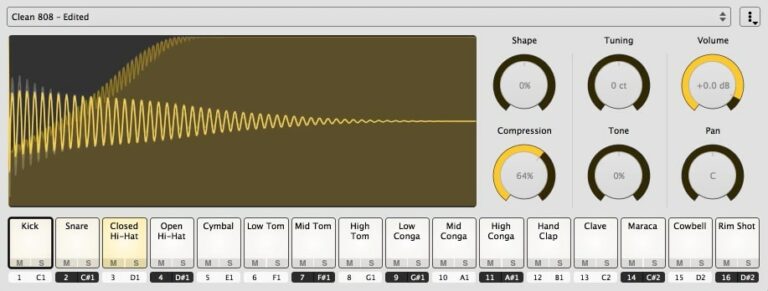
Sitala offers a fast and simple way to create drums with sixteen pads and six main controls. You can drag and drop your favorite samples, shape their sound, and build kits with ease. The 4×4 layout gives a classic pad feel suited for quick beat-making.
With version 2.0, Sitala adds Apple Silicon support, dark mode, and new factory kits like Hip Hop Ultra and Future Retro Pop. Features such as gated mode, MIDI mapping, and instant missing sample detection make it reliable for both quick sketches and full tracks.
Features
- Sixteen Assignable Drum Pads
- Drag And Drop Sample Loading
- Built-In Sample File Browser
- Sound Preview In Sample Browser
- Adjustable Shape, Tone, And Tuning
- Compression With Gain Compensation
- MIDI Learn For Pad Mapping
- VST2, VST3, AU, And AAX Versions
- Supports Apple Silicon Natively
- Low CPU Usage And Fast Loading
Pros
- Low CPU use and stable
- Supports Apple Silicon chips
- Drag and drop sample loading
- Includes fresh 808 factory kits
- Instant missing sample finder
- Built-in compression sounds punchy
- Great tone and pitch shaping
- Multi-output support in all formats
- Starts faster than most samplers
- Comes with previewable sound browser
Cons
- No built-in step sequencer
- Limited sound design options
- No advanced effect section
- No built-in reverb or delay
- Few included drum kits
- Lacks modulation or LFO tools
- No velocity layering feature
- No sample time-stretching feature
- Cannot automate pad parameters easily
- Not completely free anymore
Testimonials
2. SUB
OS: Windows Win Mac Mac Bit Version: 64-bit Developer: Sampleson Size: 35MB Rating: 84/100
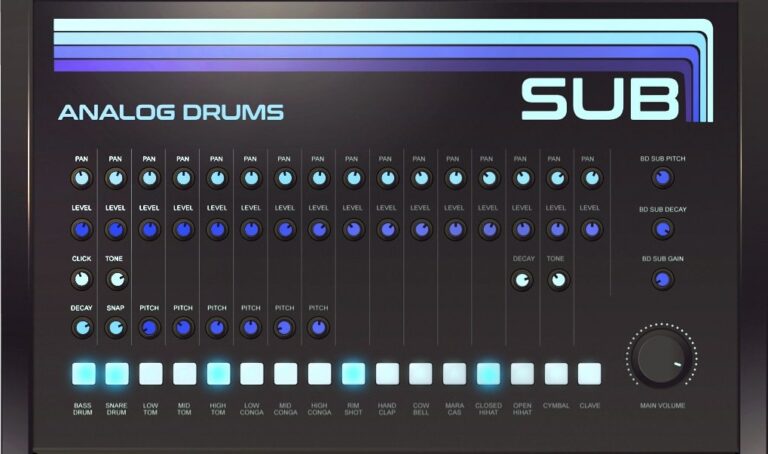
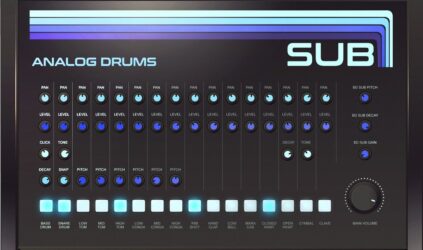
SUB offers classic analog drum sounds combined with a deep sub-bass oscillator for extra punch. It recreates vintage drum tones using pure synthesis, not samples, giving producers more control to shape their sound. The plugin is lightweight, quick to load, and doesn’t need any extra software.
With 18 drum sounds, pan and volume controls, and a clear layout, SUB provides a simple way to build rich drum tracks. Its flexible tone and decay controls let creators dial in tight hits or long, deep lows that suit any style of music production.
Features
- 18 Classic Analog Drum Sounds
- Fully Synthesized Drum Engine
- Sub-Bass Oscillator Included
- Adjustable Pitch And Decay
- Mixer With Pan And Volume
- Drive Control Adds Extra Harmonics
- HD Scalable User Interface
- Low CPU Usage Performance
- No Samples Or Libraries Needed
- Compatible With Major DAWs
Pros
- Warm and rich analog drum tones
- No samples, pure synthesis design
- Sub oscillator adds deep bass
- Low CPU use for smooth play
- Fast loading with tiny file size
- Clean and easy-to-use interface
- Instant play with no setup
- Tight MIDI timing and response
- Competes with paid analog drum plugins
- Flexible sound shaping controls
Cons
- Limited to basic analog sounds
- Cannot import your own samples
- No preset library included
- Lacks modern sound layering features
- No randomization or humanize controls
- Few modulation or filter options
- No built-in reverb or delay
- Limited drum variety compared to rivals
- Minimal visual feedback when tweaking
Testimonials
3. RC-808
OS: Windows Win Mac Mac Bit Version: 32-bit Developer: Analog Mafia Size: 26 MB Rating: 83/100
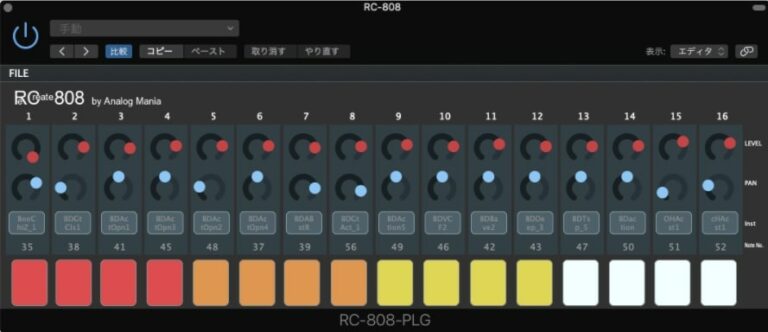
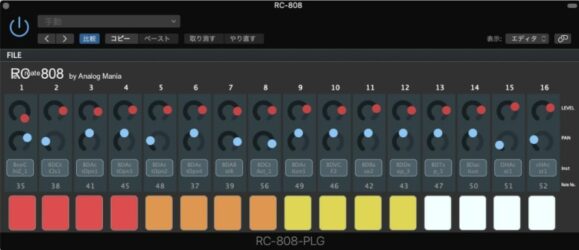
RC-808 offers an authentic recreation of the iconic TR-808 drum machine with deep sound-shaping tools. Each of its 16 instruments works like a small synthesizer, letting you design drum tones from punchy kicks to bright cymbals using true analog-style synthesis instead of samples.
The built-in step sequencer makes it simple to build drum grooves, adjust timing, and automate levels or panning. With support for Windows and macOS in major DAWs, RC-808 gives music creators a classic 808 sound and flexible control in a modern plugin format.
Features
- Authentic Vintage TR-808 Emulation
- Includes 808, 909, And 606 Kits
- 16-Step Built-In Drum Sequencer
- Analog-Style Drum Sound Synthesis
- Onboard Reverb, Delay, And Distortion
- Individual Volume And Pan Controls
- MIDI Note Mapped Drum Pads
- Load, Save, And Edit Drum Patterns
- Supports VST And AU Formats
- Works On Windows And Mac
Pros
- Authentic vintage 808 sound design
- Analog-style sound without samples
- Faithful sound close to real hardware
- Each drum has full control
- 16-step built-in drum sequencer
- Customizable drum patterns and presets
- Rich reverb, delay, and distortion
- Creative analog-style drum synthesis
- Feels like a real drum machine
- Highly praised by real 808 owners
Cons
- No longer available for download
- No official technical support
- High CPU use
- Only 32-bit version
- Missing 64-bit compatibility
- Small team, slow updates
- No sample import feature
- No preset browser
- Interface not resizable
- Development discontinued
Testimonials
4. Speedrum Lite

OS: Windows Win Mac Mac Linux Linux Bit Version: 32-bit, 64-bit Developer: Apisonic Labs Size: 6.7 MB Rating: 83/100
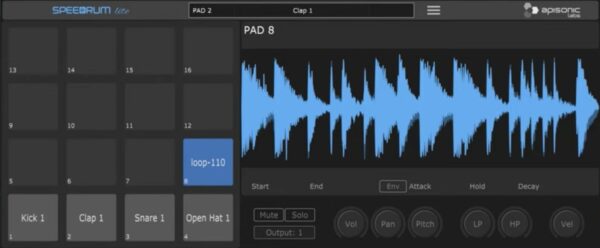
Speedrum Lite is a simple and fast drum sampler plugin by Apisonic Labs. It offers 16 pads for triggering sounds and supports Drag-and-drop sample loading in formats like WAV, AIF, FLAC, MP3, and OGG. You can save and load drum kits, adjust pitch, pan, and volume, and shape sounds with an AHD envelope.
Each pad can be assigned to separate outputs for flexible mixing. The resizable interface includes a waveform display, adjustable start and end points, and Low-pass and High-pass filters. Speedrum Lite makes creating quick, organized drum setups easy across Windows, Mac, and Linux systems.
Features
- Sixteen Pad Drum Sampler
- Drag And Drop Sample Loading
- Multi-Output Routing Options
- Waveform Display For Samples
- AHD Envelope For Each Pad
- Low-Pass And High-Pass Filters
- Volume, Pan, And Pitch Controls
- Save And Load Drum Kits
- Resizable User Interface
- Lightweight And Fast Workflow
Pros
- Sixteen responsive drum pads
- Multi-output routing options
- Clear waveform display view
- Resizable and clean interface
- Low CPU and memory use
- Supports many audio formats
- Includes low and high-pass filters
- Modern MPC-style layout design
- Adjustable start and end points
- Free with no hidden limits
Cons
- No built-in drum sounds
- No step sequencer
- Missing built-in effects
- Cannot record performances
- No pattern or song mode
- Lacks swing control
- No drum synth engine
- No time-stretch or pitch match
- Limited modulation options
- Few routing features
Testimonials
5. Beat DRMR
OS: Windows Win Mac Mac Bit Version: 64-bit Developer: Beat Size: 661 MB Rating: 80/100
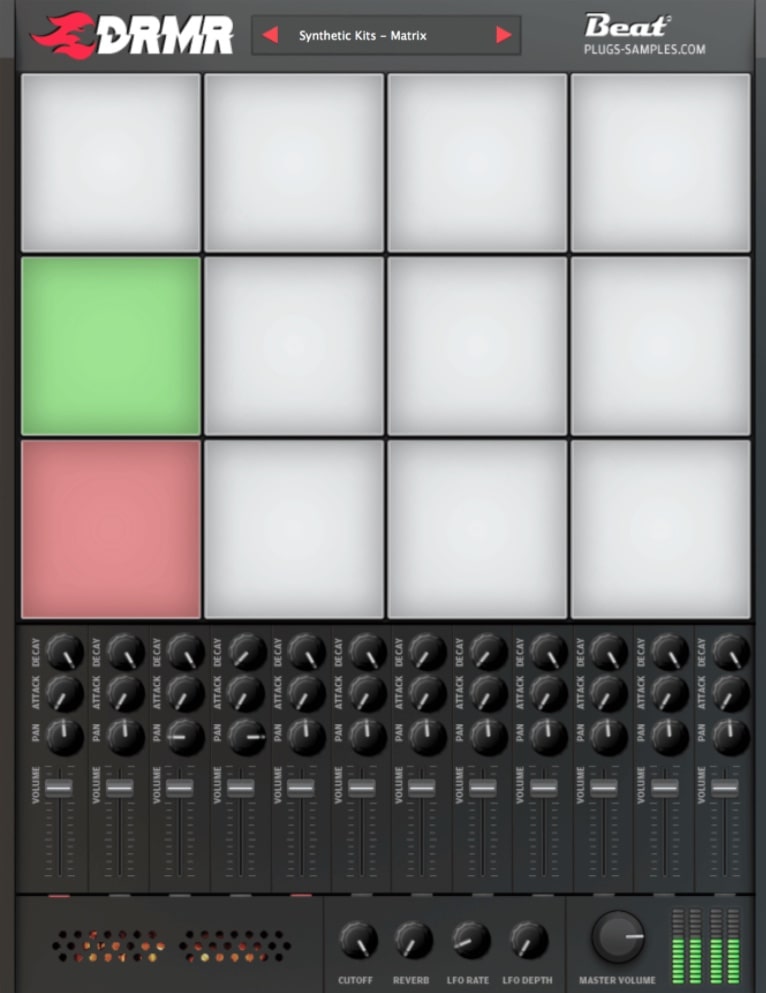
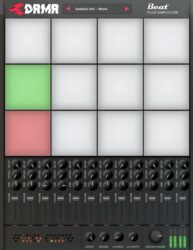
Beat DRMR is a free drum plugin for Windows and Mac that includes 178 drum kits and over 2,000 sounds sourced from well-known hardware like Analog Rytm and DrumBrute. It’s made for electronic styles such as Techno, Electro, and Acid, giving users a wide range of percussive tones.
Each pad has controls for volume, pan, attack, and decay, as well as options for reverb, filter, and LFO effects to shape unique rhythms. With a simple layout and responsive controls, Beat DRMR helps music creators quickly build beats with the punch and character of classic and modern drum machines.
Features
- 178 Unique Drum Kits
- 2,136 Total Drum Sounds
- Supports Custom Sample Loading
- Multi Output Routing Support
- Filter With Cutoff Control
- Attack And Decay Adjustments
- LFO Rate And Depth Knobs
- Room Reverb Effect
- Basic Step Sequencer Included
- Low CPU Usage
Pros
- Huge library of 178 drum kits
- Over two thousand high-quality sounds
- Custom sample loading support
- LFO for cool sound wobble
- Filter knob for sound shaping
- Adjustable attack and decay controls
- Multiple output routing options
- Classic 808 and 909 kits included
- Low CPU use for smooth play
- Completely free and feature rich
Cons
- No built-in step sequencer
- Limited sound design tools
- No sample slicing feature
- No drag-and-drop sample use
- Not resizable interface window
- No built-in compressor effect
- No onboard distortion or drive
- Reverb sounds very basic
- Preset browser feels outdated
- Limited envelope shaping options
Testimonials
6. DJinnDrum
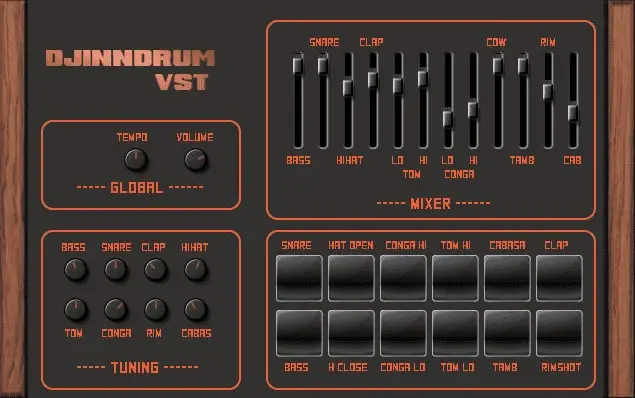
OS: Windows Win Mac Mac Bit Version: 64-bit Developer: SimpleRecorder Size: 6 MB Rating: 79/100
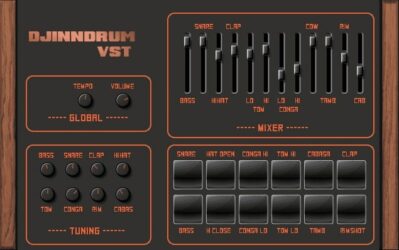
DJinnDrum offers classic 80s drum machine sounds with a clean, dry tone that’s easy to shape. Created by SimpleRecorder, it includes core drum voices like snare, bass, and hi-hat with simple tuning and mixing controls for shaping your groove.
This free plugin runs on Windows and Mac, providing pitch and tempo adjustments for flexible sound control. Its minimal interface includes sliders and drum pads that make sound shaping quick and direct, giving producers room to add EQ or effects for their ideal mix.
Features
- Free Digital Drum Machine Plugin
- Pitch And Tuning Controls
- Mixer For Balancing Drum Levels
- Individual Drum Pads For Triggering
- Includes Bass, Snare, Clap, Hihat
- Swing And Flam Controls Available
- Low Cpu Usage Performance
- Fast Loading And Stable Operation
- Classic 80s Drum Machine Style
- Compatible With Windows And Mac
Pros
- Authentic vintage Linn sound
- Light on CPU resources
- Has swing and flam controls
- Separate volume for each drum
- Quick tuning and pitch changes
- Works on Mac and Windows
- Dry sound great for mixing
- Clear and punchy drum tones
- Simple mixer for fast balance
- Low latency and stable performance
Cons
- No built-in reverb or effects
- No pattern or step sequencer
- No MIDI learn functionality
- Limited sound customization options
- No support for multiple outputs
- No velocity sensitivity support
- Lacks drum layering feature
- No built-in presets or kits
- Interface looks very basic
- Mac version may have stability issues
Testimonials
7. Drum8
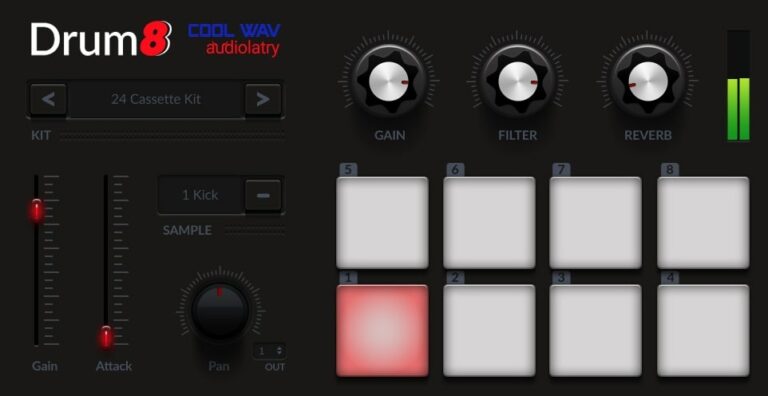
OS: Windows Win Mac Mac Bit Version: 64-bit Developer: Audiolatry Size: 211 MB Rating: 77/100
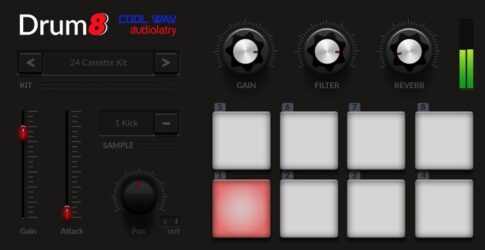
Drum8 offers 40 drum kits packed with 320 sounds, including kicks, snares, claps, toms, hi-hats, percussion, and effects. It uses an 8-pad setup mapped from C1 to G1, giving music creators easy access to diverse and ready-to-use drum tones.
Each pad includes controls for gain, attack, and pan, while global knobs adjust filter and reverb. The plugin’s compact design makes it simple to shape drum sounds for styles like Hip Hop, Trap, Lo-Fi, and EDM. All samples are original and royalty-free.
Features
- 40 Drum Kits With 8 Pads
- 320 High-Quality Drum Samples
- Individual Gain, Attack, And Pan Controls
- Choke Function To Stop Overlap
- Global Lowpass Filter For Tone
- Room Reverb For Added Depth
- Compact Easy-To-Use Interface
- Lightweight With Fast Load Time
- Supports VST3 And AU Formats
- Compatible With Windows And macOS
Pros
- Comes with 40 ready-made kits
- Includes 320 total drum sounds
- Low CPU use for big projects
- Professional sound quality for free
- Built-in reverb adds space
- Global filter for tone shaping
- Choke feature prevents sound overlap
- Supports VST3 and AU formats
- Royalty-free sounds for any use
- Works on Windows and macOS
Cons
- Not compatible with newer macOS versions
- No built-in sequencer or pattern editor
- Limited sound design flexibility
- Cannot import custom samples
- No multi-output routing options
- Lacks advanced mixing features
- Missing AAX support for Pro Tools
- No drag and drop sample loading
- Small visual interface for editing
- Missing MIDI learn for all controls
Testimonials
8. RVK-808
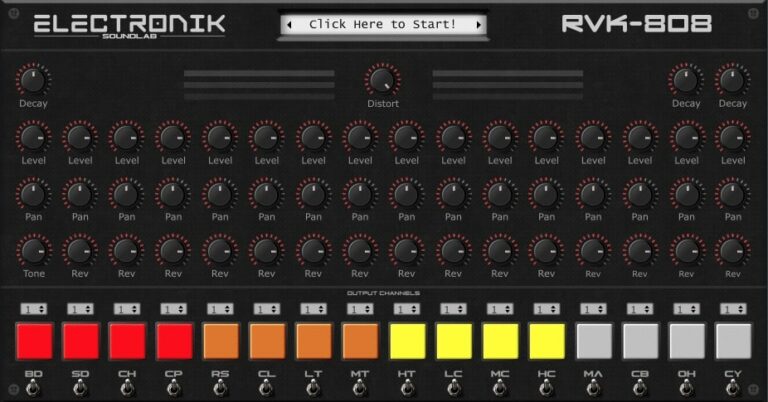
OS: Windows Win Mac Mac Bit Version: 64-bit Developer: Electronik Sound Lab Size: 585 MB Rating: 77/100
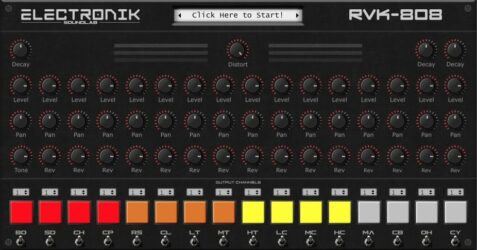
RVK-808 is a drum plugin modeled after the classic TR-808, built for quick and powerful beat creation. It includes 272 quality samples and 17 drum kits that cover a wide range of modern music styles, from hip-hop to electronic.
RVK-808 offers control over decay, volume, panning, reverb, and distortion for each drum sound. With assignable outputs and support for both Windows and Mac, it gives creators clear, punchy sounds ready for stage use or studio mixing.
Features
- Includes 272 Quality Samples
- Offers 17 Drum Kits
- Assignable Output Channels
- MIDI Compatible Plugin
- Features Decay, Level, Pan Controls
- Reverb And Distortion Knobs
- Color-Coded Drum Pads
- Works In VST, AU, VST3 Formats
- Supports Windows And Mac Systems
- Low CPU Usage Performance
Pros
- Includes 17 full drum kits
- Comes with 272 clean samples
- Has assignable output channels
- Has reverb and distortion knobs
- Better sound variety than many free Linn Drum VSTs
- Low CPU usage performance
- Works on Windows and Mac
- MIDI compatible for easy control
- Bright color pads for each drum
- Modern design and clear layout
Cons
- No step sequencer
- Limited kit variety
- No built-in effects
- No sample import
- Not resizable GUI
- Few sound-shaping tools
- Missing MIDI learn
- Can’t tune individual drums
- Lacks pattern saving
- May not work on new macOS
Testimonials
9. 606 Koncept

OS: Windows Win Mac Mac Bit Version: 64-bit Developer: SampleScience Size: 9.05 MB Rating: 74/100
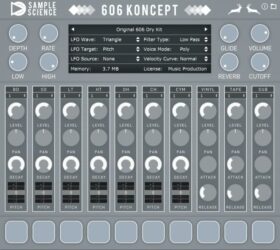
606 Koncept is a drum plugin inspired by an eighties analog 606 machine. It includes mapped kick, snare, tom, hi-hat, cymbal, vinyl, tape, and sub sounds for building vintage-style rhythms with added texture.
Each channel offers level, pan, decay, attack, release, and pitch controls. A summing pitch mixer, LFO, filters, room reverb, and three voice modes help shape movement, space, and note response.
Features
- Original 606 Drum Kit
- Vinyl, Tape, And Sub Layers
- Individual Sound Layer Controls
- Multi-Pitch Drum Sound Mixers
- Multi-LFO Sound Movement
- Room Reverb Effect
- High-Pass And Low-Pass Filters
- Polyphonic, Monophonic, And Legato Modes
- Adjustable Attack, Decay, And Release
- Velocity Curve Control
Pros
- Authentic 606 drum sounds
- Adds vinyl texture layers
- Includes tape hiss layers
- Adds deep sub layers
- Layers trigger independently
- Thickens sounds with pitch mixing
- Multi-LFO adds moving sounds
- Separate drum channel controls
- Flexible mono poly legato modes
- Very small install size
Cons
- Limited sounds beyond 606 drums
- No melodic instruments included
- No user sample loading
- No extra library expansions
- No built-in drum sequencer
- Basic effects compared with rivals
- No Linux version available
Testimonials
10. Tromine GT
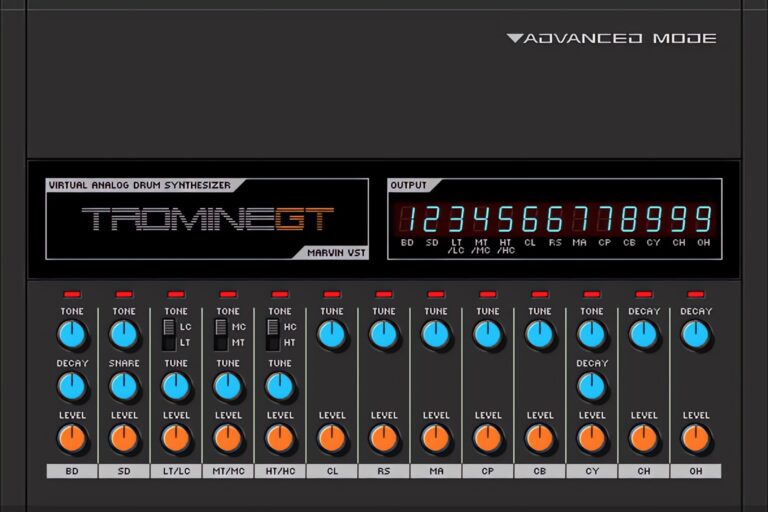
OS: Windows Win Bit Version: 32-bit Developer: Marvin Pavilion Size: 1 MB Rating: 73/100
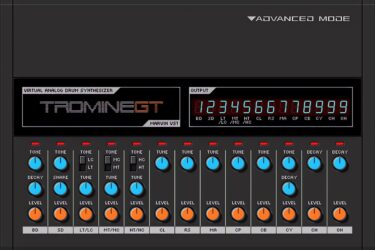
Tromine GT offers a classic TR-808 style drum sound in a simple plugin format. It includes 16 analog drum parts like bass drum, snare, toms, and hi-hats. Each sound has easy tone, decay, and volume controls, giving producers quick access to shaping their drum tones.
With nine outputs and MIDI automation support, Tromine GT allows flexible routing and control for detailed mixing. Its clean analog character and punchy sound make it a useful choice for creating vintage-style beats across hip-hop, electro, and dance music.
Features
- Classic Analog Drum Emulation
- 16 Analog Drum Synths
- Nine Independent Audio Outputs
- Tone Control For Each Drum
- MIDI CC Control Support
- Automation Feature Available
- Simple User-Friendly Interface
- Light On CPU Usage
- Bass Drum Sound Shaping
- Free Analog Drum Synth Plugin
Pros
- Authentic classic 808 drum sound
- Very low CPU usage
- Includes 16 analog drum types
- Separate outputs for flexible mixing
- Faithful 808-style emulation
- MIDI CC control support
- Supports automation in DAWs
- Mix-ready drums with little tweaking
- Fast setup for quick creativity
- Free and easily downloadable
Cons
- Only works on Windows computers
- Not available in 64-bit version
- No macOS or Linux support
- No built-in drum sequencer
- Limited control over each drum
- No drag-and-drop MIDI patterns
- Outdated 32-bit plugin format
- GUI not resizable or updated
- No built-in reverb or delay
- No built-in compressor or EQ
Testimonials
11. T-Rex 606
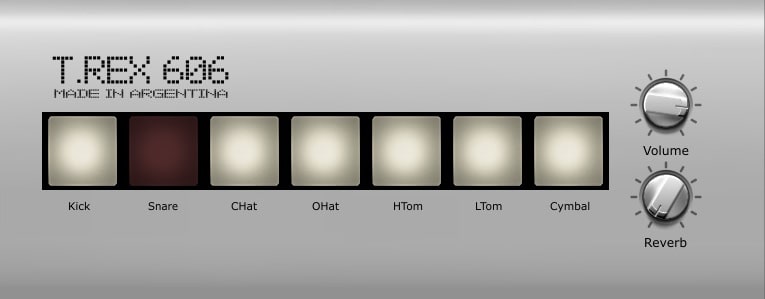
OS: Windows Win Mac Mac Bit Version: 32-bit, 64-bit Developer: Max Project Size: 2 MB Rating: 72/100
T-Rex 606 is a drum plugin based on the classic Roland TR-606. It offers seven classic drum sounds, including kick, snare, toms, and cymbals, with controls for volume and reverb. Its retro look mirrors the feel of vintage hardware.
T-Rex 606 runs on Windows and Mac in VST and AU formats. It delivers punchy, clean tones that fit styles from electronic to rock. Simple controls let music makers shape their beats quickly while keeping the classic character of the original drum machine.
Features
- Seven Classic Drum Samples
- Authentic TR-606 Sound Emulation
- Adjustable Reverb Effect
- Lightweight On CPU
- Vintage Style Interface
- Individual Sound Buttons
- Works With Many DAWs
- Available In VST And AU
- Supports 32-Bit And 64-Bit
- Runs On Windows And Mac
Pros
- Authentic vintage 606 drum sound
- Light on computer resources
- Works on Windows and Mac
- Includes seven classic drum sounds
- Adjustable reverb for depth
- Faithful TR-606 analog feel
- Ideal for retro and acid beats
- Customizable sound mix options
- Stable and bug-free performance
- One of the best free 606s
Cons
- Only seven drum sounds available
- No built-in step sequencer
- Limited sound shaping controls
- Cannot load custom drum samples
- No tuning or pitch adjustment
- No velocity sensitivity support
- Lacks multiple output routing
- No MIDI mapping flexibility
- No pattern-saving feature included
- Very basic interface design
Testimonials
12. RT-7070
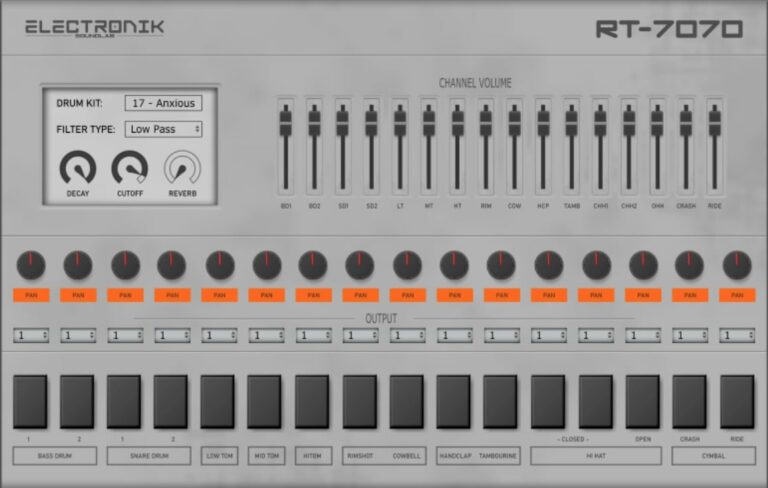
OS: Windows Win Mac Mac Bit Version: 32-bit, 64-bit Developer: Electronik Sound Lab Size: 39 MB Rating: 72/100
RT-7070 offers the classic TR-707 sound with a modern twist. It comes with 20 drum kits, including the original 707 and versions processed through different effects for more tone options. Each sound can be shaped using filters, decay, reverb, and simple mixing controls.
This plugin lets you adjust volume, pan, and routing for each drum, giving more control in your DAW. It supports VST, VST3, and AU on Windows and Mac. RT-7070 is ideal for anyone wanting punchy, retro-style drums with simple sound-shaping tools.
Features
- Inspired By The Classic TR-707
- Includes 20 Unique Drum Kits
- Low And High Pass Filters
- Built-In Reverb Effect
- Channel Volume Mixer
- Assignable Audio Outputs
- Supports VST, VST3, And AU
- Works On Windows And Mac
- Low CPU Usage Performance
- Simple And Easy Interface
Pros
- Authentic classic 707 drum sound
- Includes 20 diverse drum kits
- Low CPU use on most systems
- Filter controls shape drum tone
- Assignable outputs for mixing ease
- Royalty-free samples for all projects
- Supports VST, VST3, and AU formats
- Modern and vintage kit variety
- Better sound control than typical 808s
- Solid alternative to paid drum plugins
Cons
- May crash in some DAWs
- Not fully stable on macOS
- Small, non-resizable interface
- Limited sound editing options
- Higher CPU use on old PCs
- Cannot import custom samples
- Doesn’t emulate 808 sub-bass
- Some sounds lack punchiness
- No pitch control per drum
- Too simple for advanced producers
Testimonials
13. GB DrumBox
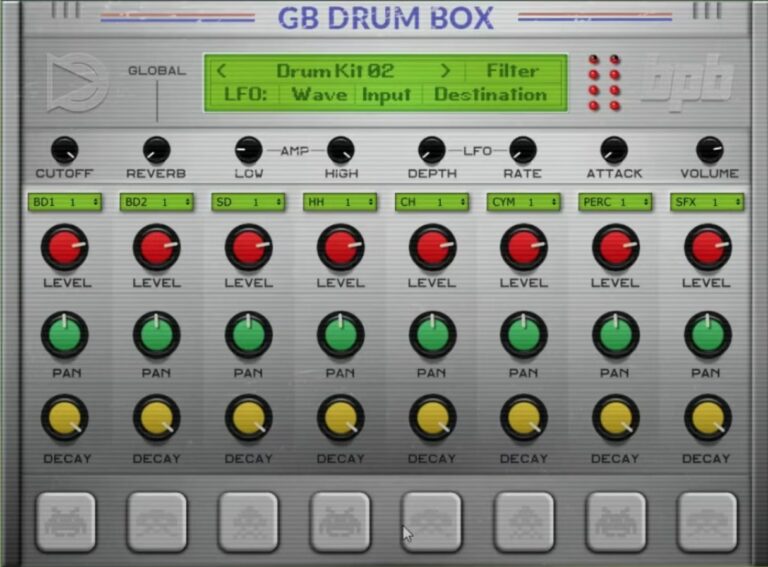
OS: Windows Win Mac Mac Bit Version: 32-bit, 64-bit Developer: Bedroom Producers Blog Size: 20 MB Rating: 70/100
GB DrumBox offers a set of twelve Game Boy–inspired drum kits packed into a free virtual instrument for PC and Mac. Each kit includes eight classic chip-style sounds with controls for volume, pan, and decay on every channel, giving producers quick control over their retro beats.
It features global controls for filter, reverb, attack, and modulation, along with optional multi-out support for flexible mixing. GB DrumBox is available in VST, VST3, and AU formats, making it easy to add nostalgic 8-bit drum tones to modern tracks.
Features
- Sample-Based Game Boy Drum Sounds
- Twelve Built-In Drum Kits
- Eight Channels With Individual Controls
- Global Filter And Reverb Controls
- Multi-Out Output Option Available
- LFO Depth And Rate Controls
- Supports VST, VST3, And AU
- Compatible With Windows And macOS
- Low CPU Use And Fast Loading
- Ideal For Retro And Lo-Fi Sounds
Pros
- Made with real Game Boy samples
- Comes with twelve drum kits
- Global filter and reverb control
- Has multi-out for sound routing
- Adjustable decay per drum sound
- Quick kit switching for speed
- Low CPU use for smooth play
- Supports VST, VST3, and AU
- Works on Windows and Mac
- Perfect for chiptune and lo-fi
Cons
- Limited control over individual drums
- No pitch adjustment for samples
- Can crash in some DAWs
- Not true Game Boy sound
- Kits sometimes clip audio levels
- No dynamic MIDI responsiveness
- Few customization options for tone
- Doesn’t support custom sample import
- No built-in pattern sequencer
- Interface too small on 4K screens
Testimonials
14. TS-808
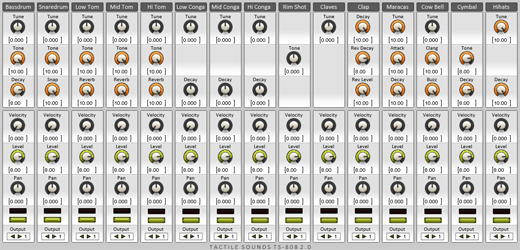
OS: Windows Win Bit Version: 32-bit Developer: 3 MB Size: 3 MB Rating: 70/100
TS-808 offers a smooth and natural overdrive sound inspired by the classic Tube Screamer pedal. It adds warmth, clarity, and a focused midrange to guitar tones, making it easy to shape the character of your sound for rhythm or lead parts.
This plugin reacts well to playing dynamics and stacks nicely with amp sims or other effects. Its simple controls let you fine-tune drive, tone, and output levels for quick tone shaping. TS-808 by 3MB remains a well-regarded free option for realistic overdrive tones.
Features
- Emulates Classic Roland TR-808 Sounds
- Accurate Circuit Spice Simulation
- Pitch Control For Drum Sounds
- Decay Control For Sound Length
- Snap Feature For Quick Attack
- Built-In Reverb Effect Option
- Velocity Sensitivity Adjustment Available
- Individual Level Volume Control
- Pan Control For Stereo Placement
- Low CPU Usage Performance
Pros
- Faithful recreation of TR-808 sound
- Authentic vintage circuit emulation
- Rich analog tone character
- Very low CPU usage
- Independent level for each drum
- Custom output routing choices
- Velocity reacts to play strength
- Flexible decay settings
- Simpler layout than other free 808s
- Works well with other effects
Cons
- Only works on Windows
- No 64-bit support
- Not available for macOS
- Outdated interface
- No preset manager
- No tempo sync
- Lacks modulation tools
- No built-in compressor
- Limited sound variety
- Can sound flat
Testimonials
15. Monster Drum
OS: Windows Win Mac Mac Bit Version: 64-bit Developer: AgusHardiman.TV Size: 2 MB Rating: 68/100
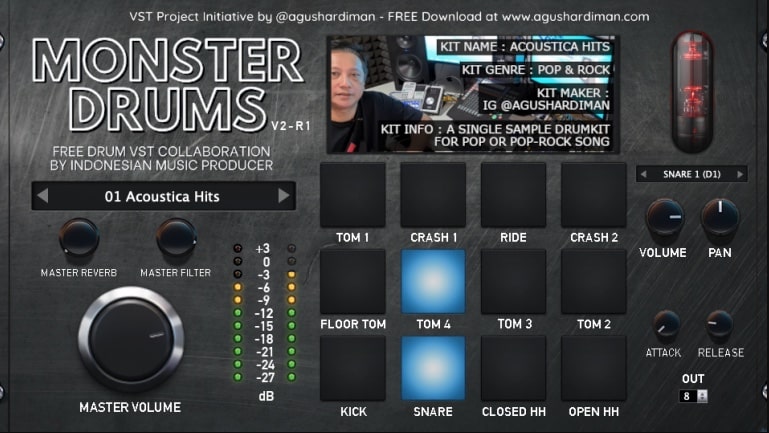
Monster Drum is a free drum sampler and ROMpler for Windows and Mac. It includes a growing library of drum kits from different producers, covering several music styles. Kits can be stored on any drive and loaded through the separate sound library.
Each kit offers pads for kick, snare, toms, cymbals, and hi-hats. Mixer controls adjust volume, pan, tuning, attack, release, and outputs. Global reverb, filter, EQ, automation, level meters, and multi-output support are included. Formats include VST2, VST3, and Audio Unit.
Features
- Free Drum Sampler Plugin
- Growing Drum Kit Library
- Dozens Of Drum Presets
- Low RAM Usage
- Per Sound Mixer Controls
- Volume, Pan, And Tuning
- Attack And Release Controls
- Global Reverb And Filter
- Parameter Automation Support
- Multi Output Support
Pros
- Dozens of free drum kits
- New kits added over time
- Unique kits from different producers
- Uses very little RAM
- Stores libraries on any drive
- Works on Windows and Mac
- Supports VST2, VST3, and AU
- Supports separate audio outputs
- Allows easy parameter automation
- Includes global reverb and filter
Cons
- Separate library takes extra steps
- Missing library breaks kit loading
- No built-in step sequencer
- Cannot drag in your samples
- Fixed sounds limit custom kits
- Limited built-in effects choices
- No sample trimming or editing
Testimonials
16. Afroplugin

OS: Windows Win Mac Mac Bit Version: 32-bit, 64-bit Developer: Afroplug Size: 67 MB Rating: 66/100
Afroplugin is a drum kit rompler for producing African-inspired beats in Dancehall, R&B, Reggaeton, Zouk, Compas, Afrobeats, and other styles. It includes 120 sounds and 10 presets.
Its 12-pad layout lets you trigger sounds and adjust channel volume and stereo position. Filter, pitch, envelope, saturation, reverb, and output controls help shape each sound. It supports VST and AU formats on Mac and Windows.
Features
- 120 African Drum Sounds
- 10 Ready-To-Use Presets
- VST And AU Formats
- 32-Bit And 64-Bit Support
- 12 Sound Pads
- 12-Channel Mixer
- Individual Channel Volume Controls
- Filter Type And Cut Controls
- Attack, Decay, Sustain, Release
- Saturation For Added Character
Pros
- Focuses on African beat sounds
- Covers six popular music styles
- Includes 120 unique sounds
- Offers sounds rarely found elsewhere
- Loads twelve sounds at once
- Uses an easy pad layout
- Provides twelve mixer channels
- Includes simple filter controls
- Offers attack and release shaping
- Adds warmth with saturation
Cons
- No built-in step sequencer
- No user sample loading
- No custom sample mapping
- Limited to twelve loaded pads
- Basic effects, no compressor
- No EQ for sound shaping
Testimonials
17. SD 2100
OS: Windows Win Bit Version: 32-bit Developer: Acquit Music Size: 2 MB Rating: 66/100
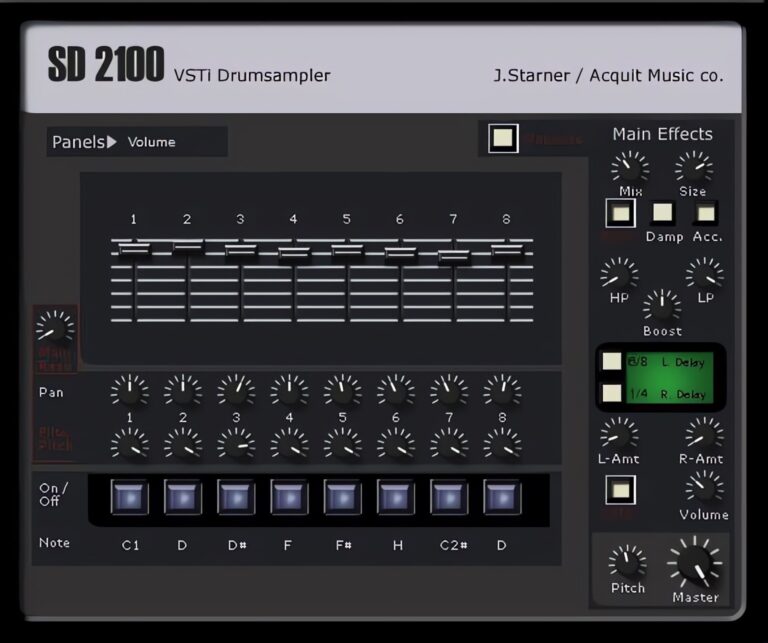
SD 2100 offers a classic drum machine vibe with a focus on punchy, vintage-style beats. Made by Acquit Music, it recreates the tone and workflow of the Emu SP 1200 Beat Box. With sliders, pan knobs, and pitch filters, users can shape each drum sound easily.
It includes controls for mixing effects, adjusting tone, and shaping reverb and delay. The plugin’s simple layout helps producers fine-tune kicks, snares, and hi-hats for a gritty, old-school sound. SD 2100 is ideal for adding a vintage edge to modern tracks on Windows systems.
Features
- Emulates Classic Emu SP 1200 Sound
- Supports Classic Lo-Fi Drum Tones
- Includes Volume Sliders And Pan Knobs
- Has Step Grid For Beat Patterns
- Includes Swing And Velocity Sensitivity
- Contains Reverb And Echo Adjustments
- Provides Delay Left And Right Options
- Includes Master And Pitch Controls
- Supports High And Low Pass Filters
- Works With Most Music Software
Pros
- Authentic vintage drum machine sound
- Faithful Emu SP 1200 emulation
- Adjustable pitch for every drum
- Filter section adds tonal control
- Built-in delay and reverb effects
- Authentic 12-bit crunchy character
- Great swing and groove options
- Switch between kits while playing
- Good dynamic range with velocity
- Lightweight and fast to load
Cons
- Only works on Windows computers
- No 64-bit plugin version
- Not available for Mac users
- User interface looks outdated
- Limited sound customization options
- No built-in sequencer tools
- Few presets compared to others
- Missing advanced mixing features
- Does not sync to tempo well
- Uses more CPU than expected
Testimonials
18. T.REX 1982
OS: Windows Win Mac Mac Bit Version: 32-bit, 64-bit Developer: Max Project Size: 2.6 MB Rating: 66/100
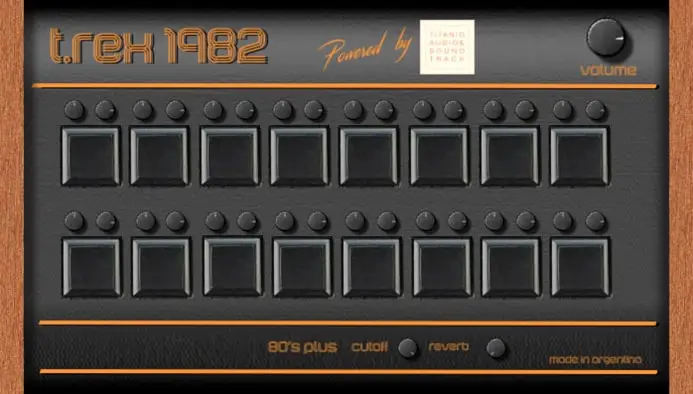
T.REX 1982 offers the classic punch of the LinnDrum sound in a simple and modern plugin. It includes 16 drum samples with individual volume and pan controls, along with a master volume knob for quick mixing adjustments. The 64-bit processing keeps the retro feel while sounding fresh and clear.
This plugin features a built-in reverb and a special “80s Plus” effect for shaping tone and space. Its vintage-style interface adds character, making it easy to explore drums ideal for retrowave, vaporwave, and synthwave tracks on both Windows and Mac systems.
Features
- 16 Classic Drum Sounds Included
- Individual Volume And Pan Controls
- Built-In Algorithmic Reverb Effect
- Special “80s Plus” Filter Mode
- Vintage-Style Graphical Interface
- Low CPU Usage Performance
- Optimized For Retro-Inspired Genres
- Available In VST And AU Formats
- Supports 32-Bit And 64-Bit Systems
- Master Volume For Overall Mix
Pros
- Classic LinnDrum sound character
- Unique “80s Plus” filter effect
- Built-in reverb adds depth
- Rich sound from 64-bit processing
- Low CPU usage performance
- Quick setup, no extra samples needed
- Each drum sound has pan control
- Modern tone with retro vibe
- Free and easy to install
- Works on Windows and Mac
Cons
- Only 16 drum sounds available
- No custom sample loading
- Limited sound control
- No pitch adjustment
- No MIDI mapping
- No step sequencer
- No compression or EQ
- Lacks velocity dynamics
- No multi-output support
- Sounds can feel thin
Testimonials
19. DR-910
OS: Windows Win Bit Version: 32-bit Developer: MaxSynths Size: 8 MB Rating: 64/100
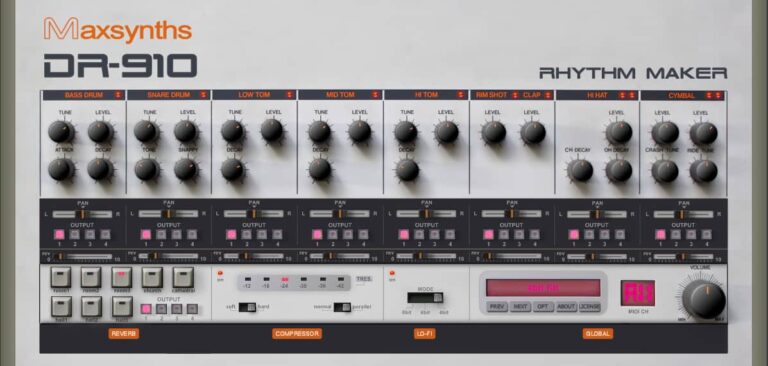
DR-910 is a free 32-bit VST drum machine for Windows that recreates the Roland TR-909 sound. It provides controls for tuning, level, tone, decay, attack, and stereo panning across bass drum, snare, toms, hats, cymbals, rim shot, and clap sounds.
Four stereo outputs allow separate mixing in a DAW, while built-in reverb, compression, and Lo-Fi processing add sound-shaping options. MIDI support, kit selection, presets, and selectable bit modes are included. The plugin uses older 32-bit VST format and may need a bridge in setups.
Features
- TR-909 Drum Machine Emulation
- Individual Drum Output Routing
- Per-Sound Pan Controls
- Individual Pitch Controls
- Built-In Reverb Effects
- Built-In Drum Compressor
- Lo-Fi Effects Processor
- Adjustable Drum Decay Times
- Selectable Drum Kits
- Full MIDI Support
Pros
- Classic Roland TR-909 sound
- Four separate stereo outputs
- Built-in reverb with sends
- Built-in drum compression
- Lo-Fi vintage sound shaping
- Detailed pitch controls
- Adjustable bass drum attack
- Multiple reverb sound choices
- Selectable drum kits
- Adjustable bit quality modes
Cons
- Windows computers only
- Uses outdated 32-bit technology
- No VST3 support
- May fail in newer DAWs
- May require a bridge tool
- No user sample loading
- Has not received recent updates
Testimonials
20. Roland TR707
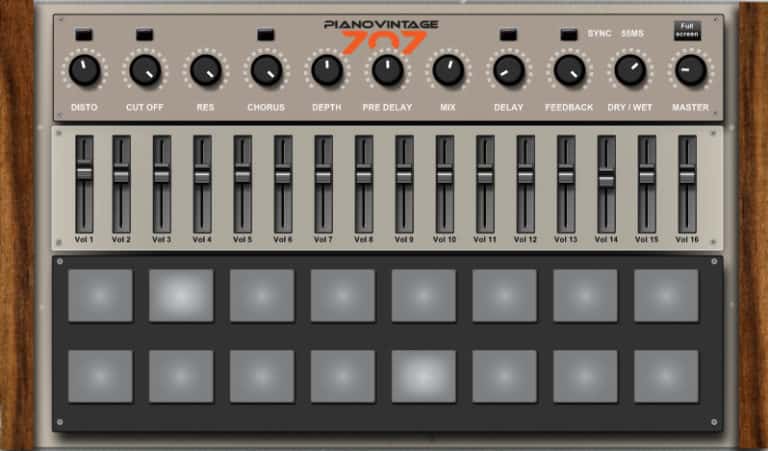
OS: Windows Win Bit Version: 32-bit Developer: Pianovintage Size: 6 MB Rating: 58/100
Roland TR707 offers a classic drum machine experience that brings the vintage sound of the 1980s into today’s studios. Created by Pianovintage, this free Windows plugin includes 16 sampled drum sounds with controls for LP filter, distortion, chorus, and sync delay.
It lets you shape your drums using simple controls for tone, depth, delay, and mix. Each sound can be adjusted with sliders and pads for quick changes. Perfect for adding retro rhythm to tracks, the TR707 plugin delivers reliable electronic drum tones without extra setup.
Features
- 16 Sample Drum Kit
- LP Filter With Cutoff Control
- Built-In Distortion Effect
- Chorus Effect For Depth
- Sync Delay Function
- Volume Sliders For Each Sound
- Trigger Pads For Drum Sounds
- Master And Dry/Wet Controls
- Low CPU Usage Performance
- Free To Download And Use
Pros
- Free to download and use
- Faithful classic 707 drum sounds
- Built-in distortion adds crunch
- Chorus makes sounds feel bigger
- Sync delay keeps timing tight
- Low latency for real-time play
- Very light on computer CPU
- Sounds close to real hardware
- Perfect for layering drum tracks
- No registration or login needed
Cons
- Only works on Windows
- No macOS support
- Outdated 32-bit format
- No built-in sequencer
- Limited sound editing
- No individual routing
- GUI looks outdated
- May crash on newer DAWs
- Samples lack dynamics
- Effects sound dated
Testimonials
Best Drum Machine VST Plugins Compared
This table compares drum machine plugins by features, controls, effects, formats, and more.
| Details | Sitala | SUB | RC-808 | Speedrum Lite | Beat DRMR | DJinnDrum | Drum8 | RVK-808 | 606 Koncept | Tromine GT |
|---|---|---|---|---|---|---|---|---|---|---|
| Image | 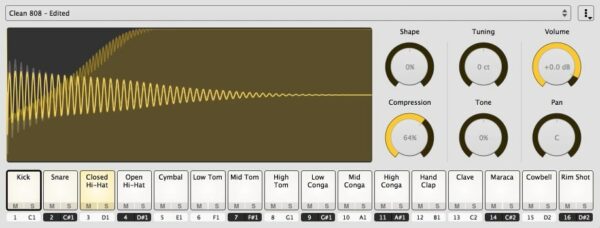 |
 |
 |
 |
 |
 |
 |
 |
 |
 |
| Rating | ||||||||||
| OS | Windows, Mac | Windows, Mac | Windows, Mac | Windows, Mac, Linux | Windows, Mac | Windows, Mac | Windows, Mac | Windows, Mac | Windows, Mac | Windows |
| Formats | VST, AU, AAX | VST, AU | VST, AU | VST, AU | VST, AU | VST | VST3, AU | VST, VST3, AU | VST, VST3, AU | VST |
| Bit Version | 64-bit | 64-bit | 32-bit | 32-bit, 64-bit | 64-bit | 64-bit | 64-bit | 64-bit | 64-bit | 32-bit |
| Developer | Directed Edge | Sampleson | Analog Mafia | Apisonic Labs | Beat | SimpleRecorder | Audiolatry | Electronik Sound Lab | SampleScience | Marvin Pavilion |
| License | GPL | Freeware | Freeware | Freeware | Freeware | Freeware | Freeware | Freeware | Freeware | Freeware |
| Sample-Based | Yes | No | Yes | Yes | Yes | Yes | Yes | Yes | Yes | Select |
| Download Size | 28 MB | 35MB | 26 MB | 6.7 MB | 661 MB | 6 MB | 211 MB | 585 MB | 9.05 MB | 1 MB |
| CPU Load | Low | Low | Low | Low | Low | Low | Low | Low | Low | Low |
| Polyphony | 32 | 16 | 8 | 32 | 32 | 12 | 32 | 64 | 32 | 64 |
| Features | 16 Pads, Drag-and-Drop, Beat Slicing, Shape Control, Compression, Tuning, Editable MIDI Map | Analog drum synthesis, Sub-bass oscillator, 18 drum sounds, Built-in mixer, Scalable interface, Instant load, No activation | Authentic 808 emulation, Advanced drum synthesis, 16-step sequencer, Analog-style sound, Built-in effects, Intuitive interface, Pattern automation | 16 pads, Drag-and-drop loading, Drum kit saving, Waveform view, AHD envelope, Filters, Resizable interface | 178 Drum Kits, 2136 Sounds, Mixer Controls, Room Reverb, Filter & LFO, Drum Pads, Preset Selector | Dry sound, Pitch control, Tempo adjustment, Volume control, Mixer balance, Drum pads, Tuning options | 40 drum kits, 320 samples, Pad controls, Choke function, Lowpass filter, Room reverb, Royalty-free sounds | High-quality samples, Multiple drum kits, Assignable outputs, MIDI compatibility, User-friendly interface, Live performance ready, Genre versatility | Original 606 Kit, Vinyl Tape Sub Layers, Multi-Pitch Mixing, Multi-LFO, Room Reverb, High-Low Pass Filters, Voice Modes | TR-808 Emulation, 16 Drum Synths, MIDI Automation, Multiple Outputs, Tone Control, Decay Control, Volume Control |
| Controls | Shape, Tuning, Volume, Compression, Tone, Pan, Drum Pads | Pan, Level, Click/Tone, Decay/Snap, Pitch, BD Sub Pitch, Main Volume | Power Button, File Menu, Channel Strips, Level Knob, Pan Knob, Instrument Label, Drum Pads | Pads, Drum Kit Menu, Waveform Display, Start and End Controls, Envelope Section, Volume Knob, Filter Section | Pad Grid, Kit Selector, Kit Name Display, Volume Sliders, Pan Knobs, Attack & Decay Knobs, Cutoff Knob | Tempo, Volume, Bass, Snare, HiHat, Clap, Mixer | Kit Selector, Gain Slider, Attack Slider, Pan Knob, Filter Knob, Reverb Knob, Drum Pads | Start Button, Decay Knob, Level Knob, Pan Knob, Reverb Knob, Distort Knob, Output Buttons | Preset Name, Preset Arrows, Depth, Rate, Glide, Volume, Low | Tone, Decay, Level, Output Display, Bass Drum, Snare Drum, High Tom |
| Effects Included | Shape, Compression, Tuning, Tone, Volume, Pan, Drive | Unknown | Reverb, delay, distortion, compressor | Low-pass filter, High-pass filter | Room Reverb, Filter, LFO, Wobble Effect | Swing, Flam | Lowpass filter, room reverb | Reverb, Distortion | Multi-LFO, room reverb, high-pass filter, low-pass filter, summing pitch mixer | Unknown |
| MIDI Learn | Yes | Yes | Yes | Yes | Unknown | Unknown | Unknown | Unknown | No | Unknown |
| Presets | N/A | 15 | 128 | N/A | 178 | N/A | 66 | 272 | N/A | 25 |
| Standalone | Select | Yes | Yes | No | Select | Yes | Yes | Yes | Yes | Select |
| Last Updated | N/A | 06/12/2019 | 06/13/2023 | 04/26/2024 | 03/18/2024 | 05/09/2024 | 06/13/2022 | 08/03/2021 | 05/21/2024 | 04/14/2024 |
Best Drum Machine VST Plugins
Our top picks for the best free Drum Machine VST plugins are Sitala by Directed Edge, Speedrum Lite by Apisonic Labs, and Monster Drum by AgusHardiman.TV.
| Details | Sitala | Speedrum Lite | Monster Drum |
|---|---|---|---|
| Image | | | 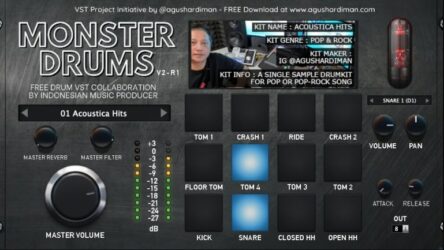 |
| Rating | |||
| OS | Windows, Mac | Windows, Mac, Linux | Windows, Mac |
| Formats | VST, AU, AAX | VST, AU | VST2, VST3, AU |
| Bit Version | 64-bit | 32-bit, 64-bit | 64-bit |
| Developer | Directed Edge | Apisonic Labs | AgusHardiman.TV |
| Download Size | 28 MB | 6.7 MB | 2 MB |
| Download | Visit Sitala | Visit Speedrum Lite | Visit Monster Drum |
FAQs
How to Install Drum Machine VST Plugins
To install drum machine VST plugins on Windows or Mac, extract the files from the Zip or Rar. Move the files (.dll for Windows or .component for Mac) into your DAW’s plugin folder. Then restart your software and rescan the directory to complete the process. Tutorial: How to Install VST Plugins
Windows:
Extract the downloaded zip file and copy the .dll file into the VST plugins folder scanned by your DAW. Restart your music software and rescan your plugin directory to begin using the new VST.
Mac OS X:
Extract the downloaded archive and move the .component or .VST file to the plugin folder. It is usually /Library/Audio/Plug-Ins/Components or /Library/Audio/Plug-Ins/VST. Restart your DAW and rescan your plugins to complete the installation.
What Is A Drum Machine VST Plugin?
A drum machine plugin is a virtual instrument that simulates the sound of an electronic drum kit. It has been designed to imitate the sound of an actual drum machine.
A typical drum machine plugin will have a variety of functions that allow you to create your own unique sound. You can adjust the volume, tune, decay, and tone of each parameter to get the perfect mix. These drum machine plugins offer a variety of drum sounds sampled from different drum machines.
What Are The Top Paid Drum Machine VST Plugins?
The top-paid Drum Machine VST Plugins are Addictive Drums 2 by XLN Audio, Superior Drummer VST, and Native Instruments Battery.
I hope you enjoy these free virtual drum machine VST plugins. These free drum machine plugins offer all the features and sounds you need for beat creation.
You May Also Like: