

Here are the best free 808 VST plugins for Windows and Mac. We have included video demos, feature lists, pros, cons, and plugin ratings.
How we rate plugins: We rate each 808 VST plugin based on sound quality, design, performance, features, usability, and compatibility. We rate plugins on a scale of 1 to 100.
Table of Contents
I have spent over 15 years testing and comparing hundreds of free and paid VST plugins, supported by hands-on demos on our YouTube channel, which has 11,000+ subscribers.
Related: What Is A 808? | Free Drum VST Plugins
Best Free 808 VST Plugins
This table compares 808 VST plugins by operating system, bit version, format, and rating.
| # | Plugin | OS | Formats | Bit Version | Ratings |
|---|---|---|---|---|---|
| 1 | Sitala | Windows Mac | VST, AU, AAX | 64-bit | |
| 2 | SUB | Windows Mac | VST, AU | 64-bit | |
| 3 | RC-808 | Windows Mac | VST, AU | 32-bit | |
| 4 | BD-909 | Windows Mac | VST, VST2, AU | 64-bit | |
| 5 | 808-ROMpler | Windows Mac | VST, AU | 64-bit | |
| 6 | Beat DRMR | Windows Mac | VST, AU | 64-bit | |
| 7 | 808 Bass Module 5 Lite | Windows Mac | VST, VST3, AU | 64-bit | |
| 8 | RVK-808 | Windows Mac | VST, VST3, AU | 64-bit | |
| 9 | BD-808 | Windows Mac | VST2, AU | 64-bit | |
| 10 | 808 Bass Module 2 Lite | Windows Mac | VST, AU | 32-bit, 64-bit | |
| 11 | HUM808 | Windows | VST | 64-bit | |
| 12 | RT-7070 | Windows Mac | VST, VST3, AU | 32-bit, 64-bit | |
| 13 | TS-808 | Windows | VST | 32-bit | |
| 14 | Tromine8 | Windows | VST | 32-bit | |
| 15 | Drum Pro | Windows Mac | VST, AU | 32-bit, 64-bit |
1. Sitala
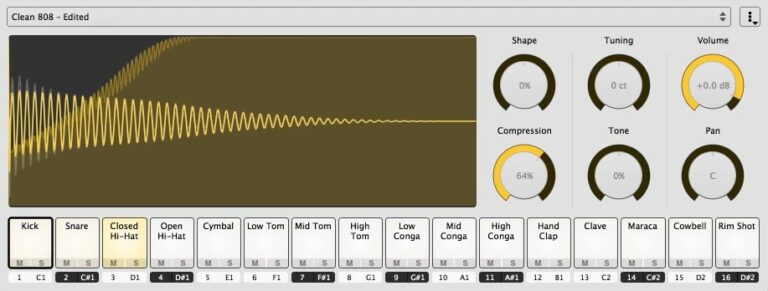
OS: Windows Win Mac Mac Bit Version: 64-bit Developer: Directed Edge Size: 28 MB Rating: 87/100
Sitala offers a fast and simple way to create drums with sixteen pads and six main controls. You can drag and drop your favorite samples, shape their sound, and build kits with ease. The 4×4 layout gives a classic pad feel suited for quick beat-making.
With version 2.0, Sitala adds Apple Silicon support, dark mode, and new factory kits like Hip Hop Ultra and Future Retro Pop. Features such as gated mode, MIDI mapping, and instant missing sample detection make it reliable for both quick sketches and full tracks.
Features
- Sixteen Assignable Drum Pads
- Drag And Drop Sample Loading
- Built-In Sample File Browser
- Sound Preview In Sample Browser
- Adjustable Shape, Tone, And Tuning
- Compression With Gain Compensation
- MIDI Learn For Pad Mapping
- VST2, VST3, AU, And AAX Versions
- Supports Apple Silicon Natively
- Low CPU Usage And Fast Loading
Pros
- Low CPU use and stable
- Supports Apple Silicon chips
- Drag and drop sample loading
- Includes fresh 808 factory kits
- Instant missing sample finder
- Built-in compression sounds punchy
- Great tone and pitch shaping
- Multi-output support in all formats
- Starts faster than most samplers
- Comes with previewable sound browser
Cons
- No built-in step sequencer
- Limited sound design options
- No advanced effect section
- No built-in reverb or delay
- Few included drum kits
- Lacks modulation or LFO tools
- No velocity layering feature
- No sample time-stretching feature
- Cannot automate pad parameters easily
- Not completely free anymore
Video Demo
What Users Say
Sitala Tips
- I like to adjust the “Shape” control to make my 808 hits punchier.
- I use the “Tuning” knob in Sitala to match my 808s with the key of my song.
- Adding a bit of saturation or distortion on 808s helps them cut through a mix.
- Layering kicks and 808s carefully can make the low end hit harder without sounding muddy.
- Using EQ to remove unwanted low frequencies can keep the track clean and balanced.
- Automating the volume or filter of 808s creates movement and excitement in the track.
2. SUB
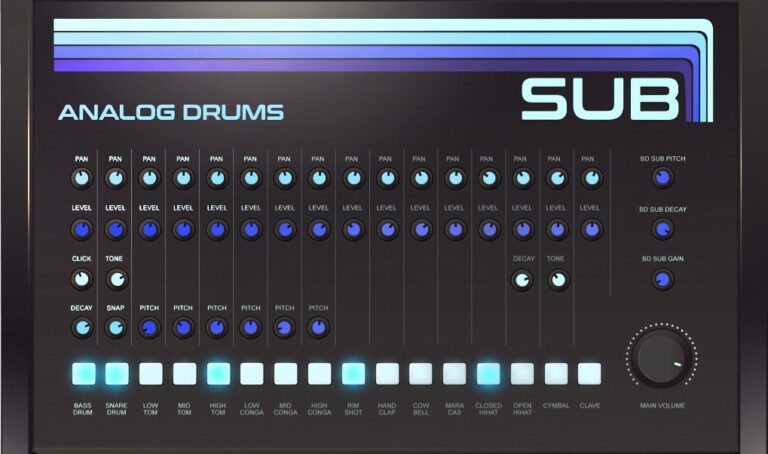
OS: Windows Win Mac Mac Bit Version: 64-bit Developer: Sampleson Size: 35MB Rating: 84/100
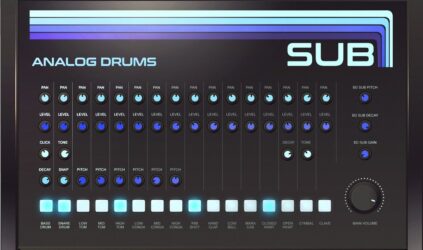
SUB offers classic analog drum sounds combined with a deep sub-bass oscillator for extra punch. It recreates vintage drum tones using pure synthesis, not samples, giving producers more control to shape their sound. The plugin is lightweight, quick to load, and doesn’t need any extra software.
With 18 drum sounds, pan and volume controls, and a clear layout, SUB provides a simple way to build rich drum tracks. Its flexible tone and decay controls let creators dial in tight hits or long, deep lows that suit any style of music production.
Features
- 18 Classic Analog Drum Sounds
- Fully Synthesized Drum Engine
- Sub-Bass Oscillator Included
- Adjustable Pitch And Decay
- Mixer With Pan And Volume
- Drive Control Adds Extra Harmonics
- HD Scalable User Interface
- Low CPU Usage Performance
- No Samples Or Libraries Needed
- Compatible With Major DAWs
Pros
- Warm and rich analog drum tones
- No samples, pure synthesis design
- Sub oscillator adds deep bass
- Low CPU use for smooth play
- Fast loading with tiny file size
- Clean and easy-to-use interface
- Instant play with no setup
- Tight MIDI timing and response
- Competes with paid analog drum plugins
- Flexible sound shaping controls
Cons
- Limited to basic analog sounds
- Cannot import your own samples
- No preset library included
- Lacks modern sound layering features
- No randomization or humanize controls
- Few modulation or filter options
- No built-in reverb or delay
- Limited drum variety compared to rivals
- Minimal visual feedback when tweaking
Video Demo
What Users Say
SUB Tips
- It’s helpful to start with a basic pattern, then copy and change small parts for variation.
- Adding swing or shuffle in the sequencer can make the beat sound more human.
- Automating parameters in the drum sequencer adds movement and excitement to the rhythm.
- Using ghost notes in drum patterns can make beats feel more full and natural.
- Backing up presets and patterns helps save time when starting new projects.
3. RC-808
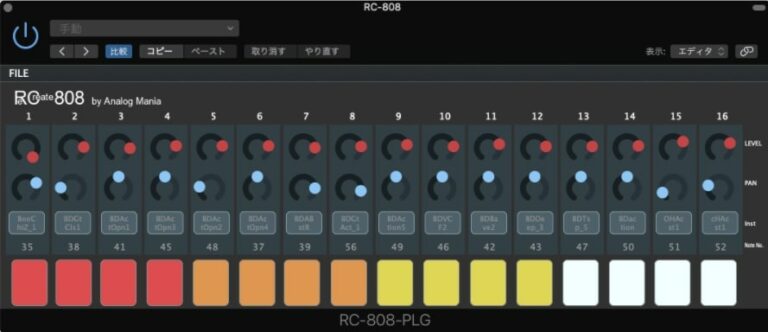
OS: Windows Win Mac Mac Bit Version: 32-bit Developer: Analog Mafia Size: 26 MB Rating: 83/100
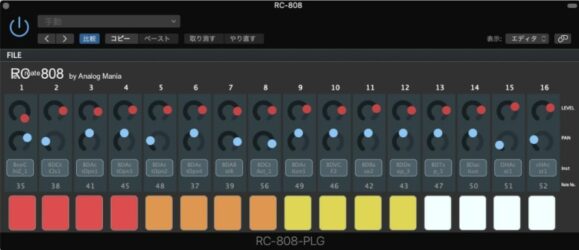
RC-808 offers an authentic recreation of the iconic TR-808 drum machine with deep sound-shaping tools. Each of its 16 instruments works like a small synthesizer, letting you design drum tones from punchy kicks to bright cymbals using true analog-style synthesis instead of samples.
The built-in step sequencer makes it simple to build drum grooves, adjust timing, and automate levels or panning. With support for Windows and macOS in major DAWs, RC-808 gives music creators a classic 808 sound and flexible control in a modern plugin format.
Features
- Authentic Vintage TR-808 Emulation
- Includes 808, 909, And 606 Kits
- 16-Step Built-In Drum Sequencer
- Analog-Style Drum Sound Synthesis
- Onboard Reverb, Delay, And Distortion
- Individual Volume And Pan Controls
- MIDI Note Mapped Drum Pads
- Load, Save, And Edit Drum Patterns
- Supports VST And AU Formats
- Works On Windows And Mac
Pros
- Authentic vintage 808 sound design
- Analog-style sound without samples
- Faithful sound close to real hardware
- Each drum has full control
- 16-step built-in drum sequencer
- Customizable drum patterns and presets
- Rich reverb, delay, and distortion
- Creative analog-style drum synthesis
- Feels like a real drum machine
- Highly praised by real 808 owners
Cons
- No longer available for download
- No official technical support
- High CPU use
- Only 32-bit version
- Missing 64-bit compatibility
- Small team, slow updates
- No sample import feature
- No preset browser
- Interface not resizable
- Development discontinued
Video Demo
What Users Say
RC-808 Tips
- I use the tune control to match the 808 pitch with my song key.
- Adding a touch of distortion gives character to the 808 without losing its power.
- Using sidechain compression with the bass helps the kick punch through clearly.
- EQ around 50–60 Hz to bring out the deep thump, and cut slightly at 200 Hz to remove muddiness.
- Layering a short, snappy kick on top of the 808 creates more attack.
- Automation of filter and volume gives movement and excitement to static 808 parts.
4. BD-909
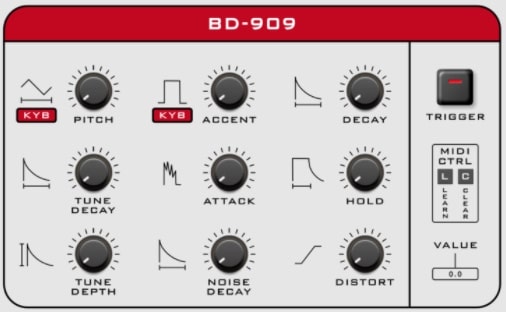
OS: Windows Win Mac Mac Bit Version: 64-bit Developer: Synsonic Instruments Size: 10 MB Rating: 83/100
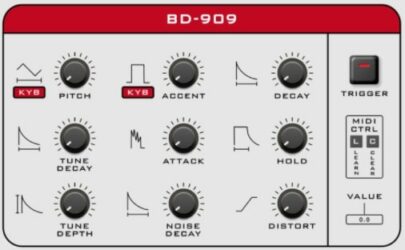
BD-909 offers an authentic recreation of the classic TR-909 bass drum with added modern controls. It reproduces the punch and warmth of the original while giving users extra features like distortion, pitch control, and tune shaping for flexible sound design.
This plugin works as both a drum generator and a bass synth through MIDI control. With adjustable settings such as decay, attack, and hold, it lets music creators shape everything from tight electronic kicks to deep sub-bass tones. Factory presets make it easy to start producing right away.
Features
- Accurate 909 Bass Drum Emulation
- Adjustable Pitch And Tune Depth
- Distortion For Added Warmth
- Noise And Tone Shaping Controls
- MIDI Learn And Control Support
- Dynamic Velocity Accent Response
- Built-In Factory And User Presets
- Manual Trigger Pad And LED
- Low CPU Usage Performance
- Free 64-Bit Plugin
Pros
- Authentic 909 bass drum sound
- Accurate modeling of original circuit
- Rich distortion adds warm tone
- Low CPU use for smooth play
- Clean and simple interface
- MIDI learn for quick mapping
- Pitch control for deep bass
- Tune depth adds tonal movement
- Balances analog warmth and clarity
- Competes well with paid plugins
Cons
- Only makes one drum sound
- No built-in 808 tones
- No EQ or tone shaping
- Can’t import custom samples
- Preset library is very small
- No built-in compressor effect
- No sidechain or ducking control
- No visual waveform display
- Interface looks plain and old
- Less versatile than free 808 plugins
Video Demo
What Users Say
BD-909 Tips
- I often use a gentle EQ boost at 60Hz to make the BD-909 kick stronger in the mix.
- I find that adding a small touch of distortion gives the BD-909 more punch and warmth.
- I sometimes tune the BD-909 kick to match the song’s key—it helps everything blend better.
- Try sidechain compression with the bass to make the BD-909 kick stand out.
- Cut some low mids around 200Hz to keep the kick from sounding muddy in the mix.
- Keep the decay short when making tight electronic beats and longer for booming trap kicks.
- Layering the BD-909 with other 808 sounds can create a thick and powerful low end.
5. 808-ROMpler
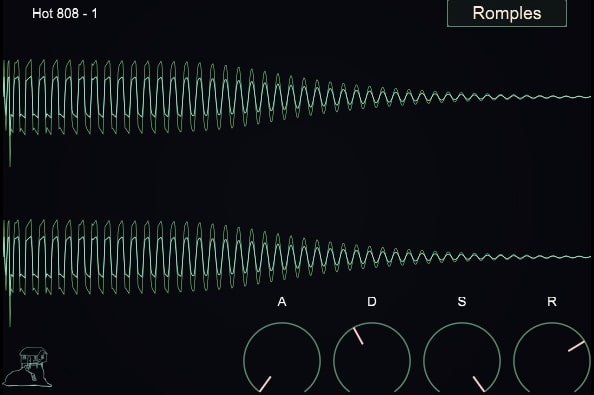
OS: Windows Win Mac Mac Bit Version: 64-bit Developer: Recluse-Audio Size: 88 MB Rating: 81/100
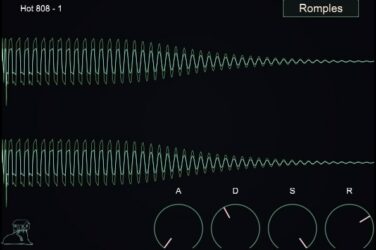
808-ROMpler is a free bass drum sampler designed by Recluse-Audio for quick and clean 808 sounds. It includes sixteen 808-style kicks and supports .wav, .aiff, and .mp3 files through simple drag-and-drop. ADSR envelope controls help shape the punch, length, and tone of each kick.
The plugin’s minimalist design keeps the focus on your sound. A visual waveform display gives instant feedback while adjusting attack, decay, sustain, and release. 808-ROMpler runs on Windows and Mac, offering a fast and reliable way to build solid low-end parts in any style.
Features
- Sixteen 808 Style Kicks
- Drag And Drop Loading
- ADSR Envelope Controls
- Visual Waveform Display
- Minimal And Clean Interface
- Low CPU Usage
- Supports WAV AIFF And MP3
- VST And AU Formats
- 64 Bit Compatible
- Sound Selection Menu
Pros
- Clean and easy-to-use interface
- Includes sixteen ready 808 kicks
- Custom sound shaping with ADSR
- Visual waveform helps sound design
- Lightweight and low CPU use
- Punchy sounds right out the box
- Free plugin with pro-level quality
- Makes stacking multiple sounds easy
- Ideal for trap and hip-hop
- Focuses purely on great 808 sounds
Cons
- No built-in effects or EQ
- Cannot layer multiple samples
- No velocity sensitivity support
- Lacks sample editing tools
- Limited to 808-style sounds
- No pitch or tune control
- No modulation or LFO options
- No save or load presets
- No MIDI learn or automation
- Limited sound design flexibility
Video Demo
What Users Say
808-ROMpler Tips
- I like to layer two 808 sounds—one for sub-bass and another for mid frequencies—to make the bass cut through better.
- I keep my 808s in tune by matching their root note with my song’s key—it makes the mix sound tight.
- I place sidechain compression with the kick drum so the 808 and kick don’t fight each other.
- Shortening the release time keeps the 808 from overlapping notes and getting muddy in the mix.
- Using parallel processing with saturation or compression can make the 808 punchier while keeping its deep tone.
6. Beat DRMR
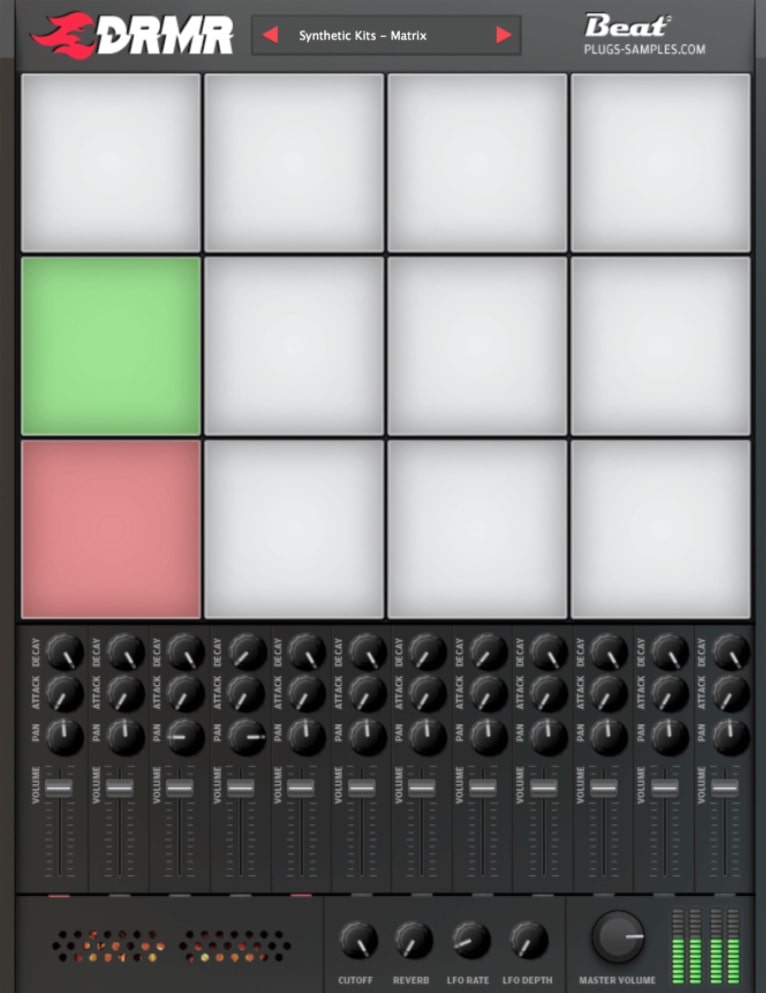
OS: Windows Win Mac Mac Bit Version: 64-bit Developer: Beat Size: 661 MB Rating: 80/100
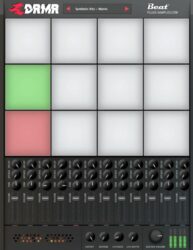
Beat DRMR is a free drum plugin for Windows and Mac that includes 178 drum kits and over 2,000 sounds sourced from well-known hardware like Analog Rytm and DrumBrute. It’s made for electronic styles such as Techno, Electro, and Acid, giving users a wide range of percussive tones.
Each pad has controls for volume, pan, attack, and decay, as well as options for reverb, filter, and LFO effects to shape unique rhythms. With a simple layout and responsive controls, Beat DRMR helps music creators quickly build beats with the punch and character of classic and modern drum machines.
Features
- 178 Unique Drum Kits
- 2,136 Total Drum Sounds
- Supports Custom Sample Loading
- Multi Output Routing Support
- Filter With Cutoff Control
- Attack And Decay Adjustments
- LFO Rate And Depth Knobs
- Room Reverb Effect
- Basic Step Sequencer Included
- Low CPU Usage
Pros
- Huge library of 178 drum kits
- Over two thousand high-quality sounds
- Custom sample loading support
- LFO for cool sound wobble
- Filter knob for sound shaping
- Adjustable attack and decay controls
- Multiple output routing options
- Classic 808 and 909 kits included
- Low CPU use for smooth play
- Completely free and feature rich
Cons
- No built-in step sequencer
- Limited sound design tools
- No sample slicing feature
- No drag-and-drop sample use
- Not resizable interface window
- No built-in compressor effect
- No onboard distortion or drive
- Reverb sounds very basic
- Preset browser feels outdated
- Limited envelope shaping options
Video Demo
What Users Say
Beat DRMR Tips
- I always adjust the decay knob to make my 808s either short and punchy or long and booming.
- I make sure to tune my 808 samples so they match the key of my song.
- Using a sidechain compression effect can let the kick punch through the 808 bass.
- EQing the 808 to remove extra low muddiness helps the kick and bass work better together.
- Checking phase alignment between kick and 808 helps keep low-end power strong and clean.
- I layer 808s with a soft kick to help them cut through smaller speakers.
7. 808 Bass Module 5 Lite
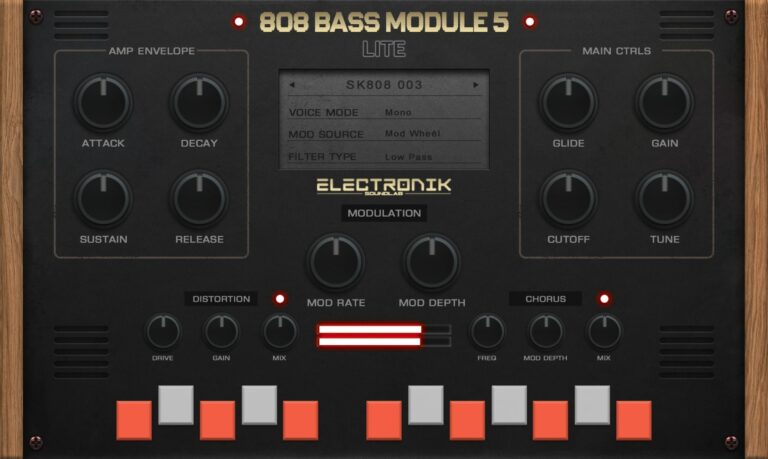
OS: Windows Win Mac Mac Bit Version: 64-bit Developer: Electronik Sound Lab Size: 200 MB Rating: 78/100
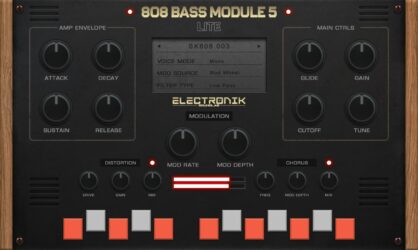
808 Bass Module 5 Lite is a compact 808 bass instrument designed for producers who need deep and punchy low-end sounds. It comes with 15 layered presets that blend grit and warmth, making it easy to drop powerful bass into trap, hip-hop, or electronic tracks.
The plugin features essential tone controls like ADSR, filters, and LFO, plus built-in distortion and chorus for added texture. With glide, tune, and modulation options, users can shape bass tones quickly and match them to any song key or style.
Features
- Fifteen Ready-To-Use 808 Presets
- Supports VST, VST3, And AU
- ADSR Amplitude Envelope Controls
- LFO Modulation Depth And Rate
- Glide Time Adjustment
- Lowpass And Highpass Filter Cutoff
- Built-In Distortion Effect
- Built-In Chorus Effect
- Global Tune Control
- Low CPU Usage
Pros
- Ready to use 808 presets
- 15 high quality layered sounds
- Built in distortion adds grit
- Built in chorus for depth
- Glide control for smooth slides
- Mix ready sounds out of box
- Low CPU usage and stable
- Professional quality for free plugin
- Supports VST, VST3, and AU
- No use limit on free version
Cons
- Limited sound variety
- Only 15 presets available
- No layering or splitting options
- No reverb or delay effects
- No built-in EQ control
- Lacks advanced modulation options
- Cannot import custom samples
- Few adjustable parameters overall
- Limited tone shaping tools
- Presets sound too similar
Video Demo
What Users Say
808 Bass Module 5 Lite Tips
- I always adjust the attack and release times to make my 808s blend smoothly with the drums.
- I try to tune my 808s to the key of my song to make them sit right in the mix.
- I like adding a little bit of saturation or distortion to help my 808 cut through.
- I use sidechain compression with the kick to let both sounds hit cleanly together.
- Use EQ to carve space between the 808 and the kick drum so they don’t clash.
- Apply subtle compression to keep the bass even and controlled throughout the song.
- Regularly check your mix in mono to ensure the 808 still sounds strong and centered.
8. RVK-808
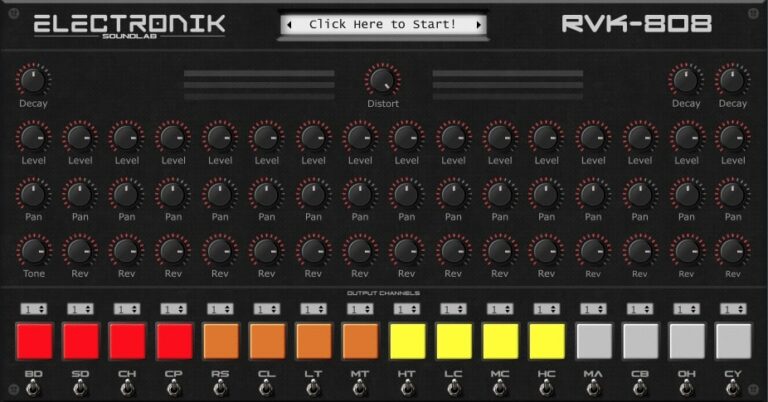
OS: Windows Win Mac Mac Bit Version: 64-bit Developer: Electronik Sound Lab Size: 585 MB Rating: 77/100
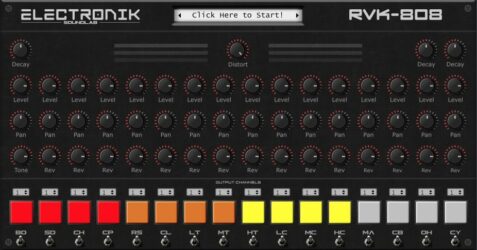
RVK-808 is a drum plugin modeled after the classic TR-808, built for quick and powerful beat creation. It includes 272 quality samples and 17 drum kits that cover a wide range of modern music styles, from hip-hop to electronic.
RVK-808 offers control over decay, volume, panning, reverb, and distortion for each drum sound. With assignable outputs and support for both Windows and Mac, it gives creators clear, punchy sounds ready for stage use or studio mixing.
Features
- Includes 272 Quality Samples
- Offers 17 Drum Kits
- Assignable Output Channels
- MIDI Compatible Plugin
- Features Decay, Level, Pan Controls
- Reverb And Distortion Knobs
- Color-Coded Drum Pads
- Works In VST, AU, VST3 Formats
- Supports Windows And Mac Systems
- Low CPU Usage Performance
Pros
- Includes 17 full drum kits
- Comes with 272 clean samples
- Has assignable output channels
- Has reverb and distortion knobs
- Better sound variety than many free Linn Drum VSTs
- Low CPU usage performance
- Works on Windows and Mac
- MIDI compatible for easy control
- Bright color pads for each drum
- Modern design and clear layout
Cons
- No step sequencer
- Limited kit variety
- No built-in effects
- No sample import
- Not resizable GUI
- Few sound-shaping tools
- Missing MIDI learn
- Can’t tune individual drums
- Lacks pattern saving
- May not work on new macOS
Video Demo
What Users Say
RVK-808 Tips
- When I want a more human feel, I add small timing changes to each drum hit.
- I always check the tuning of each drum sample so it blends better with the music’s key.
- Using the Linn Drum VST can add that classic 80s feel to a track.
- Shortening the snare and hi-hat samples can help create tighter and punchier beats.
- The kick drum can be layered with a low-frequency sine wave for a stronger bass presence.
- Producers can automate volume or filter changes to make drum parts more dynamic.
9. BD-808
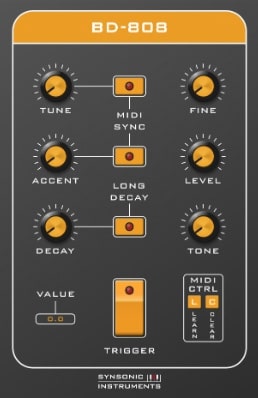
OS: Windows Win Mac Mac Bit Version: 64-bit Developer: Synsonic Instruments Size: 440 KB Rating: 76/100
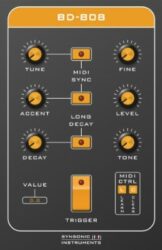
BD-808 offers an authentic recreation of the classic TR-808 bass drum in a digital format. It captures the warmth and punch of the original hardware using careful circuit modeling. With controls for Tune, Decay, Tone, and Accent, producers can shape tight kicks or deep sub-bass hits.
The plugin can respond to MIDI notes and velocity, allowing it to act as both a kick generator and a simple bass synth. BD-808 suits electronic styles like techno and hip-hop, giving artists a fast way to create that signature 808 thump right inside their DAW.
Features
- Authentic TR-808 Bass Drum Emulation
- Adjustable Tune And Fine Controls
- Decay And Tone Adjustment Options
- MIDI Note Controlled Pitch Mode
- MIDI Velocity Controlled Accent
- MIDI Learn And Clear Functions
- Available In VST2 And AU Formats
- 64-Bit Plugin Architecture
- Works In Popular DAWs
- Simple And User-Friendly Interface
Pros
- Authentic TR-808 bass drum sound
- Adjustable pitch and tone
- Playable as a bass synth
- MIDI control for easy mapping
- Low CPU use for smooth play
- Dynamic accent control option
- Long decay for deep sub sounds
- More punch than basic 808 samples
- Stable in major DAWs like Ableton
- Small file size, loads quickly
Cons
- Only one basic 808 sound
- No built-in distortion effects
- Missing volume envelope control
- Limited tone shaping options
- No preset browser included
- Can’t load user samples
- Limited modulation capabilities
- Only mono output support
- No drive or saturation knob
- Less flexible than newer 808 VSTs
Video Demo
What Users Say
BD-808 Tips
- I layer the BD-808 with a short click sound so it cuts through the mix better.
- I use light compression to make the 808 sit well with my drums.
- I like to use a tiny bit of saturation to make my 808 stand out more.
- Cut unnecessary low frequencies from other tracks to leave room for the 808.
- Using sidechain compression with the BD-808 can help make the kick and bass blend smoothly.
- Experiment with different tuning for the 808 to match your song’s key perfectly.
10. 808 Bass Module 2 Lite
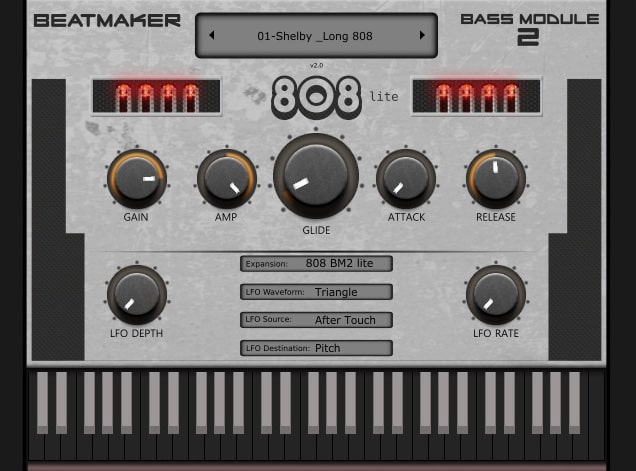
OS: Windows Win Mac Mac Bit Version: 32-bit, 64-bit Developer: BeatMaker Size: 32 MB Rating: 75/100
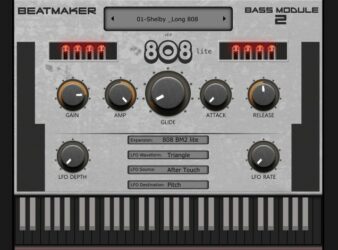
808 Bass Module 2 Lite is a free 808 bass plugin by BeatMaker made for creating strong, low-end sounds in trap, hip-hop, and electronic music. It includes 10 layered presets that match the key of your project, helping you get heavy bass tones quickly and easily.
It offers controls for gain, amp, glide, attack, release, and a flexible LFO section to shape movement and depth. The glide feature gives smooth note transitions, while the LFO rate and waveform options add motion to your bass. It works on both Windows and Mac.
Features
- Ten Ready-To-Use Layered Presets
- Plays In Key Of Project
- Glide Knob For Smooth Slides
- Attack And Release Controls
- LFO Rate And Depth Adjustments
- Aftertouch For Extra Expression
- Built-In Preset Selection Menu
- Keyboard For Direct Note Playing
- Supports VST And AU Formats
- Runs On Windows And Mac
Pros
- Powerful and rumbling bass tones
- Glide control for smooth slides
- Great low end without muddiness
- Adjustable LFO rate and depth
- Attack and release shaping options
- Low CPU usage and stable
- Free and professional sounding plugin
- Sounds fit key of your song
- Perfect for trap and hip-hop
- Works well in all major DAWs
Cons
- Lite version lacks sound variety
- No built-in effects like reverb
- Limited tone shaping controls
- No filter cutoff or resonance
- No built-in EQ controls
- Presets sound too similar
- Cannot import custom samples
- Missing advanced modulation settings
- No support for velocity layers
- Lacks creative sound design depth
Video Demo
What Users Say
808 Bass Module 2 Lite Tips
- Using sidechain compression helps the bass and kick drum work together without clashing.
- Keeping the bass in mono prevents phase problems in the low end.
- Adding a touch of saturation keeps the bass warm and full even on small speakers.
- I keep an EQ after the 808 Bass Module 2 Lite to shape the low end cleanly.
- I often tune the bass sound to the key of my song so it blends better.
- I use the Attack and Release knobs to make my bass hit harder or smoother.
11. HUM808
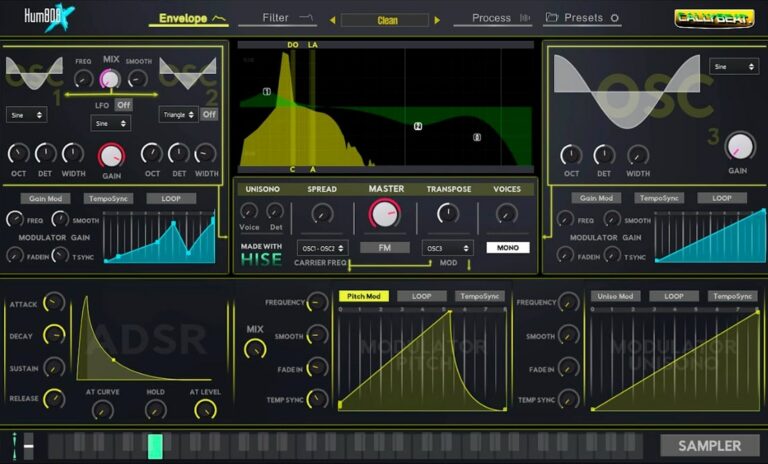
OS: Windows Win Bit Version: 64-bit Developer: Cally Beat Size: 11 MB Rating: 75/100
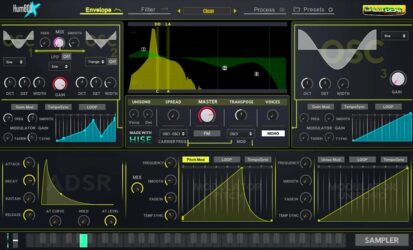
HUM808 offers a full set of tools to craft deep, punchy, or gritty bass tones. It combines additive and FM synthesis with four oscillators, 90 samples, and multiple modulation options. Each sound source includes its own ADSR envelope for shaping tone and control.
The plugin includes effects like distortion, reverb, delay, and compression, plus a four-band EQ and spectrum analyzer for clear sound design. With MIDI learn, filter types, and visual feedback tools, HUM808 helps producers design and refine 808-style basses quickly and precisely.
Features
- Additive And FM Synthesis
- Sampler With Ninety Built-In Samples
- Unison And Voice Spread Settings
- Individual And Global ADSR Envelopes
- DAW-Synced Modulation Control
- Sixteen Filter Types With Modulation
- Five Built-In Audio Effects
- MIDI Learn And CC Assignment
- Real-Time Spectrum Analyzer
- Preset Menu With Four Hundred Fifty Presets
Pros
- Deep punchy bass sound quality
- Strong additive and FM synthesis
- Four powerful sound oscillators
- Built-in sampler with 90 samples
- Rich modulation and LFO options
- Five built-in effects for enhancement
- Real-time spectrum and oscilloscope view
- Unison mode for wider bass tones
- Free and open source software
- Outperforms most free 808 plugins
Cons
- No Mac or Linux support
- No standalone version available
- Interface looks dated
- Can crash on weaker PCs
- CPU usage spikes quickly
- Hard to fine-tune low-end
- No drag-and-drop sample loading
- Few modulation options
- No built-in sidechain tool
- Effects chain not editable
Video Demo
What Users Say
HUM808 Tips
- I like to start by setting the root note of my 808s so they match the key of my song.
- I always check the glide or slide controls in HUM808 to make smooth pitch changes between notes.
- I use a little bit of distortion in HUM808 to make my bass cut through the mix better.
- I always leave headroom when mixing my 808 so it doesn’t clip the master channel.
- Tuning the 808 properly keeps the bass from clashing with chords and melodies.
- Try pairing HUM808 with a drum compressor to glue the low end with the kick drum.
- Always compare the 808 tone with the rest of the mix to make sure it fits well and isn’t too loud.
12. RT-7070
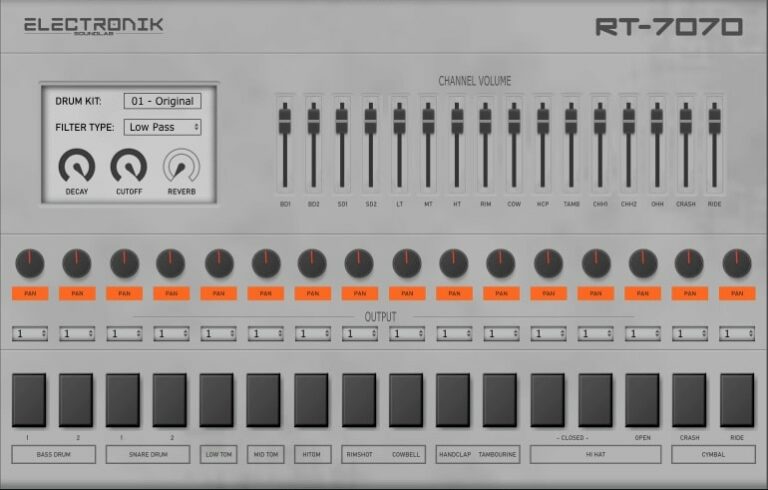
OS: Windows Win Mac Mac Bit Version: 32-bit, 64-bit Developer: Electronik Sound Lab Size: 39 MB Rating: 72/100
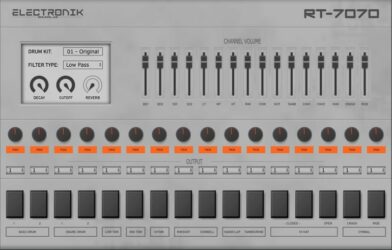
RT-7070 offers the classic TR-707 sound with a modern twist. It comes with 20 drum kits, including the original 707 and versions processed through different effects for more tone options. Each sound can be shaped using filters, decay, reverb, and simple mixing controls.
This plugin lets you adjust volume, pan, and routing for each drum, giving more control in your DAW. It supports VST, VST3, and AU on Windows and Mac. RT-7070 is ideal for anyone wanting punchy, retro-style drums with simple sound-shaping tools.
Features
- Inspired By The Classic TR-707
- Includes 20 Unique Drum Kits
- Low And High Pass Filters
- Built-In Reverb Effect
- Channel Volume Mixer
- Assignable Audio Outputs
- Supports VST, VST3, And AU
- Works On Windows And Mac
- Low CPU Usage Performance
- Simple And Easy Interface
Pros
- Authentic classic 707 drum sound
- Includes 20 diverse drum kits
- Low CPU use on most systems
- Filter controls shape drum tone
- Assignable outputs for mixing ease
- Royalty-free samples for all projects
- Supports VST, VST3, and AU formats
- Modern and vintage kit variety
- Better sound control than typical 808s
- Solid alternative to paid drum plugins
Cons
- May crash in some DAWs
- Not fully stable on macOS
- Small, non-resizable interface
- Limited sound editing options
- Higher CPU use on old PCs
- Cannot import custom samples
- Doesn’t emulate 808 sub-bass
- Some sounds lack punchiness
- No pitch control per drum
- Too simple for advanced producers
Video Demo
What Users Say
RT-7070 Tips
- I like to layer two different 808 sounds to get a bigger, stronger bass.
- Use EQ to remove muddy frequencies and make the 808 sound cleaner in the mix.
- Use a sidechain compressor to let the kick and 808 work together smoothly.
- Add light saturation to the 808 to make it cut through small speakers better.
- Try balancing the kick and 808 so they don’t clash in the low end.
- Keep the overall mix clean—too many low sounds can make it muddy.
13. TS-808
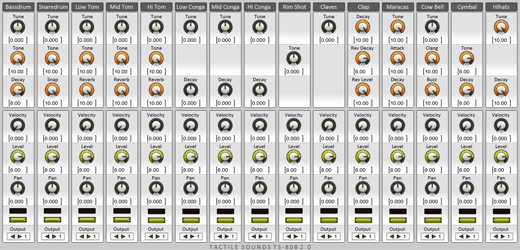
OS: Windows Win Bit Version: 32-bit Developer: 3 MB Size: 3 MB Rating: 70/100
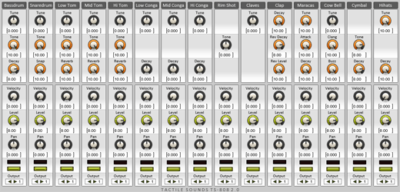
TS-808 offers a smooth and natural overdrive sound inspired by the classic Tube Screamer pedal. It adds warmth, clarity, and a focused midrange to guitar tones, making it easy to shape the character of your sound for rhythm or lead parts.
This plugin reacts well to playing dynamics and stacks nicely with amp sims or other effects. Its simple controls let you fine-tune drive, tone, and output levels for quick tone shaping. TS-808 by 3MB remains a well-regarded free option for realistic overdrive tones.
Features
- Emulates Classic Roland TR-808 Sounds
- Accurate Circuit Spice Simulation
- Pitch Control For Drum Sounds
- Decay Control For Sound Length
- Snap Feature For Quick Attack
- Built-In Reverb Effect Option
- Velocity Sensitivity Adjustment Available
- Individual Level Volume Control
- Pan Control For Stereo Placement
- Low CPU Usage Performance
Pros
- Faithful recreation of TR-808 sound
- Authentic vintage circuit emulation
- Rich analog tone character
- Very low CPU usage
- Independent level for each drum
- Custom output routing choices
- Velocity reacts to play strength
- Flexible decay settings
- Simpler layout than other free 808s
- Works well with other effects
Cons
- Only works on Windows
- No 64-bit support
- Not available for macOS
- Outdated interface
- No preset manager
- No tempo sync
- Lacks modulation tools
- No built-in compressor
- Limited sound variety
- Can sound flat
Video Demo
What Users Say
TS-808 Tips
- I apply EQ to cut a bit of the low mids so the 808 sits clean with my kick drum.
- I use sidechain compression with my kick to keep the mix balanced and clear.
- Always check how the 808 sounds in mono to be sure it holds up on all playback systems.
- Use high-pass filters on other instruments to give the 808 room in the low end.
- Test your mix on small speakers or phones to ensure the 808 bass still feels strong and clear.
14. Tromine8
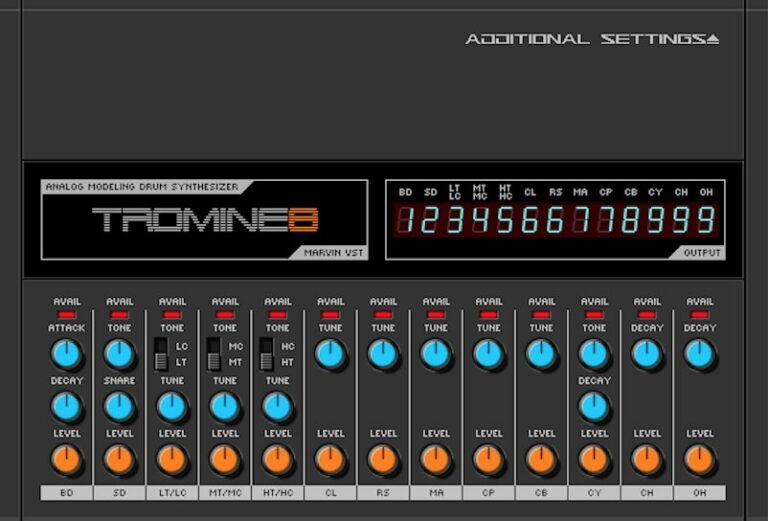
OS: Windows Win Bit Version: 32-bit Developer: Marvin Pavilion Size: 2.2 MB Rating: 64/100
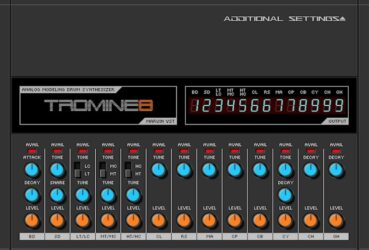
Tromine8 is an analog-modeled drum synthesizer inspired by the classic TR-808. It offers 17 drum sounds, including kicks, snares, toms, hi-hats, and percussion. Each sound can be shaped using controls like tune, decay, tone, and level for detailed tone shaping.
Tromine8 features nine outputs, MIDI CC support, and automation options for flexible mixing and control. Its step sequencer allows pattern creation within the plugin, making it useful for quick groove building or layering authentic 808-style drums in any track.
Features
- Analog Modeling Drum Synthesizer
- Seventeen Distinct Drum Sounds
- Nine Separate Audio Outputs
- Step Sequencer With Sixteen Steps
- MIDI CC Control Support
- Automation Support Included
- Dedicated Controls For Each Drum
- Adjustable Tune, Attack, And Decay
- Realistic 808-Style Drum Emulation
- Low To Moderate CPU Usage
Pros
- Great free 808-style drum sounds
- Warm analog-style sound engine
- Includes 17 unique drum voices
- Has built-in step sequencer
- Multi-output support for mixing
- Adjustable tuning and decay controls
- Low CPU use for smooth play
- MIDI CC and automation ready
- Customizable drum sound shaping
- Lightweight and small file size
Cons
- Only works on Windows systems
- No 64-bit plugin version
- Can crash when using sequencer
- CPU use is high
- No multi-output mixing version
- Not fully stable in all DAWs
- No built-in reverb or effects
- Limited sound customization
- Interface can freeze sometimes
- Limited support or updates
Video Demo
What Users Say
Tromine8 Tips
- I tweak the volume of each drum part in Tromine8 to make sure the kick, snare, and hats blend well.
- Using EQ to remove unwanted low or high frequencies helps Tromine8 drums fit better in the mix.
- Layering Tromine8 drums with another drum VST can make the beat sound fuller and more powerful.
- Always match the BPM of the Tromine8 pattern to your project tempo for a tight groove.
- Experimenting with Tromine8’s tone and decay settings can create very different textures for each drum hit.
- Using a reference track when mixing drums helps achieve a more balanced and professional sound.
- Regularly checking the output level of Tromine8 prevents clipping or unwanted distortion in the mix.
15. Drum Pro
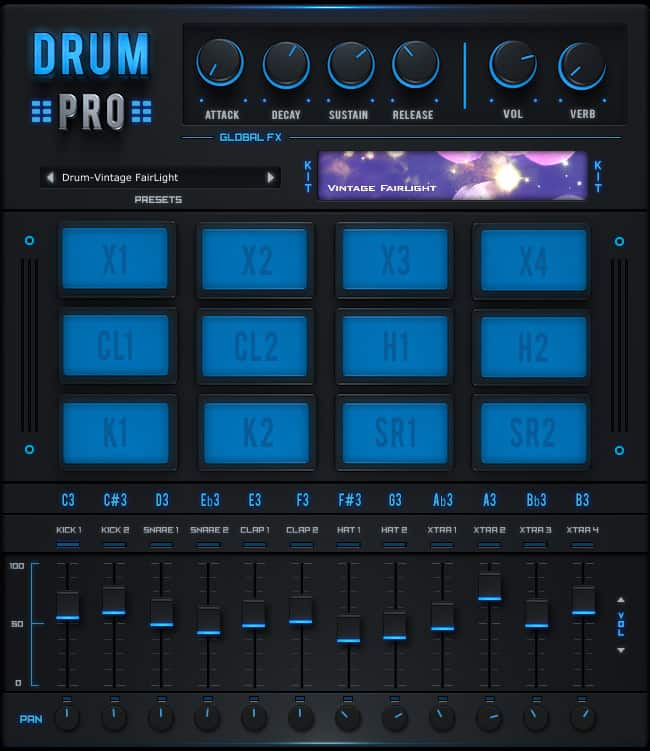
OS: Windows Win Mac Mac Bit Version: 32-bit, 64-bit Developer: StudioLinked Size: 89 MB Rating: 57/100
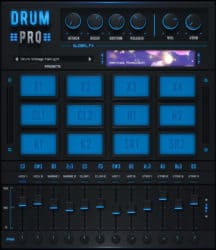
Drum Pro offers 20 ready-to-use drum kits modeled after classic machines like the TR-808 and TR-909. It features 12 playable pads, each with its own volume and pan settings, giving beatmakers quick control over their drum mix for simple or layered grooves.
It includes basic ADSR controls and reverb to shape each sound’s punch, sustain, and space. Drum Pro can be played with a MIDI keyboard or pad controller, making it practical for fast rhythmic ideas or building full trap-style beats on both Windows and Mac.
Features
- Includes 20 Drum Kits
- Features 12 Drum Pads
- Supports MIDI Keyboard Control
- Offers Global ADSR Settings
- Includes Built-In Reverb Effect
- Provides Individual Volume Control
- Allows Pan Adjustment Per Pad
- Supports Optional Expansion Packs
- Available In VST And AU
- Compatible With Windows And Mac
Pros
- Includes classic 808 and 909 sounds
- Has 12 responsive drum pads
- Global ADSR controls for shaping sound
- Built-in reverb adds space and depth
- Light on CPU and system resources
- Supports MIDI keyboard and pad control
- Optional expansion packs for more sounds
- Simple interface for fast adjustments
- Free to download and use
- Ready-to-use trap drum sounds
Cons
- Limited number of drum kits
- No built-in step sequencer
- Outdated sound quality
- Few options for sound shaping
- No ability to load own samples
- Lacks advanced mixing tools
- Poor CPU optimization on some systems
- Can crash in some DAWs
- Missing modern features like swing
- Better free drums available online
Video Demo
What Users Say
Drum Pro Tips
- I always adjust the volume of each drum pad so every sound fits together nicely.
- I like to layer a kick and a clap from different kits to make them sound more powerful.
- I always check how my drums sound with the bass so they don’t clash in the mix.
- Adjusting the attack and decay helps shape how punchy the drum hits sound.
- Turning down the velocity on some hits can make the beat sound more human and natural.
- Use panning to spread drum sounds left and right for a wider mix.
- Adding a small amount of swing can make your drums groove better with the music.
808 VST Plugins Compared
This table compares 808 VST plugins by features, controls, effects, formats, and more.
| Details | Sitala | SUB | RC-808 | BD-909 | 808-ROMpler | Beat DRMR | 808 Bass Module 5 Lite | RVK-808 | BD-808 | 808 Bass Module 2 Lite | HUM808 | RT-7070 | TS-808 | Tromine8 | Drum Pro |
|---|---|---|---|---|---|---|---|---|---|---|---|---|---|---|---|
| Image | 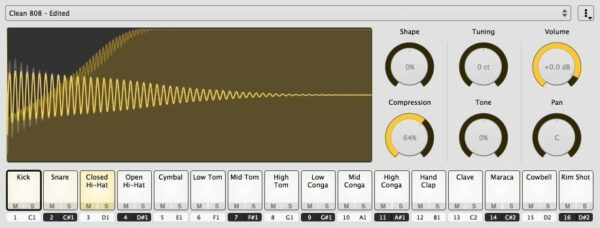 |
 |
 |
 |
 |
 |
 |
 |
 |
 |
 |
 |
 |
 |
 |
| Rating | |||||||||||||||
| OS | Windows, Mac | Windows, Mac | Windows, Mac | Windows, Mac | Windows, Mac | Windows, Mac | Windows, Mac | Windows, Mac | Windows, Mac | Windows, Mac | Windows | Windows, Mac | Windows | Windows | Windows, Mac |
| Formats | VST, AU, AAX | VST, AU | VST, AU | VST, VST2, AU | VST, AU | VST, AU | VST, VST3, AU | VST, VST3, AU | VST2, AU | VST, AU | VST | VST, VST3, AU | VST | VST | VST, AU |
| Bit Version | 64-bit | 64-bit | 32-bit | 64-bit | 64-bit | 64-bit | 64-bit | 64-bit | 64-bit | 32-bit, 64-bit | 64-bit | 32-bit, 64-bit | 32-bit | 32-bit | 32-bit, 64-bit |
| Developer | Directed Edge | Sampleson | Analog Mafia | Synsonic Instruments | Recluse-Audio | Beat | Electronik Sound Lab | Electronik Sound Lab | Synsonic Instruments | BeatMaker | Cally Beat | Electronik Sound Lab | 3 MB | Marvin Pavilion | StudioLinked |
| License | GPL | Freeware | Freeware | Freeware | Freeware | Freeware | Freeware | Freeware | Freeware | Freeware | Freeware | Freeware | Freeware | Freeware | Freeware |
| Sample-Based | Yes | No | Yes | Yes | Yes | Yes | Yes | Yes | No | Yes | Select | Yes | Select | Select | Yes |
| Download Size | 28 MB | 35MB | 26 MB | 10 MB | 88 MB | 661 MB | 200 MB | 585 MB | 440 KB | 32 MB | 11 MB | 39 MB | 3 MB | 2.2 MB | 89 MB |
| CPU Load | Low | Low | Low | Low | Low | Low | Low | Low | Low | Low | Low | Low | Low | Low | Low |
| Polyphony | 32 | 16 | 8 | 1 | 8 | 32 | 8 | 64 | 1 | 1 | 8 | 32 | 32 | 8 | 32 |
| Features | 16 Pads, Drag-and-Drop, Beat Slicing, Shape Control, Compression, Tuning, Editable MIDI Map | Analog drum synthesis, Sub-bass oscillator, 18 drum sounds, Built-in mixer, Scalable interface, Instant load, No activation | Authentic 808 emulation, Advanced drum synthesis, 16-step sequencer, Analog-style sound, Built-in effects, Intuitive interface, Pattern automation | Authentic 909 Emulation, Distortion Control, MIDI Integration, Sound Shaping, Factory Presets, Pitch Modulation, Dynamic Accent | Drag-and-Drop, 16 808 Kicks, ADSR Controls, Waveform Display, Simple Design, Minimalist Interface, Sound Selection | 178 Drum Kits, 2136 Sounds, Mixer Controls, Room Reverb, Filter & LFO, Drum Pads, Preset Selector | 15 layered presets, Glide control, LFO modulation, Filter cutoff, ADSR envelope, Built-in chorus, Built-in distortion | High-quality samples, Multiple drum kits, Assignable outputs, MIDI compatibility, User-friendly interface, Live performance ready, Genre versatility | Authentic 808 Emulation, Adjustable Parameters, MIDI Control, Long Decay, Trigger Pad, Value Display, MIDI Learn | Layered presets, Key tracking, LFO controls, LFO waveform, Glide knob, Attack release, Amplitude control | Additive synthesis, FM engine, Sampler module, Unison voices, Filter types, Built-in effects, Spectrum analyzer | 20 Drum Kits, LP/HP Filter, Reverb, Main Decay, Pan Controls, Volume Mixer, Assignable Outputs | TR-808 Emulation, Circuit Simulation, Tune Control, Tone Adjustment, Decay Control, Reverb Feature, Velocity Response | Analog modeling, 17 drum sounds, Multi-output, MIDI CC, Automation, Step sequencer, Tone shaping | 20 drum kits, 12 drum pads, Classic beat boxes, Individual pad control, Global ADSR, Reverb effect, MIDI control |
| Controls | Shape, Tuning, Volume, Compression, Tone, Pan, Drum Pads | Pan, Level, Click/Tone, Decay/Snap, Pitch, BD Sub Pitch, Main Volume | Power Button, File Menu, Channel Strips, Level Knob, Pan Knob, Instrument Label, Drum Pads | Pitch, Accent, Decay, Tune Decay, Attack, Hold, Tune Depth | Waveform Display, Preset Name, Romples Button, Attack Knob, Decay Knob, Sustain Knob, Release Knob | Pad Grid, Kit Selector, Kit Name Display, Volume Sliders, Pan Knobs, Attack & Decay Knobs, Cutoff Knob | Amp Envelope, Main Controls, Display Screen, Cutoff Knob, Distortion Module, Glide Control, Pads Section | Start Button, Decay Knob, Level Knob, Pan Knob, Reverb Knob, Distort Knob, Output Buttons | Tune, Fine, Accent, Decay, Tone, Level, Long Decay | Preset Menu, Gain, Amp, Glide, Attack, Release, LFO Depth | Oscillator, LFO, Filter Section, Envelope Section, Mixer, Master Section, Visualizer Display | Drum Kit Selector, Filter Type, Decay Knob, Cutoff Knob, Reverb Knob, Channel Volume Faders, Pan Knobs | Tune, Tone, Decay, Snap, Reverb, Velocity, Level | BD Control, SD Control, LT Control, MT Control, HT Control, Step Sequencer Display, Additional Settings Button | Attack, Decay, Sustain, Release, Volume, Reverb, Presets |
| Effects Included | Shape, Compression, Tuning, Tone, Volume, Pan, Drive | Unknown | Reverb, delay, distortion, compressor | Distortion | ADSR Envelope Controls | Room Reverb, Filter, LFO, Wobble Effect | Distortion, Chorus | Reverb, Distortion | Unknown | LFO | distortion, compression, limiter, reverb, delay, parametric equalizer | LP/HP Filter, Reverb, Compressor | Overdrive | Overdrive | Reverb |
| MIDI Learn | Yes | Yes | Yes | Yes | Unknown | Unknown | Unknown | Unknown | Yes | No | Unknown | Unknown | Unknown | Unknown | Unknown |
| Presets | N/A | 15 | 128 | 24 | 15 | 178 | 15 | 272 | 10 | 10 | 40 | 20 | N/A | N/A | 20 |
| Standalone | Select | Yes | Yes | Yes | Yes | Select | No | Yes | Yes | No | Yes | Yes | Select | Select | Select |
| Last Updated | N/A | 06/12/2019 | 06/13/2023 | 04/30/2018 | 06/07/2023 | 03/18/2024 | 05/10/2021 | 08/03/2021 | 06/27/2020 | 04/06/2020 | 06/07/2024 | 06/25/2023 | 05/23/2023 | N/A | N/A |
Favorite 808 VST Plugin
Our top pick for the best free 808 VST plugin is Sitala by Directed Edge.
| Details | Sitala |
|---|---|
| Image |
|
| Rating | |
| OS | Windows, Mac |
| Formats | VST, AU, AAX |
| Bit Version | 64-bit |
| Developer | Directed Edge |
| License | GPL |
| Sample-Based | Yes |
| Download Size | 28 MB |
| CPU Load | Low |
| Polyphony | 32 |
| Features | 16 Pads, Drag-and-Drop, Beat Slicing, Shape Control, Compression, Tuning, Editable MIDI Map |
| Controls | Shape, Tuning, Volume, Compression, Tone, Pan, Drum Pads |
| Effects Included | Shape, Compression, Tuning, Tone, Volume, Pan, Drive |
| Download | Download Sitala |
808 Plugin FAQs
How to Install 808 VST Plugins
To install 808 VST plugins on Windows or Mac, extract the files from the Zip or Rar. Move the files (.dll for Windows or .component for Mac) into your DAW’s plugin folder. Then restart your software and rescan the directory to complete the process. Tutorial: How to Install VST Plugins
Windows:
Extract the downloaded zip file and copy the .dll file into the VST plugins folder scanned by your DAW. Restart your music software and rescan your plugin directory to begin using the new VST.
Mac OS X:
Extract the downloaded archive and move the .component or .VST file to the plugin folder. It is usually /Library/Audio/Plug-Ins/Components or /Library/Audio/Plug-Ins/VST. Restart your DAW and rescan your plugins to complete the installation.
What Is An 808 VST Plugin?
The term 808 typically refers to the classic Roland TR-808 Rhythm Composer drum machine with very popular drum sounds used in Hip Hop, Trap, EDM, and other music genres. These free 808 VST plugins offer classic vintage drum sounds, deep bass kick drums, sub-bass sounds, and Roland TR-808 emulators.
I hope you found this list of free 808 VST plugins helpful. These plugins are great if you are a music producer looking for sub-bass sounds and sub-analog drums.
You May Also Like:





