

Here are the best free Step Sequencer VST plugins for Windows and Mac. We have included videos, reviews, features, pros, cons, and plugin ratings.
Table of Contents

How we rate step sequencer plugins: We rate each step sequencer based on sound quality, design, performance, features, usability, and compatibility. We rate plugins on a scale of 1 to 100.
| # | Plugins | Ratings | OS | Formats |
|---|---|---|---|---|
| 1 | HY-SEQ32 Free | Windows Mac Linux | VST, AU | |
| 2 | Hypercyclic | Windows Mac Linux | VST, AU | |
| 3 | B-Step Sequencer | Windows Mac | VST, AU | |
| 4 | SequencAir | Windows Mac | VST2, AAX, CLAP | |
| 5 | Harvest Mini | Windows Mac | VST, AU | |
| 6 | CCStepper | Windows Mac | RTAS | |
| 7 | Midinaut Drum Station | Windows | VST | |
| 8 | Stochas | Windows Mac Linux | VST, AU | |
| 9 | easy-drum X8 | Windows | VST | |
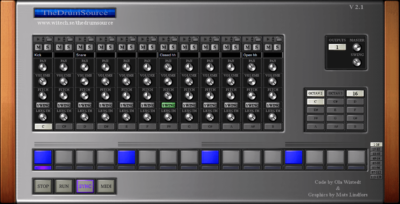
| 10 | The Drum Source | Windows | VST | |
| 11 | Easy-wave-player 12 | Windows | VST | |
| 12 | HY-SEQ16 | Windows | VST | |
| 13 | RPS-1 | Windows | VST | |
| 14 | Lazerwave | Windows | VST | |
| 15 | Deep Step-606 | Windows | VST | |
| 16 | TechSynth PRO | Windows | VST |
I have spent over 15 years testing and comparing hundreds of free and paid VST plugins, supported by hands-on demos on our YouTube channel, which has 12,000+ subscribers.
Best Free Step Sequencer VST Plugins
1. HY-SEQ32 Free

OS: Windows Win Mac Mac Linux Linux Bit Version: 32-bit, 64-bit Developer: HY-Plugins Size: 15 MB Rating: 84/100
HY-SEQ32 Free is a 32-step sequencer inspired by analog hardware. It includes a pitch sequencer, two modulation sources, drag-and-drop routing, pattern chaining, and chord and scale tools for shaping melodic and rhythmic ideas.
Per-step controls include velocity, gate, probability, direction, and note locking. It also provides MIDI recording, host sync, swing, and a resizable interface. The plugin runs on Windows, Mac, and Linux in VST formats, with AUv3 support for hosts such as Logic Pro.
Features
- 32-Step Sequencer
- Pitch Sequencer Unit
- Two Modulation Source Units
- Drag-And-Drop Modulation Assignment
- Pattern Sequencing For Snapshots
- Chord And Scale Effects
- Velocity And Gate Controls
- Step Probability Controls
- Flexible Sequence Length
- Host Clock Sync
Video
Pros
- Offers a generous 32-step layout
- Combines pitch and modulation control
- Adds per-step playback probability
- Supports flexible step directions
- Creates patterns with two modulators
- Chains patterns into longer arrangements
- Offers eight pattern banks
- Adds useful chord and scale tools
- Records MIDI inside the plugin
- Routes MIDI to other instruments
Cons
- Free version limits sequencer units
- Only one pitch lane
- Just two modulation sources
- No multiple independent tracks
- No separate lane lengths
- No 64-step sequencing mode
- No built-in sound engine
Testimonials
2. Hypercyclic
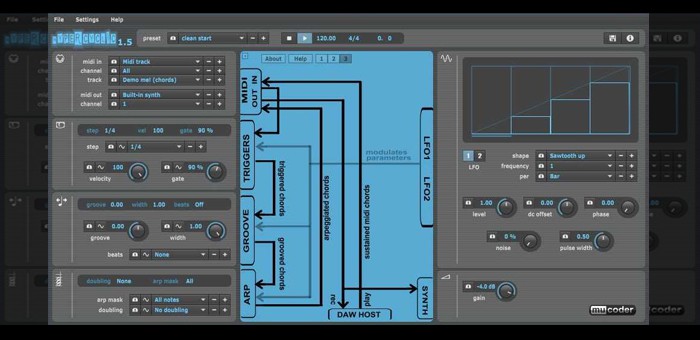
OS: Windows Win Mac Mac Linux Linux Bit Version: 64-bit Developer: MuCoder Size: 5.4 MB Rating: 77/100
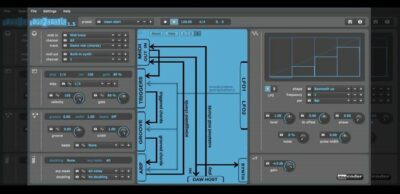
Hypercyclic is an LFO-driven MIDI arpeggiator, gate effect, and step sequencer. It reshapes sustained chords into rhythmic patterns with syncopation, groove, note repeats, and glitch effects. Two tempo-synced LFOs can change timing, note length, velocity, and step size.
Use Hypercyclic as a VST or AU plugin in a DAW, or run it as a standalone app on Windows, Mac, or Linux. It can send MIDI to other instruments and includes a basic synth for testing.
Features
- LFO Driven MIDI Arpeggiator
- MIDI Gate Effect
- Step Sequencer For Chords
- Two Tempo Synced LFOs
- Modulated Sequencer Step Size
- Glitchy Stuttering Effects
- Groove And Swing Controls
- Arpeggiator Note Pattern Controls
- MIDI Chord Input Support
- Customizable LFO Wave Shapes
Video
Pros
- Accepts MIDI chord input
- Sends MIDI to other instruments
- Includes two tempo-synced LFOs
- Offers flexible groove controls
- Adds swing and timing feel
- Creates glitchy stutter effects
- Controls velocity and note length
- Includes arpeggiator note masks
- Includes a built-in test synth
- Shows clear MIDI signal paths
Cons
- No VST3 format listed
- No AAX format listed
- Only two LFO modulators
- No per-step probability controls
- No scale locking tools
- No multi-track sequencing lanes
- No pattern chaining system
Testimonials
3. B-Step Sequencer
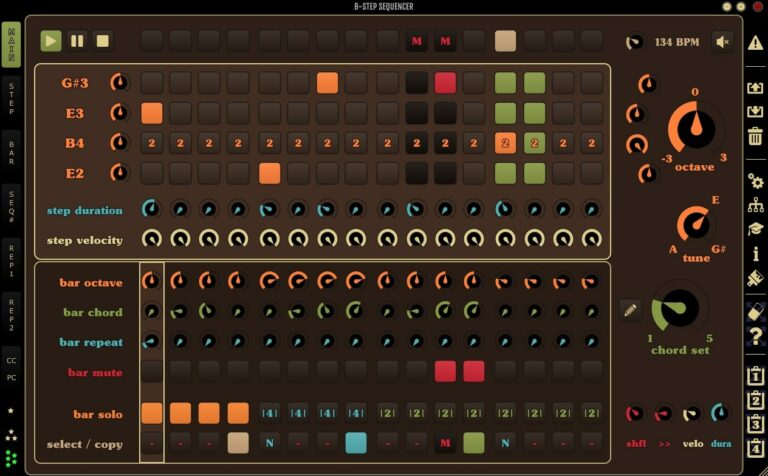
OS: Windows Win Mac Mac Bit Version: 32-bit, 64-bit Developer: Monoplugs Size: 16 MB Rating: 74/100
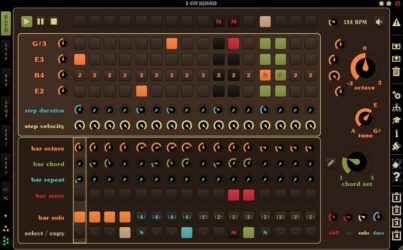
B-Step Sequencer offers a flexible way to build melodies, chords, and rhythms through step-based control. It includes features like ratcheting, shuffle, reverse playback, and step probability to shape creative and evolving musical patterns across multiple tracks and timing settings.
The plugin supports full MIDI control, pattern chaining, and up to four sequencers at once, making it useful for both studio work and live performance. With drag-and-drop editing, customizable themes, and Launchpad support, it helps producers quickly create, organize, and experiment with pattern ideas.
Features
- Four Independent Sequencers In One
- Includes Shuffle And Swing Control
- Provides Step Probability Settings
- Supports Reverse And Random Playback
- Pattern Auto Chaining Function
- Allows Real-Time Pattern Changes
- MIDI Learn For Easy Control
- Syncs With External MIDI Devices
- Includes Step Velocity And Duration Control
- Supports Both VST And AU Formats
Video
Pros
- Free and full-featured plugin
- Can build drum grooves fast
- Step probability adds fun randomness
- Ratcheting creates cool beat repeats
- Supports up to four sequencers
- Full MIDI sync and output control
- Native Launchpad support for performance
- Polyrhythmic and polymetric options
- Reverse and swing for creative flow
- Drag and drop for quick edits
Cons
- No longer supported by developer
- Limited future updates or fixes
- Can be buggy on Windows
- Can feel clunky on Mac
- Limited modern DAW integration
- Confusing layout for beginners
- No built-in sound engine
- Workflow less intuitive than others
- High DPI scaling issues
- Learning curve can be steep
Testimonials
4. SequencAir
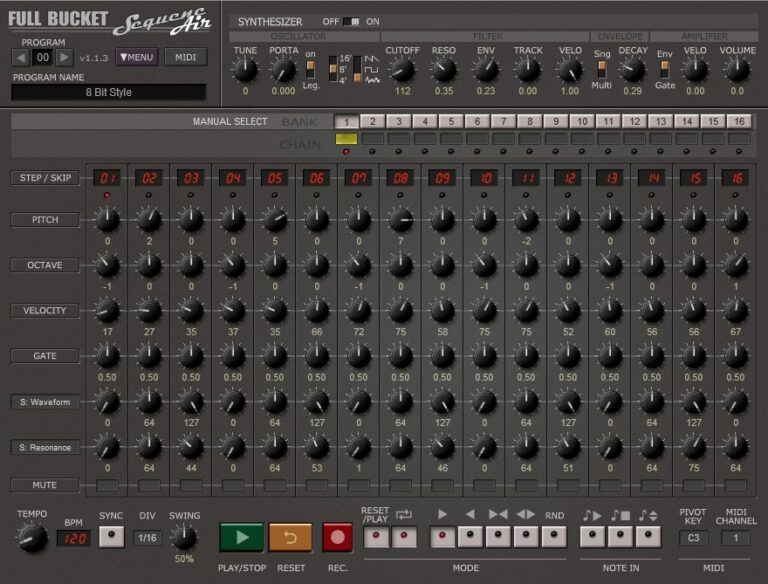
OS: Windows Win Mac Mac Bit Version: 32-bit, 64-bit Developer: Full Bucket Size: 14 MB Rating: 74/100
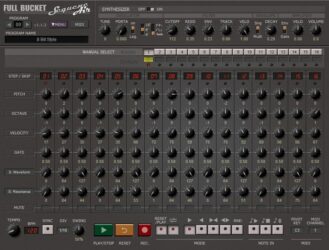
SequencAir is a step sequencer and synthesizer for Windows and macOS. It offers 16 banks of 16 steps, with controls for pitch, octave, velocity, gate, mute, skips, and two MIDI controls or synth settings per step.
Patterns can run forward, backward, in random order, or with swing, host sync, and chained banks. MIDI Learn controls every parameter, while the built-in monophonic synth provides basic sounds. VST2, VST3, CLAP, AAX, and standalone versions support DAW and live setups.
Features
- 16 Chainable Pattern Banks
- 16 Steps Per Bank
- Per-Step Pitch And Octave Controls
- Per-Step Velocity And Gate Controls
- Per-Step Mute And Skip
- Five Sequence Playback Modes
- Host Sync And Swing Controls
- Built-In Monophonic Synthesizer
- MIDI Learn For All Parameters
- MIDI Output For External Instruments
Video
Pros
- Offers 16 chainable banks
- Gives each bank 16 steps
- Controls pitch and octave separately
- Adds velocity and gate control
- Includes skip and mute options
- Sends two CCs per step
- Offers five playback directions
- Starts from incoming MIDI notes
- Records incoming notes and velocity
- Includes a built-in synthesizer
Cons
- Only 16 steps per bank
- No Audio Unit plugin version
- No Linux plugin support
- Standalone mode lacks MIDI sync
- No probability controls for evolving patterns
- No polyrhythmic layers or lanes
- No pattern export to MIDI clips
Testimonials
5. Harvest Mini

OS: Windows Win Mac Mac Bit Version: 64-bit Developer: Harvest Plugins Size: 4.6 MB Rating: 73/100
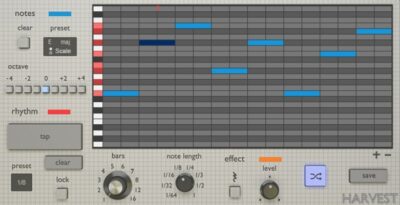
Harvest Mini offers a quick way to spark new musical ideas by generating melodies, chord progressions, and drum patterns. It works with your favorite instruments and gives you control over note choices, rhythms, scales, and octaves for flexible and creative results.
You can tap in rhythms, randomize patterns, or fine-tune note length and timing using its simple grid display. With up to 16 bars, a save feature, and interactive tools, Harvest Mini helps producers shape fresh loops and discover inspiring musical directions fast.
Features
- Generates Melodies, Chords, And Drum Loops
- Controls External VST Instruments
- Preset Note And Scale Selection
- Tap-To-Record Custom Rhythms
- Randomize Button For New Ideas
- Drag And Drop MIDI Support
- Interactive Piano Roll Display
- Lock Function For Rhythm Patterns
- Adjustable Octave Settings
- Light On CPU Usage
Video
Pros
- Generates melodies, chords, and drums
- Draggable MIDI clips into DAW
- Randomize button sparks new ideas
- Lock button protects rhythm patterns
- Scales keep notes always in key
- Lets you tap your own rhythms
- Adjusts note length with one knob
- Saves custom loops for later use
- Works with any VST instrument
- Creates loops up to sixteen bars
Cons
- No built-in chord preview sound
- Cannot save custom rhythm presets
- No velocity or swing control
- Limited visual feedback on grid
- Missing humanization per note step
- No built-in instrument sounds
- Lacks advanced chord voicing tools
- Cannot export audio, only MIDI
- Limited scale and chord variety
- No real-time chord suggestions
Testimonials
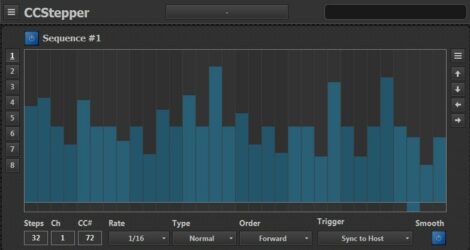
6. CCStepper
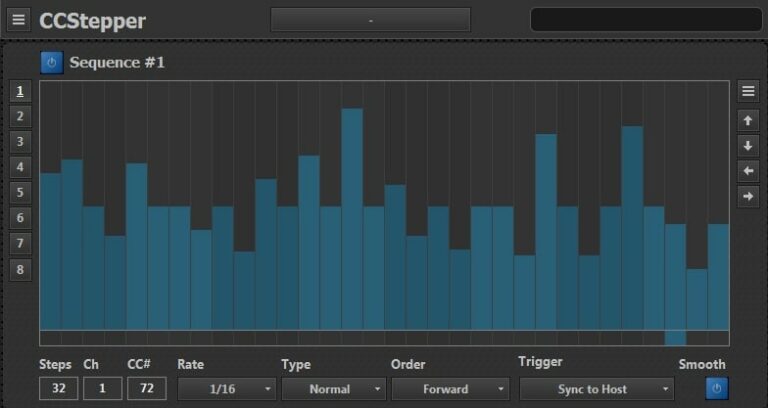
OS: Windows Win Mac Mac Bit Version: 32-bit, 64-bit Developer: CodeFN42 Size: 2 MB Rating: 73/100
CCStepper is a MIDI step sequencer that sends Control Change (CC) messages to software instruments, effects, and external hardware. It stores up to eight sequences, with up to 64 steps per sequence, and can follow your host or respond to MIDI notes.
Set the MIDI channel, CC number, step count, rate, direction, and pattern type. Rates range from 1/128 notes to 32 bars. Smooth transitions, pattern shifts, and random settings add movement. CCStepper runs on Windows and Mac in 32-bit and 64-bit formats, including RTAS.
Features
- Sends MIDI Control Change Data
- Controls Synths, Effects, And Hardware
- Stores Up To Eight Sequences
- Supports Up To 64 Steps
- Syncs To Host Song Position
- Triggers From MIDI Notes
- Offers Flexible Step Rates
- Includes Random Sequence Options
- Sets MIDI Channel And CC Number
- Adjusts Step Count And Direction
Video
Pros
- Controls synths, effects, and hardware
- Sends precise MIDI CC messages
- Holds up to eight sequences
- Supports up to 64 steps
- Offers many trigger choices
- Offers very slow step rates
- Supports very fast step rates
- Adds smooth changes between steps
- Includes useful random controls
- Chooses any MIDI control number
Cons
- Limited to MIDI CC control
- Does not create sounds itself
- Only one track shows visibly
- No pitch sequencing tools
- No velocity or note sequencing
- No pattern chaining tools
- Requires extra MIDI routing
Testimonials
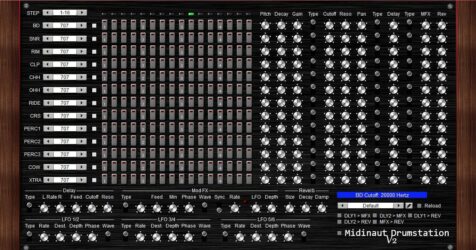
7. Midinaut Drum Station
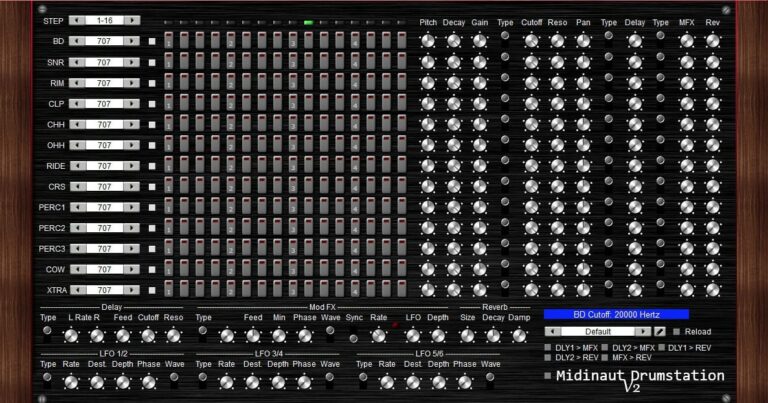
OS: Windows Win Bit Version: 32-bit Developer: Midinaut Size: 9 MB Rating: 72/100
Midinaut Drum Station offers a classic drum machine experience with modern flexibility. It includes four iconic kits—TR-808, TR-909, TR-707, and CR-78—plus space for custom WAV samples. Each sound has its own 16-step sequencer, peak meter, and controls for pitch, decay, and gain.
It features synced stereo delay, reverb, and modulation effects like flanger and filter LFOs for shaping grooves. A 16-step filter sequencer lets you animate tone, while routing options refine the mix. With 40 presets and detailed controls, it’s built for creative drum programming.
Features
- 16-Step Drum Sequencer
- Load Custom WAV Samples
- Filter, Pitch, And Pan Modulation
- Synced Stereo Delay Effects
- Master Filter With Synced LFO
- Built-In Master Reverb
- Adjustable Pitch, Decay, And Gain
- Flexible Routing Options
- Resizable User Interface
- 40 Preset Drum Patterns
Video
Pros
- Loads custom WAV drum sounds
- Built-in 16-step sequencer
- Flexible LFO modulation system
- Powerful master filter options
- Creative routing and modulation paths
- Includes reverb and flanger effects
- Synced stereo delay control
- Resizable and clear user interface
- Feels like a full drum synth
- Compatible with Wine on Linux
Cons
- Only works on Windows
- Only 32-bit support
- No standalone mode
- Interface feels cluttered
- Few drumkits available
- High CPU use
- No MIDI drag and drop
- Lacks automation tools
- Limited effect routing
- Less natural sound
Testimonials
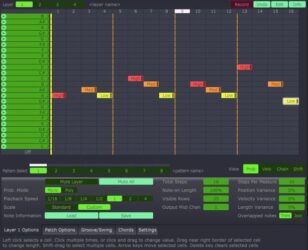
8. Stochas

OS: Windows Win Mac Mac Linux Linux Bit Version: 32-bit, 64-bit Developer: Audio Vitamins Size: 2 MB Rating: 72/100
Stochas is a free, open-source step sequencer and chord generator made by Audio Vitamins. It creates MIDI patterns that can trigger virtual or hardware instruments. By adding random timing and note variations, it helps turn simple ideas into evolving drum grooves or melodic lines.
Stochas offers up to four layers of patterns that can play at different speeds or switch in real time. With controls for note probability, scales, chords, and human-like timing, it’s a flexible tool for shaping lively, changing rhythms and melodies during production or live sets.
Features
- Generates And Sends MIDI Notes
- Selectable Musical Scales And Chords
- Pattern Chaining For Longer Sequences
- Groove And Humanization Settings
- Note Probability And Velocity Control
- Adds Randomness To Note Playback
- Creates Up To Four Layers
- Switch Between Saved Patterns
- Supports Polyphonic And Mono Modes
- Works On Windows, Mac, And Linux
Video
Pros
- Free and open-source software
- Works on Windows Mac and Linux
- Allows polyrhythmic sequencing
- Offers real-time randomness control
- Customizable musical scales built-in
- Includes note probability controls
- Supports complex melodic programming
- Syncs smoothly with other plugins
- Lightweight and stable performance
- Community supported with new updates
Cons
- Does not make sound alone
- Interface can feel crowded
- Learning curve for new users
- Minimal help or user guide
- Can crash in some DAWs
- No drag-and-drop MIDI export
- Limited chord variety options
- Editing note lengths is tricky
- Randomness can be hard to control
- Less polished than paid plugins
Testimonials
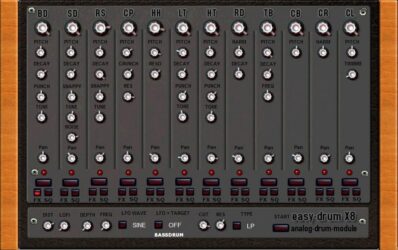
9. easy-drum X8
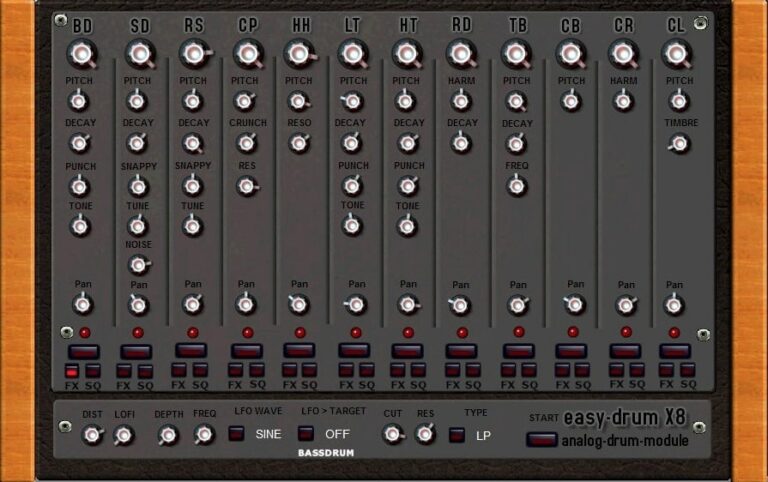
OS: Windows Win Bit Version: 32-bit Developer: easytoolz Size: 1.7 MB Rating: 68/100
easy-drum X8 offers a classic analog-style drum experience with twelve fully synthesized drum channels. Each sound has deep control over pitch, tone, and decay, giving creators freedom to shape every hit. Its built-in step sequencers and modulation tools make rhythmic programming lively and creative.
This plugin includes effects like distortion, lo-fi, and filtering to add color and texture. Each drum can be adjusted or placed in the stereo field, with options for shaping through LFOs and filters. Perfect for building unique electronic or vintage drum tracks from the ground up.
Features
- Analog Vintage-Style Drum Synth
- 12 Fully Synthesized Drum Channels
- 12 Step-Sequencers With Modulation
- Distortion And Lofi Effects
- Filter With Cutoff And Resonance
- LFO With Multiple Wave Shapes
- Individual Drum Outputs For Mixing
- Per-Channel Effect Routing Options
- Built-In Preset Browser Included
- Subtractive Synthesis Sound Engine
Video
Pros
- Includes twelve drum instruments
- Full 16-step sequencer built in
- Modulation for every drum part
- Distortion and LoFi effects included
- Warm analog vintage drum sound
- Individual outputs for each drum
- Flexible tone and pitch shaping
- Built-in preset browser for sounds
- Rare routing options in free VSTs
- Multiple filter and LFO options
Cons
- No macOS version available
- Only 32-bit version supported
- GUI too small for screens
- No sample import option
- Lacks realistic drum samples
- CPU heavy on older PCs
- No MIDI mapping customization
- Lacks visual waveform display
- Cannot automate all parameters
- Steep learning curve for beginners
Testimonials
10. The Drum Source

OS: Windows Win Bit Version: 32-bit Developer: Witech Size: 7 MB Rating: 65/100
The Drum Source offers a classic drum machine experience inside your DAW. It includes a built-in sample browser and 24-step sequencer, letting you load and arrange your own drum sounds with ease. Each channel has settings for volume, pitch, pan, and swing for shaping rhythms.
This plugin supports many sample formats and includes 12 output channels for flexible routing. Its resizable interface keeps everything visible on one screen. With options for RUN, SYNC, and MIDI modes, The Drum Source keeps your beats tight and in time with the rest of your music.
Features
- 24-Step Sequencer Patterns
- Built-In Drum Sample Browser
- 12 Separate Output Channels
- Adjustable Swing Per Channel
- Volume, Pitch, And Pan Controls
- Mute And Solo Channel Functions
- MIDI Control For Expression
- Resizable User Interface
- Lightweight And CPU Friendly
- Step Pads For Beat Creation
Video
Pros
- Fun built-in step sequencer
- Built-in sample browser included
- 24 sequences for creative beats
- 12 output channels for routing
- Groovy swing and length control
- Drag-and-drop sample loading
- Resizable interface for any screen
- Supports many sample formats
- Works with MIDI for more control
- Lightweight and CPU friendly
Cons
- Only works on Windows systems
- Interface looks dated and plain
- Can crash in some DAWs
- No built-in effects like reverb
- Lacks velocity sensitivity for pads
- No drag-and-drop from DAW
- Only 32-bit version available
- No support for VST3 format
- Limited audio output options
- Sequencer feels basic compared to others
Testimonials
11. Easy-wave-player 12
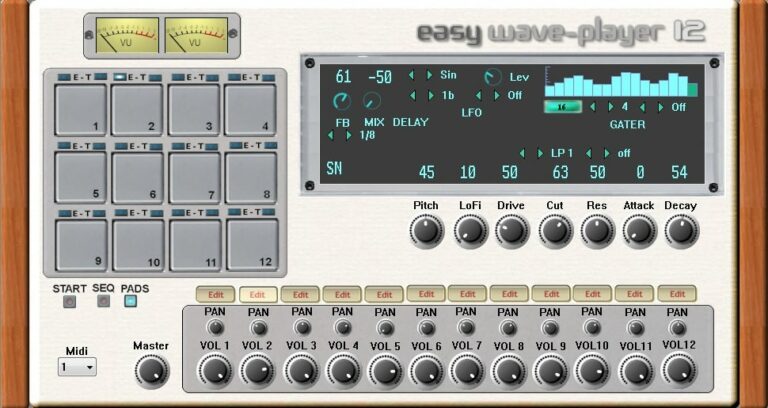
OS: Windows Win Bit Version: 32-bit Developer: easytoolz Size: 3 MB Rating: 62/100
Easy-wave-player 12 offers a simple way to load and play up to twelve drum or percussion samples at once. Each pad can be tuned, processed with LoFi or overdrive, and shaped with filters, delay, and envelope controls to build rich and rhythmic sounds.
Its built-in 12×16 step sequencer, LFO, and gate functions make it easy to create dynamic patterns. With features like panorama, volume control, and MIDI support, Easy-wave-player 12 gives music creators a quick and flexible tool for triggering and arranging samples.
Features
- 12 Slot Wave Player Machine
- 16 Step Drum Sequencer
- LoFi Effect For Vintage Tone
- Overdrive For Warm Distortion
- Multi Mode Filter Options
- LFO With Seven Wave Shapes
- 16 Voice Polyphony Support
- Free Drum Kits Included
- Light CPU And Fast Loading
- Ideal For One Shot Samples
Video
Pros
- Light on CPU and memory
- Built-in 16 step sequencer
- Has 12 pads for samples
- Lets you tune each sample
- Handy LFO with seven waves
- Cool LoFi and Overdrive tones
- Easy MIDI mapping and control
- Panorama and volume per pad
- Supports 16 user patches
- Stable performance even on old PCs
Cons
- Only works on Windows systems
- Limited to 32-bit version
- No multi-output routing option
- No velocity layer support
- Not compatible with all DAWs
- No modern GUI resizing feature
- Complicated routing for beginners
- No built-in preset browser
- Lacks deep sound design tools
- Interface looks old and dated
Testimonials
12. HY-SEQ16
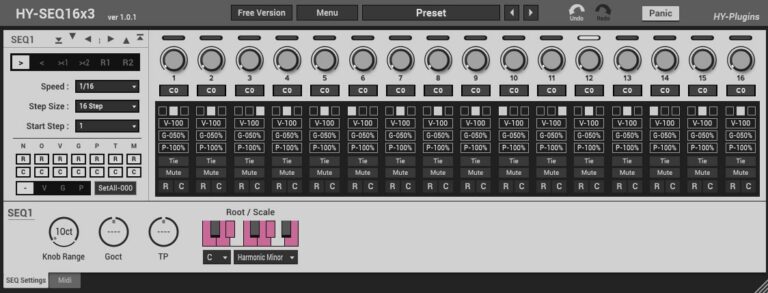
OS: Windows Win Bit Version: 32-bit, 64-bit Developer: HY-Plugins Size: 4.5 MB Rating: 62/100
HY-SEQ16 is an analog-style Windows VST step sequencer with 16 steps for creating repeating note and control patterns. It includes a scalable window, preset manager, undo and redo, value randomizer, and a panic button for stopping stuck notes.
Set the speed, direction, step range, note values, gate length, pitch, ties, and mutes for each step. Choose a root note and scale, edit MIDI patterns, and use global controls to shape the full sequence.
Features
- 16-Step Sequencer Units
- Three Sequence Lanes
- Value Randomizer
- Forward And Reverse Playback
- Adjustable Sequence Speed
- Adjustable Step Count
- Adjustable Gate Length
- Step Tie Function
- Step Mute Function
- Scale Selection Menu
Video
Pros
- Three lanes for varied patterns
- Scales notes with root controls
- Tie steps for longer notes
- Mute steps without losing settings
- Forward and reverse playback
- Choose the pattern starting step
- Randomize values for fresh ideas
- Undo and redo changes safely
- Panic button stops stuck notes
- Fine ten-cent knob range
Cons
- Windows only limits platform choice
- No VST3 or AU support listed
- No built-in sounds or samples
- Incoming MIDI cannot trigger playback
- Base version offers one lane
- Sixteen steps limit longer phrases
- No pattern chaining for song sections
Testimonials
13. RPS-1
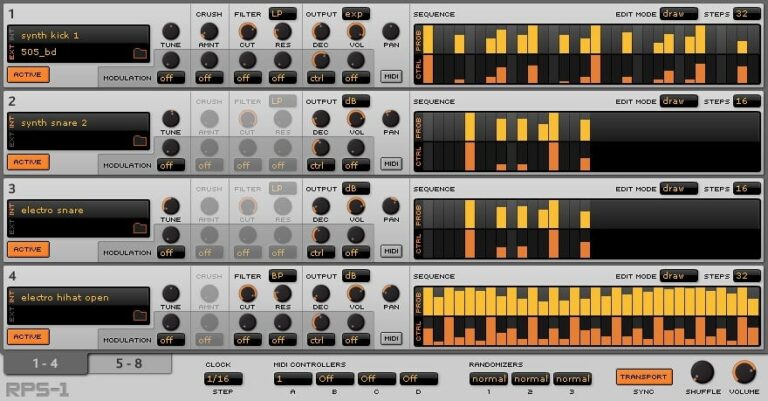
OS: Windows Win Bit Version: 32-bit Developer: Contralogic Productions Size: 7 MB Rating: 61/100
RPS-1 is a free 32-bit Windows VST for building percussion patterns with eight sample slots. Choose from 96 built-in sounds or load PCM WAV files, then shape each part with pitch, filter, modulation, decay, volume, pan, and crush controls.
Its step sequencer supports adjustable step counts, random pattern changes, sync, shuffle, and MIDI output for triggering other plugins or samplers. Edit note strength, pitch, and sound controls in the grid to create changing rhythms and beats.
Features
- Creates Percussion Sequences
- Adds Random Pattern Variations
- Includes Eight Sample Slots
- Offers 96 Built-In Sounds
- Loads PCM Wave Files
- Outputs MIDI Data
- Controls Pitch And Tuning
- Includes Filter Controls
- Edits Patterns With A Grid
- Triggers External Plugins Or Samplers
Video
Pros
- Eight separate sound slots
- Includes 96 built-in sounds
- Loads PCM WAV files
- Outputs MIDI to other plugins
- Offers useful random patterns
- Supports adjustable pattern lengths
- Includes pitch control per step
- Includes control changes per step
- Provides filter controls per sound
- Adds gritty crush effects
Cons
- Windows 32-bit only
- No Mac or Linux support
- No modern VST3 format
- Needs older host support
- Only eight sound slots
- No pattern chaining listed
- No scale locking for melodies
Testimonials
14. Lazerwave
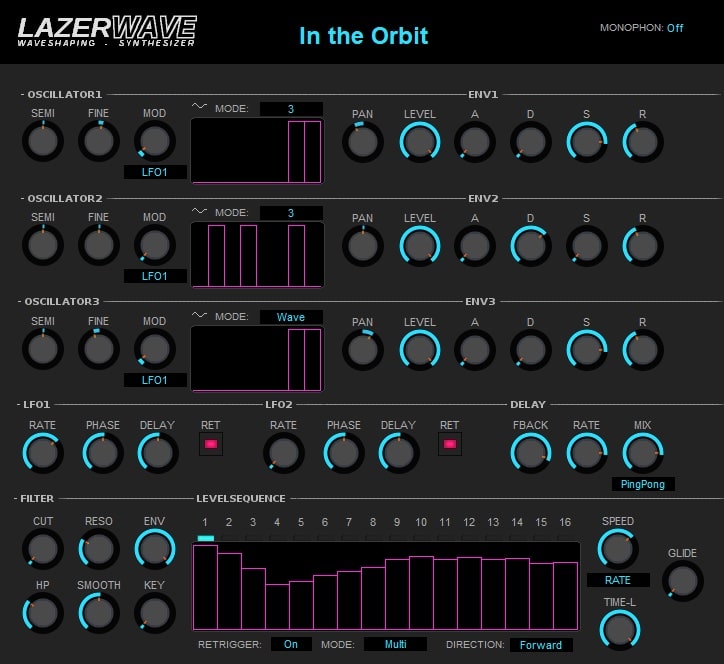
OS: Windows Win Bit Version: 32-bit Developer: ldaysynths Size: 1 MB Rating: 58/100
Lazerwave is an eight-voice polyphonic synthesizer built around shapeable triangle waves. It includes three oscillators, three ADSR envelopes, and two routable LFOs for creating atmospheric pads, basses, leads, and other electronic sounds.
Its resonant low-pass filter works with a 16-step sequencer in synced or free-rate modes. Glide, velocity control, and a delay with mono, stereo, and ping-pong settings add movement and expression. Available for Windows as a 32-bit VST.
Features
- 8-Voice Polyphonic Synthesizer
- Three Waveshaping Triangle Oscillators
- Three ADSR Envelopes
- Two Routable LFOs
- Low-Pass Filter With Resonance
- Host-Synced And Free-Rate Timing
- Mono, Stereo, And Ping-Pong Delay
- Velocity-Controlled Output Amplitude
- 16-Step Volume Sequencer
- Glide Between Notes
Pros
- Eight voices allow rich chords
- Three oscillators build fuller tones
- Shapeable triangle waves add character
- Three envelopes shape every sound
- Two LFOs add moving textures
- Separate LFO routing boosts control
- Sixteen-step volume patterns add motion
- Host sync keeps patterns on beat
- Free-rate mode allows loose timing
- Ping-pong delay spreads sounds around
Cons
- 32-bit only limits modern use
- No VST3, AU, or CLAP
- No Mac or Linux support
- No wavetable engine for evolving tones
- No FM or granular synthesis
- Only one filter type included
- No built-in reverb for huge spaces
Testimonials
15. Deep Step-606
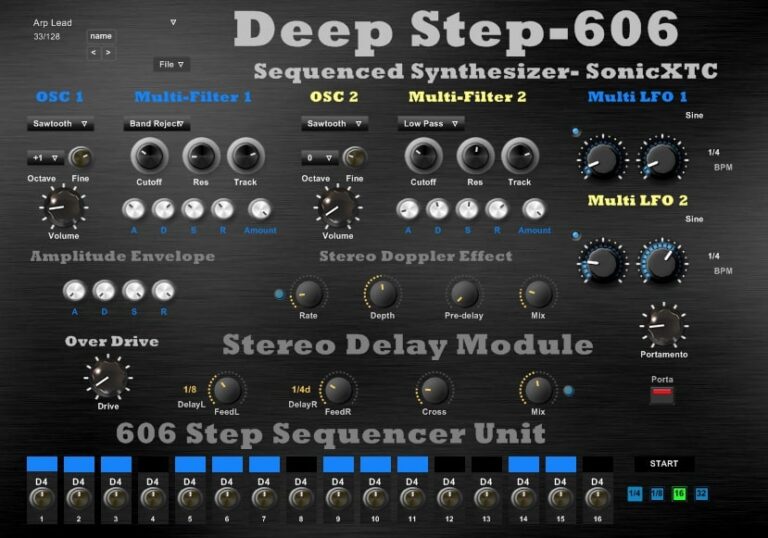
OS: Windows Win Bit Version: 32-bit Developer: SonicXTC Size: 2.9 MB Rating: 58/100
Deep Step-606 is a SonicXTC synth and vintage analog step sequencer plugin. It uses two oscillators, filters, envelopes, overdrive, and portamento to shape sound. Its 16-step sequencer supports note programming, multiple rates, and host sync. It includes 128 user and 70 custom presets.
Doppler chorus and stereo echo effects add movement and space, while two multi LFOs create repeating changes. The interface provides separate delay timing and feedback controls for each stereo side. Deep Step-606 runs on Windows as a 32-bit VST 2.4 plugin.
Features
- Vintage Analog Step Sequencer
- Host Sync Support
- Two Oscillator Sound Engine
- Selectable Oscillator Waveforms
- Dual Filter Controls
- Filter Envelope Controls
- Dual LFO Modulation
- Portamento Note Slides
- 16 Step Pattern Sequencer
- Adjustable Step Note Values
Video
Pros
- All-in-one synth and sequencer
- Vintage analog workflow feel
- Easy sixteen-step pattern control
- Four useful speed choices
- Huge preset starting library
- Two oscillators build thicker tones
- Dual filters shape each oscillator
- Two LFOs create repeating motion
- Doppler creates moving stereo width
- Cross-feedback spreads echoes wide
Cons
- Windows-only plugin
- 32-bit only
- No VST3 support
- Cubase compatibility may be risky
- Only 16 sequencer steps
- Monophonic playing limits chords
- No per-step velocity controls
Testimonials
16. TechSynth PRO

OS: Windows Win Bit Version: 32-bit Developer: DSK Size: 8 MB Rating: 52/100
TechSynth PRO is a step sequencer synthesizer for Windows VST hosts. It has two oscillators with five waveforms, detune control, amp envelope, pitch settings, mono or poly modes, and over 60 presets.
Its 32-step sequencer controls note patterns and tempo. An advanced filter includes ADSR and LFO controls, while the delay effect adds echoes. Velocity response supports expressive playing and sound shaping.
Features
- Two Oscillators With Five Waveforms
- Adjustable Oscillator Detune Control
- Adjustable Amp Envelope Controls
- Filter With ADSR And LFO
- Six Filter Modes Available
- Built-In Delay Effect
- Mono And Poly Modes
- Over 60 Presets Included
- 32-Step Pattern Sequencer
- Supports Velocity-Sensitive Playing
Video
Pros
- Built-in synth and sequencer
- More than sixty ready-made patches
- Creative 32-step pattern control
- Two layered oscillators
- Detune creates wider sounds
- Six filter modes included
- Filter ADSR adds movement
- Filter LFO creates motion
- Built-in delay effect
- Flexible pitch movement control
Cons
- Windows-only plugin
- 32-bit support limits compatibility
- No VST3 or AU support
- Only one sequencer lane
- No pattern probability controls
- No MIDI output routing
- No pattern chaining features
Testimonials
Best Step Sequencer Plugins Compared
This table compares step sequencer plugins by features, controls, effects, formats, and more.
| Details | HY-SEQ32 Free | Hypercyclic | B-Step Sequencer | SequencAir | Harvest Mini | CCStepper | Midinaut Drum Station | Stochas | easy-drum X8 | The Drum Source |
|---|---|---|---|---|---|---|---|---|---|---|
| Image | 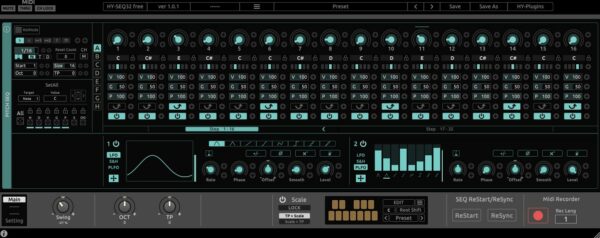 |
 |
 |
 |
 |
 |
 |
 |
 |
 |
| Rating | ||||||||||
| OS | Windows, Mac, Linux | Windows, Mac, Linux | Windows, Mac | Windows, Mac | Windows, Mac | Windows, Mac | Windows | Windows, Mac, Linux | Windows | Windows |
| Formats | VST, AU | VST, AU | VST, AU | VST2, AAX, CLAP | VST, AU | RTAS | VST | VST, AU | VST | VST |
| Bit Version | 32-bit, 64-bit | 64-bit | 32-bit, 64-bit | 32-bit, 64-bit | 64-bit | 32-bit, 64-bit | 32-bit | 32-bit, 64-bit | 32-bit | 32-bit |
| Developer | HY-Plugins | MuCoder | Monoplugs | Full Bucket | Harvest Plugins | CodeFN42 | Midinaut | Audio Vitamins | easytoolz | Witech |
| License | Freeware | Freeware | Freeware | Freeware | Freeware | Freeware | Donationware | Freeware | Freeware | Freeware |
| Sample-Based | No | No | No | No | Yes | No | Yes | No | Yes | Yes |
| Download Size | 15 MB | 5.4 MB | 16 MB | 14 MB | 4.6 MB | 2 MB | 9 MB | 2 MB | 1.7 MB | 7 MB |
| CPU Load | Low | Low | Low | Low | Low | Low | Low | Low | Low | Low |
| Polyphony | N/A | N/A | 8 | 1 | 16 | N/A | 8 | 8 | 8 | 24 |
| Features | 32-Step Sequencer, Pitch Sequencer, Dual Modulators, Pattern Sequencer, Chord & Scale Effects, MIDI Recorder, Drag-and-Drop Modulation | LFO Arpeggiator, Gate Effect, Step Sequencer, MIDI Mangling, Tempo-Synced LFOs, Groove Timing, Built-In Synth | Chord programming, Sequencer ratcheting, Step probability, Pattern chaining, MIDI learn, Drag-and-drop, Multi-track sequencing | 16-Step Sequencer, Chainable Banks, Per-Step Controls, Built-In Synthesizer, MIDI Learn, Host Synchronization, Multiple Playback Modes | Melody Generation, Chord Progressions, Drum Sequencing, Scale Locking, Rhythm Randomization, Interactive Piano Roll, MIDI Export | MIDI CC Sequencing, Eight Sequences, 64-Step Patterns, Host Sync, MIDI Note Triggering, Pattern Randomization, Smooth Transitions | 16-step sequencer, Drumkits, Custom samples, Master effects, Filter modulation, LFO control, Presets | Randomized Sequencing, Chord Generation, Pattern Switching, Layered Sequencing, Live Performance, Groove Humanization, Pattern Chaining | Analog drum synthesis, Step sequencers, Modulation controls, Built-in effects, Filter section, Preset browser, Individual outputs | Sample Browser, Step Sequencer, Resizable GUI, Volume Control, Pitch Control, Swing Function, MIDI Mode |
| Controls | Preset Menu, Step Rate, Start, Size, Step Knobs, Velocity, Gate | Preset Menu, Play Button, Tempo, Time Signature, Step Time, Groove, LFO Shape Menu | Pattern Grid, Step Buttons, Step Duration Knobs, Step Velocity Knobs, Bar Chord Knobs, Octave Dial, Timing Buttons | Program, Menu, MIDI, Synthesizer On/Off, Bank Buttons, Chain, Play/Stop | Notes Section, Rhythm Section, Octave Buttons, Bars Knob, Note Length Knob, Randomize Button, Grid Display | Menu Button, Sequence, Step Graph, Steps, MIDI Channel, CC Number, Rate | Step Control, Drum Channels, Pattern Grid, Pitch Knob, Decay Knob, Gain Knob, Type Selector | Layer Selection, Pattern Grid, Note Probability, Pattern Select, Playback Speed, Scale, Total Steps | BD Channel, SD Channel, HH Channel, FX SQ Buttons, DIST Control, LFO Section, Filter Section | Volume, Pan, Pitch, Swing, Length, Mute, Solo |
| Effects Included | Unknown | Gate effect | Unknown | None | Unknown | No ????? effects | Stereo delay, Filter, Flanger, Reverb, Chorus | Unknown | Distortion, Lofi, SV-Filter, LFO | Volume, Pan, Pitch, Swing, Length |
| MIDI Learn | No | No | Yes | Yes | Yes | Yes | Yes | Yes | Yes | Yes |
| Presets | 11 | 50 | 68 | 64 | 50 | N/A | N/A | N/A | 8 | N/A |
| Standalone | No | Yes | Yes | Yes | No | No | Yes | No | Yes | Yes |
| Last Updated | 11/20/2026 | 11/20/2026 | 09/19/2016 | 06/02/2026 | 07/14/2023 | 04/26/2023 | 06/26/2021 | 04/25/2020 | 02/02/2020 | 06/04/2014 |
Best Step Sequencer VST Plugins
Our top picks for the best free Step Sequencer VST plugins are HY-SEQ32 Free by HY-Plugins, Hypercyclic by MuCoder, and B-Step Sequencer by Monoplugs.
| Details | HY-SEQ32 Free | Hypercyclic | B-Step Sequencer |
|---|---|---|---|
| Image | | | |
| Rating | |||
| OS | Windows, Mac, Linux | Windows, Mac, Linux | Windows, Mac |
| Formats | VST, AU | VST, AU | VST, AU |
| Bit Version | 32-bit, 64-bit | 64-bit | 32-bit, 64-bit |
| Developer | HY-Plugins | MuCoder | Monoplugs |
| Download Size | 15 MB | 5.4 MB | 16 MB |
| Download | Visit HY-SEQ32 Free | Visit Hypercyclic | Visit B-Step Sequencer |
Step Sequencer VST FAQs
How to Install Step Sequencer VST Plugins
To install step sequencer VST plugins on Windows or Mac, extract the files from the Zip or Rar. Move the files (.dll for Windows or .component for Mac) into your DAW’s plugin folder. Then restart your software and rescan the directory to complete the process. Tutorial: How to Install VST Plugins
Windows:
Extract the downloaded zip file and copy the .dll file into the VST plugins folder scanned by your DAW. Restart your music software and rescan your plugin directory to begin using the new VST.
Mac OS X:
Extract the downloaded archive and move the .component or .VST file to the plugin folder. It is usually /Library/Audio/Plug-Ins/Components or /Library/Audio/Plug-Ins/VST. Restart your DAW and rescan your plugins to complete the installation.
What Is A Step Sequencer VST Plugin?
A step sequencer is a type of music sequencer that lets you create a sequence of musical notes, typically by pressing a series of buttons. Step sequencers were created for use in hardware such as synthesizers, drum machines, and keyboards.
Step sequencers are often used to create melodies and rhythms that sound like an analog synthesizer has performed them. It is also possible for you to input notes with a keyboard and then assign them to different steps on the sequencer.
What Does a Step Sequencer Do?
A step sequencer creates patterns by stepped automation, meaning that each event happens at a specific time and in a particular order. This can be contrasted with real-time or live sequencing, where events happen organically and in any order the musician desires.
Step sequencers are commonly used for creating basslines, drum patterns, and melodies. They were popularized in the late 1970s and early 1980s by electronic music artists such as Kraftwerk and Detroit techno producers like Juan Atkins. They have recently seen a resurgence in popularity due to their easy programmability and unintimidating workflow.
What Is an 8-Step Sequencer?
An 8-step sequencer is a tool that enables you to create and edit sequences of notes or other musical events. This can be done by creating a sequence of attacks, release times, sustain levels, and decay rates.
Alternatively, you can input MIDI notes directly into the Step Sequencer. Once your sequence is complete, you can add it to your DAW’s project as an audio or MIDI track.
What Is a MIDI Step Sequencer?
A MIDI step sequencer is a type of music software that allows you to create and edit sequences of MIDI notes. It’s like having a miniature piano keyboard in front of you, with each key representing a different note. You can then drag and drop these notes to create your sequence.
A MIDI step sequencer is excellent for creating drum patterns, basslines, and melodies. You can also use it to create chord progressions and even entire songs. Some sequencers even come with built-in effects so that you can add reverb, delay, or distortion to your sequences.
I hope you found this list of free step sequencer VST plugins helpful. I have had fun testing many of these plugins out.
You May Also Like:


Harvest Mini is great but sometimes it makes my computer slow. I hope they fix that in the next update.