

These are the best free Linux VST plugins that work on the Linux Operating system. I have included a variety of Linux-native virtual instruments and audio effects.
I have included free Linux VST plugins such as synthesizers, pianos, samplers, drums, sequencers, virtual keyboards, drum machines, audio effects, and more.
How we rate plugins: We rate each Linux plugin based on sound quality, design, performance, features, usability, and compatibility. We rate plugins on a scale of 1 to 100.
Table of Contents
I have spent over 15 years testing and comparing hundreds of free and paid VST plugins, supported by hands-on demos on our YouTube channel, which has 11,000+ subscribers.
Related: Free Synth VST Plugins
Best Free Linux VST Plugins
This table compares Linux VST plugins by operating system, bit version, format, and rating.
| # | Plugin | OS | Formats | Bit Version | Ratings |
|---|---|---|---|---|---|
| 1 | Vital | Windows Mac Linux | VST | 64-bit | |
| 2 | Surge XT | Windows Mac Linux | VST, AU, CLAP | 32-bit, 64-bit | |
| 3 | Zebralette | Windows Mac Linux | VST, AU | 64-bit | |
| 4 | Odin 2 | Windows Mac Linux | VST, AU | 64-bit | |
| 5 | Graillon 2 | Windows Mac Linux | VST, AU, AAX, LV2 | 64-bit | |
| 6 | OB-Xd | Windows Mac Linux | VST, AU | 64-bit | |
| 7 | Chow Tape Model | Windows Mac Linux | VST, AU | 64-bit | |
| 8 | Chow Centaur | Windows Mac Linux | VST, AU | 64-bit | |
| 9 | Chow Phaser | Windows Mac Linux | VST, AU | 64-bit | |
| 10 | TyrellN6 | Windows Mac Linux | VST, VST3, AU, AAX, CLAP | 32-bit, 64-bit | |
| 11 | LoudMax | Windows Mac Linux | VST2, VST3, AU | 32-bit, 64-bit | |
| 12 | Podolski | Windows Mac Linux | VST3, AU, AAX | 32-bit, 64-bit | |
| 13 | LSP Spektrumanalysator | Linux | VST2, VST3, AU, LV2, CLAP | 64-bit | |
| 14 | Nils‘ K1v | Windows Mac Linux | VST, VST2, VST3, AU | 32-bit, 64-bit | |
| 15 | Flying Phaser | Windows Mac Linux | VST, AU | 32-bit, 64-bit | |
| 16 | fircomp | Windows Mac Linux | VST, AU | 64-bit | |
| 17 | OS-251 | Windows Mac Linux | VST3, AU, LV2 | 64-bit | |
| 18 | MT Power Drum Kit | Windows Mac | VST, VST2, VST3, AU, AAX | 32-bit, 64-bit | |
| 19 | GVST GTune | Windows Mac Linux | VST, AU | 32-bit, 64-bit | |
| 20 | TAL-Reverb-4 | Windows Mac Linux | VST, AU, AAX, CLAP | 64-bit |
1. Vital
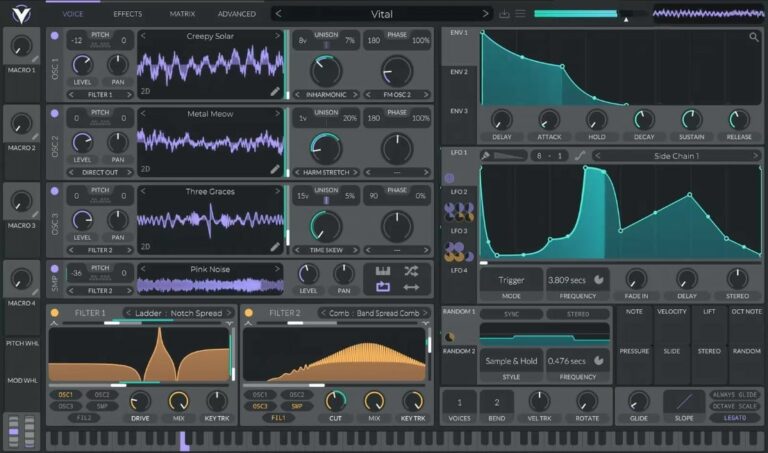
OS: Windows Win Mac Mac Linux Linux Bit Version: 64-bit Developer: Vital Audio Size: 39 MB Rating: 94/100
Vital offers a spectral warping wavetable engine that reshapes sound in bold and creative ways. It changes waveform harmonics to produce new tones and textures, letting you turn samples or even text into wavetables using built-in conversion and editing tools.
This synth is fully visual, showing how filters, LFOs, and modulations shape your sound in real time. With drag-and-drop modulation, wide stereo effects, and audio-rate control, Vital helps sound designers and producers explore detailed, evolving tones across music styles.
Related: Free Vital Presets
Features
- Spectral Warping Wavetable Synthesis
- Sample To Wavetable Conversion
- Built-In Wavetable Editor
- Real-Time Visual Feedback
- Drag And Drop Modulation
- Custom LFO And Envelope Shapes
- MPE Compatible With Controllers
- Audio-Rate Modulation Options
- Supports Microtonal Tuning Files
- Includes Presets And Wavetables
Pros
- Turns samples into new wavetables
- Supports expressive MPE controls
- Rich modulation for detailed sounds
- Supports microtonal scales easily
- Custom LFO shapes for creativity
- Low CPU use with smooth play
- Works on Windows Mac and Linux
- Great visual feedback while playing
- Creates fresh and unique sounds
- Includes lots of free presets
Cons
- Some presets sound too similar
- Few built-in effects compared to others
- Can crash on older computers
- Uses more CPU than simple synths
- GUI can feel overcrowded
- Minimal preset organization tools
- No built-in sequencer or arpeggiator
- Limited free preset variety
- Requires 64-bit system only
- Sound design can take time
Video Demo
What Users Say
Vital Tips
- I like to start with a preset and then change small things to learn what each knob does.
- I layer two oscillators to make the sound bigger and more powerful.
- I try using LFOs to make sounds move or wobble over time.
- Experiment with different wavetables to find unique tones and textures.
- Use modulation routing to link one control to another for interesting sound motion.
- Use mild distortion on bass sounds to help them cut through a mix.
- Apply EQ and compression after Vital to make your sound fit better in a track.
2. Surge XT
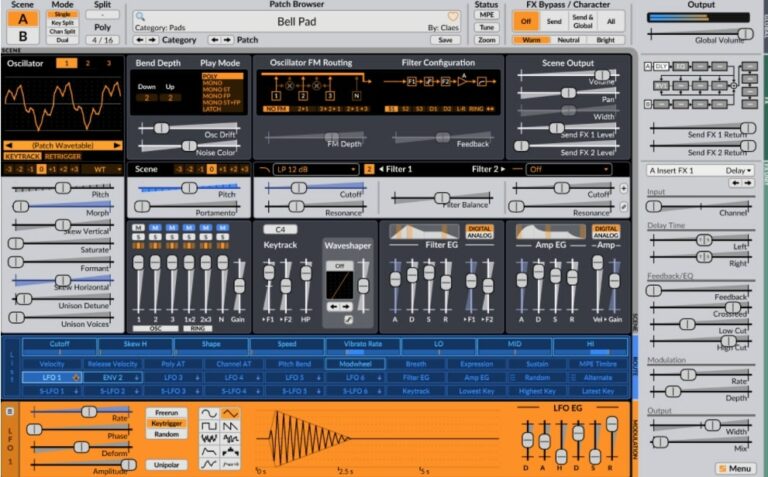
OS: Windows Win Mac Mac Linux Linux Bit Version: 32-bit, 64-bit Developer: Claes Johanson Size: 172 MB Rating: 93/100
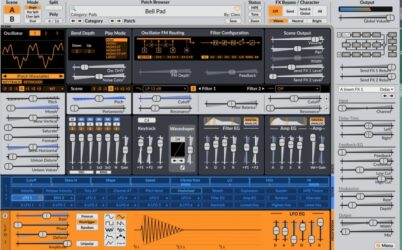
Surge XT offers a powerful hybrid synthesizer engine that combines different types of synthesis for creative sound design. It includes three oscillators per scene, many filter options, and a rich modulation system. With over 2,800 presets and 700 wavetables, it gives producers many sound possibilities.
Surge XT also supports special features like MPE, microtuning, and multiple scene modes for layered or split setups. Its open-source design allows regular updates and community input. With flexible routing and a wide range of effects, it’s useful for crafting both modern and classic synth sounds.
Features
- Over 2,800 Factory Presets
- 700 Plus Wavetables Included
- 12 Oscillator Algorithms Available
- Two Independent Synthesis Scenes
- 16 Effect Units With 27 Types
- Supports MPE And Microtuning
- Flexible Modulation Matrix System
- Multiple Filter Models And Routes
- Resizable And Customizable Interface
- Supports Windows, Mac, And Linux
Pros
- Free and open source software
- Huge library of 2,800 sounds
- Over 700 wavetables to explore
- Supports advanced MPE controllers
- Easy drag-and-drop modulation
- Two scenes for layered sounds
- Low CPU usage for big projects
- Powerful wavetable and FM synthesis
- Many built-in filters and effects
- Community driven and updated often
Cons
- Interface can feel overwhelming
- Steep learning curve for setup
- Can lag on older computers
- No built-in tutorial videos
- Preset browser feels cluttered
- Small text hard to read
- Can use more CPU
- Limited skin options
- Too many modulation options
- Plugin updates may break patches
Video Demo
What Users Say
Surge XT Tips
- I try layering two different oscillators to make my sound bigger and more exciting.
- I like to use the modulation matrix to make sounds move and change over time.
- I always test my patches in a full mix to make sure they fit well with drums and other instruments.
- Assign MIDI controls, like knobs or sliders, to important parameters for easier live tweaking.
- Experiment with Surge XT’s randomize feature for surprising patches and inspiration.
- Combine Surge XT layers with other synth plugins for thicker and more balanced sounds.
3. Zebralette
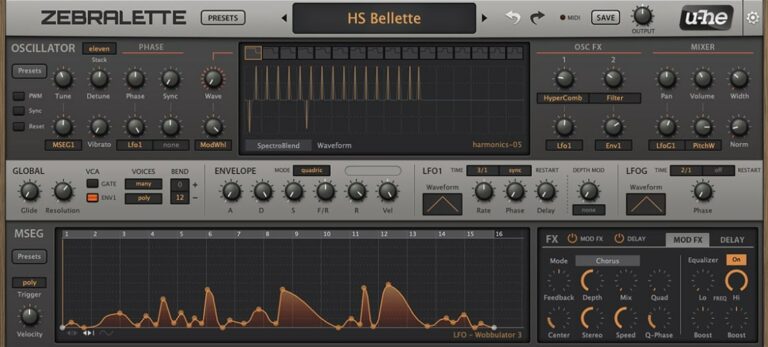
OS: Windows Win Mac Mac Linux Linux Bit Version: 64-bit Developer: Heckmann Audio Size: 175 MB Rating: 91/100
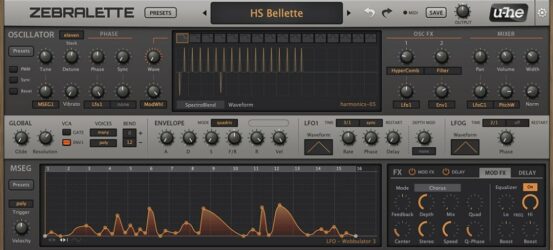
Zebralette is a free synthesizer plugin that gives music creators a strong set of tools for sound design. It uses a single oscillator with a wavetable editor, offering hundreds of presets and flexible modulation features. With 16-voice polyphony, it allows for rich and layered tones.
Zebralette offers modulation options, spectral shaping, and built-in effects like chorus, delay, and EQ. Its clear layout helps explore evolving pads, deep basses, and sharp leads. The plugin works on Windows, Mac, and Linux, making it a solid tool for creative sound exploration.
Features
- Single Advanced Wavetable Oscillator
- Twenty-Four Spectral Effects
- Oscillator Stacking With Stereo Width
- Two LFOs For Modulation
- Polyphonic Aftertouch Compatibility
- Custom Envelope With MSEG
- Built-In Chorus, EQ, And Delay
- Resizable Interface From 50% To 200%
- Preset Browser For Quick Access
- 300 Built-In Factory Presets
Pros
- Deep sound design power
- Lots of modulation choices
- Wavetable editing is flexible
- Built-in effects add depth
- Free yet professional sounding
- Comes with 300 strong presets
- Supports aftertouch control
- Scalable interface looks sharp
- High sound quality output
- Lightweight and runs smoothly
Cons
- Only one oscillator available
- No built-in reverb effect
- No built-in arpeggiator feature
- Limited modulation sources
- Limited filter options
- Basic UI design
- No advanced routing matrix
- Minimal sound library
- Preset management feels outdated
- May sound thin without effects
Video Demo
What Users Say
Zebralette Tips
- I like to start with an empty patch in Zebralette so I can better hear each small change I make.
- Zebralette’s single oscillator can be used to create very complex sounds if the waveform editor is explored carefully.
- Use modulation to bring movement to static pads or leads, making them feel alive.
- Layer multiple instances of the plugin with different octaves to build a full, powerful sound.
- Adding subtle chorus or delay effects after Zebralette can make patches sound lush and wide.
- Using the modulation matrix can turn a simple patch into something evolving and textured.
4. Odin 2
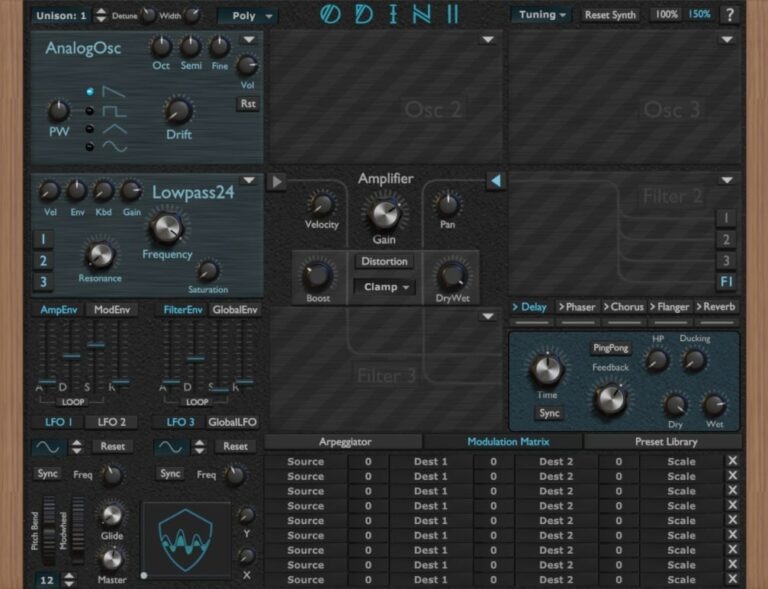
OS: Windows Win Mac Mac Linux Linux Bit Version: 64-bit Developer: Wave Warden Size: 87 MB Rating: 91/100
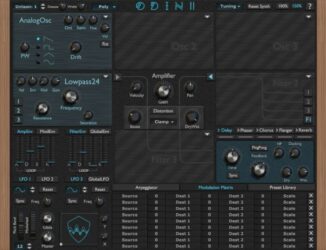
Odin 2 is a free virtual synth created by The Wave Warden for Windows, Mac, and Linux. It offers three oscillators, three filters, and a range of analog-style waveforms for creating powerful leads, basses, and effects. The plugin includes modulation options, distortion control, and built-in sound effects.
Odin 2 provides 24-voice polyphony, flexible modulation tools, and customizable filters modeled after classic analog gear. With features like an arpeggiator, ADSR envelopes, LFOs, and an XY pad, it gives music creators deep control over tone shaping for modern or vintage-style sounds.
Features
- 24-Voice Polyphonic Synth Engine
- Three Oscillator Slots
- Comprehensive Modulation Matrix
- Analog And Digital Waveforms
- Distortion And Saturation Modules
- Built-In Arpeggiator
- XY Pad For Control
- Delay, Chorus, Flanger, Reverb Effects
- Preset Library For Sound Storage
- Runs On Windows, Mac, Linux
Pros
- Warm and rich analog sound
- Realistic hardware-style interface
- Powerful 24-voice polyphony
- High-quality filter emulations
- Modulation matrix for creative sounds
- Built-in effects like reverb and delay
- Works well with MPE controls
- Low CPU use for smooth play
- Deep sound design options
- Comparable to top Korg synths
Cons
- Interface can feel confusing
- Can be heavy on CPU
- Preset browser looks outdated
- Slow loading on older PCs
- Not beginner friendly
- No onboard sampler option
- Needs better preset organization
- Lacks modern visual meters
- Doesn’t support quick drag-drop
- No mobile or tablet version
Video Demo
What Users Say
Odin 2 Tips
- I try using the modulation matrix to make sounds move and feel more alive.
- I enjoy turning up a little bit of unison to make the synth sound bigger and wider.
- I use a limiter on my master when testing heavy bass sounds to protect my ears and speakers.
- Experiment with Odin 2’s waveform blending to create evolving, textured sounds.
- Use the effects section in Odin 2 to quickly add space with delay or reverb.
- Combine Odin 2 with a Korg synth VST for a blend of old-school and modern tones.
- Layer Korg pads under Odin 2 leads to make songs sound fuller.
5. Graillon 2
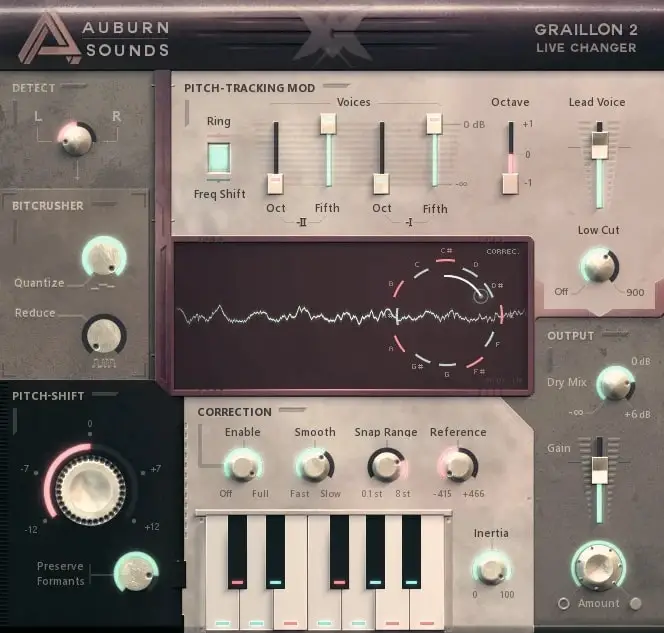
OS: Windows Win Mac Mac Linux Linux Bit Version: 64-bit Developer: Auburn Sounds Size: 57 MB Rating: 90/100
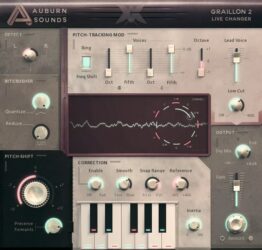
Graillon 2 offers real-time vocal tuning and creative tone shaping for producers and singers. It combines pitch correction, formant shifting, and pitch-shifting to achieve both natural and robotic sounds. Its built-in compressor, gate, chorus, preamp, and bitcrusher give more polish and control.
It includes three pitch engines, letting users choose between classic and updated tones. Optional tools like Pitch-Tracking Modulation, keyboard tuning, and a doubler expand vocal styles. Graillon 2 works across major systems and plugin formats, making it reliable for studio or live use.
Features
- Real-Time Pitch Correction
- Natural Or Hard-Tune Modes
- Formant Shifting For Vocal Tone
- Built-In Compressor And Gate
- Chorus, Preamp, And Bitcrusher Effects
- Keyboard Tuning For Custom Scales
- Vocal Doubler For Added Presence
- Visual Waveform Pitch Display
- Low Latency For Live Use
- Low CPU Usage Operation
Pros
- Natural-sounding pitch correction results
- Low CPU use for smooth playback
- Three different pitch engines included
- Includes built-in compressor and gate
- Bitcrusher adds cool vocal texture
- Keyboard tuning for custom scales
- Vocal doubler adds fullness
- Formant control keeps tone realistic
- Visual pitch display helps learning
- Works on Windows, Mac, and Linux
Cons
- Full version costs extra money
- No built-in reverb or delay
- Can misread low male voices
- GUI sometimes freezes in DAWs
- Major updates break old projects
- Pitch correction can sound harsh
- Formant shift can sound robotic
- No scale detection like GSnap
- Less precise on quick vocals
- No MIDI learn for quick mapping
Video Demo
What Users Say
Graillon 2 Tips
- I like to start by setting the “Pitch Correction” knob slowly so my voice still sounds natural.
- I use the “Dry/Wet” control to blend my real voice with the tuned voice for a smoother sound.
- Finding the right key before tuning makes vocal correction sound more natural.
- Use faster correction speeds for a robotic or pop-style effect, and slower speeds for softer songs.
- Placing Graillon 2 first in the plugin chain helps it track pitch more accurately.
- I often record my vocals clean first, then add Graillon 2 later in the mix to find the best balance.
- Always check how Graillon 2 sounds in the mix with the full track, not just on solo vocals.
6. OB-Xd
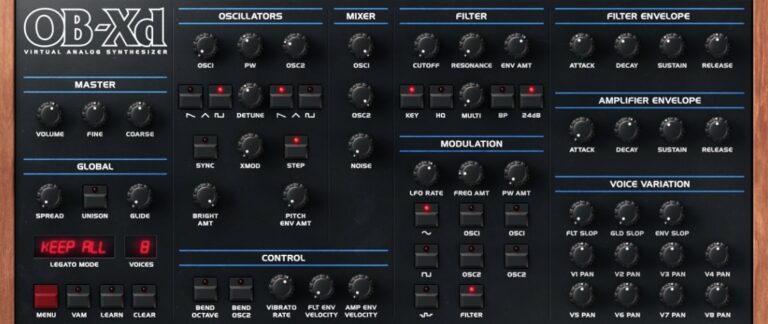
OS: Windows Win Mac Mac Linux Linux Bit Version: 64-bit Developer: discoDSP Size: 50 MB Rating: 89/100
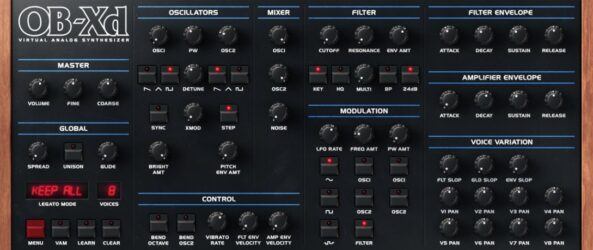
OB-Xd offers the classic analog warmth of the vintage Oberheim OB-X with modern features for today’s music makers. It delivers a wide and lively tone through micro detuning, unison voices, and blendable filters that shape everything from smooth pads to bold leads.
The plugin includes enhanced oscillators, adjustable filters, and support for MTS-ESP micro-tuning to refine pitch and tone. With simple controls for modulation, envelopes, and noise, OB-Xd helps producers craft expressive sounds that fit many styles, from retro synthwave to modern electronic tracks.
Features
- Classic Oberheim OB-X Sound Style
- Unison Mode For Fuller Sound
- Blendable Multimode Filter Control
- MTS-ESP Micro-Tuning Support
- Cross Modulation (X-MOD) Feature
- Voice Variation For Analog Feel
- Selectable Oversampling Levels
- Voice Panning For Stereo Width
- Noise Generator For Added Texture
- Low CPU Usage Performance
Pros
- Rich and warm analog sound
- Very low CPU usage
- Faithful Oberheim-style emulation
- Supports MTS-ESP microtuning
- Free with professional quality
- Works on Windows, Mac, and Linux
- Blendable multimode filter options
- Unison adds strong bold voices
- Lots of community sound banks
- Oversampling helps cleaner sound
Cons
- Limited modulation options
- No built-in effects
- Lacks modern wavetable features
- No arpeggiator or sequencer
- Missing advanced routing options
- No visual modulation feedback
- Limited oscillator shapes
- No macro controls
- Filter lacks flexibility
- High unison increases CPU use
Video Demo
What Users Say
OB-Xd Tips
- I use a little detune on the oscillators to make the synth sound bigger and more alive.
- Adjust the envelope’s attack and release times to make pads or percussive stabs.
- Experiment with stereo spread for a wider, more open sound.
- Automation in your DAW can bring synth parts to life by changing filters or volume over time.
- Add external effects like reverb or delay to give more space and depth to the OB-Xd sound.
- Use velocity sensitivity to make the sounds respond more naturally to how hard you play.
7. Chow Tape Model
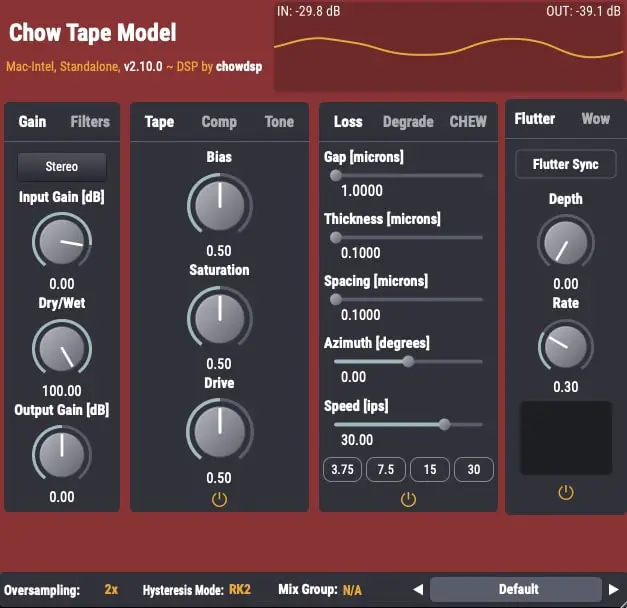
OS: Windows Win Mac Mac Linux Linux Bit Version: 64-bit Developer: Chow DSP Size: 10 MB Rating: 89/100
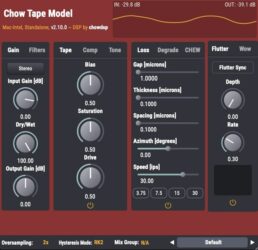
Chow Tape Model offers a realistic emulation of reel-to-reel tape sound using a detailed physical model. Based on the Sony TC-260, it recreates the warmth, saturation, and imperfections of analog tape. Music creators can shape tone and texture through adjustable tape speed, bias, and drive settings.
The plugin includes controls for tape hiss, compression, and stereo processing, allowing fine-tuned control over sound character. It can produce gentle analog warmth or heavy tape distortion, making it useful for mixing, mastering, or sound design. Chow Tape Model is available free for Windows, macOS, Linux, and iOS.
Features
- Accurate Analog Tape Emulation
- Physics-Based Modeling Algorithm
- Drive And Saturation Controls
- Bias Adjustment For Tone Shaping
- Variable Tape Speed Control
- Flutter Depth And Rate Settings
- Mid/Side And Stereo Processing
- Blend Control With Dry/Wet Mix
- Customizable Low And High Cut
- Free With Professional Sound Quality
Pros
- Realistic analog tape machine sound
- Free and open-source software
- Works on Windows Mac and Linux
- Light on CPU for deep modeling
- Includes adjustable tape speed control
- Fine control over saturation levels
- Built-in compression for extra punch
- Offers stereo and mid side modes
- Multiple hysteresis model options included
- Competes with top paid tape plugins
Cons
- Can be hard for beginners
- CPU use can get high
- No built-in presets
- Sound may distort easily
- UI design feels outdated
- Limited visual feedback
- Learning curve is steep
- No auto gain compensation
- Not great for quick edits
- Lacks built-in preset browser
Video Demo
What Users Say
Chow Tape Model Tips
- I like to start with the default settings and then slowly turn the drive knob to add warmth to my sound.
- I use the wow and flutter controls to add gentle movement, making my recordings feel more lively.
- I try using it on my mix bus to make everything sound more connected and warm.
- Blending the wet and dry signals can help keep clarity while still adding vintage tone.
- Stacking multiple tape plugins lightly across tracks can sound better than one heavy setting on the master bus.
- Experimenting with tape saturation before and after compression can produce very different feels.
8. Chow Centaur
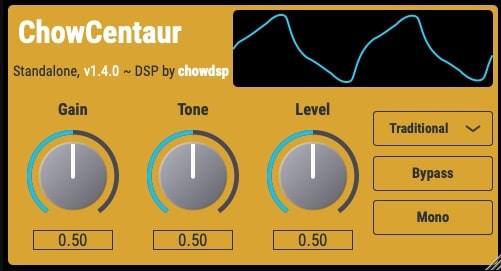
OS: Windows Win Mac Mac Linux Linux Bit Version: 64-bit Developer: Chowdhury DSP Size: 8.6 MB Rating: 89/100
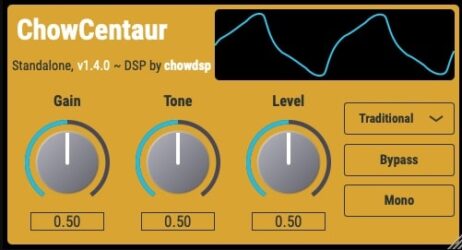
Chow Centaur offers a digital recreation of the classic Klon Centaur guitar pedal, giving players access to both traditional and AI-driven modeling. The plugin includes two modes: “Traditional” for authentic circuit-based tone and “Neural” for a machine-learned recreation of the original pedal’s gain stage.
With simple controls for gain, tone, and level, Chow Centaur makes it easy to shape everything from subtle boosts to rich overdrive. Visual tools like the wave display and switches for mono or bypass add quick flexibility for guitar tones on Windows, Mac, and Linux systems.
Features
- Digital Klon Centaur Emulation
- Two Distinct Sound Modes
- Neural Network Gain Stage Mode
- Gain Control For Drive Amount
- Tone Control For Brightness
- Wave Display For Visual Feedback
- Bypass Button For Quick Comparison
- Available In VST And AU Formats
- Compatible With Windows, Mac, Linux
- Supports 64-Bit Processing
Pros
- Sounds very close to real pedal
- Neural option feels more natural
- Traditional mode gives vintage sound
- Works great on guitar and bass
- Runs smooth on Windows, Mac, Linux
- Wave display helps you see sound
- Low CPU use during sessions
- Excellent touch and pick response
- Matches sound of real Klon closely
- Comparable quality to paid versions
Cons
- Lacks natural metallic resonance
- No built-in reverb
- Limited ambient preset options
- No custom sample import
- Less variety in tone textures
- Interface feels plain
- No built-in delay
- Can sound harsh for chill music
- No multi-layer velocity sampling
- Limited sound shaping options
Video Demo
What Users Say
Chow Centaur Tips
- I like to start with the Drive knob low and slowly turn it up until my guitar tone starts to feel warm and full.
- I use the Level knob to match the plugin’s volume to my clean signal so there’s no sudden jump in loudness.
- Place the Chow Centaur before reverb and delay effects for a more natural sound.
- Combine the Chow Centaur with an amp simulator to get a realistic amp-like overdrive.
- Use subtle drive settings for rhythm parts and stronger settings for solos.
- Pair the Chow Centaur with a compressor plugin to even out dynamics while keeping its warmth.
9. Chow Phaser
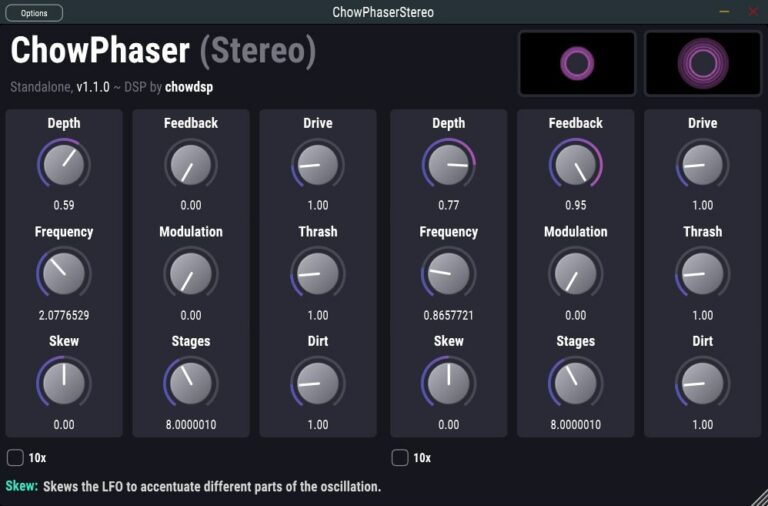
OS: Windows Win Mac Mac Linux Linux Bit Version: 64-bit Developer: Chowdhury DSP Size: 8 MB Rating: 88/100
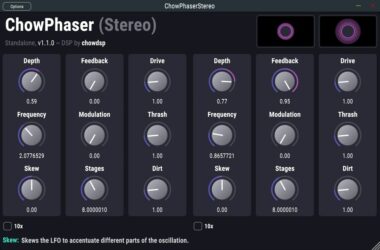
Chow Phaser offers a classic phasing sound modeled after the rare Schulte Compact Phasing ‘A’, updated with modern digital control. It includes mono and stereo modes, adjustable LFO skew, and nonlinear filters that bring warmth, depth, and character to your tracks.
With controls for Drive, Thrash, Dirt, and Feedback, Chow Phaser moves easily from smooth movement to gritty textures. The flexible modulation options and selectable stages let you shape tones from gentle motion to bold, warped effects, making it useful for both subtle polish and creative sound design.
Features
- Mono And Stereo Processing Modes
- Adjustable Phaser Depth Control
- Feedback Control For Added Swirl
- Skewed Lfo For Organic Movement
- Selectable Number Of Filter Stages
- Thrash Control Adds Rough Texture
- Dirt Control Adds Warm Grit
- Nonlinear Filters Add Harmonic Warmth
- Independent Controls Per Stereo Channel
- 64-Bit Processing Support
Pros
- Warm, rich analog-style phasing
- Free and open-source plugin
- Works on Windows, Mac, Linux
- Nonlinear filters add real warmth
- Drive and Dirt give texture
- Thrash knob for extra grit
- Customizable number of stages
- Mimics vintage Schulte phaser character
- Very CPU-light performance
- Competes with paid phaser plugins
Cons
- Interface can feel crowded
- Not beginner friendly
- No built-in presets
- Can be heavy on CPU
- Lacks visual feedback
- Drive control clips easily
- May sound harsh at extremes
- Lacks wet/dry blend knob
- No sync for LFO
- GUI not resizable
Video Demo
What Users Say
Chow Phaser Tips
- I use the mix control to blend just enough phasing so it doesn’t overpower my track.
- I enjoy linking the LFO to tempo so the movement stays in rhythm with the song.
- I sometimes increase feedback for a more intense and whooshy effect.
- Using stereo mode can spread the phased sound across the speakers for more depth.
- Automating the mix knob adds dynamic motion throughout a song.
- Adding a phaser after distortion can make a gritty tone come alive.
10. TyrellN6
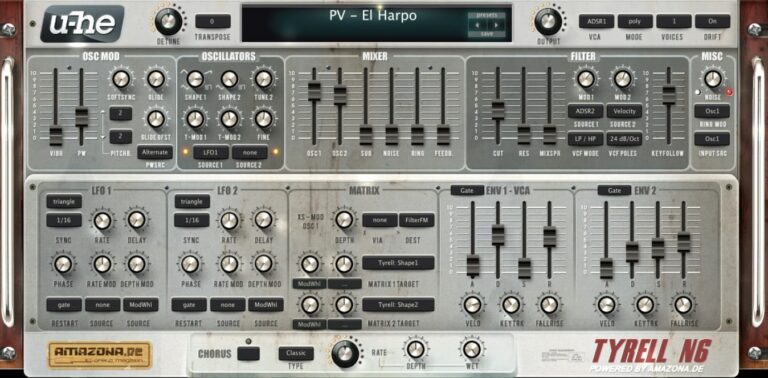
OS: Windows Win Mac Mac Linux Linux Bit Version: 32-bit, 64-bit Developer: U-He Size: 47 MB Rating: 88/100
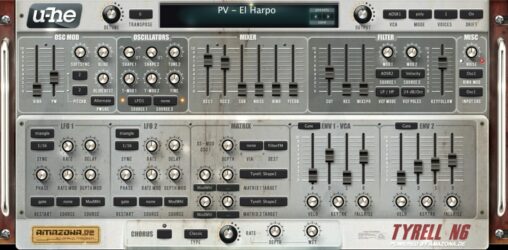
TyrellN6 offers a classic analog-style sound in a compact and free software synthesizer. It includes two main oscillators, filters related to u-he’s Diva, and a built-in chorus for added depth. The synth keeps everything on one screen, making sound design smooth and direct.
The 2025 beta update improves performance and adds features like CLAP and MTS-ESP microtuning support. It also introduces a modern preset browser, easier soundset installation, and updated scaling options. TyrellN6 continues to deliver warm tones and flexible controls for creating rich, expressive sounds.
Features
- Virtual Analog Synth With Classic Design
- Two Oscillators Plus Noise And Ring Mod
- Twin Filter Based On Early Diva
- Unison Mode Up To Eight Voices
- Compact Modulation Matrix Section
- Chorus Effect With Three Modes
- Over 580 Factory Presets Included
- Resizable And Skinnable Interface
- Supports CLAP, VST, AU, And AAX
- Supports Native Apple Silicon Chips
Pros
- Free with pro-level sound
- Warm classic analog tone
- Works on Mac, Windows, Linux
- Low CPU load performance
- Over 580 ready presets
- New CLAP and VST3 support
- Supports native Apple Silicon
- Rich unison up to 8 voices
- Powerful twin filter section
- Supports microtuning standards
Cons
- No built-in reverb effect
- No built-in delay effect
- Lacks modern wavetable synthesis
- Small GUI on 4K screens
- Preset browser feels outdated
- Does not support MPE yet
- Few filter types compared to others
- No built-in EQ or compressor
- Interface looks dated to some
- Not as flexible as Vital
Video Demo
What Users Say
TyrellN6 Tips
- I like to start with a preset that sounds close to what I want, then tweak the filters and envelopes to make it my own.
- I use both oscillators slightly detuned to make the sound fuller and wider.
- I like to use the modulation matrix to add motion, like routing LFO to the filter cutoff.
- Use subtle chorus and delay effects to make the synth sound more polished and lively.
- Use automation in your DAW to control TyrellN6 parameters for dynamic changes during a song.
- Study the filter section; learning how different filter modes sound helps shape your tone more precisely.
- Try randomizing parameters to discover unexpected and inspiring new sounds.
11. LoudMax
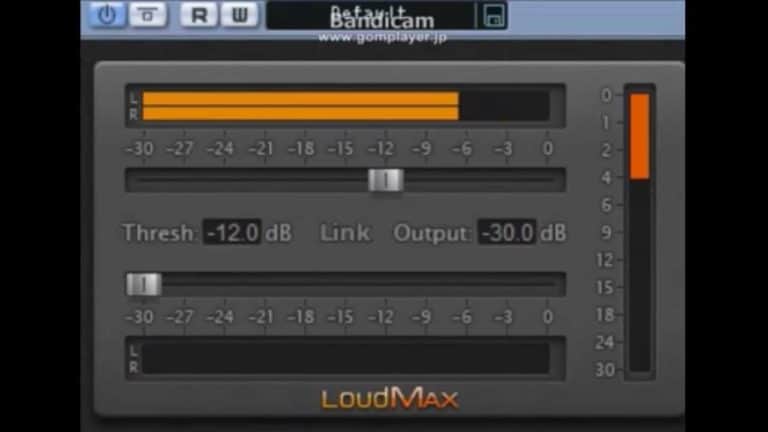
OS: Windows Win Mac Mac Linux Linux Bit Version: 32-bit, 64-bit Developer: LoudMax Size: 452 KB Rating: 88/100
LoudMax offers clean and transparent loudness control designed to make your tracks sound full without adding unwanted distortion. Its look-ahead limiting keeps peaks under control while preserving punch and clarity, even at high levels of gain reduction.
This plugin is ideal for mastering or keeping audio levels steady in broadcasts. With simple threshold and output controls, plus inter-sample peak detection, LoudMax helps you achieve professional loudness in an easy and reliable way across Windows, macOS, and Linux systems.
Features
- Clean Transparent Loudness Maximizer Plugin
- True Peak Detection Feature
- Look-Ahead Brickwall Limiting
- ISP Mode Reduces True Peak Overshoot
- Low Latency Performance
- Very Low CPU Usage
- Automatic Release Time Control
- Gain Reduction Meter With Peak Hold
- Threshold And Output Sliders
- Supports Sample Rates Up To 384kHz
Pros
- Clean and transparent sound quality
- True peak limiting prevents clipping
- Works on Windows, Mac, and Linux
- Very low CPU usage
- Look-ahead feature stops distortion
- Supports very high sample rates
- Fast 1.25ms latency response
- Dynamic latency compensation support
- Free and rivals paid plugins
- Keeps original music character intact
Cons
- Very few adjustable controls
- No visual waveform display
- Lacks multi-band processing
- No sidechain input support
- No mid/side mode
- Lacks loudness metering
- No LUFS or RMS readout
- No oversampling control
- ISP mode uses more CPU
- No mix knob
Video Demo
What Users Say
LoudMax Tips
- I always lower the output ceiling to -1 dB to keep my mix from clipping when I upload it online.
- I listen carefully to quiet and loud parts to make sure the limiter isn’t squashing dynamics too much.
- Use LoudMax as the final plugin on the master channel to ensure a balanced loudness across the track.
- Set the threshold only as low as needed to control peaks rather than to make the entire mix louder.
- Always compare limited and unlimited versions at equal loudness to make fair mixing decisions.
- Be cautious when limiting drums or bass-heavy tracks; too much limiting can remove punch.
- Combine LoudMax with gentle compression earlier in the chain instead of pushing the limiter too hard.
12. Podolski
OS: Windows Win Mac Mac Linux Linux Bit Version: 32-bit, 64-bit Developer: U-He Size: 50 MB Rating: 88/100
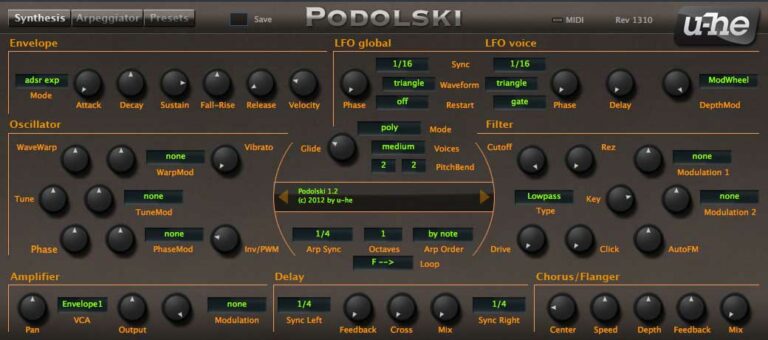
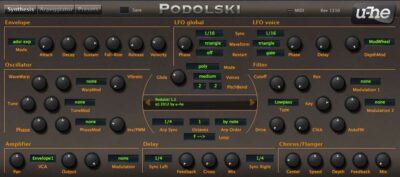
Podolski is a free virtual analog synthesizer made by U-He. It focuses on simplicity, offering one oscillator, one filter, and one envelope, supported by an arpeggiator/sequencer and built-in effects. Despite its minimal design, it delivers warm tones and clear, expressive sound control.
Podolski offers useful tools like WaveWarp for smooth waveform shaping, flexible filter drive, and two LFOs for modulation. With over 300 presets, NKS support, and a resizable interface, it’s a solid choice for crafting basses, leads, or rhythmic patterns across most major music platforms.
Features
- Free Virtual Analog Synth Plugin
- One Oscillator With WaveWarp
- Multimode Filter With Drive And FM
- Two LFOs For Modulation
- 16-Step Arpeggiator And Sequencer
- Stereo Delay And Chorus Effects
- Over 300 Tagged Factory Presets
- Resizable And Skinnable Interface
- MIDI Learn And Editable List
- CPU-Efficient Design For Smooth Performance
Pros
- Free for Windows, Mac, and Linux
- Warm and classic analog sound
- Over 300 inspiring presets
- Smooth filter with drive and FM
- Built-in delay and chorus effects
- Fun arpeggiator and sequencer combo
- Customizable and resizable interface
- Old-school vibe with modern control
- Great modulation flexibility
- Light on CPU performance
Cons
- Only one oscillator available
- Limited modulation options
- Cannot load user samples
- No wavetable synthesis support
- No built-in reverb effect
- Few effects compared to rivals
- Outdated visual design style
- No granular sound features
- Presets sound dated to some
- Lacks modern modulation matrix
Video Demo
What Users Say
Podolski Tips
- I like to start by choosing a preset that’s close to what I want, then tweak it to fit my song.
- I play with the filter cutoff knob to make my sound brighter or darker depending on the vibe.
- I use the modulation wheel to control the filter and bring movement to my melodies.
- Experimenting with the filter envelope can help create punchy basses or smooth pads.
- Using Podolski’s LFO to modulate pitch or filter adds fun movement to any sound.
- Tuning oscillators just slightly apart can make sounds warmer and more natural.
13. LSP Spektrumanalysator
OS: Linux Linux Bit Version: 64-bit Developer: Linux Studio Plugins Project Size: 6 MB Rating: 87/100
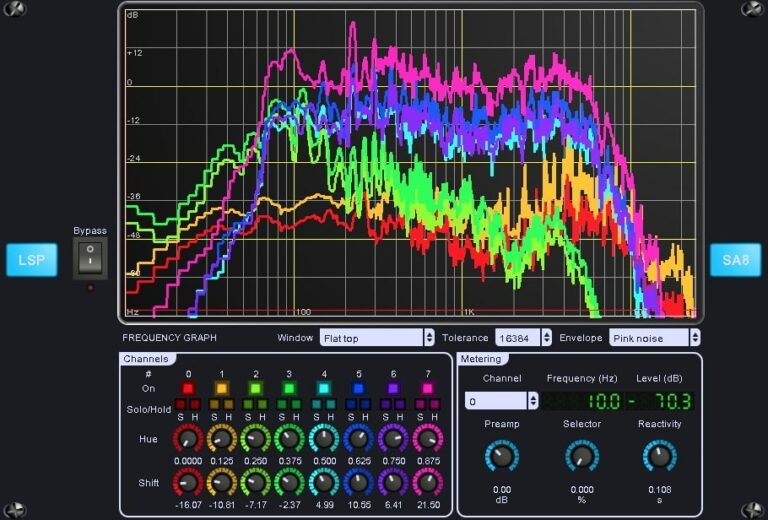
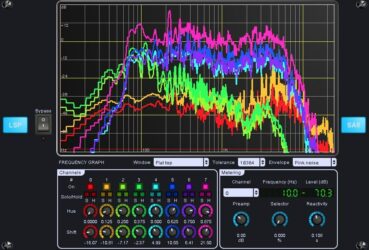
LSP Spektrumanalysator offers detailed real-time spectrum monitoring for up to 16 channels at once. It works without changing the audio signal, making it handy for tracking frequency balance during mixing or mastering. It also supports stereo and Mid/Side modes for more focused analysis.
The plugin includes options to freeze graphs, zoom in, adjust display styles, and fine-tune response speed. Developers and engineers can compare multiple signals, check tonal balance, and view precise frequency data. Its clear layout and flexible controls suit both simple and complex project setups.
Features
- Analyzes Up To 16 Channels
- Offers Stereo And Mid/Side Modes
- Provides Real-Time Frequency Graphs
- Supports Freeze And Hold Options
- Features Linear And Log Frequency Scales
- Supports Zoom And History Views
- Provides Multiple Spectrogram Color Modes
- Includes Adjustable Reactivity Control
- Displays Accurate Signal Levels
- Works In Various Plugin Formats
Pros
- Analyzes up to 16 channels
- Supports Mid and Side modes
- Open source and free plugin
- Highly detailed FFT display
- Custom color and view options
- Multiple graph rendering modes
- Adjustable frequency zoom view
- Low latency for real-time use
- Supports VST2, VST3, LV2, CLAP formats
- Works well in Linux systems
Cons
- Not available for Windows users
- May crash on macOS setups
- Heavy CPU use with big FFT
- Does not support resizable UI
- Interface looks old and plain
- Can be hard to set up
- Complex for beginner users
- No built-in presets included
- Lacks cross-platform support
- Limited documentation online
Video Demo
What Users Say
LSP Spektrumanalysator Tips
- I keep the analyzer at the end of my effects chain so I can see the final mix balance.
- I compare the spectrum of a reference track to my own mix for learning balance.
- Use the LSP Spektrumanalysator to spot frequency build-ups that make a mix muddy.
- Keep the input level around -6 dB to avoid clipping and get a clear reading.
- When mastering, use the analyzer to make sure your track’s energy matches other songs.
- Compare the analyzer’s display with your ears — it helps build better listening skills.
14. Nils‘ K1v
OS: Windows Win Mac Mac Linux Linux Bit Version: 32-bit, 64-bit Developer: Nils Schneider Size: 12 MB Rating: 86/100
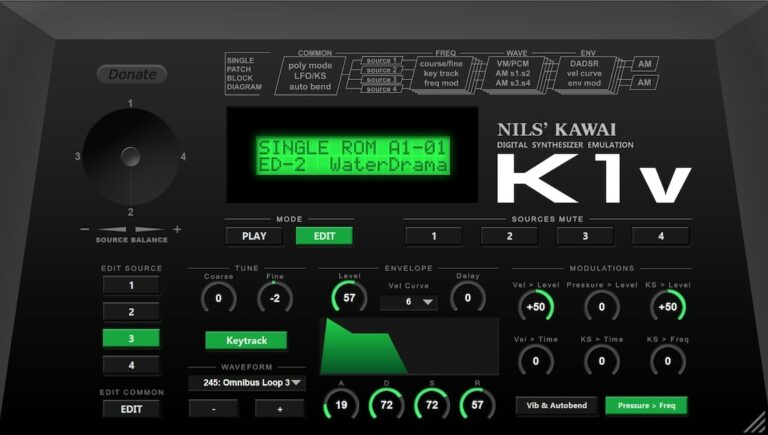
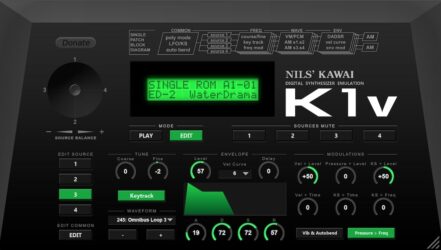
Nils‘ K1v offers an accurate software version of the classic 1988 Kawai K1 synthesizer. It includes over a thousand presets, covering both factory and ROM card sounds. With edit options for singles and multis, it gives producers access to authentic late?80s digital tones.
This plugin supports SysEx for easy data exchange with the original hardware. Its four?source engine, modulation tools, and resizable interface let users shape sounds precisely. Available for Windows, macOS, and Linux, Nils K1v is a free and practical way to capture vintage synth character.
Features
- Accurate Kawai K1 Synth Emulation
- 968 Single And 384 Multi Presets
- Full Editing For Singles And Multis
- SysEx Import And Export Support
- 8-Bit Synthesis Sound Engine
- Four Sound Sources Per Voice
- Ring Modulation Between Sources
- Resizable User Interface
- Low CPU Usage Performance
- Available For Windows, Mac, Linux
Pros
- Faithful Kawai K1 sound emulation
- Runs on Windows, Mac, and Linux
- Huge library of built-in presets
- Works as a hardware editor too
- Very low CPU usage
- SysEx import and export support
- Can layer up to four sound sources
- Includes chorus and modulation effects
- Authentic retro 80s tone palette
- Competes with paid synth plugins
Cons
- Interface looks old and basic
- Limited sound shaping options
- Only one LFO available
- No modern filter section
- Preset browser feels outdated
- Small on high-resolution screens
- No built-in arpeggiator
- VST3 version sometimes unstable
- Few modulation destinations offered
- GUI lacks modern graphic polish
Video Demo
What Users Say
Nils‘ K1v Tips
- I make my own patches by changing waveforms and filter settings to get a unique sound.
- I stack layers in the synth to make fuller pads and more powerful bass sounds.
- I mix a bit of reverb in the plugin to give the sound more space and depth.
- Experimenting with modulation sources can bring life and movement to sounds.
- Mapping MIDI controls to filter and envelope parameters allows for live expression.
- Combining the K1v with external effects like chorus or delay can enhance its sound.
15. Flying Phaser
OS: Windows Win Mac Mac Linux Linux Bit Version: 32-bit, 64-bit Developer: SuperflyDSP Size: 1.5 MB Rating: 85/100
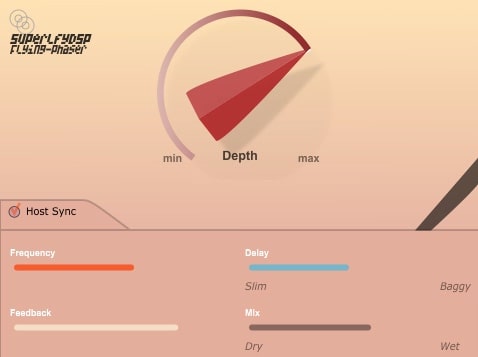
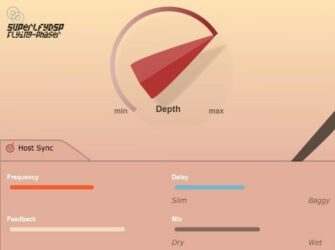
Flying Phaser offers a smooth, classic phaser sound with modern reliability. It creates sweeping, analog-style movement using time-varying filters that stay in sync with your track’s tempo. Designed to be clean and aliasing-free, it brings warmth and motion to any sound source.
Depth, frequency, feedback, and mix controls give you precise shaping over the tone, from gentle modulation to bold, swirling sweeps. With support for Windows, Mac, and Linux in VST and AU formats, Flying Phaser fits easily into any music setup.
Features
- Classic Analog-Style Phaser Effect
- Host BPM Tempo Synchronization
- Aliasing-Free Audio Processing
- Glitch-Free Performance
- Preset Saving Using VST3 Standard
- Intuitive And Simple Interface
- Low CPU Usage
- Adjustable Delay And Feedback
- Mix Control For Wet Or Dry Blend
- Works On Windows, Mac, And Linux
Pros
- Classic vintage-style phaser tone
- Aliasing-free for clean sound
- Syncs perfectly with host tempo
- Very low CPU use
- Works on Windows, Mac, Linux
- Feedback adds musical flavor
- Gives clear stereo movement
- Offers strong or soft phasing
- Has helpful mix control
- Free and high-quality tool
Cons
- Lacks advanced modulation options
- No built-in preset browser <li Limited to basic phaser sounds <li No visual frequency display <li Does not support oversampling <li No stereo widening control <li GUI lacks modern visual feedback <li Lacks MIDI learn functionality <li No sidechain modulation support <li GUI not resizable or scalable
Video Demo
What Users Say
Flying Phaser Tips
- I use the mix knob to blend the phaser effect so it doesn’t cover the main sound too much.
- I sometimes automate the depth control to add motion during different parts of a track.
- I use stereo mode when I want wide, swirling textures in my mix.
- Experiment with sync mode to lock the phaser movement to the song’s tempo.
- Combining the Flying Phaser with delay can make spacey, echoing sounds.
- Placing the phaser before distortion can make guitars sound more colorful and dynamic.
- Try placing the phaser on background pads to help fill up the mix softly.
16. fircomp
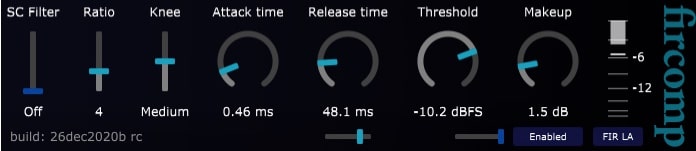
OS: Windows Win Mac Mac Linux Linux Bit Version: 64-bit Developer: Jon V Audio Size: 1.9 MB Rating: 85/100
fircomp offers clean, precise compression with a punchy attack and smooth musical release. Its fast controls make it easy to shape dynamics on individual tracks or full mixes. The lookahead mode provides accurate timing and clear gain control without adding unwanted distortion.
This plugin includes flexible sidechain filtering, soft or hard knee options, and adjustable attack and release for detailed control. At extreme settings, it can add gentle warmth while keeping transients sharp. fircomp’s simple layout helps producers manage dynamics quickly and maintain clarity across instruments and vocals.
Features
- Clean And Punchy Compression
- Musical Dual Release Stage
- Optional Lookahead Gain Smoothing
- Zero Or Low Latency
- Low CPU Usage
- True Zero Attack Option
- Warm Distortion At Extreme Settings
- Adjustable Sidechain Filter
- Mix Knob For Parallel Compression
- Auto Or Manual Makeup Gain
Pros
- Super clean and clear sound
- Very low CPU usage
- Zero latency with lookahead off
- Optional lookahead for perfect timing
- Easy sidechain filter control
- Adjustable knee for smooth blending
- Highly efficient C++ DSP engine
- Stable on Windows, Mac, and Linux
- Transparent tone keeps details clear
- Free, pro-level quality compressor
Cons
- No built-in presets for beginners
- No visual waveform display
- Lacks advanced multiband control
- No built-in limiter option
- No auto-gain compensation feature
- Interface looks too plain
- Doesn’t include saturation modes
- No MIDI learn or automation extras
- Fewer features than OTT or TDR Kotelnikov
- Not updated very often
Video Demo
What Users Say
fircomp Tips
- I use the auto gain feature so I can compare my compressed and uncompressed sound at the same volume.
- I try to only reduce a few dB at most; that keeps things natural and not squashed.
- Use the mix knob in fircomp to blend compressed and dry signals for more natural results.
- Make sure to level-match before and after compression to judge the real tonal change.
- Remember that compression is a tool for control, not just loudness—use it to shape emotion and groove.
17. OS-251
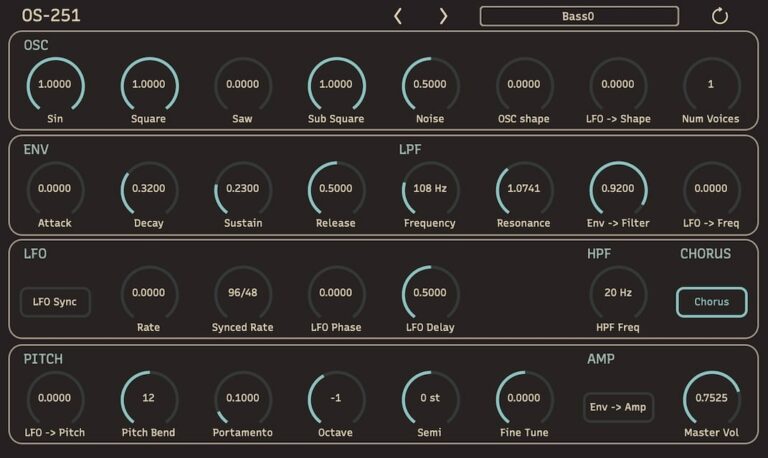
OS: Windows Win Mac Mac Linux Linux Bit Version: 64-bit Developer: Onsen Audio Size: 2.29 MB Rating: 85/100
OS-251 offers a digital take on classic synthesizer sounds, delivering warm, lo-fi tones crafted through its unique DSP design. Inspired by the JUNO-106, it blends old-school character with modern reliability, using digital alias noise to create rich textures and punchy presence.
With up to 24 voices of polyphony, flexible filters, an LFO section, and built-in chorus and unison modes, OS-251 keeps things simple yet powerful. Every control is clearly laid out, helping music creators shape sounds quickly and stay focused on what matters most—making music.
Features
- Digital Lo-Fi Subtractive Synthesizer
- Up To 24-Voice Polyphony
- Oscillators With Shape Control
- Low-Pass And High-Pass Filters
- LFO Sync To Tempo
- Chorus Effect For Width
- Unison Mode For Thick Sounds
- Built-In Preset Manager
- Simple And Clear Interface
- Low CPU Usage
Pros
- Warm digital lo-fi sound character
- Free download with full features
- Runs on Mac, Windows, and Linux
- Low CPU use for smooth play
- 24 voices for rich polyphony
- Unison mode makes thicker tones
- Built-in preset manager included
- LFO syncs with project tempo
- Sub-oscillator adds strong low end
- Better workflow than many free synths
Cons
- No built-in reverb
- No built-in delay
- Limited modulation options
- Few waveform choices
- Limited preset library
- Interface not resizable
- Lacks effects section
- No modulation matrix
- Only one LFO
- Cannot import wavetables
Video Demo
What Users Say
OS-251 Tips
- I always turn down the master volume before trying new sounds to protect my ears and speakers.
- I use the filter cutoff and resonance knobs to shape the tone and make the sound smoother or sharper.
- I like to use the built-in effects like chorus and delay to make the synth sound fuller and more interesting.
- I often layer the OS-251 with another synth to make thicker sounds for chords or leads.
- I use automation in my DAW to change filter and modulation settings over time for more movement in a song.
- Stack multiple voices or use unison mode for a wider and more powerful sound.
- Use the onboard arpeggiator to quickly make rhythmic and melodic ideas.
18. MT Power Drum Kit
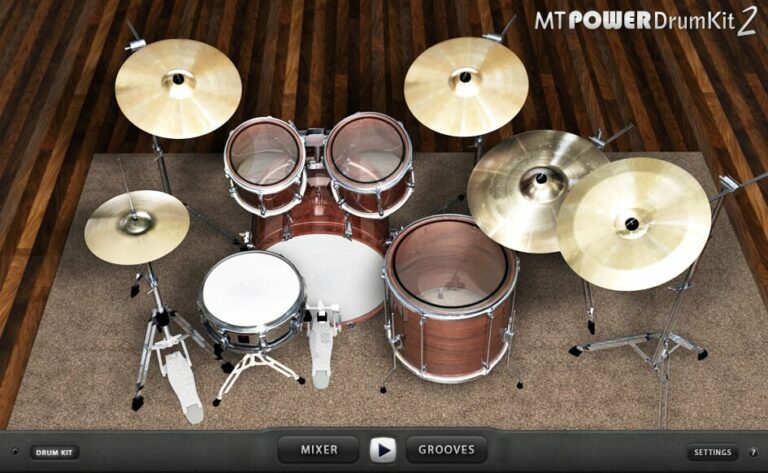
OS: Windows Win Mac Mac Bit Version: 32-bit, 64-bit Developer: 60.1 MB Size: 60 MB Rating: 85/100
MT Power Drum Kit offers realistic acoustic drum sounds that fit easily into pop, rock, and metal tracks. Its samples are pre-processed with compression and EQ, giving them a clear and punchy tone that blends well in a mix without extra tweaking.
The built-in Groove Library includes thousands of rhythms and fills that let you build smooth and natural drum parts in minutes. With detailed cymbal recordings and lifelike hi-hat dynamics, MT Power Drum Kit delivers professional-quality drums for any studio project.
Features
- High-Quality Acoustic Drum Sounds
- Pre-Processed With Compression And EQ
- Realistic Hi-Hat And Cymbal Samples
- Built-In Mixer For Drum Balance
- Large Groove Library Included
- Smooth And Realistic Drum Fills
- Full Drum Kit Visual Interface
- Supports VST, AU, And AAX Formats
- Works On Windows, Mac, And Linux
- Mix-Ready Sounds For Any Genre
Pros
- Realistic acoustic drum sounds
- Ready-to-mix processed samples
- Huge groove and fill library
- Light on CPU and memory
- Works on Windows, Mac, Linux
- Adjustable mixer for each drum
- Built-in compressor control
- Mix-ready sound out of box
- Reliable and low-latency performance
- Professional results for free
Cons
- Limited drum kit variety
- Cannot load custom samples
- Few mixing customization options
- No built-in effects
- Groove library feels dated
- No humanize or swing controls
- Missing detailed velocity layers
- No multi-output routing
- Not updated frequently
- Less dynamic than paid plugins
Video Demo
What Users Say
MT Power Drum Kit Tips
- I always check the mixer section in MT Power Drum Kit to balance the drum sounds.
- I use the compressor in the plugin to make my drums sound punchy and clear.
- I use the MIDI grooves that come with the plugin to get quick rhythm ideas.
- I like to drag and drop MIDI patterns right into my DAW’s track to edit them easily.
- Adjust the MIDI velocity in your DAW to make the drums sound more human and less robotic.
- Use bus compression on the full drum mix to glue the sounds together.
- Try EQing each drum separately—cut lows from cymbals, boost mids on the snare, and add punch to the kick.
19. GVST GTune
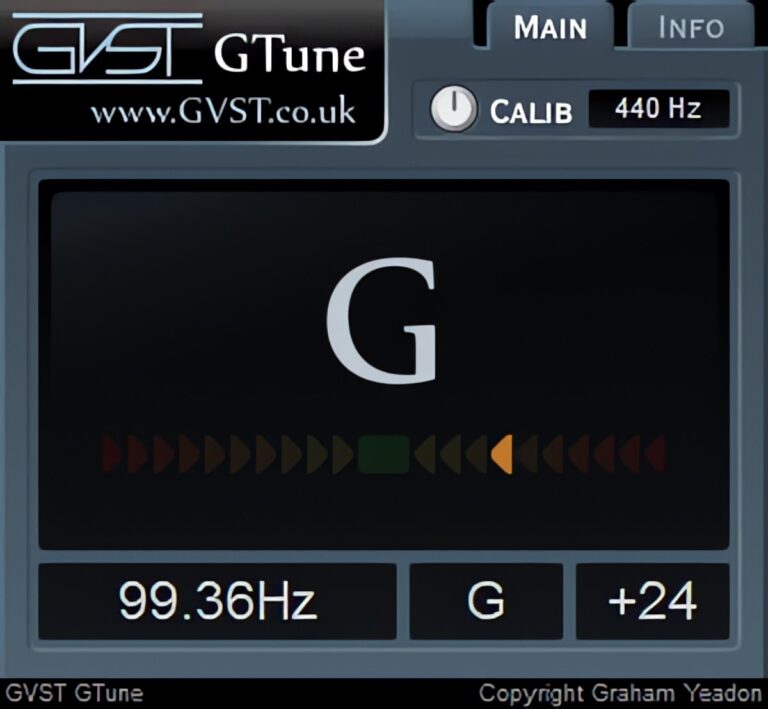
OS: Windows Win Mac Mac Linux Linux Bit Version: 32-bit, 64-bit Developer: GVST Size: 1 MB Rating: 85/100
GVST GTune offers a simple and accurate way to tune your instruments inside your music software. It automatically detects pitch, shows the nearest note, and displays whether the sound is flat or sharp using clear LED-style indicators and a frequency readout.
Musicians can adjust the reference pitch, view exact frequencies in hertz, and fine-tune their sound with visual feedback. GTune works well for guitars, vocals, or any tuned instrument, making it a dependable tool for recording, mixing, and live performance setups.
Features
- Automatically Detects Note Pitch
- LED Indicators For Tuning Accuracy
- Displays Frequency In Hertz
- Adjustable Reference Frequency Control
- Shows Flat And Sharp Notes
- Numeric Cents Offset Display
- Fast And Accurate Response
- Low CPU Resource Usage
- Works In VST And AU Formats
- Free For Personal And Commercial Use
Pros
- Fast and accurate tuning response
- Supports Windows, macOS, and Linux
- Free for personal and commercial use
- Uses very little CPU power
- Adjustable reference frequency control
- Shows both note and frequency
- Visual LED-style tuning meter
- More stable than many free tuners
- Compatible with most DAWs
- Lightweight single-file installation
Cons
- No built-in sound generation
- Lacks modern visual interface
- Limited customization options
- Static display not resizable
- No MIDI mapping support
- No built-in effects section
- Doesn’t include tone shaping tools
- No recording or playback feature
- User interface feels outdated
- Limited sound design potential
Video Demo
What Users Say
GVST GTune Tips
- Always insert GTune on a clean guitar signal path for accurate results.
- I make sure my guitar signal isn’t too loud or too quiet for GTune to read clearly.
- I use GTune’s visual display to help me fine-tune each string perfectly.
- Check the reference pitch (A4 = 440Hz) and adjust it if different tuning is needed.
- Try placing GTune before any effects to get the purest input tone.
- Use GTune in a quiet environment to prevent background noise from confusing the tuner.
- Keep GTune updated to the latest version for the most stable performance and best results.
20. TAL-Reverb-4
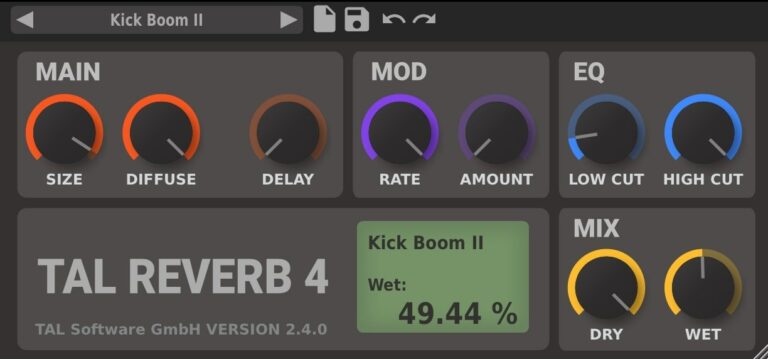
OS: Windows Win Mac Mac Linux Linux Bit Version: 64-bit Developer: TAL Software Size: 12 MB Rating: 84/100
TAL-Reverb-4 offers a rich plate reverb sound with a smooth, vintage 80s tone. Its modulated character adds depth and texture, making it great for drums, synths, and vocals. The plugin builds reverb quickly and blends well into many styles of music.
With simple controls for size, diffusion, and tone shaping, TAL-Reverb-4 makes it easy to dial in anything from subtle space to deep ambience. It works on stereo tracks across Windows, Mac, and Linux, giving creators a classic reverb feel with modern flexibility.
Features
- Vintage 80s Plate Reverb Sound
- Lush And Warm Reverb Character
- Adjustable Diffusion For Echo Texture
- Low Cut And High Cut Filters
- Delay Control Before Reverb Start
- Size Control For Reverb Space
- Rate Control For Modulation Speed
- Dry And Wet Level Controls
- Low CPU Usage Performance
- Simple And Clean Interface
Pros
- Rich vintage 80s reverb tone
- Warm and smooth plate sound
- Very low CPU usage
- Simple and friendly interface
- Supports Windows, Mac, and Linux
- Nicely modulated reverb movement
- Includes useful starter presets
- Low and high cut controls included
- Highly diffuse and lush texture
- Fun modulation for deeper sound
Cons
- Only supports stereo, no mono
- Very few included presets
- No advanced reverb types
- Limited EQ shaping controls
- Lacks convolution reverb option
- No visual reverb display
- Too simple for pro mixing
- Can sound a bit grainy
- Doesn’t support surround sound
- No preset browser included
Video Demo
What Users Say
TAL-Reverb-4 Tips
- I use the dry/wet knob to make sure I don’t wash out the sound too much.
- I make sure to cut low frequencies from the reverb to keep the mix from sounding muddy.
- Adjusting the pre-delay helps space out the original sound and the reverb tail for a cleaner mix.
- Applying reverb on a send track allows for easy control over multiple sounds at once.
- TAL-Reverb-4 responds well to subtle changes in the color knob, which can shape the tone nicely.
- Experimenting with the size control can move the sound from a small room to a large hall.
Linux VST Plugins Compared
This table compares Linux VST plugins by features, controls, effects, formats, and more.
| Details | Vital | Surge XT | Zebralette | Odin 2 | Graillon 2 | OB-Xd | Chow Tape Model | Chow Centaur | Chow Phaser | TyrellN6 | LoudMax | Podolski | LSP Spektrumanalysator | Nils‘ K1v | Flying Phaser |
|---|---|---|---|---|---|---|---|---|---|---|---|---|---|---|---|
| Image | 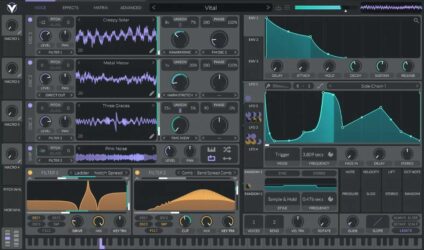 |
 |
 |
 |
 |
 |
 |
 |
 |
 |
 |
 |
 |
 |
 |
| Rating | |||||||||||||||
| OS | Windows, Mac, Linux | Windows, Mac, Linux | Windows, Mac, Linux | Windows, Mac, Linux | Windows, Mac, Linux | Windows, Mac, Linux | Windows, Mac, Linux | Windows, Mac, Linux | Windows, Mac, Linux | Windows, Mac, Linux | Windows, Mac, Linux | Windows, Mac, Linux | Linux | Windows, Mac, Linux | Windows, Mac, Linux |
| Formats | VST | VST, AU, CLAP | VST, AU | VST, AU | VST, AU, AAX, LV2 | VST, AU | VST, AU | VST, AU | VST, AU | VST, VST3, AU, AAX, CLAP | VST2, VST3, AU | VST3, AU, AAX | VST2, VST3, AU, LV2, CLAP | VST, VST2, VST3, AU | VST, AU |
| Bit Version | 64-bit | 32-bit, 64-bit | 64-bit | 64-bit | 64-bit | 64-bit | 64-bit | 64-bit | 64-bit | 32-bit, 64-bit | 32-bit, 64-bit | 32-bit, 64-bit | 64-bit | 32-bit, 64-bit | 32-bit, 64-bit |
| Developer | Vital Audio | Claes Johanson | Heckmann Audio | Wave Warden | Auburn Sounds | discoDSP | Chow DSP | Chowdhury DSP | Chowdhury DSP | U-He | LoudMax | U-He | Linux Studio Plugins Project | Nils Schneider | SuperflyDSP |
| License | Freeware | GPL | Freeware | Freeware | Freeware | Freeware | GPL | GPL | GPL | Freeware | Freeware | Freeware | GPL | Freeware | GPL |
| Sample-Based | No | No | No | No | No | No | No | Select | No | No | No | No | No | No | No |
| Download Size | 39 MB | 172 MB | 175 MB | 87 MB | 57 MB | 50 MB | 10 MB | 8.6 MB | 8 MB | 47 MB | 452 KB | 50 MB | 6 MB | 12 MB | 1.5 MB |
| CPU Load | Medium | Low | Low | Low | Low | Low | Low | Low | Low | Low | Low | Low | Low | Low | Low |
| Polyphony | 32 | 64 | 1 | 24 | 1 | 7 | 1 | 8 | 8 | 8 | 1 | 16 | N/A | 32 | 1 |
| Features | Spectral warping, Sample-to-wavetable, Wavetable editor, Visual synthesis, Drag-and-drop modulation, Stereo modulation, Custom LFOs | Hybrid Synthesis, Dual Scenes, Flexible Modulation, Extensive Effects, Wavetable Oscillators, Patch Browser, MPE Support | Wavetable oscillator, Modulation controls, Spectral effects, Envelope shaping, LFO modulation, Preset library, Built-in effects | Polyphonic Synthesis, Oscillator Slots, Filter Slots, Modulation Matrix, Arpeggiator, FX Section, Preset Library | Pitch Shifting, Formant Control, Pitch Correction, Built-in Effects, Pitch-Tracking Modulation, Keyboard Tuning, Vocal Doubler | Classic Synth Emulation, Blendable Multimode Filter, Micro Detuning, Unison Voices, Enhanced Oscillators, MTS-ESP Tuning, Bi-Directional MIDI | Analog tape emulation, Hysteresis modeling, Compression control, Tone shaping, Modulation effects, Mix grouping, Stereo processing | Traditional Mode, Neural Mode, Gain Control, Tone Control, Level Control, Wave Display, Bypass Button | Skewed LFO, Nonlinear Filters, Adjustable Stages, Independent Stereo, Feedback Control, Drive Saturation, Thrash Distortion | Virtual analogue synthesis, Dual oscillators, Twin filter, Modulation matrix, Unison voices, Chorus effect, Modern preset browser | Transparent limiting, Look-ahead processing, True peak detection, Automatic release, Fader linking, Precise metering, GUI resizing | WaveWarp Oscillator, Multimode Filter, Arpeggiator/Sequencer, Dual LFOs, Built-in Effects, NKS Integration, 300+ Presets | Multichannel analysis, Mid/Side mode, Freeze function, Spectrogram modes, Channel controls, Peak history, Zoom adjustment | Accurate emulation, Large preset library, Full editing, SysEx support, Resizable interface, Automation support, real-time control | Classic phaser, Analog feel, BPM sync, Aliasing-free, Glitch-free, Intuitive GUI, Preset saving |
| Controls | Oscillators, Sampler, Filters, Envelopes, LFOs, Random Modulators, Macros | Oscillator, Filter, LFO, Waveshaper, Patch Browser, Modulation Matrix, Scene Controls | Oscillator Section, Waveform Display, Spectral Controls, Envelope, LFO, MSEG, FX Section | Analog Osc, PW, Drift, Lowpass24, Amp Env, LFO, Modulation Matrix | Pitch-Tracking Mod, Wave Control, Octave Control, Dry/Wet Mix, Pitch Shift, Formant Control, Output Meter | Volume, Coarse, Spread, Unison, Cutoff, Resonance, Envelope (ADSR) | Input Gain, Dry/Wet, Output Gain, Bias, Saturation, Drive, Hysteresis Mode | Gain, Tone, Level, Wave Display, Traditional Button, Bypass Button, Mono Button | Depth, Feedback, Drive, Frequency, Modulation, Skew, Stages | Oscillators, Mixer, Filter, LFOs, Envelopes, Matrix, Chorus | Threshold Slider, Output Slider, Link Button, ISP Button, Input Meter, Output Meter, Gain Reduction Meter | Envelope Section, Oscillator Section, Amplifier Section, LFO Global, Filter Section, Delay Section, Arpeggiator Section | Bypass Button, Frequency Graph, Window Drop-Down, Tolerance Setting, Envelope Drop-Down, Channels Section, Metering Display | Display Screen, Mode Buttons, Source Buttons, Source Balance Knob, Tune Knobs, Waveform Selector, Envelope Section | Depth, Host Sync, Frequency, Delay, Feedback, Mix, Preset Selector |
| Effects Included | Wide stereo effects | Reverb, Delay, Distortion | Chorus/Phaser, EQ, Delay, Reverb | Distortion, Delay, Chorus, Flanger, Reverb | Compressor, Gate, Chorus, Preamp, Bitcrusher, Doubler, Pitch-Tracking Modulation | Unknown | Saturation, Compression, Filtering, Modulation, Tone Shaping | Overdrive, Distortion, Clean Boost | Phaser, Saturation, Distortion | Chorus, Overdrive, Filter Feedback | Limiter, Maximizer | stereo delay, chorus/flanger | None | Chorus | Phaser |
| MIDI Learn | Yes | Yes | Unknown | Yes | No | Yes | Unknown | Yes | Unknown | Yes | No | Yes | No | Yes | Unknown |
| Presets | 75 | 2777 | 80 | 1250 | 23 | 250 | N/A | N/A | N/A | 580 | N/A | 300 | N/A | 768 | N/A |
| Standalone | Yes | Yes | No | Yes | No | Yes | Yes | Yes | Yes | No | Yes | No | Yes | Yes | No |
| Last Updated | 04/10/2024 | 07/04/2024 | N/A | 12/01/2023 | 01/16/2023 | 04/03/2024 | 03/05/2024 | 02/25/2024 | 01/03/2022 | 09/01/2020 | 07/15/2024 | 05/09/2022 | 05/06/2024 | 07/16/2023 | 09/06/2023 |
Favorite Linux VST Plugins
Our top picks for the best free Linux VST plugins are Vital by Vital Audio, Surge XT by Claes Johanson, and Zebralette by Heckmann Audio. These plugins offer great premium sounds, features, and a wide selection of sound presets.
| Details | Vital | Surge XT | Zebralette |
|---|---|---|---|
| Image |
|
|
|
| Rating | |||
| OS | Windows, Mac, Linux | Windows, Mac, Linux | Windows, Mac, Linux |
| Formats | VST | VST, AU, CLAP | VST, AU |
| Bit Version | 64-bit | 32-bit, 64-bit | 64-bit |
| Developer | Vital Audio | Claes Johanson | Heckmann Audio |
| License | Freeware | GPL | Freeware |
| Sample-Based | No | No | No |
| Download Size | 39 MB | 172 MB | 175 MB |
| CPU Load | Medium | Low | Low |
| Polyphony | 32 | 64 | 1 |
| Features | Spectral warping, Sample-to-wavetable, Wavetable editor, Visual synthesis, Drag-and-drop modulation, Stereo modulation, Custom LFOs | Hybrid Synthesis, Dual Scenes, Flexible Modulation, Extensive Effects, Wavetable Oscillators, Patch Browser, MPE Support | Wavetable oscillator, Modulation controls, Spectral effects, Envelope shaping, LFO modulation, Preset library, Built-in effects |
| Controls | Oscillators, Sampler, Filters, Envelopes, LFOs, Random Modulators, Macros | Oscillator, Filter, LFO, Waveshaper, Patch Browser, Modulation Matrix, Scene Controls | Oscillator Section, Waveform Display, Spectral Controls, Envelope, LFO, MSEG, FX Section |
| Effects Included | Wide stereo effects | Reverb, Delay, Distortion | Chorus/Phaser, EQ, Delay, Reverb |
| Download | Download Vital | Download Surge XT | Download Zebralette |
I hope you find this list of free Linux VST plugins helpful.





