Here are the best free Granular VST plugins for Windows and Mac. We have included videos, reviews, features, pros, cons, and plugin ratings.
Table of Contents

How we rate Granular plugins: We rate each Granular plugin based on sound quality, design, performance, features, usability, and compatibility. We rate plugins on a scale of 1 to 100.
| # | Plugins | Ratings | OS | Formats |
|---|---|---|---|---|
| 1 | Grain Strain | Windows Mac | VST2, AAX, CLAP | |
| 2 | Emergence | Windows Mac | VST3, AU | |
| 3 | Lagrange | Windows Mac | VST, AU | |
| 4 | Ribs | Windows Mac | VST | |
| 5 | Fragmental | VST | ||
| 6 | GVST GGrain | Windows Mac Linux | VST, AU | |
| 7 | Argotlunar | Windows Mac Linux | VST, AU | |
| 8 | Hadron Particle Synthesizer | Windows Mac | VST, AU | |
| 9 | Smear | Windows Mac | VST, AU | |
| 10 | Boids | Windows | VST | |
| 11 | Thesis 2 | Windows | VST | |
| 12 | GRESSOR | Windows | VST | |
| 13 | PTS | Windows | VST | |
| 14 | sg-grainbot | Windows | VST | |
| 15 | PolyGAS | Windows | VST |
I have spent over 15 years testing and comparing hundreds of free and paid VST plugins, supported by hands-on demos on our YouTube channel, which has 12,000+ subscribers.
Best Free Granular VST Plugins
1. Grain Strain
OS: Windows Win Mac Mac Bit Version: 64-bit Developer: Full Bucket Size: 14 MB Rating: 83/100
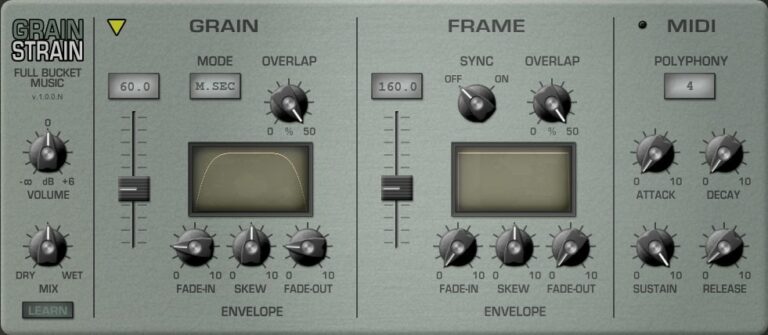
Grain Strain is a granular effect that captures short sections of incoming audio, loops them as grains, and reshapes them with separate grain and frame envelopes. Timing can use milliseconds, host tempo, frequency, or MIDI note control.
It supports MIDI-driven, up-to-eight-voice vocoder-style sounds, dynamic micro-tuning, MIDI Learn, and dry/wet mixing. Grain Strain runs on Windows and macOS in VST2, VST3, CLAP, AAX, and AU formats, with a resizable interface.
Features
- Flexible Grain Looping
- Host-Synced Grain Timing
- Grain And Frame Envelopes
- Four Grain Operating Modes
- Frequency-Based Grain Control
- Grain Vocoder Effects
- Up To Eight MIDI Voices
- MIDI ADSR Voice Envelopes
- Dynamic Micro-Tuning Support
- MIDI Control For All Parameters
Pros
- Works as a grain vocoder
- Supports up to eight voices
- Offers flexible grain looping
- Syncs grains to your host
- Includes grain and frame envelopes
- Shapes sounds with fade controls
- Adds smooth grain overlap
- Supports dynamic micro-tuning
- Maps every control to MIDI
- Uses very little computer power
Cons
- Not a traditional vocoder
- No dedicated carrier input
- No visible filter bank
- No sibilance control
- No formant shift control
- MIDI setup can be confusing
- Only eight MIDI voices
Testimonials
2. Emergence

OS: Windows Win Mac Mac Bit Version: 64-bit Developer: Daniel Gergely Size: 2.1 MB Rating: 81/100
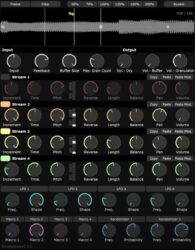
Emergence is a real-time granular effect by Daniel Gergely that records incoming audio into a buffer and reshapes it with up to 600 overlapping grains. Four independent streams can create echoes, textures, rhythmic patterns, and layered soundscapes.
Each stream offers controls for time, pitch, reverse playback, grain length, pan, and volume. LFOs, macros, randomizers, feedback, and buffer freezing add motion and variation. Emergence runs as a 64-bit VST3 or AU plugin on Windows and macOS.
Features
- Real-Time Granular Sound Processing
- Up To 600 Grains
- Four Independent Grain Streams
- Per-Stream Grain Controls
- LFO Modulation Controls
- Macro Control Parameters
- High-Quality Pitch Transposition
- Freeze Buffer Contents
- Feedback For Added Texture
- Reverse Grain Playback
Pros
- Generates up to 600 grains
- Uses four independent grain streams
- Works with live incoming audio
- Freezes sounds for easy reuse
- Shifts pitch across two octaves
- Includes four flexible LFOs
- Uses macros for quick changes
- Adds controlled random sound changes
- Builds complex delay patterns
- Offers reverse grain playback
Cons
- Requires live input audio
- Cannot load samples directly
- No standalone version listed
- No Linux support listed
- No VST2 plugin format
- No built-in MIDI instrument mode
- CPU use rises quickly
Testimonials
3. Lagrange
OS: Windows Win Mac Mac Bit Version: 32-bit, 64-bit Developer: UrsaDSP Size: 3 MB Rating: 72/100
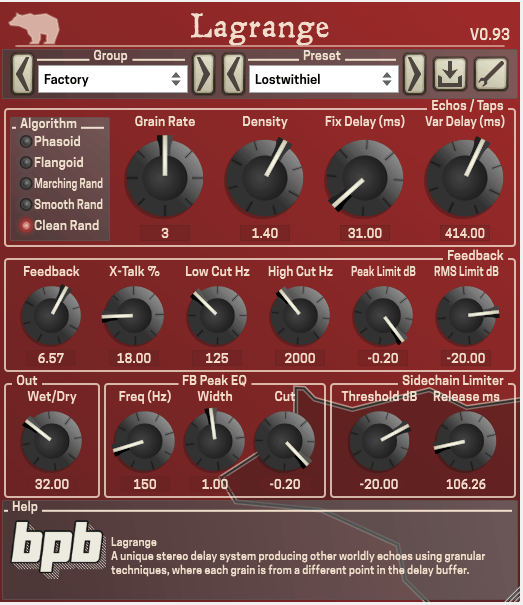
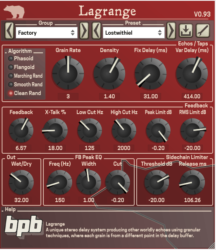
Lagrange is a stereo granular delay that creates unusual, shifting echoes. It takes grains from different points in the delay buffer, producing organic movement and changing textures. Choose from phase, flanger, or random algorithms to shape the effect.
Controls include grain rate, density, fixed and variable delay, feedback, channel crosstalk, filtering, and feedback EQ. Peak and RMS limiters help manage levels, while Wet/Dry sets the balance between the processed and original sound. Available for Windows and Mac in VST and AU formats.
Features
- Granular Stereo Delay
- Multiple Delay Algorithms
- Phasoid Sound Mode
- Flangoid Sound Mode
- Marching Random Mode
- Adjustable Grain Rate
- Adjustable Grain Density
- Fixed And Variable Delay
- Feedback Equalizer Controls
- Low And High Cut Filters
Pros
- Creates unique granular echoes
- Turns delays into soundscapes
- Gives precise randomness control
- Uses many grain algorithms
- Includes phase-style movement
- Adds flanger-style movement
- Shapes changing delay time
- Supports stereo channel mixing
- Filters feedback lows and highs
- Adds peak and RMS limiting
Cons
- May fail in some hosts
- No built-in sample loading
- No grain pitch control
- No grain size control
- No reverse grain option
- No built-in modulation system
- No VST3 format
Testimonials
4. Ribs

OS: Windows Win Mac Mac Bit Version: 64-bit Developer: hvoyaaudio Size: 12 MB Rating: 69/100
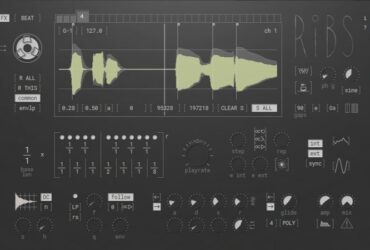
Ribs is a granular effect and synthesizer for glitching, scratching, filtering, reshaping, and rebuilding audio. It uses 32 voices and 32 stereo buffers, with controls for grain size, overlap, gaps, playhead movement, windows, and refill behavior.
Use Ribs with incoming audio or MIDI in Notes, Beat, or Simple mode. Each voice includes filters, envelopes, playback settings, and note controls. It is available in VST and AU formats, plus standalone versions for Windows and macOS.
Features
- Granular Effects And Synthesis
- Detailed Grain Control
- Thirty-Two Independent Voices
- Thirty-Two Audio Buffers
- Shared Buffer Mode
- Stereo Buffer Recording
- Ten-Second Maximum Buffer Length
- Multiple Window Functions
- Per-Voice Filters And Envelopes
- Pattern Grid Sequencing
Pros
- Works as both synth and effect
- Offers 32 voices for rich layers
- Gives each voice its own controls
- Includes 32 separate audio buffers
- Supports a shared buffer mode
- Provides six flexible refill modes
- Supports beat-synced granular patterns
- Allows polymetric grain length settings
- Lets input audio fill grain gaps
- Records and plays stereo audio
Cons
- No WAV file loading
- Buffer contents cannot be saved
- Development has been suspended
- New macOS support is uncertain
- No VST3 or CLAP support
- No Linux version available
- Setup needs special DAW routing
Testimonials
5. Fragmental
OS: Bit Version: 32-bit Developer: ndc Plugs Size: 1 MB Rating: 67/100
Fragmenta offers a creative mix of delay, granular, and phase vocoder effects that chop, stretch, and reshape audio in real time. Its flexible routing allows serial or parallel signal paths, while its visual modulation system lets you link and control multiple sound changes at once.
Fragmenta is built for experimentation, turning simple sounds into glitchy, rhythmic, or evolving textures. With tools like reverse playback, pitch shifting, and layered feedback, it’s useful for adding motion and chaos to drums, vocals, or any track that needs new energy.
Features
- Multi-FX Plugin With Delay And Granulator
- Includes Three Phase Vocoder Effects
- Features A Sound Reverse Function
- Offers Three Modulation Source Types
- Supports Serial And Parallel Routing
- Allows Real-Time Sound Fragmentation
- Includes Adjustable Grain Density And Pitch
- Provides Pitch And Feedback Controls
- Open-Source 32-Bit VST Format
- Capable Of Subtle Or Extreme Processing
Pros
- Free and open-source plugin
- Unique glitch and stutter effects
- Easy to randomize sound slices
- Flexible routing for deep control
- Powerful phase vocoder effects
- Multiple modulation sources included
- Granulator adds interesting texture
- Lets you reverse audio easily
- Community supported and modifiable
- Very light on CPU usage
Cons
- No 64-bit support for Windows
- Not available for Mac users
- User interface feels old-fashioned
- No VST3 or AU format support
- Can cause constant sample delay
- Output can clip very easily
- No MIDI learn or automation tools
- Difficult to learn for beginners
- Steeper CPU spikes in complex setups
- Poor documentation and help files
Testimonials
6. GVST GGrain

OS: Windows Win Mac Mac Linux Linux Bit Version: 32-bit, 64-bit Developer: GVST Size: 503.9 kb Rating: 66/100
GVST GGrain offers a creative way to reshape sound through granular resynthesis. It breaks audio into tiny pieces called grains and rebuilds them into new textures. By changing grain size, pitch, and density, you can turn simple sounds into evolving pads, glitches, or ambient layers.
Its eight clear controls make it easy to explore subtle changes or bold effects. The Mix knob blends dry and processed audio, while the High Quality option improves detail for smoother results. GVST GGrain is free and works on Windows, macOS, and Linux for both 32-bit and 64-bit systems.
Features
- Granular Resynthesis Audio Effect
- Adjustable Grain Size And Density
- Pitch And Pitch Variation Controls
- Mix Control For Dry Or Wet Signal
- High Quality Mode For Better Sound
- All Parameters Are DAW Automatable
- Low CPU Use For Multiple Instances
- Works On Windows, Mac, And Linux
- Free For Personal Or Commercial Use
- Can Create Glitchy Or Smooth Sounds
Pros
- Free to download and use
- Works on Windows, Mac, Linux
- Fun for learning granular synthesis
- Creates cool lo-fi textures easily
- Can stretch time without pitch change
- Light on CPU for most tasks
- Great for ambient or textural music
- Mix knob allows flexible blending
- Encourages creative sound experiments
- Turns plain sounds into soundscapes
Cons
- High CPU use in HQ mode
- No built-in sound generator
- No modulation matrix options
- No built-in reverb or delay
- Lacks flexible routing options
- Only basic controls available
- Interface feels old and plain
- Cannot save user presets easily
- No oversampling or anti-aliasing
- Limited automation beyond DAW
Testimonials
7. Argotlunar
OS: Windows Win Mac Mac Linux Linux Bit Version: 32-bit, 64-bit Developer: Michael Ourednik Size: 2.3 MB Rating: 65/100
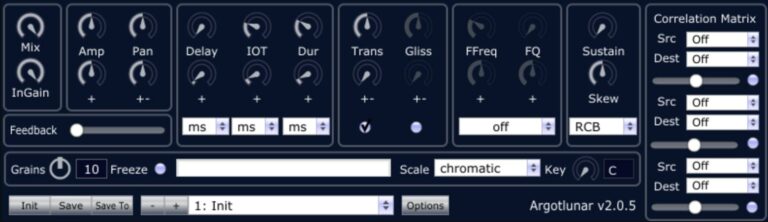
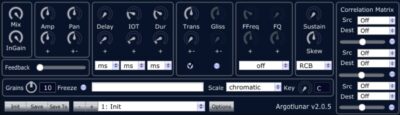
Argotlunar is a real-time granular delay that breaks incoming audio into short grains. It can vary grain volume, pan, length, delay, pitch, glide, filtering, and envelope, creating textures, rhythmic pulses, pitch shifts, and dense feedback effects.
Time controls can sync to host tempo, while pitch can follow a chosen scale and key. A correlation matrix links parameters, such as pitch and filter cutoff. Argotlunar is free GPL v2 software for VST and AudioUnit on Windows, macOS, and Linux.
Features
- Real-Time Granular Audio Processing
- Transforms Audio Into Short Grains
- Random Grain Parameter Settings
- Pitch Quantization For Harmonic Effects
- Feedback Creates Dense Sound Layers
- Per-Grain Filtering And Envelopes
- Pitch Glissando Between Grains
- Stereo Panning Grain Control
- Correlates Parameters With A Matrix
- Freeze Holds Current Sound
Pros
- Provides real-time granular delay processing
- Randomizes many grain settings
- Shapes pitch with smooth glissando
- Builds rhythmic tempo-synced textures
- Creates dense chaotic feedback sounds
- Links controls with correlation matrix
- Filters grains using pitch changes
- Spreads grains across stereo space
- Supports harmonic pitch quantizing
- Freezes sounds for endless textures
Cons
- No VST3 plugin format
- No CLAP plugin format
- Outdated macOS support
- No scalable interface option
- No built-in LFO modulation
- Few factory presets included
- Complex controls challenge beginners
Testimonials
8. Hadron Particle Synthesizer

OS: Windows Win Mac Mac Bit Version: 32-bit, 64-bit Developer: Partikkel Audio Size: 24 MB Rating: 64/100
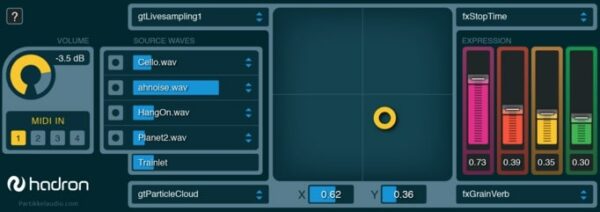
Hadron Particle Synthesizer is a free, open-source granular synthesizer for Windows and Mac. It breaks sounds into small grains and lets you morph between sound states with an XY control and four expression sliders.
Use analyzed sound files, record samples in real time, or process live audio through the plugin. Hadron includes VST and AU formats, supports 32-bit and 64-bit systems, and also offers Csound source code.
Features
- Free And Open-Source Synthesizer
- Granular Synthesis For Sound Design
- Morph Between Different Sound States
- XY Control Shapes Sound Changes
- Over 200 Internal Sound Parameters
- Real-Time Live Sound Sampling
- Processes Live Audio Input
- Uses Analyzed Source Waveforms
- Supports MIDI Control Inputs
- Includes Grain And Main Effects
Pros
- Free and open-source granular instrument
- Works as synth or effect
- Supports live audio input
- Records live samples in real time
- Uses more than 200 parameters
- Seamless state morphing with XY control
- Four expression controls add flexibility
- Loads and blends multiple wave sources
- Includes ready-to-use sound states
- Provides open Csound source code
Cons
- No VST3 format listed
- No CLAP format listed
- No Linux plugin version
- Sound files need analysis first
- Analysis needs a command-line tool
- No simple drag-and-drop workflow
- Over 200 settings overwhelm beginners
Testimonials
9. Smear

OS: Windows Win Mac Mac Bit Version: 32-bit, 64-bit Developer: Adam Somers Size: 753 KB Rating: 62/100
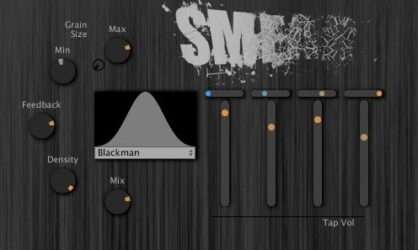
Smear is a free granular effect that captures up to one second of incoming audio and reshapes it into four grains. Grain size, density, timing, volume, and panning controls let you create layered textures, repeats, glitches, and rhythmic effects.
A feedback control sends processed audio back for further granulation, while multiple window shapes change each grain’s fade and character. Smear runs on Windows and Mac in VST and AU formats, with dry and wet mix control.
Features
- Uses Incoming Audio Buffers
- Creates Four Individual Grains
- Adjustable Minimum Grain Size
- Adjustable Maximum Grain Size
- Individual Grain Volume Controls
- Individual Grain Panning Controls
- Feedback For Repeats And Echoes
- Adjustable Grain Density Control
- Multiple Grain Window Shapes
- Four Tap Timing Controls
Pros
- Processes incoming audio live
- Uses a one-second audio buffer
- Creates four separate grains
- Gives each grain its own volume
- Lets each grain pan separately
- Adds four timed sound layers
- Supports smooth window shapes
- Includes glitchy window shapes
- Adds feedback repeats and echoes
- Shows grain shapes visually
Cons
- Only four grains at once
- One-second input buffer limit
- No sample loading or saving
- No pitch control for grains
- No LFO or envelope modulation
- No VST3 or CLAP format
- Reported crashes in several DAWs
Testimonials
10. Boids

OS: Windows Win Bit Version: 32-bit, 64-bit Developer: ToneCarver Size: 12.3 MB Rating: 62/100
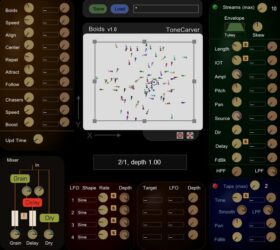
Boids is a hybrid granular and delay effect that uses a 2D swarm of moving shapes to modulate sound. Its shifting motion creates flowing ambience with gentle changes in grain timing, pitch, pan, feedback, and filtering.
The plugin includes controls for grain streams, delay taps, dry/wet mixing, and four LFOs. Users can adjust swarm behavior, envelopes, playback direction, and stereo position to shape subtle textures or more active effects. It runs as a 32- or 64-bit VST on Windows.
Features
- Hybrid Granular Delay Effects
- Organic Flowing Ambience Creation
- Two-Dimensional Boid Modulators
- Visual Boid Movement Display
- Adjustable Boid Movement Forces
- Repel And Attract Controls
- Multiple Sound Streams
- Adjustable Stream Length And Pitch
- Independent Stream Panning Control
- Assignable LFO Modulation Targets
Pros
- Unique granular-delay hybrid
- Uses visual boid swarm control
- Offers four built-in LFO sources
- Supports many sound streams
- Supports many delay taps
- Includes flexible pitch and pan controls
- Built-in filters shape the tone
- Feedback adds rich sound depth
- Smooths changes between delay taps
- Separate grain, delay, dry levels
Cons
- Windows only, limiting user choice
- VST format only, no VST3
- No AU support for Mac
- No Linux version listed
- Visual movement can feel chaotic
- Hard to repeat sounds exactly
- No tempo sync control listed
Testimonials
11. Thesis 2
OS: Windows Win Bit Version: 32-bit Developer: Lukas Blersch Size: 4.9 MB Rating: 60/100
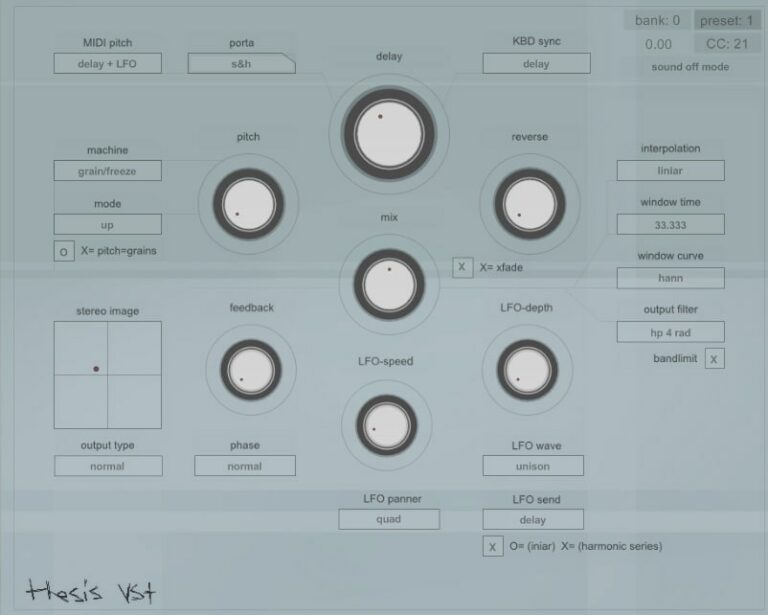
Thesis 2 is a granular delay effect for Windows VST hosts that reshapes audio with pitch shifting, time stretching, reversing, freezing, and grain-based processing. It includes delay, pitch, unison, bitcrushing, feedback, filtering, and stereo imaging controls for creative sound design.
MIDI control, keyboard tracking, pitch bend, MIDI learn, and tempo sync support live performance and automation. LFO controls add movement to pitch, delay, and panning, while presets can change in real time. Thesis 2 is available as a 32-bit freeware plug-in.
Features
- Granular Delay Processing
- Pitch Shifting Controls
- Time Stretching Effects
- Grain Reversal Mode
- Grain And Freeze Modes
- Tempo Synchronization
- MIDI Learn Support
- Stereo Image Controls
- LFO Modulation Controls
- Adjustable Grain Window Settings
Pros
- Detailed grain shaping controls
- Flexible delay and grain modes
- Pitch shifting built right in
- Time stretching adds creative options
- Reverse grains make wild textures
- Freeze mode holds sound
- Full MIDI integration
- Keyboard sync follows notes
- Stereo image moves sound freely
- Bitcrusher adds digital grit
Cons
- Windows only, no Mac support
- 32-bit support feels very old
- No VST3 format is listed
- No AU or CLAP versions
- GUI can be hard to use
- No sample loading is listed
- No polyphonic grain instrument mode
Testimonials
12. GRESSOR

OS: Windows Win Bit Version: 32-bit Developer: Quilcom Size: 2.4 MB Rating: 58/100
GRESSOR is a granular effect plugin for Windows 32-bit VST hosts. It captures or records incoming audio, accepts live input, and loads short WAV files. You can also clear, save, and view the current audio.
Shape sounds with grain rate, pitch, edge, playback direction, random positioning, and LFO scanning. Add pitch movement, reverb, damping, stereo width, and control the balance between dry and processed sound.
Features
- Granular Audio Processing
- Capture Incoming Audio
- Load Short WAV Files
- Display Audio Waveforms
- Set Playback Audio Range
- Control Grain Rate
- Change Grain Pitch
- Adjust Grain Edges
- Choose Random Grain Positions
- Scan Audio With LFO
Pros
- Records sounds inside the plugin
- Captures live incoming audio
- Loads short WAV files quickly
- Saves edited sounds as WAV files
- Shows audio with a waveform
- Lets you choose playback sections
- Controls grain speed with GRAINS
- Shapes grains with the EDGE control
- Scans sounds with an LFO
- Includes built-in reverb controls
Cons
- Windows only, no Mac version
- 32-bit format limits modern hosts
- No VST3, AU, or CLAP
- Only short WAV files load
- No MIDI note control
- No tempo-sync controls
- No grain size control
13. PTS
OS: Windows Win Bit Version: 32-bit, 64-bit Developer: Quilcom Size: 17 MB Rating: 57/100
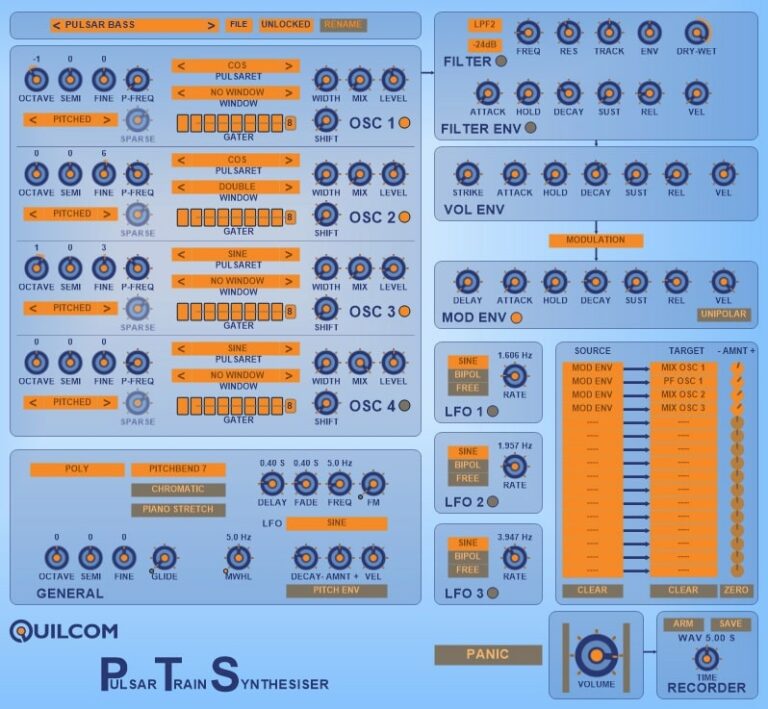
PTS is a Windows VST synthesizer based on Pulsar Train Synthesis, a granular technique proposed by Curtis Roads. Four oscillators combine waveforms, pulse frequencies, windows, and timing controls to create textured electronic sounds. It includes two preset banks by Manfred Plümer.
The plugin offers filters, pitch and modulation envelopes, three LFOs, FM, delay, glide, and flexible tuning options. Polyphonic playback, step gating, velocity control, and a WAV recorder support sound design and performance work. Versions are available in 32-bit and 64-bit formats.
Features
- Granular Pulsar Train Synthesis
- Four Oscillators Work Together
- Multiple Waveform And Window Options
- Pattern-Based Oscillator Gating
- Filter Envelope With Velocity
- Three LFOs For Sound Movement
- Flexible Modulation Routing Controls
- Delay And Frequency Modulation Effects
- Chromatic And Piano Stretch Tuning
- Built-In Wave Recorder
Pros
- Explores rare Pulsar Train Synthesis
- Four oscillators build rich sounds
- Deep pitch control per oscillator
- Flexible windows shape grain behavior
- Sparse control adds airy textures
- Built-in step gating creates rhythms
- Dedicated modulation envelope expands control
- Three LFOs create repeating motion
- Delay and FM add extra color
- Built-in WAV recorder saves ideas
Cons
- Windows computers only
- No VST3, AU, or CLAP
- No sample loading feature
- No direct audio input
- No visual grain editing
- No clear grain size control
- No clear grain density control
14. sg-grainbot

OS: Windows Win Bit Version: 32-bit Developer: synthgeek Size: 1.65 MB Rating: 56/100
sg-grainbot is an experimental 32-bit VST synthesizer for Windows. It uses granular sampling, a chaotic mathematical sound generator, and ring modulation to create drones, percussion, mechanical textures, bleeps, and other unusual sounds from internal or external audio.
Its filter, step sequencers, three LFOs, envelope, modulation matrix, and tempo-sync delay shape sound over time. Grain size, rate, pitch, and random controls add motion. Outputs can be loud or harsh, so monitor levels carefully.
Features
- Granular Synthesis Engine
- Processes External Audio
- Two Sound Generators
- Five Grain Input Sources
- Adjustable Grain Size And Rate
- Random Grain Size And Pitch
- Five Filter Types Available
- Two Step Sequencers
- Three LFO Modulators
- Modulation Matrix With Routing
Pros
- Handles external audio input
- Offers five grain input sources
- Includes a built-in oscillator
- Adds chaotic math-based tones
- Uses ring modulation creatively
- Offers multi-stage filter control
- Includes two step sequencers
- Adds three tempo-sync LFOs
- Includes a six-stage envelope
- Combines modulation sources mathematically
Cons
- Windows 32-bit only
- No macOS or Linux support
- No VST3, AU, or CLAP
- Last updated in 2010
- May fail in newer DAWs
- No ongoing developer support
- No time-stretching control
Testimonials
15. PolyGAS

OS: Windows Win Bit Version: 32-bit Developer: Vasily Makarov Size: 16 MB Rating: 55/100
PolyGAS is a Windows 32-bit VSTi granular synthesizer with 32-voice polyphony. It loads uncompressed WAV and AIFF samples in mono or stereo, then breaks them into grains for control of pitch, timing, length, position, pan, detuning, and level.
It includes 18 envelopes with up to 40 nodes, tempo sync, random controls, 11 filter types, distortion, delay, flanger, reverb, microtonal tuning, and MIDI support. Preset and bank tools are included for use in many DAWs.
Features
- Up To 32-Voice Polyphony
- Advanced Granular Synthesis Engine
- WAV And AIFF Sample Support
- 18 Granular Synthesis Envelopes
- Up To 40 Envelope Nodes
- Tempo-Synced Envelope Nodes
- Controlled Parameter Randomization
- Eleven Distortion Types
- Eleven Filter Types
- Microtonal Tuning File Support
Pros
- Offers 32-voice polyphony
- Uses advanced granular synthesis
- Loads custom samples from folders
- Includes eighteen editable envelopes
- Syncs envelopes with project tempo
- Adds controlled parameter randomization
- Provides eleven distortion types
- Offers eleven flexible filter types
- Supports key-tracked filter cutoff
- Includes microtonal tuning support
Cons
- Windows-only VST2 format
- No VST3, AU, or CLAP
- 32-bit builds limit compatibility
- Reported crashes in several DAWs
- Loading can be unusually slow
- Sample browser may fail
- Development appears largely abandoned
Testimonials
Best Granular Plugins Compared
This table compares the top granular plugins by features, controls, effects, formats, and more.
| Details | Grain Strain | Emergence | Lagrange | Ribs | Fragmental | GVST GGrain | Argotlunar | Hadron Particle Synthesizer | Smear | Boids |
|---|---|---|---|---|---|---|---|---|---|---|
| Image | 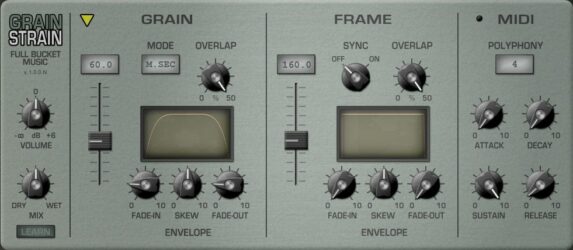 |
 |
 |
 |
|
 |
 |
 |
 |
|
| Rating | ||||||||||
| OS | Windows, Mac | Windows, Mac | Windows, Mac | Windows, Mac | N/A | Windows, Mac, Linux | Windows, Mac, Linux | Windows, Mac | Windows, Mac | Windows |
| Formats | VST2, AAX, CLAP | VST3, AU | VST, AU | VST | VST | VST, AU | VST, AU | VST, AU | VST, AU | VST |
| Bit Version | 64-bit | 64-bit | 32-bit, 64-bit | 64-bit | 32-bit | 32-bit, 64-bit | 32-bit, 64-bit | 32-bit, 64-bit | 32-bit, 64-bit | 32-bit, 64-bit |
| Developer | Full Bucket | Daniel Gergely | UrsaDSP | hvoyaaudio | ndc Plugs | GVST | Michael Ourednik | Partikkel Audio | Adam Somers | ToneCarver |
| License | Freeware | N/A | Freeware | Donationware | Freeware | Freeware | GPL | Freeware | Freeware | Freeware |
| Sample-Based | Yes | No | No | Yes | Select | No | Yes | Yes | Yes | Yes |
| Download Size | 14 MB | 2.1 MB | 3 MB | 12 MB | 1 MB | 503.9 kb | 2.3 MB | 24 MB | 753 KB | 12.3 MB |
| CPU Load | Medium | High | Medium | Low | Low | Low | Low | High | High | Medium |
| Polyphony | 8 | 600 | N/A | 32 | 8 | 8 | 20 | 1 | 4 | 200 |
| Features | Flexible Grain Looping, Host Synchronization, Grain Envelopes, Frame Envelopes, Grain Vocoder, Eight-Voice Polyphony, MIDI Learn | Real-Time Granulator, 600 Grains, Four Grain Streams, LFO Modulation, Macro Controls, Pitch Transposition, Buffer Freeze | Granular Delay, Stereo Echoes, Organic Soundscapes, Grain Controls, Random Algorithms, Feedback EQ, Wet/Dry Mix | Granular synthesis, 32-voice engine, Real-time audio capture, Independent buffers, Multiple refill modes, Flexible performance modes, Per-voice controls | Delay, Granulator, Phase Vocoder, Reverse, Modulation Sources, Flexible Routing, Randomization Control | Granular resynthesis, Grain control, Size variation, Pitch modulation, Gain variation, Mix balance, High-quality mode | Granular Processing, Real-Time Delay, Randomized Grains, Tempo Sync, Pitch Quantization, Audio Feedback, Correlation Matrix | Granular Synthesis, State Morphing, Live Sampling, Audio Effects, Sound Processing, Expression Controls, Preset Selection | Granular Synthesis, Four Grains, Grain Size Control, Feedback Delay, Grain Density, Individual Panning, Window Shapes | Granular synthesis, Boid modulation, Delay ambience, Visual swarm display, Multi-tap delay, Four LFOs, Stream shaping |
| Controls | Volume, Mix, Learn, Grain Time, Grain Mode, Grain Slider, Grain Overlap | Freeze, Clear, Bypass, Input, Feedback, Buffer Size, Max Grain Count | Group, Preset, Algorithm, Grain Rate, Density, Fix Delay, Var Delay | FX Mode, Buffer Tabs, Waveform Display, Channel Selector, Sound Selector, Performance Mode, Playrate | Delay, Granulator, Output, Trans, Exag, Accum, Reverse | Grains, Size, Size Var, Pitch, Pitch Var, Gain, Mix | Mix, InGain, Amp, Pan, Delay, IOT, Dur | Main Preset Menu, Volume Knob, Source Waves List, Wave Select Buttons, Particle Preset Menu, X Control, Y Control | Grain Size Min, Grain Size Max, Feedback, Density, Mix, Blackman Menu, Tap Time Controls | Boids, Movement Display, Streams, Taps, Mixer, LFOs, Preset Box |
| Effects Included | Grain looping, grain vocoder, vocoder, beat repeat, glitch/stutter effect, ring modulation | Granulator | Granular delay, phaser, flanger, equalizer, limiter | Granular processing, filtering, low-pass filtering, band-reject filtering, flanging, automatic gain control | Delay, Granulator, Phase Vocoder (Trans, Exag, Accum), Reverse, Modulation | Granular resynthesis, lo-fi effects, pitch shifting, time-stretching, pseudo-reverb, shimmering tails, glitch effects, textural effects | Granulation, delay, pitch shifting, glissando, filtering, panning, feedback, distortion | Stop Time, Grain Vert, reverbs, distortions, flangers, delays | Granulation effect, mult-tap granular delay | Granular effect, delay, high-pass filter, low-pass filter |
| MIDI Learn | Yes | No | No | Yes | Unknown | No | No | No | Select | Select |
| Presets | 10 | 104 | N/A | N/A | N/A | N/A | 16 | N/A | N/A | N/A |
| Standalone | No | No | No | Yes | Yes | No | No | Yes | No | No |
| Last Updated | 11/20/2026 | 11/23/2026 | 11/23/2026 | 11/23/2026 | N/A | 04/30/2023 | 11/23/2026 | 11/23/2026 | N/A | 05/21/2024 |
Best Granular VST Plugins
Our top picks for the best free Granular VST plugins are Grain Strain by Full Bucket, Emergence by Daniel Gergely, and Lagrange by UrsaDSP.
| Details | Grain Strain | Emergence | Lagrange |
|---|---|---|---|
| Image | | | |
| Rating | |||
| OS | Windows, Mac | Windows, Mac | Windows, Mac |
| Formats | VST2, AAX, CLAP | VST3, AU | VST, AU |
| Bit Version | 64-bit | 64-bit | 32-bit, 64-bit |
| Developer | Full Bucket | Daniel Gergely | UrsaDSP |
| Download Size | 14 MB | 2.1 MB | 3 MB |
| Download | Visit Grain Strain | Visit Emergence | Visit Lagrange |
Granular VST FAQs
How to Install Granular VST Plugins
To install granular VST plugins on Windows or Mac, extract the files from the Zip or Rar. Move the files (.dll for Windows or .component for Mac) into your DAW’s plugin folder. Then restart your software and rescan the directory to complete the process. Tutorial: How to Install VST Plugins
Windows:
Extract the downloaded zip file and copy the .dll file into the VST plugins folder scanned by your DAW. Restart your music software and rescan your plugin directory to begin using the new VST.
Mac OS X:
Extract the downloaded archive and move the .component or .VST file to the plugin folder. It is usually /Library/Audio/Plug-Ins/Components or /Library/Audio/Plug-Ins/VST. Restart your DAW and rescan your plugins to complete the installation.
What Is A Granular VST Plugin?
A granular VST plugin is software that helps you create and manipulate sound files. It splits a sound file into small fragments called “grains” and then lets you play with them, changing their pitch, duration, and volume.
This can create some really cool effects, like making a voice sound like it’s talking backward or turning a piano recording into a bunch of tinkling bells.
I hope you found this list of free granular VST plugins helpful. These plugins can be used with popular digital audio workstations such as FL Studio, Ableton Live, Cubase, and more.
You May Also Like: