Here are the best free Mixing VST plugins for Windows and Mac. We have included videos, reviews, features, pros, cons, and plugin ratings.
We have included reverb plugins, saturation plugins, pitch correction plugins, and more for your music projects.
How we rate mixing plugins: We rate each mixing plugin based on sound quality, design, performance, features, usability, and compatibility. We rate plugins on a scale of 1 to 100.
Table of Contents

I have spent over 15 years testing and comparing hundreds of free and paid VST plugins, supported by hands-on demos on our YouTube channel, which has 12,000+ subscribers.
Best Free Mixing VST Plugins
This table compares Mixing VST plugins by operating system, format, and rating.
| # | Plugins | Ratings | OS | Formats |
|---|---|---|---|---|
| 1 | Valhalla Super Massive | Windows Mac | VST, AU | |
| 2 | TDR Kotelnikov | Windows Mac | VST2, VST3, AU, AAX | |
| 3 | Voxengo Elephant | Windows Mac | VST, VST3, AU, AAX | |
| 4 | TDR Nova | Windows Mac Linux | VST2, VST3, AU, AAX | |
| 5 | PanCake 2 | Windows Mac | VST2, VST3, AU | |
| 6 | SlickEQ | Windows Mac | VST2, VST3, AAX | |
| 7 | ClipShifter | Windows Mac | VST, AU | |
| 8 | TDR Molotok | Windows Mac | VST2, VST3, AU, AAX | |
| 9 | DC1A | Windows Mac | VST, VST3, AU, AAX | |
| 10 | Voxengo SPAN | Windows Mac | VST, VST3, AU, AAX | |
| 11 | LALA | Windows Mac | VST3, AU, AAX | |
| 12 | Nova-67P | Windows Mac | VST2, AU | |
| 13 | LKJB Luftikus EQ | Windows Mac | VST3, AU, RTAS | |
| 14 | A1 Stereo Control | Windows Mac | VST, AU | |
| 15 | Blue Cat’s Triple EQ | Windows Mac | VST, AU, RTAS | |
| 16 | Blindfold EQ | Windows Mac Linux | VST2, VST3, AAX, CLAP | |
| 17 | OrilRiver | Windows Mac | VST, AU | |
| 18 | FETISH | Windows Mac | VST, AU | |
| 19 | Code Red Free | Windows Mac | VST | |
| 20 | Barricade Pro | Windows | VST |
1. Valhalla Super Massive
OS: Windows Win Mac Mac Bit Version: 64-bit Developer: Valhalla DSP Size: 3 MB Rating: 92/100
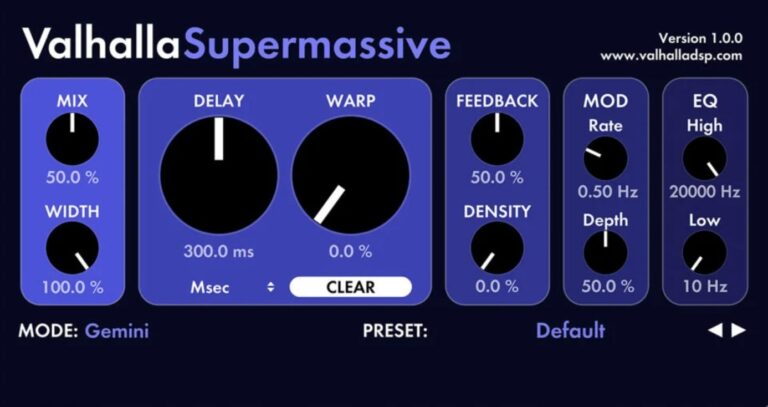
Valhalla Super Massive is a free reverb and delay plugin built for creating huge, evolving space effects. It offers 22 modes that range from smooth echoes to long, rich reverbs. Each mode shapes sound in a unique way, making it great for pads, vocals, and guitars.
With simple controls for mix, width, feedback, and tone shaping, you can quickly build anything from gentle ambience to deep, swirling textures. Valhalla Super Massive helps producers explore wide, atmospheric soundscapes without complexity or cost.
Features
- Creates Massive Reverbs And Echoes
- Includes 22 Reverb And Delay Modes
- Features EQ High And Low Cuts
- Provides Adjustable Delay And Feedback
- Supports Mod Rate And Depth Controls
- Contains Warp And Density Settings
- Offers Mix And Width Controls
- Produces Long Ambient Reverb Tails
- Free Plugin With No Limitations
- Light On CPU Usage
Pros
- Free with no hidden limits
- Low CPU use even stacked
- Huge reverb and delay options
- Twenty-two sound modes included
- Sounds like a paid plugin
- Smooth and musical modulation
- Creates evolving, dreamy soundscapes
- Brings life to pads and drums
- Perfect for spacey sounds
- Great for ambient music
Cons
- Lacks natural metallic tone
- Limited real instrument realism
- Reverb tails can sound artificial
- Hard to get dry, close sound
- Sounds too digital or synthetic
- No velocity-sensitive sample playback
- Cannot simulate hand touch dynamics
- Few controls for subtle detail
- Requires external drums for realism
Testimonials
2. TDR Kotelnikov

OS: Windows Win Mac Mac Bit Version: 64-bit Developer: Tokyo Dawn Records Size: 7 MB Rating: 89/100
TDR Kotelnikov is a wideband compressor designed for mastering, stereo buses, and other detailed audio work. It controls dynamics while preserving the original tone, punch, and overall character.
Its 64-bit processing, peak and RMS release controls, sidechain high-pass filter, and stereo linking options provide precise control. Delta mode lets you hear the compressed signal, and it supports Windows and Mac in VST2, VST3, AU, and AAX formats.
Features
- Wideband Dynamic Range Control
- 64-Bit Multirate Processing
- Delta Oversampled Signal Path
- Independent Peak And RMS Release
- Flexible Sidechain High-Pass Filter
- Advanced Stereo Linking Options
- Delta Preview Listening Mode
- Click-Free Bypass Switching
- Resizable User Interface
- Preset Menu And A/B Comparison
Pros
- Uses precise 64-bit processing
- Oversampling reduces digital errors
- Separate peak and RMS release
- Flexible low-cut sidechain filter
- Strong stereo linking controls
- Delta mode reveals compression changes
- Dry mix adds parallel control
- Click-free bypass for easy checks
- Latency compensation protects timing
- Resizable interface fits many screens
Cons
- It is not an EQ plugin
- No frequency curve display
- No spectrum analyzer included
- No dynamic EQ bands
- No high-pass EQ control
- No low-pass EQ control
- Less flexible than free EQs
Testimonials
3. Voxengo Elephant

OS: Windows Win Mac Mac Bit Version: 32-bit, 64-bit Developer: Voxengo Size: 23 MB Rating: 88/100
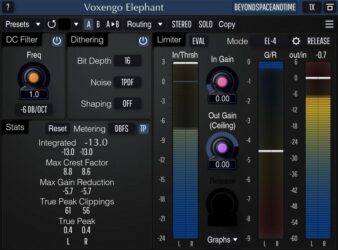
Voxengo Elephant is a mastering limiter and loudness maximizer for stereo, mono, drum bus, stem, sub-mix, and surround audio. It offers transparent peak control, 13 limiter modes, true-peak limiting, up to 8x oversampling, and adjustable release settings.
Built-in EBU R128 and K-system meters show loudness, peaks, and gain reduction, while waveform graphs help track processing. DC filtering and dither with noise shaping support final audio preparation. It is available as VST, VST3, AU, and AAX for Windows and Mac.
Features
- Transparent Signal Limiting
- Loudness Maximization For Mastering
- Thirteen Limiter Modes
- Custom Limiter Mode Editing
- True Peak Limiting
- Linear Phase Oversampling Up To Eight Times
- Stereo And Multichannel Processing
- Internal Channel Routing
- EBU R128 Loudness Metering
- RMS And True Peak Statistics
Pros
- Highly transparent sound limiting
- Thirteen useful limiter modes
- Custom limiter mode editing
- True-peak limiting prevents hidden clipping
- Up to eight-times oversampling
- Clear LUFS loudness metering
- RMS and peak clip statistics
- Real-time waveform gain view
- Stereo and surround processing
- Built-in noise-shaped dithering
Cons
- Complex controls overwhelm beginners
- No automatic loudness matching
- No streaming codec preview tools
- No target loudness guidance
- No clipper for extra loudness
- No multiband limiting section
- Demo mutes every 45 seconds
Testimonials
4. TDR Nova
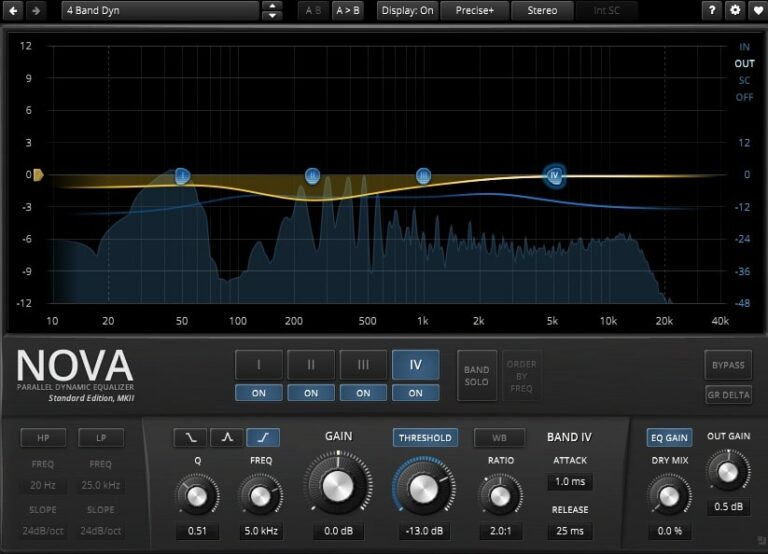
OS: Windows Win Mac Mac Linux Linux Bit Version: 32-bit, 64-bit Developer: Tokyo Dawn Records Size: 8 MB Rating: 87/100
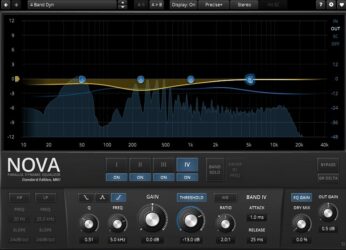
TDR Nova is a parallel dynamic equalizer with four adjustable bands, high-pass and low-pass filters, and visual frequency feedback. Each band combines EQ and dynamics controls for tasks such as tone shaping, de-essing, frequency-focused compression, multiband processing, and broad compression.
Its graph and knob controls provide access to frequency, gain, threshold, ratio, attack, release, and mix settings. Presets, undo and redo, A/B comparison, solo, external sidechain, and equal-loudness tools support work on tracks, buses, and masters.
Features
- Parallel Dynamic Equalizer
- Four Dynamic Equalizer Bands
- Frequency-Selective Compression
- Multiband Compression Processing
- Wideband Compression Processing
- Drag-And-Drop Frequency Display
- Visual Spectrum Feedback
- Adjustable Attack And Release
- Adjustable Threshold And Ratio
- External Signal Control
Pros
- 4 Bands target problem sounds
- Dynamic cuts sound more natural
- Also works as a regular EQ
- Handles compression and tone shaping
- Includes high-pass and low-pass filters
- Built-in analyzer shows frequency problems
- Band solo helps find harsh sounds
- GR Delta reveals removed sound
- External sidechain adds extra control
Cons
- Needs manual frequency hunting
- No automatic sibilance detection
- Steeper learning curve
- Many controls feel overwhelming
- May affect nearby vocal tones
- Can miss changing sibilance
Testimonials
5. PanCake 2

OS: Windows Win Mac Mac Bit Version: 64-bit Developer: Cable Guys Size: 5 MB Rating: 84/100
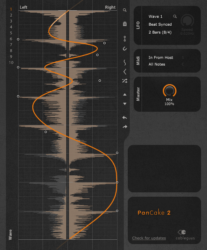
PanCake 2 is a free panning modulation plugin for Windows and Mac. Its drawable LFO curves create smooth stereo sweeps, rhythmic movement, or fast audio-rate effects for percussion, synths, and instruments.
Sync the effect to your song’s beat, set a free-running speed, or control it with MIDI. A visual wave display shows the stereo path, while the Mix knob adjusts the effect strength.
Features
- Custom Stereo Panning Curves
- Drawable LFO Panning Patterns
- Smooth And Audio Rate Motion
- Beat Synchronized LFO Timing
- Free Running Hertz Control
- MIDI Triggered Panning Movement
- Adjustable Panning Effect Strength
- Dry And Wet Mix Control
- Stereo Waveform Display
- Multiple Curve Shaping Tools
Pros
- Creates smooth stereo movement
- Draw custom pan curves easily
- Supports beat-synced movement
- Runs freely in Hertz
- Can trigger movement with MIDI
- Offers subtle or wild effects
- Clear wave display guides editing
- Shows left and right movement
- Supports VST2, VST3, and AU
- Zoom helps shape curves precisely
Cons
- No frequency-based panning control
- No built-in Haas panning
- No three-dimensional sound placement
- No surround sound support
- No width control included
- No envelope follower control
- Possible Apple Silicon crashes
Testimonials
6. SlickEQ
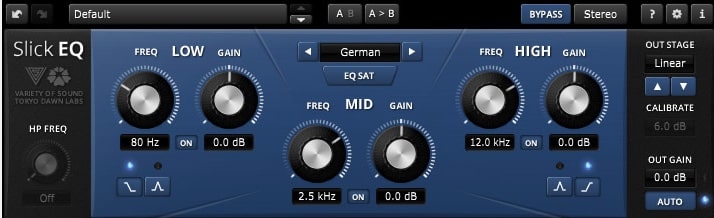
OS: Windows Win Mac Mac Bit Version: 64-bit Developer: Tokyo Dawn Records Size: 7.9 MB Rating: 84/100
SlickEQ is a mixing and mastering equalizer with low, mid, and high bands, plus an 18 dB/octave high-pass filter. Four EQ models offer different curves for broad tone shaping or corrective work.
It also includes optional EQ saturation, five output-stage colors, automatic gain matching, and stereo or sum/difference processing. Undo, A/B comparison, presets, and three quality modes support efficient work during mixing and mastering.
Features
- Three-Band Semi-Parametric Equalizer
- Four Distinct EQ Models
- High-Pass Filter With Butterworth Curve
- Low-Shelving And Bell Filters
- Optional EQ Harmonic Saturation
- Five Output Stage Models
- Adjustable Output Stage Drive
- Automatic Loudness Compensation
- Sum And Difference Processing
- High-Quality Multirate Processing
Pros
- Four unique EQ sound styles
- Musical curves for fast mixing
- Built-in high-pass filter
- Five useful output stages
- Gentle analog-style warmth
- Strong saturation without harsh distortion
- Auto-gain keeps levels balanced
- Supports stereo and mono processing
- Offers easy mid-side processing
- Low-latency modes support live use
Cons
- Only three main EQ bands
- No dynamic EQ controls
- No built-in spectrum analyzer
- No low-pass filter included
- No built-in band compression
- No sidechain-triggered processing
- No Audio Unit format
Testimonials
7. ClipShifter
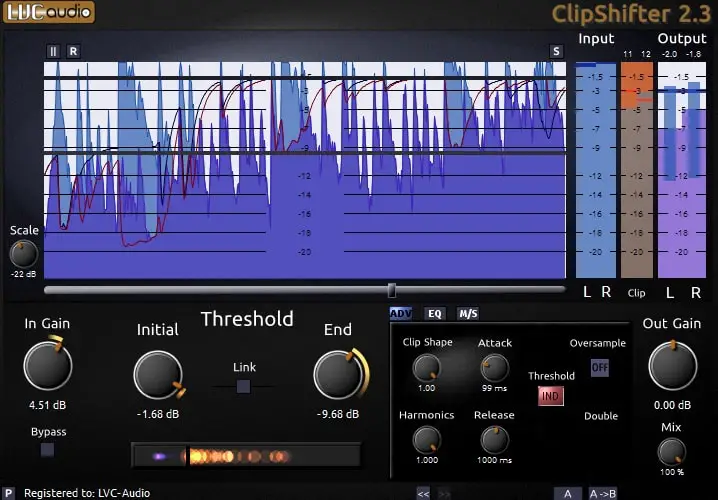
OS: Windows Win Mac Mac Bit Version: 64-bit Developer: LVC-Audio Size: 3.7 MB Rating: 83/100
ClipShifter is a wave-shaping plugin that works as a clipper and limiter. It ranges from soft saturation and light compression to hard clipping, making it useful for drums, bass, individual tracks, buses, and mastering.
Its controls include clip shape, harmonics, attack, release, mix, and threshold behavior. Three-band, Mid/Side, and independent channel processing add control, while 2x, 4x, and 8x oversampling helps reduce digital aliasing.
Features
- Wave-Shaping Clipping Limiter
- Hard Or Soft Clipping
- Adjustable Harmonic Distortion
- Dynamic Clipping Thresholds
- Mid-Side Processing Controls
- Three-Band Frequency Processing
- Two-Stage Double Clipping
- Two-To-Eight Times Oversampling
- Clean And Clipped Mix Control
- Adjustable Stereo Width
Pros
- Hard or soft clipping styles
- Transparent compression and saturation
- Adjustable even and odd harmonics
- Dynamic threshold follows transients
- Independent stereo threshold modes
- Mid-side clipping with width control
- Three-band frequency clipping
- Independent band processing control
- Pre or post clipping EQ
- Waveform history shows clipping changes
Cons
- Replaced by newer Clipped-MAX
- VST3 format is not listed
- AAX format is not listed
- Linux support is not listed
- True-peak ceiling is not listed
- Dedicated LUFS metering is missing
Testimonials
8. TDR Molotok

OS: Windows Win Mac Mac Bit Version: 32-bit, 64-bit Developer: Tokyo Dawn Records Size: 7 MB Rating: 83/100
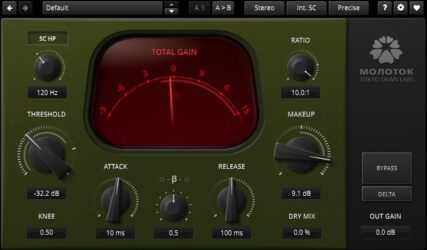
TDR Molotok is a characterful compressor for shaping drums, vocals, guitars, bass, and other tracks. It offers eleven compression flavors, from gentle level control to punchy, heavy effects, with adjustable attack, release, knee, ratio, and makeup gain.
The plugin includes dry/wet mixing, sidechain high-pass filtering, delta monitoring, stereo operation, and zero-latency mode. It runs on Windows and macOS in VST2, VST3, AU, and AAX formats, with 32-bit and 64-bit support.
Features
- Eleven Compression Flavor Options
- Zero-Latency Quality Mode
- Subtle Or Heavy Compression
- Adjustable Threshold And Ratio
- Adjustable Attack And Release
- Soft Knee Compression Control
- Dry And Compressed Mix
- Sidechain High-Pass Filter
- Delta Signal Monitoring
- A/B Setting Comparison
Pros
- Offers eleven compression flavor options
- Provides rich musical sound colors
- Includes precise attack and release controls
- Includes helpful sidechain high-pass filtering
- Supports parallel compression with Dry Mix
- Includes zero-latency quality operation
- Keeps unwanted distortion under control
- Provides clear gain reduction metering
- Includes useful A/B comparison controls
- Offers unlimited undo and redo
Cons
- Eleven flavors may overwhelm beginners
- Crunchy tone limits clean compression
- Less transparent than TDR Kotelnikov
- No separate peak-RMS release controls
- No mid-side compression controls
- No multiband compression mode
- No external sidechain input
Testimonials
9. DC1A

OS: Windows Win Mac Mac Bit Version: 64-bit Developer: Klanghelm Audio Plugin Size: 9.8 MB Rating: 82/100
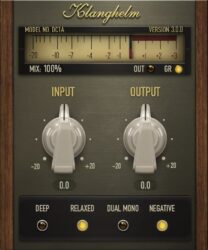
DC1A is a free compressor from Klanghelm with Input and Output controls for quick level shaping. It can provide smooth leveling, punchy drum compression, or strong pumping with crunchy saturation across vocals, bass, guitars, and mix buses.
Its extra modes include parallel compression, negative ratios, stereo unlinking, gentler Relaxed operation, and a side-chain high-pass filter. DC1A3 supports Windows and macOS in VST, VST3, AU, and AAX formats, with 32-bit and 64-bit versions.
Features
- Free Compressor With Simple Controls
- Input And Output Gain Controls
- Negative Ratio Compression Mode
- Parallel Compression Mix Control
- Independent Left And Right Processing
- Peak And RMS Compression
- Sidechain High-Pass Filter
- Gentler Relaxed Compression Mode
- Stereo Link Disable Option
- Output And Gain Reduction Metering
Pros
- Free to use
- Simple two-knob control
- Provides smooth, gentle leveling
- Adds punch to drums
- Creates strong pumping effects
- Adds useful crunchy saturation
- Includes parallel compression mixing
- Protects bass with Deep mode
- Offers powerful negative compression
- Supports independent stereo channels
Cons
- Only two main control knobs
- No separate threshold control
- No adjustable compression ratio
- No attack control for transients
- No release control for timing
- Can sound too colored sometimes
- May add unwanted crunchy saturation
Testimonials
10. Voxengo SPAN
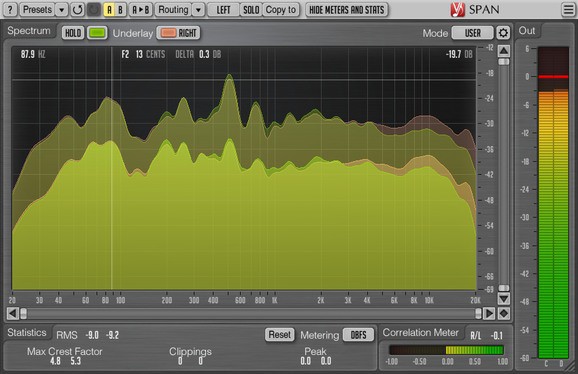
OS: Windows Win Mac Mac Bit Version: 32-bit, 64-bit Developer: Voxengo Size: 8.5 MB Rating: 82/100
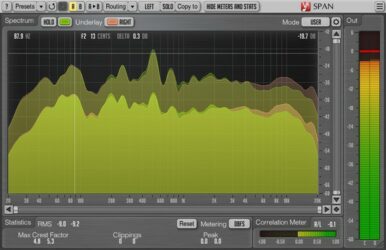
Voxengo SPAN offers real-time visual feedback for your audio, showing the frequency balance and loudness of your mix. It features detailed spectrum analysis with adjustable settings like block size, overlap, and slope. SPAN supports stereo, mid-side, and multi-channel setups for clear signal monitoring.
It includes metering tools for RMS, true peak levels, and headroom checks, helping you spot clipping and phase issues. Customizable colors, underlay options, and comparison views make it easier to track changes across channels or sessions. SPAN works in major DAWs on both Mac and Windows.
Features
- Real-Time Frequency Spectrum Analysis
- Supports Multi-Channel Audio Monitoring
- Mid, Side, And Stereo Analysis
- EBU R128 And K-System Metering
- True Peak And RMS Detection
- Headroom And Clipping Indicators
- Correlation Meter For Phase Check
- Preset Management For Quick Setup
- Customizable Spectrum Display Colors
- Compatible With Major Plugin Formats
Pros
- Real-time spectrum analysis display
- Shows stereo and mid-side data
- Supports surround sound mixing
- Compares two spectrums easily
- Includes EBU and K-system meters
- Customizable spectrum color options
- Accurate RMS and peak readings
- Adjustable FFT block size settings
- HighDPI and Retina screen support
- Lightweight and CPU friendly
Cons
- Interface looks old compared to others
- No built-in LUFS histogram view
- Lacks dynamic range graph display
- No automatic loudness matching tool
- No true multi-plugin sync feature
- Cannot export metering session data
- True peak readings can update slowly
- No resizable window scaling options
- No reference track overlay support
- Settings can confuse first-time users
Testimonials
11. LALA

OS: Windows Win Mac Mac Bit Version: 64-bit Developer: Analog Obsession Size: 5 MB Rating: 82/100
LALA is a compressor, limiter, and peak reducer with a smooth analog-style response. Peak Reduction controls compression, while Gain sets output level. Limit adds stronger peak control, and Mix blends processed and dry signals.
Its sidechain includes an HPF, midrange and high-frequency controls, plus external triggering. A VU meter shows signal level and gain reduction. LALA supports AU, VST3, and AAX on 64-bit Windows and macOS systems.
Features
- Compressor And Limiter Modes
- Peak Reduction Controls Compression
- Makeup Gain Control
- External Sidechain Support
- High-Pass Sidechain Filtering
- Midrange Sensitivity Controls
- High-Frequency Sensitivity Control
- Dry And Wet Mix Control
- VU Meter Shows Gain Reduction
- Four Times Oversampling Mode
Pros
- Smooth LA-2A-style compression character
- Works as compressor or limiter
- Peak reduction controls compression strength
- External sidechain adds control
- Sidechain high-pass filter reduces pumping
- Midrange sidechain shaping adds focus
- High-frequency sidechain control adds polish
- Mix control enables parallel compression
- VU meter shows gain reduction
- Four-times oversampling improves clarity
Cons
- Limited attack and release control
- No adjustable compression ratio
- No separate peak or RMS modes
- No stereo-link options listed
- No expansion or gate functions
- No multiband compression mode
- Fixed LA-2A style limits versatility
Testimonials
12. Nova-67P

OS: Windows Win Mac Mac Bit Version: 64-bit Developer: Tokyo Dawn Records Size: 3.2 MB Rating: 81/100
Nova-67P is a five-band parallel parametric equalizer with optional high-pass and low-pass filters. It combines EQ with full-band, frequency-dependent, or split-band compression for shaping tone and controlling dynamics.
The plugin includes side-chain filtering, external side-chain support, auto-gain, and a real-time third-octave spectrum analyzer. It uses 64-bit processing and is available for Windows and Mac in VST2 and AU formats.
Features
- Five-Band Parallel Parametric Equalizer
- Built-In Dynamic Band Compression
- Frequency-Dependent Compression Modes
- Split-Band Compression Support
- High-Pass And Low-Pass Filters
- Side-Chain Filtering And Pre-Emphasis
- External Side-Chain Signal Support
- Real-Time Spectrum Analyzer
- Automatic Equalizer Gain Control
- 64-Bit Internal Audio Processing
Pros
- Combines EQ and compression
- Dynamic EQ controls changing frequencies
- Five parallel EQ bands
- Auto-gain keeps levels steady
- Split-band compression adds detailed control
- Frequency-dependent compression sounds more natural
- Side-chain filtering targets problem areas
- External side-chain support enables ducking
- Real-time spectrum analyzer guides decisions
- Third-octave analysis shows frequency balance
Cons
- No VST3 support listed
- No AAX support listed
- No LUFS loudness meter
- No true peak clipping detector
- No stereo correlation meter
- No mid-side analyzer mode
- Limited surround mixing support
Testimonials
13. LKJB Luftikus EQ

OS: Windows Win Mac Mac Bit Version: 32-bit Developer: lkjb Size: 8.5 MB Rating: 81/100
LKJB Luftikus EQ is a digital EQ modeled after analog hardware, using fixed half-octave bands at 10, 40, 160, 640 Hz, and 2.5 kHz. It also includes a boost-only high-frequency shelf with selectable points from 2.5 to 40 kHz.
Mastering and Analog modes shape its behavior, while Keep Gain helps maintain a steady output level during changes. Deeper cuts and Output Trim provide more control for mixing and mastering. The plugin is available for Windows and Mac in AU, VST3, and RTAS formats.
Features
- Analog-Inspired Fixed-Band EQ
- Half-Octave Frequency Band Controls
- Low Frequency Cut And Boost
- 2.5 KHz Shelf Control
- Selectable High Boost Frequencies
- Boost-Only High Frequency Shelf
- Mastering And Analog Modes
- Output Trim Gain Adjustment
- Deeper Cut Capability
- Six-Channel Surround Support
Pros
- Focused fixed-band tone shaping
- Deep cuts when needed
- Adds bright high-frequency air
- Five selectable air frequencies
- Mastering mode supports final polish
- Analog mode adds gentle color
- Stepped controls speed mixing choices
- Clear gain readouts aid quick moves
- Includes modern VST3 support
- Works across Windows and Mac
Cons
- Only fixed half-octave bands
- No adjustable band frequencies
- No adjustable bandwidth controls
- No dynamic EQ control
- No real-time spectrum analyzer
- No high-pass filter section
- No low-pass filter section
Testimonials
14. A1 Stereo Control

OS: Windows Win Mac Mac Bit Version: 32-bit, 64-bit Developer: A1AUDIO Size: 1 MB Rating: 79/100
A1 Stereo Control is a free stereo width and limiting plugin for Windows and Mac. It adjusts stereo spread, pan, balance, and left-right channel placement, with options to swap channels, flip phase, or create a mono signal.
Its Safe Bass feature keeps low frequencies centered with an adjustable cutoff. Easy and Expert modes provide basic or advanced controls, including pan laws, M/S settings, linear-phase processing, gain controls, and automation support.
Features
- Adjustable Stereo Width
- Safe Bass Centering
- Custom Stereo Field Placement
- Advanced Pan Laws
- Linear Phase Processing
- No Latency Processing
- Phase Flip Control
- Mono Output With Panning
- Input And Output Gain
- Input And Output Meters
Pros
- Keeps bass safely centered
- Adjustable bass crossover frequency
- Creates natural stereo width changes
- Includes three width control curves
- Offers flexible pan laws
- Expert mode adds advanced control
- Swaps left and right channels
- Flips stereo phase quickly
- Runs with no added latency
- Uses linear phase processing
Cons
- Not a complete mastering limiter
- No threshold control is listed
- No release time control
- No true peak ceiling
- No loudness or LUFS meter
- No gain reduction display
- No oversampling options
Testimonials
15. Blue Cat’s Triple EQ

OS: Windows Win Mac Mac Bit Version: 32-bit, 64-bit Developer: Blue Cat Audio Size: 9 MB Rating: 79/100
Blue Cat’s Triple EQ is a three-band semi-parametric equalizer with low-shelf, high-shelf, and peak filters. Linked controls let you shape all three bands as one filter, with gain from -40 to +40 dB and adjustable bandwidth for broad or focused changes.
Its real-time graph shows frequency response, measurements, and zooming, while on-graph controls help set frequency, gain, and filter shape. Smooth updates support automation and MIDI without latency or zipper noise, making it useful for mixing, vocal shaping, and sidechain filtering.
Features
- Three-Band Semi-Parametric Equalizer
- Low-Shelf Filter Control
- Midrange Peak Filter Control
- High-Shelf Filter Control
- Customizable Filter Shape
- ±40 DB Gain Range
- Adjustable Filter Bandwidth
- On-Graph Shape Editing
- Real-Time Frequency Response Display
- Latency-Free Signal Processing
Pros
- Three useful EQ bands
- Wide plus-or-minus 40 dB range
- Shapeable filter control
- Direct on-graph control
- Automatic gain compensation
- Zero-latency audio processing
- Smooth zipper-free automation
- Real-time MIDI control
- Supports mid-side EQ work
- Independent channel shaping
Cons
- Only three EQ bands
- No dynamic EQ control
- No built-in spectrum analyzer
- No high-pass filter
- No low-pass filter
- Linked bands limit control
- Fewer filter types available
Testimonials
16. Blindfold EQ

OS: Windows Win Mac Mac Linux Linux Bit Version: 64-bit Developer: AudioThing Size: 13 MB Rating: 79/100
Blindfold EQ is a free four-band equalizer that removes frequency, gain, and Q values from its controls. It includes low shelf, low-mid, high-mid, and high shelf bands, encouraging you to shape tone by listening instead of watching numbers.
Use it for mixing and sound shaping on macOS, Windows, Linux, iOS, and iPadOS. Presets, random settings, a resizable window, master output, soft clip, and analog color add practical control. It supports VST, AU, AAX, CLAP, AUv3, and standalone formats.
Features
- Four-Band Equalizer
- Blind Frequency Controls
- Low And High Shelves
- Adjustable Mid Band Width
- Random EQ Settings
- Preset Saving And Deletion
- Resizable Plugin Window
- Master Output Volume Control
- Soft Clipping For Peaks
- Analog Warmth Control
Pros
- Free for every supported platform
- No frequency numbers distract your choices
- Four useful EQ bands
- Includes low and high shelves
- Adds focused midrange control
- Adjusts Q for mid bands
- Analog warmth adds extra character
- Soft clipping tames harsh peaks
- Randomizer sparks fresh mixing ideas
- Standalone use adds extra freedom
Cons
- No frequency values shown
- No gain values shown
- No Q values shown
- No EQ curve display
- No spectrum analyzer included
- Only four EQ bands
- No high-pass filter available
Testimonials
17. OrilRiver

OS: Windows Win Mac Mac Bit Version: 32-bit, 64-bit Developer: Denis Tihanov Size: 11 MB Rating: 79/100
OrilRiver is a free algorithmic reverb plugin for Windows and Mac that recreates spaces from small rooms to large halls. It provides room size, decay, pre-delay, diffusion, stereo width, damping, and modulation controls.
Its three-band EQ shapes the wet signal, while 12 early-reflection and five reverb-tail variations change the reverb character. Two interfaces, presets, level controls, and VST/AU support offer flexible setup, with 64-bit processing and sample rates from 44.1 to 192 kHz.
Features
- Small Room To Large Hall Reverb
- Pre-Delay And Room Size Controls
- Diffusion And Stereo Width Controls
- Damping And High-Cut Controls
- Twelve Early Reflection Variations
- Five Reverb Tail Variations
- Three-Band Wet Signal Equalizer
- Modulation Depth And Speed Controls
- Independent Dry And Wet Levels
- Early Reflection And Reverb Levels
Pros
- Handles rooms through great halls
- Gives precise pre-delay control
- Adjusts smoothness using diffusion
- Controls stereo width easily
- Offers twelve reflection choices
- Includes five reverb tail types
- Has three-band wet EQ
- Controls fading high frequencies
- Adds gentle pitch movement
- Mutes or solos signal stages
Cons
- Development appears to be suspended
- No native Apple Silicon version
- No Linux support listed
- No AAX format listed
- No convolution impulse response loading
- No built-in ducking controls
- No dedicated delay section
Testimonials
18. FETISH

OS: Windows Win Mac Mac Bit Version: 64-bit Developer: Analog Obsession Size: 6 MB Rating: 78/100
FETISH is a FET-style compressor and limiter for shaping vocals, drums, instruments, and mixes. It offers four ratios, adjustable attack and release, input and output gain, plus a high-pass sidechain filter that helps preserve low-end detail during compression.
A midrange control changes how selected frequencies drive compression, while HF, Mix, Slam, and external sidechain options support tone shaping, parallel processing, and fast limiting. Oversampling, a VU meter, and a resizable interface are included for Windows and Mac in VST and AU formats.
Features
- Classic FET Compressor And Limiter
- Extended Input Gain Control
- Adjustable Output Makeup Gain
- Fast And Slow Attack Times
- Adjustable Release Times
- Four Selectable Compression Ratios
- High-Pass Sidechain Filter
- Midrange Frequency And Gain Controls
- Adjustable High-Frequency Compression
- Dry And Compressed Signal Mixing
Pros
- Classic FET compressor and limiter
- Adds color beyond clean limiting
- Fast Slam mode handles sharp peaks
- Offers more control than simple limiters
- Four useful compression ratio choices
- High-pass sidechain protects low frequencies
- Midrange control shapes compression behavior
- High-frequency mode adds extra control
- Mix knob enables parallel compression
- External sidechain adds creative options
Cons
- No true-peak limiting control
- No look-ahead peak protection
- No dedicated output ceiling
- No clean transparent mode
- Color can become overly aggressive
- Can make vocals sound sibilant
- Slam may damage sharp transients
Testimonials
19. Code Red Free

OS: Windows Win Mac Mac Bit Version: 64-bit Developer: Shattered Glass Audio Size: 17 MB Rating: 76/100
Code Red Free is a modeled tube preamp and EQ inspired by a classic British console from the late 1960s. It adds warmth, punch, overdrive, and tone shaping for guitars, vocals, drums, and other tracks.
Choose Classic or Pop EQ modes, bass boost, cabinet emulation, and Mono, Mid-Side, Stereo, or Linked Stereo processing. Independent channel controls, dry/wet mixing, VU meters, and automatic 4x oversampling provide flexible sound shaping.
Features
- Classic British Console Preamp Modeling
- Full Circuit Simulation Design
- Classic And Pop EQ Modes
- Additional Tone Shaping Options
- Impulse Response Cabinet Emulation
- Automatic Four Times Oversampling
- Mid-Side Processing Mode
- Independent Channel Controls
- Left And Right VU Meters
- Dry And Wet Mixing
Pros
- Completely free classic console tone
- Full circuit simulation adds realism
- Captures bold British tube warmth
- Includes two classic EQ modes
- Provides useful bass boost control
- Adds built-in cabinet impulse response
- Automatic four-times oversampling improves quality
- Includes mid-side processing for control
- Allows separate left-right settings
- Blends dry and wet signals
Cons
- No native Apple Silicon support
- No built-in compressor controls
- No separate drive color controls
- No high-pass filter included
- No low-pass filter included
- Needs multiple plugins for full summing
- Some users report crashing
Testimonials
20. Barricade Pro
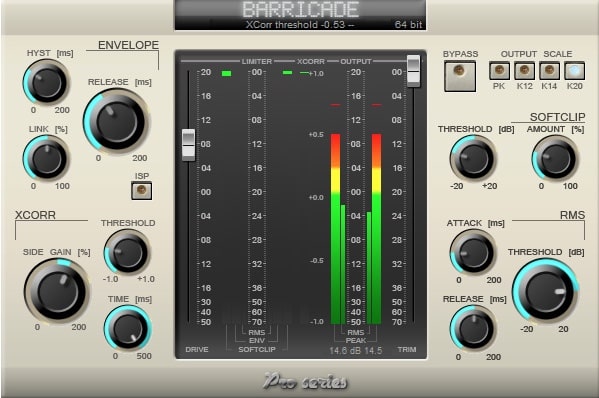
OS: Windows Win Bit Version: 32-bit Developer: Jeroen Breebaart Size: 1 MB Rating: 73/100
Barricade Pro is a free 32-bit VST limiter for Windows that controls peaks, envelope levels, loudness, and stereo correlation. Its multi-factor design helps shape a clear, strong output while giving music creators detailed control over signal response.
It includes adjustable reaction and release times, stereo linking, inter-sample peak protection, crossover processing, soft clipping, RMS compression, and side gain control. Input, reduction, correlation, output, drive, and trim meters help monitor each stage.
Features
- Multi-Factor Limiter
- Four Limiter Types
- Inter-Sample Peak Protection
- Adjustable Reaction Speed
- Adjustable Release Time
- Stereo Channel Linking
- Crossover Processing Controls
- Soft Clipping Controls
- RMS Compression Controls
- Final Output Volume Control
Pros
- Four limiter types in one
- Controls peaks, loudness, and envelopes
- Correlation limiting protects stereo balance
- Inter-sample peak protection reduces clipping
- RMS control adds smooth loudness shaping
- Soft clipping shapes harsh peaks
- Side gain shapes stereo processing
- Crossover processing targets difficult frequencies
- Detailed meters show gain changes
- Several K-scale metering options included
Cons
- Windows-only plugin
- 32-bit format limits compatibility
- VST-only support
- May need a plugin bridge
- Can cause unwanted pumping
- Needs careful gain staging
- Metering lacks detailed loudness tools
Testimonials
Best Mixing VST Plugins Compared
This table compares the top mixing VST plugins by features, controls, effects, formats, and more.
| Details | Valhalla Super Massive | TDR Kotelnikov | Voxengo Elephant | TDR Nova | PanCake 2 | SlickEQ | ClipShifter | TDR Molotok | DC1A | Voxengo SPAN |
|---|---|---|---|---|---|---|---|---|---|---|
| Image | 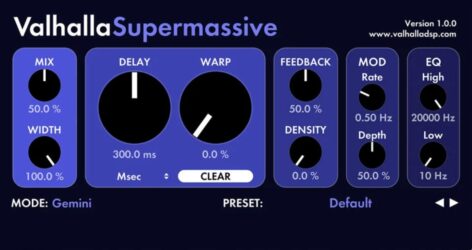 |
 |
 |
 |
 |
 |
 |
 |
 |
 |
| Rating | ||||||||||
| OS | Windows, Mac | Windows, Mac | Windows, Mac | Windows, Mac, Linux | Windows, Mac | Windows, Mac | Windows, Mac | Windows, Mac | Windows, Mac | Windows, Mac |
| Formats | VST, AU | VST2, VST3, AU, AAX | VST, VST3, AU, AAX | VST2, VST3, AU, AAX | VST2, VST3, AU | VST2, VST3, AAX | VST, AU | VST2, VST3, AU, AAX | VST, VST3, AU, AAX | VST, VST3, AU, AAX |
| Bit Version | 64-bit | 64-bit | 32-bit, 64-bit | 32-bit, 64-bit | 64-bit | 64-bit | 64-bit | 32-bit, 64-bit | 64-bit | 32-bit, 64-bit |
| Developer | Valhalla DSP | Tokyo Dawn Records | Voxengo | Tokyo Dawn Records | Cable Guys | Tokyo Dawn Records | LVC-Audio | Tokyo Dawn Records | Klanghelm Audio Plugin | Voxengo |
| License | Freeware | Freeware | N/A | Freeware | Freeware | Freeware | Freeware | Freeware | Freeware | Freeware |
| Sample-Based | No | No | No | No | No | No | No | No | No | No |
| Download Size | 3 MB | 7 MB | 23 MB | 8 MB | 5 MB | 7.9 MB | 3.7 MB | 7 MB | 9.8 MB | 8.5 MB |
| CPU Load | Low | High | Low | Medium | Low | Low | Low | High | Low | Low |
| Polyphony | 64 | N/A | N/A | N/A | N/A | N/A | N/A | N/A | N/A | N/A |
| Features | Massive reverbs, Harmonic echoes, Space sounds, 22 modes, Simple controls, Lush modulation, Free plugin | Wideband Compression, Transparent Processing, Independent Release Controls, Sidechain High-Pass Filter, Advanced Stereo Linking, Delta Preview, Click-Free Bypass | Transparent Limiting, Loudness Maximization, Customizable Limiter Modes, True-Peak Limiting, EBU R128 Metering, Noise-Shaped Dithering, DC Offset Removal | Parallel Dynamic EQ, Parametric EQ, Multiband Compression, Broadband Compression, Frequency-Selective Compression, Drag-and-Drop Display, Equal-Loudness Functions | Custom Pan Curves, Beat-Syncable LFOs, MIDI Triggering, Stereo Panning, Visual Feedback, Mix Control, Audio-Rate Modulation | Semi-Parametric EQ, Four EQ Models, EQ Saturation, Output Saturation, Auto-Gain, Stereo Processing, Preset Management | Clipping Limiter, Waveshaping Distortion, Clip Shape Control, Harmonic Control, Multiband Processing, Mid/Side Processing, Oversampling | Dynamics Compression, Eleven Compression Flavors, Quality Modes, Zero-Latency Operation, High-Quality Processing, Sidechain Filtering, Dry/Wet Mix | Two-control design, Negative compression, Parallel compression, Dual mono, Peak/RMS modes, Sidechain high-pass, Gain reduction metering | Real-time analysis, Multi-channel support, Customizable metering, Spectrum comparison, Correlation metering, Headroom estimation, Display customization |
| Controls | Mix, Width, Delay, Warp, Feedback, Density, Mode | Preset Menu, Undo/Redo, A/B, A To B, Precise, Stereo, Threshold | Presets, Undo And Redo, A/B Comparison, Routing, In Gain, Out Gain, Limiter Mode | Preset Menu, Undo And Redo, A/B, A To B, Display On, Precise+, Stereo | Wave Display, Pan Curve, Curve Points, LFO Section, Beat Sync, MIDI Section, Mix Knob | Preset Menu, Undo And Redo, A/B, A To B, Bypass, Stereo, Help Settings Info | Clip Shape, Harmonics, Attack, Release, Oversample, Input Gain, Out Gain | Preset Menu, A/B, Stereo, Threshold, Ratio, Attack, Release | Output, Negative, Mix, Input, Deep, VU Meter Mode, Relaxed | Spectrum Display, Hold Button, Underlay Option, Mode Selector, Statistics Panel, Metering Section, Correlation Meter |
| Effects Included | Reverb, Delay, Echo, Modulation, EQ (High Cut, Low Cut), Filtering | Compressor, sidechain high-pass filter | Peak limiter, compressor, loudness maximizer, dither with noise shaping processor, DC offset removal filter | Parametric equalization, dynamic equalization, frequency-selective compression, multiband compression, wideband compression, high-pass filtering, low-pass filtering, de-essing | Panning modulation, autopanning | Equalization, high-pass filtering, saturation, harmonic distortion | Clipping, limiting, distortion, saturation, compression, equalization | Compressor, saturation | Compressor, saturation, high-pass filter | Unknown |
| MIDI Learn | No | No | No | No | No | No | No | No | No | Unknown |
| Presets | 128 | 1 | 12 | 7 | N/A | 9 | 20 | 13 | N/A | 7 |
| Standalone | No | No | No | No | No | No | No | No | No | No |
| Last Updated | 05/28/2024 | N/A | 10/03/2025 | 12/10/2026 | 04/03/2025 | 11/09/2026 | 12/09/2015 | N/A | 11/09/2026 | 03/06/2024 |
Best Mixing VST Plugins
Our top picks for the best free mixing VST plugins are Voxengo Elephant by Voxengo, TDR Kotelnikov by Tokyo Dawn Records, and SlickEQ by Tokyo Dawn Records. These are great plugin options to help you with your future music projects.
| Details | TDR Kotelnikov | SlickEQ |
|---|---|---|
| Image | | |
| Rating | ||
| OS | Windows, Mac | Windows, Mac |
| Formats | VST2, VST3, AU, AAX | VST2, VST3, AAX |
| Bit Version | 64-bit | 64-bit |
| Developer | Tokyo Dawn Records | Tokyo Dawn Records |
| Download Size | 7 MB | 7.9 MB |
| Download | Visit TDR Kotelnikov | Visit SlickEQ |
Mixing VST FAQs
How to Install Mixing VST Plugins
To install mixing VST plugins on Windows or Mac, extract the files from the Zip or Rar. Move the files (.dll for Windows or .component for Mac) into your DAW’s plugin folder. Then restart your software and rescan the directory to complete the process. Tutorial: How to Install VST Plugins
Windows:
Extract the downloaded zip file and copy the .dll file into the VST plugins folder scanned by your DAW. Restart your music software and rescan your plugin directory to begin using the new VST.
Mac OS X:
Extract the downloaded archive and move the .component or .VST file to the plugin folder. It is usually /Library/Audio/Plug-Ins/Components or /Library/Audio/Plug-Ins/VST. Restart your DAW and rescan your plugins to complete the installation.
What Is A Mixing VST Plugin?
A mixing plugin is an add-on used to mix and process audio tracks. Mixing VST plugins can be used for different purposes, such as applying effects, adding reverb, changing the volume, and more. In music production, mixing takes all of the individual tracks and puts them together to form a cohesive sound. This is achieved by balancing the volume of each sound in a mix and adjusting its frequencies. These free mixing plugins can help you get a more professional sound with your music projects.
When it comes to the mixing process, having the best mixing plugins can make all the difference in achieving great-sounding tracks. Whether you’re working on a vocal track or blending multiple audio signals from other instruments, a few good plugins can take your music creation to a new level.
One of the most important aspects of mixing is achieving a good frequency balance. This means making sure that all the plugins you’re using are working together to create a cohesive sound across the entire frequency range.
So start mixing and exploring the many great-sounding options out there to take your tracks, music project, or vocal track to a new level!
I hope you enjoy these free mixing plugins. These mixing tools are great free alternatives to paid mixing plugins like the Fabfilter Pro-Q and Abbey Road Plugin Bundle by Waves.
You May Also Like: