Here are the best free Arpeggiator VST plugins for Windows and Mac. We have included videos, reviews, features, pros, cons, and plugin ratings.
Table of Contents

How we rate arpeggiator plugins: We rate each arpeggiator plugin based on sound quality, design, performance, features, usability, and compatibility. We rate plugins on a scale of 1 to 100.
| # | Plugins | Ratings | OS | Formats |
|---|---|---|---|---|
| 1 | Podolski | Windows Mac Linux | VST3, AU, AAX | |
| 2 | BlueARP | Windows Mac | VST2, VST3 | |
| 3 | LibreArp | Windows Linux | VST | |
| 4 | RandARP | Windows | VST | |
| 5 | Hypercyclic | Windows Mac Linux | VST | |
| 6 | ODsay | Windows | VST | |
| 7 | Nova3 | Windows | VST | |
| 8 | Dust Arp 32 | Windows | VST | |
| 9 | Dirty Harry | Windows | VST | |
| 10 | Saturn V | Windows | VST |
I have spent over 15 years testing and comparing hundreds of free and paid VST plugins, supported by hands-on demos on our YouTube channel, which has 12,000+ subscribers.
Best Free Arpeggiator VST Plugins
1. Podolski
OS: Windows Win Mac Mac Linux Linux Bit Version: 32-bit, 64-bit Developer: U-He Size: 50 MB Rating: 88/100
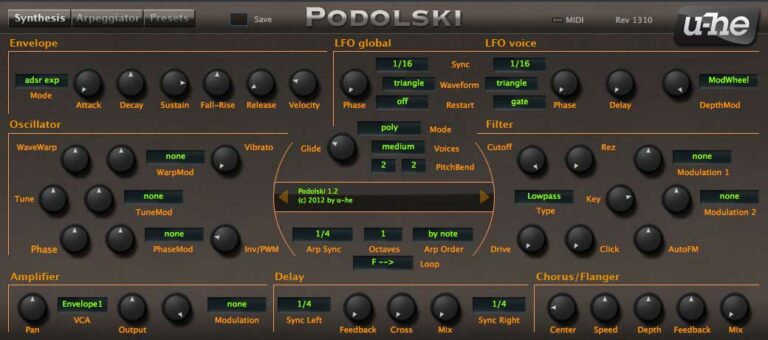
Podolski is a free virtual analog synthesizer made by U-He. It focuses on simplicity, offering one oscillator, one filter, and one envelope, supported by an arpeggiator/sequencer and built-in effects. Despite its minimal design, it delivers warm tones and clear, expressive sound control.
Podolski offers useful tools like WaveWarp for smooth waveform shaping, flexible filter drive, and two LFOs for modulation. With over 300 presets, NKS support, and a resizable interface, it’s a solid choice for crafting basses, leads, or rhythmic patterns across most major music platforms.
Features
- Free Virtual Analog Synth Plugin
- One Oscillator With WaveWarp
- Multimode Filter With Drive And FM
- Two LFOs For Modulation
- 16-Step Arpeggiator And Sequencer
- Stereo Delay And Chorus Effects
- Over 300 Tagged Factory Presets
- Resizable And Skinnable Interface
- MIDI Learn And Editable List
- CPU-Efficient Design For Smooth Performance
Video
Pros
- Free for Windows, Mac, and Linux
- Warm and classic analog sound
- Over 300 inspiring presets
- Smooth filter with drive and FM
- Built-in delay and chorus effects
- Fun arpeggiator and sequencer combo
- Customizable and resizable interface
- Old-school vibe with modern control
- Great modulation flexibility
- Light on CPU performance
Cons
- Only one oscillator available
- Limited modulation options
- Cannot load user samples
- No wavetable synthesis support
- No built-in reverb effect
- Few effects compared to rivals
- Outdated visual design style
- No granular sound features
- Presets sound dated to some
- Lacks modern modulation matrix
Testimonials
2. BlueARP
OS: Windows Win Mac Mac Bit Version: 64-bit Developer: OMG Instruments Size: 4.4 MB Rating: 87/100
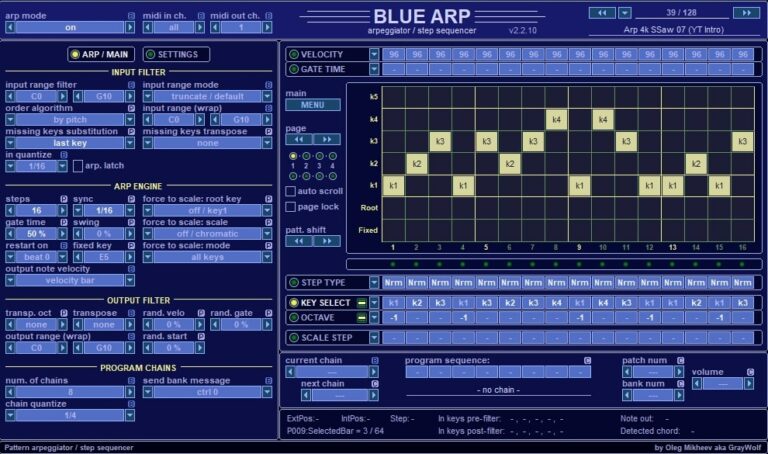
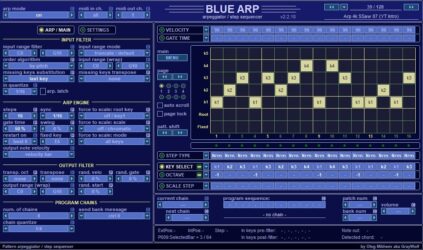
BlueARP is a MIDI pattern arpeggiator and step sequencer for Windows and macOS. It turns played chords into programmed note patterns and sends them to a software or hardware instrument; it does not make sound on its own.
Choose from arpeggiator, fixed arpeggiator, drum sequencer, and guitar strum modes. Patterns can have up to 64 steps, and chains can link patterns for longer sequences. The plugin also includes 128 factory patterns.
Features
- Four Pattern Sequencing Modes
- Creates MIDI, Not Audio
- Patterns Up To 64 Steps
- Includes 128 Factory Patterns
- Links Patterns Into Chains
- Chain Variations Respond To Chords
- Switches Chains With Quantization
- Matrix Editor For Pattern Programming
- Recognizes Chords And Derives Scales
- Sets Step Octave And Semitone
Video
Pros
- Four modes cover many playing styles
- Build long patterns with pattern chains
- Switch chains while music keeps playing
- Make chains react to chord changes
- Program patterns up to 64 steps
- Start fast with 128 ready patterns
- Sequence drums without extra tools
- Create guitar strums and picking patterns
- Automate nearly every control
- Fit patterns to chords and scales
Cons
- Steep learning curve
- Interface may feel crowded
- No built-in sounds
- Requires MIDI routing setup
- Chords stop at five keys
- Patterns stop at 64 steps
- Not every control can automate
Testimonials
3. LibreArp
OS: Windows Win Linux Linux Bit Version: 64-bit Developer: LibreArp Contributors Size: 1 MB Rating: 83/100
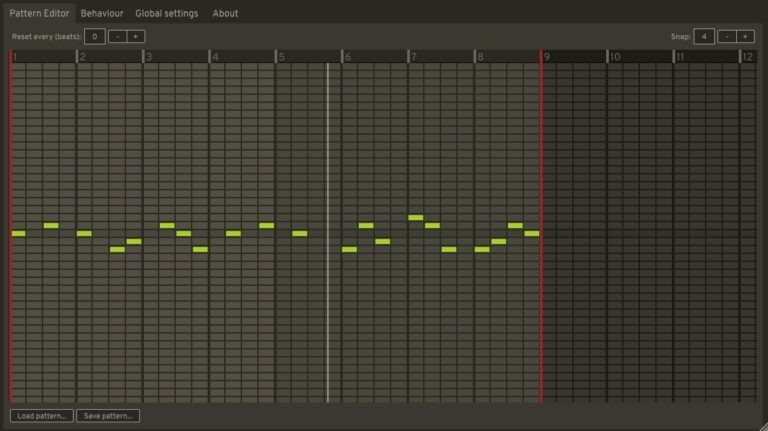
LibreArp is a free, open-source arpeggio generator that turns your chords into lively note sequences. It works as a MIDI effect in any VST3 host on Windows, Mac, or Linux and lets creators draw, save, and load custom patterns with ease.
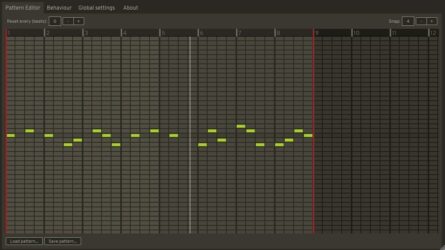
LibreArp offers detailed control through its pattern editor, where you can shape how notes repeat, snap to the grid, and loop over time. It’s made for music makers who want to explore rhythmic and melodic ideas quickly while keeping their workflow simple and creative.
Features
- Pattern-Based Arpeggio Generator
- Arpeggios Based On Chords
- Custom Pattern Creation
- Pattern Editor Grid Interface
- Load And Save Patterns
- Reset Every Beats Control
- Snap To Grid Function
- Works As MIDI Effect
- Compatible With VST3 Hosts
- Open Source And Free Plugin
Video
Pros
- Free and open source software
- Works on Windows Mac and Linux
- Custom pattern editor included
- Multi channel MIDI support
- Creative control over each step
- Can make long evolving sequences
- Snap grid keeps notes aligned
- Can layer with other plugins
- Lightweight compared to paid options
- Community supported and updated
Cons
- Needs DAW or host to run
- Can be confusing for beginners
- Setup requires tricky MIDI routing
- May crash in some DAWs
- No built-in sound engine
- Interface can feel cluttered
- No preset browser included
- Does not support drag-and-drop MIDI
- No swing or groove controls
- No built-in scale or chord helper
Testimonials
4. RandARP

OS: Windows Win Bit Version: 64-bit Developer: CodeFN42 Size: 26 MB Rating: 77/100
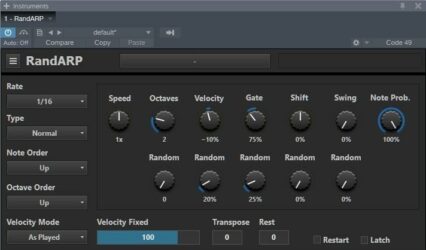
RandARP is a VST arpeggiator that turns incoming notes and chords into repeating patterns. Set the note rate, order, octave range, speed, note length, swing, and other timing controls to shape each pattern.
Random controls can vary note order, octaves, velocity, note length, and timing, while note probability and rests add variation. RandARP is free for Windows 64-bit VST2 hosts and can save and load presets.
Features
- Generates Chords And Arpeggios
- Sets Note Rate And Speed
- Chooses Arpeggio Style And Note Order
- Sets Octave Range And Order
- Randomizes Velocity, Gate, And Swing
- Sets The Chance Each Note Plays
- Adjusts Note Length And Timing
- Adds Silent Steps To Patterns
- Keeps Patterns Playing After Note Release
- Supports Host-Synced Or Free Rates
Video
Pros
- Randomizes note strength and length
- Sets the chance each note plays
- Randomizes note and octave order
- Changes octave count at random
- Turns chords into fresh patterns
- Changes speed from 0.25× to 4×
- Offers free, non-grid timing
- Supports beat-synced note rates
- Adds rests for varied rhythms
- Adds swing for a loose feel
Cons
- Windows-only limits your choices
- No VST3 or AU support
- Requires a 64-bit VST2 host
- No step-by-step pattern editor
- No chained patterns for longer songs
- No per-step velocity lanes
- No scale lock for safer notes
Testimonials
5. Hypercyclic
OS: Windows Win Mac Mac Linux Linux Bit Version: 64-bit Developer: Mucoder Size: 5.4 MB Rating: 71/100
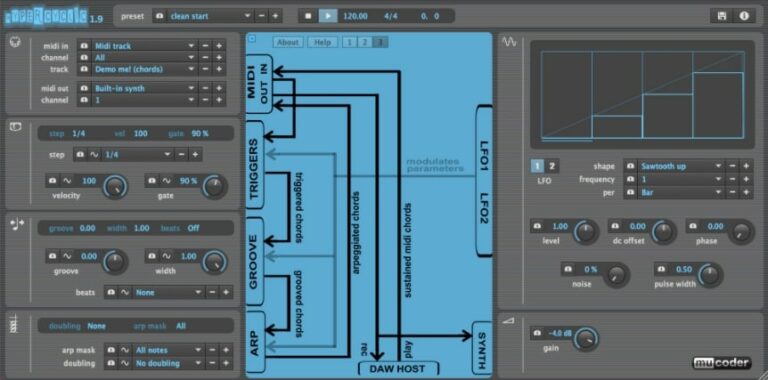
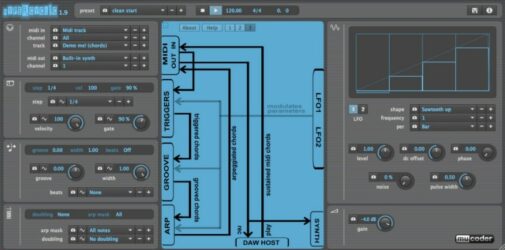
Hypercyclic is an LFO-driven MIDI arpeggiator, gate effect, and step sequencer. It transforms held chords into rhythmic MIDI patterns that can control other instruments in a DAW or standalone setup.
Two tempo-synced LFOs shape note timing, velocity, groove, and step size. Use it to create syncopated rhythms, chord changes, glitch effects, and controlled randomness on Windows, Mac, or Linux.
Features
- LFO-Driven MIDI Arpeggiator
- Built-In Gate Effects
- Step Sequencer For Chords
- Two Tempo-Synced LFOs
- Modulated Sequencer Step Size
- Glitchy Stutter Effects
- Groove Timing Controls
- Adjustable Note Velocity
- Arpeggiator Pattern Modes
- Arpeggiator Note Mask
Video
Pros
- Works on Windows, Mac, Linux
- Runs as a standalone app
- Uses two beat-synced LFOs
- Modulates step size for glitches
- Adds useful offbeat groove
- Combines arp, gate, sequencer
- Sends MIDI to other instruments
- Includes a built-in testing synth
- Supports recorded MIDI generation
- Shows a clear signal flow
Cons
- Only two pattern choices reported
- Hard routing takes time
- Steep learning curve for beginners
- Note hangs can confuse users
- Host compatibility can be unreliable
- VST3 support is not listed
- No per-step pitch editing
Testimonials
6. ODsay
OS: Windows Win Bit Version: 32-bit Developer: Elektrostudio Size: 1 MB Rating: 67/100
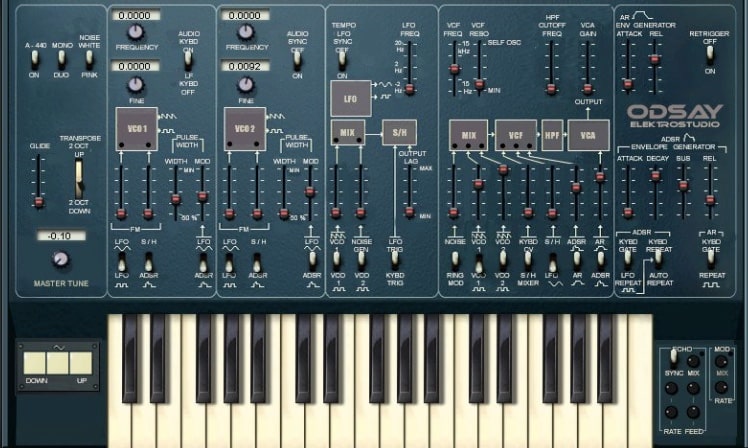
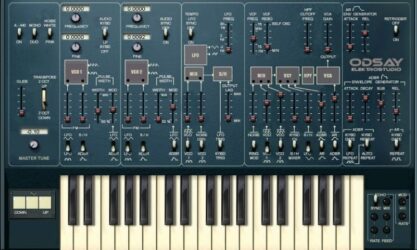
ODsay offers a classic analog synth experience that recreates the sound and feel of the ARP Odyssey. It includes two oscillators for shaping warm, duophonic tones with sawtooth, square, and pulse waves. Extras like ring modulation and noise generation let you build gritty or smooth sound textures.
Its filters and envelope controls allow precise tone shaping, from sharp resonant sweeps to mellow leads. With modulation options like LFO, sample-and-hold, and glide, ODsay gives music creators the tools to design expressive, vintage-style synth sounds for any project.
Features
- Emulates Classic ARP Odyssey Synth
- Two Analog Oscillators
- Duophonic Sound Capability
- Ring Modulator Effect
- White And Pink Noise Generators
- Pulse-Width Modulation Control
- High-Pass And Low-Pass Filters
- LFO And Sample-And-Hold Modulation
- Glide And Transpose Options
- ADSR And AR Envelopes
Video
Pros
- Realistic ARP Odyssey emulation
- Unique gritty vintage tone
- Warm and classic analog sound
- Rich duophonic sound design
- Cool ring modulator effects
- Pink and white noise choices
- Deep filter control options
- Portamento for smooth note slides
- Lightweight compared to newer synths
- Free and good quality synth
Cons
- Only works on Windows computers
- No official 64-bit support
- Can crash in newer hosts
- User interface looks very old
- No Mac version available
- High CPU use on some PCs
- Not resizable user interface
- Limited modulation choices
- Only available as VST format
- Doesn’t support audio automation well
Testimonials
7. Nova3
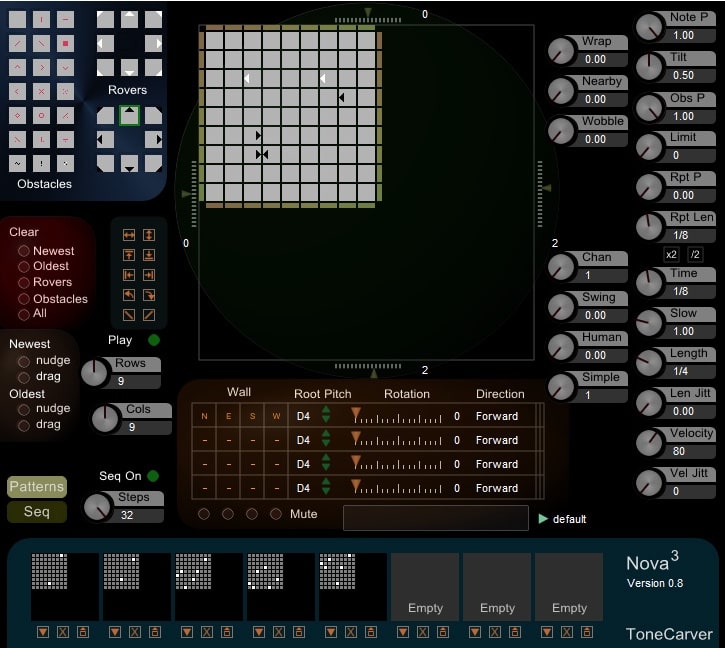
OS: Windows Win Bit Version: 32-bit, 64-bit Developer: ToneCarver Size: 1.5 MB Rating: 66/100
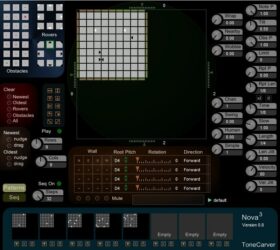
Nova3 is a generative sequencer for Windows that turns moving rovers on a grid into MIDI notes. Rovers change direction when they hit walls, turn when they meet, and may react to obstacles.
Adjust the grid, timing, swing, note length, and other pattern settings to shape the results. Save and recall patterns with slots, or use Nova3 to create changing rhythms and note paths.
Features
- Generative MIDI Sequencer
- Grid-Based Note Paths
- Rovers Reverse At Walls
- Rovers Rotate On Collision
- Obstacles Affect Rover Movement
- Adjustable Grid Rows And Columns
- Set Active Grid Walls
- Adjustable Note Pitch And Length
- Control Pattern Timing And Swing
- Adjust Note Chance And Repeats
Video
Pros
- Builds music from moving rovers
- Creates fresh patterns as it plays
- Turns rover paths into MIDI notes
- Uses walls to shape each phrase
- Collisions change rover directions
- Choose rows and columns freely
- Change note roots by row
- Adjust timing with swing controls
- Vary note chances and repeats
- Change note length and loudness
Cons
- Windows-only support limits users
- No listed VST3 version
- Needs another plugin for sounds
- Random paths can feel hard to control
- No listed note-by-note pattern editor
- MIDI recording may need extra setup
- Clearing items may crash some DAWs
Testimonials
8. Dust Arp 32

OS: Windows Win Bit Version: 32-bit, 64-bit Developer: Signaldust Size: 0.5 MB Rating: 65/100
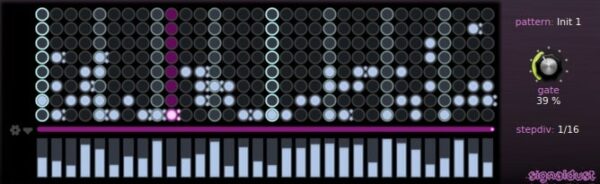
Dust Arp 32 is a step-based arpeggiator for monophonic instruments. Its grid lets you set which notes play and in what pattern, while the step division controls the time between notes.
Adjust the gate for note length, set the pattern length, and shape each step with velocity bars. The plugin is available for Windows as a 32-bit or 64-bit VST.
Features
- Polyphonic Pattern Arpeggiator
- Works With Monophonic Instruments
- Adjustable Arpeggio Rate And Depth
- Set Note Length With Gate
- Adjust Timing With Stepdiv
- Set Pattern Length With Slider
- Adjust Velocity For Each Step
- Displays Notes In Step Grid
Video
Pros
- Works with many monophonic instruments
- Creates polyphonic note patterns
- Clear grid makes notes easy
- Draw notes right into steps
- Set a custom pattern length
- Change the speed with Stepdiv
- Adjust note length with Gate
- Set each step’s note strength
- Use colors to spot special steps
- Tie nearby notes into longer notes
Cons
- Works only on Windows systems
- VST format is the only option
- Needs another instrument to make sound
- Few controls for shaping patterns
- Pattern behavior can feel confusing
- Smart rules may change edits unexpectedly
- DAW setup can be tricky
Testimonials
9. Dirty Harry

OS: Windows Win Bit Version: 32-bit Developer: de la Mancha plugins Size: 6 MB Rating: 63/100
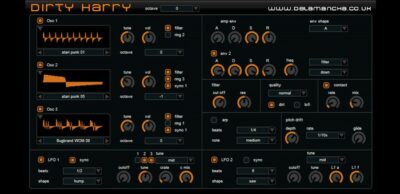
Dirty Harry is a monophonic lo-fi synth built from samples of the Atari Punk Console and BugBrand WOM. Three oscillators and 20 waveforms create gritty sounds for bass, leads, drones, and effects.
Shape the sound with oscillator sync, ring modulation, filters, tempo-synced LFOs, envelopes, and an arpeggiator. Distortion, pitch drift, and contact effects add more roughness. The plugin includes 104 presets and is available as a free 32-bit VST for Windows.
Features
- 20 Sampled Lo-Fi Waveforms
- Three Oscillators With Sync
- Ring Modulation Between Oscillators
- Independent Oscillator Filter Routing
- Two Tempo-Synced LFOs
- LFO 2 Modulates LFO 1
- Tempo-Synced Arpeggiator
- Adjustable Arpeggiator Octave Range
- Distortion And 16 Dirt Types
- Bad Contact Emulation Effect
Video
Pros
- Distinct lo-fi sound stands out
- 20 homemade waveform choices
- Three oscillators build layered tones
- Oscillators sync for harsher sounds
- Ring modulation adds strange tones
- Each oscillator gets its own filter path
- Built-in arp and synth together
- One LFO can shape another
- Many dirt types add roughness
- Contact effect adds broken textures
Cons
- Arpeggiator has few pattern controls
- No custom step-by-step patterns
- No pattern chains for long phrases
- Mono sound limits chord play
- No swing or gate controls
- Cannot send MIDI elsewhere
- Windows-only limits where it works
Testimonials
10. Saturn V

OS: Windows Win Bit Version: 32-bit Developer: Calgar C Size: 8 MB Rating: 57/100
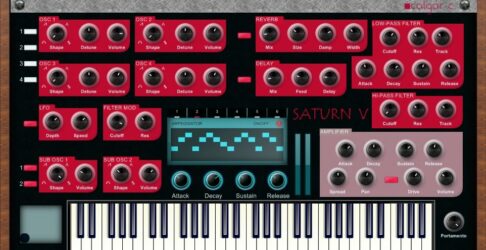
Saturn V is an analog-style synthesizer with four main oscillators and two sub-oscillators for layered sounds. Shape, tuning, and level controls let you adjust each oscillator, while low- and high-pass filters shape the tone.
It includes reverb, delay, chorus, phaser, an arpeggiator, and a trancegate. Map controls to MIDI or route the X-Y pad through the matrix for live changes. Saturn V comes with 128 presets and runs as a 32-bit VST on Windows.
Features
- Four Main Sound Oscillators
- Two Sub-Oscillators Add Depth
- MIDI Mapping For Every Function
- X-Y Pad With Matrix Routing
- Reverb, Delay, Chorus, And Phaser
- Low-Pass And High-Pass Filters
- Low-Frequency Oscillator Controls
- Arpeggiator Plays Repeating Note Patterns
- Trancegate For Rhythmic Sound Control
- Portamento Slides Between Notes
Video
Pros
- Six oscillators create layered tones
- 128 presets offer quick starting points
- Built-in arpeggiator adds moving patterns
- Arp and synth work together
- Chorus and phaser add motion
- Filter tracking follows played notes
- Trancegate adds rhythmic sound cuts
- X-Y pad supports live sound shaping
- MIDI mapping supports live control
- Stereo spread widens the sound
Cons
- Only works on Windows
- Uses the old 32-bit VST format
- May crash in some DAWs
- Only 128 presets are included
- Arpeggiator controls seem basic
- Cannot arp other synths directly
- Arp is built into this synth
Testimonials
Best Arpeggiator Plugins Compared
This table compares the top arpeggiator plugins by features, controls, effects, formats, and more.
| Details | Podolski | BlueARP | LibreArp | RandARP | Hypercyclic | ODsay | Nova3 | Dust Arp 32 | Dirty Harry | Saturn V |
|---|---|---|---|---|---|---|---|---|---|---|
| Image | 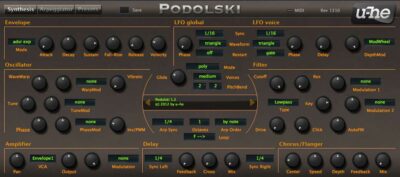 |
 |
 |
 |
 |
 |
 |
 |
 |
 |
| Rating | ||||||||||
| OS | Windows, Mac, Linux | Windows, Mac | Windows, Linux | Windows | Windows, Mac, Linux | Windows | Windows | Windows | Windows | Windows |
| Formats | VST3, AU, AAX | VST2, VST3 | VST | VST | VST | VST | VST | VST | VST | VST |
| Bit Version | 32-bit, 64-bit | 64-bit | 64-bit | 64-bit | 64-bit | 32-bit | 32-bit, 64-bit | 32-bit, 64-bit | 32-bit | 32-bit |
| Developer | U-He | OMG Instruments | LibreArp Contributors | CodeFN42 | Mucoder | Elektrostudio | ToneCarver | Signaldust | de la Mancha plugins | Calgar C |
| License | Freeware | Freeware | GPL | Freeware | Freeware | Freeware | Freeware | Freeware | Freeware | Freeware |
| Sample-Based | No | No | No | No | No | No | Select | No | Yes | No |
| Download Size | 50 MB | 4.4 MB | 1 MB | 26 MB | 5.4 MB | 1 MB | 1.5 MB | 0.5 MB | 6 MB | 8 MB |
| CPU Load | Low | Low | Low | Low | Low | Low | Low | Low | Medium | Low |
| Polyphony | 16 | 5 | 256 | N/A | N/A | 6 | N/A | N/A | 1 | N/A |
| Features | WaveWarp Oscillator, Multimode Filter, Arpeggiator/Sequencer, Dual LFOs, Built-in Effects, NKS Integration, 300+ Presets | Programmable arpeggiator, step sequencer, drum sequencing, guitar strumming, pattern chains, chord recognition, MIDI automation | Pattern Editor, Auto Pattern Creator, Arpeggio Chords, Reset Every, Snap Control, Load/Save Patterns, Behaviour Tab | Arpeggiator, chord generation, extensive randomization, note probability, rhythmic controls, octave sequencing, preset management | LFO MIDI Arpeggiator, Gate Effects, Step Sequencer, Chord Manipulation, Glitch Effects, Groove Timing, MIDI Routing | Duophonic synthesis, Ring modulation, Analog oscillators, Pulse-width modulation, Envelope generators, High-pass filter, LFO modulation | Generative Sequencing, Moving Rovers, Interactive Obstacles, MIDI Note Generation, Grid-Based Patterns, Rhythm Controls, Pattern Presets | Polyphonic arpeggiator, Pattern sequencing, Rate control, Depth control, Gate control, Adjustable pattern length, Velocity editing | Three oscillators, 20 waveforms, Oscillator sync, Ring modulation, Dual tempo LFOs, Lo-fi effects, Arpeggiator | Four main oscillators, dual sub-oscillators, MIDI mapping, X-Y pad routing, built-in effects, arpeggiator, filter modulation |
| Controls | Envelope Section, Oscillator Section, Amplifier Section, LFO Global, Filter Section, Delay Section, Arpeggiator Section | Arpeggiator Toggle, Operation Mode, Program Selector, MIDI Channels, Pattern Editor, Step Sequencer, Pattern Chains | Pattern Editor, Reset Every (Beats), Snap, Load Pattern, Save Pattern, Behaviour Tab, Global Settings Tab | Rate, Type, Note Order, Octave Order, Velocity Mode, Speed, Octaves | Preset, Play, Tempo, Time Signature, MIDI In, MIDI Out, MIDI Channel | Master Tune, VCO 1, VCO 2, VCF Filter, LFO, ADSR Envelope, VCA Amplifier | Main Grid, Rovers, Obstacles, Play, Patterns, Seq, Pattern Slots | Rate, Depth, Gate, Stepdiv, Step Grid, Pattern Length, Velocity | Oscillators, Envelopes, Filter, LFOs, Arpeggiator, Dirt, Contact | Main Oscillators, Sub-Oscillators, Filters, LFO, Effects, Arpeggiator, X-Y Pad |
| Effects Included | stereo delay, chorus/flanger | None | Unknown | Unknown | Unknown | Ring Modulator, Echo | Unknown | Unknown | Distortion, bitrate reduction, saturation, wave rectification, clipping, bad contact emulation, pitch drift, ring modulation | Reverb, delay, chorus, phaser |
| MIDI Learn | Yes | No | No | Yes | No | No | No | Yes | No | Select |
| Presets | 300 | 128 | N/A | N/A | 50 | N/A | N/A | N/A | 104 | 128 |
| Standalone | No | Yes | Yes | No | Yes | Yes | No | No | No | Yes |
| Last Updated | 05/09/2022 | 07/05/2026 | 05/01/2022 | 02/28/2023 | 11/24/2026 | N/A | 10/03/2013 | N/A | 11/05/2009 | N/A |
Best Arpeggiator VST Plugins
Our top picks for the best free Arpeggiator VST plugins are BlueARP by OMG Instruments, LibreArp by LibreArp Contributors, and RandARP by CodeFN42.
| Details | BlueARP | LibreArp | RandARP |
|---|---|---|---|
| Image | | | |
| Rating | |||
| OS | Windows, Mac | Windows, Linux | Windows |
| Formats | VST2, VST3 | VST | VST |
| Bit Version | 64-bit | 64-bit | 64-bit |
| Developer | OMG Instruments | LibreArp Contributors | CodeFN42 |
| Download Size | 4.4 MB | 1 MB | 26 MB |
| Download | Visit BlueARP | Visit LibreArp | Visit RandARP |
Arpeggiator VST FAQs
How to Install Arpeggiator VST Plugins
To install arpeggiator VST plugins on Windows or Mac, extract the files from the Zip or Rar. Move the files (.dll for Windows or .component for Mac) into your DAW’s plugin folder. Then restart your software and rescan the directory to complete the process. Tutorial: How to Install VST Plugins
Windows:
Extract the downloaded zip file and copy the .dll file into the VST plugins folder scanned by your DAW. Restart your music software and rescan your plugin directory to begin using the new VST.
Mac OS X:
Extract the downloaded archive and move the .component or .VST file to the plugin folder. It is usually /Library/Audio/Plug-Ins/Components or /Library/Audio/Plug-Ins/VST. Restart your DAW and rescan your plugins to complete the installation.
What Is an Arpeggiator VST Plugin?
An arpeggiator is a device that plays musical notes in a preset pattern. This pattern is often the repeating sequence of a chord or group of chords, and the tempo can be set to match a song’s tempo.
Arpeggiators are commonly found in synthesizers and are typically used to create electronic music. An arpeggiator can be used to create melodies and chord progressions automatically. It can also create harmonies, rhythms, and percussive sounds.
I hope you enjoy these free arpeggiator VST plugins. These free plugins can be used with the most popular DAWs, such as FL Studio, Ableton Live, Logic Pro, and more.
You May Also Like: