Here are the best free String VST plugins for Windows and Mac. We have included videos, reviews, features, pros, cons, and plugin ratings.
Table of Contents

How we rate string plugins: We rate each string plugin based on sound quality, design, performance, features, usability, and compatibility. We rate plugins on a scale of 1 to 100.
| # | Plugins | Ratings | OS | Formats |
|---|---|---|---|---|
| 1 | Layers | Windows Mac | VST, VST3, AU, AAX | |
| 2 | Big Bang Orchestra | Windows Mac | VST, VST3, AU, AAX | |
| 3 | Spitfire Audio Discover | Windows Mac | VST2, VST3, AU, AAX | |
| 4 | Cello Moods | Windows Mac | VST | |
| 5 | Synth Strings | Windows Mac | VST, AU | |
| 6 | The Free Orchestra | Windows Mac | Kontakt | |
| 7 | Karoryfer x Bigcat Cello | Windows Mac | Kontakt | |
| 8 | Chamber Orchestra 2 | Windows Mac | VST, AU | |
| 9 | Amplified Cello Quartet | Windows Mac | VST | |
| 10 | Etherealwinds Harp II | Windows Mac | VST, SFZ | |
| 11 | Labs Strings | Windows Mac | VST, AU | |
| 12 | VSCO 2 | Windows Mac | VST, AU | |
| 13 | VSCO2 Harp | Windows Mac | VST, AU | |
| 14 | Sonatina Harp | Windows Mac | VST, AU | |
| 15 | Orchestral Strings One | Windows Mac | VST, AU | |
| 16 | Crystal Harp | Windows Mac | VST, VST3, AU, Kontakt | |
| 17 | Strings Q3 | Windows | VST | |
| 18 | Cellofan | VST | ||
| 19 | Virtual Playing Orchestra | Windows Mac | SFZ | |
| 20 | One Track Orchestra | Windows Mac | N/A |
I have spent over 15 years testing and comparing hundreds of free and paid VST plugins, supported by hands-on demos on our YouTube channel, which has 12,000+ subscribers.
Best Free String VST Plugins
1. Layers
OS: Windows Win Mac Mac Bit Version: 64-bit Developer: Orchestral Tools Size: 10 GB Rating: 92/100
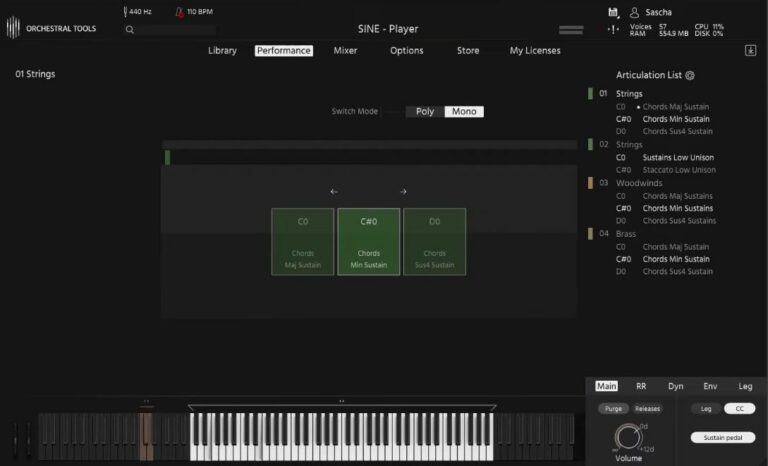
Layers offers a simple way to bring authentic orchestral sound into your music. It includes high-quality recordings of strings, woodwinds, and brass captured at the Teldex Scoring Stage. With one touch, you can create rich chords and shape dynamics using your MIDI controller.
This free plugin runs in the SINE player and lets you mix multiple microphone positions for added depth. It’s useful for quick sketches, cinematic scores, or adding orchestral color to modern tracks. Layers gives you professional sound quality that fits easily into your creative workflow.
Features
- Free Orchestral VST Instrument
- Includes Strings, Woodwinds, And Brass
- Recorded At Teldex Scoring Stage
- High-Quality 24-Bit 48kHz Samples
- Multiple Mic Positions Available
- Blend Layers Using MIDI Controller
- Runs In Free SINE Player
- Supports VST, VST3, AU, And AAX
- Simple And Intuitive Interface
- Ideal For Quick Orchestral Sketches
Pros
- Completely free high-quality orchestral sounds
- Recorded at world-class Teldex stage
- Multiple mic positions for depth
- Runs in free SINE player
- Download only what you need
- Smooth blending of instrument layers
- Flexible mic merging feature
- Easy one-touch chord creation
- Clear, realistic orchestral tones
- Light on CPU performance
Cons
- Needs SINE player to run
- Large 17GB file size
- Few articulations for instruments
- No solo instrument recordings
- Limited dynamic layer control
- No built-in effect controls
- Minimal sound customization options
- Requires strong computer performance
- Limited expression and velocity layers
- Less flexible than paid libraries
Testimonials
2. Big Bang Orchestra
OS: Windows Win Mac Mac Bit Version: 64-bit Developer: Vienna Symphonic Library Size: 485 MB Rating: 91/100
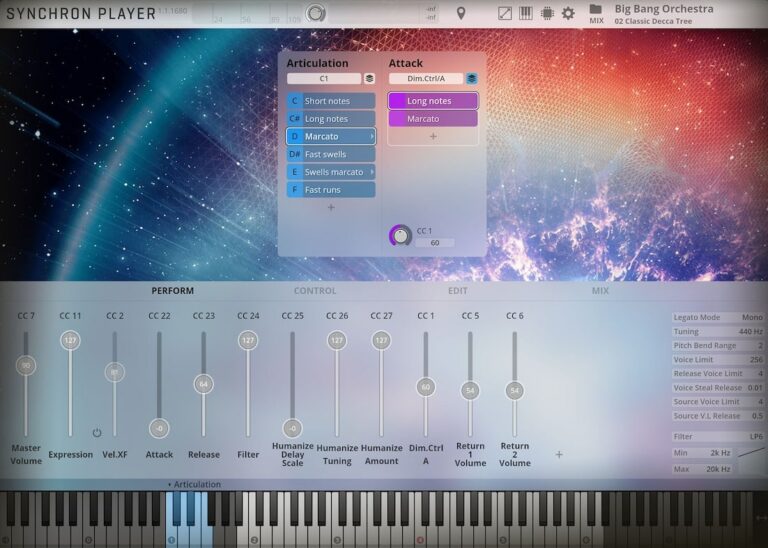
Big Bang Orchestra offers the sound of a full orchestra playing together, recorded at Vienna’s famous Synchron Stage. It gives you instant access to bold, cinematic tones with articulations like staccatos, sustains, and swells—ideal for powerful themes or quick musical sketches.
The plugin includes multiple mic positions and ready-made mixer presets, making it easy to shape everything from close, punchy tones to wide, atmospheric mixes. It’s a fast way to add orchestral layers, dramatic accents, or grand textures to your music projects.
Features
- Full Tutti Orchestra Sound
- 1.4 GB Of Free Samples
- Multiple Microphone Positions
- Stereo And Surround Output
- Articulations Like Staccato And Sustain
- Includes Mixer And Room Presets
- Supports NKS Format Compatibility
- User-Friendly Synchron Player Interface
- Built-In Reverb And Panning Controls
- Low CPU And Fast Loading
Pros
- Free and high quality orchestral sounds
- Huge cinematic sound straight away
- Multiple mic positions for depth
- Epic hall ambience captured clearly
- Light on CPU for large sessions
- Instant big orchestra layering tool
- NKS compatible for smooth workflow
- Playable right out of the box
- Tight and punchy orchestral tone
- Professional sound for zero cost
Cons
- Limited detailed articulations
- Heavy on storage space
- Needs strong computer specs
- Less realistic than full libraries
- No deep expression control
- Few customization options
- Longer load times on HDD
- Less variety than paid plugins
- Cannot edit individual players
- Less natural tone than top horns
Testimonials
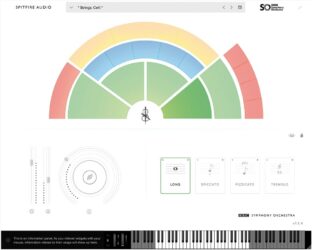
3. Spitfire Audio Discover
OS: Windows Win Mac Mac Bit Version: 64-bit Developer: Spitfire Audio Size: 360 MB Rating: 87/100
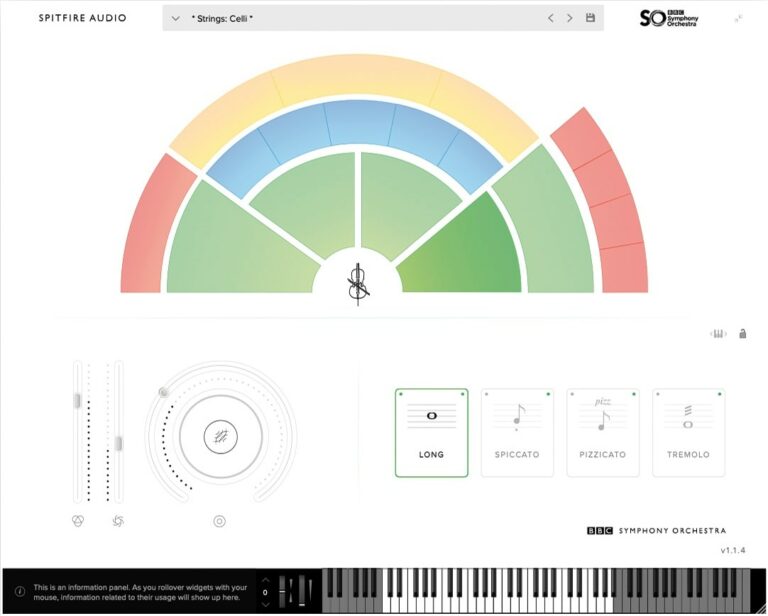
Spitfire Audio Discover offers an easy way to explore the sound of a real orchestra from your computer. Recorded with the BBC Symphony Orchestra at Maida Vale Studios, it includes 34 instruments and a concert grand piano in a lightweight 240MB plugin that fits any workflow.
This plugin works with most major music software and includes strings, brass, woodwinds, percussion, and piano. With simple controls, NKS support, and smooth mode switching, Discover gives both new and experienced music creators access to authentic orchestral sounds for sketching and scoring.
Features
- Includes 34 Orchestral Instruments
- Offers 47 Playing Techniques
- Uses Professional Recording Quality
- Recorded At Maida Vale Studios
- Includes Built-In Reverb Control
- Features Dynamics And Expression Sliders
- Compatible With Major DAWs
- Supports VST2 VST3 AU AAX
- Features NKS Compatibility
- Lightweight Size Of 240MB
Pros
- Recorded at famous Maida Vale Studios
- Includes 34 real instruments
- Features 47 playing techniques
- Professional sound quality for free
- NKS ready for advanced control
- Low CPU and RAM use
- Lightweight and easy to install
- Works on Windows and Mac
- Fast loading and smooth playback
- Easy upgrade path to Core version
Cons
- No legato articulation options
- Limited dynamic range control
- Few articulations per instrument
- No built-in effects section
- Not customizable for deep editing
- Only one mic position
- Less realistic than paid packs
- No velocity curve customization
- Must upgrade for pro features
- Basic interface compared to rivals
Testimonials
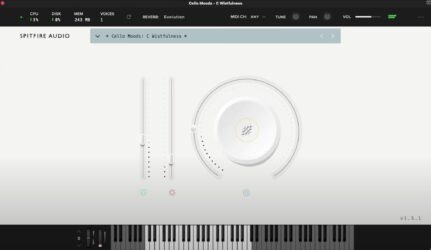
4. Cello Moods
OS: Windows Win Mac Mac Bit Version: 64-bit Developer: Spitfire Audio Size: 1.7 GB Rating: 86/100
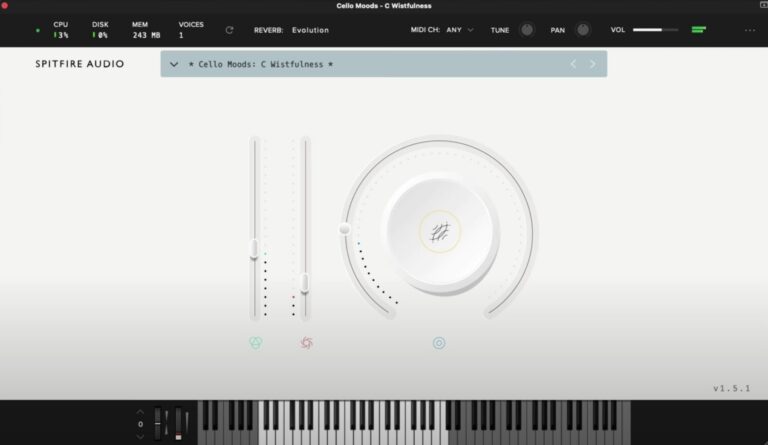
Cello Moods offers an expressive set of cello sounds performed by folk cellist Alice Allen. With four mood options, it captures feelings from quiet tension to moving warmth. Each tone is recorded with natural detail, giving tracks a close and emotional sound.
The plugin includes easy controls for dynamics, tone, reverb, and blend, helping you shape each note’s feel. Ideal for film scoring or intimate tracks, Cello Moods brings real human character to digital music making with just a few thoughtful adjustments.
Features
- Includes 16 Expressive Cello Sounds
- Features Four Distinct Emotional Moods
- Main Knob Blends Textures And Effects
- Reverb Control Adds Depth And Space
- Expression Slider Controls Sound Volume
- Dynamics Slider Adjusts Sound Intensity
- Simple And Clear Plugin Interface
- Supports 64-Bit VST Format
- Compatible With Mac And Windows Systems
- Access To Over One Thousand Presets
Audio Demo
Pros
- Warm and emotional cello tones
- Captures real human playing feel
- Instantly adds cinematic mood
- Rich textures with minimal tweaking
- Four moods for varied emotions
- Lightweight compared to many libraries
- No extra sampler required to run
- Cross-platform support for Mac and Windows
- Great mix-ready sound quality
- Free monthly updates on Splice
Cons
- No true legato articulation
- Lacks realistic dynamic layers
- No round-robin note variation
- No built-in EQ or compressor
- Limited number of sound presets
- No microphone position choices
- May sound repetitive on long notes
- Few customization options offered
- Not ideal for fast passages
- Sampling size may be heavy
Testimonials
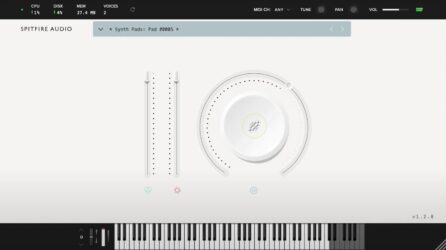
5. Synth Strings
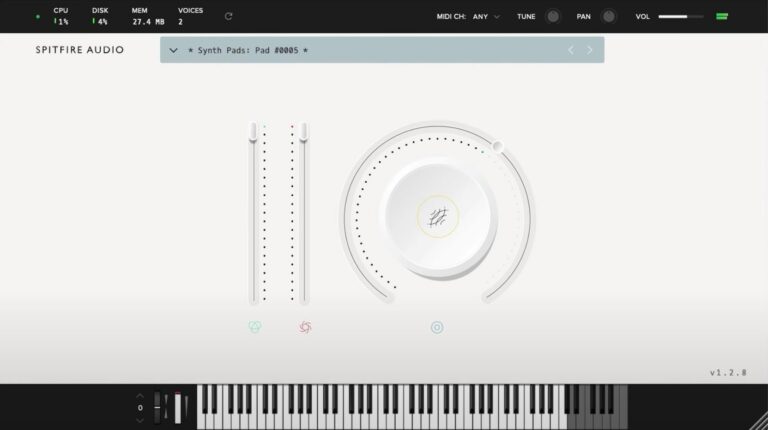
OS: Windows Win Mac Mac Bit Version: 32-bit Developer: Spitfire Audio Size: 1.8 GB Rating: 82/100
Synth Strings offers classic 70s-inspired tones built from the iconic Solina String Ensemble. It delivers warm pads, bright stabs, and vintage textures recorded at Spitfire HQ. Each sound blends analog depth with a smooth, modern feel, perfect for adding rich layers to any track.
The plugin includes adjustable filters, reverb, and modulation controls to shape tone and character easily. With options for attack, decay, sustain, and release, users can create both soft atmospheres and bold leads. Synth Strings works well in disco, funk, or cinematic-style music.
Features
- Based On Solina String Ensemble
- Warm And Bright Sound Textures
- Simple And Clear Interface
- Adjustable Volume And Effects Sliders
- Reverb And Variation Buttons
- Full ADSR Envelope Controls
- Sampled Modulation And Pads
- Available In VST And AU
- Works For Disco And Sci-Fi Sounds
- Captured By Skilled Sound Designers
Pros
- Warm and vintage string tones
- Inspired by classic 70s synths
- Rich, full textures and pads
- Balanced mix-ready sound out-of-box
- Includes sampled modulation movement
- Adjustable reverb for big spaces
- Great layering with real strings
- Ideal for film and game scoring
- Nostalgic and emotional tone quality
- Premium feel in a free package
Cons
- High CPU use on big projects
- Limited sound design flexibility
- Lacks detailed modulation controls
- Few presets compared to others
- Cannot save user-made presets
- No MIDI learn support feature
- No tempo-synced LFOs available
- Needs Spitfire player to run
- Slow load times on startup
- No onboard chorus or phaser
Testimonials
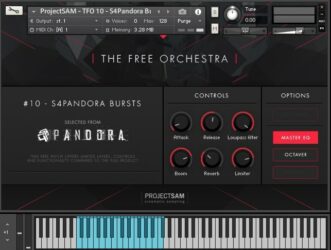
6. The Free Orchestra
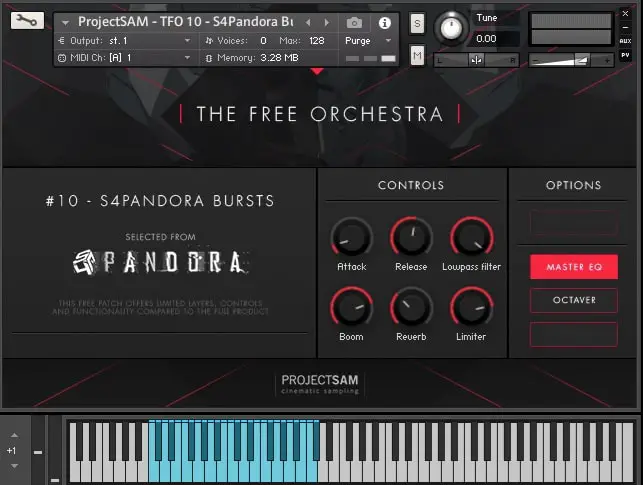
OS: Windows Win Mac Mac Bit Version: 64-bit Developer: ProjectSAM B.V Size: 920 MB Rating: 82/100
The Free Orchestra offers a range of cinematic sounds drawn from ProjectSAM’s well-known libraries. It includes strings, brass, choirs, and sound effects recorded in a concert hall, giving users an authentic orchestral feel. The library includes 16 free instruments and 10 multi setups.
This collection is suited for film scoring, trailer music, or adding dramatic layers to any track. Each preset is ready to use with expressive controls such as reverb, EQ, and dynamics. The Free Orchestra runs in Kontakt Player and works on both Windows and macOS systems.
Features
- Includes 16 Free Orchestral Instruments
- Works With Free Kontakt Player
- Recorded In A Concert Hall
- Offers Cinematic String And Brass Sounds
- Completely Free With No Hidden Costs
- Simple And Clear Control Interface
- Built-In Reverb And Limiter Tools
- Has Octaver And Master EQ Options
- Usable In Commercial Music Projects
- Ideal For Cinematic And Trailer Music
Audio Demo
Pros
- Completely free with no limits
- High quality cinematic sound design
- Works with free Kontakt Player
- Recorded in real concert hall
- Includes 16 free instruments
- Has 10 creative multis
- Compact library with big sound
- Built-in reverb and EQ
- Quick setup through Native Access
- Great gateway to ProjectSAM sound
Cons
- Requires full Kontakt installation
- Limited control over articulations
- No deep sound customization tools
- Interface feels dated and small
- Few microphone positions available
- Lacks round-robin sample variation
- Smaller library than paid suites
- Some patches sound too similar
- Heavy CPU use on some systems
- No standalone version available
Testimonials
7. Karoryfer x Bigcat Cello
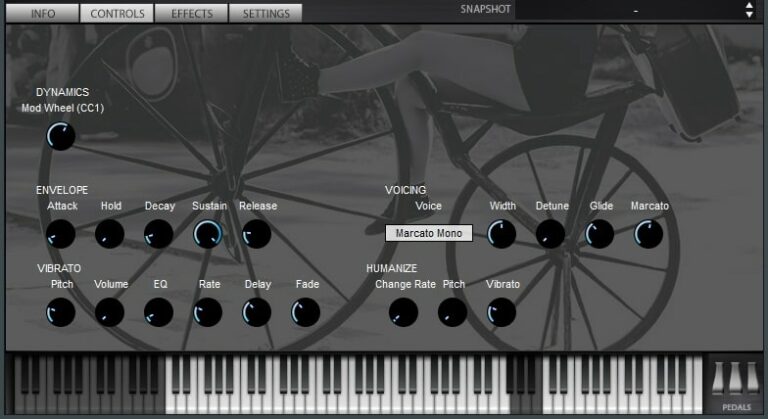
OS: Windows Win Mac Mac Bit Version: 64-bit Developer: Karoryfer Size: 126 MB Rating: 82/100
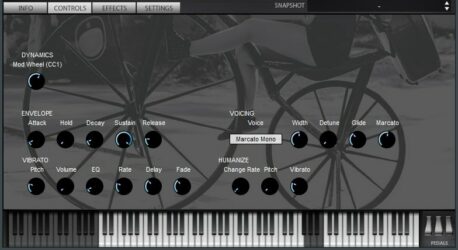
Karoryfer x Bigcat Cello offers a realistic and expressive cello sound built from detailed recordings. The samples are clean, close-miked, and free of effects, giving you full control over the tone. It includes sustain, staccato, pizzicato, harmonics, and slide articulations across a broad range.
The plugin provides controls for vibrato, humanization, legato, and dynamics, allowing for natural and flexible performances. Available for Kontakt and Sforzando, it’s light on storage yet capable of delivering a raw, organic feel that fits well into many music styles.
Features
- Three-Octave Pizzicato With Four Round Robins
- Includes Harmonics, Slides, And Noises
- Scripted Vibrato, Legato, And Humanization
- Works In Kontakt And Sforzando
- Sforzando Adds 4-Voice And 8-Voice Unison
- Dynamic Control Via Mod Wheel
- Envelope Shaping For Note Behavior
- Humanize Sliders For Natural Variation
Audio Demo
Pros
- Real cello sound recordings
- Close-miked for clear tone
- Four velocity layers for depth
- Multiple round robins for realism
- Includes pizzicato and harmonics
- Legato and vibrato feel natural
- Loads quickly with low CPU use
- Very small 126 MB size
- Dry sound blends with reverb
- Better tone than many free cellos
Cons
- Requires paid Kontakt for full use
- Limited articulations for advanced playing
- Small sample set
- No built-in reverb or effects
- No microphone position options
- Dry sound needs extra processing
- Can sound rough in high notes
- No dynamic crossfade layers
- Not very detailed for orchestral work
- Lacks modern GUI design
Testimonials
8. Chamber Orchestra 2
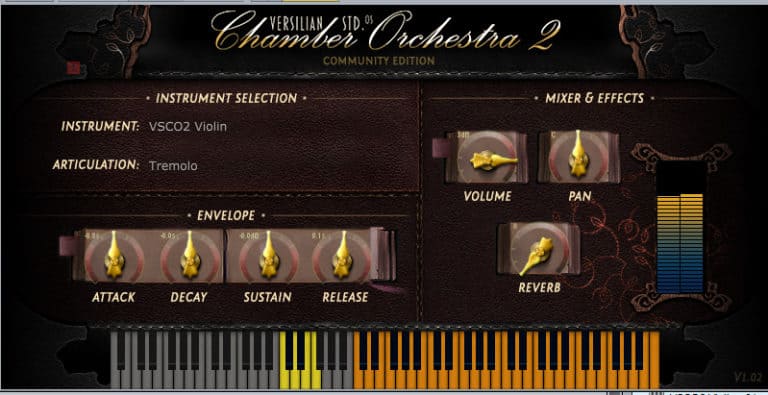
OS: Windows Win Mac Mac Bit Version: 32-bit, 64-bit Developer: Versilian Studios LLC. Size: 1.5 GB Rating: 81/100
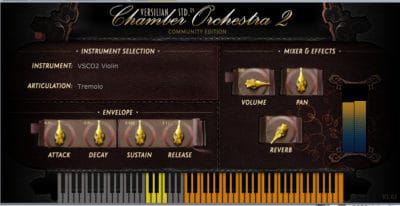
Chamber Orchestra 2 offers a free and open library of orchestral sounds designed for learning and creative projects. It features strings, brass, woodwinds, mallets, and percussion instruments, all recorded with a natural and close style that feels like real players in a small ensemble.
The plugin includes simple controls for volume, tone, and effects like reverb and panning. Users can shape each instrument’s feel with attack, decay, sustain, and release settings. Available for Windows and Mac in VST and AU formats, it’s easy to use for creating realistic orchestral tracks.
Features
- Free 3 GB Sample Library
- Open Source Public Domain License
- VST And AU Plugin Formats
- Adjustable Attack, Decay, Sustain, Release
- Built-In Reverb Effect
- Simple And Clear Interface
- Light On CPU Usage
- Includes Strings, Brass, Woodwinds
- Includes Mallets And Percussion
- Allows Custom Instrument Creation
Pros
- Completely free with no limits
- Works on Windows and Mac
- Includes bells and mallet sounds
- Low CPU and RAM usage
- Offers real, natural instrument tones
- Creative Commons 0 public domain
- Includes multiple articulation options
- Built-in reverb for space and depth
- Better realism than many free VSTs
- Authentic, warm chamber sound
Cons
- Limited modern bell sound variety
- No built-in sound design tools
- Interface looks plain and dated
- Missing advanced modulation controls
- Basic effects compared to other VSTs
- Cannot import custom samples easily
- Few preset options for beginners
- Less polished sound than paid plugins
- Lacks powerful reverb options
- Small community support for updates
Testimonials
9. Amplified Cello Quartet
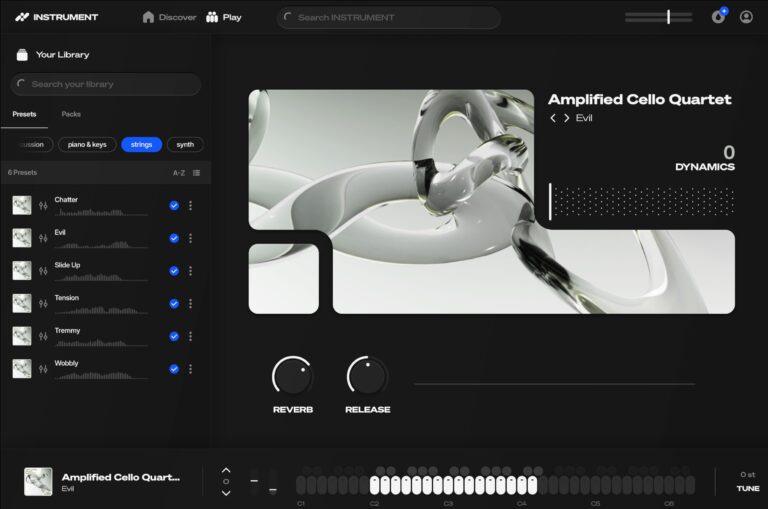
OS: Windows Win Mac Mac Bit Version: 64-bit Developer: Spitfire Audio Size: 243.4 MB Rating: 79/100
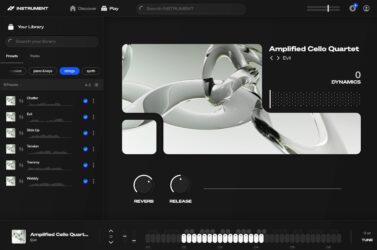
Amplified Cello Quartet offers a bold take on the traditional string sound by running four cellos through amps and live FX pedals. Recorded on a dry stage with amps pushed to their limit, it delivers rich, distorted tones perfect for cinematic or experimental music.
This plugin provides expressive control through simple sliders and buttons for dynamics, reverb, and release. It’s part of Splice INSTRUMENT, giving creators access to an expanding library of sampled instruments, monthly content drops, and flexible options for sound design and inspiration.
Features
- Four Amplified Cello Recordings
- Live Processed With FX Pedals
- Distorted Electric String Sound
- Adjustable Expression And Dynamics
- Includes Reverb And Release Controls
- Simple Instrument Selector Interface
- Virtual Keyboard With Visual Feedback
- Part Of Splice Instrument Library
- Free Monthly Sound Drops
- Available In 64-Bit VST Format
Pros
- Rich and powerful cello tones
- Unique live amp processing
- Instant cinematic mood maker
- Beautiful hazy and dreamy textures
- Excellent layered and looped movement
- Includes expression and dynamics sliders
- Fits Spitfire Audio quality standard
- Library expands with new sounds
- Free monthly preset drops
- More expressive than free pan plugins
Cons
- Lacks raw acoustic cello tones
- Minimal sound customization options
- Few articulation choices available
- Dynamics range feels compressed
- Sound palette can feel repetitive
- Not truly a standalone plugin
- Missing intuitive tone shaping tools
- Limited modulation or motion control
- Interface lacks deep editing features
- Few presets compared to rivals
Testimonials
10. Etherealwinds Harp II
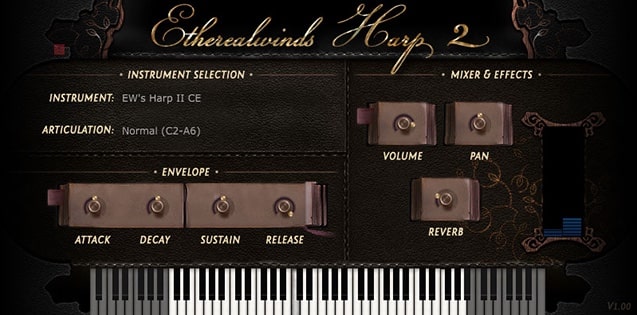
OS: Windows Win Mac Mac Bit Version: 64-bit Developer: Versilian Studios LLC. Size: 400 MB Rating: 79/100
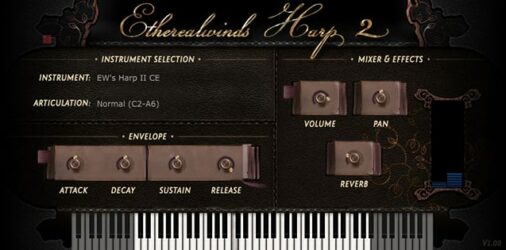
Etherealwinds Harp II offers a detailed sample library of a 34-string Celtic harp, recorded with care to capture a warm and natural sound. It includes chromatic stereo sampling, two velocity layers, and two round robins, giving notes a smooth and realistic tone.
The plugin features easy controls for shaping sound with volume, pan, reverb, and envelope settings. Ideal for fantasy, folk, or cinematic music, it delivers an expressive harp tone that feels close and personal. Available in SFZ and VST formats, it runs freely under a Creative Commons license.
Features
- Diatonic Folk Harp Sampling
- Two Round Robin Layers
- Three Velocity Layers
- Full Decay Samples Captured
- Faux Stereo Width Option
- Attack, Decay, Sustain, Release Controls
- Adjustable Volume, Pan, And Reverb
- Simple And Clear User Interface
- Available In SFZ And VST Formats
- Free Under Creative Commons License
Pros
- Beautiful warm and natural tone
- High quality sampled harp sounds
- Chromatic stereo sampling included
- Two round robins for realism
- Three velocity layers for depth
- Full decays make notes realistic
- Light on system resources
- Balanced mix-ready harp sound
- More expressive than most free VSTs
- Creative Commons license allows freedom
Cons
- Limited harp articulations available
- Requires separate SFZ player
- Mono samples lack depth
- No true stereo recording
- No built-in arpeggiator
- Few preset variations
- Not very CPU efficient
- No advanced effects section
- Less dynamic range than rivals
- User interface looks dated
Testimonials
11. Labs Strings
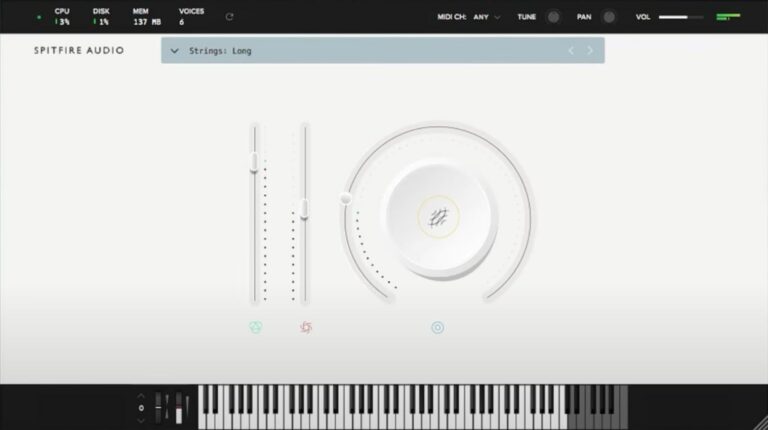
OS: Windows Win Mac Mac Bit Version: 64-bit Developer: Spitfire Audio Size: 698.4 MB Rating: 78/100
Labs Strings offers the sound of fourteen top London string players, recorded at Spitfire Audio’s studio by engineer Harry Wilson. Using a mix of quality microphones, including the vintage BBC AXB1, the plugin delivers warm, emotional tones that feel natural and expressive.
Its simple controls let you shape volume, expression, and texture with ease. The sounds lean toward smooth, cinematic pads rather than fast, detailed playing. Ideal for adding depth, mood, or soft layers, Labs Strings brings rich orchestral color to any music project.
Features
- Features Fourteen London String Players
- Recorded At Spitfire Headquarters
- Includes Vintage BBC AXB1 Microphone
- Offers Three Distinct String Sounds
- Simple And Clean User Interface
- Big Circle Dial For Tone Shaping
- Expression Slider For Dynamics
- Instrument Menu For Sound Selection
- Available In VST And AU Formats
- Runs On 64-Bit Architecture
Pros
- Rich cinematic string sound quality
- Small ensemble for intimate tone
- Low CPU usage and memory
- Emotional, expressive string dynamics
- Recorded with premium microphones
- Created by top London players
- Wide stereo image and warmth
- Instantly adds cinematic atmosphere
- High quality for a free plugin
- Perfect for film scoring moods
Cons
- Very few articulation options
- Limited tone shaping controls
- No real mic mix options
- Baked-in reverb hard to remove
- Not good for fast playing
- Lacks full orchestral depth
- Audible noise on left channel
- High memory use for size
- Limited dynamic range control
- No legato performance option
Testimonials
12. VSCO 2
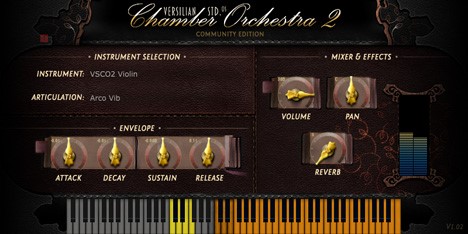
OS: Windows Win Mac Mac Bit Version: 32-bit, 64-bit Developer: Bigcat Instruments Size: 1.7 GB Rating: 77/100
VSCO 2 offers a wide collection of orchestral instruments designed to bring realistic sounds to your music projects. It includes over 3,000 samples across strings, brass, woodwinds, and percussion, giving you the tools to create natural and expressive orchestral tones at no cost.
Each instrument features controls for articulation, volume, pan, and reverb, allowing balanced blends in any mix. With full support for Windows and Mac in VST and AU formats, VSCO 2 is a reliable option for music creators seeking accessible and authentic orchestral sounds.
Features
- Over 2000 Recorded Samples
- Multiple Articulations Available
- Round Robin Sampling Support
- Built-In Reverb Effect
- Adjustable Attack And Decay
- Sustain And Release Controls
- Volume And Pan Adjustment
- Lightweight And CPU Friendly
- Supports VST And AU Formats
- Free Under Public Domain License
Pros
- Free and open-source for everyone
- Natural and raw sample quality
- Lightweight and CPU friendly
- Community-driven and Creative Commons licensed
- Over 2000 high-quality samples included
- Allows expressive solo instrument control
- Flexible sound shaping with ADSR
- Includes reverb and pan controls
- More authentic than many free alternatives
- Perfect for orchestral mockups and practice
Cons
- Requires external effects for realism
- User interface looks very basic
- Some samples can sound harsh
- Slow loading with large samples
- Reverb lacks deep customization
- No MIDI learn for all controls
- No round robin for all patches
- Limited tuning flexibility
- Can crash in Reaper software
- Less realistic than Cloud Drum plugin
Testimonials
13. VSCO2 Harp
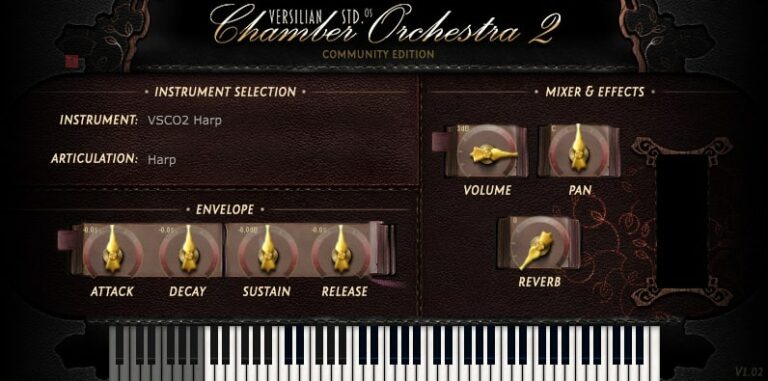
OS: Windows Win Mac Mac Bit Version: 32-bit, 64-bit Developer: Bigcat Instruments Size: 27 MB Rating: 74/100
VSCO2 Harp offers a bright and natural harp sound recorded by Versilian Studios and Sam Gossner. It gives music creators a soft, plucked tone that fits well in many musical styles. The simple layout helps you shape the sound with controls for tone, space, and dynamics.
This plugin works on Windows and Mac in both VST and AU formats. It includes options to adjust attack, decay, sustain, and reverb to match your project’s mood. VSCO2 Harp is a helpful choice for adding realistic harp sounds to your tracks.
Features
- Sampled Lever Harp Instrument
- Recorded By Versilian Studios
- Natural And Realistic Tone
- Built-In Reverb Effect
- Velocity-Sensitive Playback
- Adjustable Attack, Decay, Sustain, Release
- Low CPU Usage
- Supports VST And AU Formats
- Runs In 32-Bit And 64-Bit
- Free Harp Plugin
Pros
- Realistic harp sound quality
- Low CPU use and memory
- Supports VST and AU formats
- Simple and clean interface
- Natural attack and decay
- Intimate and expressive sound
- Better realism than most free harps
- Perfect for cinematic music
- Soft tone blends in mixes
- Free and very high quality
Cons
- Limited sound variety for harp
- Few articulations compared to others
- Missing round-robin sampling layers
- No mic position options
- Uneven velocity response at times
- Some notes click at release
- Basic reverb with limited depth
- Occasional stuck notes in DAWs
- No built-in presets browser
- Cannot tune individual strings
Testimonials
14. Sonatina Harp
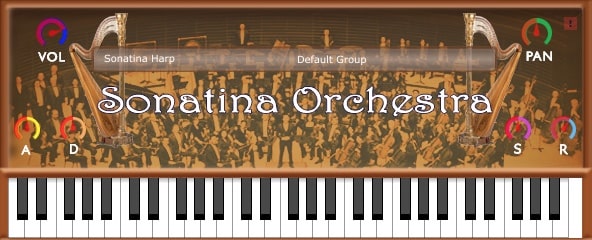
OS: Windows Win Mac Mac Bit Version: 32-bit, 64-bit Developer: Bigcat Instruments Size: 7 MB Rating: 70/100
Sonatina Harp is a free harp plugin by Bigcat Instruments that brings the sound of a classical harp to your digital studio. It uses samples from the Sonatina Symphonic Orchestra to create a clear and natural tone that fits many musical styles.
The plugin includes volume, pan, and ADSR controls to shape how each note behaves. A simple on-screen keyboard helps you see and play notes directly. Sonatina Harp works on both Windows and Mac in VST and AU formats, making it easy to add to any setup.
Features
- High-Quality Classical Harp Samples
- ADSR Envelope Sound Shaping
- Velocity-Sensitive Note Response
- Includes Sustained And Plucked Sounds
- Light CPU And RAM Usage
- Supports VST And AU Formats
- Works On Windows And Mac
- Simple And Clear Interface
- Fast Loading Time
- Mixes Well With Other Instruments
Pros
- Clean and mellow harp tone
- Better harp tone than many free plugins
- Light on computer CPU
- Small file size and light RAM use
- Loads very fast for sketching
- Adjustable attack and release
- Responds well to touch strength
- Blends smoothly with orchestra
- Works on Windows and Mac
- Completely free to download
Cons
- Sound can be a bit bright
- No round robin variations
- Very limited sound controls
- No built-in reverb effects
- Interface looks plain and old
- Can sound static on repeats
- Not very realistic for solos
- No pitch or tone shaping
- Limited articulation control
- No real-time expression tools
Testimonials
15. Orchestral Strings One

OS: Windows Win Mac Mac Bit Version: 32-bit, 64-bit Developer: Sound Magic Size: 204 MB Rating: 70/100
Orchestral Strings One offers the sound of a full orchestral string section recorded in the famous Berliner Hall. It combines 14 violins, 10 violas, 8 cellos, and 6 double basses into one instrument powered by the NEO Hybrid Modeling Engine for an expressive, natural tone.
This plugin provides control over legato, dynamics, and tone color through nearly 20 adjustable settings. With multiple articulations, microphone positions, and real-time key switching, it delivers a realistic string performance that works well for both studio use and live playing.
Features
- Full String Orchestra Setup
- NEO Hybrid Modeling Engine
- Real-Time Articulation Switching
- Expressive Legato Control System
- Multiple Microphone Position Options
- Built-In High-Quality Reverb
- 64-Step Phrase Sequencer
- Low CPU And RAM Usage
- Harmonic And 2nd Harmonic Layers
- Customizable Vibrato Depth Setting
Pros
- Recorded in famous Berliner Hall
- Includes full string orchestra layers
- Uses hybrid modeling for realism
- Multiple microphone positions available
- Real-time control with key switches
- Auto Rhythm Tool speeds workflow
- Sequencer helps create string phrases
- Legato feels smooth and natural
- Small download for large orchestra
- Free professional-quality sound option
Cons
- Crashes when switching presets fast
- Uses more memory than expected
- More CPU hungry than others
- Sometimes fails to load in DAW
- Settings don’t always save correctly
- UI looks old and small
- Not retina or 4K ready
- Limited articulations for pro users
- Less realistic than big libraries
- Slow response on older computers
Testimonials
16. Crystal Harp
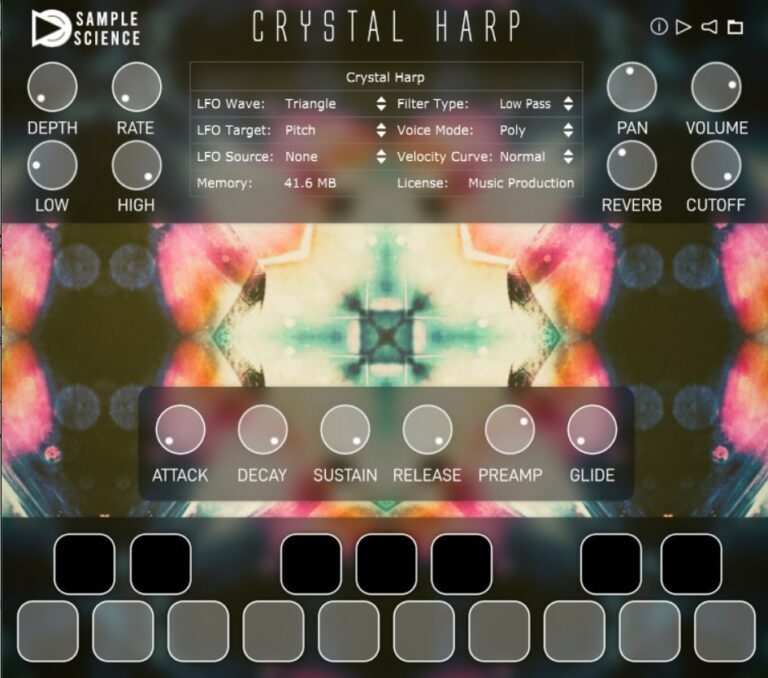
OS: Windows Win Mac Mac Bit Version: 64-bit Developer: SampleScience Size: 174 MB Rating: 68/100
Crystal Harp offers the soft, shimmering tones of a real crystal harp in a simple virtual instrument. Its smooth, pure sound makes it ideal for ambient, meditation, and new-age tracks. The plugin captures a gentle resonance with a long decay that adds calm and beauty to music.
It includes built-in effects like reverb, delay, chorus, and distortion, plus LFO and filter controls for extra tone shaping. You can play in polyphonic, monophonic, or legato modes to match your style. Crystal Harp works on both Windows and macOS in 64-bit plugin formats.
Features
- Pure Crystal Harp Sound
- Multi-LFO With Depth Control
- Distortion, Delay, Chorus, Reverb
- Lowpass And Highpass Filters
- ADSR Envelope Controls
- Glide For Smooth Note Slides
- Low CPU Usage
- Simple And Clean Interface
- 64-Bit VST, AU, VST3 Formats
- Ideal For Ambient And Meditation
Pros
- Beautiful, pure crystal harp tone
- Includes reverb, delay, and chorus
- Has multi-LFO modulation options
- Three voice modes to choose
- Adjustable filter and cutoff controls
- Glide control for smoother notes
- Free Decent Sampler version available
- Very low CPU usage
- Fast plugin loading time
- Simple and clean user interface
Cons
- Only one main harp tone
- No tuning or pitch adjustment
- Limited dynamic layers
- Few sound-shaping controls
- No built-in EQ
- Requires paid Kontakt version
- No round-robin samples
- Effect quality not high
- UI feels too simple
- Limited expression for live play
Testimonials
17. Strings Q3
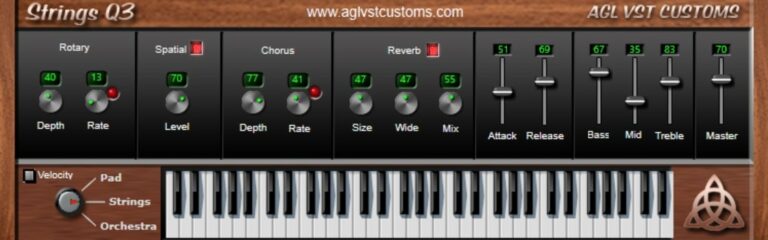
OS: Windows Win Bit Version: 64-bit Developer: AGL VST CUSTOMS Size: 2.3 MB Rating: 68/100
Strings Q3 offers three main sound types—Pad, Strings, and Orchestra—designed for shaping smooth and expressive tones. It includes Attack and Release controls, a three-band EQ, and full stereo output, letting you balance warmth, depth, and clarity for your tracks.
With built-in rotary, spatial, chorus, and reverb effects, Strings Q3 gives wide control over sound movement and space. The velocity switch adds extra play dynamics, making it easy to create soft backgrounds or bold string layers that fit many music styles.
Features
- Three Main Sound Types
- Rotary Speaker Effect
- Chorus Depth And Rate
- Reverb Size And Mix
- Spatial Width Adjustment
- Three-Band Equalizer
- Velocity Response Switch
- Built-In On-Screen Keyboard
- Sound Selector For Patches
- CPU Friendly Performance
Pros
- Warm and clean string tones
- Three rich sound types included
- Built-in rotary adds motion
- Spatial effect widens the sound
- Chorus makes tone more full
- Reverb adds big hall space
- Full stereo for wide mix
- CPU friendly for smooth use
- Realistic and lush string feel
- Ideal for film or game music
Cons
- Only three basic sound patches
- Lacks advanced modulation options
- Limited sound design flexibility
- No automation for all controls
- User interface looks dated
- No resizable interface window
- Not available for macOS users
- No MIDI learn support
- Cannot import external samples
- Less realistic than sample libraries
Testimonials
18. Cellofan
OS: Bit Version: 32-bit Developer: Soundkey Size: 1 MB Rating: 67/100
Cellofan offers a realistic cello sound that reacts naturally to your playing. It gives you simple control over how notes start, fade, and blend together through three main knobs: Attack, Release, and Slide. This makes it easy to shape smooth or dramatic phrases.
Designed by Soundkey for Windows, Cellofan focuses on expression and tonal warmth. It can be used for solo lines or as part of larger string sections, adding depth to your music. The plugin loads quickly and provides an authentic cello tone without extra setup.
Features
- Free Virtual Cello Instrument
- Realistic Cello Tone
- Adjustable Attack Control
- Adjustable Release Control
- Smooth Note Slide Function
- Supports Sound Shaping Controls
- Playable With Midi Keyboard
- Low Cpu Usage
- Simple Clean Interface
- Works In 32-Bit Vst Format
Pros
- Very expressive and emotional sound
- Realistic bow and slide detail
- Warm and realistic tone
- High-quality sound for free
- Light on CPU resources
- No extra sampler needed
- Easy to shape musical phrases
- Smooth and natural transitions
- Perfect for film and scoring
- Simple and clean interface
Cons
- Only works on Windows
- No Mac or Linux support
- Limited to 32-bit systems
- No round robin or articulations
- Less realistic than paid libraries
- No built-in reverb or effects
- Few sound shaping options
- No preset browser or manager
- Potential instability in some DAWs
- Lacks modern, high-quality GUI
Testimonials
19. Virtual Playing Orchestra
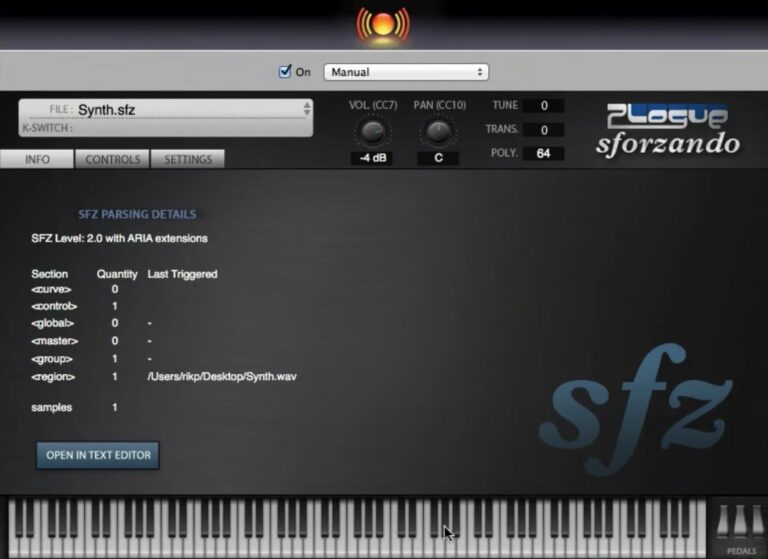
OS: Windows Win Mac Mac Bit Version: 64-bit Developer: Paul Battersby Size: 356 KB Rating: 65/100
Virtual Playing Orchestra is a free SFZ orchestral sample library with solo and section strings, brass, and woodwinds. It includes sustain, staccato, accented, pizzicato, and tremolo articulations, plus keyswitch patches and full section sounds.
Samples are checked for tuning, volume, and panning, with instruments set to suitable note ranges. Round-robin strings, velocity layers, and mod-wheel control add variation. An SFZ player is required, and reverb can help blend the different instruments.
Features
- Free SFZ Orchestral Sample Library
- Solo And Section Instruments
- Multiple String Articulations
- Multiple Brass Articulations
- Multiple Woodwind Articulations
- Keyswitch Articulation Patches
- Round-Robin Staccato Strings
- Randomized Repeated Note Playback
- Adjustable Volume And Pan
- Pitch Tuning And Transpose Controls
Pros
- Includes solo and section instruments
- Offers many playing styles
- Includes pizzicato for every string
- Offers tremolo string sounds
- Uses realistic round-robin strings
- Includes two brass velocity layers
- Supports keyswitch articulation changes
- Uses a flexible SFZ format
- Works with several SFZ players
Cons
- Requires a separate SFZ player
- Not a true standalone VST
- Mixed sample sources sound uneven
- Limited dynamic layers for instruments
- Few detailed performance controls
- No built-in reverb included
- Older SFZ format may limit compatibility
Testimonials
20. One Track Orchestra
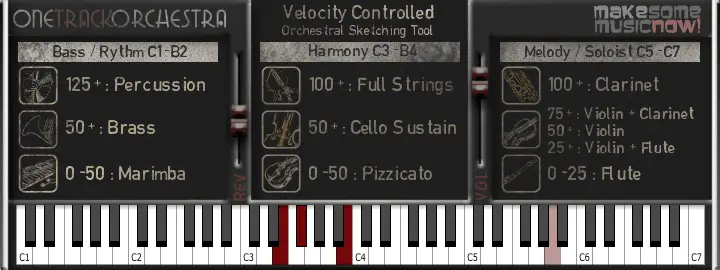
OS: Windows Win Mac Mac Bit Version: 64-bit Developer: Misery Factor Size: 47 MB Rating: 64/100
One Track Orchestra offers a fast way to sketch full orchestral ideas in your DAW using just one track. It combines strings, brass, woodwinds, and percussion across the keyboard, letting you create quick arrangements without setting up multiple instruments or templates.
Each section reacts to velocity, giving different tones depending on how softly or hard you play. With only reverb and volume controls, it stays simple while letting you focus on ideas. It’s ideal for songwriters, game jam projects, or quick demos needing instant orchestral sound.
Features
- Full Orchestra On One Track
- Free 64-Bit VST Instrument
- Includes Strings, Brass, Woodwinds, Percussion
- Keyboard Mapped Instrument Sections
- Velocity Responsive Sound Changes
- Simple Reverb And Volume Controls
- Low CPU And Memory Usage
- Fast Loading And Low Latency
- Works Well In Most DAWs
- Based On VSCO Community Samples
Pros
- Full orchestra on one track
- Light on CPU usage
- Works well on low-spec PCs
- Includes strings, brass, and woodwinds
- Instant cinematic sound with reverb
- Free alternative to big libraries
- Quick setup for fast scoring
- No need for multisample setup
- Very small footprint and file size
- 64-bit support for modern DAWs
Cons
- Very limited sound realism
- No multiple articulations support
- Lacks round-robin sampling variety
- User interface looks outdated
- Not suitable for final productions
- Can sound flat or synthetic
- Velocity mapping feels inconsistent
- Crashes when changing presets fast
- Limited dynamic expression range
- No updated versions or support
Testimonials
Best String VST Plugins Compared
This table compares the best string plugins by features, controls, effects, formats, and more.
| Details | Layers | Big Bang Orchestra | Spitfire Audio Discover | Cello Moods | Synth Strings | The Free Orchestra | Karoryfer x Bigcat Cello | Chamber Orchestra 2 | Amplified Cello Quartet | Etherealwinds Harp II |
|---|---|---|---|---|---|---|---|---|---|---|
| Image |  |
 |
 |
 |
 |
 |
 |
 |
 |
 |
| Rating | ||||||||||
| OS | Windows, Mac | Windows, Mac | Windows, Mac | Windows, Mac | Windows, Mac | Windows, Mac | Windows, Mac | Windows, Mac | Windows, Mac | Windows, Mac |
| Formats | VST, VST3, AU, AAX | VST, VST3, AU, AAX | VST2, VST3, AU, AAX | VST | VST, AU | Kontakt | Kontakt | VST, AU | VST | VST, SFZ |
| Bit Version | 64-bit | 64-bit | 64-bit | 64-bit | 32-bit | 64-bit | 64-bit | 32-bit, 64-bit | 64-bit | 64-bit |
| Developer | Orchestral Tools | Vienna Symphonic Library | Spitfire Audio | Spitfire Audio | Spitfire Audio | ProjectSAM B.V | Karoryfer | Versilian Studios LLC. | Spitfire Audio | Versilian Studios LLC. |
| License | Freeware | Commercial | Freeware | Commercial | Commercial | Freeware | GPL | Commercial | Commercial | Donationware |
| Sample-Based | Yes | Yes | Yes | Yes | Yes | Yes | Yes | Yes | Yes | Yes |
| Download Size | 10 GB | 485 MB | 360 MB | 1.7 GB | 1.8 GB | 920 MB | 126 MB | 1.5 GB | 243.4 MB | 400 MB |
| CPU Load | Low | Low | Low | Low | Low | Low | Low | Low | Low | Low |
| Polyphony | 150 | 128 | 127 | 32 | 32 | 64 | 32 | 256 | 32 | 32 |
| Features | Orchestral layers, One-touch chords, Dynamic blending, Multiple mic positions, High-quality recordings, Intuitive interface, Free download | Massive tutti orchestra, Quick orchestration, Multiple microphones, Dynamic articulations, Mixer presets, NKS integration, Cinematic sound | Free orchestra, Concert grand piano, 34 instruments, 47 techniques, Lightweight design, Simple interface, Mode switching | Emotive performances, Four moods, Preset menu, Expression control, Dynamics slider, Reverb adjustment, Simple interface | Classic Synth Textures, Sampled Modulation, Processed Pads, Simple Interface, Good Sound Quality, Additional Filters, Expressive Controls | Free library, Cinematic instruments, Orchestral sounds, Concert hall recording, Kontakt Player compatible, Creative multis, User-friendly interface | Sustain layers, Staccato layers, Pizzicato samples, Harmonics slides, Scripted vibrato, Humanization control, Legato transitions | Open-source library, Orchestral instruments, Multiple articulations, Expression controls, Built-in reverb, Visual keyboard, Customizable samples | Dry-stage sampling, Live FX processing, Distorted cello tones, Expression control, Dynamics control, Reverb adjustment, Virtual keyboard | Diatonic folk harp, Two round robins, Three velocity layers, Full decays, Faux stereo width, Vocal phrases, Expressive tone |
| Controls | Library Tab, Performance Tab, Mixer Tab, Options Tab, Store Tab, My Licenses Tab, Articulation List | Articulation Menu, Attack Control, Preset Menu, Mixer Faders, Reverb Control, Pan Knobs, Keyboard Display | Main Display Arc, Instrument Selector, Dynamics Slider, Expression Knob, Reverb Control, Articulation Buttons, Keyboard View | Preset Menu, Expression Slider, Dynamics Slider, Main Knob, Reverb Control, Tune Knob, MIDI Channel Selector | Instrument Selector, Main Knob, Left Slider, Right Slider, Reverb Button, Variation Button, Attack Button | Attack, Release, Lowpass Filter, Boom, Reverb, Limiter, Master EQ | Dynamics, Envelope, Vibrato, Voicing, Humanize, Keyboard, Pedals | Instrument Selector, Articulation Picker, Attack Control, Decay Control, Sustain Control, Release Control, Volume Knob | Instrument Selector, Expression Slider, Dynamics Slider, Big Round Knob, Reverb Button, Release Button, Virtual Keyboard | Volume, Pan, Reverb, Attack, Decay, Sustain, Release |
| Effects Included | Reverb | Compressors, power panning, delays, additional reverb, phasers | Reverb | Reverb | Reverb, Filters, Sample Modulation | Lowpass Filter, Boom, Reverb, Limiter, Master EQ, Octaver | Pitch modulation (Vibrato), Volume modulation (Vibrato), EQ modulation (Vibrato), Detune, Glide, Marcato, Humanize (Rate, Pitch, Vibrato) | Reverb | Reverb, Release | Reverb |
| MIDI Learn | Unknown | Yes | No | Unknown | Yes | Yes | Unknown | No | Unknown | Unknown |
| Presets | 100 | N/A | 47 | 45 | 44 | 1 | N/A | N/A | 4 | N/A |
| Standalone | No | No | No | No | No | No | No | No | No | No |
| Last Updated | 06/16/2020 | 07/03/2024 | 06/15/2023 | N/A | N/A | 05/09/2023 | 07/29/2014 | 05/12/2024 | N/A | 02/09/2023 |
Best String VST Plugins
Our top picks for the best free String VST plugins are Layers by Orchestral Tools, Big Bang Orchestra by Vienna Symphonic Library, and Spitfire Audio Discover by Spitfire Audio. These plugins offer tons of string sounds, features, and high-quality sounds.
| Details | Layers | Big Bang Orchestra | Spitfire Audio Discover |
|---|---|---|---|
| Image | | | |
| Rating | |||
| OS | Windows, Mac | Windows, Mac | Windows, Mac |
| Formats | VST, VST3, AU, AAX | VST, VST3, AU, AAX | VST2, VST3, AU, AAX |
| Bit Version | 64-bit | 64-bit | 64-bit |
| Developer | Orchestral Tools | Vienna Symphonic Library | Spitfire Audio |
| Download Size | 10 GB | 485 MB | 360 MB |
| Download | Visit Layers | Visit Big Bang Orchestra | Visit Spitfire Audio Discover |
String VST FAQs
What Is A String VST Plugin?
A string VST plugin is a software plugin that musicians can use to simulate the sound of a string instrument. A string instrument can be a violin, cello, harp, or a synthesized string instrument.
There are many different types of string VST plugins, but they all have one thing in common: they produce the sound of a string instrument. String VST instruments are popular in classical music, film scores, and many music genres.
How to Install String VST Plugins
To install string VST plugins on Windows or Mac, extract the files from the Zip or Rar. Move the files (.dll for Windows or .component for Mac) into your DAW’s plugin folder. Then restart your software and rescan the directory to complete the process. Tutorial: How to Install VST Plugins
Windows:
Extract the downloaded zip file and copy the .dll file into the VST plugins folder scanned by your DAW. Restart your music software and rescan your plugin directory to begin using the new VST.
Mac OS X:
Extract the downloaded archive and move the .component or .VST file to the plugin folder. It is usually /Library/Audio/Plug-Ins/Components or /Library/Audio/Plug-Ins/VST. Restart your DAW and rescan your plugins to complete the installation.