Here are the best free Filter VST plugins for Windows and Mac. We have included videos, reviews, features, pros, cons, and plugin ratings.
Table of Contents

How we rate filter plugins: We rate each Filter plugin based on sound quality, design, performance, features, usability, and compatibility. We rate plugins on a scale of 1 to 100.
| # | Plugins | Ratings | OS | Formats |
|---|---|---|---|---|
| 1 | HY-Filter4 free | Windows Mac Linux | VST, AU | |
| 2 | sTiltV2 | Windows Mac | VST, AU, AAX | |
| 3 | Filterjam | Windows Mac | VST, AU | |
| 4 | HY-Filter3 Free | Windows Mac | VST, AU | |
| 5 | TAL-Filter-2 | Windows Mac | VST, AU | |
| 6 | Speculumfree | Windows Mac | VST, AU | |
| 7 | Just A Filter | Windows Mac | VST, AU | |
| 8 | FilterCrusher | Windows Mac | VST, AU | |
| 9 | Synchronize | Windows Mac | VST, AU | |
| 10 | Mad Filter | Windows Mac | VST, AU | |
| 11 | Synchronize | Windows Mac | VST, AU | |
| 12 | Transformant | Windows Mac | VST, AU |
I have spent over 15 years testing and comparing hundreds of free and paid VST plugins, supported by hands-on demos on our YouTube channel, which has 12,000+ subscribers.
Best Free Filter VST Plugins
1. HY-Filter4 free
OS: Windows Win Mac Mac Linux Linux Bit Version: 32-bit, 64-bit Developer: HY-Plugins Size: 12 MB Rating: 82/100
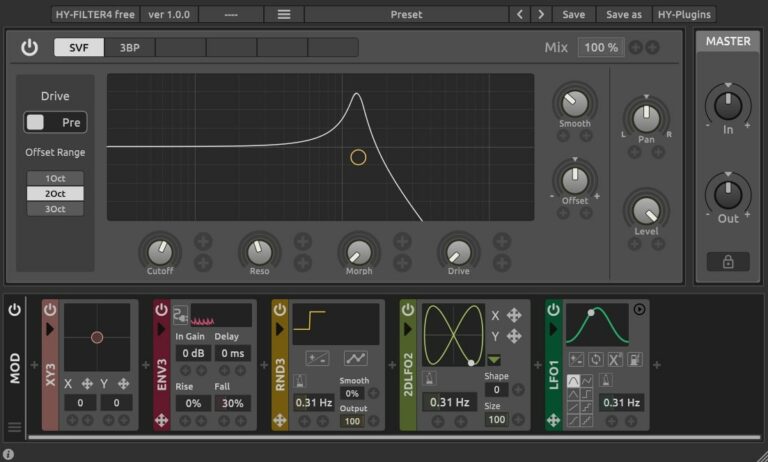
HY-Filter4 Free offers a semi-modular filter setup designed to shape and move your sound in creative ways. It includes two filter types (SVF and 3BP) and five modulators such as LFO, RND, and XY Control, giving you many options for real-time tone changes.
With drag-and-drop modulation and a resizable layout, this plugin helps you experiment easily. It works well for adding movement, texture, or dynamics to tracks, making it a solid choice for producers who want to explore filtering and modulation in their mixes.
Features
- Semi Modular Filter Effect Plugin
- Two Filter Engines SVF And 3BP
- Five Types Of Modulators
- XY Control For Dual Parameter Use
- Drag And Drop Modulation Setup
- Drive And Pre Filter Options
- Built In Compressor And Delay FX
- Resizable Graphic User Interface
- Low CPU Usage Performance
- Free Version With Core Features
Video
Pros
- Flexible semi-modular design
- Two filter engines for variety
- Five modulator types add range
- Simple drag and drop modulation
- Morph knob creates fresh tones
- XY pad encourages creative play
- Random modulation feels natural
- Built-in compressor and delay
- Low CPU use for smooth play
- Free version still powerful
Cons
- Limited compared to paid version
- No built-in preset management
- Lacks undo and redo options
- Free version missing advanced modules
- Cannot use multiple filters together
- No drag-and-drop routing feature
- Limited modulation depth options
- Minor CPU spikes under heavy load
- No MIDI learn support mentioned
- Mac and Linux setup not always smooth
Testimonials
2. sTiltV2

OS: Windows Win Mac Mac Bit Version: 32-bit, 64-bit Developer: TBProAudio Size: 4.4 MB Rating: 81/100
sTiltV2 is a linear-phase tilt EQ that makes a track brighter or darker around a chosen center frequency. Adjust the tilt from -6 to +6 dB per octave to shape the overall tone.
Choose from five quality modes, set autogain and clip protection, and select stereo, left, right, mid, or side channels. Sample-exact bypass lets you compare the processed sound with the original.
Features
- Linear Phase Tilt Filtering
- Adjustable Tilt Slope Range
- Adjustable Center Frequency
- Five Processing Quality Modes
- Automatic Gain Level Control
- Switchable Clip Protection
- Stereo And Mid Side Processing
- Left And Right Channel Selection
- Sample Exact Bypass Switching
- Adjustable Effect Mix Control
Video
Pros
- Linear-phase processing keeps tone clean
- Three filter modes offer useful choices
- Five quality settings fit different needs
- Auto gain helps keep volume steady
- Clip protection helps prevent harsh peaks
- Mid-side controls shape stereo tone
- Left-right channel choices add control
- Hear selected channels while adjusting
- Sample-exact bypass helps fair comparisons
- Filter limit helps control big changes
Cons
- Focuses on broad tone shifts
- No low-pass filter mode
- No high-pass filter mode
- No band-pass filter mode
- No notch filter mode
- No resonance control knob
- No built-in LFO movement
Testimonials
3. Filterjam

OS: Windows Win Mac Mac Bit Version: 64-bit Developer: AudioThing Size: 14 MB Rating: 78/100
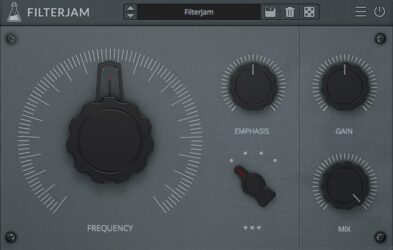
Filterjam is a multi-band resonant filter that splits audio into four bands and combines them in different ways. It can add bright, sharp tones or create unusual, ring-modulator-like sounds from synths, drums, and acoustic sources.
Use the Frequency and Emphasis controls to shape the filter, then blend the effect with the original sound using Mix. Presets and a randomizer help you explore new sounds, from subtle changes to heavy effects.
Features
- Four-Band Resonant Filtering
- Band Summing And Multiplying Modes
- Adjustable Filter Tone
- Filter Emphasis Control
- Blend Filtered And Original Sounds
- Preset Browsing And Saving
- Random Sound Generation
- Low CPU Usage
- Effect Power On And Off
Video
Pros
- Four bands make unusual sounds
- Sum or multiply bands creatively
- More unusual than standard filter modes
- Can sound gentle or harsh
- Transforms drums, synths, and vocals
- Makes acoustic sounds more wild
- Mix knob keeps original sound present
- Randomizer sparks fresh sound ideas
- Oversampling reaches up to 16x
- Adds character beyond basic EQ
Cons
- Few hands-on tone controls
- Fewer common filter types
- No listed LFO control
- No listed envelope follower
- No built-in step sequencer
- No listed MIDI filter control
- No clear filter slope setting
Testimonials
4. HY-Filter3 Free

OS: Windows Win Mac Mac Bit Version: 32-bit, 64-bit Developer: HY-Plugins Size: 5 MB Rating: 75/100
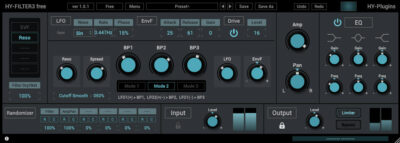
HY-Filter3 Free is a multimode filter plugin with SVF and Reso modes. Shape sounds with cutoff, resonance, filter bands, EQ, and dry/wet controls, or use the LFO and envelope controls to add movement.
The randomizer can make changes to selected settings, and the preset manager lets you load and save sounds. The window can be resized, and you can change its base color. It runs on Windows and Mac as a VST or AU plugin.
Features
- SVF And Reso Filter Modes
- Built-In Randomizer Controls
- Preset Loading And Saving
- Beat-Synced LFO Timing
- Envelope Filter Controls
- Three Band-Pass Filters
- Filter Cutoff Smoothing
- Adjustable Filter Dry/Wet Mix
- Built-In Equalizer Controls
- Input And Output Meters
Video
Pros
- Two filter modes shape your sound
- Randomizer sparks fresh sound ideas
- Built-in LFO adds moving effects
- Beat sync follows your song
- Envelope controls react to sound
- Three band-pass controls shape tones
- Spread separates the filter bands
- Built-in EQ helps shape your tone
- Drive adds grit and edge
- Limiter helps tame loud peaks
Cons
- Only two filter modes available
- No four-band resonant filtering
- No 16x oversampling option
- No filter morphing modes
- No audio-rate filter movement
- No VST3 plugin support
- No Linux plugin version
Testimonials
5. TAL-Filter-2

OS: Windows Win Mac Mac Bit Version: 32-bit, 64-bit Developer: Togu Audio Line Size: 33 MB Rating: 73/100
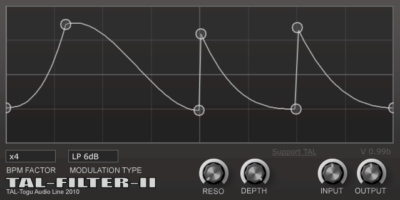
TAL-Filter-2 is a tempo-synced filter with low-pass, high-pass, and band-pass modes. Its LFO, envelope follower, and drawn movement curves can shape filter, volume, and pan changes for effects such as pulsing or auto-panning.
A filter graph lets you draw how the sound changes over time. You can adjust resonance, movement depth, and input or output level. TAL-Filter-2 is available for Windows and Mac in VST and AU formats.
Features
- Host-Synced Filter Modulation
- Low-Pass, High-Pass, And Band-Pass Modes
- Multiple LFO Waveforms
- Envelope Follower And Input Drive
- Pan And Volume Modulation
- Draw Custom Filter Movement Curves
- Filter Graph Shows Movement Over Time
- Self-Oscillating Resonant Filter
- Ten Included Presets
Video
Pros
- Free to use for any track
- Host sync keeps timing tight
- Draw your own moving curves
- Modulates filter, volume, and pan
- Makes quick sidechain-style pumping
- Moves hats across stereo space
- Six LFO shapes add variety
- Envelope follower responds to sound
- Self-oscillation adds bold tones
- MIDI can restart its motion cycle
Cons
- Fewer filter types than rivals
- No comb or formant filters
- No adjustable wet-dry mix
- Cannot smoothly morph filter modes
- No audio-rate filter movement
- Curve editor feels hard to learn
- Some users report LFO failures
Testimonials
6. Speculumfree

OS: Windows Win Mac Mac Bit Version: 64-bit Developer: Decade Bridge Size: 32 MB Rating: 71/100
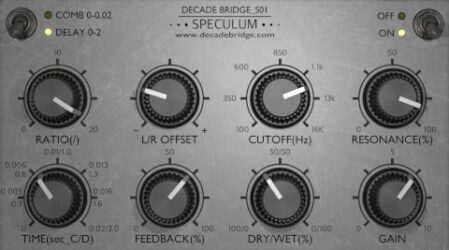
Speculumfree is a delay and comb filter effect that sends sound through a resonant low-pass filter. Choose a short comb effect or a longer delay, then adjust the mix, feedback, tone, and output level.
The divide control fine-tunes the delay rate. Automating it can create flanging, chorus, and phasing effects. Speculumfree is available for 64-bit Windows and Mac in VST and AU formats.
Features
- Switchable Delay And Comb Filter Modes
- Resonant Low Pass Filter
- Adjustable Delay Rate
- Automatable Flanging, Chorus, And Phasing
- Left And Right Timing Offset
- Adjustable Effect Ratio
- Adjustable Filter Cutoff And Resonance
- Dry And Wet Signal Mix
- Adjustable Feedback And Output Gain
- Effect On Or Off Switch
Video
Pros
- Switches between delay and comb modes
- Adds delay beside its filter
- Shapes sound with resonant low-pass filtering
- Fine delay control creates rich sounds
- Makes flanging, chorus, and phasing
- Short delays create comb sounds
- Longer delays add clear repeats
- Feedback builds stronger echo tones
- Left-right offset spreads sound wider
- Dry and wet levels mix easily
Cons
- Only low-pass filtering is listed
- No high-pass or band-pass filters
- No multi-band filtering options
- No built-in LFO is listed
- No envelope follower is listed
- No VST3 format is listed
- Limited to two main effect modes
Testimonials
7. Just A Filter
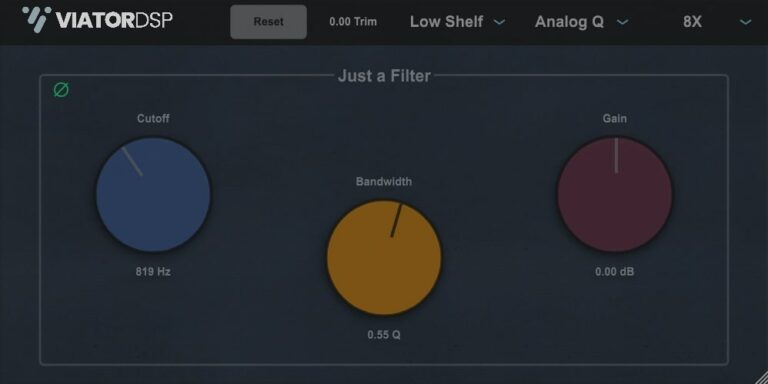
OS: Windows Win Mac Mac Bit Version: 64-bit Developer: ViatorDSP Size: 24 MB Rating: 71/100
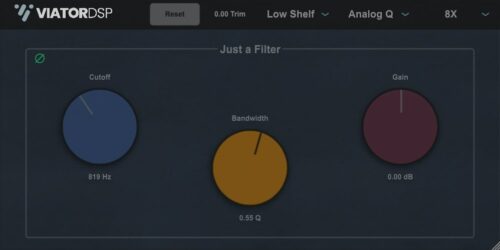
Just A Filter is a multimode filter EQ with low-shelf, low-cut, notch, high-cut, and high-shelf options. Use it to cut unwanted frequencies or boost parts of a sound, with cutoff from 20 Hz to 20 kHz and gain from -12 to +12 dB.
Choose linear or proportional bandwidth, and select normal or 8× oversampling. A phase-flip switch and trim control offer added control. Just A Filter is available for macOS and Windows in VST, VST3, and AU formats.
Features
- Five Selectable Filter Shapes
- Linear And Proportional Q Modes
- Normal And 8× Oversampling
- Phase Flip Control
- Gain Range From -12 To +12 dB
- Cutoff Range From 20 Hz To 20 kHz
- Input And Output Trim Control
- Reset Restores Starting Settings
- Displays Q And Gain Values
- VST, VST3, And AU Formats
Pros
- Five useful filter shapes
- Low and high shelf modes
- Low-cut and high-cut modes
- Notch mode targets narrow bands
- Linear and proportional Q choices
- Adjustable filter width
- Gain control from minus to plus
- Cutoff covers 20 Hz to 20 kHz
- Optional eight-times oversampling
- Phase-flip switch included
Cons
- No low-pass or high-pass modes
- No band-pass filter option
- No resonance control for sweeps
- No LFO or beat sync
- No envelope-based filter movement
- No filter drive or saturation
- No filter slope choices
8. FilterCrusher
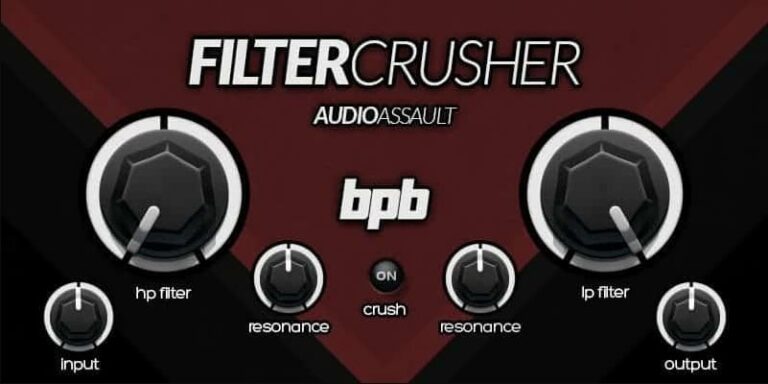
OS: Windows Win Mac Mac Bit Version: 32-bit, 64-bit Developer: Bedroom Producers Size: 12 MB Rating: 68/100
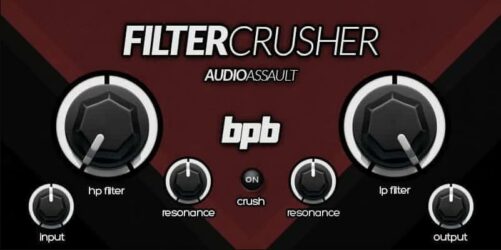
FilterCrusher is a free audio effect with adjustable high-pass and low-pass filters. Use them to trim low or high frequencies, or raise resonance for filter sweeps and focused frequency boosts.
Its modeled tube circuit adds warmth and gentle compression when you raise the input level. Turn on Crush for stronger distortion, and adjust the output to control the final level.
Features
- Independent High-Pass And Low-Pass Filters
- Adjustable 12 dB Filter Slopes
- Resonance Controls For Both Filters
- Modeled Tube Circuit Adds Warmth
- Subtle And Crush Modes
- Input Gain And Output Controls
- Zero-Latency Signal Processing
- Low CPU Usage
Video
Pros
- Independent high-pass and low-pass filters
- Resonance adds focused tone boosts
- Modeled tube circuit adds warmth
- Subtle mode keeps changes gentle
- Crush mode adds bold distortion
- Input gain shapes saturation easily
- Output control helps prevent clipping
- Creates hands-on filter sweeps
- Zero latency keeps timing tight
- Low CPU use saves computer power
Cons
- Limited to just two filter types
- No band-pass or notch modes
- Only 12 dB filter slopes
- No tempo-synced filter moves
- No dynamic EQ bands
- No dry/wet mix control
- Last listed update dates to 2015
Testimonials
9. Synchronize

OS: Windows Win Mac Mac Bit Version: 64-bit Developer: Fabric 70 Size: 3 MB Rating: 65/100
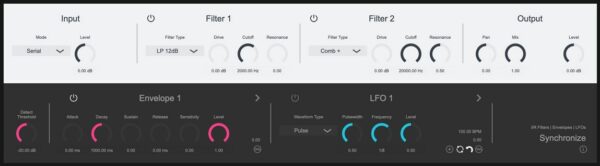
Synchronize is an IIR filter plugin with two filters, an envelope, and an LFO. It uses incoming audio to trigger changes in filter settings, letting you shape tones with moving cutoff and resonance.
Choose serial filter routing, adjust drive and mix, and set the envelope or LFO timing and depth. Synchronize is available for 64-bit Windows and Mac in VST and AU formats.
Features
- Input Triggered Modulation
- Serial Two Filter Routing
- Two Filters With Adjustable Types
- Filter Drive, Cutoff, And Resonance
- Stereo Output Panning
- Dry And Filtered Sound Mix
- Adjustable Input And Output Levels
- Envelope Attack, Decay, Sustain, And Release
- Adjustable LFO Waveform And Frequency
- Filter, Envelope, And LFO Sync
Pros
- Two filters shape sounds in stages
- Serial mode links both filters
- Choose different filter types
- Low-pass and comb filter options
- Drive adds warm, rough tones
- Envelope reacts to incoming sound
- Adjust attack, decay, sustain, and release
- Set the envelope trigger level
- Choose wave shapes like pulse
- Sync links filters and modulation
Cons
- Some users report DAW problems
- VST3 support is unclear
- Fewer filter modes may limit choices
- Two filters may feel restrictive
- No spectrum display is listed
- No preset tools are listed
- Only one LFO is listed
Testimonials
10. Mad Filter

OS: Windows Win Mac Mac Bit Version: 64-bit Developer: Rast Sound Size: 2.2 MB Rating: 65/100
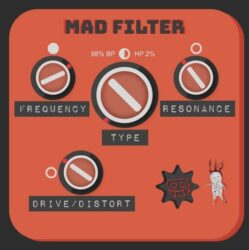
Mad Filter is an analog-style filter and drive plugin that adds warmth, grit, and motion to digital sounds. It offers low-pass, high-pass, band-pass, and notch modes, with controls for cutoff, resonance, and distortion.
Small controls trigger LFO movement, while the two-level Go Mad button adds random changes. The center knob adjusts filter type or blend. Mad Filter is available for Windows and Mac as a 64-bit VST or AU plugin.
Features
- Analog-Like Filter And Drive
- Low-Pass, High-Pass, Band-Pass, And Notch
- Natural LFO Filter Movements
- Two-Level Randomization Button
- Adjustable Filter Cutoff Frequency
- Resonance Boost Around Cutoff
- Drive Adds Gain And Distortion
- Blend Band-Pass And High-Pass
- Center Knob Controls Filter Type
- Available In VST And AU
Video
Pros
- Warm, rich analog-like tone
- Filter and drive in one plugin
- Four useful filter types
- Smooth changes between filter types
- Blend high-pass and band-pass
- Natural LFOs add moving sounds
- Small controls trigger LFO motion
- Two random levels spark ideas
- Drive adds gritty tone fast
- Resonance boosts cutoff sounds
Cons
- Fewer filter modes than Kilohearts Filter
- No low-shelf or high-shelf modes
- No beat-synced movement controls
- No custom movement shapes listed
- No pan or volume motion
- No multi-band filtering option
- No VST3 format is listed
Testimonials
11. Synchronize
OS: Windows Win Mac Mac Bit Version: 64-bit Developer: Fabric 70 Size: 3 MB Rating: 58/100
Synchronize is an IIR filter plugin with two filters, each offering selectable styles, cutoff, resonance, and drive controls. Blend the filtered sound with the original, then adjust the output level and pan.
Use the input signal to trigger an envelope or guide an LFO, shaping how the filters change over time. Set the envelope response, LFO speed and waveform, and sync modulation to the plugin tempo.
Features
- IIR Filter With Envelope And LFO
- Input Signal Triggers Modulation
- Two Filters With Selectable Types
- Adjustable Filter Cutoff And Resonance
- Filter Drive Adds Distortion
- Blend Filtered And Original Sound
- Envelope Controls Attack And Release
- LFO Offers Multiple Waveforms
- Adjustable LFO Speed And Level
- Sync Modulation To Plugin Timing
Pros
- Two filters shape your sound
- Run filters in serial order
- Add drive to either filter
- Boost sounds near cutoff points
- Blend filtered and original sounds
- Use sound to trigger the envelope
- Shape sound with four envelope stages
- Add movement with the LFO
- Choose the LFO wave shape
- Sync filter movement to timing
Cons
- Fewer named filter modes than kHs Filter
- No four-band filter like Filterjam
- No oversampling option like Filterjam
- No preset randomizer like Filterjam
- Preset saving is not described
- Filter choices are not fully listed
- Modulation shapes may feel limited
12. Transformant

OS: Windows Win Mac Mac Bit Version: 64-bit Developer: igorski Size: 1.5 MB Rating: 56/100
Transformant is a multichannel formant filter that gives sounds gritty, nasal, vowel-like tones. Adjust separate left and right vowel controls, link them with Sync, or use the LFO to add movement.
Add distortion, drive, or crushing for extra grit. Transformant works well on rich sounds like bass and drums, and is available as a 64-bit VST and AU plugin for Windows and Mac.
Features
- Multichannel Formant Filter Effect
- Separate Oscillators Shape Stereo Sound
- Adjustable Vowel Sounds Per Channel
- Syncs Both Vowel Controls
- LFO Modulates Vowel Sounds
- Adjustable Speed And Depth
- Distortion Adds Grit And Harmonics
- Crush Switch Adds Rough Texture
- Drive Switch Adds Extra Grit
- Post Mix Applies Mix After Effects
Video
Pros
- Make sounds gritty and vocal
- Create nasal, honking tones
- Shape left and right channels
- Set each side’s vowel sound
- Link both sides with Sync
- Add movement with the LFO
- Set movement speed per side
- Control motion depth per side
- Add grit with built-in distortion
- Keep levels steady as vowels shift
Cons
- Mostly makes rough, nasal sounds
- Less suited to clean filtering
- May sound weak on plain tones
- Fewer standard filter modes
- No listed cutoff or Q controls
- Distortion can make sounds harsher
- Crushed sound may lose detail
Testimonials
Best Filter Plugins Compared
This table compares the top filter plugins by features, controls, effects, formats, and more.
| Details | HY-Filter4 free | sTiltV2 | Filterjam | HY-Filter3 Free | TAL-Filter-2 | Speculumfree | Just A Filter | FilterCrusher | Synchronize | Mad Filter |
|---|---|---|---|---|---|---|---|---|---|---|
| Image |  |
 |
 |
 |
 |
 |
 |
 |
 |
 |
| Rating | ||||||||||
| OS | Windows, Mac, Linux | Windows, Mac | Windows, Mac | Windows, Mac | Windows, Mac | Windows, Mac | Windows, Mac | Windows, Mac | Windows, Mac | Windows, Mac |
| Formats | VST, AU | VST, AU, AAX | VST, AU | VST, AU | VST, AU | VST, AU | VST, AU | VST, AU | VST, AU | VST, AU |
| Bit Version | 32-bit, 64-bit | 32-bit, 64-bit | 64-bit | 32-bit, 64-bit | 32-bit, 64-bit | 64-bit | 64-bit | 32-bit, 64-bit | 64-bit | 64-bit |
| Developer | HY-Plugins | TBProAudio | AudioThing | HY-Plugins | Togu Audio Line | Decade Bridge | ViatorDSP | Bedroom Producers | Fabric 70 | Rast Sound |
| License | Freeware | Freeware | Freeware | Freeware | Freeware | Freeware | Freeware | Freeware | Freeware | Freeware |
| Sample-Based | No | No | No | No | No | No | No | Select | No | No |
| Download Size | 12 MB | 4.4 MB | 14 MB | 5 MB | 33 MB | 32 MB | 24 MB | 12 MB | 3 MB | 2.2 MB |
| CPU Load | Low | Low | Low | Low | Low | Low | Low | Low | Low | Low |
| Polyphony | 2 | N/A | N/A | N/A | N/A | N/A | N/A | N/A | N/A | N/A |
| Features | Semi-modular design, Dual filter engines, Multiple modulators, Drag-and-drop modulation, Built-in FX, Morph control, Resizable interface | Linear-phase filtering, Adjustable tilt, Center frequency, Quality modes, Auto gain, Clip protection, Channel selection | Four-band filtering, Resonant tones, Sum/multiply modes, Sound mangling, Preset system, Randomizer, Wet/dry mix | Dual filter modes, LFO modulation, Envelope filtering, Three-band filters, Built-in EQ, Randomizer, Preset manager | Multi-mode filtering, Host-synced LFO, Custom modulation curves, Volume modulation, Auto-panning, Envelope follower, Input drive | Delay, comb filter, resonant low-pass, adjustable delay, flanging, chorus, phasing | Multimode Filter EQ, Five Filter Modes, Proportional Q, 8× Oversampling, Phase Flip, Frequency and Gain Controls, Analog Sound | Independent resonant filters, Tube saturation, Crush distortion, Filter sweeps, Frequency boosting, Analog emulation, Zero latency | Dual IIR Filters, Envelope Modulation, LFO Modulation, Input Triggering, Filter Drive, Stereo Mixing, Synchronized Timing | Analog warmth, Filter blending, Multiple filter types, LFO modulation, Randomization, Drive distortion, Cutoff and resonance controls |
| Controls | Power Button, Filter Type Menu, Cutoff Knob, Reso Knob, Morph Knob, XY Pad, Level Knob | Main Tilt, Center Frequency, Quality, Auto Gain, Clip Protection, Channel, Monitor | Frequency, Emphasis, Filter Mode, Gain, Mix, Preset Selector, Randomize | Preset, Filter Type, Cutoff, Resonance, Dry/Wet, LFO, Randomizer | Filter Graph, Filter Type, BPM Factor, Modulation Type, Reso, Depth, Input/Output | Comb Mode, Delay Mode, On/Off Switch, Ratio, L/R Offset, Cutoff, Resonance | Filter Type, Q Mode, Oversampling, Phase Button, Cutoff, Bandwidth, Gain | Input, HP Filter, HP Filter Resonance, Crush On, LP Filter, LP Filter Resonance, Output | Input Mode, Filter 1 Cutoff, Filter 1 Resonance, Filter 2 Cutoff, Output Mix, Envelope, LFO | Frequency, Resonance, Filter Type, Filter Mix, Drive/Distort, LFO Triggers, Go Mad |
| Effects Included | Compressor, Delay | Spectral tilt EQ, linear-phase filtering | Multi-band resonant filter | Filter, distortion, equalizer, limiter | Low-pass filtering, high-pass filtering, band-pass filtering, volume modulation, panorama modulation | Delay, comb filter, resonant low-pass filter, flanging, chorus, phasing | Low-Shelf, Low-Cut, Notch, High-Cut, High-Shelf | High-pass filter, low-pass filter, tube saturation, distortion (crushing) | Low-pass filter, comb filter | Low-pass filter, high-pass filter, band-pass filter, notch filter, distortion |
| MIDI Learn | Yes | No | No | No | Yes | No | No | No | No | Select |
| Presets | N/A | N/A | 8 | N/A | 15 | N/A | N/A | N/A | N/A | N/A |
| Standalone | Yes | No | Yes | No | No | No | Select | No | No | No |
| Last Updated | 09/09/2023 | N/A | 08/13/2026 | N/A | 01/12/2023 | 05/21/2024 | 02/09/2022 | N/A | 11/01/2025 | N/A |
Best Filter VST Plugins
Our top picks for the best free Filter VST plugins are HY-Filter4 free by HY-Plugins, sTiltV2 by TBProAudio, and Filterjam by AudioThing.
| Details | HY-Filter4 free | sTiltV2 | Filterjam |
|---|---|---|---|
| Image | | | |
| Rating | |||
| OS | Windows, Mac, Linux | Windows, Mac | Windows, Mac |
| Formats | VST, AU | VST, AU, AAX | VST, AU |
| Bit Version | 32-bit, 64-bit | 32-bit, 64-bit | 64-bit |
| Developer | HY-Plugins | TBProAudio | AudioThing |
| Download Size | 12 MB | 4.4 MB | 14 MB |
| Download | Visit HY-Filter4 free | Visit sTiltV2 | Visit Filterjam |
Filter VST FAQs
How to Install Filter VST Plugins
To install filter VST plugins on Windows or Mac, extract the files from the Zip or Rar. Move the files (.dll for Windows or .component for Mac) into your DAW’s plugin folder. Then restart your software and rescan the directory to complete the process. Tutorial: How to Install VST Plugins
Windows:
Extract the downloaded zip file and copy the .dll file into the VST plugins folder scanned by your DAW. Restart your music software and rescan your plugin directory to begin using the new VST.
Mac OS X:
Extract the downloaded archive and move the .component or .VST file to the plugin folder. It is usually /Library/Audio/Plug-Ins/Components or /Library/Audio/Plug-Ins/VST. Restart your DAW and rescan your plugins to complete the installation.
What Is A Filter VST Plugin?
A filter VST plugin is a type of audio filter that processes the frequency spectrum of an audio signal. It can create a number of different filter effects on sounds, both subtle and extreme.
The most common types are low-pass filters and high-pass filters, which are used to remove unwanted frequencies or emphasize wanted ones, respectively. A common use for filter plugins is to “filter out” unwanted sounds.
I hope you enjoy these free filter plugins.
You May Also Like: