Here are the best free VST Effects plugins for Windows and Mac. We have included videos, reviews, features, pros, cons, and plugin ratings.
Table of Contents

How we rate effects plugins: We rate each VST effects plugin based on sound quality, design, performance, features, usability, and compatibility. We rate plugins on a scale of 1 to 100.
| # | Plugins | Ratings | OS | Formats |
|---|---|---|---|---|
| 1 | Krush | Windows Mac | VST, VST3, AU, AAX | |
| 2 | Valhalla Freq Echo | Windows Mac | VST, VST3 | |
| 3 | TAL-Chorus-LX | Windows Mac Linux | VST, VST2, VST3, AU, CLAP | |
| 4 | Nostalgic Saturation | Windows Mac | VST3, AU | |
| 5 | Ozone Imager V2 | Windows Mac | VST2, VST3, AU, AAX | |
| 6 | Tape Cassette 2 | Windows Mac | VST, VST3, AU, AAX | |
| 7 | Blue Cats Phase | Windows Mac Linux | VST, VST3, AU, AAX | |
| 8 | SlickEQ | Windows Mac | VST2, VST3, AAX | |
| 9 | PanCake 2 | Windows Mac | VST2, VST3, AU | |
| 10 | Spaceship Delay | Windows Mac Linux | VST, AU | |
| 11 | HY-Lofi2 | Windows Mac | VST, VST3, AU | |
| 12 | Hysteresis | Windows Mac | VST3, AU | |
| 13 | Wider | Windows Mac | VST2, VST3, AAX | |
| 14 | Nova-67P | Windows Mac | VST2, AU | |
| 15 | HY-Phaser | Windows Mac | VST, AU | |
| 16 | Glitch | Windows | VST | |
| 17 | OrilRiver | Windows Mac | VST, AU | |
| 18 | Saturation Knob | Windows Mac | VST, VST3, AU, AAX | |
| 19 | Vinyl | Windows Mac | VST2, VST3, AU, AAX | |
| 20 | Bittersweet | Windows Mac | AU, RTAS, AAX |
I have spent over 15 years testing and comparing hundreds of free and paid VST plugins, supported by hands-on demos on our YouTube channel, which has 12,000+ subscribers.
Best Free VST Effects Plugins
1. Krush
OS: Windows Win Mac Mac Bit Version: 64-bit Developer: Tritik Size: 13 MB Rating: 89/100
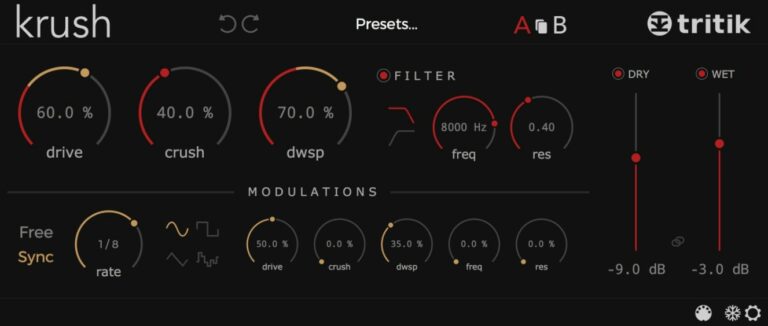
Krush offers a powerful bitcrushing and downsampling engine that gives your sounds everything from gentle grit to full digital destruction. Its drive control adds warmth and punch, while the analog-style filters help shape tones for drums, synths, or any track needing extra texture.
The built-in modulation section brings movement and rhythm by letting you animate almost any parameter. With tempo-sync options, preset browsing, and easy A/B comparison, Krush makes it simple to explore creative distortion while keeping your mixes balanced and exciting.
Audio Demo
Features
- Bit Depth And Sample Rate Reduction
- Analog Modeled Low-Pass And High-Pass Filters
- Modulation For Every Main Parameter
- Tempo-Synced Or Free Modulation Speed
- Resizable Interface With Clean Design
- File-Based Preset System Included
- Preset Freezer For Safe Recall
- Dry And Wet Level Controls
- Low CPU Usage For Multiple Instances
Video
Pros
- Warm drive adds rich tone
- Analog modeled filters sound natural
- Downsampling creates fun textures
- Strong modulation section options
- Tempo synced modulation available
- Bit depth control feels smooth
- Can go from soft to wild
- Very versatile for sound design
- Low CPU use for sessions
- Often ranked best free bitcrusher
Cons
- Lacks natural acoustic realism
- No built-in reverb effects
- Can sound too harsh easily
- Limited dynamic expression range
- No round-robin sample variation
- Only focuses on lo-fi distortion
- No real instrument articulations
- Sound design over musical warmth
- Can overpower soft mix elements
- Not suited for ambient music
Testimonials
2. Valhalla Freq Echo

OS: Windows Win Mac Mac Bit Version: 64-bit Developer: VALHALLA DSP Size: 2.8 MB Rating: 88/100
Valhalla Freq Echo is a free effect that combines a Bode-style frequency shifter with an analog-style echo. It creates chorusing, double-tracking, flanging, barberpole phasing, pitch movement, and repeating echo effects for psychedelic and dub-inspired sounds.
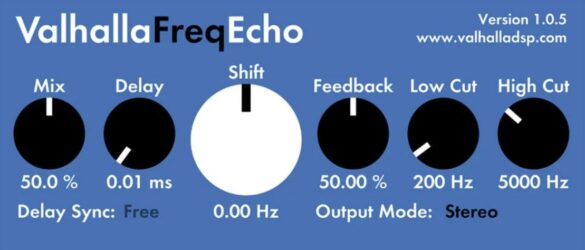
Controls include mix, delay, shift, feedback, low cut, high cut, delay sync, and stereo output. It is available for Windows and Mac as a 64-bit VST or VST3 plugin.
Features
- Free Frequency Shifting Delay
- Bode-Style Frequency Shifting
- Analog Echo Emulation
- Chorusing And Double-Tracking
- Barberpole Phasing Effects
- Flanging And Glissando Effects
- Runaway Echo Repeats
- Feedback Controls Echo Repeats
- Low And High Cut Filters
- Free Or Tempo-Synced Delay
Video
Pros
- Completely free to download
- Creates unusual echo sounds
- Offers unique frequency shifting
- Produces smooth chorus sounds
- Creates wide double-tracking effects
- Adds barberpole phasing effects
- Makes endless glissando effects
- Builds wild runaway echoes
- Includes useful tone filters
- Supports free delay timing
Cons
- Plugin name does not match details
- Focused mainly on strange echoes
- Less useful for clean delays
- Delay sync options seem limited
- Feedback can become hard to control
- Reports mention crashes and muting
- Fewer delay types than competitors
Testimonials
3. TAL-Chorus-LX

OS: Windows Win Mac Mac Linux Linux Bit Version: 64-bit Developer: TAL Software Size: 8 MB Rating: 87/100
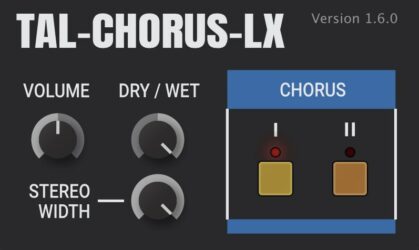
TAL-Chorus-LX is a free stereo chorus effect modeled on the Juno-60. It offers two chorus modes, stereo width, volume, and dry/wet controls for adding movement, depth, and richness to synths, guitars, vocals, and other tracks.
The plugin supports VST, VST2, VST3, AU, CLAP, and AAX formats on 64-bit Windows, macOS, and Linux systems. macOS versions support Intel and Apple silicon, while AAX requires Pro Tools 10.3.6 or later.
Features
- Vintage Juno-60 Chorus Emulation
- Two Selectable Chorus Modes
- Dry/Wet Mix Control
- Adjustable Chorus Effect Volume
- Stereo Width Control
- Status Lights Show Active Mode
- Stereo-Only Channel Support
- Supports VST, VST2, AU, VST3, And CLAP
- 64-Bit Plugin Support
- Rich, Lush Chorus Character
Video
Pros
- True Juno-60 chorus sound
- Two classic chorus modes
- Dry/wet mix gives control
- Full wet effects available
- Stereo width spreads sound
- Smooth parameter changes sound clean
- Works on Linux systems
- Supports Apple silicon Macs
- Offers many plugin formats
- Includes CLAP support
Cons
- Only two chorus modes
- No modulation rate control
- No modulation depth control
- No adjustable delay time
- No voice count control
- Stereo-only routing limits choices
- No creative flanger modes
Testimonials
4. Nostalgic Saturation
OS: Windows Win Mac Mac Bit Version: 64-bit Developer: Caelum Audio Size: 3.5 MB Rating: 87/100
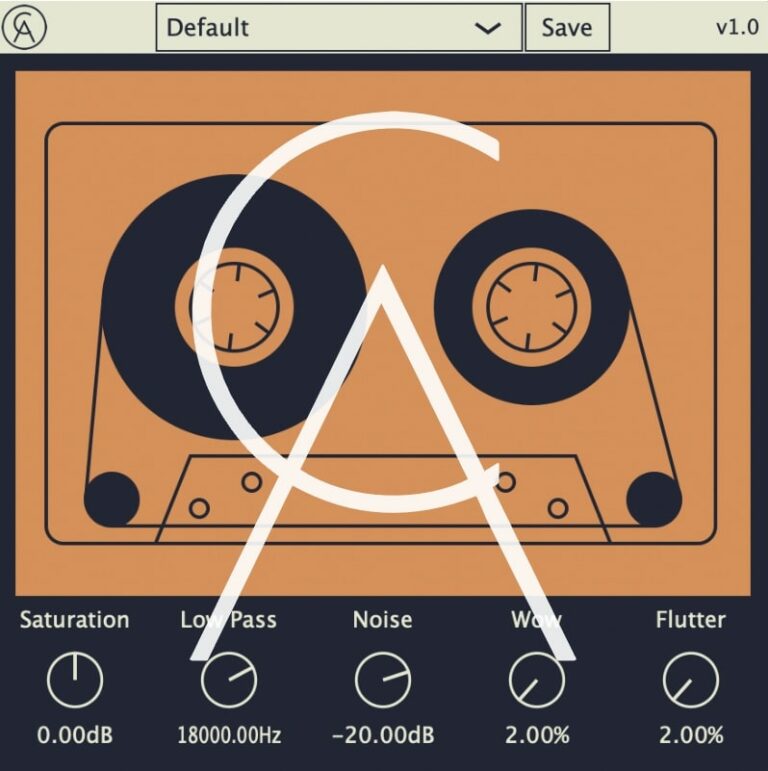
Nostalgic Saturation offers an easy way to add warmth, color, and old-school charm to your tracks. It gives sounds the texture of worn tape or vintage vinyl, helping mixes feel cozy and characterful. From soft tape hiss to thick saturation, it brings instant retro flavor.
You can shape your tone with simple controls for noise, wow, flutter, and filtering. Gentle settings add subtle motion, while extreme ones create warped, distorted tones. Ideal for lo-fi, chill, or indie music, Nostalgic Saturation makes modern recordings sound timeless and full of vibe.
Features
- Adds Warmth And Tape Character
- Includes Wow And Flutter Controls
- Offers Tape-Style Saturation
- Low Pass Filter From 8–22 kHz
- Adjustable Noise Level From -80 To 0 dB
- Simple And Clean Interface
- Preset Menu For Quick Recall
- Light On CPU Usage
- Ideal For Lo-Fi And Vintage Sound
- Creates Subtle Or Distorted Tones
Video
Pros
- Adds warm vintage tape tone
- Includes wow and flutter effects
- Noise control for old tape feel
- Authentic cassette and VHS vibe
- Low CPU use for smooth playback
- Fine tone control with low-pass
- Can sound subtle or extreme
- All-in-one lo-fi sound tool
- Glue mixes with gentle warmth
- Creates smooth tape-style movement
Cons
- No AAX version for Pro Tools
- Lacks oversampling option
- No mix or dry/wet knob
- No auto-gain to balance levels
- Cannot adjust input and output separately
- No mid-side processing feature
- Lacks advanced tone shaping tools
- Limited plugin format support
- No dynamic or transient control
- Few visual feedback meters
Testimonials
5. Ozone Imager V2
OS: Windows Win Mac Mac Bit Version: 64-bit Developer: iZOTOPE Size: 38.9 MB Rating: 86/100
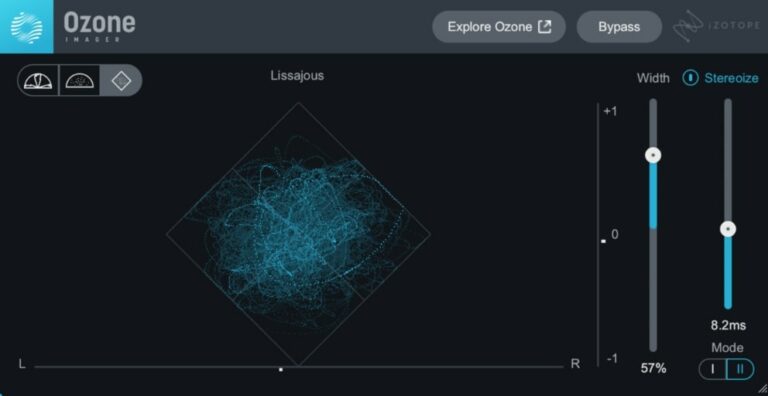
Ozone Imager V2 is a free stereo imaging plug-in for shaping track width. Widen synths, pianos, and cymbals, or narrow bass and kick drums. Stereoize adds space to mono sounds with two modes.
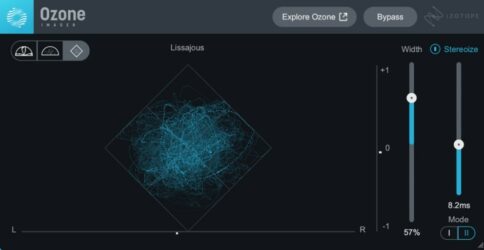
Three vectorscope displays show stereo width, balance, and left-right alignment. Resize the window for a clearer view. Ozone Imager V2 runs in 64-bit AU, AAX, VST2, and VST3 formats on supported Mac and Windows DAWs.
Features
- Free Stereo Imaging Plug-In
- Widen Or Narrow Any Track
- Convert Mono Sounds To Stereo
- Two Stereoize Modes
- Subtle And Colorful Widening
- Three Vectorscope Display Views
- Check Stereo Width And Balance
- Resizable Plug-In Window
- Supports Multiple Plug-In Formats
- Tighten Bass And Kick Drums
Video
Pros
- Free professional stereo control
- Works on any audio track
- Creates super-wide sounds
- Helps tighten bass and kicks
- Adds stereo from mono
- Offers two Stereoize modes
- Creates subtle or colorful widening
- Includes three vectorscope views
- Helps spot phase problems
- Includes VST2, VST3, AU, AAX
Cons
- Only changes stereo width
- Does not create dubstep sounds
- No oscillators for bass design
- No filters for shaping growls
- No LFO modulation tools
- Stereoize may cause phase problems
- Not useful as a full instrument
Testimonials
6. Tape Cassette 2
OS: Windows Win Mac Mac Bit Version: 64-bit Developer: Caelum Audio Size: 5 MB Rating: 85/100
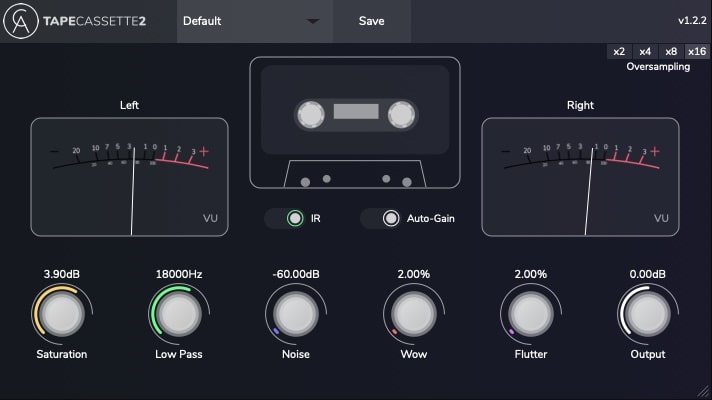
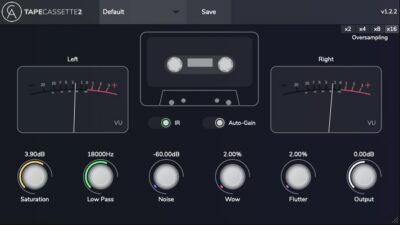
Tape Cassette 2 offers the classic sound of vintage cassette recordings with modern control and accuracy. It brings warmth, gentle saturation, and realistic tape noise that help your tracks feel nostalgic and characterful. The plugin’s upgraded engine models real cassette tone for an authentic result.
With controls for wow, flutter, and noise, you can shape movement and texture to fit your mix. Use it lightly for subtle tone shaping or push it harder for creative effects. Tape Cassette 2 gives producers an easy way to add color, depth, and a warm retro vibe.
Features
- Adds Warm Vintage Tape Sound
- Selectable Type 1 Tape Model
- Real Sampled Tape Noise
- Wow And Flutter Modulation Controls
- Dynamic Saturation Curve Algorithm
- Auto-Gain For Consistent Levels
- Selectable Oversampling Option
- Creates Lo-Fi And Experimental Sounds
- Authentic Cassette Tape Character
- Sleek Updated User Interface
Video
Pros
- Adds instant vintage tape warmth
- Authentic type 1 cassette tone
- Real sampled tape noise texture
- Lovely wow and flutter movement
- Selectable oversampling for clarity
- Auto-gain keeps volume steady
- More musical than many free rivals
- Light on controls, big on vibe
- Free plugin with pro-quality sound
- Improved saturation for rich color
Cons
- Can use lots of CPU power
- No built-in preset manager
- Not fully GUI resizable
- Only one tape type offered
- Limited tone shaping options
- No dry/wet blend knob
- Can sound too dark easily
- Can clip when driven hard
- No real tape speed emulation
- Less flexible than paid rivals
Testimonials
7. Blue Cats Phase

OS: Windows Win Mac Mac Linux Linux Bit Version: 32-bit, 64-bit Developer: Blue Cat Audio Size: 26 MB Rating: 84/100
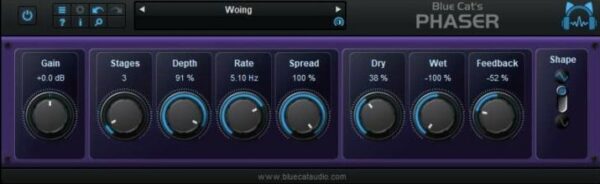
Blue Cats Phase is a free phaser plugin modeled after vintage analog circuits. It offers up to 32 stages, adjustable depth, rate, feedback, and wet/dry mix controls. Choose sine or triangle LFO shapes to create gentle movement or deep, swirling effects.
The stereo version includes a spread control for wider phasing sounds. In- and out-of-phase signal paths add tone-shaping options, while MIDI control and automation support help with live performance and detailed sound changes. It runs on Mac, Windows, and Linux in VST, VST3, AU, and AAX formats.
Audio Demo
Features
- Free Vintage Phaser Effect
- Analog-Modeled Phaser Sound
- Up To 32 Phasing Stages
- Stereo Spread Control
- Sine And Triangle LFO Shapes
- Adjustable Phaser Depth
- Adjustable Phaser Rate
- Wet And Dry Controls
- Adjustable Feedback Control
- Selectable Phase Paths
Video
Pros
- Free vintage analog-style phaser
- Up to 32 phasing stages
- Offers sine and triangle shapes
- Strong feedback sound control
- Stereo spread adds wide effects
- Flexible wet-path phase control
- Flexible feedback-path phase control
- Supports full MIDI control
- Uses no CPU during silence
- Offers resizable, zoomable controls
Cons
- Only two LFO shapes
- No custom waveform editor
- No step sequencer movement
- No cutoff or resonance controls
- No envelope follower modulation
- No extra modulation sources
- Fewer sound-shaping tools than competitors
Testimonials
8. SlickEQ
OS: Windows Win Mac Mac Bit Version: 64-bit Developer: Tokyo Dawn Records Size: 7.9 MB Rating: 84/100
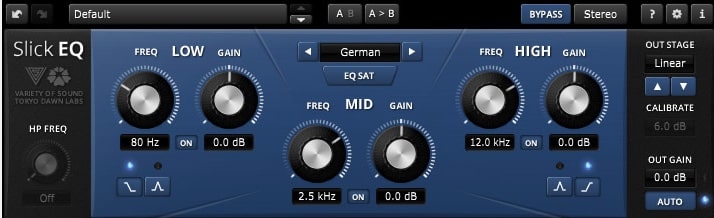
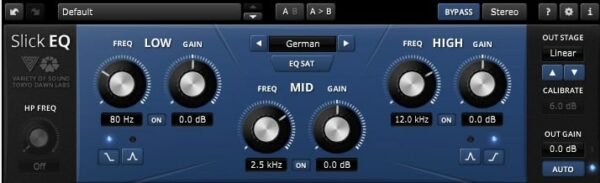
SlickEQ is a mixing and mastering equalizer with low, mid, and high bands, plus an 18 dB/octave high-pass filter. Four EQ models offer different curves for broad tone shaping or corrective work.
It also includes optional EQ saturation, five output-stage colors, automatic gain matching, and stereo or sum/difference processing. Undo, A/B comparison, presets, and three quality modes support efficient work during mixing and mastering.
Features
- Three-Band Semi-Parametric Equalizer
- Four Distinct EQ Models
- High-Pass Filter With Butterworth Curve
- Low-Shelving And Bell Filters
- Optional EQ Harmonic Saturation
- Five Output Stage Models
- Adjustable Output Stage Drive
- Automatic Loudness Compensation
- Sum And Difference Processing
- High-Quality Multirate Processing
Video
Pros
- Four unique EQ sound styles
- Musical curves for fast mixing
- Built-in high-pass filter
- Five useful output stages
- Gentle analog-style warmth
- Strong saturation without harsh distortion
- Auto-gain keeps levels balanced
- Supports stereo and mono processing
- Offers easy mid-side processing
- Low-latency modes support live use
Cons
- Only three main EQ bands
- No dynamic EQ controls
- No built-in spectrum analyzer
- No low-pass filter included
- No built-in band compression
- No sidechain-triggered processing
- No Audio Unit format
Testimonials
9. PanCake 2

OS: Windows Win Mac Mac Bit Version: 64-bit Developer: Cable Guys Size: 5 MB Rating: 84/100
PanCake 2 is a free panning modulation plugin for Windows and Mac. Its drawable LFO curves create smooth stereo sweeps, rhythmic movement, or fast audio-rate effects for percussion, synths, and instruments.
Sync the effect to your song’s beat, set a free-running speed, or control it with MIDI. A visual wave display shows the stereo path, while the Mix knob adjusts the effect strength.
Features
- Custom Stereo Panning Curves
- Drawable LFO Panning Patterns
- Smooth And Audio Rate Motion
- Beat Synchronized LFO Timing
- Free Running Hertz Control
- MIDI Triggered Panning Movement
- Adjustable Panning Effect Strength
- Dry And Wet Mix Control
- Stereo Waveform Display
- Multiple Curve Shaping Tools
Video
Pros
- Creates smooth stereo movement
- Draw custom pan curves easily
- Supports beat-synced movement
- Runs freely in Hertz
- Can trigger movement with MIDI
- Offers subtle or wild effects
- Clear wave display guides editing
- Shows left and right movement
- Supports VST2, VST3, and AU
- Zoom helps shape curves precisely
Cons
- No frequency-based panning control
- No built-in Haas panning
- No three-dimensional sound placement
- No surround sound support
- No width control included
- No envelope follower control
- Possible Apple Silicon crashes
Testimonials
10. Spaceship Delay

OS: Windows Win Mac Mac Linux Linux Bit Version: 64-bit Developer: Musical Entropy Size: 9 MB Rating: 84/100
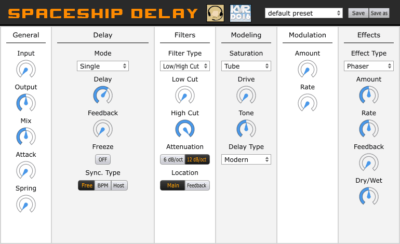
Spaceship Delay is a flexible delay effect with Single, Ping Pong, and Dual modes. Set timing in milliseconds, tempo divisions, or tap tempo, then shape repeats with feedback, modulation, filtering, saturation, spring reverb, and classic, modern, or vintage delay styles.
Use dynamics to trigger or duck repeats, while tremolo and phaser add movement before or after the delay loop. Freeze turns long delays into looping textures. It suits vocals, drums, guitars, and synths, with presets and tutorials. Available free in VST3, AU, AAX, and CLAP formats.
Features
- Classic, Modern, And Vintage Delays
- Single, Ping Pong, And Dual
- Time Subdivision Synchronization
- Feedback Up To 110 Percent
- Delay Time Modulation
- Duck Delay With Thresholds
- Modeled Spring Reverb
- Low-Pass And High-Pass Filters
- Saturation And Bitcrusher Effects
- Freeze And Looper Mode
Video
Pros
- Offers single, ping pong, stereo
- Feedback reaches powerful 110 percent
- Includes useful delay color choices
- Adds warm tube-style saturation
- Includes creative bitcrusher sounds
- Shapes echoes with many filters
- Supports ducking for clearer mixes
- Includes a modeled spring reverb
- Adds tremolo and vintage phaser
- Turns long delays into loopers
Cons
- Complex interface may overwhelm beginners
- Dry/wet behavior may feel unexpected
- Reported crashes affect some hosts
- Wet signal can drift noticeably
- Effects may leak when seemingly off
- Only three main delay modes
- No reverse delay option
Testimonials
11. HY-Lofi2
OS: Windows Win Mac Mac Bit Version: 32-bit, 64-bit Developer: HY-Plugins Size: 11.58 MB Rating: 83/100
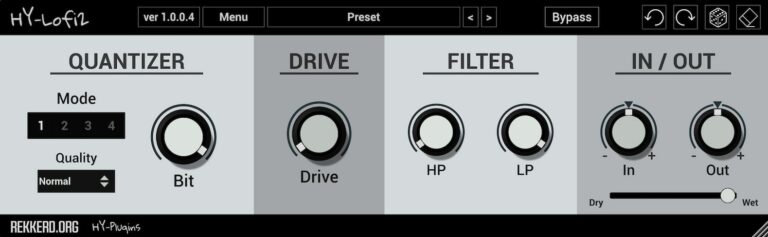
HY-Lofi2 offers an easy way to add character and grit to your sound. It combines a bit quantizer, waveshaper, and filter section to create a range of low-fidelity effects—from gentle warmth to heavy distortion. Four quantizer modes let you shape your tone in different ways.
It includes drive, high-pass, and low-pass filters for tonal control along with adjustable input, output, and dry/wet levels. The plugin’s simple layout, randomize option, and preset manager make it quick to experiment with lo-fi textures on drums, synths, or full mixes.
Features
- Four Adjustable Quantizer Modes
- Bit Depth Adjustment Knob
- High-Pass And Low-Pass Filters
- Dry And Wet Mix Slider
- Preset Manager With Save Option
- Undo And Redo Functions
- Randomize And Clear Buttons
- Resizable Graphical Interface
- Supports VST, AU, And VST3
- Low CPU Usage Performance
Video
Pros
- Four unique quantizer modes
- Instant dusty lo-fi textures
- Musical bitcrush instead of harsh
- Randomize button sparks creativity
- Handy filters for tone shaping
- Subtle or extreme sound control
- Free yet very high quality
- Low CPU use for smooth play
- Lightweight at only 11.58 MB
- Holds up against paid plugins
Cons
- No built-in stereo width control
- Limited preset selection included
- Interface looks plain and basic
- Lacks visual waveform display
- No modulation or LFO section
- Filters are very basic types
- Cannot sync to project tempo
- No built-in reverb or delay
- Can sound harsh at low bits
- No multi-band processing option
Testimonials
12. Hysteresis
OS: Windows Win Mac Mac Bit Version: 64-bit Developer: GlitchMachines Size: 2.7 MB Rating: 83/100
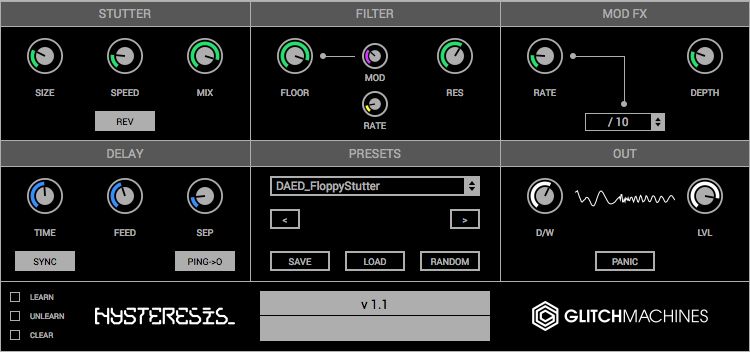
Hysteresis offers a creative way to turn simple audio into glitchy, futuristic textures. It blends delay, stutter, filtering, and modulation to create robotic tones and unpredictable movement. You can use it on drums, vocals, synths, or sound effects to reshape ordinary sounds into something new.
With 60 presets and flexible controls, Hysteresis lets you move from smooth delays to chaotic signal breaks in seconds. Its built-in stutter and modulation effects help add motion and character, making it a solid tool for experimental sound design and electronic music production.
Features
- Feedback-Based Glitch Delay Engine
- Stutter Section With Reverse Mode
- Lowpass Filter With LFO Modulation
- Random Preset Generator Tool
- Ping-Pong Stereo Delay Option
- Dry And Wet Balance Control
- Scalable And Clean Interface
- Supports MIDI Learn Functions
- Includes 60 Factory Presets
- Light On CPU Resources
Video
Pros
- Creates cool robotic glitch effects
- Has 60 ready-made presets
- Randomizer creates new sounds fast
- Stutter tool adds fun textures
- Ping-pong delay makes wide space
- MIDI learn for fast control setup
- Panic button for instant reset
- Great for experiments and film FX
- Light on computer CPU power
- Free and high-quality sound design
Cons
- No built-in real instrument samples
- Too synthetic for acoustic music
- Focuses on glitch, not melody
- Complex interface for beginners
- No standalone mode available
- Limited preset variety
- No velocity-sensitive playback
- No tuning or scale customization
- Not optimized for expressive playing
Testimonials
13. Wider
OS: Windows Win Mac Mac Bit Version: 64-bit Developer: Polyverse Music Size: 12 MB Rating: 81/100
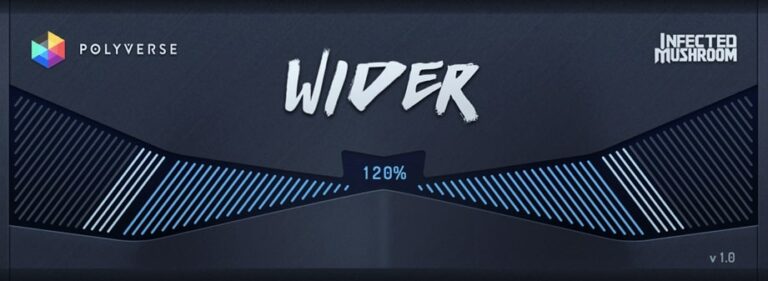
Wider is a free stereo widener that turns mono signals into a broader stereo image, with width control up to 200%. Its output stays compatible with mono playback and preserves phase alignment.
Use it to widen percussion and other mono sounds, bypass low frequencies, and check the result in mono. Wider supports VST2, VST3, AU, and AAX on 64-bit Windows and macOS.
Features
- Widens Mono Signals
- Creates A Wider Stereo Image
- Increases Width Up To 200%
- Maintains Full Mono Compatibility
- Preserves In-Phase Stereo Signals
- Bypasses Low Frequencies
- Includes Mono Compatibility Checking
- Uses Minimal CPU Power
- Features A Simple Width Control
- Displays Stereo Width Changes
Video
Pros
- Creates up to 200% width
- Stays fully mono compatible
- Helps prevent phase problems
- Uses very little computer power
- Great for drums and bass
- Includes a moving wave display
- Can skip low frequencies
- Supports VST2 and VST3
- Also works on iPhone
Cons
- Only widens existing sounds
- No built-in bass synth
- No wavetable sound creation
- No oscillators or noise sources
- No filters for shaping tones
- No built-in modulation system
- No LFO or envelope controls
Testimonials
14. Nova-67P
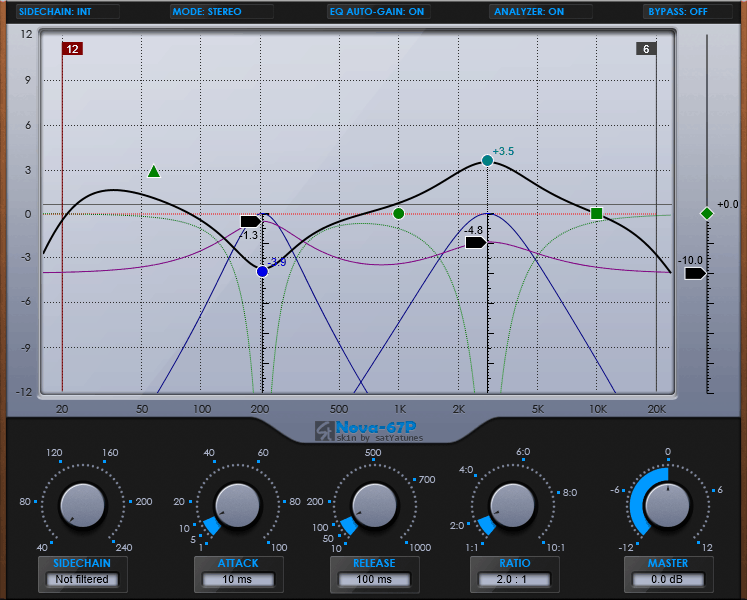
OS: Windows Win Mac Mac Bit Version: 64-bit Developer: Tokyo Dawn Records Size: 3.2 MB Rating: 81/100
Nova-67P is a five-band parallel parametric equalizer with optional high-pass and low-pass filters. It combines EQ with full-band, frequency-dependent, or split-band compression for shaping tone and controlling dynamics.
The plugin includes side-chain filtering, external side-chain support, auto-gain, and a real-time third-octave spectrum analyzer. It uses 64-bit processing and is available for Windows and Mac in VST2 and AU formats.
Features
- Five-Band Parallel Parametric Equalizer
- Built-In Dynamic Band Compression
- Frequency-Dependent Compression Modes
- Split-Band Compression Support
- High-Pass And Low-Pass Filters
- Side-Chain Filtering And Pre-Emphasis
- External Side-Chain Signal Support
- Real-Time Spectrum Analyzer
- Automatic Equalizer Gain Control
- 64-Bit Internal Audio Processing
Video
Pros
- Combines EQ and compression
- Dynamic EQ controls changing frequencies
- Five parallel EQ bands
- Auto-gain keeps levels steady
- Split-band compression adds detailed control
- Frequency-dependent compression sounds more natural
- Side-chain filtering targets problem areas
- External side-chain support enables ducking
- Real-time spectrum analyzer guides decisions
- Third-octave analysis shows frequency balance
Cons
- No VST3 support listed
- No AAX support listed
- No LUFS loudness meter
- No true peak clipping detector
- No stereo correlation meter
- No mid-side analyzer mode
- Limited surround mixing support
Testimonials
15. HY-Phaser

OS: Windows Win Mac Mac Bit Version: 32-bit, 64-bit Developer: HY-Plugins Size: 3.5 MB Rating: 79/100
HY-Phaser is a phaser effect for Windows and Mac in VST and AU formats. It uses an LFO to create moving tone changes, with controls for shape, smoothness, rate, depth, feedback, stereo width, and dry/wet balance.
An envelope follower can control selected parameters for responsive effects. High-pass and low-pass filters shape the processed signal, while MIDI learn, randomize, presets, undo, redo, and a resizable interface support quick sound design.
Features
- Adjustable LFO Shape
- Adjustable Phaser Depth
- Variable Phaser Rate
- Feedback And Resonance Control
- Adjustable Stereo Width
- Envelope Follower Modulation
- High-Pass And Low-Pass Filters
- Dry And Wet Mix
- MIDI Learn Support
- Preset Manager Included
Video
Pros
- Envelope follower modulation
- MIDI learn support
- Quick random sound creation
- Preset manager included
- Resizable plugin interface
- Adjustable LFO shapes
- Adjustable stereo width
- High-pass filtering included
- Low-pass filtering included
- Undo and redo controls
Cons
- Cannot sync to host tempo
- No VST3 format listed
- No AAX format listed
- No Linux support mentioned
- Only a few presets included
- No built-in level meters
- Limited modulation routing choices
Testimonials
16. Glitch
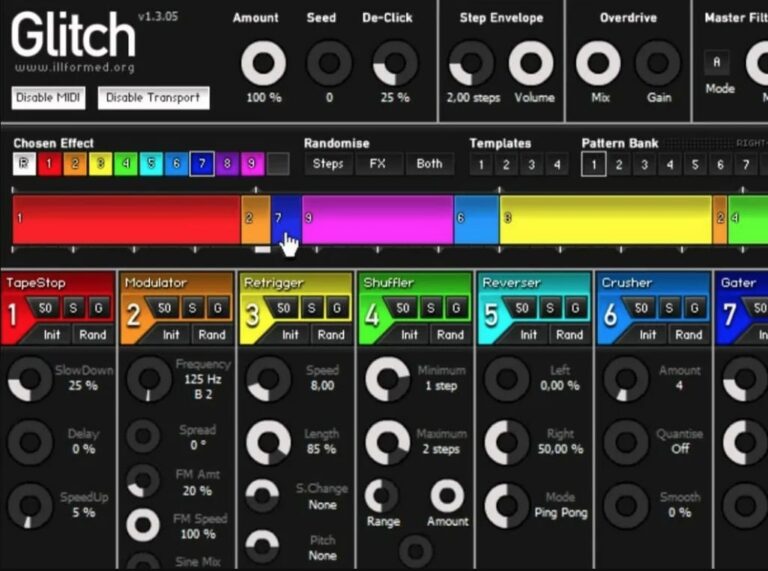
OS: Windows Win Bit Version: 32-bit Developer: Illformed Size: 7 MB Rating: 79/100
Glitch offers an advanced way to twist and reshape audio using a multi-lane sequencer that triggers effects in real time. Each scene can be linked to a MIDI note, letting you switch between rhythmic loops, stutters, and reverses with ease for creative sound control.
The plugin includes a range of modules like TapeStop, Crusher, and Gater for both subtle rhythm edits and wild digital chaos. With precise timing options, drag-and-drop editing, and powerful randomize tools, Glitch helps producers add movement, energy, and surprise to any track.
Features
- Multi-Effect Sequencer With Drag Editing
- Trigger Scenes Using MIDI Notes
- Tempo-Synced Effects For Tight Timing
- Randomize And Mutate Pattern Functions
- Per-Step Mix Pan And Volume Control
- Includes 128 Customizable Scene Slots
- Overdrive Filter And Crusher Effects
- Real-Time Glitch And Stutter Effects
- Suitable For Drums Vocals And Loops
- Available On Windows Mac And Linux
Video
Pros
- Works on Windows, Mac, and Linux
- MIDI scenes trigger live patterns
- Easy drag and drop editing
- Fun random and mutate tools
- Per-step pan and volume control
- Layered effects make unique sounds
- Multiple cool modules like Crusher
- Templates save favorite patterns
- Syncs perfectly with your DAW
- Useful for live performance setups
Cons
- Limited to glitch effects only
- Overly synthetic and digital sound
- Lacks velocity-sensitive response
- Too complex for beginners
- High CPU load when layered
- Hard to use for soft music
- No tuning adjustment
- Few presets for mellow tones
- No reverb-tail control
Testimonials
17. OrilRiver
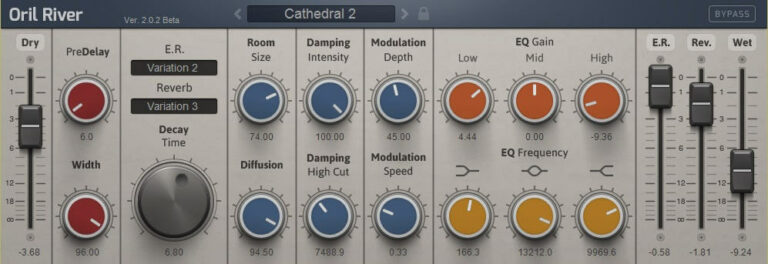
OS: Windows Win Mac Mac Bit Version: 32-bit, 64-bit Developer: Denis Tihanov Size: 11 MB Rating: 79/100
OrilRiver is a free algorithmic reverb plugin for Windows and Mac that recreates spaces from small rooms to large halls. It provides room size, decay, pre-delay, diffusion, stereo width, damping, and modulation controls.
Its three-band EQ shapes the wet signal, while 12 early-reflection and five reverb-tail variations change the reverb character. Two interfaces, presets, level controls, and VST/AU support offer flexible setup, with 64-bit processing and sample rates from 44.1 to 192 kHz.
Features
- Small Room To Large Hall Reverb
- Pre-Delay And Room Size Controls
- Diffusion And Stereo Width Controls
- Damping And High-Cut Controls
- Twelve Early Reflection Variations
- Five Reverb Tail Variations
- Three-Band Wet Signal Equalizer
- Modulation Depth And Speed Controls
- Independent Dry And Wet Levels
- Early Reflection And Reverb Levels
Video
Pros
- Handles rooms through great halls
- Gives precise pre-delay control
- Adjusts smoothness using diffusion
- Controls stereo width easily
- Offers twelve reflection choices
- Includes five reverb tail types
- Has three-band wet EQ
- Controls fading high frequencies
- Adds gentle pitch movement
- Mutes or solos signal stages
Cons
- Development appears to be suspended
- No native Apple Silicon version
- No Linux support listed
- No AAX format listed
- No convolution impulse response loading
- No built-in ducking controls
- No dedicated delay section
Testimonials
18. Saturation Knob
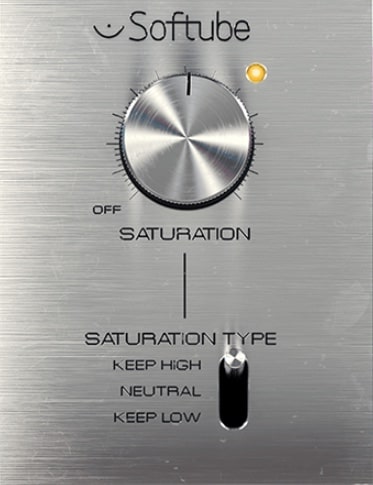
OS: Windows Win Mac Mac Bit Version: 64-bit Developer: Softube Size: 11 MB Rating: 79/100
Saturation Knob is a free distortion plug-in that adds grit and warmth to audio. Adjust the saturation amount to make drums, bass, guitars, or vocals sound fuller, brighter, or more aggressive.
Choose Keep High, Neutral, or Keep Low to shape which part of the sound gets more distortion. It comes as a native plug-in and versions for Softube Modular and Amp Room.
Features
- Modeled Analog Output Distortion
- Adds Grit And Character
- Three Saturation Modes
- Keep High Preserves High Frequencies
- Keep Low Steadies The Low End
- Neutral Saturates Both Frequency Ranges
- Fattens Drums And Bass
- Adds Harmonics To Vocals
- Native, Modular, And Amp Room Versions
- Includes Saturation Control And Off Setting
Video
Pros
- Free to download and use
- Adds warm, analog-style grit
- Offers three useful sound modes
- Keep High helps preserve bright sounds
- Keep Low helps steady deep sounds
- Neutral gives even sound coloring
- One main knob keeps it simple
- Handles soft or strong effects
- Also works inside Modular and Amp Room
- No physical iLok key is needed
Cons
- Only three saturation modes
- Only one main control
- No input trim control listed
- No output gain control listed
- No mix knob listed
- No tone filters listed
- No oversampling setting listed
Testimonials
19. Vinyl
OS: Windows Win Mac Mac Bit Version: 64-bit Developer: iZotope Size: 40MB Rating: 75/100
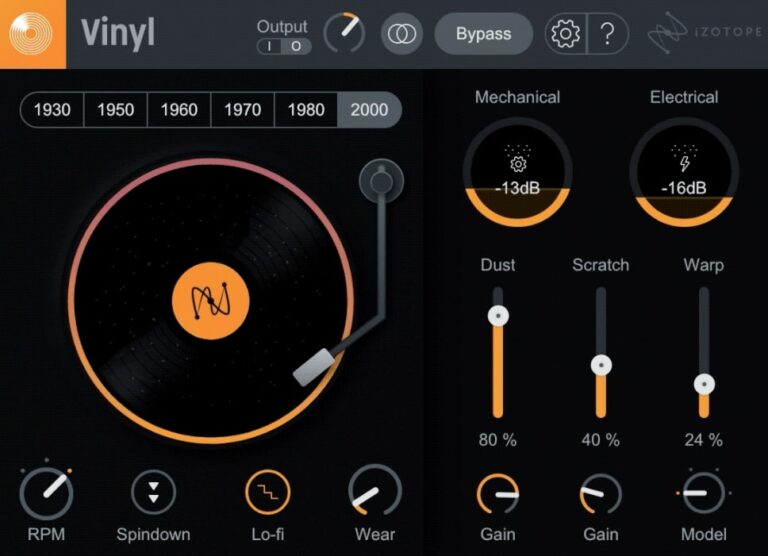
Vinyl offers a simple way to give your music the warmth and charm of old records. It adds dust, scratches, warp, and noise to make your track sound aged and nostalgic. The updated Lo-fi feature instantly brings the tone of classic hip-hop and vintage gear.
You can adjust every detail, from record wear to player noise, with easy knobs and sliders. The plugin works in most major music programs on Mac and Windows. It’s free to download, quick to set up, and great for adding retro color to any sound.
Features
- Adds Vintage Vinyl Character
- Simulates Dust And Scratches
- Warp Slider For Record Bending
- RPM Control For Pitch Changes
- Spindown Effect For Power-Off Sound
- Low CPU Usage
- Works With Most DAWs
- Supports VST2, VST3, AU, AAX
- Available For Windows And Mac
- Includes New Lo-Fi Effect
Video
Pros
- Authentic lo-fi vinyl sound
- Year selector for tone changes
- Multiple noise control sliders
- Customizable record wear settings
- New Lo-fi mode adds warmth
- Spin-down effect sounds realistic
- Seamless integration with Native Instruments
- More flexible than other free plugins
- Very light on CPU
- Perfect for nostalgic sound design
Cons
- No built-in mix knob
- Interface too small on 4K screens
- Noise not reactive to audio
- Few customization options
- Lacks modulation features
- No MIDI mapping
- Can sound repetitive
- Lacks dynamic response
- Outdated GUI design
- Less expressive than rivals
Testimonials
20. Bittersweet
OS: Windows Win Mac Mac Bit Version: 64-bit Developer: Flux Size: 189 MB Rating: 71/100
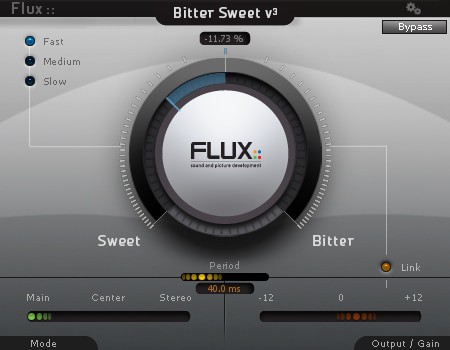
Bittersweet is a free transient shaper from Flux for controlling the attack of drums, guitars, vocals, and other tracks. Turn the control toward Sweet to soften hits or toward Bitter to make them sharper and more pronounced. Fast, Medium, and Slow settings shape response.
Mid/Side modes let you process the center or stereo sides separately, while Main mode handles the full signal and supports up to 16 channels. Output Gain and Link help manage level changes. Bittersweet runs on Windows and Mac in AU, RTAS, and AAX formats.
Features
- Free Transient Shaping Plugin
- Reduces Or Increases Transients
- Adjustable Bitter Sweet Control
- Fast, Medium, And Slow Responses
- Mid/Side Processing Modes
- Main, Center, And Stereo Modes
- Supports Up To 16 Channels
- Output Gain: Minus 12 To Plus 12
- Linked Output Gain Compensation
- Dry Signal Bypass Control
Video
Pros
- Free for every user
- No dongle or activation needed
- Simple transient shaping control
- Provides three processing modes
- Includes Mid/Side processing
- Supports up to 16 channels
- Softens harsh audio attacks
- Adds punch to drum hits
- Includes helpful input metering
- Works on Windows and Mac
Cons
- Lacks full parametric EQ controls
- Includes no built-in spectrum analyzer
- Offers no saturation or distortion modes
- Cannot perform regular compression
- No external sidechain input options
- Some users report Mac problems
- Some users report complete silence
Testimonials
Best VST Effects Plugins Compared
This table compares VST effects plugins by features, controls, effects, formats, and more.
| Details | Krush | Valhalla Freq Echo | TAL-Chorus-LX | Nostalgic Saturation | Ozone Imager V2 | Tape Cassette 2 | Blue Cats Phase | SlickEQ | PanCake 2 | Spaceship Delay |
|---|---|---|---|---|---|---|---|---|---|---|
| Image | 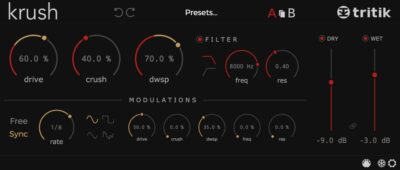 |
 |
 |
 |
 |
 |
 |
 |
 |
 |
| Rating | ||||||||||
| OS | Windows, Mac | Windows, Mac | Windows, Mac, Linux | Windows, Mac | Windows, Mac | Windows, Mac | Windows, Mac, Linux | Windows, Mac | Windows, Mac | Windows, Mac, Linux |
| Formats | VST, VST3, AU, AAX | VST, VST3 | VST, VST2, VST3, AU, CLAP | VST3, AU | VST2, VST3, AU, AAX | VST, VST3, AU, AAX | VST, VST3, AU, AAX | VST2, VST3, AAX | VST2, VST3, AU | VST, AU |
| Bit Version | 64-bit | 64-bit | 64-bit | 64-bit | 64-bit | 64-bit | 32-bit, 64-bit | 64-bit | 64-bit | 64-bit |
| Developer | Tritik | VALHALLA DSP | TAL Software | Caelum Audio | iZOTOPE | Caelum Audio | Blue Cat Audio | Tokyo Dawn Records | Cable Guys | Musical Entropy |
| License | Freeware | Freeware | Freeware | Freeware | Freeware | Freeware | Freeware | Freeware | Freeware | Freeware |
| Sample-Based | No | No | No | No | No | No | No | No | No | No |
| Download Size | 13 MB | 2.8 MB | 8 MB | 3.5 MB | 38.9 MB | 5 MB | 26 MB | 7.9 MB | 5 MB | 9 MB |
| CPU Load | Low | Low | Low | Low | Low | Low | Low | Low | Low | High |
| Polyphony | 1 | N/A | N/A | N/A | N/A | 8 | N/A | N/A | N/A | N/A |
| Features | Bit depth reduction, Sample rate reduction, Crunchy drive, Analog filters, Modulation section, Preset system, Resizable interface | Frequency Shifting, Analog Echo, Chorusing, Double-Tracking, Barberpole Phasing, Flanging, Endless Glissandos | Juno-60 Emulation, Two Chorus Modes, Dry/Wet Control, Volume Knob, Stereo Width, Status Lights, Vintage Chorus | Saturation warmth, Low-pass filter, Tape noise, Wow modulation, Flutter variation, Preset management, Vintage character | Stereo Width Control, Stereoize Modes, Mono-to-Stereo Widening, Vectorscope Displays, Resizable Interface, Stereo Balance Monitoring, Free Plugin | Saturation, Authentic Modeling, Tape Noise, Wow Control, Flutter Control, Low Pass Filter, Oversampling | Analog-Style Phaser, 32 Phasing Stages, Stereo Spread Control, Sine/Triangle LFO, Phase-Selectable Paths, MIDI Learn, Preset Manager | Semi-Parametric EQ, Four EQ Models, EQ Saturation, Output Saturation, Auto-Gain, Stereo Processing, Preset Management | Custom Pan Curves, Beat-Syncable LFOs, MIDI Triggering, Stereo Panning, Visual Feedback, Mix Control, Audio-Rate Modulation | Multiple Delay Modes, Modulation, Ducking Dynamics, Spring Reverb, Advanced Filtering, Saturation Modeling, Freeze Looper |
| Controls | Drive, Crush, Dwsp, Filter, Freq, Res, Rate | Mix, Delay, Shift, Feedback, Low Cut, High Cut, Delay Sync | Volume, Dry/Wet, Stereo Width, Chorus I, Chorus II, Status Lights | Saturation, Low Pass, Noise, Wow, Flutter, Preset Menu, Version Display | Explore Ozone, Bypass, Display Mode, Lissajous Display, Stereo Field Display, Width Control, Stereoize Control | Saturation, Low Pass, Noise, Wow, Flutter, Output, VU Meters | Power, Preset Menu, Gain, Stages, Depth, Rate, Spread | Preset Menu, Undo And Redo, A/B, A To B, Bypass, Stereo, Help Settings Info | Wave Display, Pan Curve, Curve Points, LFO Section, Beat Sync, MIDI Section, Mix Knob | Preset Menu, Input, Output, Mix, Attack, Spring, Delay Mode |
| Effects Included | Bit depth reduction, Sample rate reduction, Drive, Analog modeled resonant filters, Modulation | Bode-style frequency shifting, analog echo, chorusing, double-tracking, barberpole phasing, flanging, endless glissandos, runaway echoes | Chorus | Saturation, Low Pass Filter, Noise, Wow, Flutter | Stereo widening, stereo narrowing, Stereoize, phasing effect | Saturation, Low Pass Filter, Noise, Wow, Flutter | Phaser | Equalization, high-pass filtering, saturation, harmonic distortion | Panning modulation, autopanning | Spring reverb, low-pass filter, high-pass filter, shelf filters, synthesizer filter simulations, bitcrusher, tube preamp simulation, tremolo, phaser |
| MIDI Learn | Yes | No | Yes | Unknown | No | Unknown | Yes | No | No | Select |
| Presets | 35 | N/A | N/A | 25 | N/A | 25 | 2 | 9 | N/A | N/A |
| Standalone | No | No | No | No | Yes | No | No | No | No | No |
| Last Updated | 05/06/2024 | N/A | 11/17/2026 | 02/15/2024 | 11/01/2026 | 05/02/2024 | 10/02/2026 | 11/09/2026 | 04/03/2025 | 11/17/2026 |
Best VST Effects Plugins
Our top picks for the best free VST Effects plugin are Valhalla Freq Echo by VALHALLA DSP, Nostalgic Saturation by Caelum Audio, and Tape Cassette 2 by Caelum Audio. These are some of our favorites.
| Details | MagicDrum 2 Lite | Nostalgic Saturation | Tape Cassette 2 |
|---|---|---|---|
| Image | 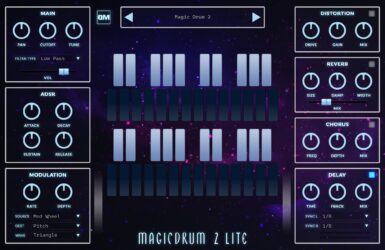 | | |
| Rating | |||
| OS | Windows, Mac | Windows, Mac | Windows, Mac |
| Formats | VST, VST3, AU | VST3, AU | VST, VST3, AU, AAX |
| Bit Version | 64-bit | 64-bit | 64-bit |
| Developer | Quiet Music | Caelum Audio | Caelum Audio |
| Download Size | 130 MB | 3.5 MB | 5 MB |
| Download | Visit MagicDrum 2 Lite | Visit Nostalgic Saturation | Visit Tape Cassette 2 |
FAQs
How to Install VST Effects Plugins
To install VST effects plugins on Windows or Mac, extract the files from the Zip or Rar. Move the files (.dll for Windows or .component for Mac) into your DAW’s plugin folder. Then restart your software and rescan the directory to complete the process. Tutorial: How to Install VST Plugins
Windows:
Extract the downloaded zip file and copy the .dll file into the VST plugins folder scanned by your DAW. Restart your music software and rescan your plugin directory to begin using the new VST.
Mac OS X:
Extract the downloaded archive and move the .component or .VST file to the plugin folder. It is usually /Library/Audio/Plug-Ins/Components or /Library/Audio/Plug-Ins/VST. Restart your DAW and rescan your plugins to complete the installation.
What Is A VST Effects Plugin?
A VST effects plugin is an audio effects plugin that you can use with a VST-supported DAW. These plugins can apply audio effects to an audio track, such as reverb or distortion. There is a wide variety of audio effects plugins, such as equalizers, filters, delays, chorus, pitch correction, and more.
VST effect plugins, such as vocals, instruments, and drums, are typically used to alter the sound of an audio recording. A plugin can have a number of controls for adjusting the sound, which can be applied to different frequency bands within the track.
I hope you enjoy this list of the best free VST effects plugins.
You May Also Like: