Here the best free Roland Juno 106 VST emulator plugins to replicate the vintage sound of the classic Roland Juno 106 keyboard. We have included video demos, feature lists, pros, cons, and plugin ratings.
How we rate plugins: We rate each VST plugin based on sound quality, design, performance, features, usability, and compatibility. We rate plugins on a scale of 1 to 100.
Table of Contents

I have spent over 15 years testing and comparing hundreds of free and paid VST plugins, supported by hands-on demos on our YouTube channel, which has 12,000+ subscribers.
Related: 100 Best Synth VST Plugins
Best Free Roland Juno 106 VST Alternatives
This table compares plugins by operating system, bit version, format, and rating.
| # | Plugins | Ratings | OS | Formats |
|---|---|---|---|---|
| 1 | OB-Xd | Windows Mac Linux | VST, AU | |
| 2 | TyrellN6 | Windows Mac Linux | VST, VST3, AU, AAX, CLAP | |
| 3 | OS-251 | Windows Mac Linux | VST3, AU, LV2 | |
| 4 | TAL–Bassline | Windows Mac | VST, AU | |
| 5 | TAL-Bassline | VST, AU | ||
| 6 | Chorus JUN-6 | Windows Mac | VST, AU | |
| 7 | TAL-U-No-62 | Windows Mac | VST, AU | |
| 8 | Sixth Month June | Windows | VST | |
| 9 | Juno 6 | Windows | VST | |
| 10 | ODsay | Windows | VST | |
| 11 | ASynth | Windows | VST | |
| 12 | June-21 | Windows Mac Linux | VST, AU | |
| 13 | Yonu60 | Windows | VST | |
| 14 | Phutura | Windows | VST | |
| 15 | RJU-60 | Windows | VST |
1. OB-Xd
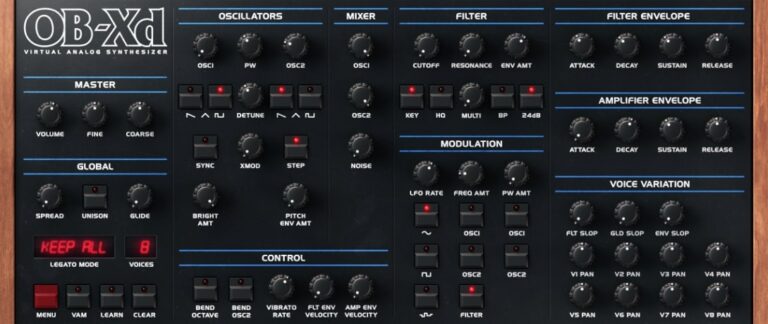
OS: Windows Win Mac Mac Linux Linux Bit Version: 64-bit Developer: discoDSP Size: 50 MB Rating: 89/100
OB-Xd offers the classic analog warmth of the vintage Oberheim OB-X with modern features for today’s music makers. It delivers a wide and lively tone through micro detuning, unison voices, and blendable filters that shape everything from smooth pads to bold leads.
The plugin includes enhanced oscillators, adjustable filters, and support for MTS-ESP micro-tuning to refine pitch and tone. With simple controls for modulation, envelopes, and noise, OB-Xd helps producers craft expressive sounds that fit many styles, from retro synthwave to modern electronic tracks.
Features
- Classic Oberheim OB-X Sound Style
- Unison Mode For Fuller Sound
- Blendable Multimode Filter Control
- MTS-ESP Micro-Tuning Support
- Cross Modulation (X-MOD) Feature
- Voice Variation For Analog Feel
- Selectable Oversampling Levels
- Voice Panning For Stereo Width
- Noise Generator For Added Texture
- Low CPU Usage Performance
Pros
- Rich and warm analog sound
- Very low CPU usage
- Faithful Oberheim-style emulation
- Supports MTS-ESP microtuning
- Free with professional quality
- Works on Windows, Mac, and Linux
- Blendable multimode filter options
- Unison adds strong bold voices
- Lots of community sound banks
- Oversampling helps cleaner sound
Cons
- Limited modulation options
- No built-in effects
- Lacks modern wavetable features
- No arpeggiator or sequencer
- Missing advanced routing options
- No visual modulation feedback
- Limited oscillator shapes
- No macro controls
- Filter lacks flexibility
- High unison increases CPU use
Testimonials
Tips
- I use a little detune on the oscillators to make the synth sound bigger and more alive.
- Adjust the envelope’s attack and release times to make pads or percussive stabs.
- Experiment with stereo spread for a wider, more open sound.
- Automation in your DAW can bring synth parts to life by changing filters or volume over time.
- Add external effects like reverb or delay to give more space and depth to the OB-Xd sound.
- Use velocity sensitivity to make the sounds respond more naturally to how hard you play.
2. TyrellN6
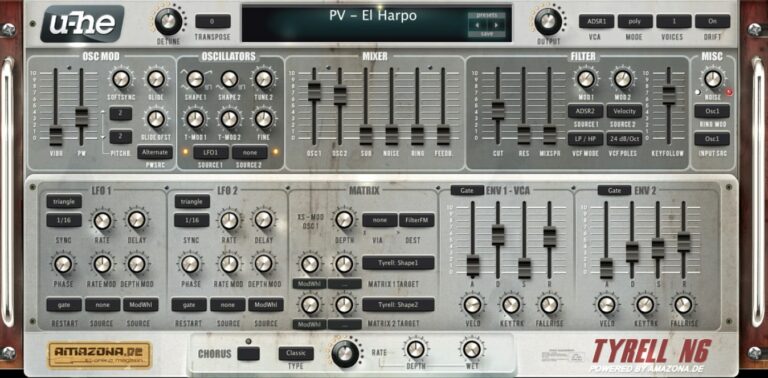
OS: Windows Win Mac Mac Linux Linux Bit Version: 32-bit, 64-bit Developer: U-He Size: 47 MB Rating: 88/100
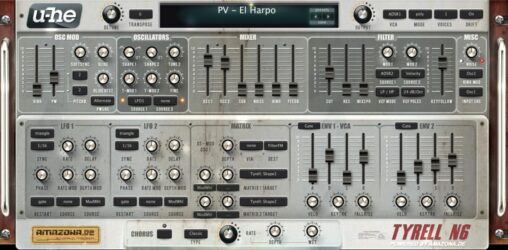
TyrellN6 offers a classic analog-style sound in a compact and free software synthesizer. It includes two main oscillators, filters related to u-he’s Diva, and a built-in chorus for added depth. The synth keeps everything on one screen, making sound design smooth and direct.
The 2025 beta update improves performance and adds features like CLAP and MTS-ESP microtuning support. It also introduces a modern preset browser, easier soundset installation, and updated scaling options. TyrellN6 continues to deliver warm tones and flexible controls for creating rich, expressive sounds.
Features
- Virtual Analog Synth With Classic Design
- Two Oscillators Plus Noise And Ring Mod
- Twin Filter Based On Early Diva
- Unison Mode Up To Eight Voices
- Compact Modulation Matrix Section
- Chorus Effect With Three Modes
- Over 580 Factory Presets Included
- Resizable And Skinnable Interface
- Supports CLAP, VST, AU, And AAX
- Supports Native Apple Silicon Chips
Pros
- Free with pro-level sound
- Warm classic analog tone
- Works on Mac, Windows, Linux
- Low CPU load performance
- Over 580 ready presets
- New CLAP and VST3 support
- Supports native Apple Silicon
- Rich unison up to 8 voices
- Powerful twin filter section
- Supports microtuning standards
Cons
- No built-in reverb effect
- No built-in delay effect
- Lacks modern wavetable synthesis
- Small GUI on 4K screens
- Preset browser feels outdated
- Does not support MPE yet
- Few filter types compared to others
- No built-in EQ or compressor
- Interface looks dated to some
- Not as flexible as Vital
Testimonials
Tips
- I like to start with a preset that sounds close to what I want, then tweak the filters and envelopes to make it my own.
- I use both oscillators slightly detuned to make the sound fuller and wider.
- I like to use the modulation matrix to add motion, like routing LFO to the filter cutoff.
- Use subtle chorus and delay effects to make the synth sound more polished and lively.
- Use automation in your DAW to control TyrellN6 parameters for dynamic changes during a song.
- Study the filter section; learning how different filter modes sound helps shape your tone more precisely.
- Try randomizing parameters to discover unexpected and inspiring new sounds.
3. OS-251
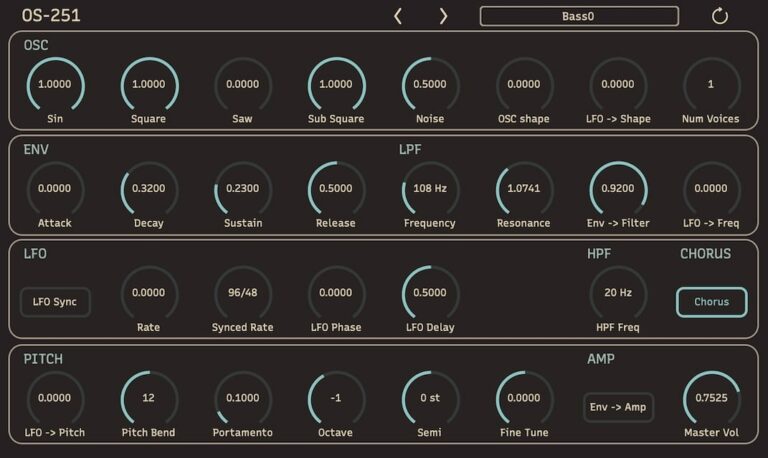
OS: Windows Win Mac Mac Linux Linux Bit Version: 64-bit Developer: Onsen Audio Size: 2.29 MB Rating: 85/100
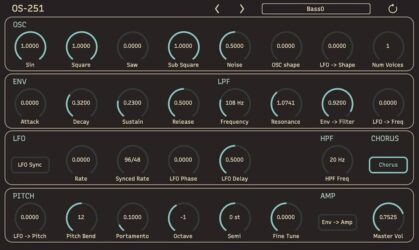
OS-251 offers a digital take on classic synthesizer sounds, delivering warm, lo-fi tones crafted through its unique DSP design. Inspired by the JUNO-106, it blends old-school character with modern reliability, using digital alias noise to create rich textures and punchy presence.
With up to 24 voices of polyphony, flexible filters, an LFO section, and built-in chorus and unison modes, OS-251 keeps things simple yet powerful. Every control is clearly laid out, helping music creators shape sounds quickly and stay focused on what matters most—making music.
Features
- Digital Lo-Fi Subtractive Synthesizer
- Up To 24-Voice Polyphony
- Oscillators With Shape Control
- Low-Pass And High-Pass Filters
- LFO Sync To Tempo
- Chorus Effect For Width
- Unison Mode For Thick Sounds
- Built-In Preset Manager
- Simple And Clear Interface
- Low CPU Usage
Pros
- Warm digital lo-fi sound character
- Free download with full features
- Runs on Mac, Windows, and Linux
- Low CPU use for smooth play
- 24 voices for rich polyphony
- Unison mode makes thicker tones
- Built-in preset manager included
- LFO syncs with project tempo
- Sub-oscillator adds strong low end
- Better workflow than many free synths
Cons
- No built-in reverb
- No built-in delay
- Limited modulation options
- Few waveform choices
- Limited preset library
- Interface not resizable
- Lacks effects section
- No modulation matrix
- Only one LFO
- Cannot import wavetables
Testimonials
Tips
- I always turn down the master volume before trying new sounds to protect my ears and speakers.
- I use the filter cutoff and resonance knobs to shape the tone and make the sound smoother or sharper.
- I like to use the built-in effects like chorus and delay to make the synth sound fuller and more interesting.
- I often layer the OS-251 with another synth to make thicker sounds for chords or leads.
- I use automation in my DAW to change filter and modulation settings over time for more movement in a song.
- Stack multiple voices or use unison mode for a wider and more powerful sound.
- Use the onboard arpeggiator to quickly make rhythmic and melodic ideas.
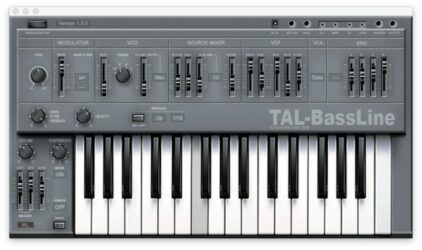
4. TAL–Bassline

OS: Windows Win Mac Mac Bit Version: 32-bit, 64-bit Developer: TAL Software Size: 1 MB Rating: 84/100
TAL–Bassline offers a classic analog-style bass experience in a modern plugin format for Windows and Mac. It recreates the sound and feel of vintage hardware with a warm tone shaped by its special -18dB low-pass filter and responsive nonlinear envelopes.
This synth includes band-limited oscillators, a sub-oscillator, and a simple arpeggiator to craft smooth basslines or sharp acid tones. With features like unison mode, MIDI automation, and precise control of sliders, TAL–Bassline helps producers build solid, character-rich low-end sounds quickly.
Features
- Virtual Analog Bass Synthesizer
- Multiple Band-Limited Oscillators
- Sub-Oscillator For Deep Tones
- Special -18dB Low Pass Filter
- Nonlinear Envelope Generator
- LFO With Various Waveforms
- Unison Mode For Thick Sound
- MIDI Automation For All Controls
- Analog-Style Warm Sound
- 2x Oversampling Processing
Pros
- Warm and rich analog tone
- Fast envelopes for punchy sound
- Great for acid bass lines
- Has unison mode for fullness
- Sub-oscillator adds deep bass
- Sounds close to real hardware
- Has built-in arpeggiator
- Offers 2x oversampling clarity
- Produces gritty and lo-fi tones
- Very low CPU usage
Cons
- No built-in effect section
- No modulation matrix control
- Limited modulation routing choices
- No built-in reverb or delay
- Lacks modern GUI resizing
- No polyphonic mode available
- Few waveforms compared to rivals
- Cannot import external MIDI patterns
- Interface looks a bit old
- Limited envelope shape control
Testimonials
Tips
- I use the envelope modulation to make my bassline sound more punchy and alive.
- I often play with the drive knob to add a bit of grit and warmth to my sound.
- I like to sync the LFO to the tempo for rhythmic movement that matches my song.
- Use a high-pass filter on other instruments to leave space for the TAL-Bassline in the mix.
- Automate filter cutoff changes to create movement and keep your bassline engaging.
- Use a compressor after the plugin to even out dynamics and add punch.
- Keep an eye on the low end in your mix with an EQ analyzer to avoid muddiness.
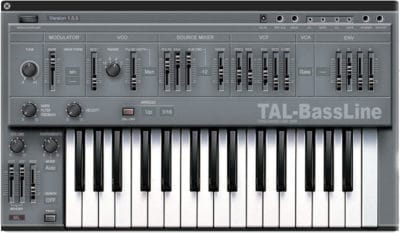
5. TAL-Bassline
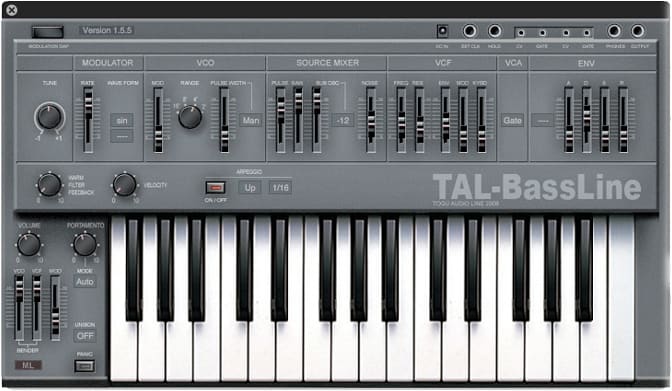
OS: Bit Version: 32-bit, 64-bit Developer: TAL Software Size: 1 MB Rating: 83/100
TAL-Bassline offers a classic analog-style bass experience in a simple digital plugin. It recreates the warm, deep tones of vintage hardware with a unique -18dB low-pass filter. The plugin includes fast envelopes, clean oscillators, and a sub-oscillator for full, punchy sound design.
Made for crafting bass and acid sounds, TAL-Bassline gives music creators tools like unison mode, LFO controls, and a built-in arpeggiator. Its clear layout makes it easy to shape bright or dark tones, from smooth grooves to gritty basslines, across Windows and Mac systems.
Features
- Virtual Analog Bass Synthesizer
- Warm Analog Style Sound
- Unique 18dB Low Pass Filter
- Sub-Oscillator For Extra Depth
- Unison Mode For Thick Sound
- Fast Non-Linear Envelopes
- LFO With Various Waveforms
- MIDI Automation For All Controls
- 2x Oversampling For Better Quality
- Includes 23 Ready Presets
Pros
- Warm and punchy analog sound
- Authentic SH-101 style tones
- Fast non-linear envelopes
- Powerful low pass filter
- Thick sound with unison mode
- Sub-oscillator adds deep power
- MIDI control for all sliders
- CPU friendly for multiple tracks
- Instantly fits well in the mix
- Free with no hidden costs
Cons
- No built-in 808 presets
- Can’t load custom wave samples
- No visual waveform display
- Limited effects compared to others
- No built-in compressor or EQ
- Hard to shape sub bass tones
- No sidechain or ducking features
- Cannot layer multiple bass sounds
- Lacks modern trap bass feel
- Less punchy than 808 plugins
Testimonials
Tips
- I use the envelope controls to shape how fast or slow my bass fades in and out.
- When I want a punchier bass, I raise the filter drive a little for extra grit.
- Keep the sub frequencies clean by cutting unnecessary low-end from other instruments.
- Use a limiter or compressor to keep the bass level steady and punchy.
- Use a spectrum analyzer to make sure the bass sits well with kicks and other low sounds.
- Experiment with the glide or portamento to make bass notes slide smoothly between pitches.
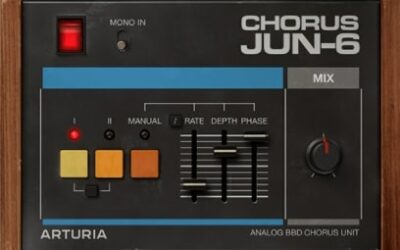
6. Chorus JUN-6

OS: Windows Win Mac Mac Bit Version: 64-bit Developer: Arturia Size: 193.78 MB Rating: 80/100
Chorus JUN-6 is an analog-style stereo chorus based on the Roland Juno-106. Its BBD modeling adds warm movement and width, with three classic modes plus Manual mode for adjustable delay time, rate, depth, phase, and mix.
Use it on vocals, guitars, bass, synths, or drums to add body, shimmer, and motion. Mono and stereo operation, tempo sync, and 64-bit VST and AU support make it suitable for shaping individual tracks or widening a full mix.
Features
- Analog Juno Chorus Emulation
- Warm BBD Analog Character
- Three Classic Chorus Modes
- Manual Modulation Mode
- Adjustable Rate And Depth
- Variable Stereo Width Control
- Tempo-Synced Modulation
- Mono And Stereo Processing
- Dry And Wet Mix Control
- Vibrato-Style Modulation Effects
Pros
- Authentic Juno chorus character
- Warm BBD analog color
- Instant stereo width
- Simple three-mode design
- Easy one-touch operation
- Flexible manual modulation mode
- Adjustable rate and depth
- Useful phase control
- Tempo-synced modulation movement
- Clear dry-wet mix control
Cons
- Cannot create sounds from oscillators
- No filters for tone shaping
- No envelopes for sound movement
- No wavetable synthesis options
Testimonials
Tips
- I start with Mode I for a soft, warm stereo sound. It works well on pads, keys, and gentle vocals.
- I use Mode II when I want more movement and energy. It can help a plain synth part feel more alive.
- I try the I+II setting for a stronger, more active sound. This mode can also create a fun vintage effect on leads.
- I lower the Mix knob when the chorus sounds too strong. A small amount can add width without hiding the original sound.
- I use the Mono Input button when I want the chorus to affect both sides evenly. This is helpful when the source already has a wide stereo image.
- I adjust the LFO Phase knob to change the stereo width. Smaller settings feel tighter, while wider settings spread the sound across the mix.
- Use a low Mix setting on bass sounds to add width without making the low end too blurry. Check the bass in mono before finishing the mix.
7. TAL-U-No-62

OS: Windows Win Mac Mac Bit Version: 32-bit, 64-bit Developer: Togu Audio Line Size: 0.3 MB Rating: 73/100
TAL-U-No-62 is a polyphonic virtual analog synthesizer based on the JUNO-62, with six voices and band-limited oscillators. It includes a syncable LFO, pulse-width control, sub oscillator, noise, chorus, and 20 presets for creating basses, leads, pads, and other sounds.
Its 24 dB low-pass filter offers resonance, self-oscillation, envelope and LFO control, while the high-pass filter removes low frequencies. Fast ADSR envelopes, velocity-sensitive filter control, MIDI learn, tempo sync, and Windows and Mac support add sound-shaping options.
Features
- Polyphonic Virtual Analog Synthesizer
- Six Polyphonic Voices
- Band Limited Oscillators
- Syncable LFO With Five Waveforms
- Self Oscillating Low Pass Filter
- Non Resonant High Pass Filter
- Fast ADSR Envelope Controls
- Velocity Sensitive Filter Envelope
- Sub Oscillator And Noise Sources
- MIDI Learn For All Controls
Pros
- Authentic Juno-style analog sound
- Distinctive band-limited oscillators
- Six-note polyphonic playing
- Self-oscillating low-pass filter
- Velocity-sensitive filter control
- Syncable LFO with five waves
- Pulse-width modulation support
- Sub oscillator adds weight
- Built-in chorus adds width
- MIDI learn for every control
Cons
- Only six voices for chords
- No wavetable editing tools
- Limited modulation compared with modern synths
- No MPE performance support
- One main oscillator feels restrictive
- Only one LFO is included
- No built-in arpeggiator
Testimonials
Tips
- I start with one oscillator and a simple waveform. This helps me hear how each control changes the sound.
- I use the low-pass filter to make a sound darker or softer. I slowly lower the cutoff until the tone fits the song.
- I add some envelope amount to create plucks and bright bass sounds. A higher amount makes the filter move more when each note starts.
- I adjust decay and sustain to shape the note. Low sustain makes the sound fade after the first hit, while high sustain keeps it steady.
- I try different LFO waveforms for movement. A slow triangle wave can make gentle vibrato, while a faster setting can create a wobble.
- Do not use every effect at once. Start with the synth alone, then add delay, reverb, or chorus only when the sound needs more space.
- Save a new preset after making a sound you like. Give it a clear name, such as “Soft Pad” or “Short Bass.”
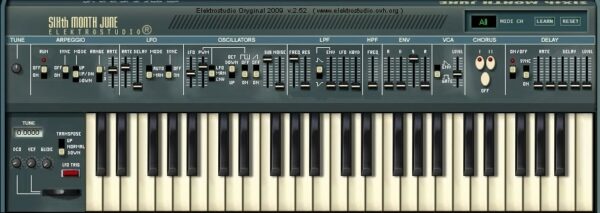
8. Sixth Month June
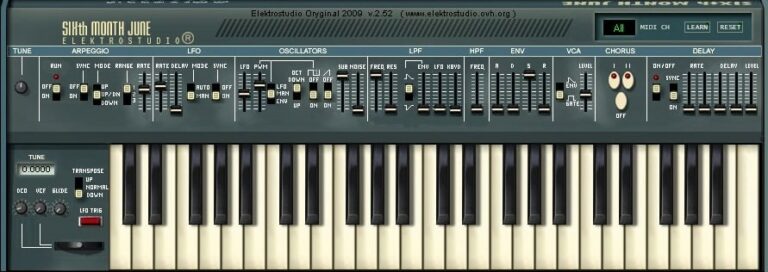
OS: Windows Win Bit Version: 32-bit Developer: Elektrostudio Size: 1 MB Rating: 70/100
Sixth Month June offers a classic analog synth sound inspired by vintage keyboards like the Roland Juno 6. It includes sawtooth and pulse wave oscillators, a noise generator, and a smooth low-pass filter for shaping tone. The built-in arpeggiator helps create rhythmic note sequences automatically.
This plugin also features chorus and delay effects that add depth and space to your sounds. With envelope and LFO controls for movement and tone shaping, Sixth Month June gives producers tools to craft warm pads, bright leads, and retro-inspired textures on Windows systems.
Features
- Emulates Classic Roland Juno 6 Synth
- VCO With Sawtooth And Pulse Waves
- Lowpass Filter With Cutoff And Resonance
- LFO With Adjustable Rate Control
- Automatic Arpeggio Sequence Generator
- Built-In Chorus And Delay Effects
- Unison Mode For Thicker Sound
- Portamento For Smooth Note Slides
- Mix Blends Different Waveforms
- Envelope With Invert Option
Pros
- Warm and classic analog sound
- Authentic Roland Juno 6 feel
- Rich chorus for wide tones
- Powerful automatic arpeggiator
- Unison mode adds thick layers
- Low CPU use on newer PCs
- Free and high quality plugin
- Noise generator for added texture
- Smooth low pass filter sound
- Great for 80s style music
Cons
- Only works on Windows systems
- No native 64-bit support
- Not available for macOS users
- Outdated interface for modern screens
- No resizable plugin window
- High CPU use on older PCs
- Occasional stability or crash issues
- Lacks advanced modulation options
- No MIDI learn functionality
- Limited preset library included
Testimonials
Tips
- I like to start with a blank preset so I can shape the sound from scratch.
- I use automation in my DAW to let synth filters move and evolve over time.
- Users should explore each oscillator to learn how their mix affects the final tone.
- Adjust the attack and release settings to get a smoother or punchier feel.
- Layer two different patches to create a rich, modern synth texture.
- Keep the output volume balanced to avoid clipping or distortion in the mix.
- Save presets under clear names, so they’re easy to find later.
9. Juno 6
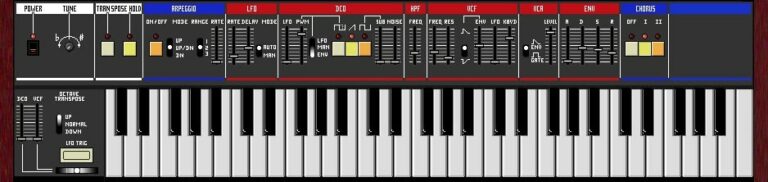
OS: Windows Win Bit Version: 32-bit Developer: Open Source VSTi Size: 1 MB Rating: 68/100
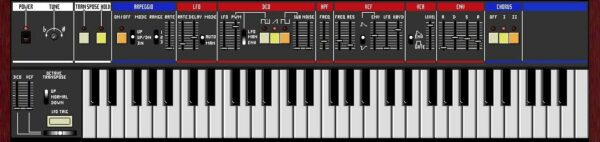
Juno 6 is a free analog-style synthesizer plugin for Windows that recreates the sound of the classic Roland Juno 6/60. It includes features like a chorus effect, arpeggiator, adjustable tuning, and filters that let you shape warm pads, bright leads, or deep bass tones.
Juno 6 offers simple controls such as DCO, LFO, VCF, and ENV to adjust sound movement, tone, and dynamics. Its built-in keyboard and hold function make it easy to experiment with vintage-style sounds that fit well in retro, pop, or electronic tracks.
Features
- Emulates Classic Roland Juno Sound
- Built-In Arpeggio Pattern Player
- Lfo For Sound Modulation
- Vcf Shapes Tone And Resonance
- Env Adjusts Sound Envelope
- Chorus Adds Richer Sound
- Hold Function For Sustained Notes
- Dco For Waveform Control
- Simple Easy-To-Use Interface
- Low Cpu Usage Performance
Pros
- Authentic vintage Juno sound
- Rich and warm analog tone
- Great chorus for thick sound
- Low CPU load and fast
- Perfect for 80s style music
- Free and lightweight plugin
- Easy sound shaping with DCO
- LFO adds nice motion effect
- Makes bright pads and solid basses
- Captures real hardware Juno vibe
Cons
- Only works on Windows systems
- No 64-bit version support
- Small GUI not resizable
- Limited preset collection
- Lacks advanced modulation options
- No modern automation controls
- Cannot load user samples
- No built-in MIDI learn support
- No built-in reverb or delay
- Lacks modern sound design depth
Testimonials
Tips
- I like to start with the default patch and slowly tweak one control at a time to learn how each knob changes the sound.
- I use the filter cutoff to make bright sounds darker or duller until it fits my mix.
- I like to layer two slightly different patches to make my sound feel fuller.
- Use chorus wisely, since it can easily make the mix too wide or muddy if overused.
- Experiment with small detune settings to get that classic warm analog feel.
- Learn to automate parameters like cutoff or LFO rate for evolving sounds in your song.
10. ODsay
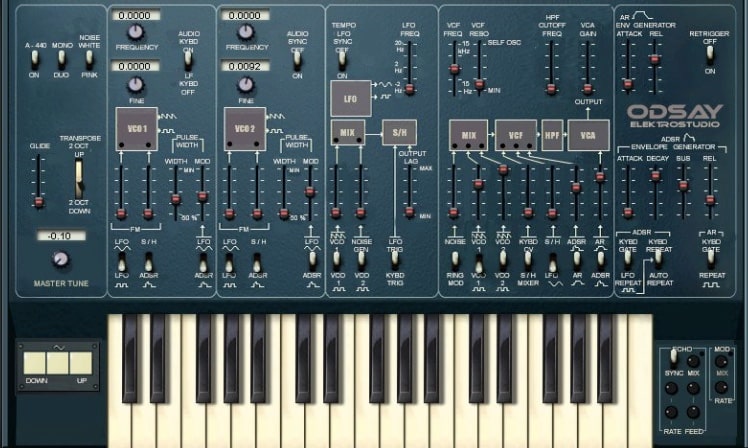
OS: Windows Win Bit Version: 32-bit Developer: Elektrostudio Size: 1 MB Rating: 67/100
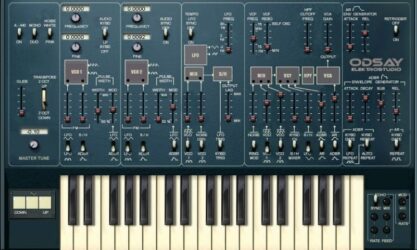
ODsay offers a classic analog synth experience that recreates the sound and feel of the ARP Odyssey. It includes two oscillators for shaping warm, duophonic tones with sawtooth, square, and pulse waves. Extras like ring modulation and noise generation let you build gritty or smooth sound textures.
Its filters and envelope controls allow precise tone shaping, from sharp resonant sweeps to mellow leads. With modulation options like LFO, sample-and-hold, and glide, ODsay gives music creators the tools to design expressive, vintage-style synth sounds for any project.
Features
- Emulates Classic ARP Odyssey Synth
- Two Analog Oscillators
- Duophonic Sound Capability
- Ring Modulator Effect
- White And Pink Noise Generators
- Pulse-Width Modulation Control
- High-Pass And Low-Pass Filters
- LFO And Sample-And-Hold Modulation
- Glide And Transpose Options
- ADSR And AR Envelopes
Pros
- Realistic ARP Odyssey emulation
- Unique gritty vintage tone
- Warm and classic analog sound
- Rich duophonic sound design
- Cool ring modulator effects
- Pink and white noise choices
- Deep filter control options
- Portamento for smooth note slides
- Lightweight compared to newer synths
- Free and good quality synth
Cons
- Only works on Windows computers
- No official 64-bit support
- Can crash in newer hosts
- User interface looks very old
- No Mac version available
- High CPU use on some PCs
- Not resizable user interface
- Limited modulation choices
- Only available as VST format
- Doesn’t support audio automation well
Testimonials
Tips
- I always adjust the filter cutoff and resonance to find new tones that fit my song.
- I use the LFO to make the sound move and feel more alive.
- Play with the delay and reverb to give my synth parts more space.
- Use the ODsay’s two oscillators to create a wide range of warm and classic tones.
- Experimenting with the sync and ring modulation settings can create unique sound effects.
- Combining the ODsay with EQ and compression helps the synth sit nicely in a mix.
- Using automation adds movement and excitement to the synth in a song.
11. ASynth
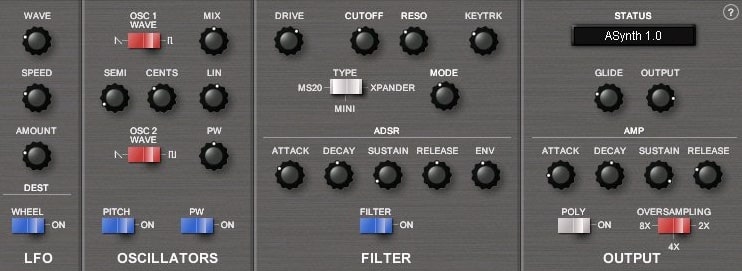
OS: Windows Win Bit Version: 32-bit Developer: Smart Electronix Size: 1 MB Rating: 67/100
ASynth offers classic analog-style tones in a simple virtual format. It features two oscillators, three circuit-modeled filters, and six-voice polyphony for shaping warm leads, basses, and textured pads. Its core design focuses on giving producers authentic analog character with flexible tone control.
The plugin includes controls for oscillators, filters, and envelopes, making sound design direct and creative. Adjust waveforms, fine-tune pitch, and shape filter drive or resonance to craft varied sounds. ASynth runs on Windows as a 32-bit VST and remains valued for its clear, punchy output.
Features
- Six-Voice Virtual Analog Synthesizer
- Two Independent Oscillators
- Three Circuit-Modeled Filters
- LFO Speed And Depth Controls
- ADSR Envelopes For Filter And Amp
- Monophonic And Polyphonic Modes
- Filter Drive, Cutoff, And Resonance
- Glide Function For Smooth Notes
- MIDI CC Automation Support
- Oversampling For Higher Sound Quality
Pros
- Warm vintage analog-style tone
- Authentic Minimoog-style character
- Three rich circuit-modeled filters
- Warm filter drive adds punch
- Six voices for polyphonic play
- Oversampling improves sound clarity
- Very low CPU use
- Free and lightweight synthesizer
- Simple easy-to-learn interface
- Two powerful oscillators included
Cons
- Only works on Windows systems
- No 64-bit version available
- No Mac support at all
- Outdated user interface design
- Cannot resize plugin window
- No preset browser included
- Lacks modern modulation options
- No built-in reverb or delay
- Limited polyphony with six voices
- Requires bridge for newer DAWs
Testimonials
Tips
- I like to use a little bit of detune between oscillators to make the sound thicker.
- I always use the filter cutoff slowly to find the sweet spot for my bass sounds.
- Adjust the glide or portamento for smooth slides between notes.
- Add a touch of overdrive after ASynth to mimic vintage analog warmth.
- Use ASynth’s two oscillators to blend wave shapes for richer tones.
- Experiment with envelope settings to make pads softer or leads sharper.
- Save your presets often, so you don’t lose your sound design progress.
12. June-21
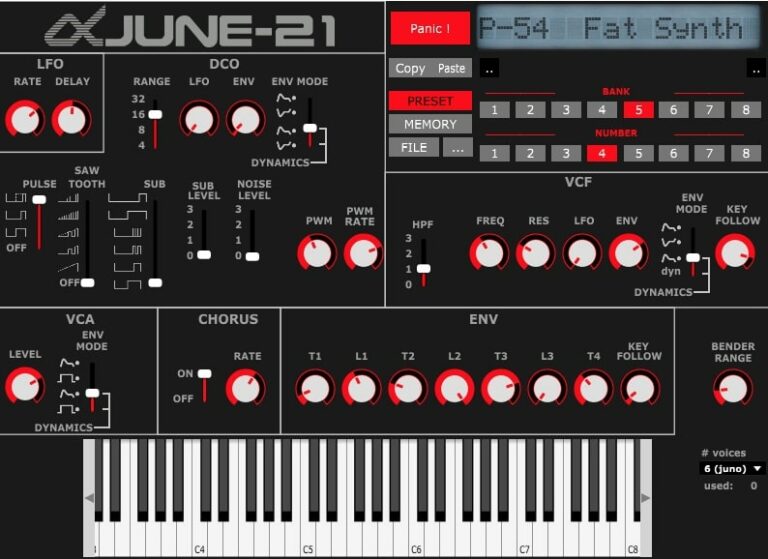
OS: Windows Win Mac Mac Linux Linux Bit Version: 64-bit Developer: Mike Rodd Size: 16 MB Rating: 65/100
June-21 offers the warm, classic sound of the Roland Juno and MKS-50 in a free, open-source plugin. It includes over 50 presets and tools such as LFO rate, pulse wave, and delay controls, helping producers shape tones ranging from soft pads to bright leads.
With controls for chorus, filters, and envelopes, June-21 gives users room to adjust their sound for any style. Its clear layout and faithful emulation make it a strong choice for those seeking vintage character with flexible sound design options.
Features
- Emulates Roland Juno And MKS-50
- Includes Over 50 Sound Presets
- Built-In Chorus Effect Option
- Features Pulse And Saw Waves
- Supports Polyphonic Voice Selection
- Includes Envelope Timing Controls
- Contains VCF Frequency Control
- Includes Resonance And HPF Options
- Runs On Windows, Mac, Linux
- Free And Open Source Plugin
Pros
- Free and open-source plugin
- Classic Roland Juno sound
- Faithful Juno and MKS-50 emulation
- Beautiful chorus effect built in
- Warm and nostalgic tones
- Real analog-style filter section
- Very low CPU usage
- Works on Windows, Mac, Linux
- Great for synthwave and retro
- Over 50 free presets included
Cons
- Limited modern sound design options
- Lacks modulation matrix control
- No built-in arpeggiator feature
- Few effects compared to others
- Limited number of sound presets
- No MIDI learn or mapping
- Missing advanced routing options
- Lacks built-in sequencer tool
- No resizable plugin window
- User interface looks quite plain
Testimonials
Tips
- I start by exploring the presets in June-21 to understand its sounds before making my own patches.
- I like to tweak the filter cutoff to shape the sound’s warmth or brightness.
- I use the chorus effect in June-21 to make my synth patches sound bigger and more alive.
- I layer June-21 with another synth to make a fuller sound for my songs.
- Experiment with the modulation options to add motion and life to your sounds.
- Combine June-21 with reverb or delay plugins to add depth and space to your mix.
- Use automation to create dynamic filter sweeps or volume builds over time.
13. Yonu60

OS: Windows Win Bit Version: Developer: L-Day Size: 0.9 MB Rating: 64/100
Yonu60 offers the sound and spirit of the classic Roland Juno in a modern VST plugin. It brings rich, vintage tones through its single DCO, sub oscillator, and flexible filters. With adjustable envelope controls, LFO modulation, and a smooth chorus, it recreates timeless analog warmth.
Designed for music creators who enjoy synth-driven styles, Yonu60 includes arpeggiator functions, unison mode, and pitch or octave control for deeper expression. Its poly and mono options make it suitable for both layered pads and punchy leads, fitting naturally into retro and modern tracks alike.
Features
- Emulates Classic Roland Juno Synth
- One DCO With LFO And PWM
- Includes Sub Oscillator And Noise
- ADSR And VCF Filter Envelopes
- Built-In Chorus Effect
- Selectable Unison Mode
- Arpeggiator With Rate Control
- Mono And Poly Play Modes
- Light On CPU Usage
- Retro And Vintage Sound Character
Pros
- Authentic vintage Roland Juno sound
- Includes classic chorus effect
- Captures true analog character
- Realistic analog-style filters
- Sub oscillator adds rich depth
- Light on CPU usage
- Offers flexible sound shaping
- Easy-to-use interface design
- Free and beginner-friendly plugin
- Ideal for synthwave and techno
Cons
- Only works on Windows
- Limited to 32-bit
- No built-in reverb
- Lacks advanced modulation
- No preset browser
- Few factory presets
- No MIDI learn
- Cannot resize window
- Lacks visual feedback
- Missing modern features
Testimonials
Tips
- I layer Yonu60 with another synth to make the sound fuller and more powerful.
- I always save my favorite settings as a preset so I can use them later.
- Use Yonu60’s LFO section to create movement and rhythm in your sounds.
- Adjust the attack and release settings to make pads or plucks fit better in your song.
- Pair Yonu60 with an EQ plugin to shape the high and low frequencies clearly.
- Try using the delay effect to add space and echo to your lead sounds.
- Read the Yonu60 manual to learn about hidden features and shortcuts.
14. Phutura

OS: Windows Win Bit Version: 32-bit Developer: Phuturetone Size: 3.2 MB Rating: 63/100
Phutura is a virtual synthesizer by Phuturetone, inspired by the Roland Alpha Juno and its classic Hoover sound. It uses three oscillators, eight-voice polyphony, saw, pulse, sub, and noise sounds to create leads, basses, chords, pads, and effects.
Its resonant low-pass and high-pass filters work with an LFO, envelopes, pitch bend, mod wheel, key tracking, and chorus. The plugin includes 128 patches and MIDI control for every interface setting. It runs as a 32-bit VST on Windows.
Features
- Eight Voice Polyphony
- Three Oscillator Types
- Sawtooth Pulse And Sub Waves
- White Noise Waveform
- Resonant Low Pass Filter
- Four Filter Modes
- LFO Modulation Control
- ADSR Envelope Controls
- Pulse Width Modulation
- 128 Patch Slots
Pros
- Authentic Alpha Juno inspired tone
- Excellent for classic Hoover sounds
- Three oscillators shape full sounds
- Sub oscillator strengthens bass lines
- Eight voices support rich chords
- Release reserve keeps notes smooth
- Four filter modes add variety
- Chorus creates wider classic sounds
- All controls support MIDI automation
- 128 patches speed up sound design
Cons
- Requires an older 32-bit host
- No Mac or Linux version
- No modern VST3 plugin format
- No Audio Unit or CLAP support
- Only eight voices play together
- Only three basic oscillator types
- No delay, reverb, or distortion
Testimonials
Tips
- I start with the factory presets to learn what Phutura can do. Try Hoover, bass, lead, pad, and synth sounds before making your own patch.
- I use the three oscillators to build a full sound. Saw waves add power, pulse waves add a sharp tone, and the sub oscillator adds deep bass.
- I use the low-pass filter to make a bright sound softer. I slowly move the cutoff knob until the sound fits the song.
- I adjust the attack and release to shape the sound. A short attack feels quick, while a longer release makes the sound fade out smoothly.
- I use the LFO for movement in a steady sound. A small amount of pitch or filter movement can make a patch feel more alive.
- Use a spectrum analyzer and your ears together. Remove muddy low sounds and harsh high sounds only when the mix needs it.
15. RJU-60

OS: Windows Win Bit Version: 32-bit Developer: EFM Size: 0.9 MB Rating: 57/100
RJU-60 is a 32-bit VST instrument for Windows that emulates the Roland Juno-60. It combines a DCO, pulse and saw waves, sub oscillator, noise, envelope controls, VCA, LFO, and high- and low-pass filters.
Its controls include chorus, unison, detune, pulse-width modulation, pitch-bend settings, and keyboard filter tracking. The arpeggiator offers adjustable speed, range, mode, and hold, supporting classic synth patterns in a DAW.
Features
- Roland Juno-60 Sound Emulation
- DCO, VCA, VCF, And LFO
- Envelope Generator Controls
- High-Pass And Low-Pass Filters
- Pulse And Saw Waves
- Sub-Oscillator And Noise
- Pulse Width Modulation
- Chorus With Two Modes
- Unison Voice Layering
- Built-In Arpeggiator
Pros
- Hands-on controls feel familiar
- Sub oscillator adds deep bass
- PWM creates moving pulse tones
- High-pass and low-pass filtering
- Chorus creates wide vintage color
- Unison makes sounds feel bigger
- Built-in arpeggiator sparks ideas
- Adjustable arpeggio speed and range
- Hold keeps patterns playing longer
Cons
- Limited to Windows systems
- Uses an outdated 32-bit format
- Needs bridging in newer DAWs
- No VST3 or AU support
- Only recreates one classic synth
- No wavetable sound design tools
- No sample loading features
Testimonials
Tips
- I start with a simple preset on the RJU-60 so I can learn what each control does.
- I turn the volume down before testing new sounds to protect my ears and speakers.
- I use the filter cutoff to make a sound brighter or darker.
- I adjust the filter resonance to add a sharper, more musical tone.
- I use a short attack for quick sounds and a longer attack for soft, slow sounds.
- Do not use too many effects at once, because they can hide the main synth sound.
- Try small changes instead of turning every knob far at once. Small moves often make the sound easier to shape.
106.js ( Bonus )

106.js is a Roland Juno 106 emulator for your web browser that recreates the sound of the original synth. It is the only online version of the Roland Juno 106.
- LFO Controls
- Chorus Audio Effects
- Envelope Feature
- Use a Computer Keyboard to Play
Website: 106.js | Web Browser
Roland Juno 106 Alternatives Compared
This table compares Roland Juno 106 alternatives by features, controls, effects, formats, and more.
| Details | OB-Xd | TyrellN6 | OS-251 | TAL–Bassline | TAL-Bassline | Chorus JUN-6 | TAL-U-No-62 | Sixth Month June | Juno 6 | ODsay |
|---|---|---|---|---|---|---|---|---|---|---|
| Image | 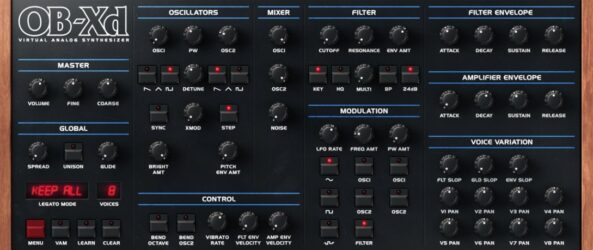 |
 |
 |
 |
 |
 |
 |
 |
 |
 |
| Rating | ||||||||||
| OS | Windows, Mac, Linux | Windows, Mac, Linux | Windows, Mac, Linux | Windows, Mac | N/A | Windows, Mac | Windows, Mac | Windows | Windows | Windows |
| Formats | VST, AU | VST, VST3, AU, AAX, CLAP | VST3, AU, LV2 | VST, AU | VST, AU | VST, AU | VST, AU | VST | VST | VST |
| Bit Version | 64-bit | 32-bit, 64-bit | 64-bit | 32-bit, 64-bit | 32-bit, 64-bit | 64-bit | 32-bit, 64-bit | 32-bit | 32-bit | 32-bit |
| Developer | discoDSP | U-He | Onsen Audio | TAL Software | TAL Software | Arturia | Togu Audio Line | Elektrostudio | Open Source VSTi | Elektrostudio |
| License | Freeware | Freeware | Freeware | Freeware | Freeware | N/A | Freeware | Freeware | Freeware | Freeware |
| Sample-Based | No | No | Select | No | No | No | No | Select | No | No |
| Download Size | 50 MB | 47 MB | 2.29 MB | 1 MB | 1 MB | 193.78 MB | 0.3 MB | 1 MB | 1 MB | 1 MB |
| CPU Load | Low | Low | Low | Low | Low | Low | Medium | Low | Low | Low |
| Polyphony | 7 | 8 | 64 | 1 | 1 | 36 | 6 | 6 | 6 | 6 |
| Features | Classic Synth Emulation, Blendable Multimode Filter, Micro Detuning, Unison Voices, Enhanced Oscillators, MTS-ESP Tuning, Bi-Directional MIDI | Virtual analogue synthesis, Dual oscillators, Twin filter, Modulation matrix, Unison voices, Chorus effect, Modern preset browser | Polyphony, Oscillators, Filters, Envelopes, LFO Modulation, Chorus, Unison Mode | Analog Bass Synthesis, Unique Low-Pass Filter, Non-Linear Envelopes, Band-Limited Oscillators, Sub-Oscillator, Simple Arpeggiator, Unison Mode | 18dB Low-Pass Filter, Non-Linear Envelopes, Band-Limited Oscillators, Sub-Oscillator, Unison Mode, Arpeggiator, MIDI Automation | BBD warmth, Stereo widening, Three chorus modes, Rate control, Depth control, LFO phase, Tempo sync | Polyphonic Voices, Band-Limited Oscillators, Syncable LFO, Self-Oscillating Filter, High-Pass Filter, ADSR Envelopes, MIDI Learn | Juno-6 Emulation, Arpeggiator, LFO Control, Low-Pass Filter, Envelope Modulation, Chorus Effect, Noise Generator | Analog Emulation, Arpeggio, Chorus Effect, LFO Modulation, DCO Sound Shaping, VCF Filtering, Envelope Control | Duophonic synthesis, Ring modulation, Analog oscillators, Pulse-width modulation, Envelope generators, High-pass filter, LFO modulation |
| Controls | Volume, Coarse, Spread, Unison, Cutoff, Resonance, Envelope (ADSR) | Oscillators, Mixer, Filter, LFOs, Envelopes, Matrix, Chorus | Oscillator, Envelope, Low-Pass Filter, High-Pass Filter, LFO, Chorus, Pitch | Tune, Waveform Selector, Filter Cutoff, Filter Resonance, Envelope, Arpeggiator, Unison Mode | Tune, Waveform Selector, Filter Cutoff, Filter Resonance, Envelope Mod, Decay, Volume | Mono Input, Chorus Modes, Manual, Rate, Depth, Phase, Mix | DCO Wave, DCO Pitch, VCF Freq, VCF Res, Envelope Attack, Envelope Release, Chorus I | Arpeggio, LFO Rate, Oscillators, Low Pass Filter, Envelope, Chorus, Tune | Power, Tune, Transpose, Arpeggio, LFO, DCO, Chorus | Master Tune, VCO 1, VCO 2, VCF Filter, LFO, ADSR Envelope, VCA Amplifier |
| Effects Included | Unknown | Chorus, Overdrive, Filter Feedback | Chorus, Low-pass filter, High-pass filter | Low pass filter, Resonant filter, LFO, Envelope, Portamento, Unison, Arpeggiator | Low pass filter, LFO, arpeggiator, portamento, unison mode | Chorus | Chorus I, Chorus II, low-pass filter, high-pass filter | Chorus, Delay | Chorus | Ring Modulator, Echo |
| MIDI Learn | Yes | Yes | Unknown | Yes | Yes | Yes | Yes | Unknown | Unknown | No |
| Presets | 250 | 580 | 100 | 23 | 23 | 16 | 20 | 30 | N/A | N/A |
| Standalone | Yes | No | Yes | Yes | Yes | No | No | Yes | Yes | Yes |
| Last Updated | 04/03/2024 | 09/01/2020 | N/A | 08/14/2023 | 02/02/2024 | 02/06/2026 | 11/01/2026 | N/A | N/A | N/A |
Favorite Roland Juno 106 VST Plugin Alternative
Our top pick for the best free Roland Juno 106 VST plugin alternative is TyrellN6 by U-He. It offers tons of controls, effects, presets, and and it’s available for both Windows and Mac.
| Details | TyrellN6 |
|---|---|
| Image |
|
| Rating | |
| OS | Windows, Mac, Linux |
| Formats | VST, VST3, AU, AAX, CLAP |
| Bit Version | 32-bit, 64-bit |
| Developer | U-He |
| License | Freeware |
| Sample-Based | No |
| Download Size | 47 MB |
| CPU Load | Low |
| Polyphony | 8 |
| Features | Virtual analogue synthesis, Dual oscillators, Twin filter, Modulation matrix, Unison voices, Chorus effect, Modern preset browser |
| Controls | Oscillators, Mixer, Filter, LFOs, Envelopes, Matrix, Chorus |
| Effects Included | Chorus, Overdrive, Filter Feedback |
| Download | Download TyrellN6 |
Roland Juno 106 Alternative FAQs
How to Install Roland Juno 106 VST Plugins
To install roland juno 106 VST plugins on Windows or Mac, extract the files from the Zip or Rar. Move the files (.dll for Windows or .component for Mac) into your DAW’s plugin folder. Then restart your software and rescan the directory to complete the process. Tutorial: How to Install VST Plugins
Windows:
Extract the downloaded zip file and copy the .dll file into the VST plugins folder scanned by your DAW. Restart your music software and rescan your plugin directory to begin using the new VST.
Mac OS X:
Extract the downloaded archive and move the .component or .VST file to the plugin folder. It is usually /Library/Audio/Plug-Ins/Components or /Library/Audio/Plug-Ins/VST. Restart your DAW and rescan your plugins to complete the installation.
What Is The Roland Juno 106?
The Juno 106 is a vintage analog synthesizer keyboard released by the Roland Corporation in 1984. It was one of Roland’s top-selling keyboards when it was released and has been an essential keyboard for many bands and musicians.
Roland has released a Roland Cloud Juno-106, which is a Juno 106 emulator, but it requires a paid monthly or yearly subscription. But, in this roundup, I will focus on free Roland Juno emulators.
What Kind of Synth Is Juno?
The Roland Juno Keyboard is a six-voice polyphonic analog synthesizer created by the Roland Corporation in the early 1980s.
These plugins emulate the digitally controlled oscillator of the original hardware versions and utilize zero feedback delay filters, resulting in a great sound that is both authentic and versatile.
The virtual hardware also includes analog voice dispersion and feedback delay filters, making it a top choice for any musician looking to add a classic synth sound to their production with tempo sync capabilities.
I hope you found this list of free Roland Juno 106 VST emulators helpful.
You may also like Free Korg VST Emulator Plugins