Here are the best free Delay VST plugins for Windows and Mac. We have included videos, reviews, features, pros, cons, and plugin ratings.
Table of Contents

How we rate delay plugins: We rate each delay plugin based on sound quality, design, performance, features, usability, and compatibility. We rate plugins on a scale of 1 to 100.
| # | Plugins | Ratings | OS | Formats |
|---|---|---|---|---|
| 1 | Valhalla Super Massive | Windows Mac | VST, AU | |
| 2 | Valhalla Freq Echo | Windows Mac | VST, VST3 | |
| 3 | Voxengo Tempo Delay | Windows Mac | VST, VST3, AU, AAX | |
| 4 | CHOW Matrix | Windows Mac Linux | VST, AU | |
| 5 | Spaceship Delay | Windows Mac Linux | VST, AU | |
| 6 | Brigade Delay | Windows Mac | VST, AU | |
| 7 | Analog Rack Delay | Windows Mac | VST, AU | |
| 8 | TAL-Dub III | Windows Mac | VST, AU | |
| 9 | Analog Rack Delay | Windows Mac | VST, AU | |
| 10 | Bionic Supa Delay | Windows | VST | |
| 11 | Cocoa Delay | Windows | VST | |
| 12 | WatKat | Windows Mac | VST, AU | |
| 13 | Lagrange | Windows Mac | VST, AU | |
| 14 | maDelay | Windows | VST | |
| 15 | Speculumfree | Windows Mac | VST, AU | |
| 16 | TAL-Dub | Windows Mac | VST, AU | |
| 17 | Vintage Tape Delay | Windows | VST | |
| 18 | PhatNoise Delay | Windows | VST | |
| 19 | ATK Stereo Universal Delay | Windows Mac | VST, AU | |
| 20 | Violent Delay | Windows | VST |
I have spent over 15 years testing and comparing hundreds of free and paid VST plugins, supported by hands-on demos on our YouTube channel, which has 12,000+ subscribers.
Best Free Delay VST Plugins
1. Valhalla Super Massive
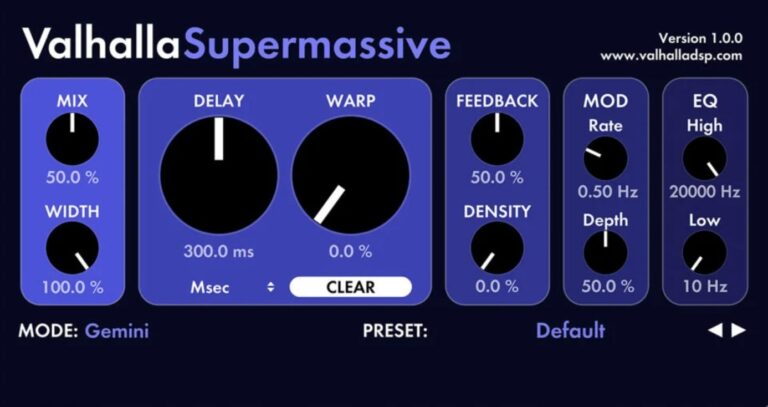
OS: Windows Win Mac Mac Bit Version: 64-bit Developer: Valhalla DSP Size: 3 MB Rating: 92/100
Valhalla Super Massive is a free reverb and delay plugin built for creating huge, evolving space effects. It offers 22 modes that range from smooth echoes to long, rich reverbs. Each mode shapes sound in a unique way, making it great for pads, vocals, and guitars.
With simple controls for mix, width, feedback, and tone shaping, you can quickly build anything from gentle ambience to deep, swirling textures. Valhalla Super Massive helps producers explore wide, atmospheric soundscapes without complexity or cost.
Features
- Creates Massive Reverbs And Echoes
- Includes 22 Reverb And Delay Modes
- Features EQ High And Low Cuts
- Provides Adjustable Delay And Feedback
- Supports Mod Rate And Depth Controls
- Contains Warp And Density Settings
- Offers Mix And Width Controls
- Produces Long Ambient Reverb Tails
- Free Plugin With No Limitations
- Light On CPU Usage
Pros
- Free with no hidden limits
- Low CPU use even stacked
- Huge reverb and delay options
- Twenty-two sound modes included
- Sounds like a paid plugin
- Smooth and musical modulation
- Creates evolving, dreamy soundscapes
- Brings life to pads and drums
- Perfect for spacey sounds
- Great for ambient music
Cons
- Lacks natural metallic tone
- Limited real instrument realism
- Reverb tails can sound artificial
- Hard to get dry, close sound
- Sounds too digital or synthetic
- No velocity-sensitive sample playback
- Cannot simulate hand touch dynamics
- Few controls for subtle detail
- Requires external drums for realism
Testimonials
2. Valhalla Freq Echo

OS: Windows Win Mac Mac Bit Version: 64-bit Developer: VALHALLA DSP Size: 2.8 MB Rating: 88/100
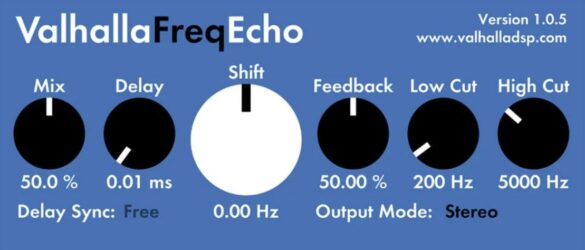
Valhalla Freq Echo is a free effect that combines a Bode-style frequency shifter with an analog-style echo. It creates chorusing, double-tracking, flanging, barberpole phasing, pitch movement, and repeating echo effects for psychedelic and dub-inspired sounds.
Controls include mix, delay, shift, feedback, low cut, high cut, delay sync, and stereo output. It is available for Windows and Mac as a 64-bit VST or VST3 plugin.
Features
- Free Frequency Shifting Delay
- Bode-Style Frequency Shifting
- Analog Echo Emulation
- Chorusing And Double-Tracking
- Barberpole Phasing Effects
- Flanging And Glissando Effects
- Runaway Echo Repeats
- Feedback Controls Echo Repeats
- Low And High Cut Filters
- Free Or Tempo-Synced Delay
Pros
- Completely free to download
- Creates unusual echo sounds
- Offers unique frequency shifting
- Produces smooth chorus sounds
- Creates wide double-tracking effects
- Adds barberpole phasing effects
- Makes endless glissando effects
- Builds wild runaway echoes
- Includes useful tone filters
- Supports free delay timing
Cons
- Plugin name does not match details
- Focused mainly on strange echoes
- Less useful for clean delays
- Delay sync options seem limited
- Feedback can become hard to control
- Reports mention crashes and muting
- Fewer delay types than competitors
Testimonials
3. Voxengo Tempo Delay

OS: Windows Win Mac Mac Bit Version: 64-bit Developer: Voxengo Size: 7.9 MB Rating: 85/100
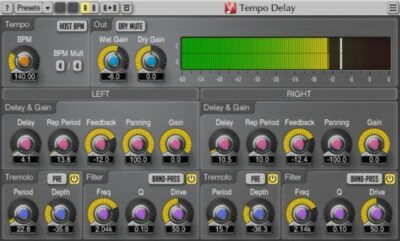
Voxengo Tempo Delay is a stereo delay plugin for creating synced echoes, ping-pong effects, and filtered repeats. It offers separate left and right controls for delay time, feedback, panning, tremolo, and tone shaping.
The plugin supports host BPM sync, beat-based timing, adjustable filters, and tremolo effects. It suits vocals, instruments, and sound design, with VST, VST3, AU, and AAX support on 64-bit Windows and Mac systems.
Features
- Stereo Delay Effects
- Ping Pong Stereo Delay
- Tempo Synced Delay Times
- Adjustable BPM Multipliers
- Independent Left And Right Controls
- Feedback Control For Repeats
- Resonant Delay Filtering
- Separate Channel Tremolo Controls
- Drive For Warmth And Distortion
- Zero Latency Processing
Pros
- Balanced ping-pong stereo echoes
- Separate delay and repeat timing
- Independent controls for each channel
- Natural movement across the stereo field
- Zero processing latency for live work
- Built-in tremolo adds rhythmic movement
- Separate tremolo controls shape both sides
- Resonant filters shape every repeat
- Drive adds warm, gritty color
- Oversampling can improve filter quality
Cons
- Controls may feel confusing
- Delay length may feel limited
- No built-in reverb section
- No reverse delay mode
- No ducking for cleaner echoes
- Limited filter choices
- No built-in modulation system
Testimonials
4. CHOW Matrix

OS: Windows Win Mac Mac Linux Linux Bit Version: 32-bit, 64-bit Developer: Chowdhury DSP Size: 7.6 MB Rating: 84/100
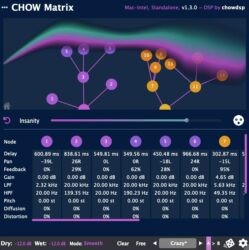
CHOW Matrix is an expandable delay effect built from connected delay lines. Each node offers controls for timing, feedback, gain, panning, filtering, diffusion, distortion, pitch shifting, and reverse playback. Create anything from multi-tap echoes to wide, reverberant spaces.
Its graph view lets you add, move, connect, and edit delay nodes. Tempo-sync or free timing, Freeze mode, randomization, and the Insanity control support rhythmic, evolving, and unpredictable effects. It is available for Windows, macOS, Linux, and iOS.
Features
- Infinitely Expandable Delay Matrix
- Connected Delay Node Network
- Multi-Tap Echo Creation
- Reverberant Space Creation
- Pitch Shifting Per Delay Node
- Recursive Distortion Processing
- Multi-Stage Diffusion Filtering
- Reverse Grain Processing
- Random Insanity Modulation
- Freeze Mode For Sustained Delays
Pros
- Creates huge spaces from simple echoes
- Builds custom delay trees
- Adds pitch-shifted repeat effects
- Adds filters inside feedback loops
- Adds anti-aliased distortion
- Reverses grains for unusual textures
- Modulates delay time and panning
- Freezes sounds with high feedback
- Insanity mode creates wild movement
- Provides stereo control per node
Cons
- Steep learning curve for beginners
- Complex graph takes time
- Many controls may confuse users
- Node editing feels fiddly
- Tiny text hurts readability
- Lacks ducking found in Kilohearts Delay
- Unstable builds may cause problems
Testimonials
5. Spaceship Delay

OS: Windows Win Mac Mac Linux Linux Bit Version: 64-bit Developer: Musical Entropy Size: 9 MB Rating: 84/100
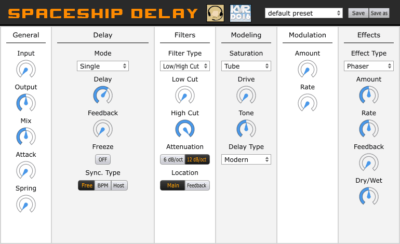
Spaceship Delay is a flexible delay effect with Single, Ping Pong, and Dual modes. Set timing in milliseconds, tempo divisions, or tap tempo, then shape repeats with feedback, modulation, filtering, saturation, spring reverb, and classic, modern, or vintage delay styles.
Use dynamics to trigger or duck repeats, while tremolo and phaser add movement before or after the delay loop. Freeze turns long delays into looping textures. It suits vocals, drums, guitars, and synths, with presets and tutorials. Available free in VST3, AU, AAX, and CLAP formats.
Features
- Classic, Modern, And Vintage Delays
- Single, Ping Pong, And Dual
- Time Subdivision Synchronization
- Feedback Up To 110 Percent
- Delay Time Modulation
- Duck Delay With Thresholds
- Modeled Spring Reverb
- Low-Pass And High-Pass Filters
- Saturation And Bitcrusher Effects
- Freeze And Looper Mode
Pros
- Offers single, ping pong, stereo
- Feedback reaches powerful 110 percent
- Includes useful delay color choices
- Adds warm tube-style saturation
- Includes creative bitcrusher sounds
- Shapes echoes with many filters
- Supports ducking for clearer mixes
- Includes a modeled spring reverb
- Adds tremolo and vintage phaser
- Turns long delays into loopers
Cons
- Complex interface may overwhelm beginners
- Dry/wet behavior may feel unexpected
- Reported crashes affect some hosts
- Wet signal can drift noticeably
- Effects may leak when seemingly off
- Only three main delay modes
- No reverse delay option
Testimonials
8. TAL-Dub III

OS: Windows Win Mac Mac Bit Version: 32-bit, 64-bit Developer: Togu Audio Line Size: 0.7 MB Rating: 76/100
TAL-Dub III is a delay effect with up to four seconds of time, dual-channel operation, and tempo-synced rhythmic settings. Its feedback path includes low- and high-pass filters, while adjustable alias-free saturation adds grit and color.
Input drive shapes the signal before delay, and feedback can sustain long or infinite repeats. Dry and wet controls set the blend, while tap tempo, MIDI Learn, and value displays support hands-on control. Available for Windows and Mac in VST and AU formats.
Features
- Delay Time Up To Four Seconds
- Nonlinear Low Pass Filter
- High Pass Feedback Filter
- Adjustable Alias Free Saturation
- Dual Channel Delay
- Synced Musical Delay Times
- Tap Button For Live Timing
- MIDI Learn For All Knobs
- Feedback For Infinite Delays
- Low CPU Usage
Pros
- Supports delays up to four seconds
- Great for dub-style sound effects
- Filters shape the feedback tone
- Feedback can create endless repeats
- Drive adds bold input character
- Saturation adds warmth without extra plugins
- Dual-channel delay adds stereo width
- Tempo syncing fits many music styles
- Triplet and dotted timings add rhythm
- MIDI Learn supports hands-on control
Cons
- No reverb or space modes
- No modulation for moving echoes
- No ducking keeps echoes out
- No built-in effect slots
- Only four seconds of delay
- No VST3 or AAX support
- Only one output channel heard
Testimonials
9. Analog Rack Delay
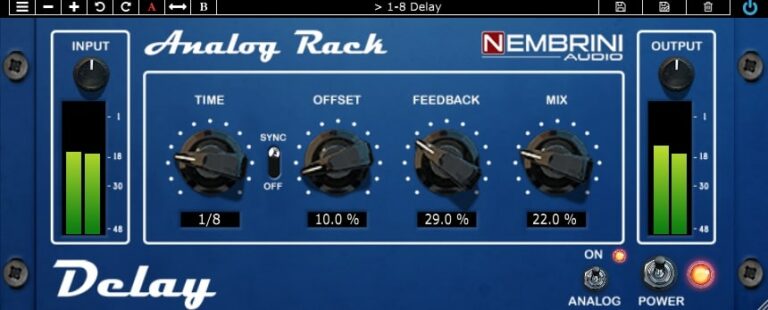
OS: Windows Win Mac Mac Bit Version: 32-bit, 64-bit Developer: Nembrini Audio Size: 27 MB Rating: 75/100
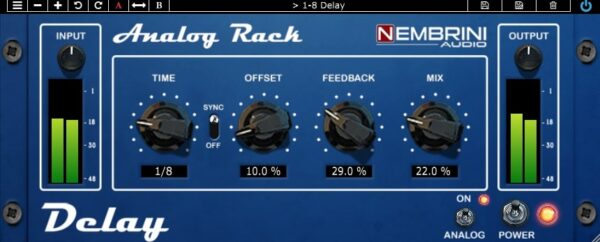
Analog Rack Delay is a warm, musical delay plugin with analog and digital delay sounds. It includes BPM sync, stereo spread, feedback, offset, and mix controls for shaping echoes. A virtual tube preamp adds extra color and character to guitars, vocals, and other tracks.
Use it as an insert effect to create subtle depth or repeating echoes. The plugin includes input and output meters, presets, and analog-style processing. It runs on Windows and Mac in VST and AU formats, with support for 32-bit and 64-bit systems.
Features
- Warm Analog Delay Sound
- BPM Synchronization Controls
- Stereo Spread Adjustment
- Custom Tube Preamp Circuit
- Adjustable Delay Time
- Feedback Repeats Control
- Dry And Wet Mix
- Input And Output Meters
- Preset Selection And Saving
- VST And AU Formats
Pros
- Free to download and use
- Warm, musical analog delay sound
- Tube preamp adds rich color
- BPM sync keeps echoes on beat
- Stereo spread creates wider echoes
- Offset adds natural timing movement
- Input meter helps prevent clipping
- Analog switch adds classic delay character
- Preset tools speed up sound shaping
- Supports popular plugin formats
Cons
- Limited tone shaping controls
- No built-in filter section
- No echo modulation controls
- No separate left-right delay controls
- No reverb or space modes
- No VST3 format listed
- 32-bit support feels outdated
Testimonials
10. Bionic Supa Delay
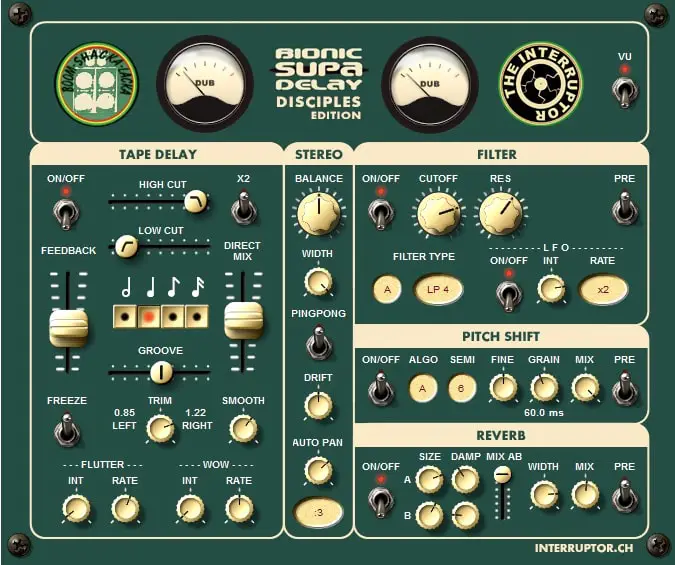
OS: Windows Win Bit Version: 32-bit Developer: Interruptor Size: 2.6 MB Rating: 74/100
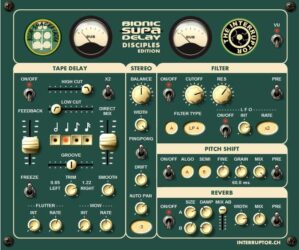
Bionic Supa Delay offers the warm, vintage character of a classic tape delay with modern creative control. It combines tape-style wow, flutter, and saturation with tempo-synced echoes, stereo shaping, and a freeze function for evolving rhythmic or atmospheric effects.
This plugin includes filter, pitch shift, and reverb sections that can be placed before or after the delay for flexible sound design. From subtle echo to complex feedback textures, it helps music creators shape delays that feel wide, colorful, and full of analog depth.
Features
- Authentic Vintage Tape Delay Sound
- Tape Wow And Flutter Controls
- Freeze Button For Infinite Loop
- Host Tempo Synchronization
- Ping Pong Delay Option
- Analog-Style Saturation And Compression
- LFO Modulation For Filter Cutoff
- Optional Chorus Effect Mode
- Two Mixable Reverb Types
- MIDI Learn For All Controls
Pros
- Warm vintage tape sound
- Freeze button for endless loops
- Wow and flutter add realism
- Rich stereo widening options
- Unique color and tone shaping
- Ping pong mode for movement
- Auto panner adds dynamic motion
- Pitch shift adds fun textures
- Many filter types for shaping
- Free and reliable performance
Cons
- Only available in 32-bit format
- No support for Mac systems
- High CPU use on some setups
- No built-in preset manager
- Lacks oversampling or quality modes
- No built-in limiter for peaks
- Not available in VST3 format
- Can sound muddy with heavy feedback
- User interface looks dated
- Unclear support or update schedule
Testimonials
12. WatKat

OS: Windows Win Mac Mac Bit Version: 32-bit, 64-bit Developer: GSi Size: 0.8 MB Rating: 72/100
WatKat is a digital model of the Wem Watkins Custom Copicat tape echo. It delivers a lo-fi, noisy, and irregular delay with tape flutter, pitch drops, fading repeats, and rising hum for gritty vintage effects.
Swell sets repeat volume, Sustain controls repeat length, and Drive adds grit. Three playback heads offer different delay times, while Gain 1 and Gain 2 control left and right inputs. WatKat is available for Windows and Mac in VST and AU formats.
Features
- Digital Watkins Copicat Clone
- Lo-Fi Tape Echo Sound
- Irregular Pitch Changes
- Built-In Tape Flutter
- Periodic Pitch Fall
- Increasing Background Hum
- Incomplete Tape Erasure
- Dirty Playback Heads
- Three Selectable Playback Heads
- Drive Adds Grit And Loudness
Pros
- Authentic WEM Watkins emulation
- Distinct lo-fi tape tone
- Built-in hiss adds character
- Natural pitch falls sound realistic
- Capstan flutter feels authentic
- Unpredictable echoes create surprises
- Three playback heads included
- Swell shapes repeat volume
- Sustain controls repeat length
- Separate left input gain
Cons
- Too much noise for clean tracks
- Pitch drops can ruin timing
- Motor flutter sounds too unstable
- Feedback can become hard to control
- No tempo-synced delay timing
- No filters for shaping repeats
- No VST3, AAX, or CLAP support
Testimonials
13. Lagrange
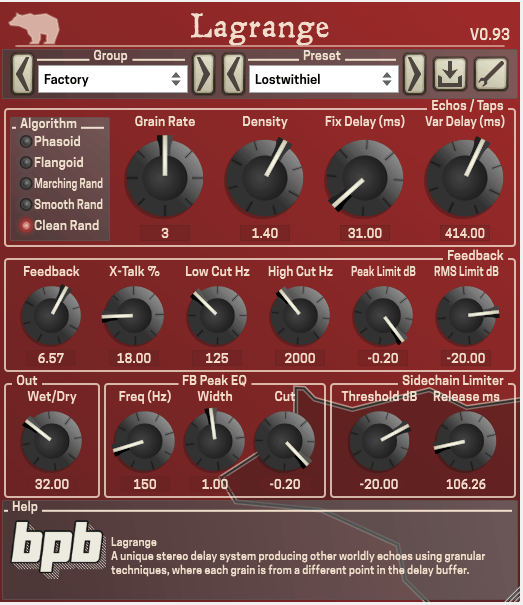
OS: Windows Win Mac Mac Bit Version: 32-bit, 64-bit Developer: UrsaDSP Size: 3 MB Rating: 72/100
Lagrange is a stereo granular delay that creates unusual, shifting echoes. It takes grains from different points in the delay buffer, producing organic movement and changing textures. Choose from phase, flanger, or random algorithms to shape the effect.
Controls include grain rate, density, fixed and variable delay, feedback, channel crosstalk, filtering, and feedback EQ. Peak and RMS limiters help manage levels, while Wet/Dry sets the balance between the processed and original sound. Available for Windows and Mac in VST and AU formats.
Features
- Granular Stereo Delay
- Multiple Delay Algorithms
- Phasoid Sound Mode
- Flangoid Sound Mode
- Marching Random Mode
- Adjustable Grain Rate
- Adjustable Grain Density
- Fixed And Variable Delay
- Feedback Equalizer Controls
- Low And High Cut Filters
Pros
- Creates unique granular echoes
- Turns delays into soundscapes
- Gives precise randomness control
- Uses many grain algorithms
- Includes phase-style movement
- Adds flanger-style movement
- Shapes changing delay time
- Supports stereo channel mixing
- Filters feedback lows and highs
- Adds peak and RMS limiting
Cons
- May fail in some hosts
- No built-in sample loading
- No grain pitch control
- No grain size control
- No reverse grain option
- No built-in modulation system
- No VST3 format
Testimonials
14. maDelay
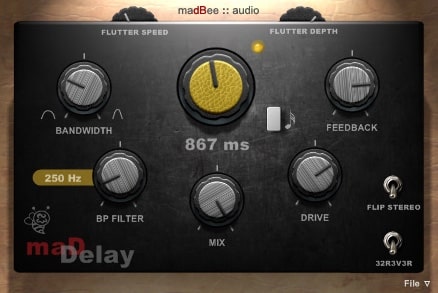
OS: Windows Win Bit Version: 32-bit Developer: Madbee Audio Size: 3.5 MB Rating: 70/100
maDelay offers a classic tape echo sound with modern control options. It includes time and beat selection, flutter, and a bandpass filter for shaping echoes. The drive control adds warmth, while stereo flip and mix settings make it easy to adjust width and depth.
maDelay can create smooth, vintage-style repeats or wild, modulated textures. The feedback and flutter controls let you move from soft ambience to experimental sound design. It works well on guitars, synths, and drums, giving tracks extra space and character.
Features
- Free Tape Echo And Delay
- Adjustable Flutter Speed And Depth
- Drive For Warm Analog Sound
- Mix For Wet And Dry Balance
- Reverse And Random Modulation
- Tempo Sync And Unsync Modes
- Envelope Follower For Dynamics
- Bandpass Filter Control
- Low CPU Usage Performance
- Wide Stereo And Pan Control
Pros
- Warm analog-style tape echo sound
- Unique flutter speed and depth control
- Reverse delay adds creative depth
- Envelope follower makes dynamic echoes
- Drive adds natural tape warmth
- Random modulation sparks fresh ideas
- Bandpass filter shapes tone easily
- Syncs to tempo for tight timing
- Low CPU usage for smooth play
- Free plugin with pro-level quality
Cons
- Only works on Windows
- No macOS or Linux support
- Limited to 32-bit format
- VST format only
- Can’t run in all DAWs
- No built-in preset browser
- Interface looks dated
- Lacks true tape noise control
- No internal oversampling
- Limited automation options
Testimonials
15. Speculumfree

OS: Windows Win Mac Mac Bit Version: 64-bit Developer: Decade Bridge Size: 32 MB Rating: 69/100
Speculumfree is a free delay and comb filter effect from Decade Bridge. Switch between delay and comb modes, then shape the result with a resonant low-pass filter. Controls include cutoff, resonance, feedback, dry/wet mix, output gain, and separate left/right offset.
Its divide control allows fine delay-rate changes, and automation can create flanging, chorus, and phasing sounds. Speculumfree is available in 64-bit VST and AU formats for Windows and macOS, making it a flexible free option for sound design and mixing.
Features
- Free Delay And Comb Filter
- Switches Between Delay And Comb
- Resonant Low-Pass Filter
- Fine Delay Rate Control
- Creates Flanging, Chorus, And Phasing
- Separate Left And Right Sounds
- Adjustable Cutoff Frequency
- Adjustable Filter Resonance
- Adjustable Delay Time
- Dry And Wet Signal Mix
Pros
- Free for Windows and macOS
- Supports VST and AU formats
- Works as delay or comb filter
- Creates flanging, chorus, and phasing
- Fine delay timing supports sound design
- Resonant low-pass filter adds character
- Adjustable cutoff shapes bright or dark tones
- Stereo offset widens the effect
- Gives unusual comb-filter textures
- Easy automation creates moving effects
Cons
- Basic delay lacks tempo sync
- No built-in ping-pong mode
- No multi-tap echo controls
- No pitch shifting for repeats
- No diffusion for wide spaces
- No built-in LFO modulation
- No ducking for clear vocals
Testimonials
16. TAL-Dub

OS: Windows Win Mac Mac Bit Version: 32-bit, 64-bit Developer: Tal-Software Size: 455 KB Rating: 69/100
TAL-Dub is a vintage-style delay effect for Windows and Mac. It creates clean echoes, filtered repeats, strong resonance, and heavily distorted, self-feeding delays through timing, feedback, filter, and mix controls.
Set separate left and right delay times, link channels, shape repeats with low-cut and damp controls, and add resonance. Filter the feedback path, swap stereo channels, and map controls to MIDI for live adjustment.
Features
- Vintage-Style Delay Effect
- Clean To Distorted Delays
- Left And Right Delay Controls
- Beat-Based Delay Time Settings
- High Frequency Dampening
- Resonance Filter Control
- Low Cut Filter
- Adjustable Left And Right Feedback
- Dry And Wet Mix Control
- MIDI Controller Knob Learning
Pros
- Creates clean or distorted delays
- Delivers a warm vintage sound
- Separate left and right timing
- Links both delay channels quickly
- Shows useful beat delay values
- Creates wide stereo echo effects
- Feedback can make endless echoes
- Filter feedback shapes every repeat
- Swap channels for new stereo effects
- MIDI Learn supports hands-on control
Cons
- Very old operating system support
- No modern VST3 format listed
- No AAX support for Pro Tools
- No native Apple Silicon support
- macOS support stops at 10.9
- 32-bit Mac hosts only
- No delay modulation section included
Testimonials
17. Vintage Tape Delay
OS: Windows Win Bit Version: 32-bit Developer: Retro Sampling Size: 8.1 MB Rating: 65/100
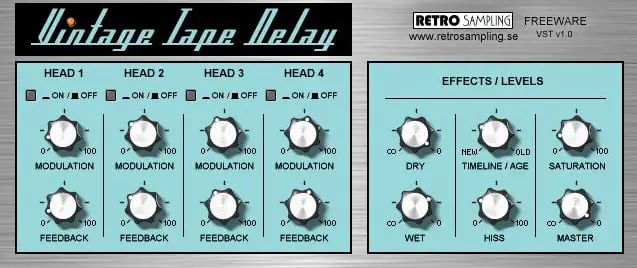
Vintage Tape Delay offers the classic sound of old tape echo machines, bringing warmth, wobble, and slight grit to your tracks. It’s useful for adding depth to vocals, drums, or synths while keeping that smooth, analog character found in vintage gear.
With four adjustable delay heads, modulation, and feedback controls, it gives you creative shaping over your echoes. Features like hiss, saturation, and tape age let you control how clean or worn the sound feels, making it easy to add vintage character or experimental textures.
Features
- Emulates Classic Tape Delay Sound
- Adds Warm Analog Character
- Four Independent Delay Heads
- Per Head Modulation Control
- Saturation Control For Warmth
- Hiss Control For Tape Noise
- Pitch Glide When Changing Delay
- Built-In Chorus For Width
- Low CPU Usage Performance
- Simple And Clear Interface
Pros
- Gives warm vintage tape sound
- Lush echo and delay tones
- Pitch glide adds cool effects
- Four delay heads for variety
- Sound feels like real hardware
- Can make gritty lo-fi sounds
- Good saturation adds color
- Low CPU for smooth runs
- Instant vintage vibe creator
- Fun creative sound-design tool
Cons
- No macOS version available
- Only supports 32-bit Windows
- Missing modern resizable interface
- No built-in tempo sync
- No oversampling option included
- Sound can get muddy fast
- Saturation can distort too easily
- No stereo width control
- Very limited visual feedback
- Poor documentation and help files
Testimonials
18. PhatNoise Delay
OS: Windows Win Bit Version: 32-bit, 64-bit Developer: BurghRecords Size: 12 MB Rating: 65/100
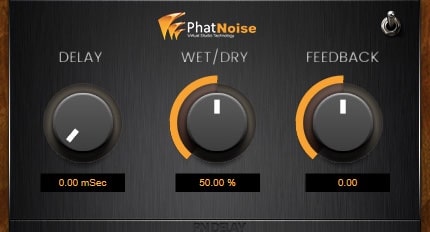
PhatNoise Delay offers the warm, vintage sound of classic 70s tape echo units, giving tracks a smooth and rich delay effect. Its simple design makes shaping echoes and adding analog-style warmth easy, helping producers get that thick, retro tone in just a few adjustments.
With controls for delay time, feedback, and wet/dry mix, it gives quick creative control without clutter. The added saturation brings character and grit to synths, guitars, or vocals, making it a handy tool for adding space and texture to any mix.
Features
- Emulates Classic Tape Echo Sound
- Creates Warm And Lush Delays
- Adds Subtle Or Heavy Saturation
- Simple One-Knob-Per-Function Design
- Low CPU Usage For Projects
- Supports 32-Bit And 64-Bit
- Includes Delay, Feedback, Wet/Dry Controls
- Provides Retro Analog Feel
- User-Friendly And Intuitive Interface
- Features On/Off Power Switch
Pros
- Warm vintage tape echo sound
- Adds natural tape-style warmth
- Gritty tone similar to vintage gear
- Free plugin with pro-level sound
- Low CPU use for smooth play
- Easy one knob per function design
- Creates rich and thick delays
- Balanced wet and dry blend control
- Works great for synth and vocals
- Quick to get great results
Cons
- Only works on Windows systems
- No AU or AAX plugin format
- Interface looks old and plain
- Cannot sync delay to tempo
- Few creative sound design tools
- Lacks tape noise customization
- No wow and flutter control
- Can sound harsh when pushed
- No built-in oversampling option
- Less features than Chow Tape Model
Testimonials
19. ATK Stereo Universal Delay
OS: Windows Win Mac Mac Bit Version: 32-bit, 64-bit Developer: Matthieu Brucher Size: 0.9 MB Rating: 62/100
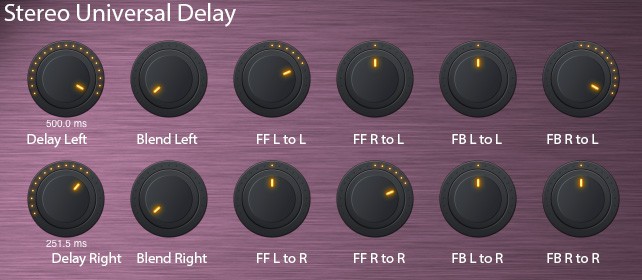
ATKStereoUniversalDelay is a dual stereo delay plugin with separate controls for the left and right channels. Set individual delay times, blend delayed and original signals, and adjust channel levels for different stereo effects.
The plugin includes forward and feedback routing between both channels, allowing cross-channel delays and repeated echoes. It runs on Windows and Mac in VST and AU formats, with 32-bit and 64-bit support.
Features
- Stereo Delay Effect
- Separate Left And Right Delays
- Adjust Left Channel Delay
- Adjust Right Channel Delay
- Left To Left Routing
- Right To Left Routing
- Left To Right Routing
- Right To Right Routing
- Left Channel Feedback
- Right Channel Feedback
Pros
- Separate left and right delays
- Independent channel timing control
- Flexible stereo sound shaping
- Adjustable left channel blend
- Adjustable right channel blend
- Supports forward delay routing
- Supports feedback delay routing
- Routes left signals rightward
- Routes right signals leftward
- Supports precise millisecond settings
Cons
- Limited to basic delay routing
- No tempo-sync delay controls
- No feedback filtering options
- No delay-time modulation controls
- No ducking for clearer repeats
- No modern VST3 format
- No AAX format for Pro Tools
20. Violent Delay
OS: Windows Win Bit Version: 32-bit Developer: Bitsonic Size: 6 MB Rating: 62/100
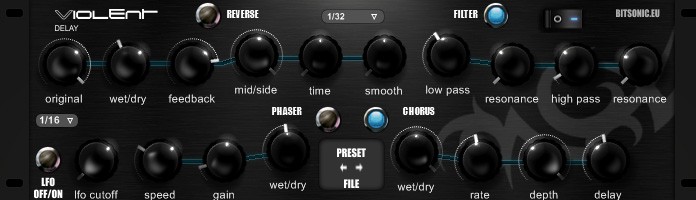
Violent Delay is a free 32-bit VST effect for Windows that creates echoes and adds filter, phaser, and chorus processing. Its simple layout makes core delay controls easy to adjust.
Set delay time by milliseconds or note values, control repeats, reverse the echoes, and shape their stereo position with Mid/Side control. Filter, LFO, phaser, and chorus settings add movement and tone.
Features
- Delay, Filter, Phaser, And Chorus
- Adjustable Delay Time And Feedback
- Reverse Delay Playback Mode
- Note Based Time Sync
- Wet/Dry Mix Control
- Mid/Side Stereo Delay Control
- Low Pass And High Pass Filters
- Filter Resonance Controls
- LFO Filter Movement Controls
- Adjustable Chorus Rate And Depth
Pros
- Built-in filter shapes delay repeats
- Filter resonance adds extra color
- LFO creates moving filter sounds
- Built-in phaser adds stereo movement
- Built-in chorus adds wider sound
- Chorus delay adds more tone choices
- Reverse mode creates backward echoes
- Time Sync matches musical note values
- Mid/Side control shapes stereo space
- Feedback controls repeat count easily
Cons
- Windows-only plugin
- 32-bit format limits compatibility
- No VST3 format listed
- No Audio Unit support
- No AAX support listed
- No Apple Silicon support mentioned
- No independent channel delays
Testimonials
Best Delay Plugins Compared
This table compares the top delay plugins by features, controls, effects, formats, and more.
| Details | Valhalla Super Massive | Valhalla Freq Echo | Voxengo Tempo Delay | CHOW Matrix | Spaceship Delay | Brigade Delay | Analog Rack Delay | TAL-Dub III | Analog Rack Delay | Bionic Supa Delay |
|---|---|---|---|---|---|---|---|---|---|---|
| Image | 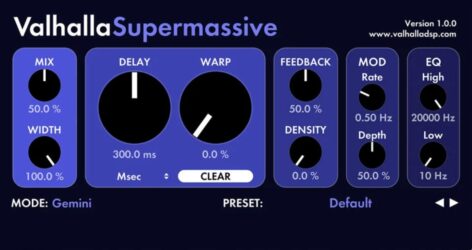 |
 |
 |
 |
 |
 |
 |
 |
||
| Rating | ||||||||||
| OS | Windows, Mac | Windows, Mac | Windows, Mac | Windows, Mac, Linux | Windows, Mac, Linux | Windows, Mac | Windows, Mac | Windows, Mac | Windows, Mac | Windows |
| Formats | VST, AU | VST, VST3 | VST, VST3, AU, AAX | VST, AU | VST, AU | VST, AU | VST, AU | VST, AU | VST, AU | VST |
| Bit Version | 64-bit | 64-bit | 64-bit | 32-bit, 64-bit | 64-bit | 32-bit, 64-bit | 32-bit, 64-bit | 32-bit, 64-bit | 32-bit, 64-bit | 32-bit |
| Developer | Valhalla DSP | VALHALLA DSP | Voxengo | Chowdhury DSP | Musical Entropy | Full Bucket Music | Nembrini Audio | Togu Audio Line | Nembrini Audio | Interruptor |
| License | Freeware | Freeware | Freeware | Freeware | Freeware | Freeware | Freeware | GPL | Commercial | Freeware |
| Sample-Based | No | No | No | No | No | No | No | No | No | No |
| Download Size | 3 MB | 2.8 MB | 7.9 MB | 7.6 MB | 9 MB | 3.7 MB | 27 MB | 0.7 MB | 27 MB | 2.6 MB |
| CPU Load | Low | Low | Low | High | High | Low | Low | Low | Low | Low |
| Polyphony | 64 | N/A | N/A | N/A | N/A | 1 | Not documented | N/A | N/A | 6 |
| Features | Massive reverbs, Harmonic echoes, Space sounds, 22 modes, Simple controls, Lush modulation, Free plugin | Frequency Shifting, Analog Echo, Chorusing, Double-Tracking, Barberpole Phasing, Flanging, Endless Glissandos | Stereo Delay, Ping-Pong Delay, Tempo Sync, Independent Channels, Tremolo Modulation, Resonant Filtering, Preset Management | Infinite Delay Matrix, Complex Modulation, Pitch Shifting, Diffusion Processing, Distortion Processing, Feedback Freeze, Tempo Sync | Multiple Delay Modes, Modulation, Ducking Dynamics, Spring Reverb, Advanced Filtering, Saturation Modeling, Freeze Looper | Analog Delay Simulation, BBD Modeling, LFO Modulation, Tempo Sync, Smooth Time Changes, Delay Freeze, Quality Control | Analog Delay, Stereo Spread, BPM Sync, Tube Preamp, Time Control, Feedback Control, Mix Control | Dual-channel Delay, Infinite Feedback, Alias-free Saturation, Low-pass Filter, High-pass Filter, Tap Tempo, MIDI Learn | Analog Delay, BPM Sync, Stereo Spread, Tube Preamp, Warm Coloration, Feedback Control, Preset Management | Tape delay, Stereo width, Filter modulation, Pitch shifting, Reverb mixing, Freeze function, MIDI automation |
| Controls | Mix, Width, Delay, Warp, Feedback, Density, Mode | Mix, Delay, Shift, Feedback, Low Cut, High Cut, Delay Sync | Presets, Tempo, BPM, Host BPM, BPM Mult, Out Dry Mute, Wet Gain | Node Map, Insanity Slider, Undo Button, Node Table, Delay, Pan, Feedback | Preset Menu, Input, Output, Mix, Attack, Spring, Delay Mode | Range, Time, Feedback, LFO Speed, LFO Depth, Mix, Quality | Input, Time, Sync, Offset, Feedback, Mix, Output | In Drive, Delay, Low Cut, High Cut, Feedback, Saturation, Wet | Input, Time, Sync Switch, Feedback, Mix, Output, Analog Switch | On/Off, Feedback, Freeze, Smooth, Width, Cutoff, Mix AB |
| Effects Included | Reverb, Delay, Echo, Modulation, EQ (High Cut, Low Cut), Filtering | Bode-style frequency shifting, analog echo, chorusing, double-tracking, barberpole phasing, flanging, endless glissandos, runaway echoes | Stereo delay, ping-pong stereo delay, filtered delay, tremolo, resonant filter, drive, distortion, band-pass filter | Delay, pitch-shifting, diffusion, distortion, reverse, high-pass filtering, low-pass filtering, panning, modulation, gain | Spring reverb, low-pass filter, high-pass filter, shelf filters, synthesizer filter simulations, bitcrusher, tube preamp simulation, tremolo, phaser | Delay, flanger, chorus | Delay, stereo spread, tube preamp coloration | Delay, saturation, low-pass filter, high-pass filter | Analog delay, tube preamp | Delay, Filter, Pitch Shift, Reverb, Auto Panner, Chorus |
| MIDI Learn | No | No | No | Yes | Select | Yes | No | Yes | No | Unknown |
| Presets | 128 | N/A | N/A | 7 | N/A | 10 | N/A | 10 | N/A | 8 |
| Standalone | No | No | No | Yes | No | No | Yes | No | No | Yes |
| Last Updated | 05/28/2024 | N/A | 04/10/2026 | 11/24/2026 | 11/17/2026 | 24/11/2024 | 24/09/2026 | 08/01/2010 | 11/14/2026 | 09/20/2012 |
Best Delay VST Plugins
Our top picks for the best free Delay VST plugins are Valhalla Super Massive by Valhalla DSP, Voxengo Tempo Delay by Voxengo, and Spaceship Delay by Musical Entropy.
| Details | Valhalla Super Massive | Voxengo Tempo Delay | Spaceship Delay |
|---|---|---|---|
| Image | | | |
| Rating | |||
| OS | Windows, Mac | Windows, Mac | Windows, Mac, Linux |
| Formats | VST, AU | VST, VST3, AU, AAX | VST, AU |
| Bit Version | 64-bit | 64-bit | 64-bit |
| Developer | Valhalla DSP | Voxengo | Musical Entropy |
| Download Size | 3 MB | 7.9 MB | 9 MB |
| Download | Visit Valhalla Super Massive | Visit Voxengo Tempo Delay | Visit Spaceship Delay |
Delay VST FAQs
How to Install Delay VST Plugins
To install delay VST plugins on Windows or Mac, extract the files from the Zip or Rar. Move the files (.dll for Windows or .component for Mac) into your DAW’s plugin folder. Then restart your software and rescan the directory to complete the process. Tutorial: How to Install VST Plugins
Windows:
Extract the downloaded zip file and copy the .dll file into the VST plugins folder scanned by your DAW. Restart your music software and rescan your plugin directory to begin using the new VST.
Mac OS X:
Extract the downloaded archive and move the .component or .VST file to the plugin folder. It is usually /Library/Audio/Plug-Ins/Components or /Library/Audio/Plug-Ins/VST. Restart your DAW and rescan your plugins to complete the installation.
What Is A Delay Plugin?
Delay plugins are used to alter the sound of an audio signal by delaying it. The delay time can be set to any value. A delay effect is when you hear something after it has happened, like an echo. The delay effect can make music sound more atmospheric, or it can be used for instruments, drums, and vocals.
Adding a delay effect to a simple sound can give it more texture and make it sound more unique.
I hope you found this list of the best delay VST plugins helpful.
You May Also Like: