Here are the best free Mastering VST plugins for Windows and Mac. We have included videos, reviews, features, pros, cons, and plugin ratings.
Table of Contents

How we rate mastering plugins: We rate each plugin based on sound quality, design, performance, features, usability, and compatibility. We rate plugins on a scale of 1 to 100.
| # | Plugins | Ratings | OS | Formats |
|---|---|---|---|---|
| 1 | TDR Kotelnikov | Windows Mac | VST2, VST3, AU, AAX | |
| 2 | LoudMax | Windows Mac Linux | VST2, VST3, AU | |
| 3 | Voxengo Elephant | Windows Mac | VST, VST3, AU, AAX | |
| 4 | TDR Nova | Windows Mac Linux | VST2, VST3, AU, AAX | |
| 5 | Ozone Imager V2 | Windows Mac | VST2, VST3, AU, AAX | |
| 6 | Marvel GEQ | Windows Mac | VST, AU | |
| 7 | ISOL8 | Windows Mac | VST, VST3, AU, AAX | |
| 8 | mvMeter2 | Windows Mac | VST, VST3, AU, AAX | |
| 9 | Stereo Tool V3 | Windows Mac | VST, VST3, AU, Kontakt | |
| 10 | ClipShifter | Windows Mac | VST, AU | |
| 11 | IVGI | Windows Mac | VST, AU | |
| 12 | Frontier | Windows Mac | VST2, VST3, AU, AAX | |
| 13 | Voxengo Overtone GEQ | Windows Mac | VST, VST3, AU, AAX | |
| 14 | Voxengo SPAN | Windows Mac | VST, VST3, AU, AAX | |
| 15 | MAnalyzer | Windows Mac | VST, AU | |
| 16 | A1 Stereo Control | Windows Mac | VST, AU | |
| 17 | Konsol | Windows Mac | VST, AU | |
| 18 | Limiter 6 | Windows Mac | VST, AU | |
| 19 | Barricade Pro | Windows | VST | |
| 20 | Bittersweet | Windows Mac | AU, RTAS, AAX |
These free mastering plugins can help you achieve a more professional sound with your music projects. There is a wide range of mastering plugins available. They can be categorized into three main types:
- Equalizers – These are used to adjust frequencies in a song and make it sound better for playback on different devices.
- Dynamic Processors – These are used to control the volume and dynamics in a song, smoothing out any harsh sounds that may have been picked up during recording.
- Effects – These are used to add effects such as reverb, delay, distortion, and more to an audio track.
I have spent over 15 years testing and comparing hundreds of free and paid VST plugins, supported by hands-on demos on our YouTube channel, which has 12,000+ subscribers.
Best Free Mastering VST Plugins
1. TDR Kotelnikov
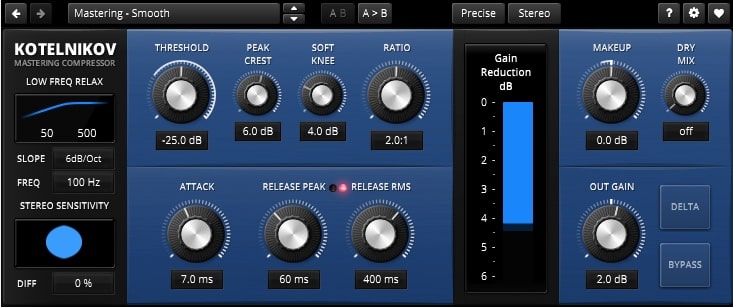
OS: Windows Win Mac Mac Bit Version: 64-bit Developer: Tokyo Dawn Records Size: 7 MB Rating: 89/100
TDR Kotelnikov is a wideband compressor designed for mastering, stereo buses, and other detailed audio work. It controls dynamics while preserving the original tone, punch, and overall character.
Its 64-bit processing, peak and RMS release controls, sidechain high-pass filter, and stereo linking options provide precise control. Delta mode lets you hear the compressed signal, and it supports Windows and Mac in VST2, VST3, AU, and AAX formats.
Features
- Wideband Dynamic Range Control
- 64-Bit Multirate Processing
- Delta Oversampled Signal Path
- Independent Peak And RMS Release
- Flexible Sidechain High-Pass Filter
- Advanced Stereo Linking Options
- Delta Preview Listening Mode
- Click-Free Bypass Switching
- Resizable User Interface
- Preset Menu And A/B Comparison
Video
Pros
- Uses precise 64-bit processing
- Oversampling reduces digital errors
- Separate peak and RMS release
- Flexible low-cut sidechain filter
- Strong stereo linking controls
- Delta mode reveals compression changes
- Dry mix adds parallel control
- Click-free bypass for easy checks
- Latency compensation protects timing
- Resizable interface fits many screens
Cons
- It is not an EQ plugin
- No frequency curve display
- No spectrum analyzer included
- No dynamic EQ bands
- No high-pass EQ control
- No low-pass EQ control
- Less flexible than free EQs
Testimonials
2. LoudMax

OS: Windows Win Mac Mac Linux Linux Bit Version: 32-bit, 64-bit Developer: LoudMax Size: 452 KB Rating: 88/100
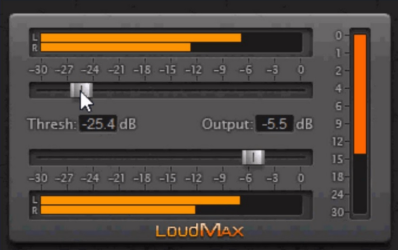
LoudMax offers clean and transparent loudness control designed to make your tracks sound full without adding unwanted distortion. Its look-ahead limiting keeps peaks under control while preserving punch and clarity, even at high levels of gain reduction.
This plugin is ideal for mastering or keeping audio levels steady in broadcasts. With simple threshold and output controls, plus inter-sample peak detection, LoudMax helps you achieve professional loudness in an easy and reliable way across Windows, macOS, and Linux systems.
Features
- Clean Transparent Loudness Maximizer Plugin
- True Peak Detection Feature
- Look-Ahead Brickwall Limiting
- ISP Mode Reduces True Peak Overshoot
- Low Latency Performance
- Very Low CPU Usage
- Automatic Release Time Control
- Gain Reduction Meter With Peak Hold
- Threshold And Output Sliders
- Supports Sample Rates Up To 384kHz
Video
Pros
- Clean and transparent sound quality
- True peak limiting prevents clipping
- Works on Windows, Mac, and Linux
- Very low CPU usage
- Look-ahead feature stops distortion
- Supports very high sample rates
- Fast 1.25ms latency response
- Dynamic latency compensation support
- Free and rivals paid plugins
- Keeps original music character intact
Cons
- Very few adjustable controls
- No visual waveform display
- Lacks multi-band processing
- No sidechain input support
- No mid/side mode
- Lacks loudness metering
- No LUFS or RMS readout
- No oversampling control
- ISP mode uses more CPU
- No mix knob
Testimonials
3. Voxengo Elephant
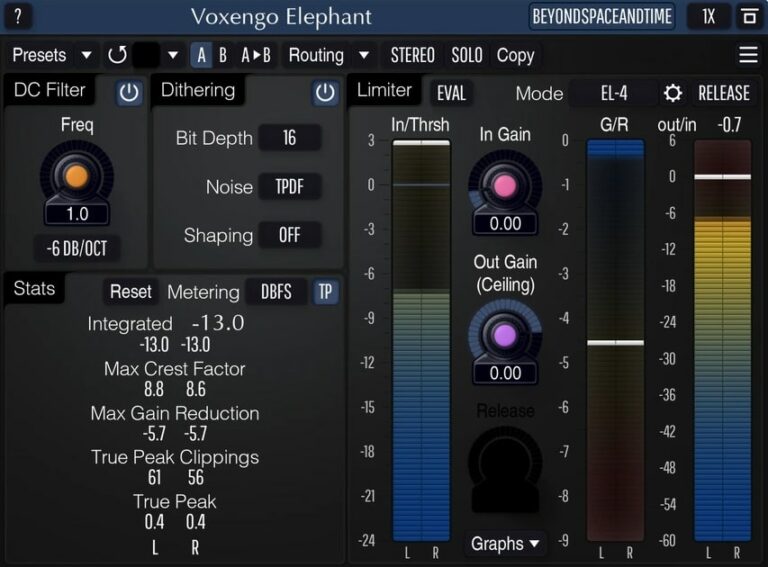
OS: Windows Win Mac Mac Bit Version: 32-bit, 64-bit Developer: Voxengo Size: 23 MB Rating: 88/100
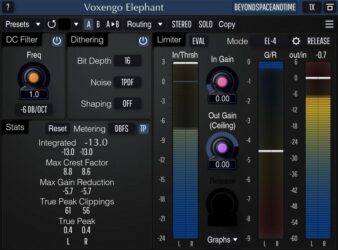
Voxengo Elephant is a mastering limiter and loudness maximizer for stereo, mono, drum bus, stem, sub-mix, and surround audio. It offers transparent peak control, 13 limiter modes, true-peak limiting, up to 8x oversampling, and adjustable release settings.
Built-in EBU R128 and K-system meters show loudness, peaks, and gain reduction, while waveform graphs help track processing. DC filtering and dither with noise shaping support final audio preparation. It is available as VST, VST3, AU, and AAX for Windows and Mac.
Features
- Transparent Signal Limiting
- Loudness Maximization For Mastering
- Thirteen Limiter Modes
- Custom Limiter Mode Editing
- True Peak Limiting
- Linear Phase Oversampling Up To Eight Times
- Stereo And Multichannel Processing
- Internal Channel Routing
- EBU R128 Loudness Metering
- RMS And True Peak Statistics
Video
Pros
- Highly transparent sound limiting
- Thirteen useful limiter modes
- Custom limiter mode editing
- True-peak limiting prevents hidden clipping
- Up to eight-times oversampling
- Clear LUFS loudness metering
- RMS and peak clip statistics
- Real-time waveform gain view
- Stereo and surround processing
- Built-in noise-shaped dithering
Cons
- Complex controls overwhelm beginners
- No automatic loudness matching
- No streaming codec preview tools
- No target loudness guidance
- No clipper for extra loudness
- No multiband limiting section
- Demo mutes every 45 seconds
Testimonials
4. TDR Nova
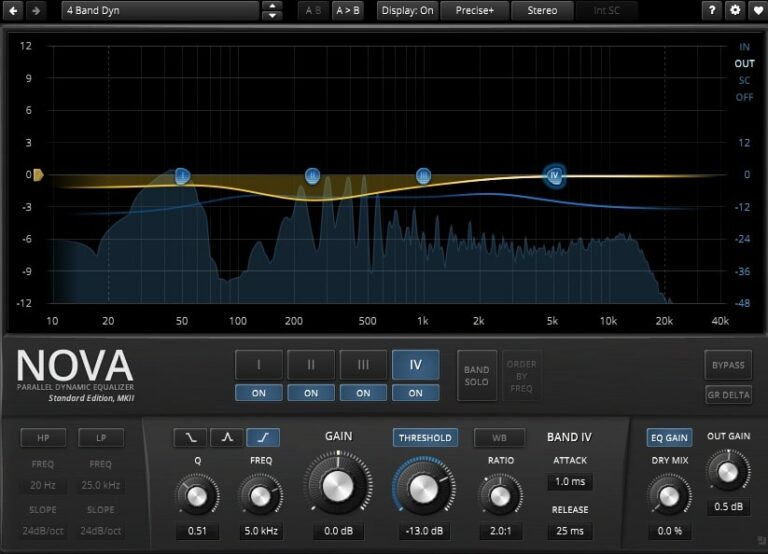
OS: Windows Win Mac Mac Linux Linux Bit Version: 32-bit, 64-bit Developer: Tokyo Dawn Records Size: 8 MB Rating: 87/100
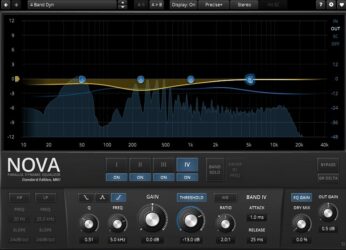
TDR Nova is a parallel dynamic equalizer with four adjustable bands, high-pass and low-pass filters, and visual frequency feedback. Each band combines EQ and dynamics controls for tasks such as tone shaping, de-essing, frequency-focused compression, multiband processing, and broad compression.
Its graph and knob controls provide access to frequency, gain, threshold, ratio, attack, release, and mix settings. Presets, undo and redo, A/B comparison, solo, external sidechain, and equal-loudness tools support work on tracks, buses, and masters.
Features
- Parallel Dynamic Equalizer
- Four Dynamic Equalizer Bands
- Frequency-Selective Compression
- Multiband Compression Processing
- Wideband Compression Processing
- Drag-And-Drop Frequency Display
- Visual Spectrum Feedback
- Adjustable Attack And Release
- Adjustable Threshold And Ratio
- External Signal Control
Video
Pros
- 4 Bands target problem sounds
- Dynamic cuts sound more natural
- Also works as a regular EQ
- Handles compression and tone shaping
- Includes high-pass and low-pass filters
- Built-in analyzer shows frequency problems
- Band solo helps find harsh sounds
- GR Delta reveals removed sound
- External sidechain adds extra control
Cons
- Needs manual frequency hunting
- No automatic sibilance detection
- Steeper learning curve
- Many controls feel overwhelming
- May affect nearby vocal tones
- Can miss changing sibilance
Testimonials
5. Ozone Imager V2
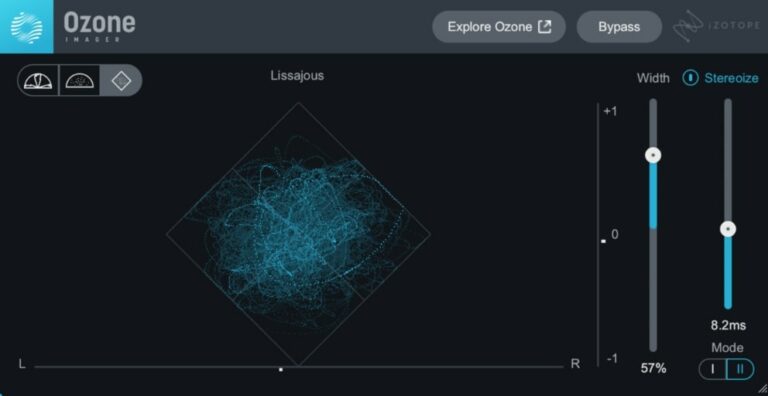
OS: Windows Win Mac Mac Bit Version: 64-bit Developer: iZOTOPE Size: 38.9 MB Rating: 86/100
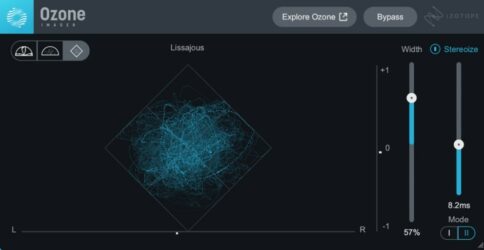
Ozone Imager V2 is a free stereo imaging plug-in for shaping track width. Widen synths, pianos, and cymbals, or narrow bass and kick drums. Stereoize adds space to mono sounds with two modes.
Three vectorscope displays show stereo width, balance, and left-right alignment. Resize the window for a clearer view. Ozone Imager V2 runs in 64-bit AU, AAX, VST2, and VST3 formats on supported Mac and Windows DAWs.
Features
- Free Stereo Imaging Plug-In
- Widen Or Narrow Any Track
- Convert Mono Sounds To Stereo
- Two Stereoize Modes
- Subtle And Colorful Widening
- Three Vectorscope Display Views
- Check Stereo Width And Balance
- Resizable Plug-In Window
- Supports Multiple Plug-In Formats
- Tighten Bass And Kick Drums
Video
Pros
- Free professional stereo control
- Works on any audio track
- Creates super-wide sounds
- Helps tighten bass and kicks
- Adds stereo from mono
- Offers two Stereoize modes
- Creates subtle or colorful widening
- Includes three vectorscope views
- Helps spot phase problems
- Includes VST2, VST3, AU, AAX
Cons
- Only changes stereo width
- Does not create dubstep sounds
- No oscillators for bass design
- No filters for shaping growls
- No LFO modulation tools
- Stereoize may cause phase problems
- Not useful as a full instrument
Testimonials
6. Marvel GEQ

OS: Windows Win Mac Mac Bit Version: 32-bit, 64-bit Developer: Voxengo Size: 7 MB Rating: 86/100
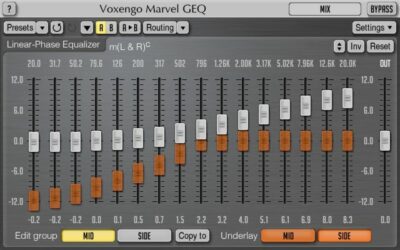
Marvel GEQ is a free 16-band graphic equalizer for shaping vocals, instruments, tracks, and full mixes. Its linear-phase design supports clear, transparent EQ changes, with up to ±12 dB of control for each frequency band.
The plugin supports stereo, mono, mid-side, and multichannel work, including surround formats. Channel routing, grouping, presets, A/B comparison, and freehand curve drawing help you adjust sound in VST, VST3, AudioUnit, and AAX hosts.
Features
- Free 16-Band Graphic Equalizer
- Linear-Phase Audio Processing
- Freehand EQ Curve Drawing
- Stereo And Multichannel Processing
- Mid-Side Equalization Support
- Internal Channel Routing
- Channel Grouping Controls
- Supports Up To Eight Channels
- 64-Bit Floating-Point Processing
- Mix Control For Blending
Video
Pros
- Sixteen bands shape sound
- Linear-phase filtering stays transparent
- Freehand curve drawing is fast
- Stereo processing handles wide mixes
- Mid-side control shapes stereo space
- Multichannel support reaches eight channels
- Works for surround sound mixing
- Flexible internal routing options
- Channel grouping saves editing time
- Mix control blends EQ smoothly
Cons
- Only offers graphic EQ controls
- No dynamic EQ processing
- No built-in spectrum analyzer
- Fixed sixteen frequency bands
- Less precise than parametric EQs
- Limited plus-or-minus twelve-decibel range
- Adds nine milliseconds of latency
Testimonials
7. ISOL8

OS: Windows Win Mac Mac Bit Version: 32-bit, 64-bit Developer: TBProAudio Size: 6 MB Rating: 86/100
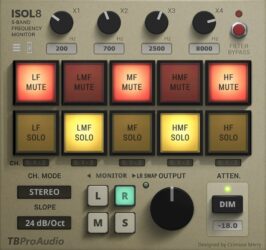
ISOL8 is a free mix-monitoring plugin that divides audio into five adjustable frequency bands. Solo or mute each band to inspect a mix, with Linkwitz–Riley filters, 24 or 48 dB/octave slopes, and IIR or FIR processing.
It can also split signals for multiband effect chains on master tracks or buses. Stereo, left, right, mid, and side modes support focused monitoring, while output control, dimming, channel swapping, keyboard control, and multichannel support add flexibility.
Features
- Five Adjustable Frequency Bands
- Individual Band Solo Controls
- Adjustable Crossover Frequencies
- Linkwitz–Riley Crossover Filters
- 24 Or 48 Db Slopes
- IIR And FIR Filters
- Stereo And Mid-Side Modes
- Left And Right Channel Swap
- Side-Chain Monitoring Support
- 64-Bit Internal Processing
Video
Pros
- Solo or mute every band
- Works as a multiband splitter
- Build custom multiband effect chains
- Uses smooth Linkwitz–Riley crossovers
- Choose 24 or 48 dB slopes
- Offers IIR and FIR filters
- Supports stereo and mid-side modes
- Monitor left, right, mid, side
- Handles multichannel audio splitting
- Free scaling fits many screens
Cons
- No actual EQ boost controls
- Cannot shape narrow frequency problems
- No dynamic EQ for moving peaks
- Lacks built-in spectrum analysis
- Only five broad frequency bands
- No low-pass or high-pass shaping
- Needs another plugin for real EQ
Testimonials
8. mvMeter2
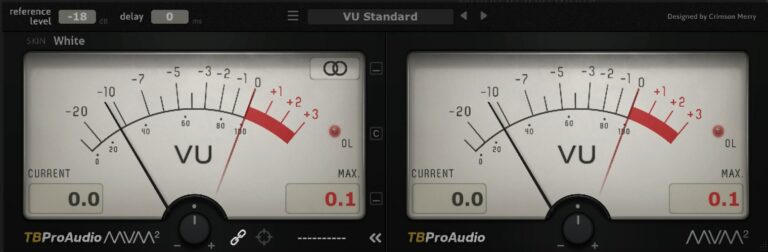
OS: Windows Win Mac Mac Bit Version: 32-bit, 64-bit Developer: TBProAudio Size: 6.8 MB Rating: 85/100
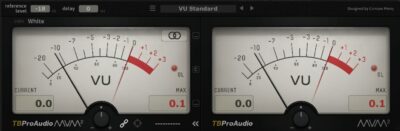
mvMeter2 offers precise audio level monitoring with RMS, EBU R128, VU, and PPM meter modes. It recreates the look and feel of analog meters while supporting stereo, mid, and side channels. Users can view single or dual displays and adjust reference levels for accurate readings.
This plugin helps producers and engineers manage loudness across tracks when mixing or mastering. With preset options, gain trimming, and live meter accuracy, mvMeter2 provides clear visual feedback for consistent volume control. It’s available for free on Windows and macOS in multiple plugin formats.
Features
- Measures RMS, VU, PPM, And EBU
- Supports Stereo And Mid Side Modes
- Adjustable Reference Level Control
- Accurate 64 Bit Internal Processing
- Large Real Time Meter Display
- Scalable Interface Up To 400 Percent
- Five Built In Meter Themes
- Low CPU Usage And Stable Performance
- Works With VST AU And AAX Formats
- Cross Platform Windows And Mac Support
Video
Pros
- Free and full-featured metering tool
- Multiple meter modes in one
- Accurate real-time level tracking
- Lightweight and low CPU usage
- Resizable GUI for any screen
- Supports stereo and mid/side metering
- Adjustable reference level control
- Analog-style VU and PPM look
- Switchable peak and RMS views
- Dual or single meter options
Cons
- No true peak metering option
- Lacks loudness range display
- No built-in spectrum analyzer
- Limited channel routing options
- No waveform visualization feature
- Lacks auto gain correction
- Can feel basic for pros
- GUI scaling sometimes lags
- No color custom settings
- No dark mode option
Testimonials
9. Stereo Tool V3
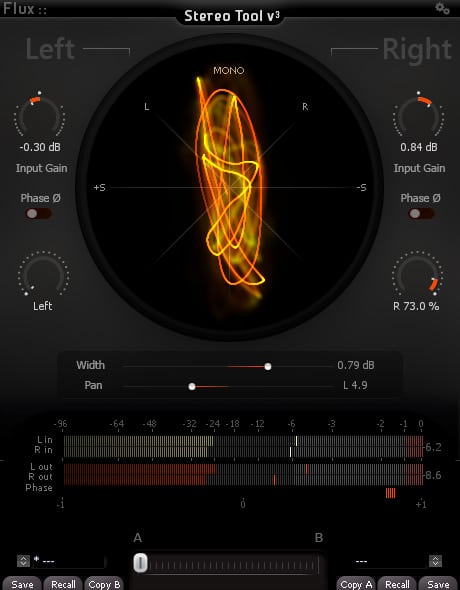
OS: Windows Win Mac Mac Bit Version: 64-bit Developer: Flux Size: 189 MB Rating: 83/100
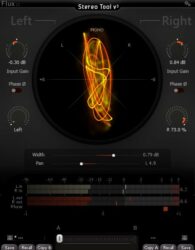
Stereo Tool V3 is a free stereo control and metering plugin for music creators. It adjusts left and right input gain, panning, width, and polarity. A vector scope, level meters, and phase meter show stereo placement, volume, and phase balance during playback.
Use A and B slots to compare settings, then blend them with the morph slider and automate changes in a host. The plugin supports up to eight channels, sample rates up to 384 kHz, and AU, VST, VST3, AAX, and AAX AudioSuite on Windows and Mac.
Features
- Precise Left And Right Gain
- Independent Channel Panning Controls
- Left And Right Phase Reversal
- Accurate Stereo Vector Scope
- Input And Output Level Meters
- Phase Correlation Meter
- Adjustable Stereo Width
- A And B Setting Slots
- Automated Parameter Morphing
- Freeware With No Activation
Video
Pros
- Built-in phase polarity switches
- Clear stereo image display
- Dedicated phase correlation meter
- Smooth preset morphing during playback
- Automatable morphing slider
- Copies settings between A/B slots
- Supports very high sample rates
- Uses 64-bit internal processing
- Handles up to eight channels
- Free with no license activation
Cons
- Limited to broad stereo changes
- No frequency-by-frequency stereo view
- No multiband width control
- No mono audition button
- No Stereoize mode for mono
- No mid-side editing mode
- No FFT spectrum analysis
Testimonials
10. ClipShifter
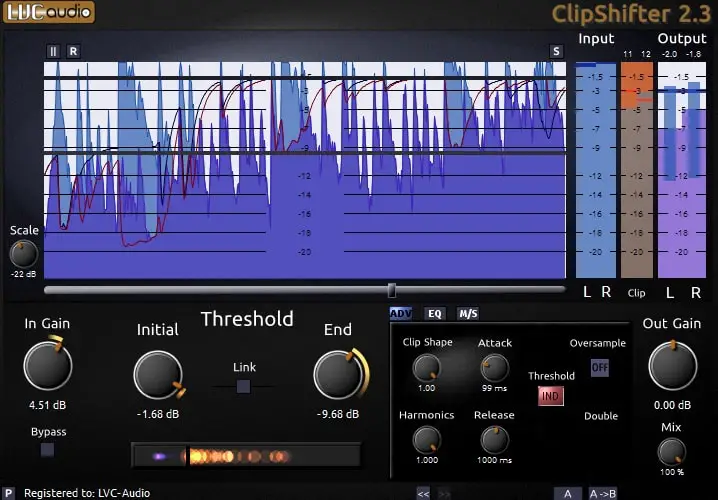
OS: Windows Win Mac Mac Bit Version: 64-bit Developer: LVC-Audio Size: 3.7 MB Rating: 83/100
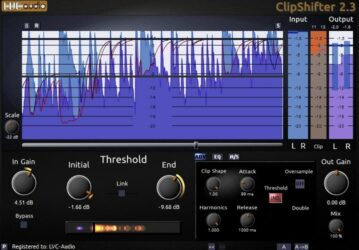
ClipShifter is a wave-shaping plugin that works as a clipper and limiter. It ranges from soft saturation and light compression to hard clipping, making it useful for drums, bass, individual tracks, buses, and mastering.
Its controls include clip shape, harmonics, attack, release, mix, and threshold behavior. Three-band, Mid/Side, and independent channel processing add control, while 2x, 4x, and 8x oversampling helps reduce digital aliasing.
Features
- Wave-Shaping Clipping Limiter
- Hard Or Soft Clipping
- Adjustable Harmonic Distortion
- Dynamic Clipping Thresholds
- Mid-Side Processing Controls
- Three-Band Frequency Processing
- Two-Stage Double Clipping
- Two-To-Eight Times Oversampling
- Clean And Clipped Mix Control
- Adjustable Stereo Width
Video
Pros
- Hard or soft clipping styles
- Transparent compression and saturation
- Adjustable even and odd harmonics
- Dynamic threshold follows transients
- Independent stereo threshold modes
- Mid-side clipping with width control
- Three-band frequency clipping
- Independent band processing control
- Pre or post clipping EQ
- Waveform history shows clipping changes
Cons
- Replaced by newer Clipped-MAX
- VST3 format is not listed
- AAX format is not listed
- Linux support is not listed
- True-peak ceiling is not listed
- Dedicated LUFS metering is missing
Testimonials
11. IVGI
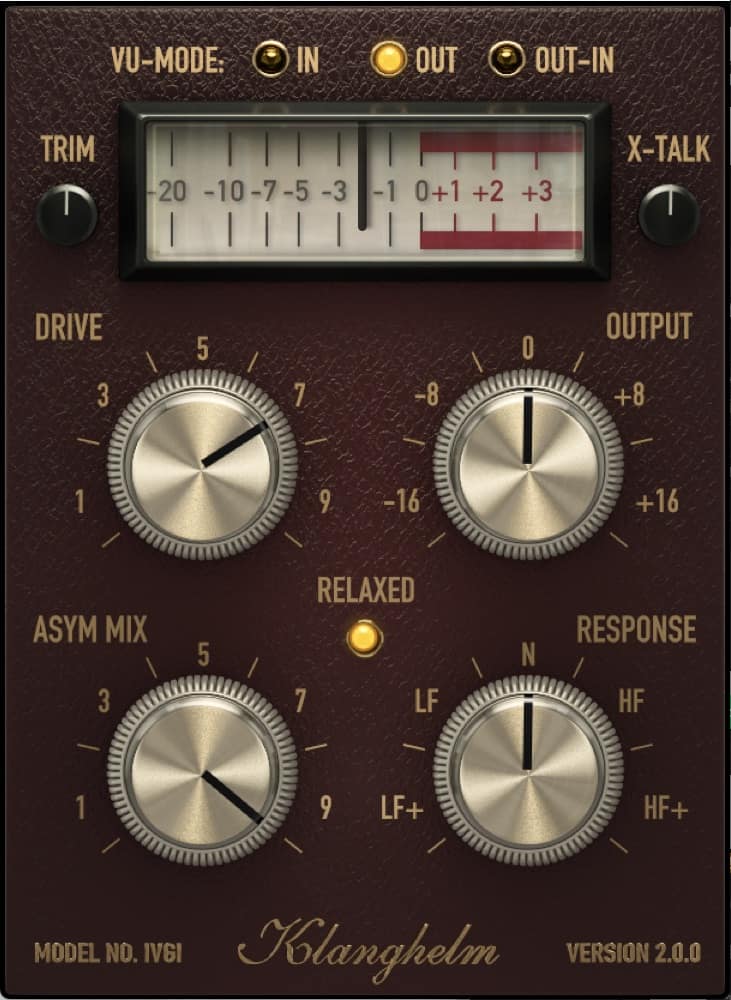
OS: Windows Win Mac Mac Bit Version: 64-bit Developer: Klanghelm Audio Plugins Size: 4.5 MB Rating: 83/100
IVGI is a free saturation and distortion plugin for Windows and macOS. It ranges from gentle master bus warmth to dense, dirty effects for individual tracks. Its dynamic processing includes modeled crosstalk and controlled signal variation for a lively sound.
Controls include Drive, Output, Trim, Response, Asym Mix, Relaxed mode, and X-Talk. A VU meter supports input, output, or combined views. IVGI is available in VST and AU formats at 64-bit.
Features
- Soft Master Bus Saturation
- Dense Track Distortion Effects
- Dynamic Input Signal Response
- Modeled Stereo Crosstalk Behavior
- Controlled Randomness Adds Liveliness
- Asym Mix Shapes Distortion Symmetry
- Response Controls Frequency Dependence
- Input Trim Before Processing
- Selectable VU Meter Readings
- Normal, Low, And High Response
Video
Pros
- Dynamic response follows your signal
- Controlled randomness adds natural life
- Stereo crosstalk adds analog feel
- Asym Mix shapes uneven distortion
- Response controls frequency behavior
- Relaxed mode gives smoother results
- Trim supports proper gain staging
- Output control makes level matching easy
- Works from warmth to harsh grit
- More flexible than one-knob saturators
Cons
- No built-in dry-wet mix control
- No dedicated high-pass filter
- No dedicated low-pass filter
- No tube, tape, or diode modes
- No automatic gain matching
- Distortion arrives somewhat quickly
- No multiband saturation control
Testimonials
12. Frontier

OS: Windows Win Mac Mac Bit Version: 32-bit, 64-bit Developer: D16 Group HQ Size: 144 MB Rating: 82/100
Frontier is a free limiter and sound shaper from D16 Group for tracks, buses, and master outputs. It can control peaks for mixing or mastering, or create stronger effects with extreme settings. Automatic gain makeup and optional soft clipping help manage level and character.
Controls include threshold, release, output level, and a selectable left, right, mid, or stereo control input. The plugin supports Windows and macOS in VST2, VST3, AU, and AAX formats. It is free for registered D16 users who have bought a D16 product.
Features
- Transparent Mixing And Mastering Limiter
- Creative Audio Shaping Tool
- Automatic Gain Makeup
- Adjustable Control Input
- Left, Right, Or Mid Control
- Optional Soft Clipping
- Fast, Medium, And Slow Release
- Threshold And Output Controls
- Input And Output Meters
- Self-Adaptive Limiting Response
Video
Pros
- Adds warm soft clipping
- Automatic gain makeup saves time
- Choose left, right, mid control
- Fast, medium, slow release modes
- Handles peaks without harsh distortion
- Sounds clean at light settings
- Shows gain reduction clearly
- MIDI Learn makes setup easy
- Fits small screens with resizing
- Supports HiDPI displays
Cons
- Requires D16 purchase history
- No true peak control
- No oversampling option shown
- Only three release choices
- No adjustable attack control
- No detailed loudness metering
- High latency may hurt live use
Testimonials
13. Voxengo Overtone GEQ

OS: Windows Win Mac Mac Bit Version: 32-bit, 64-bit Developer: Voxengo Size: 29 MB Rating: 82/100
Voxengo Overtone GEQ is a free seven-band graphic equalizer with harmonic enhancement on each band. It offers two EQ views, gain control from -12 to +12 dB, smooth tonal shaping, and added color for mixes, submixes, vocals, drums, guitars, and synthesizers.
The plugin supports stereo, mono, mid/side, 5.1, and 7.1 processing with routing and channel grouping for up to eight channels. It runs on Windows and Mac in VST, VST3, AudioUnit, and AAX hosts.
Features
- Seven-Band Graphic Equalizer
- Harmonic Enhancement Per Band
- ±12 Db Gain Per Band
- Two Graphic Equalizer Views
- Stereo And Multichannel Processing
- Mid/Side Channel Processing
- Internal Channel Routing
- Up To Eight Channels
- Up To Eight Times Oversampling
- Zero Processing Latency
Video
Pros
- Adds musical harmonic richness
- Dual EQ views improve control
- Stereo processing handles wide mixes
- Mid/side control aids mastering
- Multichannel support fits surround work
- Routes channels with great flexibility
- Group channels for faster editing
- Zero latency keeps timing tight
- Up to eight-times oversampling
- 64-bit processing supports clean sound
Cons
- Seven bands limit detailed shaping
- Fixed graphic bands feel less precise
- No dynamic EQ tools included
- No spectrum analyzer is listed
- No high-pass or low-pass filters
- No automatic gain compensation
- No built-in compression or de-essing
Testimonials
14. Voxengo SPAN
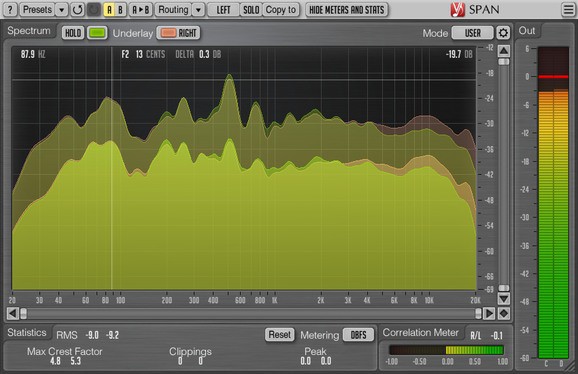
OS: Windows Win Mac Mac Bit Version: 32-bit, 64-bit Developer: Voxengo Size: 8.5 MB Rating: 82/100
Voxengo SPAN offers real-time visual feedback for your audio, showing the frequency balance and loudness of your mix. It features detailed spectrum analysis with adjustable settings like block size, overlap, and slope. SPAN supports stereo, mid-side, and multi-channel setups for clear signal monitoring.
It includes metering tools for RMS, true peak levels, and headroom checks, helping you spot clipping and phase issues. Customizable colors, underlay options, and comparison views make it easier to track changes across channels or sessions. SPAN works in major DAWs on both Mac and Windows.
Features
- Real-Time Frequency Spectrum Analysis
- Supports Multi-Channel Audio Monitoring
- Mid, Side, And Stereo Analysis
- EBU R128 And K-System Metering
- True Peak And RMS Detection
- Headroom And Clipping Indicators
- Correlation Meter For Phase Check
- Preset Management For Quick Setup
- Customizable Spectrum Display Colors
- Compatible With Major Plugin Formats
Video
Pros
- Real-time spectrum analysis display
- Shows stereo and mid-side data
- Supports surround sound mixing
- Compares two spectrums easily
- Includes EBU and K-system meters
- Customizable spectrum color options
- Accurate RMS and peak readings
- Adjustable FFT block size settings
- HighDPI and Retina screen support
- Lightweight and CPU friendly
Cons
- Interface looks old compared to others
- No built-in LUFS histogram view
- Lacks dynamic range graph display
- No automatic loudness matching tool
- No true multi-plugin sync feature
- Cannot export metering session data
- True peak readings can update slowly
- No resizable window scaling options
- No reference track overlay support
- Settings can confuse first-time users
Testimonials
15. MAnalyzer
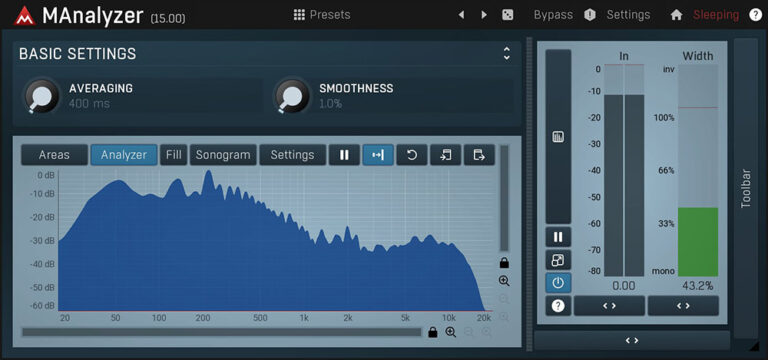
OS: Windows Win Mac Mac Bit Version: 64-bit Developer: MeldaProduction Size: 12.73 MB Rating: 79/100
MAnalyzer offers detailed insight into your sound through advanced spectral and sonogram analysis. It includes tools like smoothing, normalization, super-resolution, prefiltering, and deharmonization. These features help you explore tone balance, fix frequency problems, and better understand your audio’s structure.
It also includes peak and loudness meters that match EBU R128 and ITU-R BS 1770-3 standards, helping you keep consistent levels. With options to compare multiple tracks, freeze views, and zoom in for details, MAnalyzer gives clear and accurate tools for mix and mastering work.
Features
- Advanced Spectral Analyzer And Sonogram
- EBU R128 Loudness Meter Support
- ITU-R BS 1770-3 Compliance
- Width Meter For Stereo Field
- Real-Time Frequency Display
- Multi-Track Comparison Capability
- Supports Super-Resolution Processing
- Zoom Controls For Detailed View
- Customizable Analyzer Display Settings
- Peak Meter For Level Monitoring
Video
Pros
- Supports advanced spectral analysis
- Multi-instance linking for comparisons
- Includes color-filled sonogram view
- Can freeze and inspect peaks
- Helps find mix masking issues
- Complies with loudness standards
- Allows deep customization options
- Offers smooth and clean visuals
- Very light on computer power
- Outperforms many free analyzer plugins
Cons
- Interface scaling limited on 4K
- Steeper learning curve for beginners
- No built-in correlation meter
- No integrated waveform display
- Missing true peak hold option
- No built-in mid-side display
- Interface feels clunky
- Overly complex for basic tasks
- Limited visual customization options
- Sonogram hard to read
Testimonials
16. A1 Stereo Control
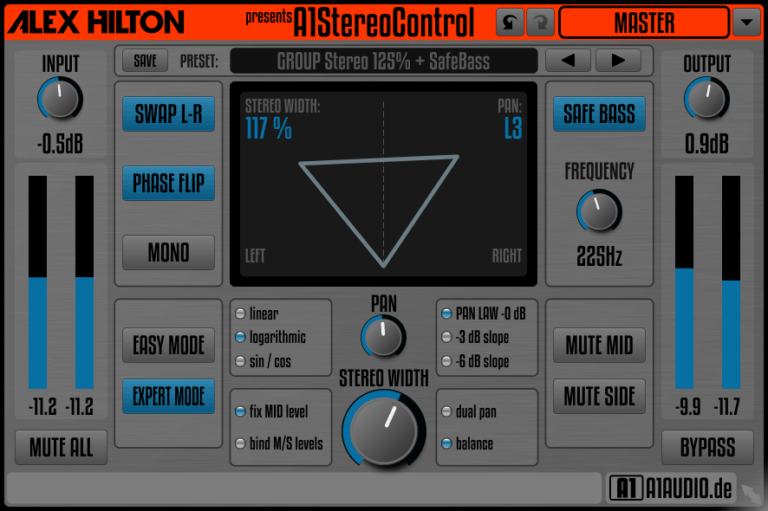
OS: Windows Win Mac Mac Bit Version: 32-bit, 64-bit Developer: A1AUDIO Size: 1 MB Rating: 79/100
A1 Stereo Control is a free stereo width and limiting plugin for Windows and Mac. It adjusts stereo spread, pan, balance, and left-right channel placement, with options to swap channels, flip phase, or create a mono signal.
Its Safe Bass feature keeps low frequencies centered with an adjustable cutoff. Easy and Expert modes provide basic or advanced controls, including pan laws, M/S settings, linear-phase processing, gain controls, and automation support.
Features
- Adjustable Stereo Width
- Safe Bass Centering
- Custom Stereo Field Placement
- Advanced Pan Laws
- Linear Phase Processing
- No Latency Processing
- Phase Flip Control
- Mono Output With Panning
- Input And Output Gain
- Input And Output Meters
Video
Pros
- Keeps bass safely centered
- Adjustable bass crossover frequency
- Creates natural stereo width changes
- Includes three width control curves
- Offers flexible pan laws
- Expert mode adds advanced control
- Swaps left and right channels
- Flips stereo phase quickly
- Runs with no added latency
- Uses linear phase processing
Cons
- Not a complete mastering limiter
- No threshold control is listed
- No release time control
- No true peak ceiling
- No loudness or LUFS meter
- No gain reduction display
- No oversampling options
Testimonials
17. Konsol

OS: Windows Win Mac Mac Bit Version: 64-bit Developer: Analog Obsession Size: 11 MB Rating: 75/100
Konsol is a three-model console-style plugin for shaping tracks and mixes. Choose Blue, Gray, or Black to add transistor, tube, or op-amp character. Track and Bus modes offer different signal paths, with transformer options for added tone.
Its two-band shelf EQ adjusts low and high frequencies, while input and output controls help set drive and level. Konsol is available for Windows and Mac in VST and AU formats, with 64-bit support.
Features
- Three Console Sound Models
- Transformer On Or Off
- Track And Bus Modes
- Two-Band Shelf Equalizer
- Adjustable Input Level
- Adjustable Output Level
- Low And High Controls
- Analog Console Tone
- Line Input And Output Amps
- Summing Amp For Bus Mode
Video
Pros
- Analog console tone in one plugin
- Three console flavors included
- Tube, transistor, op-amp options
- Transformer adds rich color
- Track and bus modes
- Built-in low and high shelves
- Console tone plus EQ together
- Input drive boosts harmonic weight
- Output control helps level matching
- Focused design avoids feature overload
Cons
- Only two shelf EQ bands
- No spectrum analyzer included
- No dynamic EQ control
- No high-pass or low-pass filters
- No adjustable EQ Q control
- Missing VST3 and AAX formats
- 64-bit only limits older hosts
Testimonials
18. Limiter 6

OS: Windows Win Mac Mac Bit Version: 32-bit, 64-bit Developer: Tokyo Dawn Records Size: 7 MB Rating: 74/100
Limiter 6 is a modular dynamics processor for stereo and mono signals. Its five-stage chain includes an RMS compressor, peak limiter, high-frequency limiter, clipper, and true-peak limiter. Each stage helps control levels, shape transients, and manage gain reduction during mixing or mastering.
The plugin supports M/S and multiband processing, soft or brickwall limiting, optional 4× oversampling, and true inter-sample peak protection. It provides fixed- or minimum-latency modes and detailed gain-reduction meters. This original version is a legacy product, so modern system support is not guaranteed.
Features
- Five-Stage Dynamics Processing
- RMS Compression Control
- Peak Limiting Control
- High-Frequency Limiting
- Soft Clipping Control
- True-Peak Output Protection
- M/S And Multiband Modes
- Optional Four-Times Oversampling
- Adjustable Limiter Timing Modes
- Dry And Compressed Mix Control
Video
Pros
- Five-stage dynamics chain
- RMS compression smooths level changes
- HF limiter tames harsh brightness
- Clipper adds useful peak control
- True-peak protection prevents conversion distortion
- Flexible serial gain reduction
- M/S processing shapes stereo space
- Multiband limiting targets problem areas
- Optional four-times oversampling improves smoothness
- Dry mix preserves natural dynamics
Cons
- Legacy software lacks modern support
- No VST3 plugin format
- No AAX plugin format
- Mac support is Intel-only
- Setup requires manual file copying
- Interface looks old and dated
- Digital artifacts appear when pushed
Testimonials
19. Barricade Pro
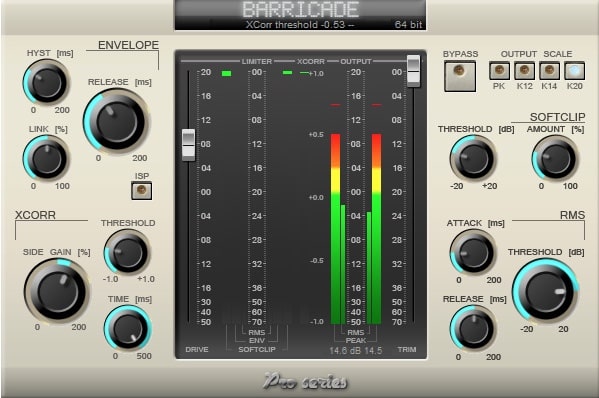
OS: Windows Win Bit Version: 32-bit Developer: Jeroen Breebaart Size: 1 MB Rating: 73/100
Barricade Pro is a free 32-bit VST limiter for Windows that controls peaks, envelope levels, loudness, and stereo correlation. Its multi-factor design helps shape a clear, strong output while giving music creators detailed control over signal response.
It includes adjustable reaction and release times, stereo linking, inter-sample peak protection, crossover processing, soft clipping, RMS compression, and side gain control. Input, reduction, correlation, output, drive, and trim meters help monitor each stage.
Features
- Multi-Factor Limiter
- Four Limiter Types
- Inter-Sample Peak Protection
- Adjustable Reaction Speed
- Adjustable Release Time
- Stereo Channel Linking
- Crossover Processing Controls
- Soft Clipping Controls
- RMS Compression Controls
- Final Output Volume Control
Video
Pros
- Four limiter types in one
- Controls peaks, loudness, and envelopes
- Correlation limiting protects stereo balance
- Inter-sample peak protection reduces clipping
- RMS control adds smooth loudness shaping
- Soft clipping shapes harsh peaks
- Side gain shapes stereo processing
- Crossover processing targets difficult frequencies
- Detailed meters show gain changes
- Several K-scale metering options included
Cons
- Windows-only plugin
- 32-bit format limits compatibility
- VST-only support
- May need a plugin bridge
- Can cause unwanted pumping
- Needs careful gain staging
- Metering lacks detailed loudness tools
Testimonials
20. Bittersweet
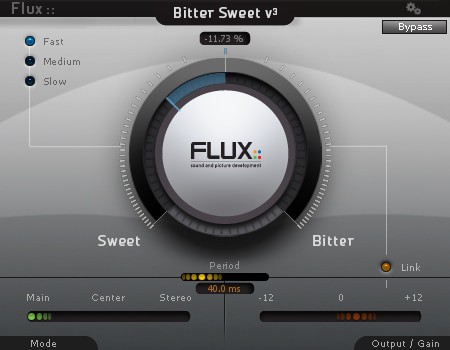
OS: Windows Win Mac Mac Bit Version: 64-bit Developer: Flux Size: 189 MB Rating: 71/100
Bittersweet is a free transient shaper from Flux for controlling the attack of drums, guitars, vocals, and other tracks. Turn the control toward Sweet to soften hits or toward Bitter to make them sharper and more pronounced. Fast, Medium, and Slow settings shape response.
Mid/Side modes let you process the center or stereo sides separately, while Main mode handles the full signal and supports up to 16 channels. Output Gain and Link help manage level changes. Bittersweet runs on Windows and Mac in AU, RTAS, and AAX formats.
Features
- Free Transient Shaping Plugin
- Reduces Or Increases Transients
- Adjustable Bitter Sweet Control
- Fast, Medium, And Slow Responses
- Mid/Side Processing Modes
- Main, Center, And Stereo Modes
- Supports Up To 16 Channels
- Output Gain: Minus 12 To Plus 12
- Linked Output Gain Compensation
- Dry Signal Bypass Control
Video
Pros
- Free for every user
- No dongle or activation needed
- Simple transient shaping control
- Provides three processing modes
- Includes Mid/Side processing
- Supports up to 16 channels
- Softens harsh audio attacks
- Adds punch to drum hits
- Includes helpful input metering
- Works on Windows and Mac
Cons
- Lacks full parametric EQ controls
- Includes no built-in spectrum analyzer
- Offers no saturation or distortion modes
- Cannot perform regular compression
- No external sidechain input options
- Some users report Mac problems
- Some users report complete silence
Testimonials
21. After

OS: Windows Win Bit Version: 32-bit Developer: J1000 Size: 2.8 MB Rating: 67/100
After is a mastering equalizer by J1000 with seven filters per channel. Its wide Q ranges and moderate gain controls support gentle tone shaping. It includes peak, shelf, high-pass, and low-pass filters.
Choose stereo, dual-mono, Mid/Side, or Left/Right modes for detailed control. Tilt shifts the sound from dark to bright, while trim adjusts level. After is a 32-bit Windows RTAS plugin with zero latency.
Features
- Seven Parametric Filters Per Channel
- Five Peak Filters
- Two Shelf Filters
- Stereo And Dual Mono Modes
- Mid/Side And Left/Right Modes
- High Pass And Low Pass Filters
- Balance And Tilt Controls
- Zero Latency Processing
- Low CPU Usage
- No Harmonic Or Dynamic Distortion
Pros
- Seven filters per channel
- Five peak filters included
- Two shelf filters included
- Mastering-focused controls and ranges
- Mid/Side mode adds control
- Left/right mode adds flexibility
- Helpful tilt tone control
- Zero latency for live work
- Solo bands for focused listening
- Link channels for faster editing
Cons
- Windows-only limits platform choice
- Only 32-bit plugin format
- No modern VST3 support listed
- Host support seems inconsistent
- Some hosts may mute audio
- No built-in spectrum analyzer
- No visual EQ curve
Testimonials
22. W1limiter

OS: Windows Win Bit Version: 32-bit Developer: BetaBugsAudio Size: 3 MB Rating: 64/100
W1limiter is a free 32-bit VST limiter for Windows, created by BetaBugsAudio and programmed by George Yohng. It helps raise loudness while controlling peaks and keeping the output from exceeding a set level.
Controls include threshold, ceiling, release, and gain limiting. Use threshold to set when limiting starts, ceiling to control maximum output, and release to shape how quickly the effect fades after peaks pass.
Features
- Free 32-Bit VST Limiter
- Simple User Interface
- Threshold Control
- Output Ceiling Control
- Adjustable Release Time
- Gain Limiting Control
- Controls Loud Audio Peaks
- Increases Overall Audio Loudness
- Helps Prevent Excessive Output Levels
Video
Pros
- Free limiter for Windows users
- Simple controls are easy
- Threshold gives clear control
- Ceiling prevents excessive output
- Release shapes smooth volume changes
- Gain limiting controls loud peaks
- Adds loudness without much coloring
- Sounds similar to Waves L1
- Uses fewer controls than Limiter ?6
- Runs on older 32-bit systems
Cons
- Only supports 32-bit Windows
- No macOS or Linux version
- VST format only
- No visual gain-reduction meter
- No true-peak protection
- No oversampling controls
- May cause buffer dropouts
Testimonials
23. easyLimiter

OS: Windows Win Mac Mac Bit Version: 32-bit, 64-bit Developer: Saschart Size: 0.2 MB Rating: 64/100
easyLimiter is a limiter for mastering that controls loud peaks and helps prevent clipping, rattles, crackling, and distortion. Look-ahead detection checks peaks before playback, while attack and release controls help keep the sound smooth and close to the original waveform.
Stereo Link combines left and right volume reduction while preserving stereo balance. Soft, Medium, and Hard modes offer different limiting strengths, and Real Time supports fast-changing audio. It includes level meters and an output limit, with VST and AU support for Windows and Mac.
Features
- Controls Loud Audio Peaks
- Helps Prevent Audio Clipping
- Clear And Smooth Sound
- Low CPU Usage
- Look Ahead Peak Detection
- Attack And Release Controls
- Soft, Medium, And Hard Modes
- Real Time Limiting Mode
- Adjustable Stereo Link
- Adjustable Output Limit
Pros
- Uses very little CPU power
- Look-ahead catches peaks early
- Adds only tiny mastering delay
- Smooth attack envelope preserves flow
- Release envelope improves sound continuity
- Stereo Link keeps balance steady
- Stores left-right attenuation settings
- Real-time mode suits live audio
- Soft mode gives gentler limiting
- Hard mode gives strong peak control
Cons
- Does not offer true-peak limiting
- Missing oversampling controls
- No multiband limiting features
- No clipper or compressor modules
- Output ceiling may overshoot
- Limited loudness metering tools
- No modern VST3 format listed
Testimonials
24. FerricTDS

OS: Windows Win Bit Version: 32-bit Developer: Variety of Sound Size: 26 MB Rating: 59/100
FerricTDS is a tape dynamics simulator for Windows 32-bit VST hosts. It shapes dynamics, adds harmonic saturation, and controls peaks, inspired by the sound of reel-to-reel tape recorders.
Controls include input, dynamics, recovery, sidechain filtering, saturation, modulation, limiting, and output trim. Four-times oversampled processing supports gentle treatment, peak control, and added warmth for tracks, buses, and masters.
Features
- Tape-Style Dynamic Shaping
- Adds Harmonic Saturation
- Controls Audio Peaks
- Four Times Oversampled Processing
- Adjustable Dynamics Control
- Adjustable Recovery Speed
- Optional Sidechain Filter
- Input Level Metering
- Saturation Modulation Switch
- Selects Saturation Class
Video
Pros
- Smoothly shapes overall dynamics
- Controls harsh peak levels
- Sidechain filter protects low bass
- Offers saturation and limiting together
- Adjustable recovery feels natural
- Choose different saturation classes
- Modulation adds saturation movement
- Four-times oversampled processing
- Includes clear input metering
- Output trim eases level matching
Cons
- Windows only, no Mac support
- 32-bit VST format only
- No VST3, AU, or AAX
- No tape speed choices
- No tape type choices
- No wow and flutter effects
- No dry and wet control
Testimonials
Best Mastering VST Plugins Compared
This table compares the top mastering plugins by features, controls, effects, formats, and more.
| Details | TDR Kotelnikov | LoudMax | Voxengo Elephant | TDR Nova | Ozone Imager V2 | Marvel GEQ | ISOL8 | mvMeter2 | Stereo Tool V3 | ClipShifter |
|---|---|---|---|---|---|---|---|---|---|---|
| Image | 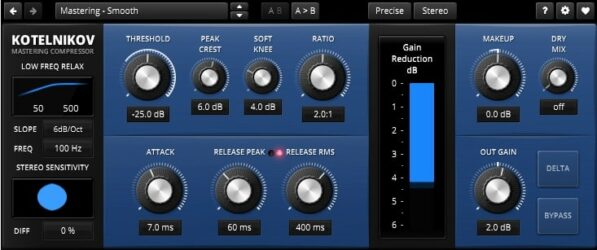 |
 |
 |
 |
 |
 |
 |
 |
 |
 |
| Rating | ||||||||||
| OS | Windows, Mac | Windows, Mac, Linux | Windows, Mac | Windows, Mac, Linux | Windows, Mac | Windows, Mac | Windows, Mac | Windows, Mac | Windows, Mac | Windows, Mac |
| Formats | VST2, VST3, AU, AAX | VST2, VST3, AU | VST, VST3, AU, AAX | VST2, VST3, AU, AAX | VST2, VST3, AU, AAX | VST, AU | VST, VST3, AU, AAX | VST, VST3, AU, AAX | VST, VST3, AU, Kontakt | VST, AU |
| Bit Version | 64-bit | 32-bit, 64-bit | 32-bit, 64-bit | 32-bit, 64-bit | 64-bit | 32-bit, 64-bit | 32-bit, 64-bit | 32-bit, 64-bit | 64-bit | 64-bit |
| Developer | Tokyo Dawn Records | LoudMax | Voxengo | Tokyo Dawn Records | iZOTOPE | Voxengo | TBProAudio | TBProAudio | Flux | LVC-Audio |
| License | Freeware | Freeware | N/A | Freeware | Freeware | Freeware | Freeware | Freeware | Freeware | Freeware |
| Sample-Based | No | No | No | No | No | No | No | No | No | No |
| Download Size | 7 MB | 452 KB | 23 MB | 8 MB | 38.9 MB | 7 MB | 6 MB | 6.8 MB | 189 MB | 3.7 MB |
| CPU Load | High | Low | Low | Medium | Low | Low | Low | Low | Low | Low |
| Polyphony | N/A | 1 | N/A | N/A | N/A | N/A | N/A | 2 | N/A | N/A |
| Features | Wideband Compression, Transparent Processing, Independent Release Controls, Sidechain High-Pass Filter, Advanced Stereo Linking, Delta Preview, Click-Free Bypass | Transparent limiting, Look-ahead processing, True peak detection, Automatic release, Fader linking, Precise metering, GUI resizing | Transparent Limiting, Loudness Maximization, Customizable Limiter Modes, True-Peak Limiting, EBU R128 Metering, Noise-Shaped Dithering, DC Offset Removal | Parallel Dynamic EQ, Parametric EQ, Multiband Compression, Broadband Compression, Frequency-Selective Compression, Drag-and-Drop Display, Equal-Loudness Functions | Stereo Width Control, Stereoize Modes, Mono-to-Stereo Widening, Vectorscope Displays, Resizable Interface, Stereo Balance Monitoring, Free Plugin | 16-Band Graphic EQ, Linear-Phase Filtering, Mid-Side Processing, Multichannel Processing, Internal Channel Routing, Freehand Drawing, Preset Manager | Five-Band Splitting, Band Solo/Mute, Adjustable Crossovers, Multiband Routing, Mid/Side Monitoring, Filter Slopes, Output Dimming | Analog behavior, Multiple metering modes, Dual display, Adjustable reference level, Meter delay, Preset management, GUI scaling | Input Gain, Channel Panning, Phase Inversion, Vector Scope, Phase Meter, Preset Morphing, Stereo Width | Clipping Limiter, Waveshaping Distortion, Clip Shape Control, Harmonic Control, Multiband Processing, Mid/Side Processing, Oversampling |
| Controls | Preset Menu, Undo/Redo, A/B, A To B, Precise, Stereo, Threshold | Threshold Slider, Output Slider, Link Button, ISP Button, Input Meter, Output Meter, Gain Reduction Meter | Presets, Undo And Redo, A/B Comparison, Routing, In Gain, Out Gain, Limiter Mode | Preset Menu, Undo And Redo, A/B, A To B, Display On, Precise+, Stereo | Explore Ozone, Bypass, Display Mode, Lissajous Display, Stereo Field Display, Width Control, Stereoize Control | Mix, Bypass, Presets, Undo, A/B Comparison, Routing, EQ Sliders | X1 Knob, X2 Knob, X3 Knob, X4 Knob, Frequency Displays, Filter Bypass, LF Mute | Reference Level, Delay, VU Standard Menu, Skin Selector, Linked/Unlinked Button, Central Knob, VU Meters | Input Gain, Phase Inversion, Channel Panning, Vector Scope, Level Meters, Phase Meter, Preset Morphing | Clip Shape, Harmonics, Attack, Release, Oversample, Input Gain, Out Gain |
| Effects Included | Compressor, sidechain high-pass filter | Limiter, Maximizer | Peak limiter, compressor, loudness maximizer, dither with noise shaping processor, DC offset removal filter | Parametric equalization, dynamic equalization, frequency-selective compression, multiband compression, wideband compression, high-pass filtering, low-pass filtering, de-essing | Stereo widening, stereo narrowing, Stereoize, phasing effect | Graphic equalizer | Linkwitz–Riley crossover filtering, solo, mute, output level adjustment, loudness dimming, left/right channel swapping, multiband splitting | Unknown | Gain adjustment, phase inversion, panning, stereo widening and narrowing | Clipping, limiting, distortion, saturation, compression, equalization |
| MIDI Learn | No | No | No | No | No | No | No | No | No | No |
| Presets | 1 | N/A | 12 | 7 | N/A | N/A | N/A | N/A | N/A | 20 |
| Standalone | No | Yes | No | No | Yes | No | No | No | No | No |
| Last Updated | N/A | 07/15/2024 | 10/03/2025 | 12/10/2026 | 11/01/2026 | 11/09/2026 | 11/09/2026 | 08/26/2023 | 05/21/2018 | 12/09/2015 |
Best Mastering VST Plugins
Our top pick for the best free Mastering VST plugins are TDR Kotelnikov by Tokyo Dawn Records, TDR Nova by Tokyo Dawn Records, and LoudMax by LoudMax.
| Details | TDR Kotelnikov | LoudMax | TDR Nova |
|---|---|---|---|
| Image | | | |
| Rating | |||
| OS | Windows, Mac | Windows, Mac, Linux | Windows, Mac, Linux |
| Formats | VST2, VST3, AU, AAX | VST2, VST3, AU | VST2, VST3, AU, AAX |
| Bit Version | 64-bit | 32-bit, 64-bit | 32-bit, 64-bit |
| Developer | Tokyo Dawn Records | LoudMax | Tokyo Dawn Records |
| Download Size | 7 MB | 452 KB | 8 MB |
| Download | Visit TDR Kotelnikov | Visit LoudMax | Visit TDR Nova |
Mastering VST FAQs
How to Install Mastering VST Plugins
To install mastering VST plugins on Windows or Mac, extract the files from the Zip or Rar. Move the files (.dll for Windows or .component for Mac) into your DAW’s plugin folder. Then restart your software and rescan the directory to complete the process. Tutorial: How to Install VST Plugins
Windows:
Extract the downloaded zip file and copy the .dll file into the VST plugins folder scanned by your DAW. Restart your music software and rescan your plugin directory to begin using the new VST.
Mac OS X:
Extract the downloaded archive and move the .component or .VST file to the plugin folder. It is usually /Library/Audio/Plug-Ins/Components or /Library/Audio/Plug-Ins/VST. Restart your DAW and rescan your plugins to complete the installation.
What Are Mastering VST Plugins?
Mastering plugins are audio plugins that you can use to help master a song or album. There are many different types of mastering plugins, including audio clipping tools, EQs, meters, and more.
Some focus on specific aspects, such as compression and limiting, while others offer a more comprehensive range of effects, such as reverb and delay.
The goal of mastering is to produce a recording with good volume, frequency response, and minimal noise. A mastering engineer typically uses compressors, limiters, equalizers, and level meters to achieve these goals.
These mastering plugins offer all the tools necessary for applying compression, dynamic processing, and maximizing the loudness of individual tracks or an entire stereo mix.
These essential tools come in handy for a mastering engineer or music producer across different genres, allowing complete control over the overall sound of their own mixes.
With these powerful plugins, you can achieve professional results and a natural sound that is suitable for all music genres. Mastering plugins are great for any producer or engineer involved in mixing and mastering.
These handy plugins offer various tools to help achieve the desired sound for different genres, adding warmth and extra harmonics to the audio signal.
One of the main benefits of using a mastering plugin is the ability to apply compression and dynamic equalization to control the dynamic range and frequency balance of the mix.
This ensures that the final product has consistent loudness levels and a cohesive sound across various formats. Multiband compressors and compressor limiters are also powerful plugins that come in handy during the mixing process, allowing for more precise control over the audio signal.
I hope you enjoy these free mastering VST plugins, which are the best mastering software available online for free.
You May Also Like: