Here are the best free Saturation VST plugins for Windows and Mac. We have included videos, reviews, features, pros, cons, and plugin ratings.
How we rate saturation plugins: We rate each saturation plugin based on sound quality, design, performance, features, usability, and compatibility. We rate plugins on a scale of 1 to 100.
Table of Contents

I have spent over 15 years testing and comparing hundreds of free and paid VST plugins, supported by hands-on demos on our YouTube channel, which has 12,000+ subscribers.
Best Free Saturation VST Plugins
This table compares Saturation VST plugins by operating system, format, and rating.
| # | Plugins | Ratings | OS | Formats |
|---|---|---|---|---|
| 1 | Chow Tape Model | Windows Mac Linux | VST, AU | |
| 2 | Tape Cassette 2 | Windows Mac | VST, VST3, AU, AAX | |
| 3 | GSatPlus | Windows Mac | VST, VST3, AU, AAX | |
| 4 | IVGI | Windows Mac | VST, AU | |
| 5 | Leveling Tool | Windows Mac | VST3, AU, AAX | |
| 6 | Voxengo VariSaturator | Windows Mac | VST3, AU, AAX | |
| 7 | LALA | Windows Mac | VST3, AU, AAX | |
| 8 | Saturation Knob | Windows Mac | VST, VST3, AU, AAX | |
| 9 | XPressor | Windows Mac | VST, VST3, AU | |
| 10 | Burier | Windows Mac | VST, AAX, AudioSuite | |
| 11 | Voxengo Tube | Windows Mac | VST, VST3, AU, AAX | |
| 12 | BPB Saturator | Windows Mac | VST2, VST3, AU, AAX | |
| 13 | TubeDriver | Windows Mac | VST, AU | |
| 14 | FerricTDS mkII | Windows | VST | |
| 15 | Tube Saturator Vintage | Windows Mac | VST2, VST3, AU, AAX | |
| 16 | Szechuan Saturator | Windows Mac | VST, AU | |
| 17 | FreeAMP | Windows Mac | VST, AU, AAX | |
| 18 | SGA1566 | Windows Mac | VST, AU | |
| 19 | HeadCrusher Free | Windows Mac | VST, AU, RTAS, AudioSuite | |
| 20 | DirtyPumper | Windows Mac | VST, AU |
1. Chow Tape Model
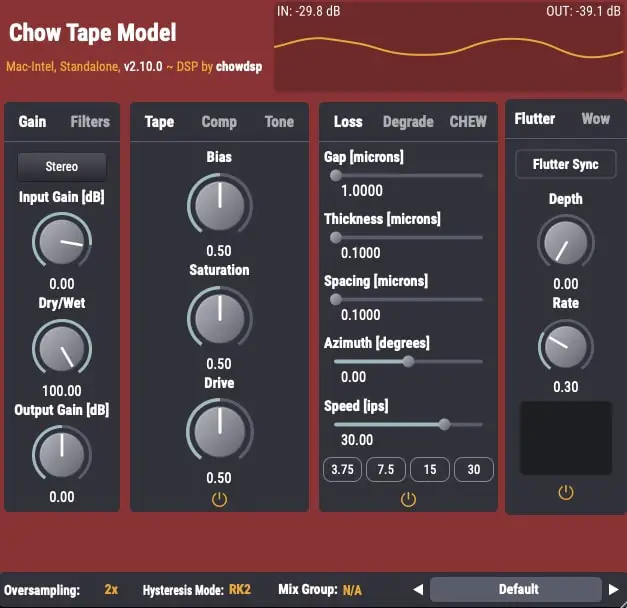
OS: Windows Win Mac Mac Linux Linux Bit Version: 64-bit Developer: Chow DSP Size: 10 MB Rating: 89/100
Chow Tape Model offers a realistic emulation of reel-to-reel tape sound using a detailed physical model. Based on the Sony TC-260, it recreates the warmth, saturation, and imperfections of analog tape. Music creators can shape tone and texture through adjustable tape speed, bias, and drive settings.
The plugin includes controls for tape hiss, compression, and stereo processing, allowing fine-tuned control over sound character. It can produce gentle analog warmth or heavy tape distortion, making it useful for mixing, mastering, or sound design. Chow Tape Model is available free for Windows, macOS, Linux, and iOS.
Features
- Accurate Analog Tape Emulation
- Physics-Based Modeling Algorithm
- Drive And Saturation Controls
- Bias Adjustment For Tone Shaping
- Variable Tape Speed Control
- Flutter Depth And Rate Settings
- Mid/Side And Stereo Processing
- Blend Control With Dry/Wet Mix
- Customizable Low And High Cut
- Free With Professional Sound Quality
Pros
- Realistic analog tape machine sound
- Free and open-source software
- Works on Windows Mac and Linux
- Light on CPU for deep modeling
- Includes adjustable tape speed control
- Fine control over saturation levels
- Built-in compression for extra punch
- Offers stereo and mid side modes
- Multiple hysteresis model options included
- Competes with top paid tape plugins
Cons
- Can be hard for beginners
- CPU use can get high
- No built-in presets
- Sound may distort easily
- UI design feels outdated
- Limited visual feedback
- Learning curve is steep
- No auto gain compensation
- Not great for quick edits
- Lacks built-in preset browser
Testimonials
2. Tape Cassette 2
OS: Windows Win Mac Mac Bit Version: 64-bit Developer: Caelum Audio Size: 5 MB Rating: 85/100
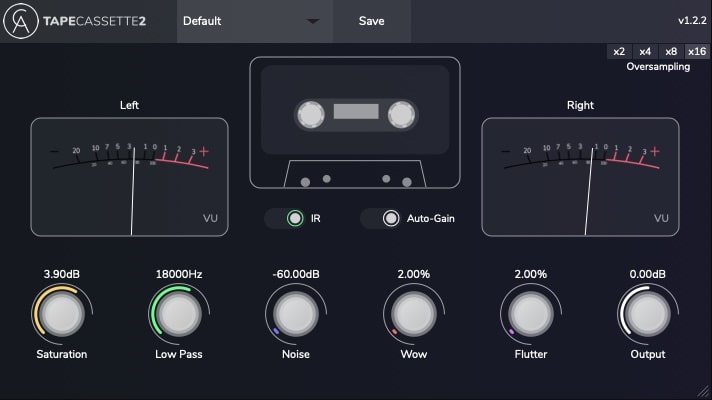
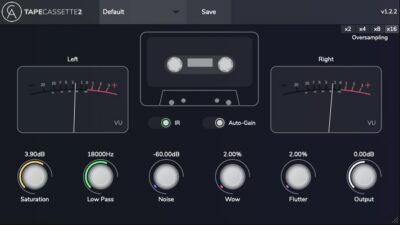
Tape Cassette 2 offers the classic sound of vintage cassette recordings with modern control and accuracy. It brings warmth, gentle saturation, and realistic tape noise that help your tracks feel nostalgic and characterful. The plugin’s upgraded engine models real cassette tone for an authentic result.
With controls for wow, flutter, and noise, you can shape movement and texture to fit your mix. Use it lightly for subtle tone shaping or push it harder for creative effects. Tape Cassette 2 gives producers an easy way to add color, depth, and a warm retro vibe.
Features
- Adds Warm Vintage Tape Sound
- Selectable Type 1 Tape Model
- Real Sampled Tape Noise
- Wow And Flutter Modulation Controls
- Dynamic Saturation Curve Algorithm
- Auto-Gain For Consistent Levels
- Selectable Oversampling Option
- Creates Lo-Fi And Experimental Sounds
- Authentic Cassette Tape Character
- Sleek Updated User Interface
Pros
- Adds instant vintage tape warmth
- Authentic type 1 cassette tone
- Real sampled tape noise texture
- Lovely wow and flutter movement
- Selectable oversampling for clarity
- Auto-gain keeps volume steady
- More musical than many free rivals
- Light on controls, big on vibe
- Free plugin with pro-quality sound
- Improved saturation for rich color
Cons
- Can use lots of CPU power
- No built-in preset manager
- Not fully GUI resizable
- Only one tape type offered
- Limited tone shaping options
- No dry/wet blend knob
- Can sound too dark easily
- Can clip when driven hard
- No real tape speed emulation
- Less flexible than paid rivals
Testimonials
3. GSatPlus

OS: Windows Win Mac Mac Bit Version: 32-bit, 64-bit Developer: TBProAudio Size: 6 MB Rating: 84/100
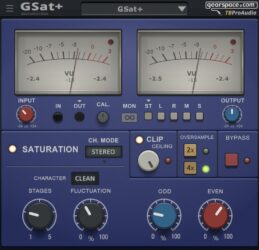
GSatPlus is a freeware saturation plug-in with three tube-based modes for adding warmth, drive, and harmonic color. It includes input and output controls, odd and even harmonic settings, fluctuation, clip protection, and stereo or channel-based processing.
Oversampling helps reduce harsh digital artifacts, while VU meters and signal monitoring show level changes. Preset management, bypass, and a scalable interface support studio workflows. GSatPlus is available for Windows and macOS in VST, VST3, AAX, and AU formats.
Features
- Three Tube Saturation Character Modes
- Adjustable Saturation Stages
- Odd And Even Harmonic Controls
- Natural Tone Fluctuation Control
- Built-In Clip Protection
- Adjustable Clipper Ceiling
- Input And Output Meters
- Two And Four Times Oversampling
- Stereo And Channel Processing
- 64-Bit Internal Processing
Pros
- Three tube characters add variety
- Precise input drive control
- Odd harmonics add sharper color
- Even harmonics add warm fullness
- Fluctuation creates natural movement
- Built-in clipping adds extra punch
- Adjustable ceiling controls peak level
- Oversampling reduces harsh digital edges
- Stereo and mid-side monitoring options
- Preset sharing speeds repeatable workflows
Cons
- No dry-wet mix control
- No built-in tone controls
- No frequency-based saturation control
- No multiband saturation options
- No automatic output matching
- Operating system changes may cause crashes
- Requires separate GPU and CPU versions
Testimonials
4. IVGI

OS: Windows Win Mac Mac Bit Version: 64-bit Developer: Klanghelm Audio Plugins Size: 4.5 MB Rating: 83/100
IVGI is a free saturation and distortion plugin for Windows and macOS. It ranges from gentle master bus warmth to dense, dirty effects for individual tracks. Its dynamic processing includes modeled crosstalk and controlled signal variation for a lively sound.
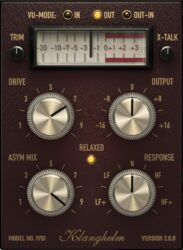
Controls include Drive, Output, Trim, Response, Asym Mix, Relaxed mode, and X-Talk. A VU meter supports input, output, or combined views. IVGI is available in VST and AU formats at 64-bit.
Features
- Soft Master Bus Saturation
- Dense Track Distortion Effects
- Dynamic Input Signal Response
- Modeled Stereo Crosstalk Behavior
- Controlled Randomness Adds Liveliness
- Asym Mix Shapes Distortion Symmetry
- Response Controls Frequency Dependence
- Input Trim Before Processing
- Selectable VU Meter Readings
- Normal, Low, And High Response
Pros
- Dynamic response follows your signal
- Controlled randomness adds natural life
- Stereo crosstalk adds analog feel
- Asym Mix shapes uneven distortion
- Response controls frequency behavior
- Relaxed mode gives smoother results
- Trim supports proper gain staging
- Output control makes level matching easy
- Works from warmth to harsh grit
- More flexible than one-knob saturators
Cons
- No built-in dry-wet mix control
- No dedicated high-pass filter
- No dedicated low-pass filter
- No tube, tape, or diode modes
- No automatic gain matching
- Distortion arrives somewhat quickly
- No multiband saturation control
Testimonials
5. Leveling Tool
OS: Windows Win Mac Mac Bit Version: 64-bit Developer: AdHd Size: 3.8 MB Rating: 82/100
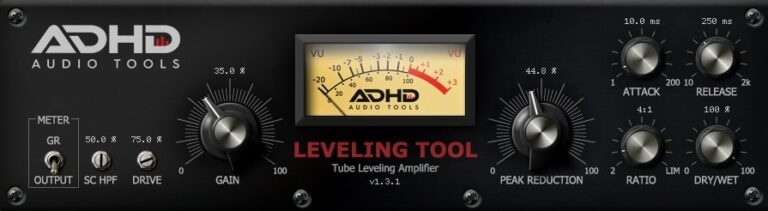
Leveling Tool is a tube-style compressor for vocals, buses, and other tracks. It smooths loud peaks, adds warmth or distortion with Drive, and can give audio a more even level.
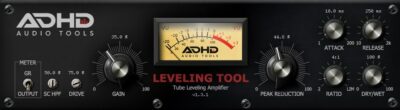
Attack, release, ratio, peak reduction, output gain, limiter, and Dry/Wet controls shape results. Its VU meter shows gain reduction or output level, while the sidechain high-pass filter reduces bass-triggered compression. It supports 4x oversampling and AU, VST3, and AAX formats on Windows and Mac.
Features
- Tube-Style Leveling Compression
- Warm Tube Saturation
- Four Times Oversampling
- Gain Reduction VU Meter
- Sidechain High-Pass Filter
- Adjustable Tube Drive
- Adjustable Peak Reduction
- Adjustable Attack And Release
- Built-In Output Limiter
- Dry And Wet Mix
Pros
- Free tube-style compression and saturation
- Combines compression with tube drive
- Dry/wet control enables parallel compression
- Sidechain high-pass reduces bass pumping
- Flexible attack and release controls
- Adjustable ratios shape dynamic control
- Built-in limiter adds peak safety
- VU meter gives clear feedback
- 4x oversampling supports smoother processing
- Native Apple Silicon support included
Cons
- Not a dedicated saturation plugin
- Compression can color the sound
- Only one tube-style character
- Lacks multiple saturation modes
- No frequency-specific saturation control
- No separate output saturation stage
- No mid-side processing options
Testimonials
6. Voxengo VariSaturator

OS: Windows Win Mac Mac Bit Version: 64-bit Developer: Voxengo Size: 7 MB Rating: 82/100
Voxengo VariSaturator is a saturation plugin for adding harmonic color, warmth, and loudness to tracks, buses, and full mixes. It combines tube-style and digital saturation, helping drums, bass, vocals, and other sounds feel more present without raising peak levels as much.
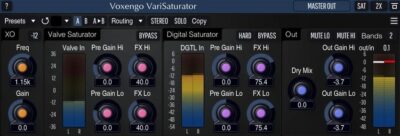
Use it in broadband or two-band mode to process low and high frequencies separately. VariSaturator supports stereo, mid-side, mono, and surround setups, with dry/wet mixing, routing, presets, and up to 8x oversampling. It runs in VST, VST3, AU, and AAX hosts on Mac and Windows.
Features
- Applies Harmonic Saturation
- Supports Tube And Digital Saturation
- Offers Two Band Processing
- Provides Broadband Saturation Mode
- Supports Stereo And Mono Processing
- Supports Mid Side Processing
- Handles Multichannel Surround Processing
- Includes Up To 8x Oversampling
- Includes Adjustable Crossover Controls
- Includes Dry And Wet Mixing
Pros
- Two saturation types in one plugin
- Separate tube and digital color
- Dual-band processing for precise tone
- Broadband mode for simple shaping
- Adjustable crossover frequency and steepness
- Dry/wet mix preserves clean tone
- Up to 8x oversampling for clarity
- Stereo, mono, and mid-side modes
- Supports surround sound formats
- Zero processing latency for tracking
Cons
- Interface may overwhelm beginners
- Crossover may color the sound
- Digital mode can sound harsh
- Hard clipping can damage transients
- No built-in limiter included
- No automatic gain matching
- Oversampling can raise CPU use
Testimonials
7. LALA

OS: Windows Win Mac Mac Bit Version: 64-bit Developer: Analog Obsession Size: 5 MB Rating: 82/100
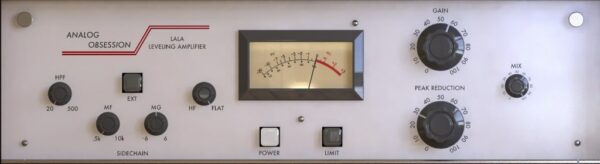
LALA is a compressor, limiter, and peak reducer with a smooth analog-style response. Peak Reduction controls compression, while Gain sets output level. Limit adds stronger peak control, and Mix blends processed and dry signals.
Its sidechain includes an HPF, midrange and high-frequency controls, plus external triggering. A VU meter shows signal level and gain reduction. LALA supports AU, VST3, and AAX on 64-bit Windows and macOS systems.
Features
- Compressor And Limiter Modes
- Peak Reduction Controls Compression
- Makeup Gain Control
- External Sidechain Support
- High-Pass Sidechain Filtering
- Midrange Sensitivity Controls
- High-Frequency Sensitivity Control
- Dry And Wet Mix Control
- VU Meter Shows Gain Reduction
- Four Times Oversampling Mode
Pros
- Smooth LA-2A-style compression character
- Works as compressor or limiter
- Peak reduction controls compression strength
- External sidechain adds control
- Sidechain high-pass filter reduces pumping
- Midrange sidechain shaping adds focus
- High-frequency sidechain control adds polish
- Mix control enables parallel compression
- VU meter shows gain reduction
- Four-times oversampling improves clarity
Cons
- Limited attack and release control
- No adjustable compression ratio
- No separate peak or RMS modes
- No stereo-link options listed
- No expansion or gate functions
- No multiband compression mode
- Fixed LA-2A style limits versatility
Testimonials
8. Saturation Knob
OS: Windows Win Mac Mac Bit Version: 64-bit Developer: Softube Size: 11 MB Rating: 79/100
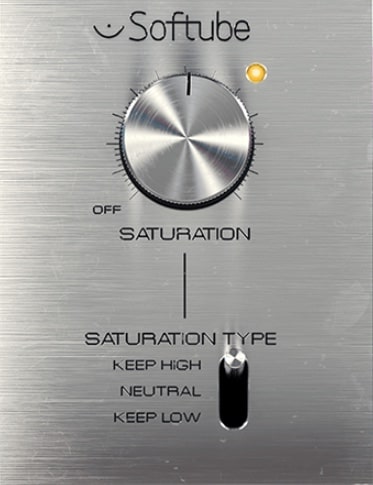
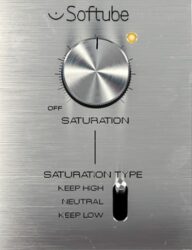
Saturation Knob is a free distortion plug-in that adds grit and warmth to audio. Adjust the saturation amount to make drums, bass, guitars, or vocals sound fuller, brighter, or more aggressive.
Choose Keep High, Neutral, or Keep Low to shape which part of the sound gets more distortion. It comes as a native plug-in and versions for Softube Modular and Amp Room.
Features
- Modeled Analog Output Distortion
- Adds Grit And Character
- Three Saturation Modes
- Keep High Preserves High Frequencies
- Keep Low Steadies The Low End
- Neutral Saturates Both Frequency Ranges
- Fattens Drums And Bass
- Adds Harmonics To Vocals
- Native, Modular, And Amp Room Versions
- Includes Saturation Control And Off Setting
Pros
- Free to download and use
- Adds warm, analog-style grit
- Offers three useful sound modes
- Keep High helps preserve bright sounds
- Keep Low helps steady deep sounds
- Neutral gives even sound coloring
- One main knob keeps it simple
- Handles soft or strong effects
- Also works inside Modular and Amp Room
- No physical iLok key is needed
Cons
- Only three saturation modes
- Only one main control
- No input trim control listed
- No output gain control listed
- No mix knob listed
- No tone filters listed
- No oversampling setting listed
Testimonials
9. XPressor
OS: Windows Win Mac Mac Bit Version: 64-bit Developer: E-Phonic Size: 7 MB Rating: 79/100
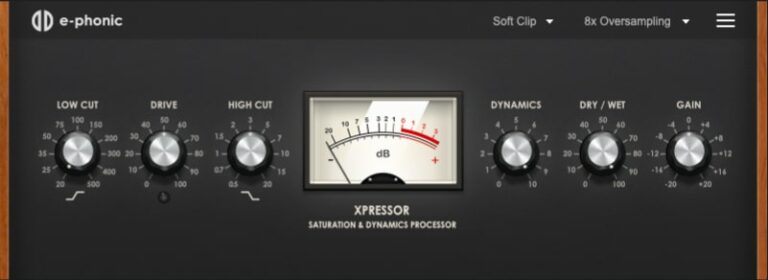
XPressor is a saturation and dynamics processor for adding warmth, punch, and harmonic color to drums, vocals, instruments, and full mixes. It includes soft clip, hard clip, and wavefolder modes for shaping sound from gentle warmth to stronger overdrive.
Low- and high-cut filters help control the tone before processing. The built-in dynamics control, Dry/Wet mix, output gain, and up to 8x oversampling provide added control over the final sound. XPressor is free and available as a 64-bit VST3 plugin for Windows and macOS.
Features
- Saturation And Dynamics Processing
- Soft Clip Saturation Mode
- Hard Clip Saturation Mode
- Wavefolder Saturation Mode
- Low And High Cut Filters
- Built-In Dynamics Control
- Up To 8x Oversampling
- Dry And Wet Mix Control
- Input And Output Gain
- Decibel Level Meter
Pros
- Free for Windows and macOS
- Three useful saturation modes
- Soft clipping smooths loud peaks
- Hard clipping adds strong energy
- Wavefolding creates bright tones
- Built-in dynamics saves plugin space
- Shapes tone with low-cut filtering
- Shapes tone with high-cut filtering
- Up to eight-times oversampling
- Dry-wet mixing keeps sounds natural
Cons
- No automatic gain compensation
- Limited tone-shaping controls
- No mid-side processing options
- No external sidechain input
- No presets or sound browser
- Only three saturation algorithms
- VST3 detection may fail sometimes
Testimonials
10. Burier

OS: Windows Win Mac Mac Bit Version: 32-bit, 64-bit Developer: Kit Plugins Size: 43 MB Rating: 77/100
Burier is a saturation and filter plugin for guitars, bass, drums, synths, pianos, and vocals. Its main control ranges from light overdrive to strong, punchy distortion, while low-cut and high-cut filters shape the frequencies being affected.
Burier includes a dry/wet mix, output control, and a link option for mix and volume. It runs on Windows and Mac in VST, AAX, and AudioSuite formats, with 32-bit and 64-bit support.
Features
- One-Knob Saturation Control
- Low-Cut Filter Control
- High-Cut Filter Control
- Two Resonant Filters
- Dry And Wet Mixing
- Output Volume Control
- Linked Mix And Output
- Light To Heavy Saturation
- Works On Many Instruments
- Suitable For Filter Sweeps
Pros
- Simple one-knob saturation control
- Built-in low-cut and high-cut filters
- Resonant filters enable creative sweeps
- Targets specific frequencies before saturation
- Dry/wet mixing preserves natural tone
- Output control supports easy level matching
- Link control streamlines stereo workflow
- Unlinked stereo feels more analog
- Handles gentle warmth or heavy grit
- Available in VST and AAX
Cons
- Only one main saturation flavor
- No tube, tape, or diode modes
- No dedicated input gain control
- No transient shaping controls
- No asymmetry control for harmonics
- No oversampling control is included
- No soft clipper or limiter stage
Testimonials
11. Voxengo Tube

OS: Windows Win Mac Mac Bit Version: 64-bit Developer: Voxengo Size: 8 MB Rating: 76/100
Voxengo Tube is a free tube-style saturation plugin for Windows and Mac. It models a single-tube triode, adding warmth, mild overdrive, or stronger fuzzy distortion to vocals, drums, guitars, and other tracks.
Drive and Bias shape the effect, while the low-pass filter controls high frequencies. Dry Mix blends clean and processed sound, and Output Gain sets the level. Stereo and multichannel routing, up to 8x oversampling, and VST, VST3, AU, and AAX support are included.
Features
- Tube-Style Harmonic Saturation
- Single-Tube Triode Modeling
- Variable Low-Pass Filter
- Dedicated Output Saturator Stage
- Stereo And Multichannel Processing
- Flexible Channel Routing Controls
- Up To 8x Oversampling
- Zero Processing Latency
- Dry And Wet Mix Control
- Bias And Drive Controls
Pros
- Models single-tube triode behavior
- Adds gentle or aggressive drive
- Provides two processing modes
- Includes a second saturator stage
- Shapes highs with low-pass filtering
- Blends clean and processed sound
- Changes tone with adjustable bias
- Offers up to 8x oversampling
- Includes zero processing latency
- Offers mid-side processing options
Cons
- Only one tube model available
- No multiband frequency control
- No mid-side processing controls
- No built-in EQ section
- No auto gain for matching
- No clipping style choices
- Heavy drive can sound harsh
Testimonials
12. BPB Saturator

OS: Windows Win Mac Mac Bit Version: 32-bit, 64-bit Developer: Bedroom Producers Blog Size: 10 MB Rating: 75/100
BPB Saturator is a free plugin that adds tape or tube color to recordings, vocals, bass, drums, and virtual instruments. Tube mode adds warm, smooth distortion, while tape mode provides soft saturation and a vintage character.
It includes high-pass and low-pass filters for shaping the signal, plus input and output controls for level matching. BPB Saturator supports VST2, VST3, AU, and AAX formats on Windows and Mac.
Features
- Free Tape And Tube Saturation
- Low CPU Usage
- High-Pass Filter For Bass
- Low-Pass Filter For Treble
- Tube Saturation Control
- Tape Saturation Control
- Input And Output Controls
- Simple User Interface
- Supports Multiple Plugin Formats
- Supports 32-Bit And 64-Bit
Pros
- Free tape and tube saturation
- Uses very little CPU
- Tube mode adds smooth warmth
- Tape mode adds vintage color
- Includes a high-pass filter
- Includes a low-pass filter
- Tightens muddy low-end sounds
- Softens harsh high frequencies
- Input control shapes saturation strength
- Output control helps match volume
Cons
- Only two saturation flavors
- No wet-dry mix control
- No adjustable saturation response
- No asymmetry or harmonic control
- No saturation compression control
- No oversampling setting
- Four-channel routing can fail
Testimonials
13. TubeDriver

OS: Windows Win Mac Mac Bit Version: 32-bit, 64-bit Developer: NickCrowLab Size: 1.6 MB Rating: 73/100
TubeDriver is a tube amplifier saturation plug-in for Windows and macOS, available in VST and AU formats. It adds warm, colored distortion to vocals, guitars, drums, and other tracks through controls for bias, drive, boost, overdrive, and output volume.
A pre-EQ section provides high-pass, peak, shelf, and resonant low-pass filters, while Dry/Wet blends clean and processed signals. TubeDriver also includes a THD meter, mono and phase options, plus real-time and render oversampling up to 16x.
Features
- Tube Amplifier Emulation
- Warm Tube Saturation
- Pre-EQ Filter Controls
- Adjustable Filter Resonance
- Adjustable Tube Bias
- Drive Gain Control
- Selectable Overdrive Mode
- Tube Distortion THD Meter
- Dry/Wet Signal Mixing
- Up To 16X Render Oversampling
Pros
- Detailed pre-EQ control
- Four useful filter shapes
- Adjustable filter resonance
- Bias shapes tube response
- Drive adds controllable gain
- Overdrive adds extra bite
- Boost adds up to 12dB
- Clear THD amount meter
- Dry/Wet enables parallel blending
- Render oversampling reaches 16x
Cons
- Heavy CPU use at times
- Bypass may fail for users
- No VST3 or AAX support
- No mid-side processing options
- No automatic output gain control
- Limited saturation character choices
- No external sidechain input
Testimonials
14. FerricTDS mkII

OS: Windows Win Bit Version: 32-bit Developer: Variety Of Sound Size: 26 MB Rating: 72/100
FerricTDS mkII is a free Windows VST plug-in for adding tape-style saturation, compression, clipping, and tone shaping. It offers saturation, soft clipping, hard clipping, and analog signal path modeling for tracks, drums, bass, vocals, and buses.
Version 2 adds operating-level calibration, revised meters, punchier tape compression, second-order harmonics, and lower distortion. Its limiter uses converter-style clipping, while internal oversampling helps manage nonlinear processing. It includes input, output, dynamics, recovery, sidechain filter, saturation, and limiter controls.
Features
- Analog Signal Path Emulation
- Multiple Saturation Models
- Soft And Hard Clipping
- Adjustable Tone Controls
- Updated Tape Compression Algorithms
- Second-Order Harmonic Processing
- Reduced Intermodulation Distortion
- ADC-Style Limiter Clipping
- Higher Internal Sampling Rates
- Optional Sidechain Filter
Pros
- Operating level calibration improves gain staging
- Output-compensated processing supports fair comparisons
- Revised metering gives clearer feedback
- Punchier tape compression preserves drum impact
- Second-order harmonics add musical warmth
- ADC-style clipping controls sharp peaks
- Higher-rate processing reduces harsh aliasing
- Analog signal paths add believable character
- Sidechain filtering protects deep bass
- Built-in limiter adds peak safety
Cons
- Windows only, unlike many competitors
- No VST3 support listed
- No AU or AAX versions
- No dry and wet control
- No mid-side processing options
- No adjustable oversampling settings
- Limited control over harmonic balance
Testimonials
15. Tube Saturator Vintage

OS: Windows Win Mac Mac Bit Version: 64-bit Developer: Wave Arts Size: 11 MB Rating: 71/100
Tube Saturator Vintage is a free plug-in that models a dual-triode tube preamp. Its Drive control adds warmth or distortion, while Bass, Mid, and Treble controls shape the tone.
Use FAT mode for a fuller sound, and check levels with the VU meter. The plug-in works in mono or stereo and supports VST, AU, and AAX formats.
Features
- Dual 12AX7 Preamp Stages
- 64-Bit Tube Circuit Simulation
- Baxandall Three-Band Equalizer
- Drive Control Adjusts Saturation
- FAT Mode Adds Fullness
- EQ Bypass Switch
- Analog-Style VU Meter
- Zero-Latency Audio Processing
- Supports Sample Rates Up To 192 kHz
- Mono And Stereo Operation
Pros
- Free vintage tube saturation
- Detailed dual-triode circuit modeling
- Two 12AX7 gain stages
- Three-band tone shaping built in
- Drive control shapes distortion
- FAT mode adds extra punch
- EQ can be bypassed quickly
- More tone shaping than one-knob saturators
- Can also smooth loud peaks
- Adds no plug-in latency
Cons
- Very high CPU use
- Needs email registration first
- Only one tube-preamp sound
- Fewer distortion modes than rivals
- No custom effect-chain builder
- No oversampling control listed
- No mix knob for blending
Testimonials
16. Szechuan Saturator

OS: Windows Win Mac Mac Bit Version: 64-bit Developer: CodaLabs Size: 11 MB Rating: 69/100
Szechuan Saturator is a distortion and saturation plugin that adds grit, warmth, and edge to drums, synths, and mixes. Its saturation changes with the input volume for shifting harmonic effects.
Controls include intensity, mix, input and output gain, modulation rate, and modulation depth. A waveform display shows the effect in action. It supports 64-bit AU and VST3 formats on Mac and Windows.
Features
- Dynamic Input Responsive Saturation
- Adds Grit Warmth And Power
- Waveform Display Shows Audio Changes
- Adjustable Distortion Intensity
- Dry And Wet Signal Mix
- Input Gain Level Control
- Adjustable Modulation Rate
- Adjustable Modulation Depth
- Output Gain Level Control
- Includes AU And VST3 Formats
Pros
- Free to download and use
- Works on Mac and Windows
- Includes VST3 and AU formats
- Changes tone with input volume
- Creates unique dynamic saturation effects
- Adds movement with built-in modulation
- Reaches fast 300Hz modulation rates
- Creates instant ring-mod style sounds
- Includes a useful waveform display
- Blends clean and processed sounds
Cons
- No oversampling control listed
- Aliasing risk at high settings
- Only one main saturation flavor
- No low-cut or high-cut filters
- No input-output metering listed
- Dynamic behavior reduces predictability
- Limited control over harmonics
Testimonials
17. FreeAMP

OS: Windows Win Mac Mac Bit Version: 32-bit, 64-bit Developer: Klevgrand Size: 5 MB Rating: 69/100
FreeAMP is a free saturation plugin based on Klevgrand’s REAMP model. It combines tape and tube processing in one profile, adding gain, warmth, fullness, and distortion to vocals, guitars, drums, individual tracks, stems, or full mixes.
Its controls include Drive, Mix, and Output, with level indicators to help monitor the signal. FreeAMP runs in AU, VST, and AAX hosts on Windows and macOS, with 32-bit and 64-bit support.
Features
- Tape And Tube Saturation
- Universal Amplifier Profile
- Drive Control With Indicators
- Dry And Wet Mix
- Output Volume Control
- Built-In Level Meter
- Power On And Off
- VST, AU, And AAX Formats
- 32-Bit And 64-Bit Support
Pros
- Free cost for every producer
- Tape and tube sound together
- Uses REAMP model algorithms
- Works on tracks, stems, mixes
- Useful for vocals and guitars
- Also works well on drums
- Drive offers wide gain range
- Mix knob blends dry and wet
- Built-in meter shows signal level
- Supports VST, AU, and AAX
Cons
- Only one combined saturation profile
- No selectable saturation modes
- No frequency shaping controls
- No oversampling control
- May create unwanted aliasing artifacts
- No input level control
- Drive can sound harsh quickly
Testimonials
18. SGA1566
OS: Windows Win Mac Mac Bit Version: 32-bit, 64-bit Developer: Shattered Glass Audio Size: 1.4 MB Rating: 68/100
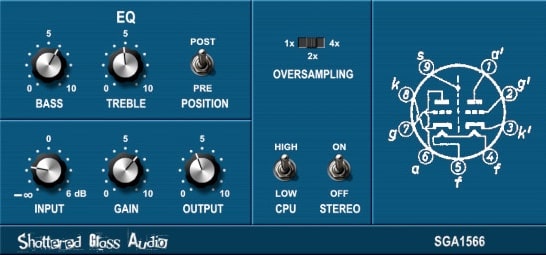
SGA1566 is a free tube preamp plugin modeled on a vintage, single-channel design. Its two 12AX7 stages can add warmth, saturation, overdrive, or distortion to tracks, and can shape guitar and bass tones.
It includes a two-band EQ with bass and treble controls, placed before or after the effect. Choose a detailed or lighter circuit model, up to 4x oversampling, and mono or stereo processing. Available for Windows and macOS in VST and AU.
Features
- Free Tube Preamp Plugin
- Real-Time Circuit Simulation
- Two 12AX7 Amplification Stages
- Lower-CPU Circuit Model
- Two-Band Active Baxandall EQ
- Pre-Effect Or Post-Effect EQ
- Up To 4x Oversampling
- Mono Or Stereo Processing
- Tube Warmth And Saturation
- Tube Overdrive And Distortion
Pros
- Real-time tube circuit modeling
- Two 12AX7 gain stages
- Adds gentle saturation compression
- Offers a lower-CPU model
- Place EQ before or after
- Built-in two-band active EQ
- Offers up to 4x oversampling
- Processes mono or stereo sound
- Separate input and output controls
- Creates strong tube distortion
Cons
- Uses too much computer power
- Light model sounds less accurate
- Only two EQ bands are available
- No dry-and-wet blend is listed
- Few distortion styles to choose from
- Some users report harsh breakup
- Some users report sound glitches
Testimonials
19. HeadCrusher Free

OS: Windows Win Mac Mac Bit Version: 32-bit, 64-bit Developer: Audio Assault Size: 2.4 MB Rating: 64/100
HeadCrusher Free is an analog saturation plugin for adding grit, warmth, and impact to drums, vocals, bass, or master tracks. Drive ranges from mild saturation to heavy crushing, while Tone, Low Cut, and Hi Cut shape the sound.
Output controls the final volume, and Crush Meter shows the amount of crushing. The plugin supports Windows and Mac in VST, AU, RTAS, and AudioSuite formats, with 32-bit and 64-bit versions.
Features
- Analog Saturation For Audio
- Creates Vintage Sound
- Works On Drums And Vocals
- Supports Bass And Master Tracks
- Drive Controls Distortion Amount
- Output Controls Final Volume
- Crush Meter Shows Signal Crushing
- Low Cut Removes Bass Frequencies
- Tone Adjusts Dark Or Bright Sounds
- Hi Cut Controls High Frequencies
Pros
- Handles subtle or extreme crushing
- Drive gives strong distortion control
- Crush Meter shows effect strength
- Low Cut cleans muddy bass
- Tone moves from dark to bright
- Hi Cut tames harsh high tones
- More tone shaping than one-knob tools
- Output helps match final volume
- Supports VST, AU, RTAS, AudioSuite
- Supports both 32-bit and 64-bit
Cons
- No mix control for dry signal
- Noticeable aliasing at high drive
- No oversampling control or option
- Can sound too harsh
- Strong color at low settings
- Only one main saturation character
- May crash some DAW sessions
Testimonials
20. DirtyPumper

OS: Windows Win Mac Mac Bit Version: 64-bit Developer: SNFK Music Size: 6 MB Rating: 61/100
DirtyPumper is an extreme saturation VST plugin by SNFK Music that adds grit, distortion, and warmth. It was made for drums but can also process vocals, bass, and other sounds, creating thicker and more aggressive tones.
Its Dirt, Drive, Lowpass, POS, and NEG controls shape the effect, while IN and OUT set signal levels. DirtyPumper supports VST and AU formats on 64-bit Windows and Mac systems.
Features
- Extreme Saturation For Drum Processing
- Gritty Distortion And Roughness
- Adjustable Drive And Input Gain
- Lowpass Filter For Warmer Sounds
- Positive And Negative Amplitude Control
- Adjustable Input And Output Levels
- Warm And Fat Sound
- Processes Drums, Vocals, And Audio
- Simple Interface With Few Controls
- Classic Saturation Equipment Tone
Pros
- Designed for powerful drum processing
- Creates warm, fat sounds
- Adds gritty distortion quickly
- Pushes sounds into extreme territory
- Offers more controls than one-knob saturators
- Includes useful input gain control
- Includes separate output level control
- Built-in lowpass shapes bright tones
Cons
- Extreme sound limits gentle use
- No dry/wet mix control
- No adjustable saturation response
- No oversampling options listed
- No input/output level meters
- No VST3 or AAX support
- Mac playback problems were reported
Testimonials
Best Saturation VST Plugins Compared
This table compares the top saturation plugins by features, controls, effects, formats, and more.
| Details | Chow Tape Model | Tape Cassette 2 | GSatPlus | IVGI | Leveling Tool | Voxengo VariSaturator | LALA | Saturation Knob | XPressor | Burier |
|---|---|---|---|---|---|---|---|---|---|---|
| Image | 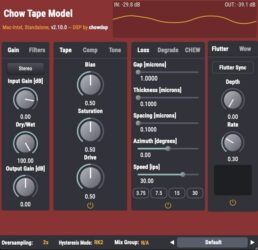 |
 |
 |
 |
 |
 |
 |
 |
 |
 |
| Rating | ||||||||||
| OS | Windows, Mac, Linux | Windows, Mac | Windows, Mac | Windows, Mac | Windows, Mac | Windows, Mac | Windows, Mac | Windows, Mac | Windows, Mac | Windows, Mac |
| Formats | VST, AU | VST, VST3, AU, AAX | VST, VST3, AU, AAX | VST, AU | VST3, AU, AAX | VST3, AU, AAX | VST3, AU, AAX | VST, VST3, AU, AAX | VST, VST3, AU | VST, AAX, AudioSuite |
| Bit Version | 64-bit | 64-bit | 32-bit, 64-bit | 64-bit | 64-bit | 64-bit | 64-bit | 64-bit | 64-bit | 32-bit, 64-bit |
| Developer | Chow DSP | Caelum Audio | TBProAudio | Klanghelm Audio Plugins | AdHd | Voxengo | Analog Obsession | Softube | E-Phonic | Kit Plugins |
| License | GPL | Freeware | Freeware | Freeware | Personal-Use | N/A | Donationware | Freeware | Freeware | Personal-Use |
| Sample-Based | No | No | No | No | No | No | No | No | No | No |
| Download Size | 10 MB | 5 MB | 6 MB | 4.5 MB | 3.8 MB | 7 MB | 5 MB | 11 MB | 7 MB | 43 MB |
| CPU Load | Low | Low | Low | Low | Low | Low | Low | Low | Low | High |
| Polyphony | 1 | 8 | N/A | N/A | N/A | N/A | N/A | N/A | N/A | N/A |
| Features | Analog tape emulation, Hysteresis modeling, Compression control, Tone shaping, Modulation effects, Mix grouping, Stereo processing | Saturation, Authentic Modeling, Tape Noise, Wow Control, Flutter Control, Low Pass Filter, Oversampling | Tube Saturation Modes, Clip Protection, VU Meters, Signal Monitoring, Oversampling, Preset Management, Scalable Interface | Soft Saturation, Dense Distortion, Dynamic Response, Stereo Crosstalk, Controlled Randomness, Asymmetry Control, Frequency Response | Tube Compression, Tube Saturation, VU Meter, Sidechain High-Pass, Peak Reduction, Dry/Wet Mix, Output Limiter | Harmonic Enhancement, Master Bus Saturation, Track Saturation, Tube Saturation, Digital Saturation, Two-Band Processing, Mid-Side Processing | Compressor, Limiter, Peak Reduction, External Sidechain, High-Pass Filter, Makeup Gain, Analog Modeling | Analog saturation, Three distortion modes, Drum and bass fattening, Vocal harmonics, Adjustable saturation, Modular integration, Free download | Saturation Processing, Dynamics Processing, Soft Clipping, Hard Clipping, Wavefolding, Low-Cut Filtering, High-Cut Filtering | Saturation, Resonant Filters, Low-Cut, Hi-Cut, Dry/Wet Mix, Output Attenuation, Mix/Output Link |
| Controls | Input Gain, Dry/Wet, Output Gain, Bias, Saturation, Drive, Hysteresis Mode | Saturation, Low Pass, Noise, Wow, Flutter, Output, VU Meters | Input, Output, Character, Stages, Fluctuation, Odd, Even | VU Mode, VU Meter, Trim, X-Talk, Drive, Output, Asym Mix | VU Meter, Meter Mode, Sidechain High-Pass Filter, Drive, Gain, Peak Reduction, Attack | Presets, Undo/Redo, A/B, Routing, Stereo, Master Out, SAT | Peak Reduction, Gain, Limit, External Sidechain, High-Pass Filter, Midrange Control, High-Frequency Control | Saturation Control, Off Setting, Status Light, Mode Switch | Low Cut, Drive, High Cut, Meter, Dynamics, Dry/Wet, Gain | Power Switch, Low-Cut, Hi-Cut, Main Knob, Mix, Link, Output |
| Effects Included | Saturation, Compression, Filtering, Modulation, Tone Shaping | Saturation, Low Pass Filter, Noise, Wow, Flutter | Saturation, clipping | Saturation, distortion | Compressor, saturation, distortion, limiter | Valve tube saturation, digital saturation, harmonic enhancement, distortion, compression | Compressor, limiter, peak reducer, high-pass filter | Saturation, distortion | Saturation, dynamics processing, soft clipping, hard clipping, wavefolding, low-cut filtering, high-cut filtering | Saturation, low-cut filter, hi-cut filter |
| MIDI Learn | Unknown | Unknown | No | No | No | No | No | No | No | No |
| Presets | N/A | 25 | N/A | N/A | N/A | N/A | N/A | N/A | N/A | N/A |
| Standalone | Yes | No | No | No | No | No | No | No | No | Yes |
| Last Updated | 03/05/2024 | 05/02/2024 | N/A | 11/09/2026 | 12/11/2026 | 11/14/2026 | 01/02/2023 | 11/03/2026 | 11/14/2026 | 11/14/2026 |
Best Saturation Plugins
Our top picks for the best free Saturation VST plugin are Chow Tape Model by Chow DSP, Tape Cassette 2 by Caelum Audio, and IVGI by Klanghelm Audio Plugins.
| Details | Chow Tape Model | Tape Cassette 2 | IVGI |
|---|---|---|---|
| Image | | | |
| Rating | |||
| OS | Windows, Mac, Linux | Windows, Mac | Windows, Mac |
| Formats | VST, AU | VST, VST3, AU, AAX | VST, AU |
| Bit Version | 64-bit | 64-bit | 64-bit |
| Developer | Chow DSP | Caelum Audio | Klanghelm Audio Plugins |
| Download Size | 10 MB | 5 MB | 4.5 MB |
| Download | Visit Chow Tape Model | Visit Tape Cassette 2 | Visit IVGI |
FAQs
How to Install Saturation VST Plugins
To install saturation VST plugins on Windows or Mac, extract the files from the Zip or Rar. Move the files (.dll for Windows or .component for Mac) into your DAW’s plugin folder. Then restart your software and rescan the directory to complete the process. Tutorial: How to Install VST Plugins
Windows:
Extract the downloaded zip file and copy the .dll file into the VST plugins folder scanned by your DAW. Restart your music software and rescan your plugin directory to begin using the new VST.
Mac OS X:
Extract the downloaded archive and move the .component or .VST file to the plugin folder. It is usually /Library/Audio/Plug-Ins/Components or /Library/Audio/Plug-Ins/VST. Restart your DAW and rescan your plugins to complete the installation.
What Is A Saturation Plugin?
Saturation plugins allow you to apply audio saturation effects to digital audio to give it the feeling of going through vintage analog recording hardware. They are used to help create vintage-sounding audio.
Saturation plugins are often used on individual tracks, such as drums, bass, vocals, and guitars, or on an entire mix to add character and warmth to the sound. They can be handy in genres like hip-hop, rock, blues, and funk, where the sound of analog equipment is commonly used.
Additional Free Saturation Plugins
Now that I’ve covered the best saturation VST plugins, let’s look at some additional saturation plug-ins that you may want to consider.
- OCS – The Obsessive-Compulsive Saturation unit was inspired by analog behavior.
- OrangeFlavor – Analog principles are applied to digital audio.
- Code Red Free – It replicates preamp circuits, EQ curves, and the cta, punchy character of the classic 60s all-tube console.
- DR VOS SlickEQ – An easy-to-use, musically flexible saturation plugin.
- ACE – This amp is a faithful imitation of the legendary hardware from the 1950s.
- MJUC JR. – Capable of both smooth leveling and heavy pumping.
- DC1A – Unlike DC8C, DC1A has a smaller compression ratio.
- GreenEugene – The drive function can be helpful to add some color and dynamics to the mix when used gently without the drive function.
- Amplio – This is a 3-band equalizer for drum loops with adjustable bands.
- TesslaSE mkII – It does not utilize tube distortion but rather aims to bring all the subtle saturation and widening from analog to digital.
- TesslaSE – A mild and pleasing saturation effect is added to the audio input.
- Tape Bus – The Tape Bus is a tape machine emulation plugin that emulates the characteristics of a magnetic tape cassette recorder and its compression and saturation.
- TAL-Tube – The characteristics of a vintage tube.
- Saturate – This plugin cuts the waveform to create the saturation effect.
- Sat – Emulation of saturation from a console.
- PhreePhuzz – There are four different saturation settings in PhreePhuzz.
- W2395c – W2395c is a beautiful and powerful mid-band EQ by Baxandall.
- TSClip – A boost module raises the input level, while a saturation module compensates for low-frequency loss with a bass booster.
I hope you found this list of free saturation plugins helpful.
You May Also Like: