Here are the best free Equalizer VST plugins for Windows and Mac. We have included videos, reviews, features, pros, cons, and plugin ratings.
Table of Contents

How we rate equalizer plugins: We rate each equalizer plugin based on sound quality, design, performance, features, usability, and compatibility. We rate plugins on a scale of 1 to 100.
Best Free Equalizer VST Plugins
| # | Plugins | Ratings | OS | Formats |
|---|---|---|---|---|
| 1 | TDR Nova | Windows Mac Linux | VST2, VST3, AU, AAX | |
| 2 | Marvel GEQ | Windows Mac | VST, AU | |
| 3 | SlickEQ | Windows Mac | VST2, VST3, AAX | |
| 4 | SplineEQ | Windows Mac | VST3, AU, Standalone | |
| 5 | MEqualizer | Windows Mac | VST, AU | |
| 6 | Voxengo Overtone GEQ | Windows Mac | VST, VST3, AU, AAX | |
| 7 | Fiver | Windows Mac | VST, AU | |
| 8 | Nova-67P | Windows Mac | VST2, AU | |
| 9 | LKJB Luftikus EQ | Windows Mac | VST3, AU, RTAS | |
| 10 | Blindfold EQ | Windows Mac Linux | VST2, VST3, AAX, CLAP | |
| 11 | Blue Cat’s Triple EQ | Windows Mac | VST, AU, RTAS | |
| 12 | QRange | Windows Mac | VST, AU | |
| 13 | STEQ | Windows Mac | VST, AU | |
| 14 | Tilt EQ | Windows Mac | VST, AU | |
| 15 | Pteq-X | Windows Mac | VST, AU | |
| 16 | HLQSE | Windows Mac | VST, AU | |
| 17 | SonEQ | Windows Mac | VST, AU, RTAS, AAX | |
| 18 | BASIQ | Windows Mac | AU, RTAS | |
| 19 | SAFEEqualiser | Windows Mac Linux | VST, AU | |
| 20 | Dust Equalizer | Windows | VST |
I have spent over 15 years testing and comparing hundreds of free and paid VST plugins, supported by hands-on demos on our YouTube channel, which has 12,000+ subscribers.
1. TDR Nova
OS: Windows Win Mac Mac Linux Linux Bit Version: 32-bit, 64-bit Developer: Tokyo Dawn Records Size: 8 MB Rating: 87/100
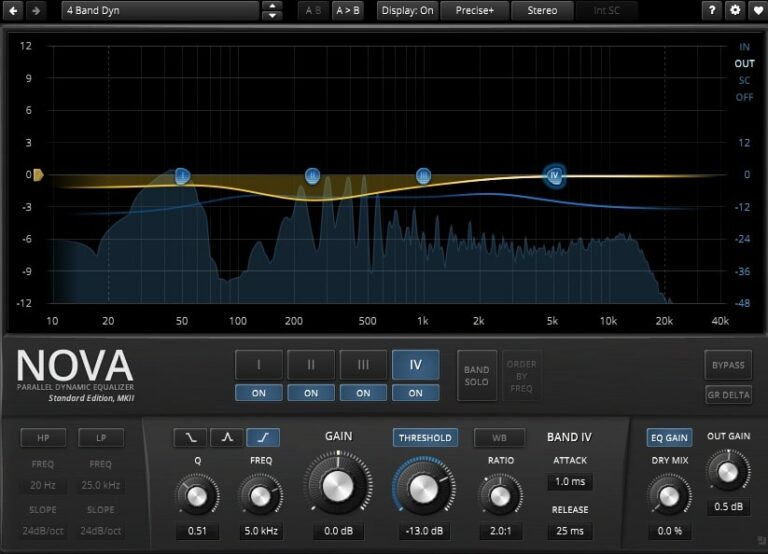
TDR Nova is a parallel dynamic equalizer with four adjustable bands, high-pass and low-pass filters, and visual frequency feedback. Each band combines EQ and dynamics controls for tasks such as tone shaping, de-essing, frequency-focused compression, multiband processing, and broad compression.
Its graph and knob controls provide access to frequency, gain, threshold, ratio, attack, release, and mix settings. Presets, undo and redo, A/B comparison, solo, external sidechain, and equal-loudness tools support work on tracks, buses, and masters.
Features
- Parallel Dynamic Equalizer
- Four Dynamic Equalizer Bands
- Frequency-Selective Compression
- Multiband Compression Processing
- Wideband Compression Processing
- Drag-And-Drop Frequency Display
- Visual Spectrum Feedback
- Adjustable Attack And Release
- Adjustable Threshold And Ratio
- External Signal Control
Pros
- 4 Bands target problem sounds
- Dynamic cuts sound more natural
- Also works as a regular EQ
- Handles compression and tone shaping
- Includes high-pass and low-pass filters
- Built-in analyzer shows frequency problems
- Band solo helps find harsh sounds
- GR Delta reveals removed sound
- External sidechain adds extra control
Cons
- Needs manual frequency hunting
- No automatic sibilance detection
- Steeper learning curve
- Many controls feel overwhelming
- May affect nearby vocal tones
- Can miss changing sibilance
Testimonials
2. Marvel GEQ

OS: Windows Win Mac Mac Bit Version: 32-bit, 64-bit Developer: Voxengo Size: 7 MB Rating: 86/100
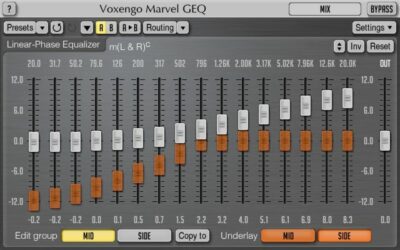
Marvel GEQ is a free 16-band graphic equalizer for shaping vocals, instruments, tracks, and full mixes. Its linear-phase design supports clear, transparent EQ changes, with up to ±12 dB of control for each frequency band.
The plugin supports stereo, mono, mid-side, and multichannel work, including surround formats. Channel routing, grouping, presets, A/B comparison, and freehand curve drawing help you adjust sound in VST, VST3, AudioUnit, and AAX hosts.
Features
- Free 16-Band Graphic Equalizer
- Linear-Phase Audio Processing
- Freehand EQ Curve Drawing
- Stereo And Multichannel Processing
- Mid-Side Equalization Support
- Internal Channel Routing
- Channel Grouping Controls
- Supports Up To Eight Channels
- 64-Bit Floating-Point Processing
- Mix Control For Blending
Pros
- Sixteen bands shape sound
- Linear-phase filtering stays transparent
- Freehand curve drawing is fast
- Stereo processing handles wide mixes
- Mid-side control shapes stereo space
- Multichannel support reaches eight channels
- Works for surround sound mixing
- Flexible internal routing options
- Channel grouping saves editing time
- Mix control blends EQ smoothly
Cons
- Only offers graphic EQ controls
- No dynamic EQ processing
- No built-in spectrum analyzer
- Fixed sixteen frequency bands
- Less precise than parametric EQs
- Limited plus-or-minus twelve-decibel range
- Adds nine milliseconds of latency
Testimonials
3. SlickEQ
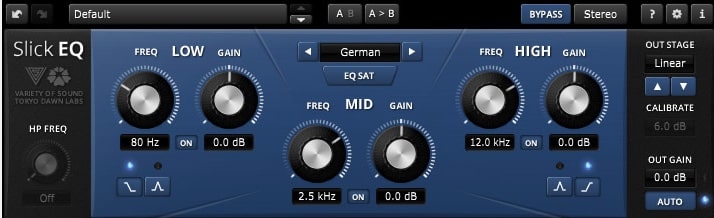
OS: Windows Win Mac Mac Bit Version: 64-bit Developer: Tokyo Dawn Records Size: 7.9 MB Rating: 84/100
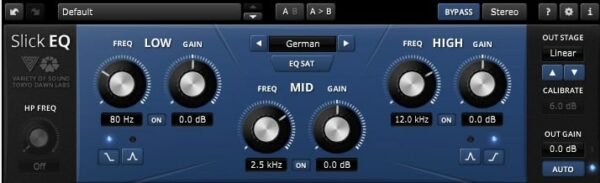
SlickEQ is a mixing and mastering equalizer with low, mid, and high bands, plus an 18 dB/octave high-pass filter. Four EQ models offer different curves for broad tone shaping or corrective work.
It also includes optional EQ saturation, five output-stage colors, automatic gain matching, and stereo or sum/difference processing. Undo, A/B comparison, presets, and three quality modes support efficient work during mixing and mastering.
Features
- Three-Band Semi-Parametric Equalizer
- Four Distinct EQ Models
- High-Pass Filter With Butterworth Curve
- Low-Shelving And Bell Filters
- Optional EQ Harmonic Saturation
- Five Output Stage Models
- Adjustable Output Stage Drive
- Automatic Loudness Compensation
- Sum And Difference Processing
- High-Quality Multirate Processing
Pros
- Four unique EQ sound styles
- Musical curves for fast mixing
- Built-in high-pass filter
- Five useful output stages
- Gentle analog-style warmth
- Strong saturation without harsh distortion
- Auto-gain keeps levels balanced
- Supports stereo and mono processing
- Offers easy mid-side processing
- Low-latency modes support live use
Cons
- Only three main EQ bands
- No dynamic EQ controls
- No built-in spectrum analyzer
- No low-pass filter included
- No built-in band compression
- No sidechain-triggered processing
- No Audio Unit format
Testimonials
4. SplineEQ
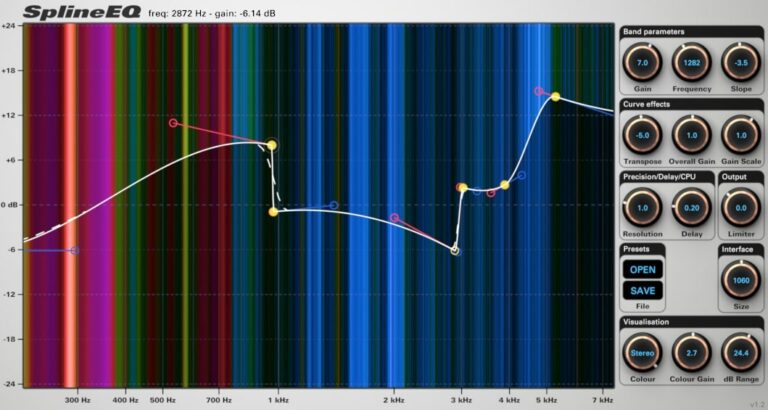
OS: Windows Win Mac Mac Bit Version: 64-bit Developer: Photo Sounder Size: 6 MB Rating: 84/100
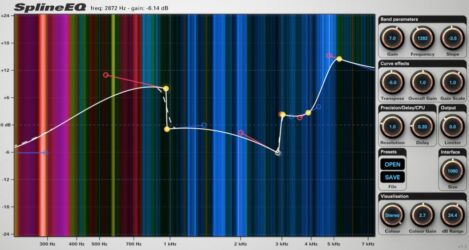
SplineEQ is a linear-phase equalizer that lets you shape sound with Bézier curves. Add points to the graph to boost or cut frequencies, and use the spectrum display to compare the sound before and after filtering.
The full version supports up to 60 bands, while the free version supports four. Adjust the curve’s position, gain, and strength, or use the built-in limiter to help control output level.
Features
- Linear-Phase Audio Equalization
- Shape Filters With Bézier Splines
- Free Version Supports Four Bands
- Adjust Bands On The Graph
- Automatable Band Parameter Controls
- Adjustable Filter Resolution And Latency
- Frequency Analyzer Shows Before And After
- Smooth Parameter Changes Without Artifacts
- Built-In Adjustable Output Limiter
- Shift And Scale EQ Curves
Pros
- Shape EQ with free spline curves
- Change tone without shifting phase
- Avoid aliasing sound artifacts
- See sound before and after EQ
- Analyzer follows sound in real time
- Pick detail or lower CPU use
- Adjust delay for lower latency
- Use one to four free bands
- Add bands right on the graph
- Control bands with host automation
Cons
- Free version allows only four bands
- No dynamic EQ controls are listed
- No classic filter types to choose
- Linear phase can add delay
- Linear phase may use more CPU
- Free version cannot save presets
- Only stereo audio processing is supported
Testimonials
5. MEqualizer
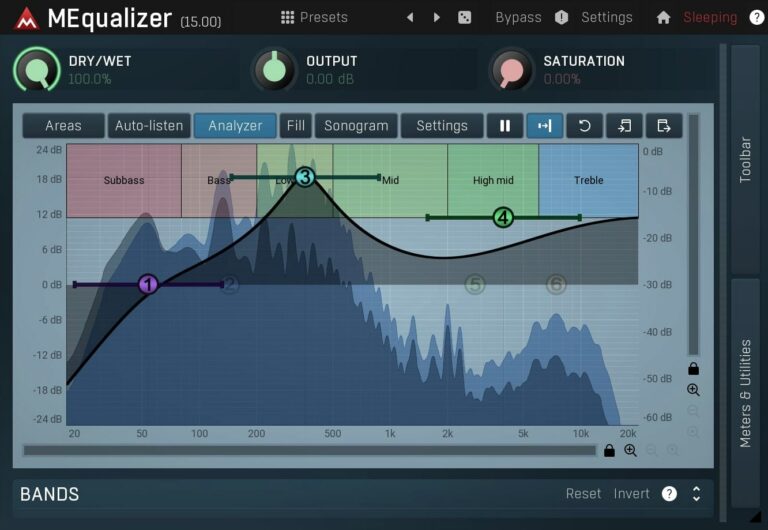
OS: Windows Win Mac Mac Bit Version: 64-bit Developer: MeldaProduction Size: 12 MB Rating: 83/100
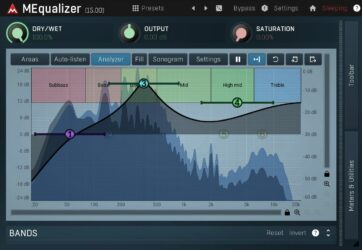
MEqualizer is a six-band equalizer with seven filter types for shaping bass, mids, and treble. Tube-style saturation and harmonic controls can add warmth and color to your sound.
Its spectrum analyzer, EQ curve, and sonogram show how sound changes across frequencies and over time. Use the visual controls to adjust each band and compare the processed sound with the original.
Features
- Six Adjustable Equalizer Bands
- Seven Filter Types Per Band
- Vintage Analog Style Sound
- Tube Saturation Adds Warmth
- Harmonics Control For Bands
- Live Spectrum Analyzer Display
- Sonogram Shows Sound Over Time
- Visual EQ Curve Editing
- Mid Side Band Processing
- Frequency Band Auditioning
Pros
- Six bands shape your sound
- Many filter types per band
- Adds warm tube-style color
- Adds extra sound harmonics
- Live analyzer shows sound levels
- Sonogram shows changes over time
- Clear graph shows EQ changes
- Mid-side controls help stereo mixing
- Surround audio support adds flexibility
- Dry-wet mix blends both sounds
Cons
- Six bands may limit complex mixes
- No dynamic EQ like TDR Nova
- No per-band compression controls
- No loudness-triggered EQ changes
- Sliders can feel tricky to use
- Mid-side controls are hard to find
- No listed linear-phase mode
Testimonials
6. Voxengo Overtone GEQ

OS: Windows Win Mac Mac Bit Version: 32-bit, 64-bit Developer: Voxengo Size: 29 MB Rating: 82/100
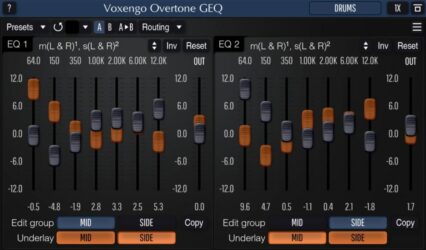
Voxengo Overtone GEQ is a free seven-band graphic equalizer with harmonic enhancement on each band. It offers two EQ views, gain control from -12 to +12 dB, smooth tonal shaping, and added color for mixes, submixes, vocals, drums, guitars, and synthesizers.
The plugin supports stereo, mono, mid/side, 5.1, and 7.1 processing with routing and channel grouping for up to eight channels. It runs on Windows and Mac in VST, VST3, AudioUnit, and AAX hosts.
Features
- Seven-Band Graphic Equalizer
- Harmonic Enhancement Per Band
- ±12 Db Gain Per Band
- Two Graphic Equalizer Views
- Stereo And Multichannel Processing
- Mid/Side Channel Processing
- Internal Channel Routing
- Up To Eight Channels
- Up To Eight Times Oversampling
- Zero Processing Latency
Pros
- Adds musical harmonic richness
- Dual EQ views improve control
- Stereo processing handles wide mixes
- Mid/side control aids mastering
- Multichannel support fits surround work
- Routes channels with great flexibility
- Group channels for faster editing
- Zero latency keeps timing tight
- Up to eight-times oversampling
- 64-bit processing supports clean sound
Cons
- Seven bands limit detailed shaping
- Fixed graphic bands feel less precise
- No dynamic EQ tools included
- No spectrum analyzer is listed
- No high-pass or low-pass filters
- No automatic gain compensation
- No built-in compression or de-essing
Testimonials
7. Fiver

OS: Windows Win Mac Mac Bit Version: 64-bit Developer: Analog Obsession Size: 2.7 MB Rating: 81/100
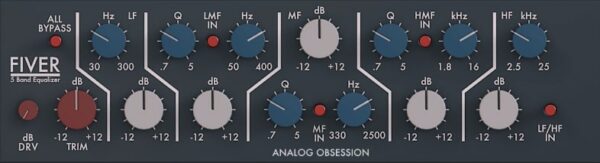
Fiver is a five-band equalizer with low- and high-shelf filters plus three midrange bands. Adjustable frequencies, gain, and bandwidth support precise cuts, broad tone shaping, or added analog-style color.
Each band has independent bypass, while Drive adds input color and Trim balances output level. The plugin includes 4× oversampling, touchscreen support, and a resizable interface for Windows and macOS.
Features
- Five-Band Equalizer
- Low And High Shelves
- Continuously Variable Bandwidth
- Independent Band Bypass Controls
- Adjustable Input Drive
- Clean Output Level Control
- Analog-Style Tone Shaping
- Four-Times Oversampling
- Exact Frequency Readouts
- Up To 12 dB Gain Range
Pros
- Five flexible EQ bands
- Continuously variable mid bandwidth
- Surgical or musical tone shaping
- Adds analog-style drive and color
- Clean output trim for matching
- Individual band bypass controls
- Exact frequency readouts improve control
- Resizable from 50 to 200 percent
- Supports touchscreen control
- Four-times oversampling is available
Cons
- Only five EQ bands
- No high-pass filter
- No low-pass filter
- No dynamic EQ controls
- No built-in spectrum analyzer
- No mid-side processing
- No automatic gain compensation
Testimonials
8. Nova-67P
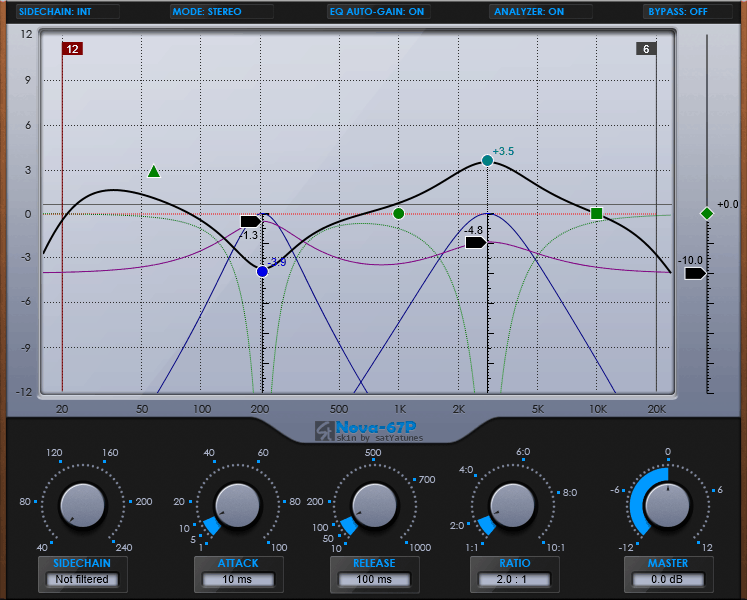
OS: Windows Win Mac Mac Bit Version: 64-bit Developer: Tokyo Dawn Records Size: 3.2 MB Rating: 81/100
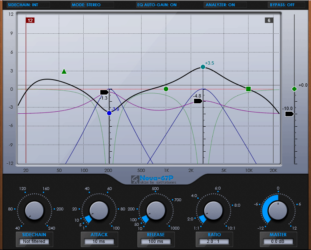
Nova-67P is a five-band parallel parametric equalizer with optional high-pass and low-pass filters. It combines EQ with full-band, frequency-dependent, or split-band compression for shaping tone and controlling dynamics.
The plugin includes side-chain filtering, external side-chain support, auto-gain, and a real-time third-octave spectrum analyzer. It uses 64-bit processing and is available for Windows and Mac in VST2 and AU formats.
Features
- Five-Band Parallel Parametric Equalizer
- Built-In Dynamic Band Compression
- Frequency-Dependent Compression Modes
- Split-Band Compression Support
- High-Pass And Low-Pass Filters
- Side-Chain Filtering And Pre-Emphasis
- External Side-Chain Signal Support
- Real-Time Spectrum Analyzer
- Automatic Equalizer Gain Control
- 64-Bit Internal Audio Processing
Pros
- Combines EQ and compression
- Dynamic EQ controls changing frequencies
- Five parallel EQ bands
- Auto-gain keeps levels steady
- Split-band compression adds detailed control
- Frequency-dependent compression sounds more natural
- Side-chain filtering targets problem areas
- External side-chain support enables ducking
- Real-time spectrum analyzer guides decisions
- Third-octave analysis shows frequency balance
Cons
- No VST3 support listed
- No AAX support listed
- No LUFS loudness meter
- No true peak clipping detector
- No stereo correlation meter
- No mid-side analyzer mode
- Limited surround mixing support
Testimonials
9. LKJB Luftikus EQ

OS: Windows Win Mac Mac Bit Version: 32-bit Developer: lkjb Size: 8.5 MB Rating: 81/100
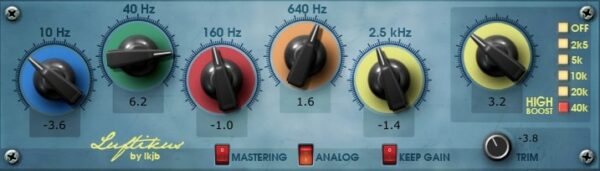
LKJB Luftikus EQ is a digital EQ modeled after analog hardware, using fixed half-octave bands at 10, 40, 160, 640 Hz, and 2.5 kHz. It also includes a boost-only high-frequency shelf with selectable points from 2.5 to 40 kHz.
Mastering and Analog modes shape its behavior, while Keep Gain helps maintain a steady output level during changes. Deeper cuts and Output Trim provide more control for mixing and mastering. The plugin is available for Windows and Mac in AU, VST3, and RTAS formats.
Features
- Analog-Inspired Fixed-Band EQ
- Half-Octave Frequency Band Controls
- Low Frequency Cut And Boost
- 2.5 KHz Shelf Control
- Selectable High Boost Frequencies
- Boost-Only High Frequency Shelf
- Mastering And Analog Modes
- Output Trim Gain Adjustment
- Deeper Cut Capability
- Six-Channel Surround Support
Pros
- Focused fixed-band tone shaping
- Deep cuts when needed
- Adds bright high-frequency air
- Five selectable air frequencies
- Mastering mode supports final polish
- Analog mode adds gentle color
- Stepped controls speed mixing choices
- Clear gain readouts aid quick moves
- Includes modern VST3 support
- Works across Windows and Mac
Cons
- Only fixed half-octave bands
- No adjustable band frequencies
- No adjustable bandwidth controls
- No dynamic EQ control
- No real-time spectrum analyzer
- No high-pass filter section
- No low-pass filter section
Testimonials
10. Blindfold EQ

OS: Windows Win Mac Mac Linux Linux Bit Version: 64-bit Developer: AudioThing Size: 13 MB Rating: 79/100
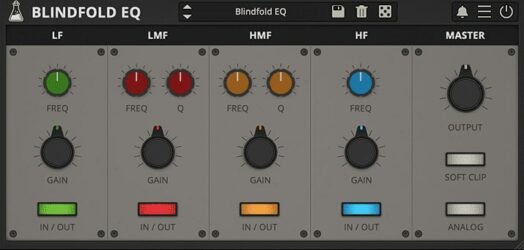
Blindfold EQ is a free four-band equalizer that removes frequency, gain, and Q values from its controls. It includes low shelf, low-mid, high-mid, and high shelf bands, encouraging you to shape tone by listening instead of watching numbers.
Use it for mixing and sound shaping on macOS, Windows, Linux, iOS, and iPadOS. Presets, random settings, a resizable window, master output, soft clip, and analog color add practical control. It supports VST, AU, AAX, CLAP, AUv3, and standalone formats.
Features
- Four-Band Equalizer
- Blind Frequency Controls
- Low And High Shelves
- Adjustable Mid Band Width
- Random EQ Settings
- Preset Saving And Deletion
- Resizable Plugin Window
- Master Output Volume Control
- Soft Clipping For Peaks
- Analog Warmth Control
Pros
- Free for every supported platform
- No frequency numbers distract your choices
- Four useful EQ bands
- Includes low and high shelves
- Adds focused midrange control
- Adjusts Q for mid bands
- Analog warmth adds extra character
- Soft clipping tames harsh peaks
- Randomizer sparks fresh mixing ideas
- Standalone use adds extra freedom
Cons
- No frequency values shown
- No gain values shown
- No Q values shown
- No EQ curve display
- No spectrum analyzer included
- Only four EQ bands
- No high-pass filter available
Testimonials
11. Blue Cat’s Triple EQ
OS: Windows Win Mac Mac Bit Version: 32-bit, 64-bit Developer: Blue Cat Audio Size: 9 MB Rating: 79/100
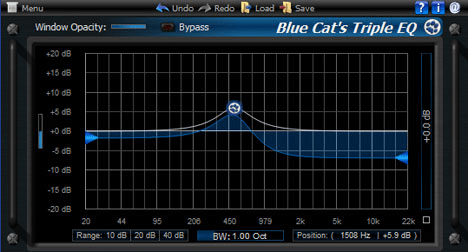
Blue Cat’s Triple EQ is a three-band semi-parametric equalizer with low-shelf, high-shelf, and peak filters. Linked controls let you shape all three bands as one filter, with gain from -40 to +40 dB and adjustable bandwidth for broad or focused changes.
Its real-time graph shows frequency response, measurements, and zooming, while on-graph controls help set frequency, gain, and filter shape. Smooth updates support automation and MIDI without latency or zipper noise, making it useful for mixing, vocal shaping, and sidechain filtering.
Features
- Three-Band Semi-Parametric Equalizer
- Low-Shelf Filter Control
- Midrange Peak Filter Control
- High-Shelf Filter Control
- Customizable Filter Shape
- ±40 DB Gain Range
- Adjustable Filter Bandwidth
- On-Graph Shape Editing
- Real-Time Frequency Response Display
- Latency-Free Signal Processing
Pros
- Three useful EQ bands
- Wide plus-or-minus 40 dB range
- Shapeable filter control
- Direct on-graph control
- Automatic gain compensation
- Zero-latency audio processing
- Smooth zipper-free automation
- Real-time MIDI control
- Supports mid-side EQ work
- Independent channel shaping
Cons
- Only three EQ bands
- No dynamic EQ control
- No built-in spectrum analyzer
- No high-pass filter
- No low-pass filter
- Linked bands limit control
- Fewer filter types available
Testimonials
12. QRange

OS: Windows Win Mac Mac Bit Version: 32-bit Developer: lkjb Size: 13 MB Rating: 79/100
QRange is a 12-band linear-phase EQ for shaping audio with peak, shelf, and cut filters. Each band supports stereo, left, right, mid, or side routing, while the analyzer displays signals before and after EQ changes.
It includes adjustable cut slopes, global gain, gain matching, presets, and a resizable interface. A latency-free minimal-phase mode is also available. QRange runs on Windows and macOS as VST, VST 3, and Audio Units software.
Features
- 12-Band Linear-Phase Equalizer
- Peak, Shelf, And Cut Filters
- 12, 24, And 48 dB/Octave Slopes
- Per-Band Stereo And Mid-Side Routing
- Pre-EQ And Post-EQ Analyzer
- Adjustable Analyzer Frequency Range
- Gain Match For Level Balancing
- Latency-Free Minimal-Phase Mode
- Adjustable Band Q Factor
- Sortable Frequency Bands
Pros
- Twelve flexible EQ bands
- True linear-phase processing
- Latency-free minimal-phase mode
- Peak, shelf, and cut filters
- Three steep cut slopes
- Per-band stereo routing
- Separate left and right control
- Mid-side shaping options
- Pre and post signal views
- Open-source MIT license
Cons
- Only twelve fixed EQ bands
- No dynamic EQ controls
- No notch or band-pass filters
- No automatic EQ matching
- Linear phase can add latency
- Analyzer pauses while moving nodes
- May have newer Mac limits
Testimonials
13. STEQ

OS: Windows Win Mac Mac Bit Version: 64-bit Developer: Analog Obsession Size: 4.5 MB Rating: 78/100
STEQ is a console-style EQ and optical compressor modeled after a compact tape-machine console section. It adds preamp color, with adjustable mid frequencies from 150 Hz to 7 kHz and fixed 80 Hz low and 10 kHz high shelves.
Separate bypass controls allow the EQ and compressor to be used independently, while the preamp stays active. Input and output gain range from ?24 dB to +24 dB. The Opto-Comp control sets compression amount, and a meter shows gain reduction.
Features
- Variable Mid-Band Frequency Control
- Fixed High And Low Shelves
- One-Knob Optical Compression
- Independent Module Bypass Controls
- Active Preamp When Bypassed
- Input And Output Gain Controls
- Gain Reduction Meter Shows Compression
- Resizable Interface From 50 To 200 Percent
- Remembers Resized Interface State
- VST3, AU, And AAX Formats
Pros
- Adds warm analog-style color
- Includes a useful optical compressor
- Works as a line preamp
- Preamp stays active when bypassed
- Each section has separate bypass
- Input gain offers wide control
- Output gain helps match levels
- Gain-reduction meter aids compression control
- Rounds peaks for louder mixes
- Resizable interface suits different screens
Cons
- Fewer bands than free alternatives
- Mid frequency range is limited
- Fixed shelves reduce tone-shaping choices
- No high-pass or low-pass filters
- No dynamic EQ control
- No built-in spectrum analyzer
- No visible EQ curve
Testimonials
14. Tilt EQ
OS: Windows Win Mac Mac Bit Version: 32-bit, 64-bit Developer: Matthias Kock Size: 6.9 MB Rating: 78/100
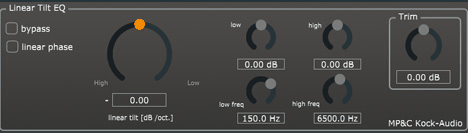
Tilt EQ is a transparent equalizer for shifting audio toward brighter or darker tones with one main control. Its slope is adjustable in decibels per octave, making broad spectral balance changes simple for mixing and mastering.
It uses FIR filters in linear-phase or minimum-phase modes, with Baxandall minimum-phase filters for extra low and high adjustments. Low/high frequency controls and output trim provide added control. It runs on Windows and Mac as a VST or AU plugin in 32- or 64-bit formats.
Features
- Single Knob Spectral Balance Control
- Linear And Minimum Phase Modes
- Adjustable Slope Per Octave
- Baxandall Minimum Phase Filters
- Low And High Frequency Controls
- Low And High Gain Controls
- Output Trim Level Control
- Bypass Without Removing Effect
- VST And AU Plugin Formats
- 32-Bit And 64-Bit Support
Pros
- Simple one-knob tone shaping
- Offers linear-phase processing
- Includes minimum-phase processing
- Supports Baxandall-style tone shaping
- Adjusts slope per octave
- Provides separate low-end control
- Provides separate high-end control
- Lets you choose control frequencies
- Includes useful output trimming
- Less clutter than complex EQs
Cons
- Limited to broad tonal shaping
- Not a full parametric equalizer
- No dynamic EQ controls
- No built-in spectrum analyzer
- No high-pass or low-pass filters
- No narrow notch filtering
- No independent multiple EQ bands
Testimonials
15. Pteq-X
OS: Windows Win Mac Mac Bit Version: 64-bit Developer: Ignite Amps Size: 18 MB Rating: 77/100
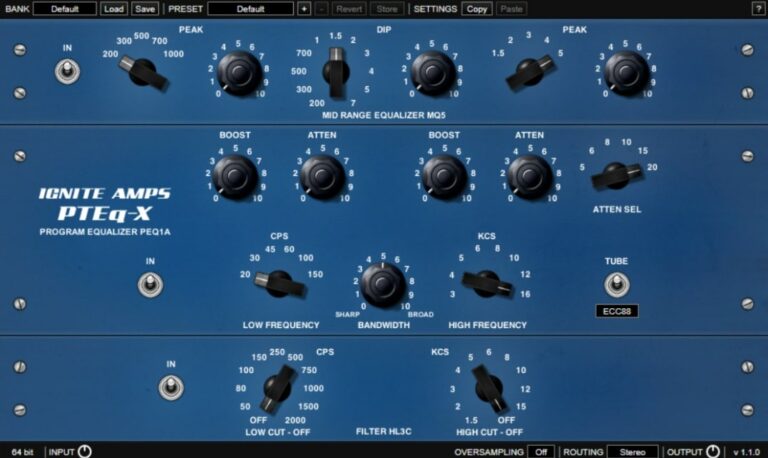
Pteq-X is a digital emulation of three vintage passive program equalizers, modeled after the PEQ1A, MQ5, and HL3C. It offers refined frequency controls and analog-style curves for tracking, mixing, and mastering.
Its tube-stage modeling supports four tube types, while switchable linear-phase oversampling can reduce aliasing. Input and output controls, mono or stereo routing, automation, and VST/AU support suit Windows and Mac studios.
Features
- Three Vintage Equalizer Modules
- Analog-Style Equalizer Curves
- Four Selectable Tube Types
- Additional PEQ1A Frequencies
- Precise MQ5 And HL3C Filters
- Switchable Equalizer And Tube Modeling
- Linear-Phase Oversampling Reduces Aliasing
- Input And Output Level Controls
- Mono And Stereo Processing
- Low And High Cut-Offs
Pros
- Free vintage EQ emulation
- Three classic EQ modules
- Includes tube stage modeling
- Offers four tube types
- Uses accurate analog-style curves
- Adds extra PEQ1A frequencies
- Includes low and high filters
- Includes linear-phase oversampling
- Switchable modules help save CPU
- Combines EQ and tube color
Cons
- No dynamic EQ for changing peaks
- No spectrum analyzer for visual checks
- Only a few fixed vintage bands
- No mid-side EQ controls
- No left-right band editing
- No automatic gain matching control
- No VST3 or AAX support listed
Testimonials
16. HLQSE

OS: Windows Win Mac Mac Bit Version: 64-bit Developer: Analog Obsession Size: 10 MB Rating: 77/100
HLQSE is a Type 69-style equalizer based on a vintage British console design. Its discrete frequency bands let you boost or cut multiple areas at the same time, helping shape lows, mids, and highs with a forward, punchy tone.
The plugin has a simple interface with 4x oversampling and a frequency readout. It can add smooth boosts or clean cuts to vocals, drums, buses, and mixdowns. HLQSE runs on 64-bit Windows and Mac systems in VST and AU formats.
Features
- Helios Type 69 Style EQ
- Discrete Equalizer Bands
- Boost And Cut Bands
- Four Times Oversampling
- Frequency Readout Display
- Vintage Console EQ Character
Pros
- Boosts and cuts bands together
- Uses less computer power
- Includes four-times oversampling
- Shows helpful frequency readouts
- Creates smooth, rich boosts
- Makes clean, clear cuts
- Adds warm vintage color
- Brings punchy British-style tone
- Adds depth and three-dimensional sound
- Offers classic console character
Cons
- Only fixed discrete bands
- Less precise than parametric EQs
- No spectrum analyzer is listed
- No dynamic EQ controls
- No high-pass filter is listed
- No low-pass filter is listed
- Simple controls limit deep editing
Testimonials
17. SonEQ
OS: Windows Win Mac Mac Bit Version: 32-bit, 64-bit Developer: Sonimus Size: 5 MB Rating: 73/100
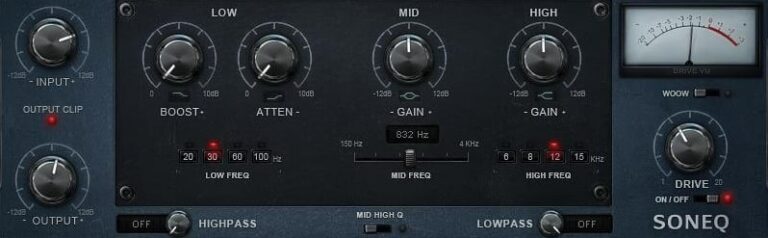
SonEQ is a free, analog-style equalizer for mixing and mastering. It includes low, mid, and high bands, musical high-pass and low-pass filters, and a preamp with bass boost. Its broad curves can add warmth and shape tone.
Use the Drive and Wow controls for extra color, then watch the VU meter and clip light when setting levels. SonEQ supports mono and stereo operation, sample rates up to 192 kHz, and VST, AU, AAX, and RTAS formats on Windows and Mac.
Features
- Analog-Style Equalizer For Mixing
- Three-Band Tone Shaping Controls
- Musical High-Pass And Low-Pass Filters
- Preamp With Bass Booster
- Selectable Bass Boost Frequencies
- Selectable Midrange Frequencies
- Selectable Treble Frequencies
- Input And Output Level Controls
- Drive Adds Warmth And Distortion
- Zero-Latency Audio Processing
Pros
- Adds warm analog-style character
- Simple three-band EQ layout
- Includes musical high-pass filtering
- Includes musical low-pass filtering
- Creates classic Pultec-style bass effects
- Built-in preamp adds warmth
- Drive adds gentle harmonic color
- Wow switch adds vintage movement
- Runs with zero added latency
Cons
- Only 3 EQ bands
- No dynamic EQ control
- No adjustable EQ bandwidth
- Not surgical for narrow cuts
- No built-in spectrum analyzer
- No mid-side processing modes
- No sidechain processing options
Testimonials
18. BASIQ

OS: Windows Win Mac Mac Bit Version: 32-bit, 64-bit Developer: Kuassa Size: 5.6 MB Rating: 71/100
BASIQ is a three-band Baxandall-style equalizer from Kuassa, designed for smooth, natural tone shaping. Separate Low, Mid, and High controls can cut or boost frequencies by up to 15 dB for guitars, vocals, bass, drums, and full mixes.
It suits mixing and mastering when you want gentle tonal changes rather than precise problem solving. BASIQ includes 12 preset slots, mono and stereo operation, support for sample rates up to 96 kHz, and AU and RTAS formats for Windows and Mac.
Features
- 3-Band Equalizer For Tone Shaping
- Smooth Baxandall-Style Tonal Response
- Low, Mid, And High Controls
- Boost Or Cut Each Band
- Plus Or Minus 15 dB Range
- 12 Preset Slots In One Bank
- Mono And Stereo Compatibility
- Supports Sample Rates Up To 96 kHz
- Available In AU And RTAS Formats
- Available In 32-Bit And 64-Bit
Pros
- Smooth, natural tone shaping
- Large knobs speed up mixing
- Clear Low, Mid, High controls
- Wide fifteen-decibel gain range
- Keeps processing transparent
- Supports both mono and stereo
- Works with rates up to 96 kHz
- Includes twelve preset slots
- Available in AU and RTAS
- Comes in 32-bit and 64-bit
Cons
- Three bands limit detailed shaping
- No adjustable band frequencies
- No Q or bandwidth controls
- Not suited for surgical fixes
- No spectrum analyzer for visual feedback
- No dynamic EQ for changing sounds
- No high-pass or low-pass filters
Testimonials
19. SAFEEqualiser
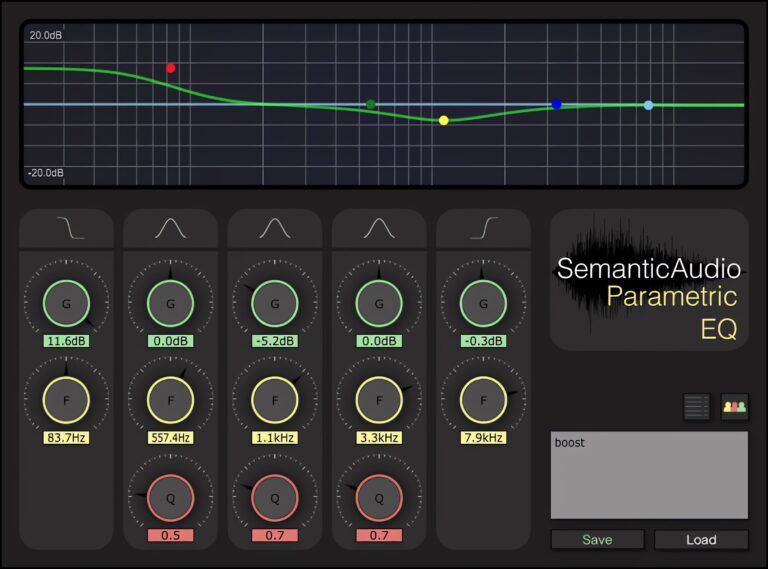
OS: Windows Win Mac Mac Linux Linux Bit Version: 32-bit, 64-bit Developer: Semantic Audio Size: 1 MB Rating: 67/100
SAFEEqualiser offers a new way to shape sound by letting you type descriptive words to adjust tone and clarity. It displays your changes on a graph, making it easy to see how your sound is being changed across different frequency bands.
This plugin learns from user data to improve its accuracy over time, helping you achieve better mixing results. With controls for gain, frequency, and Q factor, along with save and load options, SAFEEqualiser provides a smart and simple tool for creative sound design.
Features
- Loads Settings By Descriptive Words
- Graph Display Of Sound Changes
- Frequency And Gain Controls
- Adjustable Q Factor Setting
- Five-Band Equalizer Sections
- Waveform Display For Audio View
- Preset Box For Saved Settings
- Simple And Intuitive Interface
- Supports VST And AU Formats
- Works On Windows, Mac, And Linux
Pros
- Works on Windows Mac and Linux
- Lets you type sound words
- Shows sound changes with graphs
- Open source and community supported
- Supports saving and loading presets
- Semantic presets make EQ faster
- Presets shared through SAFE server
- Improved screen reader accessibility
- Encourages creative sound exploration
- Free with no hidden costs
Cons
- Limited EQ bands compared to others
- Interface looks a bit dated
- May lag on older computers
- Less precise than pro EQs
- No real-time spectrum analyzer
- Limited automation control options
- Lacks dynamic EQ function
- No Mid-Side processing support
- Can crash in some DAWs
- Needs internet for full features
Testimonials
20. Dust Equalizer

OS: Windows Win Bit Version: 32-bit, 64-bit Developer: Signaldust Size: 1 MB Rating: 65/100
Dust Equalizer is a free Windows VST channel EQ with an analog-like response and a simple “less is more” design. It includes low-cut and high-cut filters, low and high shelves, and two adjustable mid-frequency bell bands.
Use the controls to shape low, middle, and high frequencies, adjust bell width, and set final output volume. Color rings and value displays show settings, while Process Active toggles processing. Available in 32-bit and 64-bit formats.
Features
- Free Channel Equalizer Plugin
- Analog-Like Equalizer Response
- Customizable Low Cut Filter
- Customizable High Cut Filter
- Adjustable Low Shelf Controls
- Adjustable High Shelf Controls
- Low-Mid Bell Filter
- High-Mid Bell Filter
- Adjustable Bell Filter Width
- Final Output Volume Control
Pros
- Free to download and use
- Warm analog-like sound
- Includes low and high cuts
- Includes low and high shelves
- Offers two midrange bell filters
- Adjustable bell filter widths
- Helpful final output control
- Shows exact knob values
- Color rings show current settings
- Supports both 32-bit and 64-bit
Cons
- Limited to two bell bands
- No built-in spectrum analyzer
- No dynamic EQ controls
- No mid-side processing
- No separate left-right control
- No linear-phase mode
- Windows users only
Testimonials
Best Equalizer Plugins Compared
This table compares the top equalizer plugins by features, controls, effects, formats, and more.
| Details | TDR Nova | Marvel GEQ | SlickEQ | SplineEQ | MEqualizer | Voxengo Overtone GEQ | Fiver | Nova-67P | LKJB Luftikus EQ | Blindfold EQ |
|---|---|---|---|---|---|---|---|---|---|---|
| Image | 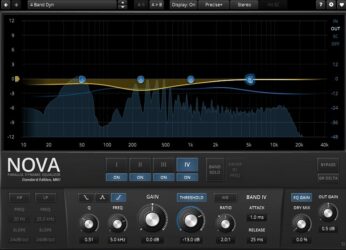 |
 |
 |
 |
 |
 |
 |
 |
 |
 |
| Rating | ||||||||||
| OS | Windows, Mac, Linux | Windows, Mac | Windows, Mac | Windows, Mac | Windows, Mac | Windows, Mac | Windows, Mac | Windows, Mac | Windows, Mac | Windows, Mac, Linux |
| Formats | VST2, VST3, AU, AAX | VST, AU | VST2, VST3, AAX | VST3, AU, Standalone | VST, AU | VST, VST3, AU, AAX | VST, AU | VST2, AU | VST3, AU, RTAS | VST2, VST3, AAX, CLAP |
| Bit Version | 32-bit, 64-bit | 32-bit, 64-bit | 64-bit | 64-bit | 64-bit | 32-bit, 64-bit | 64-bit | 64-bit | 32-bit | 64-bit |
| Developer | Tokyo Dawn Records | Voxengo | Tokyo Dawn Records | Photo Sounder | MeldaProduction | Voxengo | Analog Obsession | Tokyo Dawn Records | lkjb | AudioThing |
| License | Freeware | Freeware | Freeware | Commercial | Freeware | Freeware | Donationware | Freeware | GPL | Freeware |
| Sample-Based | No | No | No | No | No | No | No | No | No | No |
| Download Size | 8 MB | 7 MB | 7.9 MB | 6 MB | 12 MB | 29 MB | 2.7 MB | 3.2 MB | 8.5 MB | 13 MB |
| CPU Load | Medium | Low | Low | Low | Low | High | Low | High | Low | Low |
| Polyphony | N/A | N/A | N/A | N/A | N/A | 8 | N/A | N/A | N/A | N/A |
| Features | Parallel Dynamic EQ, Parametric EQ, Multiband Compression, Broadband Compression, Frequency-Selective Compression, Drag-and-Drop Display, Equal-Loudness Functions | 16-Band Graphic EQ, Linear-Phase Filtering, Mid-Side Processing, Multichannel Processing, Internal Channel Routing, Freehand Drawing, Preset Manager | Semi-Parametric EQ, Four EQ Models, EQ Saturation, Output Saturation, Auto-Gain, Stereo Processing, Preset Management | Linear-phase EQ, Bézier spline curves, Up to 60 bands, Frequency analyzer, Curve transformation, Smooth parameter changes, Built-in limiter | Six-band EQ, seven filter types, tube saturation, harmonics control, spectrum analyzer, sonogram, mid/side processing | 7-Band Equalizer, Harmonic Enhancement, Multichannel Processing, Internal Routing, Mid/Side Processing, 8x Oversampling, A/B Comparisons | Five-Band EQ, Low-High Shelves, Variable Bandwidth, Independent Bypass, Analog Drive, Output Trim, Resizable Interface | Parallel EQ, Five-Band EQ, Auto-Gain, Dynamic Compression, Split-Band Compression, Sidechain Filtering, Spectrum Analyzer | Hardware-Modeled EQ, Fixed Half-Octave Bands, High Boost Shelf, Mastering Mode, Analog Mode, Keep Gain, Output Trim | 4-Band EQ, Blind Controls, Resizable Window, Preset System, Randomizer, Soft Clipping, Analog Saturation |
| Controls | Preset Menu, Undo And Redo, A/B, A To B, Display On, Precise+, Stereo | Mix, Bypass, Presets, Undo, A/B Comparison, Routing, EQ Sliders | Preset Menu, Undo And Redo, A/B, A To B, Bypass, Stereo, Help Settings Info | EQ Graph, Frequency Analyzer, EQ Points, Band Gain, Band Frequency, Band Slope, Transpose | Presets, Bypass, Dry/Wet, Output, Saturation, EQ Bands, Spectrum Analyzer | Presets, Undo/Reset, A/B Comparison, A>B Copy, Channel Routing, Menu, EQ 1 | LF Band, LMF Band, MF Band, HMF Band, HF Band, Drive, Trim | EQ Bands, Sidechain, Sidechain Filter, Stereo Mode, EQ Auto-Gain, Analyzer, Bypass | 10 Hz, 40 Hz, 160 Hz, 640 Hz, 2.5 kHz, High Boost, Output Trim | Preset Name, Preset Up/Down, Save Button, Delete Button, Random Button, Menu Button, Power Button |
| Effects Included | Parametric equalization, dynamic equalization, frequency-selective compression, multiband compression, wideband compression, high-pass filtering, low-pass filtering, de-essing | Graphic equalizer | Equalization, high-pass filtering, saturation, harmonic distortion | Linear-phase equalization, limiter, delay | Equalization, tube saturation, distortion | Graphic equalization, harmonic enhancement | Equalizer, drive/saturation | Parametric equalizer, compressor, high-pass filter, low-pass filter | Equalization, analog-style character | Equalizer, soft clip, analog saturation |
| MIDI Learn | No | No | No | No | Yes | No | Select | No | No | Select |
| Presets | 7 | N/A | 9 | 41 | 37 | N/A | N/A | 12 | N/A | N/A |
| Standalone | No | No | No | No | No | No | No | No | No | Yes |
| Last Updated | 12/10/2026 | 11/09/2026 | 11/09/2026 | 11/12/2026 | 09/09/2026 | 04/02/2026 | 11/20/2026 | 11/09/2026 | 05/24/2024 | 11/10/2026 |
Best Equalizer VST Plugins
Our top picks for the best free Equalizer VST plugins are TDR Nova by Tokyo Dawn Records, Marvel GEQ by Voxengo, and SlickEQ by Tokyo Dawn Records.
| Details | TDR Nova | Marvel GEQ | SlickEQ |
|---|---|---|---|
| Image | | | |
| Rating | |||
| OS | Windows, Mac, Linux | Windows, Mac | Windows, Mac |
| Formats | VST2, VST3, AU, AAX | VST, AU | VST2, VST3, AAX |
| Bit Version | 32-bit, 64-bit | 32-bit, 64-bit | 64-bit |
| Developer | Tokyo Dawn Records | Voxengo | Tokyo Dawn Records |
| Download Size | 8 MB | 7 MB | 7.9 MB |
| Download | Visit TDR Nova | Visit Marvel GEQ | Visit SlickEQ |
Equalizer VST FAQs
How to Install Equalizer VST Plugins
To install equalizer VST plugins on Windows or Mac, extract the files from the Zip or Rar. Move the files (.dll for Windows or .component for Mac) into your DAW’s plugin folder. Then restart your software and rescan the directory to complete the process. Tutorial: How to Install VST Plugins
Windows:
Extract the downloaded zip file and copy the .dll file into the VST plugins folder scanned by your DAW. Restart your music software and rescan your plugin directory to begin using the new VST.
Mac OS X:
Extract the downloaded archive and move the .component or .VST file to the plugin folder. It is usually /Library/Audio/Plug-Ins/Components or /Library/Audio/Plug-Ins/VST. Restart your DAW and rescan your plugins to complete the installation.
What Is An Equalizer VST Plugin?
Equalizer ( EQ ) VST plugins are graphical user interfaces that allow you to adjust the amplitude of specific frequency bands of an audio signal. They are used to modify the frequency response of an audio track.
This is done by boosting or attenuating frequencies in each channel, which you can tune precisely with the help of sliders and dials. Equalizer plugins allow you to make adjustments to your audio, such as boosting or cutting frequencies and adding effects.
I hope you enjoy these free equalizer VST plugins.
You May Also Like: