

Here are the best free lo-fi VST plugins to create a vintage LoFi music sound on Windows and Mac. We have included video demos, feature lists, pros, cons, and plugin ratings.
How we rate plugins: We rate each lo-fi VST plugin based on sound quality, design, performance, features, usability, and compatibility. We rate plugins on a scale of 1 to 100.
Table of Contents
I have spent over 15 years testing and comparing hundreds of free and paid VST plugins, supported by hands-on demos on our YouTube channel, which has 11,000+ subscribers.
Related: Free Lofi Hip Hop Websites / Free Lofi Sample Packs
Best Free Lo-Fi VST Plugins
This table compares lo-fi VST plugins by operating system, bit version, format, and rating.
| # | Plugin | OS | Formats | Bit Version | Ratings |
|---|---|---|---|---|---|
| 1 | Chow Tape Model | Windows Mac Linux | VST, AU | 64-bit | |
| 2 | Nostalgic Saturation | Windows Mac | VST3, AU | 64-bit | |
| 3 | Tape Cassette 2 | Windows Mac | VST, VST3, AU, AAX | 64-bit | |
| 4 | Ample Bass P Lite | Windows Mac | VST, VST2, AU, AAX | 32-bit, 64-bit | |
| 5 | TAL–Bassline | Windows Mac | VST, AU | 32-bit, 64-bit | |
| 6 | HY-Lofi2 | Windows Mac | VST, VST3, AU | 32-bit, 64-bit | |
| 7 | Soft Piano | Windows Mac | VST, AU | 64-bit | |
| 8 | Origin | Windows Mac | VST, AU, AAX | 64-bit | |
| 9 | Piano One | Windows Mac | VST, AU | 32-bit, 64-bit | |
| 10 | Vinyl | Windows Mac | VST2, VST3, AU, AAX | 64-bit | |
| 11 | TAL–Elek7ro | Windows Mac | VST, AU | 32-bit, 64-bit | |
| 12 | Line of Legends | Windows Mac | VST, AU | 32-bit, 64-bit | |
| 13 | Lo-Fi Keys | Windows Mac | VST, VST3, AU | 32-bit, 64-bit | |
| 14 | DPiano-A | Windows | VST | 32-bit, 64-bit | |
| 15 | Keyzone Classic | Windows Mac | VST, AU | 32-bit, 64-bit | |
| 16 | SL473 | Windows | VST | 32-bit | |
| 17 | Vinyl Dreams | Windows | VST | 32-bit | |
| 18 | Milli Vinylli Vinyl Effects | Windows | VST | 32-bit | |
| 19 | 4Front Rhode | Windows Mac | VST, AU | 32-bit, 64-bit | |
| 20 | Vinyl Plugin | Windows | VST | 32-bit |
1. Chow Tape Model
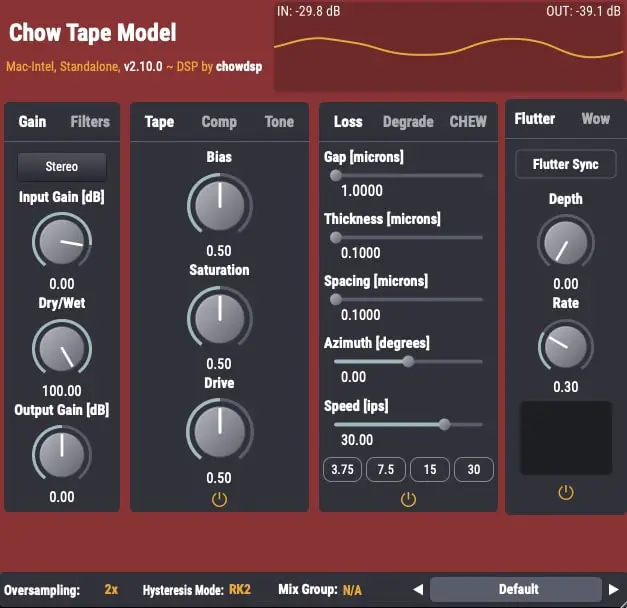
OS: Windows Win Mac Mac Linux Linux Bit Version: 64-bit Developer: Chow DSP Size: 10 MB Rating: 89/100
Chow Tape Model offers a realistic emulation of reel-to-reel tape sound using a detailed physical model. Based on the Sony TC-260, it recreates the warmth, saturation, and imperfections of analog tape. Music creators can shape tone and texture through adjustable tape speed, bias, and drive settings.
The plugin includes controls for tape hiss, compression, and stereo processing, allowing fine-tuned control over sound character. It can produce gentle analog warmth or heavy tape distortion, making it useful for mixing, mastering, or sound design. Chow Tape Model is available free for Windows, macOS, Linux, and iOS.
Features
- Accurate Analog Tape Emulation
- Physics-Based Modeling Algorithm
- Drive And Saturation Controls
- Bias Adjustment For Tone Shaping
- Variable Tape Speed Control
- Flutter Depth And Rate Settings
- Mid/Side And Stereo Processing
- Blend Control With Dry/Wet Mix
- Customizable Low And High Cut
- Free With Professional Sound Quality
Pros
- Realistic analog tape machine sound
- Free and open-source software
- Works on Windows Mac and Linux
- Light on CPU for deep modeling
- Includes adjustable tape speed control
- Fine control over saturation levels
- Built-in compression for extra punch
- Offers stereo and mid side modes
- Multiple hysteresis model options included
- Competes with top paid tape plugins
Cons
- Can be hard for beginners
- CPU use can get high
- No built-in presets
- Sound may distort easily
- UI design feels outdated
- Limited visual feedback
- Learning curve is steep
- No auto gain compensation
- Not great for quick edits
- Lacks built-in preset browser
Video Demo
What Users Say
Chow Tape Model Tips
- I like to start with the default settings and then slowly turn the drive knob to add warmth to my sound.
- I use the wow and flutter controls to add gentle movement, making my recordings feel more lively.
- I try using it on my mix bus to make everything sound more connected and warm.
- Blending the wet and dry signals can help keep clarity while still adding vintage tone.
- Stacking multiple tape plugins lightly across tracks can sound better than one heavy setting on the master bus.
- Experimenting with tape saturation before and after compression can produce very different feels.
2. Nostalgic Saturation
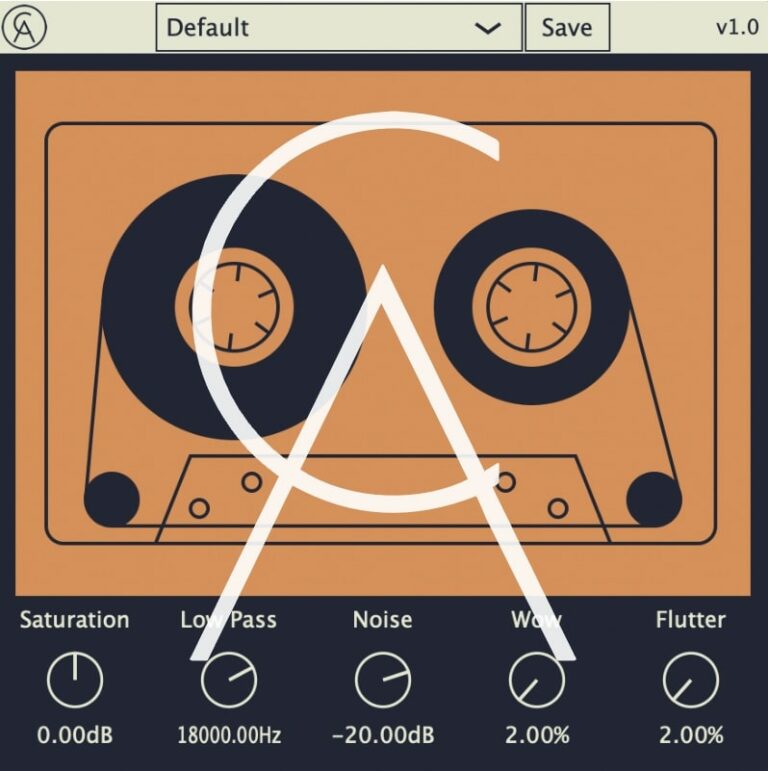
OS: Windows Win Mac Mac Bit Version: 64-bit Developer: Caelum Audio Size: 3.5 MB Rating: 87/100
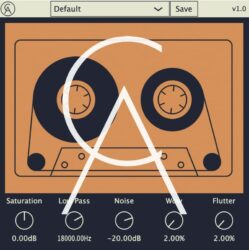
Nostalgic Saturation offers an easy way to add warmth, color, and old-school charm to your tracks. It gives sounds the texture of worn tape or vintage vinyl, helping mixes feel cozy and characterful. From soft tape hiss to thick saturation, it brings instant retro flavor.
You can shape your tone with simple controls for noise, wow, flutter, and filtering. Gentle settings add subtle motion, while extreme ones create warped, distorted tones. Ideal for lo-fi, chill, or indie music, Nostalgic Saturation makes modern recordings sound timeless and full of vibe.
Features
- Adds Warmth And Tape Character
- Includes Wow And Flutter Controls
- Offers Tape-Style Saturation
- Low Pass Filter From 8–22 kHz
- Adjustable Noise Level From -80 To 0 dB
- Simple And Clean Interface
- Preset Menu For Quick Recall
- Light On CPU Usage
- Ideal For Lo-Fi And Vintage Sound
- Creates Subtle Or Distorted Tones
Pros
- Adds warm vintage tape tone
- Includes wow and flutter effects
- Noise control for old tape feel
- Authentic cassette and VHS vibe
- Low CPU use for smooth playback
- Fine tone control with low-pass
- Can sound subtle or extreme
- All-in-one lo-fi sound tool
- Glue mixes with gentle warmth
- Creates smooth tape-style movement
Cons
- No AAX version for Pro Tools
- Lacks oversampling option
- No mix or dry/wet knob
- No auto-gain to balance levels
- Cannot adjust input and output separately
- No mid-side processing feature
- Lacks advanced tone shaping tools
- Limited plugin format support
- No dynamic or transient control
- Few visual feedback meters
Video Demo
What Users Say
Nostalgic Saturation Tips
- I like to start by turning the mix knob low, then slowly add more until the sound feels warm but not muddy.
- I often try different tape and tube modes to see which adds the best color to my track.
- I use the high-pass and low-pass filters to keep the saturation focused on the main part of the sound.
- I blend the effect with the dry signal to keep some clarity while keeping that vintage tone.
- I always check the output level to make sure the sound is not too loud after adding saturation.
- I use subtle settings on vocals to make them feel closer and more alive.
- Remember that less is often more—just a little saturation can make a big difference.
3. Tape Cassette 2
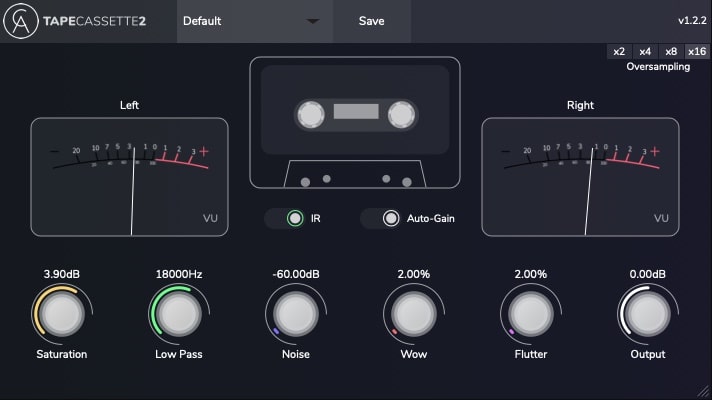
OS: Windows Win Mac Mac Bit Version: 64-bit Developer: Caelum Audio Size: 5 MB Rating: 85/100
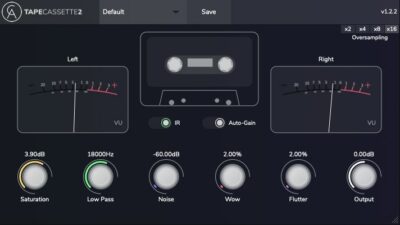
Tape Cassette 2 offers the classic sound of vintage cassette recordings with modern control and accuracy. It brings warmth, gentle saturation, and realistic tape noise that help your tracks feel nostalgic and characterful. The plugin’s upgraded engine models real cassette tone for an authentic result.
With controls for wow, flutter, and noise, you can shape movement and texture to fit your mix. Use it lightly for subtle tone shaping or push it harder for creative effects. Tape Cassette 2 gives producers an easy way to add color, depth, and a warm retro vibe.
Features
- Adds Warm Vintage Tape Sound
- Selectable Type 1 Tape Model
- Real Sampled Tape Noise
- Wow And Flutter Modulation Controls
- Dynamic Saturation Curve Algorithm
- Auto-Gain For Consistent Levels
- Selectable Oversampling Option
- Creates Lo-Fi And Experimental Sounds
- Authentic Cassette Tape Character
- Sleek Updated User Interface
Pros
- Adds instant vintage tape warmth
- Authentic type 1 cassette tone
- Real sampled tape noise texture
- Lovely wow and flutter movement
- Selectable oversampling for clarity
- Auto-gain keeps volume steady
- More musical than many free rivals
- Light on controls, big on vibe
- Free plugin with pro-quality sound
- Improved saturation for rich color
Cons
- Can use lots of CPU power
- No built-in preset manager
- Not fully GUI resizable
- Only one tape type offered
- Limited tone shaping options
- No dry/wet blend knob
- Can sound too dark easily
- Can clip when driven hard
- No real tape speed emulation
- Less flexible than paid rivals
Video Demo
What Users Say
Tape Cassette 2 Tips
- I use the “Wow and Flutter” control to add a gentle wobble to make my tracks sound more alive.
- I enjoy putting it on drum buses to make the drums sound glued together and vintage.
- I try using Tape Cassette 2 on vocals to give them a soft, warm sound.
- I sometimes put it on the master bus with a subtle setting to make my whole mix feel more cohesive.
- Use the Dry/Wet mix knob to blend the tape effect with the clean signal for better control.
- I use small amounts of saturation to get warmth without losing clarity.
- Try stacking two instances of the plugin to simulate recording through multiple generations of tape.
4. Ample Bass P Lite
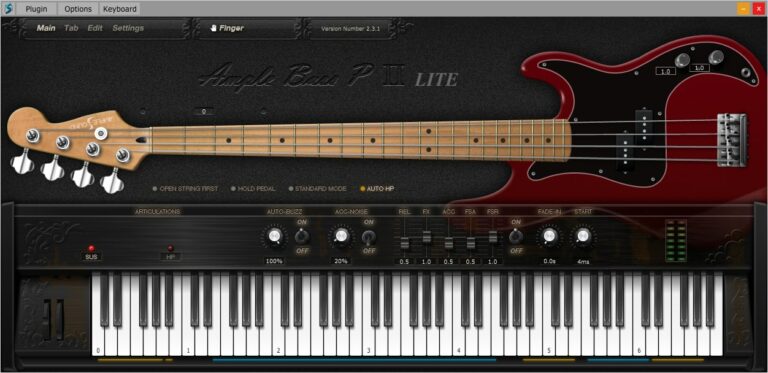
OS: Windows Win Mac Mac Bit Version: 32-bit, 64-bit Developer: Ample Sound Size: 450 MB Rating: 84/100
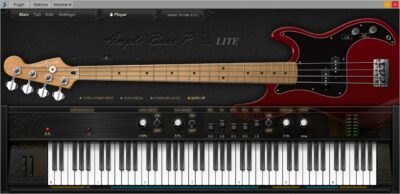
Ample Bass P Lite offers a realistic Fender Precision Bass sound in a compact, free plugin. It uses detailed sampling and features like Poly Legato, Slide Smoother, and Auto Buzz to deliver natural playing nuances. The plugin captures finger noise and subtle details for authentic bass tones.
The built-in Tab Player supports popular tablature formats, allowing users to load, view, and export bass lines directly as audio. With controls for tone, dynamics, and style, Ample Bass P Lite provides flexible performance options suited for any DAW setup or standalone use.
Features
- Recorded From Fender Precision Bass
- Realistic Fingering And String Noise
- Auto Buzz System For Realism
- Polyphonic Legato And Slide Smoother
- Manual Vibrato Wheel For Expression
- Finger Or Pick Playing Modes
- Custom Parameters Control Via MIDI
- Capo Function For Easy Transpose
- Tab Player Supports Multiple File Formats
- Available In VST, AU, And AAX Formats
Pros
- Realistic Fender Precision Bass tone
- Rich and detailed finger noise
- Supports both pick and finger modes
- DFD technology for smooth playback
- Poly Legato makes smooth slides
- Auto Buzz adds real string feel
- Tab Player supports many formats
- Exports tabs as audio easily
- Capo feature for easy tuning
- Better realism than most free VSTs
Cons
- Limited articulations compared to paid version
- Small sample library reduces realism
- Lower bit depth affects clarity
- Few customization options available
- Heavier on CPU for some systems
- No built-in amp or effects
- Range limited to D1–F4 only
- No round-robin for all notes
- Less dynamic response than others
- Hard to blend in a mix
Video Demo
What Users Say
Ample Bass P Lite Tips
- I often use the built-in compressor to make sure my bass is even and clear in the mix.
- I sometimes double the bass track with a distorted version for extra punch in metal mixes.
- Use the “Humanize” feature to make the bass feel like it’s being played by a real person.
- Layer the Ample Bass P Lite with a sub-bass synth to fill out the low end for modern metal mixes.
- Match the bass tone with the kick drum so they work together instead of clashing.
- Try routing the output of the plugin through an external distortion or amp sim for a heavier tone.
5. TAL–Bassline
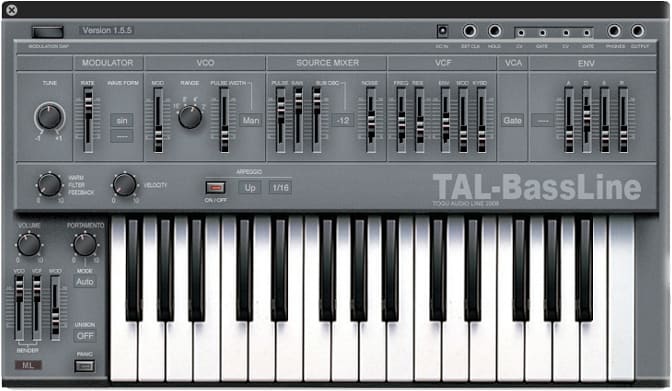
OS: Windows Win Mac Mac Bit Version: 32-bit, 64-bit Developer: TAL Software Size: 1 MB Rating: 84/100
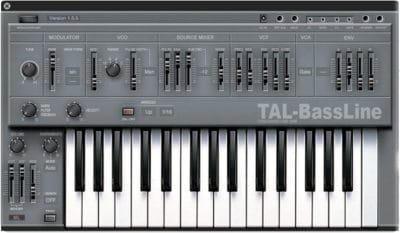
TAL–Bassline offers a classic analog-style bass experience in a modern plugin format for Windows and Mac. It recreates the sound and feel of vintage hardware with a warm tone shaped by its special -18dB low-pass filter and responsive nonlinear envelopes.
This synth includes band-limited oscillators, a sub-oscillator, and a simple arpeggiator to craft smooth basslines or sharp acid tones. With features like unison mode, MIDI automation, and precise control of sliders, TAL–Bassline helps producers build solid, character-rich low-end sounds quickly.
Features
- Virtual Analog Bass Synthesizer
- Multiple Band-Limited Oscillators
- Sub-Oscillator For Deep Tones
- Special -18dB Low Pass Filter
- Nonlinear Envelope Generator
- LFO With Various Waveforms
- Unison Mode For Thick Sound
- MIDI Automation For All Controls
- Analog-Style Warm Sound
- 2x Oversampling Processing
Pros
- Warm and rich analog tone
- Fast envelopes for punchy sound
- Great for acid bass lines
- Has unison mode for fullness
- Sub-oscillator adds deep bass
- Sounds close to real hardware
- Has built-in arpeggiator
- Offers 2x oversampling clarity
- Produces gritty and lo-fi tones
- Very low CPU usage
Cons
- No built-in effect section
- No modulation matrix control
- Limited modulation routing choices
- No built-in reverb or delay
- Lacks modern GUI resizing
- No polyphonic mode available
- Few waveforms compared to rivals
- Cannot import external MIDI patterns
- Interface looks a bit old
- Limited envelope shape control
Video Demo
What Users Say
TAL–Bassline Tips
- I use the envelope modulation to make my bassline sound more punchy and alive.
- I often play with the drive knob to add a bit of grit and warmth to my sound.
- I like to sync the LFO to the tempo for rhythmic movement that matches my song.
- Use a high-pass filter on other instruments to leave space for the TAL-Bassline in the mix.
- Automate filter cutoff changes to create movement and keep your bassline engaging.
- Use a compressor after the plugin to even out dynamics and add punch.
- Keep an eye on the low end in your mix with an EQ analyzer to avoid muddiness.
6. HY-Lofi2
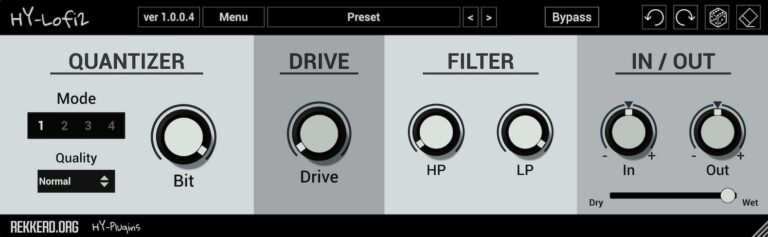
OS: Windows Win Mac Mac Bit Version: 32-bit, 64-bit Developer: HY-Plugins Size: 11.58 MB Rating: 83/100
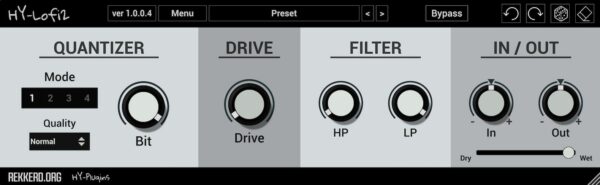
HY-Lofi2 offers an easy way to add character and grit to your sound. It combines a bit quantizer, waveshaper, and filter section to create a range of low-fidelity effects—from gentle warmth to heavy distortion. Four quantizer modes let you shape your tone in different ways.
It includes drive, high-pass, and low-pass filters for tonal control along with adjustable input, output, and dry/wet levels. The plugin’s simple layout, randomize option, and preset manager make it quick to experiment with lo-fi textures on drums, synths, or full mixes.
Features
- Four Adjustable Quantizer Modes
- Bit Depth Adjustment Knob
- High-Pass And Low-Pass Filters
- Dry And Wet Mix Slider
- Preset Manager With Save Option
- Undo And Redo Functions
- Randomize And Clear Buttons
- Resizable Graphical Interface
- Supports VST, AU, And VST3
- Low CPU Usage Performance
Pros
- Four unique quantizer modes
- Instant dusty lo-fi textures
- Musical bitcrush instead of harsh
- Randomize button sparks creativity
- Handy filters for tone shaping
- Subtle or extreme sound control
- Free yet very high quality
- Low CPU use for smooth play
- Lightweight at only 11.58 MB
- Holds up against paid plugins
Cons
- No built-in stereo width control
- Limited preset selection included
- Interface looks plain and basic
- Lacks visual waveform display
- No modulation or LFO section
- Filters are very basic types
- Cannot sync to project tempo
- No built-in reverb or delay
- Can sound harsh at low bits
- No multi-band processing option
Video Demo
What Users Say
HY-Lofi2 Tips
- I adjust the bit depth to make my tracks sound more old-school and grainy.
- I use the sample rate knob to make drums sound crunchy and less clean.
- I mix the wet and dry signals until the Lo-Fi sound fits smoothly with the rest of the mix.
- Use HY-Lofi2 on drum buses to give the whole rhythm section a vintage feel.
- Combine HY-Lofi2 with vinyl crackle samples for an authentic old-record texture.
- Use the tone section to gently roll off highs for a smooth, mellow mix.
- Experiment with automation in your DAW to make Lo-Fi effects move and breathe over time.
7. Soft Piano
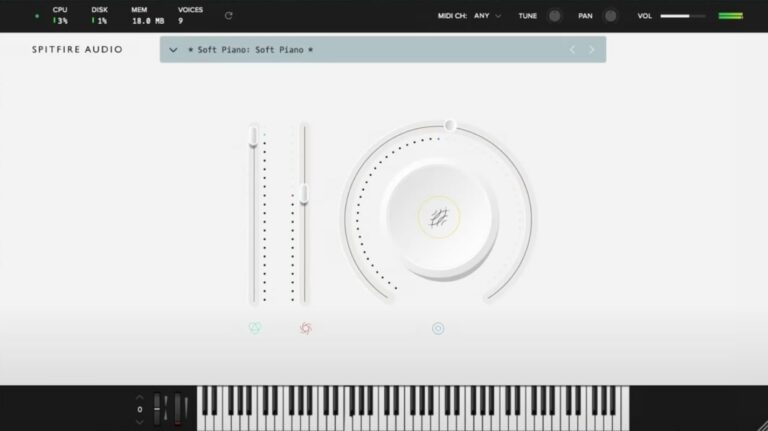
OS: Windows Win Mac Mac Bit Version: 64-bit Developer: Spitfire Audio Size: 417.8 MB Rating: 81/100
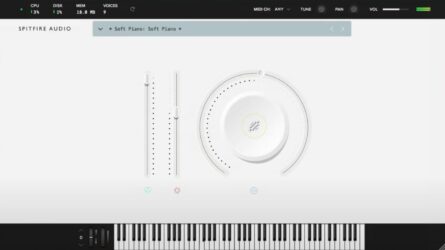
Soft Piano offers a warm, gentle piano tone recorded at Air Edel Studios in London. The felt layer between the hammers and strings creates a soft, intimate sound that works well for emotional tracks, film scoring, or quiet background parts in any project.
This plugin keeps things simple with clear controls for tone, dynamics, and expression. Its single sound layer delivers a natural, realistic feel that blends easily in mixes, making it a reliable choice for music creators who want an authentic and focused piano sound.
Features
- Single Intimate Felt Piano Sound
- Recorded At Air Edel Studios
- Dry And Soft Tonal Character
- VST And AU Plugin Formats
- 64-Bit Plugin Support
- Expression Slider For Volume Control
- Dynamics Slider Adjusts Note Strength
- Soft, Realistic Felt Hammer Texture
- Light CPU And Disk Usage
- Ideal For Lo-Fi And Ambient Music
Pros
- Warm and emotional piano tone
- Realistic felt piano texture
- Beautifully soft and intimate sound
- High-quality studio recordings
- Captures real acoustic piano detail
- Low CPU and memory usage
- Free and professional-sounding plugin
- Competes with paid piano plugins
- Ideal for lo-fi and ambient
- Perfect for cinematic soundtracks
Cons
- Only one piano sound available
- Very limited tone variety
- Lacks brightness and attack
- Can sound muffled or dark
- Few sound-shaping options
- Only one velocity layer
- No built-in reverb control
- No layering or split modes
- Volume level is quite low
- Expression range feels limited
Video Demo
What Users Say
Soft Piano Tips
- I like to start by lowering the dynamics so the Soft Piano sounds calm and gentle.
- I layer the Soft Piano with a pad sound to make my music feel richer.
- I use the built-in EQ to roll off a little low end so the mix doesn’t get muddy.
- Adjust the velocity curve so it matches your keyboard’s feel for smoother dynamics.
- Mix the Soft Piano with light strings to create emotional, cinematic sounds.
- Experiment with automation to make the reverb and dynamics change over time.
- Keep the sample library on a fast drive so the plugin loads quickly and runs smoothly.
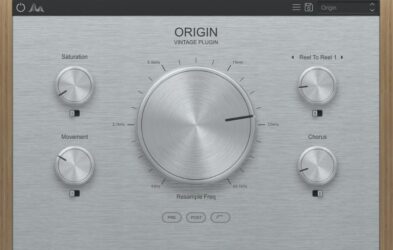
8. Origin
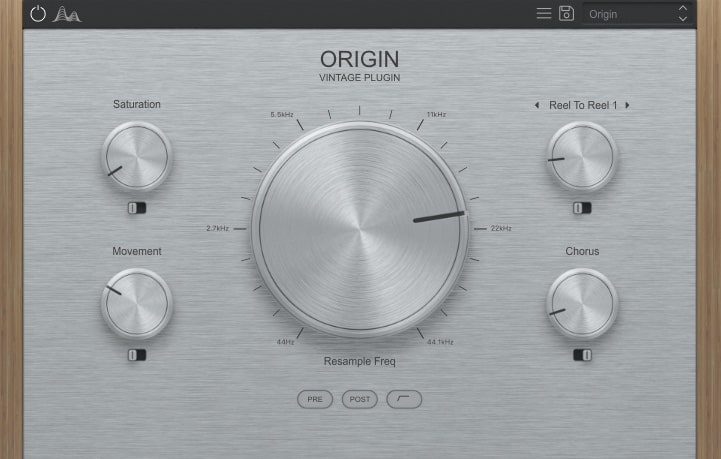
OS: Windows Win Mac Mac Bit Version: 64-bit Developer: Cymatics Size: 61 MB Rating: 80/100
Origin offers an easy way to turn clean digital sounds into warm, vintage tones. Its main resampler and bitcrusher can make your audio feel like it came from an old tape, and the “underwater” filters add a unique texture often heard in modern lofi tracks.
With Tape Saturation, Noise, Movement, and Chorus controls, Origin gives you flexible tools to shape sound character. You can add warmth, tape wobble, and soft modulation to make samples feel aged and full of personality, perfect for bringing nostalgic color to your music.
Features
- Simulates Classic Tape Machine Sound
- Main Knob For Resampling Control
- Bitcrusher Adds Retro Audio Texture
- Tape Saturation Adds Warmth And Grit
- Noise Control Adds Vintage Hiss
- Movement Knob Adds Tape Wobble
- Chorus Adds Width And Depth
- Reel To Reel Selects Tape Style
- Pre Or Post Effect Routing Option
- Creates Instant Lofi And Vintage Tone
Pros
- Instant vintage tape style sound
- Adds warmth with tape saturation
- Creative resample and bitcrush control
- Underwater filter adds cool tone
- Chorus makes sounds wide and dreamy
- Movement adds gentle tape wobble
- Unique sound-degrading character control
- Better warmth than Izotope Vinyl
- Low system use compared to others
Cons
- Limited noise type options
- Missing wow and flutter controls
- Lacks stereo width adjustment
- No dry or wet mix knob
- CPU usage can be high
- Sound shaping feels limited
- No sidechain or modulation input
- Cannot sync movement to tempo
- GUI size not resizable
- More basic than RC-20 or iZotope Vinyl
Video Demo
What Users Say
Origin Tips
- I play around with the wow and flutter controls to give my melodies a wobbly tape feel.
- I blend the dry and wet knob carefully to keep a mix of clean and vintage tones.
- Adjust the Mechanical Noise or Dust to bring a sense of realism to any vintage track.
- Combine a Vinyl VST with tape saturation plugins for deep texture and warmth.
- Less is often more—too much crackle or wow can take focus away from the music.
- Vinyl plugins work great on samples, vocals, and synths for giving retro character.
- Try automating the wow or flutter to make the sound move over time naturally.
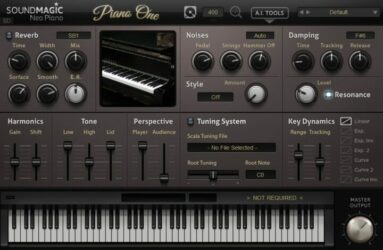
9. Piano One
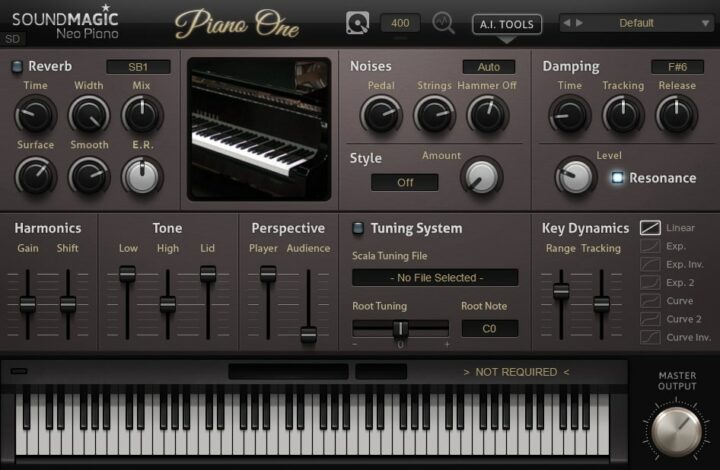
OS: Windows Win Mac Mac Bit Version: 32-bit, 64-bit Developer: Sound Magic Size: 414 MB Rating: 77/100
Piano One offers the sound of a Yamaha C7 concert grand piano through a blend of sampling and modeling. It delivers a natural tone with quick response, capturing both the body and brightness of a real grand piano. Its small file size allows for quick load times.
This plugin includes controls for reverb, tone, pedal noise, and dynamics to shape the piano’s feel and sound. Users can also expand its features with optional add-ons for deeper tone and style changes. Piano One provides a solid piano experience suited for many music projects.
Features
- Hybrid Modeling Yamaha C7 Sound
- 32 Note Polyphony Support
- Built-In Professional Reverb Engine
- Fast Loading And Low CPU Use
- Soft Pedal Samples Included
- Over 20 Optional Add-Ons
- Adjustable Tone And Dynamics
- Detailed Key And Pedal Noise
- Customizable Tuning And Style
- Lightweight 150 MB File Size
Pros
- Realistic Yamaha C7 concert sound
- Hybrid modeling for rich tone
- Fast loading and low CPU use
- Small 150 MB storage footprint
- Detailed pedal and key samples
- Customizable tone and dynamics
- Built-in professional reverb engine
- Wide stereo and space controls
- Lightweight alternative to big libraries
- Highly rated among free piano plugins
Cons
- Limited polyphony compared to others
- Only one main piano sound
- No built-in EQ section
- Interface looks a bit dated
- Limited velocity sensitivity range
- Dynamics can feel inconsistent
- Less depth than large libraries
- No microphone position controls
- Does not support round robins
- Pedal sound realism could improve
Video Demo
What Users Say
Piano One Tips
- I like to start by adjusting the velocity curve so the keys respond better to how I play. It makes the piano feel more real under my fingers.
- I use built-in reverb to add space and depth to my sound. A little goes a long way!
- I use my headphones when adjusting EQ so I can hear fine details in the tone. This helps me balance highs and lows nicely.
- Check the plugin’s output volume to avoid clipping or distortion. Keeping levels low prevents unwanted noise.
- Combine Piano One with a gentle compressor to smooth out loud and soft notes. This keeps the performance balanced.
- Use automation to change the reverb or tone over time for more emotion in your song.
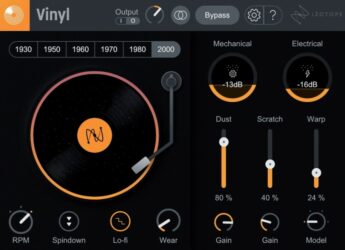
10. Vinyl
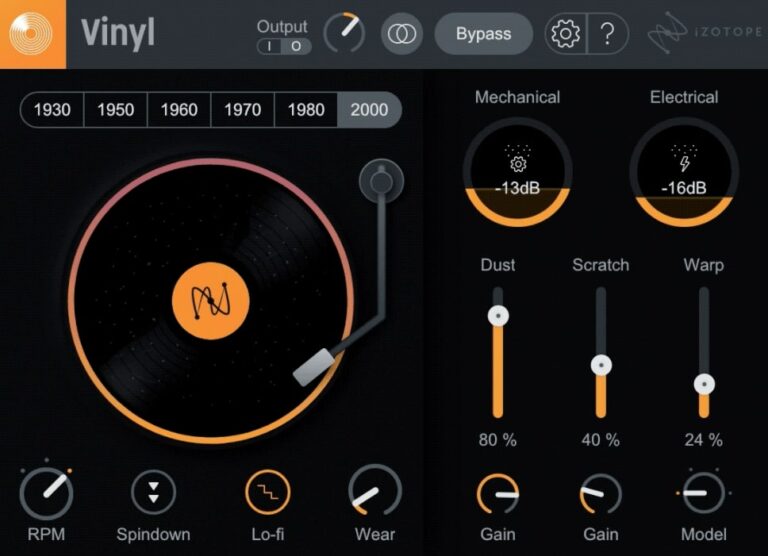
OS: Windows Win Mac Mac Bit Version: 64-bit Developer: iZotope Size: 40MB Rating: 75/100
Vinyl offers a simple way to give your music the warmth and charm of old records. It adds dust, scratches, warp, and noise to make your track sound aged and nostalgic. The updated Lo-fi feature instantly brings the tone of classic hip-hop and vintage gear.
You can adjust every detail, from record wear to player noise, with easy knobs and sliders. The plugin works in most major music programs on Mac and Windows. It’s free to download, quick to set up, and great for adding retro color to any sound.
Features
- Adds Vintage Vinyl Character
- Simulates Dust And Scratches
- Warp Slider For Record Bending
- RPM Control For Pitch Changes
- Spindown Effect For Power-Off Sound
- Low CPU Usage
- Works With Most DAWs
- Supports VST2, VST3, AU, AAX
- Available For Windows And Mac
- Includes New Lo-Fi Effect
Pros
- Authentic lo-fi vinyl sound
- Year selector for tone changes
- Multiple noise control sliders
- Customizable record wear settings
- New Lo-fi mode adds warmth
- Spin-down effect sounds realistic
- Seamless integration with Native Instruments
- More flexible than other free plugins
- Very light on CPU
- Perfect for nostalgic sound design
Cons
- No built-in mix knob
- Interface too small on 4K screens
- Noise not reactive to audio
- Few customization options
- Lacks modulation features
- No MIDI mapping
- Can sound repetitive
- Lacks dynamic response
- Outdated GUI design
- Less expressive than rivals
Video Demo
What Users Say
Vinyl Tips
- Tape stop plugins can freeze your audio and slow it down like a record stopping — perfect for transitions.
- Setting a short release time on a tape stop gives a quick, snappy fall effect.
- Layering Vinyl with a tape stop effect can make breakdowns more dramatic.
- Using Vinyl and tape stop together works best when they are automated to match song tempo.
- It helps to place Vinyl at the end of your effect chain so the whole mix shares the same vintage feel.
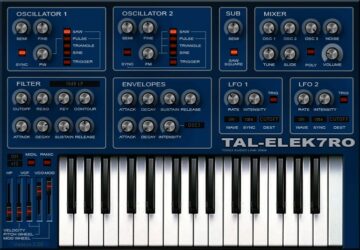
11. TAL–Elek7ro
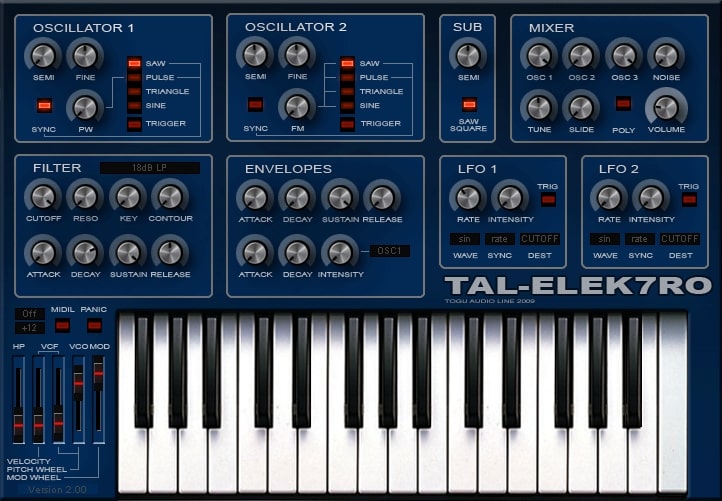
OS: Windows Win Mac Mac Bit Version: 32-bit, 64-bit Developer: TAL Software Size: 732 KB Rating: 74/100
TAL–Elek7ro offers a classic analog-style sound in a simple virtual synth design. It features two main oscillators, a sub-oscillator, and noise control for shaping tones. With options like hard sync, FM, and a flexible filter section, it handles clean leads or gritty basses easily.
Its envelopes and LFOs react quickly, letting producers create energetic movement or subtle detail. The plugin includes 80 presets and runs on both Windows and Mac systems. Designed for rich, punchy tones, TAL–Elek7ro gives music creators an easy way to build warm, analog-style sounds.
Features
- Virtual Analog Synth Plugin
- Alias-Free Oscillators
- Sub Oscillator For Deep Bass
- Filter With Cutoff And Resonance
- Two Independent LFOs
- Fast Dynamic Envelopes
- Frequency Modulation Option
- Free Routable Envelope Control
- About 80 Factory Presets
- Available In VST And AU
Pros
- Warm and fat analog sound
- Very low CPU usage
- Alias-free clean oscillators
- Fast and snappy envelopes
- Flexible modulation options
- Filter sounds warm and punchy
- Sub oscillator adds deep bass
- Free with pro-level quality
- Includes 80 quality presets
- Runs smoothly on older systems
Cons
- Old interface feels outdated
- No built-in effects section
- Lacks modern sound design tools
- Not very intuitive for beginners
- No advanced modulation matrix
- Limited filter types available
- Does not support newer OS versions
- Limited polyphony compared to modern synths
- No built-in arpeggiator or sequencer
- Sound palette can feel dated
Video Demo
What Users Say
TAL–Elek7ro Tips
- I always turn down the filter cutoff a bit if I want a softer sound that fits better in the mix.
- Using small amounts of detune between oscillators can make a sound feel wide and full.
- Applying a touch of chorus or reverb can help the sound blend better in a mix.
- Setting the amp envelope carefully shapes how fast the sound starts and ends.
- Experimenting often with modulation options leads to new creative discoveries.
12. Line of Legends
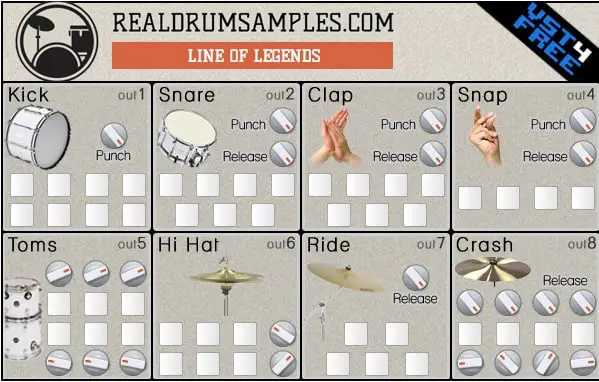
OS: Windows Win Mac Mac Bit Version: 32-bit, 64-bit Developer: Plugins4Free Size: 8 MB Rating: 74/100
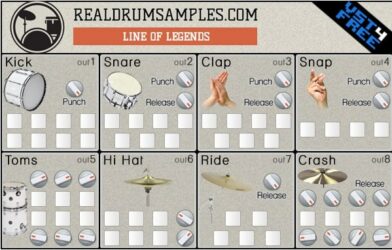
Line of Legends offers a solid set of hip-hop drum sounds designed for quick and powerful beat creation. It includes 47 punchy samples across 8 drum sections such as Kick, Snare, Clap, and Hi-hat, each with its own individual output for flexible mixing.
Each section includes punch, release, and pan knobs to shape tone, timing, and space. The layout is simple and focused, letting producers adjust drum strength and length with ease. Line of Legends runs on Windows and Mac and supports both VST and AU formats.
Features
- 47 High-Quality Drum Samples
- 8 Separate Drum Sections
- Individual Outputs For Each Section
- Punch Knobs For Attack Control
- Release And Pan Knobs
- Easy-To-Use Interface
- Low CPU Usage
- VST And AU Formats
- Supports 32-Bit And 64-Bit Systems
- Designed For Hip-Hop Production
Pros
- High-quality drum sounds for free
- Each drum has its own output
- Powerful punch controls for attack
- Release knob shapes sound length
- Low CPU usage performance
- Crisp and strong kick samples
- Bright and cutting snare hits
- Works with most DAWs easily
- Clean separation for mixing control
- Competitor to paid drum plugins
Cons
- Only one drum kit available
- No built-in effects or EQ
- No pattern or step sequencer
- Outdated 32-bit format support
- No sample import feature
- Few customization options for sounds
- Very basic user interface design
- No drum layering or tuning control
- Cannot save custom kits easily
- Feels dated compared to newer VSTs
Video Demo
What Users Say
Line of Legends Tips
- I adjust the snare and kick levels first because they set the main groove for my track.
- I always check the velocity settings so my drums sound more real and less robotic.
- I use EQ inside my DAW to clean up any muddy low or harsh high frequencies from the drum sounds.
- Use panning to spread drum sounds left and right so the track feels wider.
- Try adding gentle compression on the master drum bus to glue all the sounds together.
- Keep the low end clear by cutting unwanted bass frequencies from non-kick drum parts.
- Use automation to change drum volumes or effects for more dynamic and fun tracks.
13. Lo-Fi Keys
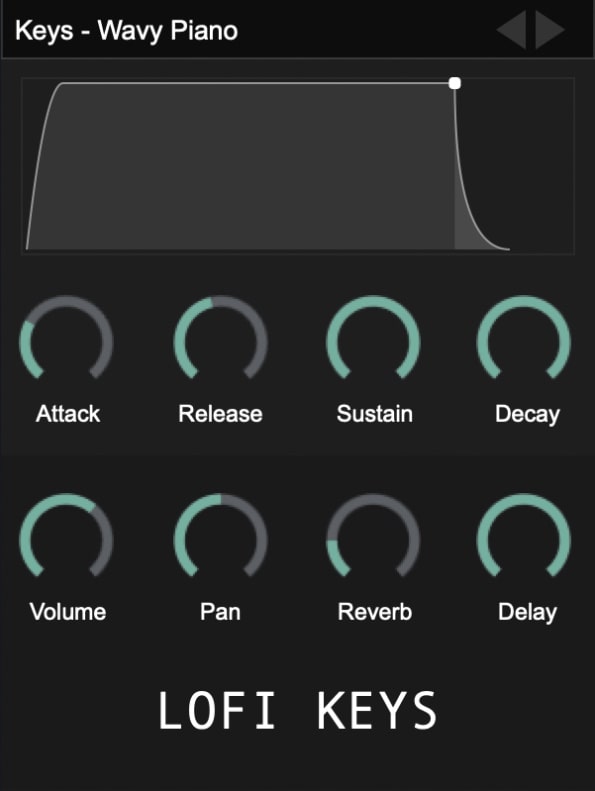
OS: Windows Win Mac Mac Bit Version: 32-bit, 64-bit Developer: Clark Pro Audio Size: 1 GB Rating: 72/100
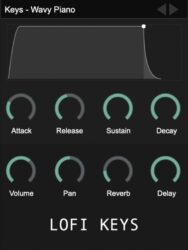
Lo-Fi Keys is a free piano plugin that focuses on warm, nostalgic tones. It includes four instruments and nine presets, featuring upright and digital pianos suited for chill, vintage, or lo-fi styles. Each sound delivers character, helping you build relaxed and textured melodies with ease.
Lo-Fi Keys offers simple controls for shaping tone and space, including volume, reverb, delay, and more. It works with major music programs like FL Studio, Ableton Live, and Logic Pro X. The plugin’s small size and retro tone make it a handy choice for creating moody keys.
Features
- Includes Upright And Digital Pianos
- Built-In Reverb And Delay Effects
- Attack, Decay, Sustain, Release Controls
- Adjustable Lo-Fi Noise Elements
- Features Simple User Interface
- Works In Major DAWs
- Supports VST, AU, And VST3
- Compatible With Windows And Mac
- Creates Vintage Lo-Fi Piano Sounds
- Lightweight With 1 GB Size
Pros
- Free plugin with pro-quality sound
- Authentic warm lo-fi piano tone
- Includes upright and digital keys
- Has reverb and delay built in
- Custom tone shaping with effects
- Lightweight and easy to install
- Supports VST, AU, and VST3 formats
- Vintage character with modern polish
- Ideal for ambient and hip-hop styles
- Competes well with paid plugins
Cons
- Crashes often in Logic Pro X
- High CPU usage on some systems
- GUI sometimes freezes during use
- Presets don’t always load correctly
- Can’t play full chords
- Lacks velocity layer variety
- No advanced tone-shaping tools
- No MIDI learn or automation mapping
- Less stable than similar free pianos
- Limited range of piano tones
Video Demo
What Users Say
Lo-Fi Keys Tips
- I use a low-pass filter to make the piano sound soft and cozy, perfect for Lo-Fi beats.
- I often adjust the tape saturation knob to add a warm, vintage flavor to the keys.
- I enjoy adding a little reverb to make the keys feel like they are in a dreamy space.
- Use velocity sensitivity to make your playing more expressive and natural.
- Use EQ to cut low frequencies that muddy up the mix, keeping it clean and clear.
- Record a few takes and choose the one with the best feel—it’s okay if it’s not perfect, Lo-Fi loves imperfections.
14. DPiano-A
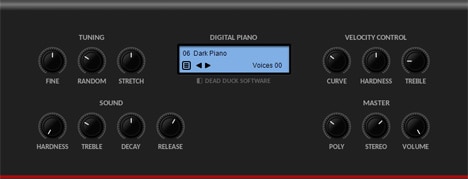
OS: Windows Win Bit Version: 32-bit, 64-bit Developer: Dead Duck Software Size: 1.3 MB Rating: 71/100
DPiano-A offers the sound of an acoustic piano in a simple and compact plugin. Its warm and natural tone works well for LoFi, pop, or rock styles. With options for tuning, pitch feel, and tone control, it helps shape a realistic and expressive piano sound.
This plugin includes settings for note behavior, touch response, and stereo width, giving you control over how the piano plays and fits in a mix. DPiano-A runs on Windows and supports both 32-bit and 64-bit VST formats, making it a flexible choice for quick musical ideas.
Features
- Warm And Natural Piano Sound
- Simple And Easy-To-Use Interface
- Ideal For LoFi And Pop Music
- Hardness Controls Key Attack Tone
- Treble Changes Piano Brightness
- Decay Sets Sound Fade Length
- Release Controls Note End Time
- Stereo Adjusts Sound Width
- Light On CPU Resources
- Fast Loading And Stable Performance
Pros
- Warm and natural piano tone
- Light on CPU performance
- Doesn’t need extra sound libraries
- Customizable key response curve
- Adjustable stereo width
- Responsive to playing dynamics
- Works smoothly on old systems
- Loads quickly in any project
- Realistic tuning options
- Completely free to download
Cons
- No built-in reverb or chorus
- Limited to acoustic piano sounds
- Not ultra realistic piano tone
- No preset library included
- No sustain pedal simulation option
- Cannot layer sounds or textures
- No MIDI learn functionality built-in
- No onboard EQ or compressor
- Fewer dynamics than real pianos
- No high-quality stereo sampling
Video Demo
What Users Say
DPiano-A Tips
- I like to start by testing a few presets in DPiano-A to find the sound that fits my song best.
- I use the EQ knobs to make the piano brighter or warmer depending on the mood I want.
- I like to play softer on my MIDI keyboard to make my piano sound more realistic.
- I layer DPiano-A with strings to make the music sound fuller and more emotional.
- Use DPiano-A in a mix by giving it some space with panning, so it doesn’t clash with other instruments.
- Adding light reverb can help the piano sit better in the mix without sounding muddy.
- Experiment with different MIDI velocity curves to match your playing style and keyboard feel.
15. Keyzone Classic
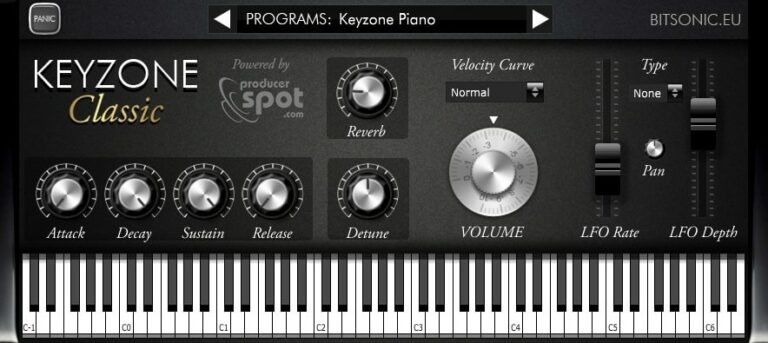
OS: Windows Win Mac Mac Bit Version: 32-bit, 64-bit Developer: Bitsonic Size: 302 MB Rating: 69/100
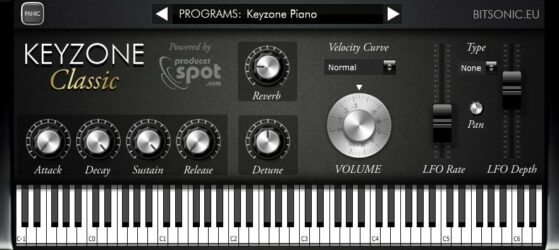
Keyzone Classic offers a collection of sampled piano sounds, including the Yamaha Grand, Steinway Grand, Rhodes, and basic electric piano. It gives music creators a simple way to add realistic piano tones to their projects without needing large sound libraries or complex setups.
The plugin includes built-in reverb, modulation, and an ADSR envelope for shaping each note’s feel. With options to adjust attack, sustain, and pitch, it helps users create anything from bright leads to soft background layers across many music styles.
Features
- Sample-Based Piano Sounds
- Includes Yamaha Grand Piano
- Features Steinway Grand Piano
- Includes Rhodes And Electric Piano
- Built-In Reverb Control
- ADSR Envelope Editing
- Velocity Curve Adjustment
- Detune Pitch Control
- LFO Rate And Depth Control
- Available In VST And AU Formats
Pros
- Comes with five piano types
- Includes Yamaha and Steinway samples
- Built-in reverb and modulation
- Has velocity curve control
- Includes bright Rhodes piano sound
- Adjustable attack and release times
- Useful detune and pan options
- Supports both 32-bit and 64-bit
- Free for Windows and Mac
- Lightweight and quick installation
Cons
- High CPU use on some systems
- Limited control over sound shaping
- No built-in EQ section
- Lacks advanced velocity layers
- No sustain pedal noise feature
- No support for half-pedaling
- No round-robin sample variation
- Reverb sounds basic and thin
- Slow loading of piano samples
- Sampling feels smaller than big libraries
Video Demo
What Users Say
Keyzone Classic Tips
- I like to start by picking a preset that sounds close to what I want before making small changes.
- I often use the reverb knob to make my piano sound bigger and more natural.
- I adjust the velocity curve so that the piano reacts better to how hard I play.
- I use EQ to cut unwanted low or high frequencies that make the piano sound muddy or harsh.
- I save my favorite settings as presets so I can use them again later.
- Adding a gentle chorus effect can give the piano more depth and movement.
- Experiment with layering different piano plugins for richer and more complex sounds.
16. SL473
OS: Windows Win Bit Version: 32-bit Developer: smacklabs Size: 5.7 MB Rating: 66/100
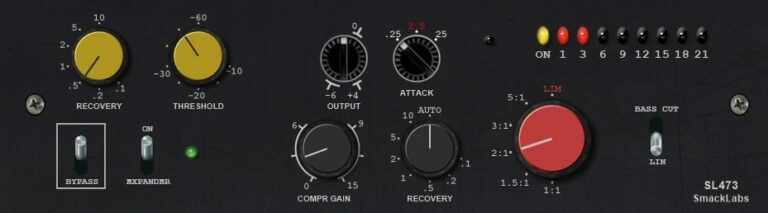
SL473 offers the classic character of a late-1970s vinyl disc cutting compressor in plugin form. It delivers clean, transparent dynamics control with compressor, limiter, and expander modes. Designed around a VCA model, it adds punch and smoothness to drums, vocals, and mix buses.
Its simple controls—yellow for expansion and black for compression—make it easy to shape your sound. The red ratio knob and adjustable recovery times allow precise response tuning. SL473 brings vintage mastering tone and musical glue to modern tracks inside your DAW.
Features
- Vintage Vinyl Disc Cutting Compressor
- Based On Classic VCA Design
- Compressor, Limiter, And Expander Modes
- Transparent Clean Dynamic Control
- Auto Mode For Attack And Recovery
- Bass Cut Switch For Low Control
- LED Meter For Level Monitoring
- Bypass Switch For Quick Comparison
- Smooth Response Under Heavy Compression
- Adds Punch And Cohesion To Tracks
Pros
- Emulates true vintage vinyl warmth
- Authentic analog-style tone shaping
- Thickens sound without extra EQ
- Adds glue and presence naturally
- Expander reduces background noise easily
- Auto mode adjusts timing smartly
- Low-end bass cut stops muddiness
- Gives drums strong classic punch
- Simple knobs for quick control
- Presets help get started quickly
Cons
- No Mac version available
- Only 32-bit plugin format
- Limited to VST format only
- Uses more CPU than expected
- Outdated user interface design
- No oversampling or quality settings
- Cannot resize plugin window
- No A/B comparison feature
- Lacks parallel compression mix knob
- Fewer features than free rivals
Video Demo
What Users Say
SL473 Tips
- Vinyl VST plugins sound best when used gently—too much crackle can make a track sound cheap.
- Add vinyl hum and noise only in quiet sections to make them sound realistic.
- When layering vinyl effects, keep the noise and dust levels lower so they don’t fight the main sound.
- Try placing vinyl plugins after a compressor like SL473 for more natural-sounding dirt and warmth.
- Automation can make vinyl plugins more interesting—turning up crackle or hiss slowly adds real-life variation.
- Always check how vinyl and compression plugins sound in both headphones and speakers to keep the mix balanced.
17. Vinyl Dreams
OS: Windows Win Bit Version: 32-bit Developer: Retro Sampling Size: 1.4 MB Rating: 64/100
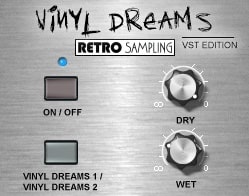
Vinyl Dreams offers an easy way to add the character of vinyl records to your music. It recreates the warmth, crackle, and subtle imperfections of old records using two distinct vinyl sound modes. You can adjust how much of the original or effected signal you want with simple Dry and Wet controls.
Designed for Windows in VST 32-bit format, Vinyl Dreams helps bring life and nostalgia to clean digital sounds. It works well on drums, synths, or vocals to create an old-school or lo-fi mood. The effect can be gentle or more pronounced, depending on your style.
Features
- Simulates Authentic Vinyl Record Sound
- Two Selectable Vinyl Modes
- Dry Control For Original Signal
- Wet Control For Vinyl Effect
- Low CPU Usage Performance
- Simple And Clear Interface
- Adds Noise, Crackle, And Warmth
- Creates Realistic Vinyl Randomization
- Enhances Lo-Fi And Retro Style
- Works Well On Drum Loops
Pros
- Warm and realistic vinyl texture
- Two selectable vinyl sound modes
- Subtle and musical noise options
- Smooth wow and flutter effect
- Natural crackle randomization
- Easy to blend dry and wet signal
- Low CPU usage and efficient
- Small file size and lightweight
- Free and high quality plugin
- Adds nostalgic vintage character
Cons
- No Mac support
- Only 32-bit version
- Not compatible with 64-bit DAWs
- No AU or AAX support
- Limited sound controls
- No preset save feature
- Unresizable small GUI
- Few sound parameters
- Cannot automate all controls
- Less realistic vinyl sound
Video Demo
What Users Say
Vinyl Dreams Tips
- I like to start with small vinyl crackle levels, then slowly increase until it feels warm but not too noisy.
- When I use the wow and flutter effect, I keep it subtle so the pitch changes sound real, not broken.
- I blend the plugin mix knob halfway so I can still hear the clean sound under the vinyl texture.
- I like to pair Vinyl Dreams with a gentle tape saturation plugin for extra warmth.
- Use the plugin on drum loops to make them sound older and sampled from vinyl.
- Adjust the tone control to match the age of the record sound you want to create.
- Combine Vinyl Dreams with reverb to make it sound like an old record playing in a room.
18. Milli Vinylli Vinyl Effects
OS: Windows Win Bit Version: 32-bit Developer: Klanglabs Size: 1 MB Rating: 64/100
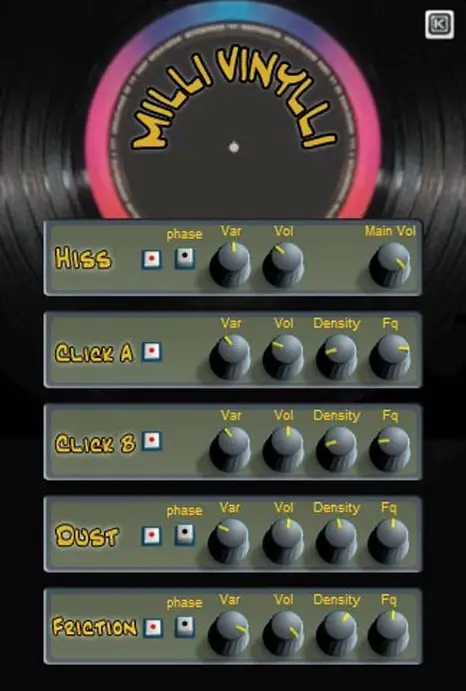
Milli Vinylli Vinyl Effects offers classic vinyl-style noise and texture for your sounds. It recreates hiss, crackle, dust, and record friction to bring warmth and character to digital tracks. Each effect includes controls for volume, density, variation, and frequency to fine-tune the vintage vibe.
This plugin helps producers add the nostalgic sound of old records to modern mixes. Phase buttons provide different timing feels, and adjustable settings make it easy to create subtle background noise or stronger lo-fi effects. Milli Vinylli runs on Windows as a 32-bit VST plugin.
Features
- Generates Realistic Vinyl Record Sounds
- Includes Hiss, Click, Dust, Friction
- Adjustable Volume For Each Effect
- Noise Density Control Options
- Frequency And Pitch Adjustments
- Phase Buttons For Sound Variation
- Variation Level Adjustment Knob
- Main Volume Mix Control
- Simple And Easy Interface
- Free 32-Bit VST Plugin
Pros
- Authentic analog vinyl simulation
- Adds real vintage record feel
- Includes adjustable crackle levels
- Custom hiss and dust sounds
- Adjustable frequency for each noise
- Volume knobs for each effect
- Phase buttons add sound variety
- Light on CPU usage
- Simple layout, quick workflow
- Completely free and reliable
Cons
- Only works on Windows systems
- Limited to 32-bit version
- Old interface looks outdated
- No built-in presets included
- Lacks wow and flutter controls
- No AU or AAX plugin type
- No wet or dry mix control
- Can’t sync with project tempo
- Doesn’t emulate vinyl warble well
- No support or recent updates
What Users Say
Milli Vinylli Vinyl Effects Tips
- I blend the wet and dry mix to find the right balance between clean and vintage tones.
- I like to automate the pitch drift to make it sound like a record slowing down.
- Use the mechanical noise sparingly so it adds character but not distraction.
- Experiment with small amounts of pitch modulation to make a realistic vinyl feel.
- Use automation to increase noise and crackle during quiet breakdowns for texture.
- Try printing the vinyl effect onto audio to save processing power once it sounds right.
19. 4Front Rhode
OS: Windows Win Mac Mac Bit Version: 32-bit, 64-bit Developer: 4Front Size: 1.8 MB Rating: 64/100
4Front Rhode offers the smooth, vintage tones of classic Rhodes and Wurlitzer electric pianos in a simple plugin. It brings gentle warmth and a touch of overdrive that adds character to LoFi, hip hop, and chill music styles without needing many adjustments.
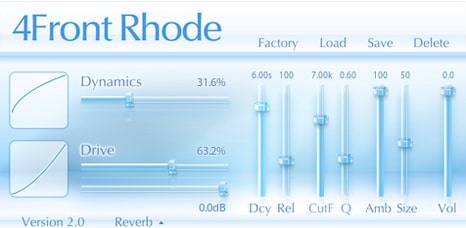
With controls for dynamics, tone, and ambience, 4Front Rhode gives players quick access to balanced and musical sounds. Available for Windows and Mac in both VST and AU formats, it’s a dependable choice for creating relaxed, expressive keyboard parts.
Features
- Classic Rhodes And Wurlitzer Sounds
- Gentle Overdrive For Warm Tone
- Adjustable Dynamics And Drive
- Cutoff And Q For Tone Shaping
- Ambience And Size Adjustments
- Low CPU And RAM Usage
- Lightweight And Stable Performance
- Preset Load And Save Options
- Available In VST And AU Formats
- Ideal For LoFi And Hip Hop
Pros
- Warm vintage Rhodes sound
- Uses very little CPU
- Loads almost instantly
- Free to download and use
- Works on older computers
- Sounds good right away
- Simple, clean interface
- Works well with any DAW
- Sits nicely in a mix
- Stable and reliable performance
Cons
- Sound not very realistic
- Poor dynamic expression range
- Limited sound customization options
- No velocity curve controls
- No built-in effects variety
- Tone can feel too static
- Lacks MIDI learn functionality
- Interface looks basic and dated
- No adjustable mic positions
- Less depth than other free VSTs
Video Demo
What Users Say
4Front Rhode Tips
- I use a little reverb to make my piano sound bigger and more natural.
- Add a small touch of chorus or phaser to give the 4Front Rhode a classic electric piano feel.
- Use compression lightly to even out the playing without losing the dynamics.
- Adjust MIDI velocity curves for a more realistic response to keyboard dynamics.
- Always test the sound in the full mix before finalizing EQ and effects.
- Listen on both headphones and speakers to make sure the piano tone fits everywhere.
20. Vinyl Plugin
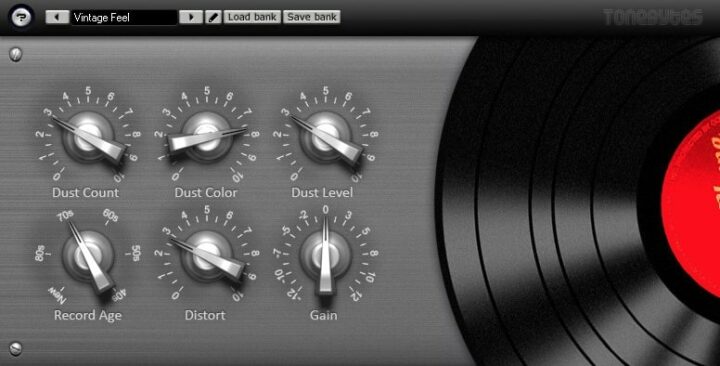
OS: Windows Win Bit Version: 32-bit Developer: ToneBytes Size: 3.8 MB Rating: 60/100
Vinyl Plugin offers the classic warmth and character of vintage records by recreating the sound of aged vinyl playback. It simulates realistic dust, scratches, and gentle distortion, letting you shape how worn or clean your track sounds. Each control fine-tunes tone, noise, and output level.
This plugin helps bring old-school charm to modern mixes, from soft retro touches to heavy lo-fi textures. You can pick the “age” of the record, adjust how much dust and crackle you want, and shape the tone to match your creative style or nostalgic sound goal.
Features
- Simulates Vintage Vinyl Record Sound
- Adjustable Dust And Crackle Noise
- Selectable Record Age Control
- Warm Gentle Distortion Effect
- Wow And Flutter Simulation
- Noise Color And Level Controls
- Independent Control Of Artifacts
- Supports VST Automation
- Light On CPU Usage
- Simple And Clear Interface
Pros
- Authentic vintage vinyl sound
- Adjustable dust and crackle
- Customizable record age setting
- Independent control of each effect
- Realistic wow and flutter effect
- Low CPU usage performance
- Fully automatable for creativity
- Great free alternative to iZotope Vinyl
- Helps samples sound aged naturally
- Produces convincing radio-like warmth
Cons
- No Mac or Linux support
- Limited to 32-bit version
- Needs bridging for 64-bit DAWs
- Crashes when changing presets
- No built-in presets
- No resizable window
- Interface too small
- Sound too noisy
- Outdated visual design
- May cause CPU spikes
What Users Say
Vinyl Plugin Tips
- I often use the wow and flutter settings to make my track sound less perfect and more real.
- I like to mix the dry and wet signals to keep some of the modern sound in my track.
- Sometimes I use two instances of Vinyl — one on instruments and one lightly on the full mix — for depth.
- When I make lo-fi beats, I always start with Vinyl to build the classic worn-out sound.
- The plugin can be placed on the master channel to give the whole song a vintage record vibe.
- Layering other tape or saturation plugins with Vinyl can create a deeper retro effect.
Lo-Fi VST Plugins Compared
This table compares Lo-Fi VST plugins by features, controls, effects, formats, and more.
| Details | Chow Tape Model | Nostalgic Saturation | Tape Cassette 2 | Ample Bass P Lite | TAL–Bassline | HY-Lofi2 | Soft Piano | Origin | Piano One | Vinyl | TAL–Elek7ro | Line of Legends | Lo-Fi Keys | DPiano-A | Keyzone Classic |
|---|---|---|---|---|---|---|---|---|---|---|---|---|---|---|---|
| Image | 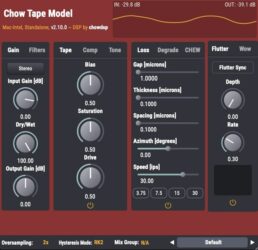 |
 |
 |
 |
 |
 |
 |
 |
 |
 |
 |
 |
 |
|
 |
| Rating | |||||||||||||||
| OS | Windows, Mac, Linux | Windows, Mac | Windows, Mac | Windows, Mac | Windows, Mac | Windows, Mac | Windows, Mac | Windows, Mac | Windows, Mac | Windows, Mac | Windows, Mac | Windows, Mac | Windows, Mac | Windows | Windows, Mac |
| Formats | VST, AU | VST3, AU | VST, VST3, AU, AAX | VST, VST2, AU, AAX | VST, AU | VST, VST3, AU | VST, AU | VST, AU, AAX | VST, AU | VST2, VST3, AU, AAX | VST, AU | VST, AU | VST, VST3, AU | VST | VST, AU |
| Bit Version | 64-bit | 64-bit | 64-bit | 32-bit, 64-bit | 32-bit, 64-bit | 32-bit, 64-bit | 64-bit | 64-bit | 32-bit, 64-bit | 64-bit | 32-bit, 64-bit | 32-bit, 64-bit | 32-bit, 64-bit | 32-bit, 64-bit | 32-bit, 64-bit |
| Developer | Chow DSP | Caelum Audio | Caelum Audio | Ample Sound | TAL Software | HY-Plugins | Spitfire Audio | Cymatics | Sound Magic | iZotope | TAL Software | Plugins4Free | Clark Pro Audio | Dead Duck Software | Bitsonic |
| License | GPL | Freeware | Freeware | Freeware | Freeware | Freeware | Freeware | Freeware | Freeware | Freeware | Freeware | Freeware | Freeware | Freeware | Freeware |
| Sample-Based | No | No | No | Yes | No | No | Yes | Yes | Yes | No | No | Select | Yes | No | Yes |
| Download Size | 10 MB | 3.5 MB | 5 MB | 450 MB | 1 MB | 11.58 MB | 417.8 MB | 61 MB | 414 MB | 40MB | 732 KB | 8 MB | 1 GB | 1.3 MB | 302 MB |
| CPU Load | Low | Low | Low | Low | Low | Low | Low | Low | Low | Low | Low | Low | Low | Low | Low |
| Polyphony | 1 | N/A | 8 | 8 | 1 | 8 | 128 | 8 | 64 | 1 | 6 | 32 | 64 | 64 | 6 |
| Features | Analog tape emulation, Hysteresis modeling, Compression control, Tone shaping, Modulation effects, Mix grouping, Stereo processing | Saturation warmth, Low-pass filter, Tape noise, Wow modulation, Flutter variation, Preset management, Vintage character | Saturation, Authentic Modeling, Tape Noise, Wow Control, Flutter Control, Low Pass Filter, Oversampling | Realistic articulations, Auto Buzz, Poly Legato, Slide Smoother, Capo function, Tab Player, MIDI control | Analog Bass Synthesis, Unique Low-Pass Filter, Non-Linear Envelopes, Band-Limited Oscillators, Sub-Oscillator, Simple Arpeggiator, Unison Mode | Bit quantizer, Waveshaper, Filter section, Drive control, Dry/Wet mix, Preset manager, Randomize function | Felted tone, Intimate sound, Expression control, Dynamics control, Texture blending, On-screen keyboard, Tune and pan | Resampler Bitcrusher, Underwater Filters, Tape Saturation, Noise, Movement, Chorus, Vintage Texture | Hybrid modeling, Yamaha C7 sound, Add-on system, Pedal realism, Reverb engine, Expressive playability, Adjustable tone | Lo-fi effect, Vintage simulation, Year selector, Mechanical noise, Dust control, Warp modulation, Spin-down feature | Virtual analog synthesis, Hard sync, Frequency modulation, Alias-free oscillators, Fast envelopes, Versatile LFOs, Routable envelope | 47 Drum Samples, 8 Sections, Independent Outputs, Punch Control, Release Control, Pan Control, Easy Workflow | Upright Piano, Digital Keyboard, Vintage Sounds, Built-in Effects, Clean Interface, Tone Customization, Inspiring Presets | Warm natural sound, Simple interface, Pitch control, Velocity curve, Tone shaping, Polyphony setting, Stereo width | Sample-based engine, Yamaha Grand, Steinway Grand, Rhodes Piano, Electric Piano, Reverb modulation, ADSR envelope |
| Controls | Input Gain, Dry/Wet, Output Gain, Bias, Saturation, Drive, Hysteresis Mode | Saturation, Low Pass, Noise, Wow, Flutter, Preset Menu, Version Display | Saturation, Low Pass, Noise, Wow, Flutter, Output, VU Meters | Main Menu Bar, Finger Mode, Bass Display, Keyboard, Velocity Knob, Tone Knob, Volume Knob | Tune, Waveform Selector, Filter Cutoff, Filter Resonance, Envelope, Arpeggiator, Unison Mode | Quantizer Mode, Quality, Bit Depth, Drive, High-Pass Filter, Low-Pass Filter, Dry/Wet Mix | Instrument Menu, Expression Slider, Dynamics Slider, Big Circular Dial, On-Screen Keyboard, MIDI Channel Menu, Volume Control | Saturation, Movement, Resample Freq, Reel To Reel, Chorus, Pre/Post Buttons, Power Button | Reverb, Size, Width, Mix, Noises, Style, Damping | Output Knob, Year Buttons, Mechanical Knob, Dust Slider, Scratch Slider, Warp Slider, Lo-Fi Button | Oscillator 1, Oscillator 2, Sub Oscillator, Mixer, Filter, Envelopes, LFO 1 | Kick, Snare, Clap, Snap, Toms, Hi Hat, Ride | Attack, Decay, Sustain, Release, Volume, Pan, Reverb | Fine, Random, Stretch, Hardness, Treble, Decay, Release | Program Selector, Reverb, Attack, Decay, Sustain, Release, Detune |
| Effects Included | Saturation, Compression, Filtering, Modulation, Tone Shaping | Saturation, Low Pass Filter, Noise, Wow, Flutter | Saturation, Low Pass Filter, Noise, Wow, Flutter | Unknown | Low pass filter, Resonant filter, LFO, Envelope, Portamento, Unison, Arpeggiator | Bit quantizer, distortion/waveshaper, high-pass filter, low-pass filter | Tune, Pan, Volume | Resampler, Bitcrusher, Filter, Tape Saturation, Noise, Movement, Chorus | Reverb | Lo-fi, Mechanical noise, Electrical noise, Dust, Scratch, Warp, Spindown, Wear | Compressor, Filter | Punch, Release, Pan, Reverb | Reverb, Delay, Tape Noise, Mechanical Noise, Vinyl Crackle, Lo-Fi Effect | None | Reverb, Modulation, LFO |
| MIDI Learn | Unknown | Unknown | Unknown | Yes | Yes | Yes | Unknown | Unknown | No | No | Yes | Unknown | Unknown | No | Unknown |
| Presets | N/A | 25 | 25 | N/A | 23 | 20 | N/A | 40 | N/A | N/A | 46 | N/A | 50 | N/A | 23 |
| Standalone | Yes | No | No | Yes | Yes | Yes | No | Select | Yes | No | No | No | Yes | No | No |
| Last Updated | 03/05/2024 | 02/15/2024 | 05/02/2024 | 04/25/2024 | 08/14/2023 | 06/09/2019 | N/A | 07/14/2023 | 06/14/2023 | 09/20/2019 | 04/20/2012 | 08/10/2021 | 06/23/2023 | 11/11/2018 | 06/14/2018 |
Favorite Lo-Fi VST Plugins
Our top picks for the best free Lo-Fi VST plugin are Tape Cassette 2 by Caelum Audio, Ample Bass P Lite II by Ample Sound, and Piano One by Sound Magic.
| Details | Tape Cassette 2 | Ample Bass P Lite | Piano One |
|---|---|---|---|
| Image |
|
|
|
| Rating | |||
| OS | Windows, Mac | Windows, Mac | Windows, Mac |
| Formats | VST, VST3, AU, AAX | VST, VST2, AU, AAX | VST, AU |
| Bit Version | 64-bit | 32-bit, 64-bit | 32-bit, 64-bit |
| Developer | Caelum Audio | Ample Sound | Sound Magic |
| License | Freeware | Freeware | Freeware |
| Sample-Based | No | Yes | Yes |
| Download Size | 5 MB | 450 MB | 414 MB |
| CPU Load | Low | Low | Low |
| Polyphony | 8 | 8 | 64 |
| Features | Saturation, Authentic Modeling, Tape Noise, Wow Control, Flutter Control, Low Pass Filter, Oversampling | Realistic articulations, Auto Buzz, Poly Legato, Slide Smoother, Capo function, Tab Player, MIDI control | Hybrid modeling, Yamaha C7 sound, Add-on system, Pedal realism, Reverb engine, Expressive playability, Adjustable tone |
| Controls | Saturation, Low Pass, Noise, Wow, Flutter, Output, VU Meters | Main Menu Bar, Finger Mode, Bass Display, Keyboard, Velocity Knob, Tone Knob, Volume Knob | Reverb, Size, Width, Mix, Noises, Style, Damping |
| Effects Included | Saturation, Low Pass Filter, Noise, Wow, Flutter | Unknown | Reverb |
| Download | Download Tape Cassette 2 | Download Ample Bass P Lite | Download Piano One |
Lo-Fi Plugin FAQs
What Is A LoFi Plugin?
LoFi plugins are effect processors that can simulate the sound of vintage LoFi music gear. They can be used to add Lo-Fi effects to your music or to create Lo-Fi beats from scratch.
This article includes the best Lofi VST instruments and effects commonly used in Lofi music, such as pianos, Rhodes, vinyl crackling effects, bass guitars, and much more.
How to Install Lo-Fi VST Plugins
To install lo-fi VST plugins on Windows or Mac, extract the files from the Zip or Rar. Move the files (.dll for Windows or .component for Mac) into your DAW’s plugin folder. Then restart your software and rescan the directory to complete the process. Tutorial: How to Install VST Plugins
Windows:
Extract the downloaded zip file and copy the .dll file into the VST plugins folder scanned by your DAW. Restart your music software and rescan your plugin directory to begin using the new VST.
Mac OS X:
Extract the downloaded archive and move the .component or .VST file to the plugin folder. It is usually /Library/Audio/Plug-Ins/Components or /Library/Audio/Plug-Ins/VST. Restart your DAW and rescan your plugins to complete the installation.
I hope you found this list of free LoFi VST plugins helpful. These are great free plugins to create lo-fi beats, electronic music, or use for sound design.
You May Also Like:





