

How we rate plugins: We rate each string machine VST plugin based on sound quality, design, performance, features, usability, and compatibility. We rate plugins on a scale of 1 to 100.
Table of Contents
I have spent over 15 years testing and comparing hundreds of free and paid VST plugins, supported by hands-on demos on our YouTube channel, which has 11,000+ subscribers.
Best Free String Machine VST Plugins
This table compares string machine plugins by operating system, bit version, format, and rating.
| # | Plugin | OS | Formats | Bit Version | Ratings |
|---|---|---|---|---|---|
| 1 | Nabla | Windows Mac | VST, AU | 32-bit, 64-bit | |
| 2 | Synth Strings | Windows Mac | VST, AU | 32-bit | |
| 3 | Deputy Mark II | Windows Mac | VST, VST2, VST3, AU | 32-bit, 64-bit | |
| 4 | Cheeze Machine 2 | Windows Mac | VST, AU | 64-bit | |
| 5 | Esline | Windows | VST | 32-bit | |
| 6 | Horus | Windows | VST | 32-bit | |
| 7 | Horus mkII | Windows | VST | 32-bit | |
| 8 | Performer Free | Linux | VST | 64-bit | |
| 9 | Strings Q3 | Windows | VST | 64-bit | |
| 10 | Orpheus II | Windows | VST | 32-bit | |
| 11 | Orpheus | Windows | VST | 32-bit | |
| 12 | easy-mr. stringer | Windows | VST | 32-bit | |
| 13 | Surya | Windows | VST | 32-bit | |
| 14 | Tapeotronic | Windows | VST | 32-bit | |
| 15 | D-String | Windows | VST | 32-bit |
1. Nabla
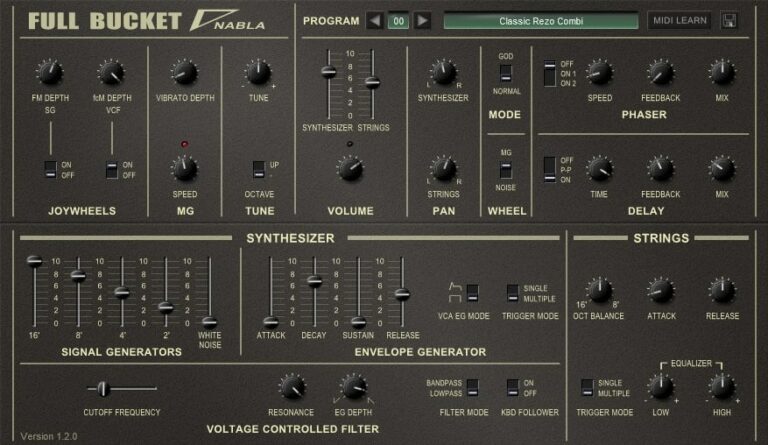
OS: Windows Win Mac Mac Bit Version: 32-bit, 64-bit Developer: Full Bucket Music Size: 4.9 MB Rating: 85/100
Nabla offers an authentic recreation of the 1979 KORG Delta String DL-50, capturing the charm of classic paraphonic synths. It combines synthesizer and string sections with up to 64 voices, plus modern touches like panning, delay, and “GOD Mode” for full polyphony.
The plugin includes filters, modulation controls, and onboard effects that shape wide, vintage tones with ease. Its phaser, ensemble, and EQ features make it simple to build lush pads or warm leads while keeping the retro sound character of the original hardware.
Features
- Simulates 1979 Korg Delta Synth
- Paraphonic Synth And Strings Sections
- Four-Pole Bandpass Or Lowpass Filter
- Built-In Phaser And Delay Effects
- Modulation By LFO Or Noise
- God Mode For True Polyphony
- Two-Band Equalizer And Ensemble Effect
- MIDI Controller Parameter Support
- Program Preset Load And Save
- Low CPU Usage Performance
Pros
- Sounds just like classic Korg gear
- Has both synth and strings
- Offers true polyphonic playing
- Includes cool phaser effect
- Built-in delay for rich echoes
- Very close to real Delta sound
- Flexible tone shaping and filters
- Gorgeous wide ensemble texture
- Free yet feels like a paid plugin
- Perfect for vintage string pads
Cons
- Lacks modern sound design options
- GUI looks plain and outdated
- Limited preset library
- Few modulation routing choices
- No built-in reverb effect
- No step sequencer available
- No built-in arpeggiator
- Filter options feel limited
- Interface not resizable
- Needs external effects for depth
Video Demo
What Users Say
Nabla Tips
- I often use the chorus and ensemble effects to give my sounds a wider, richer feel.
- I adjust the filter cutoff and resonance by ear until the tone fits nicely in my mix.
- I layer Nabla with another synth to make thicker and more powerful leads.
- I play with the modulation settings to add motion and life to my sounds.
- Experimentation with both Nabla and Korg VST plugins often leads to unique and inspiring results.
2. Synth Strings
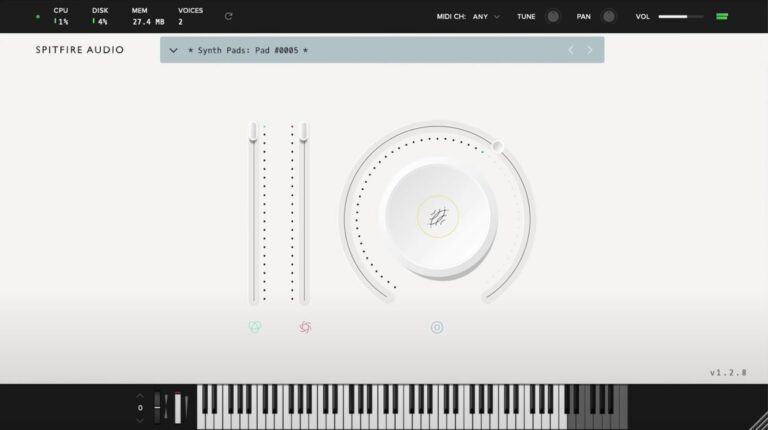
OS: Windows Win Mac Mac Bit Version: 32-bit Developer: Spitfire Audio Size: 1.8 GB Rating: 82/100
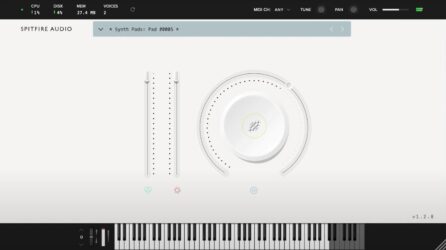
Synth Strings offers classic 70s-inspired tones built from the iconic Solina String Ensemble. It delivers warm pads, bright stabs, and vintage textures recorded at Spitfire HQ. Each sound blends analog depth with a smooth, modern feel, perfect for adding rich layers to any track.
The plugin includes adjustable filters, reverb, and modulation controls to shape tone and character easily. With options for attack, decay, sustain, and release, users can create both soft atmospheres and bold leads. Synth Strings works well in disco, funk, or cinematic-style music.
Features
- Based On Solina String Ensemble
- Warm And Bright Sound Textures
- Simple And Clear Interface
- Adjustable Volume And Effects Sliders
- Reverb And Variation Buttons
- Full ADSR Envelope Controls
- Sampled Modulation And Pads
- Available In VST And AU
- Works For Disco And Sci-Fi Sounds
- Captured By Skilled Sound Designers
Pros
- Warm and vintage string tones
- Inspired by classic 70s synths
- Rich, full textures and pads
- Balanced mix-ready sound out-of-box
- Includes sampled modulation movement
- Adjustable reverb for big spaces
- Great layering with real strings
- Ideal for film and game scoring
- Nostalgic and emotional tone quality
- Premium feel in a free package
Cons
- High CPU use on big projects
- Limited sound design flexibility
- Lacks detailed modulation controls
- Few presets compared to others
- Cannot save user-made presets
- No MIDI learn support feature
- No tempo-synced LFOs available
- Needs Spitfire player to run
- Slow load times on startup
- No onboard chorus or phaser
Video Demo
What Users Say
Synth Strings Tips
- I like to start with a simple pad sound and then layer it with another preset to make the strings feel bigger.
- I use the mod wheel to bring strings in and out of the mix so they feel alive.
- I sometimes reduce the low end to keep the mix clean and leave room for bass instruments.
- I try mixing Synth Strings with real string samples to get a nice balance of organic and synthetic sounds.
- Use the filter knob to shape the tone — closing it makes the strings soft and warm.
- Pan different layers slightly left and right to give the mix more space.
- Automate the filter cutoff or reverb send during a build-up for extra drama.
3. Deputy Mark II
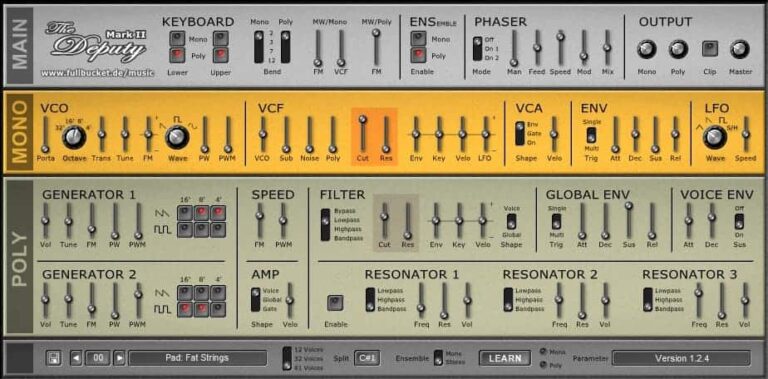
OS: Windows Win Mac Mac Bit Version: 32-bit, 64-bit Developer: Full Bucket Music Size: 15 MB Rating: 81/100
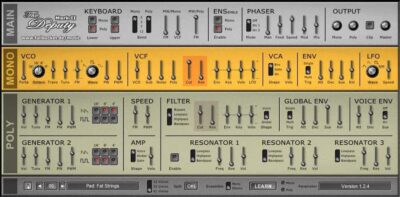
Deputy Mark II is a virtual synthesizer that recreates the sound of vintage string machines and early polyphonic synths. It includes both polyphonic and monophonic sections, with built-in ensemble and phaser effects that bring warmth and movement to pads, leads, and textures.
It features up to 61-voice polyphony, dual oscillator banks, and a flexible filter system for shaping classic tones. With MIDI control and a resizable interface, Deputy Mark II gives music creators an authentic retro sound that fits easily into modern studios on Windows or macOS.
Features
- Polyphonic And Monophonic Synthesis
- Built-In Ensemble Effect
- Up To 61 Voice Polyphony
- Two Oscillator Banks
- Multi-Mode Filter Per Voice
- ADSR Envelope And LFO
- MIDI Controller Parameter Support
- Resizable User Interface
- Available In Multiple Plugin Formats
- Classic String Machine Sound Style
Pros
- Warm and vintage string tones
- Authentic 70s and 80s sound
- Rich ensemble and phaser effects
- Two oscillator banks for layering
- Strong resonator shaping options
- Up to 61 voice polyphony
- Flexible mono and poly modes
- Resizable and simple interface
- Low CPU use
- Great Solina-style string sounds
Cons
- Can use lots of CPU power
- Few built-in presets available
- No built-in reverb effect
- Lacks advanced modulation tools
- Interface looks a bit dated
- No patch browser system
- Less versatile than newer synths
- Lacks unison or supersaw modes
- Preset saving feels clunky
- Limited modern sound options
Video Demo
What Users Say
Deputy Mark II Tips
- I use the ensemble effect to make the sound wider and more lush, especially for pads.
- I often adjust the attack and release controls to make the sound fade in smoothly like a real string ensemble.
- I use a touch of reverb to give the strings more space and depth.
- Layering the plugin with a pad or choir VST can make the mix sound warmer and richer.
- Using EQ to cut low frequencies helps the string machine sit better in a busy mix.
- Automating the filter control over time can make string sections more dynamic and emotional.
- A touch of tape saturation or vinyl emulation gives the vintage character that classic string machines had.
4. Cheeze Machine 2
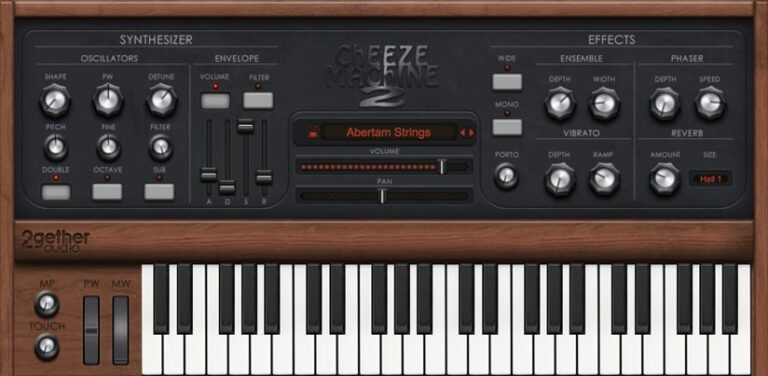
OS: Windows Win Mac Mac Bit Version: 64-bit Developer: 2getheraudio Size: 13.4 MB Rating: 80/100
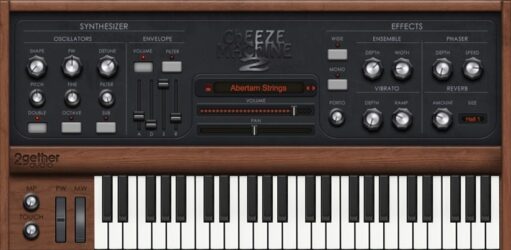
Cheeze Machine 2 offers the classic warmth of vintage string machines with a modern touch. It delivers over 60 patches, including string ensembles, pads, leads, and effects, giving producers a wide range of retro-inspired sounds for smooth backgrounds or melodic layers.
It features expanded oscillators, convolution reverb, and a vintage-style chorus to add depth and texture. With full 64-bit support across major plugin formats, Cheeze Machine 2 brings classic string tones into today’s studios with rich sound and simple creative control.
Features
- Vintage String Machine Sound
- Over 60 Built-In Presets
- Classic Ensemble Chorus
- Convolution Reverb Effect
- Expanded Oscillator Section
- Arpeggiator For Pattern Creation
- Portamento For Smooth Note Slides
- Layered Double Sound Option
- Adjustable Filter And Pitch
- Simple And Easy-To-Use Interface
Pros
- Warm vintage string machine sound
- Authentic 70s string synth tone
- Expanded oscillator section adds depth
- Classic ensemble chorus effect
- Rich convolution reverb built-in
- Instant thick sound with Double knob
- Built-in arpeggiator for fun patterns
- Low CPU usage for smooth play
- Free and high-quality vintage plugin
- Available in VST, AU, and AAX
Cons
- Limited sound design flexibility
- High CPU use on some systems
- No resizable user interface
- Few presets compared to rivals
- No filter modulation
- Missing multi-layer patch options
- Few effect customization options
- Fewer modulation sources than rivals
- GUI too small on 4K screens
- Sound palette can feel repetitive
Video Demo
What Users Say
Cheeze Machine 2 Tips
- I use the ensemble effect to make my strings sound wider and more alive.
- I enjoy layering the plugin with real strings to add both warmth and depth.
- When I want a vintage sound, I play with the “Age” knob to get that old-school tone.
- Using low-pass filters can make strings sound soft and warm instead of harsh.
- Setting different detune levels between layers can create a lush stereo field.
- Combining Cheeze Machine 2 with subtle delay can give a nice sense of space.
5. Esline
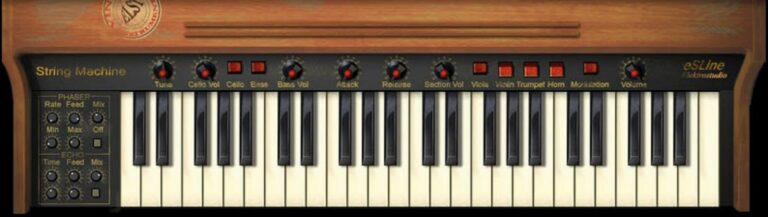
OS: Windows Win Bit Version: 32-bit Developer: Elektrostudio Size: 3. MB Rating: 74/100
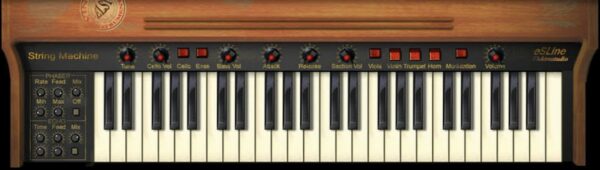
Esline offers a detailed recreation of the classic Arp Solina String Ensemble, bringing vintage 70s and 80s tones to your digital setup. It features six instrument layers, including violin, viola, trumpet, horn, cello, and bass, for a smooth and classic string sound.
With 16 editable patches, MIDI learn, and automation, Esline supports creative control and sound shaping. Built-in effects like phaser, echo, and chorus give depth and movement, making it easy to create warm, nostalgic textures for retro or modern productions.
Features
- Emulates Vintage Arp Solina Sound
- Six-Voice Polyphonic String Ensemble
- Phaser, Echo, And Chorus Effects
- MIDI Learn And Automation Support
- Sixteen Built-In Sound Patches
- Selectable Monophonic Bass Option
- Pitch, Attack, And Release Controls
- Individual Instrument Volume Sliders
- Simple And Clear User Interface
- Light CPU Usage Performance
Pros
- Rich vintage Solina-style sound
- Authentic 70s string machine vibe
- Built-in phaser, echo, and chorus
- Six-voice classic polyphonic sound
- Six instrument layers for depth
- Low CPU use for smooth play
- Faithful Solina emulation quality
- Lush ensemble pad textures
- Competes with paid string machines
- Free and easy to install
Cons
- Only works on Windows
- Limited to 32-bit
- Not compatible with 64-bit hosts
- Poor support for modern DAWs
- No preset manager
- Old-looking interface
- No resizable window
- Lacks modulation options
- Few sound design controls
- Sometimes crashes in newer DAWs
Video Demo
What Users Say
Esline Tips
- I like to start by turning up the ensemble effect to make the sound bigger and smoother.
- I adjust the attack to make the strings fade in gently for soft, dreamy music.
- I use a little reverb after Esline to make the strings sound like they’re in a big hall.
- Use an EQ to cut some low end if the string sound is too thick in a mix.
- Layer different string machine presets to create wide, textured backgrounds.
- Remember to pan layers slightly left and right for a bigger sound space.
- I like to layer Esline with a modern synth pad to get a rich vintage tone.
6. Horus
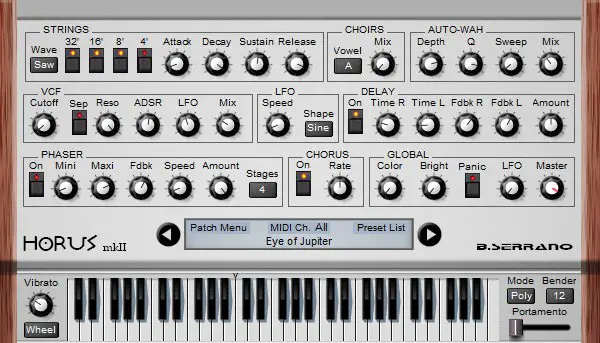
OS: Windows Win Bit Version: 32-bit Developer: B Serrano Size: 2.2 MB Rating: 70/100
Horus offers a mix of classic string machine warmth and polysynth power. With 64 voices and four oscillators ranging from 4’ to 32’, it creates rich pads and layered tones. Filters, LFO modulation, and formant shaping let producers sculpt detailed and evolving sounds easily.
Built-in effects like chorus, auto-wah, phaser, and stereo delay add depth and motion to any track. Full MIDI learn support allows flexible control, making it simple to shape sounds in real time. Horus is a strong choice for crafting lush, animated textures in electronic and ambient music.
Features
- 64 Voice Polyphonic Power
- Built-In Chorus Effect
- Dynamic Auto-Wah Control
- Static Formant Filter Option
- Low-Pass Filter With ADSR
- Adjustable Phaser Effect
- Stereo Delay With Feedback
- Full MIDI Learn Support
- Vowel-Based Choir Sound Effect
- Low CPU Resource Usage
Pros
- Very smooth and rich sound
- Warm analog-style chorus effect
- Strong stereo width control
- Supports up to 64 poly voices
- Four oscillators for big tones
- Full MIDI learn for control
- Low CPU use for big projects
- Includes many tone filters
- Creates lush and deep pads
- Free and high quality for Windows
Cons
- Not available for macOS users
- Limited to 32-bit format
- Lacks modern VST3 support
- No built-in reverb
- No preset browser
- No automation support
- No modulation matrix
- Interface feels dated
- Not fully scalable GUI
- Can sound thin without layering
Video Demo
What Users Say
Horus Tips
- I often layer two strings patches together to make the sound bigger and warmer.
- I tweak the chorus and ensemble knobs to give the strings a more vintage, lush feeling.
- I use the built-in filters to cut out low or high frequencies that make the mix too muddy.
- I sometimes add a light reverb after the plugin to make the strings sound like they’re in a real room.
- Combine Horus with other VST plugins, like reverb or delay, for lush ambient textures.
- Use EQ to shape the string tone, making it brighter or darker depending on the mix.
- Apply a touch of compression to help the string sounds sit better with drums and bass.
7. Horus mkII
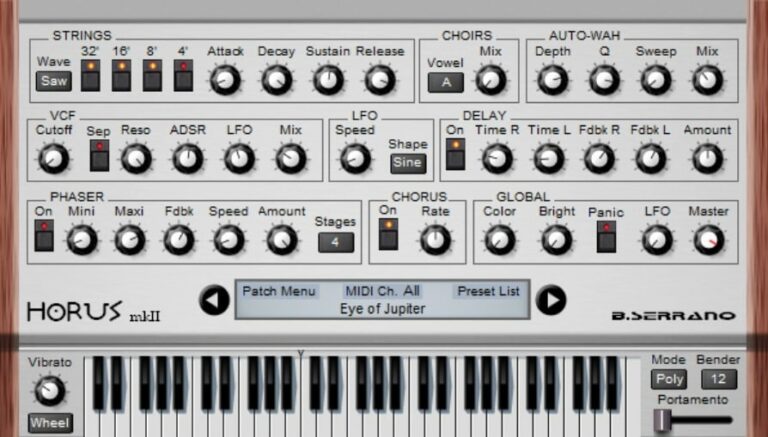
OS: Windows Win Bit Version: 32-bit Developer: B Serrano Size: 2 MB Rating: 69/100
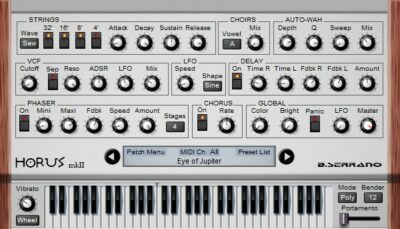
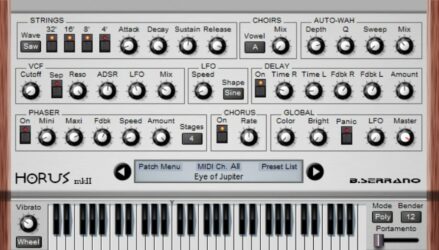
Horus mkII offers a modern update to the classic string machine, adding new tools to shape smooth, rich pad sounds. It features four oscillators, 64-note polyphony, chorus, phaser, stereo delay, and advanced modulation options for creating deep, layered tones.
Its new design includes waveform choices, mono mode with portamento, and flexible vibrato controls through wheel or pedal. With improved patch management and full MIDI learn, Horus mkII gives music creators more control to build wide, evolving textures that fit any ambient or cinematic track.
Features
- 64 Voices Polyphonic
- Four Selectable Oscillators
- Chorus And Auto-Wah Effects
- Stereo Delay With Feedback Control
- Static Formant Filter
- Low-Pass Filter Section
- Choir Section With Vowel Control
- Full MIDI Learn Support
- Patch Management Menu Included
- Reasonable CPU Performance
Pros
- Rich, warm string machine tone
- Four oscillators for deep sound
- Chorus adds lush wide feel
- Phaser gives smooth motion
- Static formant filter shapes tone
- Waveform choice boosts flexibility
- Strong modulation for evolving pads
- Stereo delay builds big space
- Light on CPU usage
- Competes well with paid plugins
Cons
- Only available for Windows
- No macOS support
- Limited to 32-bit
- No 64-bit support
- No standalone version
- Lacks resizable interface
- No built-in reverb
- Few presets
- Limited modulation options
- CPU use high on older PCs
Video Demo
What Users Say
Horus mkII Tips
- I make small tweaks to the delay or chorus settings to find a warm and dreamy tone.
- I layer Horus mkII with a pad sound to make my mix sound bigger.
- Experiment with the ensemble effect for a lush, vintage feel similar to old string machines.
- Use subtle EQ to clear out low frequencies so the strings don’t muddy the mix.
- Adjust attack and release settings to make the strings fit better with your tempo.
- Try layering Horus mkII with real string samples for a rich hybrid sound.
8. Performer Free
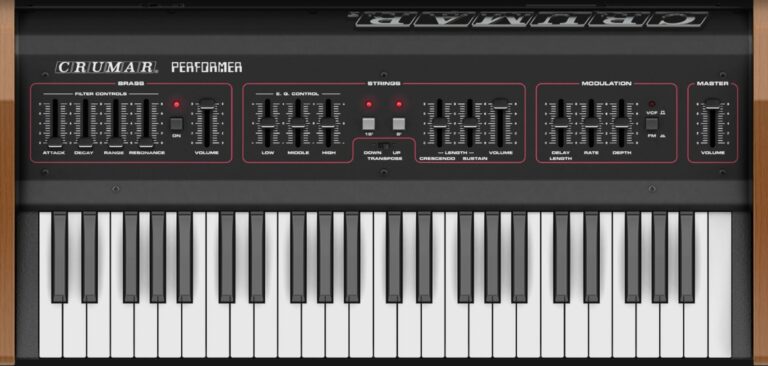
OS: Linux Linux Bit Version: 64-bit Developer: Crumar Size: 29.4 MB Rating: 69/100
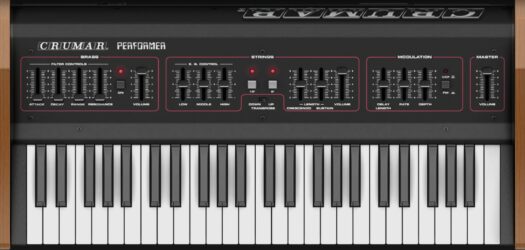
Performer Free offers an authentic recreation of the classic Crumar Performer instrument using physical modeling technology. It captures the warm brass and string tones of the vintage keyboard while staying true to the look and sound of the original hardware.
Designed for Linux users, Performer Free is available in VST2, VST3, and StandAlone formats. It automatically adjusts its interface for smaller screens, making it practical for Raspberry Pi setups and compact workstations.
Features
- Physical Modeling Sound Simulation
- Authentic Vintage Instrument Emulation
- Includes Brass And Strings Sections
- EQ Controls For Strings Section
- Modulation Delay, Rate, And Depth
- Master Filter And Volume Controls
- 64-Bit Plugin Architecture
- Lightweight And CPU-Friendly Design
- Available In VST2, VST3, StandAlone
- Transpose And Sustain Switch Options
Pros
- Authentic vintage Crumar sound
- Realistic physical modeling engine
- Faithful hardware-style controls
- Light on CPU usage
- VST2, VST3, and StandAlone formats
- Thick ensemble modulation options
- True-to-life analog character
- No need for large sample files
- Free for Linux users
- Supports Raspberry Pi systems
Cons
- No Windows or Mac support
- No factory presets included
- No built-in preset browser
- Lacks portamento or glide
- No reverb or chorus
- Limited modulation effects
- No MIDI learn or automation
- Interface looks old-fashioned
- Can crash on some DAWs
- Limited to vintage-style sounds
Video Demo
What Users Say
Performer Free Tips
- I use the ensemble effect to make the strings sound wide and lush.
- When I create pads, I slightly detune the oscillators for a warm, vintage feel.
- Adding a bit of reverb helps me make the strings sound like they’re in a big hall.
- Adjusting the ensemble depth can turn a dry sound into a rich and dreamy texture.
- Combining the Crumar Performer Free with tape saturation plugins can give a vintage tone.
- Using automation on the volume or filter cutoff can make the performance feel more alive.
9. Strings Q3
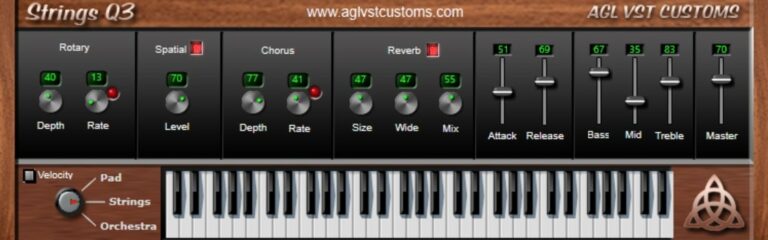
OS: Windows Win Bit Version: 64-bit Developer: AGL VST CUSTOMS Size: 2.3 MB Rating: 68/100
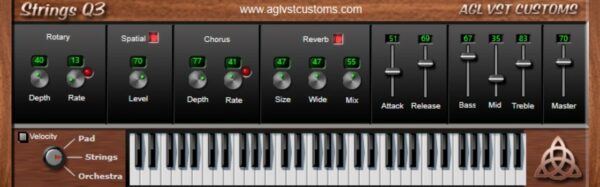
Strings Q3 offers three main sound types—Pad, Strings, and Orchestra—designed for shaping smooth and expressive tones. It includes Attack and Release controls, a three-band EQ, and full stereo output, letting you balance warmth, depth, and clarity for your tracks.
With built-in rotary, spatial, chorus, and reverb effects, Strings Q3 gives wide control over sound movement and space. The velocity switch adds extra play dynamics, making it easy to create soft backgrounds or bold string layers that fit many music styles.
Features
- Three Main Sound Types
- Rotary Speaker Effect
- Chorus Depth And Rate
- Reverb Size And Mix
- Spatial Width Adjustment
- Three-Band Equalizer
- Velocity Response Switch
- Built-In On-Screen Keyboard
- Sound Selector For Patches
- CPU Friendly Performance
Pros
- Warm and clean string tones
- Three rich sound types included
- Built-in rotary adds motion
- Spatial effect widens the sound
- Chorus makes tone more full
- Reverb adds big hall space
- Full stereo for wide mix
- CPU friendly for smooth use
- Realistic and lush string feel
- Ideal for film or game music
Cons
- Only three basic sound patches
- Lacks advanced modulation options
- Limited sound design flexibility
- No automation for all controls
- User interface looks dated
- No resizable interface window
- Not available for macOS users
- No MIDI learn support
- Cannot import external samples
- Less realistic than sample libraries
What Users Say
Strings Q3 Tips
- I like to start with the preset that matches my song’s mood, then tweak the filters to shape the sound just right.
- I turn up the chorus effect when I want my strings to sound lush and full.
- I like to layer the Strings Q3 with a pad sound to make big cinematic tones.
- Use automation to make the filter sweep slowly through a mix to add movement.
- Experiment with different reverb types—plate, hall, or room—to find your perfect tone.
- Use panning to spread the string layers across the stereo field for realism.
10. Orpheus II
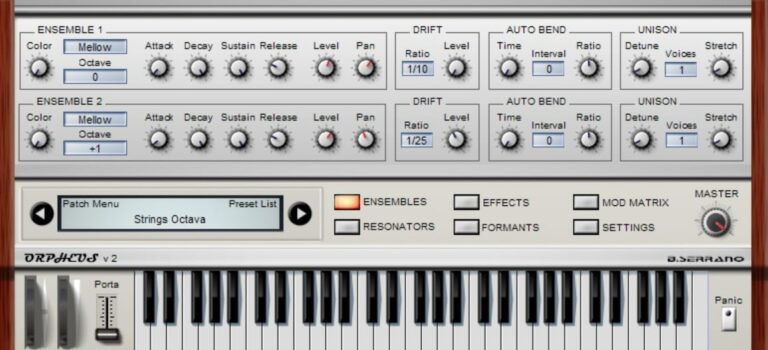
OS: Windows Win Bit Version: 32-bit Developer: B Serrano Size: 4.4 MB Rating: 68/100
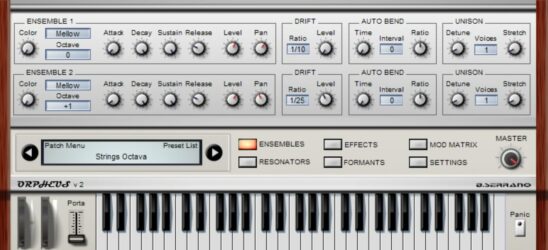
Orpheus II offers a vintage-style polyphonic synth experience with two ensembles and 128 voices. It blends analog warmth with modern flexibility through features like unison, drift, and mono mode with portamento. The result is rich motion and texture suited for pads, drones, and evolving soundscapes.
Its effects section includes chorus, phaser, reverb, delay, tremolo, and auto-pan for extra depth. The modulation matrix and patch management system make it simple to shape and store your favorite tones. Orpheus II is well-suited for creating dreamy, atmospheric layers and ambient backgrounds.
Features
- 128 Voice Polyphony
- Two Ensemble Layers
- Unison And Drift Control
- Mono Mode With Portamento
- Vibrato And Formant Control
- Chorus And Delay Effects
- Phaser And Reverb Effects
- Modulation Matrix Section
- Built-In Patch Management
- Preset And Patch Menu
Pros
- Rich, warm vintage analog tone
- Two ensembles for deep blending
- Drift adds natural movement
- Built-in chorus and reverb
- Formant control adds vocal style
- Mod matrix allows rich modulation
- Three-band resonators shape tone
- 128 voices for huge layers
- Low CPU use for long sessions
- Free and still sounds modern
Cons
- Only works on Windows
- No 64-bit support
- Not available for macOS
- Outdated interface
- Small hard-to-read GUI
- Limited presets
- Can forget settings
- No arpeggiator
- Not CPU efficient
- No built-in EQ or compressor
Video Demo
What Users Say
Orpheus II Tips
- I use slow attack times to make the strings sound smooth and natural.
- I try turning up the ensemble effect to get a warmer and wider tone.
- I often layer two patches together to make a richer sound.
- I tweak the filter cutoff to control how bright or dark the strings feel.
- I like using reverb to make the strings sound like they are in a big hall.
- EQ adjustments can help the string patch fit better with drums and bass.
- Layering multiple instances of the plugin at different octaves can create depth.
11. Orpheus
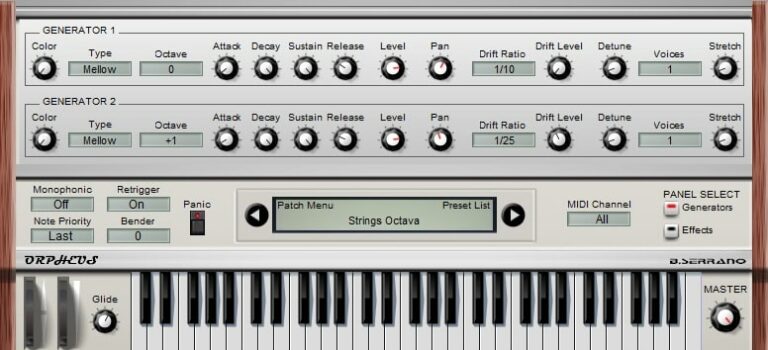
OS: Windows Win Bit Version: 32-bit Developer: B Serrano Size: 3.4 MB Rating: 67/100
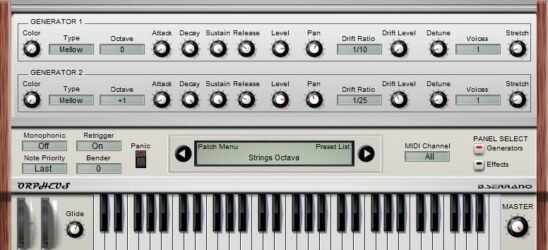
Orpheus offers rich string and organ sounds in one plugin. It uses two sound generators with three string types and an organ, giving up to 128 notes of polyphony. Features like unison, drift, and mono mode with portamento help create deep and moving tones.
Its effects include resonators with LFO controls, EQ, chorus, delay, auto-pan, and tremolo for shaping wide ambient textures. A built-in patch system with a clear display makes saving and recalling sounds simple, making Orpheus a strong tool for pads, leads, and layered tones.
Features
- Two Sound Generators
- Three String Types And Organ
- Unison And Detune Control
- Mono Mode With Portamento
- Three Band Resonators
- LFO With Randomize Button
- Chorus Effect
- Delay Effect
- Auto Pan Control
- Patch Management Display
Pros
- Rich warm vintage string tones
- Includes organ and string sounds
- Drift feature gives analog warmth
- Built-in chorus and delay effects
- Three-band resonators shape tone
- Versatile modulation with LFOs
- 128 voices for wide layering
- Unison mode adds thicker sound
- Distinct sound unlike other free synths
- Low CPU usage on most systems
Cons
- Only works on Windows systems
- Limited to 32-bit version
- May not run on modern DAWs
- User interface feels very dated
- GUI too small on big screens
- No built-in reverb effect
- Lacks advanced modulation matrix
- No MIDI learn for quick mapping
- Limited sound shaping compared to others
- Not updated or supported anymore
Video Demo
What Users Say
Orpheus Tips
- I often layer two strings together to make my pad sound bigger and more interesting.
- I adjust the attack and release to make the strings swell in slowly for a softer intro.
- I use a little bit of chorus to give the strings a wide, dreamy feel.
- I like to lower the cutoff filter to make the sound warmer and less sharp.
- I use reverb to add space and make the strings sound like they’re in a big hall.
- Experimenting with different ensemble and detune settings can make small changes that sound big in a mix.
- Combining slow LFO movement with filter modulation can create evolving pads.
12. easy-mr. stringer
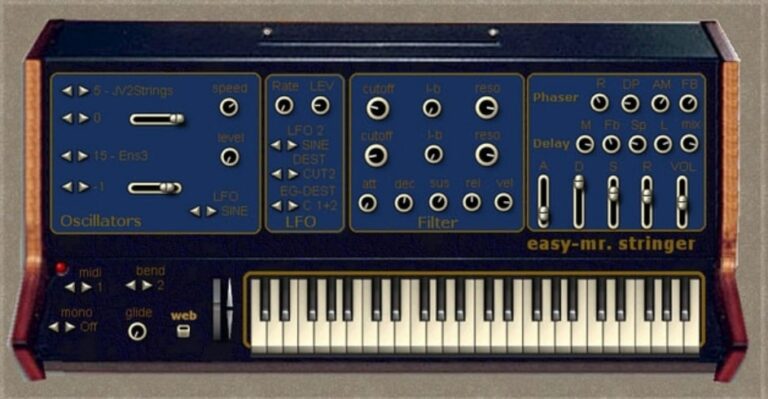
OS: Windows Win Bit Version: 32-bit Developer: easytoolz Size: 7 MB Rating: 67/100
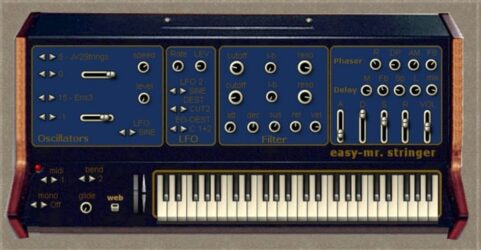
easy-mr. stringer offers classic string machine sounds with simple tools for shaping tone and movement. It features two oscillators with seventeen string waves, adjustable octaves, two filters, one LFO, and Built-in effects like phaser and double delay for smooth, vintage textures.
It supports mono and poly modes, twelve voices, and sixteen presets for quick access to retro tones. With ADSR controls, glide, and velocity response, creators can build lush pads or melodic lines that fit styles from 70s soundtrack vibes to modern synthwave tracks.
Features
- Two Oscillators With String Waves
- Seventeen Selectable Wave Types
- Low-Pass And Band-Pass Filters
- Adsr Envelope For Sound Shaping
- Built-In Phaser Effect
- Double Delay With Pan Lfos
- Glide For Smooth Pitch Slides
- Mono And Poly Play Modes
- Midi Control Compatibility
- Low Cpu Resource Usage
Pros
- Rich vintage string machine tone
- Instant classic Solina-style sound
- Includes lush stereo ensemble
- Authentic 70s string synth vibe
- Glide adds smooth note transitions
- Offers both mono and poly modes
- Warm and full string texture
- Very low CPU usage
- Ready-to-use presets included
- Lightweight on system resources
Cons
- No 64-bit version
- Windows only
- No macOS support
- No built-in reverb
- Few customization options
- Outdated interface
- Limited modulation control
- Missing arpeggiator
- Weak velocity response
- Sound feels repetitive
Video Demo
What Users Say
easy-mr. stringer Tips
- Adjust the ensemble control to create a wide stereo sound that feels alive.
- Add chorus or reverb effects for a dreamy, emotional feel.
- Layer multiple string presets for a fuller, more realistic section sound.
- Use an equalizer to remove low frequencies that may muddy the mix.
- Balance the volume of the string layer so it supports other instruments instead of overpowering them.
- Experiment with different octaves to find the sweetest tone for your mix.
13. Surya
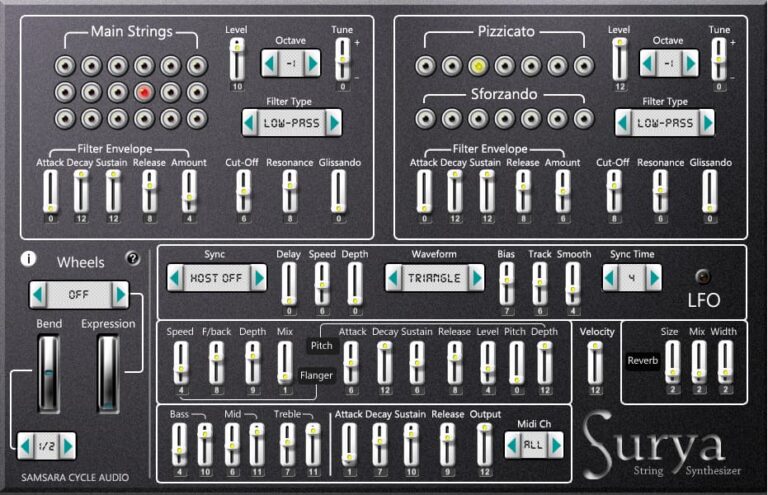
OS: Windows Win Bit Version: 32-bit Developer: Samsara Cycle Audio Size: 17 MB Rating: 67/100
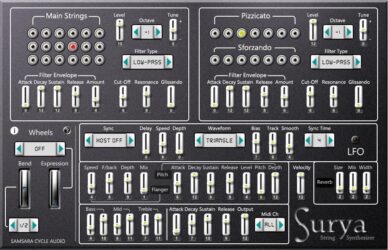
Surya offers lush and evolving string sounds through subtractive synthesis and dual oscillators. It gives warm tones that work well for ambient, cinematic, or experimental tracks. Designed for Windows in 32-bit VST format, Surya brings layered textures perfect for drones, pads, and soft melodies.
It includes tools like filters, LFO, chorus, and reverb to shape sound depth and motion. With adjustable envelope controls and built-in EQ, users can fine-tune tone and dynamics. Surya’s clear layout makes exploring detailed sound design smooth and focused for creative music production.
Features
- Free String Synthesizer Plugin
- Two-Step Oscillator Sound Engine
- Warm And Textured String Sounds
- 12dB Filter With Multiple Types
- Built-In Vibrato, Chorus, Reverb
- Main Strings And Pizzicato Sections
- Comprehensive ADSR Envelope Control
- Three-Band EQ For Sound Shaping
- Low CPU Usage For Smooth Performance
- Simple One-Page Interface Layout
Pros
- Free to download and use
- Warm and rich string tones
- User-friendly one-page interface
- Low CPU use for long pads
- Includes built-in reverb and chorus
- Multiple filters for tonal control
- Sforzando buttons for quick accents
- Plucked and bowed string options
- Sync effects to host tempo
- Great sound quality for a free VST
Cons
- Only works on Windows
- No 64-bit version
- Not compatible with macOS
- No standalone version
- Interface looks dated
- Lacks modulation options
- Limited preset library
- CPU efficiency varies
- No MIDI learn support
- Cannot resize window
Video Demo
What Users Say
Surya Tips
- I often tweak the filter cutoff knob to shape how bright or dark my sound feels.
- I use the built-in reverb to make my chords sound bigger and more dreamy.
- I like to layer Surya with another synth to make a richer and fuller texture.
- I use Surya’s modulation features to add movement and surprise to my pads.
- Use EQ to cut low frequencies that make the string pad too muddy.
- Experiment with stereo width to make the string machine fill more of the space.
- Try adjusting the attack and release settings to make the string sound flow better.
14. Tapeotronic
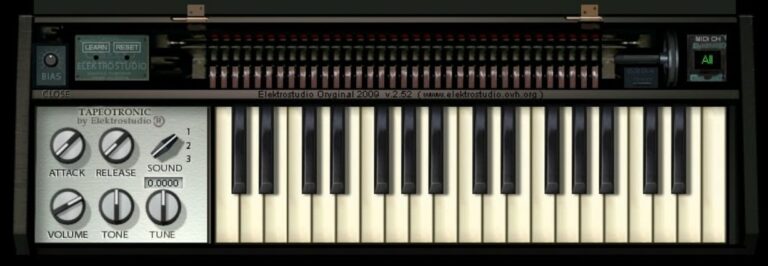
OS: Windows Win Bit Version: 32-bit Developer: Elektrostudio Size: 8 MB Rating: 62/100
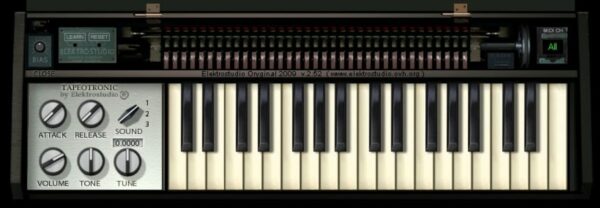
Tapeotronic is a free Mellotron-style tape keyboard plugin for Windows that recreates the classic sounds of flute, strings, and choir tapes. It includes 16 patches, along with controls for tone, tuning, and a bias knob that adds realistic tape warmth and character.
Tapeotronic offers quick control through attack, release, and volume knobs, letting you shape the vintage feel to fit your track. With MIDI learn and automation, it connects easily to your setup, providing a focused way to bring retro tape textures into modern productions.
Features
- Emulates Classic Mellotron Tape Keyboard
- Includes Flute String And Choir Sounds
- Features Sixteen Selectable Patches
- Adjustable Tape Bias Control Knob
- MIDI Learn And Automation Support
- Reverb And Vibrato Effects Included
- Authentic Retro Tape Sound Character
- Three Voice Mellotron M400 Modeling
- Attack And Release Envelopes
- Simple And Focused User Interface
Pros
- Authentic vintage Mellotron character
- Warm and nostalgic tape sound
- Includes classic flute and choir tones
- Built-in reverb and vibrato effects
- Adjustable tape bias for grit
- Useful tape hiss control
- Authentic uneven tape behavior
- Instant “lo-fi” texture maker
- Light on computer resources
- Free to download and use
Cons
- Only works on Windows
- No 64-bit version
- Not compatible with Mac
- Limited to VST format
- Very small sound library
- Lacks modern UI design
- Can sound noisy
- No velocity sensitivity
- High CPU usage
- Less realistic than rivals
Video Demo
What Users Say
Tapeotronic Tips
- I use the Tapeotronic’s pitch control to make the tape warble a little for a classic, aged feel.
- I add reverb and delay to the Tapeotronic to give it more space and echo.
- I sometimes stack two Tapeotronic tracks for a thicker, richer sound.
- Layer Tapeotronic strings with synth pads to get a warm, cinematic texture.
- Try adjusting the tape flutter for a more realistic vintage playback effect.
- Automation can make the Tapeotronic come alive—fade in or out filter and volume over time.
15. D-String
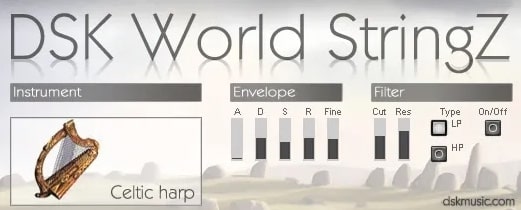
OS: Windows Win Bit Version: 32-bit Developer: EFM Size: 1.2 MB Rating: 55/100
D-String is a vintage-style string machine plugin by EFM that recreates the warm and layered tones of classic hardware string ensembles. It includes adjustable controls for filter, vibrato, and modulation, plus a joystick for expressive tone movement and shaping.
D-String offers a smooth, slightly resonant filter that adds clarity and depth to the sound. With multiple signal generators and an envelope section, it can create lush pads or subtle background textures. It’s a simple but effective tool for bringing rich string sounds to your tracks.
Features
- Free Vintage String Machine Synth
- Four Main Sound Generators
- Added Filter Resonance Control
- FM And VCF Depth Controls
- Adjustable Vibrato Speed And Depth
- Envelope With ADSR And Trigger Modes
- Joystick For Manual Tone Control
- Balance Between Synth And Strings
- CPU Friendly And Stable Performance
- Bandpass Or Lowpass Filter Options
Pros
- Creates rich vintage string tones
- Includes four sound generators
- Joystick adds hands-on sound control
- Filter resonance adds tone depth
- Multiple modulation options available
- Layered string and synth sounds
- Good for Solina-style patches
- Adjustable octave for quick sound shifts
- Light on CPU resources
- Simple and easy interface
Cons
- Works only on Windows computers
- No support for 64-bit systems
- Not available for macOS users
- GUI looks dated and tiny
- No built-in reverb effect
- Limited preset options
- Missing modern MIDI learn features
- No automation for many controls
- Clunky interface slows creativity
- Developer support no longer active
Video Demo
What Users Say
D-String Tips
- Adjust the attack and release settings to get smoother or sharper string sounds.
- Use chorus or phaser effects to give the strings a retro, rich character.
- Balance frequencies with EQ to make the D-String sit well in a full mix.
- Experiment with adding delay for a dreamy or cinematic sound.
- Combine old-school string textures with modern synths for a fresh sound.
String Machine VST Plugins Compared
This table compares string machine plugins by features, controls, effects, formats, and more.
| Details | Nabla | Synth Strings | Deputy Mark II | Cheeze Machine 2 | Esline | Horus | Horus mkII | Performer Free | Strings Q3 | Orpheus II | Orpheus | easy-mr. stringer | Surya | Tapeotronic | D-String |
|---|---|---|---|---|---|---|---|---|---|---|---|---|---|---|---|
| Image | 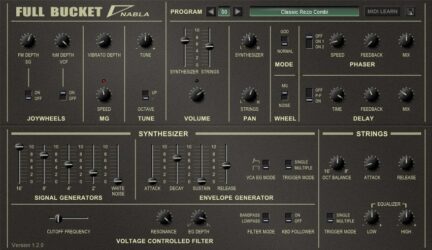 |
 |
 |
 |
 |
 |
 |
 |
 |
 |
 |
 |
 |
 |
|
| Rating | |||||||||||||||
| OS | Windows, Mac | Windows, Mac | Windows, Mac | Windows, Mac | Windows | Windows | Windows | Linux | Windows | Windows | Windows | Windows | Windows | Windows | Windows |
| Formats | VST, AU | VST, AU | VST, VST2, VST3, AU | VST, AU | VST | VST | VST | VST | VST | VST | VST | VST | VST | VST | VST |
| Bit Version | 32-bit, 64-bit | 32-bit | 32-bit, 64-bit | 64-bit | 32-bit | 32-bit | 32-bit | 64-bit | 64-bit | 32-bit | 32-bit | 32-bit | 32-bit | 32-bit | 32-bit |
| Developer | Full Bucket Music | Spitfire Audio | Full Bucket Music | 2getheraudio | Elektrostudio | B Serrano | B Serrano | Crumar | AGL VST CUSTOMS | B Serrano | B Serrano | easytoolz | Samsara Cycle Audio | Elektrostudio | EFM |
| License | Freeware | Commercial | Freeware | Donationware | Freeware | Donationware | Freeware | Freeware | Freeware | Freeware | Donationware | Freeware | Freeware | Freeware | Freeware |
| Sample-Based | No | Yes | No | No | No | Yes | No | Yes | Select | No | Yes | Yes | Select | Yes | Select |
| Download Size | 4.9 MB | 1.8 GB | 15 MB | 13.4 MB | 3. MB | 2.2 MB | 2 MB | 29.4 MB | 2.3 MB | 4.4 MB | 3.4 MB | 7 MB | 17 MB | 8 MB | 1.2 MB |
| CPU Load | Low | Low | Low | Low | Low | Low | Low | Low | Low | Low | Low | Low | Low | Low | Low |
| Polyphony | 64 | 32 | 8 | 32 | 6 | 32 | 32 | 16 | 8 | 32 | 16 | 8 | 6 | 8 | 8 |
| Features | Paraphonic synthesis, String ensemble, GOD Mode, Modulation options, Phaser effect, Delay effect, MIDI control | Classic Synth Textures, Sampled Modulation, Processed Pads, Simple Interface, Good Sound Quality, Additional Filters, Expressive Controls | Poly/Mono synthesis, Ensemble effect, Phaser effect, Resonator bank, Dual oscillators, Flexible keyboard, Resizable interface | Vintage strings, Expanded oscillators, Convolution reverb, Ensemble chorus, Arpeggiator, 60 presets, Retro sound | Vintage Emulation, Multi-Orchestral Sounds, 16 Patches, MIDI Learn, Automation, Phaser Effect, Chorus Effect | 64 voices, 4 oscillators, chorus, phaser, auto-wah, stereo delay, MIDI learn | Waveform Selection, Phaser Control, Mono Portamento, Vibrato Options, Patch Management, Chorus Effect, Static Formant Filter | Physical modeling, Vintage emulation, Brass section, Strings section, Modulation control, EQ shaping, Auto-resizing UI | 3 Sound Patches, Attack & Release, 3-Band EQ, Chorus, Reverb, Full Stereo, Velocity Control | Dual Ensembles, Polyphonic Layers, Unison Mode, Auto Bend, Resonators, Mod Matrix, Patch Management | Dual Generators, Polyphonic Layers, Unison Mode, Resonators LFO, Chorus Effect, Delay Effect, Patch Management | 2 Oscillators, 17 String Waves, 2 Filters, LFO Modulation, Phaser, Double Delay, Mono/Poly Mode | Subtractive synthesis, Layered effects, Intuitive interface, Dual oscillators, LFO modulation, Envelope control, Ambient sound design | Mellotron emulation, Flute/String/Choir, Tape bias, Reverb, Vibrato, MIDI learn, Tape hiss control | String Machine, Filter Resonance, Vibrato Control, Joystick Modulation, Envelope Generator, Octave Shift, Modulation Generator |
| Controls | Program, Tune, Volume, Joywheels, Mode, Phaser, Delay | Instrument Selector, Main Knob, Left Slider, Right Slider, Reverb Button, Variation Button, Attack Button | Keyboard Section, Ensemble Section, Phaser Section, Output Section, VCO, VCF, ENV | Shape, Pitch, Filter, Ensemble, Phaser, Vibrato, Reverb | Tune, Cello Vol, Bass Vol, Attack, Release, Section Vol, Modulation | Tone Range, Filter Cutoff, Vowel Mix, Wah Depth, Chorus Rate, Delay Time, Phaser Speed | Strings, VCF, Phaser, LFO, Delay, Chorus, Global | Attack, Decay, Range, Resonance, Brass Volume, EQ Low, Master Volume | Sound Selector, Attack, Release, Rotary, Chorus, Reverb, Spatial | Ensemble 1, Ensemble 2, Drift, Auto Bend, Unison, Mod Matrix, Patch Menu | Generator 1, Generator 2, Patch Menu, Panel Select, Keyboard, Master, Glide | Oscillators, Level, Cutoff, Resonance, ADSR, Phaser, Delay | Main Strings Section, Pizzicato Section, Sforzando Buttons, Wheels Section, LFO Section, Flanger Section, Reverb Section | Attack, Release, Sound Selector, Volume, Tone, Tune, Bias | FM Depth, VCF Depth, Vibrato Depth, Speed, Joystick, Octave Up/Down, Balance |
| Effects Included | Ensemble, Phaser, Delay, Equalizer | Reverb, Filters, Sample Modulation | Ensemble, Phaser | Convolution reverb, chorus, phaser, vibrato, reverb, arpeggiator | Phaser, Echo, Chorus | Chorus, Auto-Wah, Static formant filter, LP filter, Phaser, Stereo delay | Chorus, Auto-Wah, Static Formant Filter, LP Filter, Phaser, Stereo Delay, Vibrato | Delay, Echo, Chorus, Ensemble, Filter, Equalizer | Rotary, Spatial, Chorus, Reverb | Chorus, Delay, Phaser, Reverb, Auto-pan, Tremolo | Vibrato, Resonators, EQ, Chorus, Delay, Auto-Pan, Tremolo | Phaser, Delay | 12dB filter, vibrato, chorus, reverb, flanger, delay, phaser, EQ | Reverb, Vibrato | Vibrato, Frequency Modulation, Filter Resonance, Bandpass Filter, Lowpass Filter, Envelope Generator, Keyboard Follower, Balance, Attack, Release |
| MIDI Learn | Yes | Yes | No | Yes | Unknown | Yes | Yes | Yes | Unknown | Yes | Yes | Select | Unknown | Unknown | Unknown |
| Presets | 64 | 44 | 64 | 62 | 15 | 64 | 64 | N/A | 30 | 128 | 128 | 16 | 64 | 16 | 32 |
| Standalone | Yes | No | Yes | Yes | No | Yes | Yes | Yes | Select | Yes | Yes | Yes | Yes | No | Yes |
| Last Updated | 04/20/2024 | N/A | 05/12/2024 | 04/12/2023 | N/A | 04/12/2021 | 12/18/2014 | 04/01/2024 | N/A | 06/17/2019 | 07/02/2023 | 08/13/2015 | N/A | N/A | 04/11/2003 |
Favorite String Machine VST Plugin
Our top pick for the best free String Machine VST plugin is Synth Strings by Spitfire Audio. It offers the most realistic sound, helpful controls, and it’s available for both Windows and Mac.
| Details | Synth Strings |
|---|---|
| Image |
|
| Rating | |
| OS | Windows, Mac |
| Formats | VST, AU |
| Bit Version | 32-bit |
| Developer | Spitfire Audio |
| License | Commercial |
| Sample-Based | Yes |
| Download Size | 1.8 GB |
| CPU Load | Low |
| Polyphony | 32 |
| Features | Classic Synth Textures, Sampled Modulation, Processed Pads, Simple Interface, Good Sound Quality, Additional Filters, Expressive Controls |
| Controls | Instrument Selector, Main Knob, Left Slider, Right Slider, Reverb Button, Variation Button, Attack Button |
| Effects Included | Reverb, Filters, Sample Modulation |
| Download | Download Synth Strings |
String Machine VST FAQs
How to Install String Machine VST Plugins
To install string machine VST plugins on Windows or Mac, extract the files from the Zip or Rar. Move the files (.dll for Windows or .component for Mac) into your DAW’s plugin folder. Then restart your software and rescan the directory to complete the process. Tutorial: How to Install VST Plugins
Windows:
Extract the downloaded zip file and copy the .dll file into the VST plugins folder scanned by your DAW. Restart your music software and rescan your plugin directory to begin using the new VST.
Mac OS X:
Extract the downloaded archive and move the .component or .VST file to the plugin folder. It is usually /Library/Audio/Plug-Ins/Components or /Library/Audio/Plug-Ins/VST. Restart your DAW and rescan your plugins to complete the installation.
What Is A String Machine VST Plugin?
A String Machine VST Plugin is a virtual instrument that produces synthesized string sounds to emulate string instruments such as violins, cellos, and more. These plugins replicate the classic vintage sound, usually created with analog synthesizers.
String machine plugins allow you to adjust parameters such as attack, decay, release, and filter cutoff to customize the sound further.
I hope you found this list of free string machine VST plugins helpful.
You May Also Like:





