

Here are the best free tape emulator VST plugins for Windows and Mac. We have included video demos, feature lists, pros, cons, and plugin ratings.
How we rate plugins: We rate each tape emulator VST plugin based on sound quality, design, performance, features, usability, and compatibility. We rate plugins on a scale of 1 to 100.
Table of Contents
I have spent over 15 years testing and comparing hundreds of free and paid VST plugins, supported by hands-on demos on our YouTube channel, which has 11,000+ subscribers.
Related: Free Vinyl VST Plugins
Best Free Tape Emulator VST Plugins
This table compares tape emulators by operating system, bit version, format, and rating.
| # | Plugin | OS | Formats | Bit Version | Ratings |
|---|---|---|---|---|---|
| 1 | Chow Tape Model | Windows Mac Linux | VST, AU | 64-bit | |
| 2 | Kaput | Mac | VST, AU | 64-bit | |
| 3 | Cassette Transport | Windows Mac | VST, AU | 64-bit | |
| 4 | Nostalgic Saturation | Windows Mac | VST3, AU | 64-bit | |
| 5 | Tape Cassette 2 | Windows Mac | VST, VST3, AU, AAX | 64-bit | |
| 6 | Tape Bus | Windows Mac | VST, AU | 32-bit, 64-bit | |
| 7 | Mystique | Windows | VST | 32-bit, 64-bit | |
| 8 | Bionic Supa Delay | Windows | VST | 32-bit | |
| 9 | maDelay | Windows | VST | 32-bit | |
| 10 | PhatNoise Delay | Windows | VST | 32-bit, 64-bit | |
| 11 | Vintage Tape Delay | Windows | VST | 32-bit | |
| 12 | Dubb Box | Windows | VST | 32-bit | |
| 13 | Tapestop | Windows | VST | 32-bit | |
| 14 | TapeSound | Windows | VST | 32-bit |
1. Chow Tape Model
OS: Windows Win Mac Mac Linux Linux Bit Version: 64-bit Developer: Chow DSP Size: 10 MB Rating: 89/100
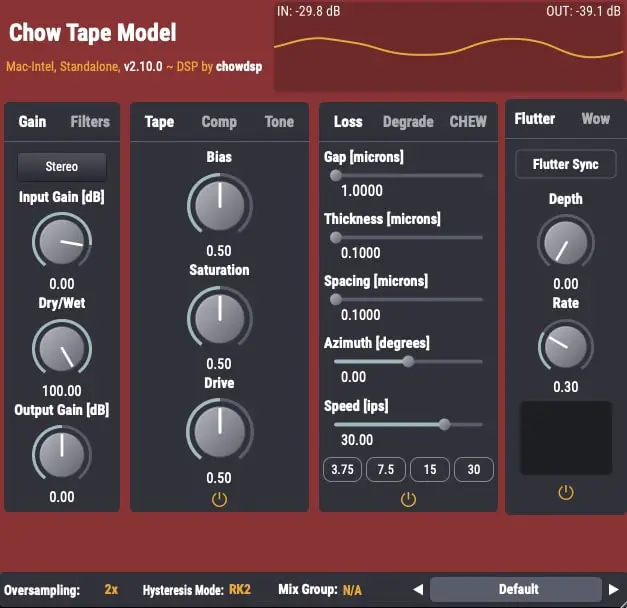
Chow Tape Model offers a realistic emulation of reel-to-reel tape sound using a detailed physical model. Based on the Sony TC-260, it recreates the warmth, saturation, and imperfections of analog tape. Music creators can shape tone and texture through adjustable tape speed, bias, and drive settings.
The plugin includes controls for tape hiss, compression, and stereo processing, allowing fine-tuned control over sound character. It can produce gentle analog warmth or heavy tape distortion, making it useful for mixing, mastering, or sound design. Chow Tape Model is available free for Windows, macOS, Linux, and iOS.
Features
- Accurate Analog Tape Emulation
- Physics-Based Modeling Algorithm
- Drive And Saturation Controls
- Bias Adjustment For Tone Shaping
- Variable Tape Speed Control
- Flutter Depth And Rate Settings
- Mid/Side And Stereo Processing
- Blend Control With Dry/Wet Mix
- Customizable Low And High Cut
- Free With Professional Sound Quality
Pros
- Realistic analog tape machine sound
- Free and open-source software
- Works on Windows Mac and Linux
- Light on CPU for deep modeling
- Includes adjustable tape speed control
- Fine control over saturation levels
- Built-in compression for extra punch
- Offers stereo and mid side modes
- Multiple hysteresis model options included
- Competes with top paid tape plugins
Cons
- Can be hard for beginners
- CPU use can get high
- No built-in presets
- Sound may distort easily
- UI design feels outdated
- Limited visual feedback
- Learning curve is steep
- No auto gain compensation
- Not great for quick edits
- Lacks built-in preset browser
Video Demo
What Users Say
Chow Tape Model Tips
- I like to start with the default settings and then slowly turn the drive knob to add warmth to my sound.
- I use the wow and flutter controls to add gentle movement, making my recordings feel more lively.
- I try using it on my mix bus to make everything sound more connected and warm.
- Blending the wet and dry signals can help keep clarity while still adding vintage tone.
- Stacking multiple tape plugins lightly across tracks can sound better than one heavy setting on the master bus.
- Experimenting with tape saturation before and after compression can produce very different feels.
2. Kaput
OS: Mac Mac Bit Version: 64-bit Developer: Engelen Audio Size: 11.5 MB Rating: 88/100
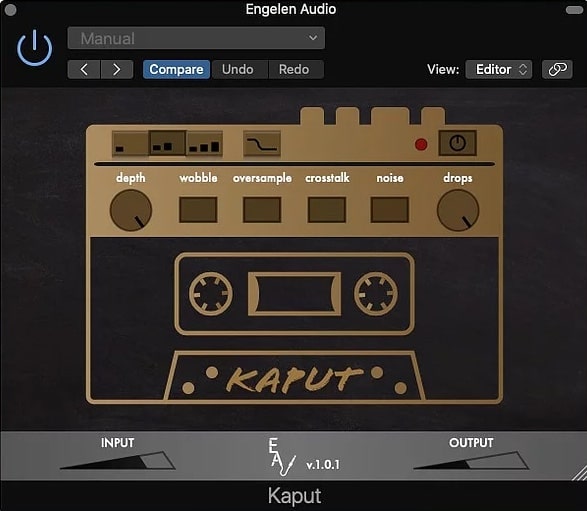
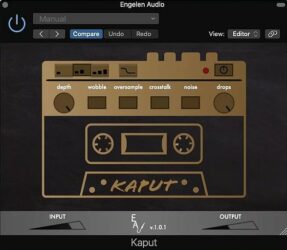
Kaput offers the gritty charm of a worn-out cassette recorder, giving your sound a warm and broken vintage tone. Based on detailed hardware modeling, it delivers the imperfect magic of real tape — from pitch wobble to soft saturation and subtle analog flaws.
Each control shapes the tape character in unique ways. Depth sets how strong the effect is, while Wobble, Noise, and Drops recreate the uneven motion and hiss of old tapes. With flexible tone control, Kaput turns clean tracks into nostalgic, textured soundscapes.
Features
- Faithful Cassette Recorder Emulation
- Analog Noise Reduction Simulation
- Vintage Tape Tone Controls
- Wobble Adds Tape Warble
- Crosstalk Adds Stereo Bleed
- Noise Adds Tape Hiss
- Drops Create Tape Dropouts
- Oversample Improves Audio Quality
- Low CPU Usage Performance
- Clear And Simple Interface
Pros
- Very realistic old tape sound
- Faithful cassette hiss simulation
- Syncs wobble rate with tempo
- Warm and fuzzy vintage tone
- Noise control feels natural
- Controls give deep sound shaping
- Can be subtle or extreme
- Gives mixes vintage glue
- Beats other free tape emulators
- Low CPU use for performance
Cons
- Not available for Windows users
- No built-in preset browser
- Limited number of factory presets
- Lacks advanced modulation options
- Missing built-in EQ or tone shaping
- No wet/dry mix knob
- No stereo width controls
- Oversampling can increase CPU load
- Doesn’t support AAX for Pro Tools
- Cannot save user default settings
Video Demo
What Users Say
Kaput Tips
- I like to use Kaput on my drum bus to make the drums sound old and crunchy.
- I often try turning the wow and flutter knobs just a little to add gentle tape movement.
- I like to drive the input knob harder when I want a dirtier, more vintage tone.
- I like to mix the dry and wet signals to keep some clarity while still getting that tape vibe.
- Subtle wow and flutter settings help bring life to digital mixes and make them feel organic.
- Remember to gain-stage carefully, as tape plugins can add volume and saturation fast.
- Try stacking two tape plugins with different settings for extra texture and depth.
3. Cassette Transport
OS: Windows Win Mac Mac Bit Version: 64-bit Developer: Wavesfactory Size: 200MB Rating: 87/100
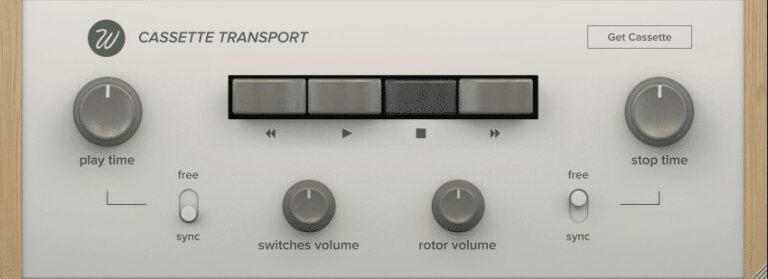
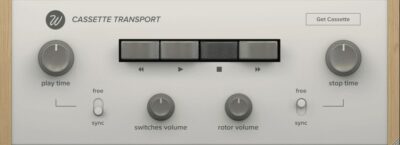
Cassette offers the warm, nostalgic tone of old cassette tapes in a modern plugin. It models four classic tape types, each with its own color and texture, from soft ferric warmth to crisp metal clarity. Cassette adds gentle movement, saturation, and analog charm to your tracks.
You can shape the tape behavior with controls for stability, noise, artifacts, and more, making it easy to craft anything from subtle warmth to heavy lo-fi grit. Cassette captures the quirks and flutter of real tape, giving your music natural motion and vintage depth.
Features
- Authentic Cassette Tape Emulation
- Four Classic Tape Types
- Adjustable Wow And Flutter
- Random Analog Fluctuations Modeled
- Re-Cassette Multi Pass Processing
- Optional Hiss And Noise
- Adjustable Play And Stop Time
- Light On CPU Usage
- 64-Bit VST And AU Formats
- Simple And Intuitive Interface
Pros
- Captures true vintage tape warmth
- Authentic wow and flutter control
- Four unique tape types included
- Detailed control of tape noise
- Syncs smoothly with project tempo
- More realistic than other free VSTs
- Runs natively on Apple Silicon
- Includes fun mechanical sounds
- Very musical saturation behavior
- Subtle or extreme tone shaping
Cons
- Lacks percussive realism
- No round-robin sampling
- Misses dynamic layer depth
- Limited tonal variety
- Not optimized for real-time play
- GUI not resizable on 4K
- Lacks multi-microphone options
- No envelope shaping tools
Video Demo
What Users Say
Cassette Transport Tips
- I use automation on the Tape Stop feature for cool slow-down effects.
- Using the Tape Stop effect at the end of a track can create a fun, dramatic finish.
- A slower Tape Stop can work well for transitions between song sections.
- I often adjust the Tape Quality knob to find the right mix between clarity and grit.
- I like to blend the Wet and Dry knobs until the tape effect feels natural.
- I try different tape types to match the color and tone of my song.
4. Nostalgic Saturation
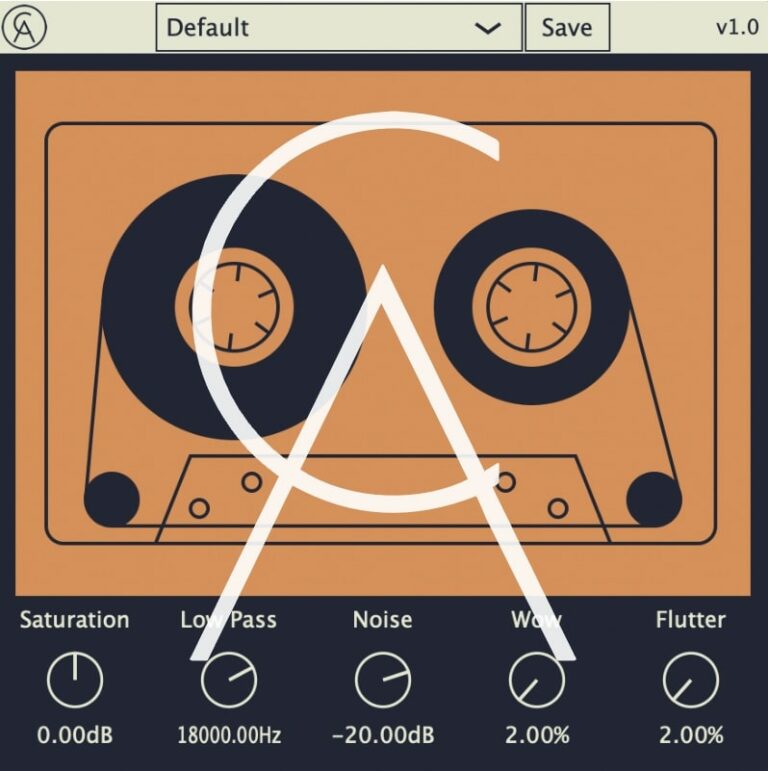
OS: Windows Win Mac Mac Bit Version: 64-bit Developer: Caelum Audio Size: 3.5 MB Rating: 87/100
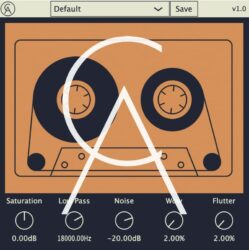
Nostalgic Saturation offers an easy way to add warmth, color, and old-school charm to your tracks. It gives sounds the texture of worn tape or vintage vinyl, helping mixes feel cozy and characterful. From soft tape hiss to thick saturation, it brings instant retro flavor.
You can shape your tone with simple controls for noise, wow, flutter, and filtering. Gentle settings add subtle motion, while extreme ones create warped, distorted tones. Ideal for lo-fi, chill, or indie music, Nostalgic Saturation makes modern recordings sound timeless and full of vibe.
Features
- Adds Warmth And Tape Character
- Includes Wow And Flutter Controls
- Offers Tape-Style Saturation
- Low Pass Filter From 8–22 kHz
- Adjustable Noise Level From -80 To 0 dB
- Simple And Clean Interface
- Preset Menu For Quick Recall
- Light On CPU Usage
- Ideal For Lo-Fi And Vintage Sound
- Creates Subtle Or Distorted Tones
Pros
- Adds warm vintage tape tone
- Includes wow and flutter effects
- Noise control for old tape feel
- Authentic cassette and VHS vibe
- Low CPU use for smooth playback
- Fine tone control with low-pass
- Can sound subtle or extreme
- All-in-one lo-fi sound tool
- Glue mixes with gentle warmth
- Creates smooth tape-style movement
Cons
- No AAX version for Pro Tools
- Lacks oversampling option
- No mix or dry/wet knob
- No auto-gain to balance levels
- Cannot adjust input and output separately
- No mid-side processing feature
- Lacks advanced tone shaping tools
- Limited plugin format support
- No dynamic or transient control
- Few visual feedback meters
Video Demo
What Users Say
Nostalgic Saturation Tips
- I like to start by turning the mix knob low, then slowly add more until the sound feels warm but not muddy.
- I often try different tape and tube modes to see which adds the best color to my track.
- I use the high-pass and low-pass filters to keep the saturation focused on the main part of the sound.
- I blend the effect with the dry signal to keep some clarity while keeping that vintage tone.
- I always check the output level to make sure the sound is not too loud after adding saturation.
- I use subtle settings on vocals to make them feel closer and more alive.
- Remember that less is often more—just a little saturation can make a big difference.
5. Tape Cassette 2
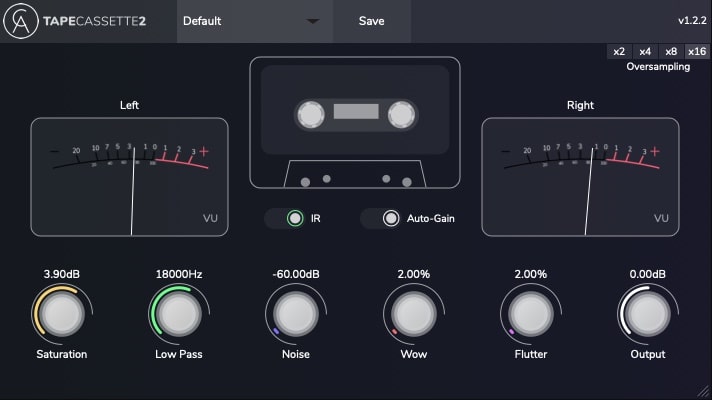
OS: Windows Win Mac Mac Bit Version: 64-bit Developer: Caelum Audio Size: 5 MB Rating: 85/100
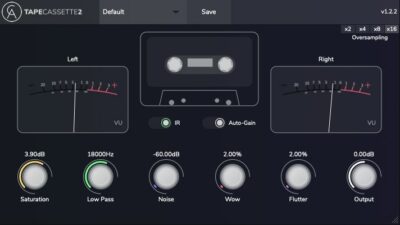
Tape Cassette 2 offers the classic sound of vintage cassette recordings with modern control and accuracy. It brings warmth, gentle saturation, and realistic tape noise that help your tracks feel nostalgic and characterful. The plugin’s upgraded engine models real cassette tone for an authentic result.
With controls for wow, flutter, and noise, you can shape movement and texture to fit your mix. Use it lightly for subtle tone shaping or push it harder for creative effects. Tape Cassette 2 gives producers an easy way to add color, depth, and a warm retro vibe.
Features
- Adds Warm Vintage Tape Sound
- Selectable Type 1 Tape Model
- Real Sampled Tape Noise
- Wow And Flutter Modulation Controls
- Dynamic Saturation Curve Algorithm
- Auto-Gain For Consistent Levels
- Selectable Oversampling Option
- Creates Lo-Fi And Experimental Sounds
- Authentic Cassette Tape Character
- Sleek Updated User Interface
Pros
- Adds instant vintage tape warmth
- Authentic type 1 cassette tone
- Real sampled tape noise texture
- Lovely wow and flutter movement
- Selectable oversampling for clarity
- Auto-gain keeps volume steady
- More musical than many free rivals
- Light on controls, big on vibe
- Free plugin with pro-quality sound
- Improved saturation for rich color
Cons
- Can use lots of CPU power
- No built-in preset manager
- Not fully GUI resizable
- Only one tape type offered
- Limited tone shaping options
- No dry/wet blend knob
- Can sound too dark easily
- Can clip when driven hard
- No real tape speed emulation
- Less flexible than paid rivals
Video Demo
What Users Say
Tape Cassette 2 Tips
- I use the “Wow and Flutter” control to add a gentle wobble to make my tracks sound more alive.
- I enjoy putting it on drum buses to make the drums sound glued together and vintage.
- I try using Tape Cassette 2 on vocals to give them a soft, warm sound.
- I sometimes put it on the master bus with a subtle setting to make my whole mix feel more cohesive.
- Use the Dry/Wet mix knob to blend the tape effect with the clean signal for better control.
- I use small amounts of saturation to get warmth without losing clarity.
- Try stacking two instances of the plugin to simulate recording through multiple generations of tape.
6. Tape Bus
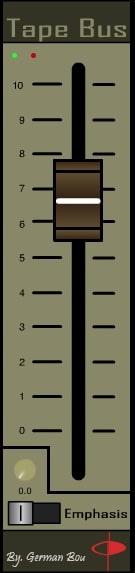
OS: Windows Win Mac Mac Bit Version: 32-bit, 64-bit Developer: gbSoundlab Size: 3.8 MB Rating: 77/100
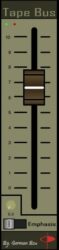
Tape Bus offers the sound of real magnetic tape by adding rich saturation and gentle compression. It brings warmth, cohesion, and a smooth top end to mixes, helping drums, vocals, or synths feel more natural and connected without overpowering the original sound.
The plugin includes an Emphasis control for shaping brightness and a main slider for adjusting tape drive. Its autogain design keeps the level steady while changing color and tone. Tape Bus works well on individual tracks or the mix bus, adding subtle depth and analog charm.
Features
- Analog Tape Saturation And Compression
- Emulates Magnetic Tape Recorder Behavior
- Autogain Keeps Volume Constant
- Adds Warmth And Vintage Tone
- Improves Mix Glue And Cohesion
- Enhances Low End Warmth And Punch
- Maintains Smooth And Detailed Sound
- Works On Buses And Individual Tracks
- Main Slider Controls Saturation Amount
- Supports VST And AU Formats
Pros
- Warm and realistic tape sound
- Autogain keeps levels steady
- Enhances clarity with Emphasis switch
- Balanced between warmth and detail
- Very musical saturation control
- Faithful analog tape emulation
- Light on CPU compared to others
- Better dynamic range than free options
- More hi-fi than typical free plugins
- Adds fullness without harsh distortion
Cons
- No built-in output trim control
- Interface is small and cramped
- Lacks wow and flutter emulation
- No presets for quick starting
- No oversampling or quality settings
- Limited control over tape noise
- Missing drive or bias controls
- Lacks input and output meters
- Can sound too clean sometimes
- No multiple tape machine models
What Users Say
Tape Bus Tips
- I like to put the Tape Bus plugin on my mix bus to give the whole song a warm, glued sound.
- I switch between tape speeds to find the tone that fits best—high speed gives clarity, low speed gives more low end.
- The Tape Bus works best when used as a subtle enhancer, not as a heavy effect.
- Using the plugin on buses, like drum or vocal groups, can help blend tracks together better.
- Stacking multiple instances of the plugin on different tracks can create a cohesive, vintage feel.
- Combining Tape Bus with saturation or console emulation plugins can give a full analog chain sound.
7. Mystique
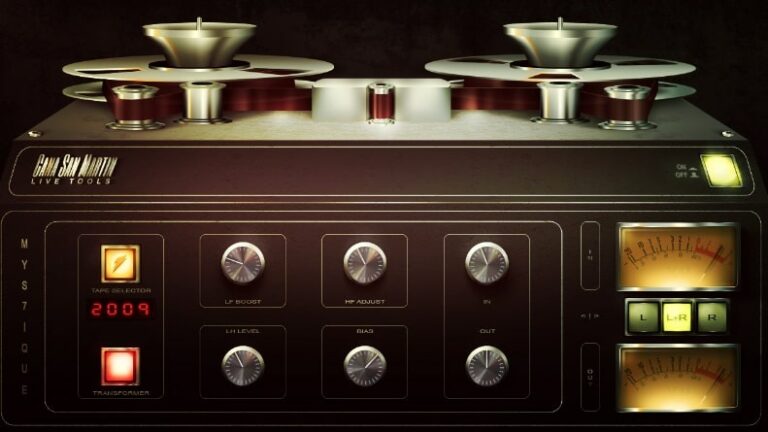
OS: Windows Win Bit Version: 32-bit, 64-bit Developer: Cana San Martin Size: 9.2 MB Rating: 75/100
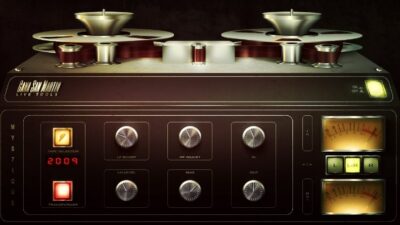
Mystique offers the classic tone of analog tape in a modern digital plugin. It turns any track into a warm, lively mix with gentle saturation and tone shaping. Designed for real-time use, it brings the feel of vintage recording gear to live or studio setups.
With tools like bias control, transformer warmth, and bass/treble boosts, Mystique helps shape sound from subtle polish to bold coloration. Its tape reel selector and smooth response make it a solid choice for adding depth, glue, and character to any mix.
Features
- Real-Time Tape Sound Simulation
- Zero Latency Processing
- Bias Control For Warmth
- Built-In Compression Control
- Tone Control Adjustments
- Internal Oversampling Feature
- Tape Reel Selector
- Transformer Warmth Button
- Input And Output Controls
- CPU-Friendly Performance
Pros
- Gives warm analog tape sound
- Zero latency for live use
- Internal oversampling for clarity
- Transformer adds extra sound depth
- Bias knob adds creative grit
- Very CPU friendly and light
- Selectable tape types for color
- Makes digital sounds more vintage
- Nice compression with smooth curves
- Perfect for live or studio work
Cons
- No wet/dry mix control
- Only available for Windows users
- No AU or AAX formats
- May sound too subtle
- No resizable GUI
- Missing flutter and wow effects
- No built-in limiter
- Limited tone customization
- Lacks advanced tape noise settings
- May clip on hot signals
Video Demo
What Users Say
Mystique Tips
- I always adjust the input gain slowly so that the saturation stays musical, not muddy.
- I use the Wow and Flutter controls to make my digital sounds feel more alive.
- I keep the output level matched so I don’t get tricked by loudness when making choices.
- It helps to place Mystique before limiting to let the tape saturation shape the peaks.
- Try blending a dry and wet signal for just the right amount of warmth.
- For mastering, apply Mystique lightly—too much can make the track sound dull.
8. Bionic Supa Delay
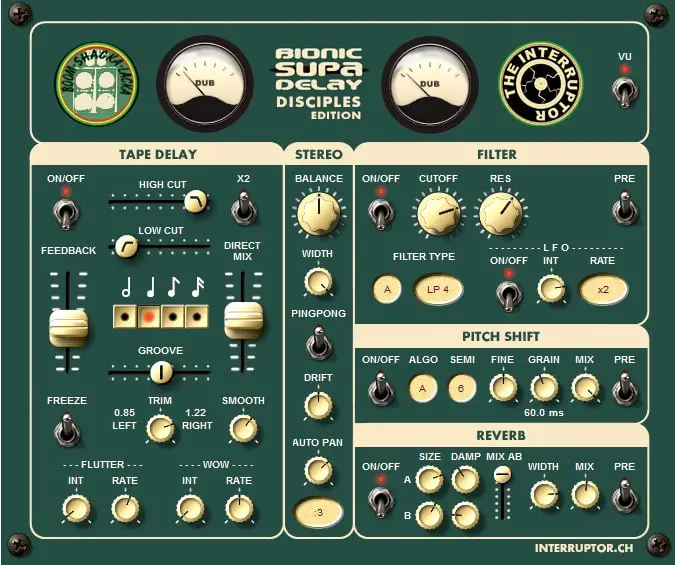
OS: Windows Win Bit Version: 32-bit Developer: Interruptor Size: 2.6 MB Rating: 74/100
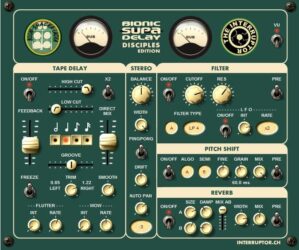
Bionic Supa Delay offers the warm, vintage character of a classic tape delay with modern creative control. It combines tape-style wow, flutter, and saturation with tempo-synced echoes, stereo shaping, and a freeze function for evolving rhythmic or atmospheric effects.
This plugin includes filter, pitch shift, and reverb sections that can be placed before or after the delay for flexible sound design. From subtle echo to complex feedback textures, it helps music creators shape delays that feel wide, colorful, and full of analog depth.
Features
- Authentic Vintage Tape Delay Sound
- Tape Wow And Flutter Controls
- Freeze Button For Infinite Loop
- Host Tempo Synchronization
- Ping Pong Delay Option
- Analog-Style Saturation And Compression
- LFO Modulation For Filter Cutoff
- Optional Chorus Effect Mode
- Two Mixable Reverb Types
- MIDI Learn For All Controls
Pros
- Warm vintage tape sound
- Freeze button for endless loops
- Wow and flutter add realism
- Rich stereo widening options
- Unique color and tone shaping
- Ping pong mode for movement
- Auto panner adds dynamic motion
- Pitch shift adds fun textures
- Many filter types for shaping
- Free and reliable performance
Cons
- Only available in 32-bit format
- No support for Mac systems
- High CPU use on some setups
- No built-in preset manager
- Lacks oversampling or quality modes
- No built-in limiter for peaks
- Not available in VST3 format
- Can sound muddy with heavy feedback
- User interface looks dated
- Unclear support or update schedule
Video Demo
What Users Say
Bionic Supa Delay Tips
- Use the high and low cut filters to shape the tone of the delayed sound.
- Keep the wow and flutter settings low for smooth tape tone or higher for a lo-fi wobble.
- Blend in saturation lightly to add warmth without making the track muddy.
- Use stereo delay modes to widen instruments and give them space in the mix.
- Pair the delay with reverb for a soft, atmospheric effect on vocals or guitars.
- Lower the tape speed for darker, slower echoes that feel more vintage.
9. maDelay
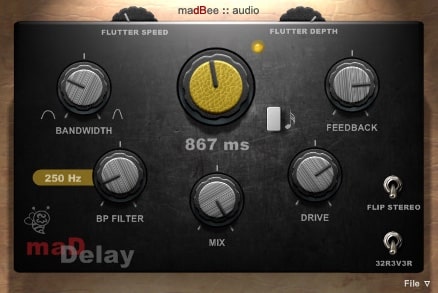
OS: Windows Win Bit Version: 32-bit Developer: Madbee Audio Size: 3.5 MB Rating: 70/100
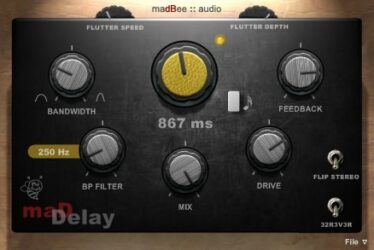
maDelay offers a classic tape echo sound with modern control options. It includes time and beat selection, flutter, and a bandpass filter for shaping echoes. The drive control adds warmth, while stereo flip and mix settings make it easy to adjust width and depth.
maDelay can create smooth, vintage-style repeats or wild, modulated textures. The feedback and flutter controls let you move from soft ambience to experimental sound design. It works well on guitars, synths, and drums, giving tracks extra space and character.
Features
- Free Tape Echo And Delay
- Adjustable Flutter Speed And Depth
- Drive For Warm Analog Sound
- Mix For Wet And Dry Balance
- Reverse And Random Modulation
- Tempo Sync And Unsync Modes
- Envelope Follower For Dynamics
- Bandpass Filter Control
- Low CPU Usage Performance
- Wide Stereo And Pan Control
Pros
- Warm analog-style tape echo sound
- Unique flutter speed and depth control
- Reverse delay adds creative depth
- Envelope follower makes dynamic echoes
- Drive adds natural tape warmth
- Random modulation sparks fresh ideas
- Bandpass filter shapes tone easily
- Syncs to tempo for tight timing
- Low CPU usage for smooth play
- Free plugin with pro-level quality
Cons
- Only works on Windows
- No macOS or Linux support
- Limited to 32-bit format
- VST format only
- Can’t run in all DAWs
- No built-in preset browser
- Interface looks dated
- Lacks true tape noise control
- No internal oversampling
- Limited automation options
Video Demo
What Users Say
maDelay Tips
- Use the tape emulation mode to add warmth and gentle saturation to cold digital sounds.
- Add subtle wow and flutter if you want a realistic “tape machine” feel.
- Use the drive knob carefully to add warmth without muddying the sound.
- Try automating tape hiss for a more realistic analog feel in a breakdown.
- Keep output levels balanced so the delay doesn’t overpower the main track.
10. PhatNoise Delay
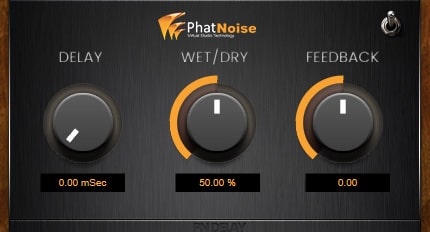
OS: Windows Win Bit Version: 32-bit, 64-bit Developer: BurghRecords Size: 12 MB Rating: 65/100
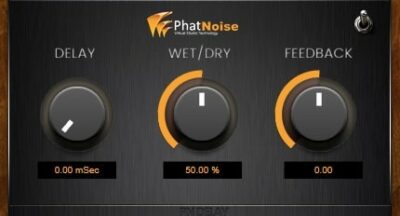
PhatNoise Delay offers the warm, vintage sound of classic 70s tape echo units, giving tracks a smooth and rich delay effect. Its simple design makes shaping echoes and adding analog-style warmth easy, helping producers get that thick, retro tone in just a few adjustments.
With controls for delay time, feedback, and wet/dry mix, it gives quick creative control without clutter. The added saturation brings character and grit to synths, guitars, or vocals, making it a handy tool for adding space and texture to any mix.
Features
- Emulates Classic Tape Echo Sound
- Creates Warm And Lush Delays
- Adds Subtle Or Heavy Saturation
- Simple One-Knob-Per-Function Design
- Low CPU Usage For Projects
- Supports 32-Bit And 64-Bit
- Includes Delay, Feedback, Wet/Dry Controls
- Provides Retro Analog Feel
- User-Friendly And Intuitive Interface
- Features On/Off Power Switch
Pros
- Warm vintage tape echo sound
- Adds natural tape-style warmth
- Gritty tone similar to vintage gear
- Free plugin with pro-level sound
- Low CPU use for smooth play
- Easy one knob per function design
- Creates rich and thick delays
- Balanced wet and dry blend control
- Works great for synth and vocals
- Quick to get great results
Cons
- Only works on Windows systems
- No AU or AAX plugin format
- Interface looks old and plain
- Cannot sync delay to tempo
- Few creative sound design tools
- Lacks tape noise customization
- No wow and flutter control
- Can sound harsh when pushed
- No built-in oversampling option
- Less features than Chow Tape Model
Video Demo
What Users Say
PhatNoise Delay Tips
- I use the tape saturation setting to make my tracks sound warmer and fuller.
- I enjoy experimenting with wow and flutter to add a vintage tape wobble effect.
- I always check the output level to avoid clipping when adding tape saturation.
- Experimenting with different tape modes can create a range of tones from clean to gritty.
- Adding light distortion from the tape emulator enhances presence and warmth.
- Adjusting the input gain allows for subtle or heavy tape compression based on preference.
11. Vintage Tape Delay
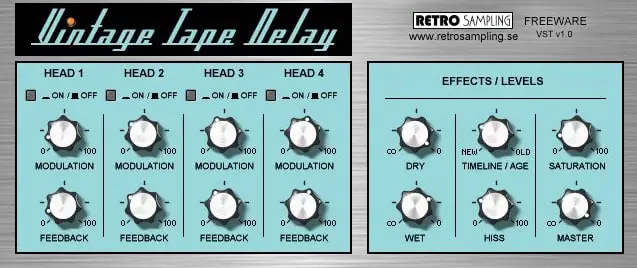
OS: Windows Win Bit Version: 32-bit Developer: Retro Sampling Size: 8.1 MB Rating: 65/100
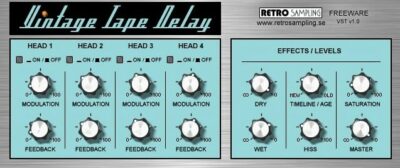
Vintage Tape Delay offers the classic sound of old tape echo machines, bringing warmth, wobble, and slight grit to your tracks. It’s useful for adding depth to vocals, drums, or synths while keeping that smooth, analog character found in vintage gear.
With four adjustable delay heads, modulation, and feedback controls, it gives you creative shaping over your echoes. Features like hiss, saturation, and tape age let you control how clean or worn the sound feels, making it easy to add vintage character or experimental textures.
Features
- Emulates Classic Tape Delay Sound
- Adds Warm Analog Character
- Four Independent Delay Heads
- Per Head Modulation Control
- Saturation Control For Warmth
- Hiss Control For Tape Noise
- Pitch Glide When Changing Delay
- Built-In Chorus For Width
- Low CPU Usage Performance
- Simple And Clear Interface
Pros
- Gives warm vintage tape sound
- Lush echo and delay tones
- Pitch glide adds cool effects
- Four delay heads for variety
- Sound feels like real hardware
- Can make gritty lo-fi sounds
- Good saturation adds color
- Low CPU for smooth runs
- Instant vintage vibe creator
- Fun creative sound-design tool
Cons
- No macOS version available
- Only supports 32-bit Windows
- Missing modern resizable interface
- No built-in tempo sync
- No oversampling option included
- Sound can get muddy fast
- Saturation can distort too easily
- No stereo width control
- Very limited visual feedback
- Poor documentation and help files
What Users Say
Vintage Tape Delay Tips
- I add a little wow and flutter to make my tracks sound more alive and less digital.
- I use the drive control to add a soft crunch to drums or bass.
- The saturation feature can help glue different sounds together in a mix.
- Placing a tape plugin on the master bus can add warmth to the entire mix.
- High-pass filtering the delay return keeps echoes from muddying the low end.
- Using stereo delay settings can make a song sound larger and more open.
12. Dubb Box
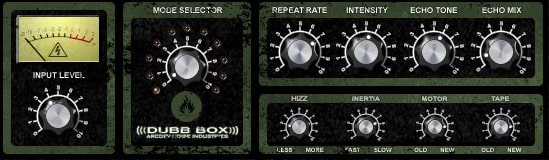
OS: Windows Win Bit Version: 32-bit Developer: arcDev Noise Industries Size: 1 MB Rating: 63/100
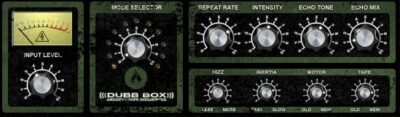
Dubb Box offers the warm, unpredictable sound of vintage tape delay inspired by classic hardware. It recreates the natural saturation, flutter, and feedback often found in old reel-to-reel systems, giving producers a way to add grit and character to their mixes.
Its adjustable controls let users shape echo tone, intensity, and delay speed with precision. Features like tape hiss, motor age, and inertia bring an authentic analog feel, ideal for creating echo-driven effects on drums, vocals, or guitars in any dub or lo-fi style.
Features
- Emulates Classic Tape Delay Sound
- Creates Lo-Fi Vintage Tone
- Adjustable Tape Hiss Control
- Controls For Motor Inertia
- Selectable Aged Or New Tape
- Simulates Tape Saturation Effects
- Produces Unstable Wild Self-Oscillation
- Intensity Sets Echo Feedback Length
- Echo Mix Balances Dry And Wet
- Offers Distinct Dub-Style Delay Character
Pros
- Rich warm vintage tape sound
- Fun unpredictable echo behavior
- Classic Space Echo style delay
- Authentic lo-fi tape character
- Adjustable tape age for tone
- Hiss control for extra realism
- Inertia adds natural tape lag
- Excellent feedback modulation options
- Highly expressive with real-time tweaks
- Free and easy to download
Cons
- Only works on Windows computers
- 32-bit version only available
- Needs bridging for 64-bit hosts
- Can crash during heavy use
- Unstable on newer operating systems
- User interface feels cramped
- Consumes high CPU on old PCs
- Not friendly for beginners
- Lacks oversampling or noise shaping
- Cannot run in modern DAW natively
Video Demo
What Users Say
Dubb Box Tips
- When using Dubb Box, I slowly turn up the “age” control to get that warm old-tape sound I love.
- I boost the input level a little to give my mix a bit of tape saturation and fullness.
- Keep an eye on the output level, since the tape saturation can boost the volume more than expected.
- For lo-fi sounds, increase the wow and flutter controls to make it feel like an old, shaky tape.
- When mixing, tape emulators help glue tracks together, giving everything a cozy, analog feel.
- Using a tape emulator on the master bus at a low mix level can add warmth and character to the whole track.
13. Tapestop
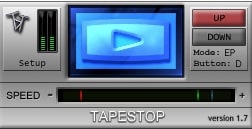
OS: Windows Win Bit Version: 32-bit Developer: TbT Size: 1MB Rating: 62/100
Tapestop is a free Windows VST plugin by TbT that recreates the classic tape slowdown effect. It simulates the sound of a tape machine starting or stopping, giving your tracks a smooth pitch drop or speed-up. With simple playback controls, you can shape natural or dramatic slowdown moments easily.
Tapestop offers live and offline modes, adjustable fade times, and visual indicators for clear feedback. Its speed and direction controls let you perform tape or turntable-style effects during recording or automation. This plugin adds a vintage, expressive feel to drums, vocals, or full mixes.
Features
- Simulates Tape Stop Sound Effect
- Time-Stretch Audio Processing
- Adjustable Fade Time Setting
- Crossfade Time Re-Entry Control
- Toggle And Direct Button Modes
- Live Or Offline Use Modes
- MIDI Trigger Support For Performance
- Speed Slider For Speed Change
- VU Meters Show Audio Levels
- Light On CPU Resources
Pros
- Creates real vintage tape sound
- Low CPU use for smooth play
- Custom speed control slider
- Fade time options for control
- Toggle or direct mode choices
- Allows smooth tape re-entry
- Can be triggered with MIDI
- Stable performance with no crashes
- Still works with bridged 64-bit
- Authentic retro sound effect
Cons
- Only works on Windows systems
- No 64-bit version available
- Not supported on macOS
- Very limited sound customization
- Outdated interface design style
- GUI glitches in some DAWs
- No modern VST3 format support
- Can’t save custom effect presets
- Limited automation flexibility options
- Not updated or maintained regularly
Video Demo
What Users Say
Tapestop Tips
- I adjust the “speed” knob until the drop sounds smooth and natural.
- I use automation in my DAW to control when the tape effect starts and stops.
- I use Tapestop on a single track instead of the whole mix to keep things clean.
- Small adjustments to the slowdown time can make a big difference in the sound.
- Using Tapestop sparingly keeps it exciting and prevents listener fatigue.
- Applying Tapestop during transitions helps signal a big change in the track.
- The plugin can create a classic “vinyl stop” effect that adds drama to your music.
14. TapeSound
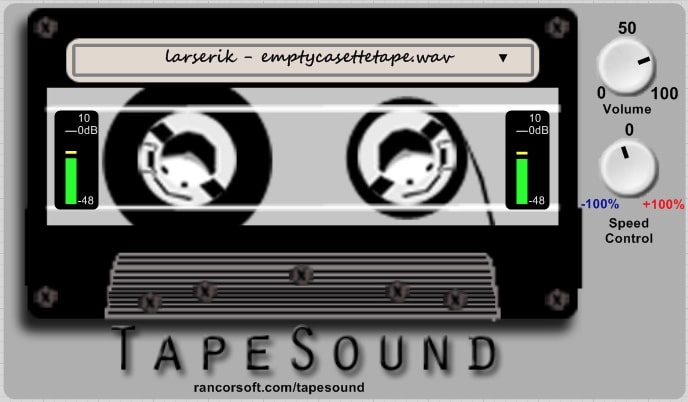
OS: Windows Win Bit Version: 32-bit Developer: Rancorsoft Size: 30 MB Rating: 53/100
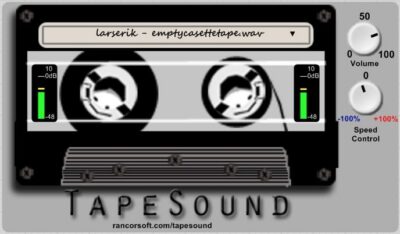
TapeSound offers the warmth and texture of classic tape gear in a simple VST plugin. It comes with nine high-quality loops of real tape hums, whooshes, and crackles from reel, cassette, and video tapes. You can trigger sounds with MIDI and adjust pitch or speed for realistic variations.
With controls for speed, volume, and tape type, TapeSound gives you precise control over your mix’s tone. The moving tape graphic adds a visual touch, while the twin level meters help monitor balance. It’s a handy way to bring analog-style depth and smoothness to digital tracks.
Features
- Features Reel And Cassette Tapes
- High Fidelity Tape Recordings
- Speed Control From -100% To +100%
- MIDI Controlled Pitch Adjustment
- Smooth Tape Saturation Effect
- Provides Natural Wow And Flutter
- Maintains Clear Low-End Punch
- Low CPU Usage Performance
- Works On Submixes And Master Bus
- Simple And User-Friendly Interface
Pros
- Real tape sound and feel
- Gives mixes analog character
- Does not dull low-end punch
- Low CPU use for big sessions
- Wide speed control range
- Works well on master bus
- Includes nine real tape loops
- Better tape flutter realism
- Perfect for subtle tape effects
- Good free option versus paid ones
Cons
- Only works on Windows systems
- No 64-bit plugin version
- No AU or AAX support
- No option to load custom tapes
- Interface looks a bit dated
- No preset save or load option
- Does not support automation mapping
- Missing wow and flutter settings
- No mix or dry/wet balance knob
- Fewer features than rival tape plugins
What Users Say
TapeSound Tips
- I like to start with a light tape saturation to add warmth without making the mix too muddy.
- I use the wow and flutter controls to give my tracks a gentle vintage movement.
- I make sure to use output volume control to match levels before and after adding tape effects.
- I often blend the wet and dry signals to keep the sound natural.
- Automate tape parameters to create movement in transitions or breakdowns.
- Watch the input meters to avoid driving the plugin too hard and causing unwanted distortion.
Tape Emulator VST Plugins Compared
This table compares Tape Emulator plugins by features, controls, effects, formats, and more.
| Details | Chow Tape Model | Kaput | Cassette Transport | Nostalgic Saturation | Tape Cassette 2 | Tape Bus | Mystique | Bionic Supa Delay | maDelay | PhatNoise Delay | Vintage Tape Delay | Dubb Box | Tapestop | TapeSound |
|---|---|---|---|---|---|---|---|---|---|---|---|---|---|---|
| Image | 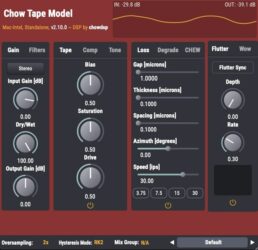 |
 |
 |
 |
 |
 |
 |
 |
 |
 |
 |
 |
|
 |
| Rating | ||||||||||||||
| OS | Windows, Mac, Linux | Mac | Windows, Mac | Windows, Mac | Windows, Mac | Windows, Mac | Windows | Windows | Windows | Windows | Windows | Windows | Windows | Windows |
| Formats | VST, AU | VST, AU | VST, AU | VST3, AU | VST, VST3, AU, AAX | VST, AU | VST | VST | VST | VST | VST | VST | VST | VST |
| Bit Version | 64-bit | 64-bit | 64-bit | 64-bit | 64-bit | 32-bit, 64-bit | 32-bit, 64-bit | 32-bit | 32-bit | 32-bit, 64-bit | 32-bit | 32-bit | 32-bit | 32-bit |
| Developer | Chow DSP | Engelen Audio | Wavesfactory | Caelum Audio | Caelum Audio | gbSoundlab | Cana San Martin | Interruptor | Madbee Audio | BurghRecords | Retro Sampling | arcDev Noise Industries | TbT | Rancorsoft |
| License | GPL | Freeware | Commercial | Freeware | Freeware | Freeware | Freeware | Freeware | Freeware | Freeware | Freeware | Freeware | Freeware | Freeware |
| Sample-Based | No | Select | No | No | No | Select | Select | No | No | Select | Select | No | No | Select |
| Download Size | 10 MB | 11.5 MB | 200MB | 3.5 MB | 5 MB | 3.8 MB | 9.2 MB | 2.6 MB | 3.5 MB | 12 MB | 8.1 MB | 1 MB | 1MB | 30 MB |
| CPU Load | Low | Low | Low | Low | Low | Low | Low | Low | Low | Low | Low | Low | Low | Low |
| Polyphony | 1 | 8 | N/A | N/A | 8 | 8 | 64 | 6 | 8 | 8 | 8 | 1 | 8 | 6 |
| Features | Analog tape emulation, Hysteresis modeling, Compression control, Tone shaping, Modulation effects, Mix grouping, Stereo processing | Tape emulation, Dual delay, Noise reduction, Crosstalk, Wobble modulation, Dropouts, Saturation control | Tape emulation, Randomness control, Modular processing, Four tape types, Stability adjustment, Artifact simulation, Re-Cassette processing | Saturation warmth, Low-pass filter, Tape noise, Wow modulation, Flutter variation, Preset management, Vintage character | Saturation, Authentic Modeling, Tape Noise, Wow Control, Flutter Control, Low Pass Filter, Oversampling | Analog saturation, Tape compression, High-frequency emphasis, Autogain control, Mix glue, Warmth enhancement, Low-end punch | Tape emulation, Compression, Tone control, Noise suppression, Transformer warmth, Bias control, Oversampling | Tape delay, Stereo width, Filter modulation, Pitch shifting, Reverb mixing, Freeze function, MIDI automation | Tape echo, Flutter modulation, Bandpass filter, Drive saturation, Reverse delay, Envelope follower, Random modulation | Tape emulation, Warm delay, Retro saturation, Intuitive interface, One-knob control, Quick results, Musical character | Analog warmth, Multi-head delay, Modulation control, Feedback shaping, Tape hiss, Saturation drive, Pitch glide | Tape saturation, Self-oscillation, Sub-echoes, Tape hiss, Motor inertia, Tape age, Echo tone | Time-Stretch Audio, Process Modes, Speed Fade, Full Speed Mute, Speed Box, Button Modes, Fade Time Adjustment | Tape noise loops, MIDI pitch control, Speed adjustment, Master volume, Tape selection, Level meters, Tape animation |
| Controls | Input Gain, Dry/Wet, Output Gain, Bias, Saturation, Drive, Hysteresis Mode | Depth, Wobble, Oversample, Crosstalk, Noise, Drops, Input | Play Time, Stop Time, Switches Volume, Rotor Volume, Transport Buttons, Free/Sync Switches, Get Cassette Button | Saturation, Low Pass, Noise, Wow, Flutter, Preset Menu, Version Display | Saturation, Low Pass, Noise, Wow, Flutter, Output, VU Meters | Main Slider, Level Scale, Emphasis Button, Power Light, Label, Input Meter, Output Meter | Tape Reel Selector, Transformer Button, LF Boost Knob, HF Adjust Knob, In Knob, Out Knob, Bias Knob | On/Off, Feedback, Freeze, Smooth, Width, Cutoff, Mix AB | Flutter Speed, Flutter Depth, Bandwidth, Feedback, BP Filter, Drive, Mix | Delay, Wet/Dry, Feedback, Power Switch, Saturation, Mix, Output Level | Head 1 On/Off, Modulation, Feedback, Dry, Wet, Timeline / Age, Saturation | Input Level, Mode Selector, Repeat Rate, Intensity, Echo Tone, Echo Mix, Hiss | Setup, Play Button, Up/Down Buttons, Speed Slider, Mode Indicator, VU Meters, Mode Display | Tape Name Box, Volume Knob, Speed Control Knob, Left Level Meter, Right Level Meter, Tape Graphic Display, Master Volume |
| Effects Included | Saturation, Compression, Filtering, Modulation, Tone Shaping | Tape emulation, delay, noise, crosstalk, wobble, dropout, saturation | Frequency response differences, frequency-dependent saturation, high-frequency compression, hiss, asperity noise, wow, flutter, random high-frequency loss, crosstalk, stereo unbalances, randomness, artifacts, Re-Cassette | Saturation, Low Pass Filter, Noise, Wow, Flutter | Saturation, Low Pass Filter, Noise, Wow, Flutter | Saturation, Compression, Noise, High-frequency enhancement | Noise suppression, compression, tone control, bass boost, treble boost, saturation, harmonic distortion | Delay, Filter, Pitch Shift, Reverb, Auto Panner, Chorus | Delay, Echo, Flutter, Bandpass Filter, Drive, Modulation, Reverse, Saturation, Pitch Shift, Time Modulation, Envelope Follower, LFO, Stereo Manipulation, Feedback Filtering, Randomization, Tempo Sync | Delay, Saturation | Delay, Modulation, Feedback, Hiss, Saturation, Chorus, Filter | Delay, Echo, Tape Saturation, Tape Hiss | Time-Stretch Audio, Speed Fade Control, Full Speed Mute Feature | Tape EQ, Hiss, Noise, Wow, Flutter, Saturation |
| MIDI Learn | Unknown | Unknown | Yes | Unknown | Unknown | Unknown | Unknown | Unknown | Unknown | Unknown | Unknown | Select | Yes | Unknown |
| Presets | N/A | N/A | 64 | 25 | 25 | 24 | 50 | 8 | 8 | N/A | 25 | N/A | N/A | N/A |
| Standalone | Yes | Yes | No | No | No | Yes | Select | Yes | Yes | Select | Select | No | No | Yes |
| Last Updated | 03/05/2024 | 03/15/2024 | 12/15/2025 | 02/15/2024 | 05/02/2024 | 07/10/2024 | N/A | 09/20/2012 | 09/27/2023 | 06/30/2024 | 06/26/2014 | 01/14/2004 | 06/25/2021 | 03/11/2024 |
Favorite Tape Emulator VST Plugin
Our top pick for the best free Tape Emulator VST plugin is Chow Tape Model by Chow DSP. It offers great effects, helpful controls, and it’s available for both Windows and Mac.
| Details | Chow Tape Model |
|---|---|
| Image |
|
| Rating | |
| OS | Windows, Mac, Linux |
| Formats | VST, AU |
| Bit Version | 64-bit |
| Developer | Chow DSP |
| License | GPL |
| Sample-Based | No |
| Download Size | 10 MB |
| CPU Load | Low |
| Polyphony | 1 |
| Features | Analog tape emulation, Hysteresis modeling, Compression control, Tone shaping, Modulation effects, Mix grouping, Stereo processing |
| Controls | Input Gain, Dry/Wet, Output Gain, Bias, Saturation, Drive, Hysteresis Mode |
| Effects Included | Saturation, Compression, Filtering, Modulation, Tone Shaping |
| Download | Download Chow Tape Model |
Frequently Asked Questions
What is a Tape Emulation Plugin?
You have probably heard of the term “tape machine” being thrown around in the music industry. Tape machines are devices that are used to record and playback sounds, but what does a tape machine plugin do?
A tape machine plugin, or vst plugin, replicates the same sound that would be created by a physical tape machine.
Tape plugins are used to simulate various aspects of a physical tape machine in order to provide more depth to your recorded audio. Tape plugins can come with different settings for treble, bass, saturation, etc.
The benefit of using these plugins is that you don’t have to use physical recording equipment.
How Does Tape Emulation Work?
Tapes have long been the go-to source for musicians when it comes to recording. With tape emulators, they can now get that analog sound without having to go through the hassle of finding and maintaining old analog hardware.
The basic principle behind any tape emulation device is to mimic the frequency response curve of magnetic media, which in this case is a magnetic tape. Tape Emulators use time-based distortions to emulate sounds like wow and flutter that occur in tapes.
Why Use Tape Emulators?
Musicians use Tape Emulators to make their recordings sound more organic and warm. The sound of analog tape is unique and can be difficult to recreate in today’s world.
The signal will always have a sense that it is traveling over something that has some friction and texture. The tape machines themselves also produce a mechanical noise, and with analog gear, this noise is always present in the background. By using a tape emulation plugin, you can try to recreate the sound of classic hardware.
Who Uses Tape Emulator VST Plugin?
Tape emulator VST plugins are usually used by people who are interested in recreating the sound of a classic analog recording. But it can also be used to create new sounds, like creating Lo-Fi Music.
These plugins can also be used when creating music samples to make the samples sound more vintage and processed.
So you can use tape emulators for creating music or music samples. Test out the different tape plugins to see which ones work best for your music projects.
What is a Tape Emulator VST Plugin?
A tape machine plugin is a virtual analog device that emulates the sound of analog recording devices. It replicates the sound of a tape machine, such as a reel-to-reel tape recorder or cassette tape. With these plugins, you can produce a vintage sound without the need for large, outdated hardware.
How to Install Tape Emulator VST Plugins
To install tape emulator VST plugins on Windows or Mac, extract the files from the Zip or Rar. Move the files (.dll for Windows or .component for Mac) into your DAW’s plugin folder. Then restart your software and rescan the directory to complete the process. Tutorial: How to Install VST Plugins
Windows:
Extract the downloaded zip file and copy the .dll file into the VST plugins folder scanned by your DAW. Restart your music software and rescan your plugin directory to begin using the new VST.
Mac OS X:
Extract the downloaded archive and move the .component or .VST file to the plugin folder. It is usually /Library/Audio/Plug-Ins/Components or /Library/Audio/Plug-Ins/VST. Restart your DAW and rescan your plugins to complete the installation.
I hope you find these free tape emulator VST plugins helpful.





