

Here are the best free keyboard VST plugins for Windows and Mac. We have included video demos, feature lists, pros, cons, and plugin ratings.
How we rate plugins: We rate each keyboard VST plugin based on sound quality, design, performance, features, usability, and compatibility. We rate plugins on a scale of 1 to 100.
Table of Contents
Free Keyboard VST Plugins
This table compares keyboard VST plugins by operating system, bit version, format, and rating.
| # | Plugin | OS | Formats | Bit Version | Ratings |
|---|---|---|---|---|---|
| 1 | Dexed | Windows Mac Linux | VST, AU | 64-bit | |
| 2 | TAL–Bassline | Windows Mac | VST, AU | 32-bit, 64-bit | |
| 3 | Soft Piano | Windows Mac | VST, AU | 64-bit | |
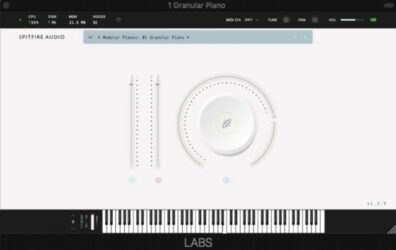
| 4 | LABS Modular Piano | Windows Mac | VST, AU | 64-bit | |
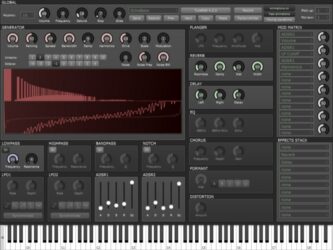
| 5 | Tunefish4 | Windows Mac Linux | VST, AU | 64-bit | |
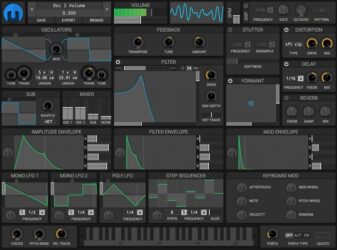
| 6 | Helm | Windows Mac Linux | VST, VST3, AU, AudioSuite | 32-bit, 64-bit | |
| 7 | Salamander Piano | Windows Mac | VST, AU | 32-bit, 64-bit | |
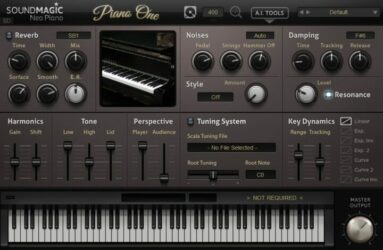
| 8 | Piano One | Windows Mac | VST, AU | 32-bit, 64-bit | |
| 9 | TAL–Elek7ro | Windows Mac | VST, AU | 32-bit, 64-bit | |
| 10 | Beat Black Mamba | Windows Mac | VST | 32-bit | |
| 11 | Afrokeyz Lite | Windows Mac | VST, AU | 32-bit, 64-bit | |
| 12 | Sixth Month June | Windows | VST | 32-bit | |
| 13 | Big Blue Piano | Windows | VST | 32-bit | |
| 14 | Keyzone Classic | Windows Mac | VST, AU | 32-bit, 64-bit | |
| 15 | OP-X | Windows | VST | 32-bit | |
| 16 | Juno 6 | Windows | VST | 32-bit | |
| 17 | City Piano Crisp | Windows Mac | VST, AU | 32-bit, 64-bit | |
| 18 | ODsay | Windows | VST | 32-bit | |
| 19 | Anti-Transpirant | Windows | VST | 32-bit | |
| 20 | June-21 | Windows Mac Linux | VST, AU | 64-bit |
I have spent over 15 years testing and comparing hundreds of free and paid VST plugins, supported by hands-on demos on our YouTube channel, which has 11,000+ subscribers.
With these free keyboard plugins, you can get hundreds of free sounds without spending a dime. To fully utilize each keyboard plugin, it is suggested that you use a MIDI keyboard controller.
Related: 100 Best Synth VST Plugins
1. Dexed
OS: Windows Win Mac Mac Linux Linux Bit Version: 64-bit Developer: Digital Suburban Size: 9 MB Rating: 84/100
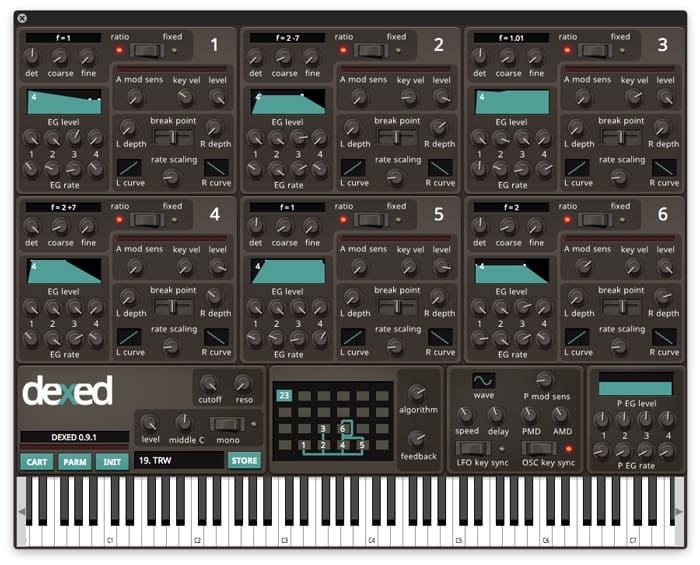
Dexed is a free FM synth plugin by Digital Suburban that models the sound and features of the classic Yamaha DX7. It offers six operators, real-time VU meters, and 144 automatable parameters, giving music makers detailed control over tone, pitch, and modulation.
Dexed also works as a DX7 patch editor and SysEx manager, letting users load, save, and organize sounds from original hardware. With DX7 and TX7 compatibility across Windows, Mac, and Linux, it delivers authentic FM tones for keys, basses, and electronic textures.
Features
- Free FM Synth Plugin
- Modeled On Yamaha DX7
- Six Operator Sound Engine
- Over 1,000 Free Presets
- Loads And Saves DX7 SysEx Files
- Patch Editor And Manager
- Low CPU Usage Performance
- LFO With Note Synchronization
- Filter With Cutoff And Resonance
- Open-Source Under GPL v3
Pros
- Free and open-source synth plugin
- Authentic Yamaha DX7 sound modeling
- Includes over one thousand presets
- Supports DX7 SysEx patch editing
- All six operators visible at once
- Very low CPU resource usage
- Runs on Windows, Mac, and Linux
- Simpler interface than original DX7
- Community supported and regularly updated
- Randomizer inspires new sound ideas
Cons
- No built-in reverb or chorus
- Interface looks a bit dated
- FM synthesis is hard to learn
- No modern visual sound display
- No wavetable or sample support
- Too many knobs for beginners
- No drag-and-drop modulation
- Cannot resize plugin window easily
- Needs external effects for depth
- No built-in preset browser
Video Demo
What Users Say
Dexed Tips
- I like to start with a blank patch in Dexed so I can learn how each operator shapes the sound.
- I use Dexed’s “Algorithm” menu to explore how different operator routings change my tone.
- Try using Dexed as a learning tool for Yamaha DX7 programming—it’s fully compatible.
- Experiment with detuning operators slightly to create thicker, more complex sounds.
- Try adjusting feedback in Dexed to add grit or edge to your patches.
- Use external effects like reverb and delay to give Dexed sounds more space and depth.
2. TAL–Bassline
OS: Windows Win Mac Mac Bit Version: 32-bit, 64-bit Developer: TAL Software Size: 1 MB Rating: 84/100
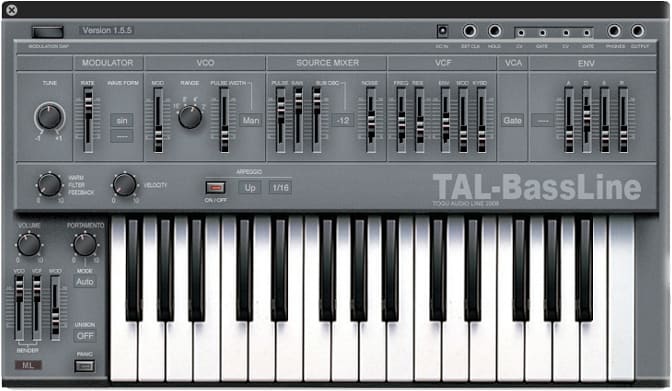
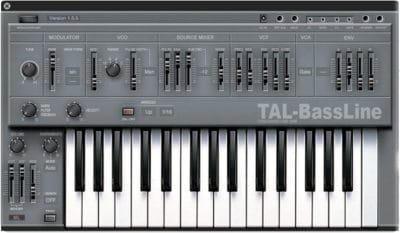
TAL–Bassline offers a classic analog-style bass experience in a modern plugin format for Windows and Mac. It recreates the sound and feel of vintage hardware with a warm tone shaped by its special -18dB low-pass filter and responsive nonlinear envelopes.
This synth includes band-limited oscillators, a sub-oscillator, and a simple arpeggiator to craft smooth basslines or sharp acid tones. With features like unison mode, MIDI automation, and precise control of sliders, TAL–Bassline helps producers build solid, character-rich low-end sounds quickly.
Features
- Virtual Analog Bass Synthesizer
- Multiple Band-Limited Oscillators
- Sub-Oscillator For Deep Tones
- Special -18dB Low Pass Filter
- Nonlinear Envelope Generator
- LFO With Various Waveforms
- Unison Mode For Thick Sound
- MIDI Automation For All Controls
- Analog-Style Warm Sound
- 2x Oversampling Processing
Pros
- Warm and rich analog tone
- Fast envelopes for punchy sound
- Great for acid bass lines
- Has unison mode for fullness
- Sub-oscillator adds deep bass
- Sounds close to real hardware
- Has built-in arpeggiator
- Offers 2x oversampling clarity
- Produces gritty and lo-fi tones
- Very low CPU usage
Cons
- No built-in effect section
- No modulation matrix control
- Limited modulation routing choices
- No built-in reverb or delay
- Lacks modern GUI resizing
- No polyphonic mode available
- Few waveforms compared to rivals
- Cannot import external MIDI patterns
- Interface looks a bit old
- Limited envelope shape control
Video Demo
What Users Say
TAL–Bassline Tips
- I use the envelope modulation to make my bassline sound more punchy and alive.
- I often play with the drive knob to add a bit of grit and warmth to my sound.
- I like to sync the LFO to the tempo for rhythmic movement that matches my song.
- Use a high-pass filter on other instruments to leave space for the TAL-Bassline in the mix.
- Automate filter cutoff changes to create movement and keep your bassline engaging.
- Use a compressor after the plugin to even out dynamics and add punch.
- Keep an eye on the low end in your mix with an EQ analyzer to avoid muddiness.
3. Soft Piano
OS: Windows Win Mac Mac Bit Version: 64-bit Developer: Spitfire Audio Size: 417.8 MB Rating: 81/100
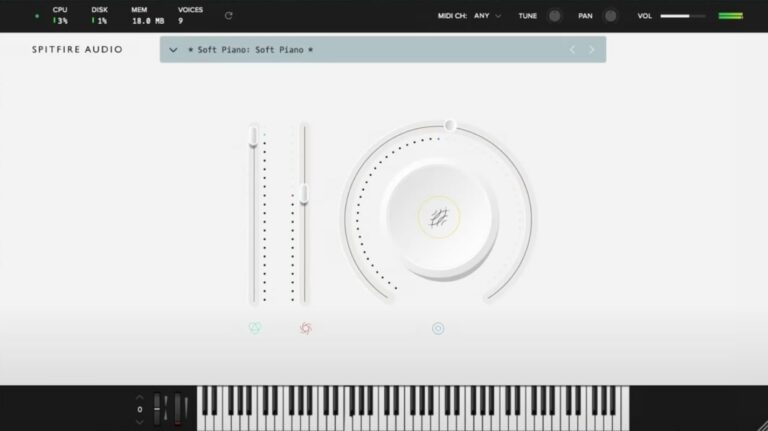
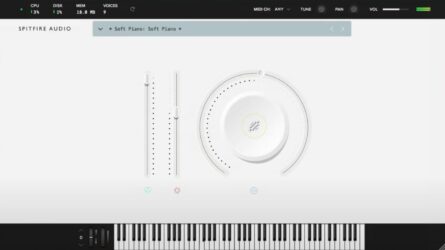
Soft Piano offers a warm, gentle piano tone recorded at Air Edel Studios in London. The felt layer between the hammers and strings creates a soft, intimate sound that works well for emotional tracks, film scoring, or quiet background parts in any project.
This plugin keeps things simple with clear controls for tone, dynamics, and expression. Its single sound layer delivers a natural, realistic feel that blends easily in mixes, making it a reliable choice for music creators who want an authentic and focused piano sound.
Features
- Single Intimate Felt Piano Sound
- Recorded At Air Edel Studios
- Dry And Soft Tonal Character
- VST And AU Plugin Formats
- 64-Bit Plugin Support
- Expression Slider For Volume Control
- Dynamics Slider Adjusts Note Strength
- Soft, Realistic Felt Hammer Texture
- Light CPU And Disk Usage
- Ideal For Lo-Fi And Ambient Music
Pros
- Warm and emotional piano tone
- Realistic felt piano texture
- Beautifully soft and intimate sound
- High-quality studio recordings
- Captures real acoustic piano detail
- Low CPU and memory usage
- Free and professional-sounding plugin
- Competes with paid piano plugins
- Ideal for lo-fi and ambient
- Perfect for cinematic soundtracks
Cons
- Only one piano sound available
- Very limited tone variety
- Lacks brightness and attack
- Can sound muffled or dark
- Few sound-shaping options
- Only one velocity layer
- No built-in reverb control
- No layering or split modes
- Volume level is quite low
- Expression range feels limited
Video Demo
What Users Say
Soft Piano Tips
- I like to start by lowering the dynamics so the Soft Piano sounds calm and gentle.
- I layer the Soft Piano with a pad sound to make my music feel richer.
- I use the built-in EQ to roll off a little low end so the mix doesn’t get muddy.
- Adjust the velocity curve so it matches your keyboard’s feel for smoother dynamics.
- Mix the Soft Piano with light strings to create emotional, cinematic sounds.
- Experiment with automation to make the reverb and dynamics change over time.
- Keep the sample library on a fast drive so the plugin loads quickly and runs smoothly.
4. LABS Modular Piano
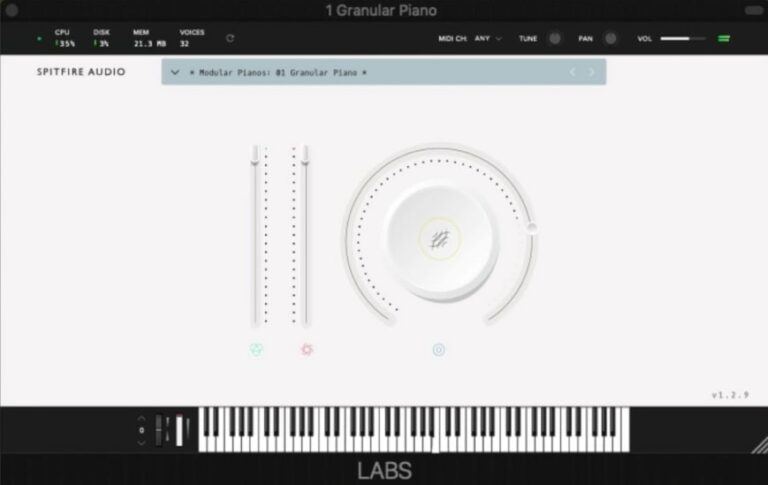
OS: Windows Win Mac Mac Bit Version: 64-bit Developer: Spitfire Audio Size: 378.1 MB Rating: 79/100
LABS Modular Piano offers a blend of acoustic warmth and electronic texture. Created from a felted upright Schimmel piano and a Wurlitzer, its sounds run through modular gear and analog effects to produce a moody, atmospheric tone with a slightly industrial feel.
With twelve sound options, you can move from soft, emotional tones to more experimental textures. Reverb, delay, and expressive controls let you shape your music’s mood, making this plugin useful for ambient tracks, cinematic scoring, or creative sound design.
Features
- Twelve Unique Piano And Key Sounds
- Sampled From Upright And Wurlitzer
- Modular Rig Sound Processing
- Includes Analog Reverbs And Delays
- Features Atmospheric And Industrial Tones
- Large Knob Adjusts Tone Or Texture
- Expression Slider Adds Dynamic Feel
- Onscreen Keyboard For MIDI Input
- Lightweight 378.1 MB Library Size
- Supports VST And AU Formats
Pros
- Unique mix of piano and synth
- Warm and atmospheric tone
- Free with high-quality samples
- Creative sound design options
- Lightweight but rich in texture
- Includes twelve unique sound presets
- Captures felt piano character
- Built-in reverb for depth
- Perfect for film scoring
- Expressive and dynamic playback
Cons
- Lacks realistic grand piano tone
- Too few tweakable sound controls
- No attack or release settings
- No built-in EQ or filter
- Can sound muddy with sustain
- High notes get harsh sometimes
- Interface feels too simple
- May use high CPU power
- No way to adjust reverb depth
- Limited to only twelve sounds
Video Demo
What Users Say
LABS Modular Piano Tips
- I like to start by adjusting the reverb in LABS Modular Piano to make the sound fit my mix better.
- I try layering the Modular Piano with another LABS instrument to make a fuller sound.
- I use an EQ plugin after the Modular Piano to remove muddy low frequencies.
- Use the Expression and Dynamics sliders to shape the tone and intensity of the performance.
- Layering LABS Modular Piano with strings or pads can make a song sound more cinematic.
- Adding subtle compression can make the piano sound more consistent and professional.
5. Tunefish4
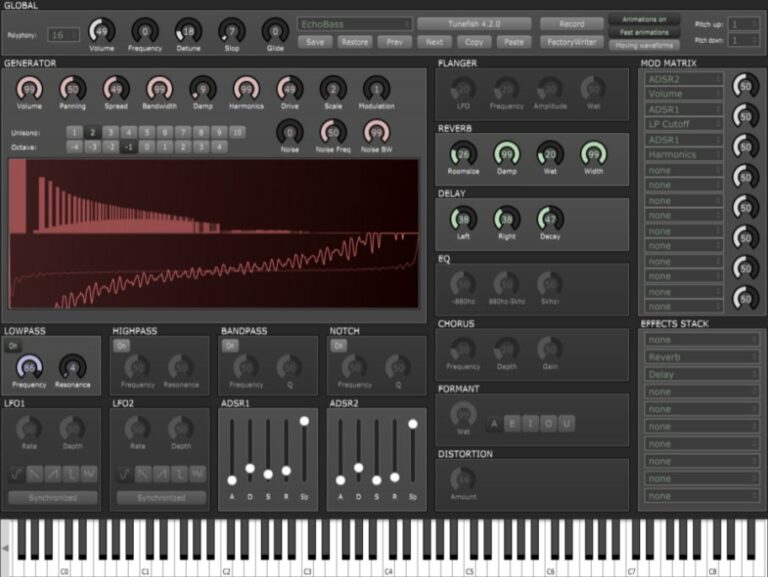
OS: Windows Win Mac Mac Linux Linux Bit Version: 64-bit Developer: Brain Control Size: 3 MB Rating: 79/100
Tunefish4 is a compact virtual analog synthesizer made by Brain Control for Windows, Mac, and Linux. It combines additive wavetable synthesis with a range of filters and effects to create diverse sounds. The plugin supports polyphony, modulation options, and flexible noise control for sound design.
It includes adjustable effects like chorus, flanger, delay, reverb, EQ, distortion, and formant for shaping tones. With two LFOs, two ADSRs, and a modulation matrix, creators can craft leads, basses, or ambient textures. Tunefish4 delivers detailed control in a small, efficient package.
Features
- Free Virtual Analog Synth Plugin
- Uses Additive Wavetable Synthesis
- Features Modulation Matrix Control
- Has Two ADSRs And Two LFOs
- Includes Flanger, Chorus, Distortion
- Supports Delay, Reverb, EQ, Formant
- Provides Lowpass, Highpass, Bandpass Filters
- Includes Detune, Glide, And Unison
- Lightweight With Low CPU Usage
- Produces Warm And Clear Synth Sounds
Pros
- Free and open source synth
- Works on Windows, Mac, Linux
- Very low CPU usage
- Warm and rich analog tone
- Powerful modulation matrix
- Customizable filters and envelopes
- Unison for thicker sound layers
- Supports user shared soundbanks
- Rivals paid synths in sound
- High sound quality for free
Cons
- Limited preset library for beginners
- No built-in arpeggiator feature
- Interface looks dated and plain
- Lacks visual waveform display
- Less intuitive modulation routing
- Can sound thin without layering
- Effects sound basic and dated
- No modern wavetable editing
- Outdated GUI scaling on 4K
- Steeper learning curve for newbies
Video Demo
What Users Say
Tunefish4 Tips
- I like to start by checking out the preset patches in Tunefish4 to learn what kinds of sounds it can make.
- I mix different oscillators in Tunefish4 to find unique tones that fit my track.
- I often adjust the filter cutoff to shape my sound and make it brighter or darker.
- I use the built-in effects in Tunefish4, like reverb and chorus, to make my sounds richer.
- I use the envelope controls to make sounds fade in and out the way I want.
- I like to use automation to change parameters while the song plays for more movement.
- Layering multiple instances of Tunefish4 can create a thicker, more powerful sound.
6. Helm
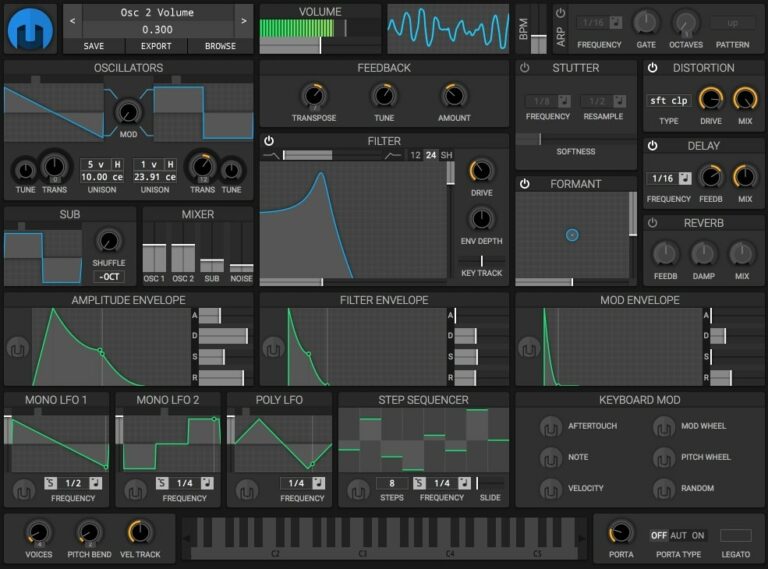
OS: Windows Win Mac Mac Linux Linux Bit Version: 32-bit, 64-bit Developer: Matthew Tytel Size: 18 MB Rating: 79/100
Helm offers a free and open-source way to make electronic sounds on your computer. It works on Windows, Mac, and Linux, either on its own or as a plugin in most major formats. With two main oscillators, filters, and effects, Helm gives flexible control over your sound design.
Its clear layout includes a step sequencer, modulation options, and visual tools like an oscilloscope for quick feedback. Since it’s open-source, you can study, modify, and share it as you like. Helm is a reliable choice for exploring synthesis and building original electronic sounds.
Features
- Free And Open Source Software
- Runs On Windows Mac And Linux
- Two Main Oscillators With Controls
- Filter With Multiple Types
- Step Sequencer For Automated Patterns
- Formant Effect For Vocal Sounds
- Reverb For Spatial Depth
- MIDI Learn For Quick Control Mapping
- Visual Feedback With Oscilloscope
- Light On CPU Resources
Pros
- Free and open source software
- Powerful, flexible modulation system
- Comes with step sequencer
- Has stutter and formant effects
- Visual feedback with oscilloscope
- Low CPU use for smooth play
- Many filter and distortion types
- Full control over sound design
- Works on Windows, Mac, and Linux
- Community support and active updates
Cons
- GUI resizing can cause lag
- Sometimes unstable in certain DAWs
- CPU use can spike on modulation
- No built-in arpeggiator function
- No wavetable editing like Vital
- Limited number of factory presets
- Sound can feel less polished
- Lacks built-in effects variety
- No support for MPE devices
- Patch management can feel confusing
Video Demo
What Users Say
Helm Tips
- I turn one knob at a time so I can hear what each control does to my sound.
- Use Helm’s modulation matrix to connect different controls and create evolving sounds.
- I tweak the LFO section to add small movements, like a wobbly or pulsing sound.
- I use the filter cutoff knob to make my sound darker or brighter when mixing.
- Add a bit of reverb or delay in your DAW to make Helm’s sound bigger and more spacious.
- Use automation to make Helm’s parameters move over time in your DAW.
7. Salamander Piano
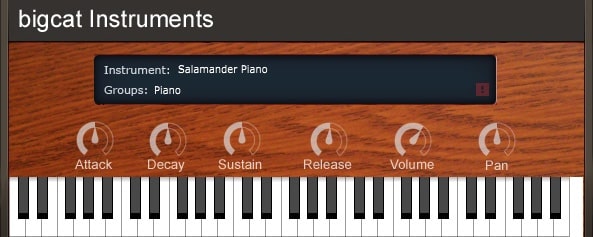
OS: Windows Win Mac Mac Bit Version: 32-bit, 64-bit Developer: Bigcat Instruments Size: 857 MB Rating: 78/100
Salamander Piano offers the rich and expressive tone of a Yamaha C5 Grand Piano, sampled across 16 velocity layers for realistic sound detail. It includes simple ADSR and pan controls, letting you shape the attack, sustain, and stereo placement to match your music style.
This plugin is great for creating bright rock or pop piano parts that stand out in a mix. Available for Windows and Mac in both 32-bit and 64-bit formats, Salamander Piano delivers a clean, smooth playing experience without the cost of commercial libraries.
Features
- Sampled Yamaha C5 Grand Piano
- 16 Velocity Dynamic Layers
- Adjustable Attack, Decay, Sustain, Release
- Pan And Volume Controls
- Supports VST And AU Formats
- Available In 32-Bit And 64-Bit
- Realistic And Expressive Piano Sound
- Free To Download And Use
- Works On Windows And Mac
- On-Screen Keyboard For Testing Sounds
Pros
- Very realistic grand piano sound
- Uses 16 rich velocity layers
- Warm and expressive tone
- Professional sound rivals paid plugins
- Adjustable attack and decay time
- Customizable sustain and release
- Clear and simple user interface
- Works on Windows and Mac
- Free to download and use
- Sounds natural even without processing
Cons
- Limited to one piano sound
- No built-in reverb options
- No built-in EQ settings
- Lacks round robin sampling
- No mic position adjustments
- Few sound shaping controls
- Interface looks a bit dated
- Large file size for free plugin
- May use more RAM than others
- Not updated often by developer
Video Demo
What Users Say
Salamander Piano Tips
- I like to adjust the velocity curve so the piano feels natural when I play softly or loudly.
- I experiment with EQ to make the piano sound brighter or warmer depending on the song.
- Users should map the sustain pedal correctly to get realistic piano performance control.
- Keeping the buffer size small can help reduce latency while playing live.
- Using external reverb or delay plugins can add depth and space to the piano sound.
- The instrument should be balanced in the mix by adjusting volume and pan positioning.
- Make sure to match sample rate and bit depth with the DAW for the best sound quality.
8. Piano One
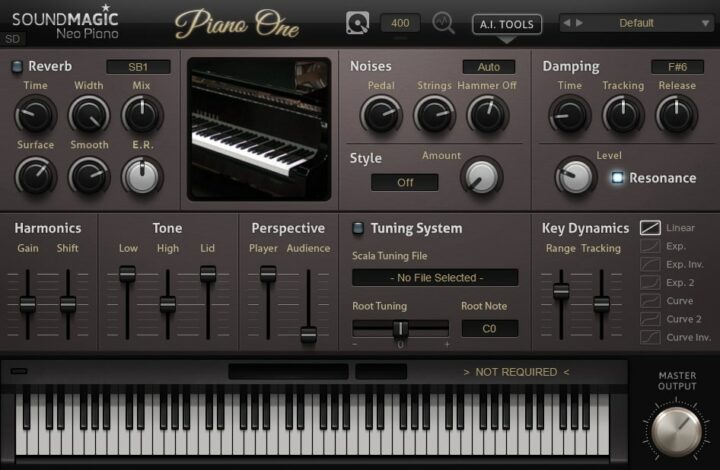
OS: Windows Win Mac Mac Bit Version: 32-bit, 64-bit Developer: Sound Magic Size: 414 MB Rating: 77/100
Piano One offers the sound of a Yamaha C7 concert grand piano through a blend of sampling and modeling. It delivers a natural tone with quick response, capturing both the body and brightness of a real grand piano. Its small file size allows for quick load times.
This plugin includes controls for reverb, tone, pedal noise, and dynamics to shape the piano’s feel and sound. Users can also expand its features with optional add-ons for deeper tone and style changes. Piano One provides a solid piano experience suited for many music projects.
Features
- Hybrid Modeling Yamaha C7 Sound
- 32 Note Polyphony Support
- Built-In Professional Reverb Engine
- Fast Loading And Low CPU Use
- Soft Pedal Samples Included
- Over 20 Optional Add-Ons
- Adjustable Tone And Dynamics
- Detailed Key And Pedal Noise
- Customizable Tuning And Style
- Lightweight 150 MB File Size
Pros
- Realistic Yamaha C7 concert sound
- Hybrid modeling for rich tone
- Fast loading and low CPU use
- Small 150 MB storage footprint
- Detailed pedal and key samples
- Customizable tone and dynamics
- Built-in professional reverb engine
- Wide stereo and space controls
- Lightweight alternative to big libraries
- Highly rated among free piano plugins
Cons
- Limited polyphony compared to others
- Only one main piano sound
- No built-in EQ section
- Interface looks a bit dated
- Limited velocity sensitivity range
- Dynamics can feel inconsistent
- Less depth than large libraries
- No microphone position controls
- Does not support round robins
- Pedal sound realism could improve
Video Demo
What Users Say
Piano One Tips
- I like to start by adjusting the velocity curve so the keys respond better to how I play. It makes the piano feel more real under my fingers.
- I use built-in reverb to add space and depth to my sound. A little goes a long way!
- I use my headphones when adjusting EQ so I can hear fine details in the tone. This helps me balance highs and lows nicely.
- Check the plugin’s output volume to avoid clipping or distortion. Keeping levels low prevents unwanted noise.
- Combine Piano One with a gentle compressor to smooth out loud and soft notes. This keeps the performance balanced.
- Use automation to change the reverb or tone over time for more emotion in your song.
9. TAL–Elek7ro
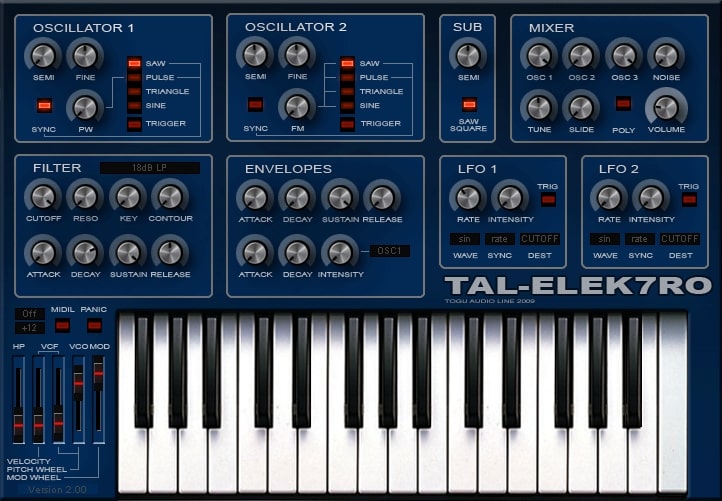
OS: Windows Win Mac Mac Bit Version: 32-bit, 64-bit Developer: TAL Software Size: 732 KB Rating: 74/100
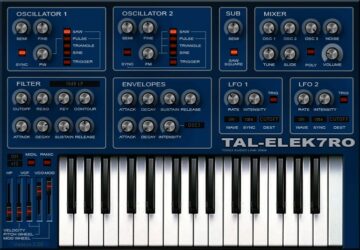
TAL–Elek7ro offers a classic analog-style sound in a simple virtual synth design. It features two main oscillators, a sub-oscillator, and noise control for shaping tones. With options like hard sync, FM, and a flexible filter section, it handles clean leads or gritty basses easily.
Its envelopes and LFOs react quickly, letting producers create energetic movement or subtle detail. The plugin includes 80 presets and runs on both Windows and Mac systems. Designed for rich, punchy tones, TAL–Elek7ro gives music creators an easy way to build warm, analog-style sounds.
Features
- Virtual Analog Synth Plugin
- Alias-Free Oscillators
- Sub Oscillator For Deep Bass
- Filter With Cutoff And Resonance
- Two Independent LFOs
- Fast Dynamic Envelopes
- Frequency Modulation Option
- Free Routable Envelope Control
- About 80 Factory Presets
- Available In VST And AU
Pros
- Warm and fat analog sound
- Very low CPU usage
- Alias-free clean oscillators
- Fast and snappy envelopes
- Flexible modulation options
- Filter sounds warm and punchy
- Sub oscillator adds deep bass
- Free with pro-level quality
- Includes 80 quality presets
- Runs smoothly on older systems
Cons
- Old interface feels outdated
- No built-in effects section
- Lacks modern sound design tools
- Not very intuitive for beginners
- No advanced modulation matrix
- Limited filter types available
- Does not support newer OS versions
- Limited polyphony compared to modern synths
- No built-in arpeggiator or sequencer
- Sound palette can feel dated
Video Demo
What Users Say
TAL–Elek7ro Tips
- I always turn down the filter cutoff a bit if I want a softer sound that fits better in the mix.
- Using small amounts of detune between oscillators can make a sound feel wide and full.
- Applying a touch of chorus or reverb can help the sound blend better in a mix.
- Setting the amp envelope carefully shapes how fast the sound starts and ends.
- Experimenting often with modulation options leads to new creative discoveries.
10. Beat Black Mamba
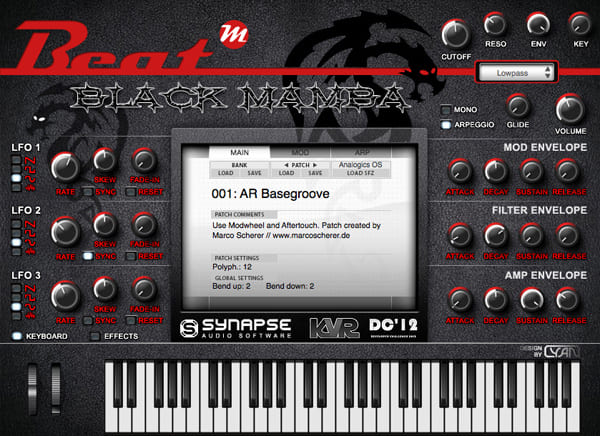
OS: Windows Win Mac Mac Bit Version: 32-bit Developer: Beat Size: 304 MB Rating: 72/100
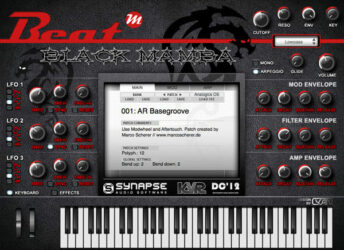
Beat Black Mamba offers a rich selection of dark and cinematic sounds designed for producers who need quick inspiration. Built on the Beat Zampler engine by Synapse Audio, it supports SFZ files and delivers layered pads, haunting textures, and deep bass tones ready to use in any project.
Its interface includes filters, LFOs, envelopes, and a range of effects like delay, reverb, and chorus to shape each sound. The built-in arpeggiator and step sequencer add movement and rhythm, making it a practical tool for creating atmospheric or dramatic music.
Features
- Sample Oscillators With SFZ Support
- Complex Modulation Matrix System
- Built In Arpeggiator And Sequencer
- Effect Section With Six Effects
- Three LFOs For Modulation
- Three ADSR Envelopes Included
- Multi Mode Filter Control
- Low CPU Usage Performance
- Simple And User Friendly Interface
- Supports Dark Cinematic Sound Design
Pros
- Low CPU usage
- Loads SFZ files easily
- Rich dark cinematic sounds
- Includes free soundbank
- Multi-mode filter control
- Three LFOs for movement
- Built-in arpeggiator feature
- Many built-in effects included
- No copy protection needed
- Free to download and use
Cons
- No native 64-bit support
- No Mac compatibility available
- Limited sound design options
- Too few modulation sources
- No advanced sample editing
- No drag and drop samples
- Lacks layering capabilities
- No automatic sample mapping
- No MIDI learn functionality
- Basic user interface design
Video Demo
What Users Say
Beat Black Mamba Tips
- When I use the sampler, I trim the samples first so they line up perfectly with the beat.
- I layer two samples together in Beat Black Mamba to make a thicker sound.
- I use the ADSR envelope to control how my samples fade in and out smoothly.
- Always check the key of the sample before placing it in your project.
- Use velocity control to make your sounds feel more human and less robotic.
- Tune your samples so they blend well with instruments from other plugins.
- Adjust attack and release settings to make samples fit tightly with your track’s groove.
11. Afrokeyz Lite
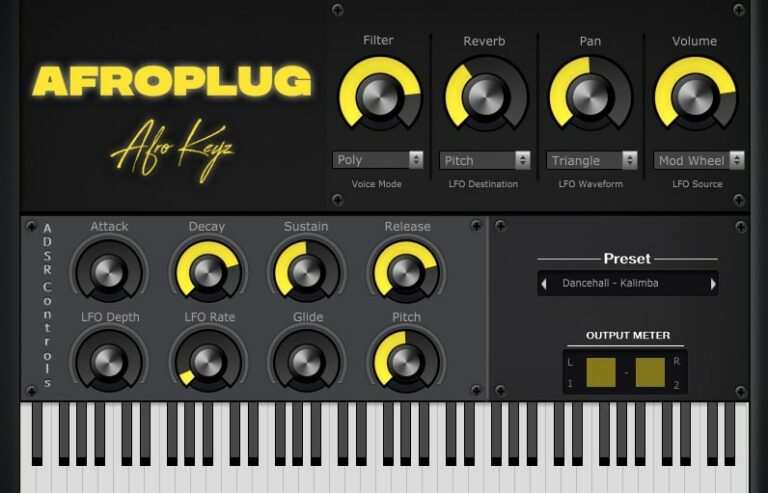
OS: Windows Win Mac Mac Bit Version: 32-bit, 64-bit Developer: Afroplug Size: 36 MB Rating: 71/100
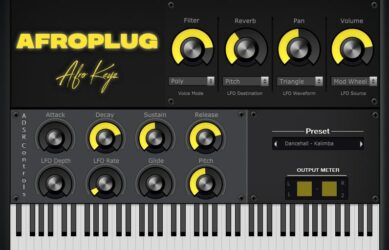
Afrokeyz Lite offers a simple way to create modern African-inspired beats. It includes six ready-to-play presets such as pianos, guitars, and marimbas designed for styles like Afrobeats, R&B, Dancehall, and Lo-fi. Each sound is crafted to bring warmth and rhythm to your tracks.
The plugin provides controls for reverb, ADSR, LFO, glide, pitch, and filter adjustments, giving producers the flexibility to shape their sound. Compatible with both Mac and Windows, Afrokeyz Lite works in all major DAWs, making it an accessible choice for music creators.
Features
- Designed For African Beat Styles
- Six Free Instrument Presets
- Includes Reverb And Filter Controls
- ADSR Envelope For Sound Shaping
- LFO With Depth And Rate Settings
- Glide For Smooth Note Transitions
- Simple And Easy-To-Use Interface
- Lightweight And CPU Friendly
- Works With All Major DAWs
- Available In VST And AU Formats
Pros
- High quality Afrobeat sounds
- Includes marimba and guitar presets
- Perfect for African music styles
- Free version sounds professional
- Light on computer CPU
- Has reverb and LFO controls
- Adjustable ADSR for sound shape
- Built-in filter for tone control
- Fast loading and responsive
- Simple and clean interface
Cons
- Very few presets included
- Limited sound design options
- No advanced modulation tools
- No sample import support
- No layering or split mode
- Lite version feels restrictive
- Missing sound preview browser
- No built-in arpeggiator
- Cannot save custom patches
- Installation problems on Windows
Video Demo
What Users Say
Afrokeyz Lite Tips
- I like to start by picking a preset in Afrokeyz Lite and then change the knobs to make it my own sound.
- I use the filter cutoff knob to make my sound softer or brighter depending on the mood of the beat.
- Use EQ to cut low frequencies from Afrokeyz Lite so it doesn’t clash with the bass.
- Add gentle compression to give the keys more punch and presence in the mix.
- Apply a touch of chorus or delay effects to make the keys sound wider and more lively.
- Layer Afrokeyz Lite chords with percussive elements for a rhythmic, dance-ready vibe.
- Save custom presets often to build your personal Afrobeat sound library.
12. Sixth Month June
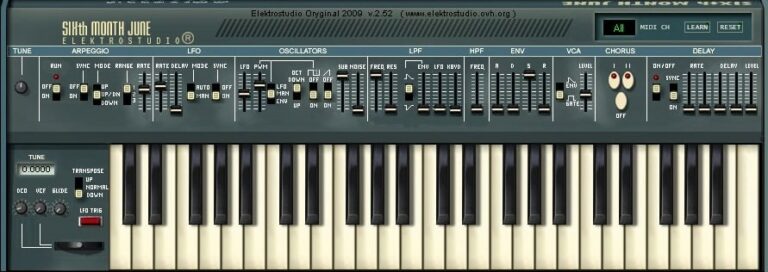
OS: Windows Win Bit Version: 32-bit Developer: Elektrostudio Size: 1 MB Rating: 70/100
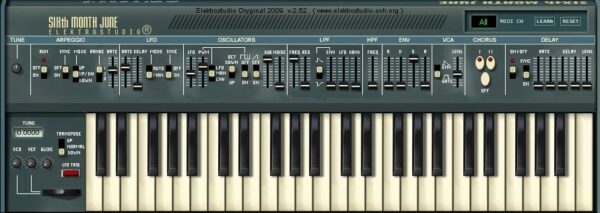
Sixth Month June offers a classic analog synth sound inspired by vintage keyboards like the Roland Juno 6. It includes sawtooth and pulse wave oscillators, a noise generator, and a smooth low-pass filter for shaping tone. The built-in arpeggiator helps create rhythmic note sequences automatically.
This plugin also features chorus and delay effects that add depth and space to your sounds. With envelope and LFO controls for movement and tone shaping, Sixth Month June gives producers tools to craft warm pads, bright leads, and retro-inspired textures on Windows systems.
Features
- Emulates Classic Roland Juno 6 Synth
- VCO With Sawtooth And Pulse Waves
- Lowpass Filter With Cutoff And Resonance
- LFO With Adjustable Rate Control
- Automatic Arpeggio Sequence Generator
- Built-In Chorus And Delay Effects
- Unison Mode For Thicker Sound
- Portamento For Smooth Note Slides
- Mix Blends Different Waveforms
- Envelope With Invert Option
Pros
- Warm and classic analog sound
- Authentic Roland Juno 6 feel
- Rich chorus for wide tones
- Powerful automatic arpeggiator
- Unison mode adds thick layers
- Low CPU use on newer PCs
- Free and high quality plugin
- Noise generator for added texture
- Smooth low pass filter sound
- Great for 80s style music
Cons
- Only works on Windows systems
- No native 64-bit support
- Not available for macOS users
- Outdated interface for modern screens
- No resizable plugin window
- High CPU use on older PCs
- Occasional stability or crash issues
- Lacks advanced modulation options
- No MIDI learn functionality
- Limited preset library included
Video Demo
What Users Say
Sixth Month June Tips
- I like to start with a blank preset so I can shape the sound from scratch.
- I use automation in my DAW to let synth filters move and evolve over time.
- Users should explore each oscillator to learn how their mix affects the final tone.
- Adjust the attack and release settings to get a smoother or punchier feel.
- Layer two different patches to create a rich, modern synth texture.
- Keep the output volume balanced to avoid clipping or distortion in the mix.
- Save presets under clear names, so they’re easy to find later.
13. Big Blue Piano
OS: Windows Win Bit Version: 32-bit Developer: Daniel Smith Music Size: 1 MB Rating: 69/100
Big Blue Piano is a free electric piano plugin for Windows created by Daniel Smith Music. It recreates the classic Fender Rhodes tone with a smooth and expressive sound. The plugin uses the mod-wheel and aftertouch to shape vibrato, giving players responsive and natural control.
Its simple design focuses on performance rather than visuals, offering just a clean on-screen keyboard and clear labeling. Big Blue Piano is a solid choice for adding warm, emotional electric piano tones to tracks without complicated settings or extra features.
Features
- Free Electric Piano Plugin
- Fender Rhodes Style Sound
- Simple Minimal Interface
- Vibrato Controlled By Mod-Wheel
- Channel Aftertouch Adjusts Vibrato
- Supports Pitchbend Control
- Keyboard Display
- Works With MIDI Controllers
- Low CPU Usage
- 32-Bit VST Format
Pros
- Beautiful and realistic Rhodes-style sound
- Good dynamic and expressive range
- Aftertouch gives real playing feel
- Vibrato control adds nice depth
- CPU friendly for large projects
- Reverb built in and usable
- Feels great when played live
- Sounds better than many free VSTs
- Perfect for ambient and lo-fi
- Works great for film scoring
Cons
- Only works on Windows systems
- Limited to 32-bit format
- No support for Mac users
- No built-in reverb options
- No preset browser or saving
- Lacks advanced sound shaping tools
- No attack or release control
- No EQ or filter settings
- Lacks multiple electric piano types
- Very basic visual interface
Video Demo
What Users Say
Big Blue Piano Tips
- I adjust the reverb and chorus knobs to make the piano sound more dreamy or warm.
- I use a soft touch on my MIDI keyboard, because the Big Blue Piano responds nicely to gentle dynamics.
- I use the EQ controls to cut out low frequencies that clash with the bass.
- Try adjusting the attack and release settings to make the notes sound more natural and expressive.
- Use modulation effects like chorus or phaser to make the electric piano sound alive.
- Apply a bit of tape or vinyl effect for a vintage electric piano vibe.
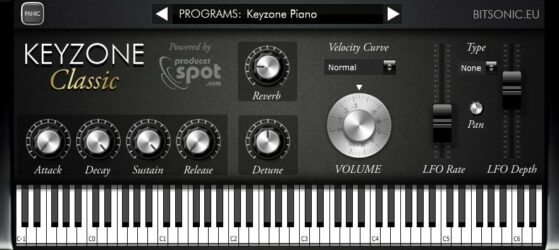
14. Keyzone Classic
OS: Windows Win Mac Mac Bit Version: 32-bit, 64-bit Developer: Bitsonic Size: 302 MB Rating: 69/100
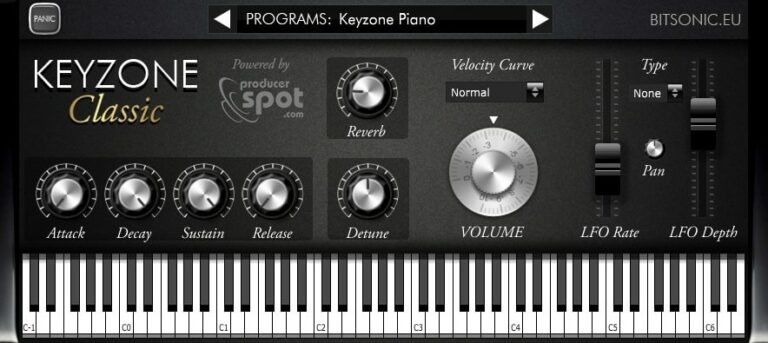
Keyzone Classic offers a collection of sampled piano sounds, including the Yamaha Grand, Steinway Grand, Rhodes, and basic electric piano. It gives music creators a simple way to add realistic piano tones to their projects without needing large sound libraries or complex setups.
The plugin includes built-in reverb, modulation, and an ADSR envelope for shaping each note’s feel. With options to adjust attack, sustain, and pitch, it helps users create anything from bright leads to soft background layers across many music styles.
Features
- Sample-Based Piano Sounds
- Includes Yamaha Grand Piano
- Features Steinway Grand Piano
- Includes Rhodes And Electric Piano
- Built-In Reverb Control
- ADSR Envelope Editing
- Velocity Curve Adjustment
- Detune Pitch Control
- LFO Rate And Depth Control
- Available In VST And AU Formats
Pros
- Comes with five piano types
- Includes Yamaha and Steinway samples
- Built-in reverb and modulation
- Has velocity curve control
- Includes bright Rhodes piano sound
- Adjustable attack and release times
- Useful detune and pan options
- Supports both 32-bit and 64-bit
- Free for Windows and Mac
- Lightweight and quick installation
Cons
- High CPU use on some systems
- Limited control over sound shaping
- No built-in EQ section
- Lacks advanced velocity layers
- No sustain pedal noise feature
- No support for half-pedaling
- No round-robin sample variation
- Reverb sounds basic and thin
- Slow loading of piano samples
- Sampling feels smaller than big libraries
Video Demo
What Users Say
Keyzone Classic Tips
- I like to start by picking a preset that sounds close to what I want before making small changes.
- I often use the reverb knob to make my piano sound bigger and more natural.
- I adjust the velocity curve so that the piano reacts better to how hard I play.
- I use EQ to cut unwanted low or high frequencies that make the piano sound muddy or harsh.
- I save my favorite settings as presets so I can use them again later.
- Adding a gentle chorus effect can give the piano more depth and movement.
- Experiment with layering different piano plugins for richer and more complex sounds.
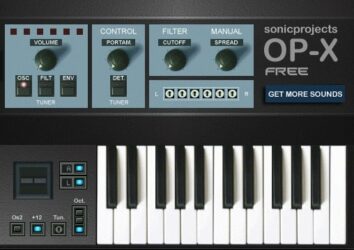
15. OP-X
OS: Windows Win Bit Version: 32-bit Developer: Sonic Projects Size: 3.8 MB Rating: 68/100
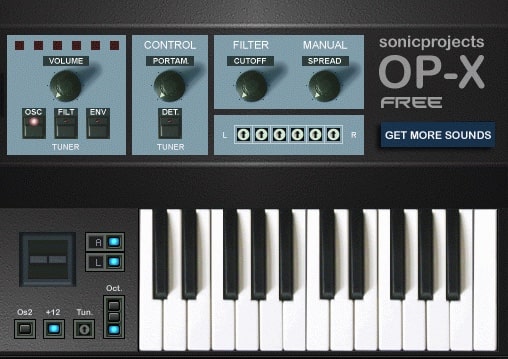
OP-X offers the classic warmth of vintage analog synths in software form. Using six independent voices, it recreates the character and depth of legendary hardware units. The 12dB filter stays rich even at high resonance, making pads, leads, and bass lines come alive with smooth tone and texture.
OP-X Free includes 11 selected sounds and a streamlined interface for quick access to core features. For more control and sound variety, users can upgrade to OP-X Player or the full OP-X version. Together, they form a clear path from simple preset use to deep analog-style sound design.
Features
- Shares Engine With Full OP-X
- Six Independent Analog-Style Voices
- Global Tuning For Oscillators And Filters
- Spread Knob For Analog Warmth
- Modeled Classic 12dB SEM Filter
- Polyphonic Portamento Control Available
- Independent Stereo Panning Per Voice
- Automation And MIDI CC In Player
- Upgradeable To Full OP-X Version
- Free To Share And Use Commercially
Pros
- Rich, warm analog-style sound
- Same engine as full version
- Authentic Oberheim-style tones
- Six unique independent voices
- Realistic analog detuning controls
- Filter stays full at resonance
- Stereo spread adds depth
- Organic and lively character
- Free for commercial use
- Comes with quality presets
Cons
- No macOS compatibility
- Only 32-bit Windows support
- No VST automation support
- No MIDI CC control
- Cannot save custom patches
- Limited sound editing
- No modulation or effects
- No built-in reverb or delay
- Limited polyphony
- Requires a VST host
Video Demo
What Users Say
OP-X Tips
- I like to start with the preset sounds in the OP-X and then tweak the knobs to make the sound my own.
- I like to use the built-in unison mode to make my sounds thicker and more powerful.
- I use automation in my DAW to move the OP-X filter during my song for cool sound changes.
- Experiment with different filter types to find the right tone for each song.
- Assign MIDI controllers to OP-X parameters for more expressive live control.
- Use subtle chorus or delay effects after the OP-X to make the sound wider and more interesting.
- Save custom patches in organized folders so you can find them easily in future projects.
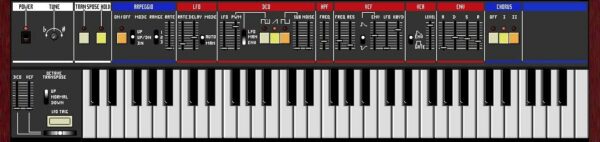
16. Juno 6
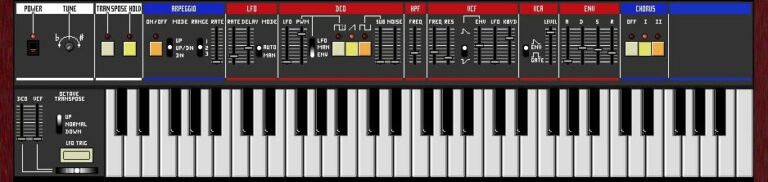
OS: Windows Win Bit Version: 32-bit Developer: Open Source VSTi Size: 1 MB Rating: 68/100
Juno 6 is a free analog-style synthesizer plugin for Windows that recreates the sound of the classic Roland Juno 6/60. It includes features like a chorus effect, arpeggiator, adjustable tuning, and filters that let you shape warm pads, bright leads, or deep bass tones.
Juno 6 offers simple controls such as DCO, LFO, VCF, and ENV to adjust sound movement, tone, and dynamics. Its built-in keyboard and hold function make it easy to experiment with vintage-style sounds that fit well in retro, pop, or electronic tracks.
Features
- Emulates Classic Roland Juno Sound
- Built-In Arpeggio Pattern Player
- Lfo For Sound Modulation
- Vcf Shapes Tone And Resonance
- Env Adjusts Sound Envelope
- Chorus Adds Richer Sound
- Hold Function For Sustained Notes
- Dco For Waveform Control
- Simple Easy-To-Use Interface
- Low Cpu Usage Performance
Pros
- Authentic vintage Juno sound
- Rich and warm analog tone
- Great chorus for thick sound
- Low CPU load and fast
- Perfect for 80s style music
- Free and lightweight plugin
- Easy sound shaping with DCO
- LFO adds nice motion effect
- Makes bright pads and solid basses
- Captures real hardware Juno vibe
Cons
- Only works on Windows systems
- No 64-bit version support
- Small GUI not resizable
- Limited preset collection
- Lacks advanced modulation options
- No modern automation controls
- Cannot load user samples
- No built-in MIDI learn support
- No built-in reverb or delay
- Lacks modern sound design depth
What Users Say
Juno 6 Tips
- I like to start with the default patch and slowly tweak one control at a time to learn how each knob changes the sound.
- I use the filter cutoff to make bright sounds darker or duller until it fits my mix.
- I like to layer two slightly different patches to make my sound feel fuller.
- Use chorus wisely, since it can easily make the mix too wide or muddy if overused.
- Experiment with small detune settings to get that classic warm analog feel.
- Learn to automate parameters like cutoff or LFO rate for evolving sounds in your song.
17. City Piano Crisp
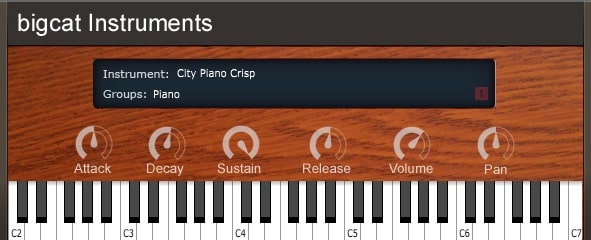
OS: Windows Win Mac Mac Bit Version: 32-bit, 64-bit Developer: Bigcat Instruments Size: 205 MB Rating: 67/100
City Piano Crisp offers the rich tone of a sampled Baldwin Baby Grand Piano in a simple, free VST for Windows and Mac. With four velocity layers, it delivers a natural and balanced sound that works well across many musical styles and recording setups.
It includes easy controls for attack, decay, sustain, release, volume, and pan, allowing you to shape your sound quickly. City Piano Crisp is a practical choice for creating expressive piano parts without complex setup or heavy processing.
Features
- Baldwin Baby Grand Samples
- Four Velocity Layers
- Attack, Decay, Sustain, Release Controls
- Volume And Pan Adjustment
- Built-In Keyboard Viewer
- VST And AU Formats
- Supports 32-Bit And 64-Bit
- Works On Windows And Mac
- Realistic And Natural Piano Sound
- Instrument Display Section
Pros
- Real grand piano sound quality
- Four speed layers for dynamics
- Better realism than many free VSTs
- Lightweight and quick to load
- Low CPU usage performance
- No extra sample libraries needed
- Includes full ADSR controls
- Works with most DAWs easily
- Reliable 32-bit and 64-bit support
- Free and easy to install
Cons
- Limited reverb or ambience control
- Lacks built-in effects options
- No pedal noise or resonance
- Dynamics feel uneven at times
- Limited realism compared to others
- Needs extra plugins to shine
- No built-in EQ adjustments
- Lower range lacks rich warmth
- Short sustain on louder notes
- Smaller sample size than rivals
Video Demo
What Users Say
City Piano Crisp Tips
- I use a MIDI keyboard to play City Piano Crisp because it feels more natural than typing notes.
- I turn down the reverb when I want a dry, close sound for pop or rock songs.
- I use light compression to make the piano sound steady and clear in a mix.
- I like to EQ out some low mids if the piano sounds too boomy.
- Use sustain pedals or MIDI automation to give notes a more natural flow.
- Use velocity sensitivity to make the piano performance feel more expressive.
- Try layering two piano plugins slightly detuned for a rich, realistic sound.
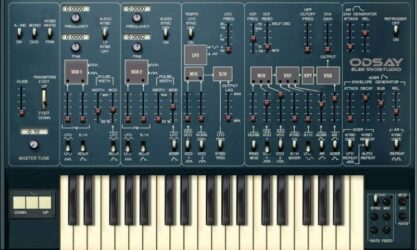
18. ODsay
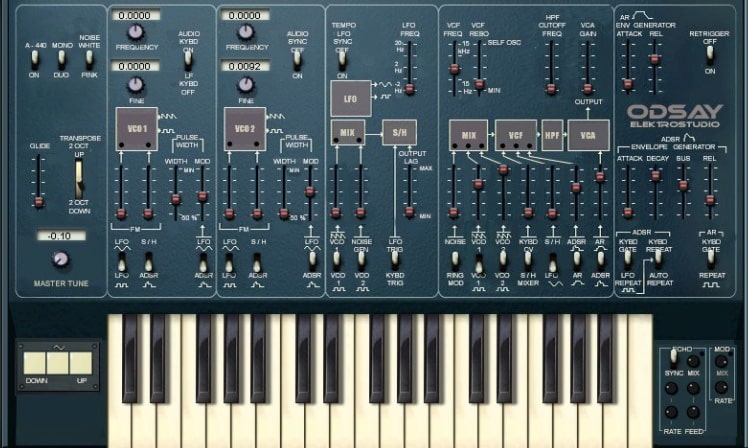
OS: Windows Win Bit Version: 32-bit Developer: Elektrostudio Size: 1 MB Rating: 67/100
ODsay offers a classic analog synth experience that recreates the sound and feel of the ARP Odyssey. It includes two oscillators for shaping warm, duophonic tones with sawtooth, square, and pulse waves. Extras like ring modulation and noise generation let you build gritty or smooth sound textures.
Its filters and envelope controls allow precise tone shaping, from sharp resonant sweeps to mellow leads. With modulation options like LFO, sample-and-hold, and glide, ODsay gives music creators the tools to design expressive, vintage-style synth sounds for any project.
Features
- Emulates Classic ARP Odyssey Synth
- Two Analog Oscillators
- Duophonic Sound Capability
- Ring Modulator Effect
- White And Pink Noise Generators
- Pulse-Width Modulation Control
- High-Pass And Low-Pass Filters
- LFO And Sample-And-Hold Modulation
- Glide And Transpose Options
- ADSR And AR Envelopes
Pros
- Realistic ARP Odyssey emulation
- Unique gritty vintage tone
- Warm and classic analog sound
- Rich duophonic sound design
- Cool ring modulator effects
- Pink and white noise choices
- Deep filter control options
- Portamento for smooth note slides
- Lightweight compared to newer synths
- Free and good quality synth
Cons
- Only works on Windows computers
- No official 64-bit support
- Can crash in newer hosts
- User interface looks very old
- No Mac version available
- High CPU use on some PCs
- Not resizable user interface
- Limited modulation choices
- Only available as VST format
- Doesn’t support audio automation well
Video Demo
What Users Say
ODsay Tips
- I always adjust the filter cutoff and resonance to find new tones that fit my song.
- I use the LFO to make the sound move and feel more alive.
- Play with the delay and reverb to give my synth parts more space.
- Use the ODsay’s two oscillators to create a wide range of warm and classic tones.
- Experimenting with the sync and ring modulation settings can create unique sound effects.
- Combining the ODsay with EQ and compression helps the synth sit nicely in a mix.
- Using automation adds movement and excitement to the synth in a song.
19. Anti-Transpirant
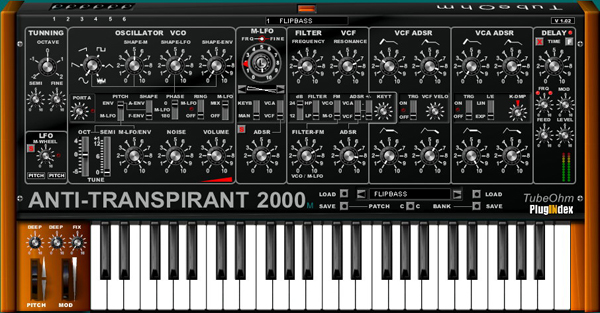
OS: Windows Win Bit Version: 32-bit Developer: TubeOhm Size: 8 MB Rating: 67/100
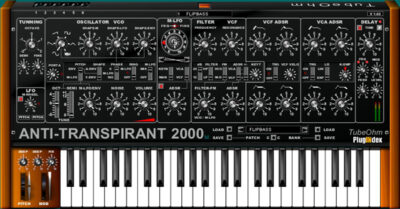
Anti-Transpirant offers an analog-style synthesizer experience for Windows users, designed by TubeOhm. It includes core tools such as oscillators, filters, LFOs, and ADSR controls to shape sound in detailed ways. The built-in sequencer adds motion by creating evolving mono patterns and rhythmic ideas.
This plugin focuses on expressive high-frequency effects like Filter FM, ring modulation, and PWM. With options for tuning, delay, and noise textures, it can produce both smooth tones and experimental sounds. It’s well suited for music creators looking to explore classic synth timbres with modern flexibility.
Features
- Free Analog Synth Plugin
- Two Oscillators With Mixing
- Filter FM And Ring Modulation
- VCF Filter For Tone Shaping
- Low-Frequency Oscillator Modulation
- Built-In Mono Sequencer
- Delay Effect For Echo
- Patch Save And Load Options
- Simple And Clear Interface
- Low CPU Usage Performance
Pros
- Warm classic analog sound
- Very low CPU usage
- Powerful modulation options
- Unique sound character
- Great filter and tone control
- Simple built-in sequencer
- Creative noise and delay effects
- Flexible LFO and ADSR settings
- Stable even on old systems
- Free and full-featured synth
Cons
- Only works on Windows
- Only 32-bit version
- Old interface design
- Limited presets
- No built-in reverb
- No visual waveform
- Sequencer only mono
- Less modern sound
- Lacks modulation depth
- Cannot resize window
Video Demo
What Users Say
Anti-Transpirant Tips
- Try starting with a simple preset and tweak one knob at a time to understand how it affects the sound.
- Adjust the envelope controls to change how fast the sound starts, holds, and fades.
- I use the modulation options in the plugin to make my sounds feel more alive and moving.
- Use the built-in effects like reverb and delay to add depth without needing extra plugins.
- I explore layering two patches from the plugin to create a richer, thicker sound.
- Use a spectrum analyzer to see how your sound fits into the overall mix.
20. June-21
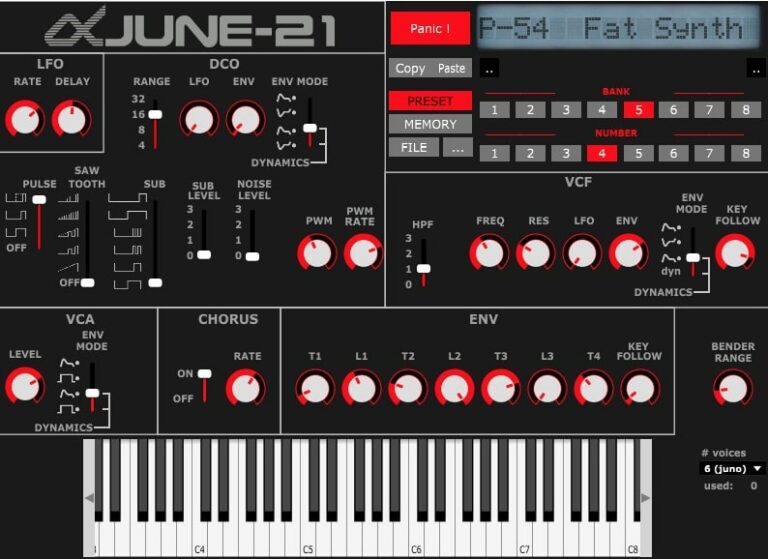
OS: Windows Win Mac Mac Linux Linux Bit Version: 64-bit Developer: Mike Rodd Size: 16 MB Rating: 65/100
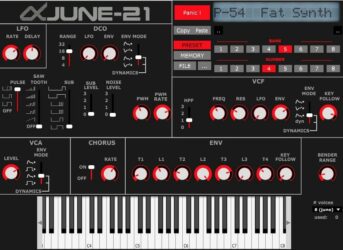
June-21 offers the warm, classic sound of the Roland Juno and MKS-50 in a free, open-source plugin. It includes over 50 presets and tools such as LFO rate, pulse wave, and delay controls, helping producers shape tones ranging from soft pads to bright leads.
With controls for chorus, filters, and envelopes, June-21 gives users room to adjust their sound for any style. Its clear layout and faithful emulation make it a strong choice for those seeking vintage character with flexible sound design options.
Features
- Emulates Roland Juno And MKS-50
- Includes Over 50 Sound Presets
- Built-In Chorus Effect Option
- Features Pulse And Saw Waves
- Supports Polyphonic Voice Selection
- Includes Envelope Timing Controls
- Contains VCF Frequency Control
- Includes Resonance And HPF Options
- Runs On Windows, Mac, Linux
- Free And Open Source Plugin
Pros
- Free and open-source plugin
- Classic Roland Juno sound
- Faithful Juno and MKS-50 emulation
- Beautiful chorus effect built in
- Warm and nostalgic tones
- Real analog-style filter section
- Very low CPU usage
- Works on Windows, Mac, Linux
- Great for synthwave and retro
- Over 50 free presets included
Cons
- Limited modern sound design options
- Lacks modulation matrix control
- No built-in arpeggiator feature
- Few effects compared to others
- Limited number of sound presets
- No MIDI learn or mapping
- Missing advanced routing options
- Lacks built-in sequencer tool
- No resizable plugin window
- User interface looks quite plain
What Users Say
June-21 Tips
- I start by exploring the presets in June-21 to understand its sounds before making my own patches.
- I like to tweak the filter cutoff to shape the sound’s warmth or brightness.
- I use the chorus effect in June-21 to make my synth patches sound bigger and more alive.
- I layer June-21 with another synth to make a fuller sound for my songs.
- Experiment with the modulation options to add motion and life to your sounds.
- Combine June-21 with reverb or delay plugins to add depth and space to your mix.
- Use automation to create dynamic filter sweeps or volume builds over time.
Keyboard VST Plugins Compared
This table compares the Keyboard VST plugins by operating system, bit version, format, and rating.
| Details | Dexed | TAL–Bassline | Soft Piano | LABS Modular Piano | Tunefish4 | Helm | Salamander Piano | Piano One | TAL–Elek7ro | Beat Black Mamba | Afrokeyz Lite | Sixth Month June | Big Blue Piano | Keyzone Classic | OP-X | Juno 6 | City Piano Crisp | ODsay | Anti-Transpirant | June-21 |
|---|---|---|---|---|---|---|---|---|---|---|---|---|---|---|---|---|---|---|---|---|
| Image | 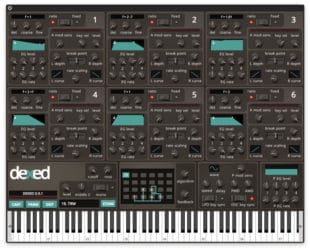 |
 |
 |
 |
 |
 |
|
 |
 |
 |
 |
 |
|
 |
 |
 |
|
 |
 |
 |
| Rating | ||||||||||||||||||||
| OS | Windows, Mac, Linux | Windows, Mac | Windows, Mac | Windows, Mac | Windows, Mac, Linux | Windows, Mac, Linux | Windows, Mac | Windows, Mac | Windows, Mac | Windows, Mac | Windows, Mac | Windows | Windows | Windows, Mac | Windows | Windows | Windows, Mac | Windows | Windows | Windows, Mac, Linux |
| Formats | VST, AU | VST, AU | VST, AU | VST, AU | VST, AU | VST, VST3, AU, AudioSuite | VST, AU | VST, AU | VST, AU | VST | VST, AU | VST | VST | VST, AU | VST | VST | VST, AU | VST | VST | VST, AU |
| Bit Version | 64-bit | 32-bit, 64-bit | 64-bit | 64-bit | 64-bit | 32-bit, 64-bit | 32-bit, 64-bit | 32-bit, 64-bit | 32-bit, 64-bit | 32-bit | 32-bit, 64-bit | 32-bit | 32-bit | 32-bit, 64-bit | 32-bit | 32-bit | 32-bit, 64-bit | 32-bit | 32-bit | 64-bit |
| Developer | Digital Suburban | TAL Software | Spitfire Audio | Spitfire Audio | Brain Control | Matthew Tytel | Bigcat Instruments | Sound Magic | TAL Software | Beat | Afroplug | Elektrostudio | Daniel Smith Music | Bitsonic | Sonic Projects | Open Source VSTi | Bigcat Instruments | Elektrostudio | TubeOhm | Mike Rodd |
| License | GPL | Freeware | Freeware | Freeware | Freeware | GPL | GPL | Freeware | Freeware | Freeware | Freeware | Freeware | Freeware | Freeware | Commercial | Freeware | Donationware | Freeware | Freeware | Freeware |
| Sample-Based | No | No | Yes | Yes | No | No | Yes | Yes | No | Select | Yes | Select | Select | Yes | No | No | Yes | No | Select | Select |
| Download Size | 9 MB | 1 MB | 417.8 MB | 378.1 MB | 3 MB | 18 MB | 857 MB | 414 MB | 732 KB | 304 MB | 36 MB | 1 MB | 1 MB | 302 MB | 3.8 MB | 1 MB | 205 MB | 1 MB | 8 MB | 16 MB |
| CPU Load | Low | Low | Low | Low | Low | Low | Low | Low | Low | Low | Low | Low | Low | Low | Low | Low | Low | Low | Low | Low |
| Polyphony | 16 | 1 | 128 | 128 | 8 | 32 | 16 | 64 | 6 | 8 | 64 | 6 | 64 | 6 | 12 | 6 | 64 | 6 | 8 | 8 |
| Features | DX7 modeling, SysEx compatibility, Patch librarian, 144 automations, Real-time metering, Open-source license, Six-operator engine | Analog Bass Synthesis, Unique Low-Pass Filter, Non-Linear Envelopes, Band-Limited Oscillators, Sub-Oscillator, Simple Arpeggiator, Unison Mode | Felted tone, Intimate sound, Expression control, Dynamics control, Texture blending, On-screen keyboard, Tune and pan | Modular rig, Analog reverbs, Delay effects, Twelve sounds, Expression control, Reverb control, Atmospheric tone | Additive Wavetable Synthesis, Flexible Noise Generator, Modulation Matrix, Dual LFOs, Dual ADSRs, Multi-Effects Stack, Versatile Filters | Oscillators, Filter, Modulation, Step Sequencer, Stutter, Formant, Feedback | 16 Velocity Layers, ADSR Controls, Pan Control, Realistic Sound, Expressive Playability, Smooth Interface, Versatile Tone | Hybrid modeling, Yamaha C7 sound, Add-on system, Pedal realism, Reverb engine, Expressive playability, Adjustable tone | Virtual analog synthesis, Hard sync, Frequency modulation, Alias-free oscillators, Fast envelopes, Versatile LFOs, Routable envelope | SFZ support, Multi-mode filter, Three LFOs, Three envelopes, Modulation matrix, Arpeggiator, Effects section | African beat creation, Six instrument presets, Reverb control, ADSR envelope, LFO modulation, Glide function, Filter adjustment | Juno-6 Emulation, Arpeggiator, LFO Control, Low-Pass Filter, Envelope Modulation, Chorus Effect, Noise Generator | Fender Rhodes Emulation, Mod-Wheel Vibrato, Channel Aftertouch, Pitchbend Control, Minimal Interface, Realistic Sound, Responsive Playability | Sample-based engine, Yamaha Grand, Steinway Grand, Rhodes Piano, Electric Piano, Reverb modulation, ADSR envelope | Analog modeling, Separate voices, Global tuning, Spread detuning, Classic filters, Voice panning, Upgrade path | Analog Emulation, Arpeggio, Chorus Effect, LFO Modulation, DCO Sound Shaping, VCF Filtering, Envelope Control | Baldwin Baby Grand, Four Velocity Layers, ADSR Controls, Volume Control, Pan Control, Instrument Display, Onscreen Keyboard | Duophonic synthesis, Ring modulation, Analog oscillators, Pulse-width modulation, Envelope generators, High-pass filter, LFO modulation | Oscillators, Filters, ADSR, LFOs, Sequencer, Modulation, Delay | Juno Emulation, Vintage Sounds, Open Source, LFO Control, Chorus Effect, Pulse Wave, 50 Presets |
| Controls | Operators, Coarse And Fine, EG Level, Break Point, Algorithm, Feedback, LFO | Tune, Waveform Selector, Filter Cutoff, Filter Resonance, Envelope, Arpeggiator, Unison Mode | Instrument Menu, Expression Slider, Dynamics Slider, Big Circular Dial, On-Screen Keyboard, MIDI Channel Menu, Volume Control | Instrument Menu, Volume Slider, Big Round Knob, Expression Slider, Reverb Button, Piano Keyboard, Settings Area | Polyphony, Volume, Frequency, Detune, Glide, Harmonics, Mod Matrix | Volume, Oscillators, Mixer, Filter, Amplitude Envelope, Step Sequencer, Feedback | Instrument Display, Attack, Decay, Sustain, Release, Volume, Pan | Reverb, Size, Width, Mix, Noises, Style, Damping | Oscillator 1, Oscillator 2, Sub Oscillator, Mixer, Filter, Envelopes, LFO 1 | LFO Controls, Wave Controls, Filter Section, Mod Envelope, Display Screen, Patch Selector, Output Knob | Filter, Reverb, Pan, Volume, Glide, Pitch, Preset | Arpeggio, LFO Rate, Oscillators, Low Pass Filter, Envelope, Chorus, Tune | Keyboard, Keys, Label Area, Mod-Wheel, Aftertouch, Pitchbend, Electric Piano Name | Program Selector, Reverb, Attack, Decay, Sustain, Release, Detune | Volume, Tuner Display, Portamento, Detune, Cutoff, Spread, Tun Knob | Power, Tune, Transpose, Arpeggio, LFO, DCO, Chorus | Instrument Display, Attack, Decay, Sustain, Release, Volume, Pan | Master Tune, VCO 1, VCO 2, VCF Filter, LFO, ADSR Envelope, VCA Amplifier | Tuning, Oscillator, LFO, Filter, ADSR, Sequencer, Delay | LFO Rate, Delay, Pulse Wave, Saw Wave, Sub Level, VCF Frequency, Chorus |
| Effects Included | Unknown | Low pass filter, Resonant filter, LFO, Envelope, Portamento, Unison, Arpeggiator | Tune, Pan, Volume | Analog reverbs, delays, other FX, reverb | Flanger, Chorus, Distortion, Delay, Reverb, EQ, Formant | Feedback, Filter, Stutter, Formant, Distortion, Bitcrusher, Delay, Reverb | Unknown | Reverb | Compressor, Filter | Overdrive, equalizer, phaser, chorus, delay, reverb | Reverb, Filter, LFO, Glide, Pitch, Pan | Chorus, Delay | Vibrato, Reverb, Pitchbend | Reverb, Modulation, LFO | Unknown | Chorus | Attack, Decay, Sustain, Release, Volume, Pan | Ring Modulator, Echo | Delay, Filter FM, Ring Modulation, Special FX | Delay, Chorus |
| MIDI Learn | No | Yes | Unknown | Unknown | Yes | Yes | Unknown | No | Yes | Unknown | Unknown | Unknown | Unknown | Unknown | Yes | Unknown | Unknown | No | Unknown | Unknown |
| Presets | 32 | 23 | N/A | N/A | 48 | 32 | 16 | N/A | 46 | 50 | 10 | 30 | 40 | 23 | N/A | N/A | N/A | N/A | 64 | 50 |
| Standalone | Yes | Yes | No | No | Yes | Yes | No | Yes | No | Yes | No | Yes | Yes | No | Yes | Yes | No | Yes | Yes | Select |
| Last Updated | 05/06/2024 | 08/14/2023 | N/A | 01/31/2019 | 05/02/2012 | 01/19/2021 | 04/12/2015 | 06/14/2023 | 04/20/2012 | N/A | 04/25/2024 | N/A | N/A | 06/14/2018 | 08/25/2023 | N/A | 08/24/2015 | N/A | 06/22/2022 | N/A |
Favorite Keyboard VST Plugin
Our top pick for the best free keyboard VST plugin is Dexed by Digital Suburban. It offers many sound control options, effects, and it’s available for both Windows and Mac.
| Details | Dexed |
|---|---|
| Image |
|
| Rating | |
| OS | Windows, Mac, Linux |
| Formats | VST, AU |
| Bit Version | 64-bit |
| Developer | Digital Suburban |
| License | GPL |
| Sample-Based | No |
| Download Size | 9 MB |
| CPU Load | Low |
| Polyphony | 16 |
| Features | DX7 modeling, SysEx compatibility, Patch librarian, 144 automations, Real-time metering, Open-source license, Six-operator engine |
| Controls | Operators, Coarse And Fine, EG Level, Break Point, Algorithm, Feedback, LFO |
| Effects Included | Unknown |
| Download | Download Dexed |
Keyboard Plugin FAQs
How to Install Rhodes VST Plugins
To install rhodes VST plugins on Windows or Mac, extract the files from the Zip or Rar. Move the files (.dll for Windows or .component for Mac) into your DAW’s plugin folder. Then restart your software and rescan the directory to complete the process. Tutorial: How to Install VST Plugins
Windows:
Extract the downloaded zip file and copy the .dll file into the VST plugins folder scanned by your DAW. Restart your music software and rescan your plugin directory to begin using the new VST.
Mac OS X:
Extract the downloaded archive and move the .component or .VST file to the plugin folder. It is usually /Library/Audio/Plug-Ins/Components or /Library/Audio/Plug-Ins/VST. Restart your DAW and rescan your plugins to complete the installation.
What Is the Best Keyboard VST?
The best keyboard VST depends on what you’re looking for and what type of music you produce. If you’re into making Hip Hop, you might want a VST with lots of different piano and Rhodes sounds. If you’re into EDM, you might want a synth-heavy keyboard VST. So it’s up to you to decide what sounds good and works well for your productions.
There are some great free keyboard VSTs, like Rx2 from Ancient Cave or Amen Break from Charlie Keyboards. There are also some great paid options, like NI Kontakt or Spectrasonics Omnisphere.
I hope that our list of the best free keyboard VST plugins has given you some idea of what’s out there and will help you decide which one is right for you.
Have fun experimenting with all these options and finding the perfect keyboard VST for your music production needs!





