Here are the best free Trap VST plugins to make Trap beats on Windows and Mac. I have included Trap plugins such as synthesizers, 808 drums, bass, pianos, strings, and more.
If you want to make Trap music, we have a helpful guide on how to make trap beats, free trap drum kits, and an article answering what is trap music.
Trap music is typically comprised of 5 primary elements: drums, hi-hats, basslines, melodies, and vocals. The drums are usually 808s or snare with heavy kicks to give it that “thud” sound.
How we rate plugins: We rate each trap VST plugin based on sound quality, design, performance, features, usability, and compatibility. We rate plugins on a scale of 1 to 100.
Table of Contents
I have spent over 15 years testing and comparing hundreds of free and paid VST plugins, supported by hands-on demos on our YouTube channel, which has 11,000+ subscribers.
Best Free Trap VST Plugins
This table compares trap plugins by operating system, bit version, format, and rating.
| # | Plugin | OS | Formats | Bit Version | Ratings |
|---|---|---|---|---|---|
| 1 | Vital | Windows Mac Linux | VST | 64-bit | |
| 2 | Surge XT | Windows Mac Linux | VST, AU, CLAP | 32-bit, 64-bit | |
| 3 | Graillon 2 | Windows Mac Linux | VST, AU, AAX, LV2 | 64-bit | |
| 4 | TyrellN6 | Windows Mac Linux | VST, VST3, AU, AAX, CLAP | 32-bit, 64-bit | |
| 5 | Momentum | Windows Mac | VST, AU | 64-bit | |
| 6 | Dexed | Windows Mac Linux | VST, AU | 64-bit | |
| 7 | Subdivine Lite | Windows Mac | VST3, AU | 64-bit | |
| 8 | 808-ROMpler | Windows Mac | VST, AU | 64-bit | |
| 9 | Labs Strings | Windows Mac | VST, AU | 64-bit | |
| 10 | Creepy Piano 3 Lite | Windows Mac | VST, VST3, AU | 64-bit | |
| 11 | 808 Bass Module 5 Lite | Windows Mac | VST, VST3, AU | 64-bit | |
| 12 | Drum8 | Windows Mac | VST3, AU | 64-bit | |
| 13 | Synth1 | Windows Mac | VST, AU | 32-bit, 64-bit | |
| 14 | HUM808 | Windows | VST | 64-bit | |
| 15 | Vinyl | Windows Mac | VST2, VST3, AU, AAX | 64-bit |
1. Vital
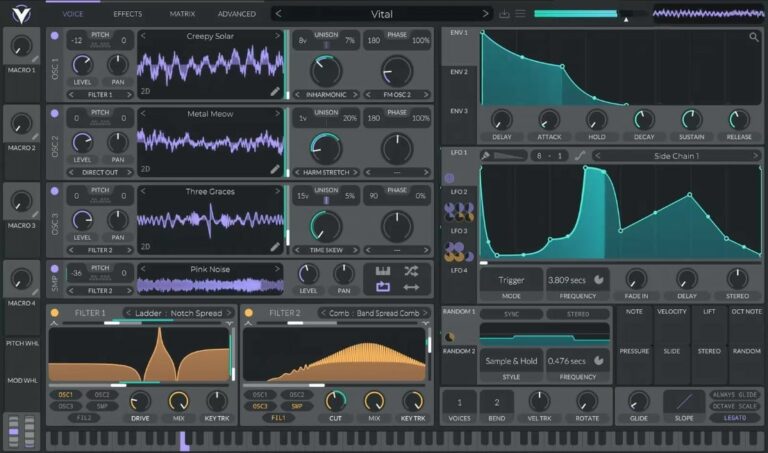
OS: Windows Win Mac Mac Linux Linux Bit Version: 64-bit Developer: Vital Audio Size: 39 MB Rating: 94/100
Vital offers a spectral warping wavetable engine that reshapes sound in bold and creative ways. It changes waveform harmonics to produce new tones and textures, letting you turn samples or even text into wavetables using built-in conversion and editing tools.
This synth is fully visual, showing how filters, LFOs, and modulations shape your sound in real time. With drag-and-drop modulation, wide stereo effects, and audio-rate control, Vital helps sound designers and producers explore detailed, evolving tones across music styles.
Related: Free Vital Presets
Features
- Spectral Warping Wavetable Synthesis
- Sample To Wavetable Conversion
- Built-In Wavetable Editor
- Real-Time Visual Feedback
- Drag And Drop Modulation
- Custom LFO And Envelope Shapes
- MPE Compatible With Controllers
- Audio-Rate Modulation Options
- Supports Microtonal Tuning Files
- Includes Presets And Wavetables
Pros
- Turns samples into new wavetables
- Supports expressive MPE controls
- Rich modulation for detailed sounds
- Supports microtonal scales easily
- Custom LFO shapes for creativity
- Low CPU use with smooth play
- Works on Windows Mac and Linux
- Great visual feedback while playing
- Creates fresh and unique sounds
- Includes lots of free presets
Cons
- Some presets sound too similar
- Few built-in effects compared to others
- Can crash on older computers
- Uses more CPU than simple synths
- GUI can feel overcrowded
- Minimal preset organization tools
- No built-in sequencer or arpeggiator
- Limited free preset variety
- Requires 64-bit system only
- Sound design can take time
Video Demo
What Users Say
Vital Tips
- I like to start with a preset and then change small things to learn what each knob does.
- I layer two oscillators to make the sound bigger and more powerful.
- I try using LFOs to make sounds move or wobble over time.
- Experiment with different wavetables to find unique tones and textures.
- Use modulation routing to link one control to another for interesting sound motion.
- Use mild distortion on bass sounds to help them cut through a mix.
- Apply EQ and compression after Vital to make your sound fit better in a track.
2. Surge XT
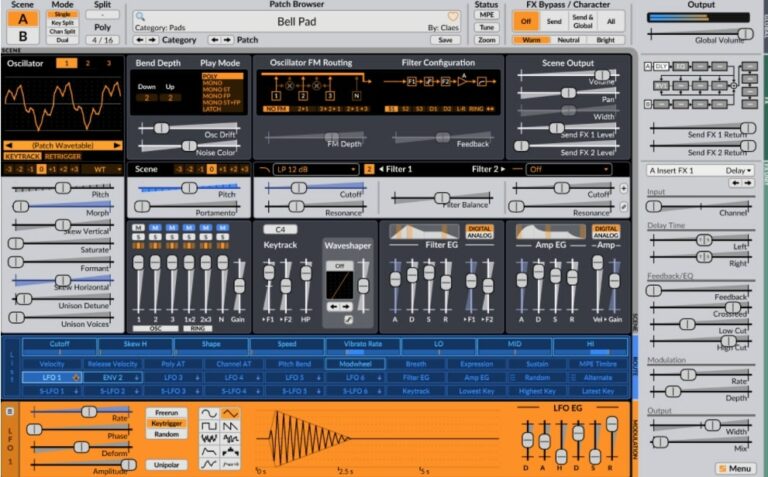
OS: Windows Win Mac Mac Linux Linux Bit Version: 32-bit, 64-bit Developer: Claes Johanson Size: 172 MB Rating: 93/100
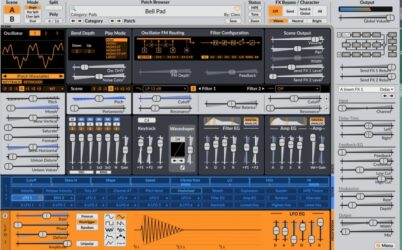
Surge XT offers a powerful hybrid synthesizer engine that combines different types of synthesis for creative sound design. It includes three oscillators per scene, many filter options, and a rich modulation system. With over 2,800 presets and 700 wavetables, it gives producers many sound possibilities.
Surge XT also supports special features like MPE, microtuning, and multiple scene modes for layered or split setups. Its open-source design allows regular updates and community input. With flexible routing and a wide range of effects, it’s useful for crafting both modern and classic synth sounds.
Features
- Over 2,800 Factory Presets
- 700 Plus Wavetables Included
- 12 Oscillator Algorithms Available
- Two Independent Synthesis Scenes
- 16 Effect Units With 27 Types
- Supports MPE And Microtuning
- Flexible Modulation Matrix System
- Multiple Filter Models And Routes
- Resizable And Customizable Interface
- Supports Windows, Mac, And Linux
Pros
- Free and open source software
- Huge library of 2,800 sounds
- Over 700 wavetables to explore
- Supports advanced MPE controllers
- Easy drag-and-drop modulation
- Two scenes for layered sounds
- Low CPU usage for big projects
- Powerful wavetable and FM synthesis
- Many built-in filters and effects
- Community driven and updated often
Cons
- Interface can feel overwhelming
- Steep learning curve for setup
- Can lag on older computers
- No built-in tutorial videos
- Preset browser feels cluttered
- Small text hard to read
- Can use more CPU
- Limited skin options
- Too many modulation options
- Plugin updates may break patches
Video Demo
What Users Say
Surge XT Tips
- I try layering two different oscillators to make my sound bigger and more exciting.
- I like to use the modulation matrix to make sounds move and change over time.
- I always test my patches in a full mix to make sure they fit well with drums and other instruments.
- Assign MIDI controls, like knobs or sliders, to important parameters for easier live tweaking.
- Experiment with Surge XT’s randomize feature for surprising patches and inspiration.
- Combine Surge XT layers with other synth plugins for thicker and more balanced sounds.
3. Graillon 2
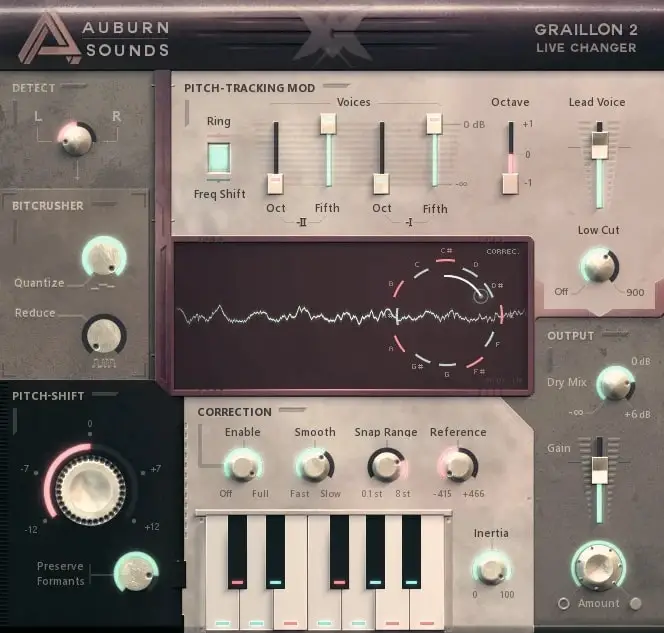
OS: Windows Win Mac Mac Linux Linux Bit Version: 64-bit Developer: Auburn Sounds Size: 57 MB Rating: 90/100
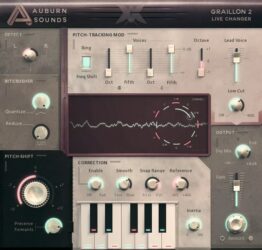
Graillon 2 offers real-time vocal tuning and creative tone shaping for producers and singers. It combines pitch correction, formant shifting, and pitch-shifting to achieve both natural and robotic sounds. Its built-in compressor, gate, chorus, preamp, and bitcrusher give more polish and control.
It includes three pitch engines, letting users choose between classic and updated tones. Optional tools like Pitch-Tracking Modulation, keyboard tuning, and a doubler expand vocal styles. Graillon 2 works across major systems and plugin formats, making it reliable for studio or live use.
Features
- Real-Time Pitch Correction
- Natural Or Hard-Tune Modes
- Formant Shifting For Vocal Tone
- Built-In Compressor And Gate
- Chorus, Preamp, And Bitcrusher Effects
- Keyboard Tuning For Custom Scales
- Vocal Doubler For Added Presence
- Visual Waveform Pitch Display
- Low Latency For Live Use
- Low CPU Usage Operation
Pros
- Natural-sounding pitch correction results
- Low CPU use for smooth playback
- Three different pitch engines included
- Includes built-in compressor and gate
- Bitcrusher adds cool vocal texture
- Keyboard tuning for custom scales
- Vocal doubler adds fullness
- Formant control keeps tone realistic
- Visual pitch display helps learning
- Works on Windows, Mac, and Linux
Cons
- Full version costs extra money
- No built-in reverb or delay
- Can misread low male voices
- GUI sometimes freezes in DAWs
- Major updates break old projects
- Pitch correction can sound harsh
- Formant shift can sound robotic
- No scale detection like GSnap
- Less precise on quick vocals
- No MIDI learn for quick mapping
Video Demo
What Users Say
Graillon 2 Tips
- I like to start by setting the “Pitch Correction” knob slowly so my voice still sounds natural.
- I use the “Dry/Wet” control to blend my real voice with the tuned voice for a smoother sound.
- Finding the right key before tuning makes vocal correction sound more natural.
- Use faster correction speeds for a robotic or pop-style effect, and slower speeds for softer songs.
- Placing Graillon 2 first in the plugin chain helps it track pitch more accurately.
- I often record my vocals clean first, then add Graillon 2 later in the mix to find the best balance.
- Always check how Graillon 2 sounds in the mix with the full track, not just on solo vocals.
4. TyrellN6
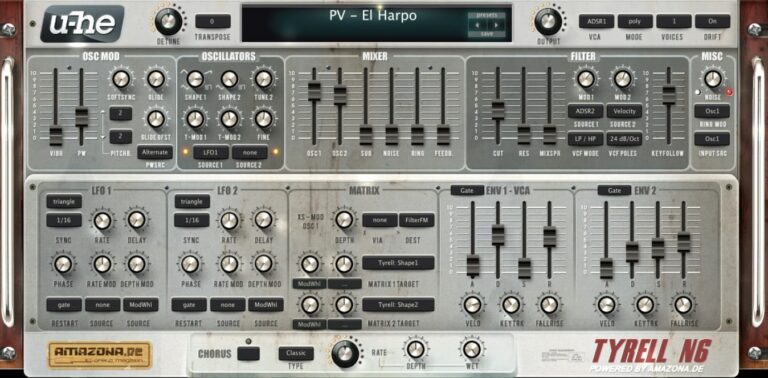
OS: Windows Win Mac Mac Linux Linux Bit Version: 32-bit, 64-bit Developer: U-He Size: 47 MB Rating: 88/100
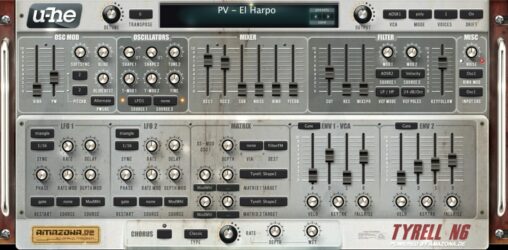
TyrellN6 offers a classic analog-style sound in a compact and free software synthesizer. It includes two main oscillators, filters related to u-he’s Diva, and a built-in chorus for added depth. The synth keeps everything on one screen, making sound design smooth and direct.
The 2025 beta update improves performance and adds features like CLAP and MTS-ESP microtuning support. It also introduces a modern preset browser, easier soundset installation, and updated scaling options. TyrellN6 continues to deliver warm tones and flexible controls for creating rich, expressive sounds.
Features
- Virtual Analog Synth With Classic Design
- Two Oscillators Plus Noise And Ring Mod
- Twin Filter Based On Early Diva
- Unison Mode Up To Eight Voices
- Compact Modulation Matrix Section
- Chorus Effect With Three Modes
- Over 580 Factory Presets Included
- Resizable And Skinnable Interface
- Supports CLAP, VST, AU, And AAX
- Supports Native Apple Silicon Chips
Pros
- Free with pro-level sound
- Warm classic analog tone
- Works on Mac, Windows, Linux
- Low CPU load performance
- Over 580 ready presets
- New CLAP and VST3 support
- Supports native Apple Silicon
- Rich unison up to 8 voices
- Powerful twin filter section
- Supports microtuning standards
Cons
- No built-in reverb effect
- No built-in delay effect
- Lacks modern wavetable synthesis
- Small GUI on 4K screens
- Preset browser feels outdated
- Does not support MPE yet
- Few filter types compared to others
- No built-in EQ or compressor
- Interface looks dated to some
- Not as flexible as Vital
Video Demo
What Users Say
TyrellN6 Tips
- I like to start with a preset that sounds close to what I want, then tweak the filters and envelopes to make it my own.
- I use both oscillators slightly detuned to make the sound fuller and wider.
- I like to use the modulation matrix to add motion, like routing LFO to the filter cutoff.
- Use subtle chorus and delay effects to make the synth sound more polished and lively.
- Use automation in your DAW to control TyrellN6 parameters for dynamic changes during a song.
- Study the filter section; learning how different filter modes sound helps shape your tone more precisely.
- Try randomizing parameters to discover unexpected and inspiring new sounds.
5. Momentum
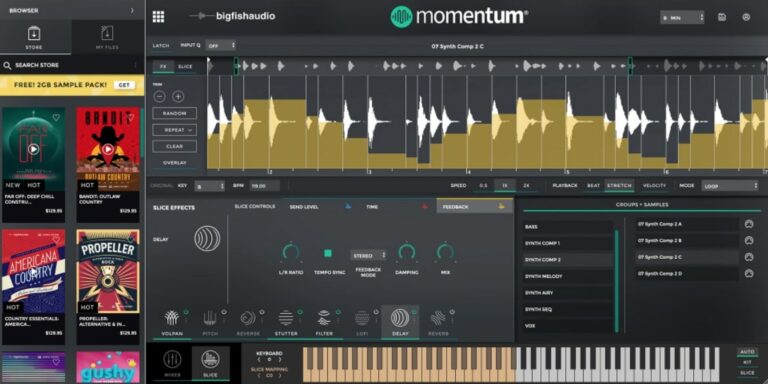
OS: Windows Win Mac Mac Bit Version: 64-bit Developer: Big Fish Audio Size: 171 MB Rating: 87/100
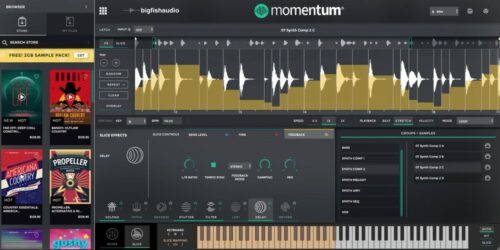
Momentum offers music creators an easy way to slice, edit, and shape their samples into new sounds. Its advanced browser helps you quickly find loops by style, instrument, or tempo, while built-in effects let you transform each slice with pitch, delay, reverse, and more.
With Momentum Pro, you can unlock a large sound library, import your own audio, and keep everything organized inside one workspace. The plugin works in all major DAWs or as a standalone app, making it a flexible tool for creating unique loops and musical ideas fast.
Features
- Slice And Edit Audio Loops
- Smart Tempo And Key Detection
- Assign MIDI Notes To Slices
- Drag And Drop Audio Import
- Use One-Shot Sample Engine
- Sync Loops To Project Tempo
- Adjust Gain, Pan, And Pitch
- Save And Recall Presets Easily
- Includes 3.8 GB Free Content
- Supports VST And AU Formats
Pros
- Fast and easy sample slicing
- Smart tempo and key matching
- Drag and drop sample loading
- Built-in slice effects engine
- MIDI control for every slice
- Works as standalone or plugin
- Huge 3.8 GB free content
- Instant DAW integration support
- Low CPU usage while editing
- More features than other free samplers
Cons
- Some features locked behind paywall
- Limited free sound content
- Needs good computer performance
- Busy interface can confuse users
- No built-in drum sequencing
- No advanced modulation options
- Subscription can get expensive
- Can be slow with big files
- No multisample layering support
- No granular synthesis options
Video Demo
What Users Say
Momentum Tips
- I often use the pitch and time stretch tools to match my loops to the song tempo.
- I like to map slices to my MIDI keyboard so I can play them like an instrument.
- Always tune your samples so they match the key of your project.
- Layer multiple samples to create new sounds that are more unique.
- Adjust ADSR settings to control how your sample starts and ends.
- Experiment with filter settings in the sampler to clean up harsh or muddy sounds.
- Keep your samples organized in folders so you can find them easily next time.
6. Dexed
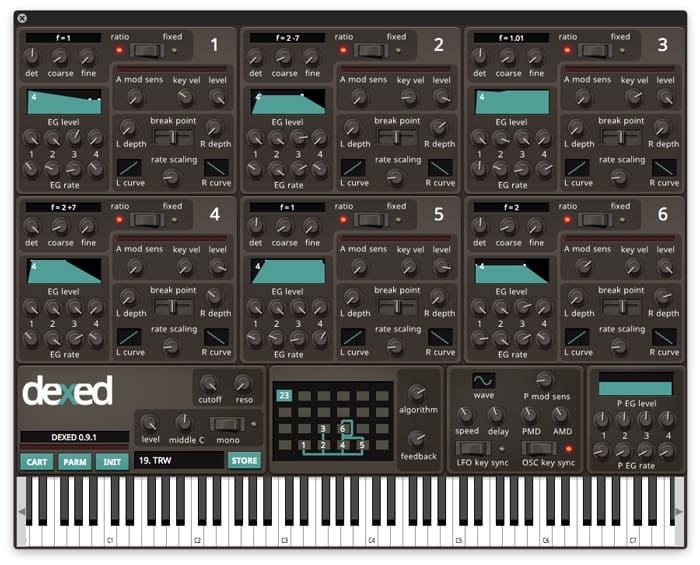
OS: Windows Win Mac Mac Linux Linux Bit Version: 64-bit Developer: Digital Suburban Size: 9 MB Rating: 84/100
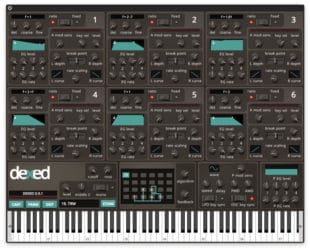
Dexed is a free FM synth plugin by Digital Suburban that models the sound and features of the classic Yamaha DX7. It offers six operators, real-time VU meters, and 144 automatable parameters, giving music makers detailed control over tone, pitch, and modulation.
Dexed also works as a DX7 patch editor and SysEx manager, letting users load, save, and organize sounds from original hardware. With DX7 and TX7 compatibility across Windows, Mac, and Linux, it delivers authentic FM tones for keys, basses, and electronic textures.
Features
- Free FM Synth Plugin
- Modeled On Yamaha DX7
- Six Operator Sound Engine
- Over 1,000 Free Presets
- Loads And Saves DX7 SysEx Files
- Patch Editor And Manager
- Low CPU Usage Performance
- LFO With Note Synchronization
- Filter With Cutoff And Resonance
- Open-Source Under GPL v3
Pros
- Free and open-source synth plugin
- Authentic Yamaha DX7 sound modeling
- Includes over one thousand presets
- Supports DX7 SysEx patch editing
- All six operators visible at once
- Very low CPU resource usage
- Runs on Windows, Mac, and Linux
- Simpler interface than original DX7
- Community supported and regularly updated
- Randomizer inspires new sound ideas
Cons
- No built-in reverb or chorus
- Interface looks a bit dated
- FM synthesis is hard to learn
- No modern visual sound display
- No wavetable or sample support
- Too many knobs for beginners
- No drag-and-drop modulation
- Cannot resize plugin window easily
- Needs external effects for depth
- No built-in preset browser
Video Demo
What Users Say
Dexed Tips
- I like to start with a blank patch in Dexed so I can learn how each operator shapes the sound.
- I use Dexed’s “Algorithm” menu to explore how different operator routings change my tone.
- Try using Dexed as a learning tool for Yamaha DX7 programming—it’s fully compatible.
- Experiment with detuning operators slightly to create thicker, more complex sounds.
- Try adjusting feedback in Dexed to add grit or edge to your patches.
- Use external effects like reverb and delay to give Dexed sounds more space and depth.
7. Subdivine Lite
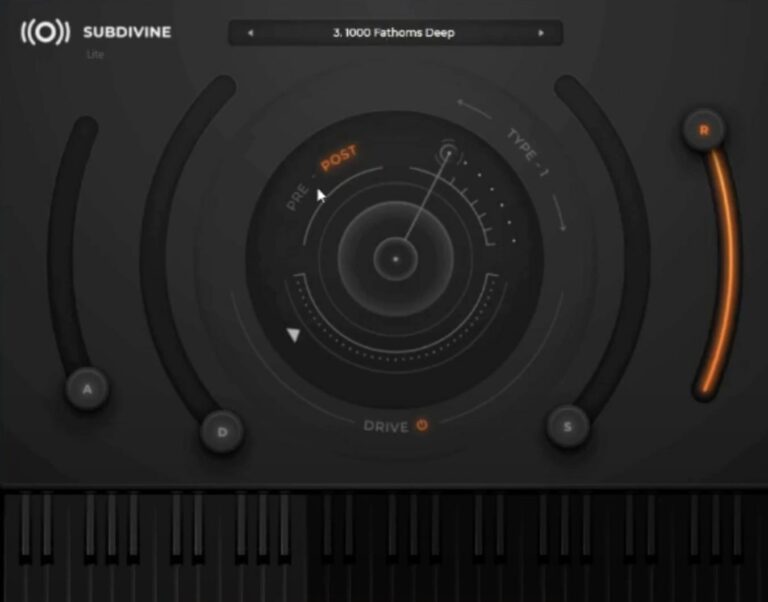
OS: Windows Win Mac Mac Bit Version: 64-bit Developer: Diginoiz Size: 254 MB Rating: 83/100
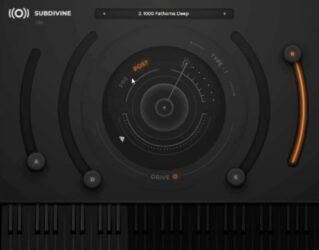
Subdivine Lite offers a solid way to create deep and punchy 808-style bass sounds. It includes six preset sounds, an adjustable drive control, and basic ADSR shaping tools. The pitch bend adds flexibility, making it easy to create smooth slides and dynamic low-end parts.
This plugin works well for Trap, Hip-Hop, R&B, and other modern styles. Its clean interface keeps everything focused on sound, letting you build heavy bass lines quickly. Subdivine Lite is a great starting point for exploring powerful low-end tones without extra cost.
Features
- Six High-Quality 808 Presets
- Adjustable Drive Control
- Partly Modifiable ADSR
- Fully Functional Pitch Bend
- Simple And Clean Interface
- Preset Display For Quick Selection
- Output Meter For Level Monitoring
- Optimized For Low CPU Usage
- Works In AU And VST3 Formats
- Designed For Modern Urban Music
Pros
- Powerful 808-style bass tones
- Rich, deep low-end sound
- Low CPU use on laptops
- Adjustable drive for more punch
- Partly editable ADSR controls
- Supports AU and VST3 formats
- Works on Mac and Windows
- Fast setup and small file size
- Better sound than many free basses
- Clean and simple interface
Cons
- Very limited sound variety
- No built-in effects section
- Partial ADSR control only
- Lacks advanced modulation options
- Cannot layer multiple sounds
- No EQ or filtering section
- Missing glide or portamento feature
- Very basic user interface
- Limited tone shaping options
- Cannot import custom samples
Video Demo
What Users Say
Subdivine Lite Tips
- When I layer bass with kicks, I sidechain compress the bass to make room for the kick drum.
- I use EQ to remove harsh highs and let the sub-bass stay clean and warm.
- Always check the bass in mono to ensure it doesn’t lose power when played on smaller speakers.
- Cut frequencies below 30Hz to avoid muddying the mix while keeping the sub strong.
- Start by exploring the Subdivine Lite preset library to find tones that fit your genre.
- Try layering Subdivine Lite with another synth for a richer and more complex bass sound.
- Automation of filter cutoff or volume can make the bass line more exciting over time.
8. 808-ROMpler
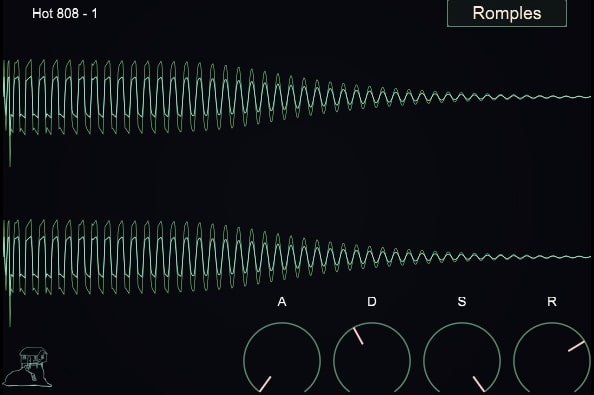
OS: Windows Win Mac Mac Bit Version: 64-bit Developer: Recluse-Audio Size: 88 MB Rating: 81/100
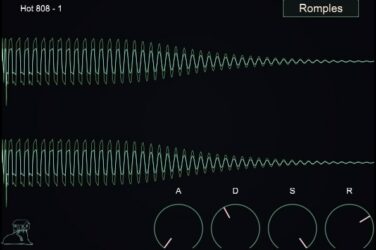
808-ROMpler is a free bass drum sampler designed by Recluse-Audio for quick and clean 808 sounds. It includes sixteen 808-style kicks and supports .wav, .aiff, and .mp3 files through simple drag-and-drop. ADSR envelope controls help shape the punch, length, and tone of each kick.
The plugin’s minimalist design keeps the focus on your sound. A visual waveform display gives instant feedback while adjusting attack, decay, sustain, and release. 808-ROMpler runs on Windows and Mac, offering a fast and reliable way to build solid low-end parts in any style.
Features
- Sixteen 808 Style Kicks
- Drag And Drop Loading
- ADSR Envelope Controls
- Visual Waveform Display
- Minimal And Clean Interface
- Low CPU Usage
- Supports WAV AIFF And MP3
- VST And AU Formats
- 64 Bit Compatible
- Sound Selection Menu
Pros
- Clean and easy-to-use interface
- Includes sixteen ready 808 kicks
- Custom sound shaping with ADSR
- Visual waveform helps sound design
- Lightweight and low CPU use
- Punchy sounds right out the box
- Free plugin with pro-level quality
- Makes stacking multiple sounds easy
- Ideal for trap and hip-hop
- Focuses purely on great 808 sounds
Cons
- No built-in effects or EQ
- Cannot layer multiple samples
- No velocity sensitivity support
- Lacks sample editing tools
- Limited to 808-style sounds
- No pitch or tune control
- No modulation or LFO options
- No save or load presets
- No MIDI learn or automation
- Limited sound design flexibility
Video Demo
What Users Say
808-ROMpler Tips
- I like to layer two 808 sounds—one for sub-bass and another for mid frequencies—to make the bass cut through better.
- I keep my 808s in tune by matching their root note with my song’s key—it makes the mix sound tight.
- I place sidechain compression with the kick drum so the 808 and kick don’t fight each other.
- Shortening the release time keeps the 808 from overlapping notes and getting muddy in the mix.
- Using parallel processing with saturation or compression can make the 808 punchier while keeping its deep tone.
9. Labs Strings
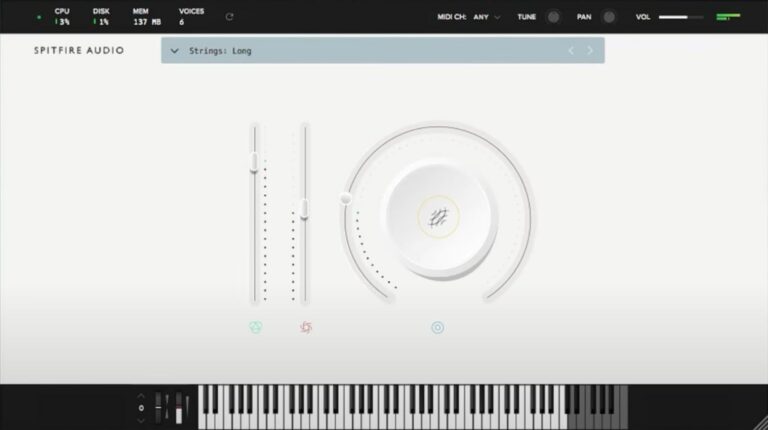
OS: Windows Win Mac Mac Bit Version: 64-bit Developer: Spitfire Audio Size: 698.4 MB Rating: 78/100
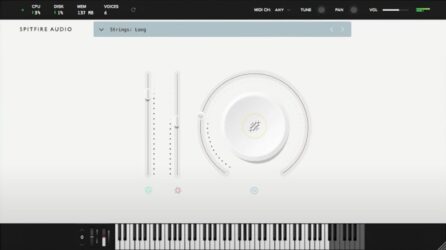
Labs Strings offers the sound of fourteen top London string players, recorded at Spitfire Audio’s studio by engineer Harry Wilson. Using a mix of quality microphones, including the vintage BBC AXB1, the plugin delivers warm, emotional tones that feel natural and expressive.
Its simple controls let you shape volume, expression, and texture with ease. The sounds lean toward smooth, cinematic pads rather than fast, detailed playing. Ideal for adding depth, mood, or soft layers, Labs Strings brings rich orchestral color to any music project.
Features
- Features Fourteen London String Players
- Recorded At Spitfire Headquarters
- Includes Vintage BBC AXB1 Microphone
- Offers Three Distinct String Sounds
- Simple And Clean User Interface
- Big Circle Dial For Tone Shaping
- Expression Slider For Dynamics
- Instrument Menu For Sound Selection
- Available In VST And AU Formats
- Runs On 64-Bit Architecture
Pros
- Rich cinematic string sound quality
- Small ensemble for intimate tone
- Low CPU usage and memory
- Emotional, expressive string dynamics
- Recorded with premium microphones
- Created by top London players
- Wide stereo image and warmth
- Instantly adds cinematic atmosphere
- High quality for a free plugin
- Perfect for film scoring moods
Cons
- Very few articulation options
- Limited tone shaping controls
- No real mic mix options
- Baked-in reverb hard to remove
- Not good for fast playing
- Lacks full orchestral depth
- Audible noise on left channel
- High memory use for size
- Limited dynamic range control
- No legato performance option
Video Demo
What Users Say
Labs Strings Tips
- I adjust the expression and dynamics sliders to make the strings sound more real.
- I layer different articulations to make my music sound more alive.
- Using the built-in reverb can make the strings sound more lush and wide.
- Automating volume and panning can make the strings feel more dynamic and alive.
- Balancing the volume across different string sections keeps the mix clear.
- Keeping some space between string layers helps prevent a muddy mix.
- Using MIDI expression makes the strings sound more like real players.
10. Creepy Piano 3 Lite
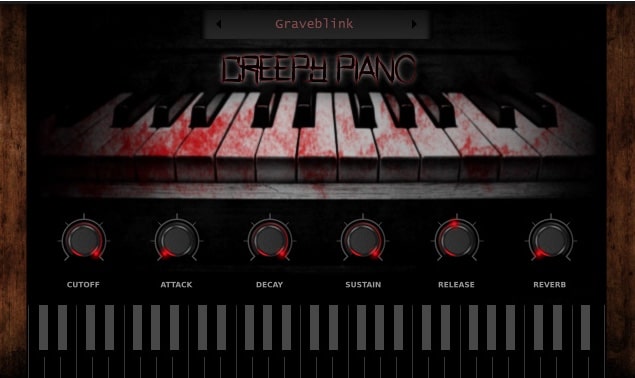
OS: Windows Win Mac Mac Bit Version: 64-bit Developer: Electronik Sound Lab Size: 673.6 MB Rating: 78/100
Creepy Piano 3 Lite is a free virtual instrument that focuses on dark, eerie piano tones made from processed recordings of Steinway and Yamaha pianos. It features 28 presets, along with controls like ADSR, LFO modulation, and filter cutoff to shape and adjust each sound easily.
Creepy Piano 3 Lite offers delay, reverb, and four ambient background layers—rain, vinyl, wind, and dark—for adding atmosphere. It’s suited for horror scores, game soundtracks, trap, and lo-fi projects, providing quick access to moody piano textures on both Windows and macOS.
Features
- 28 Multi-Sampled Piano Presets
- Lo-Fi And Dark Piano Tones
- ADSR Envelope Sound Control
- LFO Modulation With Rate And Depth
- Built-In Reverb And Delay Effects
- Four Layerable Background Sounds
- Lowpass And Highpass Filter Cutoff
- Supports VST, VST3, And AU Formats
- Works On Windows And Mac Systems
- Free For Personal And Commercial Use
Pros
- Instant dark piano sounds
- Field sounds add atmosphere
- Creative sounds not in other free pianos
- Strong lo-fi vintage vibe
- Has built-in reverb and delay
- LFO adds cool movement
- Includes 28 useful presets
- High quality recorded samples
- Low CPU and RAM use
- Perfect for horror soundtracks
Cons
- Lacks high-quality grand piano sound
- Limited tone shaping controls
- No built-in EQ control
- No velocity curve adjustment
- Few effects compared to others
- No advanced MIDI learn support
- Interface lacks resizing feature
- Preset browser feels very basic
- No dynamic resonance modeling
- Less realistic than some free pianos
Video Demo
What Users Say
Creepy Piano 3 Lite Tips
- I like to lower the reverb when I want the piano to sound closer and more real.
- I use the tone knob to make the sound darker or brighter depending on the mood I want.
- I adjust the ADSR envelope to control how long the notes last after I press and release the keys.
- Combine Creepy Piano 3 Lite with pad sounds for a rich and eerie soundscape.
- Use automation to change reverb or tone throughout a song for more movement.
- Try adding a delay effect in your DAW for a ghostly echo sound.
- I like to play with the velocity settings to make soft or loud notes sound more natural.
11. 808 Bass Module 5 Lite
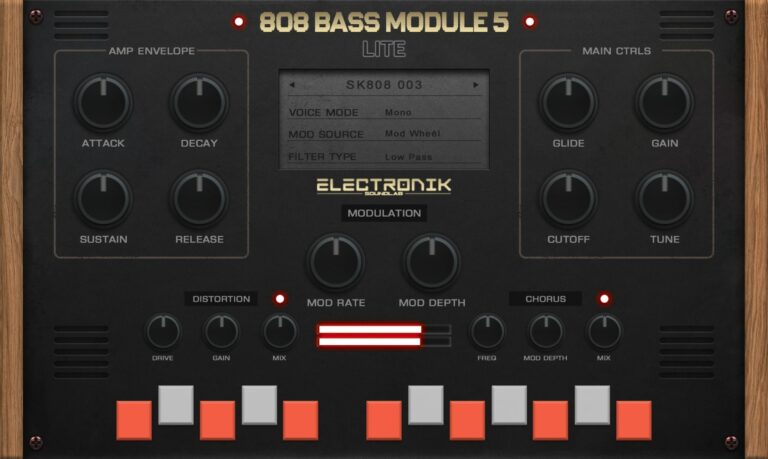
OS: Windows Win Mac Mac Bit Version: 64-bit Developer: Electronik Sound Lab Size: 200 MB Rating: 78/100
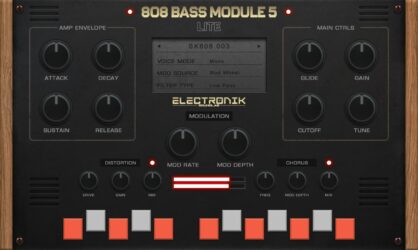
808 Bass Module 5 Lite is a compact 808 bass instrument designed for producers who need deep and punchy low-end sounds. It comes with 15 layered presets that blend grit and warmth, making it easy to drop powerful bass into trap, hip-hop, or electronic tracks.
The plugin features essential tone controls like ADSR, filters, and LFO, plus built-in distortion and chorus for added texture. With glide, tune, and modulation options, users can shape bass tones quickly and match them to any song key or style.
Features
- Fifteen Ready-To-Use 808 Presets
- Supports VST, VST3, And AU
- ADSR Amplitude Envelope Controls
- LFO Modulation Depth And Rate
- Glide Time Adjustment
- Lowpass And Highpass Filter Cutoff
- Built-In Distortion Effect
- Built-In Chorus Effect
- Global Tune Control
- Low CPU Usage
Pros
- Ready to use 808 presets
- 15 high quality layered sounds
- Built in distortion adds grit
- Built in chorus for depth
- Glide control for smooth slides
- Mix ready sounds out of box
- Low CPU usage and stable
- Professional quality for free plugin
- Supports VST, VST3, and AU
- No use limit on free version
Cons
- Limited sound variety
- Only 15 presets available
- No layering or splitting options
- No reverb or delay effects
- No built-in EQ control
- Lacks advanced modulation options
- Cannot import custom samples
- Few adjustable parameters overall
- Limited tone shaping tools
- Presets sound too similar
Video Demo
What Users Say
808 Bass Module 5 Lite Tips
- I always adjust the attack and release times to make my 808s blend smoothly with the drums.
- I try to tune my 808s to the key of my song to make them sit right in the mix.
- I like adding a little bit of saturation or distortion to help my 808 cut through.
- I use sidechain compression with the kick to let both sounds hit cleanly together.
- Use EQ to carve space between the 808 and the kick drum so they don’t clash.
- Apply subtle compression to keep the bass even and controlled throughout the song.
- Regularly check your mix in mono to ensure the 808 still sounds strong and centered.
12. Drum8
OS: Windows Win Mac Mac Bit Version: 64-bit Developer: Audiolatry Size: 211 MB Rating: 77/100
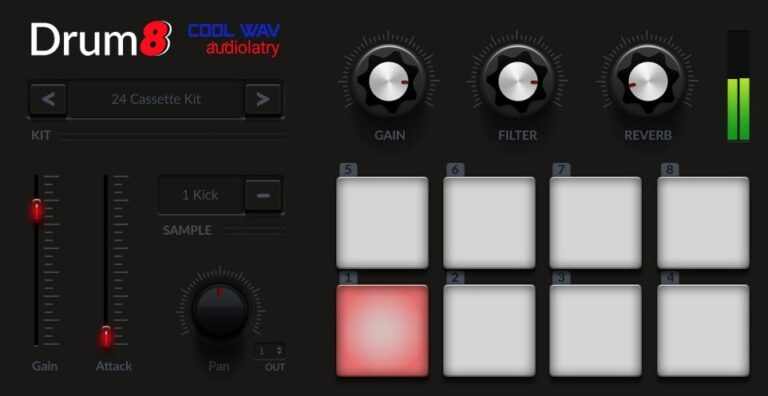
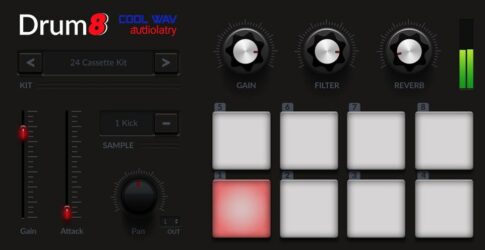
Drum8 offers 40 drum kits packed with 320 sounds, including kicks, snares, claps, toms, hi-hats, percussion, and effects. It uses an 8-pad setup mapped from C1 to G1, giving music creators easy access to diverse and ready-to-use drum tones.
Each pad includes controls for gain, attack, and pan, while global knobs adjust filter and reverb. The plugin’s compact design makes it simple to shape drum sounds for styles like Hip Hop, Trap, Lo-Fi, and EDM. All samples are original and royalty-free.
Features
- 40 Drum Kits With 8 Pads
- 320 High-Quality Drum Samples
- Individual Gain, Attack, And Pan Controls
- Choke Function To Stop Overlap
- Global Lowpass Filter For Tone
- Room Reverb For Added Depth
- Compact Easy-To-Use Interface
- Lightweight With Fast Load Time
- Supports VST3 And AU Formats
- Compatible With Windows And macOS
Pros
- Comes with 40 ready-made kits
- Includes 320 total drum sounds
- Low CPU use for big projects
- Professional sound quality for free
- Built-in reverb adds space
- Global filter for tone shaping
- Choke feature prevents sound overlap
- Supports VST3 and AU formats
- Royalty-free sounds for any use
- Works on Windows and macOS
Cons
- Not compatible with newer macOS versions
- No built-in sequencer or pattern editor
- Limited sound design flexibility
- Cannot import custom samples
- No multi-output routing options
- Lacks advanced mixing features
- Missing AAX support for Pro Tools
- No drag and drop sample loading
- Small visual interface for editing
- Missing MIDI learn for all controls
Video Demo
What Users Say
Drum8 Tips
- I like to start by choosing a drum kit in Drum8 that fits the mood of my song before adding any effects.
- I use the built-in reverb to make the drums sound bigger but keep it low so it doesn’t get muddy.
- I often layer two Drum8 kits to make a thicker and more interesting rhythm.
- Use EQ to cut low rumbles and shape the sound of each drum part for clarity.
- Add a bit of saturation or soft distortion to give the drums extra warmth and drive.
- Group all the drum tracks together and apply a compressor to glue the sound.
13. Synth1
OS: Windows Win Mac Mac Bit Version: 32-bit, 64-bit Developer: Daichi Size: 1 MB Rating: 76/100
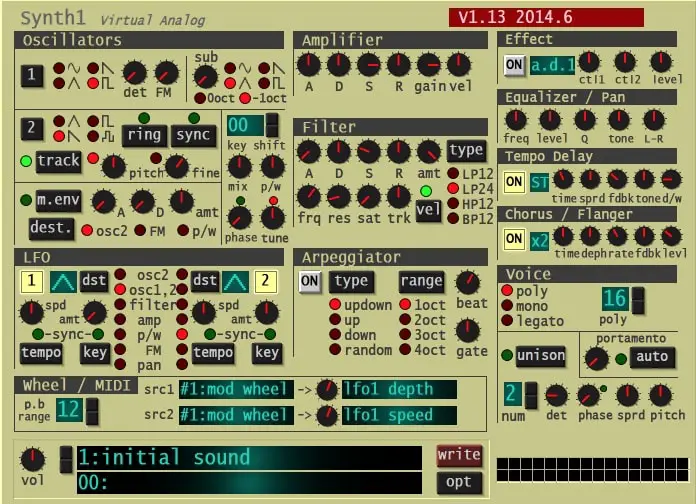
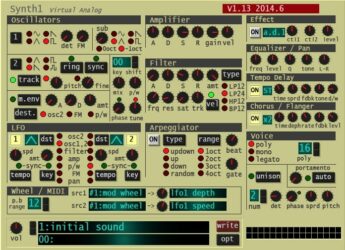
Synth1 offers a classic virtual analog sound that mirrors the NORD LEAD2 hardware synth. It includes two oscillators, a sub-oscillator, and a range of filters and modulation tools. With its arpeggiator, delay, and chorus options, it’s well-suited for shaping rich electronic tones.
This free plugin supports up to 32 voices and includes 128 presets, giving creators many ready-to-use starting points. Its FM and ring modulation features let you craft sharp leads, deep bass, and evolving pads on both Windows and Mac systems.
Features
- 32 Voice Polyphony
- 128 Built-In Presets
- FM And Ring Modulation
- Four Filter Types
- Built-In Distortion Effect
- Tempo Synced Delay
- Host Synced Arpeggiator
- Unison Voice Layering
- Legato And Portamento Modes
- Supports VST And AU Formats
Pros
- Low CPU use for many tracks
- Works on Windows and Mac
- Free but sounds professional quality
- Thousands of free presets online
- Classic analog synth sound style
- Strong filter and modulation tools
- Includes delay, chorus, and flanger
- Unison mode makes sounds thicker
- Arpeggiator helps fast melody ideas
- Comparable or better than newer free synths
Cons
- Interface looks old and plain
- Small window hard to read
- Preset browser feels outdated
- Lacks advanced modulation matrix
- Cannot resize plugin window
- No built-in reverb effect
- MIDI mapping not very friendly
- No built-in sample import
- No drag-and-drop editing
- No official manual or help
Video Demo
What Users Say
Synth1 Tips
- I use the oscillator mix knob to blend two different waveforms and find cool new sounds.
- I always play with the filter cutoff to shape my tone and make it sound brighter or darker.
- Always adjust the ADSR envelope to control how a sound starts and ends.
- Experiment with detune to make the sound thicker and more alive.
- Try linking the LFO to pitch or filter for fun wobbles and motion.
- Use automation in your DAW to make the Synth1 filter move over time.
- Combining Synth1 with reverb and chorus can make pads sound dreamy.
14. HUM808
OS: Windows Win Bit Version: 64-bit Developer: Cally Beat Size: 11 MB Rating: 75/100
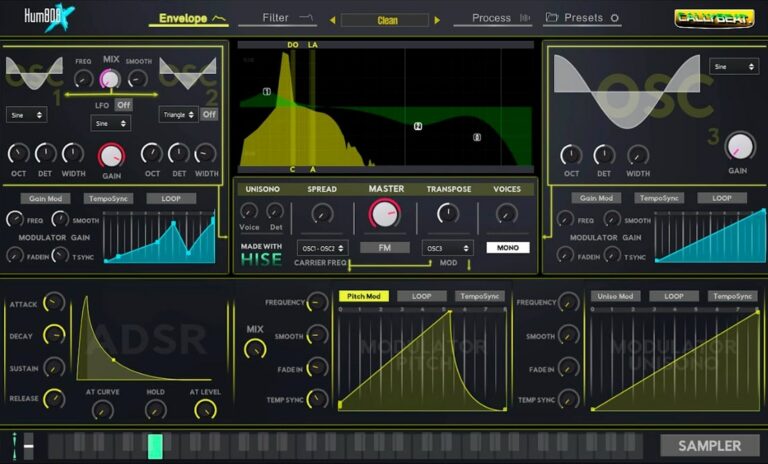
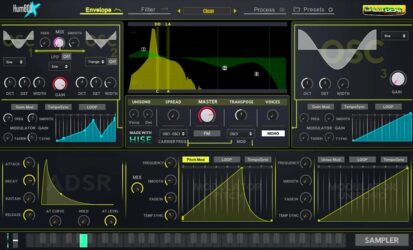
HUM808 offers a full set of tools to craft deep, punchy, or gritty bass tones. It combines additive and FM synthesis with four oscillators, 90 samples, and multiple modulation options. Each sound source includes its own ADSR envelope for shaping tone and control.
The plugin includes effects like distortion, reverb, delay, and compression, plus a four-band EQ and spectrum analyzer for clear sound design. With MIDI learn, filter types, and visual feedback tools, HUM808 helps producers design and refine 808-style basses quickly and precisely.
Features
- Additive And FM Synthesis
- Sampler With Ninety Built-In Samples
- Unison And Voice Spread Settings
- Individual And Global ADSR Envelopes
- DAW-Synced Modulation Control
- Sixteen Filter Types With Modulation
- Five Built-In Audio Effects
- MIDI Learn And CC Assignment
- Real-Time Spectrum Analyzer
- Preset Menu With Four Hundred Fifty Presets
Pros
- Deep punchy bass sound quality
- Strong additive and FM synthesis
- Four powerful sound oscillators
- Built-in sampler with 90 samples
- Rich modulation and LFO options
- Five built-in effects for enhancement
- Real-time spectrum and oscilloscope view
- Unison mode for wider bass tones
- Free and open source software
- Outperforms most free 808 plugins
Cons
- No Mac or Linux support
- No standalone version available
- Interface looks dated
- Can crash on weaker PCs
- CPU usage spikes quickly
- Hard to fine-tune low-end
- No drag-and-drop sample loading
- Few modulation options
- No built-in sidechain tool
- Effects chain not editable
Video Demo
What Users Say
HUM808 Tips
- I like to start by setting the root note of my 808s so they match the key of my song.
- I always check the glide or slide controls in HUM808 to make smooth pitch changes between notes.
- I use a little bit of distortion in HUM808 to make my bass cut through the mix better.
- I always leave headroom when mixing my 808 so it doesn’t clip the master channel.
- Tuning the 808 properly keeps the bass from clashing with chords and melodies.
- Try pairing HUM808 with a drum compressor to glue the low end with the kick drum.
- Always compare the 808 tone with the rest of the mix to make sure it fits well and isn’t too loud.
15. Vinyl
OS: Windows Win Mac Mac Bit Version: 64-bit Developer: iZotope Size: 40MB Rating: 75/100
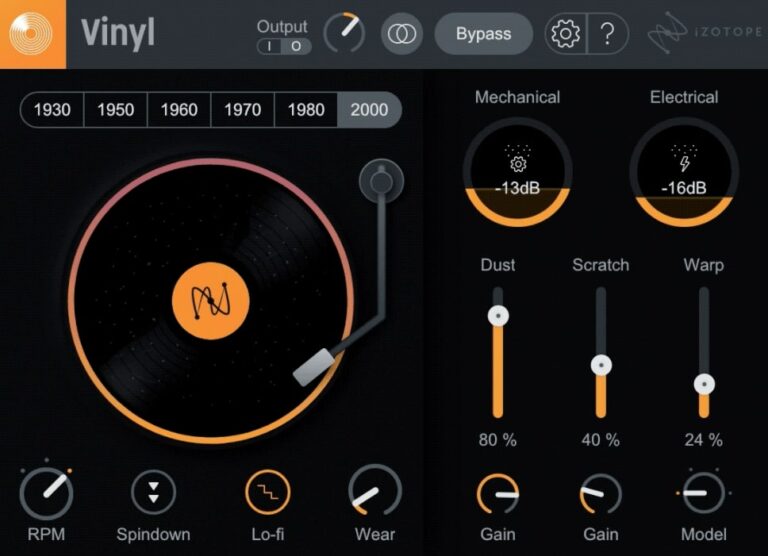
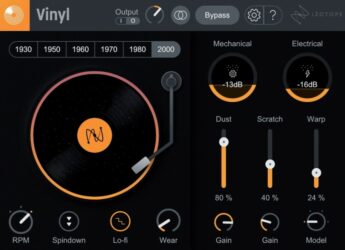
Vinyl offers a simple way to give your music the warmth and charm of old records. It adds dust, scratches, warp, and noise to make your track sound aged and nostalgic. The updated Lo-fi feature instantly brings the tone of classic hip-hop and vintage gear.
You can adjust every detail, from record wear to player noise, with easy knobs and sliders. The plugin works in most major music programs on Mac and Windows. It’s free to download, quick to set up, and great for adding retro color to any sound.
Features
- Adds Vintage Vinyl Character
- Simulates Dust And Scratches
- Warp Slider For Record Bending
- RPM Control For Pitch Changes
- Spindown Effect For Power-Off Sound
- Low CPU Usage
- Works With Most DAWs
- Supports VST2, VST3, AU, AAX
- Available For Windows And Mac
- Includes New Lo-Fi Effect
Pros
- Authentic lo-fi vinyl sound
- Year selector for tone changes
- Multiple noise control sliders
- Customizable record wear settings
- New Lo-fi mode adds warmth
- Spin-down effect sounds realistic
- Seamless integration with Native Instruments
- More flexible than other free plugins
- Very light on CPU
- Perfect for nostalgic sound design
Cons
- No built-in mix knob
- Interface too small on 4K screens
- Noise not reactive to audio
- Few customization options
- Lacks modulation features
- No MIDI mapping
- Can sound repetitive
- Lacks dynamic response
- Outdated GUI design
- Less expressive than rivals
Video Demo
What Users Say
Vinyl Tips
- Tape stop plugins can freeze your audio and slow it down like a record stopping — perfect for transitions.
- Setting a short release time on a tape stop gives a quick, snappy fall effect.
- Layering Vinyl with a tape stop effect can make breakdowns more dramatic.
- Using Vinyl and tape stop together works best when they are automated to match song tempo.
- It helps to place Vinyl at the end of your effect chain so the whole mix shares the same vintage feel.
16. BPB Cassette Drums
OS: Windows Win Mac Mac Bit Version: 32-bit, 64-bit Developer: Bedroom Producers Blog Size: 130 MB Rating: 75/100
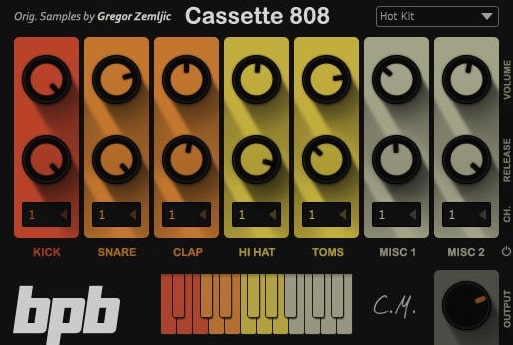
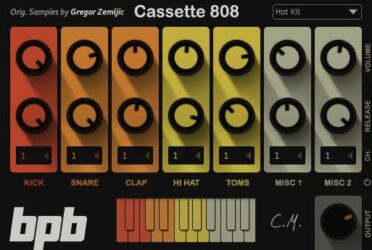
BPB Cassette Drums offers a bundle of three free drum plugins inspired by the classic 606, 808, and 909 machines. Each plugin gives you three kit styles—Clean, Warm, and Hot—ranging from pure analog tones to cassette-saturated hits for a retro sound feel.
Each drum can be shaped with volume and release controls, and sounds can be routed to separate channels for detailed mixing. With support for both Windows and macOS, BPB Cassette Drums makes it easy to add classic drum character to modern tracks.
Features
- Free Drum Machine Plugin Bundle
- Includes 606, 808, And 909 Kits
- Supports VST And AU Formats
- Compatible With Windows And Mac
- Volume And Release Controls Per Drum
- Individual Drum Output Routing Option
- Classic Analog Drum Machine Sounds
- Three Drum Kits: Clean, Warm, Hot
- Simple And Easy-To-Use Interface
- Global Volume And On-Screen Keyboard
Pros
- Faithfully captures vintage drum sounds
- Includes three famous drum kits
- Authentic cassette-style saturation
- Instant access to classic 808 and 909
- Offers Clean, Warm, and Hot tones
- Low CPU usage for smooth play
- Individual output routing available
- Great for lo-fi and retro beats
- Warm analog character stands out
- High-quality free alternative to paid VSTs
Cons
- Limited number of drum kits
- No built-in effects or mixer
- No pattern or sequencer feature
- Few controls for sound shaping
- Interface feels basic and dated
- No drag-and-drop sample option
- Lacks modern electronic drum sounds
- Limited output routing flexibility
- No built-in groove or swing control
- Does not include velocity layers
Video Demo
What Users Say
BPB Cassette Drums Tips
- I like to use BPB Cassette Drums as a lo-fi layer under clean drum tracks to add warmth and texture.
- I like to try different cassette types in the plugin to hear how each changes my drum tone.
- When I need more punch, I add compression after the plugin to make the drums hit harder.
- I like to combine BPB Cassette Drums with real drum samples for a fresh, layered sound.
- Use velocity changes in your MIDI pattern to make drums sound more human.
- Group drums into one bus track to apply effects evenly and save CPU power.
17. 808 Bass Module 2 Lite
OS: Windows Win Mac Mac Bit Version: 32-bit, 64-bit Developer: BeatMaker Size: 32 MB Rating: 75/100
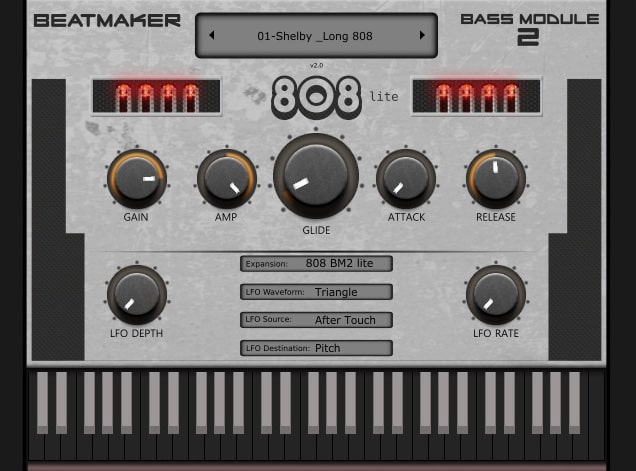
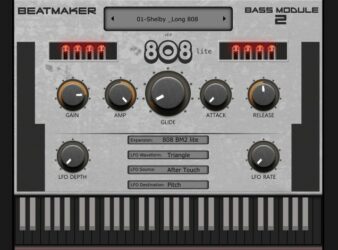
808 Bass Module 2 Lite is a free 808 bass plugin by BeatMaker made for creating strong, low-end sounds in trap, hip-hop, and electronic music. It includes 10 layered presets that match the key of your project, helping you get heavy bass tones quickly and easily.
It offers controls for gain, amp, glide, attack, release, and a flexible LFO section to shape movement and depth. The glide feature gives smooth note transitions, while the LFO rate and waveform options add motion to your bass. It works on both Windows and Mac.
Features
- Ten Ready-To-Use Layered Presets
- Plays In Key Of Project
- Glide Knob For Smooth Slides
- Attack And Release Controls
- LFO Rate And Depth Adjustments
- Aftertouch For Extra Expression
- Built-In Preset Selection Menu
- Keyboard For Direct Note Playing
- Supports VST And AU Formats
- Runs On Windows And Mac
Pros
- Powerful and rumbling bass tones
- Glide control for smooth slides
- Great low end without muddiness
- Adjustable LFO rate and depth
- Attack and release shaping options
- Low CPU usage and stable
- Free and professional sounding plugin
- Sounds fit key of your song
- Perfect for trap and hip-hop
- Works well in all major DAWs
Cons
- Lite version lacks sound variety
- No built-in effects like reverb
- Limited tone shaping controls
- No filter cutoff or resonance
- No built-in EQ controls
- Presets sound too similar
- Cannot import custom samples
- Missing advanced modulation settings
- No support for velocity layers
- Lacks creative sound design depth
Video Demo
What Users Say
808 Bass Module 2 Lite Tips
- Using sidechain compression helps the bass and kick drum work together without clashing.
- Keeping the bass in mono prevents phase problems in the low end.
- Adding a touch of saturation keeps the bass warm and full even on small speakers.
- I keep an EQ after the 808 Bass Module 2 Lite to shape the low end cleanly.
- I often tune the bass sound to the key of my song so it blends better.
- I use the Attack and Release knobs to make my bass hit harder or smoother.
18. Trap E. Piano
OS: Windows Win Mac Mac Bit Version: 32-bit, 64-bit Developer: SMI Music Size: 140 MB Rating: 74/100
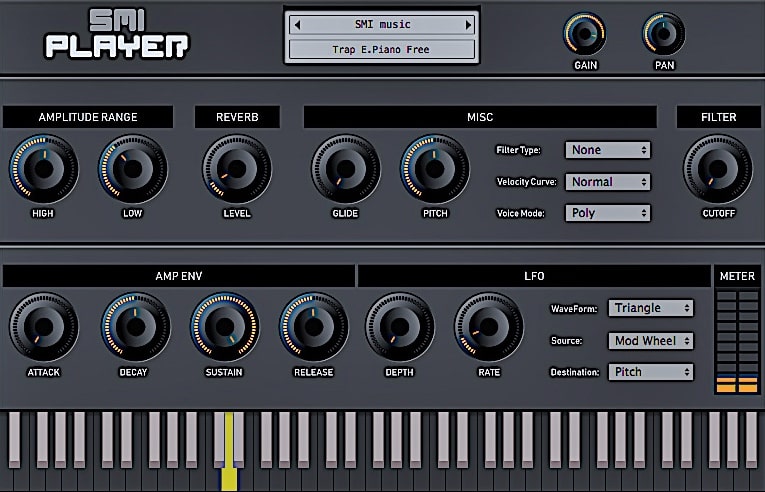
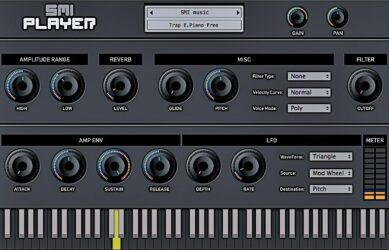
Trap E. Piano offers smooth, modern electric piano tones shaped for trap music production. Its 32-bit samples and three velocity layers bring lively dynamics with a clear, rich tone. The plugin’s focus on genre-specific sound helps producers create authentic melodies and chords with depth and character.
It includes controls for gain, panning, reverb, filters, envelopes, and LFO modulation, giving flexibility to shape each sound. Available for Windows and Mac in both VST and AU formats, Trap E. Piano delivers reliable, high-quality tones that fit perfectly into today’s trap mixes.
Features
- 32-Bit High-Quality Samples
- Three Dynamic Velocity Layers
- Realistic Trap Piano Sound
- Reverb With Level And Frequency
- Filter With Resonance And Cutoff
- Envelope Controls Attack And Release
- Customizable Velocity Curve
- LFO With Multiple Parameters
- Polyphonic Voice Mode Option
- Supports VST And AU Formats
Pros
- Realistic trap-style piano sound
- Three velocity layers for dynamics
- Adjustable reverb adds deep space
- Low CPU usage for smooth play
- Filter controls shape unique tones
- Built-in LFO for sound movement
- Velocity curve makes touch natural
- Rich sound without extra plugins
- Free and easy to download
- Small storage size for power
Cons
- Lacks advanced piano realism
- Only three velocity layers
- Small sample library size
- Limited modulation flexibility
- No preset browser included
- Mac version can be unstable
- High CPU usage on old PCs
- Few customization options overall
- Lacks high-quality 24-bit samples
- Interface looks a bit dated
Video Demo
What Users Say
Trap E. Piano Tips
- I often use the reverb knob to make the piano sound bigger and more emotional.
- I use the low-cut filter to clean up the sound so it doesn’t clash with my bass.
- I like layering the Trap E. Piano with other instruments to make my beat feel rich.
- Use the Trap E. Piano’s built-in effects to shape the tone before adding outside plugins.
- Adjust the velocity sensitivity to make the piano feel more expressive when played.
- Using compression can help keep the Trap E. Piano balanced in the mix.
- Using MIDI effects like arpeggiators can create cool rhythmic patterns with this VST.
19. Keyzone Classic
OS: Windows Win Mac Mac Bit Version: 32-bit, 64-bit Developer: Bitsonic Size: 302 MB Rating: 69/100
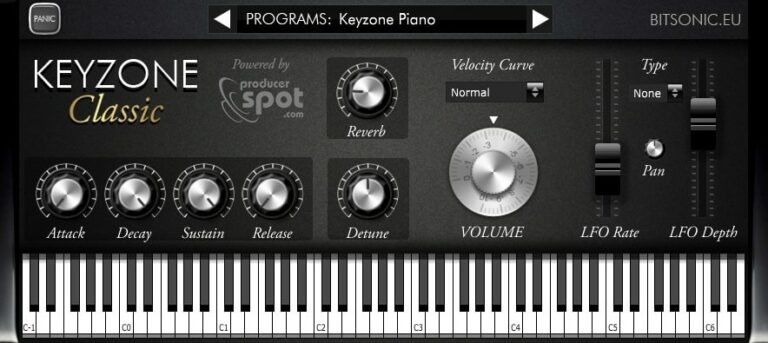
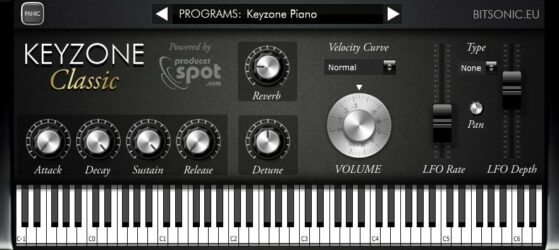
Keyzone Classic offers a collection of sampled piano sounds, including the Yamaha Grand, Steinway Grand, Rhodes, and basic electric piano. It gives music creators a simple way to add realistic piano tones to their projects without needing large sound libraries or complex setups.
The plugin includes built-in reverb, modulation, and an ADSR envelope for shaping each note’s feel. With options to adjust attack, sustain, and pitch, it helps users create anything from bright leads to soft background layers across many music styles.
Features
- Sample-Based Piano Sounds
- Includes Yamaha Grand Piano
- Features Steinway Grand Piano
- Includes Rhodes And Electric Piano
- Built-In Reverb Control
- ADSR Envelope Editing
- Velocity Curve Adjustment
- Detune Pitch Control
- LFO Rate And Depth Control
- Available In VST And AU Formats
Pros
- Comes with five piano types
- Includes Yamaha and Steinway samples
- Built-in reverb and modulation
- Has velocity curve control
- Includes bright Rhodes piano sound
- Adjustable attack and release times
- Useful detune and pan options
- Supports both 32-bit and 64-bit
- Free for Windows and Mac
- Lightweight and quick installation
Cons
- High CPU use on some systems
- Limited control over sound shaping
- No built-in EQ section
- Lacks advanced velocity layers
- No sustain pedal noise feature
- No support for half-pedaling
- No round-robin sample variation
- Reverb sounds basic and thin
- Slow loading of piano samples
- Sampling feels smaller than big libraries
Video Demo
What Users Say
Keyzone Classic Tips
- I like to start by picking a preset that sounds close to what I want before making small changes.
- I often use the reverb knob to make my piano sound bigger and more natural.
- I adjust the velocity curve so that the piano reacts better to how hard I play.
- I use EQ to cut unwanted low or high frequencies that make the piano sound muddy or harsh.
- I save my favorite settings as presets so I can use them again later.
- Adding a gentle chorus effect can give the piano more depth and movement.
- Experiment with layering different piano plugins for richer and more complex sounds.
20. Free Alpha
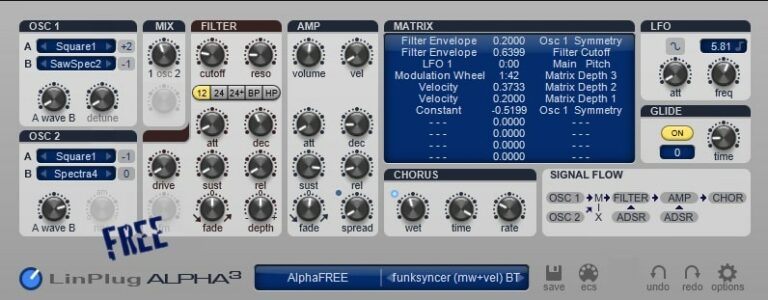
OS: Windows Win Mac Mac Bit Version: 32-bit, 64-bit Developer: Linplug Size: 9 MB Rating: 68/100
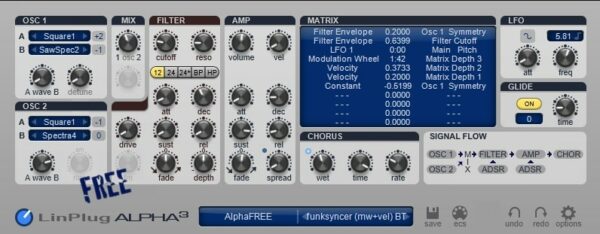
Free Alpha is a free synthesizer plugin by Linplug that gives music creators a classic subtractive synth experience. It features two oscillators, a flexible filter, and a chorus effect for shaping warm or sharp tones. With 32-note polyphony, it delivers smooth and expressive sounds.
Free Alpha offers two envelopes and three LFOs for detailed motion and modulation. The built-in matrix connects sound controls for creative design. Its 50 presets provide a quick start for exploring pads, leads, and textures. Available for Windows and Mac, it’s a solid tool for any studio setup.
Features
- 32-Note Polyphonic Synthesizer
- Classic Subtractive Synthesis Design
- Two Oscillator Sound Modules
- Filter Module With Cutoff Control
- Two Envelopes And Three LFOs
- Built-In Chorus Effect
- Modulation Matrix For Sound Control
- Includes 50 Free Presets
- Low CPU Usage Performance
- Works On Windows And Mac
Pros
- Warm and smooth sound
- Flexible modulation options
- Two strong oscillator modules
- Includes chorus for rich sound
- Good filter with smooth control
- Low CPU usage on laptops
- Simple and clean interface
- Clear signal flow display
- 50 ready-to-use presets
- Nice gritty sound character
Cons
- Interface looks small and outdated
- Limited number of presets
- Lacks modern synth features
- No wavetable synthesis support
- No built-in reverb effect
- No built-in delay effect
- Modulation matrix is limited
- GUI not resizable
- Not updated or supported anymore
- Preset sounds feel old
Video Demo
What Users Say
Free Alpha Tips
- I try changing oscillator waveforms to see how they change the tone quickly.
- Adjust ADSR envelopes to shape how the sound starts and fades away.
- Experiment with LFOs to add movement or rhythm to simple sounds.
- Combine Free Alpha with reverb and delay effects for a more spacious sound.
- Use EQ after the synth to help it fit better into your song.
- Layer multiple Free Alpha patches to create richer, more complex tones.
Trap VST Plugins Compared
This table compares plugins by features, controls, effects, formats, and more.
| Details | Vital | Surge XT | Graillon 2 | TyrellN6 | Momentum | Dexed | Subdivine Lite | 808-ROMpler | Labs Strings | Creepy Piano 3 Lite | 808 Bass Module 5 Lite | Drum8 | Synth1 | HUM808 | Vinyl | BPB Cassette Drums | 808 Bass Module 2 Lite | Trap E. Piano | Keyzone Classic | Free Alpha |
|---|---|---|---|---|---|---|---|---|---|---|---|---|---|---|---|---|---|---|---|---|
| Image | 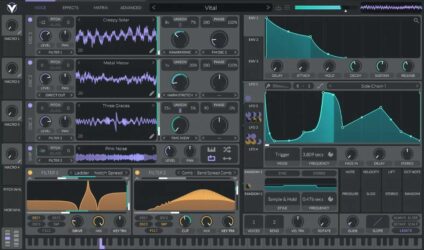 |
 |
 |
 |
 |
 |
 |
 |
 |
 |
 |
 |
 |
 |
 |
 |
 |
 |
 |
 |
| Rating | ||||||||||||||||||||
| OS | Windows, Mac, Linux | Windows, Mac, Linux | Windows, Mac, Linux | Windows, Mac, Linux | Windows, Mac | Windows, Mac, Linux | Windows, Mac | Windows, Mac | Windows, Mac | Windows, Mac | Windows, Mac | Windows, Mac | Windows, Mac | Windows | Windows, Mac | Windows, Mac | Windows, Mac | Windows, Mac | Windows, Mac | Windows, Mac |
| Formats | VST | VST, AU, CLAP | VST, AU, AAX, LV2 | VST, VST3, AU, AAX, CLAP | VST, AU | VST, AU | VST3, AU | VST, AU | VST, AU | VST, VST3, AU | VST, VST3, AU | VST3, AU | VST, AU | VST | VST2, VST3, AU, AAX | VST, AU | VST, AU | VST, AU | VST, AU | VST, AU |
| Bit Version | 64-bit | 32-bit, 64-bit | 64-bit | 32-bit, 64-bit | 64-bit | 64-bit | 64-bit | 64-bit | 64-bit | 64-bit | 64-bit | 64-bit | 32-bit, 64-bit | 64-bit | 64-bit | 32-bit, 64-bit | 32-bit, 64-bit | 32-bit, 64-bit | 32-bit, 64-bit | 32-bit, 64-bit |
| Developer | Vital Audio | Claes Johanson | Auburn Sounds | U-He | Big Fish Audio | Digital Suburban | Diginoiz | Recluse-Audio | Spitfire Audio | Electronik Sound Lab | Electronik Sound Lab | Audiolatry | Daichi | Cally Beat | iZotope | Bedroom Producers Blog | BeatMaker | SMI Music | Bitsonic | Linplug |
| License | Freeware | GPL | Freeware | Freeware | Commercial | GPL | Freeware | Freeware | Freeware | Freeware | Freeware | Freeware | Freeware | Freeware | Freeware | Freeware | Freeware | Freeware | Freeware | Freeware |
| Sample-Based | No | No | No | No | Yes | No | Yes | Yes | Yes | Yes | Yes | Yes | No | Select | No | Yes | Yes | Select | Yes | No |
| Download Size | 39 MB | 172 MB | 57 MB | 47 MB | 171 MB | 9 MB | 254 MB | 88 MB | 698.4 MB | 673.6 MB | 200 MB | 211 MB | 1 MB | 11 MB | 40MB | 130 MB | 32 MB | 140 MB | 302 MB | 9 MB |
| CPU Load | Medium | Low | Low | Low | Low | Low | Low | Low | Low | Low | Low | Low | Low | Low | Low | Low | Low | Low | Low | Low |
| Polyphony | 32 | 64 | 1 | 8 | 64 | 16 | 1 | 8 | 64 | 16 | 8 | 32 | 16 | 8 | 1 | 32 | 1 | 64 | 6 | 32 |
| Features | Spectral warping, Sample-to-wavetable, Wavetable editor, Visual synthesis, Drag-and-drop modulation, Stereo modulation, Custom LFOs | Hybrid Synthesis, Dual Scenes, Flexible Modulation, Extensive Effects, Wavetable Oscillators, Patch Browser, MPE Support | Pitch Shifting, Formant Control, Pitch Correction, Built-in Effects, Pitch-Tracking Modulation, Keyboard Tuning, Vocal Doubler | Virtual analogue synthesis, Dual oscillators, Twin filter, Modulation matrix, Unison voices, Chorus effect, Modern preset browser | Sample Slicing, Slice Effects, Sound Sculpting, MIDI Editing, One-Shot Engine, Powerful Browser, Construction Kits | DX7 modeling, SysEx compatibility, Patch librarian, 144 automations, Real-time metering, Open-source license, Six-operator engine | 808-type bass, Six presets, Adjustable drive, Modifiable ADSR, Pitch bend, Simple interface, Urban genres | Drag-and-Drop, 16 808 Kicks, ADSR Controls, Waveform Display, Simple Design, Minimalist Interface, Sound Selection | Intimate Ensemble, Cinematic Sound, Expressive Controls, Tone Shaping, Simple Interface, Instant Mood, Free Instrument | Lo-fi piano, ADSR envelope, LFO modulation, Filter control, Reverb effect, Delay effect, Layered sound effects | 15 layered presets, Glide control, LFO modulation, Filter cutoff, ADSR envelope, Built-in chorus, Built-in distortion | 40 drum kits, 320 samples, Pad controls, Choke function, Lowpass filter, Room reverb, Royalty-free sounds | Dual Oscillators, Sub Oscillator, FM Modulation, Ring Modulation, Arpeggiator, Filters & Distortion, Tempo Delay | Additive synthesis, FM engine, Sampler module, Unison voices, Filter types, Built-in effects, Spectrum analyzer | Lo-fi effect, Vintage simulation, Year selector, Mechanical noise, Dust control, Warp modulation, Spin-down feature | Freeware bundle, Classic analog emulation, Three drum kits, Cassette saturation, Individual outputs, Simple interface, On-screen keyboard | Layered presets, Key tracking, LFO controls, LFO waveform, Glide knob, Attack release, Amplitude control | Gain Control, Pan Adjustment, Reverb Effect, Filter Shaping, Velocity Curve, Amp Envelope, LFO Modulation | Sample-based engine, Yamaha Grand, Steinway Grand, Rhodes Piano, Electric Piano, Reverb modulation, ADSR envelope | Polyphonic synthesis, Subtractive design, Dual oscillators, Filter module, Envelopes and LFOs, Chorus effect, Modulation matrix |
| Controls | Oscillators, Sampler, Filters, Envelopes, LFOs, Random Modulators, Macros | Oscillator, Filter, LFO, Waveshaper, Patch Browser, Modulation Matrix, Scene Controls | Pitch-Tracking Mod, Wave Control, Octave Control, Dry/Wet Mix, Pitch Shift, Formant Control, Output Meter | Oscillators, Mixer, Filter, LFOs, Envelopes, Matrix, Chorus | Sample Library Browser, Waveform Display, Slice Markers, Slice Effects Panel, Gain Pan And Pitch Controls, Loop Controls, Speed And Sync Section | Operators, Coarse And Fine, EG Level, Break Point, Algorithm, Feedback, LFO | Preset Display, Type Knob, Main Dial, Drive Knob, Side Sliders, Keyboard Section, Output Meter | Waveform Display, Preset Name, Romples Button, Attack Knob, Decay Knob, Sustain Knob, Release Knob | Instrument Menu, Volume Slider, Expression Slider, Big Circle Dial, Mode Buttons, Keyboard, Menu Bar | Preset Selector, Cutoff, Attack, Decay, Sustain, Release, Reverb | Amp Envelope, Main Controls, Display Screen, Cutoff Knob, Distortion Module, Glide Control, Pads Section | Kit Selector, Gain Slider, Attack Slider, Pan Knob, Filter Knob, Reverb Knob, Drum Pads | Oscillators, Filter, LFO, Amplifier, Arpeggiator, Effects, Voice Mode | Oscillator, LFO, Filter Section, Envelope Section, Mixer, Master Section, Visualizer Display | Output Knob, Year Buttons, Mechanical Knob, Dust Slider, Scratch Slider, Warp Slider, Lo-Fi Button | Kick, Snare, Clap, Hi Hat, Toms, Volume, Release | Preset Menu, Gain, Amp, Glide, Attack, Release, LFO Depth | Gain, Pan, Amplitude Range, Reverb, Filter Type, Velocity Curve, Voice Mode | Program Selector, Reverb, Attack, Decay, Sustain, Release, Detune | Oscillator 1, Oscillator 2, Mix, Filter, Amp, Matrix, Chorus |
| Effects Included | Wide stereo effects | Reverb, Delay, Distortion | Compressor, Gate, Chorus, Preamp, Bitcrusher, Doubler, Pitch-Tracking Modulation | Chorus, Overdrive, Filter Feedback | Pitch, Stutter, Delay, Reverse, Filter, Reverb | Unknown | Drive | ADSR Envelope Controls | Unknown | Delay, Reverb | Distortion, Chorus | Lowpass filter, room reverb | Tempo Delay, Stereo Chorus, Flanger, Distortion, Reverb, Equalizer | distortion, compression, limiter, reverb, delay, parametric equalizer | Lo-fi, Mechanical noise, Electrical noise, Dust, Scratch, Warp, Spindown, Wear | Unknown | LFO | Reverb, Filter, LFO | Reverb, Modulation, LFO | Chorus |
| MIDI Learn | Yes | Yes | No | Yes | Yes | No | Unknown | Unknown | Unknown | Unknown | Unknown | Unknown | Yes | Unknown | No | Unknown | No | Unknown | Unknown | Yes |
| Presets | 75 | 2777 | 23 | 580 | 800 | 32 | 30 | 15 | 45 | 10 | 15 | 66 | 128 | 40 | N/A | N/A | 10 | 50 | 23 | 32 |
| Standalone | Yes | Yes | No | No | Yes | Yes | No | Yes | No | No | No | Yes | No | Yes | No | No | No | Select | No | Yes |
| Last Updated | 04/10/2024 | 07/04/2024 | 01/16/2023 | 09/01/2020 | 10/12/2022 | 05/06/2024 | 08/10/2020 | 06/07/2023 | 02/22/2024 | 04/12/2021 | 05/10/2021 | 06/13/2022 | 12/06/2014 | 06/07/2024 | 09/20/2019 | 11/15/2021 | 04/06/2020 | N/A | 06/14/2018 | 10/18/2016 |
Favorite Trap VST Plugins
Our top picks for the best free Trap VST plugins are Vital by Vital Audio, Surge XT by Claes Johanson, and Keyzone Classic by Bitsonic. These are some of our favorite plugins.
| Details | Vital | Surge XT | Keyzone Classic |
|---|---|---|---|
| Image |
|
|
|
| Rating | |||
| OS | Windows, Mac, Linux | Windows, Mac, Linux | Windows, Mac |
| Formats | VST | VST, AU, CLAP | VST, AU |
| Bit Version | 64-bit | 32-bit, 64-bit | 32-bit, 64-bit |
| Developer | Vital Audio | Claes Johanson | Bitsonic |
| License | Freeware | GPL | Freeware |
| Sample-Based | No | No | Yes |
| Download Size | 39 MB | 172 MB | 302 MB |
| CPU Load | Medium | Low | Low |
| Polyphony | 32 | 64 | 6 |
| Features | Spectral warping, Sample-to-wavetable, Wavetable editor, Visual synthesis, Drag-and-drop modulation, Stereo modulation, Custom LFOs | Hybrid Synthesis, Dual Scenes, Flexible Modulation, Extensive Effects, Wavetable Oscillators, Patch Browser, MPE Support | Sample-based engine, Yamaha Grand, Steinway Grand, Rhodes Piano, Electric Piano, Reverb modulation, ADSR envelope |
| Controls | Oscillators, Sampler, Filters, Envelopes, LFOs, Random Modulators, Macros | Oscillator, Filter, LFO, Waveshaper, Patch Browser, Modulation Matrix, Scene Controls | Program Selector, Reverb, Attack, Decay, Sustain, Release, Detune |
| Effects Included | Wide stereo effects | Reverb, Delay, Distortion | Reverb, Modulation, LFO |
| Download | Download Vital | Download Surge XT | Download Keyzone Classic |
Frequently Asked Questions
How to Install Trap VST Plugins
To install trap VST plugins on Windows or Mac, extract the files from the Zip or Rar. Move the files (.dll for Windows or .component for Mac) into your DAW’s plugin folder. Then restart your software and rescan the directory to complete the process. Tutorial: How to Install VST Plugins
Windows:
Extract the downloaded zip file and copy the .dll file into the VST plugins folder scanned by your DAW. Restart your music software and rescan your plugin directory to begin using the new VST.
Mac OS X:
Extract the downloaded archive and move the .component or .VST file to the plugin folder. It is usually /Library/Audio/Plug-Ins/Components or /Library/Audio/Plug-Ins/VST. Restart your DAW and rescan your plugins to complete the installation.
What’s the Best VST for Trap Beats?
Some of the best plugins for Trap music include Spectrasonics Omnisphere, Xfer Serum, Vital by Vital Audio, reFX Nexus, Native Instruments Kontakt, Creepy Piano Lite, and X-SUB. These plugins offer a wide selection of great sounds for Trap tracks.
What VST Plugins Do Trap Producers Use?
Trap music producers use a variety of plugins to create Trap beats. In Trap music, you can commonly find instruments such as pianos, strings, 808 bass, and 808 drum sounds.
Trap music is typically characterized by heavy bass and drum patterns, with lots of syncopation and polyrhythms.
If you’re starting with production, it might be a good idea to experiment with different VSTs until you find one that you like and that suits your style.
What Is the BPM of Trap Music?
Trap music typically has a BPM of around 150, although it can vary significantly from track to track.
What Is Trap Music?
Trap music is a genre of hip-hop that originated in Atlanta, Georgia. It is characterized by its heavy bass lines and 808 drums, which are often sampled from funk and soul records.
The beats are usually slow to mid-tempo and stripped down, emphasizing the rhythm and groove. Lyrically, trap music is typically dark and focuses on topics such as drug use, violence, and crime.
I hope you found this list of free Trap VST plugins helpful to help make hip-hop or trap beats. If you are looking for some sample packs, check out free trap drum kits.
You May Also Like: