

Here are the best free chiptune VST plugins to produce a vintage 8-bit video game sound for Windows and Mac. We’ve included video demos, feature lists, pros, cons, and plugin ratings.
How we rate plugins: We rate each chiptune VST plugin based on sound quality, design, performance, features, usability, and compatibility. We rate plugins on a scale of 1 to 100.
Table of Contents
I have spent over 15 years testing and comparing hundreds of free and paid VST plugins, supported by hands-on demos on our YouTube channel which has 11,000+ subscribers.
Free Chiptune VST Plugins
This table compares chiptune plugins by operating system, bit version, format, and rating.
| # | Plugin | OS | Formats | Bit Version | Ratings |
|---|---|---|---|---|---|
| 1 | VOPM | Windows Mac | VST, AU | 32-bit, 64-bit | |
| 2 | Nintendo VST | Windows | VST | 32-bit | |
| 3 | GB DrumBox | Windows Mac | VST, VST3, AU | 32-bit, 64-bit | |
| 4 | Retro Boy | Windows | VST | 32-bit | |
| 5 | basic 64 | Windows | VST | 32-bit | |
| 6 | Bleep | Windows | VST | 32-bit | |
| 7 | 38911 Bytes | Windows | N/A | 32-bit | |
| 8 | basic65 | Windows | VST | 32-bit | |
| 9 | miniSID | Windows | VST | 32-bit | |
| 10 | DrSid | Windows | VST | 32-bit | |
| 11 | IceCream | Windows | N/A | 32-bit | |
| 12 | ymVST | Windows | VST | 32-bit | |
| 13 | PULS | Windows | VST | 32-bit | |
| 14 | Bobistron | Windows | VST | 32-bit |
1. VOPM
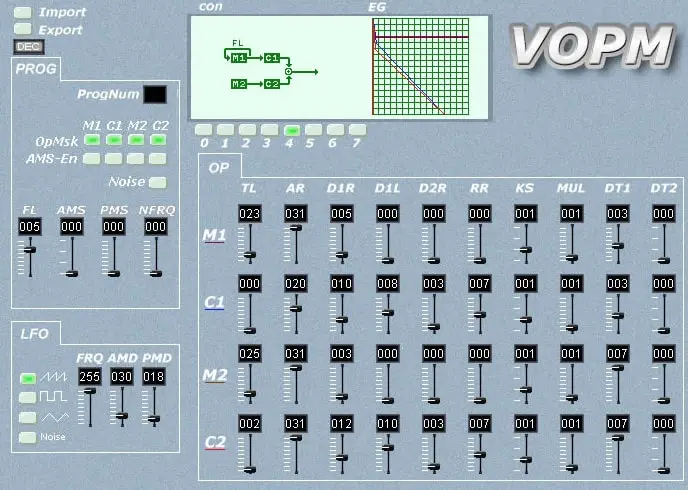
OS: Windows Win Mac Mac Bit Version: 32-bit, 64-bit Developer: Sam Size: 1.9 MB Rating: 78/100
VOPM offers a detailed recreation of the Yamaha YM2151, the classic 4-operator FM chip used in many 80s arcade machines. It gives music creators access to sharp, glassy, and metallic tones that shaped early video game soundtracks on platforms like the PC-Engine and Sega Genesis.
This plugin lets you adjust FM settings such as operator levels, modulation depth, and noise to craft authentic retro sounds. With support for MIDI CC and patch import, VOPM makes it easy to build or recall classic tones for chiptune tracks and nostalgic game-inspired music.
Features
- Emulates Yamaha YM2151 Sound Chip
- Four Operator FM Synthesis
- Authentic Retro Arcade Sound
- Classic 8-Bit Game Sound Capabilities
- Noise Generator For Added Texture
- LFO With Frequency And Depth
- Import And Export Sound Presets
- Supports MIDI CC Control
- Low CPU Usage Performance
- Ideal For Chiptune And Retro Music
Pros
- Accurate Yamaha YM2151 emulation
- Authentic vintage arcade FM sound
- Realistic Sega Genesis sound tones
- Lets you import old OPM patches
- Offers full 4-operator control
- Displays envelopes with visual graphs
- Free and open-source software plugin
- Very low CPU usage
- Supports both VST and AU
- Works on Windows and Mac
Cons
- Small and cramped interface
- Not resizable window size
- Hard for beginners to learn
- No built-in reverb or delay
- Limited modern sound design tools
- Preset library is quite small
- Parameter automation can lag
- No clear manual or tooltips
- Limited modulation routing options
- No support for modern MPE input
Video Demo
What Users Say
VOPM Tips
- Start with simple patches when learning how VOPM’s operators work together.
- Experiment with operator ratios for harmonic or metallic tones.
- Use VOPM’s FM synthesis to create punchy basses, bell sounds, and leads.
- Tweak the envelopes to make snappy drum-like patches using pure FM synthesis.
- Keep the mix clean—avoid too many tracks so each chiptune sound is clear.
- Use panning to spread different chip voices across the stereo field.
- Use VOPM’s limitations to your advantage—it makes your music more creative.
2. Nintendo VST
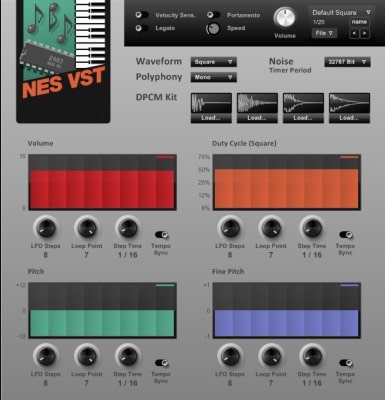
OS: Windows Win Bit Version: 32-bit Developer: Matt Montag Size: 1.4 MB Rating: 72/100
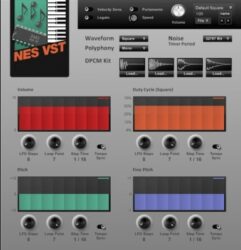
Nintendo VST offers authentic 8-bit Nintendo sounds that capture the classic feel of vintage video games. Built to match the original 2A03 chip, it recreates the unique pulse, triangle, noise, and DPCM tones that defined early console music.
It includes features like portamento, legato, pitch bend, and velocity control for more dynamic expression. The plugin lets you load custom samples, adjust waveforms, and shape your sound with filters, making it a simple tool for creating nostalgic, game-inspired music.
Features
- Authentic 8-Bit Nintendo Sound
- Square, Triangle, Noise, DPCM Channels
- Duty Cycle Control For Square Waves
- Supports Custom DPCM Sample Loading
- LFO With Step And Tempo Sync
- Portamento With Speed Control
- Custom Highpass And Lowpass Filters
- Polyphony And Mono Note Options
- Simple And Intuitive Interface
- Low CPU Usage Performance
Pros
- Authentic classic NES 8-bit sound
- Accurate emulation of NES channels
- Supports custom DPCM drum samples
- Realistic pulse width modulation
- Syncs with your song tempo
- Adjustable waveform duty cycle
- Very light on computer CPU
- Free and still top quality
- Includes square, triangle, and noise
- Minimal interface perfect for beginners
Cons
- Only works on Windows systems
- Limited to 32-bit hosts
- Needs bridging for 64-bit DAWs
- No built-in reverb or delay
- Lacks modern UI design polish
- No built-in preset browser
- Few customization options for sound
- Limited filter and modulation tools
- No built-in arpeggiator or sequencer
- DPCM sample loading is clunky
Video Demo
What Users Say
Nintendo VST Tips
- I like to start by picking a simple wave shape, like pulse or triangle, to get that classic Nintendo sound.
- I often lower the bit depth to make my tracks sound more retro and crunchy.
- I play around with pulse width modulation to give my lead sounds more movement.
- Use the noise channel to make retro-style snare or hi-hat sounds.
- Use an arpeggiator to make chord progressions sound like classic 8-bit harmonies.
- Try composing short looping phrases to mimic video game background music.
3. GB DrumBox
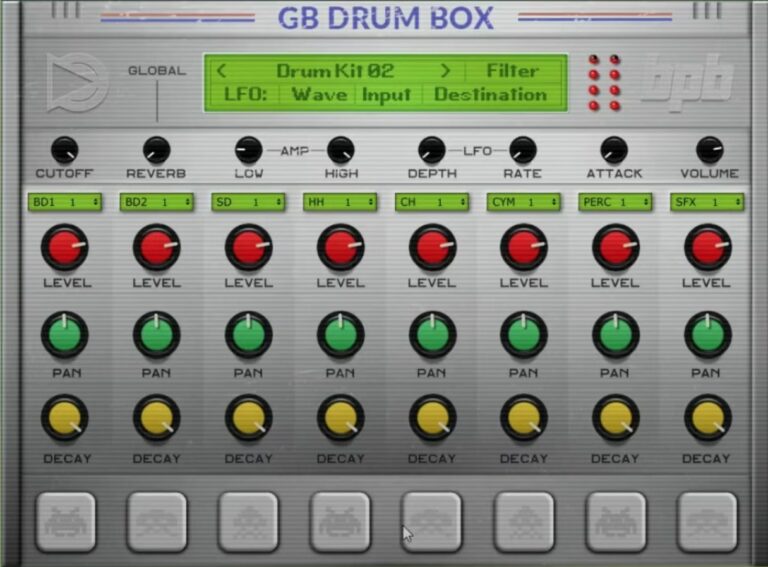
OS: Windows Win Mac Mac Bit Version: 32-bit, 64-bit Developer: Bedroom Producers Blog Size: 20 MB Rating: 70/100
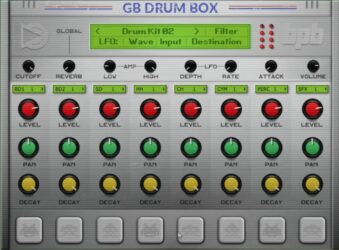
GB DrumBox offers a set of twelve Game Boy–inspired drum kits packed into a free virtual instrument for PC and Mac. Each kit includes eight classic chip-style sounds with controls for volume, pan, and decay on every channel, giving producers quick control over their retro beats.
It features global controls for filter, reverb, attack, and modulation, along with optional multi-out support for flexible mixing. GB DrumBox is available in VST, VST3, and AU formats, making it easy to add nostalgic 8-bit drum tones to modern tracks.
Features
- Sample-Based Game Boy Drum Sounds
- Twelve Built-In Drum Kits
- Eight Channels With Individual Controls
- Global Filter And Reverb Controls
- Multi-Out Output Option Available
- LFO Depth And Rate Controls
- Supports VST, VST3, And AU
- Compatible With Windows And macOS
- Low CPU Use And Fast Loading
- Ideal For Retro And Lo-Fi Sounds
Pros
- Made with real Game Boy samples
- Comes with twelve drum kits
- Global filter and reverb control
- Has multi-out for sound routing
- Adjustable decay per drum sound
- Quick kit switching for speed
- Low CPU use for smooth play
- Supports VST, VST3, and AU
- Works on Windows and Mac
- Perfect for chiptune and lo-fi
Cons
- Limited control over individual drums
- No pitch adjustment for samples
- Can crash in some DAWs
- Not true Game Boy sound
- Kits sometimes clip audio levels
- No dynamic MIDI responsiveness
- Few customization options for tone
- Doesn’t support custom sample import
- No built-in pattern sequencer
- Interface too small on 4K screens
Video Demo
What Users Say
GB DrumBox Tips
- I use the pitch controls to make the kick sound deeper or the snare sound sharper until it fits the beat I want.
- I like to layer the GB DrumBox with another chiptune synth to make fuller, richer sounds that still sound retro.
- Adjusting the sample rate gives the drums more authentic 8-bit crunch, similar to vintage game consoles.
- Turning up the drive or distortion settings when I want the drums to sound gritty and powerful.
- Experimenting with swing or slight timing offsets makes 8-bit drums groove naturally.
- Using sidechain compression between the kick and other instruments helps keep the mix clear and punchy.
4. Retro Boy
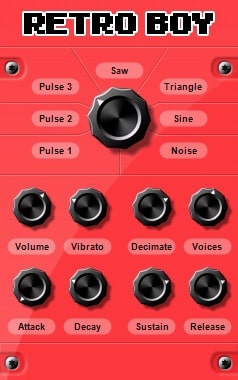
OS: Windows Win Bit Version: 32-bit Developer: Sound-Base Audio Size: 2 MB Rating: 64/100
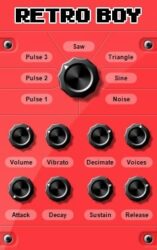
Retro Boy is a compact chiptune synthesizer that recreates the sound of classic video game systems. It uses a single oscillator with seven simple waveshapes, letting you craft nostalgic tones that range from bright leads to gritty basses with ease.
Retro Boy offers basic controls like volume, vibrato, decimation, and ADSR envelope shaping, along with up to four voices. Its stripped-down design makes it quick to shape authentic 8-bit sounds, perfect for adding a retro edge to modern tracks.
Features
- Single Oscillator With Seven Waveshapes
- Supports Up To Four Voices
- Full ADSR Envelope Control
- Volume And Vibrato Controls
- Decimation For Crunchy Sounds
- Produces Classic 8-Bit Tones
- Lightweight And CPU Friendly
- Simple, Easy Interface
- Great For Chiptune Leads
- Free VST Plugin
Pros
- Authentic retro game tone
- Super low CPU usage
- Has seven cool wave shapes
- Includes vibrato and decimation
- Compact but powerful sound engine
- Clean and simple interface
- Lightweight and fast to load
- ADSR controls for shaping sound
- Perfect for chiptune melodies
- Great for Gameboy-style music
Cons
- No built-in filter control
- Only one oscillator available
- Very limited modulation options
- No built-in effects section
- Only works on Windows systems
- Not available in 64-bit format
- No preset browser or management
- Limited sound design flexibility
- Doesn’t support velocity sensitivity
- No custom waveform creation
Video Demo
What Users Say
Retro Boy Tips
- I like to start by picking a simple square wave patch to get that classic 8-bit sound before adding effects.
- I layer two Retro Boy tracks together, one for bass and one for melody, to make the mix sound full.
- Use the Retro Boy’s noise generator to create simple drum hits like snares or hi-hats.
- Try layering different waveforms, such as square and triangle, for a more dynamic composition.
- Experiment with arpeggiators to build fast, game-like melodic runs.
- Keep melodies simple and catchy since chiptune works best with strong, easy-to-remember tunes.
5. basic 64
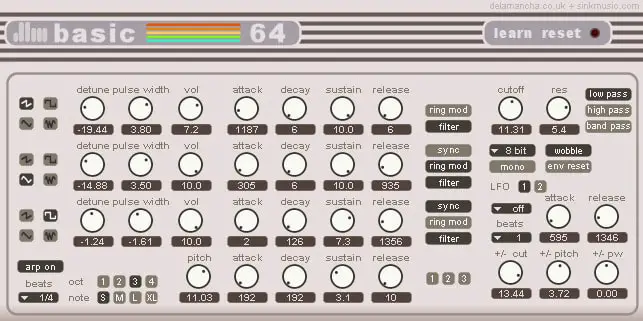
OS: Windows Win Bit Version: 32-bit Developer: De La Mancha Plugins Size: 3 MB Rating: 64/100
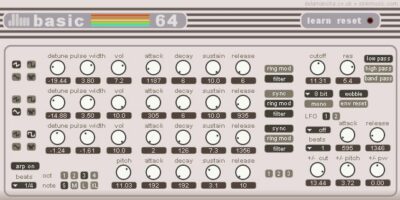
basic 64 offers the classic 8-bit sound inspired by the Commodore 64, giving music creators gritty retro tones and game-style noises. With three oscillators, bit reduction options, and a flexible filter, it’s built for crafting nostalgic leads, basses, and effects quickly.
Its tempo-synced LFOs, arpeggiator, and pitch controls add motion and texture. You can shape sounds with ADSR envelopes, sync or modulate oscillators, and choose mono or poly play styles. MIDI control and 128 presets make it a handy tool for any retro or chiptune project.
Features
- 16, 8, Or 6-Bit Sound Quality
- Three Oscillators With ADSR Envelopes
- Oscillator Sync And Ring Modulation
- Two Tempo-Synced LFOs Available
- Tempo-Synced Arpeggiator Included
- State Variable Filter With Routing
- Filter Modes: LP, HP, And BP
- Monophonic And Polyphonic Modes
- MIDI Learn And MIDI CC Support
- 128 Factory Presets Included
Pros
- Authentic retro 8-bit game sound
- Three powerful sound oscillators
- Built-in arpeggiator for melodies
- Supports tempo-synced modulation
- Ring mod gives robot-like sounds
- Offers both mono and poly modes
- Filter adds bright or dark tone
- Comes with 128 cool presets
- Light on CPU usage
- Free and still high sound quality
Cons
- Only works on Windows
- Limited to 32-bit
- User interface looks old
- No built-in effects
- No resizable window
- Does not support VST3
- Can sound harsh
- Lacks drum sounds
- Preset browser outdated
- No Mac support
Video Demo
What Users Say
basic 64 Tips
- Try using pulse-width modulation to create movement in the tone and make it sound less static.
- Experiment with fast arpeggio speeds to mimic the sound of classic 8-bit systems.
- Use bitcrushing or sample rate reduction to give the sound more lo-fi character.
- Layer simple waveforms together to emulate the limited sound chips of old consoles.
- Keep melodies simple and catchy—this fits best with the retro feel of Basic 64.
- Combine Basic 64 with a simple drum machine plugin to build complete chiptune tracks.
6. Bleep
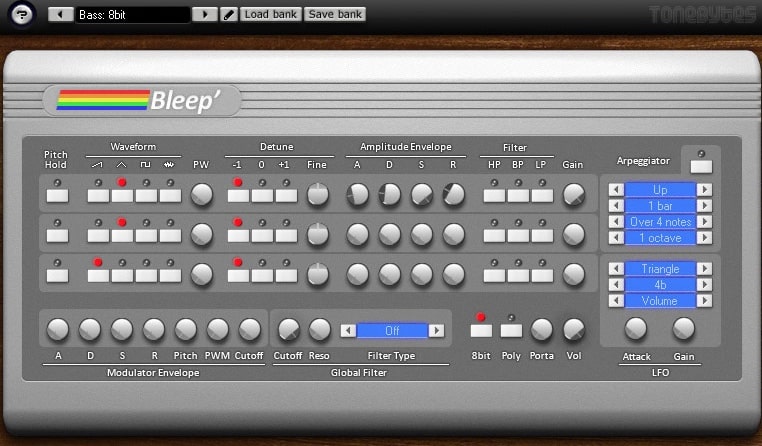
OS: Windows Win Bit Version: 32-bit Developer: ToneBytes Size: 4.1 MB Rating: 63/100
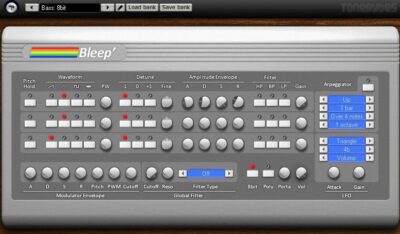
Bleep offers the classic charm of 8-bit sound design in a simple, powerful synth. Inspired by the MOS Technology SID, it uses three oscillators with four waveforms to shape bright, nostalgic tones. Each oscillator includes its own envelope, filter, and detune for flexible control.
This plugin includes an LFO synced to tempo, a modulator envelope, and a built-in arpeggiator for rhythmic variation. With its filter options, patch editing, and full MIDI learning, Bleep gives music creators quick access to authentic retro tones perfect for chiptune or game-inspired tracks.
Features
- Three Oscillators With Four Waveforms
- ADSR Envelope Controls Per Oscillator
- Syncable LFO With BPM
- Pseudo Arpeggiator For Patterns
- Built In Preset Manager
- Supports VST Automation
- Full MIDI Learn Support
- 8 Bit Sound Button Option
- Portamento For Smooth Note Slides
- Low CPU Usage Performance
Pros
- Authentic retro 8-bit game sound
- Creates classic Gameboy tones
- Three powerful sound oscillators
- Includes pulse width control
- Built-in arpeggiator for melodies
- LFO synced with song tempo
- Supports full MIDI automation
- Multimode filters for tone shaping
- Custom ADSR sound shaping
- Preset manager for quick saving
Cons
- Only works on Windows systems
- Limited to 32-bit version
- Small interface hard to read
- No built-in reverb or delay
- Few sound design options overall
- Thin sound without extra effects
- Cannot resize plugin window
- Limited modulation routing choices
- Fewer presets than newer plugins
- Outdated design compared to modern VSTs
Video Demo
What Users Say
Bleep Tips
- I like to start with simple square waves in Bleep to get that classic 8-bit sound.
- I try turning the bit depth down to make my sounds more crunchy and retro.
- I mix a few different waveforms together in Bleep to make my sounds more unique.
- Using noise waveforms helps create retro snare and hi-hat sounds.
- Automating parameters in the DAW can make the chip sounds move and change over time.
- Adding a bitcrusher or distortion plugin after Bleep can make the tone grittier.
- Balancing volume between layers is important so Bleep doesn’t overpower the mix.
7. 38911 Bytes
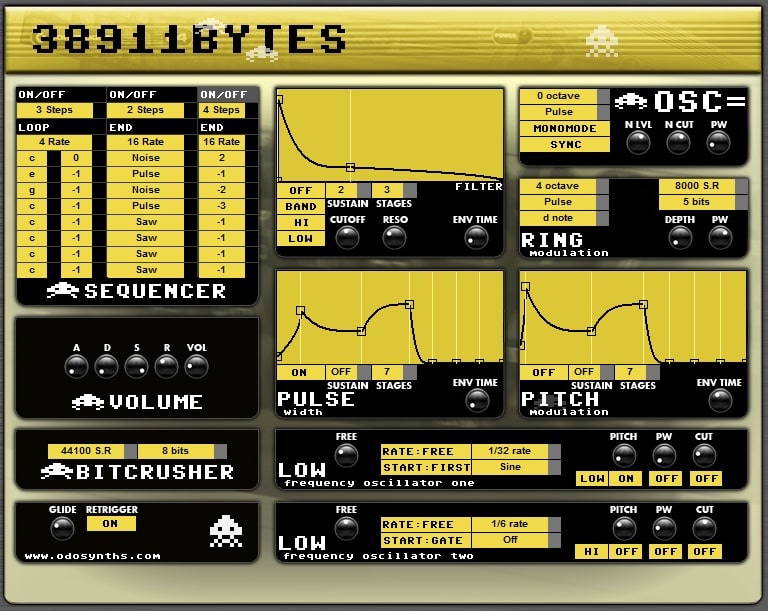
OS: Windows Win Bit Version: 32-bit Developer: Odosynths Size: 3.7 MB Rating: 62/100
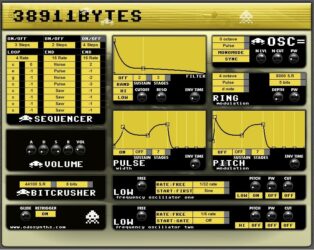
38911 Bytes is a virtual synth inspired by the sound of the Commodore 64. It features one oscillator with four waveforms, three filter types, two LFOs, and flexible modulation envelopes. Its built-in sequencers let you create catchy step patterns and rhythmic motion with ease.
38911 Bytes offers a lo-fi tone suited for chiptune and retro-style tracks. The bitcrusher and ring modulation tools add grit and metallic textures, while the preset bank gives instant creative options. It’s ideal for anyone wanting classic game sounds or edgy electronic tones.
Features
- One Oscillator With Four Waveforms
- Three BPM Step Sequencers
- Eight-Stage Modulation Envelopes
- Three Filter Types Available
- Two LFOs With Nineteen Waveforms
- Ring Modulation And Bitcrusher Effect
- Pulse Width And Noise Controls
- Glide And Retrigger Functions
- Built-In Bank Of 128 Presets
- Retro Sound Inspired By C64
Pros
- Authentic Commodore 64 inspired sound
- Rich lo-fi and gritty tone
- Wide range of modulation options
- Includes 128 ready-made presets
- Supports multiple filter types
- Sequencers for creative note patterns
- Two LFOs for deep sound motion
- Bitcrusher adds crunchy digital feel
- Ring modulation for unique tones
- Strong and punchy bass potential
Cons
- Only works on Windows computers
- No support for 64-bit systems
- Not available for Mac users
- Old-looking and small interface
- Lacks built-in reverb or delay
- Limited routing and modulation options
- Sometimes unstable in some DAWs
- Sound can be harsh or noisy
- No resizable or scalable GUI
- No MIDI learn or automation help
Video Demo
What Users Say
38911 Bytes Tips
- I like to start by loading simple waveforms like square or triangle, so I get that true chiptune sound.
- I use the arpeggiator to make fast, fun patterns for background melodies.
- I lower the bit depth a little to make it sound more gritty and lo-fi.
- Experimenting with short envelopes helps recreate classic game sound effects.
- Routing the plugin output through distortion or bitcrusher effects adds more character.
- Small changes to pulse-width can add life and movement to a flat tone.
8. basic65
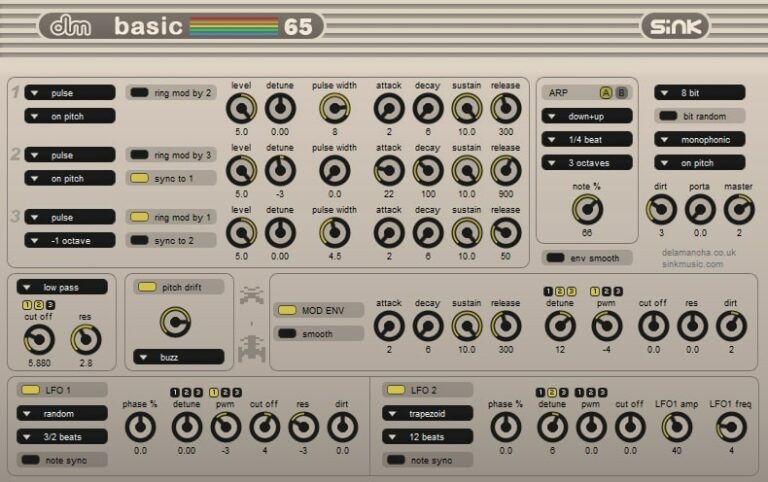
OS: Windows Win Bit Version: 32-bit Developer: De La Mancha Plugins Size: 5.45 MB Rating: 62/100
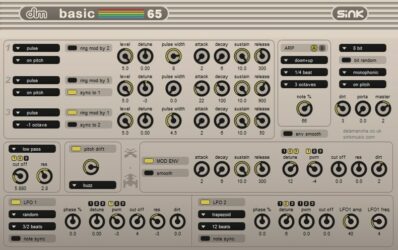
basic65 is a monophonic synth that recreates the iconic sound of the Commodore 64’s SID chip, updated with new features and presets. It combines three oscillators, flexible filters, and two layered arpeggiators to produce classic 8-bit tones with modern control options.
basic65 offers deep sound shaping through pulse width modulation, ring modulation, and detailed pitch drift controls. With adjustable bit depth, dirt effects, and tempo-synced LFOs, it helps music creators craft everything from gritty chiptune melodies to rich retro-inspired bass and lead sounds.
Features
- Monophonic Synth With Retro Tone
- Three Oscillators With Four Waveforms
- Pulse Width And Ring Modulation
- Multi-Mode Resonant Filter Section
- Two Tempo-Synced Arpeggiators In Series
- Two Tempo-Synced LFOs With Many Shapes
- Selectable Bit Depth From 4 To 16
- Dirt Control Adds Harmonics And Saturation
- Portamento For Smooth Pitch Transitions
- Designed For Lo-Fi And Chiptune Sounds
Pros
- Authentic 8-bit retro sound
- Strong SID chip character
- Two powerful arpeggiators included
- Two tempo-synced LFOs available
- Customizable bit depth options
- Includes pulse and ring mod
- Supports rich filter modulation
- Adjustable pitch drift effects
- Flexible sound design controls
- Perfect for retro game tones
Cons
- Only works on Windows
- Only 32-bit version
- Outdated interface design
- No built-in effects
- Limited DAW compatibility
- Monophonic, no chords
- No MIDI learn
- Lacks GUI resizing
- Few tutorials or docs
- Manual DLL installation required
Video Demo
What Users Say
basic65 Tips
- I like to start with a simple square wave in basic65 to get that classic retro game sound.
- I often layer two voices slightly detuned in basic65 to make melodies sound fuller.
- I use the built-in noise generator for cool old-school drum hits like snares and hi-hats.
- I find adding light reverb or delay helps make the chip sounds sit better in a mix.
- Use basic65’s waveform options—square, saw, and noise—to build a full range of game-like tones.
- Try using pitch bends on sustained notes to create expressive chip-style leads.
- Automation of parameters like cutoff or pulse width can add movement to chip sounds.
9. miniSID
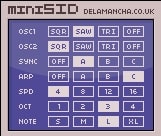
OS: Windows Win Bit Version: 32-bit Developer: De La Mancha Plugins Size: 2.68 MB Rating: 59/100
miniSID offers the classic charm of 8-bit sound in a small and easy-to-use package. Using waveforms sampled from the 6581 SID chip, it delivers authentic chiptune tones that recall early computer and console music. Its simple controls make sound shaping quick and creative.
With two oscillators, sync options, and a flexible arpeggiator, miniSID can create lively rhythmic sequences and retro leads. Each control comes with MIDI CC mapping for smooth studio use. It’s a compact tool for adding classic chip-style energy to any track.
Features
- Square, Saw, And Triangle Waves
- Sampled From 6581 SID Chip
- Two Oscillators With Sync Levels
- Arpeggiator With Three Mode Options
- Up To Four Octave Range
- Simple And Compact Interface Design
- All Controls Have MIDI CC Support
- Lightweight 32-Bit VST Plugin
- Creates Classic 8-Bit Chip Sounds
- Three Levels Of Oscillator Sync
Pros
- Authentic retro SID chip sound
- Fun arpeggiator for chiptunes
- Low CPU use while playing
- Multiple waveforms to choose from
- Flexible oscillator sync options
- Rich lo-fi and grainy tones
- All controls have MIDI support
- Ideal for chip bass and leads
- Lightweight and runs smoothly
- Perfect for quick sound design
Cons
- Only works on Windows systems
- No support for 64-bit hosts
- No built-in reverb or delay
- No filter or envelope control
- Limited sound shaping options
- Basic GUI with small controls
- Three waveforms feel restrictive
- No polyphonic or chord mode
- Does not save user presets easily
- Less flexible than other chip VSTs
Video Demo
What Users Say
miniSID Tips
- I often use the arpeggiator in miniSID to make fast, chip-style melodies that sound like old video games.
- I like to stack two miniSID sounds with different settings to make fuller chiptune leads.
- Using miniSID’s bit reduction effect can add grit and make sounds feel more authentic to old consoles.
- Combining square and triangle waveforms helps build basses that stay clear but deep.
- Avoid using too much reverb on chip sounds to keep that crisp, close-up 8-bit character.
- Using miniSID alongside classic game-style scales, like pentatonic or minor, helps keep your music nostalgic and catchy.
10. DrSid
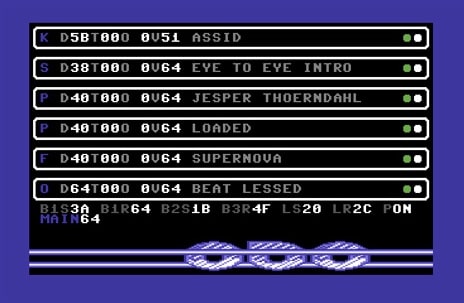
OS: Windows Win Bit Version: 32-bit Developer: Odosynths Size: 5.8 MB Rating: 58/100
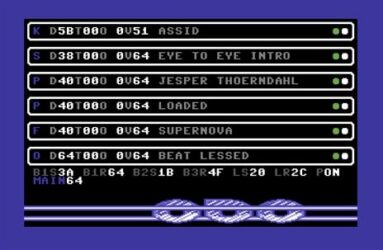
DrSid offers classic lo-fi and Commodore 64-style sounds built from 320 included samples. With six sound slots featuring decay, tune, and octave controls, it gives music creators flexible ways to shape gritty chip leads, punchy percussion, and retro game tones.
This plugin has a simple layout with clear song lists, track names, and visual status lights for easy navigation. Designed for Windows in 32-bit VST format, DrSid brings nostalgic 8-bit flavor that fits nicely into electronic, synthwave, and chiptune projects.
Features
- Sample-Based Lo-Fi Synth Engine
- Includes 320 Chiptune Samples
- Six Independent Sound Slots
- Decay, Tune, And Octave Controls
- LFO And Filter Controls
- Real-Time Envelope Adjustment
- Simple And Compact Interface
- Low CPU Usage Performance
- Produces Crunchy Retro 8-Bit Sounds
- Highlighted Track Selection Line
Pros
- Free plugin with classic chip tone
- Includes 320 retro samples
- Six sound slots for layering
- Authentic SID-style tone flavor
- Instant Commodore-style vibe
- Crunchy lo-fi sound quality
- Light on CPU use
- Allows flexible sound shaping
- Simple and friendly interface
- Great for 8-bit game music
Cons
- Only works on Windows systems
- Runs only in 32-bit hosts
- Small outdated user interface
- Limited sound editing options
- No real SID chip emulation
- Few built-in effects available
- No MIDI learn or automation
- Can crash on newer systems
- Interface not resizable or modern
- Not very accurate chip model
What Users Say
DrSid Tips
- I always use the arpeggiator in DrSid to make fun, fast note patterns like old video games.
- I keep the bit depth low when I want that crunchy, retro sound.
- I love layering two voices slightly detuned to make the sound feel bigger and more alive.
- Using DrSid’s modulation options helps make simple tones move and sparkle.
- Keeping melodies simple and repetitive captures the classic video game vibe.
- Adding tempo-synced delay creates rhythmic echoes that fit the 8-bit style.
11. IceCream
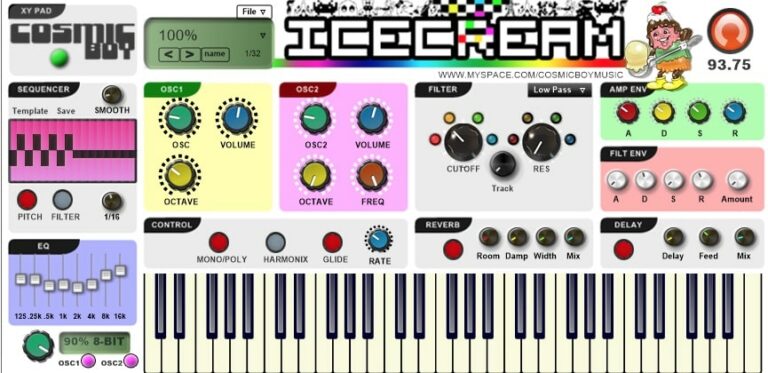
OS: Windows Win Bit Version: 32-bit Developer: Cosmic Boy Size: 5.6 MB Rating: 57/100
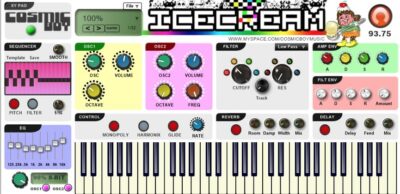
IceCream is a chiptune-style synthesizer that creates classic 8-bit sounds similar to those in old Nintendo or Game Boy games. It features dual oscillators, four octaves per oscillator, and a step sequencer for shaping pitch and filter movement with precise control.
IceCream offers tools like a bitcrusher, reverb, and delay to add texture and space to your sound. The harmonic switch, filter options, and glide controls let you shape tones from sharp and retro to smooth and dreamy, making it useful for nostalgic or experimental tracks.
Features
- 8-Bit Chiptune Style Synthesizer
- Dual Oscillators With Four Octaves
- Step Sequencer For Pitch And Filter
- Bitcrusher With Multiple Bit Options
- Filter Section With Cutoff And Resonance
- Reverb And Delay Effects Included
- X/Y Pad For Real-Time Control
- Glide And Glide Rate Adjustment
- Mono And Poly Play Modes
- Low CPU Usage Performance
Pros
- Dual oscillators for variety
- Step sequencer adds movement
- Bitcrusher gives vintage tone
- Reverb and delay included
- Customizable filter section
- Built-in glide for smooth notes
- Harmonic switch adds richness
- XY Pad for quick control
- Low CPU use for smooth play
- Easy sound shaping with ADSR
Cons
- Only works on Windows systems
- Limited to 32-bit format
- No built-in preset browser
- No MIDI learn option
- Interface not resizable
- Lacks advanced modulation options
- No built-in arpeggiator
- Limited sound layering controls
- Few filter types compared to others
- Not very CPU optimized
Video Demo
What Users Say
IceCream Tips
- I always tweak the bit depth to get that crunchy 8-bit sound I love.
- Use noise channels to create retro-style drum and percussion sounds.
- Experiment with arpeggiators to mimic the quick note patterns of classic game music.
- Layer multiple octave ranges to make the melody sound fuller without losing the retro feel.
- Keep the mix balanced; chiptune sounds can be sharp, so lower the highs if needed.
12. ymVST
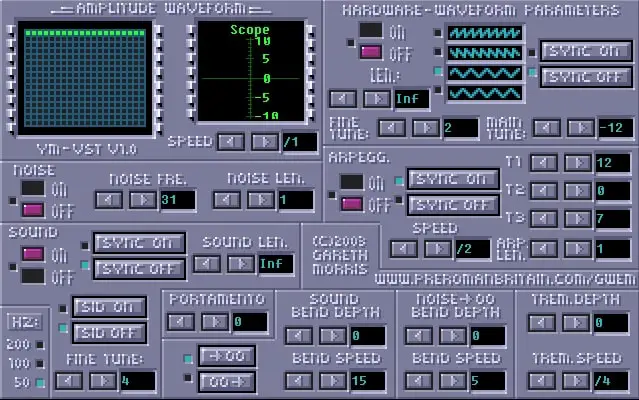
OS: Windows Win Bit Version: 32-bit Developer: Preromanbritain Size: 0.7 MB Rating: 55/100
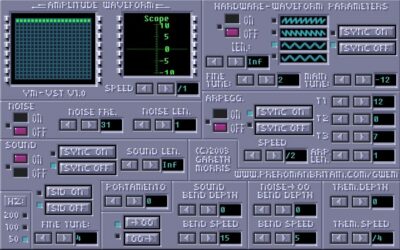
ymVST offers classic Atari ST chip sounds in an easy plugin format for Windows. It recreates the YM2149 sound chip to produce authentic bleeps, buzzes, and percussion. Music creators can build retro-style melodies and game-like textures using waveform controls and pitch tools.
The plugin includes a three-step arpeggiator for lively chord patterns and a range of bass, snare, and hi-hat tones. Features like tremolo, portamento, and the Angel sync-buzzer effect help shape unique chip sounds that capture vintage computer and console vibes.
Features
- Authentic Atari ST Chip Emulation
- Three-Step Arpeggiator For Chords
- Wide Range Of Percussion Sounds
- Includes Buzzer And Sync Effects
- Waveform And Sound Sync Options
- Portamento For Smooth Note Slides
- Pitch Bend Depth And Speed Control
- Tremolo Depth And Speed Adjustment
- Noise Frequency And Length Controls
- Works With Most Windows DAWs
Pros
- Authentic Atari-style chip sound
- Fun arpeggiator for quick chords
- Angel sync-buzzer adds character
- Simple noise controls for shaping
- Fine and main pitch tuning
- Smooth portamento for note slides
- Lightweight and easy on CPU
- Visual feedback helps sound design
- Instant retro vibes out of box
- Free and simple to set up
Cons
- Only works on Windows computers
- Runs only in 32-bit mode
- Needs bridge for modern DAWs
- Crashes sometimes when changing presets
- Not updated in many years
- Not stable on all setups
- Few included sound presets
- No built-in effects like reverb
- Does not support MIDI learn
- Harder to use for beginners
Video Demo
What Users Say
ymVST Tips
- I like to start with simple waveforms in ymVST to get that true retro sound before adding effects.
- Try using the noise channel to create drum hits like snares or hi-hats.
- Experiment with the arpeggio settings to recreate the fast, bouncy sound of classic games.
- I like to layer two ymVST tracks with slightly different settings to make the sound richer.
- Add a bitcrusher or distortion effect to mimic older hardware limitations.
- Use short decay and release settings for a more authentic old-school console sound.
13. PULS
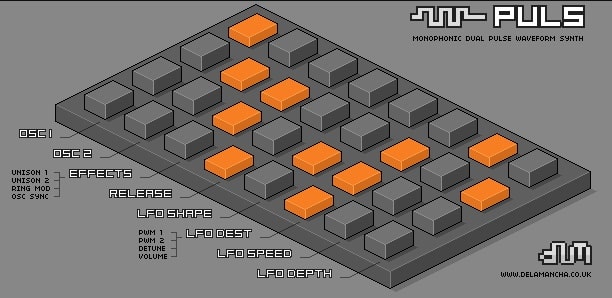
OS: Windows Win Bit Version: 32-bit Developer: De La Mancha Plugins Size: 5.96 MB Rating: 54/100
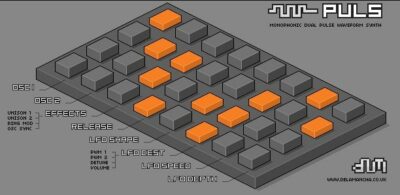
PULS offers a simple way to create strong and gritty pulse wave sounds. Using two pulse wave oscillators, it produces thick basses, sharp leads, and chiptune tones. Its clean pixel-art interface keeps controls direct while still giving a wide range of sonic options.
It includes unison, ring modulation, and oscillator sync for bigger tones, along with an LFO for pulse width and volume changes. The tempo-sync arpeggiator and preset library make it quick to shape ideas. PULS is free to download and built for solid, punchy results.
Features
- Two Custom Pulse Oscillators
- Oscillator Sync And Ring Modulation
- Tempo-Synced LFO With Four Shapes
- Adjustable Pulse Width Modulation
- Arpeggiator With Six Patterns
- Arpeggiator Spanning Up To Four Octaves
- 32 Built-In Sound Presets
- Pixel-Art Style User Interface
- Stable Multi-Core CPU Performance
- Freeware Synth With Donation Option
Pros
- Strong, punchy retro chiptune tones
- Easy-to-use pixel-art interface
- Custom pulse wave shaping
- Two powerful pulse oscillators
- Built-in tempo-sync LFO
- Includes ring modulation effects
- Oscillator sync for sharper tones
- Arpeggiator with multiple patterns
- Offers unison for thicker sound
- Lightweight and CPU friendly
Cons
- Only works on Windows systems
- Limited to 32-bit version
- No built-in effects section
- Interface feels dated and small
- No MIDI learn functionality
- No polyphonic sound capability
- Limited sound customization options
- Little variety in included presets
- Not updated for newer DAWs
- No filter envelope controls
Video Demo
What Users Say
PULS Tips
- I use the pulse width knob to shape the tone—it makes the sound thin or thick depending on the setting.
- I map the LFO to pulse width to make a moving, lively sound.
- Using a fast arpeggiator with PULS can recreate that classic video game sound.
- Layering PULS with a noise generator is great for creating snare and hi-hat sounds.
- EQing out extra low end helps keep PULS sounds crisp and clean.
- Adding subtle pitch bends makes chiptune melodies sound more playful and alive.
14. Bobistron
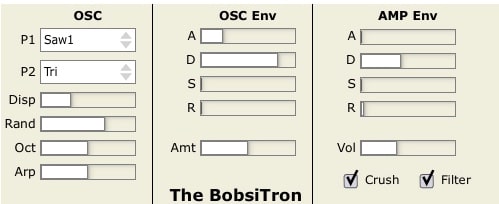
OS: Windows Win Bit Version: 32-bit Developer: Rock Hardbuns Size: 0.3 MB Rating: 53/100
Bobistron offers a playful way to craft 8-bit inspired sounds with a distinct phase distortion engine. It’s not a direct emulator, but it carries the lively character of old SID-style tones while letting you adjust shaping tools for a sharper or smoother sound.
Its built-in bitcrusher gives extra control over the digital grit, responding to your volume settings for creative distortion levels. With features like mixable waveforms, octave shifts, randomization, filters, and arpeggiation, Bobistron makes chiptune-style sound design quick, simple, and flexible.
Features
- Chiptune Synth Using Phase Distortion
- Classic 8-Bit Style Sound Design
- Adjustable Bitcrusher Effect Control
- Selectable Dual Wave Types
- Wave Spread And Mix Control
- Built-In Arpeggiator Function
- Oscillator Envelope With ADSR
- Filter For Tone Brightness Control
- Randomizer For Quick Sound Changes
- 32-Bit VST Plugin Format
Pros
- Phase distortion gives unique tone
- Randomizer makes sounds feel alive
- Arpeggiator adds fun note patterns
- Bitcrusher gives crunchy digital sound
- Mix two waveforms for depth
- Sounds close to SID chip
- Lightweight compared to similar synths
- Free and easy to install
- Low system requirements for fun use
- Instant sound design experimentation
Cons
- Only works on Windows systems
- Only available in 32-bit format
- Can be heavy on CPU
- No built-in preset management
- Limited sound customization options
- No real sample import support
- No built-in reverb or delay
- No MIDI learn or automation
- Limited modulation options
- Harder to use than modern VSTs
What Users Say
Bobistron Tips
- I use short notes to get that classic beep and boop sound that chiptune songs are known for.
- When I layer two Bobistron tracks, I use one for melody and one for bass to make a fuller song.
- Tweaking the arpeggiator speed can make melodies sound more energetic and retro.
- Adding automation to the filter cutoff helps Bobistron sound more alive and moving.
- Chiptune VST plugins often sound better when limited to a few voices, just like old game consoles.
- Experimenting with pitch bends adds a classic video game jump or coin effect.
Chiptune VST Plugins Compared
This table compares the chiptune plugins by operating system, bit version, format, and rating.
| Details | VOPM | Nintendo VST | GB DrumBox | Retro Boy | basic 64 | Bleep | 38911 Bytes | basic65 | miniSID | DrSid | IceCream | ymVST | PULS | Bobistron |
|---|---|---|---|---|---|---|---|---|---|---|---|---|---|---|
| Image | 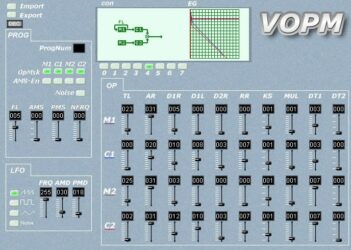 |
 |
 |
 |
 |
 |
 |
 |
|
 |
 |
 |
 |
 |
| Rating | ||||||||||||||
| OS | Windows, Mac | Windows | Windows, Mac | Windows | Windows | Windows | Windows | Windows | Windows | Windows | Windows | Windows | Windows | Windows |
| Formats | VST, AU | VST | VST, VST3, AU | VST | VST | VST | N/A | VST | VST | VST | N/A | VST | VST | VST |
| Bit Version | 32-bit, 64-bit | 32-bit | 32-bit, 64-bit | 32-bit | 32-bit | 32-bit | 32-bit | 32-bit | 32-bit | 32-bit | 32-bit | 32-bit | 32-bit | 32-bit |
| Developer | Sam | Matt Montag | Bedroom Producers Blog | Sound-Base Audio | De La Mancha Plugins | ToneBytes | Odosynths | De La Mancha Plugins | De La Mancha Plugins | Odosynths | Cosmic Boy | Preromanbritain | De La Mancha Plugins | Rock Hardbuns |
| License | Freeware | Freeware | Freeware | Freeware | Freeware | Freeware | Freeware | Freeware | Freeware | Freeware | Freeware | Freeware | Freeware | Freeware |
| Sample-Based | No | Yes | Yes | Yes | No | Yes | No | No | No | Yes | Select | No | No | Select |
| Download Size | 1.9 MB | 1.4 MB | 20 MB | 2 MB | 3 MB | 4.1 MB | 3.7 MB | 5.45 MB | 2.68 MB | 5.8 MB | 5.6 MB | 0.7 MB | 5.96 MB | 0.3 MB |
| CPU Load | Low | Low | Low | Low | Low | Low | Low | Low | Low | Low | Low | Low | Low | Low |
| Polyphony | 16 | 8 | 32 | 8 | 64 | 32 | 5 | 8 | 8 | 8 | 8 | 8 | 10 | 8 |
| Features | YM2151 Emulation, Chiptune Synthesis, MIDI CC Support, Operator Control, LFO Modulation, Envelope Editing, Preset Import/Export | Authentic 8-bit emulation, Multiple waveforms, Portamento control, Velocity sensitivity, Legato mode, Custom DPCM samples, Advanced interface | Game Boy drums, 12 drum kits, Eight channels, Volume control, Pan adjustment, Filter & reverb, LFO modulation | Chiptune synthesis, Seven waveshapes, Vibrato control, Decimation effect, ADSR envelope, Voice control, Compact design | Three oscillators, Pitch modulation, Wobble feature, Tempo-synced LFOs, Arpeggiator, State variable filter, MIDI support | Three oscillators, Multiple waveforms, ADSR envelopes, Multimode filters, BPM-synced LFO, Pseudo arpeggiator, Preset manager | Single Oscillator, Multi Waveforms, Step Sequencer, Modulation Envelopes, Multiple Filters, Dual LFOs, Ring Modulation | Triple oscillators, Dual arpeggiators, Dual LFOs, Pulse modulation, Ring modulation, Multi-mode filter, Pitch drift | SID waveforms, Dual oscillators, Oscillator sync, Arpeggiator modes, Tempo sync, Octave range, MIDI control | Chiptune sounds, Six sound slots, Decay control, Tune control, Octave control, Lo-fi character, Real-time envelopes | Dual oscillators, Step sequencer, Bitcrusher, Filter section, ADSR envelopes, Reverb/Delay, X/Y pad | Authentic chipsounds, Three-step arpeggiator, Wide percussion range, Buzzer effects, Angel sync-buzzer, Visual waveform display, Pitch modulation controls | Custom pulse waveforms, Unison, Oscillator sync, Ring modulation, Tempo-sync LFO, Arpeggiator, Presets | Phase distortion synthesis, Bitcrusher control, Dual waveform mix, Randomization, Arpeggiator, Filter shaping, ADSR envelopes |
| Controls | Import / Export, ProgNum, Operator Buttons, OpMsk, AMS-En, Noise, FL Slider | Velocity Sens, Legato, Portamento, Volume, Waveform, Polyphony, Pitch | Cutoff, Reverb, Depth, Rate, Attack, Volume, Drum Kit Selector | Waveshape Selector, Volume, Vibrato, Decimate, Voices, ADSR Envelope, Release | Detune, Volume, Filter, Cutoff, LFO, Arpeggiator, Pitch | Pitch Hold, Waveform, Pulse Width, Detune, ADSR Envelope, Filter Type, Arpeggiator | Sequencer, Filter, Volume, Bitcrusher, Pulse, Pitch Modulation, Ring Modulation | Oscillator Section, Filter Section, LFO Section, Arpeggiator Section, Modulation Envelope, Global Controls, Pitch Drift | OSC1, OSC2, SYNC, ARP, SPD, OCT, NOTE | Song List Display, Song Codes, Track Name, Status Lights, Highlighted Track, Bottom Info Bar, Main Title | XY Pad, Sequencer, Oscillator 1, Oscillator 2, Filter, Amp Envelope, Reverb | Amplitude Waveform Display, Scope Display, Noise Frequency, Sound Length, Hardware Waveform Selector, Arpeggiator Speed, Tremolo Depth | Osc 1, Osc 2, Effects, Release, Lfo Shape, Lfo Speed, Lfo Depth | P1, P2, Disp, Rand, Oct, Arp, Crush |
| Effects Included | Amplitude modulation, Noise, LFO, High-pass filter | Highpass filter, Lowpass filter | Filter, Reverb, Modulation | Vibrato, Decimation | Ring modulation, filter (low pass, high pass, band pass) | Filter, LFO, Arpeggiator, Portamento | Filter, Bitcrusher, Ring Modulation, Glide | Resonant filter, dirt, portamento | Unknown | Envelopes, filter, LFOs, effects | Bitcrusher, Filter, Reverb, Delay, EQ, Saturation, Modulation, Ducking | Buzzer effects, Angel sync-buzzer effect, Tremolo | Ring modulation, oscillator sync, unison, low-pass filter, waveshaper, LFO modulation, arpeggiator | Bitcrusher, Filter, Arpeggiator |
| MIDI Learn | Unknown | No | Unknown | Unknown | Unknown | Unknown | Yes | Unknown | Unknown | Yes | Unknown | Unknown | Yes | Unknown |
| Presets | N/A | N/A | 20 | 128 | 64 | 128 | 128 | 128 | 16 | 128 | 55 | N/A | N/A | N/A |
| Standalone | Yes | No | Yes | Yes | No | Yes | Yes | No | No | Yes | Select | No | No | Select |
| Last Updated | 05/22/2013 | 07/30/2008 | 06/28/2021 | 08/25/2023 | 03/30/2008 | 04/22/2012 | 07/08/2021 | 07/16/2009 | 04/20/2009 | 01/24/2021 | N/A | 08/21/2011 | 04/26/2007 | N/A |
Favorite Chiptune VST Plugin
Our top pick for the best free handpan plugin is VOPM by Sam. I love the classic arcade sound, flexible sound controls, preset import, and more.
| Details | VOPM |
|---|---|
| Image |
|
| Rating | |
| OS | Windows, Mac |
| Formats | VST, AU |
| Bit Version | 32-bit, 64-bit |
| Developer | Sam |
| License | Freeware |
| Sample-Based | No |
| Download Size | 1.9 MB |
| CPU Load | Low |
| Polyphony | 16 |
| Features | YM2151 Emulation, Chiptune Synthesis, MIDI CC Support, Operator Control, LFO Modulation, Envelope Editing, Preset Import/Export |
| Controls | Import / Export, ProgNum, Operator Buttons, OpMsk, AMS-En, Noise, FL Slider |
| Effects Included | Amplitude modulation, Noise, LFO, High-pass filter |
| Download | Download VOPM |
Chiptune Plugin FAQs
How to Install Chiptune VST Plugins
To install chiptune VST plugins on Windows or Mac, extract the files from the Zip or Rar. Move the files (.dll for Windows or .component for Mac) into your DAW’s plugin folder. Then restart your software and rescan the directory to complete the process. Tutorial: How to Install VST Plugins
Windows:
Extract the downloaded zip file and copy the .dll file into the VST plugins folder scanned by your DAW. Restart your music software and rescan your plugin directory to begin using the new VST.
Mac OS X:
Extract the downloaded archive and move the .component or .VST file to the plugin folder. It is usually /Library/Audio/Plug-Ins/Components or /Library/Audio/Plug-Ins/VST. Restart your DAW and rescan your plugins to complete the installation.
What Is A Chiptune Plugin?
Chiptune is a musical genre that emerged in the late 1980s. It uses old-school electronic sounds. Chiptune plugins allow you to create the vintage synthesizer sounds of classic video consoles like the Nintendo and Sega Genesis.
I hope you like this list of the best free Chiptune VST plugins online.





