Here are the best free Looper VST plugins for Windows and Mac. We have included videos, reviews, features, pros, cons, and plugin ratings.
Table of Contents

How we rate Looper plugins: We rate each Looper plugin based on sound quality, design, performance, features, usability, and compatibility. We rate plugins on a scale of 1 to 100.
| # | Plugins | Ratings | OS | Formats |
|---|---|---|---|---|
| 1 | Giada | Windows Mac Linux | VST, AU | |
| 2 | Harvest Mini | Windows Mac | VST, AU | |
| 3 | SooperLooper | Mac Linux | AU | |
| 4 | Mobius 3 | Windows | VST | |
| 5 | ClickCuts | Mac | AU | |
| 6 | Instalooper | Windows Linux | VST | |
| 7 | Loophole | Windows | VST | |
| 8 | Regen | Windows | VST | |
| 9 | Combat Loop Drum Machine | Windows Mac | VST, AU | |
| 10 | Beat Twist | Windows | VST | |
| 11 | Nasty Looper | Windows | VST |
I have spent over 15 years testing and comparing hundreds of free and paid VST plugins, supported by hands-on demos on our YouTube channel, which has 12,000+ subscribers.
Best Free Looper VST Plugins
1. Giada
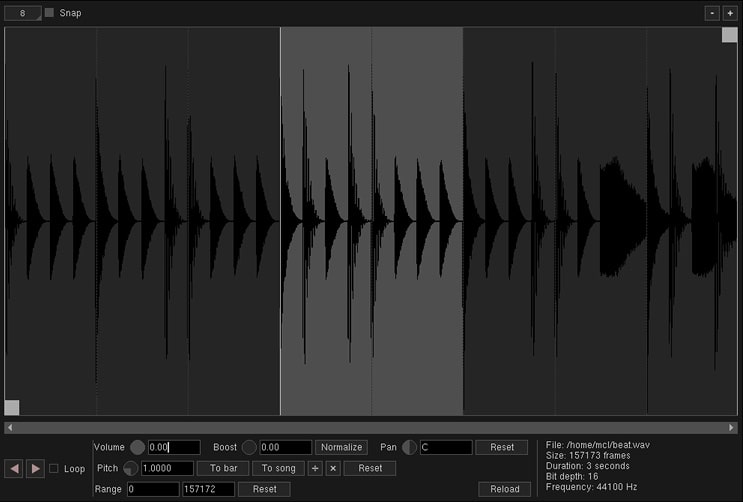
OS: Windows Win Mac Mac Linux Linux Bit Version: 64-bit Developer: Monocasual Laboratories Size: 6.1 MB Rating: 81/100
Giada offers a simple yet powerful way to create and perform live music using loops, samples, and MIDI. Musicians can record, edit, and remix sounds in real time while keeping full control through an easy layout and clear visual feedback.
It works as a loop machine, sample player, and song editor all in one tool. Giada also supports VST and MIDI control, letting performers connect external gear or software with ease. Its open-source design makes it a flexible choice for creative live setups.
Features
- Real-Time Loop Layering
- Live Audio Recording
- VST FX Processing
- MIDI Master Sequencing
- Scene-Based Live Performance Mode
- Multi-Threaded Audio Engine
- Waveform Visualization Display
- Pitch And Volume Control
- 64-Bit VST And AU Support
- Open-Source Under GPL License
Video
Pros
- Open-source with active updates
- Syncs loops perfectly to tempo
- Multi-track recording for layers
- Customizable MIDI control support
- Works on Windows, macOS, and Linux
- Low CPU use during playback
- Easy waveform visual editing
- Great for live performances
- Free and fully unlocked features
- Supports both audio and MIDI
Cons
- Limited sound customization options
- No built-in looping features
- Lacks live performance tools
- No MIDI controller integration
- Limited DAW compatibility
- Lacks FX or sample processing
- Slower load times for samples
- Doesn’t support multiple audio formats
- Interface feels less responsive
- Updates released less frequently
Testimonials
2. Harvest Mini

OS: Windows Win Mac Mac Bit Version: 64-bit Developer: Harvest Plugins Size: 4.6 MB Rating: 73/100
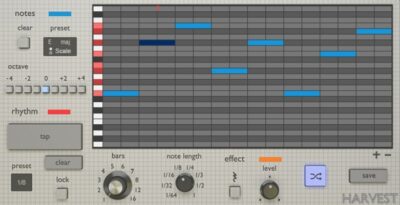
Harvest Mini offers a quick way to spark new musical ideas by generating melodies, chord progressions, and drum patterns. It works with your favorite instruments and gives you control over note choices, rhythms, scales, and octaves for flexible and creative results.
You can tap in rhythms, randomize patterns, or fine-tune note length and timing using its simple grid display. With up to 16 bars, a save feature, and interactive tools, Harvest Mini helps producers shape fresh loops and discover inspiring musical directions fast.
Features
- Generates Melodies, Chords, And Drum Loops
- Controls External VST Instruments
- Preset Note And Scale Selection
- Tap-To-Record Custom Rhythms
- Randomize Button For New Ideas
- Drag And Drop MIDI Support
- Interactive Piano Roll Display
- Lock Function For Rhythm Patterns
- Adjustable Octave Settings
- Light On CPU Usage
Video
Pros
- Generates melodies, chords, and drums
- Draggable MIDI clips into DAW
- Randomize button sparks new ideas
- Lock button protects rhythm patterns
- Scales keep notes always in key
- Lets you tap your own rhythms
- Adjusts note length with one knob
- Saves custom loops for later use
- Works with any VST instrument
- Creates loops up to sixteen bars
Cons
- No built-in chord preview sound
- Cannot save custom rhythm presets
- No velocity or swing control
- Limited visual feedback on grid
- Missing humanization per note step
- No built-in instrument sounds
- Lacks advanced chord voicing tools
- Cannot export audio, only MIDI
- Limited scale and chord variety
- No real-time chord suggestions
Testimonials
3. SooperLooper
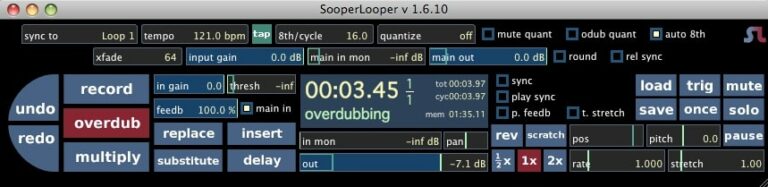
OS: Mac Mac Linux Linux Bit Version: 64-bit Developer: Jesse Chappell Size: 24 MB Rating: 71/100
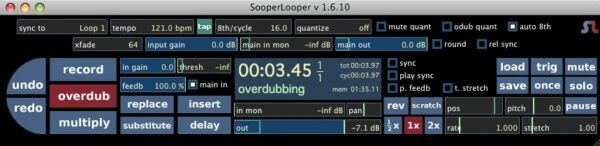
SooperLooper is a live looping sampler for recording, overdubbing, reversing, and extending loops as you play. It supports several multi-channel loops at once, with timing tools to keep loop actions in sync with the beat.
Control loops with MIDI or OSC, or use the on-screen controls. SooperLooper runs as a standalone JACK app on Linux and macOS, and is also available as an Audio Unit plugin for macOS.
Features
- Records Loops Instantly
- Overdubs Existing Loops
- Multiplies Loop Length
- Reverses Loop Playback
- Runs Multiple Multichannel Loops
- Quantizes Actions To The Beat
- Supports MIDI And OSC Control
- Works With MIDI Foot Pedals
- Includes Time Stretching And Pitch Control
- Provides Separate Loop Outputs
Video
Pros
- Run many loops at once
- Play loops backward anytime
- Change loop speed while playing
- Undo and redo loop changes
- Sync loops to MIDI clock
- Set the beat by tapping
- Keep loop actions on beat
- Record when sound comes in
- Control loops with MIDI pedals
- Send loops to separate outputs
Cons
- Brief describes SooperLooper, not Cloudrum
- JACK setup adds extra steps
- Mac AU is the only listed plugin
- No VST3 format is listed
- Windows support is unclear here
- Best live use needs a pedal
- Some users report freezing
Testimonials
4. Mobius 3
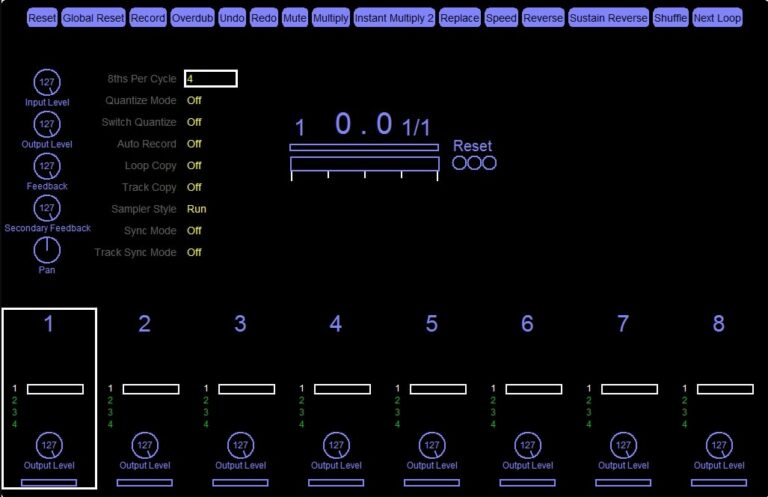
OS: Windows Win Bit Version: 32-bit Developer: Jeffrey Larson Size: Jeffrey Larson Rating: 69/100
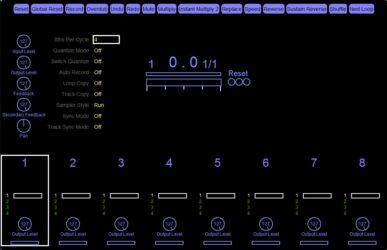
Mobius 3 is a free looper VST plugin by Jeffrey Larson for Windows and Mac. It supports live recording, overdubbing, instant loop editing, and eight synchronized stereo loopers for live performance.
The plugin offers MIDI and keyboard control for recording, undo, reverse, speed changes, looping, and track management. Quantize and sync modes help keep loops in time, while copy tools let you reuse loops across tracks.
Features
- Eight Synchronized Stereo Loopers
- Extensive MIDI Control
- Instant Loop Editing
- Chromatic Pitch Shifting
- Adjustable Playback Speed
- Reverse Loop Playback
- Beat Quantize Modes
- Automatic Recording Mode
- Overdub Recording
- Undo And Redo
Video
Pros
- Eight synchronized stereo loopers
- Strong MIDI control options
- Easy keyboard control
- Edits loops instantly onstage
- Supports many layered tracks
- Keeps tracks locked together
- Matches actions to the beat
- Changes speed and pitch freely
- Plays loops backward creatively
- Works as plugin or standalone
Cons
- Documentation remains incomplete
- Host compatibility can be uncertain
- Setup takes time and patience
- Untrusted installers trigger warnings
- VST3 support is still early
- Track count may limit big shows
- Built-in effects are very limited
Testimonials
5. ClickCuts
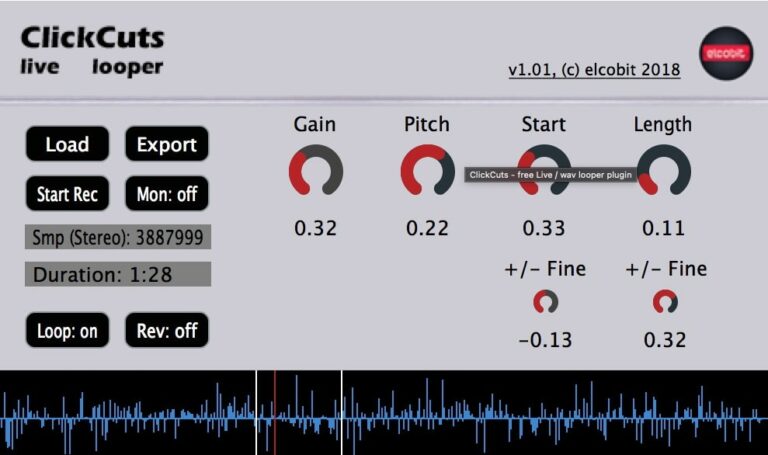
OS: Mac Mac Bit Version: 64-bit Developer: Elcobit Size: 3.7 MB Rating: 69/100
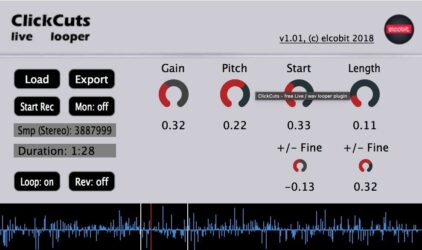
ClickCuts is a looper plugin for macOS in 64-bit AU format. Load a WAV file or record audio, then set the loop’s start and end points with sample-level control. Adjust gain, pitch, playback length, and loop direction.
The waveform display shows the selected section and file details. Enable monitoring and looping, play audio in reverse, or export the current loop as a WAV file. You can also place other effect plugins after ClickCuts.
Features
- Sample-Accurate Loop Editing
- Load WAV Audio Files
- Record New Audio Loops
- Export Loops As WAV
- Fine-Tune Start And End Points
- Adjust Loop Gain And Pitch
- Enable Reverse Loop Playback
- Monitor Audio Input Signals
- View Waveform And Loop Position
- Stack Additional Effect Plugins
Pros
- Sample-accurate loop integration
- Record from any audio input
- Export loops as WAV files
- Fine-tune the loop start
- Fine-tune the loop length
- See loop points on waveform
- Built-in pitch control
- Reverse playback creates new ideas
- Produces audio without extra routing
- Works smoothly with effect plugins
Cons
- Mac-only AU plugin
- No VST3 format
- Only one loop layer
- No built-in tempo sync
- No overdub controls listed
- No undo feature listed
- No project saving system
Testimonials
6. Instalooper

OS: Windows Win Linux Linux Bit Version: 32-bit, 64-bit Developer: Audioblast Size: 5 MB Rating: 64/100
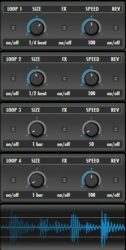
Instalooper is a live audio looper that records incoming sound and lets you trigger up to four loops. Set loop lengths, change playback speed, reverse loops, and sync playback to your host.
Add sample-rate reduction, autopan, high-pass filtering, or chorus after recording. The plugin is available in VST format for Windows and Linux, in 32-bit and 64-bit versions.
Features
- Records Incoming Audio Live
- Provides Four Loop Controls
- Adjusts Loop Size And Speed
- Reverses Loop Playback
- Syncs Loops With Host
- Includes Four Built-In Effects
- Displays Audio Waveform And Volume
- Supports Loop Layer Automation
Video
Pros
- Four loop controls in one plugin
- Each loop has its own settings
- Syncs with your music software
- Choose from different loop sizes
- Change loop speed after recording
- Reverse loops with a switch
- Four built-in sound effects
- Make lo-fi sounds with sample reduction
- Add motion with auto-pan
- See audio changes on the waveform
Cons
- Only four loop slots
- Loops max out at one bar
- No clear overdub controls like GLoop
- No MIDI note triggering like GLoop
- No audio-file loading listed
- No multitrack recording option
- No listed Mac version
Testimonials
7. Loophole
OS: Windows Win Bit Version: 32-bit Developer: de la Mancha Size: 84 MB Rating: 61/100
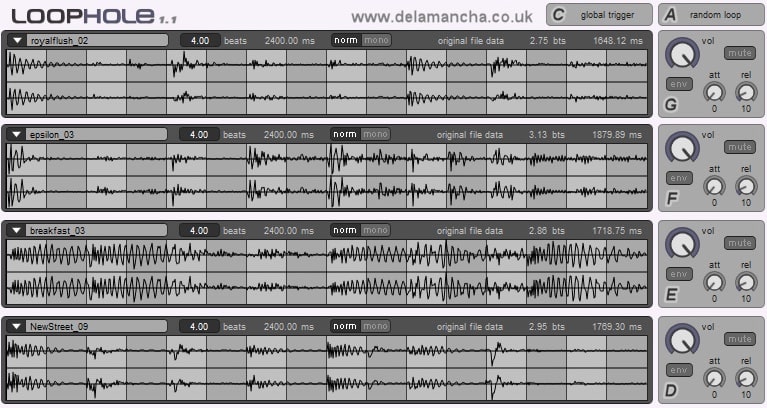
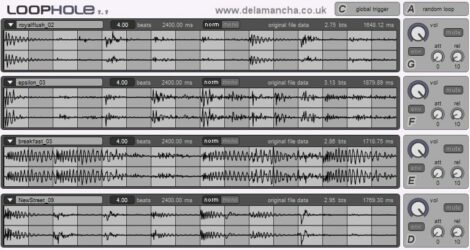
Loophole is a MIDI-triggered loop sampler for Windows 32-bit VST hosts. Load up to four WAV loops, match them to the host tempo, and set loop lengths in beats. MIDI notes can launch chosen slices, multiple loops, or random sections for rhythmic changes and mashups.
Its waveform display shows slice and playback positions, while volume, mute, mono, normalization, and envelope controls shape each loop. The envelope helps prevent clicks and adds fades. Stereo and multi-output versions support separate processing, with included loops, presets, and MIDI files for quick starts.
Features
- MIDI-Triggered Loop Sampling
- Supports Up To Four Loops
- Triggers Specific Loop Sections
- Triggers Random Loop Sections
- Syncs Loops To Host Tempo
- Sets Loop Length In Beats
- Loads Mono And Stereo WAV Files
- Displays Waveforms And Slices
- Includes Loop Volume Envelopes
- Uses Very Low CPU
Video
Pros
- Plays up to four loops
- Supports specific loop sections
- Offers random section triggering
- Shows waveforms and sliced sections
- Includes volume envelopes for declicking
- Offers stereo and multi-output versions
- Includes 171 original drum loops
- Covers 19 musical styles
- Includes helpful presets and MIDI files
- Loads mono or stereo WAV files
Cons
- Windows computers only
- 32-bit VST format only
- No modern VST3 support
- May fail in newer DAWs
- No live loop recording
- No overdubbing onto loops
- Only four loops maximum
Testimonials
8. Regen

OS: Windows Win Bit Version: 32-bit, 64-bit Developer: ToneCarver Size: 1.4 MB Rating: 59/100
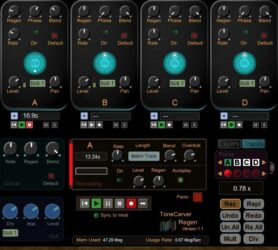
Regen is a four-track looper for building ambient, textured, and soundscape layers. Record up to four stereo loops, then adjust repeat amount, timing, speed, direction, blend, volume, pan, and start position as they play. Undo and redo changes or overdub new sounds.
It accepts stereo input and can send tracks to four stereo outputs for separate mixing. MIDI and host sync support live control and steady timing. Regen runs as a Windows VST in 32-bit and 64-bit formats.
Features
- Four Independent Loop Tracks
- Variable Playback Speed
- Forward And Reverse Playback
- Track Volume And Pan
- Up To Four Stereo Outputs
- MIDI Playback Control
- Loop Recording And Overdubbing
- Layer Replace And Editing
- Undo And Redo Changes
- Host Timing Synchronization
Video
Pros
- Four independent loop tracks
- Four stereo outputs improve separation
- Undo and redo support safe experiments
- Reverse playback creates fresh textures
- Variable speed changes loop character
- Match Track keeps loops aligned
- MIDI control supports hands-free playing
- Host sync keeps timing steady
- Autoplay starts loops right away
- Windows 32-bit and 64-bit support
Cons
- Windows only, no Mac or Linux support
- No VST3 format is listed
- Four tracks may limit bigger sets
- No built-in effects are listed
- No sample-loading feature is listed
- No clear audio-export feature
- No project save/load feature listed
Testimonials
9. Combat Loop Drum Machine
OS: Windows Win Mac Mac Bit Version: 32-bit, 64-bit Developer: DCSI Size: 24 MB Rating: 58/100
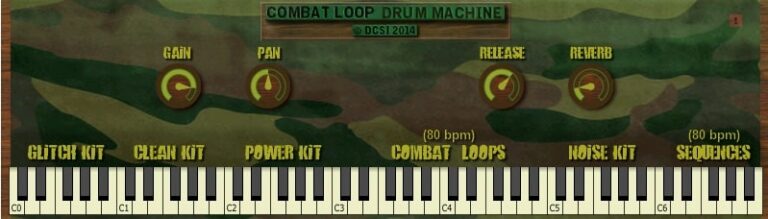
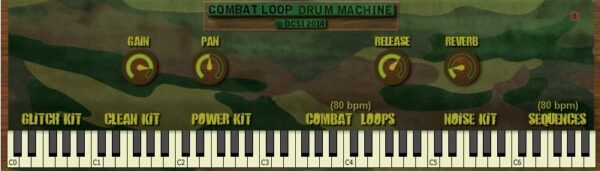
Combat Loop Drum Machine is a VST drum instrument with sampled kits, loops, and sequences made by DCSI. It includes Glitch, Clean, Power, and Noise kits, plus Combat Loops and Drum Sequences. Sounds respond to playing speed and cover a keyboard range from C0 to B6.
The loops are set for 80 BPM, making them useful for industrial and electronic beats. Gain, Pan, Release, and Reverb shape the sound. The plugin is available for Windows and Mac in VST and AU formats, with 32-bit and 64-bit Windows versions.
Features
- Sampled And Looped Drum Kits
- Four Drum Sound Kits
- Two Loop Groups Included
- Velocity Sensitive Keyboard Mapping
- Seven Octave Keyboard Range
- Loops Optimized For 80 BPM
- Gain, Pan, Release, And Reverb
- Combat Loops For Rhythm Patterns
- Keyboard Plays Kits And Loops
- Available In VST And AU
Video
Pros
- Four distinct sound kits
- Creative glitch drum textures
- Built-in combat-style drum loops
- Preset sequences speed up songwriting
- Velocity sensitivity adds playing feel
- Wide seven-octave keyboard range
- Reverb adds room and depth
- Includes useful fill-in patterns
- Distinct industrial-style drum character
- Noise sounds create bold effects
Cons
- Loops are locked to 80 BPM
- No live audio recording
- No overdubbing for layered loops
- No multi-track loop mixing
- No loop length controls
- No reverse or speed changes
- No tempo sync controls
Testimonials
10. Beat Twist
OS: Windows Win Bit Version: 32-bit Developer: SonicXTC Size: 3.6 MB Rating: 56/100
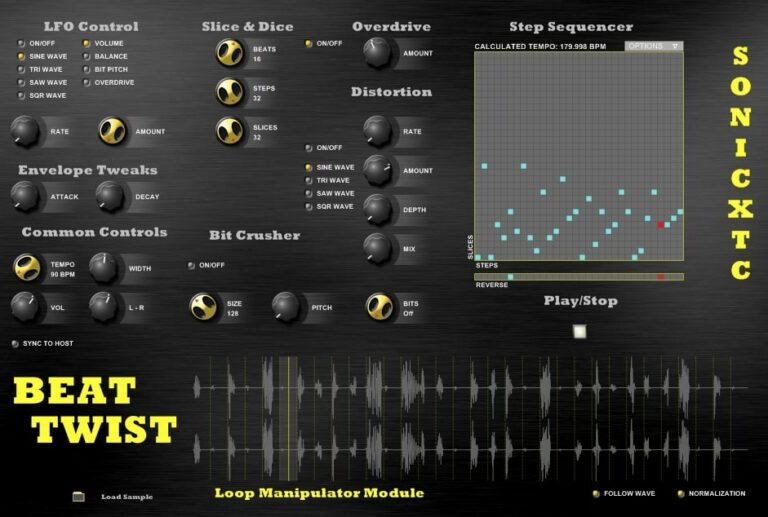
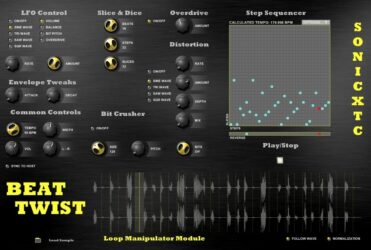
Beat Twist is a loop manipulation plugin for reshaping WAV loops. It can slice, reorder, reverse, and replay loop sections with a step sequencer, while tempo and host sync help match projects.
Built-in bit crusher, distortion, overdrive, and LFO effects add digital grit, movement, and stereo control. MIDI automation is supported, along with volume, pitch, panning, and effect modulation. Available for Windows as a 32-bit VST.
Features
- WAV Loop Loading
- Loop Slicing And Reshaping
- Waveform Display
- Built-In Bit Crusher
- Step Sequencer
- Four LFO Wave Shapes
- MIDI Automation Control
- Host Tempo Synchronization
- Reverse Loop Playback
- Adjustable Stereo Width
Video
Pros
- Combines slicing and effects together
- Step sequencer adds rhythmic control
- Four LFO shapes offer variety
- Modulates volume, pitch, drive, panning
- Reverse playback creates fresh turns
- Adjustable slices encourage happy accidents
- Waveform display makes editing easier
- Host sync supports beat-based work
- MIDI automation enables hands-on control
- Lightweight three-megabyte install
Cons
- Windows only limits user choice
- 32-bit VST feels outdated
- No modern VST3 support
- Tempo sync may work poorly
- No true live looping
- No multiple loop tracks
- Adware reports may concern users
Testimonials
11. Nasty Looper

OS: Windows Win Bit Version: 32-bit Developer: beatassist.eu Size: 241 MB Rating: 53/100
Nasty Looper is a 32-bit Windows VST drum machine and groovebox with 16 pads for loading 16- or 24-bit WAV samples. It provides controls for pitch, tone, filters, delay, pan, volume, looping, and choke groups, with MIDI mapping for hands-on control.
Its pattern and break sequencers support up to 64 and 128 steps, while four pads handle beat-based loops with adjustable start and end points. A built-in synthesizer, arpeggiator tune stepper, MIDI player, recording tools, and brickwall limiter support beat making and live performance.
Features
- 16 Pad Drum Machine
- Loads 16- And 24-Bit WAV Samples
- MIDI Controller Mapping
- 128-Step Break Sequencer
- Loop Pad Cells
- Built-In Synthesizer And Limiter
- Pattern Sequencer Up To 64 Steps
- Low-Pass And High-Pass Filters
- Filter Stepper For Motion
- Configurable Choke Groups
Video
Pros
- Sixteen trigger-ready sound pads
- Up to 128 break steps
- Creates quick pattern silences
- Dedicated loop pads included
- Supports long musical loops
- Built-in synthesizer adds melodic sounds
- Reverses and loops sounds quickly
- Pattern sequencing reaches 64 steps
- Arpeggiator programs melodies in-key
- Built-in MIDI file player
Cons
- Windows 32-bit only
- Old VST format limits compatibility
- No true live audio looping
- No separate loop tracks
- No unlimited undo or redo
- No independent loop speed control
- No multitrack session recording
Testimonials
Best Looper Plugins Compared
This table compares the top looper plugins by features, controls, effects, formats, and more.
| Details | Giada | Harvest Mini | SooperLooper | Mobius 3 | ClickCuts | Instalooper | Loophole | Regen | Combat Loop Drum Machine | Beat Twist |
|---|---|---|---|---|---|---|---|---|---|---|
| Image |  |
 |
 |
 |
 |
 |
 |
 |
 |
 |
| Rating | ||||||||||
| OS | Windows, Mac, Linux | Windows, Mac | Mac, Linux | Windows | Mac | Windows, Linux | Windows | Windows | Windows, Mac | Windows |
| Formats | VST, AU | VST, AU | AU | VST | AU | VST | VST | VST | VST, AU | VST |
| Bit Version | 64-bit | 64-bit | 64-bit | 32-bit | 64-bit | 32-bit, 64-bit | 32-bit | 32-bit, 64-bit | 32-bit, 64-bit | 32-bit |
| Developer | Monocasual Laboratories | Harvest Plugins | Jesse Chappell | Jeffrey Larson | Elcobit | Audioblast | de la Mancha | ToneCarver | DCSI | SonicXTC |
| License | GPL | Freeware | GPL | Donationware | Freeware | Freeware | Freeware | Freeware | Donationware | Freeware |
| Sample-Based | Yes | Yes | Yes | No | Yes | Select | Yes | Yes | Yes | Yes |
| Download Size | 6.1 MB | 4.6 MB | 24 MB | Jeffrey Larson | 3.7 MB | 5 MB | 84 MB | 1.4 MB | 24 MB | 3.6 MB |
| CPU Load | Low | Low | Low | Low | Low | Low | Low | Low | Low | Low |
| Polyphony | 32 | 16 | N/A | 8 | N/A | N/A | 4 | 4 | 16 | N/A |
| Features | Loop machine, Sample player, Song editor, Live recorder, FX processor, MIDI controller, Scene management | Melody Generation, Chord Progressions, Drum Sequencing, Scale Locking, Rhythm Randomization, Interactive Piano Roll, MIDI Export | Immediate Recording, Overdubbing, Loop Multiplication, Reverse Playback, Multichannel Loops, Tempo Synchronization, MIDI/OSC Control | Live Recording, Synchronized Loopers, MIDI Control, Keyboard Control, Instant Loop Editing, Chromatic Pitch Shifting, Multiple Tracks | Sample-Accurate Looping, Audio Recording, Loop Export, Pitch Shifting, Gain Control, Reverse Playback, Waveform Display | Live audio looping, Adjustable loop duration, Playback speed control, Reverse playback, Host synchronization, Built-in effects, Automation support | MIDI Loop Triggering, Four Loop Support, Tempo Synchronization, Random Section Triggering, Waveform Display, Volume Envelopes, Multi-Output Routing | Four-track looping, Layer manipulation, Undo/redo, Playback controls, Stereo outputs, MIDI control, Host synchronization | Sampled Drum Kits, Combat Loops, Drum Sequences, Velocity Sensitivity, Seven-Octave Mapping, Sound Controls, Fill-Ins | Loop Manipulation, Bit Crusher, Distortion, Overdrive, Step Sequencer, LFO Modulation, MIDI Automation |
| Controls | Waveform Display, Volume, Boost, Pan, Pitch, Loop, File Info Box | Notes Section, Rhythm Section, Octave Buttons, Bars Knob, Note Length Knob, Randomize Button, Grid Display | Record, Overdub, Multiply, Reverse, Mute, Undo, Redo | Input Level, Output Level, Feedback, Secondary Feedback, Pan, 8ths Per Cycle, Quantize Mode | Load, Export, Start Rec, Mon, Gain, Pitch, Start | Loop Triggers, Loop Size, Playback Speed, Reverse, Effects Toggle, Waveform Display, Host Sync | Global Trigger, Random Loop, Loop Rows, Loop Name Menu, Waveform Display, Beats, Volume | Track A–D, Regen, Phase, Blend, Rate, Direction, Level | Gain, Pan, Release, Reverb, Glitch Kit, Clean Kit, Power Kit | Beat Twist, Load Sample, Waveform Display, LFO On/Off, LFO Wave Shape, LFO Rate, LFO Amount |
| Effects Included | Boost, Normalize, Pan, Pitch | Unknown | Delay, scratch-style playback effect | Unknown | Gain, pitch shifting, time-stretching, reverse playback | Sample-rate reducer, autopan, high-pass filter, chorus | Unknown | Unknown | Reverb | Bit crusher, distortion, overdrive |
| MIDI Learn | Yes | Yes | Yes | Yes | No | Yes | Yes | Select | No | No |
| Presets | N/A | 50 | N/A | 1 | N/A | N/A | 21 | N/A | N/A | N/A |
| Standalone | Yes | No | Yes | Yes | Yes | Yes | No | No | No | Yes |
| Last Updated | 06/08/2024 | 07/14/2023 | 11/22/2026 | N/A | N/A | 11/22/2026 | 12/06/2026 | 08/07/2014 | N/A | 11/22/2026 |
Best Looper VST Plugins
Our top picks for the best free Looper VST plugins are Giada by Monocasual Laboratories, Harvest Mini by Harvest Plugins, and SooperLooper by Jesse Chappell.
| Details | Giada | Harvest Mini | SooperLooper |
|---|---|---|---|
| Image | | | |
| Rating | |||
| OS | Windows, Mac, Linux | Windows, Mac | Mac, Linux |
| Formats | VST, AU | VST, AU | AU |
| Bit Version | 64-bit | 64-bit | 64-bit |
| Developer | Monocasual Laboratories | Harvest Plugins | Jesse Chappell |
| Download Size | 6.1 MB | 4.6 MB | 24 MB |
Looper VST FAQs
How to Install Looper VST Plugins
To install looper VST plugins on Windows or Mac, extract the files from the Zip or Rar. Move the files (.dll for Windows or .component for Mac) into your DAW’s plugin folder. Then restart your software and rescan the directory to complete the process. Tutorial: How to Install VST Plugins
Windows:
Extract the downloaded zip file and copy the .dll file into the VST plugins folder scanned by your DAW. Restart your music software and rescan your plugin directory to begin using the new VST.
Mac OS X:
Extract the downloaded archive and move the .component or .VST file to the plugin folder. It is usually /Library/Audio/Plug-Ins/Components or /Library/Audio/Plug-Ins/VST. Restart your DAW and rescan your plugins to complete the installation.
What Is A Looper Plugin?
A looper plugin is a type of effects plugin that allows musicians to record and playback audio loops. Looper plugins can be used for various purposes, from creating basic beats and rhythms to layered soundscapes and more complex compositions.
Some looping plugins can be used for live performances, and others allow you to import an audio file to slice and re-edit into a new audio loop.
I hope you found this list of free Looper VST plugins helpful. These are great looping plugins that you can use with popular music programs such as FL Studio, Ableton Live, and more.
You May Also Like: