

Here are the best free bitcrusher VST plugins for Windows and Mac. We have included video demos, feature lists, pros, cons, and plugin ratings.
How we rate plugins: We rate each bitcrusher VST plugin based on sound quality, design, performance, features, usability, and compatibility. We rate plugins on a scale of 1 to 100.
Table of Contents
I have spent over 15 years testing and comparing hundreds of free and paid VST plugins, supported by hands-on demos on our YouTube channel, which has 11,000+ subscribers.
Best Free Bitcrusher VST Plugins
This table compares bitcrusher VST plugins by operating system, bit version, format, and rating.
| # | Plugin | OS | Formats | Bit Version | Ratings |
|---|---|---|---|---|---|
| 1 | Krush | Windows Mac | VST, VST3, AU, AAX | 64-bit | |
| 2 | Crush | Windows Mac | VST, AU | 64-bit | |
| 3 | PCM2612 Retro Decimator Unit | Windows Mac | VST | 64-bit | |
| 4 | Timemachine | Windows Mac | VST, AU | 32-bit, 64-bit | |
| 5 | MBitFun | Windows Mac | VST, AU, AAX | 32-bit, 64-bit | |
| 6 | Crush | Windows Mac | VST, AU | 32-bit, 64-bit | |
| 7 | MBitFun | Windows Mac | VST, AU, AAX | 32-bit, 64-bit | |
| 8 | BPB Dirty Spring | Windows Mac | VST2, VST3, AU, AAX | 32-bit, 64-bit | |
| 9 | HomeCorrupter | Windows | VST2, VST3, AU | 64-bit | |
| 10 | Delta Modulator | Windows Mac | VST, AU | 32-bit, 64-bit | |
| 11 | Marauder | Windows Mac | VST, AU | 64-bit | |
| 12 | Elite Reducer | Windows Mac | VST, AU | 32-bit, 64-bit | |
| 13 | Dizztroy 2 | Windows | VST | 32-bit | |
| 14 | Gravel | Windows | VST | 32-bit, 64-bit | |
| 15 | MB cRushy | Windows | VST | 32-bit | |
| 16 | TAL-Bitcrusher | Windows Mac | VST | 32-bit, 64-bit | |
| 17 | cyberia | Windows | VST | 64-bit | |
| 18 | Compakt | Windows | VST | 32-bit |
1. Krush
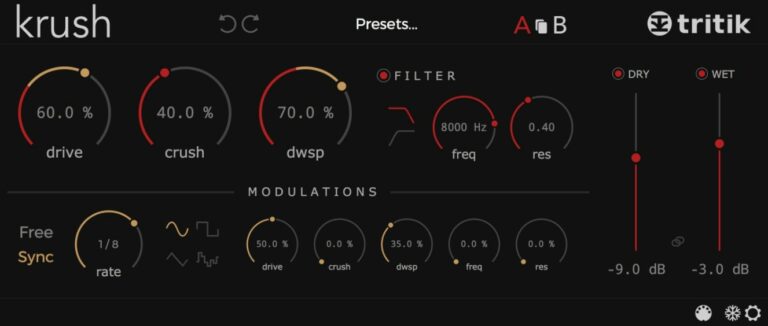
OS: Windows Win Mac Mac Bit Version: 64-bit Developer: Tritik Size: 13 MB Rating: 89/100
Krush offers a powerful bitcrushing and downsampling engine that gives your sounds everything from gentle grit to full digital destruction. Its drive control adds warmth and punch, while the analog-style filters help shape tones for drums, synths, or any track needing extra texture.
The built-in modulation section brings movement and rhythm by letting you animate almost any parameter. With tempo-sync options, preset browsing, and easy A/B comparison, Krush makes it simple to explore creative distortion while keeping your mixes balanced and exciting.
Features
- Bit Depth And Sample Rate Reduction
- Analog Modeled Low-Pass And High-Pass Filters
- Modulation For Every Main Parameter
- Tempo-Synced Or Free Modulation Speed
- Resizable Interface With Clean Design
- File-Based Preset System Included
- Preset Freezer For Safe Recall
- Dry And Wet Level Controls
- Low CPU Usage For Multiple Instances
Pros
- Warm drive adds rich tone
- Analog modeled filters sound natural
- Downsampling creates fun textures
- Strong modulation section options
- Tempo synced modulation available
- Bit depth control feels smooth
- Can go from soft to wild
- Very versatile for sound design
- Low CPU use for sessions
- Often ranked best free bitcrusher
Cons
- Lacks natural acoustic realism
- No built-in reverb effects
- Can sound too harsh easily
- Limited dynamic expression range
- No round-robin sample variation
- Only focuses on lo-fi distortion
- No real instrument articulations
- Sound design over musical warmth
- Can overpower soft mix elements
- Not suited for ambient music
Video Demo
What Users Say
Audio Demo
Krush Tips
- I use Krush on drums to add a dirty, lo-fi tone that stands out in the mix.
- Automating the bit depth and sample rate can make cool glitchy effects over time.
- Layering Krush with reverb or delay can balance its rough texture with smooth space.
- Syncing modulation speed to the project tempo helps keep effects musical and tight.
- Filtering before crushing keeps unwanted noise under control and focuses the sound.
- Using the modulation features can bring movement to static pads or vocals.
2. Crush
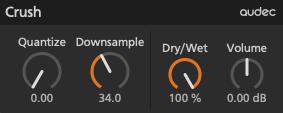
OS: Windows Win Mac Mac Bit Version: 64-bit Developer: Audec Size: 1 MB Rating: 88/100
Crush offers a flexible bit crusher effect that breaks down audio quality by lowering bit depth and sample rate. It gives you control over how rough or digital your sound becomes, blending clean and crushed signals with ease through its simple Quantize, Downsample, and Dry/Wet knobs.
You can shape your tone further by adjusting the output volume and using fine-tune or reset shortcuts for precise control. Suitable for adding grit, warmth, or experimental textures, Crush helps music creators bring a lo-fi or edgy character to drums, synths, and full mixes.
Features
- Continuously Reduces Bit Depth
- Adjustable Sample Rate Control
- Dry/Wet Mix Balance Knob
- Output Volume Adjustment
- Offers Up To 32x Oversampling
- Has Pre And Post Filter Options
- Includes Auto-Gain Feature
- Provides 64-Bit Audio Processing
- Supports Windows And Mac Systems
- Designed With Simple Clean Interface
Pros
- High-quality sound degradation control
- Up to 32x oversampling support
- Pre and post filters included
- Auto-gain keeps volume balanced
- Dry/Wet knob for smooth blending
- Fine-tune control with Shift + Drag
- Apple Silicon native support
- Lightweight and CPU-friendly plugin
- Musical and not overly harsh sound
- Tight transient response for clarity
Cons
- Lacks advanced modulation options
- No built-in LFO or envelope
- Cannot sync with project tempo
- No sidechain input support
- Limited sound-shaping control
- No filter section
- No preset management
- No visual feedback
- Interface feels too plain
- Needs better CPU efficiency
What Users Say
Crush Tips
- I like to start with the mix knob low, so I can blend in the crushed sound slowly.
- I use the Crush plugin on drum loops to add grit and energy.
- I keep the sample rate reduction subtle, so the sound stays musical.
- Use automation to make the bitcrushing effect come in and out during the song.
- Try putting the bitcrusher before reverb to make old-school, grainy echo sounds.
- Use the filter inside Crush to shape the tone and keep the highs under control.
- Remember to use your ears — stop adjusting when the sound feels balanced and exciting.
3. PCM2612 Retro Decimator Unit
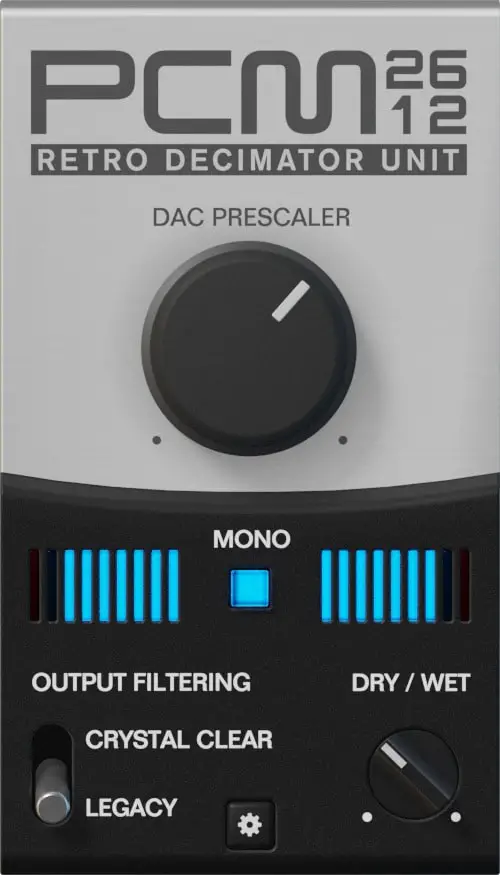
OS: Windows Win Mac Mac Bit Version: 64-bit Developer: Inphonik Size: 30 MB Rating: 87/100
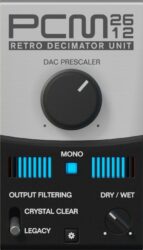
PCM2612 Retro Decimator Unit offers a classic 8-bit sound inspired by the Sega Genesis era. It works as a bitcrusher effect that adds gritty, digital distortion and retro warmth to any track. With simple controls, you can shape everything from mild crunch to gritty digital tones.
This free plugin includes switchable legacy and crystal-clear output modes, dry/wet balance, mono options, and flexible interface layouts. Compatible with Windows, macOS, and Linux, it’s ideal for adding nostalgic texture to drums, basslines, and synths in modern music production.
Features
- Free Bitcrusher Effect Plugin
- 32-Step Scalable 8-Bit Decimation
- Dry And Wet Level Control
- Switchable Output Filter Modes
- Vintage And Modern Operation Modes
- Adjustable Graphical Interface Scaling
- Compatible With Apple Silicon Chips
- Low Cpu Usage Performance
- Warm And Crunchy Retro Sound
- Useful For Chiptune And Lo-Fi
Pros
- Authentic Sega Genesis sound
- Brings nostalgic 8-bit character
- Crystal Clear or Legacy filters
- Dry and wet blend control
- Low CPU use during playback
- Runs on Windows, Mac, and Linux
- Works on Apple Silicon chips
- Strong and useful preset library
- Scalable display for easy viewing
- Better sound quality than many free crushers
Cons
- No built-in modulation section
- Lacks preset management system
- No advanced bit depth control
- Limited sound-shaping options
- Can sound harsh on vocals
- Limited automation possibilities
- Cannot sync crush rate to tempo
- Lacks built-in limiter protection
- Less flexible than Krush or Tritik
- Not ideal for subtle mastering use
What Users Say
PCM2612 Retro Decimator Unit Tips
- I mix the wet and dry signals so my sound keeps some clarity while having that crunchy tone.
- I use automation to make the bit crushing effect move over time, adding interest to my track.
- Experimenting with different sample rates helps create a wide range of digital textures.
- Balancing crushed sounds with clean layers keeps the mix clear and full.
- Applying subtle bitcrushing to pads or synths adds texture without overpowering the mix.
- Matching the downsample rate with the song’s tempo can create rhythmic artifacts that groove with the beat.
4. Timemachine
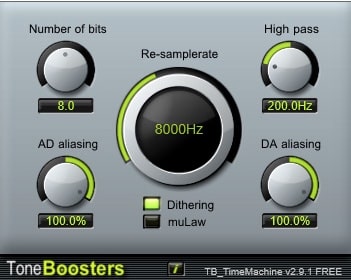
OS: Windows Win Mac Mac Bit Version: 32-bit, 64-bit Developer: ToneBoosters Size: 1.6 MB Rating: 85/100
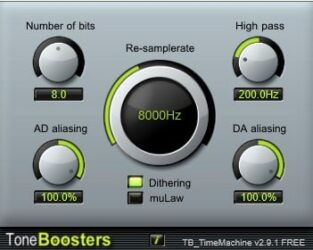
Timemachine offers the sound and character of old samplers and tape decks in one simple plugin. It lets you adjust bit depth, sampling rate, and aliasing to create classic low-fi tones or gritty digital textures. You can even freeze or reverse sounds for creative audio effects.
This plugin is useful for adding warmth, noise, or vintage wear to drums, keys, and full mixes. With detailed control over distortion, hiss, and pitch wobble, Timemachine helps producers shape anything from subtle tape flavor to fully broken, nostalgic soundscapes.
Features
- Simulates Vintage Sampler Sound
- Adjustable Bit Depth Control
- Variable Sample Rate Setting
- Separate AD And DA Aliasing
- Freeze Or Reverse Audio Playback
- muLaw Compression Mode
- Wow And Flutter Controls
- Noise And Hiss Adjustment
- Low CPU Usage
- Available In VST And AU
Pros
- Authentic vintage sampler sound
- Separate AD and DA aliasing
- muLaw shaping improves loudness
- Accurate wow and flutter control
- Customizable bit depth settings
- Adjustable re-sample rate control
- Smooth dithering for gentle warmth
- Freeze and reverse audio easily
- Turns clean drums into vintage kits
- More flexible than most free bitcrushers
Cons
- No built-in preset manager
- No dry/wet mix knob
- Limited modulation options
- No built-in limiter safety
- Lacks modern GUI scaling
- Sparse documentation and tutorials
- Interface looks dated
- No real-time frequency display
- Not updated often
- Few factory presets included
Video Demo
What Users Say
Timemachine Tips
- I like to start with small changes to the bit depth to hear how it shapes the sound before going heavy.
- I use the mix knob to blend the crushed sound with the clean signal so it doesn’t get too harsh.
- I use automation to change the bit depth during a song for a cool lo-fi transition.
- I use a high-pass filter before the bitcrusher to keep low-end rumble from getting messy.
- Bitcrushers work great when used in short bursts, adding character without overwhelming the mix.
- Putting the bitcrusher after reverb can create unique, dreamy effects.
- Experimenting with stereo width after crushing bits can make the sound open up again.
5. MBitFun
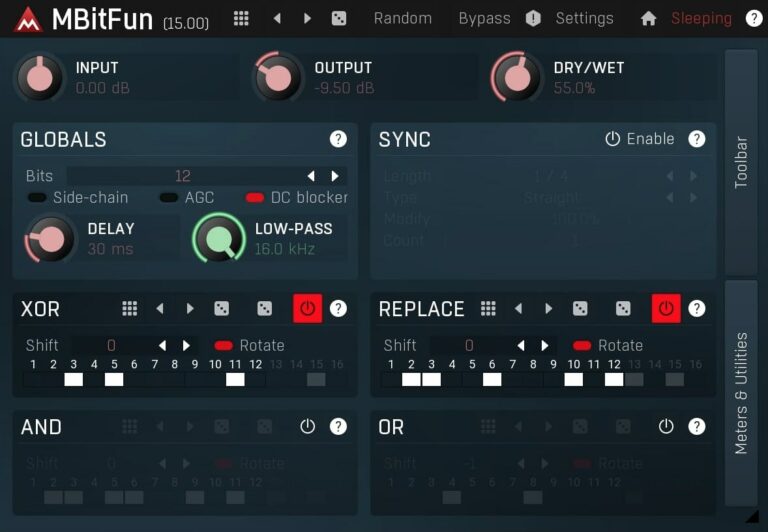
OS: Windows Win Mac Mac Bit Version: 32-bit, 64-bit Developer: MeldaProduction Size: 121 MB Rating: 84/100
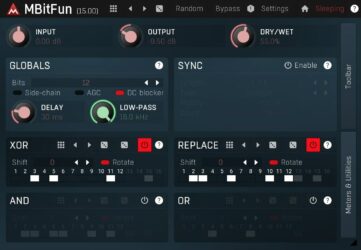
MBitFun is a bit?crushing and distortion plugin by MeldaProduction made for shaping sound in bold and creative ways. It turns audio into fixed?bit formats, from 1 to 16 bits, letting you control every bit for effects that range from gentle grit to total digital chaos.
MBitFun offers detailed control over distortion with tools like XOR, AND, OR, and Shift to alter sound at the binary level. With options for up?sampling, M/S processing, and modulation, it’s great for adding color, texture, and glitch?style effects to drums, vocals, or synths.
Features
- Converts Audio From 1 To 16 Bits
- Advanced Resizable GPU Accelerated Interface
- Smart Randomization Feature
- M/S And Up To 8 Channel Support
- MIDI Learn And Controller Support
- Adjustable Up-Sampling Up To 16x
- Bitwise XOR, OR, AND, Replace Tools
- Bit Shift And Rotate Effects
- Creates Digital And Glitch Textures
- Free Lifetime Updates
Pros
- Offers huge range of bit control
- Adjustable up-sampling for cleaner sound
- Side-chain option for modern mixes
- AGC keeps sound levels steady
- Many unique bit operations available
- Resizable interface fits any screen
- MIDI learn for easy control
- Fine control from 1 to 16 bits
- More flexible than most free bitcrushers
- Visual meters help see changes
Cons
- Interface looks cluttered and busy
- Steep learning curve for beginners
- Few ready-to-use presets
- Can sound harsh or noisy
- High CPU use at 16x upsampling
- Limited visual feedback for bits
- Hard to recreate settings later
- Can easily clip output levels
- Not ideal for live shows
- Lacks warmth compared to analog types
Video Demo
What Users Say
MBitFun Tips
- Start with gentle bit reduction before going extreme for better control of the tone.
- Use MBitFun in parallel to add just a touch of grit while keeping the main sound clear.
- Lowering the sample rate can give a digital, lo-fi texture great for retro music.
- Automation can help bring the bitcrusher effect in and out during a song for dynamic interest.
- Tame harsh frequencies after bitcrushing with a gentle EQ or low-pass filter.
6. Crush

OS: Windows Win Mac Mac Bit Version: 32-bit, 64-bit Developer: Fabric 70 Size: 5.4 MB Rating: 82/100
Crush offers a mix of distortion and bitcrushing tools that shape your sound with grit or smooth digital edge. It includes four distortion types, noise texture control, and adjustable bit depth for lo-fi or high-impact tones across drums, synths, and guitars.
You can control drive, resolution, and mix to blend clean and crushed signals. The noise reacts to your input level for dynamic texture, adding movement and energy. Crush runs on Windows and Mac in VST and AU formats, making it flexible for most setups.
Features
- Four Distortion Types Available
- Resolution Control Changes Bit Depth
- Downsampling Creates Lo-Fi Effect
- Mix Knob Blends Clean And Wet
- Drive Control Adjusts Distortion Intensity
- Built-In Limiter Prevents Clipping
- High Oversampling For Cleaner Sound
- Mid/Side Processing Options Included
- Preset Section To Save And Load
- Supports VST And AU Formats
Pros
- Four unique distortion types
- Adjustable noise texture control
- Fine-tuned bit depth control
- Powerful oversampling and anti-aliasing
- Limiter keeps sound from clipping
- Light CPU usage for high quality
- Clean sound even at low bits
- Can produce subtle or harsh tones
- Includes mix and pan controls
- Better flexibility than most free crushers
Cons
- Can be confusing for beginners
- Few presets compared to others
- Limited modulation options available
- Uses more CPU at high quality
- Lacks built-in filter section
- Does not support MIDI control
- Can sound harsh at extremes
- Interface can feel crowded
- No real-time waveform display
- Limited oversampling choices
Video Demo
What Users Say
Crush Tips
- I use the mix knob to blend the crushed sound with the clean signal so it doesn’t get too harsh.
- I use automation to make the bit depth change over time, adding movement to my track.
- Experiment with different sample rate and bit depth combinations to find unique tones.
- Use parallel processing to mix the crushed sound with the unprocessed one for clarity.
- Use the Crush by Fabric 70 as a creative effect at the end of your chain to give a vintage or lo-fi finish.
7. MBitFun
OS: Windows Win Mac Mac Bit Version: 32-bit, 64-bit Developer: MeldaProduction Size: 121 MB Rating: 81/100
MBitFun offers a powerful way to reshape sound through digital bit manipulation. It changes audio from 1 to 16 bits per sample and lets you adjust or mix each bit for creative results. From gentle saturation to heavy distortion, it delivers many tones and textures.
This plugin includes tools like filters, delay, and side-chain control, giving flexibility to sculpt audio in detail. With advanced visualization, multi-channel processing, and preset sharing, MBitFun works as both a mixing aid and a bold sound design tool for any style.
Features
- Converts Audio From 1 To 16 Bits
- Advanced Stylable Resizable Interface
- Smart Randomization Feature
- MIDI Learn And Controller Support
- Variable Bit Depth Control
- Dry Wet Mix Balance
- Adjustable Up Sampling 1x To 16x
- XOR Bit Manipulation Section
- Global Preset Management System
- Free Lifetime Updates
Pros
- Unique XOR and bit-shift effects
- Adjustable up-sampling up to 16x
- High-quality, less aliasing sound
- Resizable and GPU-accelerated interface
- Supports 8-channel surround processing
- Smart randomization for quick creativity
- Includes AGC and DC Blocker tools
- Global preset sharing and management
- Free lifetime updates included
- Powerful bit manipulation options
Cons
- Interface looks cluttered and busy
- Too many controls for beginners
- Hard to get simple results
- Steep learning curve overall
- May cause CPU spikes sometimes
- Can sound harsh too easily
- Limited real-time visual feedback
- Can make mixes muddy fast
- Few smooth or subtle settings
- Lacks friendly preset starting points
Video Demo
What Users Say
MBitFun Tips
- I use the wet/dry mix knob to blend the crushed tone with the clean signal so it doesn’t sound too harsh.
- I experiment with the High-Pass and Low-Pass filters in MBitFun to control which parts of the signal get crushed.
- I like to automate the bit depth in my song to make the sound evolve and feel more alive.
- Using MBitFun after a reverb or delay can create strange, glitchy echoes that sound very creative.
- Try putting the bitcrusher on a parallel bus so the clean and crushed signals can be balanced together.
- Experimenting with sample rate reduction can give very different tones from just bit depth reduction.
- Placing a filter after MBitFun can tame sharp highs created by extreme bit reduction.
8. BPB Dirty Spring
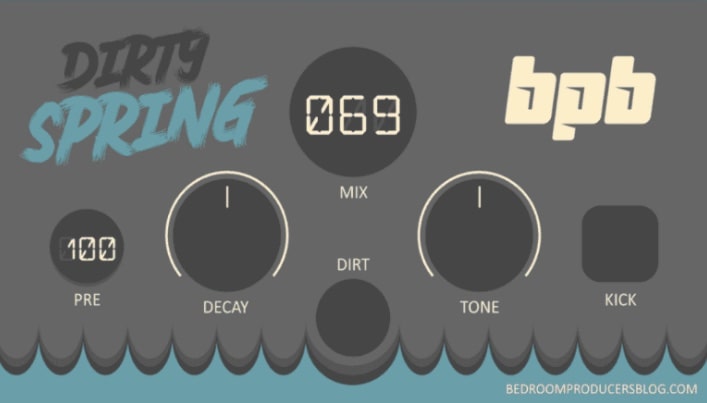
OS: Windows Win Mac Mac Bit Version: 32-bit, 64-bit Developer: Bedroom Producers Blog Size: 8 MB Rating: 80/100
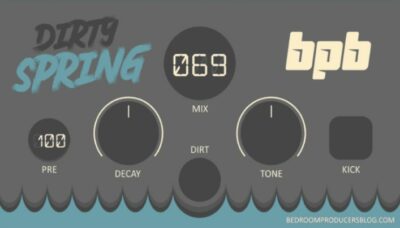
BPB Dirty Spring offers a creative mix of spring reverb and bitcrushing for a gritty, vintage tone. It gives tracks a warm and lively space, great for guitars, drums, and synths. With simple controls for tone, decay, and mix, shaping your sound is quick and easy.
The Built-in bitcrusher adds dirty, lo-fi character when you want extra texture. You can keep the sound smooth or push it into crunchy, retro territory. Available for Windows and macOS, BPB Dirty Spring is a free plugin that brings both charm and edge to your music.
Features
- Built-In Bitcrusher Effect
- Simple And Easy Interface
- Dirt Knob Adds Lo-Fi Texture
- Multiple Bitcrushing Modes Included
- Works With Drums, Guitars, Synths
- Mix Knob For Wet Blend
- No Registration Or Authorization Needed
- Available In VST2, VST3, AU, AAX
- Supports 32-Bit And 64-Bit
- Free Spring Reverb Plugin
Pros
- Includes spring reverb and bitcrusher
- Inspired by vintage spring hardware
- Multiple bitcrushing modes included
- Can blend clean and dirty tones
- Adds cool lo-fi textures
- Adjusts brightness with one knob
- Kick button for quick preview
- Free to download and use
- Good CPU performance and stable
- More flexible than most free reverb
Cons
- No advanced bitcrushing controls
- Limited modulation options
- Interface feels very basic
- No visual feedback or meter
- Bitcrusher modes feel limited
- No stereo width adjustment
- Can’t adjust sample rate crush
- Not optimized for low CPU
- No resizable GUI support
- No Built-in preset manager
Video Demo
What Users Say
BPB Dirty Spring Tips
- Bitcrusher plugins work great to add crunch and digital noise to clean sounds.
- Lowering the sample rate in a bitcrusher can make sounds feel more retro or game-like.
- Automating the bit depth in a bitcrusher can create fun, glitchy transitions.
- Soft distortion from bitcrushing can make pads or keys sit better in a mix.
- Adding a bitcrusher on a bass line before reverb can make it sound bold and messy in a good way.
- Combining a bitcrusher before Dirty Spring adds a rough, textured reverb sound.
9. HomeCorrupter
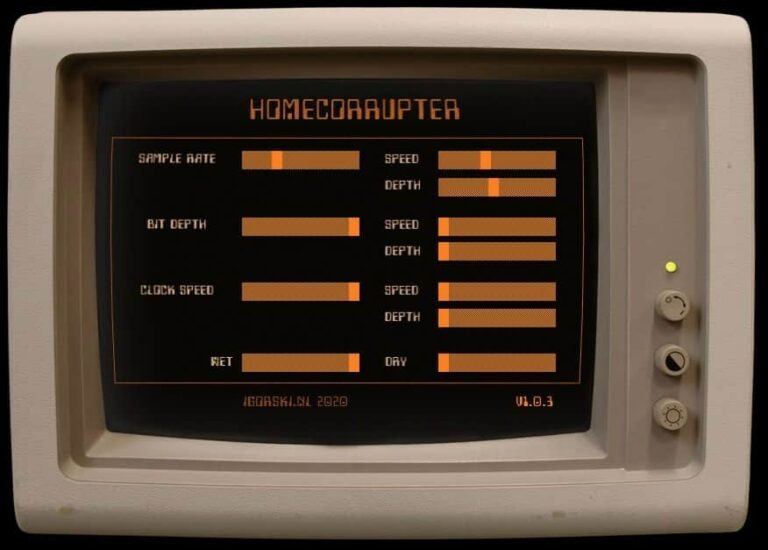
OS: Windows Win Bit Version: 64-bit Developer: igorski Size: 4 MB Rating: 79/100
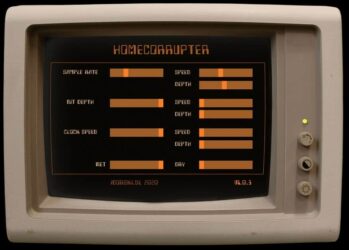
HomeCorrupter offers a way to break down clean digital sounds into rough, nostalgic textures. It lets you lower sample rate, bit depth, and playback speed to mimic the unpredictable sound of early computers. This gives your music a gritty, vintage tone full of character.
You can shape every part of the effect using sliders or LFO modulation for moving, evolving sound changes. With up to 30 seconds of record time, it also allows tape-like slowdown and scratch effects. HomeCorrupter works well for dark, experimental, or lo-fi styles where imperfect sound becomes an artistic choice.
Features
- Reduces Sample Rate And Bit Depth
- Built-In LFO For Modulation
- Adjustable LFO Speed And Depth
- Wet And Dry Mix Control
- Supports VST2, VST3, And AU Formats
- 64-Bit Plugin Version
- Simple Interface With Slider Controls
- Produces Lo-Fi And Glitch Effects
- Low CPU Usage Performance
- Suitable For Experimental Sound Design
Pros
- Creates warm vintage textures
- LFO automates all main controls
- Fun real-time playback slowing
- Produces crunchy lo-fi tones
- Creative tape-style pitch effects
- Produces organic glitch textures
- Offers up to 30 seconds record
- Supports VST2, VST3, and AU
- Low CPU usage performance
- Unique compared to basic bitcrushers
Cons
- No built-in presets available
- Lacks visual feedback meters
- Interface looks dated or plain
- No tempo-sync for LFO speeds
- No built-in filter section
- No stereo width control
- Too basic for advanced users
- No preset browser or manager
- Can sound harsh or unstable
- Lacks multi-band processing tools
Video Demo
What Users Say
HomeCorrupter Tips
- I like to start with small amounts of bit reduction so I can hear how the sound changes little by little.
- When I use HomeCorrupter, I try automating the “damage” knob to make the sound move and glitch over time.
- HomeCorrupter works best when added to individual tracks like synths or drums rather than the whole mix.
- Use the plugin’s filters to control which frequencies get crushed for a cleaner result.
- Combining a bitcrusher with reverb can help balance harsh digital tones with space and warmth.
- Turning down the wet/dry blend can help the effect feel more musical and less extreme.
- Using automation to control the corruption level can create dramatic build-ups and song transitions.
10. Delta Modulator
OS: Windows Win Mac Mac Bit Version: 32-bit, 64-bit Developer: Xfer Records Size: 0.2 MB Rating: 77/100
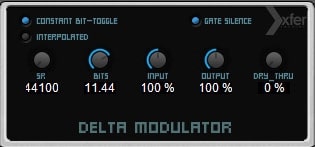
Delta Modulator offers a classic bitcrushing sound based on the delta modulation method used in the Nintendo NES console. It breaks down audio into simple 1-bit signals for a gritty, vintage tone. With adjustable bit depth and sample rate, it adds lo-fi character and movement to any track.
The plugin includes easy controls for bit level, sample rate, and mix, making it flexible for shaping drum, bass, or synth sounds. Its unique modulation style gives a crunchy, mid-focused texture that works well for creative distortion, glitch effects, or nostalgic game-inspired sound design.
Features
- Bitcrusher With Delta Modulation
- Inspired By NES Audio Channel
- Adjustable Bit Depth Control
- Variable Sample Rate Knob
- Interpolated Mode For Smooth Sound
- Mix Control For Dry Or Wet
- Low CPU Usage Performance
- Creates Lo-Fi And Crunchy Tones
- Works In VST And AU Formats
- Simple And Easy-To-Use Interface
Pros
- Free plugin with pro sound
- Fun Nintendo-style bitcrush tones
- Great for Game Boy sounds
- Interesting aliasing movement effect
- Strong grit but still musical
- Easy mix knob for balance
- Bit and rate knobs respond fast
- Perfect for creative sound design
- Stands out from other free crushers
- Trusted name from Xfer Records
Cons
- No advanced filter controls
- Limited tone shaping options
- No presets or factory sounds
- Hard to get subtle effects
- Can sound too harsh quickly
- No oversampling or anti-aliasing
- Few modulation possibilities
- Lacks modern visual feedback
- Not ideal for full vocals
- Less precise than Decimort or Krush
Video Demo
What Users Say
Delta Modulator Tips
- I often use the Dry/Wet knob to mix the crushed sound with the clean signal for more control.
- I enjoy automating the Sample Rate for fun digital movement in my synth lines.
- I sometimes put Delta Modulator on drums to make them sound old and punchy.
- I like to follow Delta Modulator with an EQ to clean up any harsh highs it creates.
- Be careful not to overuse bitcrushing—it can quickly make a mix harsh or muddy.
- Experimenting with subtle settings can turn Delta Modulator into a creative tone tool, not just a noise maker.
11. Marauder
OS: Windows Win Mac Mac Bit Version: 64-bit Developer: ViatorDSP Size: 8 MB Rating: 76/100
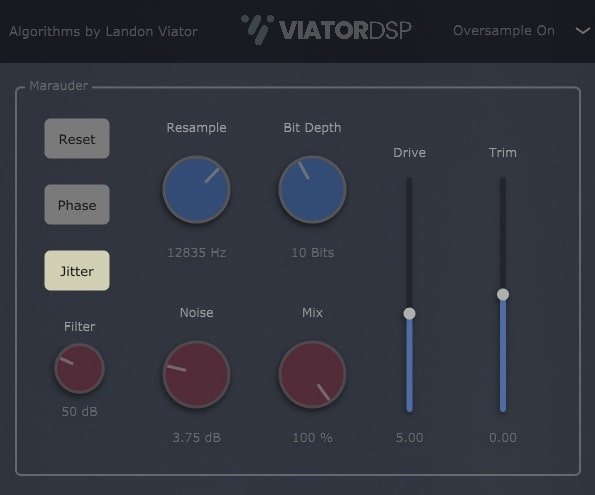
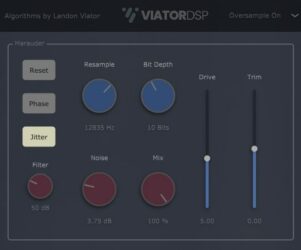
Marauder offers a gritty bitcrusher effect that turns clean sounds into rough, digital textures. It can crush audio heavily or add a gentle touch of lo-fi character. With controls for bit depth, resampling, and drive, it’s built for shaping tone from smooth warmth to full distortion.
The plugin includes extras like a noise circuit, filter, and jitter control for adding movement and texture. A mix knob helps blend the effect with the original sound, while trim and phase options refine the output. Marauder works well on drums, synths, and bass for bold, creative sound design.
Features
- Bitcrusher With Adjustable Bit Depth
- Resample Control For Crunchy Tones
- Noise Circuit Adds Pink Noise
- Drive Knob Adds Extra Distortion
- Filter Cleans High-Frequency Artifacts
- Jitter Creates Digital Instability
- Mix Knob Blends Wet And Dry
- Low CPU Usage Performance
- Works On Drums, Bass, Synths
- Supports VST And AU Formats
Pros
- Strong crunchy and gritty tones
- Easy to blend clean and crushed
- Filter cleans unwanted harshness
- Jitter creates fun digital wobble
- Bit depth shaping feels musical
- Resample creates lo-fi character
- Dynamic noise adds vintage feel
- Low CPU use for multitasking
- Unique sound unlike other free bitcrushers
- Free yet polished professional quality
Cons
- Can crash in some DAWs
- High CPU spikes in some setups
- No preset library included
- No visual feedback or meters
- Limited tone shaping controls
- No built-in limiter protection
- Can distort output unexpectedly
- Too few bit depth options
- No built-in modulation options
- Lacks multi-band bitcrushing
Video Demo
What Users Say
Marauder Tips
- I like to start with a clean sound and slowly turn up the bit depth knob to find the sweet spot.
- I use automation to change the bit depth during a song to keep the sound moving and interesting.
- It helps to use a mix knob to blend the crushed tone with the dry signal for a balanced effect.
- Combining bitcrushing with distortion can make a heavy and unique tone for guitars or bass.
- Using modulation on bit depth or sample rate creates dynamic, evolving sound textures.
- Subtle bitcrushing can add character without making the sound too harsh.
12. Elite Reducer
OS: Windows Win Mac Mac Bit Version: 32-bit, 64-bit Developer: Virtual Creations Size: 401 KB Rating: 74/100
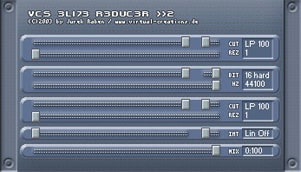
Elite Reducer is a compact bitcrusher plugin by Virtual Creations that shapes sound through bit and sample rate reduction. It includes two filters with controls for cutoff and resonance, allowing users to fine-tune how much grit or clarity remains in the processed signal.
Elite Reducer offers flexible tone shaping for beats, synths, and textures, from subtle lo-fi warmth to sharp digital crunch. With its mix control and dithering options, creators can balance clean and crushed sounds to craft unique electronic or industrial?style tones.
Features
- High-Quality Bitcrushing Algorithms
- Optional Dithering For Smooth Output
- Adjustable Bit And Sample Rate
- Pre And Post Cutoff Filters
- Dual Filter Cutoff Controls
- Resonance Controls For Each Filter
- Mix Knob For Dry Or Wet Blend
- Compact And Easy-To-Use Interface
- Supports VST And AU Formats
- Available In 32-Bit And 64-Bit
Pros
- High-quality bitcrushing algorithms
- Includes dual filter design
- Optional dithering for clean output
- Mix knob allows sound blending
- Compact and light on CPU
- Handles subtle to extreme distortion
- Musical even with heavy crush
- Perfect for dirty 8-bit sound
- Flexible and creative sound design
- Free and easy to install
Cons
- Interface looks old and tiny
- No preset browser included
- No built-in limiter or safety
- Limited modulation options
- Not resizable on big screens
- No stereo width control
- Sound can clip easily
- No oversampling control
- No sidechain or ducking feature
- Few bitcrushing styles compared
What Users Say
Elite Reducer Tips
- I like to start by setting the mix knob low, then raise it slowly until I hear the crunch I want.
- I turn down the sample rate gently to keep the sound textured but not harsh.
- I always match the output volume so I can compare the processed sound fairly.
- I blend the dry and wet signals to keep some clarity in the sound.
- Start with subtle bit reduction; too much can quickly distort the sound.
- Put the bitcrusher before delays or reverbs for a clearer, crunchy echo.
- Experiment on different instruments—guitar, drums, synths—to find where the plugin shines the most.
13. Dizztroy 2
OS: Windows Win Bit Version: 32-bit Developer: Z3 Audiolabs Size: 2.6 MB Rating: 73/100
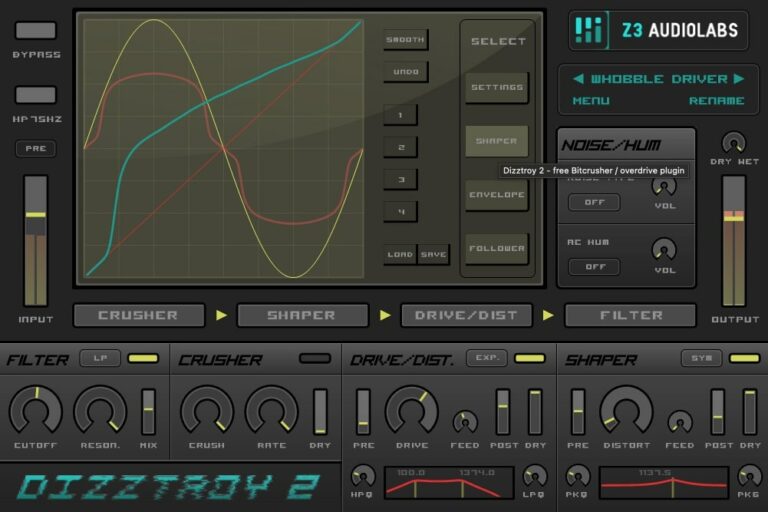
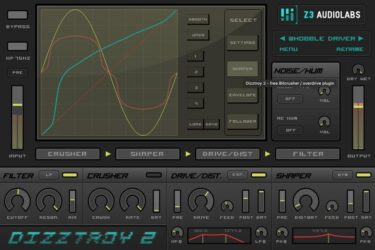
Dizztroy 2 offers a mix of bitcrushing, overdrive, and distortion tools for shaping sound in creative ways. It can turn clean drums, synths, or guitars into gritty textures or subtle warmth. The plugin’s drag-and-drop routing and multiple filters make tone control simple and flexible.
Its custom waveshaper lets you draw your own distortion curve, smooth it, and save versions for later. With built-in modulation, MIDI control, and an envelope follower, Dizztroy 2 gives producers detailed control for both precise edits and bold experimental sound design.
Features
- Bitcrush, Overdrive, And Distortion Effects
- Custom Waveshape Drawing And Editing
- Eight Distortion And Overdrive Modes
- Drag-And-Drop Effect Routing
- Five Filter Types With Controls
- Envelope Follower With Adjustable Settings
- Multisegment Envelope Generator For Modulation
- MIDI Learn For All Parameters
- Mix And Dry/Wet Control
- Mid/Side Processing Option
Pros
- Custom waveshaping for unique tones
- Eight distinct drive algorithms
- Dynamic envelope-based modulation
- Flexible filters for tone control
- Adjustable bitcrusher and sample reducer
- MIDI learn for easy control
- Saves custom waveshapes easily
- Live performance ready controls
- More flexible than most free crushers
- Encourages creative sound experimentation
Cons
- Only works on Windows computers
- No Mac or Linux support
- Interface looks old and crowded
- Can use lots of CPU power
- No built-in preset browser
- Few included factory presets
- Envelope setup can be confusing
- No built-in limiter for safety
- Distortion can sound harsh fast
- Not available for 64-bit hosts
What Users Say
Dizztroy 2 Tips
- I like to start with the mix knob low to keep some of the clean signal clear while I find the right crush level.
- I use the filter section to shape the sound, cutting highs or lows to fit better in the mix.
- I like to experiment with different sample rates to find a crispy or broken kind of tone.
- Automate parameters like bit depth and drive to give tracks dynamic character.
- Blend a small amount of crushed signal with the clean one for balanced texture.
- Always adjust the output level after crushing to avoid sudden volume jumps.
14. Gravel
OS: Windows Win Bit Version: 32-bit, 64-bit Developer: Taiga dsp Size: 1 MB Rating: 73/100
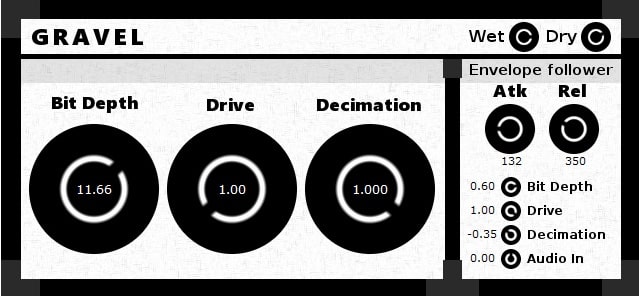
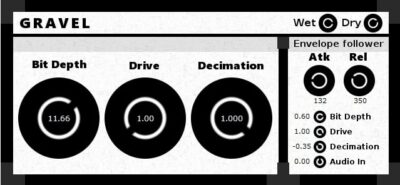
Gravel offers a mix of three powerful distortion styles combined with an envelope follower that reacts to the sound’s volume. This gives your audio movement and energy, perfect for shaping raw drums, punchy basslines, or gritty synth tones that stand out in the mix.
Using controls for bit depth, drive, and decimation, Gravel can move from smooth saturation to full distortion. The envelope follower adds dynamic modulation, so every hit or note can change the effect. It’s a flexible tool for creative distortion and shaping unique character in your tracks.
Features
- Three Types Of Distortion
- Bit Depth Reduction To 1–24 Bit
- Sample Rate Reduction Feature
- Envelope Follower Modulation Source
- Amplitude-Driven Dynamic Response
- Hard Clipping Drive Control
- Wet And Dry Mix Control
- Attack And Release Adjustment
- Simple And Clear Interface
- Works Well On Drums And Bass
Pros
- Dynamic sound with envelope control
- Modulation adds movement and life
- Powerful drive for strong crunch
- Useful wet dry mix control
- Can go from soft to extreme
- Perfect for lo fi sound design
- Adds character without harsh edges
- Envelope follower gives dynamic energy
- Lightweight plugin easy on CPU
- More expressive than other free crushers
Cons
- No macOS support available
- Interface not resizable
- Limited modulation options
- No stereo processing support
- No visual waveform display
- No sync to host tempo
- CPU usage can spike easily
- Hard clipping may sound harsh
- No built-in filter section
- Limited visual feedback tools
Video Demo
What Users Say
Gravel Tips
- I often mix the dry and wet signals to keep some of the clean tone for clarity.
- I use automation to move the bit depth knob during my song for cool glitch effects.
- Lowering the sample rate gives instruments a vintage video game vibe.
- Using EQ after the bitcrusher helps remove unpleasant harshness.
- Layering crushed and clean versions of the same sound adds depth and texture.
- Experimenting with different bit depths can help find the perfect balance between warmth and destruction.
15. MB cRushy
OS: Windows Win Bit Version: 32-bit Developer: MB-PlugIns Size: 1.2 MB Rating: 73/100
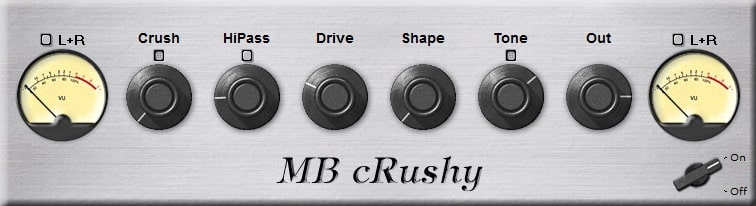
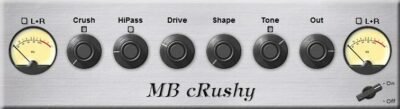
MB cRushy offers a flexible way to shape and distort your audio with precision. It brings together bitcrushing, overdrive, and filtering to create sounds that range from light warmth to extreme digital grit. Each band can be tuned for your needs, giving detailed control over tone and texture.
With controls for crush, drive, shape, and tone, MB cRushy helps you craft clear or chaotic sounds alike. It works well on drums, synths, and vocals, adding punch and color to any mix. The multiband setup makes it a creative tool for sound design and mixing.
Features
- Multiband Bitcrushing And Distortion
- Adjustable Drive And Crush Controls
- Shape Control For Tone Response
- HiPass Filter For Low Cut
- Ducking Feature For Dynamic Mixing
- Per Band Drive Customization
- Oversampling For Improved Quality
- Tone Knob For Brightness Control
- Output Level Volume Adjustment
- Left And Right Level Meters
Pros
- Warm tube-like overdrive sound
- Multiband design for flexibility
- Smart ducking and blend tools
- Acts like several effects in one
- Sounds musical, not harsh
- Strong punch on drums
- Excellent transient control
- High-quality boutique sound
- Fully functional free version
- Creative sound design options
Cons
- Only works on Windows systems
- Limited to 32-bit format
- Small GUI on high screens
- Uses high CPU with oversampling
- No built-in limiter control
- No MIDI control support
- Lacks modern visual feedback
- Can sound harsh when overused
- Lacks wet/dry mix knob
- No AU or AAX versions
What Users Say
MB cRushy Tips
- Experiment with bit depth settings to find the sweet spot between clarity and crunch.
- Layer a clean and a crushed version of the same sound for more depth.
- Use MB cRushy on bass lines to add bite, but don’t overdo it to keep the low end clear.
- Automate parameters to make transitions more exciting and dynamic.
- Combine MB cRushy with distortion or saturation for even richer textures.
16. TAL-Bitcrusher
OS: Windows Win Mac Mac Bit Version: 32-bit, 64-bit Developer: TAL Software Size: 72 KB Rating: 71/100
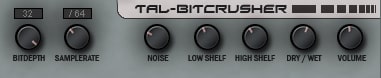
TAL-Bitcrusher offers a simple way to shape and dirty up sounds using classic digital distortion. It lets you adjust bit depth, sample rate, and noise to give your tracks a rough, digital character. Built-in EQ controls help balance low and high tones for clear or gritty results.
This plugin works well on drums, synths, and leads when you want a lo-fi or aggressive edge. The dry/wet control makes it easy to blend clean and crushed signals, giving you full control over how much effect you apply. It’s a quick tool for creative sound shaping.
Features
- Adjustable Bit Depth Control
- Customizable Sample Rate Reduction
- Built-In Noise Generator
- Noise Cross Modulation Feature
- Dry And Wet Mix Control
- Low Shelf EQ Adjustment
- High Shelf EQ Adjustment
- Output Volume Adjustment
- Light On CPU Usage
- Ideal For Drums And Synths
Pros
- Great crunchy lo-fi sound
- Includes noise cross mod
- Has dry and wet mix
- Has low and high EQ
- Better mix knob than others
- Works on Windows and Mac
- Ideal for creative distortion
- Stable and reliable plugin
- Light on computer CPU
- Can go subtle or harsh
Cons
- No visual waveform display
- Outdated interface design
- No preset saving option
- Lacks advanced modulation controls
- No built-in limiter
- No oversampling feature
- No resizable interface
- No MIDI control options
- Limited sound shaping tools
- Missing stereo width control
Video Demo
What Users Say
TAL-Bitcrusher Tips
- I like to start by lowering the bit depth just a little to keep the sound crunchy but not too harsh.
- I use the mix knob to blend in the crushed sound with my clean track so it’s not too strong.
- I like to use automation on the bit depth to make cool, moving sounds in my song.
- I crush the sound after reverb sometimes for a lo-fi, dreamy texture.
- Combining TAL-Bitcrusher with delay or reverb creates unique textures that feel spacey or glitchy.
- Adjusting the filter inside TAL-Bitcrusher helps remove high-end fizz and keeps the tone smooth.
17. cyberia
OS: Windows Win Bit Version: 64-bit Developer: slowslicing Size: 1.9 MB Rating: 68/100
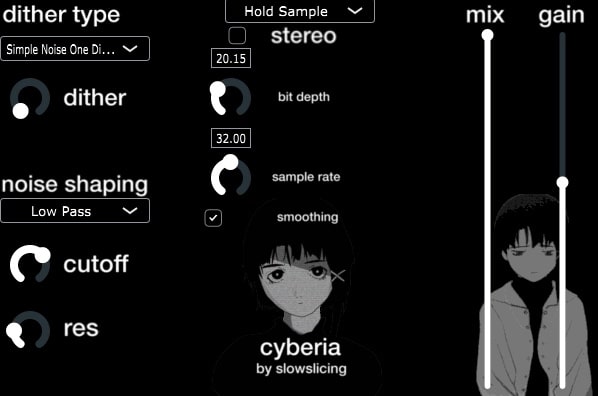
cyberia offers a mix of bitcrushing and filtering tools that shape sounds from clean to gritty. It can crush audio for harsh, digital edges or smooth it out for warm, retro tones. Adjustable controls help you sculpt textures for ambient, lo-fi, or experimental tracks.
With features like dithering, noise shaping, and adjustable bit depth, cyberia gives fine control over the tone and detail of your audio. The filter section includes cutoff, resonance, and smoothing options, while mix and gain controls help balance and blend your final sound.
Features
- Bitcrusher And Filter Processing
- Adjustable Bit Depth Control
- Variable Sample Rate Settings
- Dither Type And Amount Control
- Cutoff Frequency Filter Control
- Mix Balance Between Dry And Wet
- Experimental Sound Design Features
- Drag And Drop WAV Samples
- Includes Presets And Sample Content
- Intuitive Interface With Many Parameters
Pros
- Creates rich and gritty textures
- Strong control over bit depth
- Dither adds cool noise flavor
- Noise shaping gives custom color
- Filter helps shape bright sounds
- Stereo mode widens the mix
- Mix knob balances dry and wet
- Unique tone compared to others
- Feels more organic and evolving
- Stands out among free crushers
Cons
- Only works on Windows systems
- No AU or AAX version
- Can use lots of CPU
- No built-in preset manager
- Lacks multi-band processing
- No modulation or LFO options
- Interface looks plain and basic
- Can sound too harsh easily
- Lacks integrated limiter safety
- Other bitcrushers offer more depth
Video Demo
What Users Say
cyberia Tips
- I always try different bit depths to find the sweet spot between clarity and crunch.
- Use Cyberia’s sample rate control to give your audio a vintage or lo-fi tone.
- Adjust the wet/dry mix to blend crushed sounds smoothly into a full track.
- Try automating the drive knob for cool rising or fading effects in my songs.
- Experiment with putting a bitcrusher before distortion for a harsher, edgy sound.
- Automate the bit depth over time for evolving, glitchy transitions.
18. Compakt
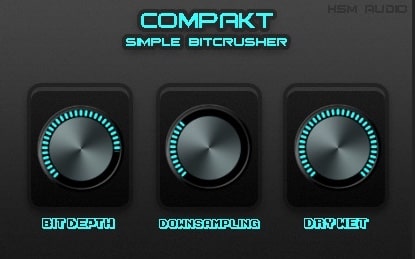
OS: Windows Win Bit Version: 32-bit Developer: HSM Audio Size: 0.9 MB Rating: 51/100
Compakt is a bitcrusher plugin made for adding crisp digital grit to your tracks. It lets you adjust bit depth for crunch, lower the sample rate for a lo-fi touch, and blend clean and crushed sounds with a simple dry/wet control.
Compakt offers an easy way to get gritty, punchy tones without complex controls. It works well for shaping drums, bass, or synths when you want extra bite or texture. Its simple layout helps you get the sound you want in seconds.
Features
- One-Knob Bit Depth Control
- Downsampling And Mix Buttons
- Adjustable Dry Wet Balance
- Clean Easy Interface
- Creates Crunchy Lo Fi Sound
- Quick Setup
- Low Cpu Usage
- Vst 32 Bit Format
- Great On Drums
- Fast Sound Design
Pros
- Great sound quality for free
- Adjustable bit depth control
- Simple downsampling options included
- Smooth dry and wet blend
- CPU friendly and lightweight
- Produces rich vintage tones
- Less bloated than other crushers
- Instant lo-fi sound control
- Great for kicks and snares
- Fun and quick sound design tool
Cons
- Only works on Windows
- No Mac support
- Limited to 32-bit
- Not supported in modern DAWs
- Very few sound controls
- No presets
- Crashes in Cubase
- Does not recall settings
- No automation
- Cannot resize window
What Users Say
Compakt Tips
- I always keep the mix knob below 50% when I want a subtle bitcrush effect.
- I often use the filter controls to smooth out harsh highs after heavy bitcrushing.
- I try automating the bit depth while the song plays to make it sound more alive.
- Bitcrusher plugins work great on synths and drums to add digital grit or retro tones.
- Combine Compakt with a delay or chorus plugin to make bitcrushed sounds feel wider and deeper.
- Adjust output levels carefully to avoid clipping since bitcrushing can boost the volume sharply.
Bitcrusher VST Plugins Compared
This table compares Bitcrusher VST plugins by features, controls, effects, formats, and more.
| Details | Krush | Crush | PCM2612 Retro Decimator Unit | Timemachine | MBitFun | Crush | MBitFun | BPB Dirty Spring | HomeCorrupter | Delta Modulator | Marauder | Elite Reducer | Dizztroy 2 | Gravel | MB cRushy |
|---|---|---|---|---|---|---|---|---|---|---|---|---|---|---|---|
| Image | 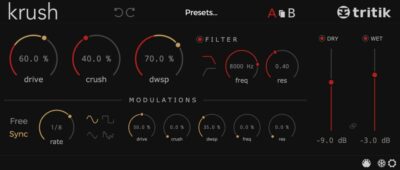 |
|
 |
 |
 |
 |
|
 |
 |
|
 |
|
 |
 |
 |
| Rating | |||||||||||||||
| OS | Windows, Mac | Windows, Mac | Windows, Mac | Windows, Mac | Windows, Mac | Windows, Mac | Windows, Mac | Windows, Mac | Windows | Windows, Mac | Windows, Mac | Windows, Mac | Windows | Windows | Windows |
| Formats | VST, VST3, AU, AAX | VST, AU | VST | VST, AU | VST, AU, AAX | VST, AU | VST, AU, AAX | VST2, VST3, AU, AAX | VST2, VST3, AU | VST, AU | VST, AU | VST, AU | VST | VST | VST |
| Bit Version | 64-bit | 64-bit | 64-bit | 32-bit, 64-bit | 32-bit, 64-bit | 32-bit, 64-bit | 32-bit, 64-bit | 32-bit, 64-bit | 64-bit | 32-bit, 64-bit | 64-bit | 32-bit, 64-bit | 32-bit | 32-bit, 64-bit | 32-bit |
| Developer | Tritik | Audec | Inphonik | ToneBoosters | MeldaProduction | Fabric 70 | MeldaProduction | Bedroom Producers Blog | igorski | Xfer Records | ViatorDSP | Virtual Creations | Z3 Audiolabs | Taiga dsp | MB-PlugIns |
| License | Freeware | Freeware | Commercial | Freeware | Freeware | Commercial | Freeware | Freeware | GPL | Freeware | Freeware | Freeware | Freeware | Freeware | Freeware |
| Sample-Based | No | Select | No | No | No | Select | No | Yes | No | No | No | No | Yes | No | Select |
| Download Size | 13 MB | 1 MB | 30 MB | 1.6 MB | 121 MB | 5.4 MB | 121 MB | 8 MB | 4 MB | 0.2 MB | 8 MB | 401 KB | 2.6 MB | 1 MB | 1.2 MB |
| CPU Load | Low | Low | Low | Low | Low | Low | Low | Low | Low | Low | Low | Low | Low | Low | Low |
| Polyphony | 1 | 8 | 1 | 1 | 1 | 8 | 1 | 32 | 8 | 1 | 8 | 8 | 8 | 8 | 8 |
| Features | Bit depth reduction, Sample rate reduction, Crunchy drive, Analog filters, Modulation section, Preset system, Resizable interface | Bit crushing, Downsampling, Dry/Wet mix, Volume control, Oversampling, Auto-gain, Pre/Post filters | Free plugin, 8-bit decimation, Dry/Wet control, Stereo/Mono switch, Output filtering modes, Scalable interface, Dual layout options | Bitcrusher, Freeze/Reverse, Sample-rate control, AD/DA aliasing, Dithering, muLaw shaping, Wow/Flutter | Bit manipulation, Extreme distortion, Advanced interface, Unique visualization, Smart randomization, Surround processing, Global presets | Distortion Types, Noise Texture, Bit Crushing, Downsampling, Preset Management, Mix Control, Built-in Limiter | Advanced Interface, Visualisation Engine, Multiparameters, Surround Processing, Smart Randomization, Adjustable Upsampling, MIDI Learn | Spring reverb, Bitcrusher, Decay control, Tone shaping, Pre-delay, Mix blend, Kick trigger | Bit reduction, Sample rate control, Clock speed modulation, LFO automation, Real-time slowdown, Tape-style sync, Wet/dry mix | Bit depth control, Sample rate reduction, Constant bit-toggle, Interpolated smoothing, Dry/wet mix, Input/output level, Gate silence indicator | Bit Reduction, Resampling, Noise Control, Drive Distortion, Jitter Algorithm, Filter Shaping, Mix Blending | Bitcrushing algorithms, Dithering option, Dual filters, Resonance control, Intensity adjustment, Mix blending, LoFi sound | Bitcrush distortion, Custom waveshaping, Drag-and-drop routing, Multisegment modulation, Envelope follower, MIDI control, Filter variety | Bitcrusher distortion, Envelope modulation, Bit depth reduction, Sample rate decimation, Drive saturation, Attack control, Release control | Multiband processing, Bitcrushing, Transient shaping, Distortion control, Noise generation, Tone shaping, Ducking compression |
| Controls | Drive, Crush, Dwsp, Filter, Freq, Res, Rate | Quantize, Downsample, Dry/Wet, Volume, Fine-Tune, Reset, Version Display | DAC Prescaler, Mono Button, Output Filtering Lights, Dry/Wet Knob, Crystal Clear Switch, Legacy Switch, Gear Icon Button | Number Of Bits, High Pass, Re-Sample Rate, AD Aliasing, DA Aliasing, Dithering, muLaw | Input, Output, Dry/Wet, Bits, AGC, DC Blocker, XOR | Distortion Type, Drive, Detect Threshold, Output Sensitivity, Noise Level, Resolution, Downsampling | Input, Output, Dry/Wet, Bits, Side-Chain, AGC, DC Blocker | Pre, Decay, Mix, Dirt, Tone, Kick, Bitcrusher Mode | Sample Rate, Bit Depth, Clock Speed, LFO Speed, LFO Depth, Wet, Dry | Constant Bit-Toggle, Interpolated, SR, Bits, Input, Output, Dry/Thru | Resample, Bit Depth, Noise, Filter, Jitter, Drive, Mix | Cut 1, Rez 1, Int, Cut 2, Rez 2, Mix, Dither | Input Slider, Bypass Switch, Filter Section, Crusher Section, Drive/Dist Section, Shaper Section, Dry/Wet Slider | Bit Depth, Drive, Decimation, Wet/Dry, Attack, Release, Audio In | Crush, HiPass, Drive, Shape, Tone, Out, On/Off Switch |
| Effects Included | Bit depth reduction, Sample rate reduction, Drive, Analog modeled resonant filters, Modulation | Bit crushing, downsampling, pre filter, post filter, dynamics, saturation, tone-shaping, oversampling, auto-gain, stereo/mono processing | Bitcrushing, distortion, filtering | Bitcrushing, High-pass filtering, Aliasing distortion, Dithering, muLaw compression, Freeze, Reverse, Noise, Wow, Flutter, Saturation, Compression, Transient shaping | Distortion, Delay, Low-Pass, DC Blocker | Distortion, Bit Crush, Noise, Downsampling, Limiter, Filter, Dynamics Processor, Saturation | Distortion, Delay, Low-Pass, DC Blocker | Spring reverb, Bitcrusher | Bit depth reduction, sample rate reduction, playback rate alteration, modulation via LFO, wet/dry mix | Bitcrushing, sample rate reduction, distortion | Bitcrushing, Distortion, Sample Rate Reduction, Pink Noise Generation, Filtering, Saturation, Tape Flutter, Clipping, Phase Inversion | Bitcrushing, Filtering, Saturation | Bitcrusher, sample rate reducer, overdrive, distortion, waveshape distortion, filter, high-pass filter, noise, hum, compression, clipping | Distortion, Bit depth reduction, Sample rate reduction, Envelope follower | Bitcrusher, Distortion, Filtering, Overdrive, High-pass filter, Compression, Transient shaping, Saturation |
| MIDI Learn | Yes | Yes | No | Yes | Yes | Unknown | Yes | Yes | Yes | Unknown | Yes | Yes | Yes | Unknown | Unknown |
| Presets | 35 | N/A | N/A | N/A | 16 | 35 | 16 | 15 | 8 | N/A | 10 | 40 | 150 | N/A | 25 |
| Standalone | No | Yes | Yes | No | No | Select | No | Yes | Yes | No | Yes | Yes | Yes | Yes | Yes |
| Last Updated | 05/06/2024 | N/A | 09/12/2023 | 04/17/2024 | 06/23/2023 | N/A | 05/30/2024 | 04/23/2024 | 03/13/2021 | 06/12/2024 | 04/11/2024 | 07/04/2015 | 06/13/2024 | 06/23/2024 | 07/13/2024 |
Favorite Bitcrusher VST Plugin
Our top pick for the best free Bitcrusher VST plugin is Krush by Tritik.
| Details | Krush |
|---|---|
| Image |
|
| Rating | |
| OS | Windows, Mac |
| Formats | VST, VST3, AU, AAX |
| Bit Version | 64-bit |
| Developer | Tritik |
| License | Freeware |
| Sample-Based | No |
| Download Size | 13 MB |
| CPU Load | Low |
| Polyphony | 1 |
| Features | Bit depth reduction, Sample rate reduction, Crunchy drive, Analog filters, Modulation section, Preset system, Resizable interface |
| Controls | Drive, Crush, Dwsp, Filter, Freq, Res, Rate |
| Effects Included | Bit depth reduction, Sample rate reduction, Drive, Analog modeled resonant filters, Modulation |
| Download | Download Krush |
Bitcrusher Plugin FAQs
How to Install Bitcrusher VST Plugins
To install bitcrusher VST plugins on Windows or Mac, extract the files from the Zip or Rar. Move the files (.dll for Windows or .component for Mac) into your DAW’s plugin folder. Then restart your software and rescan the directory to complete the process. Tutorial: How to Install VST Plugins
Windows:
Extract the downloaded zip file and copy the .dll file into the VST plugins folder scanned by your DAW. Restart your music software and rescan your plugin directory to begin using the new VST.
Mac OS X:
Extract the downloaded archive and move the .component or .VST file to the plugin folder. It is usually /Library/Audio/Plug-Ins/Components or /Library/Audio/Plug-Ins/VST. Restart your DAW and rescan your plugins to complete the installation.
What Is A Bitcrusher VST?
A bitcrusher is a type of audio effect that reduces an audio signal’s quality or bit rate. The result can be heavily distorted sound, often with many artifacts added.
If you’re on a Windows computer, you’ll find most bit crushers are available as plugins. Mac users have some different options for this audio effect.
I hope you found this list of free Bitcrusher VST plugins helpful.
You May Also Like:





