

These are the best free shaker VST plugins, shaker samples, and free shaker SoundFonts to use with your music projects. These are the best free shaker sounds I could find online.
How we rate plugins: We rate each shaker VST plugin based on sound quality, design, performance, features, usability, and compatibility. We rate plugins on a scale of 1 to 100.
Table of Contents
I have spent over 15 years testing and comparing hundreds of free and paid VST plugins, supported by hands-on demos on our YouTube channel which has 11,000+ subscribers.
Free Shaker VST Plugins
This table compares shaker plugins by operating system, bit version, format, and rating.
| # | Plugin | OS | Formats | Bit Version | Ratings |
|---|---|---|---|---|---|
| 1 | CGC Shaker ( Kontakt ) | Windows Mac | Kontakt | 64-bit | |
| 2 | Vintage Toy Tambourine | Windows Mac | Kontakt | 32-bit, 64-bit | |
| 3 | MISCELLANIA II | Windows Mac | VST, AU | 32-bit, 64-bit | |
| 4 | Shaker Maker | Windows | VST | 32-bit | |
| 5 | B-2 Shake & Scrape | Windows Mac | VST | 32-bit, 64-bit | |
| 6 | Stoq | Windows | VST | 32-bit | |
| 7 | Shekrs | Windows | VST | 32-bit |
Related: Best Free Snare VST Plugins | Best Free Kick VST Plugins
1. CGC Shaker ( Kontakt )
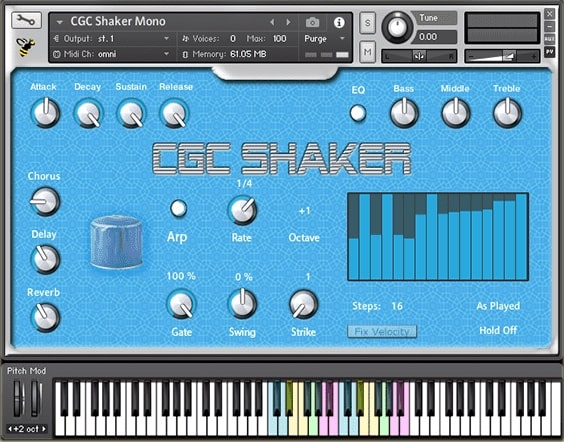
OS: Windows Win Mac Mac Bit Version: 64-bit Developer: Boyss-Sound-e-Scapes Size: 463 MB Rating: 83/100
CGC Shaker (Kontakt) offers a fresh take on percussion by turning camping gas cartridges filled with sand and pebbles into unique shaker sounds. It includes four shaker types with 22 round robins each, giving every hit a slightly different tone for a more natural feel.
The plugin includes a full Kontakt interface with tone shaping, effects, and rhythmic controls such as ADSR, delay, reverb, chorus, and an arpeggiator. It’s useful for adding subtle movement, layering with drums, or giving beats an organic groove across many musical styles.
Features
- Four Unique Shaker Types
- 880 Recorded Samples Included
- 22 Round Robins Per Articulation
- Built-In Delay Reverb Chorus
- Custom Sequencer And Arpeggiator
- Adjustable Swing And Gate Controls
- Tempo Synced Patterns And Loops
- Natural And Organic Sound Character
- Low CPU And RAM Usage
- Simple And Easy Interface
Pros
- Very realistic shaker-style sounds
- Unique source recordings with texture
- 880 total samples for variety
- 22 round robins per articulation
- Natural, human-like performance feel
- Multiple shaker types included
- Tempo-synced loops and patterns
- Organic and non-repetitive playback
- Light on CPU and memory use
- Includes WAV files for any DAW
Cons
- Requires Kontakt to use fully
- No standalone plugin version
- Limited tonal variety
- Old-school interface design
- Fewer controls than modern VSTs
- Less intuitive than newer plugins
- Can sound too noisy
- Smaller sound library
- Limited velocity layers
- Fewer articulations than rivals
Video Demo
What Users Say
CGC Shaker ( Kontakt ) Tips
- I adjust the velocity to make my shaker sound more natural, like a real person playing it.
- Try different round-robin settings in CGC Shaker to avoid the sound becoming too repetitive.
- Use the humanize function to slightly change timing and volume for a realistic groove.
- Experiment with EQ to let the shaker sit well in the mix without clashing with hi-hats.
- Keep shakers subtle in the mix; they work best when they add rhythm but don’t dominate.
- Blend a dry shaker with a wet, reverb-heavy one for more texture in the background.
2. Vintage Toy Tambourine
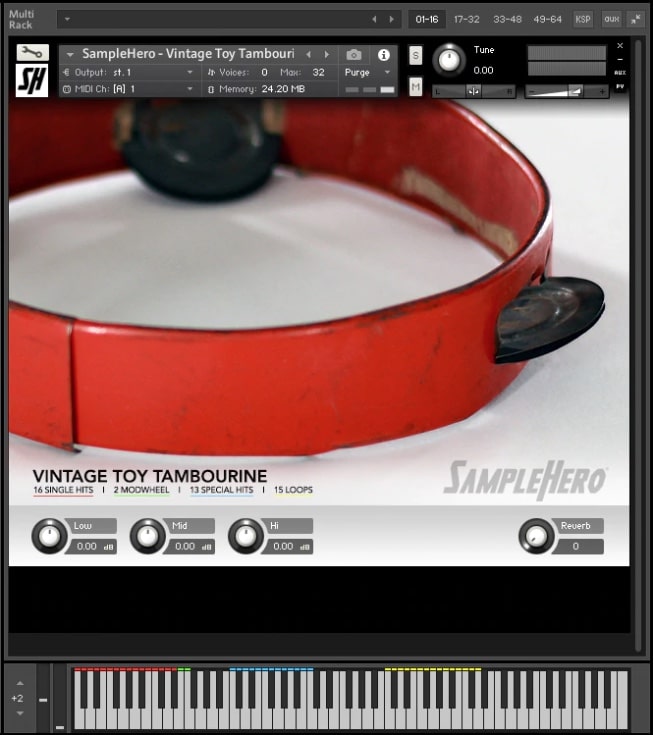
OS: Windows Win Mac Mac Bit Version: 32-bit, 64-bit Developer: SampleHero Size: 27 MB Rating: 79/100
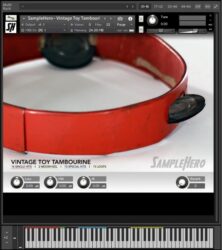
Vintage Toy Tambourine (Kontakt) offers the warm, character-filled sound of an antique metal tambourine recorded with high-end microphones and preamps. Its rusted jingles and natural tone bring a nostalgic touch to your music, blending easily with modern or vintage-style tracks.
This free library includes single hits, special loops, and mod-wheel control for dynamic expression. Simple EQ and reverb settings let you shape the tone, from up-close and dry to wide and echoing. It’s a small but charming tool for adding quirky rhythm and texture.
Features
- Deeply Sampled Vintage Toy Tambourine
- Captured With Neumann Microphones
- Includes Single Hits And Loops
- Features Mod-Wheel Controlled Shakes
- Offers 3-Band EQ Control
- Built-In Reverb Effect Included
- Pitch Tuning For Sound Control
- Lightweight And Fast To Load
- Distinct Vintage And Metallic Tone
- Low CPU Usage Performance
Pros
- Beautiful old vintage sound
- High-quality stereo recordings
- Captured with pro microphones
- Warm and natural tambourine tone
- Includes usable rhythm loops
- Has mod-wheel control options
- Comes with 3-band EQ
- Built-in reverb for space
- Perfectly locks to song tempo
- Authentic vintage toy instrument
Cons
- Requires full Kontakt, not free player
- Only one instrument sound type
- Limited sound shaping controls
- No velocity layers for dynamics
- Missing round-robin sampling
- No MIDI learn for controls
- Small sample library size
- Hard to blend in modern mixes
- Cannot load new sample sets
- Less realistic than newer VSTs
Video Demo
What Users Say
Vintage Toy Tambourine Tips
- I use the velocity control to make the hits sound more real and less robotic.
- I tweak the reverb to give the tambourine just enough space without making it too far away.
- Use EQ to cut low frequencies, keeping the tambourine light and crisp in the mix.
- Adding a touch of compression helps even out volume between hits.
- Using MIDI humanization can make shaker rhythms sound more natural.
- I pan the tambourine slightly left or right to create a nice stereo field.
3. MISCELLANIA II
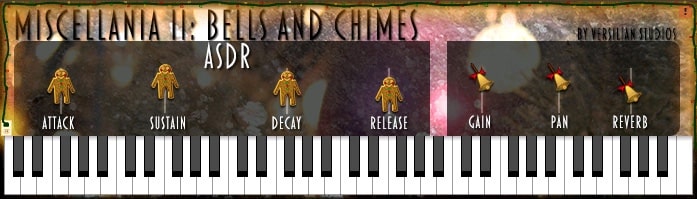
OS: Windows Win Mac Mac Bit Version: 32-bit, 64-bit Developer: Versilian Studios Size: 41 MB Rating: 71/100
MISCELLANIA II offers a collection of 130 ringing, rattling, and metallic sounds for creative music projects. It includes instruments like tambourines, triangles, bells, and chimes, giving you a wide range of bright and percussive tones to shape unique textures and accents.
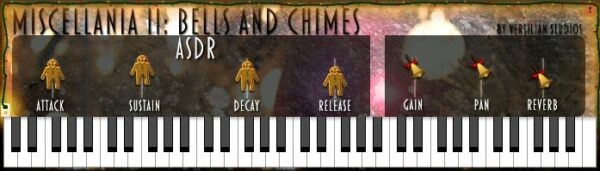
The plugin includes simple sound controls such as attack, decay, sustain, release, gain, pan, and reverb. With six octaves of playable tones, it can create rhythmic layers, ambient effects, or experimental soundscapes across many styles of music production.
Features
- Includes 130 Unique Samples
- Features Metallic And Percussion Sounds
- Ten Round-Robin Tambourines
- Six Octaves Of Tuned Sounds
- Adjustable Attack, Decay, Sustain, Release
- Gain And Pan Controls Included
- Built-In Reverb Effect Option
- Playable Keyboard Range C1 To C7
- Available As VST And AU Formats
- Praised For Experimental Sound Design
Pros
- Huge variety of metallic sounds
- Wide six-octave playable range
- Includes tuned playable patches
- Unique textures for ambient music
- Perfect for cinematic atmospheres
- Built-in reverb for spacey sound
- Great for unusual percussion layers
- Light on CPU use
- Inspires instant musical creativity
Cons
- Interface looks old and clunky
- Crashes when changing presets
- Hard to load in some DAWs
- Confusing setup and authorization steps
- Limited sound shaping options
- No built-in effects beyond reverb
- Samples can sound a bit noisy
- No modern resizable GUI
- Inconsistent preset volume levels
- Limited round-robin variety
Video Demo
What Users Say
MISCELLANIA II Tips
- I make sure to adjust the velocity of each note to make the shaker sound more natural.
- I use the pan control to spread different shaker sounds across the stereo field for a wider mix.
- I tweak the reverb and delay settings to fit the shaker in with the rest of the instruments.
- I balance the shaker’s volume carefully so it doesn’t overpower my drums but still adds texture.
- Use EQ to remove muddy low-end frequencies that shakers don’t need.
- Try automating panning or volume to give the shaker a sense of movement in the mix.
- Listen in context with the entire track to make sure the shaker groove blends well with other instruments.
4. Shaker Maker
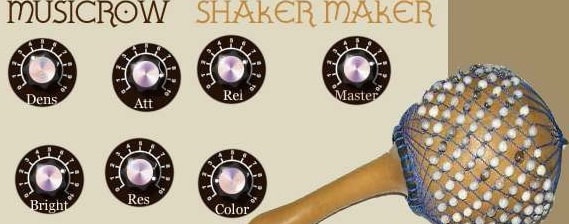
OS: Windows Win Bit Version: 32-bit Developer: Musicrow Size: 3 MB Rating: 63/100
Shaker Maker is a VST effect that changes any rhythmic sound into a smooth, natural shaker groove. It includes 16 ready-made shaker types like egg, cabasa, and metal, or you can design your own tone using simple controls for brightness, attack, and rhythm.
Shaker Maker offers a quick way to make your tracks feel more human and lively. You can use drum loops, voice recordings, or any rhythm source to build your shaker pattern. It keeps perfect sync with your project’s tempo, adding movement and groove to any mix.
Features
- Turns Rhythmic Audio Into Shaker Sounds
- Includes Sixteen Prepared Shaker Types
- Allows Creating Custom Shaker Sounds
- Syncs Automatically To Host Tempo
- Supports Midi Triggering For Patterns
- Offers Swing Control For Groove Feel
- Low Cpu Usage For Multiple Instances
- High Quality Recorded Shaker Samples
- Professional Percussionist Performed Patterns
- Simple Interface For Easy Operation
Pros
- Creates very real shaker sounds
- Includes sixteen shaker sound types
- Can design your own shaker type
- Syncs perfectly to host tempo
- Lets you record with your voice
- Patterns played by real percussionist
- Swing control adds fun feel
- Shaker sounds recorded in high quality
- Low CPU use for smooth play
- Very small plugin file size
Cons
- Only works on Windows
- Limited to 32-bit hosts
- Not available in VST3
- No standalone mode
- Outdated interface design
- Few sound shaping controls
- No velocity adjustment
- No sample import
- Can sound repetitive
- Not compatible with new DAWs
Video Demo
What Users Say
Shaker Maker Tips
- I use the tempo sync feature so my shaker stays perfectly in time with the beat.
- I often adjust the swing knob to make the rhythm feel more natural and human.
- I turn up the “random” control a little to make the playing feel less robotic.
- I pan the shaker slightly to one side to give space for other instruments in the mix.
- Keep the shaker volume lower than the kick and snare so it supports the beat without taking over.
- Use EQ to remove low frequencies that can muddy up the mix.
5. B-2 Shake & Scrape
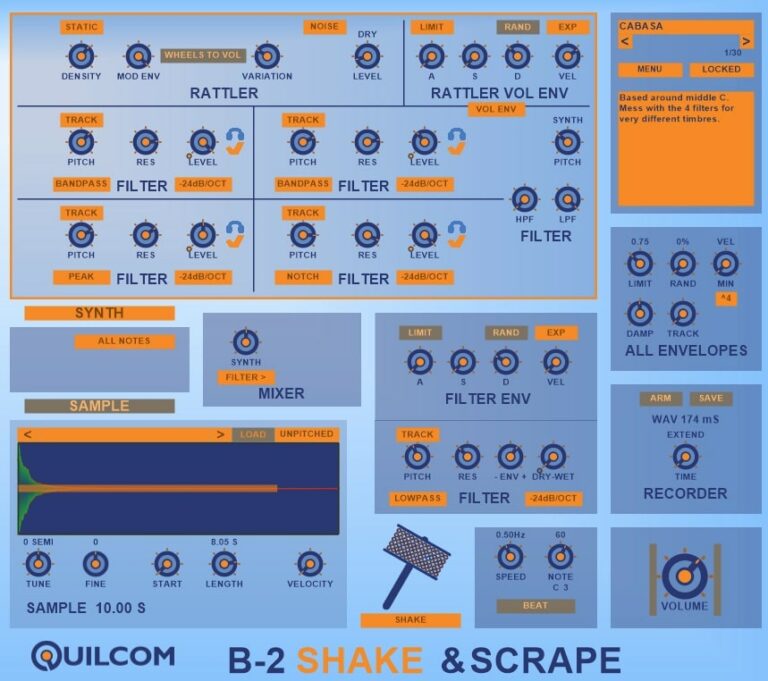
OS: Windows Win Mac Mac Bit Version: 32-bit, 64-bit Developer: Quilcom Size: 30 MB Rating: 61/100
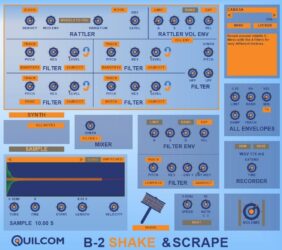
B-2 Shake & Scrape offers a fun way to create and shape realistic shake and scrape percussion sounds. It gives control over density, variation, and tone, letting you adjust how each rattle or scrape reacts. The plugin blends real-world textures with flexible electronic shaping tools.
You can tune samples, add filter effects, and mix synthetic layers for a wider sound range. Its envelope controls let you define how each sound starts and fades, while the built-in recorder helps capture your results. It’s a creative tool for detailed percussion design.
Features
- Simulates Shaken And Scraped Percussion
- Adjustable Rattler Sound Density
- Multiple Filter Types For Tone Shaping
- Built-In Synth Tone Generator
- Mixer Blends Synth And Filtered Sounds
- Sample Section Loads Custom Audio
- Shake Section Simulates Motion Control
- Beat Section Sets Speed And Pitch
- Recorder Section Captures Sound Output
- Variation Adds Realistic Sound Differences
Pros
- Wide range of shake sounds
- Rattler section gives realistic motion
- Density knob makes shakes natural
- Synth section adds musical tones
- Can mix synthetic and sample sounds
- Loads custom audio samples fast
- Unpitched mode gives creative effects
- Built-in recorder for sound capture
- Shake control adds moving realism
- Free and easy to experiment with
Cons
- Doesn’t load reliably in some DAWs
- No built-in presets for quick use
- User interface looks dated
- More synthetic than natural sound
- No built-in reverb or delay
- Limited motion or movement options
- Not very CPU efficient
- Limited documentation or tutorials
- Doesn’t support multi-output routing
- Less polished than commercial VSTs
Video Demo
What Users Say
B-2 Shake & Scrape Tips
- I adjust the “Shake Intensity” until it sounds smooth and not too harsh in the mix.
- I like to pan the shaker slightly to one side to give the mix more space.
- A little variation in timing can make the shaker sound more real and less robotic.
- EQ can help remove low frequencies that crowd the mix; shakers work best with clear highs.
- Automating the pan or volume helps the shaker move in the stereo field and feel lively.
- Adding a compressor can help control peaks and give the shaker a tighter feel.
6. Stoq
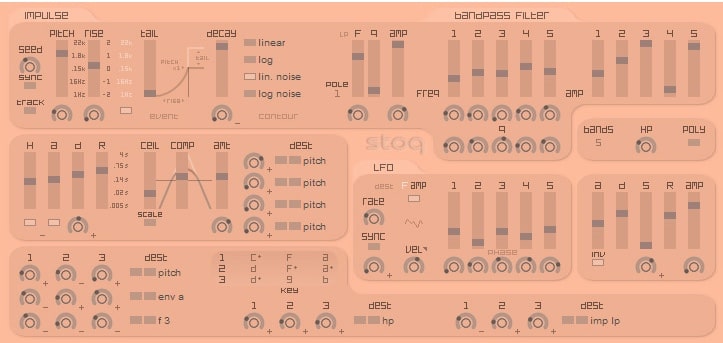
OS: Windows Win Bit Version: 32-bit Developer: Xoxos Size: 1 MB Rating: 54/100
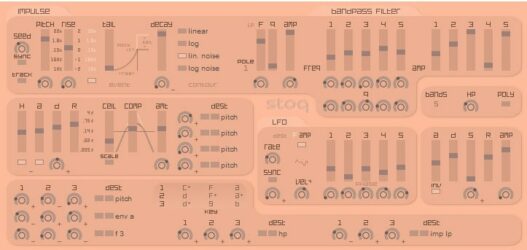
Stoq offers a creative way to design maracas and other shaker-style sounds using random impulses and detailed tone controls. Inspired by Perry Cook’s work, it builds rhythmic layers that can sound natural or experimental, depending on how you tune its impulse, pitch, and filter settings.
Its envelopes, filters, and LFO tools shape each hit’s motion and texture, while tempo sync and random seeding keep patterns constantly changing. Stoq is designed for Windows as a 32-bit VST, making it a flexible choice for artists exploring unique percussive textures.
Features
- Creates Maracas And Shaker Sounds
- Impulse Controls For Sound Shaping
- Adjustable Pitch, Rise, And Decay
- Random Seed For Sound Variation
- Tempo Sync For Rhythmic Control
- Bandpass Filter With Frequency Control
- LFO For Slow Sound Modulation
- Velocity Sensitivity For Expressive Play
- Generates Glitchy Percussion Rhythms
- Useful For Experimental Sound Design
Pros
- Creates endless random rhythm ideas
- Produces organic, non-repetitive sounds
- Generative engine keeps rhythms evolving
- Deep control over sound shaping
- Responds to MIDI velocity naturally
- Syncs perfectly with project tempo
- LFO adds cool sound movement
- Bandpass filter cleans up tone
- Encourages resampling for fresh ideas
- Small file size and lightweight
Cons
- Only works on Windows
- Not compatible with 64-bit DAWs
- No support for Mac
- No preset library
- Can crash with automation
- Needs extra effects
- Sounds too digital
- No modern resizable GUI
- Few updates or support
- High CPU usage
Video Demo
What Users Say
Stoq Tips
- I experiment with different preset patterns to find one that fits the mood of my track.
- When a track feels too stiff, I move the timing on the shaker slightly to make it feel more human.
- Experiment with the randomization features to create more natural-sounding shaker patterns.
- Use different panning positions for shakers to create space and width in the stereo field.
- Use high-pass filtering to remove low frequencies that may muddy the mix.
- Apply gentle compression to even out the shaker hits and keep them consistent in volume.
7. Shekrs
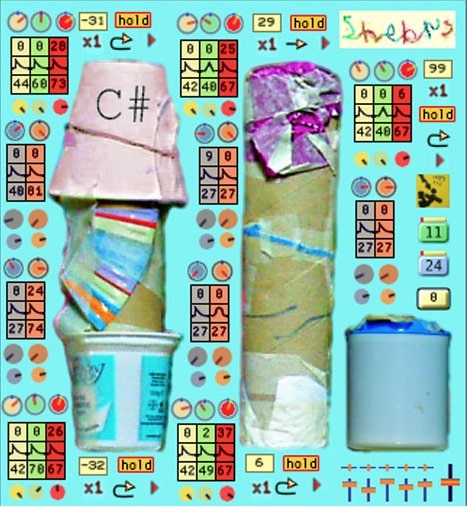
OS: Windows Win Bit Version: 32-bit Developer: Spacedad Size: 1 MB Rating: 51/100
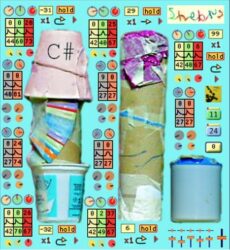
Shekrs offers a fun and unusual way to add handmade shaker sounds to your music. Built from recorded loo-rolls, yogurt pots, and paper cups, it includes five playable shakers on specific MIDI notes. Simple controls for speed, pitch, and volume help shape smooth or chaotic rhythms.
The plugin also adds filters, distortion, bitcrushing, and panning for extra texture. Its small, colorful interface lets you mix, twist, and lock settings while building rhythmic loops or noisy textures. Shekrs is best for producers who enjoy experimenting with quirky and broken-sounding effects.
Features
- Five Playable Shaker Sounds
- MIDI Notes Trigger Each Sound
- Speed, Pitch, And Volume Control
- High-Pass And Low-Pass Filters
- Built-In Distortion And Bitcrushing
- Panning For Stereo Movement
- Pattern Blocks For Rhythmic Loops
- Hold Buttons Lock Current Settings
- 99 Box Sets Output Level
- Creates Glitchy And Lo-Fi Effects
Pros
- Fun handmade shaker instrument sounds
- Creative use of common objects
- Lets you mix five shaker sounds
- Bitcrusher adds gritty character
- Cool lo-fi and glitchy tones
- Simple interface with colorful dials
- Pattern blocks help build grooves
- Panning controls create wide space
- Easy to make unique rhythms
- Free plugin with quirky charm
Cons
- Only works on Windows systems
- Limited to 32-bit version
- Crashes in some DAWs
- Not compatible with VST3
- Small interface hard to read
- No resizable GUI
- No tempo sync
- Sound can distort
- No 64-bit or AU version
- Less realistic than competitors
Video Demo
What Users Say
Shekrs Tips
- I use the tempo sync option so my shakers always stay in time with my project.
- I turn the mix knob until the shakers sit nicely in my track without sounding too loud.
- I sometimes layer Shekrs with other percussion for a richer sound.
- I try changing the stereo width to make the shakers feel bigger and more alive.
- Use subtle compression to even out shaker dynamics without losing their liveliness.
- Keep the shaker track slightly lower in the mix to blend naturally with drums.
- Use automation and effects in your DAW to make shaker parts evolve throughout the track.
Shaker VST Plugins Compared
This table compares each Shaker VST plugin by format, bit version, controls, features, effects, license, and more.
| Details | CGC Shaker ( Kontakt ) | Vintage Toy Tambourine | MISCELLANIA II | Shaker Maker | B-2 Shake & Scrape | Stoq | Shekrs |
|---|---|---|---|---|---|---|---|
| Image | 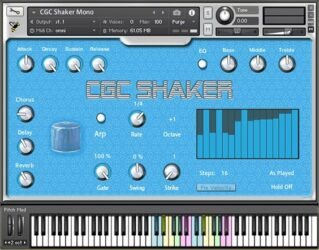 |
 |
 |
|
 |
 |
 |
| Rating | |||||||
| OS | Windows, Mac | Windows, Mac | Windows, Mac | Windows | Windows, Mac | Windows | Windows |
| Formats | Kontakt | Kontakt | VST, AU | VST | VST | VST | VST |
| Bit Version | 64-bit | 32-bit, 64-bit | 32-bit, 64-bit | 32-bit | 32-bit, 64-bit | 32-bit | 32-bit |
| Developer | Boyss-Sound-e-Scapes | SampleHero | Versilian Studios | Musicrow | Quilcom | Xoxos | Spacedad |
| License | Freeware | Commercial | Freeware | Commercial | Freeware | Freeware | Donationware |
| Sample-Based | Yes | Yes | Yes | No | Yes | Select | Select |
| Download Size | 463 MB | 27 MB | 41 MB | 3 MB | 30 MB | 1 MB | 1 MB |
| CPU Load | Low | Low | Low | Low | Low | Low | Low |
| Polyphony | 8 | 8 | 64 | 8 | 8 | 8 | 8 |
| Features | Experimental percussion, Four shaker types, Round robin realism, Built-in sequencer, Arpeggiator patterns, Integrated effects, Free for subscribers | Deep Sampling, Stereo Recording, Tempo Sync, 3-Band EQ, Reverb, Loops, Mod-Wheel Control | Tambourines, Triangles, Bell tree, Nepalese bells, Agogo bells, Sleighbells, Wind chimes | Natural shaker rhythms, Groove control, Swing adjustment, Custom shaker design, Realistic sound, MIDI triggering, Host sync | Rattler Section, Filter Sections, Synth Section, Sample Section, Envelopes Control, Recorder Section, Shake Section | Impulse shaping, Randomization, Tempo sync, Envelope control, Bandpass filtering, LFO modulation, Polyphonic playback | Multiple shakers, Speed modulation, Pitch control, Volume modulation, Filters, Distortion, Bitcrushing |
| Controls | Attack, Decay, Sustain, Release, EQ Bass, Reverb, Arpeggiator | Low, Mid, Hi, Reverb, Tune, Single Hits, Loops | Attack, Decay, Sustain, Release, Gain, Pan, Reverb | Dens, Att, Rel, Master, Bright, Res, Color | Rattler Section, Filter Section, Synth Section, Sample Section, All Envelopes Section, Recorder Section, Shake Section | Impulse Section, Seed, Sync, Track, Envelope Section, Bandpass Filter, LFO | Main Display, C# Label, Color Dials, Hold Buttons, Number Boxes, Arrow Buttons, Pattern Blocks |
| Effects Included | Delay, Reverb, Chorus, EQ | 3-Band EQ, Reverb | Reverb | Attack, Decay, Tone, Pitch, Volume, Pan, Swing | Bandpass Filter, Peak Filter, Notch Filter, Highpass Filter, Lowpass Filter | Bandpass filter, High-pass filter, LFO, Envelope | High-pass filter, Low-pass filter, Distortion, Bitcrushing, Panning |
| MIDI Learn | Unknown | Unknown | Unknown | Unknown | Yes | Unknown | Unknown |
| Presets | 42 | N/A | N/A | 70 | N/A | N/A | N/A |
| Standalone | No | No | Yes | No | Yes | Select | Select |
| Last Updated | 06/28/2020 | N/A | 06/08/2020 | 09/25/2017 | 04/06/2021 | 07/06/2006 | N/A |
Free Shaker SoundFonts
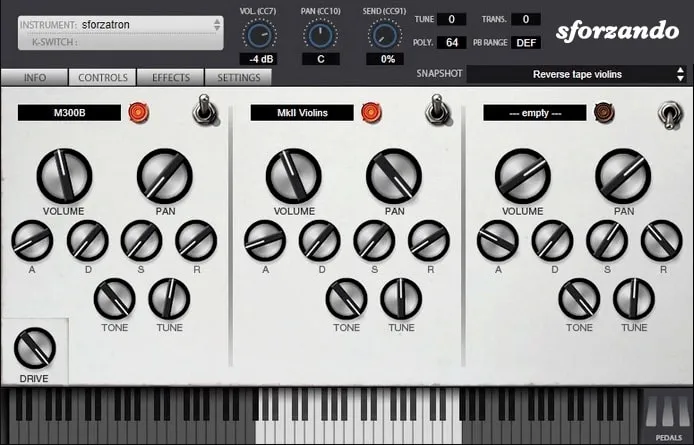
Since there is a limited supply of shaker VST plugins, you can also use free shaker SoundFonts.
You can download and install a free SoundFont Player and load the SoundFont files.
Free Shaker SoundFonts
- Ethan Winer – This website offers a wide variety of free SoundFonts to download and use with your music production projects. This includes free shaker SoundFonts, African Slit Drum, Bassoon, Cello Solo, and more.
- Musical Artifacts – Musical Artifacts is an online open-source community that shares free SoundFonts. Only one shaker-related file is available.
Free Shaker Samples & Shaker Sounds
Here are a few links to download free shaker and tambourine samples.
Free Shaker Samples
- Producer Feed – This link offers a free shaker sample pack with 50+ high-quality shaker samples in the WAV file format.
- Shake – A free collection of tambourine and shaker loops and samples. Includes three shakers, one tambourine, 48 audio loops, and 47 one-shot shaker samples.
- Loops – A free collection of free shaker loops and shaker samples.
- Black Swamp Tambourine – Free sample pack of a Black Swamp tambourine. Includes audio recordings at different Articulations and several velocity levels.
- Sample Focus – Sample Focus has over 326 free shaker-related samples to download.
- Looper Man – Free shaker samples and loops to add to your music-making collection.
- Stay On Beat – Download over 40 shaker samples to use with FL Studio, Ableton, Garageband, and more.
Rassel Shaker Rhythm ( Bonus – iPhone )
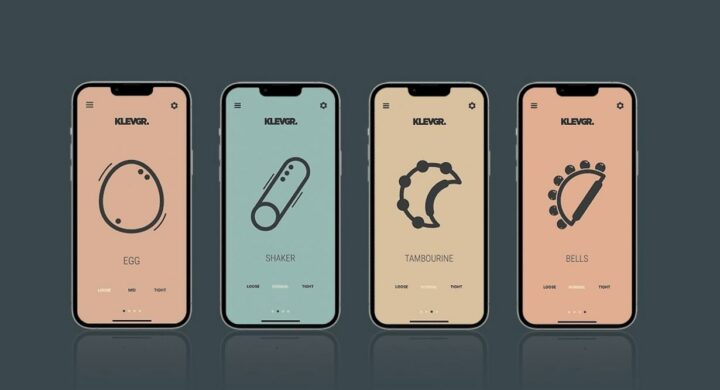
Looking for a fun and easy way to add some flair to your music? Look no further than Rassel, the pocket shaker that transforms your iPhone into a shaken percussion instrument! Just pick up your device and shake it – it’s that simple.
Rassel comes with four different instruments – egg, shaker, tambourine, and bells – which you can switch between simply by swiping the screen.
Unlike similar apps, Rassel is based on a unique audio rendering engine that accounts for continuous velocity changes based on how the sampled instruments are agitated.
This means that any movement you make will sound just like a real instrument would. Plus, there’s a loudness boost setting to crank up the volume if needed.
Rassel | iPhone
Shaker Plugin FAQs
What Is A Shaker VST Plugin?
A Shaker VST is a virtual instrument that can be used to create shaker sounds. Shakers come in many different shapes and sizes and are made from various materials such as wood, metal, gourds, and even plastic.
There are many different types of shakers, and each type has its own unique sound. The most common type of shaker is the maraca, a handheld instrument shaken by hand. Other types of shakers include the cabasa, the claves, the guiros, and the shekeres.
How to Install Shaker VST Plugins
To install shaker VST plugins on Windows or Mac, extract the files from the Zip or Rar. Move the files (.dll for Windows or .component for Mac) into your DAW’s plugin folder. Then restart your software and rescan the directory to complete the process. Tutorial: How to Install VST Plugins
Windows:
Extract the downloaded zip file and copy the .dll file into the VST plugins folder scanned by your DAW. Restart your music software and rescan your plugin directory to begin using the new VST.
Mac OS X:
Extract the downloaded archive and move the .component or .VST file to the plugin folder. It is usually /Library/Audio/Plug-Ins/Components or /Library/Audio/Plug-Ins/VST. Restart your DAW and rescan your plugins to complete the installation.
I hope you found this list of free Shaker VST plugins helpful.
You May Also Like:





