

Here are the best free snare VST plugins for Windows and Mac. We have included video demos, feature lists, pros, cons, and plugin ratings.
How we rate plugins: We rate each snare VST plugin based on sound quality, design, performance, features, usability, and compatibility. We rate plugins on a scale of 1 to 100.
Table of Contents
I have spent over 15 years testing and comparing hundreds of free and paid VST plugins, supported by hands-on demos on our YouTube channel, which has 11,000+ subscribers.
These snare plugins offer various features, such as rim shots, microphone position, snare drum rolls, pitch, and more.
Related: Free Drum VST Plugins
Best Free Snare VST Plugins
This table compares snare VST plugins by operating system, bit version, format, and rating.
| # | Plugin | OS | Formats | Bit Version | Ratings |
|---|---|---|---|---|---|
| 1 | Snare Buzz | Windows Mac | VST, AU | 64-bit | |
| 2 | Exc!te Snare Drum | Windows Mac Linux | VST | 64-bit | |
| 3 | Black Noh Snare | Windows Mac | VST, AU | 64-bit | |
| 4 | Cherry Snare | Windows | VST, AU | 32-bit, 64-bit | |
| 5 | Snare Designer | Windows Mac | N/A | 64-bit | |
| 6 | FlexSnare | Windows | VST | 32-bit | |
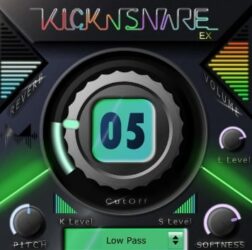
| 7 | Kick-n-Snare EX | Windows Mac | VST, AU | 64-bit | |
| 8 | Cleardrum | Windows | N/A | N/A | |
| 9 | Vintage Marching Snare Roll | Windows Mac | VST, AU | 32-bit, 64-bit | |
| 10 | Analog Snare | Mac | VST, AU | 64-bit | |
| 11 | ESD | Windows | N/A | 32-bit | |
| 12 | SDX | Windows | VST | 32-bit | |
| 13 | Snare VST | Windows | VST | 32-bit |
1. Snare Buzz
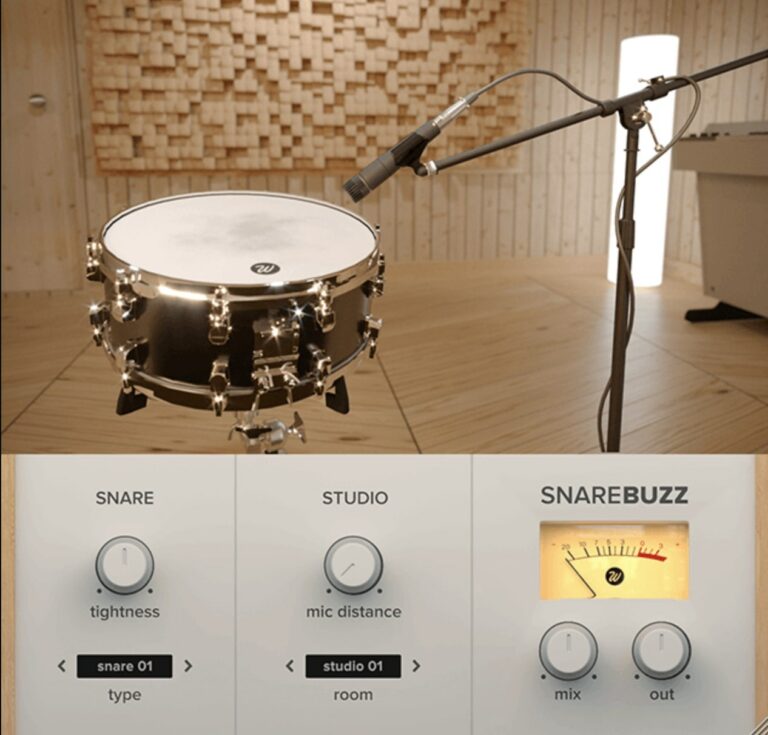
OS: Windows Win Mac Mac Bit Version: 64-bit Developer: Wavesfactory Size: 22.5 MB Rating: 87/100
Snare Buzz offers a simple way to add natural snare wire rattle to your drum tracks. It recreates the subtle vibration that happens when nearby sounds trigger a snare, making your drums feel more realistic and connected like you’d hear in a live room.
This free plugin includes controls for snare type, tightness, mic distance, and room tone, giving you precise control over the sound. It works well on both acoustic and programmed drums, helping bring depth and energy to mixes across different music styles.
Features
- Simulates Real Snare Wire Resonance
- Multiple Snare Drum Models
- Controls For Snare Tightness
- Adjustable Mic Distance Setting
- Selectable Room Type Options
- Mix Control For Effect Blend
- Low CPU Usage Performance
- Compatible With Major DAWs
- Supports VST, VST3, AU, AAX
- Simple And Clear Interface
Pros
- Adds real snare wire feel
- Adjustable mic and room sounds
- Sidechain for realistic response
- Transforms stiff drum machines
- Custom snare types to pick
- Super light on computer power
- High quality for a free plugin
- Blends easily with dry tracks
- Instantly adds warmth and vibe
- Helps glue drum mix together
Cons
- Lacks built-in compressor tools
- No EQ or tone shaping options
- Very limited snare model choices
- No preset library for beginners
- Not suitable for all music styles
- Can sound harsh if overused
- Needs other plugins for full mix
- No visual waveform display
- Lacks MIDI control features
- Limited sound shaping flexibility
Video Demo
What Users Say
Snare Buzz Tips
- I like to blend Snare Buzz gently with my drum mix so it sounds real but not too noisy.
- I sometimes layer Snare Buzz on a digital snare to make it feel like a live drum recording.
- I try using high-pass filtering to clean up low-end rumble from the buzz sound.
- Keep the buzz subtle on fast or busy drum parts to prevent unwanted noise build-up.
- Use compression after Snare Buzz to glue the added noise to the main snare signal.
- Combine Snare Buzz with reverb for a more realistic, live drum sound.
2. Exc!te Snare Drum
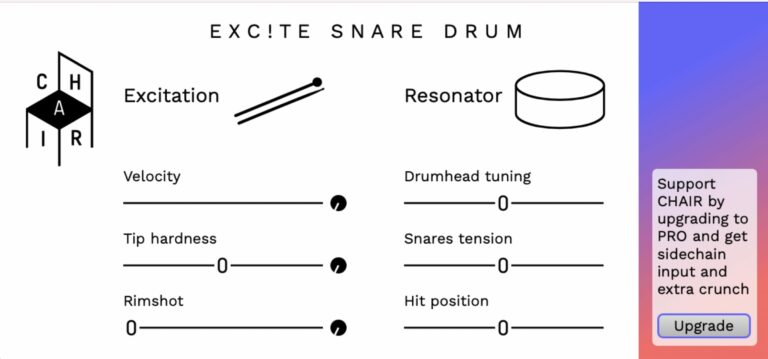
OS: Windows Win Mac Mac Linux Linux Bit Version: 64-bit Developer: CHAIR Size: 3.1 MB Rating: 83/100
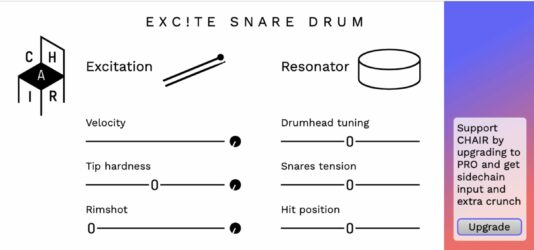
Exc!te Snare Drum offers realistic snare sounds using advanced physical modeling. It simulates the details of acoustic drums, from rimshots to snare tension, so you can shape your sound naturally. Each strike responds to your playing dynamics, adding depth and realism to your tracks.
You can adjust the drumhead tuning, hit position, and tip hardness to match different styles. MIDI control lets you trigger hits and modify sounds for more expression. Exc!te Snare Drum is a free VST available for Windows, macOS, and Linux systems.
Features
- Realistic Physical Modeling Sound Engine
- Blendable Rimshot And Normal Hits
- Customizable Drumhead Tuning Options
- Snares Tension For Tone Control
- Variable Hit Position Adjustment
- MIDI Triggering For Drum Hits
- Velocity Control For Dynamic Response
- Waveguide Resonator Drum Algorithm
- Lightweight And CPU Efficient Performance
- Free 64-Bit VST Plugin Version
Pros
- Realistic snare sound modeling
- Unique physical modeling technology
- Adjustable tip hardness control
- Rimshot blending adds realism
- Change hit position for tone
- Control snare tension smoothly
- Fine-tune drumhead pitch easily
- Lightweight compared to sample models
- Low CPU use for efficiency
- Great dynamic and velocity response
Cons
- Limited sound variety for genres
- No built-in reverb or effects
- No preset browser for sounds
- Lacks multiple mic position options
- Cannot load own samples
- No built-in EQ controls
- No humanization randomizer feature
- May crash on some DAWs
- Not available in AU format
- Only works in 64-bit systems
Video Demo
What Users Say
Exc!te Snare Drum Tips
- I like to start by tuning the Exc!te Snare Drum to match the key of my song so it blends better.
- I often use a bit of compression to make the snare hit punchier and stand out in the mix.
- Use the built-in mixer of the VST to combine close, overhead, and room mics for depth.
- Try layering multiple snares to create a fuller tone with more character.
- Apply subtle saturation or distortion to give the snare a bit more bite in the mix.
- Remember to use panning and stereo width controls to give the snare space in the mix.
3. Black Noh Snare
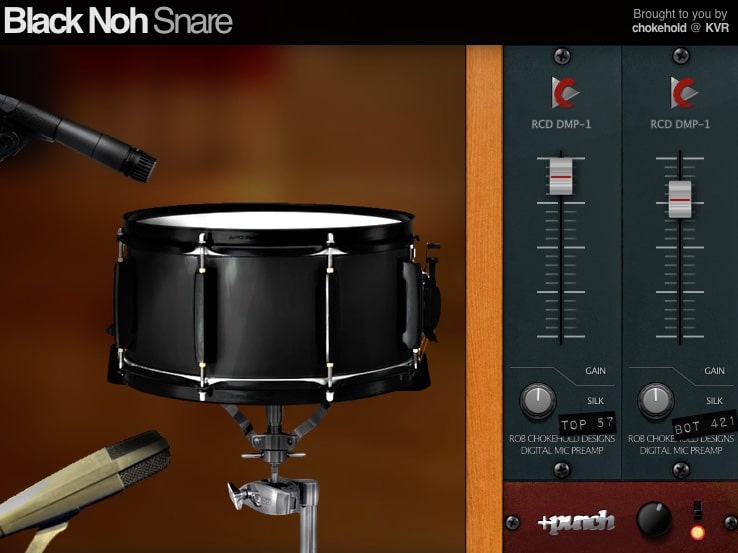
OS: Windows Win Mac Mac Bit Version: 64-bit Developer: Chokehold Size: 15 MB Rating: 78/100
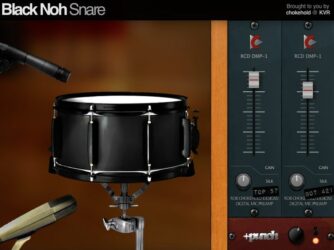
Black Noh Snare offers a realistic and punchy snare drum sound made from real drum samples. It includes nine velocity layers and eight random-round samples, giving each hit a natural feel. The included subkick and rimshot features help it stand out in dense mixes.
You can shape the tone with “Silk” knobs for each microphone and use the “+Punch” button for more impact. The plugin’s bright, low-end-light character fits especially well in rock and metal tracks. It runs on Windows, Mac, and Linux in both VST and AU formats.
Features
- Sampled Snare Drum Model
- Nine Velocity Layers
- Eight Random-Robin Samples
- Includes Subkick Option
- +Punch Module Adds Power
- Silk Controls Adjust Attack
- Mute Each Microphone Separately
- Top And Bottom Mic Gain
- Light CPU Usage
- 64-Bit VST And AU Formats
Pros
- Realistic snare sound with dynamics
- Nine velocity layers add depth
- Eight random-robins prevent repetition
- Includes subkick for fuller tone
- +Punch button adds extra power
- Silk knobs shape smoothness easily
- Mute mics for creative control
- Lightweight and easy on CPU
- Loads instantly for fast workflow
- Natural sound compared to other free snares
Cons
- Outdated look and dull interface
- Limited to one snare model
- Fixed pitch, no tuning control
- Few sound-shaping features overall
- No built-in reverb options
- No built-in compressor included
- Limited control over dynamics
- GUI not resizable for comfort
- Older code, not often updated
- No stereo width adjustment
Video Demo
What Users Say
Black Noh Snare Tips
- I adjust the tone knob until the snare feels bright but not too harsh.
- I use EQ to cut the low end, keeping the snare punchy and clear.
- I like layering the Black Noh Snare with another snare for more power.
- Adjust the compressor settings to control the snare’s punchiness and sustain.
- Adding parallel compression can make the snare sound strong without losing dynamics.
- Using subtle saturation can add warmth and character to the Black Noh Snare.
- Always listen to the snare in the full mix before deciding it’s perfect on its own.
4. Cherry Snare
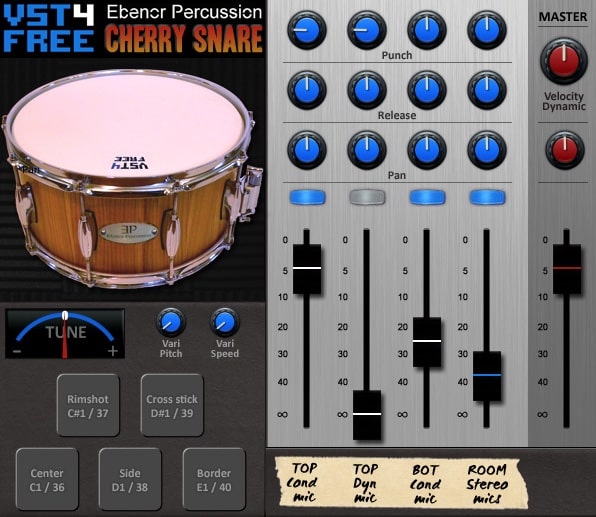
OS: Windows Win Bit Version: 32-bit, 64-bit Developer: Plugins4Free Size: 72 MB Rating: 75/100
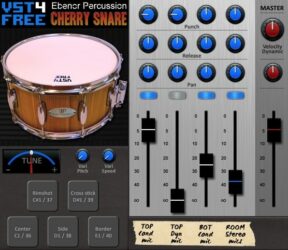
Cherry Snare offers a realistic acoustic snare drum sound made from samples of a 14-inch cherry wood drum. It uses multiple microphones and layers to capture detail and depth, giving music creators clean and natural snare tones ready for mixing and shaping.
With controls for tuning, punch, release, and pan, Cherry Snare lets you adjust tone, power, and space quickly. The plugin also includes pitch and velocity options for lifelike playing response, making it a useful tool for both traditional and modern drum sounds.
Features
- 208 Real Snare Drum Samples
- Five Microphone Recording Setup
- Four Channel Mixing Options
- Punch Control Adjusts Attack Strength
- Tune Knob Changes Drum Pitch
- Five Stroke Techniques Included
- Three Velocity Layers Available
- Five Round-Robin Samples Per Layer
- Low CPU Usage Performance
- Supports VST And AU Formats
Pros
- Real acoustic cherry wood sound
- Five microphone recording setup
- Adjustable sustain with Punch knob
- Natural pitch variation with Vari Pitch
- Separate mic channel mixing control
- Three velocity layers for realism
- Five round-robin samples per hit
- High sound quality with 24-bit samples
- Strong punch cuts through any mix
- Free and easy to install plugin
Cons
- Limited sound shaping controls
- No built-in reverb or effects
- Can sound fake without EQ
- Velocity sensitivity can bug out
- No built-in preset browser
- Limited tonal variety overall
- Interface looks a bit dated
- No MIDI learn option
- No dedicated EQ section
- Only one drum type included
Video Demo
What Users Say
Cherry Snare Tips
- I try layering Cherry Snare with another snare sample for a fuller sound.
- I always use EQ after Cherry Snare to make the snare brighter or darker as needed.
- I sometimes add a little compression after Cherry Snare to tighten the punch.
- Cutting some low frequencies below 100Hz can remove mud and make the snare clearer.
- Using parallel processing can make the snare sound both natural and powerful.
- Listening in mono can help make sure the snare stays strong in all playback systems.
5. Snare Designer
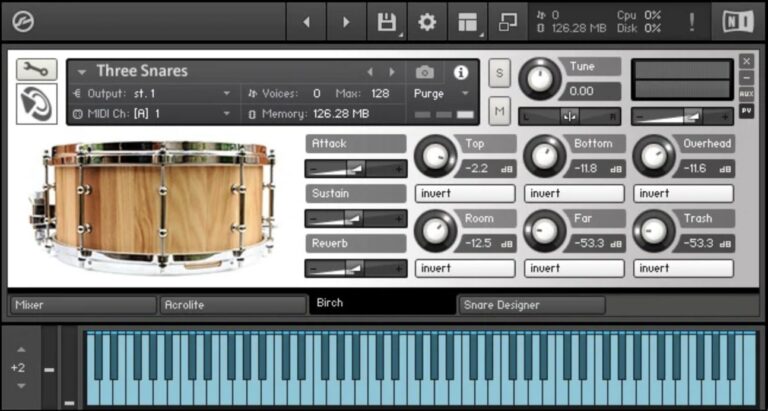
OS: Windows Win Mac Mac Bit Version: 64-bit Developer: Puremagnetik Size: 96.0 MB Rating: 75/100
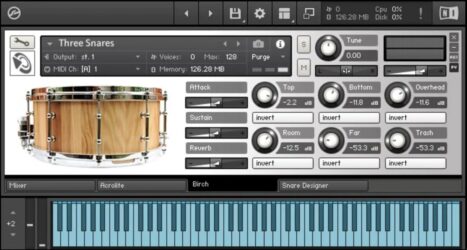
Snare Designer is a drum sound tool made for producers who want full control over their snare tone. It combines three sound engines for body, transient, and noise shaping, allowing you to blend acoustic and electronic textures for any music style.
Snare Designer offers controls to adjust attack, resonance, and character, making it easy to craft everything from crisp hits to deep, punchy snares. With factory presets and a simple layout, it helps you design custom snares quickly inside your DAW on macOS or Windows.
Features
- Three Classic Acoustic Snare Drums
- Individual Microphone Mix Controls
- Phase Invert And Reverb Controls
- Adjustable Attack And Tune Settings
- Noise And Transient Shaping Engines
- Body Section For Tone Morphing
- Preset Selector For Quick Access
- Layer Synthesized And Sampled Sounds
- Works On Windows And Mac
- Designed For Snare Drum Creation
Pros
- Three famous snare drums included
- Blend real and synthetic snares
- Custom mic control for realism
- Light on computer resources
- Noise engine adds natural snap
- Body engine changes drum size
- Layer multiple snares easily
- Better sound detail than other free VSTs
- Shape tone, attack, and decay
- Works with Ableton, Logic, Kontakt
Cons
- Limited to only three snares
- Full Kontakt version required
- Not compatible with free Kontakt Player
- No velocity layers for dynamics
- No built-in compressor or EQ
- Lacks drag-and-drop sample support
- Interface lacks modern visual design
- Minimal customization compared to DrumMic’a
- Few preset options for beginners
- Can sound flat without tweaking
What Users Say
Snare Designer Tips
- Choosing the right sample is key; a well-chosen snare can lift the whole track.
- EQ can help remove muddy frequencies and make the snare sound cleaner.
- It helps to use compression to shape the snare’s attack and keep it even in the mix.
- Layering the snare with a clap can add brightness and energy to the beat.
- Using a bit of saturation can give the snare more warmth and punch.
- When I add reverb, I make sure it’s not too strong so the snare still hits sharply.
6. FlexSnare
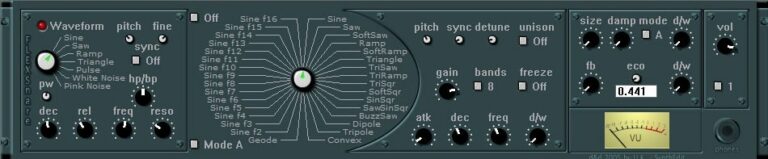
OS: Windows Win Bit Version: 32-bit Developer: Udokorn Size: 1 MB Rating: 71/100
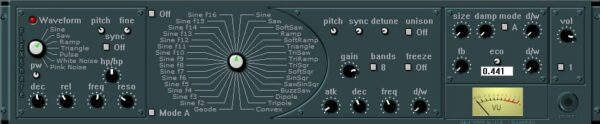
FlexSnare is a snare drum plugin built for music creators who want detailed control over their drum sound. It offers a vintage 19″ look and tools like vocoder, reverb, and echo. From clean acoustic tones to sharp electronic hits, it adapts easily across music styles.
The plugin includes adjustable filters, pitch control, waveform options, and a unison mode for thicker tones. Its controls for attack, decay, and release let you shape the snare’s punch and length. FlexSnare helps producers design unique snares that stand out in any mix.
Features
- Ultra Flexible Snare Drum Module
- Built-In Vocoder Effect
- Adjustable Reverb Controls
- Pitch And Fine Tuning
- Sync For Clean Layered Sounds
- Frequency And Resonance Filters
- Unison For Thicker Sounds
- Freeze Current Sound Option
- Eco Mode For Lower CPU Use
- VU Meter For Sound Levels
Pros
- Very flexible sound design options
- Built in vocoder for fun tones
- Customizable waveform shapes available
- Two main modes give variety
- Unison makes the snare bigger
- Freeze holds your sound steady
- Low CPU use with Eco mode
- VU meter helps track levels
- More sound options than free VSTs
- Helps make pro snares fast
Cons
- Only works on Windows
- No 64-bit version
- Not compatible with Mac
- Lacks built-in presets
- Limited to snare sounds
- No multi-output routing
- Interface feels crowded
- Missing GUI resizing
- No MIDI learn support
- Higher CPU with effects
Video Demo
What Users Say
FlexSnare Tips
- I often play with the attack and decay controls to make my snare tighter or more roomy.
- I layer FlexSnare with another snare sample to make a fuller and punchier sound.
- I use compression to make the snare hit harder and stay even in the mix.
- Try using gentle saturation on FlexSnare to add warmth and character to the drum.
- Cut frequencies around 200–400 Hz if the snare sounds too muddy in the mix.
- Combine FlexSnare with a parallel compression chain for powerful and dynamic drum tones.
- Remember that placement in the mix is key—make sure the snare cuts through but doesn’t overpower other drums.
7. Kick-n-Snare EX
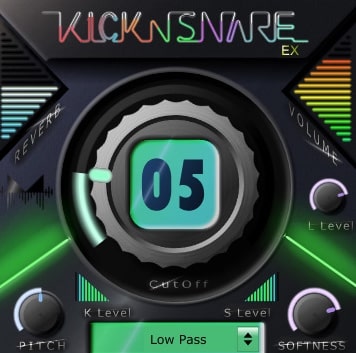
OS: Windows Win Mac Mac Bit Version: 64-bit Developer: Minimal Instruments Size: 18 MB Rating: 69/100
Kick-n-Snare EX offers a focused set of kick and snare sounds made for EDM styles like dubstep and future bass. It expands on the original Kick-n-Snare with new drum samples and controls, letting you shape each sound separately for more precise rhythmic effects.
The added harshness control helps bring out sharper snare tones, while sliders and knobs adjust pitch, volume, softness, and filter type. Designed for quick beat building, Kick-n-Snare EX gives producers a fast way to craft punchy, modern drum tracks.
Features
- Separate Kick And Snare Controls
- Harshness Control For Snare Detail
- Main Knob Adjusts Cutoff Filter
- Reverb Slider Adds Space And Echo
- Pitch Slider Changes Sound Pitch
- Softness Knob Adjusts Sound Sharpness
- Filter Type Box Selects Filter Mode
- Low CPU Use And Fast Loading
- Suitable For Dubstep And Future EDM
- Simple Interface For Quick Beat Making
Pros
- Low CPU use and fast loading
- Separate kick and snare controls
- Harshness knob adds snare detail
- Softness knob smooths drum tone
- Filter type box for tone shaping
- Fun randomize feature for surprises
- Reverb slider adds big space
- Inspires creative drum experiments
- 64-bit VST and AU compatible
- More features than most free snares
Cons
- Limited drum sound variety
- User interface feels outdated
- No layering or sample import
- Missing detailed mixing tools
- Cannot drag MIDI to DAW
- Few customization options for hits
- Less realistic snare sounds
- Sound harshness hard to control
- No full drum kit support
- Few presets compared to rivals
Video Demo
What Users Say
Kick-n-Snare EX Tips
- I often change the pitch of the snare to fit better with my song’s key and overall groove.
- I add a little bit of reverb on the snare inside the plugin for space but keep it short to stay tight.
- Use EQ to cut low frequencies from the snare so it does not clash with the kick’s bass frequencies.
- Experiment with the attack and release controls to adjust how snappy or smooth the snare sounds.
- Adding a gentle compressor to the snare track can make it pop without sounding harsh.
- Apply subtle saturation to both kick and snare to add warmth and help them sit better in the mix.
8. Cleardrum
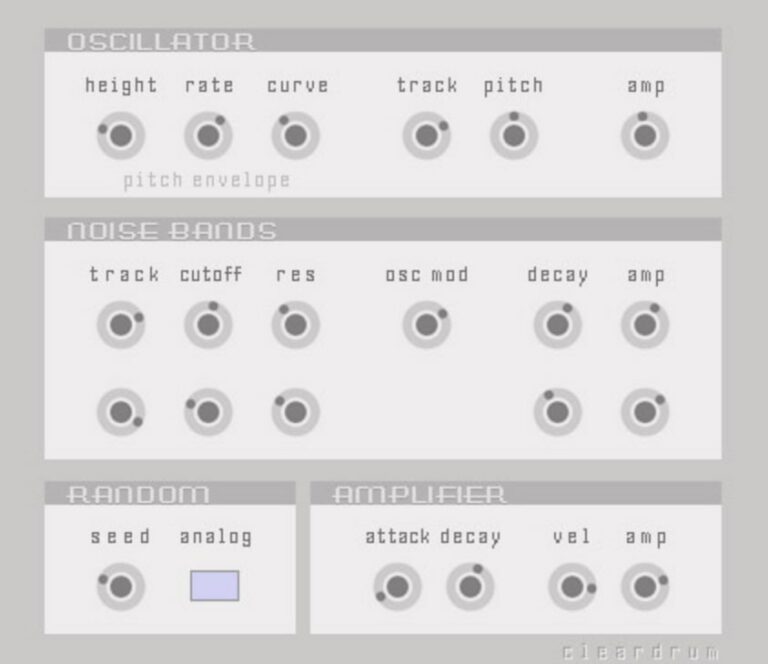
OS: Windows Win Bit Version: Developer: Xoxos Size: 1 MB Rating: 67/100
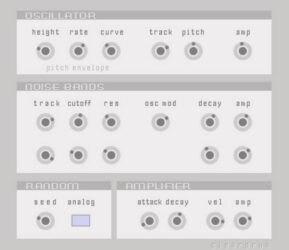
Cleardrum offers a focused way to design synthetic hand and snare drum sounds through modal synthesis. It gives you detailed control over tone, noise, and resonance, helping shape clear, natural percussion that can fit into acoustic, electronic, or experimental tracks.
With sections for oscillation, noise shaping, and randomness, Cleardrum lets you fine-tune everything from attack and decay to texture and pitch. Its simple layout supports creative sound design, producing expressive, tuned percussion that can add depth or unique character to any rhythm arrangement.
Features
- Creates Realistic Analog Snare Sounds
- Uses Modal Synthesis For Drums
- Noise Bands Add Texture And Grit
- Random Section Adds Natural Variation
- Velocity Sensitive For Expressive Hits
- Light On CPU Resources
- Clear And Simple Interface Layout
- Useful For Layering Drum Tracks
- Adjustable Waveform Height And Curve
- Free Plugin With Deep Control Options
Pros
- Creates rich analog snare tones
- Unique modal synthesis engine
- Deep control over drum resonance
- Flexible noise shaping options
- Highly responsive to velocity
- Perfect for experimental percussion
- Great for layering with samples
- Adds warmth and realness to mixes
- Free yet pro-level sound design
- Very light on CPU use
Cons
- Only works on Windows
- No 64-bit version support
- Not available for Mac users
- No built-in preset library
- Cannot load external samples
- No built-in reverb or effects
- Needs manual tweaking for realism
- Sound can get harsh at highs
- Limited support and documentation
- Interface feels dated compared to others
Video Demo
What Users Say
Cleardrum Tips
- I like to start by tuning the Cleardrum to match the key of my song so the snare fits the mix better.
- I often adjust the “Body” control to make the snare sound fuller or tighter depending on the track style.
- When layering, I try combining Cleardrum with another snare sample for a thicker sound.
- I use EQ to cut frequencies around 200 Hz if the snare sounds too boxy.
- Using parallel compression helps keep the snare powerful while maintaining natural dynamics.
- Applying distortion or saturation to the snare can add warmth and character.
- Experiment with velocity sensitivity to make the snare feel more human and dynamic.
9. Vintage Marching Snare Roll
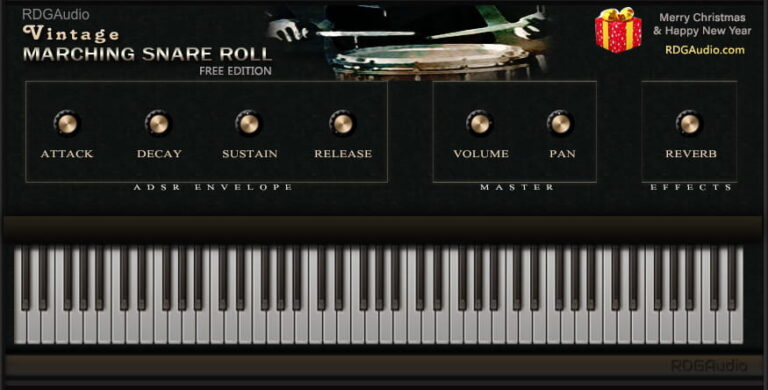
OS: Windows Win Mac Mac Bit Version: 32-bit, 64-bit Developer: RDGAudio Size: 16 MB Rating: 66/100
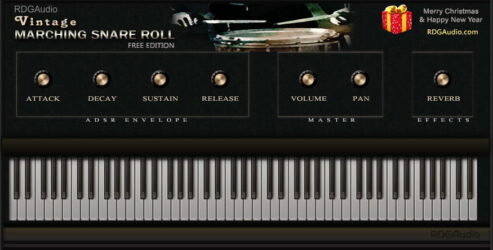
Vintage Marching Snare Roll offers 15 looping snare patterns with different tempos, giving producers quick access to realistic marching drum textures. Each loop captures the energy of a live snare line and can be matched easily with different track speeds or musical styles.
The plugin includes simple controls for shaping sound, such as attack, decay, sustain, and release. Its built-in amp and reverb add depth and space, letting you create anything from tight indoor rolls to open parade-style echoes. Ideal for adding a bold rhythmic layer to any project.
Features
- 15 Snare Pattern Loops
- Different BPM For Each Loop
- ADSR Envelope Controls
- Amp And Reverb Unit
- Volume And Pan Control
- Playable Using Keyboard
- Low CPU Usage
- Syncs Roll Speed To Host
- Looping Marching Snare Sound
- Suitable For Multiple Genres
Pros
- Fifteen unique snare loop styles
- Instant snare rolls with one key
- Syncs snare rolls to host tempo
- ADSR controls shape snare tone
- Built-in reverb adds room sound
- Offers vintage marching snare vibe
- Low CPU use during playback
- Works well on Mac and Windows
- Different BPMs for each loop
- Unique compared to standard free snares
Cons
- No single hit drum sounds
- Limited to marching snare style
- Lacks velocity sensitive playback
- Cannot load custom snare samples
- Few sound design options available
- No built-in EQ or compressor
- No round robin sample variation
- No groove or humanize settings
- Latency issues during live playing
- May crash when switching presets
Video Demo
What Users Say
Vintage Marching Snare Roll Tips
- I like to start by picking the snare sound that fits my song’s style before adjusting any settings.
- I make sure to match the snare roll speed with my song’s tempo so it stays in rhythm.
- Balancing EQ helps keep the snare roll from clashing with the kick or cymbals.
- I use light compression to keep the snare rolls clear but not too harsh.
- Experimenting with different MIDI velocities adds realism to snare rolls.
- Using stereo width controls can make a snare roll feel larger and more exciting.
10. Analog Snare
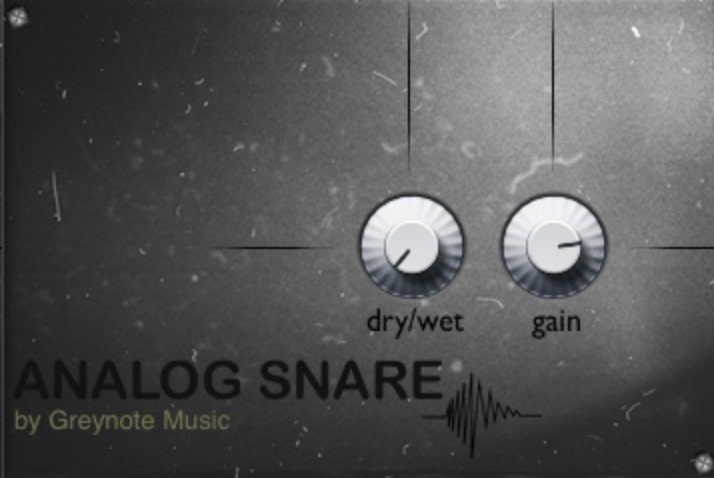
OS: Mac Mac Bit Version: 64-bit Developer: Greynote Music Size: 4.8 MB Rating: 62/100
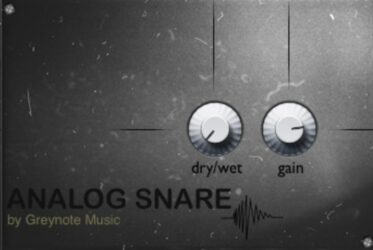
Analog Snare offers 10 handcrafted snare drum samples made from real analog sources. Each sound captures the warmth and punch of classic drum machines, bringing a natural and vintage tone to your beats. Its clean layout keeps things simple so you can focus on creativity.
This lightweight plugin includes easy controls for Dry/Wet mix and Gain, letting you shape each snare’s presence in your track. All samples are 100% royalty-free and ready to use in any genre. Compatible with Mac in VST and AU formats, it’s built for quick, reliable sound design.
Features
- Includes Ten Analog Snare Samples
- Features True Analog Sound Source
- Offers Handcrafted Original Samples
- Provides Dry Wet Mix Control
- Includes Gain Volume Adjustment
- Uses Lightweight Simple Interface
- Delivers Warm Classic Snare Tone
- Compatible With VST And AU
- Supports 32 Bit And 64 Bit
- Completely Royalty Free Sounds
Pros
- Warm true analog snare sound
- Handcrafted samples give character
- Unique snare textures uncommon in freebies
- Better warmth than digital plugins
- Lightweight and CPU friendly
- Perfect for layering snares
- Dry/Wet control for balance
- Royalty free for all users
- Clean and clear interface design
- Sounds sit well in a mix
Cons
- Only ten snare samples included
- No layering or tuning options
- No built-in effects or EQ
- Limited to Mac OS only
- Compatibility issues with some DAWs
- Cannot import custom snare samples
- No velocity sensitivity support
- No MIDI mapping or automation options
- Interface too basic for pros
- Feels outdated compared to competitors
What Users Say
Analog Snare Tips
- I try layering two snare samples in the Analog Snare plugin to make a fuller sound.
- I use the compressor inside the plugin to make the hits punchier and more even.
- I often add a little reverb to the snare to help it feel bigger and more natural.
- Use EQ to cut low frequencies below 100 Hz to make room for the bass and kick.
- Tune the snare slightly up or down to match the key of the song.
- Adjust the transient controls to make the snare sharper or softer depending on the style of music.
- Check how the snare sounds on headphones and speakers to make sure it fits in every setup.
11. ESD
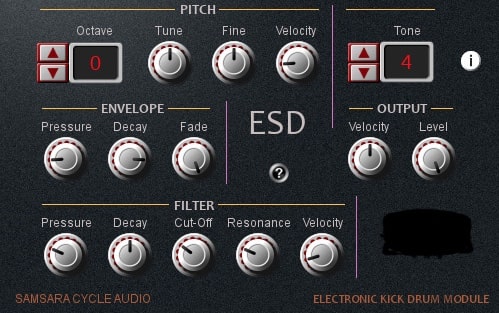
OS: Windows Win Bit Version: 32-bit Developer: Samsara Cycle Audio Size: 6 MB Rating: 62/100
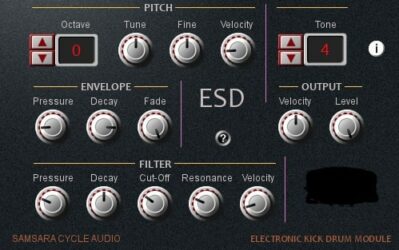
ESD offers 128 snare tones and patches designed for creating detailed electronic drum sounds. It includes pitch, envelope, and filter sections that let you shape everything from tight hits to long, decaying snares. MIDI Learn makes it simple to map controls to your hardware setup.
Each section of ESD provides tools to fine-tune sound dynamics. You can adjust pitch, tone brightness, attack strength, and decay length, giving flexibility for electronic, industrial, or experimental styles. The plugin’s layered controls encourage creative shaping of drum tones in any music project.
Features
- 128 Selectable Drum Tones
- Dedicated Pitch Control Section
- Envelope Section For Attack And Decay
- Filter Section With Cut-Off And Resonance
- MIDI Learn Function For Easy Mapping
- Velocity-Sensitive Pitch And Filter
- Built-In Step Sequencer For Patterns
- Hybrid Sample And Synth Engine
- Low CPU Usage Performance
- Adjustable Output Level Control
Pros
- Offers 128 unique snare tones
- Simple pitch control for tuning
- Envelope controls attack and decay
- Filter adds depth to snare tone
- MIDI learn makes mapping easy
- Light on CPU usage
- Has a gritty, punchy sound
- Good balance of samples and synth
- Different from typical sample-based snares
- Free and donationware friendly
Cons
- Only works on Windows
- Limited to 32-bit
- Outdated interface design
- Lacks built-in reverb
- No compressor options
- Few acoustic snare sounds
- Poor preset organization
- No drag-and-drop loading
- Less realistic sound
- Limited developer support
Video Demo
What Users Say
ESD Tips
- I try to adjust the mix knob to blend the processed snare with the dry signal for a more natural sound.
- I use the transient control to make the snare pop more in the mix.
- Balancing the reverb level helps the snare stay clear without getting muddy.
- Using a small amount of compression keeps the snare punchy and controlled.
- Checking phase alignment when layering snares avoids thin or hollow sounds.
- Applying subtle EQ cuts around 250 Hz can reduce muddiness in many snare sounds.
12. SDX

OS: Windows Win Bit Version: 32-bit Developer: MARVIN PAVILION Size: 1.5 MB Rating: 57/100
SDX offers a flexible way to create and shape snare drum sounds for your music. It includes two oscillator types with pitch, tone, and decay controls that let you fine-tune each hit. You can switch between trigger or keyboard mode for different playing styles.
The snare section features two filter types, adjustable tone, and two envelope shapes for detailed control. With MIDI CC and automation support, SDX works smoothly inside your DAW, giving you more control over dynamics and sonic character during production.
Features
- Trigger And Keyboard Modes
- Two Oscillator Types
- Pitch, Tone, And Decay Controls
- Two Filter Types BPF And HPF
- Two Envelope Types ADSR And DADSR
- MIDI CC Support
- Automation Support
- Mix Knob For Drum Blend
- Display Screen For Presets
- Type Selector For Drum Sound
Pros
- Easy to shape unique snare sounds
- Two oscillator types add variety
- Trigger and keyboard modes available
- MIDI CC makes control flexible
- Automation support adds deep movement
- Mix drum and snare easily
- Light on RAM for big projects
- Built-in effects sound really good
- Produces musical random results
- Sits nicely in the final mix
Cons
- High CPU use on older PCs
- No resizable GUI option
- Not supported on Mac systems
- Slow loading time in some DAWs
- No built-in effect section
- Occasional random crashes in Cubase
- Few drum type variations
- Lacks drag-and-drop sample support
- Limited modulation routing options
- Not as realistic as sampled snares
Video Demo
What Users Say
SDX Tips
- I make sure to tune the snare to match the key of my song for a more natural sound.
- I use EQ to remove low-end rumble from the snare, keeping the sound clean and crisp.
- I like adding a little compression to make my snare punch through the mix without sounding harsh.
- Experiment with layering different SDX snare samples to create unique textures.
- Try using parallel compression to make the snare more powerful without losing natural tone.
- Check how the snare sounds with kick and bass together to ensure they don’t clash.
- A/B test snare mixes using headphones and monitors to make sure it translates well on all systems.
13. Snare VST
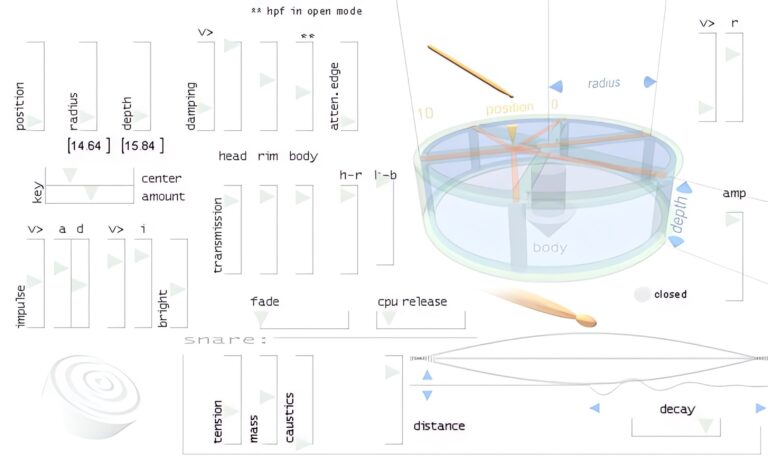
OS: Windows Win Bit Version: 32-bit Developer: Xoxos Size: 1 MB Rating: 55/100
Snare VST offers a realistic drum sound that captures the energy of a live snare. Created by Xoxos, it uses wave modeling to shape detailed drum tones without relying on samples. Its 32-bit Windows format keeps it simple and easy for producers to use.
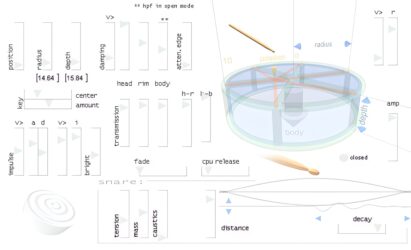
It includes controls for position, depth, damping, rim, and more, letting you shape each hit’s character and tone. From tight, crisp snaps to heavy, full strikes, Snare VST gives music creators a wide range of snare styles for electronic or acoustic-inspired tracks.
Features
- Four Adjustable Snare Vectors
- Position Control For Drum Hits
- Depth Control For Drum Body
- Tension Control For Pitch Change
- Snare Control For Rattle Effect
- Decay Control For Sound Length
- Impulse Control For Hit Force
- Low CPU Usage Performance
- Simple And Clear Interface
- Wide Range Of Snare Sounds
Pros
- Unique waveguide drum modeling
- Adjustable drum head and rim
- Customizable fade and decay
- No extra samples needed
- Lots of sound tweaking options
- Supports many snare styles
- Nice balance between digital and analog
- Free and simple to install
- Very light on computer power
- Sounds clear and punchy
Cons
- Only works on Windows
- Limited to 32-bit
- Not compatible with VST3
- No built-in EQ or compressor
- No preset browser
- Crashes on some DAWs
- Outdated interface design
- Lacks velocity sensitivity
- Few sound shaping options
- Sounds less realistic
Video Demo
What Users Say
Snare VST Tips
- I like to start by adjusting the main pitch knob to find the right tone for my drum mix.
- I try layering two snares—one clean and one gritty—for a fuller sound.
- I like to add a tiny bit of reverb to make the snare sound more natural.
- I use EQ after the plugin to take out low rumbles and boost the highs a bit.
- Using a compressor after the Snare VST can help control sharp spikes in sound.
- Add a bit of saturation to make the snare feel warmer and more powerful.
- I always test the snare in the full mix, not just soloed, to make sure it fits well.
Snare SoundFonts
Another excellent option for snare drum sounds is to use a free SoundFont player and load snare drum sound fonts.
Snare SoundFonts
- Musical Artifacts – Musical Artifacts are for musicians who want to find, share, and preserve the sounds they use for music production.
- Ethan Winer – There’s a wide variety of sounds available, from acoustic instruments like piano and guitar to more electronic fare like synths, acoustic drum kits, and drum machines.
- Drumputer – This is a free collection of marching percussion SoundFont files to download.
Snare VST Plugins Compared
This table compares the Snare VST plugins by operating system, bit version, format, and rating.
| Details | Snare Buzz | Exc!te Snare Drum | Black Noh Snare | Cherry Snare | Snare Designer | FlexSnare | Kick-n-Snare EX | Cleardrum | Vintage Marching Snare Roll | Analog Snare | ESD | SDX | Snare VST |
|---|---|---|---|---|---|---|---|---|---|---|---|---|---|
| Image | 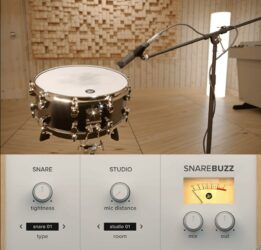 |
 |
 |
 |
 |
 |
 |
 |
 |
 |
 |
 |
 |
| Rating | |||||||||||||
| OS | Windows, Mac | Windows, Mac, Linux | Windows, Mac | Windows | Windows, Mac | Windows | Windows, Mac | Windows | Windows, Mac | Mac | Windows | Windows | Windows |
| Formats | VST, AU | VST | VST, AU | VST, AU | N/A | VST | VST, AU | N/A | VST, AU | VST, AU | N/A | VST | VST |
| Bit Version | 64-bit | 64-bit | 64-bit | 32-bit, 64-bit | 64-bit | 32-bit | 64-bit | N/A | 32-bit, 64-bit | 64-bit | 32-bit | 32-bit | 32-bit |
| Developer | Wavesfactory | CHAIR | Chokehold | Plugins4Free | Puremagnetik | Udokorn | Minimal Instruments | Xoxos | RDGAudio | Greynote Music | Samsara Cycle Audio | MARVIN PAVILION | Xoxos |
| License | Freeware | Freeware | Donationware | Freeware | Freeware | Freeware | Freeware | Freeware | Freeware | Freeware | Freeware | Commercial | Freeware |
| Sample-Based | Yes | Select | Select | Select | Yes | Select | Yes | Yes | Yes | Select | Yes | Select | No |
| Download Size | 22.5 MB | 3.1 MB | 15 MB | 72 MB | 96.0 MB | 1 MB | 18 MB | 1 MB | 16 MB | 4.8 MB | 6 MB | 1.5 MB | 1 MB |
| CPU Load | Low | Low | Low | Low | Low | Low | Low | Low | Low | Low | Low | Low | Low |
| Polyphony | 8 | N/A | 2 | 8 | 4 | 8 | 32 | 8 | 16 | 8 | 8 | N/A | 8 |
| Features | Snare resonance, Realism enhancement, Adjustable tightness, Mic distance control, Room simulation, Mix blending, Simple interface | Physical modeling, Realistic sound, Tip hardness, Rimshot control, Snare tension, Hit position, Drumhead tuning | Sampled Snare, Velocity Layers, Random-Robin Samples, Subkick Included, +Punch Module, Silk Controls, Rimshot Trigger | Multi-mic recording, Four-channel mixing, Punch control, Vari-pitch, Velocity layers, Round-robin sampling, Stroke techniques | Three snare models, Microphone control, Tone sculpting, Transient shaping, Noise generator, Body morphing, Factory presets | Vocoder, Reverb, Echo, Waveform Selection, Flexible Envelopes, Filter Controls, Layering Tools | Extra Drum Sounds, Separate Kick Controls, Separate Snare Controls, Harshness Control, Reverb Slider, Pitch Slider, Filter Selection | Analog snares, Modal synthesis, Tuned noise, Resonance control, Randomization, Velocity response, Expressive percussion | 15 Snare Loops, Varied Tempos, Looping Snare Sound, ADSR Controls, Amp Section, Reverb Unit, Tempo Sync | Handcrafted Samples, Analog Sound, Lightweight Design, Royalty Free, Dry/Wet Control, Gain Control, Classic Warm Tone | 128 Tones, 128 Patches, Pitch Control, Envelope Control, Filter Section, MIDI Learn, Step Sequencer | Trigger & Keyboard, Dual Oscillators, Dual Filters, Dual Envelopes, MIDI CC, Automation, Sound Shaping | Snare Vectors, Position Control, Depth Adjustment, Damping Control, Transmission Control, Rim Control, Tension Control |
| Controls | Snare Tightness, Snare Type, Mic Distance, Room Type, Mix, Out, VU Meter | Velocity, Tip Hardness, Rimshot, Drumhead Tuning, Snares Tension, Hit Position, Upgrade Button | Snare Drum Image, Top Microphone, Bottom Microphone, Gain Slider, Silk Knob, Punch Button, RCD DMP-1 Channel | Tune, Vari Pitch, Vari Speed, Punch, Release, Pan, Volume Faders | Output, MIDI Channel, Tune, Attack, Bottom Mic, Overhead, Reverb | Waveform Selector, Pitch/Fine, Filter Freq, Resonance, Reverb Size, Echo D/W, Output Volume | Main Knob, Display Screen, Reverb Slider, Volume Slider, Pitch Slider, Softness Knob, Filter Type Box | Height, Rate, Curve, Pitch, Cutoff, Decay, Attack | Attack, Decay, Sustain, Release, Volume, Pan, Reverb | Dry/Wet, Gain, Sample Selector, Tone, Volume, Pan, Output Level | Octave, Tune, Fine, Tone, Pressure, Decay, Cut-Off | Power Button, Display Screen, Mode Switch, Type Selector, Tune Knob, Tone Knob, Decay Knob | Position, Radius, Depth, Damping, Transmission, Head, Rim |
| Effects Included | Unknown | Unknown | +Punch, Silk | Tune, Vari Pitch, Vari Speed, Punch, Release, Pan | Reverb, Trash | Vocoder, Reverb, Echo, Distortion, Stereo Shaping, Noise Layering, Bus Processing | Filter, Reverb | Unknown | Amp, Reverb | Unknown | Pitch, Envelope, Filter | Reverb, Delay | Unknown |
| MIDI Learn | Unknown | Unknown | Unknown | Unknown | Unknown | Select | Unknown | Unknown | Unknown | Unknown | Unknown | Unknown | Unknown |
| Presets | 31 | N/A | N/A | N/A | 50 | 25 | 66 | N/A | 24 | 50 | 32 | N/A | N/A |
| Standalone | No | Yes | Yes | No | Yes | Yes | Yes | No | Yes | Select | Select | Select | No |
| Last Updated | 08/10/2022 | 03/01/2024 | N/A | 07/01/2021 | 06/25/2024 | 03/10/2024 | N/A | 06/25/2009 | 07/14/2022 | 06/07/2024 | 06/19/2011 | N/A | 04/27/2012 |
Favorite Snare VST Plugin
Our top pick for the best free Snare VST plugin is Snare Buzz by Wavesfactory It offers the most realistic sound, helpful controls, and it’s available for both Windows and Mac.
| Details | Snare Buzz |
|---|---|
| Image |
|
| Rating | |
| OS | Windows, Mac |
| Formats | VST, AU |
| Bit Version | 64-bit |
| Developer | Wavesfactory |
| License | Freeware |
| Sample-Based | Yes |
| Download Size | 22.5 MB |
| CPU Load | Low |
| Polyphony | 8 |
| Features | Snare resonance, Realism enhancement, Adjustable tightness, Mic distance control, Room simulation, Mix blending, Simple interface |
| Controls | Snare Tightness, Snare Type, Mic Distance, Room Type, Mix, Out, VU Meter |
| Effects Included | Unknown |
| Download | Download Snare Buzz |
Snare Plugin FAQs
How to Install Snare VST Plugins
To install snare VST plugins on Windows or Mac, extract the files from the Zip or Rar. Move the files (.dll for Windows or .component for Mac) into your DAW’s plugin folder. Then restart your software and rescan the directory to complete the process. Tutorial: How to Install VST Plugins
Windows:
Extract the downloaded zip file and copy the .dll file into the VST plugins folder scanned by your DAW. Restart your music software and rescan your plugin directory to begin using the new VST.
Mac OS X:
Extract the downloaded archive and move the .component or .VST file to the plugin folder. It is usually /Library/Audio/Plug-Ins/Components or /Library/Audio/Plug-Ins/VST. Restart your DAW and rescan your plugins to complete the installation.
What Is A Snare VST Plugin?
A snare VST is a virtual instrument that reproduces the sound of a snare drum. These snare plugins can contain audio samples recorded from real snare drums or produce synthesized snare drum sounds.
These free drum VST plugins are great free alternatives to paid drum plugins like Addictive Drums and Superior Drummer. I hope you found this list of free snare drum VST plugins helpful.





