

Here are the best free Serum VST plugin alternatives to use if you are on a budget and don’t have the money to buy the popular Serum VST plugin by Xfer Records.
The Serum VST plugin has become a popular synthesizer plugin for music producers and musicians in the music industry. But the plugin can be pricey for some since it costs $249. I have some great free Serum alternatives that offer similar synthesizer sounds, and hundreds of audio presets below if you do not have the money to spare.
How we rate plugins: We rate each Serum VST alternative plugin based on sound quality, design, performance, features, usability, and compatibility. We rate plugins on a scale of 1 to 100.
Table of Contents
I have spent over 15 years testing and comparing hundreds of free and paid VST plugins, supported by hands-on demos on our YouTube channel, which has 11,000+ subscribers.
Related: Free Korg VST Emulator Plugins
Best Free Serum VST Alternatives
This table compares serum alternative plugins by system, bit version, format, and rating.
| # | Plugin | OS | Formats | Bit Version | Ratings |
|---|---|---|---|---|---|
| 1 | Vital | Windows Mac Linux | VST | 64-bit | |
| 2 | Surge XT | Windows Mac Linux | VST, AU, CLAP | 32-bit, 64-bit | |
| 3 | Odin 2 | Windows Mac Linux | VST, AU | 64-bit | |
| 4 | Zebralette | Windows Mac Linux | VST, AU | 64-bit | |
| 5 | OB-Xd | Windows Mac Linux | VST, AU | 64-bit | |
| 6 | TyrellN6 | Windows Mac Linux | VST, VST3, AU, AAX, CLAP | 32-bit, 64-bit | |
| 7 | Mono/Fury | Windows Mac | VST, VST2, VST3, AU, AAX, CLAP | 64-bit | |
| 8 | TAL-NoiseMaker | Windows Mac Linux | VST, AU | 64-bit | |
| 9 | Dexed | Windows Mac Linux | VST, AU | 64-bit | |
| 10 | Kairatune | Windows Mac | VST, AU | 32-bit, 64-bit | |
| 11 | Tunefish4 | Windows Mac Linux | VST, AU | 64-bit | |
| 12 | Helm | Windows Mac Linux | VST, VST3, AU, AudioSuite | 32-bit, 64-bit | |
| 13 | Sonigen Modular | Windows | VST | 32-bit | |
| 14 | Synth1 | Windows Mac | VST, AU | 32-bit, 64-bit | |
| 15 | Digits | Windows Mac Linux | VST, AU | 64-bit |
1. Vital
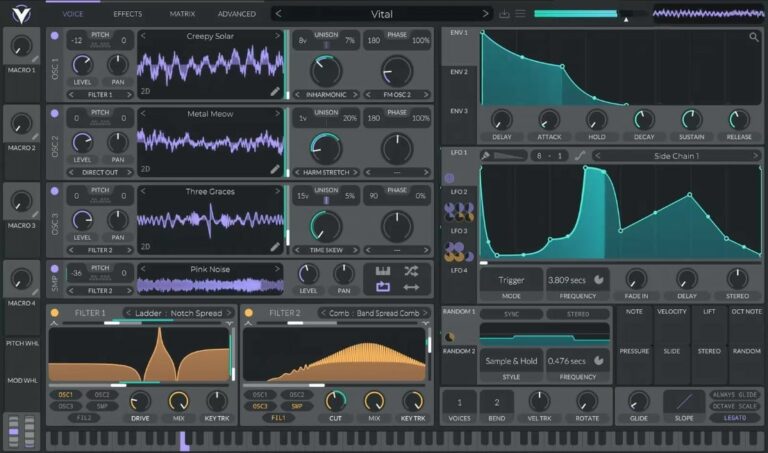
OS: Windows Win Mac Mac Linux Linux Bit Version: 64-bit Developer: Vital Audio Size: 39 MB Rating: 94/100
Vital offers a spectral warping wavetable engine that reshapes sound in bold and creative ways. It changes waveform harmonics to produce new tones and textures, letting you turn samples or even text into wavetables using built-in conversion and editing tools.
This synth is fully visual, showing how filters, LFOs, and modulations shape your sound in real time. With drag-and-drop modulation, wide stereo effects, and audio-rate control, Vital helps sound designers and producers explore detailed, evolving tones across music styles.
Related: Free Vital Presets
Features
- Spectral Warping Wavetable Synthesis
- Sample To Wavetable Conversion
- Built-In Wavetable Editor
- Real-Time Visual Feedback
- Drag And Drop Modulation
- Custom LFO And Envelope Shapes
- MPE Compatible With Controllers
- Audio-Rate Modulation Options
- Supports Microtonal Tuning Files
- Includes Presets And Wavetables
Pros
- Turns samples into new wavetables
- Supports expressive MPE controls
- Rich modulation for detailed sounds
- Supports microtonal scales easily
- Custom LFO shapes for creativity
- Low CPU use with smooth play
- Works on Windows Mac and Linux
- Great visual feedback while playing
- Creates fresh and unique sounds
- Includes lots of free presets
Cons
- Some presets sound too similar
- Few built-in effects compared to others
- Can crash on older computers
- Uses more CPU than simple synths
- GUI can feel overcrowded
- Minimal preset organization tools
- No built-in sequencer or arpeggiator
- Limited free preset variety
- Requires 64-bit system only
- Sound design can take time
Video Demo
What Users Say
Vital Tips
- I like to start with a preset and then change small things to learn what each knob does.
- I layer two oscillators to make the sound bigger and more powerful.
- I try using LFOs to make sounds move or wobble over time.
- Experiment with different wavetables to find unique tones and textures.
- Use modulation routing to link one control to another for interesting sound motion.
- Use mild distortion on bass sounds to help them cut through a mix.
- Apply EQ and compression after Vital to make your sound fit better in a track.
2. Surge XT
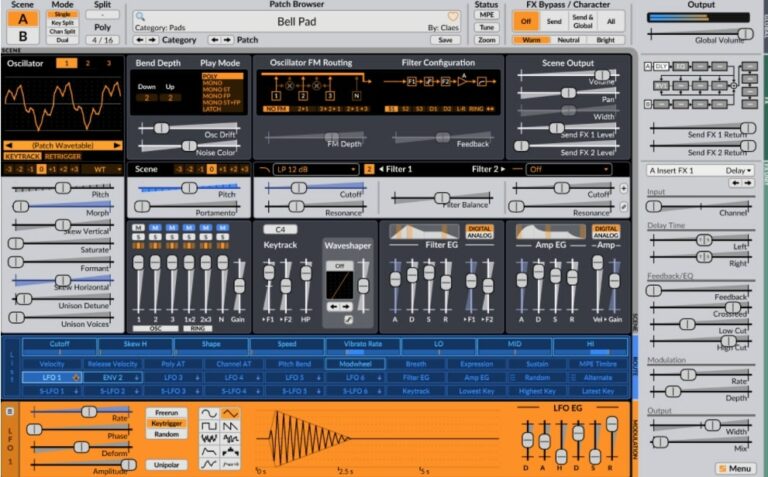
OS: Windows Win Mac Mac Linux Linux Bit Version: 32-bit, 64-bit Developer: Claes Johanson Size: 172 MB Rating: 93/100
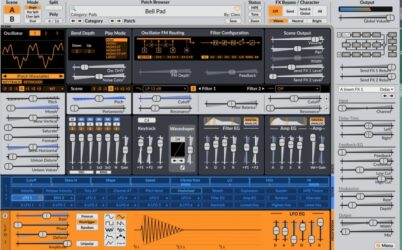
Surge XT offers a powerful hybrid synthesizer engine that combines different types of synthesis for creative sound design. It includes three oscillators per scene, many filter options, and a rich modulation system. With over 2,800 presets and 700 wavetables, it gives producers many sound possibilities.
Surge XT also supports special features like MPE, microtuning, and multiple scene modes for layered or split setups. Its open-source design allows regular updates and community input. With flexible routing and a wide range of effects, it’s useful for crafting both modern and classic synth sounds.
Features
- Over 2,800 Factory Presets
- 700 Plus Wavetables Included
- 12 Oscillator Algorithms Available
- Two Independent Synthesis Scenes
- 16 Effect Units With 27 Types
- Supports MPE And Microtuning
- Flexible Modulation Matrix System
- Multiple Filter Models And Routes
- Resizable And Customizable Interface
- Supports Windows, Mac, And Linux
Pros
- Free and open source software
- Huge library of 2,800 sounds
- Over 700 wavetables to explore
- Supports advanced MPE controllers
- Easy drag-and-drop modulation
- Two scenes for layered sounds
- Low CPU usage for big projects
- Powerful wavetable and FM synthesis
- Many built-in filters and effects
- Community driven and updated often
Cons
- Interface can feel overwhelming
- Steep learning curve for setup
- Can lag on older computers
- No built-in tutorial videos
- Preset browser feels cluttered
- Small text hard to read
- Can use more CPU
- Limited skin options
- Too many modulation options
- Plugin updates may break patches
Video Demo
What Users Say
Surge XT Tips
- I try layering two different oscillators to make my sound bigger and more exciting.
- I like to use the modulation matrix to make sounds move and change over time.
- I always test my patches in a full mix to make sure they fit well with drums and other instruments.
- Assign MIDI controls, like knobs or sliders, to important parameters for easier live tweaking.
- Experiment with Surge XT’s randomize feature for surprising patches and inspiration.
- Combine Surge XT layers with other synth plugins for thicker and more balanced sounds.
3. Odin 2
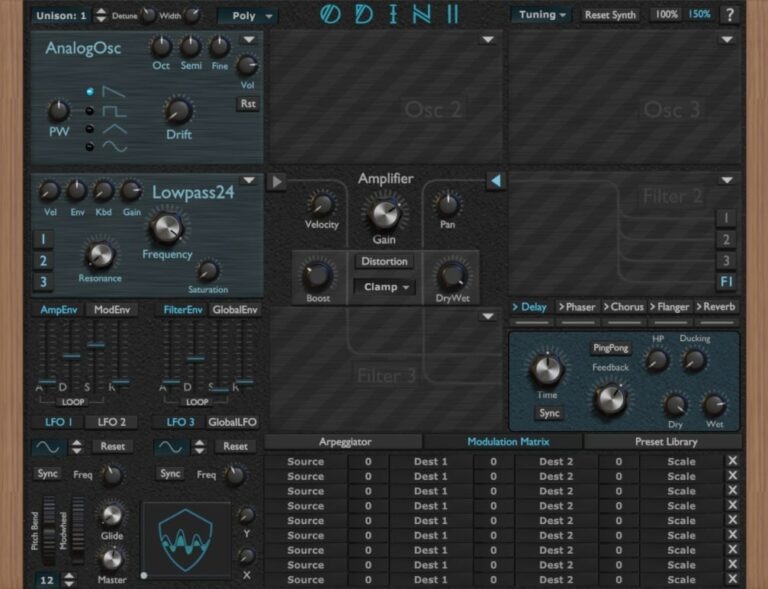
OS: Windows Win Mac Mac Linux Linux Bit Version: 64-bit Developer: Wave Warden Size: 87 MB Rating: 91/100
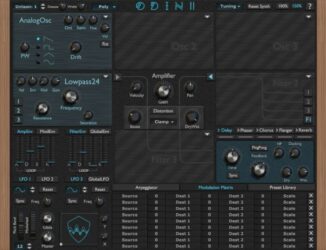
Odin 2 is a free virtual synth created by The Wave Warden for Windows, Mac, and Linux. It offers three oscillators, three filters, and a range of analog-style waveforms for creating powerful leads, basses, and effects. The plugin includes modulation options, distortion control, and built-in sound effects.
Odin 2 provides 24-voice polyphony, flexible modulation tools, and customizable filters modeled after classic analog gear. With features like an arpeggiator, ADSR envelopes, LFOs, and an XY pad, it gives music creators deep control over tone shaping for modern or vintage-style sounds.
Features
- 24-Voice Polyphonic Synth Engine
- Three Oscillator Slots
- Comprehensive Modulation Matrix
- Analog And Digital Waveforms
- Distortion And Saturation Modules
- Built-In Arpeggiator
- XY Pad For Control
- Delay, Chorus, Flanger, Reverb Effects
- Preset Library For Sound Storage
- Runs On Windows, Mac, Linux
Pros
- Warm and rich analog sound
- Realistic hardware-style interface
- Powerful 24-voice polyphony
- High-quality filter emulations
- Modulation matrix for creative sounds
- Built-in effects like reverb and delay
- Works well with MPE controls
- Low CPU use for smooth play
- Deep sound design options
- Comparable to top Korg synths
Cons
- Interface can feel confusing
- Can be heavy on CPU
- Preset browser looks outdated
- Slow loading on older PCs
- Not beginner friendly
- No onboard sampler option
- Needs better preset organization
- Lacks modern visual meters
- Doesn’t support quick drag-drop
- No mobile or tablet version
Video Demo
What Users Say
Odin 2 Tips
- I try using the modulation matrix to make sounds move and feel more alive.
- I enjoy turning up a little bit of unison to make the synth sound bigger and wider.
- I use a limiter on my master when testing heavy bass sounds to protect my ears and speakers.
- Experiment with Odin 2’s waveform blending to create evolving, textured sounds.
- Use the effects section in Odin 2 to quickly add space with delay or reverb.
- Combine Odin 2 with a Korg synth VST for a blend of old-school and modern tones.
- Layer Korg pads under Odin 2 leads to make songs sound fuller.
4. Zebralette
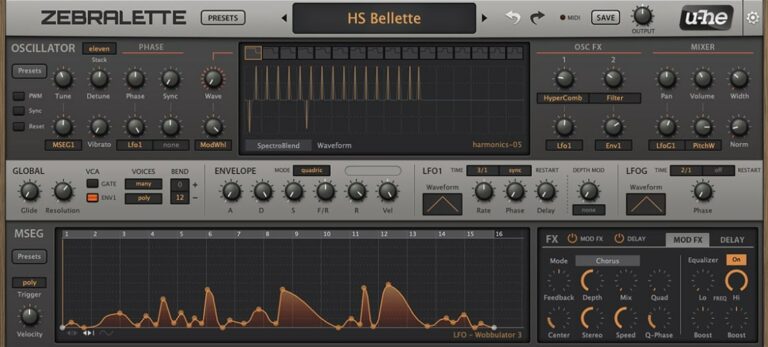
OS: Windows Win Mac Mac Linux Linux Bit Version: 64-bit Developer: Heckmann Audio Size: 175 MB Rating: 91/100
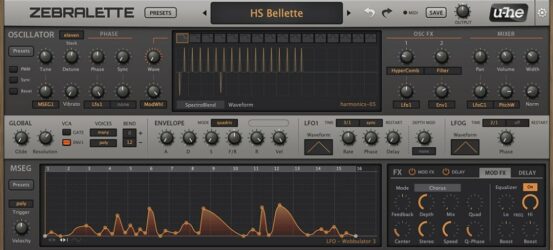
Zebralette is a free synthesizer plugin that gives music creators a strong set of tools for sound design. It uses a single oscillator with a wavetable editor, offering hundreds of presets and flexible modulation features. With 16-voice polyphony, it allows for rich and layered tones.
Zebralette offers modulation options, spectral shaping, and built-in effects like chorus, delay, and EQ. Its clear layout helps explore evolving pads, deep basses, and sharp leads. The plugin works on Windows, Mac, and Linux, making it a solid tool for creative sound exploration.
Features
- Single Advanced Wavetable Oscillator
- Twenty-Four Spectral Effects
- Oscillator Stacking With Stereo Width
- Two LFOs For Modulation
- Polyphonic Aftertouch Compatibility
- Custom Envelope With MSEG
- Built-In Chorus, EQ, And Delay
- Resizable Interface From 50% To 200%
- Preset Browser For Quick Access
- 300 Built-In Factory Presets
Pros
- Deep sound design power
- Lots of modulation choices
- Wavetable editing is flexible
- Built-in effects add depth
- Free yet professional sounding
- Comes with 300 strong presets
- Supports aftertouch control
- Scalable interface looks sharp
- High sound quality output
- Lightweight and runs smoothly
Cons
- Only one oscillator available
- No built-in reverb effect
- No built-in arpeggiator feature
- Limited modulation sources
- Limited filter options
- Basic UI design
- No advanced routing matrix
- Minimal sound library
- Preset management feels outdated
- May sound thin without effects
Video Demo
What Users Say
Zebralette Tips
- I like to start with an empty patch in Zebralette so I can better hear each small change I make.
- Zebralette’s single oscillator can be used to create very complex sounds if the waveform editor is explored carefully.
- Use modulation to bring movement to static pads or leads, making them feel alive.
- Layer multiple instances of the plugin with different octaves to build a full, powerful sound.
- Adding subtle chorus or delay effects after Zebralette can make patches sound lush and wide.
- Using the modulation matrix can turn a simple patch into something evolving and textured.
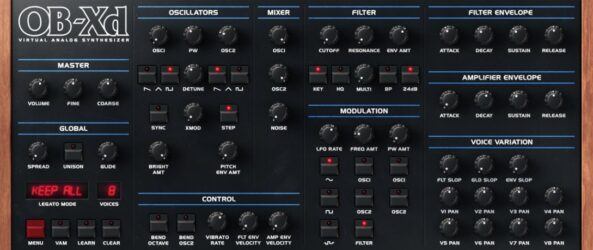
5. OB-Xd
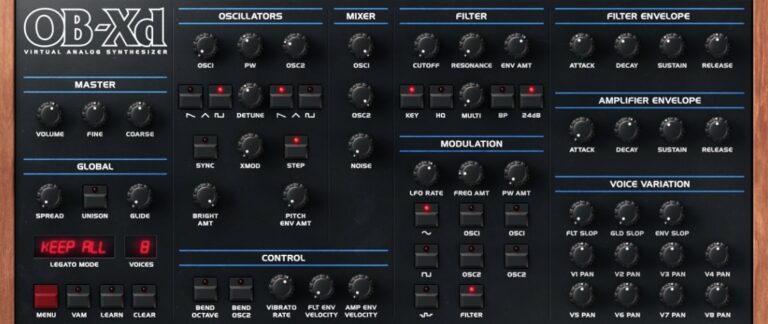
OS: Windows Win Mac Mac Linux Linux Bit Version: 64-bit Developer: discoDSP Size: 50 MB Rating: 89/100
OB-Xd offers the classic analog warmth of the vintage Oberheim OB-X with modern features for today’s music makers. It delivers a wide and lively tone through micro detuning, unison voices, and blendable filters that shape everything from smooth pads to bold leads.
The plugin includes enhanced oscillators, adjustable filters, and support for MTS-ESP micro-tuning to refine pitch and tone. With simple controls for modulation, envelopes, and noise, OB-Xd helps producers craft expressive sounds that fit many styles, from retro synthwave to modern electronic tracks.
Features
- Classic Oberheim OB-X Sound Style
- Unison Mode For Fuller Sound
- Blendable Multimode Filter Control
- MTS-ESP Micro-Tuning Support
- Cross Modulation (X-MOD) Feature
- Voice Variation For Analog Feel
- Selectable Oversampling Levels
- Voice Panning For Stereo Width
- Noise Generator For Added Texture
- Low CPU Usage Performance
Pros
- Rich and warm analog sound
- Very low CPU usage
- Faithful Oberheim-style emulation
- Supports MTS-ESP microtuning
- Free with professional quality
- Works on Windows, Mac, and Linux
- Blendable multimode filter options
- Unison adds strong bold voices
- Lots of community sound banks
- Oversampling helps cleaner sound
Cons
- Limited modulation options
- No built-in effects
- Lacks modern wavetable features
- No arpeggiator or sequencer
- Missing advanced routing options
- No visual modulation feedback
- Limited oscillator shapes
- No macro controls
- Filter lacks flexibility
- High unison increases CPU use
Video Demo
What Users Say
OB-Xd Tips
- I use a little detune on the oscillators to make the synth sound bigger and more alive.
- Adjust the envelope’s attack and release times to make pads or percussive stabs.
- Experiment with stereo spread for a wider, more open sound.
- Automation in your DAW can bring synth parts to life by changing filters or volume over time.
- Add external effects like reverb or delay to give more space and depth to the OB-Xd sound.
- Use velocity sensitivity to make the sounds respond more naturally to how hard you play.
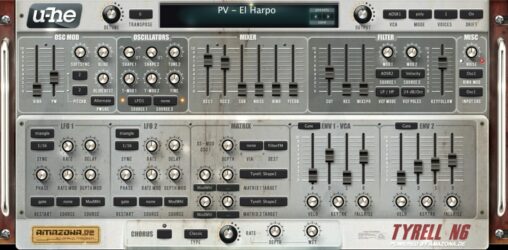
6. TyrellN6
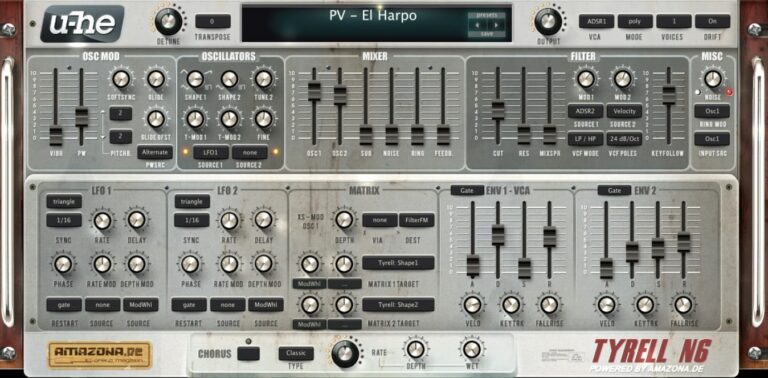
OS: Windows Win Mac Mac Linux Linux Bit Version: 32-bit, 64-bit Developer: U-He Size: 47 MB Rating: 88/100
TyrellN6 offers a classic analog-style sound in a compact and free software synthesizer. It includes two main oscillators, filters related to u-he’s Diva, and a built-in chorus for added depth. The synth keeps everything on one screen, making sound design smooth and direct.
The 2025 beta update improves performance and adds features like CLAP and MTS-ESP microtuning support. It also introduces a modern preset browser, easier soundset installation, and updated scaling options. TyrellN6 continues to deliver warm tones and flexible controls for creating rich, expressive sounds.
Features
- Virtual Analog Synth With Classic Design
- Two Oscillators Plus Noise And Ring Mod
- Twin Filter Based On Early Diva
- Unison Mode Up To Eight Voices
- Compact Modulation Matrix Section
- Chorus Effect With Three Modes
- Over 580 Factory Presets Included
- Resizable And Skinnable Interface
- Supports CLAP, VST, AU, And AAX
- Supports Native Apple Silicon Chips
Pros
- Free with pro-level sound
- Warm classic analog tone
- Works on Mac, Windows, Linux
- Low CPU load performance
- Over 580 ready presets
- New CLAP and VST3 support
- Supports native Apple Silicon
- Rich unison up to 8 voices
- Powerful twin filter section
- Supports microtuning standards
Cons
- No built-in reverb effect
- No built-in delay effect
- Lacks modern wavetable synthesis
- Small GUI on 4K screens
- Preset browser feels outdated
- Does not support MPE yet
- Few filter types compared to others
- No built-in EQ or compressor
- Interface looks dated to some
- Not as flexible as Vital
Video Demo
What Users Say
TyrellN6 Tips
- I like to start with a preset that sounds close to what I want, then tweak the filters and envelopes to make it my own.
- I use both oscillators slightly detuned to make the sound fuller and wider.
- I like to use the modulation matrix to add motion, like routing LFO to the filter cutoff.
- Use subtle chorus and delay effects to make the synth sound more polished and lively.
- Use automation in your DAW to control TyrellN6 parameters for dynamic changes during a song.
- Study the filter section; learning how different filter modes sound helps shape your tone more precisely.
- Try randomizing parameters to discover unexpected and inspiring new sounds.
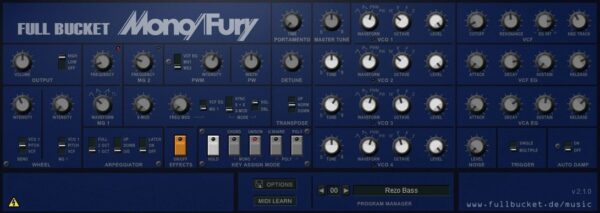
7. Mono/Fury
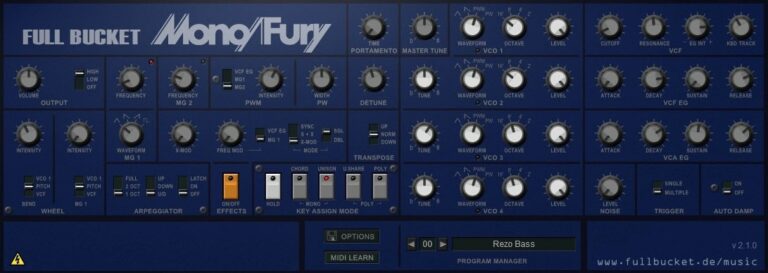
OS: Windows Win Mac Mac Bit Version: 64-bit Developer: Full Bucket Music Size: 14 MB Rating: 87/100
Mono/Fury offers a faithful recreation of the classic Korg Mono/Poly synthesizer from the early 1980s. It delivers rich analog-style tones through four band-limited oscillators, a self-oscillating lowpass filter, and flexible keyboard modes for both mono and quad setups.
The plugin includes cross modulation, hard sync, and an arpeggiator that syncs to your host tempo. With MIDI Learn, micro-tuning support, and a resizable interface, Mono/Fury gives music creators an authentic vintage sound suited for modern production workflows.
Features
- Emulates Classic Korg Mono/Poly Synth
- Four Band-Limited Oscillators
- Four-Pole Lowpass Filter With Self-Oscillation
- Cross Modulation And Hard Sync
- Arpeggiator With Sync-To-Host Option
- Dynamic Micro-Tuning Support (MTS-ESP)
- Resizable User Interface
- Full MIDI CC Control
- Supports VST, AU, VST3, AAX, CLAP Formats
- High Performance Native C++ Code
Pros
- Very close to Korg MonoPoly sound
- Authentic vintage synth character
- Four oscillators for thick sounds
- Cross modulation adds creative depth
- Rich filter with self-oscillation
- Arpeggiator syncs with your DAW
- Micro-tuning support for precision
- Quadrophonic mode feels powerful
- Runs fast on low CPU power
- Free to download and use
Cons
- No built-in reverb or delay
- Interface looks old and plain
- No modern preset browser
- Limited sound design options
- Lacks wavetable or FM synthesis
- No drag and drop modulation
- Few visual feedback elements
- Limited polyphony choices
- Does not support MPE control
- Less flexible than other Korg VSTs
Video Demo
What Users Say
Mono/Fury Tips
- I like to start with the init patch so I can build my sound from scratch.
- I like to stack two detuned oscillators for a stronger, wider sound.
- Adjust the ADSR envelope to shape how the sound starts and ends.
- Use automation in your DAW to bring filters or pitch controls to life.
- Run the output through a delay effect to create dreamy soundscapes.
- I use my MIDI keyboard to change filter cutoff in real time for cool effects.
- I often record the Mono/Fury through a reverb plugin to give it space.
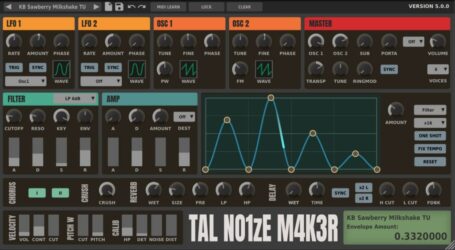
8. TAL-NoiseMaker
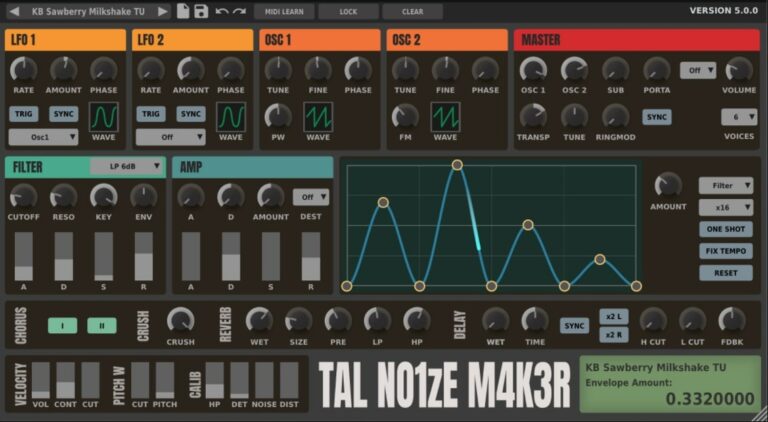
OS: Windows Win Mac Mac Linux Linux Bit Version: 64-bit Developer: TAL Software Size: 15 MB Rating: 84/100
TAL-NoiseMaker offers a classic analog-style sound in a modern software synth. It includes two main oscillators, a sub-oscillator, and flexible filters for shaping tone. With adjustable envelopes, LFOs, and built-in effects, it can create anything from smooth pads to sharp leads.
The plugin comes with 256 presets that cover many electronic music styles, making it helpful for quick ideas or sound design. Its modulation options, filter drive, and random detune add movement and depth, giving music creators a wide range of creative tools in one free package.
Features
- Three Oscillators With Sync Options
- Sub Oscillator For Deep Bass
- Multiple Filter Types Available
- Envelope Editor For Sound Shaping
- Built-In Reverb And Delay
- Chorus And Bitcrusher Effects
- 256 Ready-To-Use Presets
- MIDI Learn For All Controls
- Up To Six-Voice Polyphony
- Intuitive And Simple Interface
Pros
- Warm and rich analog sound
- Works on Windows, Mac, Linux
- Very light on CPU
- 256 high quality presets
- Smooth and powerful filters
- Simple drag-and-draw envelopes
- Creative random detune option
- Plenty of modulation options
- Nice unison for fat sounds
- Free but sounds professional
Cons
- Interface looks dated on big screens
- No built-in arpeggiator feature
- Limited modulation routing options
- No wavetable oscillator support
- Only six-voice polyphony limit
- No resizable or scalable interface
- Effects section feels basic
- Preset browser feels a bit clunky
- CPU use rises with heavy effects
- MIDI mapping can feel slow
Video Demo
What Users Say
TAL-NoiseMaker Tips
- Experiment with detuning the oscillators slightly for a richer sound.
- Try automating filter movement inside your DAW to make dynamic sweeps.
- Layer two instances of TAL-NoiseMaker for thicker, more complex tones.
- Use modulation to make repetitive patterns sound more alive and less static.
- Combine the plugin with external effects like compression or EQ to shape the final sound even more.
9. Dexed
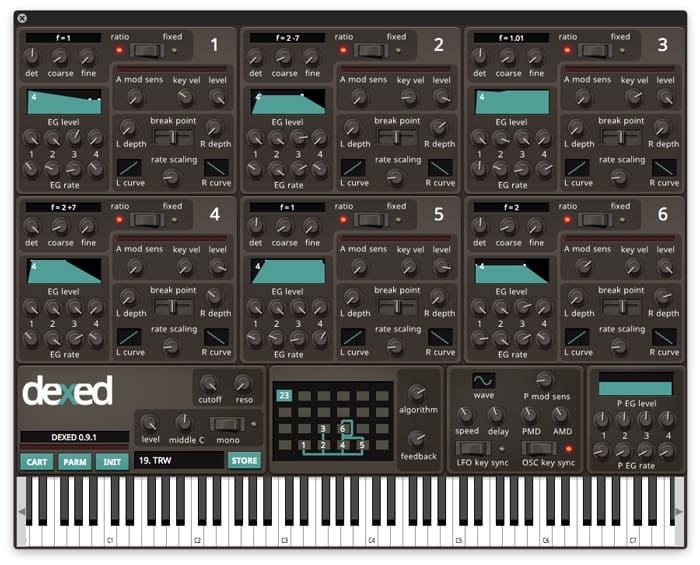
OS: Windows Win Mac Mac Linux Linux Bit Version: 64-bit Developer: Digital Suburban Size: 9 MB Rating: 84/100
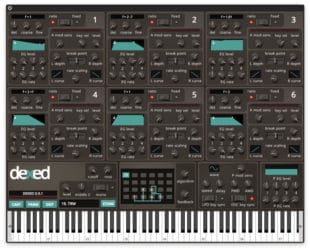
Dexed is a free FM synth plugin by Digital Suburban that models the sound and features of the classic Yamaha DX7. It offers six operators, real-time VU meters, and 144 automatable parameters, giving music makers detailed control over tone, pitch, and modulation.
Dexed also works as a DX7 patch editor and SysEx manager, letting users load, save, and organize sounds from original hardware. With DX7 and TX7 compatibility across Windows, Mac, and Linux, it delivers authentic FM tones for keys, basses, and electronic textures.
Features
- Free FM Synth Plugin
- Modeled On Yamaha DX7
- Six Operator Sound Engine
- Over 1,000 Free Presets
- Loads And Saves DX7 SysEx Files
- Patch Editor And Manager
- Low CPU Usage Performance
- LFO With Note Synchronization
- Filter With Cutoff And Resonance
- Open-Source Under GPL v3
Pros
- Free and open-source synth plugin
- Authentic Yamaha DX7 sound modeling
- Includes over one thousand presets
- Supports DX7 SysEx patch editing
- All six operators visible at once
- Very low CPU resource usage
- Runs on Windows, Mac, and Linux
- Simpler interface than original DX7
- Community supported and regularly updated
- Randomizer inspires new sound ideas
Cons
- No built-in reverb or chorus
- Interface looks a bit dated
- FM synthesis is hard to learn
- No modern visual sound display
- No wavetable or sample support
- Too many knobs for beginners
- No drag-and-drop modulation
- Cannot resize plugin window easily
- Needs external effects for depth
- No built-in preset browser
Video Demo
What Users Say
Dexed Tips
- I like to start with a blank patch in Dexed so I can learn how each operator shapes the sound.
- I use Dexed’s “Algorithm” menu to explore how different operator routings change my tone.
- Try using Dexed as a learning tool for Yamaha DX7 programming—it’s fully compatible.
- Experiment with detuning operators slightly to create thicker, more complex sounds.
- Try adjusting feedback in Dexed to add grit or edge to your patches.
- Use external effects like reverb and delay to give Dexed sounds more space and depth.
10. Kairatune
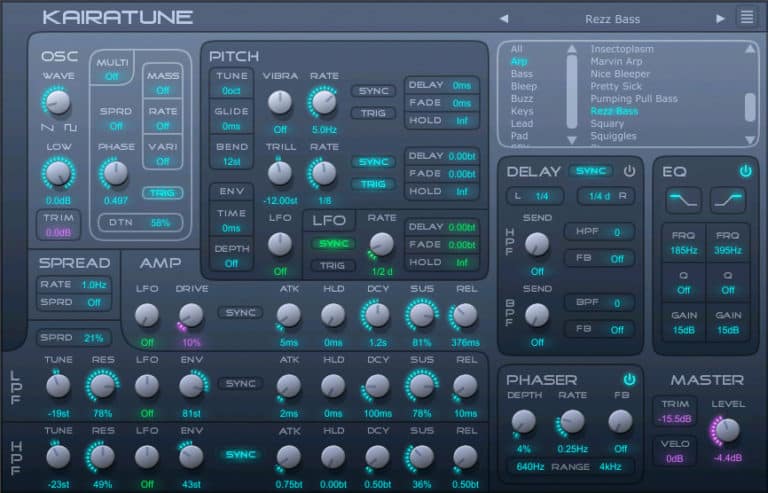
OS: Windows Win Mac Mac Bit Version: 32-bit, 64-bit Developer: Futucraft Size: 4 MB Rating: 82/100
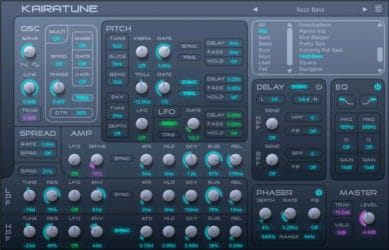
Kairatune offers a powerful way to shape electronic sounds with focus on pitch and rhythm. It features a multi-oscillator engine, stereo modulation, synced envelopes, and built-in effects like delay, phaser, and EQ. Its single-panel layout keeps every control within easy reach for quick sound design.
This synth is great for producing strong basses, sharp leads, and rich SFX. Each preset delivers clarity and impact, helping tracks cut through the mix. Kairatune runs on Windows and Mac, offering a free and flexible tool for modern electronic music creation.
Features
- Free Monophonic Synth Plugin
- Multi Oscillator Sound Generator
- Stereo And Spatial Modulation
- Built In Phaser And EQ
- MIDI Learn Function Support
- Produces Bass Leads And SFX
- Layering For Thicker Sounds
- Automatic Volume Modulation LFO
- Supports VST And AU Formats
- Works On Windows And Mac
Pros
- Free with pro-level sound quality
- Multi-oscillator engine makes rich tones
- Unique tone unlike other free synths
- Tempo-synced effects stay in rhythm
- Low CPU use for fast workflow
- Creative modulation adds movement
- Built-in delay, phaser, and EQ
- Warm and lively audio character
- Easy one-panel control layout
- Stereo spread makes sounds bigger
Cons
- Only makes one note at once
- CPU usage can be high
- Limited modulation routing options
- Few factory presets included
- No built-in reverb effect
- No built-in arpeggiator feature
- Interface may confuse beginners
- Cannot load external samples
- No built-in preset browser
- UI not scalable for 4K screens
Video Demo
What Users Say
Kairatune Tips
- I like to start with Kairatune’s preset sounds and tweak them to learn how changes affect the tone.
- I play with the Randomize option when I want new ideas fast and then adjust what I like.
- Use the modulation controls to bring life and motion to sounds that feel too static.
- Adjust the attack and release times in the envelope to control how each note starts and ends.
- Try sidechaining the synth to your kick drum to give your mix a lively bounce.
- Always check how your Kairatune patch sounds in the full mix, not just soloed.
11. Tunefish4
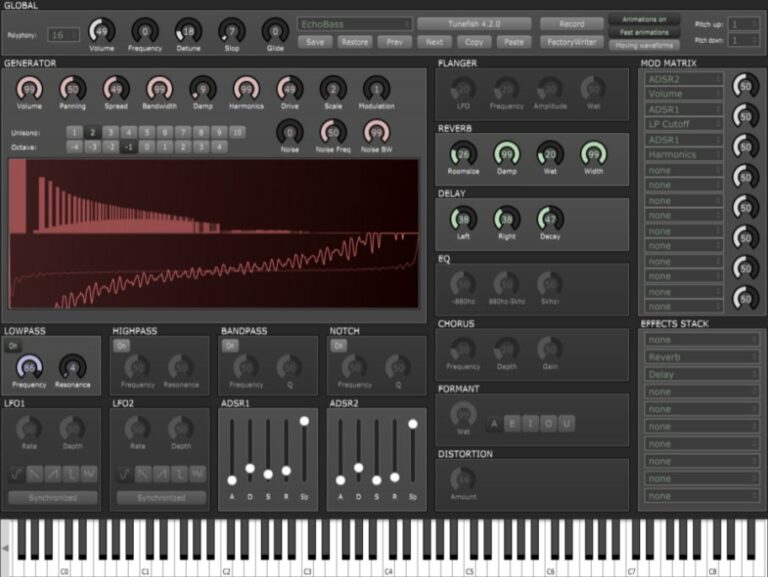
OS: Windows Win Mac Mac Linux Linux Bit Version: 64-bit Developer: Brain Control Size: 3 MB Rating: 79/100
Tunefish4 is a compact virtual analog synthesizer made by Brain Control for Windows, Mac, and Linux. It combines additive wavetable synthesis with a range of filters and effects to create diverse sounds. The plugin supports polyphony, modulation options, and flexible noise control for sound design.
It includes adjustable effects like chorus, flanger, delay, reverb, EQ, distortion, and formant for shaping tones. With two LFOs, two ADSRs, and a modulation matrix, creators can craft leads, basses, or ambient textures. Tunefish4 delivers detailed control in a small, efficient package.
Features
- Free Virtual Analog Synth Plugin
- Uses Additive Wavetable Synthesis
- Features Modulation Matrix Control
- Has Two ADSRs And Two LFOs
- Includes Flanger, Chorus, Distortion
- Supports Delay, Reverb, EQ, Formant
- Provides Lowpass, Highpass, Bandpass Filters
- Includes Detune, Glide, And Unison
- Lightweight With Low CPU Usage
- Produces Warm And Clear Synth Sounds
Pros
- Free and open source synth
- Works on Windows, Mac, Linux
- Very low CPU usage
- Warm and rich analog tone
- Powerful modulation matrix
- Customizable filters and envelopes
- Unison for thicker sound layers
- Supports user shared soundbanks
- Rivals paid synths in sound
- High sound quality for free
Cons
- Limited preset library for beginners
- No built-in arpeggiator feature
- Interface looks dated and plain
- Lacks visual waveform display
- Less intuitive modulation routing
- Can sound thin without layering
- Effects sound basic and dated
- No modern wavetable editing
- Outdated GUI scaling on 4K
- Steeper learning curve for newbies
Video Demo
What Users Say
Tunefish4 Tips
- I like to start by checking out the preset patches in Tunefish4 to learn what kinds of sounds it can make.
- I mix different oscillators in Tunefish4 to find unique tones that fit my track.
- I often adjust the filter cutoff to shape my sound and make it brighter or darker.
- I use the built-in effects in Tunefish4, like reverb and chorus, to make my sounds richer.
- I use the envelope controls to make sounds fade in and out the way I want.
- I like to use automation to change parameters while the song plays for more movement.
- Layering multiple instances of Tunefish4 can create a thicker, more powerful sound.
12. Helm
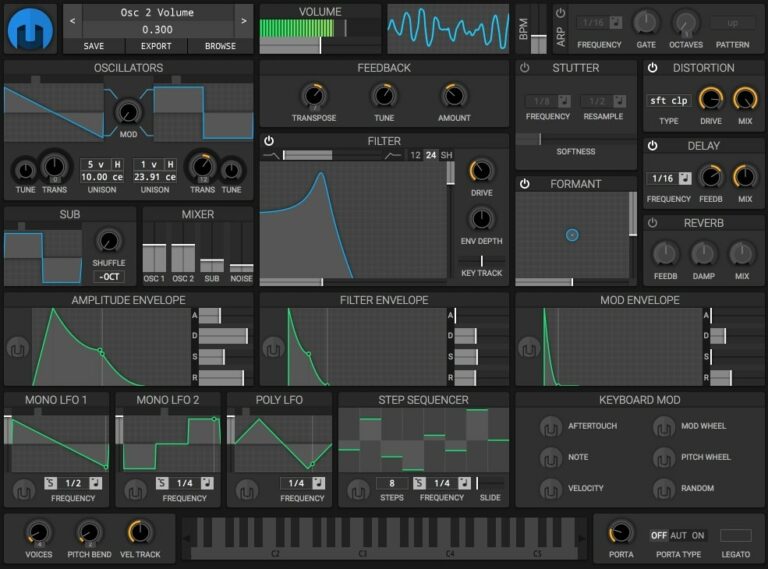
OS: Windows Win Mac Mac Linux Linux Bit Version: 32-bit, 64-bit Developer: Matthew Tytel Size: 18 MB Rating: 79/100
Helm offers a free and open-source way to make electronic sounds on your computer. It works on Windows, Mac, and Linux, either on its own or as a plugin in most major formats. With two main oscillators, filters, and effects, Helm gives flexible control over your sound design.
Its clear layout includes a step sequencer, modulation options, and visual tools like an oscilloscope for quick feedback. Since it’s open-source, you can study, modify, and share it as you like. Helm is a reliable choice for exploring synthesis and building original electronic sounds.
Features
- Free And Open Source Software
- Runs On Windows Mac And Linux
- Two Main Oscillators With Controls
- Filter With Multiple Types
- Step Sequencer For Automated Patterns
- Formant Effect For Vocal Sounds
- Reverb For Spatial Depth
- MIDI Learn For Quick Control Mapping
- Visual Feedback With Oscilloscope
- Light On CPU Resources
Pros
- Free and open source software
- Powerful, flexible modulation system
- Comes with step sequencer
- Has stutter and formant effects
- Visual feedback with oscilloscope
- Low CPU use for smooth play
- Many filter and distortion types
- Full control over sound design
- Works on Windows, Mac, and Linux
- Community support and active updates
Cons
- GUI resizing can cause lag
- Sometimes unstable in certain DAWs
- CPU use can spike on modulation
- No built-in arpeggiator function
- No wavetable editing like Vital
- Limited number of factory presets
- Sound can feel less polished
- Lacks built-in effects variety
- No support for MPE devices
- Patch management can feel confusing
Video Demo
What Users Say
Helm Tips
- I turn one knob at a time so I can hear what each control does to my sound.
- Use Helm’s modulation matrix to connect different controls and create evolving sounds.
- I tweak the LFO section to add small movements, like a wobbly or pulsing sound.
- I use the filter cutoff knob to make my sound darker or brighter when mixing.
- Add a bit of reverb or delay in your DAW to make Helm’s sound bigger and more spacious.
- Use automation to make Helm’s parameters move over time in your DAW.
13. Sonigen Modular
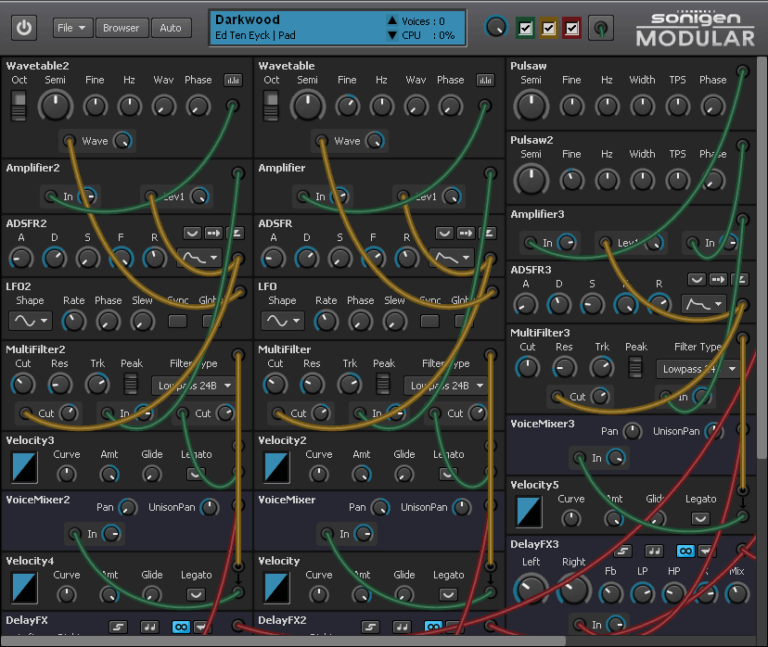
OS: Windows Win Bit Version: 32-bit Developer: Sonigen Size: 2 MB Rating: 78/100
Sonigen Modular offers a flexible modular synthesis experience that lets you connect and route sound modules just like real hardware. It includes oscillators, filters, envelopes, and effects, giving creators complete control over shaping their tones and exploring new sound designs from smooth pads to detailed textures.
This plugin uses an automatic layout system to keep patches clear and organized, even with complex setups. Its responsive modulation and high sound quality make it suited for both simple and layered sounds, giving music makers plenty of creative room while keeping the process straightforward.
Features
- Modular Synthesis With Patch Cables
- High-Quality Sound Engine
- Unlimited Modules And Routing
- Low CPU Usage Performance
- Versatile Oscillator Waveforms
- Accurate Filter And Noise Modules
- Advanced ADSR Envelope Controls
- Built-In Delay And Effects
- Supports Polyphonic And Unison Modes
- Quick Preset Save And Recall
Pros
- Easy to understand modular layout
- Unlimited modules and flexibility
- Deep and flexible modulation
- Fast real-time sound changes
- Powerful unison mode sounds
- Warm and natural filter tones
- Strong and snappy envelopes
- Resizable and clear interface
- Low CPU usage performance
- Free but very professional quality
Cons
- Only works on Windows systems
- No 64-bit version available
- Not compatible with macOS
- Lacks modern GUI design
- Updates are rare or discontinued
- No built-in preset browser
- No drag-and-drop modulation
- Cannot resize interface freely
- No built-in reverb effect
- Limited built-in effects section
Video Demo
What Users Say
Sonigen Modular Tips
- Start with simple modules like oscillators, filters, and ADSR to understand the basics of sound shaping.
- Use modulation creatively by linking LFOs to pitch, filter, or amplitude for dynamic sounds.
- I use MIDI velocity in my patch to make playing on my keyboard more expressive.
- I use effects like reverb and delay inside Sonigen Modular to make my patches sound bigger.
- Try routing envelopes or sequencers to unexpected targets for unique modulation effects.
- Save custom patches by category, such as leads, pads, or basses, for quicker recall.
- Keep signal levels moderate to avoid distortion and maintain clean audio.
14. Synth1
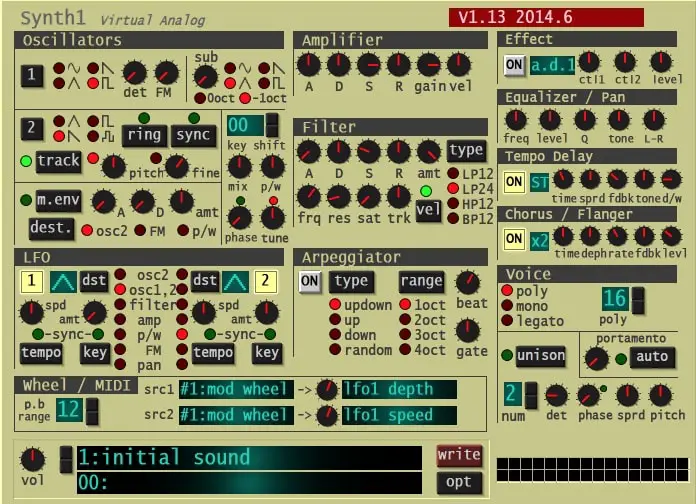
OS: Windows Win Mac Mac Bit Version: 32-bit, 64-bit Developer: Daichi Size: 1 MB Rating: 76/100
Synth1 offers a classic virtual analog sound that mirrors the NORD LEAD2 hardware synth. It includes two oscillators, a sub-oscillator, and a range of filters and modulation tools. With its arpeggiator, delay, and chorus options, it’s well-suited for shaping rich electronic tones.
This free plugin supports up to 32 voices and includes 128 presets, giving creators many ready-to-use starting points. Its FM and ring modulation features let you craft sharp leads, deep bass, and evolving pads on both Windows and Mac systems.
Features
- 32 Voice Polyphony
- 128 Built-In Presets
- FM And Ring Modulation
- Four Filter Types
- Built-In Distortion Effect
- Tempo Synced Delay
- Host Synced Arpeggiator
- Unison Voice Layering
- Legato And Portamento Modes
- Supports VST And AU Formats
Pros
- Low CPU use for many tracks
- Works on Windows and Mac
- Free but sounds professional quality
- Thousands of free presets online
- Classic analog synth sound style
- Strong filter and modulation tools
- Includes delay, chorus, and flanger
- Unison mode makes sounds thicker
- Arpeggiator helps fast melody ideas
- Comparable or better than newer free synths
Cons
- Interface looks old and plain
- Small window hard to read
- Preset browser feels outdated
- Lacks advanced modulation matrix
- Cannot resize plugin window
- No built-in reverb effect
- MIDI mapping not very friendly
- No built-in sample import
- No drag-and-drop editing
- No official manual or help
Video Demo
What Users Say
Synth1 Tips
- I use the oscillator mix knob to blend two different waveforms and find cool new sounds.
- I always play with the filter cutoff to shape my tone and make it sound brighter or darker.
- Always adjust the ADSR envelope to control how a sound starts and ends.
- Experiment with detune to make the sound thicker and more alive.
- Try linking the LFO to pitch or filter for fun wobbles and motion.
- Use automation in your DAW to make the Synth1 filter move over time.
- Combining Synth1 with reverb and chorus can make pads sound dreamy.
15. Digits
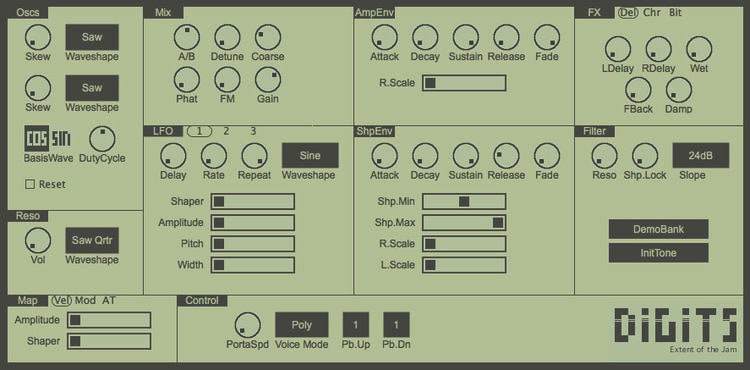
OS: Windows Win Mac Mac Linux Linux Bit Version: 64-bit Developer: Louis Gorenfeld Size: 1 MB Rating: 73/100
Digits offers a phase distortion synthesizer inspired by classic CZ hardware. It includes over 100 presets, 3 LFOs, and analog-style filters to shape rich, edgy tones. The plugin blends digital grit with smooth pads, sharp leads, and deep bass for a wide range of sounds.
With tools like resonance control, bitcrush effects, and modulation options, Digits lets producers shape motion and texture quickly. Its small window keeps the layout simple, while features like aftertouch support and chorus effects make it ready for creative sound design on any platform.
Features
- Phase Distortion Synthesis Engine
- Analog Filter Emulation
- Three LFOs With Wave Options
- Four Selectable Voice Modes
- Full ADSR And Fade Envelopes
- Aftertouch And Mod Wheel Mapping
- Analog Chorus And Flanger
- Harmonic Bitcrush Effect
- Low CPU Usage
- Over 100 Built-In Presets
Pros
- Creative phase distortion synthesis
- Unique tone not found in others
- Real analog filter sound feel
- Warm and digital tone options
- Low CPU use for smooth play
- Lightweight and fast to load
- Over 100 ready-made presets
- Includes chorus and flanger effects
- Supports mod wheel and aftertouch
- Works on Windows, Mac, Linux
Cons
- Interface looks small on big screens
- Limited preset sound variety
- No built-in reverb effect
- Missing modern GUI resizing option
- Limited modulation routing choices
- No sample import function
- Few filter types compared to others
- Hard for deep sound design work
- Does not support MPE input
- Outdated visual design style
Video Demo
What Users Say
Digits Tips
- I use the built-in chorus and delay effects in Digits to make my sounds feel wider and more alive.
- I like to tweak the modulation settings to see how small changes can create big differences in tone.
- I use automation in my DAW to make my Digits patches move and change through the song.
- Start with a basic preset in Digits and then change one parameter at a time to learn what each control does.
- Use slow LFOs to create subtle movement in pads and atmospheric sounds.
- Combine Digits with reverb plugins to place your synth sounds in a bigger space.
- Always adjust the gain level coming out of Digits to prevent clipping or distortion in your mix.
Serum VST Alternatives Compared
This table compares Serum alternative by features, controls, effects, formats, and more.
| Details | Vital | Surge XT | Odin 2 | Zebralette | OB-Xd | TyrellN6 | Mono/Fury | TAL-NoiseMaker | Dexed | Kairatune |
|---|---|---|---|---|---|---|---|---|---|---|
| Image | 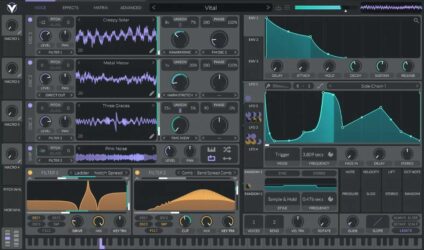 |
 |
 |
 |
 |
 |
 |
 |
 |
 |
| Rating | ||||||||||
| OS | Windows, Mac, Linux | Windows, Mac, Linux | Windows, Mac, Linux | Windows, Mac, Linux | Windows, Mac, Linux | Windows, Mac, Linux | Windows, Mac | Windows, Mac, Linux | Windows, Mac, Linux | Windows, Mac |
| Formats | VST | VST, AU, CLAP | VST, AU | VST, AU | VST, AU | VST, VST3, AU, AAX, CLAP | VST, VST2, VST3, AU, AAX, CLAP | VST, AU | VST, AU | VST, AU |
| Bit Version | 64-bit | 32-bit, 64-bit | 64-bit | 64-bit | 64-bit | 32-bit, 64-bit | 64-bit | 64-bit | 64-bit | 32-bit, 64-bit |
| Developer | Vital Audio | Claes Johanson | Wave Warden | Heckmann Audio | discoDSP | U-He | Full Bucket Music | TAL Software | Digital Suburban | Futucraft |
| License | Freeware | GPL | Freeware | Freeware | Freeware | Freeware | Freeware | Freeware | GPL | Freeware |
| Sample-Based | No | No | No | No | No | No | No | No | No | No |
| Download Size | 39 MB | 172 MB | 87 MB | 175 MB | 50 MB | 47 MB | 14 MB | 15 MB | 9 MB | 4 MB |
| CPU Load | Medium | Low | Low | Low | Low | Low | Low | Low | Low | Low |
| Polyphony | 32 | 64 | 24 | 1 | 7 | 8 | 64 | 6 | 16 | 6 |
| Features | Spectral warping, Sample-to-wavetable, Wavetable editor, Visual synthesis, Drag-and-drop modulation, Stereo modulation, Custom LFOs | Hybrid Synthesis, Dual Scenes, Flexible Modulation, Extensive Effects, Wavetable Oscillators, Patch Browser, MPE Support | Polyphonic Synthesis, Oscillator Slots, Filter Slots, Modulation Matrix, Arpeggiator, FX Section, Preset Library | Wavetable oscillator, Modulation controls, Spectral effects, Envelope shaping, LFO modulation, Preset library, Built-in effects | Classic Synth Emulation, Blendable Multimode Filter, Micro Detuning, Unison Voices, Enhanced Oscillators, MTS-ESP Tuning, Bi-Directional MIDI | Virtual analogue synthesis, Dual oscillators, Twin filter, Modulation matrix, Unison voices, Chorus effect, Modern preset browser | Authentic emulation, Four oscillators, Self-oscillating filter, Cross modulation, Arpeggiator sync, Tweak section, MIDI Learn | Three Oscillators, Multiple Filters, Two LFOs, Envelope Editor, Built-In Effects, 256 Presets, MIDI Learn | DX7 modeling, SysEx compatibility, Patch librarian, 144 automations, Real-time metering, Open-source license, Six-operator engine | Sound Customization, Multi-Oscillator Engine, Tempo-Synced Envelopes, Stereo Modulation, Delay & Phaser, One-Panel Interface, MIDI Learn |
| Controls | Oscillators, Sampler, Filters, Envelopes, LFOs, Random Modulators, Macros | Oscillator, Filter, LFO, Waveshaper, Patch Browser, Modulation Matrix, Scene Controls | Analog Osc, PW, Drift, Lowpass24, Amp Env, LFO, Modulation Matrix | Oscillator Section, Waveform Display, Spectral Controls, Envelope, LFO, MSEG, FX Section | Volume, Coarse, Spread, Unison, Cutoff, Resonance, Envelope (ADSR) | Oscillators, Mixer, Filter, LFOs, Envelopes, Matrix, Chorus | Output, Master Tune, Portamento, VCO Tune, VCF Cutoff, Arpeggiator, Effects | LFO 1, OSC 1, OSC 2, Filter, AMP, Envelope, Master Section | Operators, Coarse And Fine, EG Level, Break Point, Algorithm, Feedback, LFO | OSC Wave, Multi, Spread, Tune, Vibra, Delay, EQ |
| Effects Included | Wide stereo effects | Reverb, Delay, Distortion | Distortion, Delay, Chorus, Flanger, Reverb | Chorus/Phaser, EQ, Delay, Reverb | Unknown | Chorus, Overdrive, Filter Feedback | Cross modulation, Hard sync | Chorus, Crush, Reverb, Delay, Bitcrusher, Filter Drive, Ring Modulator | Unknown | Delay, Phaser, EQ |
| MIDI Learn | Yes | Yes | Yes | Unknown | Yes | Yes | Yes | Yes | No | No |
| Presets | 75 | 2777 | 1250 | 80 | 250 | 580 | 64 | 256 | 32 | 32 |
| Standalone | Yes | Yes | Yes | No | Yes | No | Yes | Yes | Yes | No |
| Last Updated | 04/10/2024 | 07/04/2024 | 12/01/2023 | N/A | 04/03/2024 | 09/01/2020 | 05/20/2023 | 01/23/2024 | 05/06/2024 | 06/19/2022 |
Favorite Serum VST Alternative
Our top pick for the best free Serum VST alternative is Vital by Vital Audio. It offers the most controls, features, presets, and it’s available for both Windows and Mac.
| Details | Vital |
|---|---|
| Image |
|
| Rating | |
| OS | Windows, Mac, Linux |
| Formats | VST |
| Bit Version | 64-bit |
| Developer | Vital Audio |
| License | Freeware |
| Sample-Based | No |
| Download Size | 39 MB |
| CPU Load | Medium |
| Polyphony | 32 |
| Features | Spectral warping, Sample-to-wavetable, Wavetable editor, Visual synthesis, Drag-and-drop modulation, Stereo modulation, Custom LFOs |
| Controls | Oscillators, Sampler, Filters, Envelopes, LFOs, Random Modulators, Macros |
| Effects Included | Wide stereo effects |
| Download | Download Vital |
Frequently Asked Questions
What Is Serum?
Serum is a popular synthesizer VST plugin by Xfer Records that allows users to create complex sounds with ease. It’s been used by artists like Deadmau5 and Skrillex and has become a staple in many music production studios. The plugin is available for both Mac and PC and comes with a variety of features that allow you to customize your sound.
Can I Get The Serum Plugin for Free?
You can get the Serum plugin for free as a demo trial from the Xfer Records website. The free Serum demo is available for both Windows and Mac and has a 15-minute use limitation. Besides that, you should look into free Xfer Serum alternatives as free options.
How Do I Get the Serum VST Plugin?
To get the Serum VST plugin by Xfer Records, you can purchase it on their website at https://www.xferrecords.com/products/serum/.
There, you can find more information about the plugin as well as pricing options.
Is Omnisphere Better than Serum?
No, the Omnisphere plugin isn’t necessarily better than the Serum VST plugin. They both have unique sounds and features that can be used to create different types of music. It ultimately comes down to what kind of sound you’re looking for, what kind of music you want to make, and your available budget.
Serum costs $189, while Omnisphere is almost double the price, costing $500.
The Spectrasonics website says Omnisphere comes with 14,806 sounds, while Xfer Serum has 450 presets and 144 wavetables.
What Are the Best Free Alternatives For Serum?
The best free Serum alternatives are “Vital” by Matt Tytel, “TyrellN6” by U-He, “Surge XT” by the Surge Synthesizer Team, “Dexed” by Jean-Marc Desprez, and “Tunefish V4” by Brain Control. These are the best free Serum synth alternatives that are cross-platform and packed with high-quality sounds.
How to Install Serum VST Alternatives
To install Serum VST alternative plugins on Windows or Mac, extract the files from the Zip or Rar. Move the files (.dll for Windows or .component for Mac) into your DAW’s plugin folder. Then restart your software and rescan the directory to complete the process. Tutorial: How to Install VST Plugins
Windows:
Extract the downloaded zip file and copy the .dll file into the VST plugins folder scanned by your DAW. Restart your music software and rescan your plugin directory to begin using the new VST.
Mac OS X:
Extract the downloaded archive and move the .component or .VST file to the plugin folder. It is usually /Library/Audio/Plug-Ins/Components or /Library/Audio/Plug-Ins/VST. Restart your DAW and rescan your plugins to complete the installation.
If you don’t have the money to buy Serum, or you want to try out some different plugins, these are some great free alternatives that will give you similar results.
I hope you found this list of free Xfer Serum VST plugin alternatives helpful.
Related: Free Omnisphere VST Alternatives





