

Here are the best free Minimoog VST emulator plugins for Windows and Mac. We have included video demos, feature lists, pros, cons, and plugin ratings.
How we rate plugins: We rate each minimoog VST emulator plugin based on sound quality, design, performance, features, usability, and compatibility. We rate plugins on a scale of 1 to 100.
Table of Contents
I have spent over 15 years testing and comparing hundreds of free and paid VST plugins, supported by hands-on demos on our YouTube channel, which has 11,000+ subscribers.
Best Free Minimoog VST Emulator Plugins
This table compares minimoog emulator plugins by Os, bit version, format, and rating.
| # | Plugin | OS | Formats | Bit Version | Ratings |
|---|---|---|---|---|---|
| 1 | Surrealistic MG-1 Plus | Windows Mac | VST, VST3, AU, AAX | 64-bit | |
| 2 | VK-1 Viking Synthesizer | Windows Mac | VST, AU | 64-bit | |
| 3 | RA Mowg | Windows | VST | 32-bit | |
| 4 | MiniMogueVA | Windows | VST | 32-bit | |
| 5 | Moon Sono Sx | Windows | VST | 32-bit | |
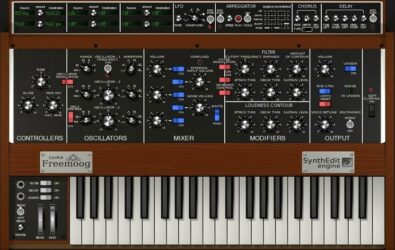
| 6 | Freemoog | Windows | VST | 32-bit | |
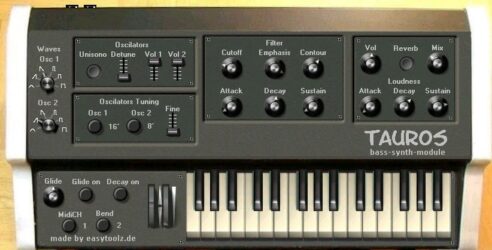
| 7 | Easy-tauros | Windows | VST | 32-bit | |
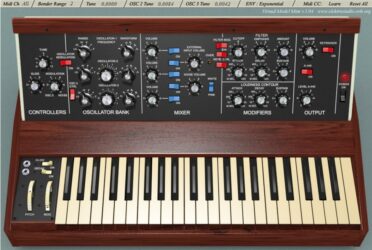
| 8 | Model Mini | Windows | VST | 32-bit | |
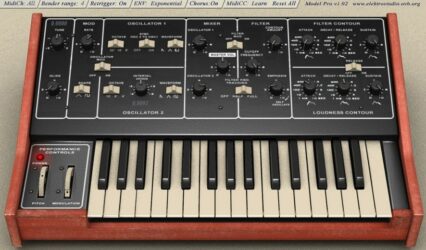
| 9 | Model Pro | Windows | VST | 32-bit | |
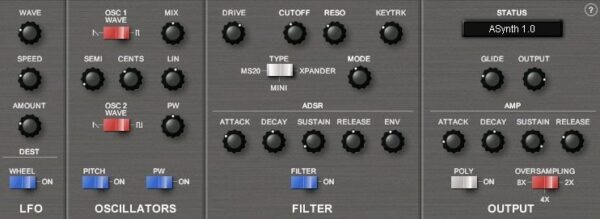
| 10 | ASynth | Windows | VST | 32-bit | |
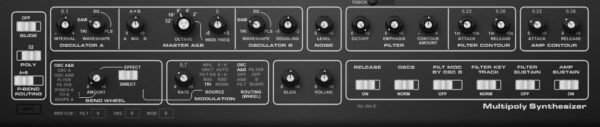
| 11 | Multipoly | Windows | N/A | 32-bit | |
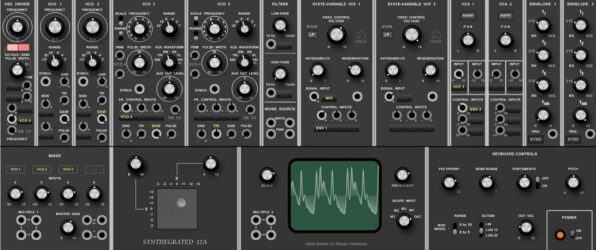
| 12 | Synthegrated 12A | Windows | VST | 32-bit | |
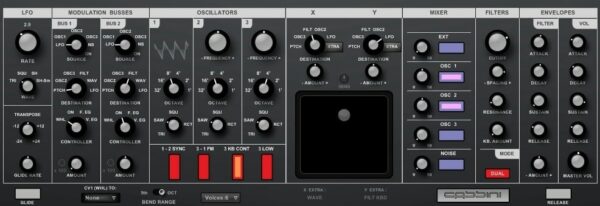
| 13 | Cassini | Windows | VST | 32-bit | |
| 14 | Minimodular | Windows | VST | 32-bit | |
| 15 | Polly | Windows | VST | 32-bit |
1. Surrealistic MG-1 Plus
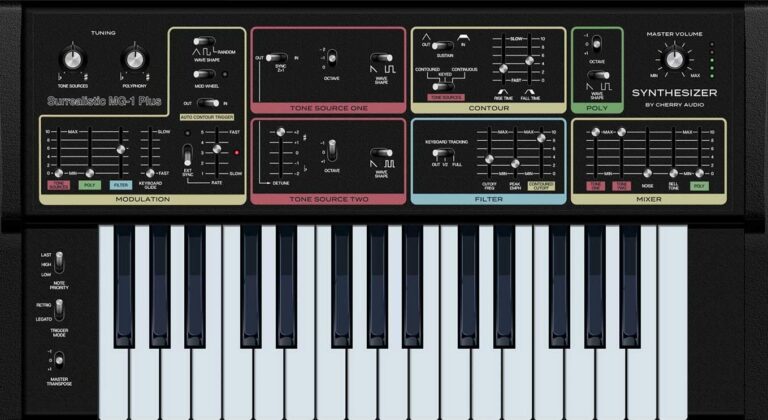
OS: Windows Win Mac Mac Bit Version: 64-bit Developer: Cherry Audio Size: 20 MB Rating: 87/100
Surrealistic MG-1 Plus offers a classic analog sound inspired by the famous 1980s Realistic MG-1 synthesizer. It combines two oscillators, a smooth ladder filter, and a distinct polyphonic section to create warm basses, sharp leads, and rich vintage tones—completely free to use.
It includes over 130 presets, tempo-syncable LFOs, MIDI control, and DAW automation for flexible sound shaping. With added features like ring modulation, glide, and expanded octave ranges, the MG-1 Plus delivers an authentic retro vibe with modern reliability and creative range.
Features
- Accurate Analog Synth Modeling
- Dual Oscillator Sound Engine
- Classic 24db Ladder Filter
- Tempo Syncable LFO Control
- Over 130 Ready Presets
- All Controls MIDI Assignable
- Full DAW Automation Support
- Unique Polyphonic Oscillator Section
- Free To Download And Use
- One-Click UI Magnification
Pros
- Completely free to download
- Authentic vintage analog sound
- Faithful recreation of original MG-1
- Low CPU usage performance
- Over 130 ready-made presets
- High-quality filter section
- Resizable and clear interface
- Full MIDI control support
- Automation for every knob
- Works on Windows and Mac
Cons
- No built-in reverb or delay
- Limited modulation options overall
- No modern wavetable support
- Only basic analog waveforms
- No built-in arpeggiator feature
- Lacks visual waveform display
- Interface may look old-fashioned
- Limited sound design flexibility
- Lacks advanced envelope controls
- Polyphony still somewhat restricted
Video Demo
What Users Say
Surrealistic MG-1 Plus Tips
- I like to start by exploring the presets to learn how different sounds are built in the MG-1 Plus.
- I make small changes to one knob at a time so I can hear what each control does.
- I use the mixer sliders to blend the square and saw waves until I find a tone I enjoy.
- I save my favorite patches often so I don’t lose my progress while experimenting.
- I add a little chorus or reverb to make my MG-1 Plus sounds bigger and more alive.
- Use automation in your DAW to move filter and volume controls over time.
- Always check your levels so the MG-1 Plus doesn’t clip or distort your mix.
2. VK-1 Viking Synthesizer
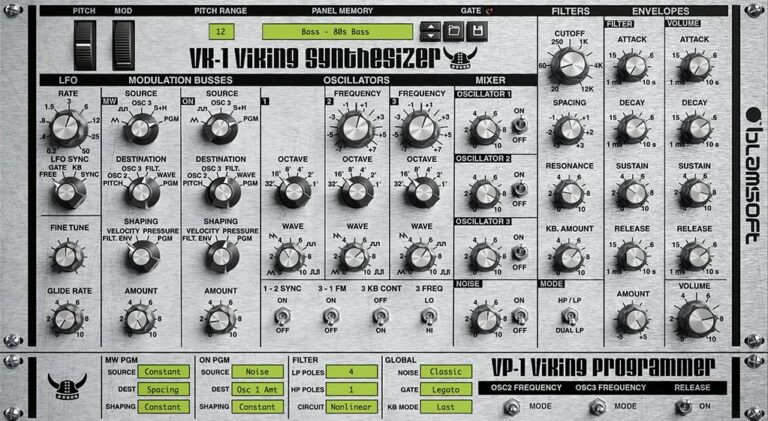
OS: Windows Win Mac Mac Bit Version: 64-bit Developer: Blamsoft Size: 196 MB Rating: 79/100
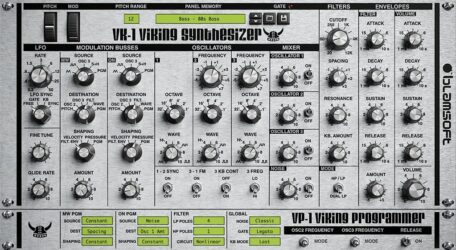
VK-1 Viking Synthesizer offers a detailed recreation of a classic analog monophonic synth, combining three variable wave oscillators, dual ladder filters, and deep modulation options. Its advanced DSP design captures the warmth, depth, and character of vintage hardware while supporting modern 64-bit VST systems.
It includes a wide range of presets for basses, leads, and synthwave tones, along with adjustable drift, drive, and envelope settings for extra control. Musicians can shape expressive analog-style sounds with smooth filters, rich harmonics, and flexible modulation tools for creative sound design.
Features
- Authentic Analog Synth Emulation
- Three Variable Wave Oscillators
- Dual Ladder Filters With Modes
- Multi-Wave LFO And Modulation Busses
- Adjustable Resonance And Filter Drive
- Controls For Glide And Drift
- Includes 100 Preset Sounds
- Low CPU Usage And Stable Performance
- Supports MIDI Learn Function
- Available As A Free VST2 Plugin
Pros
- Warm and rich analog sound
- Accurate Moog-style emulation
- Dual ladder filters for shaping
- Realistic drift and jitter effect
- Multiple drive modes add grit
- Flexible modulation bus routing
- Nonlinear filters for richer tone
- Low CPU for smooth performance
- Retina-ready high-quality graphics
- Free and easy to download
Cons
- Lacks polyphonic playing support
- No built-in effects section
- Limited modulation routing options
- No resizable interface mode
- GUI too small on 4K screens
- Few modern sound design features
- Does not support VST3 format
- No onboard delay or reverb
- Lacks advanced modulation matrix
- Missing external MIDI mapping depth
Video Demo
What Users Say
VK-1 Viking Synthesizer Tips
- When I make bass sounds, I make sure the filter cutoff is low and the resonance is not too high.
- When I want a big sound, I slightly detune two oscillators and pan them apart.
- I use the Glide knob to make smooth slides between notes; it sounds great for lead sounds.
- I link the modulation wheel to filter cutoff so I can open the sound as I play.
- Layer two oscillators with slightly different waveforms to create thicker and more complex tones.
- Adjust the envelope’s attack and release to shape how quickly the sound starts and ends.
- Use the filter’s envelope amount to make your sound move dynamically as you play.
3. RA Mowg
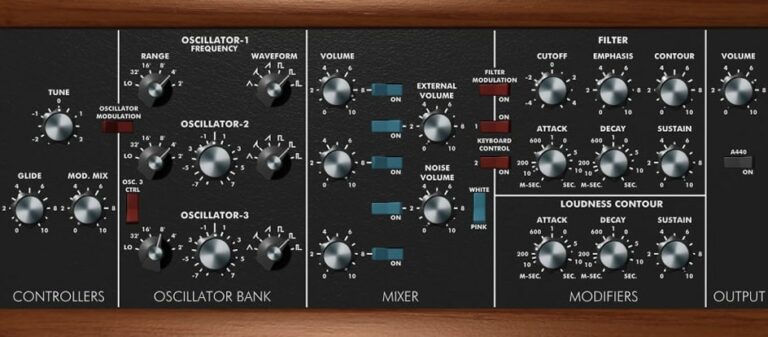
OS: Windows Win Bit Version: 32-bit Developer: Roberson Audio Size: 2 MB Rating: 73/100
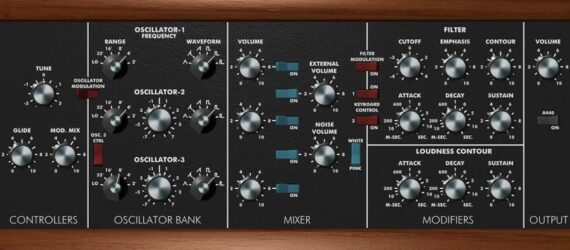
RA Mowg offers a faithful software take on the classic Minimoog Model D synthesizer. It captures the original’s warmth and power through detailed modeling of its oscillators, filter behavior, and modulation response. The plugin focuses on tone and playability while keeping controls simple and familiar.
This monophonic synth includes features like smooth glide, noise control, and a built-in feedback loop for added grit. Designed for a 48 kHz sample rate, it delivers a true analog-style sound that cuts through mixes, making it a solid choice for leads and basses.
Features
- Minimoog Model D Sound Emulation
- Three Independent Oscillators
- Classic Filter With Emphasis Control
- Built-In Feedback Loop
- Glide Control For Smooth Transitions
- Attack, Decay, Sustain Settings
- Noise Generator With Volume Control
- Keyboard Control Over Filter
- Mod Wheel Support From Keyboard
- Simple, Clear Interface Design
Pros
- Warm and rich analog sound
- Faithful Minimoog Model D feel
- Authentic overdriven filter sound
- Real analog-like oscillators
- Accurate filter and contour control
- Low CPU use and stable
- Free and high-quality plugin
- Immediate, raw sound character
- Comparable to paid Moog emulations
- Quick sound design workflow
Cons
- Only works on Windows
- Limited to 32-bit
- No VST3 support
- No Mac version
- Interface not resizable
- No built-in effects
- No preset browser
- Limited modulation options
- No MIDI learn
- No automation for all controls
Video Demo
What Users Say
RA Mowg Tips
- I like to start with the default preset and tweak one knob at a time to learn what each one does.
- I use the filter cutoff to shape the warmth of the sound—it makes a huge difference.
- I use the glide control to make my leads sound smooth and connected.
- I like to layer two RA Mowg instances for a thicker, wider sound.
- Adding a bit of external reverb or delay can make the synth sound more spacious.
- I use MIDI automation to bring life to my synth parts over time.
4. MiniMogueVA
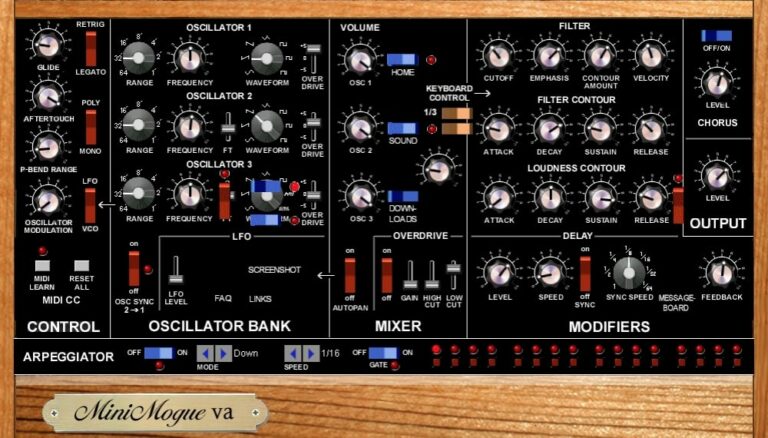
OS: Windows Win Bit Version: 32-bit Developer: Glen Stegner Size: 1.6 MB Rating: 73/100
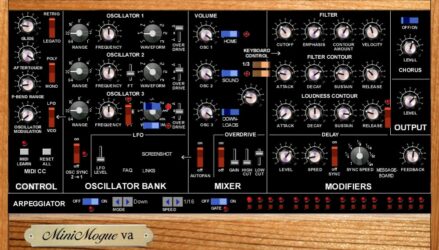
MiniMogueVA is a virtual synth based on the classic Minimoog, offering the warm analog sound of the original with modern extras. It delivers up to five notes of polyphony, along with an arpeggiator and step sequencer for creating rhythmic patterns and layered tones.
MiniMogueVA includes adjustable filter controls, aftertouch, and multiple overdrive options for more expressive shaping. Built-in effects like chorus and delay add depth, while its oscillator and filter sections let you design anything from rich bass to sharp leads with ease.
Features
- Authentic Minimoog Synth Emulation
- Three Independent Oscillators
- Filter With Cutoff And Resonance
- Envelope Attack, Decay, Sustain, Release
- LFO With Drift And Panning
- Built-In Arpeggiator Function
- 16-Note Step Sequencer
- Chorus Effect Section
- Programmable Digital Delay
- Aftertouch And MIDI Control
Pros
- Authentic warm analog Moog sound
- Five-note polyphony adds flexibility
- Independent overdrive for each oscillator
- Built-in chorus for fuller tones
- Adjustable filter with sweet resonance
- Responsive aftertouch for expression
- Delay with tempo sync options
- Clear layout similar to hardware
- Thick vintage character and grit
- Competes well with paid Moog emulations
Cons
- Only works on Windows systems
- No 64-bit plugin version
- Interface looks old and cluttered
- Uses more CPU than others
- Cannot resize the plugin window
- No built-in preset browser
- Lacks modern MIDI learn features
- No modulation matrix for routing
- Lacks advanced modulation options
- Steep learning curve for beginners
Video Demo
What Users Say
MiniMogueVA Tips
- I use the filter cutoff knob to make the sound brighter or darker, depending on the song.
- Add a small amount of detune between oscillators to create a rich, classic synth sound.
- Use the filter envelope to shape how the sound opens and closes over time.
- Combine MiniMogueVA with delay and reverb plugins for a bigger sound.
- I like to use the glide control for smooth pitch slides between notes.
- I use my MIDI controller’s mod wheel to add movement to the sound while playing.
- Use automation in your DAW to change filter or volume over time.
5. Moon Sono Sx
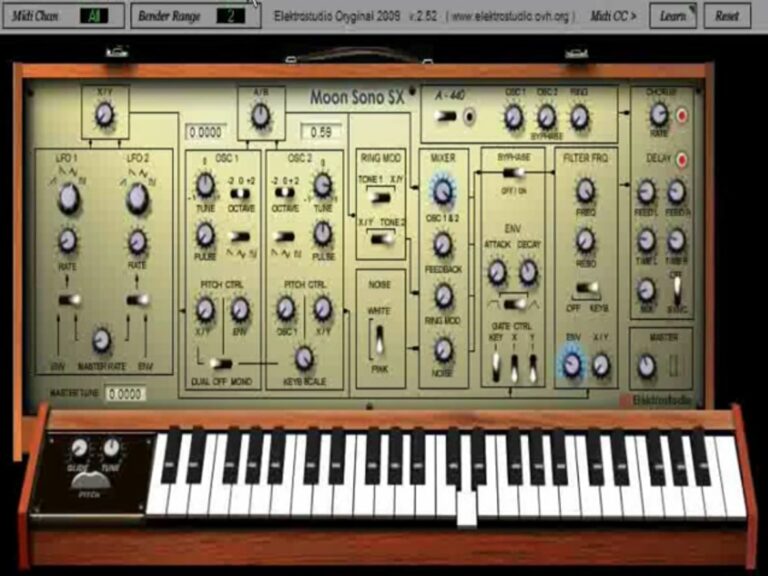
OS: Windows Win Bit Version: 32-bit Developer: Elektrostudio Size: 2 MB Rating: 71/100
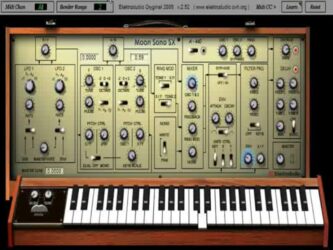
Moon Sono Sx offers an emulation of the vintage Moog Sonix Six synthesizer, bringing its classic tone into digital form. It features two oscillators with multiple waveform options, a low-pass filter, and a dual LFO system for rich and evolving modulation. The duophonic, monophonic, and drone modes give players flexible control over their sound.
This plugin can create warm basses, lush pads, and experimental tones through its filter, ring modulator, and noise generator. The mix controls and modulation options make it suited for both classic analog sounds and futuristic effects within a simple VST setup for Windows.
Features
- Two Voltage Controlled Oscillators
- Selectable Saw, Triangle, Square, Pulse
- Low-Pass Voltage Controlled Filter
- Duophonic And Monophonic Modes
- White And Pink Noise Generator
- Ring Modulator For Metallic Tones
- Pulse Width Adjustment For Tone
- Filter Frequency And Resonance Control
- Classic Warm Vintage Sound
- Low CPU Usage Performance
Pros
- Warm and rich analog sound
- Dual oscillators for layered sound
- Cool ring mod for unique tones
- Pink and white noise choices
- Authentic Moog-style duophonic mode
- Responsive filters for tone shaping
- Offers deeper modulation control
- Intuitive interface with classic look
- Low CPU use for smooth play
- High quality free synth option
Cons
- No 64-bit version available
- Works only on Windows systems
- No built-in preset browser
- No patch saving options
- No MIDI learn function
- Limited polyphony to two notes
- No automation for all controls
- Limited sound design flexibility
- No modulation matrix feature
- No built-in arpeggiator tool
Video Demo
What Users Say
Moon Sono Sx Tips
- I try mixing oscillator waveforms to make thicker sounds.
- Adding subtle distortion or saturation can make bass patches punchier.
- Using automation on filter and volume can make a track sound more dynamic.
- Adjusting oscillator detune can help create a wider stereo image and richer tone.
- Keeping the ADSR envelope balanced helps the synth fit better in a mix.
- I like to add a bit of glide between notes for a smooth, sliding effect.
6. Freemoog
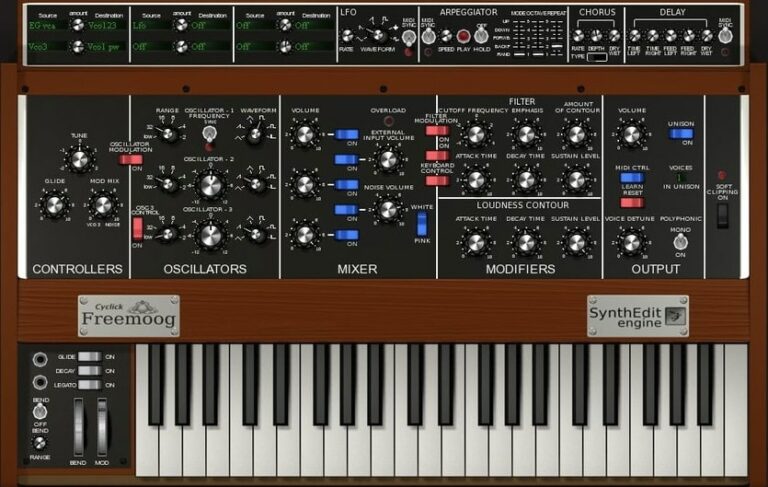
OS: Windows Win Bit Version: 32-bit Developer: Cyclick Size: 2.9 MB Rating: 70/100
Freemoog offers a classic analog-style sound inspired by the famous Minimoog, with modern digital flexibility. It features three oscillators and allows up to eight notes to be played at once. Designed in Blender 3D, the interface is visually clear and simple to program.
This plugin provides full control over filters, envelopes, and modulation for shaping warm basses, sharp leads, or evolving pads. Built for Windows in 32-bit VST format, Freemoog keeps its tone raw and expressive, giving producers a reliable tool for vintage-style synth sounds.
Features
- Based On Classic Minimoog Design
- Three Independent Oscillators
- Built-In Filter With Resonance Control
- Envelope Controls For Sound Shaping
- Includes Glide And Modulation
- Arpeggiator Creates Note Patterns
- Chorus Effect For Thicker Sound
- Poly, Mono, And Unison Modes
- Warm Analog-Style Tone
- Low CPU Usage For Multiple Tracks
Pros
- Warm and rich analog sound
- Snappy and punchy envelopes
- Three powerful sound oscillators
- Smooth and musical filter sweeps
- Has own unique Moog-style sound
- Chorus and delay add depth
- 8 note polyphony for chords
- Very low CPU usage
- Stable and crash-free performance
- Free and easy to install
Cons
- Only works on Windows systems
- Limited 32-bit compatibility only
- Interface looks small on screens
- No built-in reverb effect
- Few preset sounds to start
- Lacks deep modulation options
- Outdated compared to newer synths
- Cannot automate every control
- Limited polyphony for big chords
- Sounds less authentic than real Moog
Video Demo
What Users Say
Freemoog Tips
- I try stacking two or three oscillators to make my sound thick and warm.
- I tune the second oscillator slightly off pitch to get a fuller sound.
- I use the filter cutoff knob to shape the brightness of my sound.
- Adding a little bit of glide between notes makes smooth leads and solos.
- Recording automation of the filter cutoff helps bring life into synth lines.
- Using the Freemoog’s filter envelope can add movement and character to static sounds.
- Use a bit of chorus or delay in your DAW to create a larger stereo sound.
7. Easy-tauros
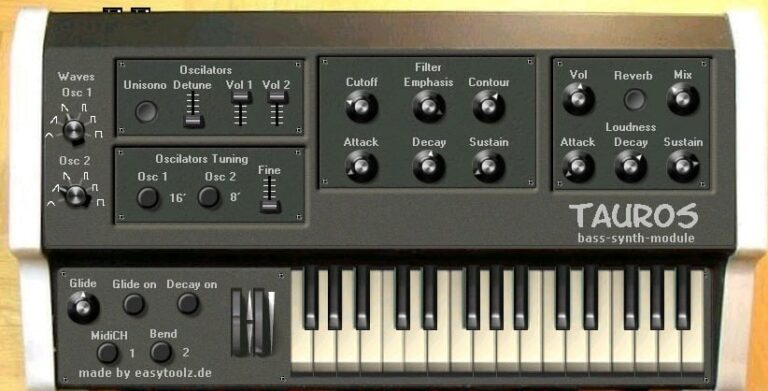
OS: Windows Win Bit Version: 32-bit Developer: easytoolz Size: 5.8 MB Rating: 69/100
Easy-tauros offers the deep and solid bass sound of the classic Moog Taurus in a simple VST plugin. It uses two oscillators with six waveforms, covering three octaves for flexible tone creation. The low-pass filter, envelopes, and tuning options give precise control for shaping rich analog-style bass.
It includes reverb, unison, and detune settings to make the sound thicker and wider. With 64 ready-to-use patches, Easy-tauros lets producers quickly build strong bass lines for electronic, rock, or synth-driven tracks. It delivers vintage tone without complex adjustments.
Features
- Two Oscillators With Six Waveforms
- Low-Pass Filter With Cutoff Control
- Two ADS Envelopes For Shaping
- Unison Mode With Detune Option
- Adjustable Reverb And Mix Control
- Supports Glide For Smooth Transitions
- Offers Velocity-Sensitive Response
- Includes Sixty-Four Preset Patches
- CPU-Friendly And Stable Performance
- Emulates Classic Moog Taurus Bass
Pros
- Warm and punchy analog-style sound
- Deep, powerful Taurus-style bass
- Low CPU use and stable
- Thick unison mode adds power
- Clear low-pass filter control
- Presets sound great right away
- Works well in live setups
- Rich analog tone for free
- Simple clean layout for beginners
- Authentic vintage Moog character
Cons
- Only works on Windows systems
- No 64-bit plugin support
- Not available for Mac users
- Outdated and plain interface design
- Limited modulation options offered
- No LFO for advanced modulation
- No built-in arpeggiator tool
- Few presets compared to others
- Does not support automation easily
- Less realistic than newer emulations
Video Demo
What Users Say
Easy-tauros Tips
- I adjust the filter cutoff slowly to find the sweet spot that makes the bass sound warm and deep.
- I often use the modulation wheel to bring life to leads and to make the sound move.
- Try mixing Minimoog-style oscillators with digital effects for a modern twist.
- Balance oscillator levels to avoid muddy sounds when several waveforms are active.
- Make use of the glide or portamento settings for classic sliding synth leads.
- Use automation to make filter or pitch bends change over time for dynamic movement.
- Pair the Minimoog VST with a smooth delay effect to add depth and space.
8. Model Mini
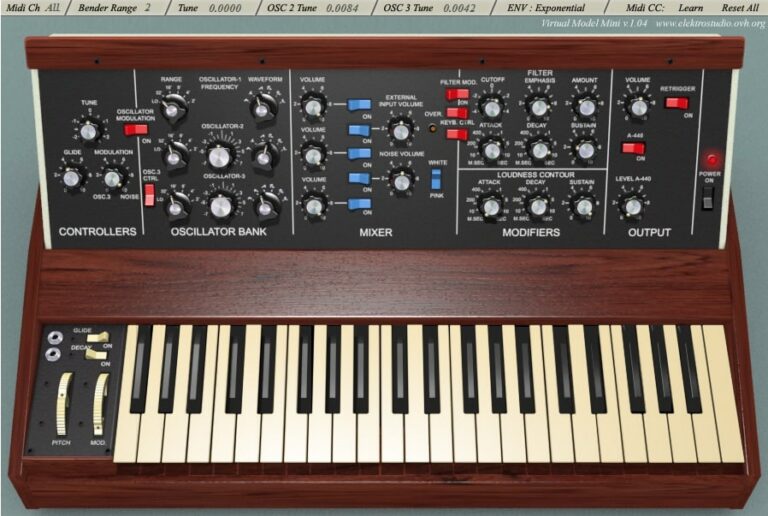
OS: Windows Win Bit Version: 32-bit Developer: Elektrostudio Size: 3 MB Rating: 68/100
Model Mini is a free analog-style synth plugin for Windows made by Elektrostudio. It recreates the classic sound of the Minimoog, offering three oscillators, noise options, and a warm, vintage tone. You can shape sound using filters, envelopes, and tuning controls for smooth bass and lead sounds.
Model Mini offers key controls like glide, modulation, and waveform adjustment to refine your tone. Its simple layout makes it easy to adjust filters, loudness, and pitch. This plugin is best for music creators who want classic analog textures in a compact digital tool.
Features
- Monophonic Analog Synth Emulation
- Three Voltage Controlled Oscillators
- Oscillator Three As LFO
- White And Pink Noise Sources
- Four-Pole Lowpass Filter
- Filter Cutoff And Emphasis Control
- Mixer For Oscillators And Noise
- Authentic Minimoog Style Sound
- Pitch And Mod Wheels
- Lightweight And CPU Friendly
Pros
- Sounds close to real Minimoog
- Low CPU use and smooth running
- Three strong oscillators included
- Oscillator three doubles as LFO
- Nice filter with strong resonance
- Authentic analog-style glide control
- White and pink noise options
- Warm old-school analog sound
- Rich and punchy bass tones
- Small size saves computer space
Cons
- Only works on Windows computers
- Not available in 64-bit version
- No macOS or Linux support
- Lacks polyphonic note playback
- Sometimes crashes in certain DAWs
- No preset browser built in
- Outdated interface design look
- Limited modulation options offered
- No built-in effects like reverb
- Not updated in many years
Video Demo
What Users Say
Model Mini Tips
- I like to start by turning down the filter cutoff, then slowly bringing it up to find the sweet spot for my bass sounds.
- Try using a little bit of detuning between oscillators to get a warm, fat sound.
- Use the glide (portamento) control to make smooth transitions between notes for lead sounds.
- I use a MIDI controller to adjust knobs in real time—it makes the sound more alive.
- I like to add a bit of delay or reverb after the plugin to give it space in the mix.
- Use automation in your DAW to move filter and envelope parameters during a performance.
9. Model Pro
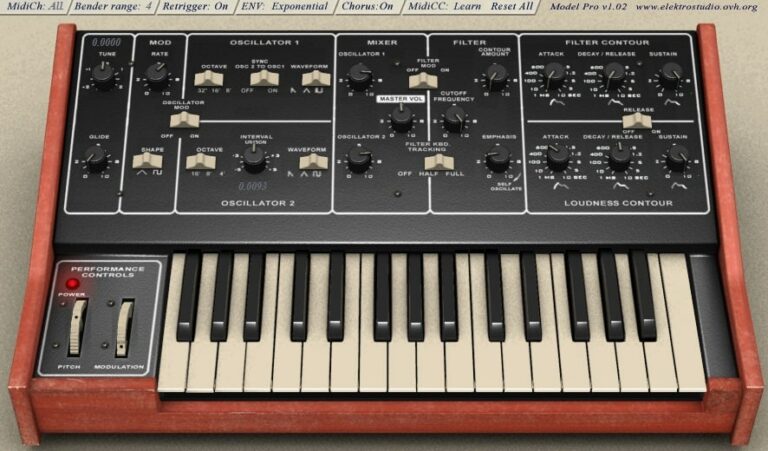
OS: Windows Win Bit Version: 32-bit Developer: Elektrostudio Size: 3.7 MB Rating: 67/100
Model Pro offers an authentic recreation of the classic Moog Prodigy analog synthesizer. It features two oscillators with sawtooth, triangle, and pulse waves, along with an LFO and ADS envelope for detailed tone shaping. The 24 dB lowpass filter adds warm, vintage-style depth to your sounds.
This plugin captures the character of classic analog gear, ideal for retro leads, basslines, and synthwave tones. Though limited to 32-bit, it remains popular for its rich sound and simple control layout. Model Pro brings classic analog warmth to digital music production at no cost.
Features
- Emulates Moog Prodigy Synth
- Two Analog Style Oscillators
- Sawtooth, Triangle, And Pulse Waves
- Lowpass Filter With Cutoff Control
- LFO With Square And Triangle Shapes
- Glide Function For Smooth Transitions
- Noise Generator For Added Texture
- Mixer For Oscillator And Noise Balance
- Filter Contour With ADSR Controls
- Rich Analog Style Sound Output
Pros
- Rich vintage Moog-style sound
- Free Moog Prodigy emulation
- Deep bass and punchy leads
- Noise generator for sound texture
- High quality filter resonance
- Smooth pitch glide feature
- Light setup, quick to load
- Two oscillators for thicker tone
- Clear and easy interface layout
- Great free alternative to Minimoog
Cons
- No 64-bit version available
- Works only on Windows systems
- CPU usage can be high
- May crash in some hosts
- No built-in presets browser
- Interface looks old and plain
- No polyphonic sound mode
- Lacks modern sound design tools
- No MIDI learn or macro support
- Limited modulation possibilities
Video Demo
What Users Say
Model Pro Tips
- I like to start by turning off all the oscillators, so I can hear what each one does when I add them in later.
- I use the filter cutoff knob slowly to shape my sound and find the sweet spot for warmth.
- I like to tune one oscillator slightly off-pitch to make the sound thicker and more classic.
- I experiment with small changes in the envelope to make my sounds more alive and less flat.
- I use the glide control to make my leads sound smoother between notes.
- Use small amounts of overdrive or saturation after the Model Pro to give it analog warmth.
- I record dry first, then I add effects like delay or reverb later in the mix.
10. ASynth
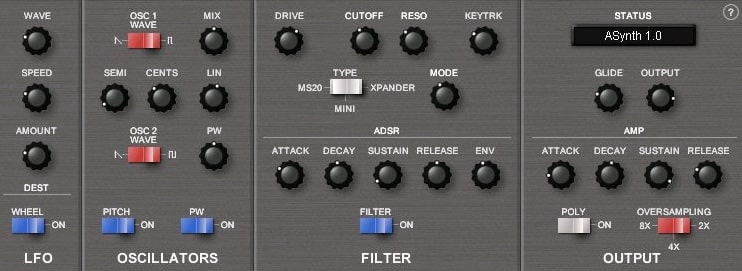
OS: Windows Win Bit Version: 32-bit Developer: Smart Electronix Size: 1 MB Rating: 67/100
ASynth offers classic analog-style tones in a simple virtual format. It features two oscillators, three circuit-modeled filters, and six-voice polyphony for shaping warm leads, basses, and textured pads. Its core design focuses on giving producers authentic analog character with flexible tone control.
The plugin includes controls for oscillators, filters, and envelopes, making sound design direct and creative. Adjust waveforms, fine-tune pitch, and shape filter drive or resonance to craft varied sounds. ASynth runs on Windows as a 32-bit VST and remains valued for its clear, punchy output.
Features
- Six-Voice Virtual Analog Synthesizer
- Two Independent Oscillators
- Three Circuit-Modeled Filters
- LFO Speed And Depth Controls
- ADSR Envelopes For Filter And Amp
- Monophonic And Polyphonic Modes
- Filter Drive, Cutoff, And Resonance
- Glide Function For Smooth Notes
- MIDI CC Automation Support
- Oversampling For Higher Sound Quality
Pros
- Warm vintage analog-style tone
- Authentic Minimoog-style character
- Three rich circuit-modeled filters
- Warm filter drive adds punch
- Six voices for polyphonic play
- Oversampling improves sound clarity
- Very low CPU use
- Free and lightweight synthesizer
- Simple easy-to-learn interface
- Two powerful oscillators included
Cons
- Only works on Windows systems
- No 64-bit version available
- No Mac support at all
- Outdated user interface design
- Cannot resize plugin window
- No preset browser included
- Lacks modern modulation options
- No built-in reverb or delay
- Limited polyphony with six voices
- Requires bridge for newer DAWs
Video Demo
What Users Say
ASynth Tips
- I like to use a little bit of detune between oscillators to make the sound thicker.
- I always use the filter cutoff slowly to find the sweet spot for my bass sounds.
- Adjust the glide or portamento for smooth slides between notes.
- Add a touch of overdrive after ASynth to mimic vintage analog warmth.
- Use ASynth’s two oscillators to blend wave shapes for richer tones.
- Experiment with envelope settings to make pads softer or leads sharper.
- Save your presets often, so you don’t lose your sound design progress.
11. Multipoly
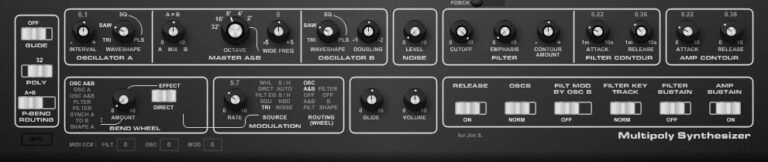
OS: Windows Win Bit Version: 32-bit Developer: KBplugs Size: 1.8 MB Rating: 67/100
Multipoly offers the sound and feel of the classic Moog Multimoog in a simple VST plugin. It’s built from circuit-inspired design but focuses on creativity instead of perfect hardware accuracy. With no presets, you shape every tone from the ground up.
This plugin gives you full control over oscillators, filters, modulation, and envelopes to craft warm basses, leads, or experimental tones. Its clear interface helps you explore sound layering, pitch bending, and filter shaping for detailed and dynamic synth performances.
Features
- Moog Multimoog Style Emulation
- Simple And Clear Interface
- Two Independent Oscillators
- Filter With Cutoff And Emphasis
- Glide For Smooth Note Slides
- Polyphonic Or Monophonic Mode
- Filter Modulation By Oscillator B
- Filter Key Track Control
- White Noise Sound Source
- Low CPU Usage Performance
Pros
- Authentic Moog-style sound character
- Delivers raw analog-like tone
- Realistic oscillator behavior
- Faithful to hardware layout
- Offers polyphonic and monophonic modes
- Responsive modulation and filter
- Light on CPU usage
- Simple and clean interface
- No presets encourages creativity
- Free and easy to download
Cons
- No 64-bit system support
- No macOS compatibility
- No preset library available
- No built-in effects section
- Lack of MIDI learn options
- Limited parameter automation support
- No scalable user interface
- Does not sound fully accurate
- A bit of top-end aliasing
- No modulation matrix section
What Users Say
Multipoly Tips
- Layering slightly detuned oscillators can create rich, classic analog sounds.
- Using the Minimoog-style filter section allows smooth sweeps that add motion to a mix.
- Combining the plugin with reverb or delay enhances the space around the synth tones.
- Using MIDI velocity to control filter brightness can make playing more dynamic and expressive.
- Automation of modulation depth in a DAW adds expression and keeps a part from sounding static.
- Saving custom patches in Multipoly helps users quickly recall favorite tones and settings.
12. Synthegrated 12A
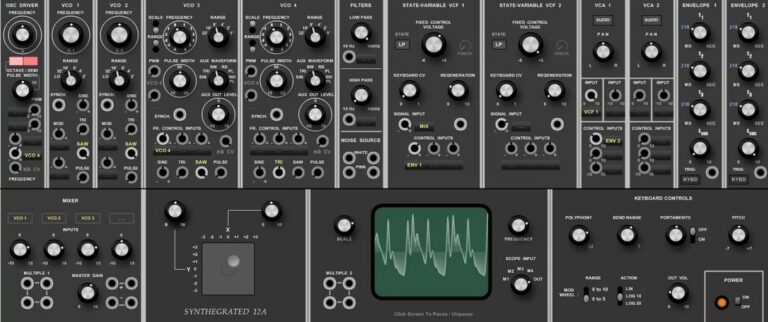
OS: Windows Win Bit Version: 32-bit Developer: KBplugs Size: 4.1 MB Rating: 66/100
Synthegrated 12A is a virtual synth based on the Moog Modular Model 12. It gives a raw, vintage sound without trying to copy the real hardware exactly. With no presets, it invites music creators to shape their own tones from the ground up.
The plugin includes multiple oscillators, filters, envelopes, and a visual scope for real-time sound shaping. Its joystick pad and noise source add movement and texture, making it useful for basses, leads, and experimental tones in Windows-based setups.
Features
- Moog Modular Model 12 Emulation
- Four Independent Oscillators
- Multiple Filter Types Available
- Two Voltage-Controlled Amplifiers
- Two Flexible Envelopes
- Real-Time Waveform Display
- Joystick Pad For Sound Control
- Noise Source For Texture
- Vintage-Style Interface Layout
- Simple And CPU-Friendly Design
Pros
- Warm and vintage analog tone
- Low CPU use for smooth play
- No presets spark creativity
- Raw and vibey sound character
- Unique sound different from copies
- Joystick pad adds playful control
- Real-time wave view helps learning
- Faithful modular-style interface
- Perfect for quirky and weird FX
- Hidden gem among free synths
Cons
- Only works on Windows systems
- Limited to 32-bit format
- Not an exact Moog emulation
- No MIDI learn function
- Lacks built-in effects
- No patch saving options
- Interface appears outdated
- Does not support automation
- Missing modern synth features
- Doesn’t support polyphonic play
What Users Say
Synthegrated 12A Tips
- Experimenting with the Minimoog-style oscillators helps create warm, classic tones.
- Combining detuned oscillators can give the patch a rich and fat sound.
- I use automation in my DAW to let the Synthegrated 12A evolve over time.
- Adding a bit of reverb makes the synth sound like it’s in a real space.
- Assigning MIDI knobs to filter and resonance allows easy live control.
- Using velocity sensitivity helps make the synth sound more expressive.
- Keeping the filter resonance low helps prevent harsh high frequencies.
13. Cassini
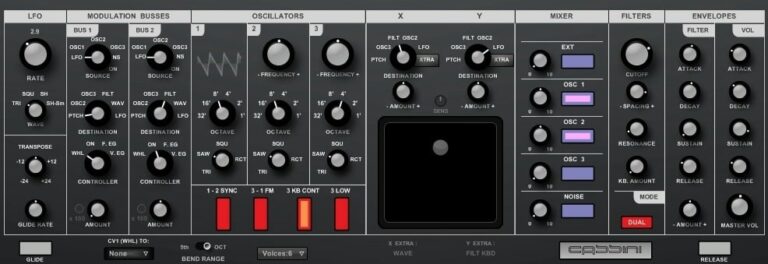
OS: Windows Win Bit Version: 32-bit Developer: KBplugs Size: 1.7 MB Rating: 62/100
Cassini offers a software take on the classic Minimoog Voyager, giving creators a smooth analog-style sound in a simple layout. It’s built for hands-on use, with no presets, so you shape each tone from the ground up just like the original hardware.
Cassini’s controls include oscillators, filters, and modulation tools for shaping sound in real time. The X-Y pad adds motion to your tones, while the mixer and envelopes help fine-tune character and dynamics. It runs as a 32-bit VST on Windows systems.
Features
- Minimoog Voyager Style Emulation
- Three Main Oscillators
- Multiple Waveform Options
- Mix Sliders For Tone Blending
- Filter With Cutoff And Resonance
- Envelope Controls For Filter And Volume
- LFO With Multiple Wave Shapes
- X-Y Pad For Real-Time Control
- Glide Rate For Smooth Transitions
- Low CPU Usage Performance
Pros
- Low CPU use for smooth play
- Resizable GUI fits any screen
- X-Y pad adds smooth control
- Three oscillators for thick sound
- Filters give shape and depth
- Simple routing with BUS controls
- Instant feedback from control changes
- Vintage style with modern options
- Great hands-on sound design tool
- Free and easy to download
Cons
- Only works on Windows
- Limited to 32-bit format
- No Mac or Linux support
- No built-in preset library
- No built-in effects section
- No MIDI learn function
- Lacks modern modulation features
- No built-in arpeggiator
- Sound not 100% analog-like
- Not optimized for high DPI
Video Demo
What Users Say
Cassini Tips
- I like to map the main knobs to my MIDI controller so I can tweak them while playing.
- Use the filter envelope to add movement and make the sound more alive.
- Experiment with oscillator sync or cross-modulation for more complex tones.
- Use automation in your DAW to change filter cutoff or resonance over time for dynamic sound design.
- Study Minimoog-style signal flow to better understand how oscillators, filters, and envelopes connect inside the Cassini.
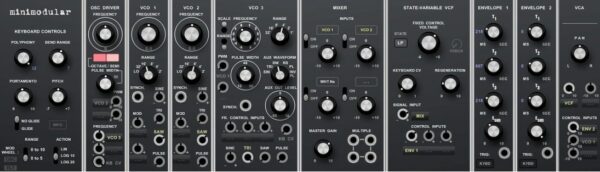
14. Minimodular
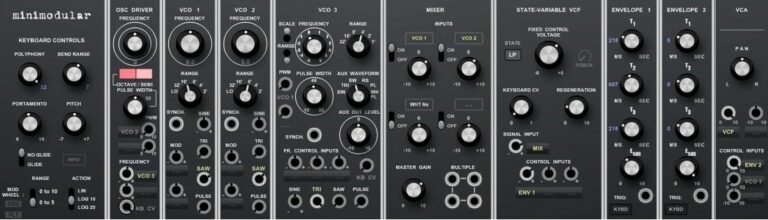
OS: Windows Win Bit Version: 32-bit Developer: KBplugs Size: 1.9 MB Rating: 60/100
Minimodular offers a compact take on classic Moog-style modular synthesis for Windows users. It recreates the feel of analog patching with simple controls and flexible routing. With no Built-in presets, it encourages creativity and hands?on sound building from the ground up.
This plugin includes multiple oscillators, envelopes, filters, and a mixer for blending tones and shaping sounds. Its design makes it easy to explore layered textures or gritty analog?style bass. Minimodular rewards those who like to experiment and craft their own unique tones.
Features
- Moog Modular Style Emulation
- Three Oscillators With Sync Options
- Variety Of Wave Shapes
- State-Variable Filter Control
- Two Independent Envelopes
- Adjustable Portamento And Pitch Bend
- Mixer For Oscillator And Noise
- Analog-Like Tone Character
- Compact But Logical Interface
- Stable Performance During Sessions
Pros
- Rich, classic Moog-style sound
- Deep modulation possibilities
- Great filter tone and response
- Unique routing and modulation options
- Realistic modular workflow experience
- Highly flexible oscillator settings
- Distinct sound among free synths
- Faithful Minimoog-inspired behavior
- Free with pro-level possibilities
- Offers endless experimentation potential
Cons
- No Mac or Linux support
- Only 32-bit version available
- Can use lots of CPU power
- Not true Minimoog sound match
- No scalable interface size
- Screen looks cramped and dated
- No built-in effects section
- No MIDI learn or automation help
- Lacks modern 64-bit support
- No AU or VST3 plugin options
What Users Say
Minimodular Tips
- I like to start by tuning the oscillators so each one sounds clean and clear before mixing them together.
- I find that turning the resonance up gives the sound a sharper edge that cuts through a mix.
- I like to use a slow LFO to make small wobbles in pitch for a vintage feel.
- Adding a small amount of detune between oscillators creates a rich, wide sound.
- Try syncing the LFO speed to your song’s tempo for rhythmic sweeps and modulations.
- Adjust the glide control to smooth out pitch changes between notes for a classic lead sound.
- Combine the Minimodular’s sound with modern effects like reverb and delay for extra depth.
15. Polly

OS: Windows Win Bit Version: 32-bit Developer: KBplugs Size: 1.7 MB Rating: 55/100
Polly offers a flexible take on the classic Moog Polymoog sound. It keeps the charm of analog character while giving you digital control over tone and texture. With no presets, it encourages hands-on creativity through sliders, knobs, and switches that shape sound from scratch.
This plugin includes key controls like filters, modulation, and resonators for shaping rich or subtle tones. Its simple layout helps you explore a wide range of sounds, from smooth synth leads to layered pads, all within a compact and visually striking interface.
Features
- Moog Polymoog Sound Emulation
- Simple User Interface
- Adjustable Octave Pitch Control
- Frequency And Pulse Width Control
- Wave Mix Balance Control
- Attack Decay Sustain Release Envelope
- Low Mid High Resonator Filters
- Voltage Controlled Filter Section
- Unique And Creative Sound Design
- Inspired By Vintage Synth Design
Pros
- Faithful Moog Polymoog inspiration
- Unique analog-style character
- No presets encourages creativity
- Original and inspiring interface
- Rich tone shaping controls
- Includes multiple filter types
- Smooth modulation and waveform blending
- Distinctive resonator features
- Flexible saw and pulse mix
- Warm vintage Moog-style sound
Cons
- Only works on Windows systems
- Limited to 32-bit version
- No built-in preset library
- Can use lots of CPU
- No modern interface scaling
- No built-in effects section
- No MIDI learn support
- Limited sound design flexibility
- Interface feels dated
- Less polished than other Moog VSTs
Video Demo
What Users Say
Polly Tips
- I use the filter cutoff to shape the tone — lowering it makes the sound warmer.
- I use the LFO to add some motion and life to pads and leads.
- I experiment with detuning the oscillators just a bit to get a thicker sound.
- Using the Minimoog-style filter can help create smooth, classic synth tones.
- Automation of the filter cutoff can make a mix come alive.
- Adjust oscillator mix levels to find the perfect balance between waveforms.
- Using subtle chorus or delay effects can make the Polly sound wider in the stereo field.
Minimoog VST Emulator Plugins Compared
This table compares Minimoog plugins by features, controls, effects, formats, and more.
| Details | Surrealistic MG-1 Plus | VK-1 Viking Synthesizer | RA Mowg | MiniMogueVA | Moon Sono Sx | Freemoog | Easy-tauros | Model Mini | Model Pro | ASynth | Multipoly | Synthegrated 12A | Cassini | Minimodular | Polly |
|---|---|---|---|---|---|---|---|---|---|---|---|---|---|---|---|
| Image | 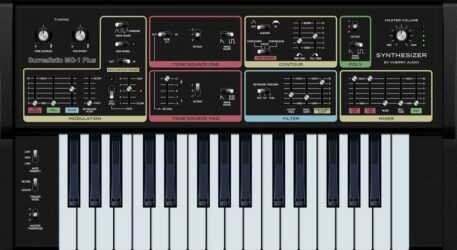 |
 |
 |
 |
 |
 |
 |
 |
 |
 |
 |
 |
 |
 |
 |
| Rating | |||||||||||||||
| OS | Windows, Mac | Windows, Mac | Windows | Windows | Windows | Windows | Windows | Windows | Windows | Windows | Windows | Windows | Windows | Windows | Windows |
| Formats | VST, VST3, AU, AAX | VST, AU | VST | VST | VST | VST | VST | VST | VST | VST | N/A | VST | VST | VST | VST |
| Bit Version | 64-bit | 64-bit | 32-bit | 32-bit | 32-bit | 32-bit | 32-bit | 32-bit | 32-bit | 32-bit | 32-bit | 32-bit | 32-bit | 32-bit | 32-bit |
| Developer | Cherry Audio | Blamsoft | Roberson Audio | Glen Stegner | Elektrostudio | Cyclick | easytoolz | Elektrostudio | Elektrostudio | Smart Electronix | KBplugs | KBplugs | KBplugs | KBplugs | KBplugs |
| License | Freeware | Commercial | Freeware | Freeware | Freeware | Freeware | Freeware | Freeware | Freeware | Freeware | Donationware | Freeware | Freeware | Freeware | Freeware |
| Sample-Based | No | No | No | No | No | Select | Select | No | No | No | Select | Select | Select | Select | Select |
| Download Size | 20 MB | 196 MB | 2 MB | 1.6 MB | 2 MB | 2.9 MB | 5.8 MB | 3 MB | 3.7 MB | 1 MB | 1.8 MB | 4.1 MB | 1.7 MB | 1.9 MB | 1.7 MB |
| CPU Load | Low | Low | Low | Low | Low | Low | Low | Low | Low | Low | Low | Low | Low | Low | Low |
| Polyphony | 32 | 8 | 8 | 5 | 6 | 1 | 8 | 1 | 8 | 32 | 6 | 8 | 8 | 1 | 32 |
| Features | Analog modeling, Dual oscillators, Ladder filter, Ring modulation, Tempo-synced LFO, MIDI automation, Preset management | Variable wave oscillators, Dual ladder filters, Multi-wave LFO, Modulation busses, Filter drive modes, Envelope options, MIDI Learn | Minimoog emulation, Analog warmth, Expressive modulation, Feedback loop, Simple interface, Classic leads, Monophonic design | Minimoog emulation, Polyphony, Arpeggiator, Step sequencer, Overdrive control, Chorus effect, Digital delay | Dual VCOs, Dual LFOs, Low-pass Filter, Ring Modulator, Noise Generator, Envelope Control, Delay Effect | 3 Oscillators, 8-Note Polyphony, Filter Controls, LFO Modulation, Arpeggiator, Chorus Effect, Delay Effect | Dual oscillators, Six waveforms, Three-octave tuning, Low-pass filter, ADS envelopes, Unison detune, Built-in reverb | Monophonic, Three-Oscillators, LFO-Mode, Lowpass-Filter, Resonance-Control, ADS-Envelope, Glide-Modulation | Dual VCOs, LFO modulation, ADS envelope, Analog warmth, Rich filter, Glide control, 32-key keyboard | Virtual analog synthesis, Dual oscillators, Triple filters, LFO modulation, ADSR envelopes, Glide control, Oversampling quality | Moog emulation, Dual oscillators, Filter control, Modulation options, Poly/Mono switch, Glide function, No presets | Moog emulation, Multiple VCOs, Dual filters, Noise source, Joystick pad, Real-time oscilloscope, No presets | Moog emulation, Simple interface, Rich oscillators, Flexible filters, Expressive envelopes, X-Y modulation, Glide control | Moog emulation, Modular routing, Custom sound design, Multi-oscillator control, State-variable filter, Dual envelopes, Analog character | Moog Polymoog emulation, Simple interface, Wide sound range, No presets, Resonator filters, Voltage-controlled filter, Envelope shaping |
| Controls | Tuning, Modulation, Tone Source One, Tone Source Two, Contour, Filter, Poly | LFO, Rate, Shape, Amount, Oscillators, Filter, Envelopes | Tune, Glide, Mod Mix, Oscillator Modulation, Cutoff, Emphasis, Volume Output | Control Section, Oscillator Bank, Mixer Section, Filter Section, Loudness Contour, Delay Section, Arpeggiator | LFO 1, LFO 2, Oscillator 1, Oscillator 2, Filter Frequency, Envelope, Mixer Section | Controllers, Oscillators, Mixer, Filter, Loudness Contour, Output, LFO | Waveform Selector, Unisono, Detune, Cutoff, Emphasis, Reverb, Glide | Controllers, Oscillator Bank, Mixer, Filter Modifiers, Loudness Contour, Output, Pitch And Mod Wheels | Performance Controls, Tune, Oscillator 1, Oscillator 2, Mixer, Filter, Master Volume | Wave, Speed, Amount, Mix, Cutoff, Resonance, Attack | Oscillator A, Oscillator B, Master A&B, Filter, Filter Contour, Amp Contour, Modulation | OSC Driver, VCO 1, VCO 2, Filters, Mixer, Envelope 1, Joystick Pad | LFO, Oscillators, Mixer, Filters, Envelopes, X-Y Pad, Master Volume | Keyboard Controls, OSC Driver, VCO 1 Frequency, VCO 2 Frequency, VCO 3 Frequency, Mixer, State-Variable VCF | Beat (Octave Pulse), Master Gain Control, Footage, Saw Tune, PW / Mod, Mix, Resonators |
| Effects Included | Chorus | Filter drive, saturation | Unknown | Overdrive, Chorus, Delay, AutoPan | Ring Modulator, Delay, Chorus | Chorus, Delay | Reverb | Tune, Glide, Modulation | Unknown | Unknown | Unknown | Filters, Noise Source, State-Variable VCF 1, State-Variable VCF 2, VCA 1, VCA 2, Envelope 1, Envelope 2 | Filter, LFO, Envelope, Glide | State-Variable VCF | Voltage Controlled Filter, Resonators, Pass Filter Switch |
| MIDI Learn | Yes | Yes | Yes | No | Unknown | Unknown | Unknown | No | Unknown | Unknown | Unknown | Unknown | Unknown | Unknown | Unknown |
| Presets | 101 | 200 | 128 | 128 | 64 | N/A | 64 | N/A | 32 | 128 | N/A | N/A | N/A | N/A | N/A |
| Standalone | Yes | No | Yes | Yes | Yes | Yes | Yes | Yes | No | No | Yes | Yes | Select | Yes | Select |
| Last Updated | 05/07/2024 | 07/11/2019 | 04/26/2010 | 09/05/2007 | N/A | 05/07/2023 | 05/03/2024 | 01/20/2009 | N/A | 08/25/2002 | 02/19/2022 | 03/15/2021 | 06/14/2023 | 06/21/2023 | 02/19/2021 |
Favorite Minimoog VST Emulator Plugin
Our top pick for the best free Minimoog VST Emulator plugin is Surrealistic MG-1 Plus by Cherry Audio. It offers the most realistic sound, helpful controls, and it’s available for both Windows and Mac.
| Details | Surrealistic MG-1 Plus |
|---|---|
| Image |
|
| Rating | |
| OS | Windows, Mac |
| Formats | VST, VST3, AU, AAX |
| Bit Version | 64-bit |
| Developer | Cherry Audio |
| License | Freeware |
| Sample-Based | No |
| Download Size | 20 MB |
| CPU Load | Low |
| Polyphony | 32 |
| Features | Analog modeling, Dual oscillators, Ladder filter, Ring modulation, Tempo-synced LFO, MIDI automation, Preset management |
| Controls | Tuning, Modulation, Tone Source One, Tone Source Two, Contour, Filter, Poly |
| Effects Included | Chorus |
| Download | Download Surrealistic MG-1 Plus |
Frequently Asked Questions
What Is A Minimoog?
The Minimoog is a classic analog synthesizer created in 1970 by Moog Music. It was the first synthesizer to use voltage control. These Moog Minimoog emulators will give you a vintage synthesizer sound. Not all the emulators on this list are meant to be Minimoog replicas, but they offer similar Moog synthesizer sounds that are close to the popular keyboard.
How to Install Minimoog VST Emulator Plugins
To install minimoog VST emulator plugins on Windows or Mac, extract the files from the Zip or Rar. Move the files (.dll for Windows or .component for Mac) into your DAW’s plugin folder. Then restart your software and rescan the directory to complete the process. Tutorial: How to Install VST Plugins
Windows:
Extract the downloaded zip file and copy the .dll file into the VST plugins folder scanned by your DAW. Restart your music software and rescan your plugin directory to begin using the new VST.
Mac OS X:
Extract the downloaded archive and move the .component or .VST file to the plugin folder. It is usually /Library/Audio/Plug-Ins/Components or /Library/Audio/Plug-Ins/VST. Restart your DAW and rescan your plugins to complete the installation.
What Are the Top Minimoog VST Plugins?
Some of the best Minimoog VSTs include the Arturia Mini V, the Synapse Audio’s The Legend, and the Universal Audio’s Minimoog Model D. Others worth mentioning are the Cherry Audio Model 72 and the Minimoog Model D app.
I hope you found this list of free Minimoog VST emulator plugins helpful.
Related: Free Online Synthesizers





