Here are the best free guitar pedal VST plugins for guitarists who are looking for a wide selection of guitar effects. We have included video demos, feature lists, pros, cons, and plugin ratings.
How we rate plugins: We rate each guitar pedal VST plugin based on sound quality, design, performance, features, usability, and compatibility. We rate plugins on a scale of 1 to 100.
Table of Contents
I have spent over 15 years testing and comparing hundreds of free and paid VST plugins, supported by hands-on demos on our YouTube channel which has 11,000+ subscribers.
Related: Free Guitar VST Plugins
Free Guitar Pedal VST Plugins
This table compares guitar pedal plugins by operating system, bit version, format, and rating.
| # | Plugin | OS | Formats | Bit Version | Ratings |
|---|---|---|---|---|---|
| 1 | Valhalla Super Massive | Windows Mac | VST, AU | 64-bit | |
| 2 | Dr Phase | Windows Mac | VST2, AU, CLAP | 64-bit | |
| 3 | Chow Centaur | Windows Mac Linux | VST, AU | 64-bit | |
| 4 | Proteus | Windows Mac Linux | VST3, AU, AAX | 64-bit | |
| 5 | Black Distortion | Windows Mac | VST2, AU, AAX | 64-bit | |
| 6 | Mercuriall MT-A | Windows Mac | VST, AU, AAX | 64-bit | |
| 7 | Amped Roots Free | Windows Mac | VST3, AU, AAX | 64-bit | |
| 8 | Unified Preamplifier | Windows Mac | VST, AU, AAX | 64-bit | |
| 9 | Fuzzy | Windows | VST2, VST3 | 32-bit, 64-bit | |
| 10 | Live Pedalboard | Windows Mac | VST, AU | 32-bit, 64-bit | |
| 11 | Mercuriall TSC | Windows Mac | VST, AU, AAX | 64-bit | |
| 12 | Greed Smasher | Windows Mac | VST, AU | 32-bit, 64-bit | |
| 13 | Mercuriall WS-1 | Windows Mac | VST, AU, AAX | 64-bit | |
| 14 | Guitar Gadgets | Windows Mac | VST, AU | 32-bit, 64-bit |
1. Valhalla Super Massive
OS: Windows Win Mac Mac Bit Version: 64-bit Developer: Valhalla DSP Size: 3 MB Rating: 92/100
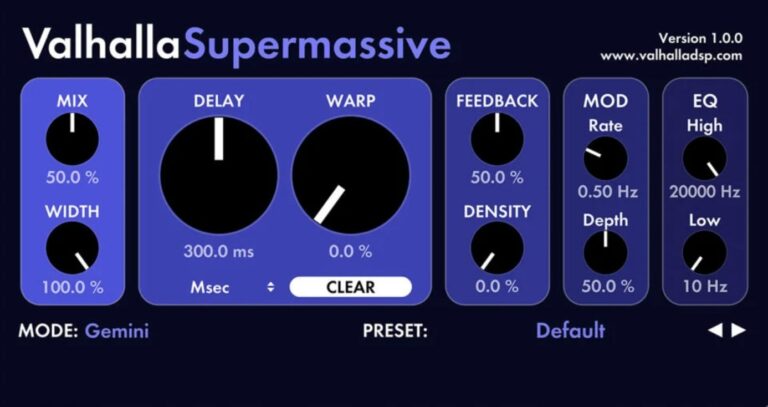
Valhalla Super Massive is a free reverb and delay plugin built for creating huge, evolving space effects. It offers 22 modes that range from smooth echoes to long, rich reverbs. Each mode shapes sound in a unique way, making it great for pads, vocals, and guitars.
With simple controls for mix, width, feedback, and tone shaping, you can quickly build anything from gentle ambience to deep, swirling textures. Valhalla Super Massive helps producers explore wide, atmospheric soundscapes without complexity or cost.
Features
- Creates Massive Reverbs And Echoes
- Includes 22 Reverb And Delay Modes
- Features EQ High And Low Cuts
- Provides Adjustable Delay And Feedback
- Supports Mod Rate And Depth Controls
- Contains Warp And Density Settings
- Offers Mix And Width Controls
- Produces Long Ambient Reverb Tails
- Free Plugin With No Limitations
- Light On CPU Usage
Pros
- Free with no hidden limits
- Low CPU use even stacked
- Huge reverb and delay options
- Twenty-two sound modes included
- Sounds like a paid plugin
- Smooth and musical modulation
- Creates evolving, dreamy soundscapes
- Brings life to pads and drums
- Perfect for spacey sounds
- Great for ambient music
Cons
- Lacks natural metallic tone
- Limited real instrument realism
- Reverb tails can sound artificial
- Hard to get dry, close sound
- Sounds too digital or synthetic
- No velocity-sensitive sample playback
- Cannot simulate hand touch dynamics
- Few controls for subtle detail
- Requires external drums for realism
Video Demo
What Users Say
Valhalla Super Massive Tips
- I like to start with the default patch in Valhalla Super Massive and slowly adjust the “Mix” knob to find the right balance between dry and wet sounds.
- I use the “Delay” time to create spacey, echo-like effects for my guitar leads.
- I like changing the “Mode” setting to see how different algorithms shape my sound.
- Try putting Valhalla Super Massive on a send or bus to blend a mix of dry and wet sound without overwhelming the track.
- Experiment with tempo sync to match the delay time to your song’s beat for cleaner echoes.
- Remember to lower the wet mix when stacking multiple delay or reverb effects to avoid a muddy mix.
2. Dr Phase
OS: Windows Win Mac Mac Bit Version: 64-bit Developer: Audiority Size: 200 MB Rating: 90/100
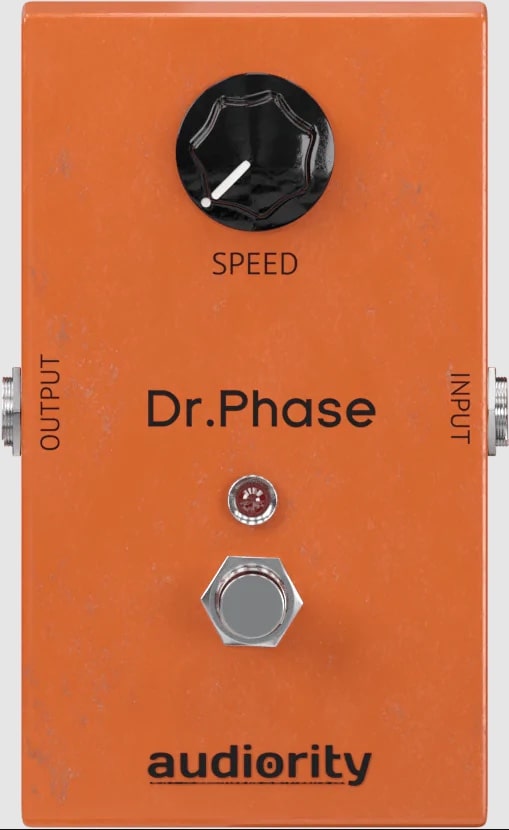
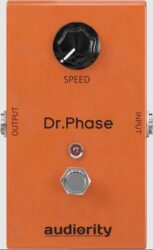
Dr Phase offers a rich analog-style phasing effect based on the classic MXR Phase 90 pedal from the 1970s. It brings smooth, swirling motion to guitars, bass, synths, and drums with adjustable speed, mix, and gain controls for shaping tone and depth.
This plugin includes a Vintage and 2-Stage (P45) mode, host tempo sync, and a built-in noise gate for a cleaner signal. Its visual meters and resizable interface make it easy to monitor and adjust your sound while adding vintage character to modern tracks.
Features
- Analog Modeled Vintage Phaser Effect
- Based On MXR Phase 90
- Adjustable Modulation Speed Control
- Host Tempo Speed Sync
- Pre And Post Gain Controls
- Mix Control For Dry/Wet Blend
- Built-In Noise Gate Feature
- Preset Management And Randomizer
- Supports VST2, VST3, AU, CLAP, AAX
- Works On Windows And macOS
Pros
- Warm classic analog phase tone
- Faithful MXR Phase 90 sound
- Authentic 1970s phaser character
- Vintage mode adds real vibe
- Low CPU use for smooth play
- Mix knob blends dry and wet
- Speed sync matches project tempo
- Randomizer sparks fresh creativity
- Resizable interface for any screen
- Includes CLAP, VST, and AU formats
Cons
- Limited sound shaping options
- No built-in reverb or delay
- Lacks modern stereo widening tools
- Few presets for quick use
- Interface feels too minimal
- No built-in effects chain
- No sample import feature
- No multi-band processing
- No MIDI learn shortcuts
- Sound can become too thin
Video Demo
What Users Say
Dr Phase Tips
- I use the sync feature when I want the phasing to move in time with my song’s tempo.
- I sometimes place Dr Phase after a distortion plugin to make my tone feel warmer and more alive.
- I use stereo mode when I want my guitar to sound wider in my headphones.
- Try placing Dr Phase before distortion to create a sharper, more dramatic tone.
- The feedback knob can add depth and resonance — but a little goes a long way.
- Make sure to gain-stage properly between effects to avoid clipping or level jumps.
- In a mix, use automation to bring the phase effect in and out for added interest.
3. Chow Centaur
OS: Windows Win Mac Mac Linux Linux Bit Version: 64-bit Developer: Chowdhury DSP Size: 8.6 MB Rating: 89/100
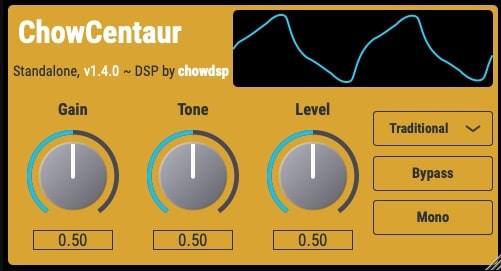
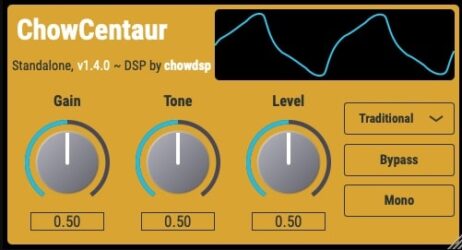
Chow Centaur offers a digital recreation of the classic Klon Centaur guitar pedal, giving players access to both traditional and AI-driven modeling. The plugin includes two modes: “Traditional” for authentic circuit-based tone and “Neural” for a machine-learned recreation of the original pedal’s gain stage.
With simple controls for gain, tone, and level, Chow Centaur makes it easy to shape everything from subtle boosts to rich overdrive. Visual tools like the wave display and switches for mono or bypass add quick flexibility for guitar tones on Windows, Mac, and Linux systems.
Features
- Digital Klon Centaur Emulation
- Two Distinct Sound Modes
- Neural Network Gain Stage Mode
- Gain Control For Drive Amount
- Tone Control For Brightness
- Wave Display For Visual Feedback
- Bypass Button For Quick Comparison
- Available In VST And AU Formats
- Compatible With Windows, Mac, Linux
- Supports 64-Bit Processing
Pros
- Sounds very close to real pedal
- Neural option feels more natural
- Traditional mode gives vintage sound
- Works great on guitar and bass
- Runs smooth on Windows, Mac, Linux
- Wave display helps you see sound
- Low CPU use during sessions
- Excellent touch and pick response
- Matches sound of real Klon closely
- Comparable quality to paid versions
Cons
- Lacks natural metallic resonance
- No built-in reverb
- Limited ambient preset options
- No custom sample import
- Less variety in tone textures
- Interface feels plain
- No built-in delay
- Can sound harsh for chill music
- No multi-layer velocity sampling
- Limited sound shaping options
Video Demo
What Users Say
Chow Centaur Tips
- I like to start with the Drive knob low and slowly turn it up until my guitar tone starts to feel warm and full.
- I use the Level knob to match the plugin’s volume to my clean signal so there’s no sudden jump in loudness.
- Place the Chow Centaur before reverb and delay effects for a more natural sound.
- Combine the Chow Centaur with an amp simulator to get a realistic amp-like overdrive.
- Use subtle drive settings for rhythm parts and stronger settings for solos.
- Pair the Chow Centaur with a compressor plugin to even out dynamics while keeping its warmth.
4. Proteus
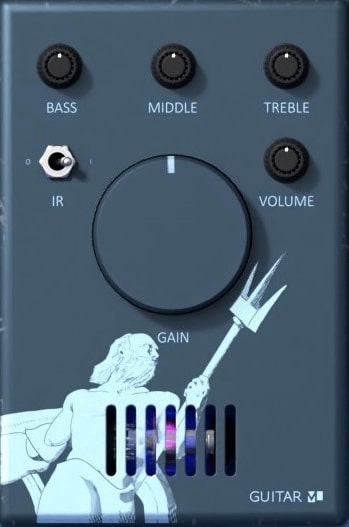
OS: Windows Win Mac Mac Linux Linux Bit Version: 64-bit Developer: GUITARML Size: 13 MB Rating: 89/100
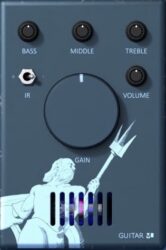
Proteus offers a simple way to capture and shape your guitar or bass tones using real amp or pedal settings. You can create knob captures that store the full range of Drive, Gain, or EQ controls, or make snapshot models for quick tone recalls during sessions.
It includes a 3-band EQ, default impulse response, and access to a growing ToneLibrary filled with ready-made sounds. Available on Windows, Mac, and Linux, Proteus makes tone capturing, testing, and experimenting fast and reliable for modern music production.
Features
- Creates Custom Knob Captures
- Works With Amps And Pedals
- Low CPU Usage Performance
- Real-Time Playable With Low Latency
- Supports Drive, Gain, And EQ
- Comes With Capture Utility
- Provides Access To ToneLibrary
- Features Simple User Interface
- Supports AU, VST3, And AAX
- Available For Windows, Mac, Linux
Pros
- Very low CPU usage
- Captures sound from real pedals
- Allows custom knob modeling
- Access to growing ToneLibrary
- Has built-in impulse response
- Very low latency while playing
- Free plugin with pro features
- Real amp feel and response
- Works on Windows, Mac, Linux
- Includes built-in 3-band EQ
Cons
- Limited hand pan sound options
- No built-in reverb controls
- Lacks realism compared to Panflow
- No dynamic velocity response
- No adjustable mic positioning
- No MIDI learn or automation
- Weak built-in presets variety
- Not optimized for live performance
- Few tone-shaping possibilities
- Interface feels plain and basic
Video Demo
What Users Say
Proteus Tips
- I adjust the mix knob to blend the effect with my dry tone until it sounds natural and not too heavy.
- I watch the input level meter to make sure my guitar isn’t clipping and causing unwanted noise.
- I like to place Proteus after distortion effects to get a smoother, more harmonically rich sound.
- Experimenting with different order placements—before or after modulation or overdrive—can create new textures.
- Using EQ before and after Proteus can help fine-tune the overall tone and clarity.
- Comparing bypassed and active tones helps hear what the plugin truly adds to the sound.
5. Black Distortion
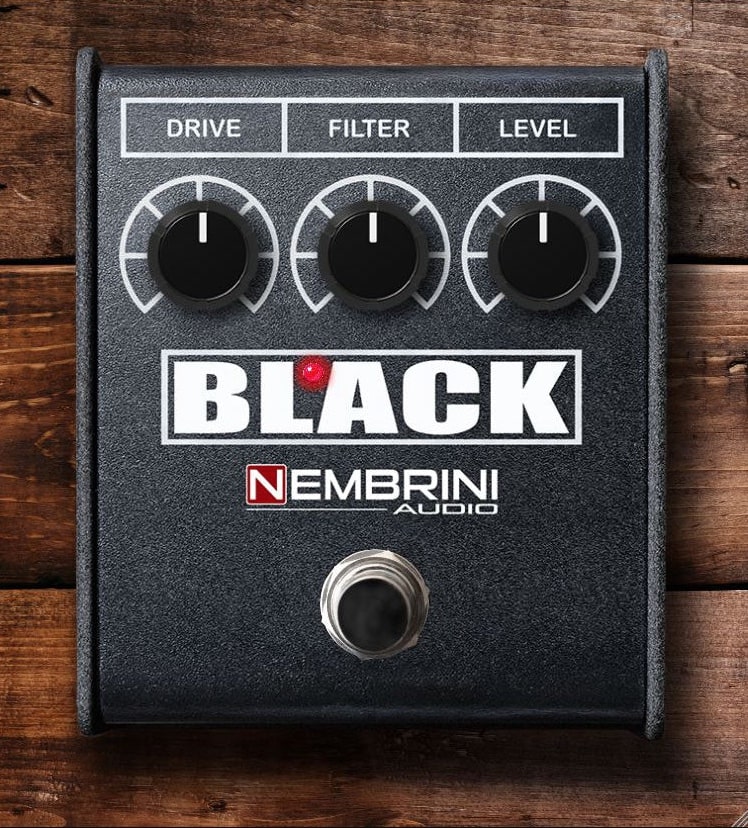
OS: Windows Win Mac Mac Bit Version: 64-bit Developer: Nembrini Audio Size: 51.4 MB Rating: 87/100
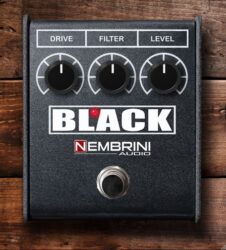
Black Distortion offers the gritty, dynamic sound of the classic RAT2 pedal in a flexible plugin form. It lets you dial in everything from soft overdrive to aggressive fuzz, helping shape tones suited for rock, punk, blues, or jazz. Each control is simple, making tone shaping quick and effective.
Use Black Distortion to push your amp plugin harder or as a boost for solos that need extra bite. The Drive, Filter, and Level knobs give you precise control, while A/B comparison features make finding your perfect tone fast and reliable. Ideal for guitar, bass, or synth tracks.
Features
- Modeled After Classic RAT2 Pedal
- Adjustable Drive Control
- Filter Knob Reduces Treble
- Includes Preset Management Tools
- A B Banks For Comparison
- Undo And Redo Adjustments
- Copy Settings Between Banks
- Low CPU Usage Performance
- Works On Guitars Bass And Synths
- Supports VST2 AU And AAX
Pros
- Faithful sound of classic RAT pedal
- Very low CPU load performance
- Simple three-knob setup is clear
- Warm gritty tone with strong dynamics
- Works great on guitars and bass
- Also good for drums and synths
- Has built-in A and B comparisons
- Presets can be made and saved
- No copy protection or login needed
- Runs on both Mac and Windows
Cons
- No built-in cabinet simulation
- No MIDI learn support
- Limited tone shaping options
- Can sound harsh at extremes
- GUI not resizable or modern
- Missing oversampling feature
- No metering or visual feedback
- Only one distortion model
- Limited preset variety
- No stereo processing support
Video Demo
What Users Say
Black Distortion Tips
- I start by lowering the gain knob to find a clean crunch before adding more distortion for solos.
- I like to pair the Black Distortion with a clean amp sim to hear how it really shapes the tone.
- I record a dry track and re-amp it through the plugin so I can test different settings without playing again.
- Try adding an EQ after the Black Distortion to fine-tune the highs and lows.
- In a mix, cut unnecessary low frequencies on the distorted track to avoid muddiness.
- Combine this plugin with a delay or reverb VST to add space and depth to your guitar tone.
- Use automation to change the gain or tone settings throughout a song for dynamic expression.
6. Mercuriall MT-A
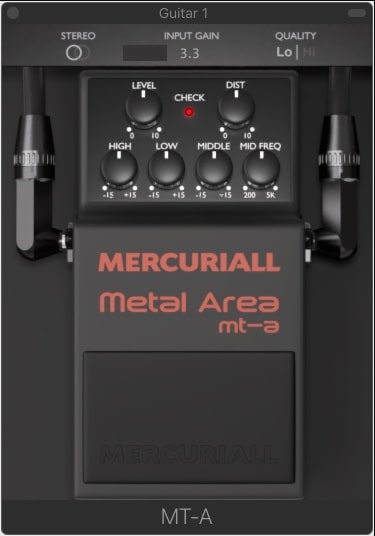
OS: Windows Win Mac Mac Bit Version: 64-bit Developer: Mercuriall Audio Software Size: 4.3 MB Rating: 86/100
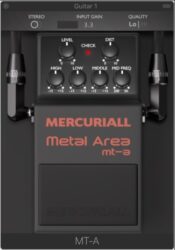
Mercuriall MT-A is a free plugin that recreates the famous Boss MT-2 distortion pedal for digital music setups. It delivers heavy, metal-style tones using Mercuriall’s Neural Hybrid Engine for accurate and dynamic sound. The plugin works on Windows and Mac in VST, AU, and AAX formats.
Mercuriall MT-A offers full tone control with adjustable High, Low, Middle, and Mid Freq knobs, plus Dist and Level settings for shaping your guitar sound. Stereo mode, Input Gain, and a Quality switch let you refine your tone and detail for both rhythm and lead parts.
Features
- Models The Iconic Boss MT-2 Pedal
- Uses Neural Hybrid Engine Technology
- Includes Level And Dist Controls
- Offers High, Low, And Middle EQ
- Mid Freq Knob For Tone Shaping
- Switchable 2x Or 4x Oversampling
- Mono And Stereo Processing Modes
- Quality Switch For Sound Detail
- Available In VST, AU, And AAX
- Free Plugin For Music Creators
Pros
- Faithful Boss MT-2 modeling
- Neural Hybrid Engine accuracy
- Powerful metal-style distortion
- Detailed EQ tone shaping
- Adjustable mid frequency control
- Switchable 2x or 4x oversampling
- Light on CPU resources
- Responds well to guitar dynamics
- Supports Windows and Mac
- Free plugin with pro sound
Cons
- No built-in cabinet simulation
- Limited to one pedal model
- No built-in amp modeling
- Needs extra IR loader software
- User interface looks outdated
- Few preset tone options
- Can use high CPU at 4x
- Lacks warmth compared to rivals
- Mac version sometimes unstable
- No built-in reverb or delay
Video Demo
What Users Say
Mercuriall MT-A Tips
- I like to start by setting the input level so the plugin gets a clean and strong guitar signal.
- I tweak the gain slowly until I find the right amount of crunch or distortion for my tone.
- I use the EQ knobs to shape the mids and highs so my guitar fits well in a mix.
- I experiment with different cabinet impulse responses (IRs) to change the sound’s depth and feel.
- Try placing the pedal VST before or after amp sims to find the best tone chain order.
- Combine the MT-A with a delay or reverb plugin to create a full, professional sound.
7. Amped Roots Free
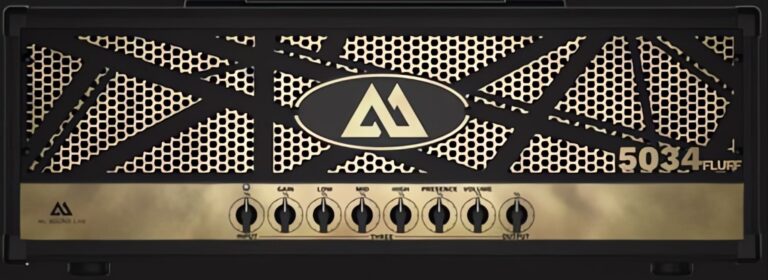
OS: Windows Win Mac Mac Bit Version: 64-bit Developer: ML Sound Size: 56.8 MB Rating: 86/100
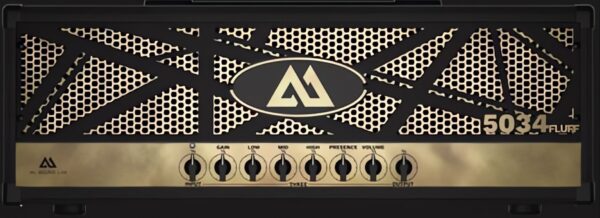
Amped Roots Free offers a high-quality amp simulation built for guitarists who want a quick and powerful tone without extra setup. It includes the “5034 Fluff” amp, modeled after a modern metal sound that delivers tight, heavy tones right out of the box.
This plugin comes with a pedalboard featuring key effects like noise gate, drive, and reverb to shape your sound easily. With its built-in cabinet options and realistic amp response, Amped Roots Free gives players an authentic amp feel, ready for recording or practice.
Features
- Includes 5034 Fluff Amp Model
- 3D Cabinet Simulator Included
- Load Custom Impulse Responses
- Pedalboard With Six Effects
- Noise Gate And Compressor Pedals
- Drive, Chorus, Delay, And Reverb
- Tuner And MIDI Support Included
- Low CPU Usage Performance
- Works With VST3, AU, And AAX
- Compatible With Windows And Mac
Pros
- Realistic modern metal tones
- Includes free “5034 Fluff” amp
- Load your own cabinet IRs
- 3D cabinet simulator options
- Built in noise gate control
- Low CPU use for smooth play
- Better low end than free rivals
- Standalone app for quick play
- Excellent for tight palm mutes
- High quality amp modeling sound
Cons
- Only one amp included
- No clean tone options
- Limited tone variety
- Extra amps require payment
- No built-in EQ section
- Pedalboard has limited effects options
- Few cabinet IRs included
- Can sound digital at low gain
- Reverb is very basic
- Full version upsell feels pushy
Video Demo
What Users Say
Amped Roots Free Tips
- Check the input signal regularly so it stays in the green zone—too much can cause bad distortion.
- Stacking an overdrive pedal plugin before the amp sim can tighten up high-gain sounds.
- Experiment with different cabinet impulse responses (IRs) to find warmer or brighter tones.
- Try putting delay or reverb effects after Amped Roots Free for more realistic space and depth.
- Place a noise gate after distortion effects to keep the signal clean and quiet.
- I try turning off the cabinet sim when using an external IR loader to shape my tone differently.
- I use headphones when dialing in tones so I can hear small details better.
8. Unified Preamplifier
OS: Windows Win Mac Mac Bit Version: 64-bit Developer: Aurora DSP Size: 40 MB Rating: 84/100
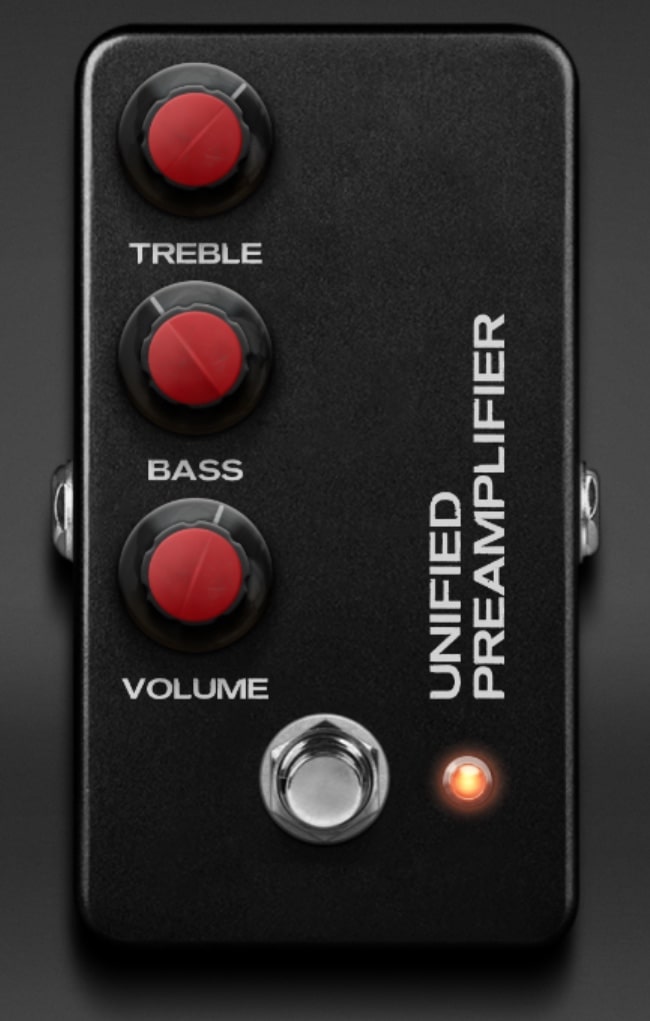
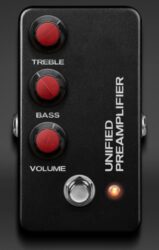
Unified Preamplifier offers a powerful way to shape your guitar tone with clarity and punch. Inspired by the classic unit favored by 8-string guitar pioneers, it enhances mid-gain amps or brings extra drive and focus to high-gain setups without coloring your sound.
It can work as a clean booster or tone shaper, keeping your tone transparent while adding weight and presence. With simple EQ controls for bass and treble, this AU, AAX, and VST3 plugin recreates a well-known pedal sound trusted by guitarists for its strong, balanced tone.
Features
- Guitar Preamp Plugin For Tone Control
- Boosts Medium-Gain Amplifiers Easily
- Enhances Power In High-Gain Setups
- Warms Tone Without Losing Clarity
- Transparent Sound Across All Settings
- Supports AU, AAX, And VST3 Formats
- Treble Control For Brightness Adjustment
- Bass Control For Low-End Shaping
- Light CPU Use For Multiple Instances
- Suitable For Guitars, Bass, And Synths
Pros
- Adds warmth without losing clarity
- Faithful recreation of a famous preamp
- Super low CPU usage
- Works on guitars, bass, and synths
- Includes built-in EQ for shaping tone
- Musical saturation for rich harmonics
- Enhances low end without mud
- Keeps the natural sound transparent
- Ideal for blending multiple signals
- Improves DI tracks instantly
Cons
- Limited sound design flexibility
- No built-in reverb or delay
- Lacks advanced modulation options
- No integrated cabinet simulation
- Doesn’t include IR loader
- Few presets for beginners
- No MIDI control assignments
- Only supports 64-bit systems
- Limited EQ frequency control
- Interface looks plain and basic
Video Demo
What Users Say
Unified Preamplifier Tips
- I like to start by turning the gain knob slowly, so I can find the sweet spot between clean and crunchy tones.
- Adjusting the gain and output together ensures the tone stays consistent even at different volumes.
- Experimenting with different cabinet impulse responses can completely change the character of the preamp tone.
- Placing a compressor after the plugin can make the tone more balanced and controlled.
- I sometimes stack this preamp with another amp sim to create a thicker and more powerful tone.
- Pairing the preamp with delay or reverb plugins can help create ambient or spacey sounds.
9. Fuzzy
OS: Windows Win Bit Version: 32-bit, 64-bit Developer: Linda Audio Size: 2 MB Rating: 82/100
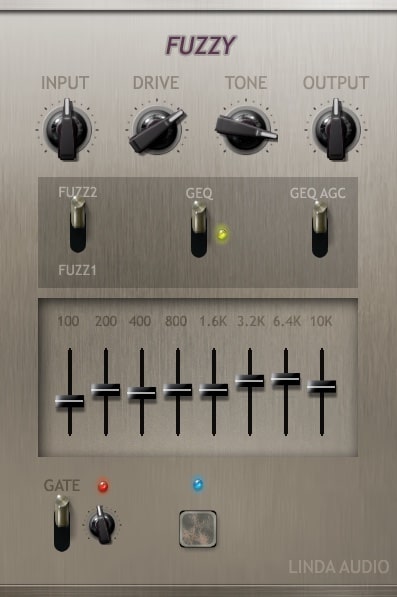
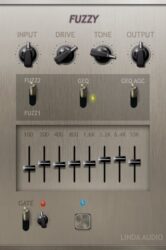
Fuzzy offers a flexible fuzz distortion effect for guitars and other sounds. It delivers tones ranging from light overdrive to intense, gritty chaos. With controls for input, output, tone, and boost, you can shape the strength and texture of your distortion with ease.
It includes two fuzz styles, an 8-band graphic equalizer with auto gain control, and a noise gate for tighter sound. Fuzzy gives producers room to explore from smooth warmth to raw aggression, making it a solid choice for creative sound shaping in any mix.
Features
- Versatile Guitar Fuzz Distortion
- Wide Range Of Fuzz Tones
- Adjustable Boost Gain And Tone
- Two Selectable Fuzz Algorithms
- 8-Band Graphic Equalizer
- Optional Automatic Gain Compensation
- Adjustable Noise Gate Threshold
- Controls For Input And Output
- Simple And Clear Interface
- Low CPU Usage And Stable
Pros
- Two unique fuzz modes
- 8-band EQ gives deep control
- Auto gain keeps levels steady
- Noise gate keeps sound clean
- Not a copy of old gear
- Works well on bass too
- Good for guitars and drums
- Low CPU use and stable
- Great for creative sound design
- Free yet sounds professional
Cons
- Only works on Windows systems
- Lacks built-in presets library
- Interface looks plain and dated
- Limited to guitar use mainly
- No built-in reverb or delay
- No MIDI learn or automation help
- Does not model real hardware
- No modulation or depth controls
- Can clip easily at high gain
- No support for resizable GUI
Video Demo
What Users Say
Fuzzy Tips
- I try blending the wet and dry signals to keep the note clarity while still having the fuzz texture.
- I keep the plugin’s level matched with my bypassed sound so my mix doesn’t jump in volume.
- I sometimes stack Fuzzy with other pedal plugins, like delay or reverb, for big spacey tones.
- Use an EQ plugin after the fuzz to shape and control any harsh frequencies.
- Combine fuzz plugins with amp simulation plugins to get closer to real pedal tones.
- Set the output level carefully to prevent clipping on the master channel.
10. Live Pedalboard
OS: Windows Win Mac Mac Bit Version: 32-bit, 64-bit Developer: lostin70s Size: 9 MB Rating: 81/100
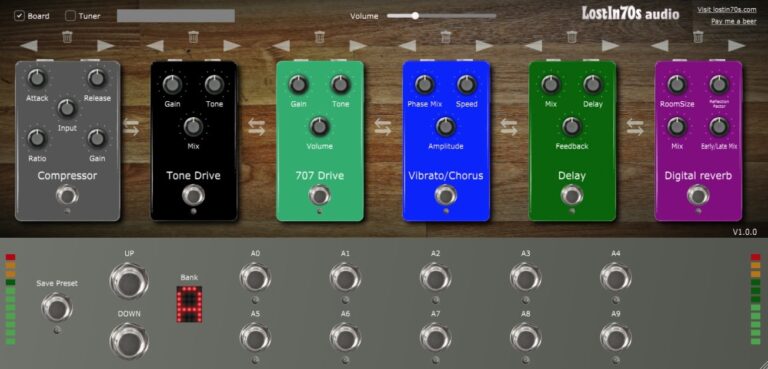
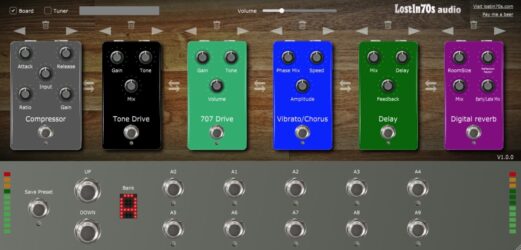
Live Pedalboard offers a full set of guitar effects in one easy setup. It includes distortion, overdrive, fuzz, delay, chorus, tremolo, and reverb, with six slots for building custom sound chains. You can even stack up to three effects of the same type.
It includes three user banks with ten presets each that save directly to your hard drive. Players can switch sounds quickly with footswitches and explore tones for live sessions or recording. It runs on Windows and macOS in VST and AU formats.
Features
- Guitar Rig Style Stompbox
- Six Available Effect Slots
- Built-In Tuner And Looper
- Clean And Simple Interface
- Standalone Version For Practice
- Supports VST And AU Formats
- Works With MIDI Foot Controllers
- Lightweight And CPU Friendly
- Includes Common Guitar Effects
- Global Preset Storage On Drive
Pros
- Six slots for sound effects
- Looper and tuner built right in
- Use three of same effect type
- Light on CPU usage
- Supports both VST and AU formats
- Presets save right to hard drive
- Works well on Windows and Mac
- Simple preset buttons for quick play
- Stable even on older computers
- Great for live and studio use
Cons
- Can only load six effects
- No amp modeling options
- No cabinet simulation
- No custom impulse response
- No automation for pedals
- No resizable interface
- No MIDI learn support
- Limited tone variety
- No parallel processing
- Preset saving feels risky
Video Demo
What Users Say
Live Pedalboard Tips
- I try different pedal orders to see how changing them affects my tone. Sometimes just swapping two pedals makes a big difference!
- Keep the signal chain simple at first; adding too many effects can muddy the sound.
- Experiment with delay and reverb effects last in the chain to create space and depth.
- EQ can help cut harsh frequencies and make the tone fit better in a mix.
- Match the pedal output levels so one effect doesn’t make the volume jump too high.
- Save different pedalboard setups for genres like blues, rock, or metal for quick tone changes.
11. Mercuriall TSC
OS: Windows Win Mac Mac Bit Version: 64-bit Developer: Mercuriall Audio Software Size: 6 MB Rating: 81/100
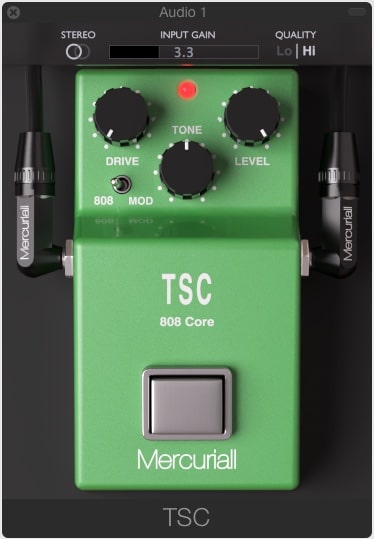
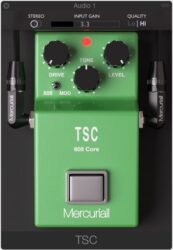
Mercuriall TSC offers a faithful recreation of the classic Ibanez TS-808 overdrive pedal in plugin form. It delivers a smooth, dynamic tone that can add warmth, clarity, or bite to guitars. The plugin includes Drive, Tone, Level, and Input Gain controls for shaping sound balance and grit.
It features a switch for “808” or “Mod” modes, giving users a choice between the classic tone or a cleaner sound with extra low end. Stereo and mono options, plus two quality settings, make it suitable for different setups and recording needs on both Windows and Mac.
Features
- Modeled After Ibanez TS-808 Pedal
- Two Sound Modes Available
- Mono And Stereo Operation
- Adjustable Input Gain Control
- Drive Knob For Distortion
- Tone Knob Adjusts Brightness
- Level Knob Sets Output Volume
- Low CPU Usage Performance
- Works On PC And Mac
- Available In VST AU AAX
Pros
- Free and sounds very professional
- Faithful model of TS-808 pedal
- Two tone modes for variety
- Low CPU usage for smooth play
- High-quality 4x oversampling mode
- Works great with amp simulators
- Very realistic mid-range warmth
- Tightens metal tones very well
- Supports VST, AU, and AAX
- Perfect for distorted or clean boosts
Cons
- Limited to guitar tones only
- No reverb or ambience options
- Interface looks outdated and plain
- No built-in preset library
- Sound feels narrow in stereo
- Limited tone shaping features
- Can sound harsh at high drive
- Lacks cross-platform mobile support
- No adjustable mic or room placement
- Hard to get organic textures
Video Demo
What Users Say
Mercuriall TSC Tips
- I always place the Mercuriall TSC before an amp sim to get a natural overdrive feel.
- Try pairing the TSC with a high-gain amp sim to tighten and shape the low end.
- Experiment with stacking the plugin with other overdrive or distortion plugins for unique textures.
- Use automation to adjust tone or level during a song for dynamic changes.
- Adjust input and output gain so the plugin doesn’t clip or distort unexpectedly.
- Use the plugin on bass or keys for added harmonic warmth, not just guitars.
12. Greed Smasher
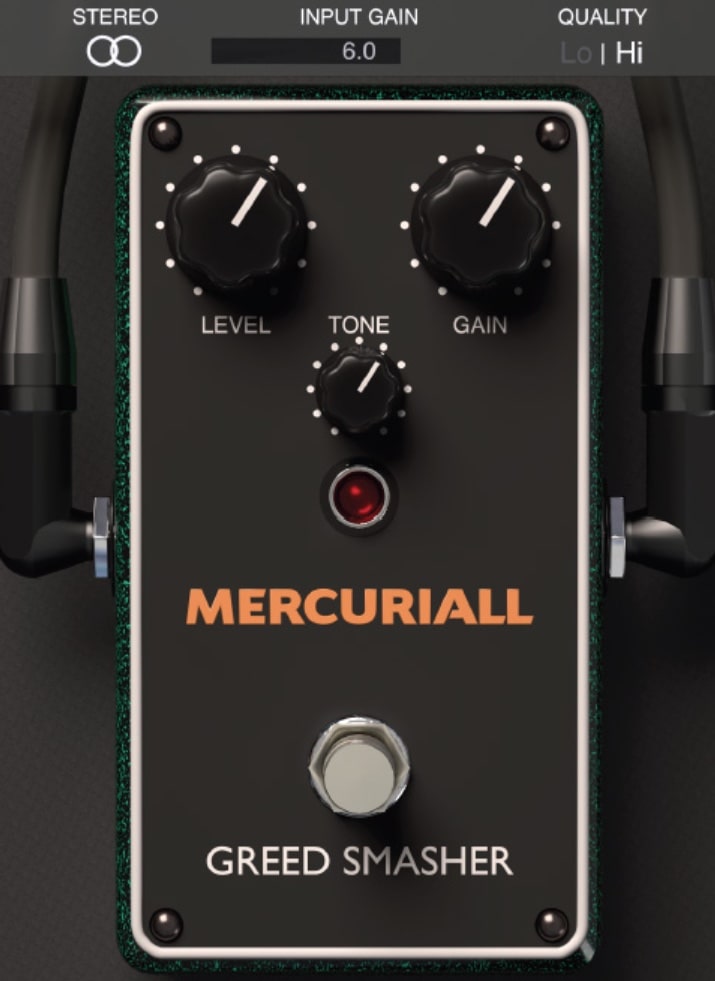
OS: Windows Win Mac Mac Bit Version: 32-bit, 64-bit Developer: Mercuriall Size: 13 MB Rating: 80/100
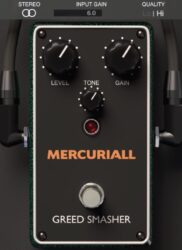
Greed Smasher is a free overdrive plugin by Mercuriall, modeled after the Mesa/Boogie Grid Slammer pedal. It recreates the punchy, mid-driven tone of the classic hardware, making it great for tightening up guitar tracks or adding grit to amp simulations in both rock and metal setups.
Greed Smasher offers simple tone-shaping controls for gain, tone, and level, along with stereo and mono modes. You can switch between low and high-quality oversampling to fit your project needs, letting you shape a clear, warm, and focused sound without added complexity.
Features
- Based On Mesa Grid Slammer Pedal
- Low Cpu Usage Design
- 2x And 4x Oversampling Options
- Adjustable Input Gain Control
- Tone Control For Brightness
- Gain Knob Adds Distortion
- Footswitch Toggles Effect On Off
- Works Well With Amp Sims
- Supports Vst And Au Formats
- Simple And Clean Interface
Pros
- Accurate Mesa Grid Slammer tone
- Very low CPU usage
- Switchable sound quality modes
- Faithful emulation of real pedal
- Excellent for amp sim boosting
- Adds clarity and tightness
- Dynamic response to playing
- Competes with paid overdrives
- Lightweight for large projects
- Free to download and use
Cons
- Limited tone shaping options
- No preset browser available
- Lacks built-in cabinet simulation
- May sound harsh at high gain
- No support for MIDI control
- Interface looks plain and basic
- No built-in reverb or delay
- High mode still uses more CPU
- UI not resizable or scalable
- Doesn’t support advanced routing
Video Demo
What Users Say
Greed Smasher Tips
- I start by lowering the gain on the Greed Smasher to find a clean, tight tone before adding more drive.
- I always place the Greed Smasher before my amp sim’s preamp to get that real pedal feel.
- I use the plugin’s built-in oversampling to make the sound smoother and more natural.
- I sometimes stack it with another overdrive plugin for a heavier, saturated sound.
- Make sure the input level going into the pedal isn’t clipping; clean input gives better sound.
- Try pairing the Greed Smasher with a high-gain amp sim to tighten up metal or rock tones.
- Use automation in your DAW to change the pedal settings during different parts of a song.
13. Mercuriall WS-1
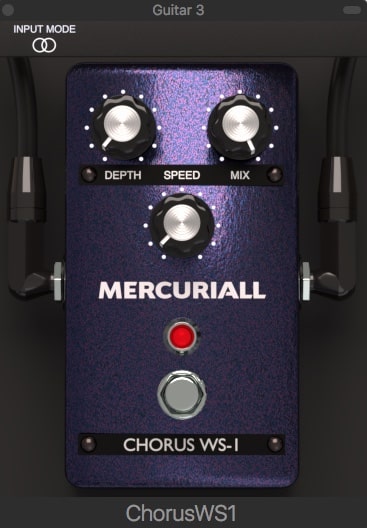
OS: Windows Win Mac Mac Bit Version: 64-bit Developer: Mercuriall Audio Software Size: 6 MB Rating: 78/100
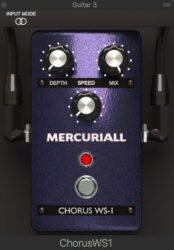
Mercuriall WS-1 offers a realistic chorus effect modeled after classic stompbox tones. It provides stereo and mono modes, along with simple controls for Depth, Speed, and Mix. The plugin works with AU, VST, and AAX formats on both Mac and Windows systems.
Music creators can shape their sound from subtle texture to wide, moving tones using the WS-1’s modulation controls. Its stereo switch processes each channel separately, adding dimension to guitars, synths, or vocals. The plugin is a free and flexible way to enhance tracks with chorus warmth.
Features
- Free Stereo Chorus Plugin
- Low CPU Usage
- Depth Control For Modulation
- Speed Control For Modulation Rate
- Mix Control For Signal Blend
- Compatible With VST AU AAX
- Works On Mac And Windows
- 64-Bit Plugin Support
- Host Automation Supported
- Simple User Interface
Pros
- Free plugin with pro quality
- AI modeling for analog-like sound
- Better tone depth than free rivals
- Very natural and expressive tone
- MIDI-learn improves pedal control
- Host automation is fully supported
- Runs smooth with low CPU use
- Simple and clear user interface
- Depth knob adds rich modulation
- Excellent response to picking style
Cons
- No built-in reverb or delay
- No built-in EQ or filter
- No preset browser included
- Interface looks plain and dated
- Lacks advanced modulation features
- Few sound design options
- No built-in limiter or compressor
- Limited dynamic expression control
- Less realistic sound than rivals
- Can sound flat without tweaking
Video Demo
What Users Say
Mercuriall WS-1 Tips
- I always check my input level before adding the WS-1 to make sure my guitar signal is clean and not too loud.
- When I use the WS-1, I try adjusting the Drive knob slowly to find the sweet spot between soft and heavy distortion.
- I experiment with stacking the WS-1 before or after other pedal plugins to see how the tone changes.
- Always check where the WS-1 is placed in your signal chain; putting it before an amp sim gives tighter distortion.
- Combining the WS-1 with a good cabinet sim can make the tone sound closer to a real amplifier.
- Remember that subtle changes in Gain and Tone can greatly affect how your guitar sits in the mix.
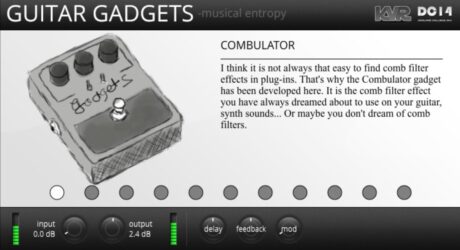
14. Guitar Gadgets
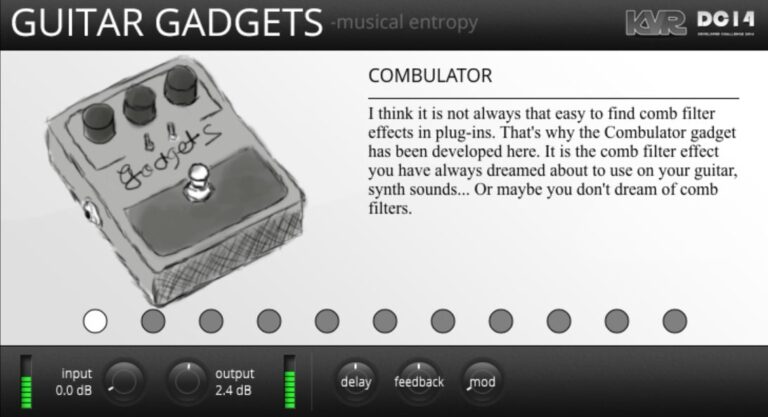
OS: Windows Win Mac Mac Bit Version: 32-bit, 64-bit Developer: Musical Entropy Size: 4 MB Rating: 68/100
Guitar Gadgets offers a collection of creative effects that turn ordinary sounds into something unusual and exciting. Inspired by classic guitar pedals, it includes tools like delay, reverb, phaser, and distortion with a playful twist. Each effect gives a unique tone that sparks new sound ideas.
This free plugin works with guitars, synths, drums, and more. Its range of effects—like the “Miaou Miaou” pedal, “Little Leslie,” and “Niagara Falls”—encourages bold sound design. Guitar Gadgets is a fun way to experiment and bring fresh textures into your music projects.
Features
- Includes Eleven Unique Guitar Effects
- Features Delay, Phaser, And Reverb
- Offers Heavy Distortion Options
- Includes Tape And Filter Emulations
- Contains Amp Tonestack Simulation
- Includes Rotating Speaker Emulation
- Adjustable Input And Output Controls
- Supports VST And AU Formats
- Produces Unique And Lo-Fi Sounds
- Fun And Intuitive User Interface
Pros
- Free to download and use
- Includes eleven fun effect gadgets
- Easy and playful user interface
- Offers many unique tones
- Encourages musical experimentation
- Gives strong lo-fi character
- Includes lively phaser and delay
- Randomizer adds surprise variations
- Switch effects quickly with dots
- Makes ordinary sounds feel new
Cons
- Can crash in some DAWs
- High CPU use on laptops
- No MIDI learn for parameters
- Interface not resizable
- No preset browser available
- Hard to get clean tones
- Missing velocity sensitivity features
- Limited documentation and tutorials
- Does not support MPE controllers
- No built-in reverb controls
Video Demo
What Users Say
Guitar Gadgets Tips
- I always play with the order of virtual pedals in the plugin to see how it changes my sound.
- I use a gentle touch on the mix knob to blend the effect without losing the guitar’s natural tone.
- Experiment with different gadget combinations inside the plugin to build unique tones.
- Try Guitar Gadgets in parallel with a dry track for rich and balanced mixes.
- Use Guitar Gadgets as a sound design tool, not only for guitar but also for ambient textures.
Guitar Pedal VST Plugins Compared
This table compares the guitar pedal plugins by operating system, bit version, format, and rating.
| Details | Valhalla Super Massive | Dr Phase | Chow Centaur | Proteus | Black Distortion | Mercuriall MT-A | Amped Roots Free | Unified Preamplifier | Fuzzy | Live Pedalboard | Mercuriall TSC | Greed Smasher | Mercuriall WS-1 | Guitar Gadgets |
|---|---|---|---|---|---|---|---|---|---|---|---|---|---|---|
| Image | 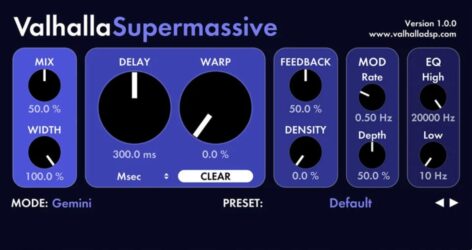 |
 |
 |
 |
 |
 |
 |
 |
 |
 |
 |
 |
 |
 |
| Rating | ||||||||||||||
| OS | Windows, Mac | Windows, Mac | Windows, Mac, Linux | Windows, Mac, Linux | Windows, Mac | Windows, Mac | Windows, Mac | Windows, Mac | Windows | Windows, Mac | Windows, Mac | Windows, Mac | Windows, Mac | Windows, Mac |
| Formats | VST, AU | VST2, AU, CLAP | VST, AU | VST3, AU, AAX | VST2, AU, AAX | VST, AU, AAX | VST3, AU, AAX | VST, AU, AAX | VST2, VST3 | VST, AU | VST, AU, AAX | VST, AU | VST, AU, AAX | VST, AU |
| Bit Version | 64-bit | 64-bit | 64-bit | 64-bit | 64-bit | 64-bit | 64-bit | 64-bit | 32-bit, 64-bit | 32-bit, 64-bit | 64-bit | 32-bit, 64-bit | 64-bit | 32-bit, 64-bit |
| Developer | Valhalla DSP | Audiority | Chowdhury DSP | GUITARML | Nembrini Audio | Mercuriall Audio Software | ML Sound | Aurora DSP | Linda Audio | lostin70s | Mercuriall Audio Software | Mercuriall | Mercuriall Audio Software | Musical Entropy |
| License | Freeware | Freeware | GPL | Freeware | Freeware | Freeware | Freeware | Commercial | Freeware | Freeware | Freeware | Freeware | Freeware | GPL |
| Sample-Based | No | No | Select | No | No | No | No | No | Yes | No | No | No | No | No |
| Download Size | 3 MB | 200 MB | 8.6 MB | 13 MB | 51.4 MB | 4.3 MB | 56.8 MB | 40 MB | 2 MB | 9 MB | 6 MB | 13 MB | 6 MB | 4 MB |
| CPU Load | Low | Low | Low | Low | Low | Low | Low | Low | Low | Low | Low | Low | Low | Low |
| Polyphony | 64 | N/A | 8 | 32 | 1 | 8 | N/A | N/A | 8 | 64 | 2 | 8 | 8 | 8 |
| Features | Massive reverbs, Harmonic echoes, Space sounds, 22 modes, Simple controls, Lush modulation, Free plugin | Analog Modeled Phaser, Modulation Speed, Vintage Mode, 2-Stage Mode, Speed Sync, Pre/Post Gain, Mix Control | Traditional Mode, Neural Mode, Gain Control, Tone Control, Level Control, Wave Display, Bypass Button | Knob captures, Snapshot models, Capture Utility, Tutorial videos, ToneLibrary access, 3-band EQ, Default IR | RAT emulation, Gain control, Tone shaping, Preset management, A/B comparison, Boost function, Bypass option | Boss MT-2 modeling, Neural Hybrid Engine, Stereo mode, Input gain, Quality switch, EQ controls, Mid-Freq adjustment | Free amp, Plug-and-play, High-gain tone, 3D cab sim, Pedalboard effects, Tuner included, MIDI support | Guitar preamp, Medium-gain boost, High-gain enhancement, Clean booster, Tone warmer, Transparent sound, EQ control | Versatile fuzz distortion, Wide sound range, Input/output control, Boost gain, Dual fuzz algorithms, 8-band equalizer, Adjustable noise gate | Multiple effects, Six slots, User presets, Global saving, Built-in tuner, Built-in looper, MIDI control | TS-808 modeling, Dual-mode switch, Input gain, Drive control, Tone control, Level control, Quality switch | Mesa/Boogie modeling, Free plugin, Overdrive effect, Stereo/Mono modes, Quality switch, Simple interface, Dynamic response | Depth control, Speed control, Mix control, Stereo mode, Mono mode, On/Off footswitch, Channel processing | Dynamic Delay, Modulated Phaser, Creative Reverb, Heavy Distortion, Feedback Generator, Tape Emulation, Sound Slicer |
| Controls | Mix, Width, Delay, Warp, Feedback, Density, Mode | Speed, P45 Mode, Vintage Mode, Sync, Pre Gain, Post Gain, Mix Control | Gain, Tone, Level, Wave Display, Traditional Button, Bypass Button, Mono Button | Bass, Middle, Treble, Volume, Gain, IR Switch, Capture Control | Drive, Filter, Level, LED Indicator, Footswitch, Preset Selector, A/B Bank | Level, Dist, Input Gain, Quality Switch, High, Middle, Mid Freq | Gain, Low, Mid, High, Presence, Volume, Tuner | Treble, Bass, Volume, Footswitch, Indicator Light, Gain, EQ | Input, Drive, Tone, Output, Fuzz Switch, GEQ Switch, Gate | Compressor, Tone Drive, 707 Drive, Vibrato/Chorus, Delay, Digital Reverb, Save Preset | Input Gain, Drive, Tone, Level, Mod Switch, Quality Switch, Footswitch | Stereo, Input Gain, Quality, Level, Tone, Gain, Footswitch | Depth, Speed, Mix, Footswitch, Red Light, Input Mode Switch, Stereo Switch | Input, Output, Delay, Feedback, Mod, Pedal Image, Effect Selector Dots |
| Effects Included | Reverb, Delay, Echo, Modulation, EQ (High Cut, Low Cut), Filtering | Phaser, Noise Gate, Pre Gain, Post Gain, Mix Control | Overdrive, Distortion, Clean Boost | Distortion, Overdrive, Boost, EQ, Impulse Response (IR) | Distortion, Overdrive, Filter, Boost | Distortion, EQ | Noise Gate, Compressor, Drive Pedal, Chorus, Analog Delay, Reverb | Clean boost, EQ, saturation | Fuzz distortion, Overdrive, Equalizer, Gate | Distortion, overdrive, fuzz, delay, compressor, chorus, tremolo, reverb, wah, noise gate | Distortion, Tone control, Level control | Overdrive | Chorus, Wah | Delay, Phaser, Reverb, Distortion, Feedback, Comb Filter, Wah Wah, Tape Emulation, Slicer, Filter, Convolution, Amp Simulation, Leslie Speaker Emulation |
| MIDI Learn | No | Yes | Yes | Yes | Yes | Yes | Unknown | Yes | Yes | Yes | Yes | Unknown | Yes | Yes |
| Presets | 128 | 17 | N/A | 20 | 6 | 18 | N/A | 35 | 25 | 32 | 5 | N/A | 8 | 23 |
| Standalone | No | Yes | Yes | Yes | Yes | Yes | Yes | Yes | Yes | Yes | Yes | Yes | Yes | Yes |
| Last Updated | 05/28/2024 | 01/16/2023 | 02/25/2024 | 03/13/2022 | 01/17/2022 | 04/22/2024 | 07/08/2022 | 06/10/2024 | 06/09/2023 | 03/18/2024 | 03/28/2020 | 06/21/2022 | 04/23/2024 | 06/04/2014 |
Our Favorite Guitar Pedal VST Plugin
Our top pick for the best free Guitar Pedal VST plugin is Valhalla Super Massive by Valhalla DSP.
| Details | Valhalla Super Massive |
|---|---|
| Image |
|
| Rating | |
| OS | Windows, Mac |
| Formats | VST, AU |
| Bit Version | 64-bit |
| Developer | Valhalla DSP |
| License | Freeware |
| Sample-Based | No |
| Download Size | 3 MB |
| CPU Load | Low |
| Polyphony | 64 |
| Features | Massive reverbs, Harmonic echoes, Space sounds, 22 modes, Simple controls, Lush modulation, Free plugin |
| Controls | Mix, Width, Delay, Warp, Feedback, Density, Mode |
| Effects Included | Reverb, Delay, Echo, Modulation, EQ (High Cut, Low Cut), Filtering |
| Download | Download Valhalla Super Massive |
Guitar Pedal Plugin FAQs
How to Install Guitar Pedal VST Plugins
To install guitar pedal VST plugins on Windows or Mac, extract the files from the Zip or Rar. Move the files (.dll for Windows or .component for Mac) into your DAW’s plugin folder. Then restart your software and rescan the directory to complete the process. Tutorial: How to Install VST Plugins
Windows:
Extract the downloaded zip file and copy the .dll file into the VST plugins folder scanned by your DAW. Restart your music software and rescan your plugin directory to begin using the new VST.
Mac OS X:
Extract the downloaded archive and move the .component or .VST file to the plugin folder. It is usually /Library/Audio/Plug-Ins/Components or /Library/Audio/Plug-Ins/VST. Restart your DAW and rescan your plugins to complete the installation.
Do These Plugins Really Sound Like Real Guitar Pedals?
Yes, many modern Guitar Pedal VST plugins are designed to emulate the sounds of real guitar pedals closely. They use complex algorithms and high-quality audio processing to achieve this realistic sound. However, the exact sound quality can depend on the specific plugin and your overall audio equipment.
What is a Guitar Pedal VST Plugin?
A Guitar Pedal VST plugin is software that simulates the sound and functionality of a physical guitar pedal. These plugins can be used within a digital audio workstation to achieve the same effects that a physical guitar pedal would provide, such as distortion, delay, reverb, and more.
Why Use Guitar Pedal VST Plugins Instead of Physical Pedals?
Guitar Pedal VST plugins offer several advantages over physical guitar pedals. They are often cheaper (or even free), more portable, and easier to experiment with. They also allow you to easily tweak and save your custom settings, which is only sometimes possible with physical pedals.
What Kind of Effects Can Guitar Pedal VST Plugins Produce?
Guitar Pedal VST plugins can replicate virtually any guitar pedal effect, from distortion, overdrive, and fuzz to chorus, reverb, delay, flanger, and many others. Some plugins are specialized, focusing on a single type of effect, while others offer a range of effects.
I hope you found this selection of free guitar pedal VST plugins helpful for your music projects.