

Here are the best free voice changer VST plugins for Windows and Mac. We have included video demos, feature lists, pros, cons, and plugin ratings.
Here are some of the voice-changing sound effects you can get with these plugins: Robot, Toy, Male to Female, Female to Male, Baby, Cave, Pitch Changer, Vocoder, Alien, Clone, Radio, Helium Pitch, and Bit Crushers.
How we rate plugins: We rate each voice changer VST plugin based on sound quality, design, performance, features, usability, and compatibility. We rate plugins on a scale of 1 to 100.
Table of Contents
Free Voice Changer VST Plugins
This table compares voice changer plugins by operating system, bit version, format, and rating.
| # | Plugin | OS | Formats | Bit Version | Ratings |
|---|---|---|---|---|---|
| 1 | Graillon 2 | Windows Mac Linux | VST, AU, AAX, LV2 | 64-bit | |
| 2 | TAL-Vocoder | Windows Mac Linux | VST, VST2, VST3 | 64-bit | |
| 3 | Melda MAutoPitch | Windows Mac | VST, AU | 64-bit | |
| 4 | Pitchproof | Windows Mac | VST, AU | 32-bit, 64-bit | |
| 5 | GVST GForm | Windows | VST | 32-bit, 64-bit | |
| 6 | KeroVee | Windows | VST | 32-bit | |
| 7 | 4ormulator | Windows | VST | 32-bit | |
| 8 | RoVee | Windows | VST | 32-bit | |
| 9 | Clownfish Voice Changer | Windows Mac | VST, AU | 32-bit, 64-bit | |
| 10 | Hot Robot | Windows | VST | 32-bit | |
| 11 | Cannabis Vocoder | Windows | VST | 32-bit | |
| 12 | Robo Voice | Windows | VST | 32-bit |
I have spent over 15 years testing and comparing hundreds of free and paid VST plugins, supported by hands-on demos on our YouTube channel, which has 11,000+ subscribers.
1. Graillon 2
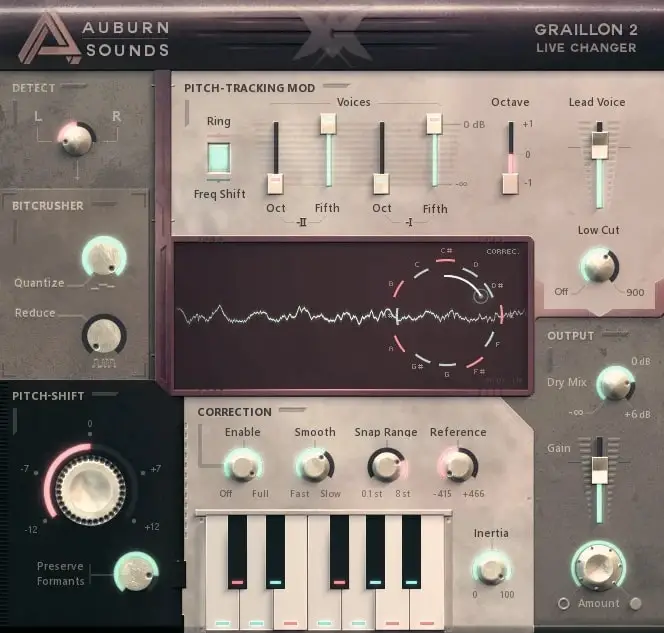
OS: Windows Win Mac Mac Linux Linux Bit Version: 64-bit Developer: Auburn Sounds Size: 57 MB Rating: 90/100
Graillon 2 offers real-time vocal tuning and creative tone shaping for producers and singers. It combines pitch correction, formant shifting, and pitch-shifting to achieve both natural and robotic sounds. Its built-in compressor, gate, chorus, preamp, and bitcrusher give more polish and control.
It includes three pitch engines, letting users choose between classic and updated tones. Optional tools like Pitch-Tracking Modulation, keyboard tuning, and a doubler expand vocal styles. Graillon 2 works across major systems and plugin formats, making it reliable for studio or live use.
Features
- Real-Time Pitch Correction
- Natural Or Hard-Tune Modes
- Formant Shifting For Vocal Tone
- Built-In Compressor And Gate
- Chorus, Preamp, And Bitcrusher Effects
- Keyboard Tuning For Custom Scales
- Vocal Doubler For Added Presence
- Visual Waveform Pitch Display
- Low Latency For Live Use
- Low CPU Usage Operation
Pros
- Natural-sounding pitch correction results
- Low CPU use for smooth playback
- Three different pitch engines included
- Includes built-in compressor and gate
- Bitcrusher adds cool vocal texture
- Keyboard tuning for custom scales
- Vocal doubler adds fullness
- Formant control keeps tone realistic
- Visual pitch display helps learning
- Works on Windows, Mac, and Linux
Cons
- Full version costs extra money
- No built-in reverb or delay
- Can misread low male voices
- GUI sometimes freezes in DAWs
- Major updates break old projects
- Pitch correction can sound harsh
- Formant shift can sound robotic
- No scale detection like GSnap
- Less precise on quick vocals
- No MIDI learn for quick mapping
Video Demo
What Users Say
Graillon 2 Tips
- I like to start by setting the “Pitch Correction” knob slowly so my voice still sounds natural.
- I use the “Dry/Wet” control to blend my real voice with the tuned voice for a smoother sound.
- Finding the right key before tuning makes vocal correction sound more natural.
- Use faster correction speeds for a robotic or pop-style effect, and slower speeds for softer songs.
- Placing Graillon 2 first in the plugin chain helps it track pitch more accurately.
- I often record my vocals clean first, then add Graillon 2 later in the mix to find the best balance.
- Always check how Graillon 2 sounds in the mix with the full track, not just on solo vocals.
2. TAL-Vocoder
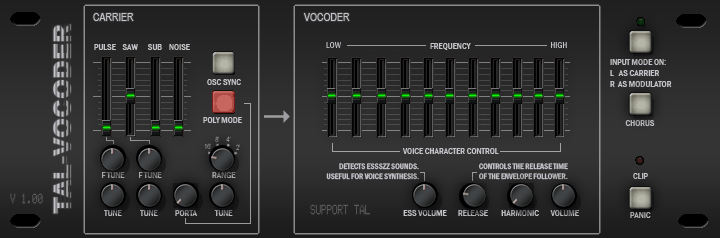
OS: Windows Win Mac Mac Linux Linux Bit Version: 64-bit Developer: TAL Software Size: 12 MB Rating: 83/100
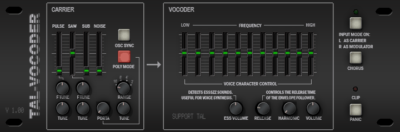
TAL-Vocoder offers the warm, classic sound of early 80s vocoders with 11 bands for shaping rich vocal and instrument tones. Its built-in synth includes multiple analog-style oscillators, giving creative control over carrier signals and helping produce detailed, vintage-style textures.
You can use the internal synth or route external audio as a carrier for more flexibility. Features like harmonic shaping, chorus, and ESS enhancement make voices clearer and fuller. TAL-Vocoder works in popular DAWs, making it a solid tool for adding retro electronic character to any track.
Features
- Eleven-Band Vintage-Style Vocoder
- Built-In Analog-Modeled Synth
- Supports External Carrier Signals
- Flexible Sidechain Routing Options
- Harmonic Enhancer For Richer Tone
- Band EQ For Tone Shaping
- Chorus Effect For Added Depth
- Clip Limiter To Prevent Distortion
- Works In Most Major DAWs
- Light On CPU Usage
Pros
- Warm vintage sound character
- Built-in analog-style synth
- Rich 11-band vocoder control
- Low CPU use and stable
- Supports MIDI and audio input
- Sidechain routing flexibility
- Adds clarity with ESS control
- Built-in chorus adds depth
- Polyphonic for multiple notes
- Great free alternative to paid vocoders
Cons
- No standalone version available
- Interface not resizable
- No built-in presets browser
- No pitch correction feature
- No real-time voice gender control
- Manual routing can confuse beginners
- Limited modulation options
- No built-in reverb or delay
- Lacks formant shifting controls
- No built-in recording function
Video Demo
What Users Say
TAL-Vocoder Tips
- Start with clear, well-recorded vocals so the vocoder can process the signal more easily.
- Set the carrier instrument to a sustained sound, like a synth pad, to get a fuller vocoded tone.
- Increase the number of bands in TAL-Vocoder for more detail, or decrease it for a vintage sound.
- Use EQ after the vocoder to remove muddiness and make the speech more understandable.
- Try automating the mix or wet/dry control to blend the vocoder effect during different song parts.
- I always check the input levels on the TAL-Vocoder to make sure my voice doesn’t clip or distort.
- Layer TAL-Vocoder with other voice changer plugins for more creative and unique textures.
3. Melda MAutoPitch
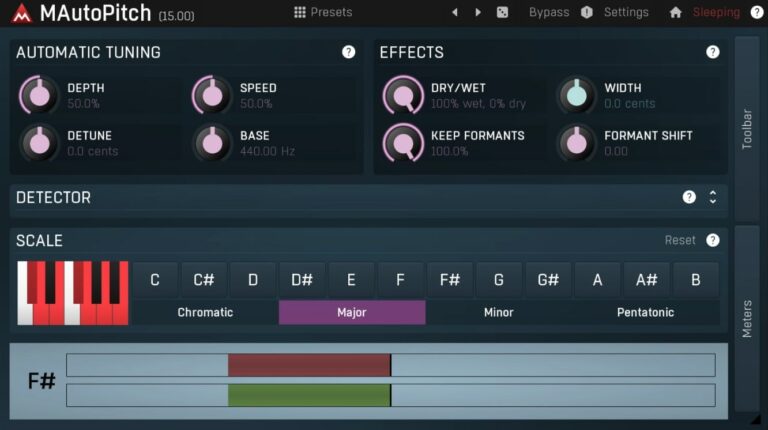
OS: Windows Win Mac Mac Bit Version: 64-bit Developer: MeldaProduction Size: 200 MB Rating: 81/100
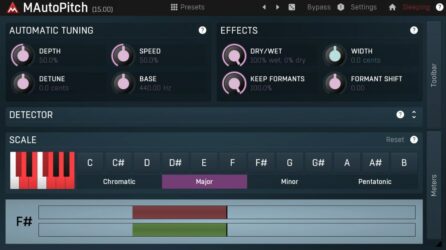
Melda MAutoPitch offers automatic pitch correction for vocals and monophonic instruments, helping you keep notes in tune quickly and accurately. It includes controls for depth, speed, and scale so you can fine-tune how natural or robotic the tuning sounds.
The plugin also adds formant shifting and stereo width options for creative vocal shaping. These tools let you adjust voice character or widen the mix space. Available free in the MFreeFXBundle, MAutoPitch is a simple and effective solution for both clean tuning and stylistic effects.
Features
- Automatic Vocal And Instrument Tuning
- Pitch Correction For Monophonic Sounds
- Formant Shift For Voice Character
- Speed Control For Correction Rate
- Detune Option For Fine Pitch Adjustments
- Scale Selector For Musical Guidance
- Pitch Display With Visual Feedback
- Low Latency Performance
- Light CPU Usage
- Simple And Clear Interface
Pros
- Totally free with no limits
- Fast real-time pitch tuning
- Formant shift for tone control
- Key selection with piano view
- Low latency for live singing
- Clean and clear pitch correction
- Can make robotic T-Pain effect
- Visual pitch display helps learning
- Competes with paid tuning tools
- Part of big free FX bundle
Cons
- Interface looks old and cluttered
- Not good for polyphonic sounds
- Metallic tone at high formant shift
- No graphical pitch correction view
- Can’t correct multiple voices together
- Needs MFreeFXBundle installation
- Speed control can sound robotic
- No automatic key detection
- Formant shift can sound unnatural
- Not as precise as Auto-Tune
Video Demo
What Users Say
Melda MAutoPitch Tips
- I like to start by setting the key of my song in MAutoPitch so the tuning matches the music.
- I always use a gentle correction speed to keep my voice sounding natural.
- I use the Dry/Wet knob to mix the original voice with the tuned one for a smoother sound.
- I adjust the Depth control to decide how strongly the pitch correction is applied.
- When possible, record vocals close to the right pitch so the plugin works less and sounds better.
- Always listen carefully, not just look at the screen, to make sure tuning feels musical and natural.
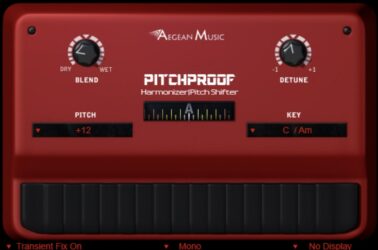
4. Pitchproof
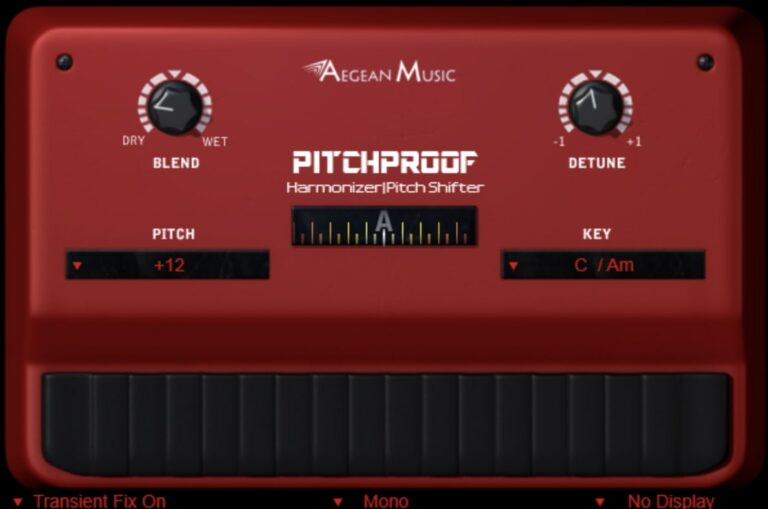
OS: Windows Win Mac Mac Bit Version: 32-bit, 64-bit Developer: Aegean Music Size: 0.7 MB Rating: 74/100
Pitchproof offers real-time pitch shifting and harmony effects that recreate the sound of classic guitar pedals with modern clarity. It can shift notes up or down and blend the original and shifted signals for smooth, musical harmonies that work well on guitars, vocals, or synths.
The plugin includes options for key selection, detune for natural tone, and a built-in tuner for accurate results. With settings like mono or stereo output and Transient Fix for better attack control, Pitchproof provides flexible ways to shape your pitch without losing your original sound quality.
Features
- Shifts Pitch Up Or Down
- Mixes Dry And Wet Signals
- Supports Harmony Pitch Modes
- Detune Control For Natural Sound
- Provides Musical Key Selection
- Low CPU Usage Option
- Simple Pedal-Style Interface
- Real-Time Or Recorded Use
- Available In VST And AU
- Useful For Guitars And Vocals
Pros
- Free and high quality sound
- Low CPU use for smooth play
- Real pedal style controls
- Creates rich harmony effects
- Can shift pitch up or down
- Transient Fix improves clarity
- Clean visual pitch display meter
- MIDI control for easy use
- Blend control for perfect mix
- Great for quick creative ideas
Cons
- Can glitch with complex chords
- Sometimes adds small latency
- Harmony tracking not always clean
- No pitch correction feature
- Can sound robotic on voices
- No formant correction option
- Limited vocal effect styles
- Few customization settings available
- Doesn’t support real-time MIDI map
- Less clean than newer plugins
Video Demo
What Users Say
Pitchproof Tips
- I always test small pitch changes first so my voice still sounds natural.
- I use the “Mix” knob to blend my real voice with the pitch-shifted one for a nice balance.
- Sometimes I turn the “Key” setting to match my song’s key—it keeps the harmony in tune.
- Pitchproof works best when used on a clean signal without heavy effects before it.
- A low latency audio setup helps Pitchproof track pitches smoothly in real-time.
- Changing pitch by only a few semitones can thicken vocals without sounding fake.
- Vocal chain experiments with Pitchproof, compression, and reverb can lead to fun and creative results.
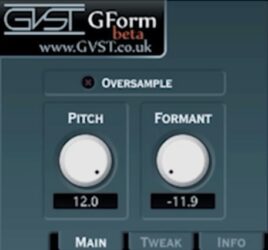
5. GVST GForm
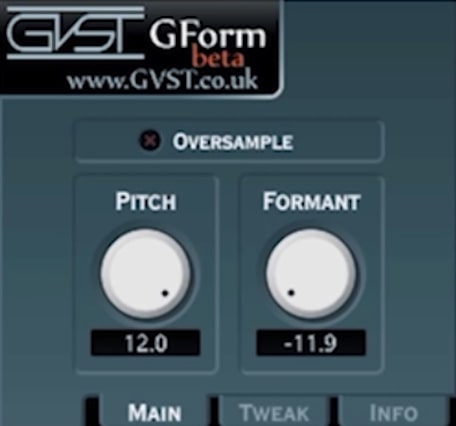
OS: Windows Win Bit Version: 32-bit, 64-bit Developer: GVST Size: 387.5 kb Rating: 61/100
GVST GForm offers simple yet powerful pitch and formant shifting for monophonic vocals and instruments. It changes the pitch without altering timing and adjusts tone without changing pitch. The plugin helps shape a voice’s character, from deep and mature to bright and youthful.
With controls for pitch, formant, and oversampling, GForm gives clean sound shaping and creative flexibility. The Tweak tab adds extra control over frequency detection and gating. It’s ideal for vocal edits, special effects, or turning simple synths into expressive, vocal-like sounds.
Features
- Adjusts Pitch Without Timing Change
- Shifts Formants Up Or Down
- Oversample Option For Cleaner Sound
- Min And Max Frequency Detection
- Gate Control Filters Quiet Input
- Produces Vocal Or Robotic Effects
- Lightweight And CPU Efficient
- Simple Interface With Main Controls
- Supports 32-Bit And 64-Bit Versions
- Free To Use For Any Purpose
Pros
- Free to download and use
- Pitch shifts without timing change
- Formant control for natural tone
- Oversample option for cleaner sound
- Creates unique vocal textures
- Great for creative sound design
- Creates chipmunk or deep voice effects
- Runs on Windows and Linux
- Low CPU usage
- Stable and rarely crashes
Cons
- Can’t process polyphonic sounds
- Interface feels too small
- No built-in presets included
- Limited effect customization options
- No real-time visual feedback
- Lacks advanced voice modeling
- No built-in reverb or delay
- Sound can get metallic easily
- No support for VST3 format
- Lacks MIDI control support
Video Demo
What Users Say
GVST GForm Tips
- I always save my favorite settings as presets, so I don’t lose my sound after closing my DAW.
- I use automation in my DAW to make my voice slowly change shape as the song plays.
- Small adjustments in formant and pitch work better than large ones for natural results.
- Voice changer plugins work best with clean audio recordings that have little background noise.
- Combining GForm with EQ or compression can make a processed voice sit better in the mix.
- Using GForm on duplicate vocal tracks can build a fuller and richer sound in a mix.
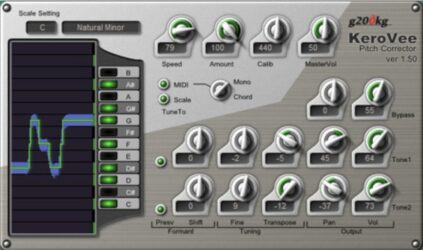
6. KeroVee
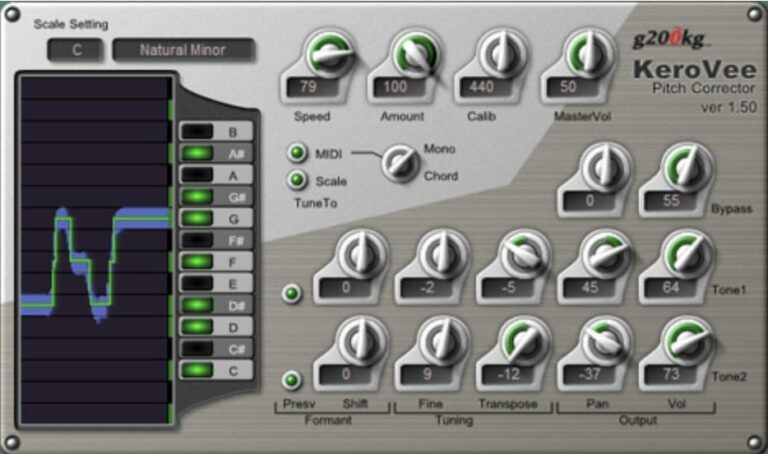
OS: Windows Win Bit Version: 32-bit Developer: g200kg Size: 0.9 MB Rating: 59/100
KeroVee is a pitch correction plugin for Windows that gives vocals an autotune-style effect. It can adjust pitch in real time, mix corrected and raw sounds, and even shift entire notes up or down. Its controls allow precise tuning for both natural and robotic tones.
KeroVee offers tools like scale selection, pitch graphs, and note filters to match your song’s key. With extra settings for tone, formant, and pan, you can shape how the voice sits in your mix. It’s a simple way to fix pitch or create unique vocal effects.
Features
- Real-Time Pitch Correction
- Formant Preservation Option
- Adjustable Correction Speed
- Scale And Key Selection
- Pitch Graph Visualization
- Follow MIDI, Scale, Or Chords
- Pitch Shift And Transpose
- Tuning Frequency Calibration
- Lightweight CPU Usage
- Works For Vocals And Instruments
Pros
- Free to download and use
- Formant keep feature sounds natural
- MIDI input adds more control
- Can mix corrected and raw sound
- Shows pitch visually on graph
- Responsive and fast pitch changes
- Lets you shift notes easily
- Light on computer memory
- Adjustable tone and brightness
- Good for live voice tuning
Cons
- Only works on Windows systems
- No 64-bit plugin version
- No macOS or Linux support
- Outdated, old-looking interface
- Can crash in some DAWs
- Can sound robotic or harsh
- Limited real-time processing options
- Lacks preset management system
- Few updates or new versions
- Weaker features than Graillon Free
Video Demo
What Users Say
KeroVee Tips
- Start by setting the correct input key for the song before turning on pitch correction.
- Use small “TuneSpeed” adjustments to blend the corrected voice smoothly into the mix.
- Try the “Formant Shift” setting for fun voice changes, like making a voice sound older or younger.
- Record clean and quiet vocals to get the best result from any voice changer VST.
- Combine KeroVee with EQ and compression to keep the voice bright and balanced.
- Save custom presets in KeroVee for quick access during mixing and live sessions.
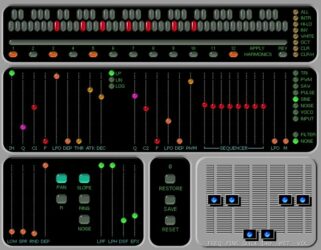
7. 4ormulator
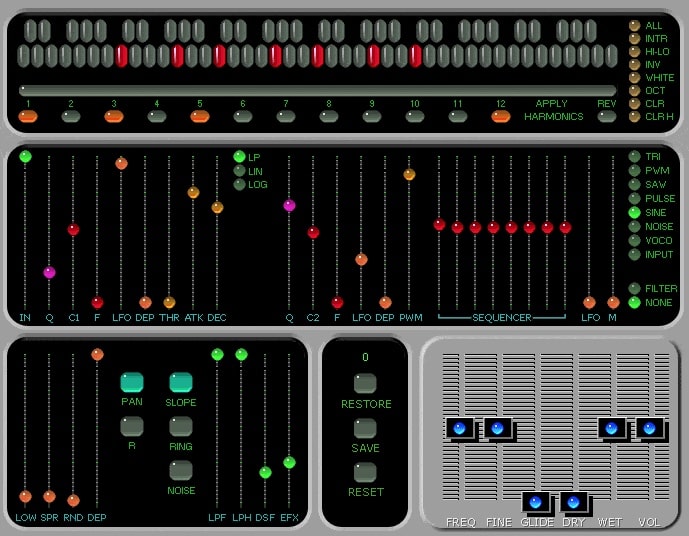
OS: Windows Win Bit Version: 32-bit Developer: Wolton Size: 11 KB Rating: 57/100
4ormulator offers a wide range of voice and sound-shaping tools designed for experimental sound design and creative audio production. It can change vocals into robotic tones, create deep synthetic drones, or generate unusual textures using vocoder modes, re-synthesis, and multi-band modulation.
The plugin adds control over pitch, filters, harmonics, and modulation for shaping detailed sound layers. With features like resonance control, a step sequencer, and a virtual keyboard, 4ormulator gives producers flexible options to craft digital voices, rhythmic patterns, and otherworldly effects.
Features
- Real-Time Voice Changing Effects
- Pitch And Formant Controls
- Vocoder And Robot Voice Modes
- Re-Synthesis And Drone Features
- Multi-Band Ring Modulation
- Sub-Harmonic Bass Generation
- Sequencer With LFO Modulation
- Glide Control For Smooth Transitions
- Preset Save And Restore Options
- Comprehensive Filter And EQ Tools
Pros
- Creates cool robot voice effects
- Great for sci-fi sound design
- Up to 520 filter bands
- Has pitch and glide control
- Includes sequencer for patterns
- Has ring modulation options
- Includes LFO for fun movement
- Can mix dry and wet signals
- Supports rich stereo sound effects
- Free VST download for Windows
Cons
- No Mac or Linux support
- Outdated 32-bit plugin format
- Not updated for years
- Old, cramped interface
- Can crash on modern systems
- High CPU load
- Missing pitch correction
- Lacks automation mapping
- No built-in presets browser
- Hard to get quick results
Video Demo
What Users Say
4ormulator Tips
- I always adjust the mix knob so my voice sounds natural and not too robotic.
- Voice Changer VSTs work best when the input vocal is clean with little background noise.
- Short, simple adjustments often sound better than extreme changes in pitch or formant.
- Always match the sample rate of the plugin and DAW to avoid crackles or glitches.
- Using automation inside the DAW lets the 4ormulator change effect levels smoothly over time.
- Blending the 4ormulator output with natural vocals can make the result sound more lifelike.
- I use headphones so I can hear small changes when I tweak settings in the plugin.
8. RoVee
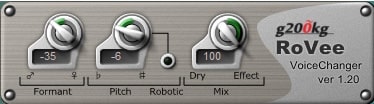
OS: Windows Win Bit Version: 32-bit Developer: g200kg Size: 0.4 MB Rating: 50/100
RoVee is a simple voice-changing plugin that lets you shape how a voice sounds in real time. It can switch between male, female, toy, or robotic tones using pitch and formant controls. It is designed for voice use and may react unpredictably to non-vocal sounds.
RoVee offers quick tone adjustments through controls for formant, pitch, dry mix, and effect mix. The robotic button gives voices a mechanical twist. It’s lightweight and practical for creating unique vocal effects in songs, podcasts, and experimental sound projects.
Features
- Changes Voice Gender And Style
- Real-Time Voice Processing
- Formant Control For Tone Shaping
- Pitch Adjustment Up Or Down
- Robotic Mode For Mechanical Sound
- Dry And Effect Mix Controls
- Lightweight And Easy To Use
- Low Latency Performance
- Supports 32-Bit VST Hosts
- Free Voice Changer Plugin
Pros
- Free and easy to use
- Real-time voice changing fun
- Lightweight and CPU friendly
- Formant control changes voice tone
- Pitch knob adds fun effects
- Dry and Effect mix controls
- Low latency for smooth playback
- Works great with most DAWs
- Cool robotic voice option
- No sign-up or license needed
Cons
- Only works on Windows systems
- No native 64-bit support
- Needs bridging for modern DAWs
- Cannot save presets directly
- Interface is very small
- Few effect controls available
- Produces lo-fi sound quality
- Lacks advanced pitch correction
- No macOS or Linux version
- No built-in recording feature
Video Demo
What Users Say
RoVee Tips
- I use RoVee’s mix knob to blend my real voice with the changed one for better results.
- RoVee works best when the recording is clean with little background noise.
- Adjusting gender and pitch controls slowly helps keep the voice from sounding too fake.
- Using an EQ after the plugin can help shape the tone and remove harsh sounds.
- Adding compression after RoVee can make the voice sound fuller and more even.
- Most DAWs allow automation, so users can change RoVee settings during a track for cool effects.
9. Clownfish Voice Changer
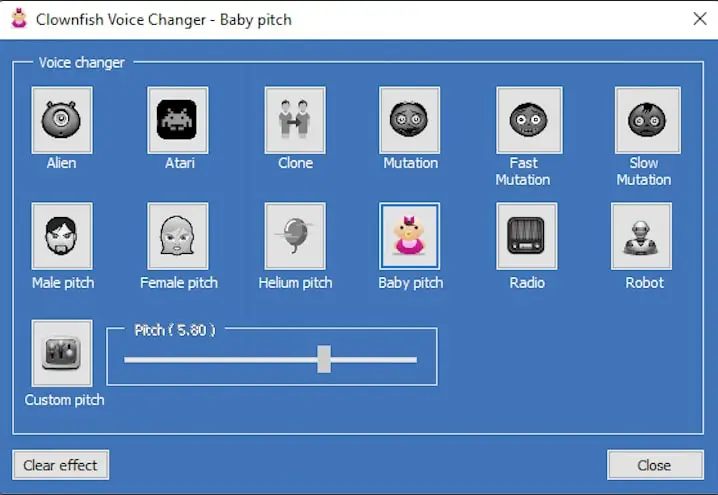
OS: Windows Win Mac Mac Bit Version: 32-bit, 64-bit Developer: Shark Labs Size: 1.3 MB Rating: 50/100
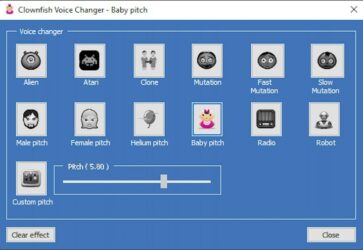
Clownfish Voice Changer offers an easy way to change your voice across any microphone-based program on Windows. It works with chat and streaming apps like Discord, Skype, and Steam, using selectable effects such as Robot, Alien, and Radio to reshape your sound instantly.
The included VST plugin lets you use the same effects inside your digital audio workstation for recordings or creative projects. You can load it like any other effect, choose a preset, or adjust the pitch to get the tone you want. It’s simple, flexible, and made for quick voice transformations.
Features
- System-Wide Voice Changing Plugin
- Multiple Voice Effect Presets
- Custom Pitch Control
- Compatible With Many Applications
- Text-To-Speech Assistant
- VST Plugin For Audio Hosts
- Low CPU Usage
- Easy Installation
- Real-Time Voice Conversion
- External AI Voice Support
Pros
- Plugin supports use in DAWs
- Lets you hear voice live
- Low CPU and memory usage
- Supports custom pitch changes
- Includes built-in sound player
- Has text-to-speech support
- Runs at system level easily
- Lightweight compared to other changers
- Works in games and chats
- Regularly updated and community supported
Cons
- Only works on Windows systems
- Outdated user interface design
- Not for professional voice work
- Limited sound editing options
- Missing real-time fine controls
- Effects sound artificial sometimes
- Can crash when changing presets
- Latency during live monitoring
- Doesn’t support VST3 format
- Sound quality weaker than MorphVox
Video Demo
What Users Say
Clownfish Voice Changer Tips
- I always lower my background noise before using the voice changer.
- I use headphones so I can hear myself clearly while changing voices.
- I try different voices to see which one sounds best for what I want to do.
- People should adjust the pitch and tone slowly to find a natural sound.
- Using VST plugins can add reverb, echo, or filters to make the voice more fun or clear.
- Updating VST and audio drivers helps keep Clownfish and plugins working properly.
10. Hot Robot
OS: Windows Win Bit Version: 32-bit Developer: Design-S Size: 1.4 MB Rating: 48/100
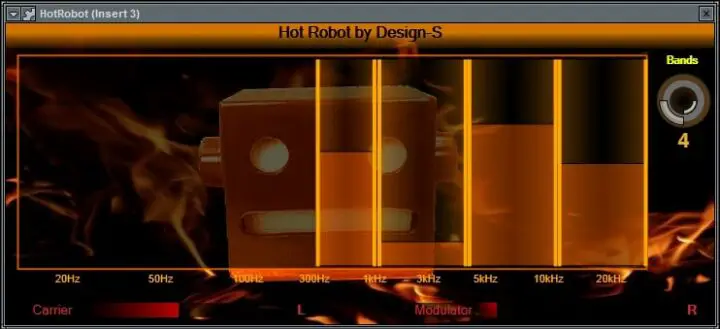
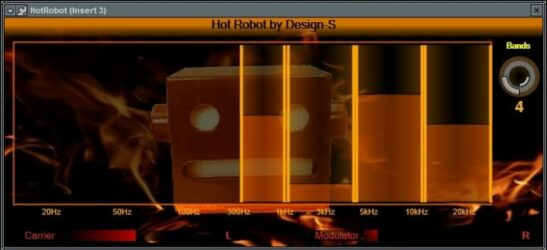
Hot Robot offers a creative way to transform voices into classic robotic tones. It uses adjustable frequency bands that let you shape the character of your sound, from smooth and subtle to sharp and synthetic. You can choose between 4 and 40 bands for detailed tone control.
The plugin’s visual layout shows input levels and frequency activity, making it easier to see how your sound reacts. Hot Robot works on Windows as a 32-bit VST plugin and installs easily through its setup package, giving music creators a quick path to experiment with robotic voice textures.
Features
- Voice Changer Vocoder Effect
- Adjustable Bands From 4 To 40
- Drag And Resize Frequency Bands
- Visual Robot Face Interface
- Frequency Bars Show Sound Range
- Carrier And Modulator Meters Display
- Three Different Tuning Modes
- Includes Vowel Resonator And Harmonizer
- Supports VST 32-Bit Format
- Setup Package For Easy Installation
Pros
- Lets you change up to 40 bands
- Drag and resize bands easily
- Built in handy vowel filter
- Fun robot face display
- Cool glowing bar animations
- Can blend with original voice
- Runs smoothly on Windows systems
- Lightweight and fast to load
- Has different tuning modes
- Different from other free vocoders
Cons
- Works only on Windows systems
- Only 32-bit version available
- Requires .NET 4.0 to run
- Can sound noisy or messy
- Few preset choices included
- No built-in reverb or delay
- Interface looks plain and dated
- No real-time pitch correction
- No MIDI control support listed
- Better free options exist online
Video Demo
What Users Say
Hot Robot Tips
- I always adjust the blend knob to mix the robot sound with my real voice for balance.
- I make sure to lower the input gain if the sound starts clipping or distorting too much.
- Hot Robot works best when it’s placed after EQ but before compression in the plugin chain.
- A light touch with reverb can help make robotic voices blend better with music.
- Using a limiter after the voice changer keeps volume levels even and prevents peaks.
- I keep experimenting with pitch and modulation settings until I get a cool effect.
11. Cannabis Vocoder
OS: Windows Win Bit Version: 32-bit Developer: Bitsonic Size: 34 MB Rating: 45/100
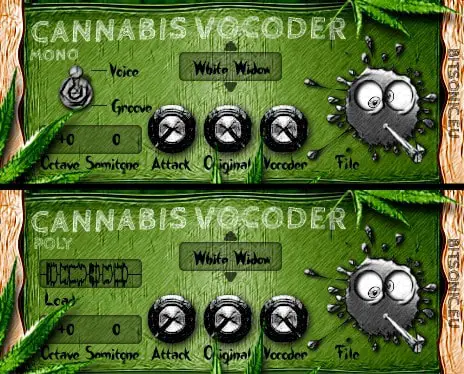
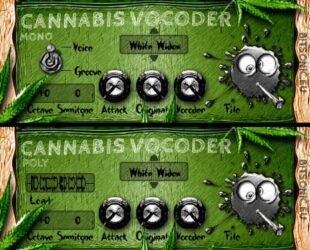
Cannabis Vocoder offers voice transformation tools for adding robotic, melodic, or rhythmic effects to vocals. It comes in mono and poly versions, letting you process single voices or use MIDI notes for layered, polyphonic sounds. Users can save settings, adjust pitch, and mix original tones.
The plugin includes controls for octave, semitone, attack, and blend levels, making it adaptable for different song styles. While known for creative potential, user feedback notes technical issues and limited updates. Still, it remains a simple way to experiment with classic vocoder tones on Windows systems.
Features
- Changes Vocal Sound Completely
- Tracks Vocal Pitch Automatically
- Supports Mono And Poly Modes
- Poly Mode Uses MIDI Input
- Octave Control Shifts Pitch Range
- Attack Knob Adjusts Response Time
- Original Knob Balances Dry Signal
- Vocoder Knob Controls Effect Volume
- Menu Offers 25 Tone Presets
- Waveform Display Shows Audio Shape
Pros
- Creates fun robotic voice sounds
- Easy octave and pitch control
- Mixes clean and vocoded voices
- Auto pitch tracking for vocals
- Can be used with MIDI input
- Flexible control over vocoder depth
- Offers 25 unique tone styles
- Includes fun “White Widow” preset
- Supports both mono and poly modes
- Lets you save custom settings
Cons
- Only works on Windows systems
- Outdated 32-bit format only
- Unstable and often crashes DAW
- Poor developer support and updates
- Interface looks old and cluttered
- Too many complicated controls
- Limited preset choices available
- Sound design feels dated
- Installation can be tricky
- Not beginner-friendly at all
Video Demo
What Users Say
Cannabis Vocoder Tips
- I like to use a clean vocal track so the vocoder can grab every word clearly.
- I experiment with different carrier signals, like synth pads, to get new textures.
- Use a simple synth sound as the carrier to keep the speech more understandable.
- I use EQ after the vocoder to make the voice sit better in the mix.
- I like to automate the mix knob to fade between dry voice and vocoded sound.
- Try using MIDI control to play the notes that shape the vocoder’s pitch.
- I keep the input level steady so the vocoder doesn’t clip or distort too much.
12. Robo Voice
OS: Windows Win Bit Version: 32-bit Developer: Wallofsound Size: 2.3 MB Rating: 38/100
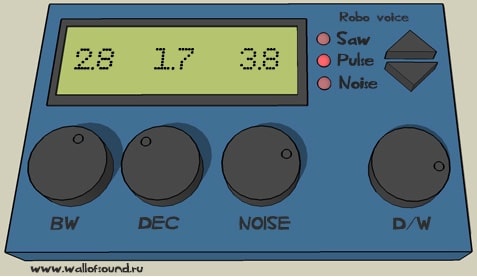
Robo Voice offers a way to create robotic and vintage-style voice effects by simulating the sound of a classic vocoder. It runs on Windows as a 32-bit VST plugin and gives producers tools to shape a voice with adjustable tone, width, and noise levels.
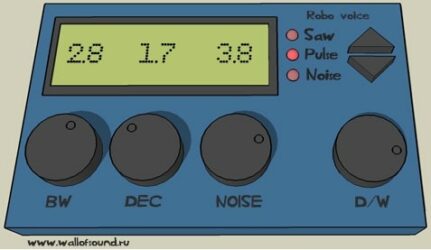
The plugin includes simple controls such as BW, DEC, NOISE, and D/W to fine-tune the sound. Visual indicators like waveform lights and an LCD screen help users monitor settings in real time. With some setup, Robo Voice can produce rich robotic textures for creative vocal work.
Features
- Simulates Classic Vocoder Sound
- Easy-To-Use Interface
- Retro Voice Effect Style
- BW Control Adjusts Sound Width
- NOISE Adds Or Removes Texture
- D/W Blends Dry And Wet Sound
- LCD Screen Displays Control Values
- Supports 32-Bit VST Format
- Requires MIDI Input For Sound
- Low CPU Usage And Latency
Pros
- Adds retro vocoder sounds
- Low CPU usage
- Real-time LCD feedback
- Customizable fade and decay
- Dry/Wet mix control
- Selectable wave types
- MIDI control compatibility
- Responsive to keyboard input
- No latency in standalone mode
- Free to download
Cons
- Only works on Windows
- No 64-bit compatibility
- Crashes often in some DAWs
- Needs complex MIDI setup
- Sometimes no sound at all
- No built-in presets provided
- Output can sound scratchy
- No pitch or formant control
- Standalone mode buggy or silent
- Limited to few sound types
What Users Say
Robo Voice Tips
- I try layering dry and wet signals to keep some natural voice mixed with the robot sound.
- I tweak the formant slider until the voice sounds more machine-like but still understandable.
- I experiment by stacking the Robo Voice with another VST like chorus or reverb for depth.
- Experimenting with EQ after the voice changer can help remove harsh or metallic highs.
- Adding a bit of reverb after the Robo Voice plugin can make it sound bigger and spacier.
- Lowering the mix level lets some of the human voice blend with the robot tone for a cool balance.
Voice Changer VST Plugins Compared
This table compares voice changer plugins by features, controls, formats, and ratings.
| Details | Graillon 2 | TAL-Vocoder | Melda MAutoPitch | Pitchproof | GVST GForm | KeroVee | 4ormulator | RoVee | Clownfish Voice Changer | Hot Robot | Cannabis Vocoder | Robo Voice |
|---|---|---|---|---|---|---|---|---|---|---|---|---|
| Image | 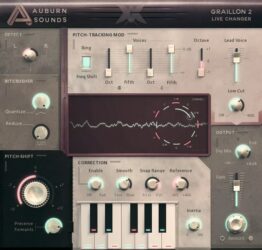 |
 |
 |
 |
 |
 |
 |
|
 |
 |
 |
 |
| Rating | ||||||||||||
| OS | Windows, Mac, Linux | Windows, Mac, Linux | Windows, Mac | Windows, Mac | Windows | Windows | Windows | Windows | Windows, Mac | Windows | Windows | Windows |
| Formats | VST, AU, AAX, LV2 | VST, VST2, VST3 | VST, AU | VST, AU | VST | VST | VST | VST | VST, AU | VST | VST | VST |
| Bit Version | 64-bit | 64-bit | 64-bit | 32-bit, 64-bit | 32-bit, 64-bit | 32-bit | 32-bit | 32-bit | 32-bit, 64-bit | 32-bit | 32-bit | 32-bit |
| Developer | Auburn Sounds | TAL Software | MeldaProduction | Aegean Music | GVST | g200kg | Wolton | g200kg | Shark Labs | Design-S | Bitsonic | Wallofsound |
| License | Freeware | Freeware | Freeware | Freeware | Freeware | Freeware | Freeware | Freeware | Freeware | Freeware | Freeware | Freeware |
| Sample-Based | No | No | No | No | No | No | Select | No | No | Select | Select | Select |
| Download Size | 57 MB | 12 MB | 200 MB | 0.7 MB | 387.5 kb | 0.9 MB | 11 KB | 0.4 MB | 1.3 MB | 1.4 MB | 34 MB | 2.3 MB |
| CPU Load | Low | Low | Low | Low | Low | Low | Low | Low | Low | Low | Low | Low |
| Polyphony | 1 | 11 | 1 | 1 | 8 | 1 | 8 | 1 | N/A | 8 | 2 | 8 |
| Features | Pitch Shifting, Formant Control, Pitch Correction, Built-in Effects, Pitch-Tracking Modulation, Keyboard Tuning, Vocal Doubler | Vintage vocoder, Analog modeling, Built-in synth, Sidechain routing, 11-band EQ, Chorus effect, ESS enhancer | Automatic tuning, Pitch correction, Formant shift, Stereo expansion, Scale selection, Key selection, Real-time pitch display | Pitch shifting, Harmony control, Blend mix, Detune adjustment, Key selection, Transient fix, Built-in tuner | Pitch shifting, Formant control, Oversampling, Tweak settings, Frequency range, Noise gating, Vocal transformation | Pitch correction, Real-time tuning, Dual output mix, Scale selection, Formant preservation, MIDI control, Robotic effect | Resonance Control, Harmonic Stereo, Vocoder Modes, Glide Control, Internal Wave Generation, Sequencer & LFOs, Multi-band Ring Modulation | Real-time processing, Voice gender conversion, Formant control, Pitch adjustment, Robotic effect, Dry/Wet mix, Lightweight design | Voice effects, Music player, Sound player, VST support, Voice assistant, AI voice conversion, Easy control menu | Dragable Bands, Adjustable Band Count, Frequency Visualization, Carrier Meter, Modulator Meter, Vowel Filter, Tuning Modes | Poly/Mono Mode, Waveform Display, Voice/Groove Selector, Tone Presets, Pitch Control, Attack Control, File Management | Vocoder simulation, Voice changer, Easy interface, Sound width control, Decay control, Noise texture, Dry/Wet mix |
| Controls | Pitch-Tracking Mod, Wave Control, Octave Control, Dry/Wet Mix, Pitch Shift, Formant Control, Output Meter | Pulse/Saw/Sub/Noise, Fine Tune, Input Mode, Frequency Sliders, Harmonic, Chorus, Release | Depth, Speed, Detune, Base, Dry/Wet, Keep Formants, Width | Blend, Pitch, Detune, Key, Display Meter, Transient Fix, Mono | Pitch, Formant, Oversample, Main Button, Tweak Button, Info Button, Gate | Scale Setting, Pitch Graph, Note Buttons, Speed, Amount, Calib, MasterVol | Apply Harmonics, Number Row, Harmonic Type Buttons, Sequencer Sliders, Waveform Buttons, Filter Buttons, Preset Controls | Formant, Pitch, Robotic Button, Dry Mix, Effect Mix, Output Level, Input Gain | Voice Effect Selector, Clear Effect Button, Music Playlist Panel, Sound Player Controls, VST Effects Menu, Hear Microphone Option, Voice Assistant Tool | Bands Knob, Frequency Bars, Carrier Meter, Modulator Meter, L/R Labels, Visual Display, Vowel Filter | Poly/Mono Switch, Waveform Display, Voice/Groove Selector, Preset Menu, Octave Control, Semitone Control, Attack Knob | BW, DEC, NOISE, D/W, LCD Screen, Waveform Lights, Arrow Buttons |
| Effects Included | Compressor, Gate, Chorus, Preamp, Bitcrusher, Doubler, Pitch-Tracking Modulation | Compand, Harmonic, ESS Int, Chorus, Clip | Pitch correction, formant shift, stereo expansion, detune | Pitch shifting, harmonizer, detune | Pitch shifting, Formant shifting | Pitch correction, transposition, formant preservation, panning, tone adjustment, volume control | Pitch-augmentation, sympathetic drones, re-synthesis, formant effects, voice disguisers, multi-band ring modulation, vocoder effects, robot voices, talking instruments, sub-harmonic bass generation, sci-fi effects, harmonic stereo effects, ring modulation, noise, low-pass filter, high-pass filter, distortion filter, efx | Formant shifting, pitch shifting, robotic effect | Alien, Atari, Clone, Mutation, Fast Mutation, Slow Mutation, Male pitch, Silence, Female pitch, Helium pitch, Baby pitch, Radio, Robot, Custom pitch | Vocoder, Harmonizer, Vowel Resonator, Vowel Filter | Pitch adjustment, vocoder, mix (original/altered balance), attack control | Width, Decay, Noise, Dry/Wet |
| MIDI Learn | No | Yes | Yes | Yes | No | No | Unknown | Unknown | Unknown | Unknown | Unknown | Unknown |
| Presets | 23 | 32 | 4 | N/A | N/A | N/A | 256 | N/A | 12 | 25 | 31 | N/A |
| Standalone | No | Yes | No | Yes | No | No | Yes | No | Yes | Select | No | Select |
| Last Updated | 01/16/2023 | 03/26/2024 | 04/29/2024 | 03/09/2018 | 07/19/2011 | 02/11/2012 | N/A | 06/05/2010 | 03/03/2022 | N/A | 05/06/2014 | N/A |
Favorite Voice Changer VST Plugin
Our top pick for the best free Voice Changer VST plugin is Graillon 2 by Auburn Sounds. It offers great controls, effects, and it’s available for both Windows and Mac.
| Details | Graillon 2 |
|---|---|
| Image |
|
| Rating | |
| OS | Windows, Mac, Linux |
| Formats | VST, AU, AAX, LV2 |
| Bit Version | 64-bit |
| Developer | Auburn Sounds |
| License | Freeware |
| Sample-Based | No |
| Download Size | 57 MB |
| CPU Load | Low |
| Polyphony | 1 |
| Features | Pitch Shifting, Formant Control, Pitch Correction, Built-in Effects, Pitch-Tracking Modulation, Keyboard Tuning, Vocal Doubler |
| Controls | Pitch-Tracking Mod, Wave Control, Octave Control, Dry/Wet Mix, Pitch Shift, Formant Control, Output Meter |
| Effects Included | Compressor, Gate, Chorus, Preamp, Bitcrusher, Doubler, Pitch-Tracking Modulation |
| Download | Download Graillon 2 |
Frequently Asked Questions
What Are the Best Free Voice Changer VST Plugins?
There is no one “best” voice changer VST plugin. It all depends on your preferences and what type of sound you’re looking for. Popular voice changers include TAL-Vocoder, Hot Robot, Cannabis Vocoder, and Voicemod.
You can also find a variety of free voice changers online. This article has listed the best free voice changers VST plugins available. You can try out a few different plugins to see which one works best for you.
Is there a Male To Female Voice Changer VST?
Yes, several voice changer plugins allow you to change your voice from male to female and vice versa. RoVee is one such plugin, and it offers a variety of voice-changing effects.
You can also try out Voicemod, a voice changer software for Windows. It offers many voice-changing effects, including the ability to change your voice from male to female and back.
How to Install Voice Changer VST Plugins
To install voice changer plugins on Windows or Mac, extract the files from the Zip or Rar. Move the files (.dll for Windows or .component for Mac) into your DAW’s plugin folder. Then restart your software and rescan the directory to complete the process. Tutorial: How to Install VST Plugins
Windows:
Extract the downloaded zip file and copy the .dll file into the VST plugins folder scanned by your DAW. Restart your music software and rescan your plugin directory to begin using the new VST.
Mac OS X:
Extract the downloaded archive and move the .component or .VST file to the plugin folder. It is usually /Library/Audio/Plug-Ins/Components or /Library/Audio/Plug-Ins/VST. Restart your DAW and rescan your plugins to complete the installation.
What Is A Voice Changer Plugin?
A voice changer is a plugin that allows you to apply audio effects to pre-recorded audio or vocals in real time to make them sound different. This can include making a voice sound really deep in pitch, with bass, or like a robot.
I hope you found this list of free voice changer VST plugins helpful.
You May Also Like:





