Here are the best websites to download free clap VST plugins and free clap samples. There are free clap plugins for Windows and Mac.
Many of these free clap sound libraries offer royalty-free samples that can be used in both personal and commercial music projects.
How we rate plugins: We rate each clap VST plugin based on sound quality, design, performance, features, usability, and compatibility. We rate plugins on a scale of 1 to 100.
Table of Contents
I have spent over 15 years testing and comparing hundreds of free and paid VST plugins, supported by hands-on demos on our YouTube channel which has 11,000+ subscribers.
Related: Best Free Snare VST Plugins
Free Clap VST Plugins
This table compares clap plugins by operating system, bit version, format, and rating.
| # | Plugin | OS | Formats | Bit Version | Ratings |
|---|---|---|---|---|---|
| 1 | Snaps Claps Slaps & Shouts | Windows Mac | Kontakt | 64-bit | |
| 2 | Clap Machine | Windows Mac | VST, AU | 32-bit, 64-bit | |
| 3 | Clap of Luxury | Windows | VST | 32-bit | |
| 4 | Clap DRUMS VSTi | Windows | VST | 32-bit |
1. Snaps Claps Slaps & Shouts
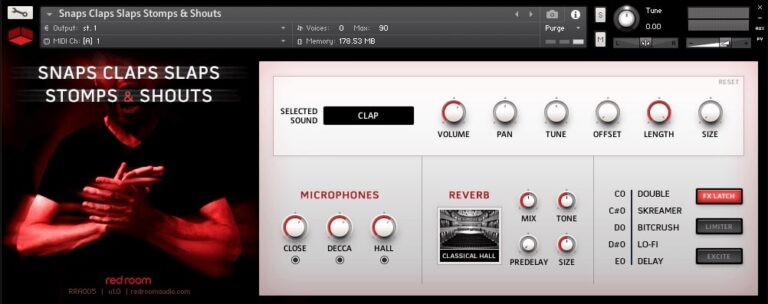
OS: Windows Win Mac Mac Bit Version: 64-bit Developer: Impact Soundworks Size: 200 MB Rating: 86/100
Snaps Claps Slaps Stomps & Shouts offers energetic body percussion and bold vocal shouts recorded by a 24-piece choir. With over 700 samples captured in a large hall, it delivers everything from tight, punchy sounds to wide, echoing performances for adding rhythm and power to your music.
Each sound—snaps, claps, slaps, stomps, and shouts—can be shaped using simple controls for mic mix, tone, and reverb. Automatic round robins keep performances natural, while effects like delay, lo-fi, and limiter help you create anything from subtle grooves to massive crowd energy.
Features
- Over 700 Body Percussion Samples
- Includes Snaps, Claps, Slaps, Stomps
- 3 Adjustable Mic Positions
- Built-In Convolution Reverb Effect
- 5 Five Key Switchable Effects With Latch
- Limiter And Exciter Tone Shaping
- Up To 6 Overdub Layers
- Quick Pattern Creation With Step Sequencer
- Adjustable Volume, Pan, And Tuning
- High-Quality Samples For Modern Productions
Pros
- Massive sound from 24 performers
- 3 Flexible mic positions
- Over 7 hundred unique samples
- Adjustable effects with easy keyswitches
- Real male and female shouts
- Round robins keep sounds fresh
- Convolution reverb adds real space
- Playable ensemble crowd feel
- Big sound with small footprint
- Top quality for a free plugin
Cons
- Needs full Kontakt, not free
- Only one dynamic layer
- No true soft hits
- Limited to body percussion
- No built-in sequencer
- No custom sample import
- Small library size
- Limited FX options
Video Demo
What Users Say
Snaps Claps Slaps & Shouts Tips
- Try stacking multiple layers of claps and snaps to build a lively rhythm section.
- Use EQ to cut low frequencies from claps so they don’t muddy the mix.
- Experiment with the round-robin settings to keep repeated hits sounding fresh.
- Pan multiple clap tracks slightly left and right to widen the stereo image.
- Use the built-in mixer in Snaps Claps Slaps Stomps & Shouts to balance each element quickly.
- Blend soft and loud velocity layers to give performances more expression.
2. Clap Machine
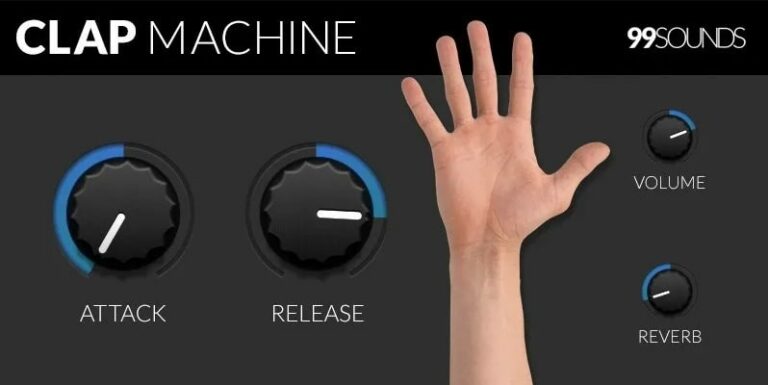
OS: Windows Win Mac Mac Bit Version: 32-bit, 64-bit Developer: 99Sounds Size: 24 MB Rating: 74/100
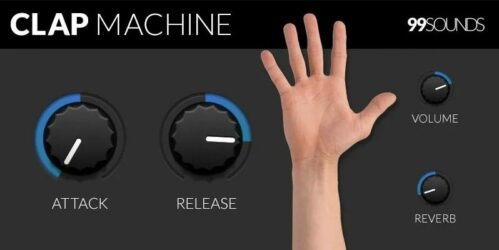
Clap Machine offers a simple way to add real hand clap sounds to your tracks. It includes four octaves of natural claps recorded in different spaces, giving each sound a unique depth and tone. You can layer multiple claps for group effects or create tight rhythmic patterns.
With controls for attack, release, volume, and reverb, you can shape each clap to fit your mix perfectly. Shorten the release for a clean, dry sound or use reverb for more space. Available for Windows and Mac, Clap Machine is free for all music projects.
Features
- Based On Natural Hand Clap Samples
- Different Rooms And Reverb Levels
- Attack And Release Controls
- Works On Windows And Mac
- Available In VST And AU
- 32-Bit And 64-Bit Support
- Global AR Volume Envelope Control
- Allows Group Or Single Claps
- Four Octaves Of Clap Sounds
- Free For Personal And Commercial Use
Pros
- Natural and realistic clap sounds
- Real room reverb recordings
- Built-in reverb for added depth
- No extra samples needed
- Adjustable softness and tail
- High-quality sample recording
- Low CPU usage
- Free to use commercially
- Works well in all DAWs
- Great for layering with drums
Cons
- Limited to only clap sounds
- No pitch control option
- Cannot import custom samples
- Lacks advanced sound shaping
- No ADSR, only AR envelope
- No preset management system
- No built-in EQ tools
- Lacks built-in mixing tools
- No random velocity feature
- Updates and support seem limited
Video Demo
What Users Say
Clap Machine Tips
- I like to layer the Clap Machine with a snare to make my drums sound bigger.
- I use EQ to cut out low sounds so the claps don’t get muddy in the mix.
- Use the Clap Machine’s built-in controls to shape the sound before adding other effects.
- Combine different types of claps — electronic and natural — for a unique sound.
- Use the plugin’s velocity sensitivity to make claps sound more human and natural.
- Add a compressor after the Clap Machine to help the claps sit well in the mix.
3. Clap of Luxury
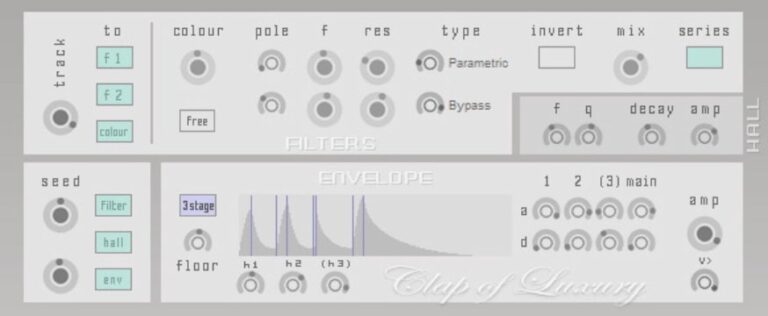
OS: Windows Win Bit Version: 32-bit Developer: Xoxos Size: 1 MB Rating: 69/100
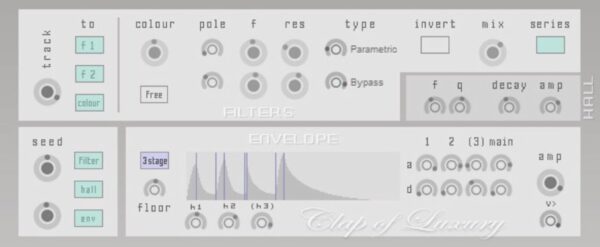
Clap of Luxury offers a wide range of synthetic clap sounds that can fit many music styles. Using a syncable noise algorithm and three flexible filters, it creates anything from tight electronic claps to large, roomy handclap textures with detailed control over tone and shape.
Its tools let you adjust brightness, resonance, and reverb to match your mix. With envelope shaping, random variations, and mix controls, you can design precise or natural-sounding claps that blend easily with drums or vocals, giving your tracks more rhythm and space.
Features
- Creates Synthetic Clap Sounds
- Syncable Noise Algorithm
- Three Filter Configuration
- Built-In Reverb Effect
- Envelope For Sound Shaping
- Attack And Decay Controls
- Randomized Sound Seed Option
- Flexible Clap Sound Range
- Low CPU Usage
- Simple And Easy Interface
Pros
- Has smooth built-in reverb
- Can make big or small claps
- Lots of sound control knobs
- Has random sound changes
- Has strong filter options
- Envelope gives more control
- Works better than free rivals
- Can layer with snares easily
- Plugin runs smooth and quick
Cons
- Only works on Windows
- Limited to 32-bit systems
- Not compatible with modern DAWs
- No resizable GUI option
- No built-in presets included
- Can’t import user samples
- No velocity sensitivity
- Hard to fine-tune settings
- No MIDI learn support
- No built-in limiter or meter
Video Demo
What Users Say
Clap of Luxury Tips
- I like to layer the Clap of Luxury with another clap or snap to get a thicker sound.
- I experiment with the stereo width to make the clap feel wider or more focused.
- Use light compression to make the clap more punchy without sounding squashed.
- Add subtle saturation to give the clap warmth and character.
- Avoid adding too much reverb, as claps can lose their impact if they sound too far away.
- Check the clap sound at different volumes to make sure it cuts through the mix clearly.
4. Clap DRUMS VSTi
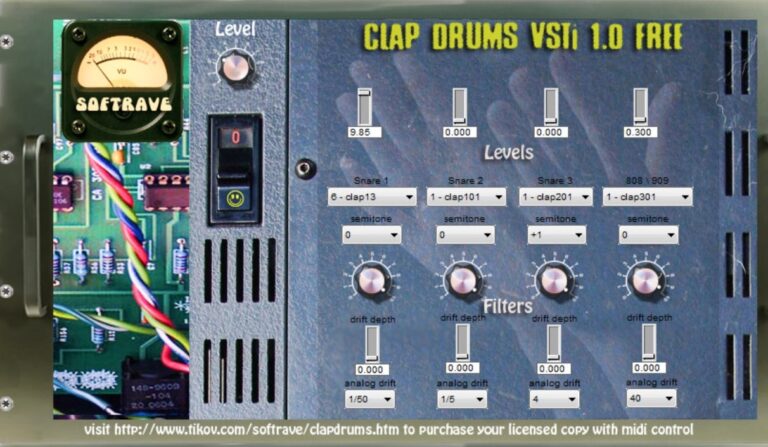
OS: Windows Win Bit Version: 32-bit Developer: Softrave Size: 11 MB Rating: 55/100
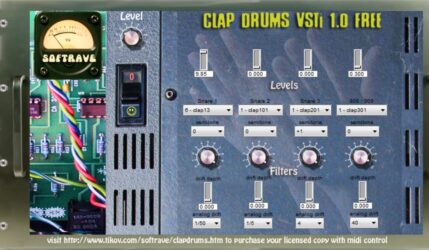
Clap DRUMS VSTi offers 400 clap and snare sounds collected from classic drum machines and keyboards over ten years. It lets you adjust analog drift for each sound, giving your drum tracks a more human and vintage feel instead of a digital loop.
This plugin includes controls for volume, pitch, and drift depth, along with options for classic 808 and 909 drum types. Its old-school tone fits styles like electronic, industrial, or darkwave, making it a creative tool for adding gritty and character-rich percussion layers.
Features
- Includes 400 Clap Drum Sounds
- Features Rare Old-School Samples
- Offers Individual Analog Drift Control
- Has Pitch Control With Semitone Selectors
- Allows Drift Depth And Rate Adjustment
- Provides Master Output Volume Knob
- Recorded On Classic Drum Machines
- All Samples Are 24-Bit Quality
- Includes Snare And Hat Options
- Contains Power Switch And VU Meter
Pros
- Huge collection of 400 clap sounds
- Authentic vintage drum machine tone
- Warm analog drift for realism
- Unique evolving clap textures
- Recordings from classic samplers
- Crunchy and lo-fi sound character
- High-quality 24-bit samples
- Individual analog drift per sound
- Distinct sonic flavor unlike free options
- Rare limited-edition plugin release
Cons
- Only works on Windows
- No macOS or Linux support
- Limited to 32-bit
- Not compatible with modern DAWs
- No built-in effects
- No MIDI automation
- Cannot load user samples
- Limited sound design options
- High CPU usage
- Outdated interface
Video Demo
What Users Say
Clap DRUMS VSTi Tips
- I like to layer my clap sounds with a snare to make them sound bigger and more powerful.
- I use the built-in EQ to cut out low frequencies that my mix doesn’t need.
- Using multiple layers of claps from the Clap DRUMS VSTi can help create a more realistic group clap sound.
- Adding a small delay can make the claps sound like they are coming from several people at once.
- Turning on slight randomization in velocity can make each clap sound unique.
- Combining digital claps with real recorded claps can make tracks sound exciting and full.
Clap VST Plugins Compared
This table compares each Clap VST plugin by format, bit version, controls, features, effects, license, and more.
| Details | Snaps Claps Slaps & Shouts | Clap Machine | Clap of Luxury | Clap DRUMS VSTi |
|---|---|---|---|---|
| Image | 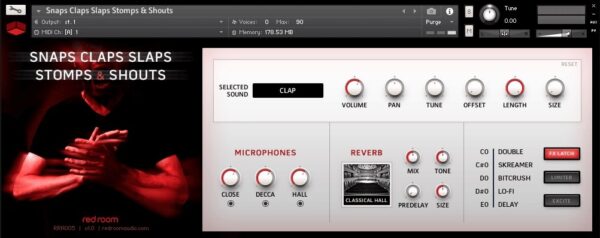 |
 |
 |
 |
| Rating | ||||
| OS | Windows, Mac | Windows, Mac | Windows | Windows |
| Formats | Kontakt | VST, AU | VST | VST |
| Bit Version | 64-bit | 32-bit, 64-bit | 32-bit | 32-bit |
| Developer | Impact Soundworks | 99Sounds | Xoxos | Softrave |
| License | Commercial | Freeware | Freeware | Donationware |
| Sample-Based | Yes | Yes | Select | Yes |
| Download Size | 200 MB | 24 MB | 1 MB | 11 MB |
| CPU Load | Low | Low | Low | Low |
| Polyphony | 32 | 8 | 8 | 32 |
| Features | Body percussion, Vocal shouts, Round robins, Mic mixing, Keyswitch effects, Convolution reverb, Simple interface | Natural hand claps, Rhythmic sequencing, Group claps, Four-octave range, AR envelope control, Built-in reverb, Freeware license | Filter control, Tone shaping, Phase invert, Reverb depth, Envelope shaping, Randomization, Mix balance | 400 Clap Sounds, Analog Drift, Pitch Control, Layer Mixing, Vintage Samples, Limited Edition, Old-School Interface |
| Controls | Volume, Pan, Tune, Offset, Length, Reverb, Mic Mix | Attack, Release, Volume, Reverb, Envelope, Decay, Mix | Track To, Colour, Pole, F, Res, Type, Mix | Level Knob, Power Switch, VU Meter, Level Sliders, Snare Dropdowns, Semitone Selectors, Drift Depth Knobs |
| Effects Included | Convolution Reverb, Double, Screamer, Bitcrush, Lo-Fi, Delay, Limiter, Exciter | Reverb | Filter, Reverb, Envelope | Analog drift |
| MIDI Learn | Yes | Unknown | Yes | Unknown |
| Presets | 100 | 23 | 32 | 50 |
| Standalone | No | No | No | Yes |
| Last Updated | 03/06/2019 | 08/13/2015 | N/A | N/A |
Our Favorite Clap VST Plugin
Our top pick for the best free Clap VST plugin is Clap Machine by 99Sounds. It is a clean and simple plugin to use with reliable sounds.
Free Clap Samples
Hand Clap Samples
The Hand Clap Sample pack is a unique sound kit that can add an organic texture to your music tracks. Instead of the usual synthesized claps heard in most modern music, it uses recorded hand clap samples, providing a more natural feel to your projects.
These samples can be used alone or layered with other drum sounds for more diverse and interesting effects. With this free sample pack, you also get the freedom to mix and match different sounds, creating your own collection of group claps.
This Hand Clap sampler pack includes 10 individual clap samples and 18 double claps, all recorded by two people using one condenser microphone.
Highlights
- Contains 28 WAV Files
- Includes 10 single clap samples and 18 double claps
- All WAV files are in mono for better audio mixing flexibility
- No high-pass filtering applied
- Allows you to combine and pan different samples
- Royalty-Free
Get Details | Instant Download
Ultimate Claps Drum Kit
The Ultimate Claps Drum Kit is a comprehensive clapping sound library that can assist music creators in developing standout beats. With more than 192 distinct clapping sounds, this software offers an extensive range suited for any music genre.
This kit includes 32 Bounce Klaps, Mellow Claps, and Solo Claps each. It offers 64 Stacked Claps and 32 Wild Urban Claps, further expanding your collection of sound options.
All these can be used for a wide range of popular music genres, such as EDM, Trap, Hip-Hop, Dance, Rock, Pop, Drum, Bass, and Dub-Step, to name a few.
- 192 Clapping sounds
- Ideal for various music genres
- Includes 32 Bounce Klaps
- Comes with 32 Mellow Claps
- Offers 32 Solo Claps
- Features 64 Stacked Claps
- Provides 32 Wild Urban Claps
Looperman
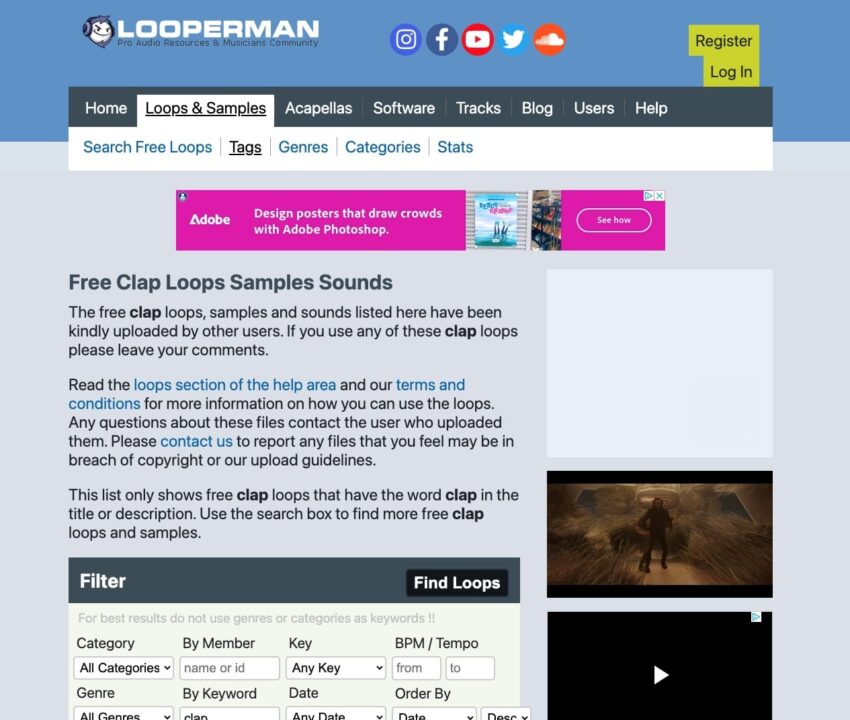
Looperman is a great online platform for producers and music creators. This platform gathers a range of free clap loops, samples, and sounds under one roof.
These sounds are free to use and have been kindly uploaded by other users for public use.
- Offers a wide range of free clap loops and samples
- Enables reporting of any files that may violate copyrights and guidelines
- Supports a search box feature for easy lookup of specific loops and samples
- Supports multiple tools, including Acid, Fruity Loops, Ableton, Pro Tools, Garageband, and Cubase
Sample Swap
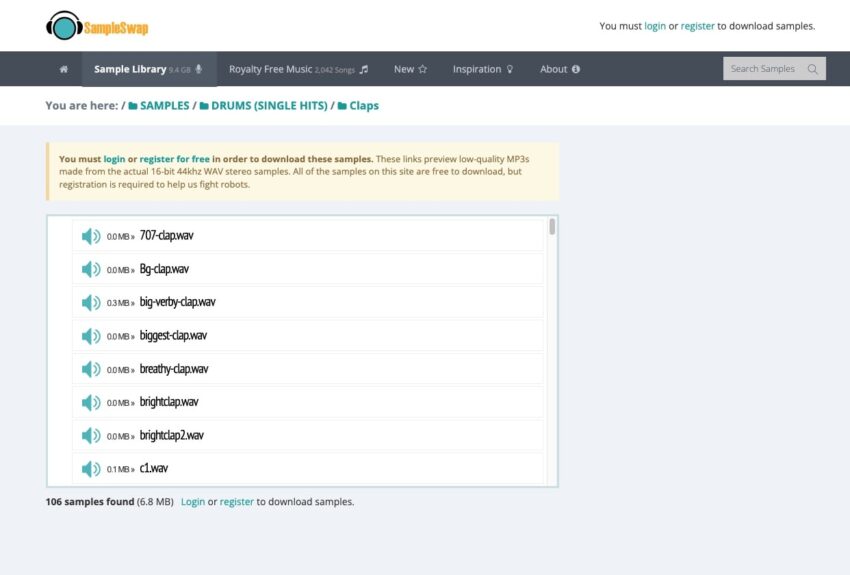
Sample Swap is an extensive audio sample website that provides free, downloadable loops and samples dedicated to music creators worldwide. This site offers tools for creators to enhance their music.
- Fine-quality 16-bit 44kHz WAV stereo samples
- Free registration and downloads
- Low-quality MP3 previews of the samples
Sample Focus Clap Samples
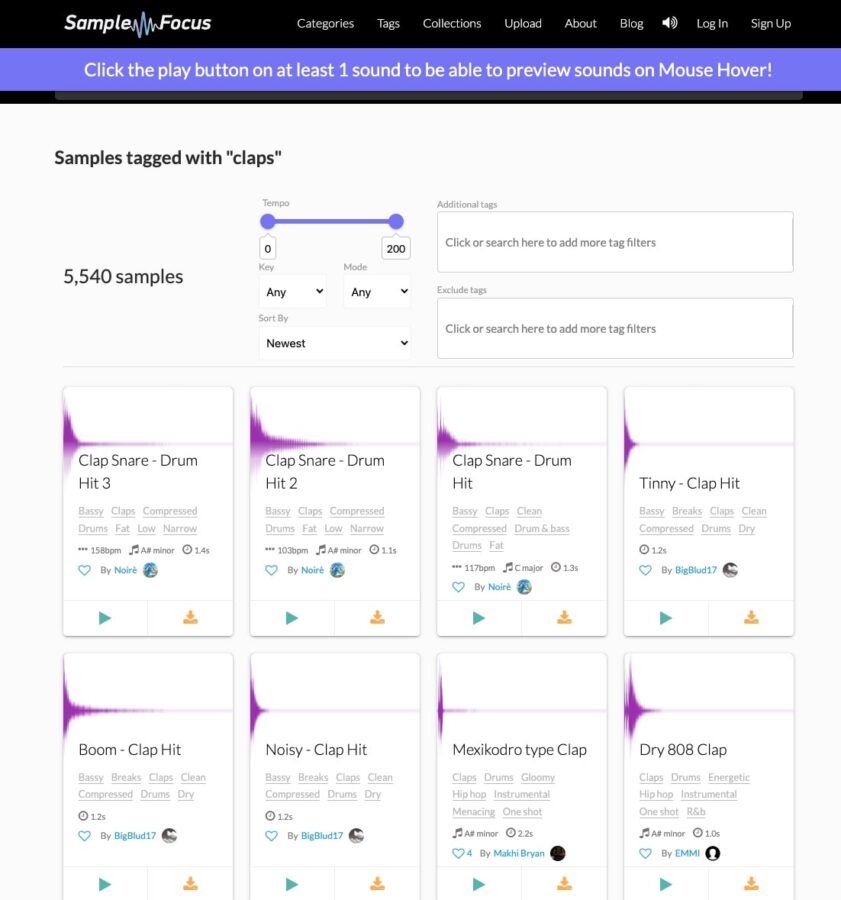
Sample Focus is a digital library filled with roughly 5,540 unique clap and snare drum samples. These are all free to download and are royalty-free, meaning they can be used without paying royalties to the original creator. Sample Focus continually updates the library with new sounds.
- A collection of around 5,540 clap and snare drum samples
- Completely free to download
- Sounds are royalty-free
- Daily updates with new sounds
- Powerful tagging system to categorize sounds
- Ability to filter samples through tempo range and musical key
- Recommendations for similar sounds on each sample page
Hands Make Sounds
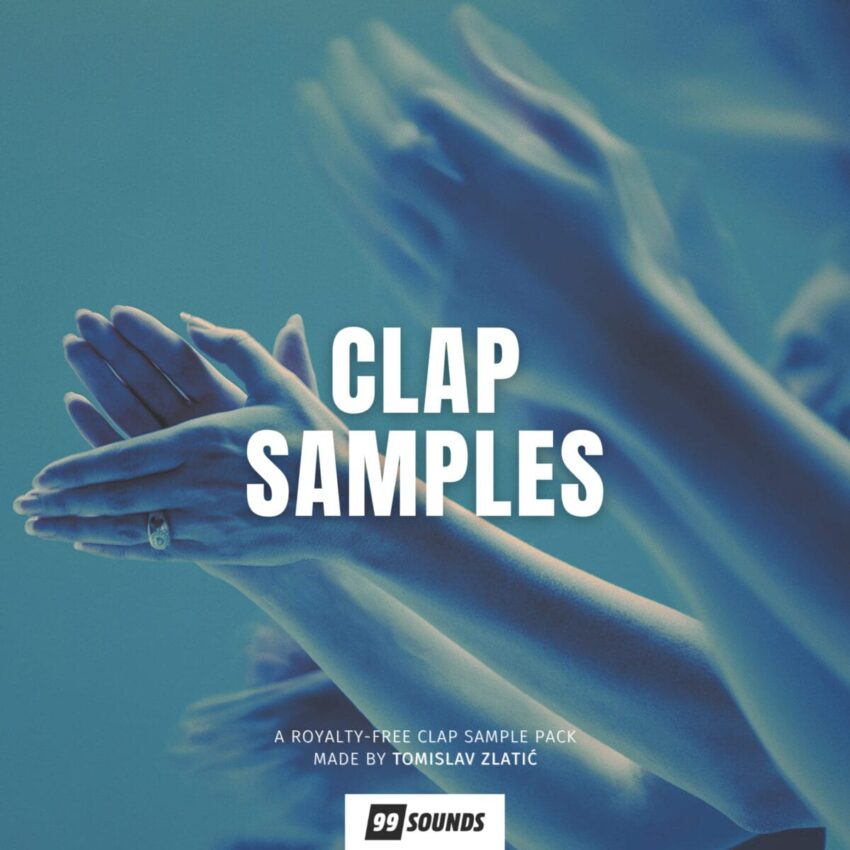
The Hands Make Sounds is an incredible free clap sample pack that offers 158 handclaps and finger snap samples.
These clap samples were recorded in various spaces ranging from a small restroom to a large empty hallway. While you can add your personal touch of reverb, these samples stand out with their captured natural reverb profiles of these different spaces.
All samples have been standardized and trimmed to ensure fluidity by avoiding any pops or clicks.
- A pack of 158 handclaps and finger snap samples
- Captured in diverse locations to provide a unique natural reverb
- Over 150 life-like sounds to enhance music projects
- Recorded in various room setups and sizes
- All samples were normalized and trimmed for smooth transitions
- Samples can be layered to create distinct sounds
- The samples come in stereo 24-bit WAV format with a 44.1 kHz sampling rate
- SFZ and Kontakt 5 mappings included
Clap Plugin FAQs
How to Install Clap VST Plugins
To install clap VST plugins on Windows or Mac, extract the files from the Zip or Rar. Move the files (.dll for Windows or .component for Mac) into your DAW’s plugin folder. Then restart your software and rescan the directory to complete the process. Tutorial: How to Install VST Plugins
Windows:
Extract the downloaded zip file and copy the .dll file into the VST plugins folder scanned by your DAW. Restart your music software and rescan your plugin directory to begin using the new VST.
Mac OS X:
Extract the downloaded archive and move the .component or .VST file to the plugin folder. It is usually /Library/Audio/Plug-Ins/Components or /Library/Audio/Plug-Ins/VST. Restart your DAW and rescan your plugins to complete the installation.
What is a Clap VST plugin?
A clap VST plugin is an audio plugin that emulates the sound of a handclap in a digital audio workstation (DAW). These plugins can create different styles and variations of clap sounds.
Why Would I Need a Clap VST Plugin?
A clap VST plugin can help to add different elements to your tracks and help create a fuller-sounding track. They play an important role in creating music in several music genres like hip-hop, pop, and dance music.
How Can I Use These Free Clap VST Plugins?
Once you download a Clap VST plugin, you install it into your DAW. From there, you can use it to generate different clap sounds in your music tracks. The usage varies depending on the DAW and the specific instructions provided with each plugin
I hope you found this selection of free clap VST plugins and free clap sample packs helpful.