

Here are the best free accordion VST plugins for Windows and Mac. We have included video demos, feature lists, pros, cons, and plugin ratings.
There are a limited number of options online when it comes to free accordion plugins, and there are more advanced paid options. But these free accordion plugins and samples are still good free options for music creation.
How we rate plugins: We rate each accordion VST plugin based on sound quality, design, performance, features, usability, and compatibility. We rate plugins on a scale of 1 to 100.
Table of Contents

I have spent over 15 years testing and comparing hundreds of free and paid VST plugins, supported by hands-on demos on our YouTube channel which has 11,000+ subscribers.
Related: Free Piano VST Plugins
Free Accordion VST Plugins
This table compares accordion plugins by operating system, bit version, format, and rating.
| # | Plugin | OS | Formats | Bit Version | Ratings |
|---|---|---|---|---|---|
| 1 | Harmonus 300 | Windows Mac | VST3, AU | 32-bit, 64-bit | |
| 2 | Akkordica | Windows Mac | VST, VST3, AU | 64-bit | |
| 3 | Keyzone | Windows | VST | 32-bit | |
| 4 | MONSTER Guitar | Windows Mac | VST, AU | 32-bit, 64-bit | |
| 5 | Accordion | Windows | VST | 32-bit |
1. Harmonus 300
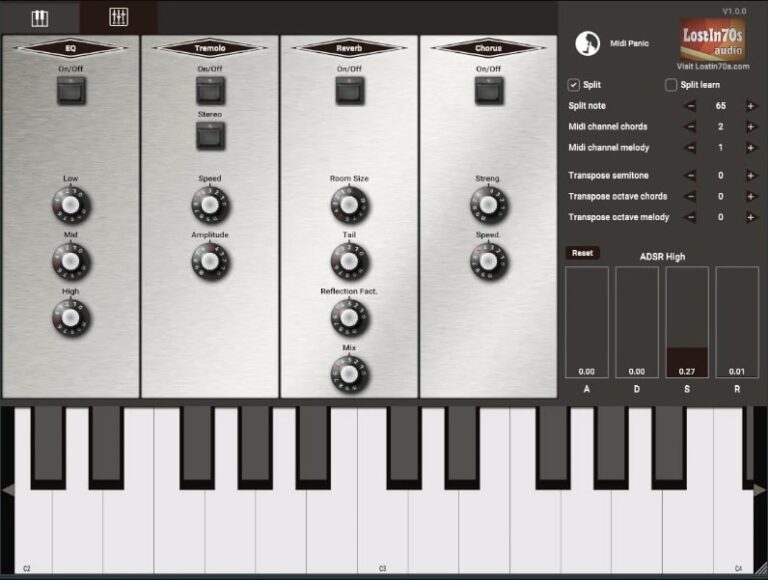
OS: Windows Win Mac Mac Bit Version: 32-bit, 64-bit Developer: Lost in 70s Size: 29 MB Rating: 82/100
Harmonus 300 offers the rich, vintage charm of a classic harmonium and organ hybrid, inspired by the Magnus Model 300. Its stereo-captured samples deliver warm tones that sit between an accordion and a harmonica, keeping the natural character of the original instrument.
It includes reverb, chorus, tremolo, and EQ controls to shape the sound easily. The “one finger chord” mode and full 88-key range expand playing options. With clear tone controls and split keyboard settings, Harmonus 300 is suited for creating expressive, nostalgic organ sounds.
Features
- Warm Organ And Harmonica Tone
- Stereo Sampled Sound Source
- Built-In Reverb, Chorus, Tremolo
- Adjustable Attack, Decay, Sustain, Release
- Split Keyboard For Dual Zones
- MIDI Channel Control For Chords
- Transpose By Semitone Or Octave
- Low CPU Usage Performance
- Simple And Clean Interface
- Supports VST3 And AU Formats
Pros
- Warm vintage tone with charm
- Stereo samples sound rich
- One finger chord feature
- Built in reverb and chorus
- Adjustable tremolo controls
- Low CPU use performance
- Split keyboard zones option
- Fast loading and reliable
- Captures 70s organ vibe
- Lightweight but full featured
Cons
- No support for Linux users
- Limited built-in effect variety
- Can sound similar across presets
- Interface may feel dated visually
- Does not include velocity layers
- Lacks round-robin sample variation
- No customizable key switch options
- Only supports VST3 and AU formats
- Preset library could be larger
- No advanced modulation matrix
Video Demo
What Users Say
Harmonus 300 Tips
- I use the built-in effects like chorus and reverb to add space and movement to my accordion sound.
- I try different key velocity settings to make my accordion performance feel more natural and human.
- Combining the Harmonus 300 with light compression helps it sit better in dense mixes.
- Accordions often sound better slightly detuned; subtle detuning can give warmth and realism.
- Using EQ to cut unnecessary low frequencies helps keep the mix clear and balanced.
- The plugin responds well to MIDI expression, so connecting a MIDI keyboard with a mod wheel helps create dynamic performances.
2. Akkordica
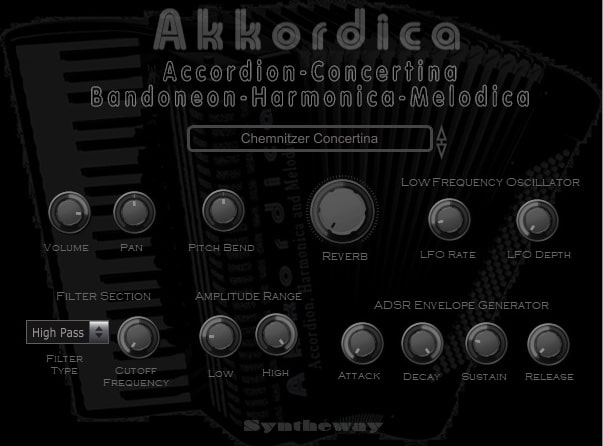
OS: Windows Win Mac Mac Bit Version: 64-bit Developer: Syntheway Size: 110 MB Rating: 77/100
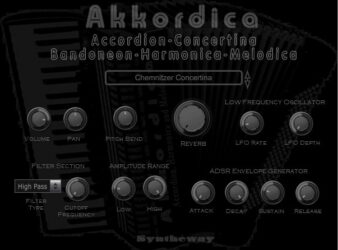
Akkordica offers a range of virtual instruments including accordion, concertina, bandoneon, harmonica, and melodica. It blends the sound of real reed and bellows instruments with digital tools, making it useful for folk, jazz, classical, and world music styles.
It includes controls for volume, filter, reverb, pitch bend, and LFO effects to shape and refine each sound. With adjustable envelope settings and preset selection, Akkordica gives music creators expressive and detailed control across both Windows and macOS platforms.
Features
- Virtual Accordion And Reed Instruments
- Includes Harmonica And Melodica Sounds
- Works In VST, AU, VST3 Formats
- Universal Binary For Apple Silicon
- Wide Range Of Preset Sounds
- Built-In Reverb Effect
- Switchable High And Low Pass Filters
- Supports MIDI Keyboard Controllers
- Light CPU Usage During Playback
- Compatible With Major DAW Software
Pros
- Realistic accordion and harmonica sounds
- Supports Apple silicon and Intel
- Includes many folk music styles
- Low CPU use for smooth play
- Built-in reverb adds depth
- Quick sound switching controls
- Pitch bend for real expression
- Authentic traditional instrument tone
- Playable and expressive response
- Unique mix of classic instruments
Cons
- Limited modulation options
- No sample layering feature
- Few sound shaping controls
- No built-in sequencer
- Cannot import custom samples
- Reverb quality feels basic
- Interface looks a bit dated
- Limited preset variety
- Sound lacks deep resonance
- No tuning customization options
Video Demo
What Users Say
Akkordica Tips
- I like to start by choosing the right accordion type in Akkordica, such as musette or bandoneon, to fit the song’s mood.
- I use the “Attack” and “Release” sliders to make my notes sound smoother and more natural.
- Adjust the stereo width control to make the accordion sound wider and more realistic in the mix.
- Automate volume changes to make the accordion performance feel more expressive and natural.
- Use a compressor gently to smooth out the dynamics without making the instrument sound flat.
- Layer multiple accordion presets together to create a rich, ensemble-like sound in your mix.
3. Keyzone
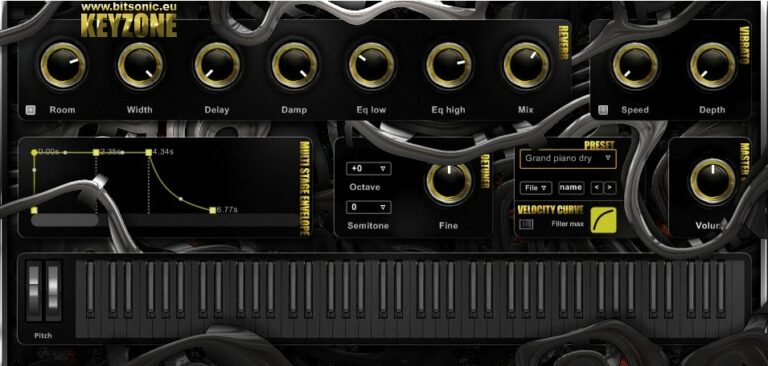
OS: Windows Win Bit Version: 32-bit Developer: Bitsonic Size: 148 MB Rating: 62/100
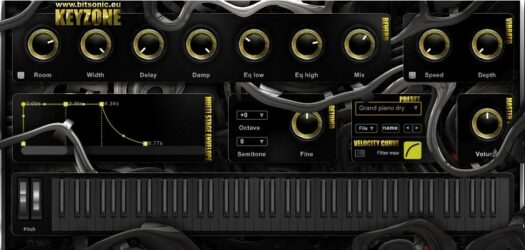
Keyzone offers a selection of piano, electric piano, and accordion sounds made from layered samples. It includes presets like grand piano, Rhodes, and organ tones that can fit many music styles. The plugin is designed for Windows and runs as a 32-bit VST.
Keyzone gives creators simple tone-shaping tools like reverb, vibrato, and EQ controls. You can adjust pitch, volume, and dynamics using its octave, semitone, and velocity settings, making it easy to shape how the keys respond and sound in your tracks.
Features
- Layered Piano And Accordion Sounds
- Built-In Reverb And Delay
- EQ Low And High Controls
- Width Control For Stereo Spread
- ADSR Envelope With Graph Display
- Vibrato Speed And Depth Settings
- Octave And Semitone Shifting
- Velocity Curve Customization
- Simple Preset Selection And Saving
- Quick Loading And Easy Interface
Pros
- Warm and natural accordion sound
- Easy to use interface
- Adjustable vibrato for expression
- Fine tuning for custom sound
- Velocity curve control adds realism
- Built-in reverb and delay effects
- Light on storage space
- Responsive MIDI velocity handling
- Realistic dynamics for free plugin
- Includes Hammond B3 and accordion
Cons
- Only 32-bit, no 64-bit support
- No Mac or Linux version
- Limited sound realism and detail
- Lacks modern resizable interface
- Can cause CPU spikes
- Not compatible with newer DAWs
- No MIDI learn for controls
- Few effects compared to rivals
- Small number of presets
- Limited expression for live playing
Video Demo
What Users Say
Keyzone Tips
- I often add reverb to give the accordion sound more space and make it feel real.
- I use the velocity control to make my playing sound more natural, just like a real accordion player.
- I try layering two accordion presets to get a richer tone.
- I pay attention to EQ to make sure the accordion doesn’t cover up my vocals.
- Adjusting panning can make the accordion sit nicely in the stereo mix.
- Automating the volume can make the accordion sound more dynamic during the song.
4. MONSTER Guitar
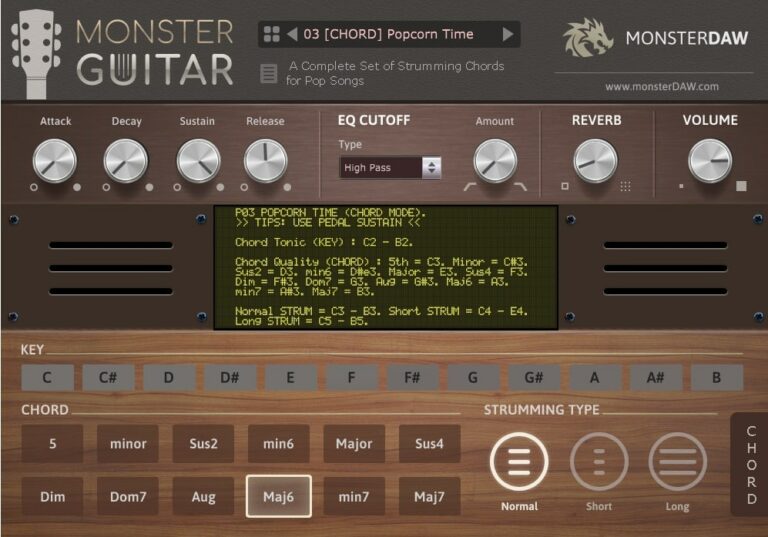
OS: Windows Win Mac Mac Bit Version: 32-bit, 64-bit Developer: MonsterDAW Size: 7 MB Rating: 62/100
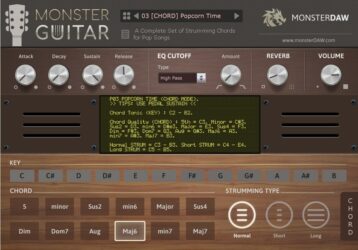
MONSTER Guitar offers a simple way to add guitar parts to your tracks without needing to play the real thing. It includes three modes—CHORD, LEAD, and NOTES—each built for different styles such as pop, rock, reggae, and more. With 14 presets, you can quickly explore new tones and rhythmic ideas.
This plugin includes controls for attack, sustain, filter, and reverb to shape your sound. It runs on both Windows and Mac in VST and AU formats. Regular sound expansions make it a growing tool for music creators who want quick and flexible guitar sounds.
Features
- Fourteen Presets Across Three Modes
- Chord, Lead, And Notes Options
- Normal, Short, And Long Strumming
- Low CPU And RAM Usage
- ADSR, Filter, And Reverb Controls
- Supports 32-Bit And 64-Bit Versions
- Works In VST And AU Formats
- Parameter Automation Support
- Key Selector And Chord Buttons
- Regular Expansion Preset Updates
Pros
- Free to download and use
- Very low RAM usage
- Three modes for different play styles
- Comes with 14 ready presets
- New sounds added regularly
- Includes ADSR and filter control
- Quick chord playing feature
- Supports automation in DAW
- Can use external soundbank
- Expandable with future updates
Cons
- Sound not very realistic
- Metal tones lack deep punch
- Few advanced tone controls
- No amp or cab simulation
- Doesn’t support real guitar articulations
- No palm mute or slide options
- Poor dynamic response
- Latency problems in some DAWs
- Weak layering for metal mixes
- GUI looks plain and outdated
Video Demo
What Users Say
MONSTER Guitar Tips
- I like to start by picking a preset in MONSTER Guitar to get a quick heavy tone before I tweak it.
- I always turn down my input gain if the sound starts to clip or distort too much.
- I often pan two MONSTER Guitar tracks left and right for a big stereo sound.
- I use EQ inside my DAW to cut some low frequencies so the mix doesn’t get muddy.
- Use compressor plugins after the guitar VST to even out playing dynamics in the mix.
- I like layering MONSTER Guitar with a bass instrument to make the mix sound full and powerful.
- Adjust the amp and cabinet models to match the music style you want to create.
Accordion VST Plugins Compared
This table compares each Accordion VST plugin by format, bit version, controls, features, effects, license, and more.
| Details | Harmonus 300 | Akkordica | Keyzone | MONSTER Guitar | Accordion |
|---|---|---|---|---|---|
| Image | 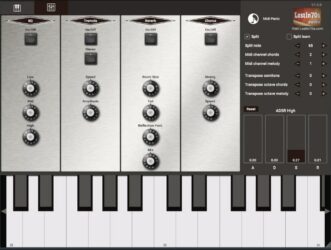 |
 |
 |
 |
 |
| Rating | |||||
| OS | Windows, Mac | Windows, Mac | Windows | Windows, Mac | Windows |
| Formats | VST3, AU | VST, VST3, AU | VST | VST, AU | VST |
| Bit Version | 32-bit, 64-bit | 64-bit | 32-bit | 32-bit, 64-bit | 32-bit |
| Developer | Lost in 70s | Syntheway | Bitsonic | MonsterDAW | Safwan Matni |
| License | Freeware | Commercial | Freeware | Freeware | Freeware |
| Sample-Based | Yes | Yes | Yes | Yes | Select |
| Download Size | 29 MB | 110 MB | 148 MB | 7 MB | 1 MB |
| CPU Load | Low | Low | Low | Low | Low |
| Polyphony | 64 | 128 | 6 | 8 | 32 |
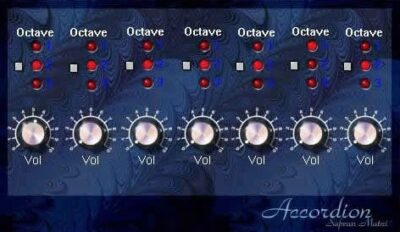
| Features | Stereo sampling, One-finger chords, 88-key range, Built-in reverb, Chorus effect, Tremolo control, ADSR shaping | Virtual instruments, Wide sound range, ADSR envelope, Pitch bend, LFO modulation, Built-in reverb, Filter control | Layered sampling, Multiple presets, Reverb control, Vibrato depth, ADSR envelope, Velocity curve, Easy interface | Preset Variety, Three Play Modes, Strumming Options, ADSR Controls, Filter & Reverb, Parameter Automation, Expansion Updates | Octave Control, Layer Switching, Volume Adjustment, Visual Indicators, Plugin Label, Static GUI, Single Dynamic Layer |
| Controls | EQ On/Off, Tremolo On/Off, Reverb On/Off, Chorus On/Off, Split, ADSR High, Transpose Semitone | Volume, Pan, Pitch Bend, Reverb, Filter Type, Cutoff Frequency, LFO Rate | Room, Width, Delay, EQ Low, EQ High, Mix, Envelope Graph | Attack, Decay, Sustain, Release, EQ Cutoff, Reverb, Volume | Octave Buttons, Red Lights, Square Buttons, Vol Knobs, Accordion Label, Pitch Control, Layer Switches |
| Effects Included | Reverb, Chorus, Tremolo, EQ | Reverb, Filter (Low Pass, High Pass), LFO (Vibrato, Tremolo) | Reverb, Delay, EQ, Vibrato, Filter | Filter, Reverb | Unknown |
| MIDI Learn | Yes | Unknown | Unknown | Unknown | Unknown |
| Presets | 60 | 54 | 23 | 20 | 10 |
| Standalone | Yes | Yes | No | Yes | Select |
| Last Updated | 06/18/2024 | 04/27/2024 | N/A | 03/10/2024 | N/A |
Our Favorite Accordion VST Plugin
Our top pick for the best free accordion VST plugin is Harmonus 300 by Lost in 70s. It is available for Windows and Mac, offers a few audio effects, and one of the best free options online.
| Details | Harmonus 300 |
|---|---|
| Image |
|
| Rating | |
| OS | Windows, Mac |
| Formats | VST3, AU |
| Bit Version | 32-bit, 64-bit |
| Developer | Lost in 70s |
| License | Freeware |
| Sample-Based | Yes |
| Download Size | 29 MB |
| CPU Load | Low |
| Polyphony | 64 |
| Features | Stereo sampling, One-finger chords, 88-key range, Built-in reverb, Chorus effect, Tremolo control, ADSR shaping |
| Controls | EQ On/Off, Tremolo On/Off, Reverb On/Off, Chorus On/Off, Split, ADSR High, Transpose Semitone |
| Effects Included | Reverb, Chorus, Tremolo, EQ |
| Download | Download Harmonus 300 |
Free Accordion Samples
Accordions have been used in a variety of music styles for many years. From classical and folk music to modern electronic music, the accordion has a unique sound that can add flavor to any type of composition.
Here are a few resources to help you find free accordion samples for your next project. Click on the images to visit the websites.
1. Looperman
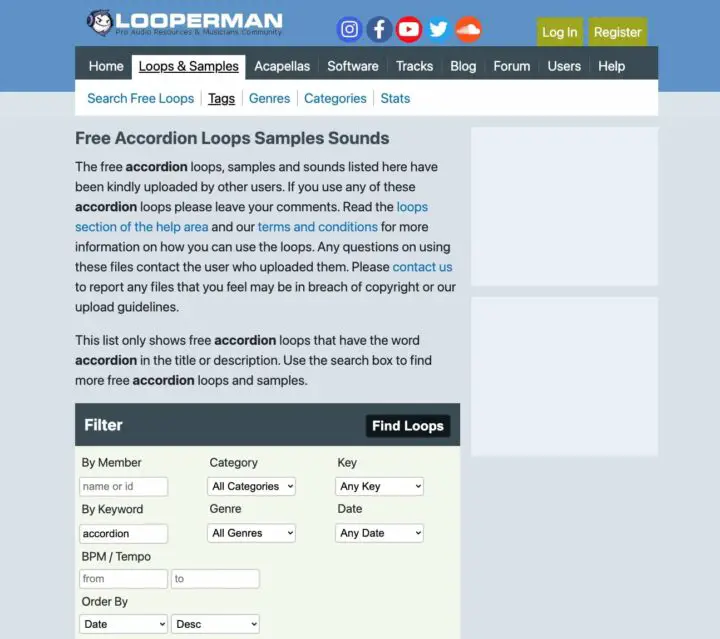
When it comes to accordions, there are a lot of different sounds you can create. If you’re looking for something specific or just want to experiment, Looperman is a great place to find accordion samples.
The website has a wide range of accordion samples that you can download for free. You can also find accordion loops and tracks on the site, which will give you an idea of how the accordion can be used in different styles of music.
The accordion samples on Looperman are varied, so you’re sure to find something that will fit the sound you’re going for. The site also has a helpful forum to ask other users for advice and feedback.
2. Sample Focus
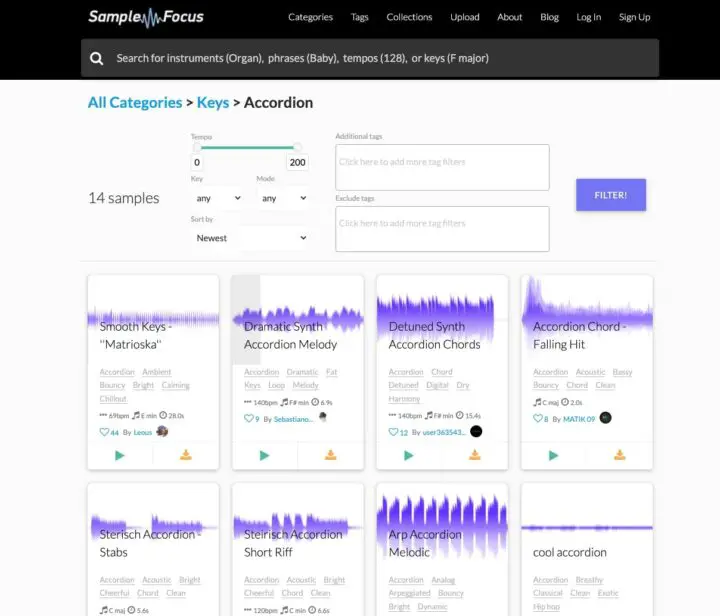
Sample focus is another excellent resource for free accordion samples. The site has a wide range of accordion samples that you can download, as well as loops and tracks.
The accordion samples on Sample Focus are also varied, so you’re sure to find something that will fit the sound you’re going for. The accordion samples are all high quality, and the site also offers a wide range of other instruments and sounds.
If you’re looking for free accordion samples that will help you create a realistic accordion sound in your music, Sample Focus is a great resource to check out.
3. Free Sound
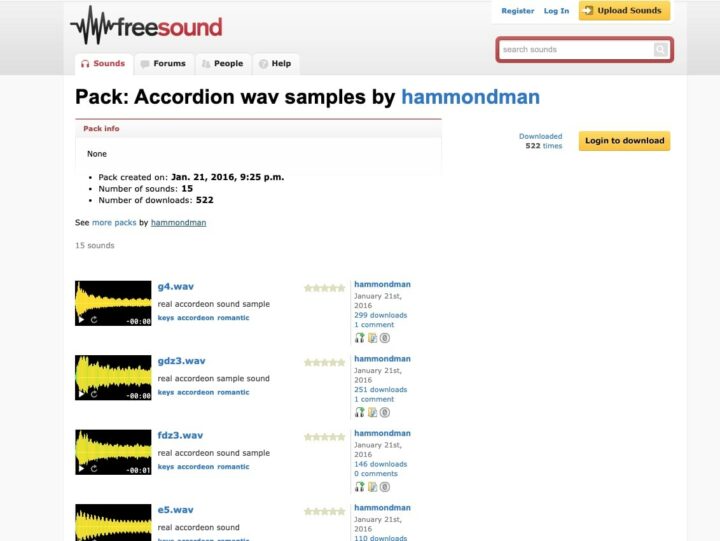
You can also find free accordion samples on Free Sound. The site has a wide range of accordion samples that you can download, as well as loops and one-shots. The accordion samples are available in WAV format.
You can search for samples by keyword or by genre. Once you’ve found a suitable accordion sample for your track, you can download it and add it to your project.
4. Free Wave Samples
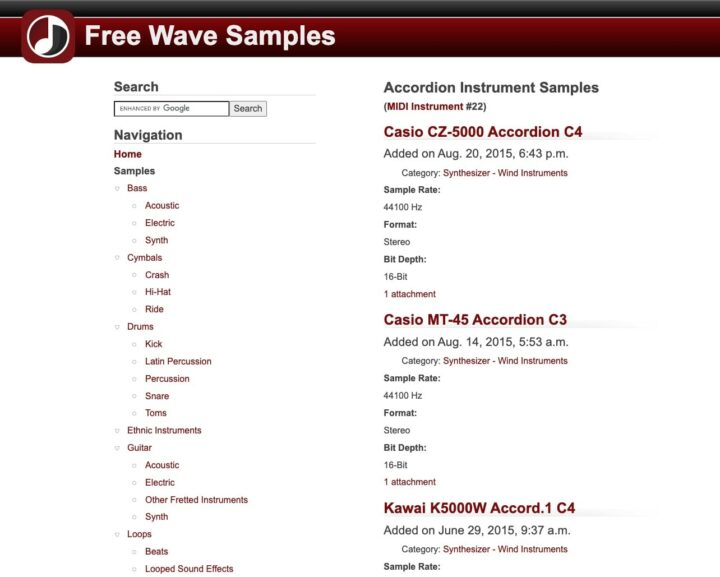
Free Wave Samples is another excellent resource for free accordion samples. The site has a wide range of accordion samples that you can download, as well as loops and one-shots.
You can search for samples by keyword or by genre. You can also browse the accordion samples by instrument. Once you’ve found a suitable accordion sample for your track, you can download it and add it to your project.
If you’re looking for free accordion samples, Free Wave Samples is an excellent place to start. It has a wide range of accordion samples to choose from, and all of the samples are available for free download.
Accordion FAQs
What is An Accordion VST Plugin?
Accordion VST plugin is a software that allows you to use an accordion sound in your music. Accordion sound can be used to create a wide range of sounds in your music, from classical folk music to modern electronic music.
Accordion VST plugins help you to create the accordion sound in your music by allowing you to control different accordion parameters that will affect the sound of the accordion in your music.
How to Install Accordion VST Plugins
To install accordion VST plugins on Windows or Mac, extract the files from the Zip or Rar. Move the files (.dll for Windows or .component for Mac) into your DAW’s plugin folder. Then restart your software and rescan the directory to complete the process. Tutorial: How to Install VST Plugins
Windows:
Extract the downloaded zip file and copy the .dll file into the VST plugins folder scanned by your DAW. Restart your music software and rescan your plugin directory to begin using the new VST.
Mac OS X:
Extract the downloaded archive and move the .component or .VST file to the plugin folder. It is usually /Library/Audio/Plug-Ins/Components or /Library/Audio/Plug-Ins/VST. Restart your DAW and rescan your plugins to complete the installation.
I hope you found this list of free accordion VST plugins helpful.





