Here are the best free bass amp VST plugins for Windows and Mac. We have included video demos, feature lists, pros, cons, and plugin ratings.
How we rate plugins: We rate each bass amp VST plugin based on sound quality, design, performance, features, usability, and compatibility. We rate plugins on a scale of 1 to 100.
Table of Contents
I have spent over 15 years testing and comparing hundreds of free and paid VST plugins, supported by hands-on demos on our YouTube channel, which has 11,000+ subscribers.
Related: 75 Best Guitar VST Plugins
Best Free Bass Amp VST Plugins
This table compares bass amp VST plugins by operating system, bit version, format, and rating.
| # | Plugin | OS | Formats | Bit Version | Ratings |
|---|---|---|---|---|---|
| 1 | Cypress TT-15 | Windows Mac | VST, VST3, AU, AAX | 32-bit, 64-bit | |
| 2 | Bass Deluxe | Windows Mac | VST, AU | 32-bit, 64-bit | |
| 3 | TSE BOD | Windows Mac | VST, AU, AAX | 32-bit, 64-bit | |
| 4 | SHB-1 | Windows Mac | VST, AU | 32-bit, 64-bit | |
| 5 | AmpliTube 5 Custom Shop | Windows Mac | VST | 64-bit | |
| 6 | ATKBassPreamp | Windows | VST, AU | 32-bit, 64-bit | |
| 7 | ClBass F | Windows | VST3 | 64-bit | |
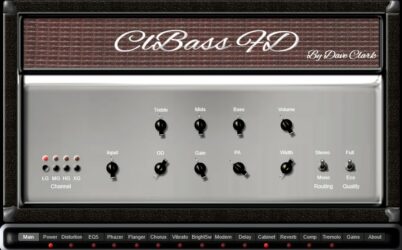
| 8 | ClBass FD | Windows | VST | 64-bit | |
| 9 | VeeBassAmp BS Edition | Windows | VST | 32-bit | |
| 10 | Bass Preamp | Windows | VST | 32-bit | |
| 11 | 3rd Bass | Windows | VST | 32-bit | |
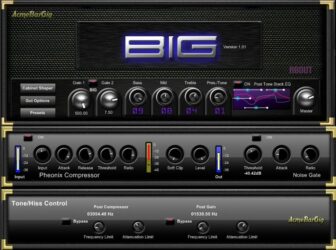
| 12 | BIG | Windows | VST | 32-bit | |
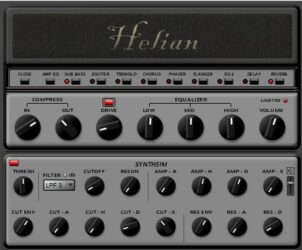
| 13 | Helian Bass | Windows | VST | 32-bit | |
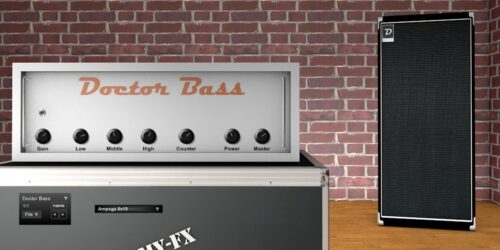
| 14 | Doctor Bass | Windows | VST | 32-bit | |
| 15 | Bass Grinder Free | Windows | VST, AU, RTAS | 32-bit, 64-bit |
1. Cypress TT-15
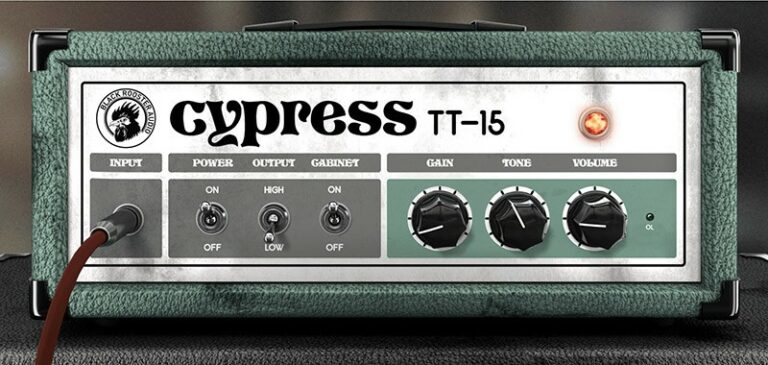
OS: Windows Win Mac Mac Bit Version: 32-bit, 64-bit Developer: CUREON Size: 14 MB Rating: 89/100
Cypress TT-15 offers a realistic amp experience modeled after a low-wattage tube amplifier. With six simple controls, it helps shape anything from clean tones to gritty overdrive. You can use its built-in 2×12 cabinet simulation or connect an external cabinet for more options.
Its circuit simulation recreates the warm response of real tubes, while auto-adjusted oversampling keeps the tone clear. The plugin runs smoothly and supports high-resolution displays. Music creators appreciate its natural sound, responsive feel, and ability to fit easily into different guitar setups.
Features
- Accurate Low-Watt Amp Emulation
- Real-Time SPICE Circuit Modeling
- Built-In 2×12 Cabinet Simulation
- Auto-Adjusted Oversampling Feature
- Low-Latency Linear-Phase Design
- HighDPI And Retina Display Support
- Available In VST, AU, VST3, AAX
- Low CPU Usage Performance
- Clean To High-Gain Tones
- Realistic Tube-Style Sound Response
Pros
- Very real tube amp sound
- Built-in 2×12 cab simulation
- Cab sim can be turned off
- Strong real-time circuit modeling
- Auto oversampling for clean sound
- Low CPU use and smooth play
- Competes with paid amp plugins
- Flexible tone and gain range
- HighDPI support for clear view
- Very small download size
Cons
- Limited tone shaping options
- No built-in bass cabinet sim
- Only one amp model included
- No built-in effects section
- Can sound thin for bass
- Interface looks plain and dated
- No impulse response support
- No noise gate control option
- No compressor or EQ section
- Less versatile than other free amps
Video Demo
What Users Say
Cypress TT-15 Tips
- I turn the gain knob slowly to find the sweet spot where the bass growls without getting muddy.
- I always check my input level so that the signal doesn’t clip the plugin.
- I use the cabinet simulation in the TT-15 when I want a full, warm sound.
- I often pair the TT-15 with a compressor plugin to tighten the sound.
- Blending the direct and amp-processed signals helps achieve clarity and punch.
- Experimenting with different virtual cabinets can change the feel and presence of the sound.
2. Bass Deluxe
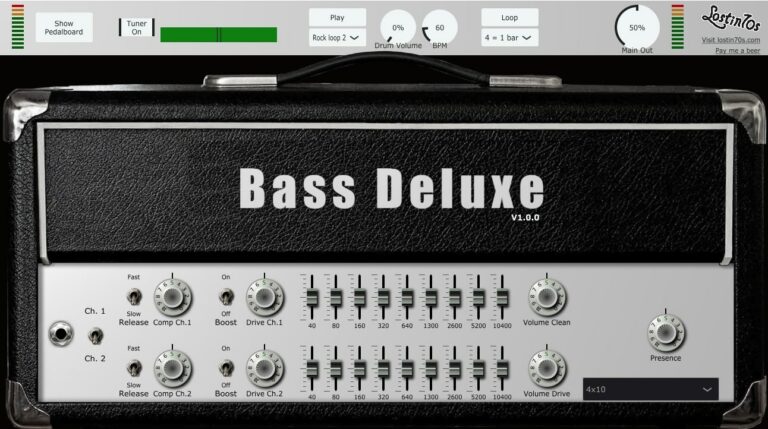
OS: Windows Win Mac Mac Bit Version: 32-bit, 64-bit Developer: lostin70s Size: 23.9 MB Rating: 85/100
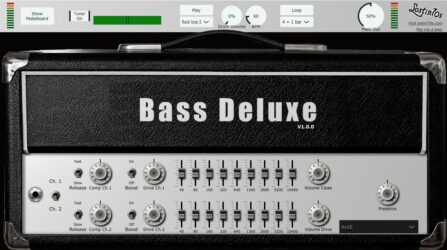
Bass Deluxe offers a warm tube-driven bass sound that ranges from smooth and deep to crisp and funky. It includes two independent channels with adjustable compression, drive, and a 9-band EQ, so you can shape your tone for any style or playing technique.
The plugin also features four cabinet models and six pedal effects for extra control over your sound. With its built-in beatbox and looper, Bass Deluxe makes practice and recording easy while keeping your bass tone full, balanced, and ready for any mix.
Features
- Two Independent Bass Channels
- Adjustable Compression And Drive
- Nine-Band Graphic Equalizers
- Four Bass Cabinet Models
- Tube Amplifier With Warm Tone
- Six Pedalboard Effects Included
- Built-In Beatbox And Looper
- Integrated Tuner Function
- Drum Loop Selector And BPM Control
- Low CPU Usage Performance
Pros
- Warm tube tone feels real
- Nine-band EQ for clear tone
- Four cabinet models included
- Pedalboard adds cool effects
- Looper helps practice timing
- Beatbox keeps groove steady
- Low CPU use for big sessions
- Built-in tuner helps quick setup
- Professional tone like paid amps
- High quality for a free plugin
Cons
- Limited cabinet selection options
- Interface looks dated
- Distortion can sound harsh
- No MIDI learn support
- Preset management feels clunky
- Tuner not very accurate
- Limited tone customization depth
- No impulse response support
- Can cause CPU spikes
- Windows stability issues
Video Demo
What Users Say
Bass Deluxe Tips
- I use the built-in compressor to even out my playing before adding any drive.
- Experiment with the drive knob to add warmth or grit without losing clarity.
- Using a high-pass filter helps the bass sit better in a full mix.
- Adjusting the mid frequencies can help the bass cut through guitars and drums.
- Try blending the DI signal with the amp sim output for a clearer low end.
- Make small EQ adjustments, as large changes can quickly ruin your tone.
- Save custom presets based on different playing styles or genres for quick recall.
3. TSE BOD
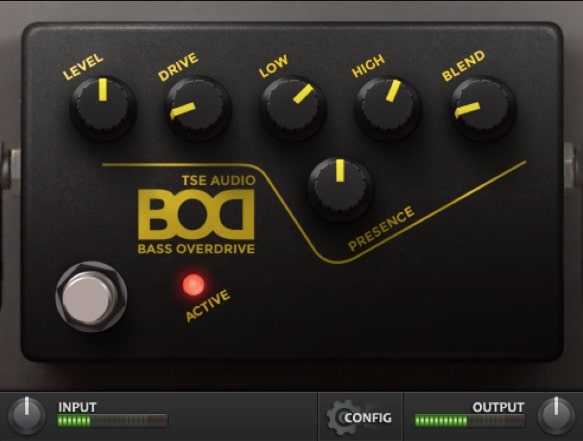
OS: Windows Win Mac Mac Bit Version: 32-bit, 64-bit Developer: TSE AUDIO Size: 17 MB Rating: 83/100
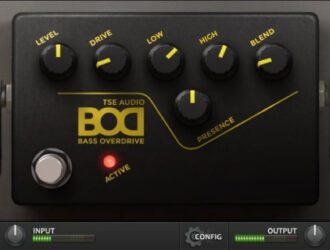
TSE BOD offers an authentic bass overdrive sound inspired by a famous hardware unit. It delivers warm, rich tones that help bass lines stand out in a mix. With controls for drive, tone, and blend, it’s easy to shape anything from subtle grit to heavy distortion.
This plugin works well for rock, metal, and pop styles, giving both punch and presence to any bass track. Its clean interface keeps focus on sound, letting creators quickly craft modern or vintage tones using simple knobs and meters for instant feedback.
Features
- Analog Modeled Bass Overdrive Effect
- Flexible Drive And Distortion Control
- Blend Knob For Clean Mix
- Low And High Tone Adjustments
- Presence Control For Added Clarity
- Input And Output Meters Included
- Supports VST, AU, And AAX Formats
- Low CPU Usage Performance
- Works For Bass And Guitar
- Free To Use Plugin
Pros
- Gives real bass amp sound
- Low CPU use on most systems
- Works well on Windows and Mac
- Blend knob keeps lows clean
- Drive control gives gritty tone
- Presence adds sparkle and detail
- Feels close to real SansAmp gear
- Works great with amp sims
- Stable and does not crash DAWs
- Better tone than many paid plugins
Cons
- Limited tone shaping options
- No cabinet simulation included
- Lacks Built-in presets
- No Built-in compressor
- Can clip easily on output
- Interface feels dated
- No mid frequency control
- Output can be too hot
- No impulse response loader
- Minimal updates from developer
Video Demo
What Users Say
TSE BOD Tips
- Use the TSE BOD as a bass preamp to give warmth and punch to any bass recording.
- I use the Blend control to mix my clean bass signal with the driven tone for clarity.
- Pair the plugin with a cabinet IR loader to get a more realistic amp feel.
- Experiment with compression before or after the plugin for better control.
- Always check your mix in mono to make sure the bass sits evenly with the kick drum.
4. SHB-1
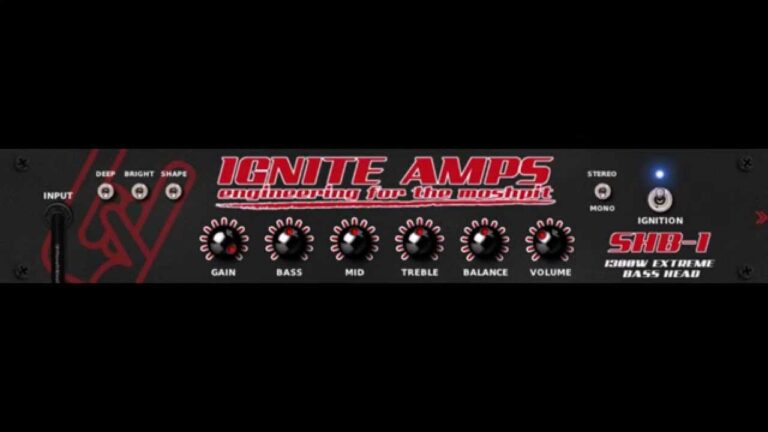
OS: Windows Win Mac Mac Bit Version: 32-bit, 64-bit Developer: Ignite Amps Size: 0.9 MB Rating: 83/100
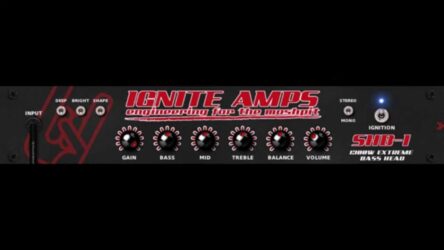
SHB-1 offers a detailed digital recreation of a real tube bass amplifier made for pro use. It captures the warmth and drive of the original hardware, giving players tones that range from smooth and deep to sharp and aggressive for rock, funk, or metal styles.
The plugin includes full tone control with gain, EQ, and blend options, plus selectable oversampling for improved sound detail. With mono or stereo processing, automatable settings, and zero latency, SHB-1 helps bass players craft a powerful and responsive tone for recording or live sessions.
Features
- Digital Tube Bass Amp Emulation
- Clean And Distorted Sound Blend
- Selectable Oversampling Up To 8x
- Zero Latency Performance
- Gain, Bass, Mid, Treble Controls
- Deep, Bright, And Shape Switches
- Works For Bass And Guitar
- Fully Automatable Parameters
- Light On CPU Usage
- Supports 44.1 To 192kHz Sample Rates
Pros
- Warm and realistic tube tone
- Zero latency for live play
- Light on CPU performance
- 64-bit double precision modeling
- Selectable 2x to 8x oversampling
- Deep tone control options
- Fully automatable plugin controls
- Strong emulation of real hardware
- Produces both smooth and growly tones
- Comparable or better than other free amps
Cons
- No built-in cabinet simulator
- Limited tone-shaping flexibility
- No built-in preset manager
- Interface looks plain and dated
- No built-in effects section
- Lacks visual feedback or meters
- No impulse response (IR) loader
- No noise gate or limiter
- No built-in compressor module
- Lacks multi-band tone control
Video Demo
What Users Say
SHB-1 Tips
- I always check my input level so the signal doesn’t clip before it hits the SHB-1.
- I use the EQ section to shape my tone, boosting lows for warmth or highs for clarity.
- I experiment with different cabinet impulses to match my music style.
- I always A/B test my processed bass with the clean signal to make sure it fits the mix.
- I record a clean DI track, so I can reamp through the SHB-1 later if needed.
- Blend clean and amp signals for more clarity and punch in the mix.
- Check your mix on different speakers or headphones to make sure the bass sits well everywhere.
5. AmpliTube 5 Custom Shop
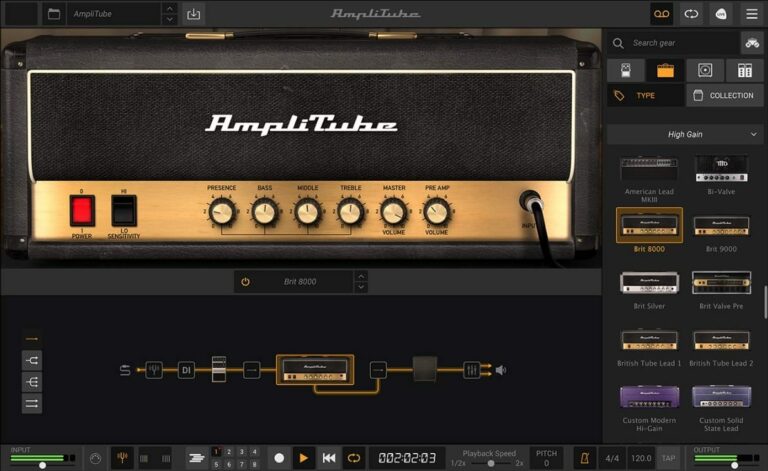
OS: Windows Win Mac Mac Bit Version: 64-bit Developer: IK Multimedia Production Size: 2.4 GB Rating: 83/100
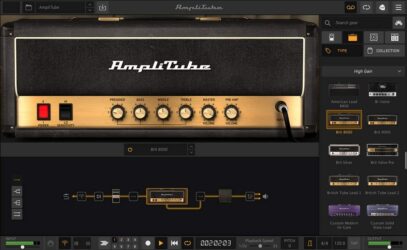
AmpliTube 5 Custom Shop offers a flexible way to explore and build your dream guitar rig. It includes 42 classic amps, cabinets, pedals, and effects you can use right away. Each piece is modeled for realistic tone and response, perfect for recording, practice, or live performance.
You can test over 400 pieces of official gear from major brands and artist collections before buying. With its detailed tone controls, cabinet options, and signal chain editor, AmpliTube 5 Custom Shop gives guitarists the tools to shape their sound and grow their virtual gear library at their own pace.
Features
- Includes 42 Free Gear Models
- Works As Plugin Or Standalone
- Authorized Models From Top Brands
- Realistic Sound With VIR Technology
- Includes Pedals, Amps, And Cabinets
- Movable Mics And Room Options
- Signal Path Editor For Custom Chains
- Low Latency For Real-Time Playing
- Free Tone Expansion With Custom Shop
- Clean And Modern User Interface
Pros
- AI machine modeling for better tone
- Free version includes 42 gear models
- Official models from famous brands
- High-quality Fender and Mesa tones
- Great high-gain tones for metal
- Accurate and natural cabinet sounds
- Try any gear free for 72 hours
- Easy to build custom guitar rigs
- Runs as standalone or plugin
- Supports VST, AAX, and AU formats
Cons
- Free version has limited gear
- Many popular amps locked
- Constant pop-ups to buy gear
- Heavy CPU load on laptops
- Preset management feels clunky
- Apple Silicon support still missing
- Too few metal amp options
- Some effects sound outdated
- High gain tones need tweaking
- Pricing for add-ons is steep
Video Demo
What Users Say
AmpliTube 5 Custom Shop Tips
- Experiment with blending two amps in the Dual mode to create a fuller metal tone.
- Try stacking multiple overdrives to tighten up high-gain sounds.
- Use impulse responses (IRs) from third parties for more cab tone options.
- Adjust mic distance in the virtual cab room to balance clarity and warmth.
- Lower the input gain if the sound is too fuzzy or harsh to get a cleaner tone.
- Keep the output level below clipping to avoid harsh digital distortion.
- Record dry tracks and then re-amp them through AmpliTube to experiment with different tones later.
6. ATKBassPreamp
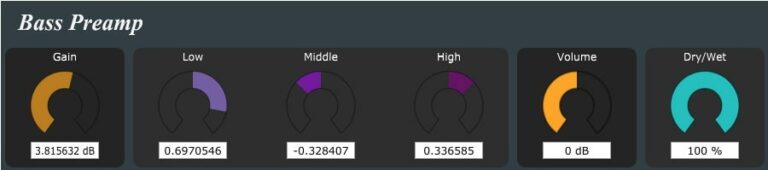
OS: Windows Win Bit Version: 32-bit, 64-bit Developer: Matthieu Brucher Size: 2.2 MB Rating: 74/100
ATKBassPreamp offers a classic bass tone modeled after the Fender Bassman preamp stage. It recreates the character of the original amp, giving bass tracks warmth and depth. With a simple layout, it helps shape everything from clean, rounded notes to gritty, driven sounds.
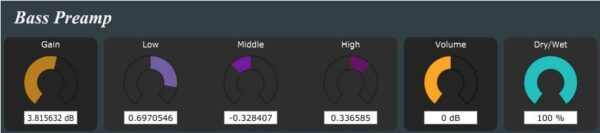
Its controls include Gain, Low, Middle, High, Volume, and Dry/Wet, making it easy to fine-tune your tone. ATKBassPreamp works well for enhancing bass presence in any mix and delivers a natural, analog-style feel that fits rock, jazz, or modern productions.
Features
- Fender Bassman Preamp Emulation
- Warm And Natural Bass Tone
- Low, Mid, And High Tone Controls
- Analog-Style Saturation Character
- Gain Control For Input Strength
- Dry Or Wet Mix Option
- Volume Knob For Output Level
- Simple And Clean Interface
- Available In VST And AU
- Supports 32-Bit And 64-Bit
Pros
- Warm and natural bass tone
- Smooth analog-style saturation
- Tight low-end control
- Versatile EQ shaping tools
- Works well in dense mixes
- Free and professional sounding
- Strong, defined bass presence
- Reliable Fender-style character
- Makes weak bass sound thick
- Balanced warmth and clarity
Cons
- High CPU use on older PCs
- No built-in cabinet simulation
- Limited tone shaping options
- No built-in compressor
- No impulse response loader
- GUI not scalable or resizable
- No preset browser included
- Requires third-party cabinet plugin
- Less features than other free amps
- Interface looks plain and basic
What Users Say
ATKBassPreamp Tips
- I try blending the clean and processed signals so I can keep the punch of the original bass.
- I always check how my bass fits in the mix by listening with drums and guitars, not just solo.
- I try different cabinet simulation plugins after the ATKBassPreamp to find the best amp sound for the song.
- Adjusting the mid frequencies can help the bass cut through the mix without being too loud.
- Pairing the ATKBassPreamp with a cabinet impulse response gives a more realistic amp feel.
- Balancing clean and overdriven tones helps create a rich, textured bass sound.
7. ClBass F
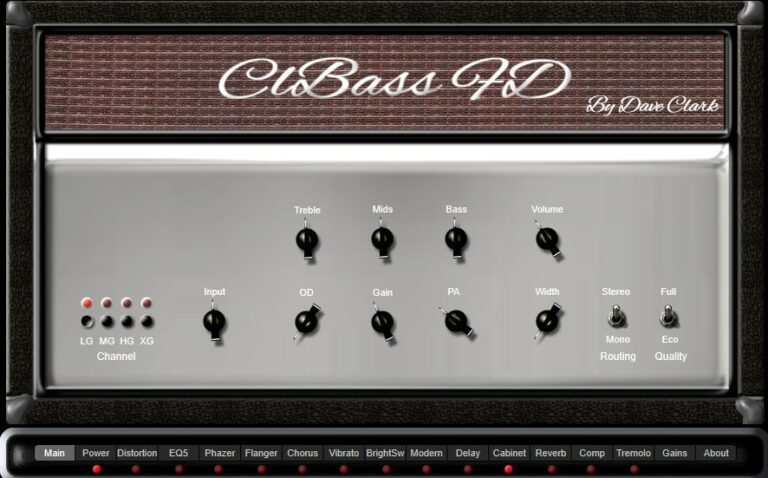
OS: Windows Win Bit Version: 64-bit Developer: EXE Consulting Size: 10 MB Rating: 74/100
ClBass F offers a clean and strong bass amp experience for music creators. It delivers smooth low-end tones and clear definition with several shaping controls for bass, mids, treble, and contour. Built-in overdrive and mix options make it easy to add texture and punch.
The plugin includes stereo and mono modes, along with eco or full-quality options for flexible use. Its simple layout helps focus on sound rather than setup, making it a practical choice for crafting tight, deep, and balanced bass tracks in any production style.
Features
- Free Bass Guitar Amp Simulator
- Built-In Bass Effects Included
- Adjustable Contour Tone Control
- Treble, Mids, And Bass Controls
- Overdrive For Gritty Sound
- Mix Blend Between Clean And Drive
- Width Control For Stereo Image
- Stereo Or Mono Output Selection
- Low CPU Usage Performance
- Bright, Full, And Deep Bass Tones
Pros
- Clean and powerful low-end tone
- Free plugin with pro-quality sound
- Built-in overdrive adds depth
- Selectable stereo or mono modes
- Eco mode saves computer power
- Multiple sound channels for style
- Bright or dark tone shaping
- Clear low end without muddiness
- Competes well with paid plugins
- Fits easily into any mix chain
Cons
- No macOS version support
- No cabinet impulse responses
- Lacks tube amp warmth
- Limited tone-shaping controls
- No MIDI learn
- No built-in compressor
- Lacks noise gate
- No preset browser
- Basic overdrive only
- Interface looks dated
Video Demo
What Users Say
ClBass F Tips
- I start by setting the input gain low and slowly raise it until the signal feels strong but clean.
- I adjust the drive control carefully; just a little grit can make my bass sound alive.
- I check how the bass sounds in the whole mix, not just solo, to make sure it blends well.
- Experimenting with cabinet simulation can make the bass sound more real and powerful.
- Adding a small touch of compression after the amp can help control dynamic peaks.
- The plugin’s blend control can be used to mix clean and processed tones for more clarity.
- Recording a clean DI track while using ClBass F for monitoring makes reamping easier later.
8. ClBass FD
OS: Windows Win Bit Version: 64-bit Developer: EXE Consulting Size: 11 MB Rating: 70/100
ClBass FD offers a new way to shape and enhance low-end sound using mid/side phase control and band filtering. It focuses on improving stereo depth, balance, and punch, letting you manage how bass and low mids sit inside a mix without losing clarity or impact.
This 64-bit VST plugin separates and processes different bass bands to widen, narrow, or boost certain frequencies. It works well on basslines, drums, and synths, giving producers detailed control over stereo width and tone for a fuller, more focused low end.
Features
- Bass Guitar Amp Simulator
- Bass-Specific Tone Voicing
- Mid And Side Processing
- Three-Band Stereo Decomposition
- Overdrive And Gain Controls
- Adjustable Treble, Mid, And Bass
- Spread Lows From Mono To Stereo
- Targets Low-Frequency Enhancement
- Improves Stereo Depth And Width
- Usable On Bass And Synths
Pros
- Made just for bass tones
- Boosts deep and rich lows
- Strong overdrive and gain options
- Helps fix muddy bass mixes
- Widen bass without losing center
- Works well on synth bass
- More features than most free amps
- Fine tone shaping with pins
- Low CPU use on systems
- Modern 64-bit VST support
Cons
- Only works on Windows
- No AU or AAX support
- Interface looks dated
- Limited preset options
- Few customization controls
- No cabinet simulation choices
- Overdrive sounds harsh
- Lacks built-in tuner
- No compressor included
- Can sound muddy in mixes
What Users Say
ClBass FD Tips
- I like to start by lowering the input gain until the sound is clean and not clipping.
- I use the built-in EQ to shape my tone before adding extra effects.
- I like to blend the clean signal with the amp signal for a fuller sound.
- Using a compressor after the amp plugin helps control volume peaks.
- Try layering a clean DI track with the ClBass FD output for punch and clarity.
- The speaker simulation can be adjusted to change the warmth and character of the tone.
- The plugin works best when placed before time-based effects like delay or reverb.
9. VeeBassAmp BS Edition
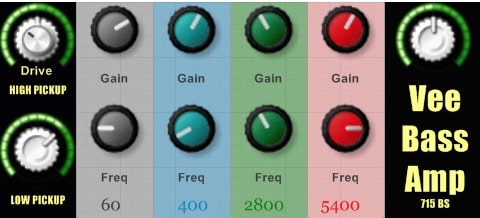
OS: Windows Win Bit Version: 32-bit Developer: Viper ITB Size: 2.3 MB Rating: 69/100
VeeBassAmp BS Edition offers a clear way to shape bass tones using separate high and low signal paths. Inspired by Billy Sheehan’s Dual-pickup setup, it lets you mix deep lows with driven highs for balanced punch and definition without losing Low-end strength.
This plugin includes tone controls, a DRIVE knob for adding grit, and Built-in filters and compression to keep the sound tight and smooth. From clean, direct tones to sharp rock growl, it provides flexible sound shaping that fits easily into modern mixes.
Features
- Dual Pickup Signal Control
- Drive Knob For Distortion
- High-pass And Low-pass Filters
- Built-in FET-Type Compressor
- Three-Band Parametric Equalizer
- Strong Low End Retention
- Responsive To Playing Dynamics
- Quick Tone Adjustment Options
- Low CPU Usage Performance
- Usable With Third-Party Cabinets
Pros
- Wide clean to gritty range
- Keeps low end tight
- Blends clean and drive perfectly
- Built-in compressor adds punch
- Acts like a real amp
- Low CPU use on projects
- Simple and clean interface
- Sits in mix very easily
- Handy tone shaping filters
- Sounds great on guitars too
Cons
- No macOS support available
- Only works on 32-bit systems
- No standalone version offered
- Lacks Built-in cabinet sims
- No preset browser included
- Limited EQ flexibility
- No advanced tone shaping tools
- No Built-in tuner tool
- No Drag-and-drop IR loading
- Lacks customizable signal routing
What Users Say
VeeBassAmp BS Edition Tips
- I use the “Drive” knob gently to add some grit without losing the low end. Too much drive can make it sound fuzzy.
- I use the built-in cabinet simulation when recording direct. It makes my bass sound more real and full.
- Combine compression before the amp plugin to even out the input volume and improve consistency.
- Check how the amp sits in the full mix, not just soloed, so the bass supports other instruments well.
- Use subtle EQ boosts around 80–120 Hz for body and reduce 300–400 Hz to remove muddiness.
10. Bass Preamp

OS: Windows Win Bit Version: 32-bit Developer: Ronald Passion Size: 2.7 MB Rating: 68/100
Bass Preamp offers an analog-style tube sound designed to add warmth and character to bass tracks. With options like HARD or SOFT tone settings, tube selection, and a cabinet switch, it gives players flexible control to shape their low end with natural depth and punch.
This plugin includes tone controls for bass, mid, and high frequencies along with DRIVE, SHAPING, and VOLUME adjustments for fine-tuning. It can produce clean tones or mild grit, making it useful for both studio mixes and live-style bass recordings.
Features
- Analog Tube Bass Preamp Simulation
- Solo Or Dual Tube Option
- Cabinet On Or Bypass Mode
- Drive Input Gain Control
- Bass Mid And High EQ
- Hard Or Soft Tone Switch
- Extra Low And High Controls
- Master Volume Output Control
- Warm Tube Like Sound
- Low CPU Usage Performance
Pros
- Warm and real tube sound
- Adds grit without losing lows
- Cabinet switch for quick variety
- Useful tone shaping controls
- Makes bass sit well in mix
- Free and high quality sound
- Adds life to DI recordings
- Solo tube adds smooth warmth
- Stable and low CPU footprint
- Feels like playing a real amp
Cons
- No macOS or Linux support
- Limited to 32-bit version
- No built-in cabinet IR loader
- Lacks advanced amp modeling
- GUI looks plain and dated
- No presets or save feature
- Missing tuner or metering tools
- No MIDI or automation mapping
- Not available in 64-bit format
- Basic EQ compared to modern VSTs
Video Demo
What Users Say
Bass Preamp Tips
- Start by setting input and output levels carefully to avoid clipping and distortion.
- Use the EQ section to fix muddy frequencies and help the bass sit better in the mix.
- Experiment with the drive knob to add a gentle growl or full-on distortion, depending on the song.
- Try pairing the Bass Preamp with a cabinet simulator VST for a more realistic amp tone.
- Adjust the mids to help the bass cut through without overpowering the kick drum.
- Don’t push every knob to the max; small changes can make a big difference in sound.
- Always trust your ears—if the bass feels full and clear, you’re probably using the preamp well.
11. 3rd Bass
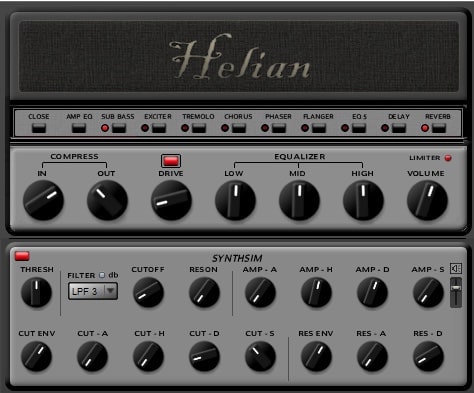
OS: Windows Win Bit Version: 32-bit Developer: Fretted Synth Size: 3 MB Rating: 67/100
3rd Bass offers a flexible way to shape bold and deep bass sounds inside your mix. It combines an amp section with multiple effects like chorus, tremolo, and reverb to give your tones more power and space. The simple layout makes finding your sound quick and direct.
From clean warmth to thick distortion, 3rd Bass covers many bass styles for electronic and rock tracks. The EQ, drive, and compression tools let you balance punch and clarity. Its responsive filters and modulation add movement, making it a strong option for creative sound design.
Features
- Easy-To-Use Bass Amplifier Plugin
- Multi-Effect Section For Sound Shaping
- Adjustable Amp EQ Controls
- Sub Bass For Deep Low-End
- Drive For Distorted Bass Tones
- Limiter Prevents Sound Clipping
- Compressor Evens Out Volume
- Chorus For Wide Stereo Sound
- Reverb For Room-Like Depth
- Low CPU Usage Performance
Pros
- Free and high quality sound
- Adds warmth and clear low tones
- Has clean or gritty options
- Includes limiter for safe volume
- Filter adds cool sweeping sounds
- Fun LFO for moving textures
- Light on computer CPU use
- Has full tone controls for EQ
- Sits well in music mixes
- Feels like a pro bass tool
Cons
- Only works on Windows systems
- Limited to 32-bit format
- Interface looks old and plain
- No built-in preset browser
- Lacks built-in tuner feature
- Lacks modern amp cabinet sims
- Can sound thin without tweaking
- Not updated in many years
- No noise gate control option
- No visual EQ display
Video Demo
What Users Say
3rd Bass Tips
- I like to start by playing with the drive knob to see how much grit I want in my bass tone.
- I use the EQ section to cut some highs so the bass sits better in the mix.
- I often try different cabinet settings to find the sound that feels the most real.
- I turn up the compression when I need the bass to sound tighter in my song.
- When using a Bass Amp VST, make sure to check the gain staging to avoid unwanted distortion.
- Blending the direct bass signal with the amp output can give more control over clarity and warmth.
- Using a cabinet impulse can give the bass a more realistic or vintage feel.
12. BIG
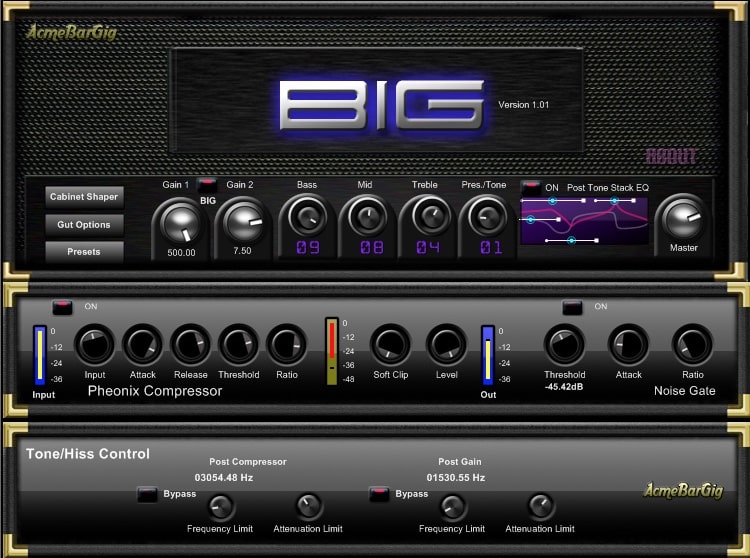
OS: Windows Win Bit Version: 32-bit Developer: AcmeBarGig Size: 2.1 MB Rating: 65/100
BIG offers a flexible bass amp and effects setup designed to shape everything from clean, detailed tones to powerful, gritty sounds. It includes twin 12AX7 preamp tubes, a tone stack EQ, noise gate, compressor, and cabinet shaper for full control over tone and dynamics.
With its “Gut” technology, BIG lets users change how the amp behaves inside, adjusting crossovers and filters to fine-tune response and color. Its preset manager makes saving and sharing sounds easy, while bypass options keep the sound path fully customizable.
Features
- Highly Tweakable Bass Amp Suite
- Adjustable Cabinet Shaper Technology
- Granite Compressor Included
- Preset Manager For Sharing
- Tweakable Tone Stack EQ
- Two 12AX7 Preamp Tubes
- Real-Time Frequency Display
- Simple And Intuitive Interface
- Tone And Mix Blend Control
- Light CPU Usage Performance
Pros
- Creates rich, deep bass tones
- Cabinet shaper emulates any cabinet
- Custom Gut technology for tweaking
- Bypassable tubes for tonal variety
- Real-time frequency display
- Powerful Granite Compressor included
- Preset manager for easy sharing
- Light on CPU usage
- Adds warmth to kick and bass
- Free plugin with pro features
Cons
- Only works on Windows systems
- No 64-bit version support
- Not available in AU or AAX
- Lacks modern resizable GUI
- Can get noisy when pushed
- No built-in impulse responses
- Cab emulation feels less realistic
- May crash on some DAWs
- No sidechain or parallel routing
- Updates and support seem limited
What Users Say
BIG Tips
- I like to start by setting the input gain low, then raise it until my bass sounds full but not fuzzy.
- I turn on the drive just a little to give my bass a warm, growly sound.
- I keep the low end tight by using the EQ to cut a bit of deep bass below 40 Hz.
- I sometimes blend a clean bass sound with an amped one for better punch.
- Use BIG’s cabinet models to shape the tone before adding more effects.
- Blend compression after the amp to keep the bass smooth and even.
- Always listen on different speakers to check how the bass cuts through.
13. Helian Bass
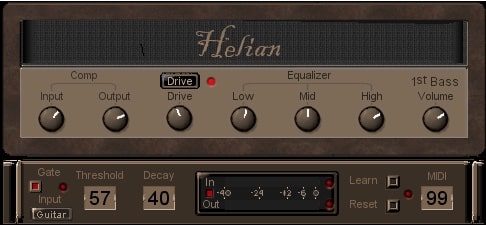
OS: Windows Win Bit Version: 32-bit Developer: Fretted Synth Size: 11.8 MB Rating: 64/100
Helian Bass offers five styles of bass amps with real-time control, giving you many ways to shape your low-end sound. Its clean layout makes it simple to adjust drive, tone, and volume so you can quickly find the right amount of punch or warmth.
Each amp model reacts smoothly to your playing, making bass lines feel natural and alive. You can tweak the lows, mids, and highs, or use the gate and drive controls for tighter or grittier tones. Helian Bass works well for both synth and guitar-style bass parts.
Features
- Five Bass Amp Variations
- Real-Time Bass Processing
- Drive For Distortion Effects
- Low, Mid, High Tone Controls
- Noise Gate With Threshold Settings
- MIDI Learn And Reset Functions
- Pitch Bend For Slides
- Multi-Out Routing Options
- Punchy And Natural Bass Tone
- Simple And Clear Interface
Pros
- Five amp types for variety
- Real-time bass playing feel
- Free and high quality sound
- Deep tone control options
- Handles chords and polyphony well
- Customizable with MIDI learn feature
- Multi-out routing for sound shaping
- Flexible EQ with low, mid, high
- Natural and organic bass tones
- Comparable to paid bass plugins
Cons
- Only works on Windows
- Runs only in 32-bit mode
- Outdated interface design
- No preset library
- No tuner feature
- No cabinet simulation
- Few sound customization options
- No compressor section
- Often crashes
- Less CPU efficient
Video Demo
What Users Say
Helian Bass Tips
- I start by setting the input level so the sound is clear and not too loud.
- I like to adjust the tone knob until the bass sits well in the mix.
- I try different amp models to see which one fits my song best.
- Use EQ to cut low-end rumble and make the tone cleaner.
- Make sure the bass level does not overpower the kick drum.
- Always render test mixes to check how the bass translates on speakers.
14. Doctor Bass
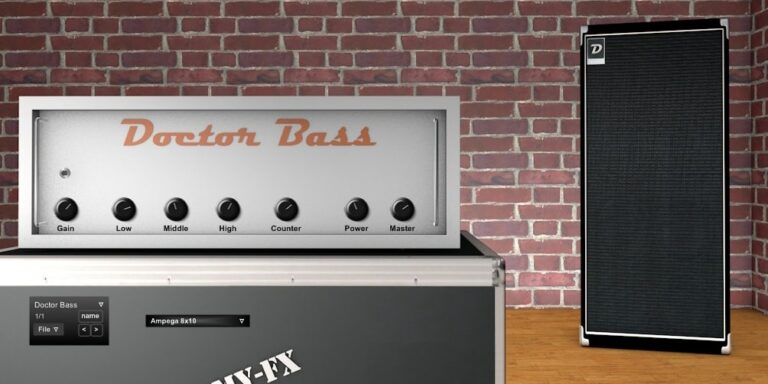
OS: Windows Win Bit Version: 32-bit Developer: DamyFx Size: 13.7 MB Rating: 62/100
Doctor Bass offers a tube amp and cabinet simulator designed to give bass players rich, warm tones. Inspired by classic American tube amps, it features four speaker models that deliver anything from smooth lows to punchy midrange sounds, all easily tuned through clear, simple controls.
With knobs for gain, tone shaping, and cabinet selection, Doctor Bass helps users build deep or bright bass tones suited to many music styles. Its amp and cabinet sections make it easy to find the right texture for studio sessions or live-style recordings.
Features
- Four Bass Speaker Models
- Tube Amp Simulation
- Wide Range Of Bass Tones
- Low, Mid, High Tone Controls
- Selectable Cabinet Section
- Master Volume Adjustment
- Simple, Clear Interface
- Includes Usable Preset Sounds
- Smooth, Analog Style Sound
- Low CPU Usage
Pros
- Rich, warm tube amp tone
- Four detailed speaker models
- Low CPU use for smooth play
- Realistic cabinet simulation control
- Analog warmth with digital clarity
- Professional sound for free plugin
- Outperforms many paid bass amps
- Easy tone shaping with EQ
- Usable presets right out the box
- Fits easily in any mix
Cons
- Only works on Windows systems
- No 64-bit version offered
- Lacks built-in effects options
- Very limited cabinet variety
- No visual metering for levels
- Cannot load third-party impulse responses
- Sounds may lack modern polish
- Not ideal for live performance
- No stereo output option
- Less flexible than newer VSTs
Video Demo
What Users Say
Doctor Bass Tips
- I always turn down the gain first so I can hear how each setting changes the tone without getting too loud.
- I experiment with the cabinet simulation to find the one that fits best with my mix.
- I use compression in the plugin to keep my bass tones even and punchy.
- Layering a clean and an amp-processed bass track can create a full, rich sound.
- Lowering the low-end slightly in the plugin can make room for the kick drum in the mix.
- Experiment with cabinet IRs; different ones can completely transform the bass character.
15. Bass Grinder Free
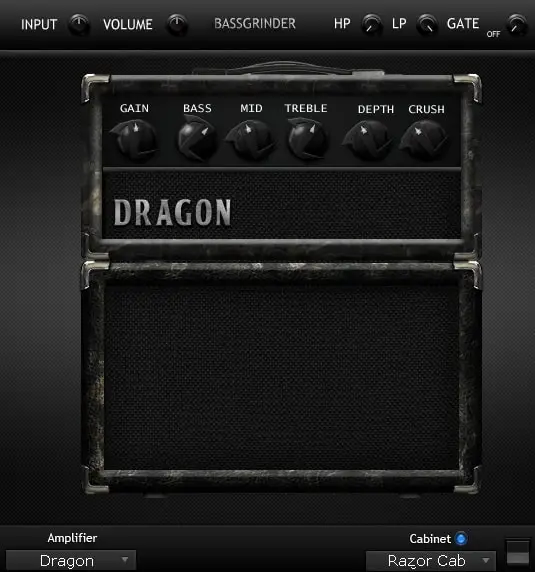
OS: Windows Win Bit Version: 32-bit, 64-bit Developer: Audio Assault Size: 3.5 MB Rating: 60/100
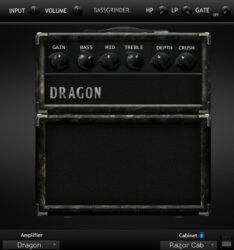
Bass Grinder Free offers heavy, ready-to-record bass tones designed for metal and hard rock styles. With two amps and three cabinets, it gives a strong, gritty low end that easily cuts through dense mixes. Just load it and dial in thick, aggressive tones fast.
This plugin keeps controls simple while still offering flexibility. You can shape your tone with gain, bass, mid, and treble, then fine-tune with depth, crush, and filters. It’s a quick solution for musicians who want powerful bass sounds without spending time tweaking.
Features
- Two Bass Guitar Amplifiers
- Three Selectable Bass Cabinets
- Instant Mix-Ready Bass Tones
- Gain Control For Added Distortion
- Bass, Mid, And Treble Equalizer
- Depth Knob For Extra Low End
- Crush Control For Heavier Tone
- High Pass And Low Pass Filters
- Noise Gate For Clean Playing
- Low CPU Usage Performance
Pros
- Instant heavy bass tones
- Two powerful amp choices
- Three cabinets for variety
- Rich, mix-ready sound
- Strong low-end punch
- Works with other IR loaders
- Low CPU use performance
- Ready-to-use presets instantly
- Ideal for layering bass tones
- Free for all users
Cons
- Only two amp choices available
- Limited to three cabinet options
- No built-in tuner feature
- Lacks modern user interface design
- No preset browser or saving
- Cabinets sound dull and lifeless
- Requires extra IR loader for quality
- Less realistic than Ampeg SVX UNO
- Mac users may face compatibility issues
- Tones can sound fizzy or harsh
Video Demo
What Users Say
Bass Grinder Free Tips
- I use the blend knob to mix my clean and dirty signals so the bass stays clear but still heavy.
- I use the EQ to cut muddy low-mids and boost around 2kHz for more bite.
- I record a clean DI signal along with the amp tone so I can reamp later if I need to adjust the tone.
- Cabinet impulse responses can greatly change the tone; try different IRs for variety.
- Using parallel compression keeps the bass strong without squashing the dynamics.
- Keeping the low end centered in the mix ensures the bass feels solid and balanced.
Bass Amp VST Plugins Compared
This table compares the Bass Amp VST plugins by features, controls, effects, formats, and more.
| Details | Cypress TT-15 | Bass Deluxe | TSE BOD | SHB-1 | AmpliTube 5 Custom Shop | ATKBassPreamp | ClBass F | ClBass FD | VeeBassAmp BS Edition | Bass Preamp | 3rd Bass | BIG | Helian Bass | Doctor Bass | Bass Grinder Free | Guitar Amp 2 FE | Slap Passion |
|---|---|---|---|---|---|---|---|---|---|---|---|---|---|---|---|---|---|
| Image | 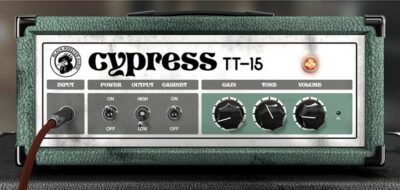 |
 |
 |
 |
 |
 |
 |
|
|
 |
 |
 |
|
 |
 |
 |
 |
| Rating | |||||||||||||||||
| OS | Windows, Mac | Windows, Mac | Windows, Mac | Windows, Mac | Windows, Mac | Windows | Windows | Windows | Windows | Windows | Windows | Windows | Windows | Windows | Windows | Windows | Windows |
| Formats | VST, VST3, AU, AAX | VST, AU | VST, AU, AAX | VST, AU | VST | VST, AU | VST3 | VST | VST | VST | VST | VST | VST | VST | VST, AU, RTAS | VST | VST |
| Bit Version | 32-bit, 64-bit | 32-bit, 64-bit | 32-bit, 64-bit | 32-bit, 64-bit | 64-bit | 32-bit, 64-bit | 64-bit | 64-bit | 32-bit | 32-bit | 32-bit | 32-bit | 32-bit | 32-bit | 32-bit, 64-bit | 32-bit | 32-bit |
| Developer | CUREON | lostin70s | TSE AUDIO | Ignite Amps | IK Multimedia Production | Matthieu Brucher | EXE Consulting | EXE Consulting | Viper ITB | Ronald Passion | Fretted Synth | AcmeBarGig | Fretted Synth | DamyFx | Audio Assault | Plektron | Ronald Passion |
| License | Freeware | Freeware | Freeware | Freeware | Freeware | GPL | Freeware | Freeware | Freeware | Donationware | Freeware | Freeware | Freeware | Freeware | Freeware | Freeware | Freeware |
| Sample-Based | Select | No | No | No | No | No | Select | Select | Select | Select | No | Yes | No | Yes | No | No | Select |
| Download Size | 14 MB | 23.9 MB | 17 MB | 0.9 MB | 2.4 GB | 2.2 MB | 10 MB | 11 MB | 2.3 MB | 2.7 MB | 3 MB | 2.1 MB | 11.8 MB | 13.7 MB | 3.5 MB | 13.1 MB | 2.1 MB |
| CPU Load | Low | Low | Low | Low | Medium | Low | Low | Low | Low | Low | Low | Low | Low | Low | Low | Low | Low |
| Polyphony | 8 | 8 | 1 | 1 | 2 | 1 | 8 | 8 | 8 | 1 | 8 | 8 | 6 | 16 | N/A | 8 | 64 |
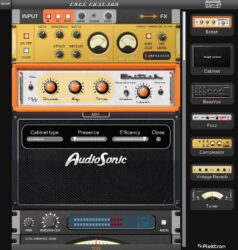
| Features | Authentic Circuit Emulation, Built-in Cabinet Simulation, Real-time Oversampling, Intuitive Controls, HighDPI Interface, Simple Activation, Adjustable GUI Size | Dual channels, Adjustable compression, 9-band EQ, Tube amplification, Pedalboard effects, Cabinet models, Presence boost | Analog bass modeling, Simple interface, Flexible distortion, Blend control, Presence shaping, Quick tone setup, Free plugin | Tube amp emulation, Tone shaping switches, Gain control, Oversampling options, Automatable controls, Zero latency, Mono/stereo support | Free gear collection, Customizable virtual rig, TONEX AI modeling, Official gear models, Try-before-buy demos, VIR cabinet technology, Extensive gear library | Warm tone, Easy workflow, Analog saturation, Musical EQ, Gain control, Tone shaping, Quick results | Amp simulation, Built-in effects, User-friendly interface, Tone shaping, Overdrive control, Channel switching, Stereo/Mono option | Bass amp simulation, Bass-specific voicing, Mid/Side processing, Three-band control, Stereo widening, Dimensional phasing, Overdrive shaping | Dual-pickup blending, Drive control, Dynamic compression, High-pass filter, Low-pass filter, Versatile EQ, Simple interface | Analog tube simulation, Tone shaping, Drive control, Cabinet simulation, Bass control, Mid control, Hi control | Simple interface, Multi-effect section, Amp EQ, Sub bass, Drive distortion, Filter modulation, Reverb delay | Gut technology, Cabinet shaper, Noise gate, Granite compressor, Tone stack EQ, Dual crossovers, Preset manager | Five amp variations, Real-time effects, Polyphonic playability, Velocity response, Tone shaping, Slide capability, Multi-out routing | Tube amp simulation, Four speaker models, Easy interface, Wide bass tones, Tone shaping controls, Preset variety, Analog sound | Two amplifiers, Three cabinets, Mix-ready tones, Easy interface, Aggressive sound, Noise gate, Distortion control | Guitar amplifier, Bass amplifier, Cabinet simulator, Fuzz effect, Dynamic compressor, Vintage reverb, Tuner | Clean tube preamp, Bass tone shaping, Mid frequency control, Simple interface, MIDI CC control, Preset selection, Workflow enhancement |
| Controls | Input, Power Switch, Output Switch, Cabinet Switch, Gain Knob, Tone Knob, Volume Knob | Show Pedalboard, Tuner On, Play Button, Drum Loop Selector, Drum Volume, BPM Control, Cabinet Selector | Level, Drive, Low, High, Presence, Blend, Active Button | Input, Deep, Bright, Gain, Bass, Mid, Treble | Power Switch, Presence Knob, Bass Knob, Middle Knob, Treble Knob, Master Volume, Preset Browser | Gain, Low, Middle, High, Volume, Dry/Wet, Peak Meter | Contour, Treble, Mids, Bass, Volume, Gain, Overdrive | Treble, Middle, Bass, Volume, Input, Overdrive, Gain | Drive, High Pickup, Low Pickup, Gain (60), Gain (400), Gain (2800), Gain (5400) | On/Off, Hard/Soft, X-Tra Lo, X-Tra Hi, Tube, Cabinet, Drive In | Amp Eq, Sub Bass, Exciter, Drive, Filter, Lfo, Volume | Preset Selector, Gain Knob, Bass Knob, Middle Knob, Treble Knob, Presence Knob, Master Volume | Input, Output, Drive, Low, Mid, High, 1st Bass Volume | Gain, Low, Middle, High, Counter, Power, Master | Input, Gain, Volume, Bass, Mid, Treble, Depth | Input Section, Compressor, Preamp, EQ Section, Amp Head, Cabinet Section, FX Section | Input, Bass, Mid, Freq, Hi, Volume, MIDI CC |
| Effects Included | Distortion, Cabinet Simulation, Tone Adjustment, Overdrive | Compression, Drive, Equalizer, Tone Drive, Presence Boost | Distortion, Saturation, Equalization | Distortion, EQ, Bass Boost | Stompbox FX, Rack FX | Preamplifier, EQ, Saturation, Drive | Overdrive, Width | Overdrive, Delay, Phase Shift, Rotor Modulation | Distortion, High-pass filter, Low-pass filter, Compressor, Clipper, EQ | Preamp, Cabinet simulation, EQ (Bass, Mid, Hi), Drive, Tone shaping, Tube simulation | Sub Bass, Exciter, Tremolo, Chorus, Phaser, Flanger, Delay, Reverb, Compressor, Drive, Equalizer, Limiter, Filter, LFO | Noise Gate, Granite Compressor, Phoenix Compressor, Cabinet Shaper, Tone stack EQ, Crossovers, Filters | Distortion, Noise Gate | Unknown | Distortion, Equalization, Noise Gate, High Pass Filter, Low Pass Filter | Fuzz, dynamic compressor, vintage reverb, delay, chorus | Bass, Mid, Hi, Freq, Volume, Input |
| MIDI Learn | Unknown | Yes | Unknown | Yes | Yes | Unknown | Unknown | Unknown | Select | Unknown | Yes | Unknown | Yes | Unknown | Unknown | Yes | Unknown |
| Presets | N/A | 10 | N/A | N/A | 42 | N/A | N/A | N/A | 25 | N/A | N/A | N/A | 32 | 100 | N/A | 15 | 80 |
| Standalone | Select | Yes | Yes | Yes | Yes | Yes | Yes | Yes | Yes | Select | Yes | Yes | Yes | Select | No | Yes | Select |
| Last Updated | N/A | 05/13/2023 | 06/15/2020 | 02/01/2021 | 04/04/2023 | 06/17/2019 | N/A | 07/16/2023 | N/A | 03/12/2020 | 08/26/2007 | 02/17/2010 | 05/18/2009 | 04/02/2024 | 06/24/2016 | 07/25/2016 | N/A |
Favorite Bass Amp VST Plugin
Our top pick for the best free Bass Amp VST plugin is Cypress TT-15 by CUREON.
| Details | Cypress TT-15 |
|---|---|
| Image |
|
| Rating | |
| OS | Windows, Mac |
| Formats | VST, VST3, AU, AAX |
| Bit Version | 32-bit, 64-bit |
| Developer | CUREON |
| License | Freeware |
| Sample-Based | Select |
| Download Size | 14 MB |
| CPU Load | Low |
| Polyphony | 8 |
| Features | Authentic Circuit Emulation, Built-in Cabinet Simulation, Real-time Oversampling, Intuitive Controls, HighDPI Interface, Simple Activation, Adjustable GUI Size |
| Controls | Input, Power Switch, Output Switch, Cabinet Switch, Gain Knob, Tone Knob, Volume Knob |
| Effects Included | Distortion, Cabinet Simulation, Tone Adjustment, Overdrive |
| Download | Download Cypress TT-15 |
Frequently Asked Questions
What Is A Bass Guitar Amp?
A bass guitar amp is a piece of equipment that amplifies the low frequencies emitted by the bass guitar, making them louder and easier to hear.
Bass guitar amps vary in size and design, but all serve the same essential purpose: to make the Bass louder. Some bass amps are small and portable, while others are large and stationary. Some have just one speaker, while others have multiple speakers.
Bass amps typically have either solid-state or tube circuitry. Solid-state amplifiers use transistors to amplify the signal, while tube amplifiers use vacuum tubes. Each type has its own characteristic sound. Many bassists prefer the warmer, fuller sound of a tube amplifier, but solid-state amplifiers are more common because they’re less expensive and easier to maintain.
How Do You Use A Bass Amp Plugin?
There are a number of bass amp plugins on the market, and they all work a little bit differently. But in general, you’ll want to start by selecting a bass amp model that most closely resembles the sound you’re going for.
After that, you can start tweaking the various parameters to get the sound just right. This might include adjusting the level of distortion, adjusting the EQ settings, or adding effects like reverb or chorus.
Experimentation is key when it comes to finding the perfect sound for your music. So don’t be afraid to try out different settings until you find something that works for you.
What To Look For In A Bass Amp Plugin?
When looking for a bass amplifier plugin, you’ll want to consider the features that are most important to you. For example, if you need an amp with many different tone options, you’ll want to find one that has a wide range of settings. Or, if you need an amp that’s easy to use, look for one with a simple interface.
Some things to keep in mind are the quality of the sound, how well it performs on different types of computers, and whether it has any built-in effects or not.
Also, check out the reviews before making your final decision. This way, you can be sure you are getting a plugin that is worth your time.
What Is A Bass Amp VST Plugin?
A bass amplifier VST plugin is an audio effect that emulates the sound and functionality of a traditional bass amplifier. Bass amps are often used to provide a deeper bass sound than what can be achieved with just the standard guitar amp.
The most common bass amp VSTs are bass amplifiers, speaker cabinets, and bass preamp simulators. These plugins are designed to work with various bass guitars, including electric, acoustic, and even synth bass.
How to Install Bass Amp VST Plugins
To install bass amp VST plugins on Windows or Mac, extract the files from the Zip or Rar. Move the files (.dll for Windows or .component for Mac) into your DAW’s plugin folder. Then restart your software and rescan the directory to complete the process. Tutorial: How to Install VST Plugins
Windows:
Extract the downloaded zip file and copy the .dll file into the VST plugins folder scanned by your DAW. Restart your music software and rescan your plugin directory to begin using the new VST.
Mac OS X:
Extract the downloaded archive and move the .component or .VST file to the plugin folder. It is usually /Library/Audio/Plug-Ins/Components or /Library/Audio/Plug-Ins/VST. Restart your DAW and rescan your plugins to complete the installation.
The free bass sim plugins I’ve shared offer a range of amp models, cab emulations, EQ controls, and more effects to help you dial in the perfect bass tone. Whether you’re recording Bass with an audio interface or looking to add some low-end to your guitar sounds, these free plugins are a great choice.
With built-in features like preset managers, speaker cabinets, and bass preamp simulators, you can get the sound of a real amplifier without breaking the bank. I hope you found this list of free bass amp VST plugins helpful.
You May Also Like: